Ionic Framework
Yauheni Nikanovich
zhenyanikon@gmail.com
Ionic Framework
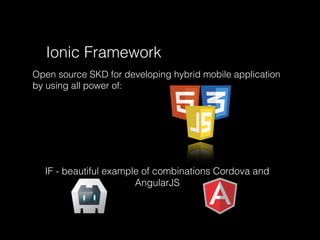
Open source SKD for developing hybrid mobile application
by using all power of:
IF - beautiful example of combinations Cordova and
AngularJS
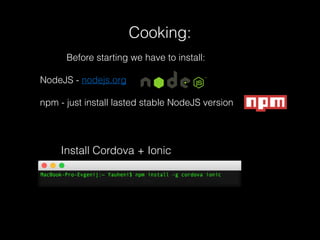
Install Cordova + Ionic
Cooking:
Before starting we have to install:
NodeJS - nodejs.org
npm - just install lasted stable NodeJS version
Create project
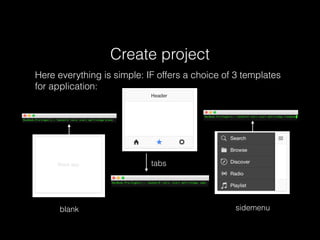
Here everything is simple: IF offers a choice of 3 templates
for application:
blank
tabs
sidemenu
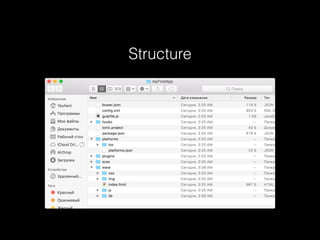
Structure
bower.json - Used for managing your app's dependencies via the bower package management
tool.
config.xml - This is the configuration file for Cordova. It's used for Cordova plugin management
and app settings.
gulpfile.js - This file is used for compiling SASS and other Ionic Framework specific tasks via the
gulp task runner.
ionic.project - This is used for the configuration of the ionic CLI tool.
package.json - All of your npm dependencies are stored in this file.
/hooks - This directory stores any Cordova Hooks that you may have.
/platforms - Here Ionic keeping builds for each platforms.
/plugins - Any Cordova Plugins that you install will be saved in this folder.
/scss - Stores Ionic's SCSS file, but you can (optionally) put your own SCSS files in there too.
/www - This contains the meat of our Ionic application; you'll be spending most of your time in
here.
Structure
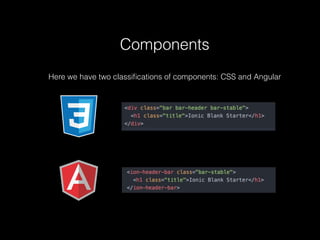
Components
Here we have two classifications of components: CSS and Angular
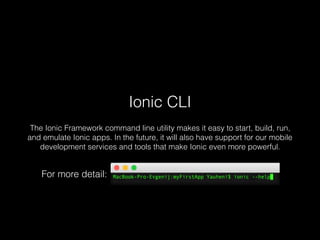
Ionic CLI
The Ionic Framework command line utility makes it easy to start, build, run,
and emulate Ionic apps. In the future, it will also have support for our mobile
development services and tools that make Ionic even more powerful.
For more detail:
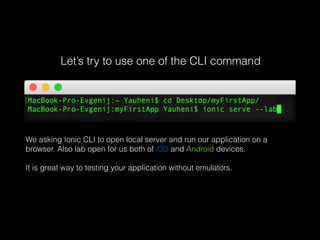
Let’s try to use one of the CLI command
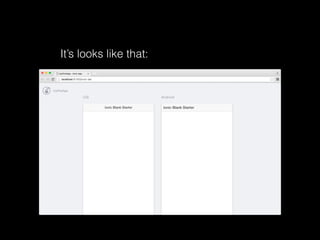
We asking Ionic CLI to open local server and run our application on a
browser. Also lab open for us both of iOS and Android devices.
It is great way to testing your application without emulators.
It’s looks like that:
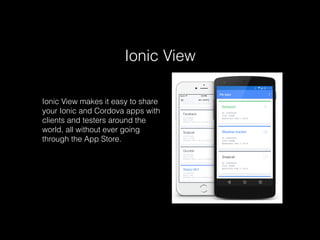
Ionic View
Ionic View makes it easy to share
your Ionic and Cordova apps with
clients and testers around the
world, all without ever going
through the App Store.
Does it Better than native?
In general it depends from Project. Also its
great topic for «holywars»
!!My choice is Hybrid mobile application because it is
cross platform solution and result very close with native.
And of course it is my favorite web!
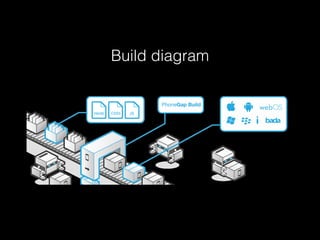
Build diagram
Thanks for attention
Prepared for Vistula Web Warsaw #2
Slides:
https://github.com/Yauheni-blr/Ionic-presentation

Ionic

  • 1.
  • 2.
    Ionic Framework Open sourceSKD for developing hybrid mobile application by using all power of: IF - beautiful example of combinations Cordova and AngularJS
  • 3.
    Install Cordova +Ionic Cooking: Before starting we have to install: NodeJS - nodejs.org npm - just install lasted stable NodeJS version
  • 4.
    Create project Here everythingis simple: IF offers a choice of 3 templates for application: blank tabs sidemenu
  • 5.
  • 6.
    bower.json - Usedfor managing your app's dependencies via the bower package management tool. config.xml - This is the configuration file for Cordova. It's used for Cordova plugin management and app settings. gulpfile.js - This file is used for compiling SASS and other Ionic Framework specific tasks via the gulp task runner. ionic.project - This is used for the configuration of the ionic CLI tool. package.json - All of your npm dependencies are stored in this file. /hooks - This directory stores any Cordova Hooks that you may have. /platforms - Here Ionic keeping builds for each platforms. /plugins - Any Cordova Plugins that you install will be saved in this folder. /scss - Stores Ionic's SCSS file, but you can (optionally) put your own SCSS files in there too. /www - This contains the meat of our Ionic application; you'll be spending most of your time in here. Structure
  • 7.
    Components Here we havetwo classifications of components: CSS and Angular
  • 8.
    Ionic CLI The IonicFramework command line utility makes it easy to start, build, run, and emulate Ionic apps. In the future, it will also have support for our mobile development services and tools that make Ionic even more powerful. For more detail:
  • 9.
    Let’s try touse one of the CLI command We asking Ionic CLI to open local server and run our application on a browser. Also lab open for us both of iOS and Android devices. It is great way to testing your application without emulators.
  • 10.
  • 11.
    Ionic View Ionic Viewmakes it easy to share your Ionic and Cordova apps with clients and testers around the world, all without ever going through the App Store.
  • 12.
    Does it Betterthan native? In general it depends from Project. Also its great topic for «holywars» !!My choice is Hybrid mobile application because it is cross platform solution and result very close with native. And of course it is my favorite web!
  • 13.
  • 14.
    Thanks for attention Preparedfor Vistula Web Warsaw #2 Slides: https://github.com/Yauheni-blr/Ionic-presentation