Data Base
Management System
1
2
Advanced Data Base Management System
Unit- 1
Overview of Data Systems Concepts and
Architecture
Date:
Presented By:
Vaibhav Srivastav
Department of Computer Engineering
3
Contents
• Introduction of Database
• DBMS
• Characteristics of database approach
• Advantages of DBMS
• Data models
• Schemas, Three schema architecture:
• The external level
• The conceptual level and
• The internal level.
• Data Independence
• Database languages and Interfaces
• Roles of Database Administrator
4
Introduction
Data – Data Hierarchy – Database – Database Proporites
5
Data
• What is Data?
• By data – we mean known facts that can be recorded
and that have implicit meaning.
• For example, consider the names, telephone numbers,
and addresses of the people you know.
• Google Says – “Facts, Figures, Statistics, particulars,
details”.
• https://youtu.be/djEZeF4KTaM
6
Contd…
Data
Data is collection of raw facts and figures.
Or
Facts and statistics collected together for reference or
analysis.
• Data is usually formatted in a specific way and can exist in
a variety of forms, such as numbers, text, etc.
7
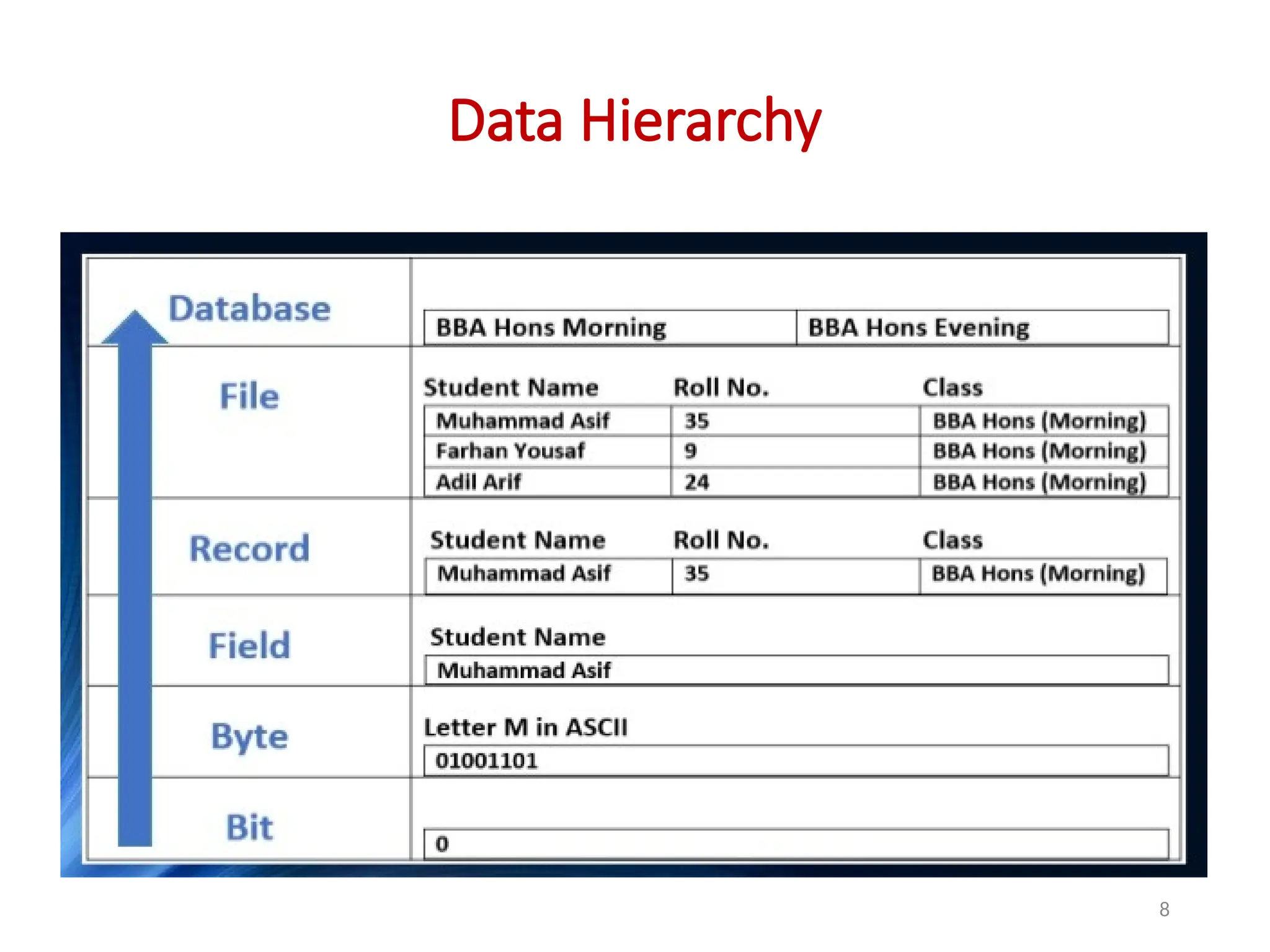
Data Hierarchy
Database
File
Record
Field
Byte
Bit
8
Data Hierarchy
9
Data Hierarchy
1. Bit: All data is stored in a computer's memory or storage devices in the
form of binary digits or bits. A bit can be either 'ON' of
'OFF' representing 1 or 0.
2. Byte: s a group of 8 bits. One byte can represent one character or, in
different contexts, other data such as a sound, part of a picture etc.
3. Field: is a group of characters. e.g. data held about a person may be
split into many fields including ID Number, Surname, Initials, Title,
Street, Town, etc.
4. Record: is a group of fields holding all the information about one
person or item.
5. File: a collection of records. A stock file will contain a record for each
item of stock, and so on.
6. Databse: may consist of many different files, linked in such a way that
information can be retrieved from several files at once.
10
Database
• A database is a collection of related data.
• We may consider the collection of words that make
up this slide of text to be related data and hence to
create a database.
11
Database Properties
• A database represents some aspect of the real
world, sometimes called the miniworld or the
universe of discourse (UoD).
• Changes to the miniworld are reflected in the
database.
• A database is a logically collection of data with
some inherent meaning.
• A random group of data cannot correctly be referred to
as a database.
12
Contd…
Database Properties
• A database is designed, built, and populated with
data for a specific purpose. It has an intended
group of users and some defined applications in
which these users are interested.
13
Database
• In other words – a database has some source from
which data is derived, some degree of interaction
with events in the real world, and an audience that
is actively interested in its contents.
• A database can be of any size.
• A database may be generated and maintained
manually or it may be computerized.
14
Database Example
• For example, the list of name, phone number, and
address represents hundred number of records.
• An example of a large commercial database is
Amazon.com. It contains data for over 20 million
books, CDs, videos, DVDs, games, electronics,
apparel, and other items. The database occupies
over 2 terabytes (a terabyte is 1012 bytes worth of
storage) and is stored on 200 different computers
(called servers).About 15 million visitors access
Amazon.com each day and use the database to make
purchases.
15
Why do we need Database
• To manage large chunks of data: Yes, you can store data
into a spreadsheet, but if you add large chunks of data into
the sheet, it will simply not work. For instance: if your size
of data increases into thousands of records, it will simply
create a problem of speed.
• Accuracy: When doing data entry files in a spreadsheet, it
becomes difficult to manage the accuracy as there are no
validations present in it.
• Ease of updating data: With the database, you can flexibly
update the data according to your convenience. Moreover,
multiple people can also edit data at same time.
16
Why do we need Database
• Security of data: There is no denying the fact that
your data is less secure in spreadsheets. Anyone
can easily get access to file and can make changes
to it. With databases you have security groups and
privileges you set to restrict access.
• Data integrity: Data integrity also becomes a
question when storing data in spreadsheets. In
databases, you can be assured of accuracy and
consistency of data due to the built in integrity
checks and access controls.
17
DBMS
Data Base Management System – Functions of DBMS
18
Database Management System (DBMS)
• A database management system (DBMS) is a
collection of programs that enables users to create
and maintain a database.
• The DBMS is a general-purpose software system
that facilitates the processes of defining,
constructing, manipulating, and sharing databases
among various users and applications.
19
Functions of Database Management System
1. Defining a database involves specifying the data types,
structures, and constraints of the data to be stored in the
database.
2. Constructing the database is the process of storing the
data on some storage medium that is controlled by the
DBMS.
3. Manipulating a database includes functions such as
querying the database to retrieve specific data, updating
the database to reflect changes in the miniworld, and
generating reports from the data.
4. Sharing a database allows multiple users and programs to
access the database simultaneously.
20
• An application program accesses the database by
sending queries or requests for data to the DBMS.
• A query typically causes some data to be retrieved.
• A transaction may cause some data to be read and
some data to be written into the database.
21
Database Environment
22
Why do we need DBMS
• A database management system (DBMS) is a
collection of programs that manages the database
structure and controls access to the data stored in
the database.
• Improved data sharing.
• Integrity can be enforced
• Minimized data inconsistency.
• Providing Backup and Recovery
• Improved data security.
23
What are characteristics of Database
Approaches
• Manages Information: A system may have to
maintain information of various employees working
in its organization, their names, addresses, and
other details which may in later instance be
modified or deleted.
• Easy to operate on data: Inserting more data,
deleting un-useful data, updating, searching etc is
easy.
24
Contd…
What are characteristics of Database Approaches
• Self-Describing Nature of a Database System: A
fundamental characteristic of the database
approach is that the database system contains not
only the database itself but also a complete
definition or description of the database structure
and constraints.
25
Contd…
What are characteristics of Database Approaches
• Consistent: suppose you are initiating a transaction
wherein you have to transfer Rs 50 from Account A to B.
Say account A contains Rs 300 and B contains Rs 200. You
will execute the transaction in 2 steps. 1st subtract rs 50
from A and 2nd Add 50 to B. Now the database will reflect
updated values A= 250 and B=250
• Now imagine ,there occurs a system failure after 1st step
of transaction. the database will reflect A=250 and B=200.
that means rs 50 is destroyed by the system. This
inconsistency is prevented by database approach. Either
all changes are reflected (ie. A=250 and B=250) or none
are (ie. A=300 and B=200).
26
Contd…
What are characteristics of Database Approaches
• Persistent: Once your transaction has completed
successfully ( we say the transaction is committed), data
will remain persistent, i.e. it will not be lost or deleted until
you do it manually.
• Security of Data: Only authorized users are allowed to
access the data.
• Supports multiple views: Different users may have interest
in different groups of data. User is allowed to view the data
in which he is interested.
EG. one user is only interested for student mark list,other
user is interested for courses attended by that student,
these multi-user views are satisfied by DBMS
27
Advantages of DBMS
28
Advantages of DBMS
1. Controlling Redundancy
2. Restricting Unauthorized Access
3. Providing Storage Structures and Search
Techniques for Efficient Query Processing
4. Providing Backup and Recovery
5. Providing Multiple User Interfaces
6. Enforcing Integrity Constraints
7. Flexibility
8. Availability of Up-to-Date Information
29
1. Controlling Redundancy
• Redundancy in storing the same data - that leads to
several problems.
• In traditional software development utilizing file processing,
every user group maintains its own files for handling its
data-processing applications. For example, consider the
UNIVERSITY database example, Teacher used to maintain
their own record, admin used to maintain their own record
and exam section used to maintain their own record.
• Duplication of effort: there is the need to perform a
single logical update—such as entering data on a new
student—multiple times: once for each file where
student data is recorded.
30
1. Controlling Redundancy
• Storage space – is wasted when the same data is
stored repeatedly, and this problem may be serious
for large databases.
• Inconsistency – files that represent the same data may
become inconsistent. This may happen because an
update is applied to some of the files but not to
others.
• In the DBMS approach, the views of different user
groups are integrated during database design. Ideally,
we should have a database design that stores each
logical data item in only one place in the database.
31
2. Restricting Unauthorized Access
• When multiple users share a large database, it is
likely that most users will not be authorized to
access all information in the database.
• For example, financial data is often considered
confidential, and only authorized persons are
allowed to access such data.
32
3. Providing Storage Structures and Search
Techniques for Efficient Query Processing
• Database systems must provide capabilities for
efficiently executing queries and updates
• Provide Index view.
33
4. Providing Backup and Recovery
• A DBMS must provide facilities for recovering from
hardware or software failures.
• The backup and recovery subsystem of the DBMS is
responsible for recovery.
• For example, if the computer system fails in the
middle of a complex update transaction, the
recovery subsystem is responsible for making sure
that the database is restored to the state it was in
before the transaction started executing
34
5. Providing Multiple User Interfaces
• Many types of users with varying levels of technical
knowledge use a database, a DBMS should provide
a variety of user interfaces.
• These include query languages for casual users,
programming language interfaces for application
programmers, etc.
35
6. Enforcing Integrity Constraints
• .The simplest type of integrity constraint involves
specifying a data type for each data item. For
example, if we specified that the value of the Class
data item within each STUDENT record must be a
one digit integer and that the value of Name must
be a string of no more than 30 alphabetic
characters.
• So no Class field will store the value more than one
digit and no Name would store the name more 30
character.
36
7. Flexibitlity
• It may be necessary to change the structure of a
database as requirements change.
• For example, a new group of user may need some
information that is not currently in the database.
• In response, it may be necessary to add a file to the
database or to extend the data elements in an
existing file.
• It is easy to add, delete or modify the databse.
37
8. Availability of Up-to-Date Information
• A DBMS makes the database available to all users.
As soon as one user’s update is applied to the
database, all other users can immediately see this
update.
38
Actors on the Scene and
Workers Behind the
Scene
39
Actors on the Scene – Introduction
• For a small personal database, such as maintaining
the class record, one person typically defines,
constructs, and manipulates the database, and
there is no sharing.
• However, in large organizations, many people are
involved in the design, use, and maintenance of a
large database with hundreds of users
• Here we identify the people whose jobs involve the
day-to-day use of a large database; we call them
the actors on the scene.
40
Actors behind the scene
• Those who work to maintain the database system
environment but who are not actively interested in
the database contents as part of their daily job.
41
Actors – on and behind the scene
Actors
On the Scene
Database
Administration
Database
Designers
End users
Casual End
Users
Naïve or
Parametric
Users
Sophisticated
End Users
Standalone
Users
Behind the
Scene
DBMS System
Designers and
implementers
Tool Developers
Operators and
maintainance
personal
42
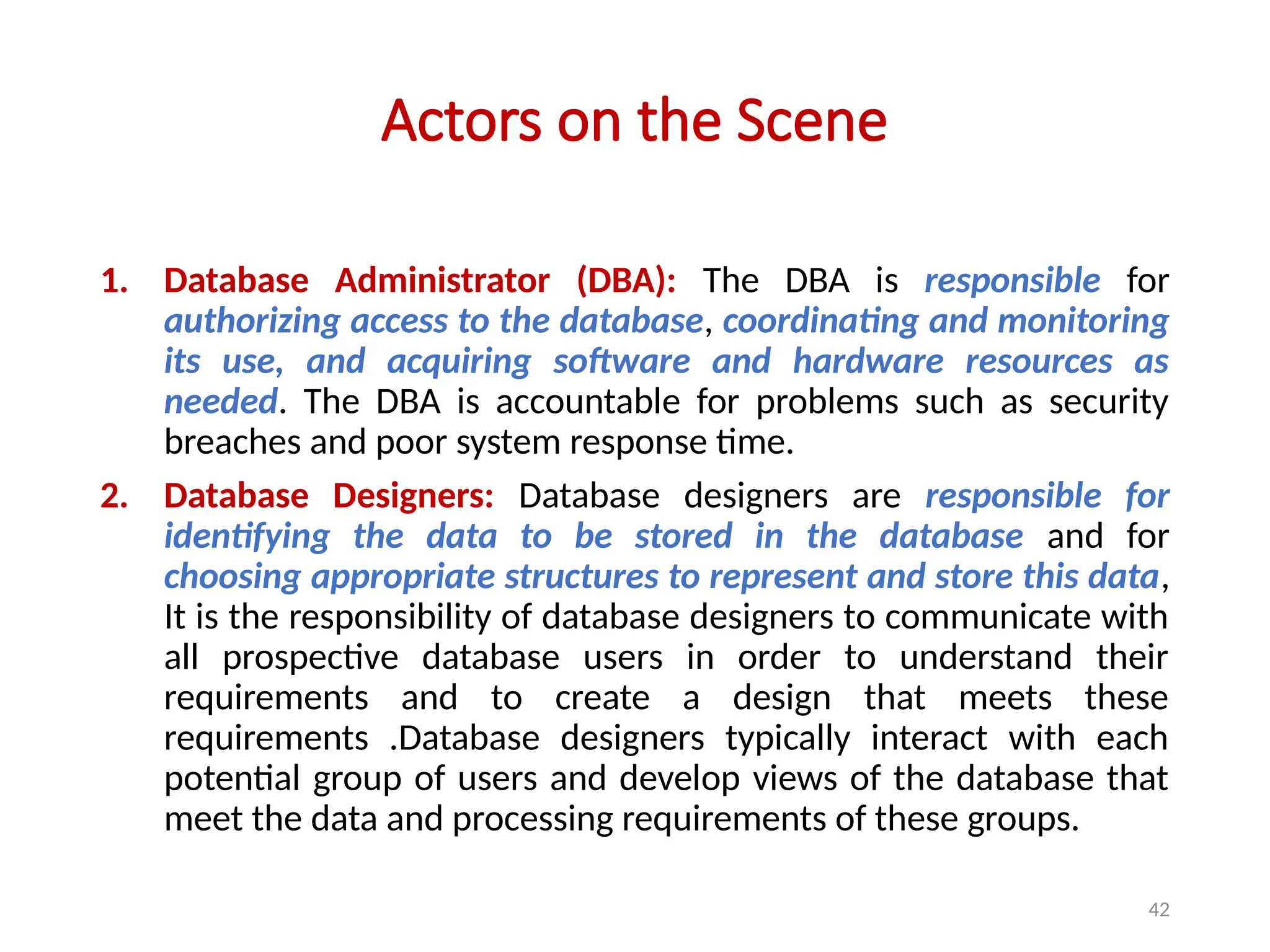
Actors on the Scene
1. Database Administrator (DBA): The DBA is responsible for
authorizing access to the database, coordinating and monitoring
its use, and acquiring software and hardware resources as
needed. The DBA is accountable for problems such as security
breaches and poor system response time.
2. Database Designers: Database designers are responsible for
identifying the data to be stored in the database and for
choosing appropriate structures to represent and store this data,
It is the responsibility of database designers to communicate with
all prospective database users in order to understand their
requirements and to create a design that meets these
requirements .Database designers typically interact with each
potential group of users and develop views of the database that
meet the data and processing requirements of these groups.
43
Actors on the Scene
3. End Users: are the people whose jobs require
access to the database for querying, updating, and
generating reports; the database primarily exists for
their use. There are several categories of end users:
a. Casual End Users: occasionally access the database,
but they may need different information each time.
They use a sophisticated database query language to
specify their requests and are typically middle- or
high-level managers or other occasional browsers.
44
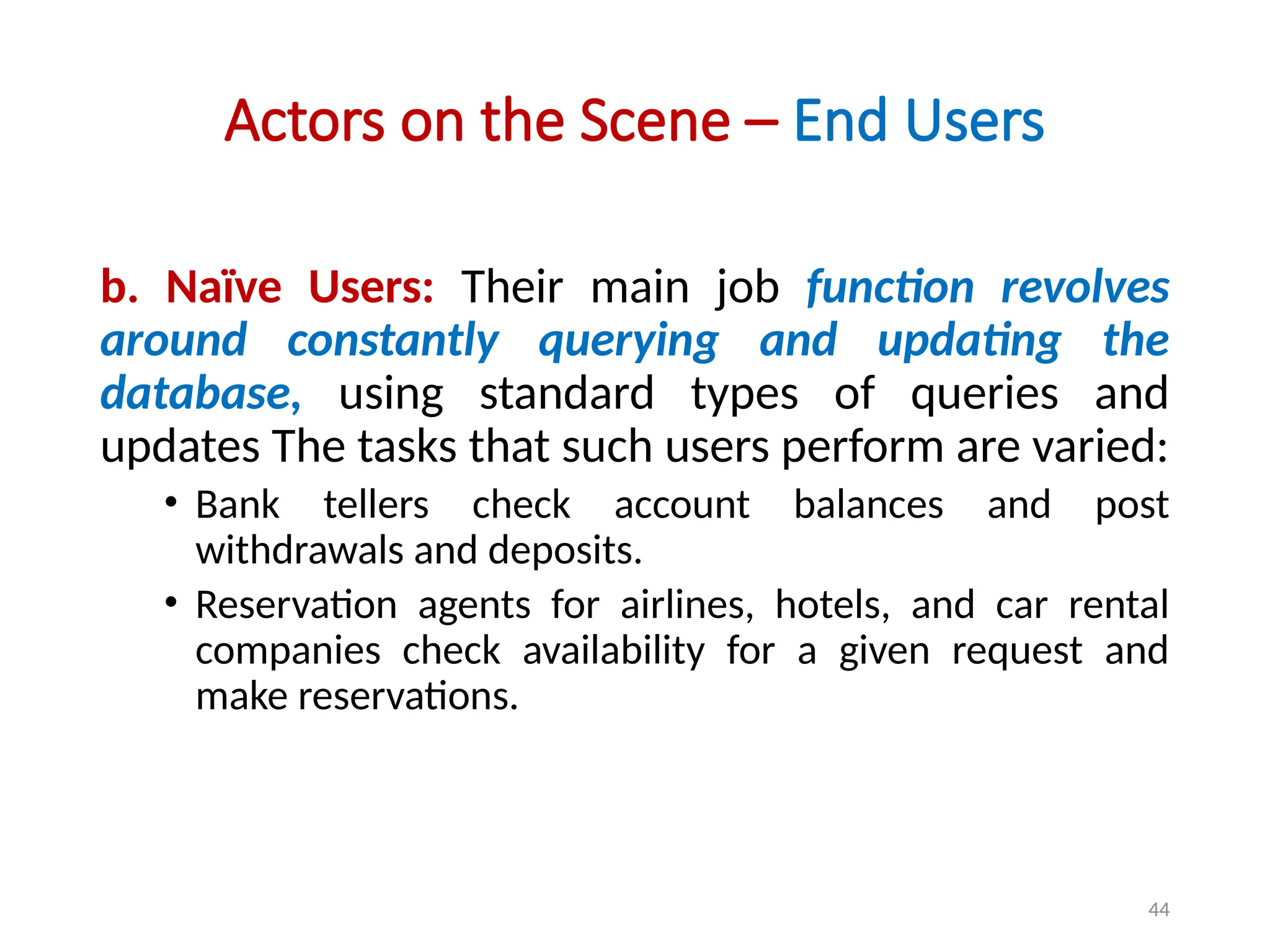
Actors on the Scene – End Users
b. Naïve Users: Their main job function revolves
around constantly querying and updating the
database, using standard types of queries and
updates The tasks that such users perform are varied:
• Bank tellers check account balances and post
withdrawals and deposits.
• Reservation agents for airlines, hotels, and car rental
companies check availability for a given request and
make reservations.
45
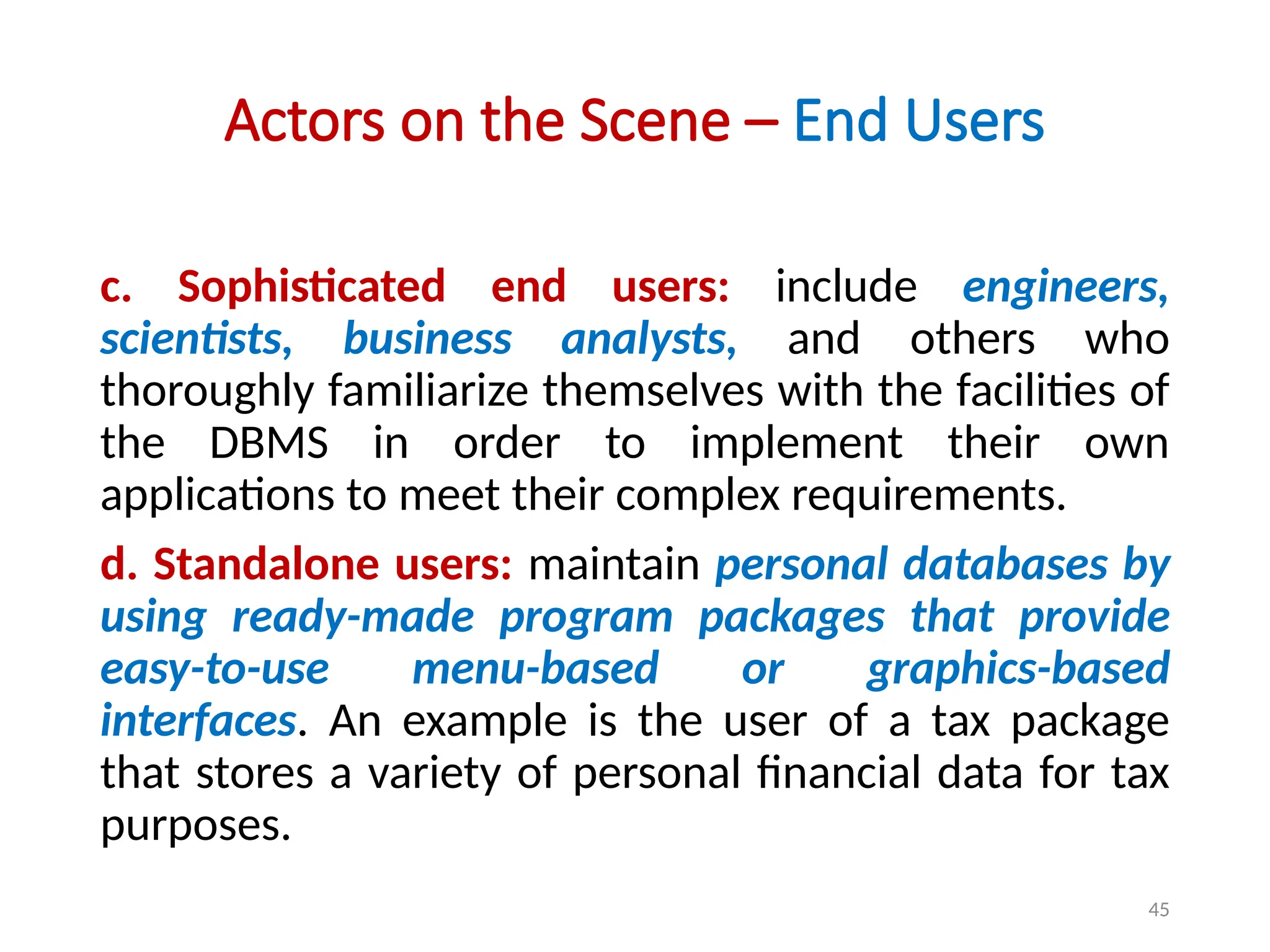
Actors on the Scene – End Users
c. Sophisticated end users: include engineers,
scientists, business analysts, and others who
thoroughly familiarize themselves with the facilities of
the DBMS in order to implement their own
applications to meet their complex requirements.
d. Standalone users: maintain personal databases by
using ready-made program packages that provide
easy-to-use menu-based or graphics-based
interfaces. An example is the user of a tax package
that stores a variety of personal financial data for tax
purposes.
46
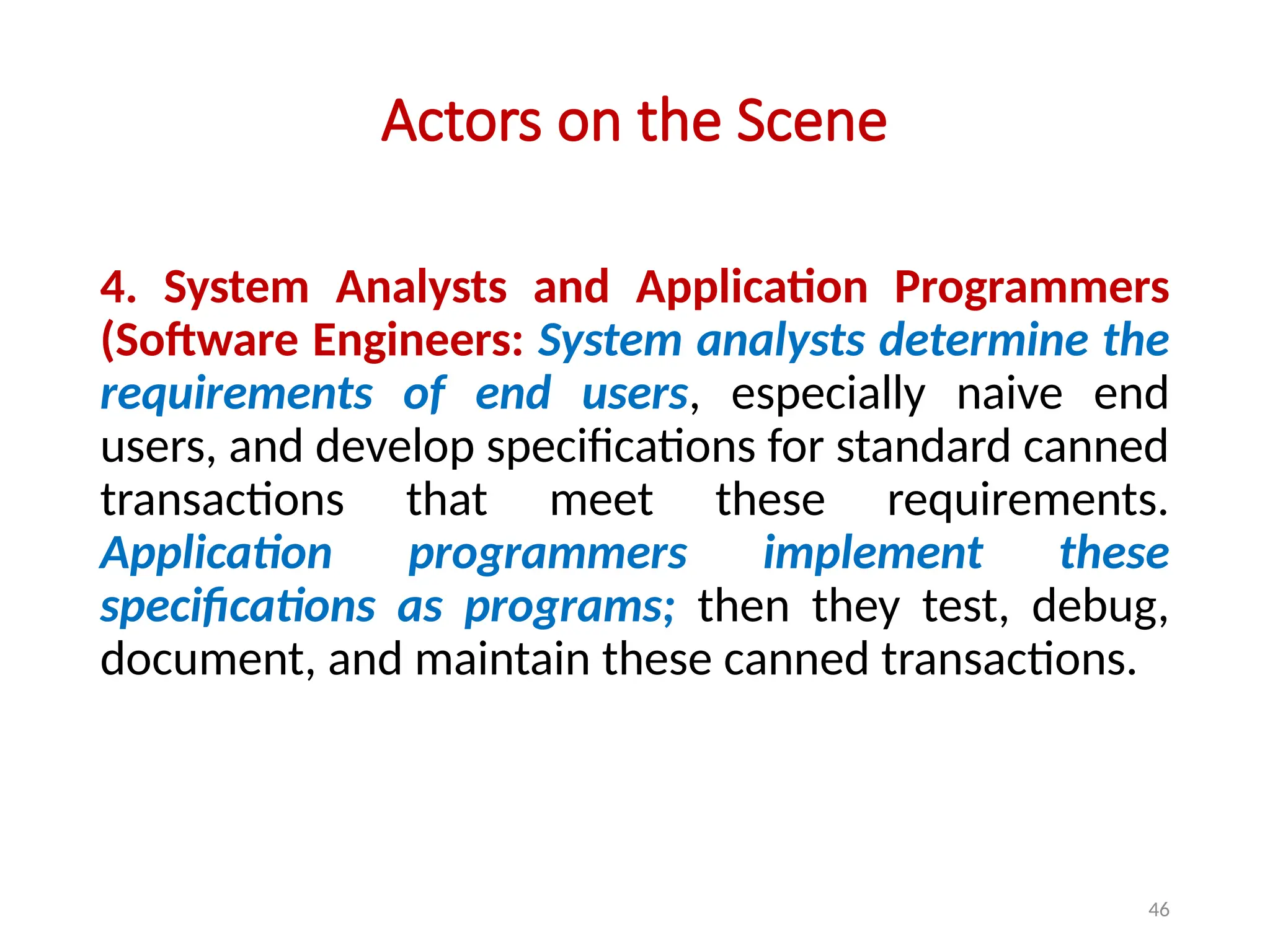
Actors on the Scene
4. System Analysts and Application Programmers
(Software Engineers: System analysts determine the
requirements of end users, especially naive end
users, and develop specifications for standard canned
transactions that meet these requirements.
Application programmers implement these
specifications as programs; then they test, debug,
document, and maintain these canned transactions.
47
Workers Behind the Scene
These persons are typically not interested in the database
content itself.
1. DBMS system designers and implementers: design and
implement the DBMS modules and interfaces as a software
package.
2. Tool developers: design and implement tools—the software
packages that facilitate database modeling and design,
database system design, and improved performance. Tools
are optional packages that are often purchased separately.
3. Operators and maintenance personnel (system
administration personnel): are responsible for the actual
running and maintenance of the hardware and software
environment for the database system.
48
Data Models
• A data model—a collection of concepts that can be
used to describe the structure of a database—
provides the necessary means to achieve this
abstraction.
• By structure of a database we mean the data types,
relationships, and constraints that apply to the data.
• Data abstraction – refers to the suppression or hiding
of details of data organization and storage, and the
highlighting of the essential features for an improved
understanding of data.
49
Categories of Data Models
1. High-level or conceptual data models – provide
concepts that are close to the way many users
identify data. Conceptual data models use
concepts such as entities, attributes, and
relationships.
2. Low-level or physical data models – provide
concepts that describe the details of how data is
stored on the computer storage media.
50
Categories of Data Models
3. Representational (or implementation) Data
Models:
a. Relational Data Model
b. Network Data Model
c. Hierarchical Data Model
51
Schemas, Instances, and
Database State
52
Schemas
• Data Base Schema: The description of a database
is called the database schema, which is specified
during database design and is not expected to
change frequently.
• Most data models have certain conventions for
displaying schemas as diagrams. A displayed
schema is called a schema diagram.
53
Instance
• A database instance is a set of memory structures
that manage database files.
• A database is a set of physical files on disk created
by the CREATE DATABASE statement.
• The instance manages its associated data and
serves the users of the database.
54
Schemas and Instance
• This diagram displays the structure of each record
type but not the actual instances of records. We
call each object in the schema—such as STUDENT
or COURSE—a schema construct.
55
Schemas Diagram
• A schema diagram displays only some aspects of a
schema, such as the names of record types and
data items, and some types of constraints.
• Other aspects are not specified in the schema
diagram; for example, above figure shows neither
the data type of each data item, nor the
relationships among the various files.
• Many types of constraints are not represented in
schema diagrams.
56
Data Base State or Snapshot
• The data in the database at a particular moment in
time is called a database state or snapshot.
• It is also called the current set of occurrences or
instances in the database.
• In a given database state, each schema construct has its
own current set of instances; for example, the STUDENT
construct will contain the set of individual student
entities (records) as its instances.
• Every time we insert or delete a record or change the
value of a data item in a record, we change one state
of the database into another state.
57
Database Schema and Database State
• The distinction between database schema and database
state is very important.
• When we define a new database, we specify its database
schema only to the DBMS.
• At this point, the corresponding database state is the
empty state with no data.
• We get the initial state of the database when the database
is first populated or loaded with the initial data.
• From then on, every time an update operation is applied to
the database, we get another database state.
• At any point in time, the database has a current state.
58
The Three-Schema
Architecture
59
The Three-Schema Architecture
60
The Three-Schema Architecture
• Three Schema Architecture is to separate the user
applications from the physical database. In this
architecture, schemas can be defined at the
following three levels:
1. The internal level – has an internal schema,
which describes the physical storage structure of
the database. The internal schema uses a
physical data model and describes the complete
details of data storage and access paths for the
database.
61
The Three-Schema Architecture
2. The conceptual level – has a conceptual schema,
which describes the structure of the whole
database for a community of users.
• The conceptual schema hides the details of
physical storage structures and concentrates on
describing entities, data types, relationships, user
operations, and constraints.
62
The Three-Schema Architecture
3. The external or view level – includes a number of
external schemas or user views.
• Each external schema describes the part of the
database that a particular user group is interested
in and hides the rest of the database from that
user group.
• As in the previous level, each external schema is
typically implemented using a representational data
model, possibly based on an external schema
design in a high-level data model.
63
The Three-Schema Architecture – mapping
• Notice that the three schemas are only descriptions of data; the stored data
that actually exists is at the physical level only.
• In a DBMS based on the three-schema architecture, each user group refers to
its own external schema.
• Hence, the DBMS must transform a request specified on an external schema
into a request against the conceptual schema, and then into a request on the
internal schema for processing over the stored database.
• If the request is a database retrieval, the data extracted from the stored
database must be reformatted to match the user’s external view.
• The processes of transforming requests and results between levels are
called mappings. These mappings may be time-consuming, so some DBMSs
—especially those that are meant to support small databases—do not
support external views. Even in such systems, however, a certain amount of
mapping is necessary to transform requests between the conceptual and
internal levels.
64
Data Independency
• Data independence – which can be defined as the
capacity to change the schema at one level of a
database system without having to change the
schema at the next higher level. We can define two
types of data independence:
1. Logical data independency
2. Physical data independency
65
Data Independency
1. Logical data independence – is the capacity to
change the conceptual schema without having to
change external schemas or application programs.
• We may change the conceptual schema to expand
the database (by adding a record type or data
item), to change constraints, or to reduce the
database (by removing a record type or data item).
• Changes to constraints can be applied to the
conceptual schema without affecting the external
schemas or application programs.
66
Data Independency
2. Physical data independence – is the capacity to
change the internal schema without having to change
the conceptual schema.
• Hence, the external schemas need not be changed as
well.
• Changes to the internal schema may be needed
because some physical files were reorganized—for
example, by creating additional access structures—to
improve the performance of retrieval or update. If the
same data as before remains in the database, we
should not have to change the conceptual schema.
67
Data Independency
• Generally, physical data independence exists in
most databases and file environments where
physical details such as the exact location of data on
disk, and hardware details of storage encoding,
placement, compression, splitting, merging of
records, and so on are hidden from the user.
Applications remain unaware of these details.
• On the other hand, logical data independence is
harder to achieve because it allows structural and
constraint changes without affecting application
programs—a much stricter requirement.
68
Database Languages
Rubal_CN
69
Database Langauges
1. Data definition language (DDL): is used by the
DBA (Database Administrator) and by database
designers to define both schemas. The DBMS will
have a DDL compiler whose function is to process
DDL statements in order to identify descriptions of
the schema constructs and to store the schema
description in the DBMS catalog.
• The DDL is used to specify the conceptual schema only.
70
Database Languages
2. Storage definition language (SDL): is used to specify the
internal schema.
3. View definition language (VDL): to specify user views and
their mappings to the conceptual schema, but in most DBMSs
the DDL is used to define both conceptual and external
schemas.
4. Data manipulation language (DML): Once the database
schemas are compiled and the database is populated with data,
users must have some means to manipulate the database.
Typical manipulations include retrieval, insertion, deletion, and
modification of the data. The DBMS provides a language called
the data manipulation language (DML) for these purposes.
71
DBMS Interface
Menu-based Interface – Forms-based Interface – GUI –
Natural Language Interface – Speech Input and Output
Interface – interface for Parametric Users – Interfaces for the
DBA
Rubal_CN
72
DBMS Interface
1. Menu-Based Interfaces for Web Clients or
Browsing: These interfaces present the user with
lists of options (called menus) that lead the user
through the formulation of a request.
• In this the query is composed step-by-step by picking
options from a menu that is displayed by the system.
• Pull-down menus are a very popular technique in Web-
based user interfaces.
• They are also often used in browsing interfaces, which
allow a user to look through the contents of a database
in an exploratory and unstructured manner.
73
DBMS Interface
2. Forms-Based Interfaces: A forms-based interface
displays a form to each user. Users can fill out all of
the form entries to insert new data, or they can fill out
only certain entries, in which case the DBMS will
retrieve matching data for the remaining entries.
3. Graphical User Interfaces: A GUI typically displays a
schema to the user in diagrammatic form. The user
then can specify a query by manipulating the diagram.
In many cases, GUIs utilize both menus and forms.
Most GUIs use a pointing device, such as a mouse, to
select certain parts of the displayed schema diagram.
74
DBMS Interface
4. Natural Language Interfaces: These interfaces accept requests written in English
or some other language and attempt to understand them. A natural language
interface usually has its own schema, which is similar to the database conceptual
schema, as well as a dictionary of important words. The natural language interface
refers to the words in its schema, as well as to the set of standard words in its
dictionary, to interpret the request. If the interpretation is successful, the interface
generates a high-level query corresponding to the natural language request and
submits it to the DBMS for processing; otherwise, a dialogue is started with the
user to clarify the request.
Today, we see search engines that accept strings of natural language (like English)
words and match them with documents at specific sites (for local search engines)
or Web pages on the Web at large (for engines like Google or Ask).They use
predefined indexes on words and use ranking functions to retrieve and present
resulting documents in a decreasing degree of match. Such “free form” textual
query interfaces are not yet common in structured relational or legacy model
databases, although a research area called keyword-based querying has emerged
recently for relational databases.
75
DBMS Interface
5. Speech Input and Output: Applications with
limited vocabularies such as inquiries for telephone
directory, flight arrival/departure, and credit card
account information are allowing speech for input
and output to enable customers to access this
information. The speech input is detected using a
library of predefined words and used to set up the
parameters that are supplied to the queries. For
output, a similar conversion from text or numbers
into speech takes place.
76
DBMS Interface
6. Interfaces for Parametric Users: Parametric users –
such as bank teller (cashiers/ clerk etc), often have a
small set of operations that they must perform
repeatedly. For example, a teller is able to use single
function keys to invoke routine and repetitive
transactions such as account deposits or withdrawals, or
balance inquiries. Systems analysts and programmers
design and implement a special interface for each known
class of naive users. Usually a small set of abbreviated
commands is included, with the goal of minimizing the
number of keystrokes required for each request.
77
DBMS Interface
7. Interfaces for the DBA: Most database systems
contain privileged commands that can be used only
by the DBA staff. These include commands for
creating accounts, setting system parameters,
granting account authorization, changing a schema,
and reorganizing the storage structures of a
database.
78
Roles of Database
Administrator
Deciding the hardware device – Software installation and Maintenance -
Data Extraction, Transformation, and Loading - Managing Data Integrity
– Database Design – Database implementation – Security - Database
Backup and Recovery – Authentication - Performance Monitoring
Rubal_CN
79
Roles of Database Administrator
There are lots of role and duties of a database
administrator (DBA). He is responsible for managing,
securing and taking care of the database system.
1. Deciding the hardware device: Depending upon
the cost, performance and efficiency of the
hardware, it is DBA who have the duty of deciding
which hardware devise will suit the company
requirement. It is hardware that is an interface
between end users and database so it needed to be
of best quality.
80
Roles of Database Administrator
2. Software installation and Maintenance:
• A DBA often collaborates on the initial installation and
configuration of a new Oracle, SQL Server etc
database. The system administrator sets up hardware
and deploys the operating system for the database
server, then the DBA installs the database software
and configures it for use. As updates and patches are
required, the DBA handles this on-going maintenance.
• And if a new server is needed, the DBA handles the
transfer of data from the existing system to the new
platform.
81
Roles of Database Administrator
3. Data Extraction, Transformation, and Loading
• Known as ETL, data extraction, transformation, and
loading refers to efficiently importing large
volumes of data that have been extracted from
multiple systems into a data warehouse
environment.
• This external data is cleaned up and transformed
to fit the desired format so that it can be imported
into a central repository.
82
Roles of Database Administrator
4. Managing Data Integrity:
• Data integrity should be managed accurately
because it protects the data from unauthorized
use. DBA manages relationship between the data to
maintain data consistency.
5. Database design:
• The logical design of the database is designed by
the DBA. Also a DBA is responsible for physical
design, external model design, and integrity
control.
83
Roles of Database Administrator
6. Database implementation:
• Database has to be implemented before anyone can
start using it. So DBA implements the database system.
DBA has to supervise the database loading at the time
of its implementation.
7. Security:
• A DBA needs to know potential weaknesses of the
database software and the company’s overall system and
work to minimize risks. No system is one hundred per
cent immune to attacks, but implementing best practices
can minimize risks.
84
Roles of Database Administrator
8. Database Backup and Recovery
• DBAs create backup and recovery plans and procedures
based on industry best practices, then make sure that the
necessary steps are followed. Backups cost time and money,
so the DBA may have to persuade management to take
necessary precautions to preserve data.
• System admins or other personnel may actually create the
backups, but it is the DBA’s responsibility to make sure that
everything is done on schedule.
• In the case of a server failure or other form of data loss, the
DBA will use existing backups to restore lost information to
the system.
85
Roles of Database Administrator
9. Authentication
• Setting up employee access is an important aspect of database
security. DBAs control who has access and what type of access they
are allowed. For instance, a user may have permission to see only
certain pieces of information, or they may be denied the ability to
make changes to the system.
10. Performance Monitoring
• Monitoring databases for performance issues is part of the on-going
system maintenance a DBA performs. If some part of the system is
slowing down processing, the DBA may need to make configuration
changes to the software or add additional hardware capacity.
Many types of monitoring tools are available, and part of the DBA’s
job is to understand what they need to track to improve the system.
86
Summery
Rubal_CN
• Have Studied Terminology of DBMS:
• Data
• Data Hierarchy
• Data Base
• DBMS
• Data Base Management Systems
• Need
• Advantages
• Actors on the and behind the scene
• Overview of Data Models
• Schemas, Instances and Database state
• Three Level Architecture
• Database languages
• Roles of DBA
ADAD 87
Thank You

rdbms1-191014080818000000000000000000000000000000000

  • 1.
  • 2.
    2 Advanced Data BaseManagement System Unit- 1 Overview of Data Systems Concepts and Architecture Date: Presented By: Vaibhav Srivastav Department of Computer Engineering
  • 3.
    3 Contents • Introduction ofDatabase • DBMS • Characteristics of database approach • Advantages of DBMS • Data models • Schemas, Three schema architecture: • The external level • The conceptual level and • The internal level. • Data Independence • Database languages and Interfaces • Roles of Database Administrator
  • 4.
    4 Introduction Data – DataHierarchy – Database – Database Proporites
  • 5.
    5 Data • What isData? • By data – we mean known facts that can be recorded and that have implicit meaning. • For example, consider the names, telephone numbers, and addresses of the people you know. • Google Says – “Facts, Figures, Statistics, particulars, details”. • https://youtu.be/djEZeF4KTaM
  • 6.
    6 Contd… Data Data is collectionof raw facts and figures. Or Facts and statistics collected together for reference or analysis. • Data is usually formatted in a specific way and can exist in a variety of forms, such as numbers, text, etc.
  • 7.
  • 8.
  • 9.
    9 Data Hierarchy 1. Bit:All data is stored in a computer's memory or storage devices in the form of binary digits or bits. A bit can be either 'ON' of 'OFF' representing 1 or 0. 2. Byte: s a group of 8 bits. One byte can represent one character or, in different contexts, other data such as a sound, part of a picture etc. 3. Field: is a group of characters. e.g. data held about a person may be split into many fields including ID Number, Surname, Initials, Title, Street, Town, etc. 4. Record: is a group of fields holding all the information about one person or item. 5. File: a collection of records. A stock file will contain a record for each item of stock, and so on. 6. Databse: may consist of many different files, linked in such a way that information can be retrieved from several files at once.
  • 10.
    10 Database • A databaseis a collection of related data. • We may consider the collection of words that make up this slide of text to be related data and hence to create a database.
  • 11.
    11 Database Properties • Adatabase represents some aspect of the real world, sometimes called the miniworld or the universe of discourse (UoD). • Changes to the miniworld are reflected in the database. • A database is a logically collection of data with some inherent meaning. • A random group of data cannot correctly be referred to as a database.
  • 12.
    12 Contd… Database Properties • Adatabase is designed, built, and populated with data for a specific purpose. It has an intended group of users and some defined applications in which these users are interested.
  • 13.
    13 Database • In otherwords – a database has some source from which data is derived, some degree of interaction with events in the real world, and an audience that is actively interested in its contents. • A database can be of any size. • A database may be generated and maintained manually or it may be computerized.
  • 14.
    14 Database Example • Forexample, the list of name, phone number, and address represents hundred number of records. • An example of a large commercial database is Amazon.com. It contains data for over 20 million books, CDs, videos, DVDs, games, electronics, apparel, and other items. The database occupies over 2 terabytes (a terabyte is 1012 bytes worth of storage) and is stored on 200 different computers (called servers).About 15 million visitors access Amazon.com each day and use the database to make purchases.
  • 15.
    15 Why do weneed Database • To manage large chunks of data: Yes, you can store data into a spreadsheet, but if you add large chunks of data into the sheet, it will simply not work. For instance: if your size of data increases into thousands of records, it will simply create a problem of speed. • Accuracy: When doing data entry files in a spreadsheet, it becomes difficult to manage the accuracy as there are no validations present in it. • Ease of updating data: With the database, you can flexibly update the data according to your convenience. Moreover, multiple people can also edit data at same time.
  • 16.
    16 Why do weneed Database • Security of data: There is no denying the fact that your data is less secure in spreadsheets. Anyone can easily get access to file and can make changes to it. With databases you have security groups and privileges you set to restrict access. • Data integrity: Data integrity also becomes a question when storing data in spreadsheets. In databases, you can be assured of accuracy and consistency of data due to the built in integrity checks and access controls.
  • 17.
    17 DBMS Data Base ManagementSystem – Functions of DBMS
  • 18.
    18 Database Management System(DBMS) • A database management system (DBMS) is a collection of programs that enables users to create and maintain a database. • The DBMS is a general-purpose software system that facilitates the processes of defining, constructing, manipulating, and sharing databases among various users and applications.
  • 19.
    19 Functions of DatabaseManagement System 1. Defining a database involves specifying the data types, structures, and constraints of the data to be stored in the database. 2. Constructing the database is the process of storing the data on some storage medium that is controlled by the DBMS. 3. Manipulating a database includes functions such as querying the database to retrieve specific data, updating the database to reflect changes in the miniworld, and generating reports from the data. 4. Sharing a database allows multiple users and programs to access the database simultaneously.
  • 20.
    20 • An applicationprogram accesses the database by sending queries or requests for data to the DBMS. • A query typically causes some data to be retrieved. • A transaction may cause some data to be read and some data to be written into the database.
  • 21.
  • 22.
    22 Why do weneed DBMS • A database management system (DBMS) is a collection of programs that manages the database structure and controls access to the data stored in the database. • Improved data sharing. • Integrity can be enforced • Minimized data inconsistency. • Providing Backup and Recovery • Improved data security.
  • 23.
    23 What are characteristicsof Database Approaches • Manages Information: A system may have to maintain information of various employees working in its organization, their names, addresses, and other details which may in later instance be modified or deleted. • Easy to operate on data: Inserting more data, deleting un-useful data, updating, searching etc is easy.
  • 24.
    24 Contd… What are characteristicsof Database Approaches • Self-Describing Nature of a Database System: A fundamental characteristic of the database approach is that the database system contains not only the database itself but also a complete definition or description of the database structure and constraints.
  • 25.
    25 Contd… What are characteristicsof Database Approaches • Consistent: suppose you are initiating a transaction wherein you have to transfer Rs 50 from Account A to B. Say account A contains Rs 300 and B contains Rs 200. You will execute the transaction in 2 steps. 1st subtract rs 50 from A and 2nd Add 50 to B. Now the database will reflect updated values A= 250 and B=250 • Now imagine ,there occurs a system failure after 1st step of transaction. the database will reflect A=250 and B=200. that means rs 50 is destroyed by the system. This inconsistency is prevented by database approach. Either all changes are reflected (ie. A=250 and B=250) or none are (ie. A=300 and B=200).
  • 26.
    26 Contd… What are characteristicsof Database Approaches • Persistent: Once your transaction has completed successfully ( we say the transaction is committed), data will remain persistent, i.e. it will not be lost or deleted until you do it manually. • Security of Data: Only authorized users are allowed to access the data. • Supports multiple views: Different users may have interest in different groups of data. User is allowed to view the data in which he is interested. EG. one user is only interested for student mark list,other user is interested for courses attended by that student, these multi-user views are satisfied by DBMS
  • 27.
  • 28.
    28 Advantages of DBMS 1.Controlling Redundancy 2. Restricting Unauthorized Access 3. Providing Storage Structures and Search Techniques for Efficient Query Processing 4. Providing Backup and Recovery 5. Providing Multiple User Interfaces 6. Enforcing Integrity Constraints 7. Flexibility 8. Availability of Up-to-Date Information
  • 29.
    29 1. Controlling Redundancy •Redundancy in storing the same data - that leads to several problems. • In traditional software development utilizing file processing, every user group maintains its own files for handling its data-processing applications. For example, consider the UNIVERSITY database example, Teacher used to maintain their own record, admin used to maintain their own record and exam section used to maintain their own record. • Duplication of effort: there is the need to perform a single logical update—such as entering data on a new student—multiple times: once for each file where student data is recorded.
  • 30.
    30 1. Controlling Redundancy •Storage space – is wasted when the same data is stored repeatedly, and this problem may be serious for large databases. • Inconsistency – files that represent the same data may become inconsistent. This may happen because an update is applied to some of the files but not to others. • In the DBMS approach, the views of different user groups are integrated during database design. Ideally, we should have a database design that stores each logical data item in only one place in the database.
  • 31.
    31 2. Restricting UnauthorizedAccess • When multiple users share a large database, it is likely that most users will not be authorized to access all information in the database. • For example, financial data is often considered confidential, and only authorized persons are allowed to access such data.
  • 32.
    32 3. Providing StorageStructures and Search Techniques for Efficient Query Processing • Database systems must provide capabilities for efficiently executing queries and updates • Provide Index view.
  • 33.
    33 4. Providing Backupand Recovery • A DBMS must provide facilities for recovering from hardware or software failures. • The backup and recovery subsystem of the DBMS is responsible for recovery. • For example, if the computer system fails in the middle of a complex update transaction, the recovery subsystem is responsible for making sure that the database is restored to the state it was in before the transaction started executing
  • 34.
    34 5. Providing MultipleUser Interfaces • Many types of users with varying levels of technical knowledge use a database, a DBMS should provide a variety of user interfaces. • These include query languages for casual users, programming language interfaces for application programmers, etc.
  • 35.
    35 6. Enforcing IntegrityConstraints • .The simplest type of integrity constraint involves specifying a data type for each data item. For example, if we specified that the value of the Class data item within each STUDENT record must be a one digit integer and that the value of Name must be a string of no more than 30 alphabetic characters. • So no Class field will store the value more than one digit and no Name would store the name more 30 character.
  • 36.
    36 7. Flexibitlity • Itmay be necessary to change the structure of a database as requirements change. • For example, a new group of user may need some information that is not currently in the database. • In response, it may be necessary to add a file to the database or to extend the data elements in an existing file. • It is easy to add, delete or modify the databse.
  • 37.
    37 8. Availability ofUp-to-Date Information • A DBMS makes the database available to all users. As soon as one user’s update is applied to the database, all other users can immediately see this update.
  • 38.
    38 Actors on theScene and Workers Behind the Scene
  • 39.
    39 Actors on theScene – Introduction • For a small personal database, such as maintaining the class record, one person typically defines, constructs, and manipulates the database, and there is no sharing. • However, in large organizations, many people are involved in the design, use, and maintenance of a large database with hundreds of users • Here we identify the people whose jobs involve the day-to-day use of a large database; we call them the actors on the scene.
  • 40.
    40 Actors behind thescene • Those who work to maintain the database system environment but who are not actively interested in the database contents as part of their daily job.
  • 41.
    41 Actors – onand behind the scene Actors On the Scene Database Administration Database Designers End users Casual End Users Naïve or Parametric Users Sophisticated End Users Standalone Users Behind the Scene DBMS System Designers and implementers Tool Developers Operators and maintainance personal
  • 42.
    42 Actors on theScene 1. Database Administrator (DBA): The DBA is responsible for authorizing access to the database, coordinating and monitoring its use, and acquiring software and hardware resources as needed. The DBA is accountable for problems such as security breaches and poor system response time. 2. Database Designers: Database designers are responsible for identifying the data to be stored in the database and for choosing appropriate structures to represent and store this data, It is the responsibility of database designers to communicate with all prospective database users in order to understand their requirements and to create a design that meets these requirements .Database designers typically interact with each potential group of users and develop views of the database that meet the data and processing requirements of these groups.
  • 43.
    43 Actors on theScene 3. End Users: are the people whose jobs require access to the database for querying, updating, and generating reports; the database primarily exists for their use. There are several categories of end users: a. Casual End Users: occasionally access the database, but they may need different information each time. They use a sophisticated database query language to specify their requests and are typically middle- or high-level managers or other occasional browsers.
  • 44.
    44 Actors on theScene – End Users b. Naïve Users: Their main job function revolves around constantly querying and updating the database, using standard types of queries and updates The tasks that such users perform are varied: • Bank tellers check account balances and post withdrawals and deposits. • Reservation agents for airlines, hotels, and car rental companies check availability for a given request and make reservations.
  • 45.
    45 Actors on theScene – End Users c. Sophisticated end users: include engineers, scientists, business analysts, and others who thoroughly familiarize themselves with the facilities of the DBMS in order to implement their own applications to meet their complex requirements. d. Standalone users: maintain personal databases by using ready-made program packages that provide easy-to-use menu-based or graphics-based interfaces. An example is the user of a tax package that stores a variety of personal financial data for tax purposes.
  • 46.
    46 Actors on theScene 4. System Analysts and Application Programmers (Software Engineers: System analysts determine the requirements of end users, especially naive end users, and develop specifications for standard canned transactions that meet these requirements. Application programmers implement these specifications as programs; then they test, debug, document, and maintain these canned transactions.
  • 47.
    47 Workers Behind theScene These persons are typically not interested in the database content itself. 1. DBMS system designers and implementers: design and implement the DBMS modules and interfaces as a software package. 2. Tool developers: design and implement tools—the software packages that facilitate database modeling and design, database system design, and improved performance. Tools are optional packages that are often purchased separately. 3. Operators and maintenance personnel (system administration personnel): are responsible for the actual running and maintenance of the hardware and software environment for the database system.
  • 48.
    48 Data Models • Adata model—a collection of concepts that can be used to describe the structure of a database— provides the necessary means to achieve this abstraction. • By structure of a database we mean the data types, relationships, and constraints that apply to the data. • Data abstraction – refers to the suppression or hiding of details of data organization and storage, and the highlighting of the essential features for an improved understanding of data.
  • 49.
    49 Categories of DataModels 1. High-level or conceptual data models – provide concepts that are close to the way many users identify data. Conceptual data models use concepts such as entities, attributes, and relationships. 2. Low-level or physical data models – provide concepts that describe the details of how data is stored on the computer storage media.
  • 50.
    50 Categories of DataModels 3. Representational (or implementation) Data Models: a. Relational Data Model b. Network Data Model c. Hierarchical Data Model
  • 51.
  • 52.
    52 Schemas • Data BaseSchema: The description of a database is called the database schema, which is specified during database design and is not expected to change frequently. • Most data models have certain conventions for displaying schemas as diagrams. A displayed schema is called a schema diagram.
  • 53.
    53 Instance • A databaseinstance is a set of memory structures that manage database files. • A database is a set of physical files on disk created by the CREATE DATABASE statement. • The instance manages its associated data and serves the users of the database.
  • 54.
    54 Schemas and Instance •This diagram displays the structure of each record type but not the actual instances of records. We call each object in the schema—such as STUDENT or COURSE—a schema construct.
  • 55.
    55 Schemas Diagram • Aschema diagram displays only some aspects of a schema, such as the names of record types and data items, and some types of constraints. • Other aspects are not specified in the schema diagram; for example, above figure shows neither the data type of each data item, nor the relationships among the various files. • Many types of constraints are not represented in schema diagrams.
  • 56.
    56 Data Base Stateor Snapshot • The data in the database at a particular moment in time is called a database state or snapshot. • It is also called the current set of occurrences or instances in the database. • In a given database state, each schema construct has its own current set of instances; for example, the STUDENT construct will contain the set of individual student entities (records) as its instances. • Every time we insert or delete a record or change the value of a data item in a record, we change one state of the database into another state.
  • 57.
    57 Database Schema andDatabase State • The distinction between database schema and database state is very important. • When we define a new database, we specify its database schema only to the DBMS. • At this point, the corresponding database state is the empty state with no data. • We get the initial state of the database when the database is first populated or loaded with the initial data. • From then on, every time an update operation is applied to the database, we get another database state. • At any point in time, the database has a current state.
  • 58.
  • 59.
  • 60.
    60 The Three-Schema Architecture •Three Schema Architecture is to separate the user applications from the physical database. In this architecture, schemas can be defined at the following three levels: 1. The internal level – has an internal schema, which describes the physical storage structure of the database. The internal schema uses a physical data model and describes the complete details of data storage and access paths for the database.
  • 61.
    61 The Three-Schema Architecture 2.The conceptual level – has a conceptual schema, which describes the structure of the whole database for a community of users. • The conceptual schema hides the details of physical storage structures and concentrates on describing entities, data types, relationships, user operations, and constraints.
  • 62.
    62 The Three-Schema Architecture 3.The external or view level – includes a number of external schemas or user views. • Each external schema describes the part of the database that a particular user group is interested in and hides the rest of the database from that user group. • As in the previous level, each external schema is typically implemented using a representational data model, possibly based on an external schema design in a high-level data model.
  • 63.
    63 The Three-Schema Architecture– mapping • Notice that the three schemas are only descriptions of data; the stored data that actually exists is at the physical level only. • In a DBMS based on the three-schema architecture, each user group refers to its own external schema. • Hence, the DBMS must transform a request specified on an external schema into a request against the conceptual schema, and then into a request on the internal schema for processing over the stored database. • If the request is a database retrieval, the data extracted from the stored database must be reformatted to match the user’s external view. • The processes of transforming requests and results between levels are called mappings. These mappings may be time-consuming, so some DBMSs —especially those that are meant to support small databases—do not support external views. Even in such systems, however, a certain amount of mapping is necessary to transform requests between the conceptual and internal levels.
  • 64.
    64 Data Independency • Dataindependence – which can be defined as the capacity to change the schema at one level of a database system without having to change the schema at the next higher level. We can define two types of data independence: 1. Logical data independency 2. Physical data independency
  • 65.
    65 Data Independency 1. Logicaldata independence – is the capacity to change the conceptual schema without having to change external schemas or application programs. • We may change the conceptual schema to expand the database (by adding a record type or data item), to change constraints, or to reduce the database (by removing a record type or data item). • Changes to constraints can be applied to the conceptual schema without affecting the external schemas or application programs.
  • 66.
    66 Data Independency 2. Physicaldata independence – is the capacity to change the internal schema without having to change the conceptual schema. • Hence, the external schemas need not be changed as well. • Changes to the internal schema may be needed because some physical files were reorganized—for example, by creating additional access structures—to improve the performance of retrieval or update. If the same data as before remains in the database, we should not have to change the conceptual schema.
  • 67.
    67 Data Independency • Generally,physical data independence exists in most databases and file environments where physical details such as the exact location of data on disk, and hardware details of storage encoding, placement, compression, splitting, merging of records, and so on are hidden from the user. Applications remain unaware of these details. • On the other hand, logical data independence is harder to achieve because it allows structural and constraint changes without affecting application programs—a much stricter requirement.
  • 68.
  • 69.
    69 Database Langauges 1. Datadefinition language (DDL): is used by the DBA (Database Administrator) and by database designers to define both schemas. The DBMS will have a DDL compiler whose function is to process DDL statements in order to identify descriptions of the schema constructs and to store the schema description in the DBMS catalog. • The DDL is used to specify the conceptual schema only.
  • 70.
    70 Database Languages 2. Storagedefinition language (SDL): is used to specify the internal schema. 3. View definition language (VDL): to specify user views and their mappings to the conceptual schema, but in most DBMSs the DDL is used to define both conceptual and external schemas. 4. Data manipulation language (DML): Once the database schemas are compiled and the database is populated with data, users must have some means to manipulate the database. Typical manipulations include retrieval, insertion, deletion, and modification of the data. The DBMS provides a language called the data manipulation language (DML) for these purposes.
  • 71.
    71 DBMS Interface Menu-based Interface– Forms-based Interface – GUI – Natural Language Interface – Speech Input and Output Interface – interface for Parametric Users – Interfaces for the DBA Rubal_CN
  • 72.
    72 DBMS Interface 1. Menu-BasedInterfaces for Web Clients or Browsing: These interfaces present the user with lists of options (called menus) that lead the user through the formulation of a request. • In this the query is composed step-by-step by picking options from a menu that is displayed by the system. • Pull-down menus are a very popular technique in Web- based user interfaces. • They are also often used in browsing interfaces, which allow a user to look through the contents of a database in an exploratory and unstructured manner.
  • 73.
    73 DBMS Interface 2. Forms-BasedInterfaces: A forms-based interface displays a form to each user. Users can fill out all of the form entries to insert new data, or they can fill out only certain entries, in which case the DBMS will retrieve matching data for the remaining entries. 3. Graphical User Interfaces: A GUI typically displays a schema to the user in diagrammatic form. The user then can specify a query by manipulating the diagram. In many cases, GUIs utilize both menus and forms. Most GUIs use a pointing device, such as a mouse, to select certain parts of the displayed schema diagram.
  • 74.
    74 DBMS Interface 4. NaturalLanguage Interfaces: These interfaces accept requests written in English or some other language and attempt to understand them. A natural language interface usually has its own schema, which is similar to the database conceptual schema, as well as a dictionary of important words. The natural language interface refers to the words in its schema, as well as to the set of standard words in its dictionary, to interpret the request. If the interpretation is successful, the interface generates a high-level query corresponding to the natural language request and submits it to the DBMS for processing; otherwise, a dialogue is started with the user to clarify the request. Today, we see search engines that accept strings of natural language (like English) words and match them with documents at specific sites (for local search engines) or Web pages on the Web at large (for engines like Google or Ask).They use predefined indexes on words and use ranking functions to retrieve and present resulting documents in a decreasing degree of match. Such “free form” textual query interfaces are not yet common in structured relational or legacy model databases, although a research area called keyword-based querying has emerged recently for relational databases.
  • 75.
    75 DBMS Interface 5. SpeechInput and Output: Applications with limited vocabularies such as inquiries for telephone directory, flight arrival/departure, and credit card account information are allowing speech for input and output to enable customers to access this information. The speech input is detected using a library of predefined words and used to set up the parameters that are supplied to the queries. For output, a similar conversion from text or numbers into speech takes place.
  • 76.
    76 DBMS Interface 6. Interfacesfor Parametric Users: Parametric users – such as bank teller (cashiers/ clerk etc), often have a small set of operations that they must perform repeatedly. For example, a teller is able to use single function keys to invoke routine and repetitive transactions such as account deposits or withdrawals, or balance inquiries. Systems analysts and programmers design and implement a special interface for each known class of naive users. Usually a small set of abbreviated commands is included, with the goal of minimizing the number of keystrokes required for each request.
  • 77.
    77 DBMS Interface 7. Interfacesfor the DBA: Most database systems contain privileged commands that can be used only by the DBA staff. These include commands for creating accounts, setting system parameters, granting account authorization, changing a schema, and reorganizing the storage structures of a database.
  • 78.
    78 Roles of Database Administrator Decidingthe hardware device – Software installation and Maintenance - Data Extraction, Transformation, and Loading - Managing Data Integrity – Database Design – Database implementation – Security - Database Backup and Recovery – Authentication - Performance Monitoring Rubal_CN
  • 79.
    79 Roles of DatabaseAdministrator There are lots of role and duties of a database administrator (DBA). He is responsible for managing, securing and taking care of the database system. 1. Deciding the hardware device: Depending upon the cost, performance and efficiency of the hardware, it is DBA who have the duty of deciding which hardware devise will suit the company requirement. It is hardware that is an interface between end users and database so it needed to be of best quality.
  • 80.
    80 Roles of DatabaseAdministrator 2. Software installation and Maintenance: • A DBA often collaborates on the initial installation and configuration of a new Oracle, SQL Server etc database. The system administrator sets up hardware and deploys the operating system for the database server, then the DBA installs the database software and configures it for use. As updates and patches are required, the DBA handles this on-going maintenance. • And if a new server is needed, the DBA handles the transfer of data from the existing system to the new platform.
  • 81.
    81 Roles of DatabaseAdministrator 3. Data Extraction, Transformation, and Loading • Known as ETL, data extraction, transformation, and loading refers to efficiently importing large volumes of data that have been extracted from multiple systems into a data warehouse environment. • This external data is cleaned up and transformed to fit the desired format so that it can be imported into a central repository.
  • 82.
    82 Roles of DatabaseAdministrator 4. Managing Data Integrity: • Data integrity should be managed accurately because it protects the data from unauthorized use. DBA manages relationship between the data to maintain data consistency. 5. Database design: • The logical design of the database is designed by the DBA. Also a DBA is responsible for physical design, external model design, and integrity control.
  • 83.
    83 Roles of DatabaseAdministrator 6. Database implementation: • Database has to be implemented before anyone can start using it. So DBA implements the database system. DBA has to supervise the database loading at the time of its implementation. 7. Security: • A DBA needs to know potential weaknesses of the database software and the company’s overall system and work to minimize risks. No system is one hundred per cent immune to attacks, but implementing best practices can minimize risks.
  • 84.
    84 Roles of DatabaseAdministrator 8. Database Backup and Recovery • DBAs create backup and recovery plans and procedures based on industry best practices, then make sure that the necessary steps are followed. Backups cost time and money, so the DBA may have to persuade management to take necessary precautions to preserve data. • System admins or other personnel may actually create the backups, but it is the DBA’s responsibility to make sure that everything is done on schedule. • In the case of a server failure or other form of data loss, the DBA will use existing backups to restore lost information to the system.
  • 85.
    85 Roles of DatabaseAdministrator 9. Authentication • Setting up employee access is an important aspect of database security. DBAs control who has access and what type of access they are allowed. For instance, a user may have permission to see only certain pieces of information, or they may be denied the ability to make changes to the system. 10. Performance Monitoring • Monitoring databases for performance issues is part of the on-going system maintenance a DBA performs. If some part of the system is slowing down processing, the DBA may need to make configuration changes to the software or add additional hardware capacity. Many types of monitoring tools are available, and part of the DBA’s job is to understand what they need to track to improve the system.
  • 86.
    86 Summery Rubal_CN • Have StudiedTerminology of DBMS: • Data • Data Hierarchy • Data Base • DBMS • Data Base Management Systems • Need • Advantages • Actors on the and behind the scene • Overview of Data Models • Schemas, Instances and Database state • Three Level Architecture • Database languages • Roles of DBA
  • 87.