Introduction to Python
Faculty : Moushreeta Debroy
Programme : Python
Department : BCA
Semester : 1
Module : 1
History of Python
• 1989: Python conceived by Guido van Rossum.
• 1991: Python 0.9.0 released, included features like exception handling
and functions.
• 2000: Python 2.0 introduced list comprehensions and garbage
collection.
• 2008: Python 3.0 released with improvements, including better
Unicode support.
Example
Comments
• Single-line comments: # This is a
comment
• Multi-line comments: '''This is a
comment''‘
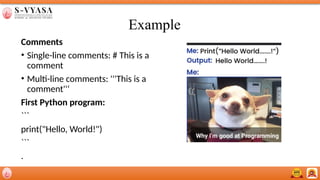
First Python program:
```
print("Hello, World!")
```
.
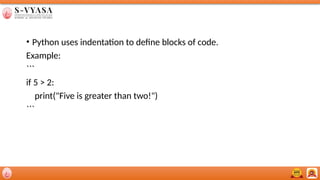
• Python uses indentation to define blocks of code.
Example:
```
if 5 > 2:
print("Five is greater than two!")
```
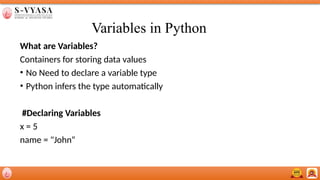
Variables in Python
What are Variables?
Containers for storing data values
• No Need to declare a variable type
• Python infers the type automatically
#Declaring Variables
x = 5
name = "John“
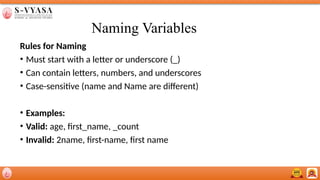
Naming Variables
Rules for Naming
• Must start with a letter or underscore (_)
• Can contain letters, numbers, and underscores
• Case-sensitive (name and Name are different)
• Examples:
• Valid: age, first_name, _count
• Invalid: 2name, first-name, first name
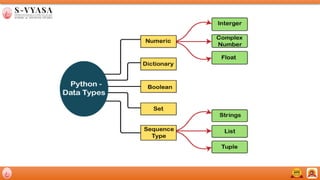
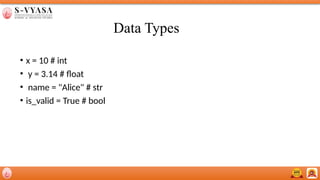
Data Types
• x = 10 # int
• y = 3.14 # float
• name = "Alice" # str
• is_valid = True # bool
Python Data Types Overview
List
• Ordered: Elements have a specific order.
• Mutable: Can be changed (add, remove, modify elements).
• Duplicates Allowed: Lists can contain duplicate elements.
Example:
my_list = [1, 2, 3, "apple", 3]
Python Data Types Overview
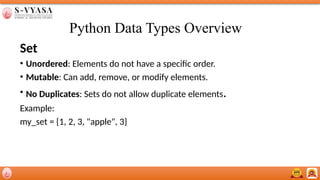
Set
• Unordered: Elements do not have a specific order.
• Mutable: Can add, remove, or modify elements.
• No Duplicates: Sets do not allow duplicate elements.
Example:
my_set = {1, 2, 3, "apple", 3}
Python Data Types Overview
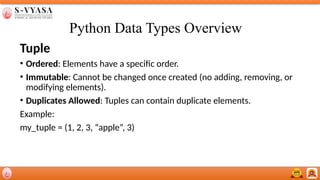
Tuple
• Ordered: Elements have a specific order.
• Immutable: Cannot be changed once created (no adding, removing, or
modifying elements).
• Duplicates Allowed: Tuples can contain duplicate elements.
Example:
my_tuple = (1, 2, 3, “apple”, 3)
Thank you

python_module_3....................................

  • 1.
    Introduction to Python Faculty: Moushreeta Debroy Programme : Python Department : BCA Semester : 1 Module : 1
  • 2.
    History of Python •1989: Python conceived by Guido van Rossum. • 1991: Python 0.9.0 released, included features like exception handling and functions. • 2000: Python 2.0 introduced list comprehensions and garbage collection. • 2008: Python 3.0 released with improvements, including better Unicode support.
  • 3.
    Example Comments • Single-line comments:# This is a comment • Multi-line comments: '''This is a comment''‘ First Python program: ``` print("Hello, World!") ``` .
  • 4.
    • Python usesindentation to define blocks of code. Example: ``` if 5 > 2: print("Five is greater than two!") ```
  • 5.
    Variables in Python Whatare Variables? Containers for storing data values • No Need to declare a variable type • Python infers the type automatically #Declaring Variables x = 5 name = "John“
  • 6.
    Naming Variables Rules forNaming • Must start with a letter or underscore (_) • Can contain letters, numbers, and underscores • Case-sensitive (name and Name are different) • Examples: • Valid: age, first_name, _count • Invalid: 2name, first-name, first name
  • 8.
    Data Types • x= 10 # int • y = 3.14 # float • name = "Alice" # str • is_valid = True # bool
  • 9.
    Python Data TypesOverview List • Ordered: Elements have a specific order. • Mutable: Can be changed (add, remove, modify elements). • Duplicates Allowed: Lists can contain duplicate elements. Example: my_list = [1, 2, 3, "apple", 3]
  • 10.
    Python Data TypesOverview Set • Unordered: Elements do not have a specific order. • Mutable: Can add, remove, or modify elements. • No Duplicates: Sets do not allow duplicate elements. Example: my_set = {1, 2, 3, "apple", 3}
  • 11.
    Python Data TypesOverview Tuple • Ordered: Elements have a specific order. • Immutable: Cannot be changed once created (no adding, removing, or modifying elements). • Duplicates Allowed: Tuples can contain duplicate elements. Example: my_tuple = (1, 2, 3, “apple”, 3)
  • 12.