


12 Key Mobile Usability
 Guidelines to Implement
 Now


Marta Rauch
Intelligent Content 2012
   @martarauch
   Marta Rauch
   +Marta Rauch
Key Takeaway:
            What We'll Cover                                                                                   It’s about the
                                                                                                               content. If you
                                                                                                               are involved with
                                                                                                               intelligent
    • Mobile is the new PC                                                                                     content, you can
                                                                                                               contribute to
                                                                                                               mobile usability
    • 12 key mobile usability guidelines
    • Mobile resources


    Detailed information is in my STC Intercom article:
    Twelve Mobile Usability Guidelines to Implement Now


Marta Rauch, “12 Key Mobile Usability Guidelines to Implement Now" Intelligent Content 2012. Copyright 2012.
                                                                                                                               2
Mobile is the New PC


                       3
Why Should I Care?


Marta Rauch, “12 Key Mobile Usability Guidelines to Implement Now" Intelligent Content 2012. Copyright 2012.
                                                                                                               4
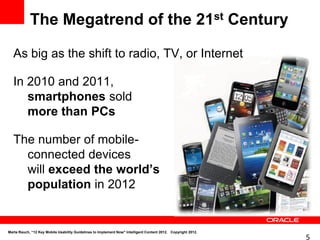
The Megatrend of the 21st Century

   As big as the shift to radio, TV, or Internet

   In 2010 and 2011,
      smartphones sold
      more than PCs

   The number of mobile-
     connected devices
     will exceed the world’s
     population in 2012


Marta Rauch, “12 Key Mobile Usability Guidelines to Implement Now" Intelligent Content 2012. Copyright 2012.
                                                                                                               5
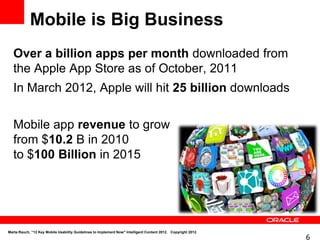
Mobile is Big Business
   Over a billion apps per month downloaded from
   the Apple App Store as of October, 2011
   In March 2012, Apple will hit 25 billion downloads

   Mobile app revenue to grow
   from $10.2 B in 2010
   to $100 Billion in 2015


Marta Rauch, “12 Key Mobile Usability Guidelines to Implement Now" Intelligent Content 2012. Copyright 2012.
                                                                                                               6
12 Key Mobile Usability
Guidelines


                          7
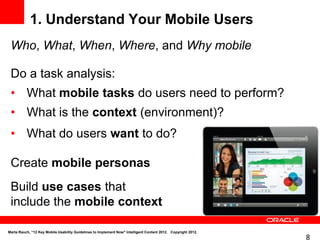
1. Understand Your Mobile Users
 Who, What, When, Where, and Why mobile

 Do a task analysis:
 • What mobile tasks do users need to perform?
 • What is the context (environment)?
 • What do users want to do?

 Create mobile personas
 Build use cases that
 include the mobile context

Marta Rauch, “12 Key Mobile Usability Guidelines to Implement Now" Intelligent Content 2012. Copyright 2012.
                                                                                                               8
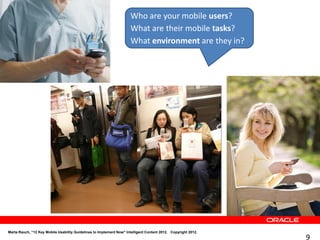
Who are your mobile users?
                                                                     What are their mobile tasks?
                                                                     What environment are they in?


Marta Rauch, “12 Key Mobile Usability Guidelines to Implement Now" Intelligent Content 2012. Copyright 2012.
                                                                                                               9
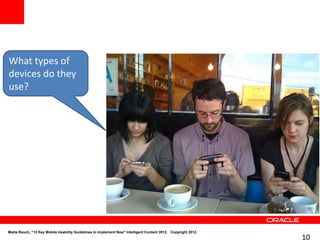
What types of
devices do they
use?


Marta Rauch, “12 Key Mobile Usability Guidelines to Implement Now" Intelligent Content 2012. Copyright 2012.
                                                                                                               10
Do the tasks
                  involve a lot
                  of reading?


Marta Rauch, “12 Key Mobile Usability Guidelines to Implement Now" Intelligent Content 2012. Copyright 2012.
                                                                                                               11
Do the tasks
   involve a lot
   of data
   entry?


Marta Rauch, “12 Key Mobile Usability Guidelines to Implement Now" Intelligent Content 2012. Copyright 2012.
                                                                                                               12
Most Frequent Mobile Tasks
            1.     Games
            2.     Weather
            3.     Social networking
            4.     Maps, navigation, search
            5.     Music
            6.     News
            7.     Entertainment
            8.     Video, movies
            9.     Shopping, retail
            10. Dining, restaurant
            11. Sport
            12. Productivity
            13. Communication
            14. Food, drink
            15. Travel
            16. Health
            17. Education, learning
            18. Household, personal, car http://www.nngroup.com/


Marta Rauch, “12 Key Mobile Usability Guidelines to Implement Now" Intelligent Content 2012. Copyright 2012.
                                                                                                               13
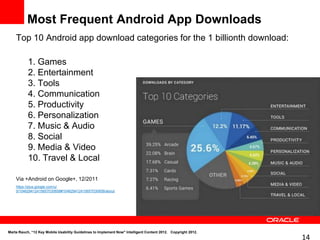
Most Frequent Android App Downloads
    Top 10 Android app download categories for the 1 billionth download:

           1. Games
           2. Entertainment
           3. Tools
           4. Communication
           5. Productivity
           6. Personalization
           7. Music & Audio
           8. Social
           9. Media & Video
           10. Travel & Local

    Via +Android on Google+, 12/2011
    https://plus.google.com/u/
    0/104629412415657030658#104629412415657030658/about


Marta Rauch, “12 Key Mobile Usability Guidelines to Implement Now" Intelligent Content 2012. Copyright 2012.
                                                                                                               14
2. Define the Mobile Content Strategy
•        What your mobile customers want
•        Mobile tasks and context
•        How this will address their mobile needs
•        Align with competitors’ mobile offerings
•        An app or a mobile-friendly web site
•        Target mobile devices
•        Mobile architecture
        • Structure
        • User experience, interface
        • User assistance
        • Context-sensitivity
        • Accessibility
•        Resources, schedule, budget, tools, process, development,
         Content Management metadata and tagging, output formats,
         testing, translation, distribution, feedback, analytics, updates…

Marta Rauch, “12 Key Mobile Usability Guidelines to Implement Now" Intelligent Content 2012. Copyright 2012.
                                                                                                               15
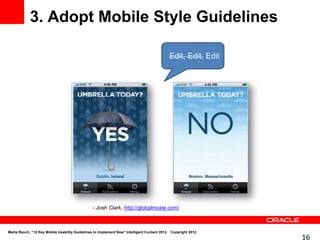
3. Adopt Mobile Style Guidelines

                                                                                            Edit, Edit, Edit


                                                - Josh Clark, http://globalmoxie.com/


Marta Rauch, “12 Key Mobile Usability Guidelines to Implement Now" Intelligent Content 2012. Copyright 2012.
                                                                                                               16
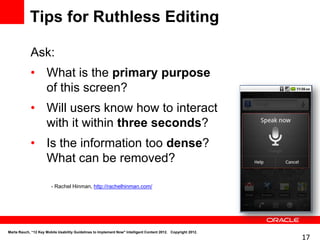
Tips for Ruthless Editing

            Ask:
            • What is the primary purpose
              of this screen?
            • Will users know how to interact
              with it within three seconds?
            • Is the information too dense?
              What can be removed?

                        - Rachel Hinman, http://rachelhinman.com/


Marta Rauch, “12 Key Mobile Usability Guidelines to Implement Now" Intelligent Content 2012. Copyright 2012.
                                                                                                               17
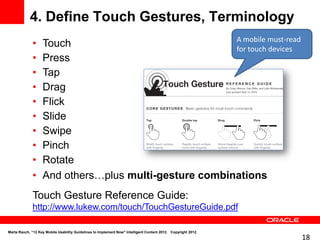
4. Define Touch Gestures, Terminology
                                                       A mobile must-read
              •    Touch                               for touch devices
              •    Press
              •    Tap
              •    Drag
              •    Flick
              •    Slide
              •    Swipe
              •    Pinch
              •    Rotate
              •    And others…plus multi-gesture combinations
              Touch Gesture Reference Guide:
              http://www.lukew.com/touch/TouchGestureGuide.pdf

Marta Rauch, “12 Key Mobile Usability Guidelines to Implement Now" Intelligent Content 2012. Copyright 2012.
                                                                                                               18
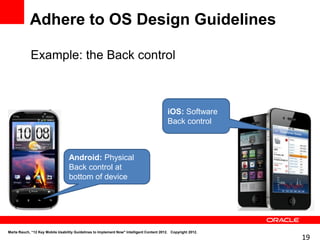
Adhere to OS Design Guidelines

            Example: the Back control


                                                                                           iOS: Software
                                                                                           Back control


                                  Android: Physical
                                  Back control at
                                  bottom of device


Marta Rauch, “12 Key Mobile Usability Guidelines to Implement Now" Intelligent Content 2012. Copyright 2012.
                                                                                                               19
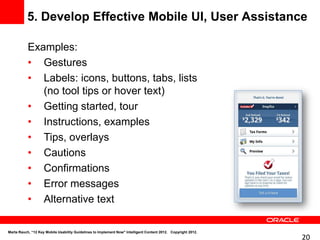
5. Develop Effective Mobile UI, User Assistance

           Examples:
           • Gestures
           • Labels: icons, buttons, tabs, lists
              (no tool tips or hover text)
           • Getting started, tour
           • Instructions, examples
           • Tips, overlays
           • Cautions
           • Confirmations
           • Error messages
           • Alternative text

Marta Rauch, “12 Key Mobile Usability Guidelines to Implement Now" Intelligent Content 2012. Copyright 2012.
                                                                                                               20
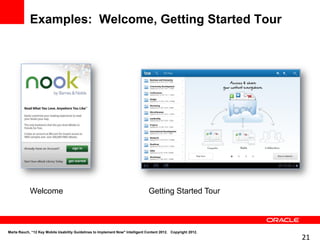
Examples: Welcome, Getting Started Tour


            Welcome                                                             Getting Started Tour


Marta Rauch, “12 Key Mobile Usability Guidelines to Implement Now" Intelligent Content 2012. Copyright 2012.
                                                                                                               21
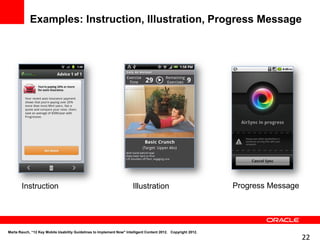
Examples: Instruction, Illustration, Progress Message


       Instruction                                                     Illustration                            Progress Message


Marta Rauch, “12 Key Mobile Usability Guidelines to Implement Now" Intelligent Content 2012. Copyright 2012.
                                                                                                                                  22
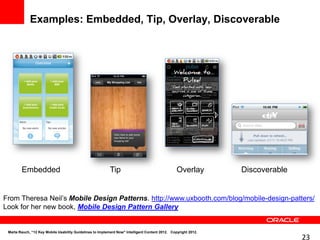
Examples: Embedded, Tip, Overlay, Discoverable


        Embedded                                           Tip                                   Overlay        Discoverable


From Theresa Neil’s Mobile Design Patterns. http://www.uxbooth.com/blog/mobile-design-patters/
Look for her new book, Mobile Design Pattern Gallery


 Marta Rauch, “12 Key Mobile Usability Guidelines to Implement Now" Intelligent Content 2012. Copyright 2012.
                                                                                                                               23
6. Make the Most of Small Screens

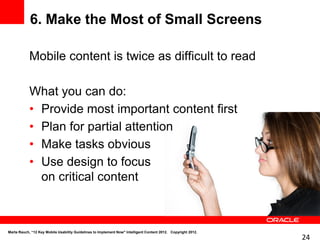
            Mobile content is twice as difficult to read

            What you can do:
            • Provide most important content first
            • Plan for partial attention
            • Make tasks obvious
            • Use design to focus
              on critical content


Marta Rauch, “12 Key Mobile Usability Guidelines to Implement Now" Intelligent Content 2012. Copyright 2012.
                                                                                                               24
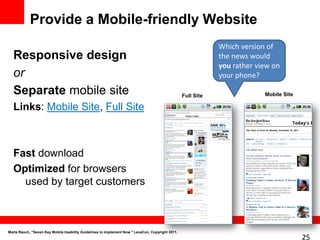
Provide a Mobile-friendly Website
                                                                                                              Which version of
  Responsive design                                                                                           the news would
                                                                                                              you rather view on
  or                                                                                                          your phone?

  Separate mobile site                                                                            Full Site                Mobile Site

  Links: Mobile Site, Full Site


  Fast download
  Optimized for browsers
    used by target customers


Marta Rauch, "Seven Key Mobile Usability Guidelines to Implement Now." LavaCon, Copyright 2011.
                                                                                                                                         25
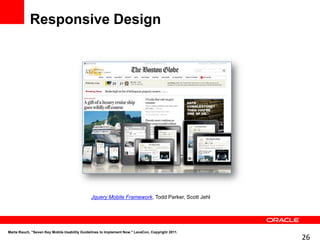
Responsive Design


                                              Jquery Mobile Framework, Todd Parker, Scott Jehl


Marta Rauch, "Seven Key Mobile Usability Guidelines to Implement Now." LavaCon, Copyright 2011.
                                                                                                  26
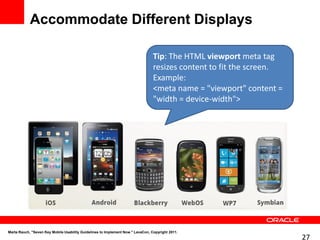
Accommodate Different Displays

                                                                                 Tip: The HTML viewport meta tag
                                                                                 resizes content to fit the screen.
                                                                                 Example:
                                                                                 <meta name = "viewport" content =
                                                                                 "width = device-width">


Marta Rauch, "Seven Key Mobile Usability Guidelines to Implement Now." LavaCon, Copyright 2011.
                                                                                                                      27
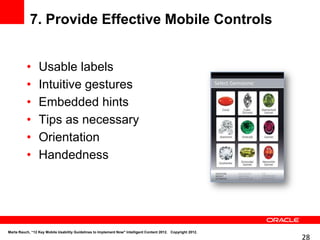
7. Provide Effective Mobile Controls


          •      Usable labels
          •      Intuitive gestures
          •      Embedded hints
          •      Tips as necessary
          •      Orientation
          •      Handedness


Marta Rauch, “12 Key Mobile Usability Guidelines to Implement Now" Intelligent Content 2012. Copyright 2012.
                                                                                                               28
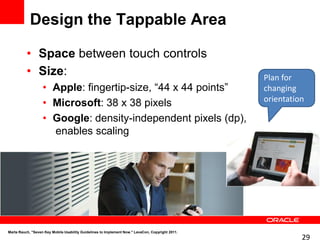
Design the Tappable Area

          • Space between touch controls
          • Size:                                                                                 Plan for
                   • Apple: fingertip-size, “44 x 44 points”                                      changing
                                                                                                  orientation
                   • Microsoft: 38 x 38 pixels
                   • Google: density-independent pixels (dp),
                     enables scaling


Marta Rauch, "Seven Key Mobile Usability Guidelines to Implement Now." LavaCon, Copyright 2011.
                                                                                                            29
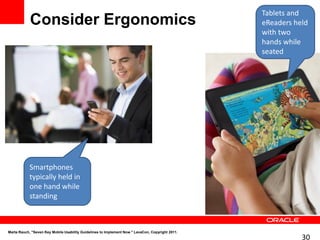
Tablets and
            Consider Ergonomics                                                                   eReaders held
                                                                                                  with two
                                                                                                  hands while
                                                                                                  seated


            Smartphones
            typically held in
            one hand while
            standing


Marta Rauch, "Seven Key Mobile Usability Guidelines to Implement Now." LavaCon, Copyright 2011.
                                                                                                             30
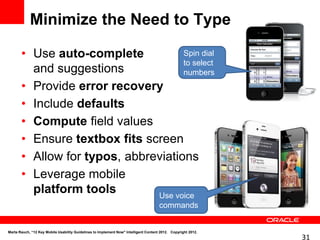
Minimize the Need to Type

       • Use auto-complete           Spin dial
                                     to select
         and suggestions             numbers
       • Provide error recovery
       • Include defaults
       • Compute field values
       • Ensure textbox fits screen
       • Allow for typos, abbreviations
       • Leverage mobile
         platform tools        Use voice
                                                                                      commands


Marta Rauch, “12 Key Mobile Usability Guidelines to Implement Now" Intelligent Content 2012. Copyright 2012.
                                                                                                               31
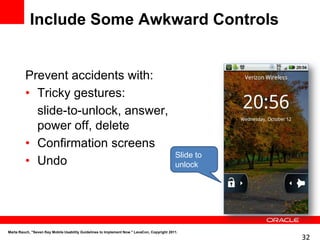
Include Some Awkward Controls


         Prevent accidents with:
         • Tricky gestures:
           slide-to-unlock, answer,
           power off, delete
         • Confirmation screens
                                                                                             Slide to
         • Undo                                                                              unlock


Marta Rauch, "Seven Key Mobile Usability Guidelines to Implement Now." LavaCon, Copyright 2011.
                                                                                                        32
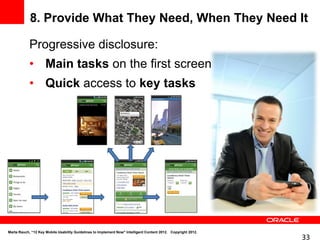
8. Provide What They Need, When They Need It

            Progressive disclosure:
            • Main tasks on the first screen
            • Quick access to key tasks


Marta Rauch, “12 Key Mobile Usability Guidelines to Implement Now" Intelligent Content 2012. Copyright 2012.
                                                                                                               33
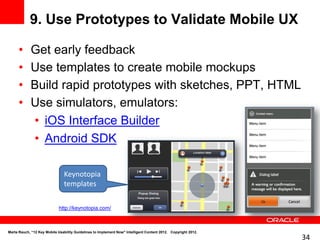
9. Use Prototypes to Validate Mobile UX

      •     Get early feedback
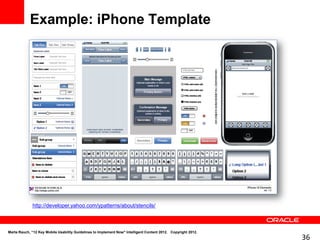
      •     Use templates to create mobile mockups
      •     Build rapid prototypes with sketches, PPT, HTML
      •     Use simulators, emulators:
            • iOS Interface Builder
            • Android SDK

                               Keynotopia
                               templates

                            http://keynotopia.com/


Marta Rauch, “12 Key Mobile Usability Guidelines to Implement Now" Intelligent Content 2012. Copyright 2012.
                                                                                                               34
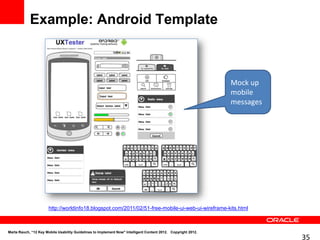
Example: Android Template


                                                                                                               Mock up
                                                                                                               mobile
                                                                                                               messages


                       http://worldinfo18.blogspot.com/2011/02/51-free-mobile-ui-web-ui-wireframe-kits.html


Marta Rauch, “12 Key Mobile Usability Guidelines to Implement Now" Intelligent Content 2012. Copyright 2012.
                                                                                                                          35
Example: iPhone Template


              http://developer.yahoo.com/ypatterns/about/stencils/


Marta Rauch, “12 Key Mobile Usability Guidelines to Implement Now" Intelligent Content 2012. Copyright 2012.
                                                                                                               36
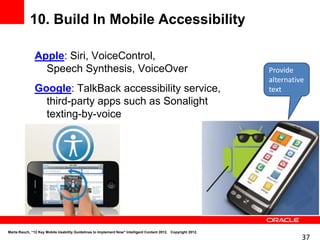
10. Build In Mobile Accessibility

               Apple: Siri, VoiceControl,
                 Speech Synthesis, VoiceOver                                                                   Provide
                                                                                                               alternative
               Google: TalkBack accessibility service,                                                         text
                 third-party apps such as Sonalight
                 texting-by-voice


Marta Rauch, “12 Key Mobile Usability Guidelines to Implement Now" Intelligent Content 2012. Copyright 2012.
                                                                                                                         37
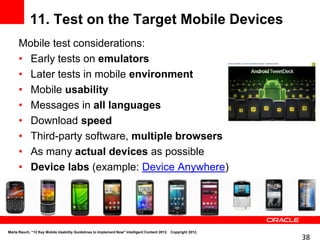
11. Test on the Target Mobile Devices
      Mobile test considerations:
      • Early tests on emulators
      • Later tests in mobile environment
      • Mobile usability
      • Messages in all languages
      • Download speed
      • Third-party software, multiple browsers
      • As many actual devices as possible
      • Device labs (example: Device Anywhere)


Marta Rauch, “12 Key Mobile Usability Guidelines to Implement Now" Intelligent Content 2012. Copyright 2012.
                                                                                                               38
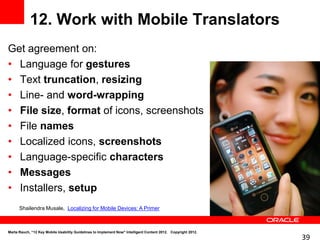
12. Work with Mobile Translators
Get agreement on:
• Language for gestures
• Text truncation, resizing
• Line- and word-wrapping
• File size, format of icons, screenshots
• File names
• Localized icons, screenshots
• Language-specific characters
• Messages
• Installers, setup
      Shailendra Musale, Localizing for Mobile Devices: A Primer


Marta Rauch, “12 Key Mobile Usability Guidelines to Implement Now" Intelligent Content 2012. Copyright 2012.
                                                                                                               39
Summary: 12 Key Requirements for
            Mobile User Assistance

      1.        Know your mobile users and
                understand their mobile tasks
      2.        Define the mobile Content Strategy
      3.        Mobile style guidelines
      4.        Touch terminology
      5.        Effective UI, user assistance
      6.        Small screen usability
      7.        Intuitive controls
      8.        Progressive disclosure
      9.        Prototypes
      10. Accessibility
      11. Test on devices, in environment
      12. Mobile translators


Marta Rauch, “12 Key Mobile Usability Guidelines to Implement Now" Intelligent Content 2012. Copyright 2012.
                                                                                                               40
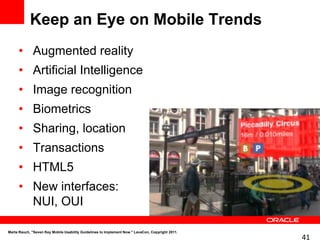
Keep an Eye on Mobile Trends
     • Augmented reality
     • Artificial Intelligence
     • Image recognition
     • Biometrics
     • Sharing, location
     • Transactions
     • HTML5
     • New interfaces:
       NUI, OUI

Marta Rauch, "Seven Key Mobile Usability Guidelines to Implement Now." LavaCon, Copyright 2011.
                                                                                                  41
Selected Mobile Resources
• Twelve Mobile Usability Guidelines to Implement Now,
     http://intercom.stc.org/2011/11/twelve-key-mobile-usability-guidelines-you-need-to-implement-now/
•    Developing User Assistance for Mobile Apps: http://www.writersua.com/mobile/book.htm
•    Tapworthy: Designing Great iPhone Apps: http://shop.oreilly.com/product/0636920001133.do
•    Mobile First: http://www.abookapart.com/products/mobile-first
•    Alertbox: http://www.useit.com/alertbox/mobile-writing.html
•    eBooks 101: http://www.ebooks101book.com/
•    Beautiful Visualization: http://shop.oreilly.com/product/0636920000617.do
•    Responsive Web Design: http://www.abookapart.com/products/responsive-web-design
•    Touch gesture reference guide: http://www.lukew.com/ff/entry.asp?1071
•    Stencils for iPhone, iPad, Android, Windows Phone 7: http://www.uistencils.com/
•    Mobile prototyping: http://rachelhinman.com/
•    Design patterns: http://www.uxbooth.com/blog/mobile-design-patters/ Mobile Design Pattern Gallery
•    Translation: http://smusale.tripod.com/writing/wireless_primer.pdf
•    Nielsen Norman Group seminars, articles, research: http://www.nngroup.com/
•    User Interface Engineering seminars, articles, podcasts: http://www.uie.com/

Marta Rauch, “12 Key Mobile Usability Guidelines to Implement Now" Intelligent Content 2012. Copyright 2012.
                                                                                                               42
What We Covered


    • Mobile is the new PC
    • 12 key mobile usability guidelines                                                                       Key Takeaway:
                                                                                                               It’s about the
    • Mobile resources                                                                                         content. If you
                                                                                                               are involved with
                                                                                                               intelligent
                                                                                                               content, you can
                                                                                                               contribute to
                                                                                                               mobile usability


Marta Rauch, “12 Key Mobile Usability Guidelines to Implement Now" Intelligent Content 2012. Copyright 2012.
                                                                                                                                   43
•        Twitter: @martarauch                                                           Follow me!
                 •        LinkedIn: martarauch
                 •        Google+: Marta Rauch


Marta Rauch, "Providing Effective User Assistance for Mobile Devices",” IEEE PCS IPCC. Copyright 2011.
                                                                                                                      44

12 Key Mobile Usability Guidelines to Implement Now

  • 1.
    12 Key MobileUsability Guidelines to Implement Now Marta Rauch Intelligent Content 2012 @martarauch Marta Rauch +Marta Rauch
  • 2.
    Key Takeaway: What We'll Cover It’s about the content. If you are involved with intelligent • Mobile is the new PC content, you can contribute to mobile usability • 12 key mobile usability guidelines • Mobile resources Detailed information is in my STC Intercom article: Twelve Mobile Usability Guidelines to Implement Now Marta Rauch, “12 Key Mobile Usability Guidelines to Implement Now" Intelligent Content 2012. Copyright 2012. 2
  • 3.
    Mobile is theNew PC 3
  • 4.
    Why Should ICare? Marta Rauch, “12 Key Mobile Usability Guidelines to Implement Now" Intelligent Content 2012. Copyright 2012. 4
  • 5.
    The Megatrend ofthe 21st Century As big as the shift to radio, TV, or Internet In 2010 and 2011, smartphones sold more than PCs The number of mobile- connected devices will exceed the world’s population in 2012 Marta Rauch, “12 Key Mobile Usability Guidelines to Implement Now" Intelligent Content 2012. Copyright 2012. 5
  • 6.
    Mobile is BigBusiness Over a billion apps per month downloaded from the Apple App Store as of October, 2011 In March 2012, Apple will hit 25 billion downloads Mobile app revenue to grow from $10.2 B in 2010 to $100 Billion in 2015 Marta Rauch, “12 Key Mobile Usability Guidelines to Implement Now" Intelligent Content 2012. Copyright 2012. 6
  • 7.
    12 Key MobileUsability Guidelines 7
  • 8.
    1. Understand YourMobile Users Who, What, When, Where, and Why mobile Do a task analysis: • What mobile tasks do users need to perform? • What is the context (environment)? • What do users want to do? Create mobile personas Build use cases that include the mobile context Marta Rauch, “12 Key Mobile Usability Guidelines to Implement Now" Intelligent Content 2012. Copyright 2012. 8
  • 9.
    Who are yourmobile users? What are their mobile tasks? What environment are they in? Marta Rauch, “12 Key Mobile Usability Guidelines to Implement Now" Intelligent Content 2012. Copyright 2012. 9
  • 10.
    What types of devicesdo they use? Marta Rauch, “12 Key Mobile Usability Guidelines to Implement Now" Intelligent Content 2012. Copyright 2012. 10
  • 11.
    Do the tasks involve a lot of reading? Marta Rauch, “12 Key Mobile Usability Guidelines to Implement Now" Intelligent Content 2012. Copyright 2012. 11
  • 12.
    Do the tasks involve a lot of data entry? Marta Rauch, “12 Key Mobile Usability Guidelines to Implement Now" Intelligent Content 2012. Copyright 2012. 12
  • 13.
    Most Frequent MobileTasks 1. Games 2. Weather 3. Social networking 4. Maps, navigation, search 5. Music 6. News 7. Entertainment 8. Video, movies 9. Shopping, retail 10. Dining, restaurant 11. Sport 12. Productivity 13. Communication 14. Food, drink 15. Travel 16. Health 17. Education, learning 18. Household, personal, car http://www.nngroup.com/ Marta Rauch, “12 Key Mobile Usability Guidelines to Implement Now" Intelligent Content 2012. Copyright 2012. 13
  • 14.
    Most Frequent AndroidApp Downloads Top 10 Android app download categories for the 1 billionth download: 1. Games 2. Entertainment 3. Tools 4. Communication 5. Productivity 6. Personalization 7. Music & Audio 8. Social 9. Media & Video 10. Travel & Local Via +Android on Google+, 12/2011 https://plus.google.com/u/ 0/104629412415657030658#104629412415657030658/about Marta Rauch, “12 Key Mobile Usability Guidelines to Implement Now" Intelligent Content 2012. Copyright 2012. 14
  • 15.
    2. Define theMobile Content Strategy • What your mobile customers want • Mobile tasks and context • How this will address their mobile needs • Align with competitors’ mobile offerings • An app or a mobile-friendly web site • Target mobile devices • Mobile architecture • Structure • User experience, interface • User assistance • Context-sensitivity • Accessibility • Resources, schedule, budget, tools, process, development, Content Management metadata and tagging, output formats, testing, translation, distribution, feedback, analytics, updates… Marta Rauch, “12 Key Mobile Usability Guidelines to Implement Now" Intelligent Content 2012. Copyright 2012. 15
  • 16.
    3. Adopt MobileStyle Guidelines Edit, Edit, Edit - Josh Clark, http://globalmoxie.com/ Marta Rauch, “12 Key Mobile Usability Guidelines to Implement Now" Intelligent Content 2012. Copyright 2012. 16
  • 17.
    Tips for RuthlessEditing Ask: • What is the primary purpose of this screen? • Will users know how to interact with it within three seconds? • Is the information too dense? What can be removed? - Rachel Hinman, http://rachelhinman.com/ Marta Rauch, “12 Key Mobile Usability Guidelines to Implement Now" Intelligent Content 2012. Copyright 2012. 17
  • 18.
    4. Define TouchGestures, Terminology A mobile must-read • Touch for touch devices • Press • Tap • Drag • Flick • Slide • Swipe • Pinch • Rotate • And others…plus multi-gesture combinations Touch Gesture Reference Guide: http://www.lukew.com/touch/TouchGestureGuide.pdf Marta Rauch, “12 Key Mobile Usability Guidelines to Implement Now" Intelligent Content 2012. Copyright 2012. 18
  • 19.
    Adhere to OSDesign Guidelines Example: the Back control iOS: Software Back control Android: Physical Back control at bottom of device Marta Rauch, “12 Key Mobile Usability Guidelines to Implement Now" Intelligent Content 2012. Copyright 2012. 19
  • 20.
    5. Develop EffectiveMobile UI, User Assistance Examples: • Gestures • Labels: icons, buttons, tabs, lists (no tool tips or hover text) • Getting started, tour • Instructions, examples • Tips, overlays • Cautions • Confirmations • Error messages • Alternative text Marta Rauch, “12 Key Mobile Usability Guidelines to Implement Now" Intelligent Content 2012. Copyright 2012. 20
  • 21.
    Examples: Welcome, GettingStarted Tour Welcome Getting Started Tour Marta Rauch, “12 Key Mobile Usability Guidelines to Implement Now" Intelligent Content 2012. Copyright 2012. 21
  • 22.
    Examples: Instruction, Illustration,Progress Message Instruction Illustration Progress Message Marta Rauch, “12 Key Mobile Usability Guidelines to Implement Now" Intelligent Content 2012. Copyright 2012. 22
  • 23.
    Examples: Embedded, Tip,Overlay, Discoverable Embedded Tip Overlay Discoverable From Theresa Neil’s Mobile Design Patterns. http://www.uxbooth.com/blog/mobile-design-patters/ Look for her new book, Mobile Design Pattern Gallery Marta Rauch, “12 Key Mobile Usability Guidelines to Implement Now" Intelligent Content 2012. Copyright 2012. 23
  • 24.
    6. Make theMost of Small Screens Mobile content is twice as difficult to read What you can do: • Provide most important content first • Plan for partial attention • Make tasks obvious • Use design to focus on critical content Marta Rauch, “12 Key Mobile Usability Guidelines to Implement Now" Intelligent Content 2012. Copyright 2012. 24
  • 25.
    Provide a Mobile-friendlyWebsite Which version of Responsive design the news would you rather view on or your phone? Separate mobile site Full Site Mobile Site Links: Mobile Site, Full Site Fast download Optimized for browsers used by target customers Marta Rauch, "Seven Key Mobile Usability Guidelines to Implement Now." LavaCon, Copyright 2011. 25
  • 26.
    Responsive Design Jquery Mobile Framework, Todd Parker, Scott Jehl Marta Rauch, "Seven Key Mobile Usability Guidelines to Implement Now." LavaCon, Copyright 2011. 26
  • 27.
    Accommodate Different Displays Tip: The HTML viewport meta tag resizes content to fit the screen. Example: <meta name = "viewport" content = "width = device-width"> Marta Rauch, "Seven Key Mobile Usability Guidelines to Implement Now." LavaCon, Copyright 2011. 27
  • 28.
    7. Provide EffectiveMobile Controls • Usable labels • Intuitive gestures • Embedded hints • Tips as necessary • Orientation • Handedness Marta Rauch, “12 Key Mobile Usability Guidelines to Implement Now" Intelligent Content 2012. Copyright 2012. 28
  • 29.
    Design the TappableArea • Space between touch controls • Size: Plan for • Apple: fingertip-size, “44 x 44 points” changing orientation • Microsoft: 38 x 38 pixels • Google: density-independent pixels (dp), enables scaling Marta Rauch, "Seven Key Mobile Usability Guidelines to Implement Now." LavaCon, Copyright 2011. 29
  • 30.
    Tablets and Consider Ergonomics eReaders held with two hands while seated Smartphones typically held in one hand while standing Marta Rauch, "Seven Key Mobile Usability Guidelines to Implement Now." LavaCon, Copyright 2011. 30
  • 31.
    Minimize the Needto Type • Use auto-complete Spin dial to select and suggestions numbers • Provide error recovery • Include defaults • Compute field values • Ensure textbox fits screen • Allow for typos, abbreviations • Leverage mobile platform tools Use voice commands Marta Rauch, “12 Key Mobile Usability Guidelines to Implement Now" Intelligent Content 2012. Copyright 2012. 31
  • 32.
    Include Some AwkwardControls Prevent accidents with: • Tricky gestures: slide-to-unlock, answer, power off, delete • Confirmation screens Slide to • Undo unlock Marta Rauch, "Seven Key Mobile Usability Guidelines to Implement Now." LavaCon, Copyright 2011. 32
  • 33.
    8. Provide WhatThey Need, When They Need It Progressive disclosure: • Main tasks on the first screen • Quick access to key tasks Marta Rauch, “12 Key Mobile Usability Guidelines to Implement Now" Intelligent Content 2012. Copyright 2012. 33
  • 34.
    9. Use Prototypesto Validate Mobile UX • Get early feedback • Use templates to create mobile mockups • Build rapid prototypes with sketches, PPT, HTML • Use simulators, emulators: • iOS Interface Builder • Android SDK Keynotopia templates http://keynotopia.com/ Marta Rauch, “12 Key Mobile Usability Guidelines to Implement Now" Intelligent Content 2012. Copyright 2012. 34
  • 35.
    Example: Android Template Mock up mobile messages http://worldinfo18.blogspot.com/2011/02/51-free-mobile-ui-web-ui-wireframe-kits.html Marta Rauch, “12 Key Mobile Usability Guidelines to Implement Now" Intelligent Content 2012. Copyright 2012. 35
  • 36.
    Example: iPhone Template http://developer.yahoo.com/ypatterns/about/stencils/ Marta Rauch, “12 Key Mobile Usability Guidelines to Implement Now" Intelligent Content 2012. Copyright 2012. 36
  • 37.
    10. Build InMobile Accessibility Apple: Siri, VoiceControl, Speech Synthesis, VoiceOver Provide alternative Google: TalkBack accessibility service, text third-party apps such as Sonalight texting-by-voice Marta Rauch, “12 Key Mobile Usability Guidelines to Implement Now" Intelligent Content 2012. Copyright 2012. 37
  • 38.
    11. Test onthe Target Mobile Devices Mobile test considerations: • Early tests on emulators • Later tests in mobile environment • Mobile usability • Messages in all languages • Download speed • Third-party software, multiple browsers • As many actual devices as possible • Device labs (example: Device Anywhere) Marta Rauch, “12 Key Mobile Usability Guidelines to Implement Now" Intelligent Content 2012. Copyright 2012. 38
  • 39.
    12. Work withMobile Translators Get agreement on: • Language for gestures • Text truncation, resizing • Line- and word-wrapping • File size, format of icons, screenshots • File names • Localized icons, screenshots • Language-specific characters • Messages • Installers, setup Shailendra Musale, Localizing for Mobile Devices: A Primer Marta Rauch, “12 Key Mobile Usability Guidelines to Implement Now" Intelligent Content 2012. Copyright 2012. 39
  • 40.
    Summary: 12 KeyRequirements for Mobile User Assistance 1. Know your mobile users and understand their mobile tasks 2. Define the mobile Content Strategy 3. Mobile style guidelines 4. Touch terminology 5. Effective UI, user assistance 6. Small screen usability 7. Intuitive controls 8. Progressive disclosure 9. Prototypes 10. Accessibility 11. Test on devices, in environment 12. Mobile translators Marta Rauch, “12 Key Mobile Usability Guidelines to Implement Now" Intelligent Content 2012. Copyright 2012. 40
  • 41.
    Keep an Eyeon Mobile Trends • Augmented reality • Artificial Intelligence • Image recognition • Biometrics • Sharing, location • Transactions • HTML5 • New interfaces: NUI, OUI Marta Rauch, "Seven Key Mobile Usability Guidelines to Implement Now." LavaCon, Copyright 2011. 41
  • 42.
    Selected Mobile Resources •Twelve Mobile Usability Guidelines to Implement Now, http://intercom.stc.org/2011/11/twelve-key-mobile-usability-guidelines-you-need-to-implement-now/ • Developing User Assistance for Mobile Apps: http://www.writersua.com/mobile/book.htm • Tapworthy: Designing Great iPhone Apps: http://shop.oreilly.com/product/0636920001133.do • Mobile First: http://www.abookapart.com/products/mobile-first • Alertbox: http://www.useit.com/alertbox/mobile-writing.html • eBooks 101: http://www.ebooks101book.com/ • Beautiful Visualization: http://shop.oreilly.com/product/0636920000617.do • Responsive Web Design: http://www.abookapart.com/products/responsive-web-design • Touch gesture reference guide: http://www.lukew.com/ff/entry.asp?1071 • Stencils for iPhone, iPad, Android, Windows Phone 7: http://www.uistencils.com/ • Mobile prototyping: http://rachelhinman.com/ • Design patterns: http://www.uxbooth.com/blog/mobile-design-patters/ Mobile Design Pattern Gallery • Translation: http://smusale.tripod.com/writing/wireless_primer.pdf • Nielsen Norman Group seminars, articles, research: http://www.nngroup.com/ • User Interface Engineering seminars, articles, podcasts: http://www.uie.com/ Marta Rauch, “12 Key Mobile Usability Guidelines to Implement Now" Intelligent Content 2012. Copyright 2012. 42
  • 43.
    What We Covered • Mobile is the new PC • 12 key mobile usability guidelines Key Takeaway: It’s about the • Mobile resources content. If you are involved with intelligent content, you can contribute to mobile usability Marta Rauch, “12 Key Mobile Usability Guidelines to Implement Now" Intelligent Content 2012. Copyright 2012. 43
  • 44.
    Twitter: @martarauch Follow me! • LinkedIn: martarauch • Google+: Marta Rauch Marta Rauch, "Providing Effective User Assistance for Mobile Devices",” IEEE PCS IPCC. Copyright 2011. 44

Editor's Notes

  • #6 Shipments of tablets and eReaders up 90% quarter-to-quarter, in Q2, at 13.6 Million.
  • #7 Mobile app revenue to grow 40.7% from 2010 to $11.8 Billion in 2015, 98 Billion downloads18 billion apps downloaded from the Apple App Store, over a billion per month
  • #12 It is twice as difficult to read content on a mobile device. Nielsen asserts that this is due to the small screen size. Users cannot see the entire page to scan through text. Attention is diverted by the need to navigate, scroll, remember what was seen, and re-find the original location on the page. These distractions reduce reading comprehension. To work around this, Noah Iliinsky recommends design techniques that help users understand the hierarchy of information on the screen. First identify the critical content, and then visually emphasize it by making it “bigger, bolder, brighter, more detailed, or called out with circles, arrows, or labels.” Likewise, de-emphasize less relevant content “with less intense colors, lighter line weight, or lack of detail.”Another issue is the wide variation in display sizes for mobile devices. To ensure that content displays appropriately, Joe Welinske suggests using variables for the height and width of the display. For example, include a viewport tag in the &lt;head&gt; section of HTML files, and specify viewport metadata such as width, height, initial scale, minimum and maximum scale, and user-scalability.  Key requirement for user assistance: Ensure that navigation controls for documentation are usable, and that user assistance displays correctly on mobile screens.
  • #14 A Nielsen Research survey in July, 2011 found that the most popular mobile applications are, in descending order, games, weather, social networking, maps/navigation/search, music, news, entertainment, video/movies, shopping/retail, dining/restaurant, sport, productivity, communication, food/drink, travel, health, education/learning, and household/personal/car.
  • #26 improves usabilityBest practice: Provide a separate mobile sitedetect a user’s device, and automatically direct mobile devices to the mobile site. Designer Luke Wroblewski takes it one step further, and advocates for a “mobile-first design process to improve user experience on all platforms.”Another best practice is to provide a link from the full site to the mobile site, and from the mobile site back to the full site. Nielsen recommends the link labels “Mobile Site” and “Full Site.” In addition, mobile users are impatient with slow download times, so it is important to reduce the size and number of graphics and screenshots.A final recommendation is to optimize the site for the browsers and browser versions used by target users. As the W3C points out, mobile browsers often differ markedly from desktop browsers. For prototypes, designers can use the Firefox Mobile Emulator or the Safari browser’s developer mode, which enables it to simulate different browsers. For the final web site, test on a wide range of actual mobile devices, browsers, and browser versions.
  • #27 improves usabilityBest practice: Provide a separate mobile sitedetect a user’s device, and automatically direct mobile devices to the mobile site. Designer Luke Wroblewski takes it one step further, and advocates for a “mobile-first design process to improve user experience on all platforms.”Another best practice is to provide a link from the full site to the mobile site, and from the mobile site back to the full site. Nielsen recommends the link labels “Mobile Site” and “Full Site.” In addition, mobile users are impatient with slow download times, so it is important to reduce the size and number of graphics and screenshots.A final recommendation is to optimize the site for the browsers and browser versions used by target users. As the W3C points out, mobile browsers often differ markedly from desktop browsers. For prototypes, designers can use the Firefox Mobile Emulator or the Safari browser’s developer mode, which enables it to simulate different browsers. For the final web site, test on a wide range of actual mobile devices, browsers, and browser versions.
  • #30 Mobile controls and input mechanisms present challenges. To improve usability:Place touch controls so that users can easily use their thumb to press the most common controls. Design applications so they can be used in either hand. For tap-intensive applications, such as a scientific calculator, provide an option for a right-handed or left-handed interface.Use appropriate size and spacing for touch control elements, to be sure users can tap them with their fingers. Vendors do not have a unified definition for the tappable area. Apple’s iOS Human Interface Guidelines recommends making targets “fingertip-size,” defined as “44 x 44 points,” the size of the virtual keys on the iPhone calculator. Microsoft defines the tap region as 9.12mm or 38 x 38 pixels. Google recommends a virtual measure called “density-independent pixels (dp),” which enables the region to scale to different screen sizes.For documentation, ensure that the most critical controls are usable, such as those used to acquire, store, and select content, and to read, search, and navigate. The most important input mechanisms are bookmarking, highlighting, and adding and sharing notes. For touch device instructions, use appropriate verbs, such as swipe, flick, tap, and pinch.
  • #31 Determine the Target Mobile DeviceDesign for and leverage the mobile platform:SmartphonesTabletseReaders, KindleTouch devices vs. non-touchOS: Android, iOS, Blackberry, Windows…Browsers, versionsMobile designer Josh Clark notes that smartphones are held in one hand and used while on the go, so users have limited dexterity and a shorter attention span. In contrast, tablets are held with two hands while users are seated. This encourages “a more leisurely and contemplative mindset, with longer sessions and more attention … so applications should reflect that calmer mindset.” The ergonomics of the device are also important. Clark observes that users typically hold smartphones from the bottom, with their thumb positioned at the bottom corner at the base of the phone. In contrast, they hold tablets from the top, usually with two hands, with the thumbs positioned at the top corners. Locate the controls where they are easiest to reach.  Key requirement for user assistance: Design user assistance for the devices used by the target audience, including touch devices if applicable.
  • #32 It is twice as difficult to read content on a mobile device. Nielsen asserts that this is due to the small screen size. Users cannot see the entire page to scan through text. Attention is diverted by the need to navigate, scroll, remember what was seen, and re-find the original location on the page. These distractions reduce reading comprehension. To work around this, Noah Iliinsky recommends design techniques that help users understand the hierarchy of information on the screen. First identify the critical content, and then visually emphasize it by making it “bigger, bolder, brighter, more detailed, or called out with circles, arrows, or labels.” Likewise, de-emphasize less relevant content “with less intense colors, lighter line weight, or lack of detail.”Another issue is the wide variation in display sizes for mobile devices. To ensure that content displays appropriately, Joe Welinske suggests using variables for the height and width of the display. For example, include a viewport tag in the &lt;head&gt; section of HTML files, and specify viewport metadata such as width, height, initial scale, minimum and maximum scale, and user-scalability.  Key requirement for user assistance: Ensure that navigation controls for documentation are usable, and that user assistance displays correctly on mobile screens.
  • #33 Because mobile devices are portable, users carry them throughout the day. This introduces the risk that devices inadvertently turn on and perform tasks accidentally. For example, a smartphone jostled against other items in a handbag can accidentally make a call. To guard against this, implement “awkward controls” for certain key tasks. Because these controls are a little more difficult, they require more attention and minimize inadvertent actions. As designer Josh Clark puts it, “Awkward isn’t always bad…By requiring awkward or challenging gestures at well placed points of your interface, you can protect against miserable mishaps.” Examples of this design technique include the slide-to-unlock control used by Android and Apple, and Apple’s slide controls to answer, power off, and delete. Apple and Android also provide confirmation screens for key actions, such as deleting. For example, to shut down the device, Android requires a long press on a hardware button and then an affirmative response to a confirmation message. Another example of this type of a control is a multi-tap combination, such as Apple’s triple-tap with three fingers to turn the screen curtain on or off. Another technique for preventing errors is an Undo mechanism. To maximize screen space, include Undo buttons only for certain risky actions. For example, Google Gmail displays an Undo control for 5 seconds after users click Send. Key requirement for user assistance: To guard against inadvertent actions on mobile devices, implement “awkward” user interface controls when necessary, and provide an undo mechanism for critical tasks, such as deleting.
  • #35 To get feedback early in the development cycle, Joe Welinske recommends testing with simulators. For example, for Android, test with the emulator in the Android SDK (Software Development Kit) available on the Android Developer’s Site (http://developer.android.com/sdk/index.html). For Apple iOS, test designs with the Interface Builder’s Simulator. Josh Clark recommends building rapid prototypes with HTML and CSS, and creating mockups with Keynote, Photoshop, or other tools. For example, Keynotopia (http://keynotopia.com/) provides helpful stencils of controls for iPad, iPhone, and Android. Key requirement for user assistance: Create a prototype, and validate it to confirm usability.
  • #38 Mobile vendors offer a variety of accessibility solutions. Apple’s Accessibility Programming Guide provides guidelines for VoiceControl, Speech Synthesis, and VoiceOver. The gesture-based VoiceOver screenreader provides accessible support in 21 languages. Screen magnification and white-on-black (reverse video) provide better contrast for low vision users. Apple also provides accessible touch controls, and Braille displays are supported on iPad, iPhone 4, and iPhone 3GS. Google’s accessible design guidelines are provided on the Android Developer web site. Google recommends testing with an accessibility service such as TalkBack, which comes preinstalled on many Android-powered devices and is available at no charge from the Android Market (https://market.android.com/).  Key requirement for user assistance: Build in accessibility features for mobile user assistance, and validate effectiveness by testing with assistive technology.
  • #40 http://smusale.tripod.com/writing/wireless_primer.pdfMany translators have limited experience with user assistance for mobile devices, so it is important to get agreements with vendors early in the project. Translation issues includeLanguage-specific special charactersText truncation and dialog box resizingLine- and word-wrappingAbbreviated translationsLocalized screenshots of controls and the user interfaceThe need to reduce file size for icons and screenshotsIn “Localizing for Mobile Devices: A Primer,” Shailendra Musale advises that documentation must be small and compact, since file size is multiplied by the number of languages. Get agreement from translation vendors onFile size, which must be small due to limited disk space and memory on mobile devicesFile formats for localizable resourcesFile-naming conventionsError message translationTranslation for installers or setup applicationsThe language for content developmentThe language for gestures Key requirement for user assistance: If the application is translated, ensure that translation vendors address mobile translation issues.