@ctjava#r+java
Combining R with Java
Ryan Cuprak
Elsa Cuprak
@ctjava
cuprak.info
@ctjava#r+java
Combining R with Java
@ctjava#r+java
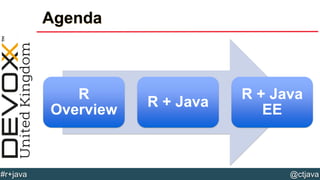
Agenda
R
Overview
R + Java
R + Java
EE
@ctjava#r+java
What is R?
• Free open-source alternative to Matlab, SAS, Excel, and SPSS
• R is:
• Statistical software
• Language
• Environment
• Ecosystem
• Used by Google, Facebook, Bank of America, etc.
• 2 million users worldwide
• Downloaded URL:
http://www.r-project.org
@ctjava#r+java
What is R?
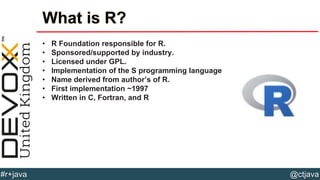
• R Foundation responsible for R.
• Sponsored/supported by industry.
• Licensed under GPL.
• Implementation of the S programming language
• Name derived from author’s of R.
• First implementation ~1997
• Written in C, Fortran, and R
@ctjava#r+java
CRAN
• Power of R is packages!
• CRAN = Comprehensive R Archive Network
• Analogous to (Maven) Central
• 6745 packages available
• Database access
• Data manipulation
• Visualization
• Data modeling
• Reports
• Geospatial data analysis
• Time series/financial data
@ctjava#r+java
CRAN Popular Packages
• ggplot2 – package for creating graphs
• rgl – interactive 3D visualizations
• Caret – training regression
• Survival – tools for survival analysis
• Mgcv – generalized additive models
• Maps – polygons for plots
• Ggmap – Google maps
• Xts – manipulates time series data
• Quantmode – downloads financial data, plotting, charting
• tidyr – changes layout of datasets
@ctjava#r+java
Uses of R
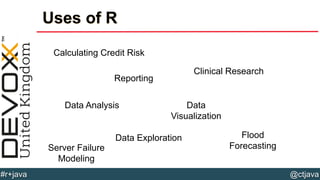
Calculating Credit Risk
Reporting
Data Analysis Data
Visualization
Data Exploration
Clinical Research
Flood
ForecastingServer Failure
Modeling
@ctjava#r+java
Why not Java?
• Java isn’t “convenient”
• Lacks specialized data structures
• Limited graphing capabilities
• Few statistical libraries available
• Statisticians don’t use Java
• No interactive tools for data exploration
• No built-in support for data import/cleanup
• Re-inventing the wheel is expensive…
R is a DSL + Stat
Library
@ctjava#r+java
Leveraging R from Java
• Two approaches to integration:
• rJava – access R from Java
• JRI – call Java from R
• rJava includes JRI.
• Installed from CRAN: install.packages(‘rJava’)
• Documentation & code:
• http://www.rforge.net/rJava/
• https://github.com/s-u/rJava
• R & Java worlds bridged via JNI
@ctjava#r+java
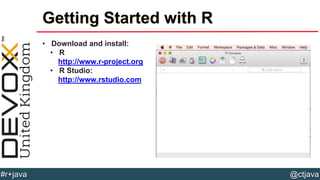
Getting Started with R
• Download and install:
• R
http://www.r-project.org
• R Studio:
http://www.rstudio.com
@ctjava#r+java
Basics of R
• Interpreted language
• Functional
• Dynamic typing
• Lexical scoping
• R scripts stored in “.R” files
• Run R commands interactively in R/R Studio or RScript.
• Language
• Object-oriented
• Exceptions
• Debugging
@ctjava#r+java
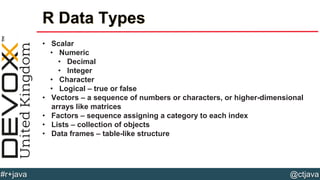
R Data Types
• Scalar
• Numeric
• Decimal
• Integer
• Character
• Logical – true or false
• Vectors – a sequence of numbers or characters, or higher-dimensional
arrays like matrices
• Factors – sequence assigning a category to each index
• Lists – collection of objects
• Data frames – table-like structure
@ctjava#r+java
NULL & NA
• NULL – indicates an object is absent
• NA – missing values (Not Available)
@ctjava#r+java
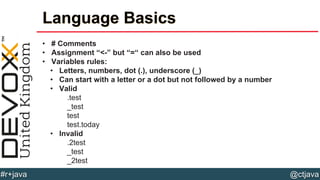
Language Basics
• # Comments
• Assignment “<-” but “=“ can also be used
• Variables rules:
• Letters, numbers, dot (.), underscore (_)
• Can start with a letter or a dot but not followed by a number
• Valid
.test
_test
test
test.today
• Invalid
.2test
_test
_2test
@ctjava#r+java
Vectors
• Defining and assigning a vector:
> x <- c(10,20,30,40,50,60)
• Multiplying a vector:
> x * 3
[1] 30 , 60, 90, 120, 150, 180
• Applying a function to a vector:
> sqrt(x)
[1] 3.162278 4.472136 5.477226 6.324555 7.071068…
• Access individual elements:
> x[1]
[1] 30
• Appending data to a vector:
> x <- c(x,70)
[1] 10 20 30 40 50 60 70
@ctjava#r+java
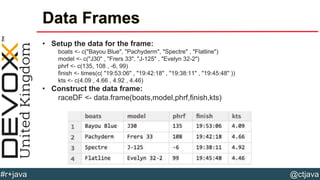
Data Frames
• Setup the data for the frame:
boats <- c("Bayou Blue", "Pachyderm", "Spectre" , "Flatline")
model <- c("J30" , "Frers 33", "J-125" , "Evelyn 32-2")
phrf <- c(135, 108 , -6, 99)
finish <- times(c( "19:53:06" , "19:42:18" , "19:38:11" , "19:45:48" ))
kts <- c(4.09 , 4.66 , 4.92 , 4.46)
• Construct the data frame:
raceDF <- data.frame(boats,model,phrf,finish,kts)
@ctjava#r+java
Data Frames
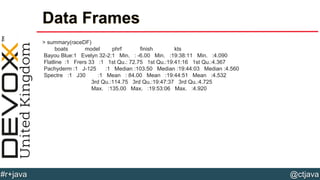
> summary(raceDF)
boats model phrf finish kts
Bayou Blue:1 Evelyn 32-2:1 Min. : -6.00 Min. :19:38:11 Min. :4.090
Flatline :1 Frers 33 :1 1st Qu.: 72.75 1st Qu.:19:41:16 1st Qu.:4.367
Pachyderm :1 J-125 :1 Median :103.50 Median :19:44:03 Median :4.560
Spectre :1 J30 :1 Mean : 84.00 Mean :19:44:51 Mean :4.532
3rd Qu.:114.75 3rd Qu.:19:47:37 3rd Qu.:4.725
Max. :135.00 Max. :19:53:06 Max. :4.920
@ctjava#r+java
Lists
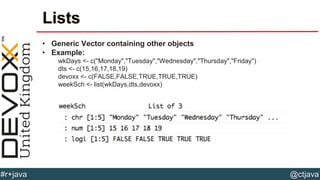
• Generic Vector containing other objects
• Example:
wkDays <- c("Monday","Tuesday","Wednesday","Thursday","Friday")
dts <- c(15,16,17,18,19)
devoxx <- c(FALSE,FALSE,TRUE,TRUE,TRUE)
weekSch <- list(wkDays,dts,devoxx)
@ctjava#r+java
Lists
• Member slicing:
> weekSch[1]
[[1]]
[1] "Monday" "Tuesday" "Wednesday" "Thursday" "Friday"
• Member referencing:
> weekSch[[1]]
[1] "Monday" "Tuesday" "Wednesday" "Thursday" "Friday”
• Labeling entries:
> names(weekSch) <- c("Days","Dates","Devoxx Events")
@ctjava#r+java
Matrices
• Defining a matrix:
myMatrix <- matrix(1:10 , nrow = 2)
[,1] [,2] [,3] [,4] [,5]
[1,] 1 3 5 7 9
[2,] 2 4 6 8 10
• Printing out dimensions:
> dim(myMatrix)
[1] 2 5
• Multiplying matrixes:
> myMatrix + myMatrix
[,1] [,2] [,3] [,4] [,5]
[1,] 2 6 10 14 18
[2,] 4 8 12 16 20
@ctjava#r+java
Factors
• Vector whose elements can take on one of a specific set of values.
• Used in statistical modeling to assign the correct number of degrees of
freedom.
> factor(x=c("High School","College","Masters","Doctorate"),
levels=c("High School","College","Masters","Doctorate"),
ordered=TRUE)
[1] High School College Masters Doctorate
Levels: High School < College < Masters < Doctorate
@ctjava#r+java
Defining Functions
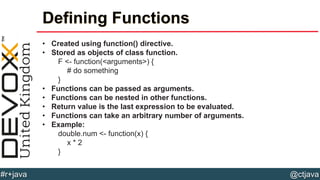
• Created using function() directive.
• Stored as objects of class function.
F <- function(<arguments>) {
# do something
}
• Functions can be passed as arguments.
• Functions can be nested in other functions.
• Return value is the last expression to be evaluated.
• Functions can take an arbitrary number of arguments.
• Example:
double.num <- function(x) {
x * 2
}
@ctjava#r+java
Built-in Datasets
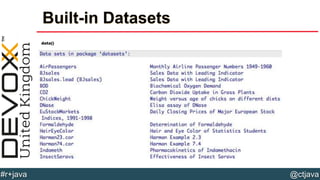
data()
@YourTwitterHandle@ctjava#r+java
@ctjava#r+java
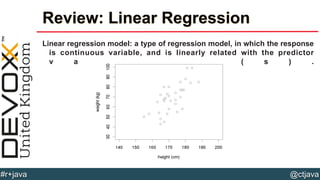
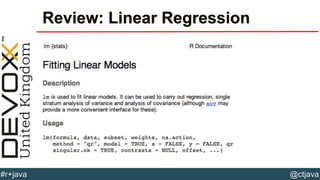
Review: Linear Regression
Linear regression model: a type of regression model, in which the response
is continuous variable, and is linearly related with the predictor
v a r i a b l e ( s ) .
@ctjava#r+java
Review: Linear Regression
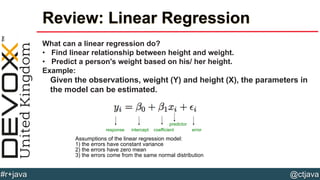
What can a linear regression do?
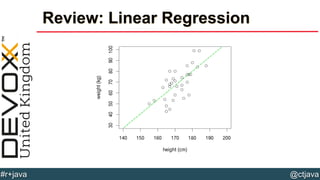
• Find linear relationship between height and weight.
• Predict a person's weight based on his/ her height.
Example:
Given the observations, weight (Y) and height (X), the parameters in
the model can be estimated.
response intercept coefficient
predictor
error
Assumptions of the linear regression model:
1) the errors have constant variance
2) the errors have zero mean
3) the errors come from the same normal distribution
@ctjava#r+java
Review: Linear Regression
@ctjava#r+java
Review: Linear Regression
@ctjava#r+java
Review: Linear Regression
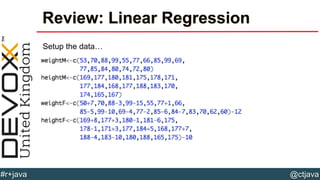
Setup the data…
@ctjava#r+java
Review: Linear Regression
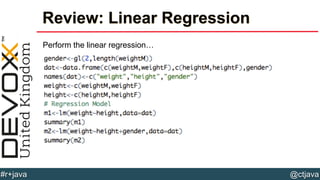
Perform the linear regression…
@ctjava#r+java
Review: Linear Regression
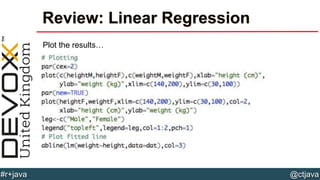
Plot the results…
@ctjava#r+java
Considerations
1. Do you want to re-implement that logic in Java?
2. How would you test your implementation?
3. What would the ramifications of incorrect calculations?
@ctjava#r+java
R + Java = rJava
• rJava provides a Java API to R.
• JRI – ability to call from R back into Java code.
• Runs R inside of the JVM process via JNI.
• Single-threaded – R can be accessed ONLY by one thread!
• Native library can be loaded only ONCE.
@ctjava#r+java
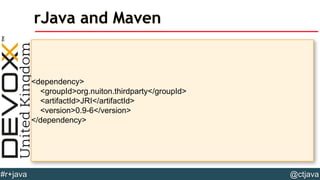
<dependency>
<groupId>org.nuiton.thirdparty</groupId>
<artifactId>JRI</artifactId>
<version>0.9-6</version>
</dependency>
rJava and Maven
@ctjava#r+java
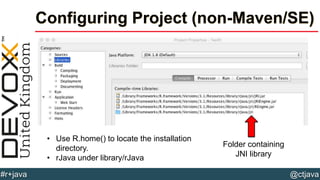
Configuring Project (non-Maven/SE)
Folder containing
JNI library
• Use R.home() to locate the installation
directory.
• rJava under library/rJava
@ctjava#r+java
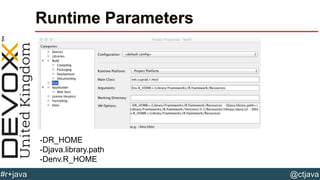
Runtime Parameters
-DR_HOME
-Djava.library.path
-Denv.R_HOME
@ctjava#r+java
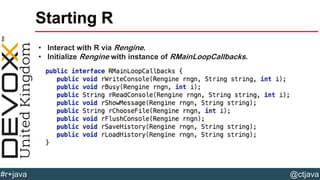
Starting R
• Interact with R via Rengine.
• Initialize Rengine with instance of RMainLoopCallbacks.
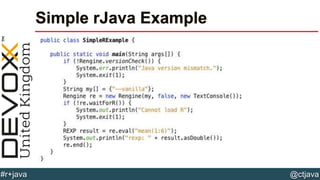
@ctjava#r+java
Simple rJava Example
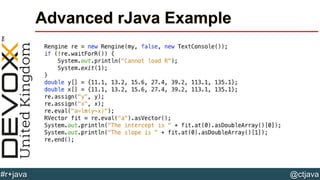
@ctjava#r+java
Advanced rJava Example
@ctjava#r+java
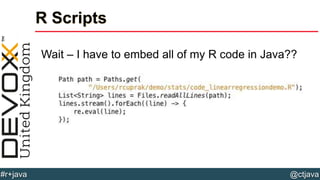
R Scripts
Wait – I have to embed all of my R code in Java??
@ctjava#r+java
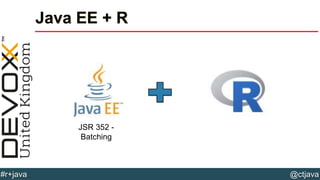
Java EE + R
JSR 352 -
Batching
@ctjava#r+java
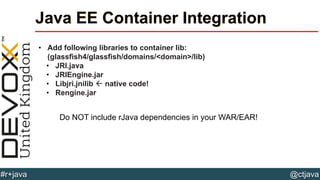
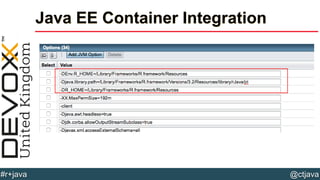
Java EE Container Integration
• Add following libraries to container lib:
(glassfish4/glassfish/domains/<domain>/lib)
• JRI.java
• JRIEngine.jar
• Libjri.jnilib  native code!
• Rengine.jar
Do NOT include rJava dependencies in your WAR/EAR!
@ctjava#r+java
Java EE Container Integration
@ctjava#r+java
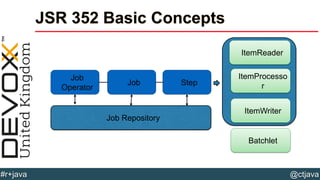
JSR 352 Basic Concepts
Job
Operator
Job Step
Job Repository
ItemReader
ItemProcesso
r
ItemWriter
Batchlet
@ctjava#r+java
JSR 353 Basic Concepts
• Job – encapsulates the entire batch process.
• JobInstance – actual execution of a job.
• JobParameters – parameters passed to a job.
• Step – encapsulates an independent, sequential phase of a batch job.
• Batch checkpoints:
• Bookmarking of progress so that a job can be restarted.
• Important for long running jobs
@ctjava#r+java
JSR 352 Basic Concepts
• Step Models:
• Chunk – comprised of Reader/Writer/Procesor
• Batchlet – task oriented step (file transfer etc.)
• Partitioning – mechanism for running steps in parallel
• Listeners – provide life-cycle hooks
@ctjava#r+java
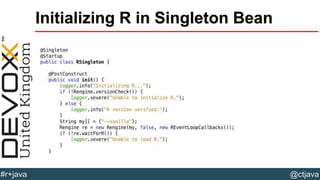
Initializing R in Singleton Bean
@ctjava#r+java
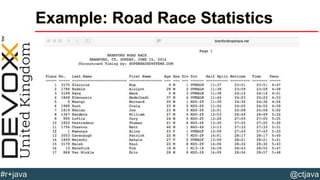
Example: Road Race Statistics
@ctjava#r+java
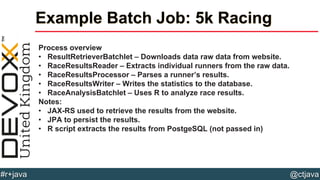
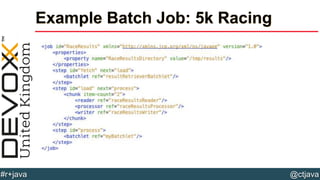
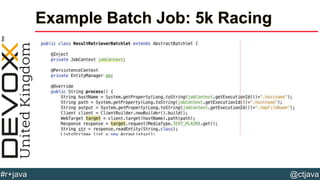
Example Batch Job: 5k Racing
Process overview
• ResultRetrieverBatchlet – Downloads data raw data from website.
• RaceResultsReader – Extracts individual runners from the raw data.
• RaceResultsProcessor – Parses a runner’s results.
• RaceResultsWriter – Writes the statistics to the database.
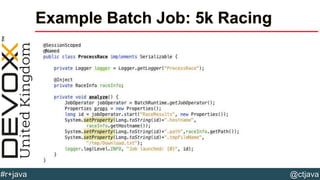
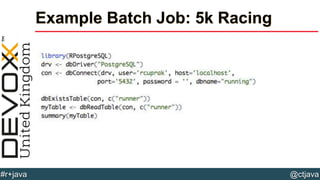
• RaceAnalysisBatchlet – Uses R to analyze race results.
Notes:
• JAX-RS used to retrieve the results from the website.
• JPA to persist the results.
• R script extracts the results from PostgeSQL (not passed in)
@ctjava#r+java
Example Batch Job: 5k Racing
@ctjava#r+java
Example Batch Job: 5k Racing
@ctjava#r+java
Example Batch Job: 5k Racing
@ctjava#r+java
Example Batch Job: 5k Racing
@ctjava#r+java
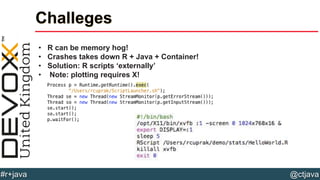
Challeges
• R can be memory hog!
• Crashes takes down R + Java + Container!
• Solution: R scripts ‘externally’
• Note: plotting requires X!
@YourTwitterHandle#DVXFR14{session hashtag} @ctjava#r+java
Questions
@YourTwitterHandle#DVXFR14{session hashtag} @ctjava#r+java
rcuprak@gmail.com (Java)
actuary.elsa@gmail.com
(Stats)
@ctjava

Combining R With Java For Data Analysis (Devoxx UK 2015 Session)