Play Framework + 

Docker + CircleCI + AWS =
An Automated Microservice 

Build Pipeline
Josh Padnick
Wednesday, November 11, 2015
josh@PhoenixDevOps.com
@OhMyGoshJosh
What do I want out of a
Java-based microservices
infrastructure?
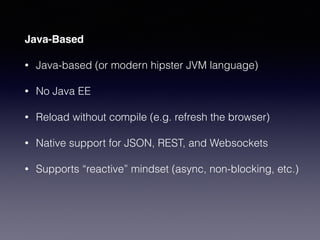
Java-Based
• Java-based (or modern hipster JVM language)
• No Java EE
• Reload without compile (e.g. refresh the browser)
• Native support for JSON, REST, and Websockets
• Supports “reactive” mindset (async, non-blocking, etc.)
Microservices Infrastructure
• A Universal unit of deployment (i.e. Docker)
• Continuous integration
• Continuous deployment
• Ability to run multiple containerized services on the same VM
• Simple setup
• Long-term scalability
• Minimal “undifferentiated heavy lifting”
Does this mythical
beast exist?
Actually, it’s increasingly
less mythical.
Padnick
Josh
• Full-stack engineer for 12+ years
• Professional AWS & DevOps Guy via Phoenix DevOps
• Experienced Java programmer

Lover of Scala

Favorite Web Framework is Play Framework
• josh@PhoenixDevOps.com

@OhMyGoshJosh
DevOps & AWS
• I wrote a 12,000+ word article on building
scalable web apps on AWS at https://goo.gl/
aD6gNC
• See JoshPadnick.com for prior DevOps & AWS
presentations.
• Interested in getting in touch? Contact me via
PhoenixDevOps.com.
Today’s talk is about
putting together a quick
but scalable solution for
this problem.
First we’ll cover the 

big picture concepts.
Then we’ll show it working.
We’ll end by talking about how it
could be even better.
Let’s start with
the world’s most generic
build pipeline
VCS
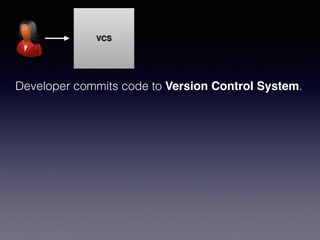
Developer commits code to Version Control System.
VCS
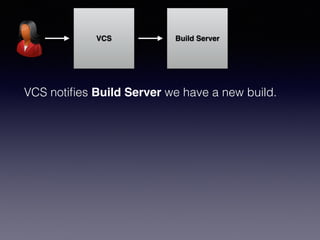
VCS notifies Build Server we have a new build.
Build Server
VCS
Build Server
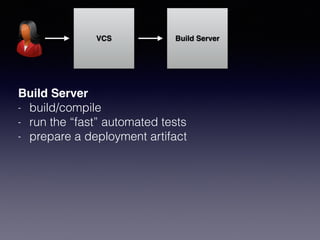
- build/compile
- run the “fast” automated tests
- prepare a deployment artifact
Build Server
VCS Build Server
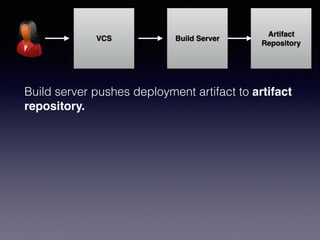
Build server pushes deployment artifact to artifact
repository.
Artifact
Repository
VCS Build Server
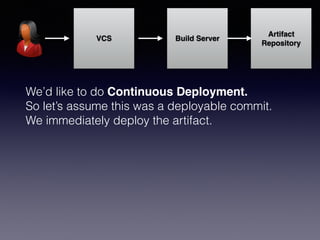
We’d like to do Continuous Deployment.
So let’s assume this was a deployable commit.
We immediately deploy the artifact.
Artifact
Repository
VCS Build Server
Artifact
Repository
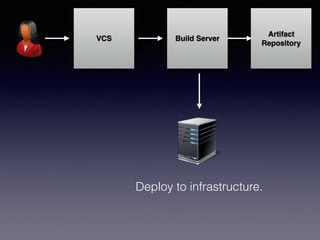
Deploy to infrastructure.
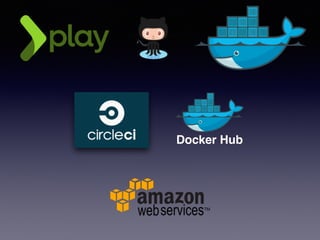
Now let’s pick our
technologies.
Docker Hub
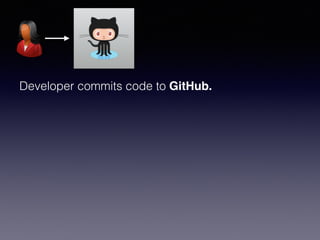
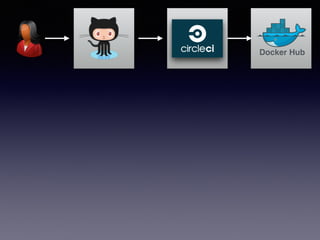
Developer commits code to GitHub.
Options
• GitHub

De facto source control system.
• BitBucket

Hosted but more enterprisey. Theoretical tighter
integration with other Atlasssian tools.
• AWS CodeCommit

No fancy UI but fully hosted git repo in AWS.
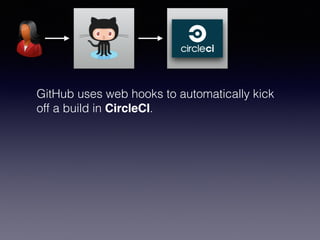
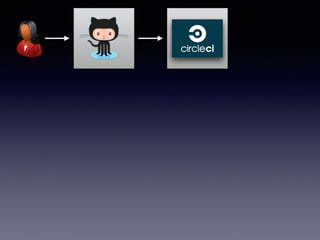
GitHub uses web hooks to automatically kick
off a build in CircleCI.
Options
• CircleCI

Hosted build tool. Awesome UI. Get up and running in an hour or
less. But no first-class support for Docker.
• Travis

Hosted build tool. Built on Jenkins behind the scenes. Comparable
to Circle. More expensive.
• Shippable

First-class Docker support, but clunky UI. Fast and customizable.
Use your own Docker container for your build environment!
• Jenkins

The self-hosted stalwart. Medium overhead in exchange for
maximum customizability.
Docker Hub
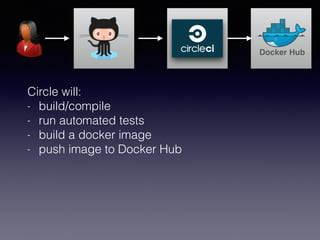
Circle will:
- build/compile
- run automated tests
- build a docker image
- push image to Docker Hub
Options
• Docker Hub

The “official” place to house Docker registries. Free for public repos; paid for
private. Poor UI, sometimes goes down. Easiest integration with rest of Docker
ecosystem, but easy to switch to another repo.
• Amazon EC2 Container Registry (ECR)

AWS’s private container registry service. Looks like a winner. Coming out by
end of year. Unless Amazon really screws up, obvious alternative to Docker
Hub.
• Google Cloud Registry (GCR)

Mature, solid solution. Lowest pull latencies with Google Cloud Engine, but
usable anywhere.
• Quay

Early docker registry upstart with superior UX. Acquired by CoreOS. Solid
solution, but probably not as compelling as AWS ECR.
Docker Hub
Docker Hub
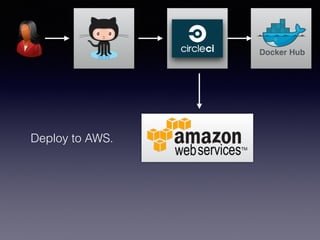
Deploy to AWS.
Options
• Let’s just assume all AWS for now.
Options within AWS
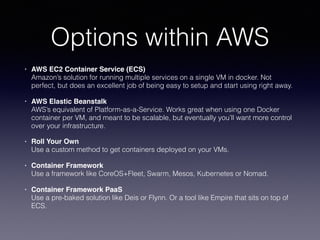
• AWS EC2 Container Service (ECS)

Amazon’s solution for running multiple services on a single VM in docker. Not
perfect, but does an excellent job of being easy to setup and start using right away.
• AWS Elastic Beanstalk 

AWS’s equivalent of Platform-as-a-Service. Works great when using one Docker
container per VM, and meant to be scalable, but eventually you’ll want more control
over your infrastructure.
• Roll Your Own

Use a custom method to get containers deployed on your VMs.
• Container Framework

Use a framework like CoreOS+Fleet, Swarm, Mesos, Kubernetes or Nomad.
• Container Framework PaaS

Use a pre-baked solution like Deis or Flynn. Or a tool like Empire that sits on top of
ECS.
What about our 

app code?
Let’s talk about it.
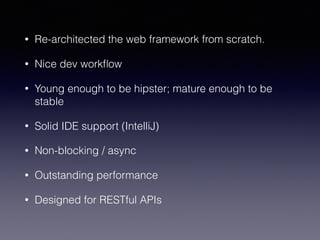
• Re-architected the web framework from scratch.
• Nice dev workflow
• Young enough to be hipster; mature enough to be
stable
• Solid IDE support (IntelliJ)
• Non-blocking / async
• Outstanding performance
• Designed for RESTful APIs
Live Demo
Now let’s build up our
build pipeline live.
Step #1:
Create a base 

docker image
• We may have many different microservices using
Docker.
• A common base image = standardization
• See my base docker image at:

https://github.com/PhoenixDevOps/phxjug-ctr-base
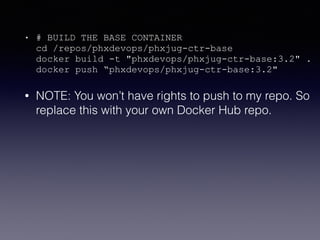
• # BUILD THE BASE CONTAINER

cd /repos/phxdevops/phxjug-ctr-base

docker build -t "phxdevops/phxjug-ctr-base:3.2" .

docker push “phxdevops/phxjug-ctr-base:3.2"
• NOTE: You won’t have rights to push to my repo. So
replace this with your own Docker Hub repo.
Step #2:
Create a base Play
Framework docker image
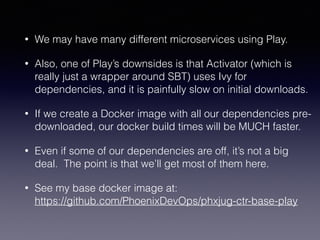
• We may have many different microservices using Play.
• Also, one of Play’s downsides is that Activator (which is
really just a wrapper around SBT) uses Ivy for
dependencies, and it is painfully slow on initial downloads.
• If we create a Docker image with all our dependencies pre-
downloaded, our docker build times will be MUCH faster.
• Even if some of our dependencies are off, it’s not a big
deal. The point is that we’ll get most of them here.
• See my base docker image at:

https://github.com/PhoenixDevOps/phxjug-ctr-base-play
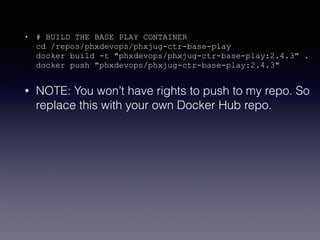
• # BUILD THE BASE PLAY CONTAINER

cd /repos/phxdevops/phxjug-ctr-base-play

docker build -t "phxdevops/phxjug-ctr-base-play:2.4.3" .

docker push "phxdevops/phxjug-ctr-base-play:2.4.3"
• NOTE: You won’t have rights to push to my repo. So
replace this with your own Docker Hub repo.
Step #3:
Take our Play app and build
a Docker image out of it.
• SBT includes a “dist” plugin that will create an
executable binary for our entire Play app!
• We’ll run that and make that the process around
which the Docker container executes.
• See my image at:

https://github.com/PhoenixDevOps/phxjug-play-
framework-demo
• Note that this is a standard Play app with a Dockerfile
in the root directory. “docker build” takes care of the
rest.
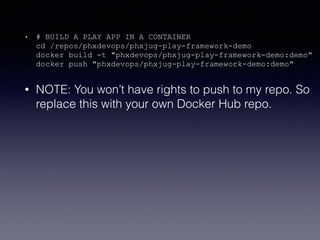
• # BUILD A PLAY APP IN A CONTAINER

cd /repos/phxdevops/phxjug-play-framework-demo

docker build -t "phxdevops/phxjug-play-framework-demo:demo"

docker push "phxdevops/phxjug-play-framework-demo:demo"
• NOTE: You won’t have rights to push to my repo. So
replace this with your own Docker Hub repo.
Step #4:
Define our ECS
Infrastructure in AWS.
Options
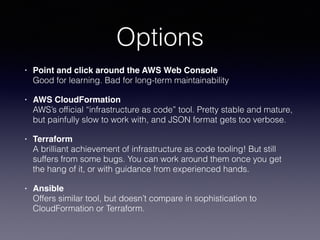
• Point and click around the AWS Web Console

Good for learning. Bad for long-term maintainability
• AWS CloudFormation

AWS’s official “infrastructure as code” tool. Pretty stable and mature,
but painfully slow to work with, and JSON format gets too verbose.
• Terraform

A brilliant achievement of infrastructure as code tooling! But still
suffers from some bugs. You can work around them once you get
the hang of it, or with guidance from experienced hands.
• Ansible

Offers similar tool, but doesn’t compare in sophistication to
CloudFormation or Terraform.
Our Choice
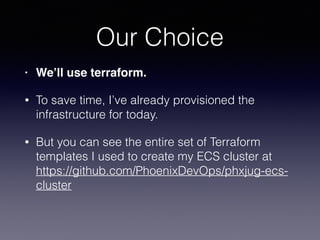
• We’ll use terraform.
• To save time, I’ve already provisioned the
infrastructure for today.
• But you can see the entire set of Terraform
templates I used to create my ECS cluster at
https://github.com/PhoenixDevOps/phxjug-ecs-
cluster
Wait, how does 

ECS work?
Key ECS Concepts
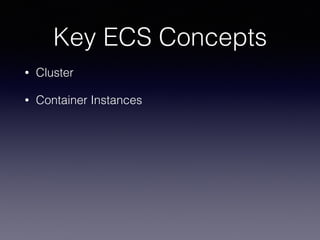
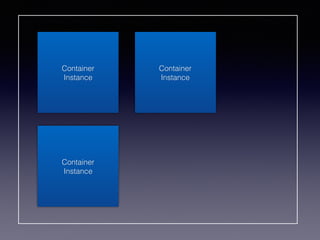
• Cluster
• Container Instances
Cluster
Container
Instance
Container
Instance
Container
Instance
Key Concepts
• Task Definitions
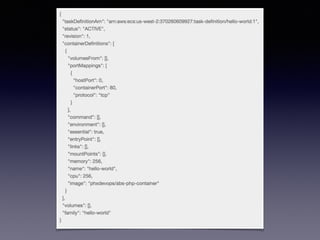
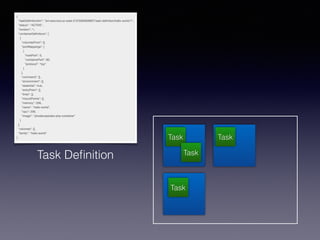
Task Definitions
• JSON object
• Describes how 1 or more containers should be
run and possibly links Container A to Container B.
• You can also use Docker Compose yml files as
an alternative to the proprietary ECS JSON
format.
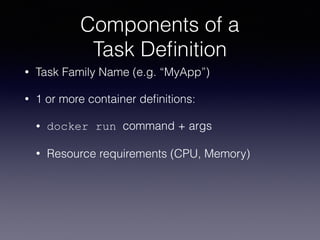
Components of a 

Task Definition
• Task Family Name (e.g. “MyApp”)
• 1 or more container definitions:
• docker run command + args
• Resource requirements (CPU, Memory)
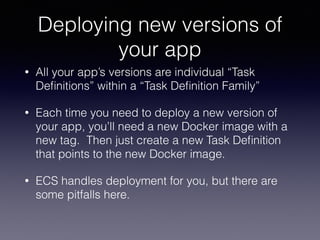
Deploying new versions of
your app
• All your app’s versions are individual “Task
Definitions” within a “Task Definition Family”
• Each time you need to deploy a new version of
your app, you’ll need a new Docker image with a
new tag. Then just create a new Task Definition
that points to the new Docker image.
• ECS handles deployment for you, but there are
some pitfalls here.
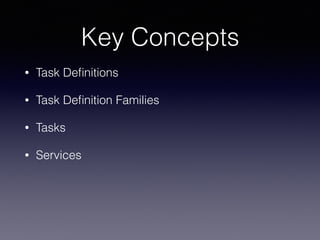
Key Concepts
• Task Definitions
• Task Definition Families
• Tasks
• Services
Task Definition
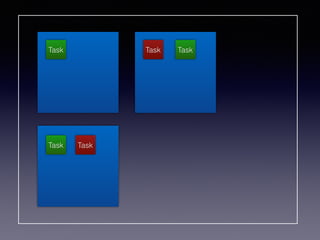
Task
Task
Task
Task
Tasks
• An “instance” of a Task Definition is a Task.
• Really, this just means a single Docker container
(or a “group” of Docker containers if the Task
Definition specified more than one Docker image).
Tasks as Services
• Should your task always remain running?
• Should it be auto-restarted if it fails?
• Might it need an ELB?
• Then you want to run your Task Definition as a
Service!
Tasks and Services
• Note that the same Task Definition…
• …can be used to run as a one-time Task
• …or a long-running Service.
• That’s because Task Definitions are really just
definitions of Docker containers and how they
should run. It doesn’t “know” anything else about
the container itself.
Task
Task
Task
Task
Task
ECS Pro’s
• Very little to manage.
• Built-in service discovery, cluster state management, and container
scheduler.
• Allows for resource-aware container placement.
• Container scheduling is pluggable.
• Fully baked GUI that allows you to learn/do most anything.
• Tolerable learning curve.
• Supported by Amazon.
• Feel free to build your own service discovery!
ECS Con’s
• Default Service Discovery:

One ELB per service = $18/service per month
—> potentially expensive
• Less flexible on deployments than you’d like.
• Lacks the power of a more general purpose
“data center operating system” such as Mesos
or Kubernetes.
Live Clickthrough
Step #5:
Configure our Play app
for circle.yml
• See https://github.com/PhoenixDevOps/phxjug-
play-framework-demo/blob/master/circle.yml
Now let’s see it all live
in action!
Q&A

Play Framework + Docker + CircleCI + AWS + EC2 Container Service

  • 1.
    Play Framework +
 Docker + CircleCI + AWS = An Automated Microservice 
 Build Pipeline Josh Padnick Wednesday, November 11, 2015 josh@PhoenixDevOps.com @OhMyGoshJosh
  • 2.
    What do Iwant out of a Java-based microservices infrastructure?
  • 3.
    Java-Based • Java-based (ormodern hipster JVM language) • No Java EE • Reload without compile (e.g. refresh the browser) • Native support for JSON, REST, and Websockets • Supports “reactive” mindset (async, non-blocking, etc.)
  • 4.
    Microservices Infrastructure • AUniversal unit of deployment (i.e. Docker) • Continuous integration • Continuous deployment • Ability to run multiple containerized services on the same VM • Simple setup • Long-term scalability • Minimal “undifferentiated heavy lifting”
  • 5.
  • 6.
  • 7.
    Padnick Josh • Full-stack engineerfor 12+ years • Professional AWS & DevOps Guy via Phoenix DevOps • Experienced Java programmer
 Lover of Scala
 Favorite Web Framework is Play Framework • josh@PhoenixDevOps.com
 @OhMyGoshJosh
  • 8.
    DevOps & AWS •I wrote a 12,000+ word article on building scalable web apps on AWS at https://goo.gl/ aD6gNC • See JoshPadnick.com for prior DevOps & AWS presentations. • Interested in getting in touch? Contact me via PhoenixDevOps.com.
  • 9.
    Today’s talk isabout putting together a quick but scalable solution for this problem.
  • 10.
    First we’ll coverthe 
 big picture concepts. Then we’ll show it working. We’ll end by talking about how it could be even better.
  • 11.
    Let’s start with theworld’s most generic build pipeline
  • 12.
    VCS Developer commits codeto Version Control System.
  • 13.
    VCS VCS notifies BuildServer we have a new build. Build Server
  • 14.
    VCS Build Server - build/compile -run the “fast” automated tests - prepare a deployment artifact Build Server
  • 15.
    VCS Build Server Buildserver pushes deployment artifact to artifact repository. Artifact Repository
  • 16.
    VCS Build Server We’dlike to do Continuous Deployment. So let’s assume this was a deployable commit. We immediately deploy the artifact. Artifact Repository
  • 17.
  • 18.
    Now let’s pickour technologies.
  • 19.
  • 20.
  • 21.
    Options • GitHub
 De factosource control system. • BitBucket
 Hosted but more enterprisey. Theoretical tighter integration with other Atlasssian tools. • AWS CodeCommit
 No fancy UI but fully hosted git repo in AWS.
  • 23.
    GitHub uses webhooks to automatically kick off a build in CircleCI.
  • 24.
    Options • CircleCI
 Hosted buildtool. Awesome UI. Get up and running in an hour or less. But no first-class support for Docker. • Travis
 Hosted build tool. Built on Jenkins behind the scenes. Comparable to Circle. More expensive. • Shippable
 First-class Docker support, but clunky UI. Fast and customizable. Use your own Docker container for your build environment! • Jenkins
 The self-hosted stalwart. Medium overhead in exchange for maximum customizability.
  • 26.
    Docker Hub Circle will: -build/compile - run automated tests - build a docker image - push image to Docker Hub
  • 27.
    Options • Docker Hub
 The“official” place to house Docker registries. Free for public repos; paid for private. Poor UI, sometimes goes down. Easiest integration with rest of Docker ecosystem, but easy to switch to another repo. • Amazon EC2 Container Registry (ECR)
 AWS’s private container registry service. Looks like a winner. Coming out by end of year. Unless Amazon really screws up, obvious alternative to Docker Hub. • Google Cloud Registry (GCR)
 Mature, solid solution. Lowest pull latencies with Google Cloud Engine, but usable anywhere. • Quay
 Early docker registry upstart with superior UX. Acquired by CoreOS. Solid solution, but probably not as compelling as AWS ECR.
  • 28.
  • 29.
  • 30.
    Options • Let’s justassume all AWS for now.
  • 31.
    Options within AWS •AWS EC2 Container Service (ECS)
 Amazon’s solution for running multiple services on a single VM in docker. Not perfect, but does an excellent job of being easy to setup and start using right away. • AWS Elastic Beanstalk 
 AWS’s equivalent of Platform-as-a-Service. Works great when using one Docker container per VM, and meant to be scalable, but eventually you’ll want more control over your infrastructure. • Roll Your Own
 Use a custom method to get containers deployed on your VMs. • Container Framework
 Use a framework like CoreOS+Fleet, Swarm, Mesos, Kubernetes or Nomad. • Container Framework PaaS
 Use a pre-baked solution like Deis or Flynn. Or a tool like Empire that sits on top of ECS.
  • 32.
    What about our
 app code?
  • 33.
  • 34.
    • Re-architected theweb framework from scratch. • Nice dev workflow • Young enough to be hipster; mature enough to be stable • Solid IDE support (IntelliJ) • Non-blocking / async • Outstanding performance • Designed for RESTful APIs
  • 35.
  • 36.
    Now let’s buildup our build pipeline live.
  • 37.
    Step #1: Create abase 
 docker image
  • 38.
    • We mayhave many different microservices using Docker. • A common base image = standardization • See my base docker image at:
 https://github.com/PhoenixDevOps/phxjug-ctr-base
  • 39.
    • # BUILDTHE BASE CONTAINER
 cd /repos/phxdevops/phxjug-ctr-base
 docker build -t "phxdevops/phxjug-ctr-base:3.2" .
 docker push “phxdevops/phxjug-ctr-base:3.2" • NOTE: You won’t have rights to push to my repo. So replace this with your own Docker Hub repo.
  • 40.
    Step #2: Create abase Play Framework docker image
  • 41.
    • We mayhave many different microservices using Play. • Also, one of Play’s downsides is that Activator (which is really just a wrapper around SBT) uses Ivy for dependencies, and it is painfully slow on initial downloads. • If we create a Docker image with all our dependencies pre- downloaded, our docker build times will be MUCH faster. • Even if some of our dependencies are off, it’s not a big deal. The point is that we’ll get most of them here. • See my base docker image at:
 https://github.com/PhoenixDevOps/phxjug-ctr-base-play
  • 42.
    • # BUILDTHE BASE PLAY CONTAINER
 cd /repos/phxdevops/phxjug-ctr-base-play
 docker build -t "phxdevops/phxjug-ctr-base-play:2.4.3" .
 docker push "phxdevops/phxjug-ctr-base-play:2.4.3" • NOTE: You won’t have rights to push to my repo. So replace this with your own Docker Hub repo.
  • 43.
    Step #3: Take ourPlay app and build a Docker image out of it.
  • 44.
    • SBT includesa “dist” plugin that will create an executable binary for our entire Play app! • We’ll run that and make that the process around which the Docker container executes. • See my image at:
 https://github.com/PhoenixDevOps/phxjug-play- framework-demo • Note that this is a standard Play app with a Dockerfile in the root directory. “docker build” takes care of the rest.
  • 45.
    • # BUILDA PLAY APP IN A CONTAINER
 cd /repos/phxdevops/phxjug-play-framework-demo
 docker build -t "phxdevops/phxjug-play-framework-demo:demo"
 docker push "phxdevops/phxjug-play-framework-demo:demo" • NOTE: You won’t have rights to push to my repo. So replace this with your own Docker Hub repo.
  • 46.
    Step #4: Define ourECS Infrastructure in AWS.
  • 47.
    Options • Point andclick around the AWS Web Console
 Good for learning. Bad for long-term maintainability • AWS CloudFormation
 AWS’s official “infrastructure as code” tool. Pretty stable and mature, but painfully slow to work with, and JSON format gets too verbose. • Terraform
 A brilliant achievement of infrastructure as code tooling! But still suffers from some bugs. You can work around them once you get the hang of it, or with guidance from experienced hands. • Ansible
 Offers similar tool, but doesn’t compare in sophistication to CloudFormation or Terraform.
  • 48.
    Our Choice • We’lluse terraform. • To save time, I’ve already provisioned the infrastructure for today. • But you can see the entire set of Terraform templates I used to create my ECS cluster at https://github.com/PhoenixDevOps/phxjug-ecs- cluster
  • 49.
    Wait, how does
 ECS work?
  • 50.
    Key ECS Concepts •Cluster • Container Instances
  • 51.
  • 52.
  • 53.
  • 54.
    Task Definitions • JSONobject • Describes how 1 or more containers should be run and possibly links Container A to Container B. • You can also use Docker Compose yml files as an alternative to the proprietary ECS JSON format.
  • 55.
    Components of a
 Task Definition • Task Family Name (e.g. “MyApp”) • 1 or more container definitions: • docker run command + args • Resource requirements (CPU, Memory)
  • 56.
    Deploying new versionsof your app • All your app’s versions are individual “Task Definitions” within a “Task Definition Family” • Each time you need to deploy a new version of your app, you’ll need a new Docker image with a new tag. Then just create a new Task Definition that points to the new Docker image. • ECS handles deployment for you, but there are some pitfalls here.
  • 58.
    Key Concepts • TaskDefinitions • Task Definition Families • Tasks • Services
  • 59.
  • 60.
    Tasks • An “instance”of a Task Definition is a Task. • Really, this just means a single Docker container (or a “group” of Docker containers if the Task Definition specified more than one Docker image).
  • 61.
    Tasks as Services •Should your task always remain running? • Should it be auto-restarted if it fails? • Might it need an ELB? • Then you want to run your Task Definition as a Service!
  • 62.
    Tasks and Services •Note that the same Task Definition… • …can be used to run as a one-time Task • …or a long-running Service. • That’s because Task Definitions are really just definitions of Docker containers and how they should run. It doesn’t “know” anything else about the container itself.
  • 63.
  • 64.
    ECS Pro’s • Verylittle to manage. • Built-in service discovery, cluster state management, and container scheduler. • Allows for resource-aware container placement. • Container scheduling is pluggable. • Fully baked GUI that allows you to learn/do most anything. • Tolerable learning curve. • Supported by Amazon. • Feel free to build your own service discovery!
  • 65.
    ECS Con’s • DefaultService Discovery:
 One ELB per service = $18/service per month —> potentially expensive • Less flexible on deployments than you’d like. • Lacks the power of a more general purpose “data center operating system” such as Mesos or Kubernetes.
  • 66.
  • 67.
    Step #5: Configure ourPlay app for circle.yml
  • 68.
  • 69.
    Now let’s seeit all live in action!
  • 70.