Rstudio Server on Amazon EC2
Liad Shekel
liad.shekel@gmail.com
June 2015
Liad Shekel Rstudio Server on Amazon EC2 1 / 72
Rstudio Server on Amazon EC2
Outline
1 Amazon Web Services (AWS)
History
Services
Amazon EC2
Create an AWS Account
2 SSH and Asymmetric Cryptography
Basic terminology
Launch an EC2 instance
Connect to EC2 instance via SSH
3 Install R on Ubuntu Server
Linux basics
Install R on Ubuntu Server
Install Rstudio on Ubuntu Server
Liad Shekel Rstudio Server on Amazon EC2 2 / 72
History
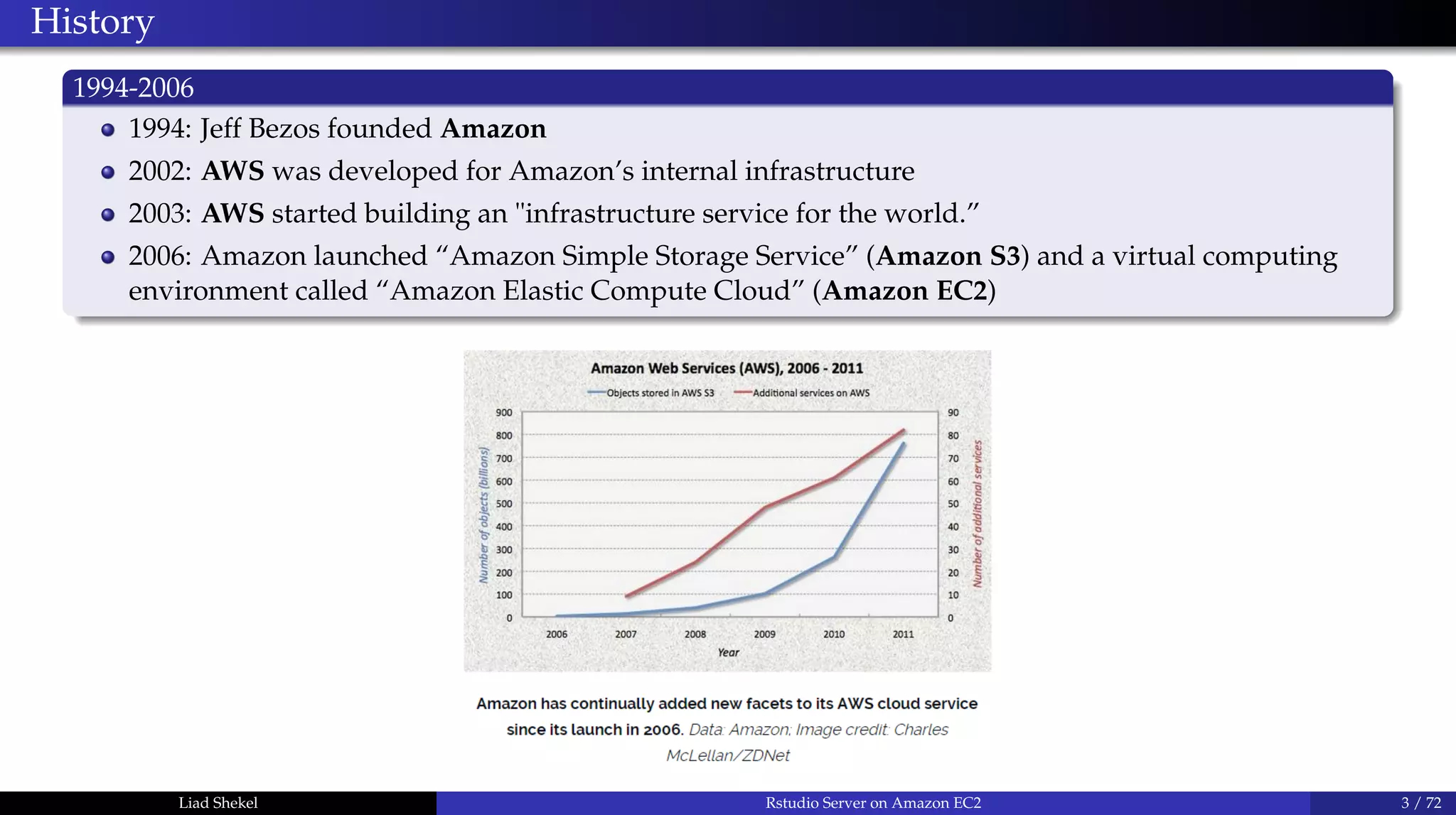
1994-2006
1994: Jeff Bezos founded Amazon
2002: AWS was developed for Amazon’s internal infrastructure
2003: AWS started building an "infrastructure service for the world.”
2006: Amazon launched “Amazon Simple Storage Service” (Amazon S3) and a virtual computing
environment called “Amazon Elastic Compute Cloud” (Amazon EC2)
Liad Shekel Rstudio Server on Amazon EC2 3 / 72
How big is Amazon Web Services?
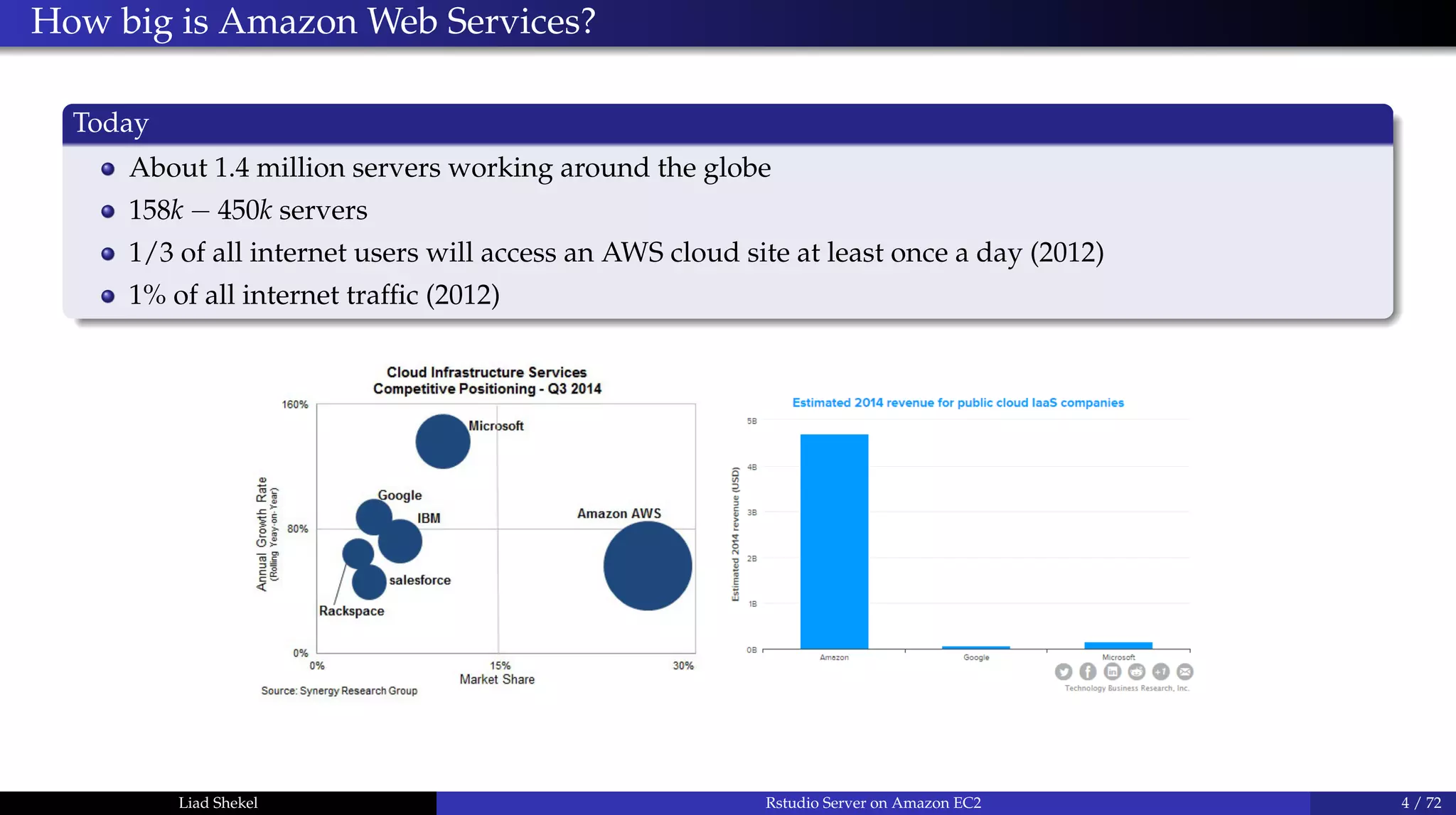
Today
About 1.4 million servers working around the globe
158k − 450k servers
1/3 of all internet users will access an AWS cloud site at least once a day (2012)
1% of all internet traffic (2012)
Liad Shekel Rstudio Server on Amazon EC2 4 / 72
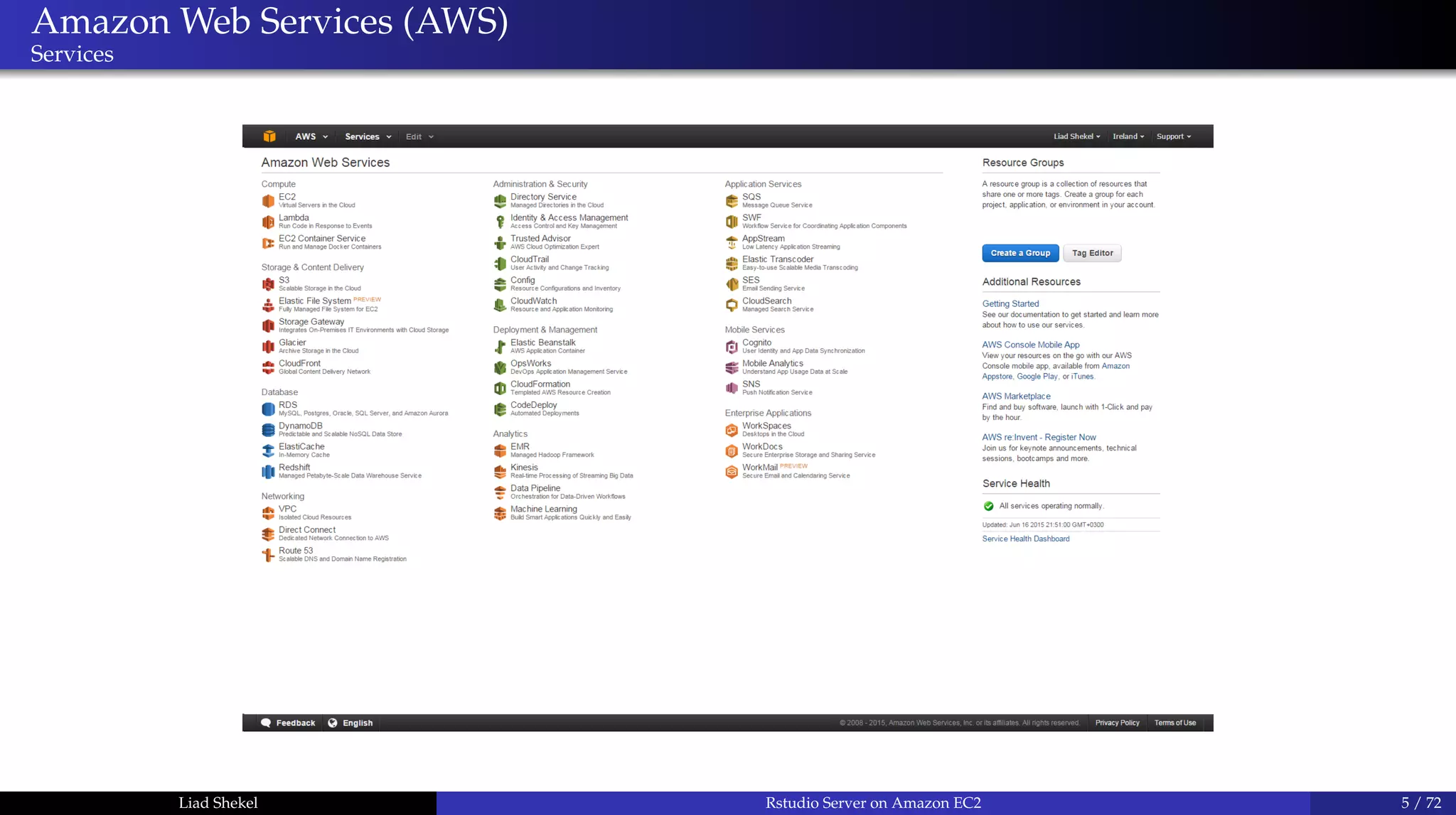
Amazon Web Services (AWS)
Services
Liad Shekel Rstudio Server on Amazon EC2 5 / 72
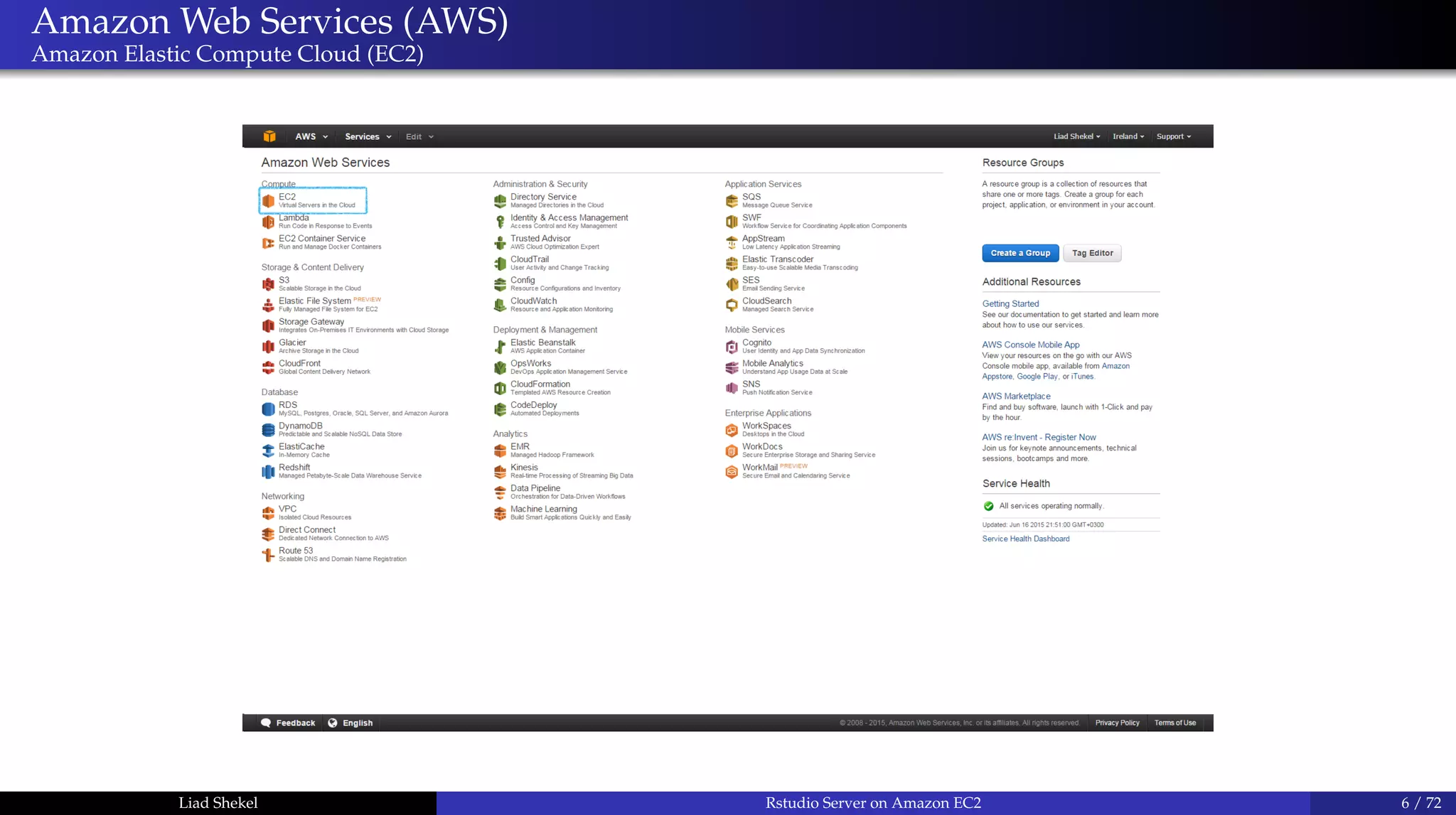
Amazon Web Services (AWS)
Amazon Elastic Compute Cloud (EC2)
Liad Shekel Rstudio Server on Amazon EC2 6 / 72
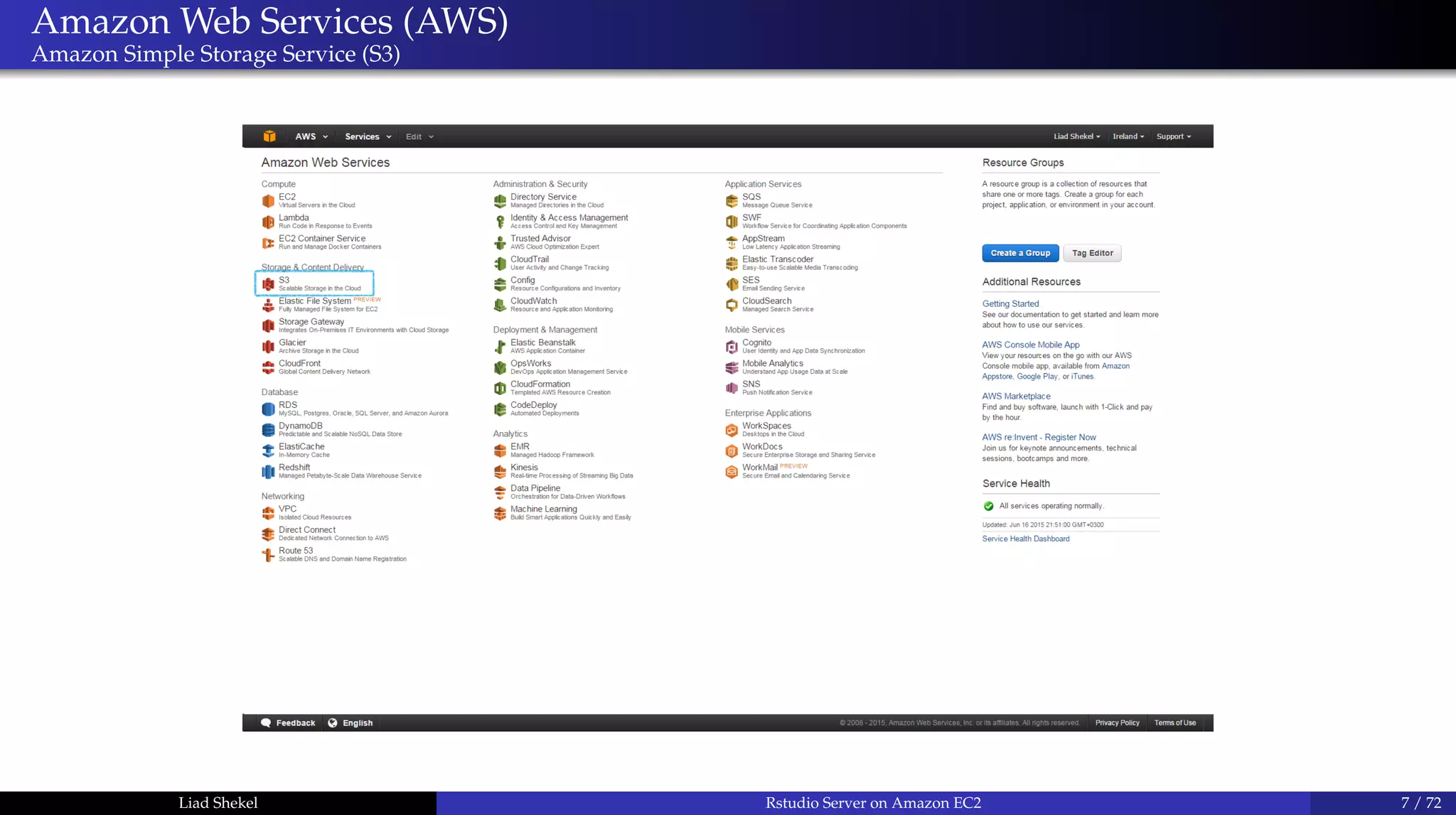
Amazon Web Services (AWS)
Amazon Simple Storage Service (S3)
Liad Shekel Rstudio Server on Amazon EC2 7 / 72
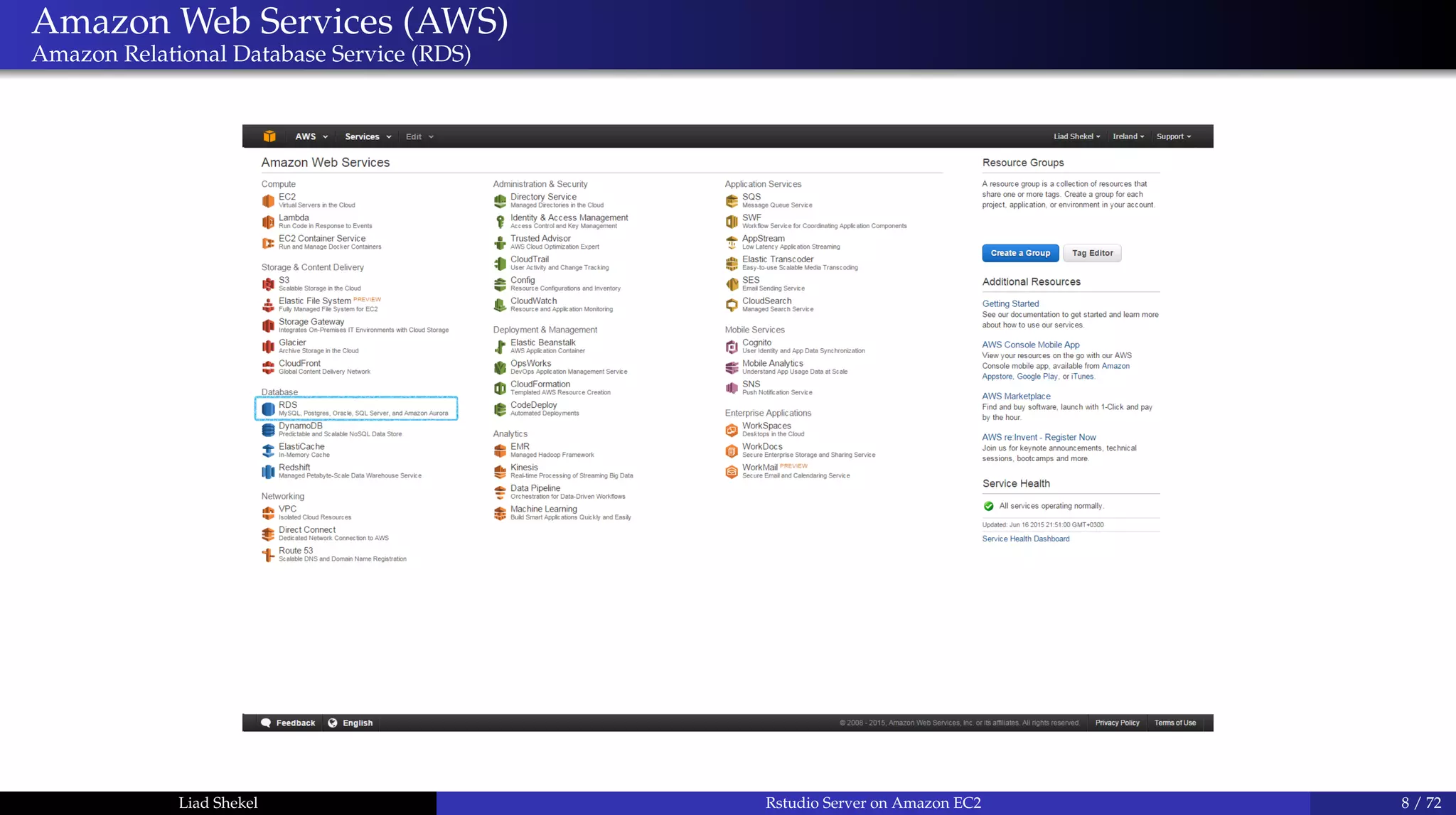
Amazon Web Services (AWS)
Amazon Relational Database Service (RDS)
Liad Shekel Rstudio Server on Amazon EC2 8 / 72
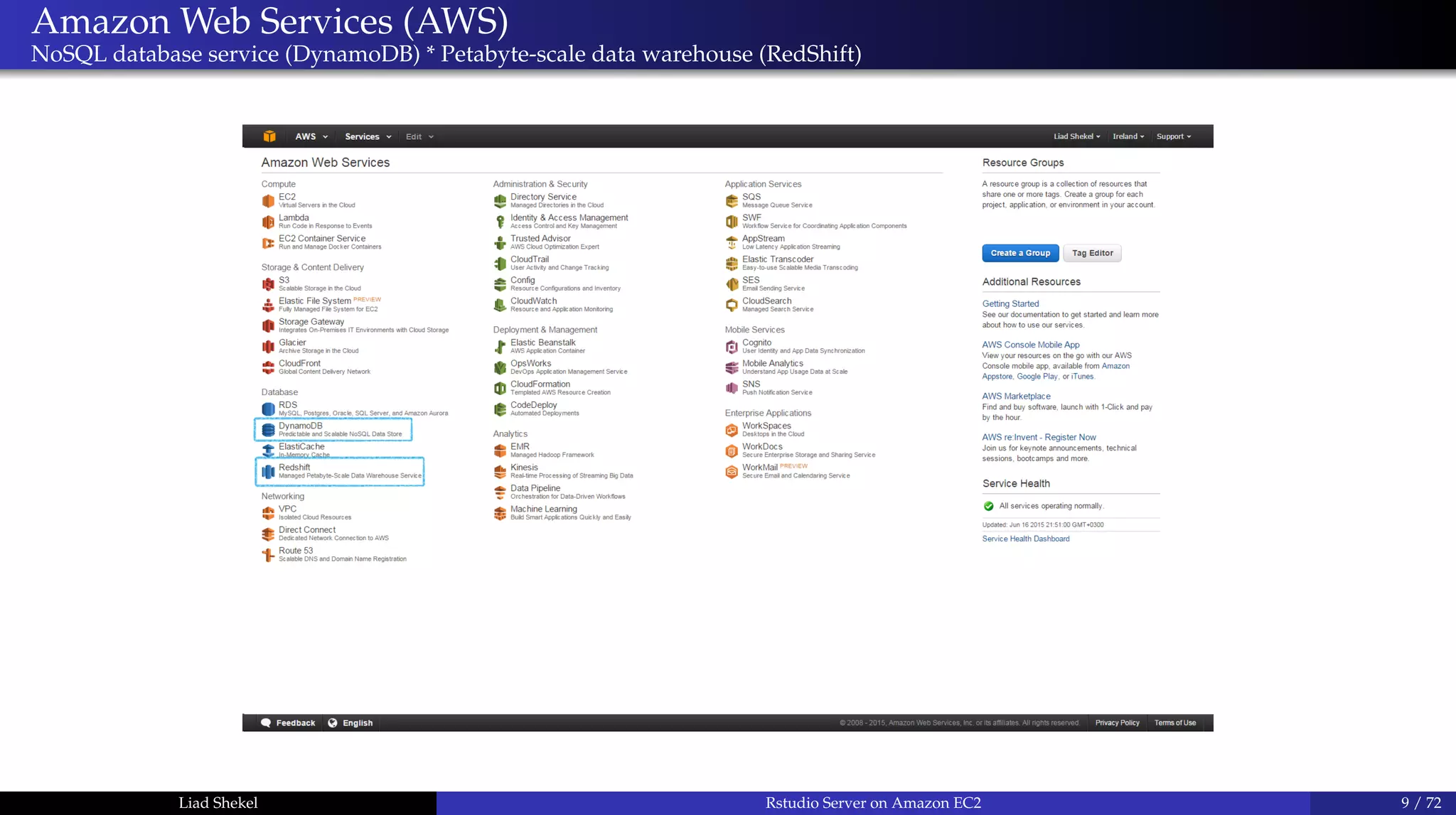
Amazon Web Services (AWS)
NoSQL database service (DynamoDB) * Petabyte-scale data warehouse (RedShift)
Liad Shekel Rstudio Server on Amazon EC2 9 / 72
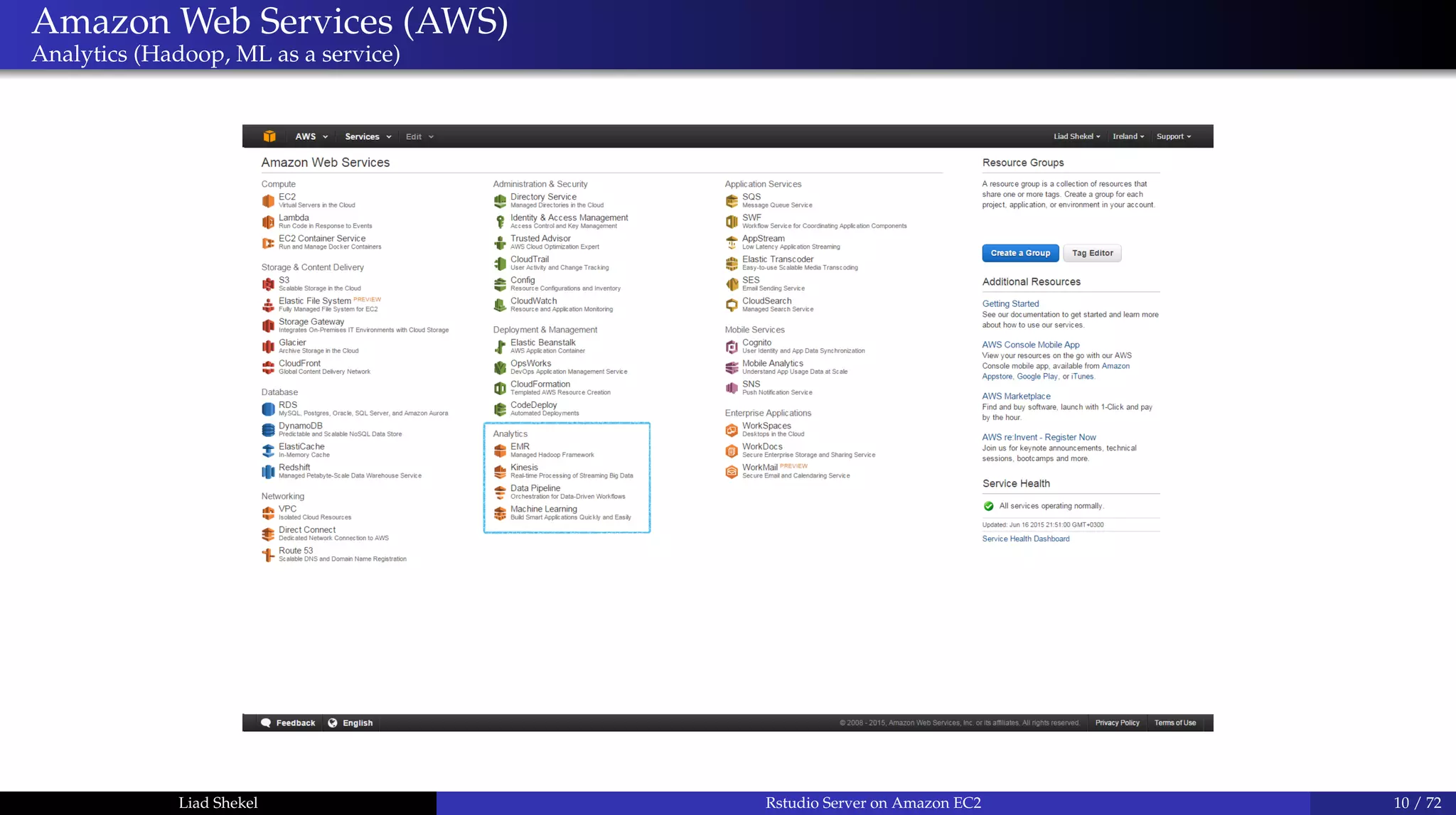
Amazon Web Services (AWS)
Analytics (Hadoop, ML as a service)
Liad Shekel Rstudio Server on Amazon EC2 10 / 72
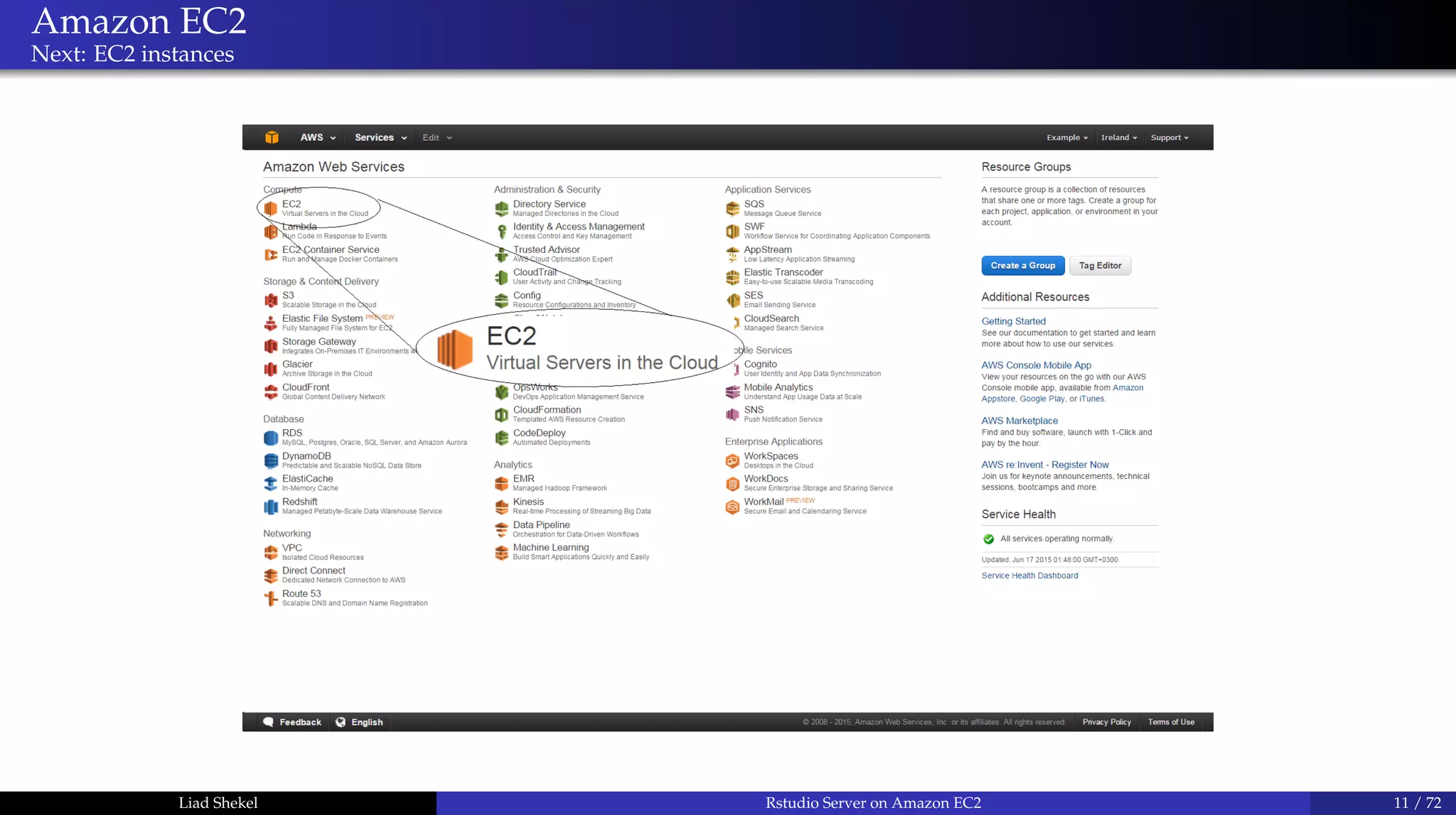
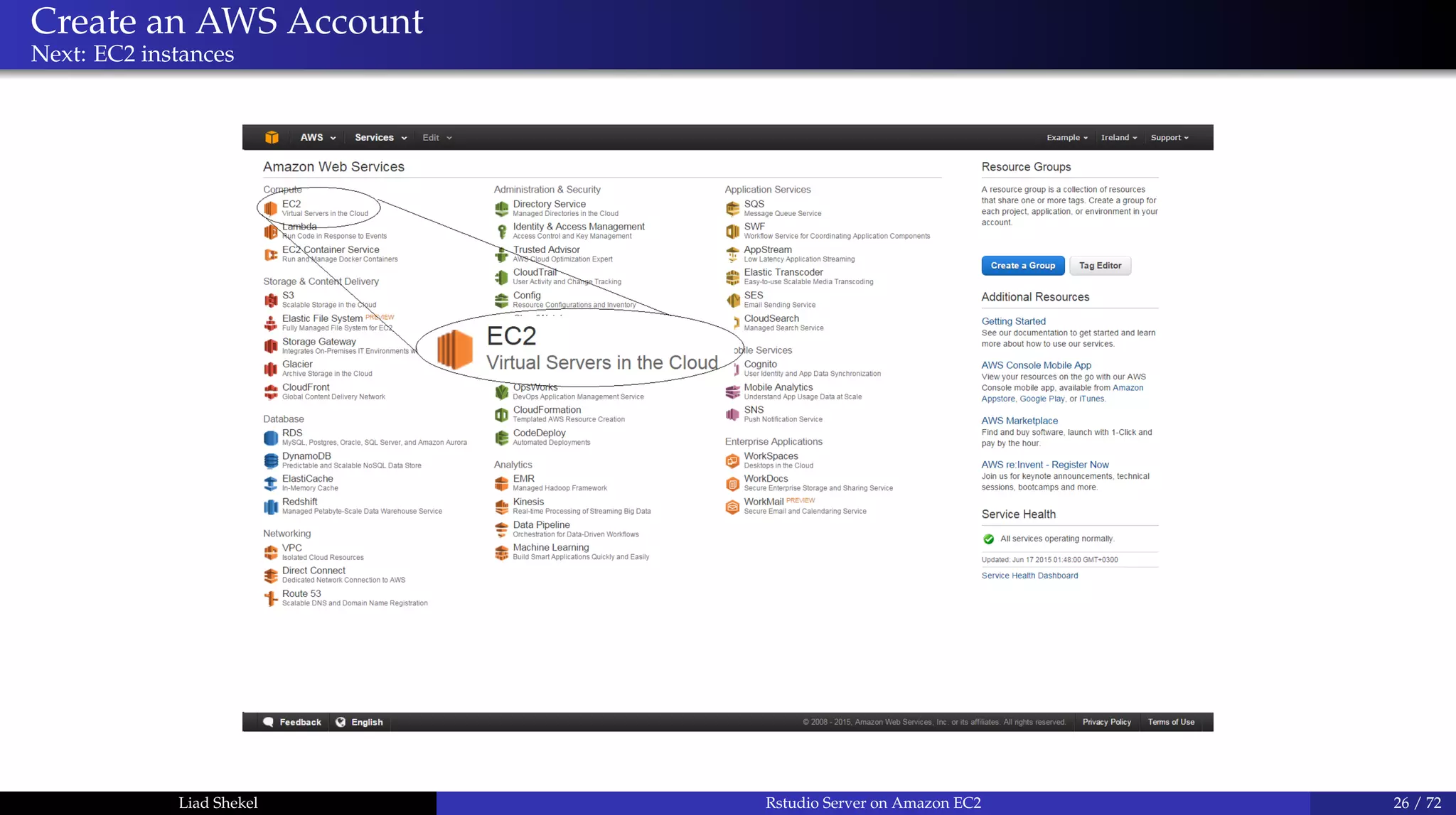
Amazon EC2
Next: EC2 instances
Liad Shekel Rstudio Server on Amazon EC2 11 / 72
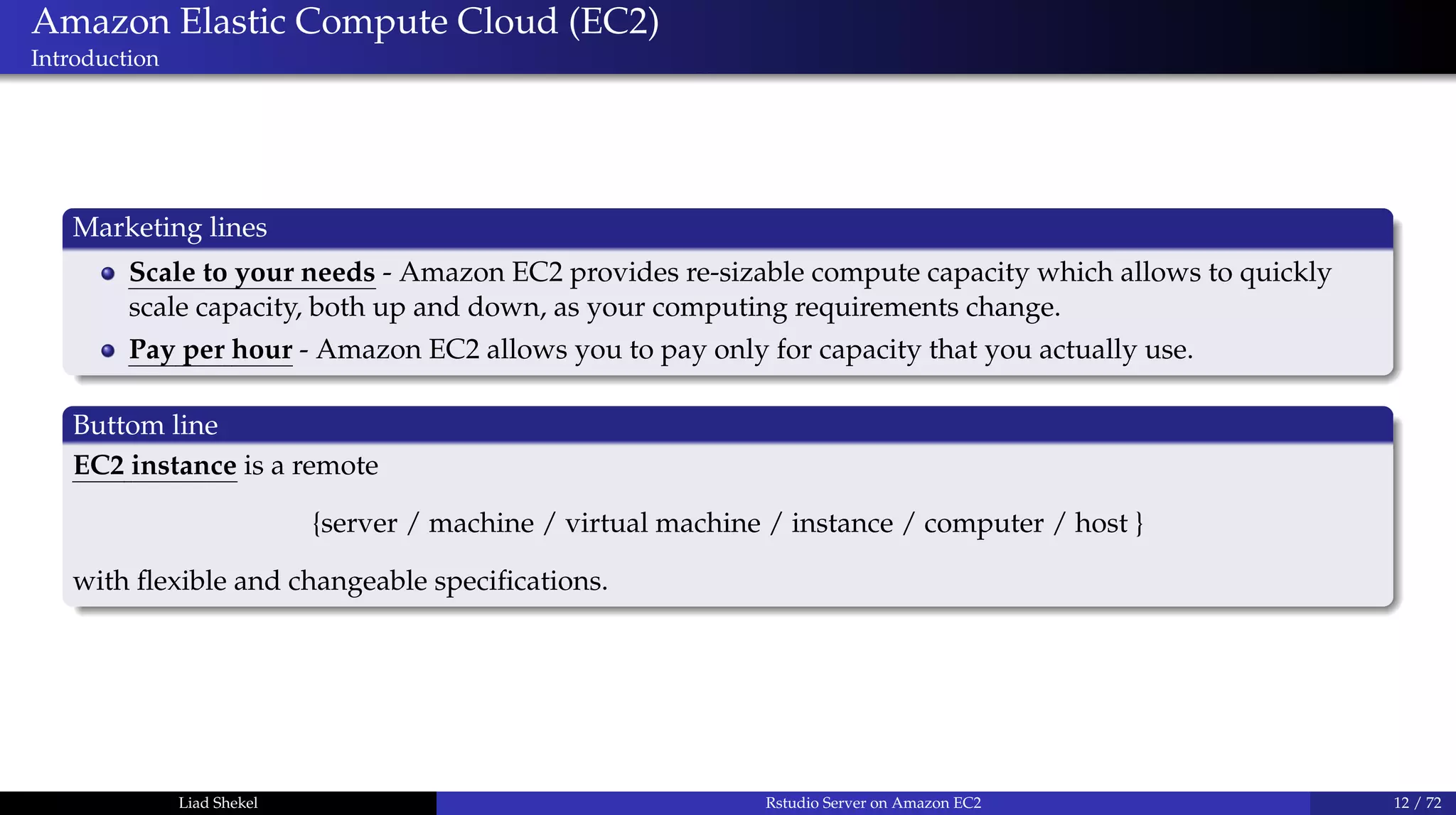
Amazon Elastic Compute Cloud (EC2)
Introduction
Marketing lines
Scale to your needs - Amazon EC2 provides re-sizable compute capacity which allows to quickly
scale capacity, both up and down, as your computing requirements change.
Pay per hour - Amazon EC2 allows you to pay only for capacity that you actually use.
Buttom line
EC2 instance is a remote
{server / machine / virtual machine / instance / computer / host }
with flexible and changeable specifications.
Liad Shekel Rstudio Server on Amazon EC2 12 / 72
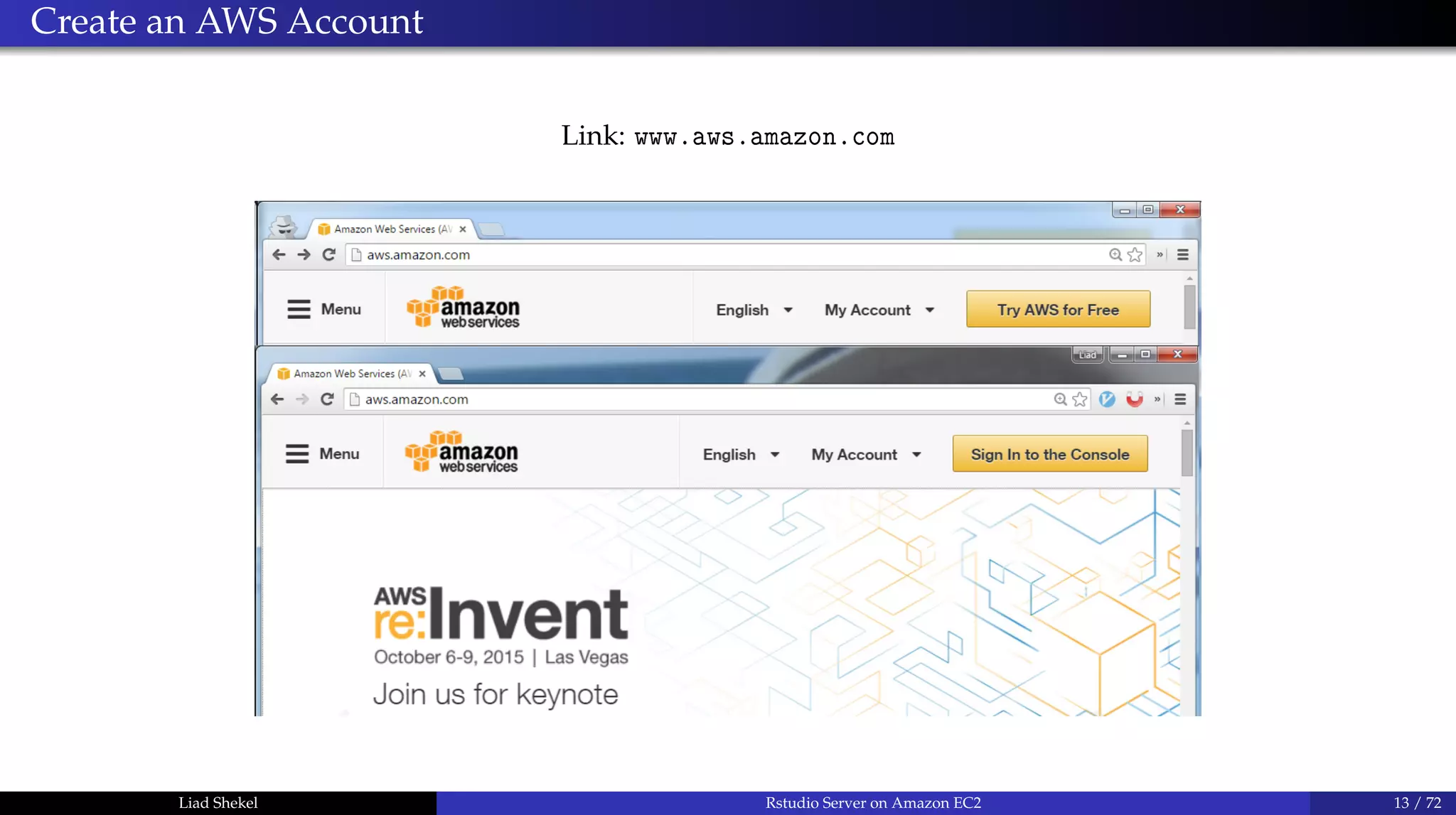
Create an AWS Account
Link: www.aws.amazon.com
Liad Shekel Rstudio Server on Amazon EC2 13 / 72
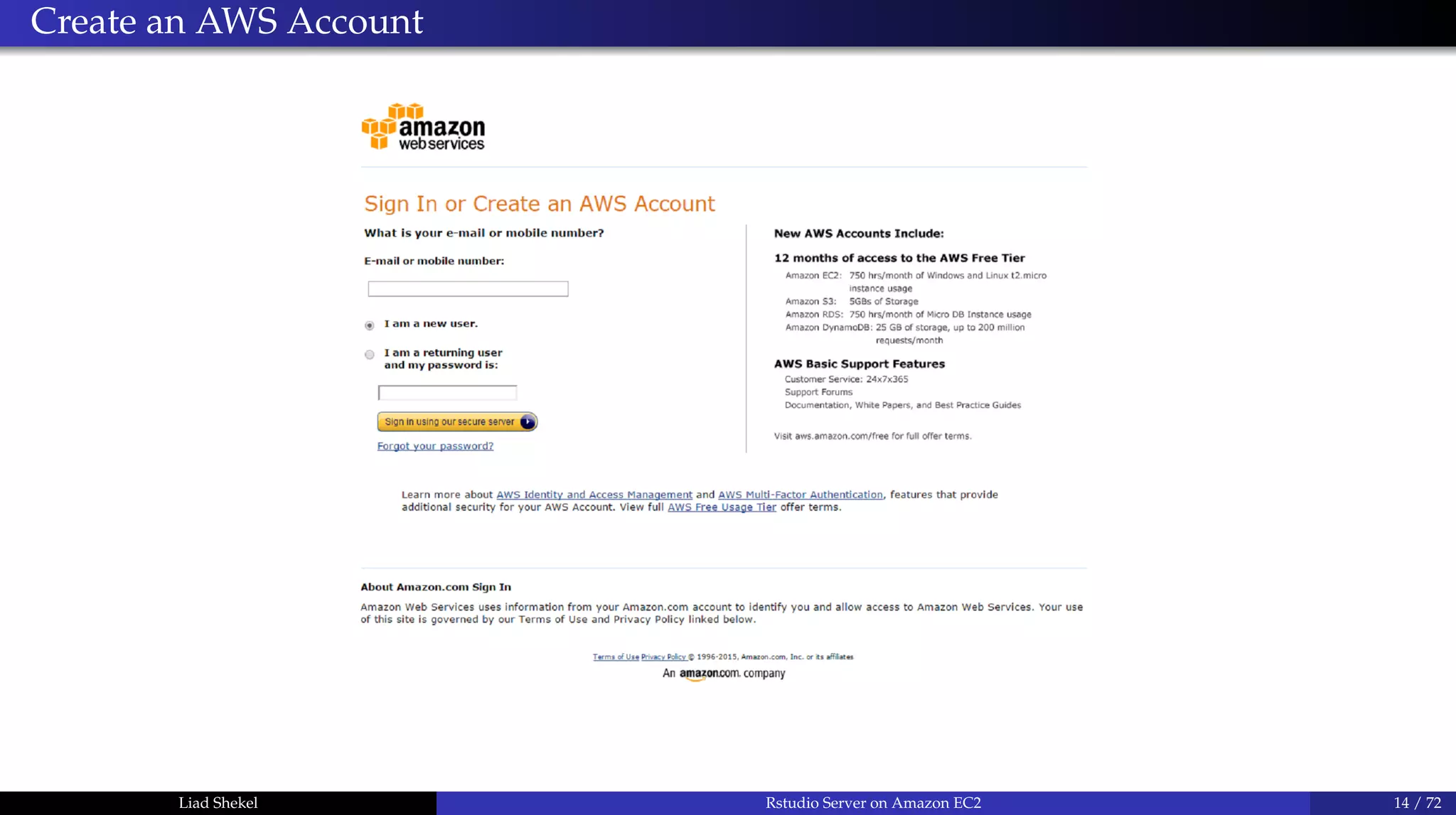
Create an AWS Account
Liad Shekel Rstudio Server on Amazon EC2 14 / 72
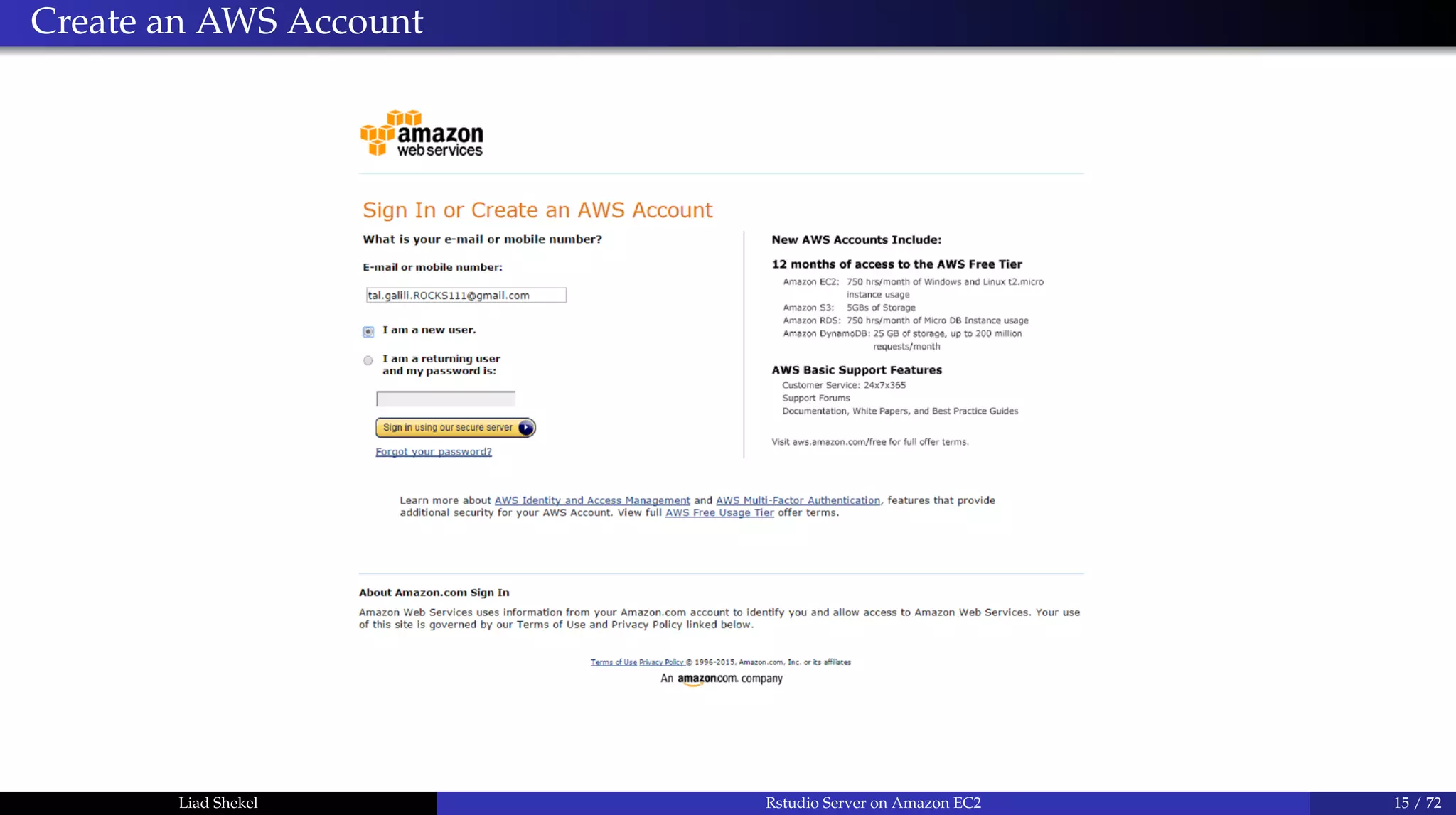
Create an AWS Account
Liad Shekel Rstudio Server on Amazon EC2 15 / 72
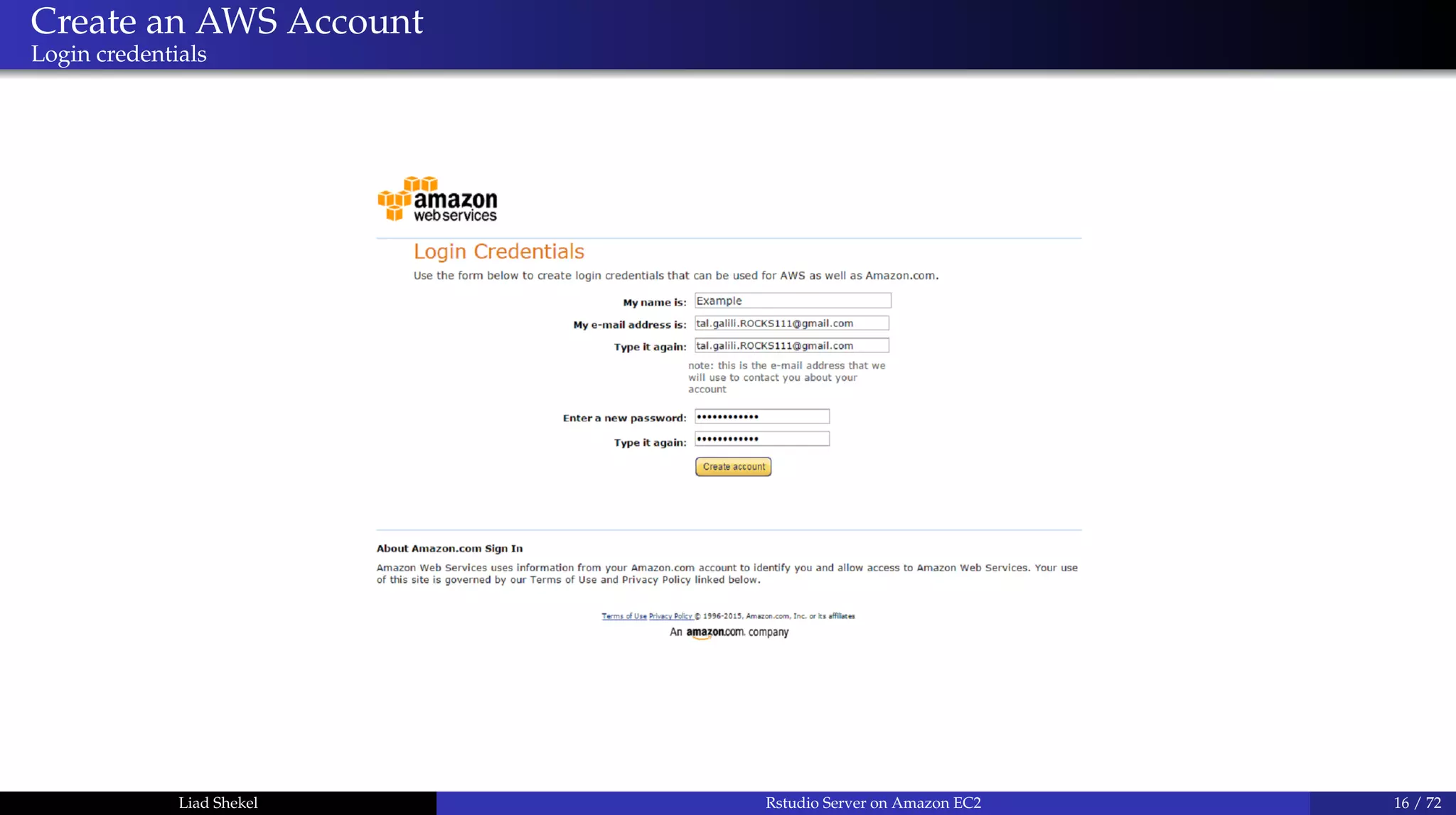
Create an AWS Account
Login credentials
Liad Shekel Rstudio Server on Amazon EC2 16 / 72
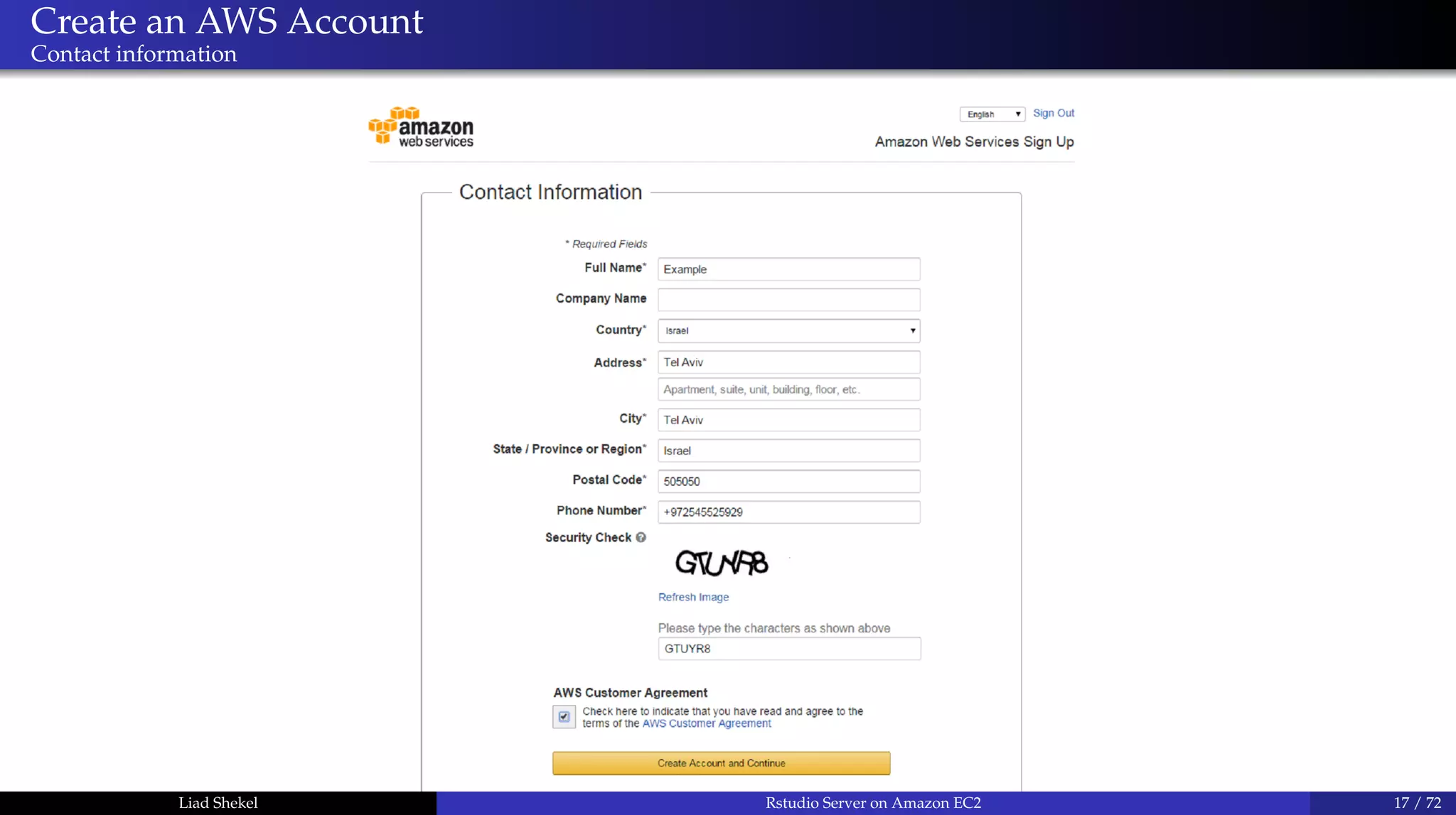
Create an AWS Account
Contact information
Liad Shekel Rstudio Server on Amazon EC2 17 / 72
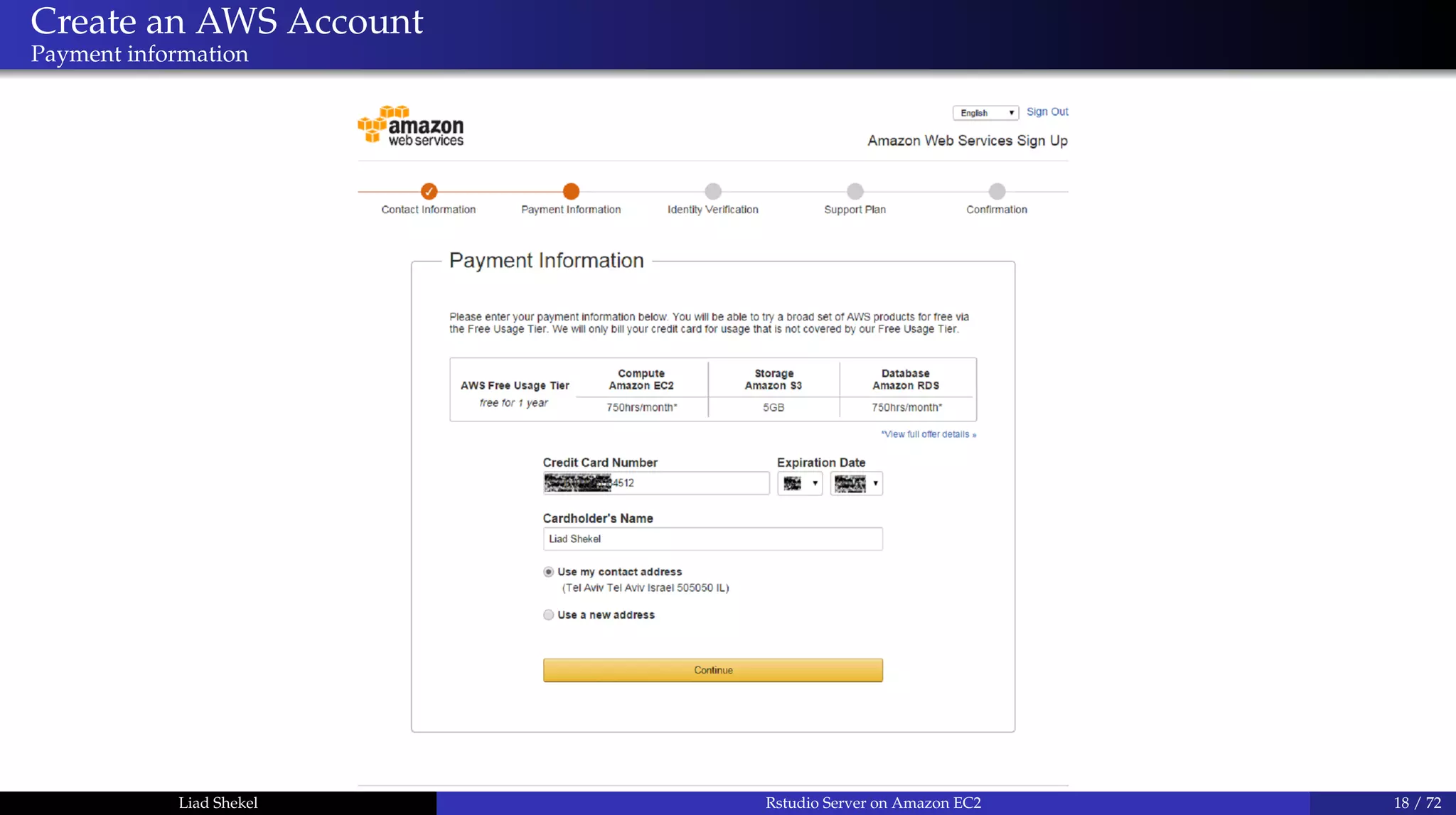
Create an AWS Account
Payment information
Liad Shekel Rstudio Server on Amazon EC2 18 / 72
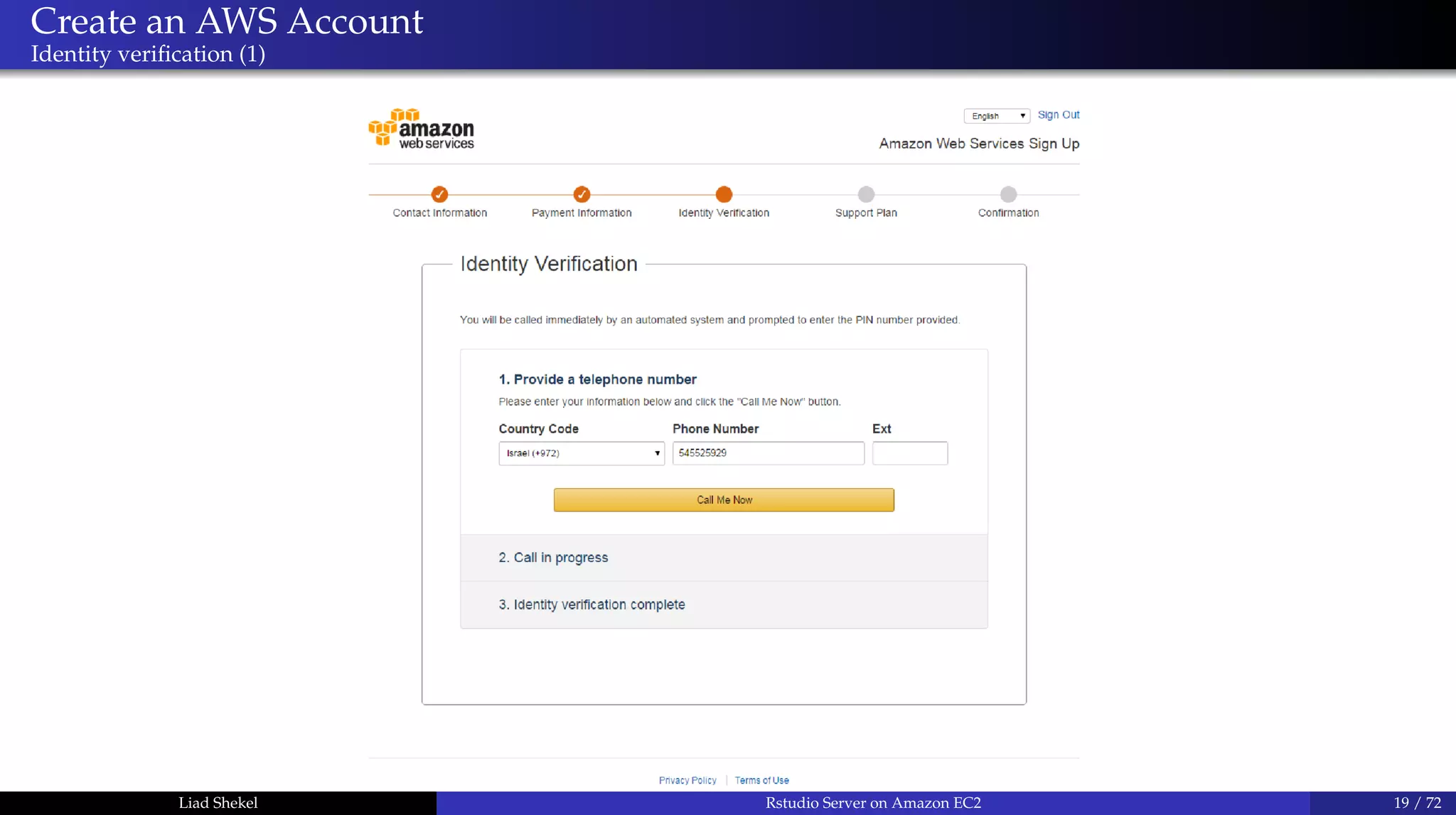
Create an AWS Account
Identity verification (1)
Liad Shekel Rstudio Server on Amazon EC2 19 / 72
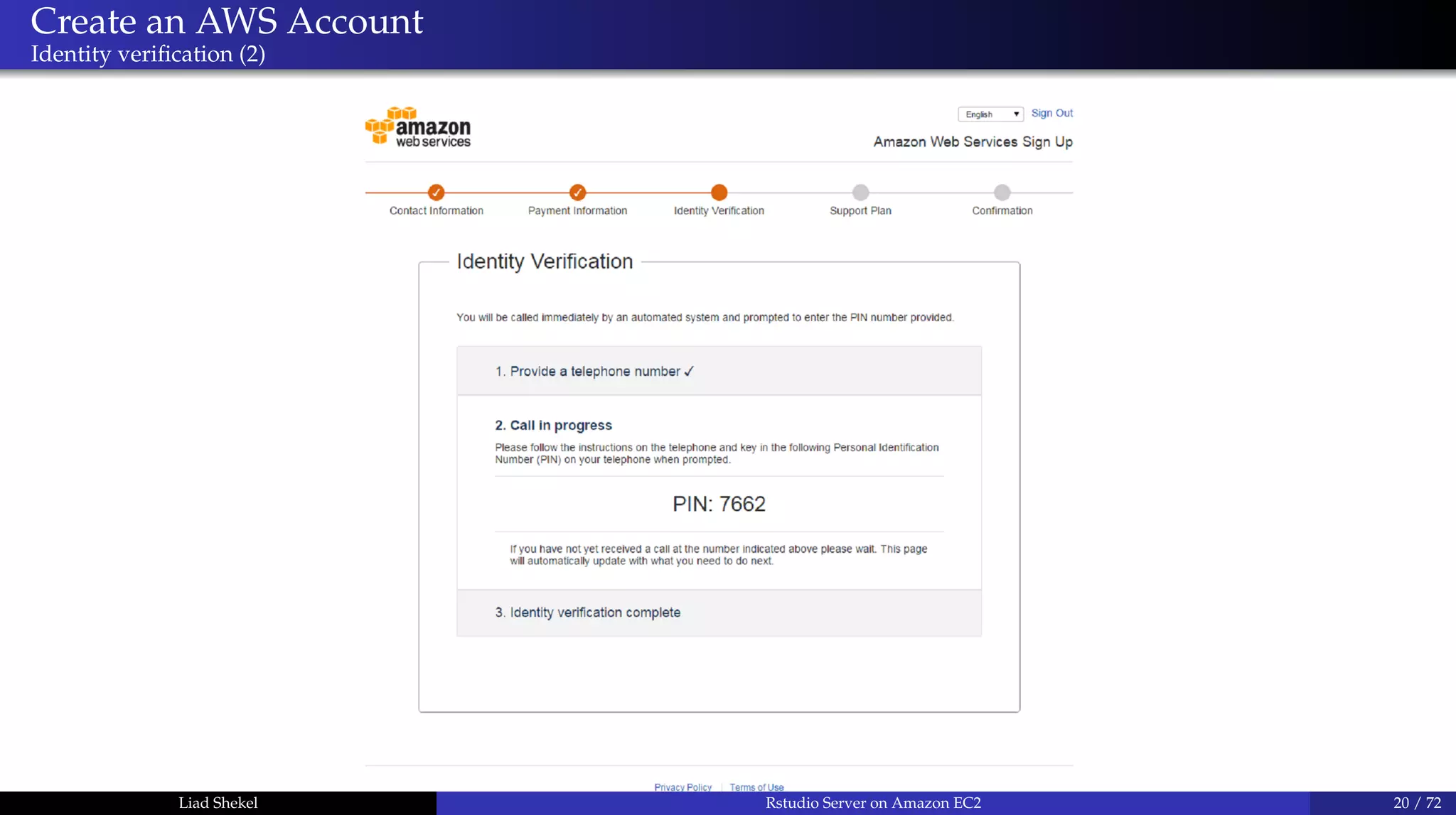
Create an AWS Account
Identity verification (2)
Liad Shekel Rstudio Server on Amazon EC2 20 / 72
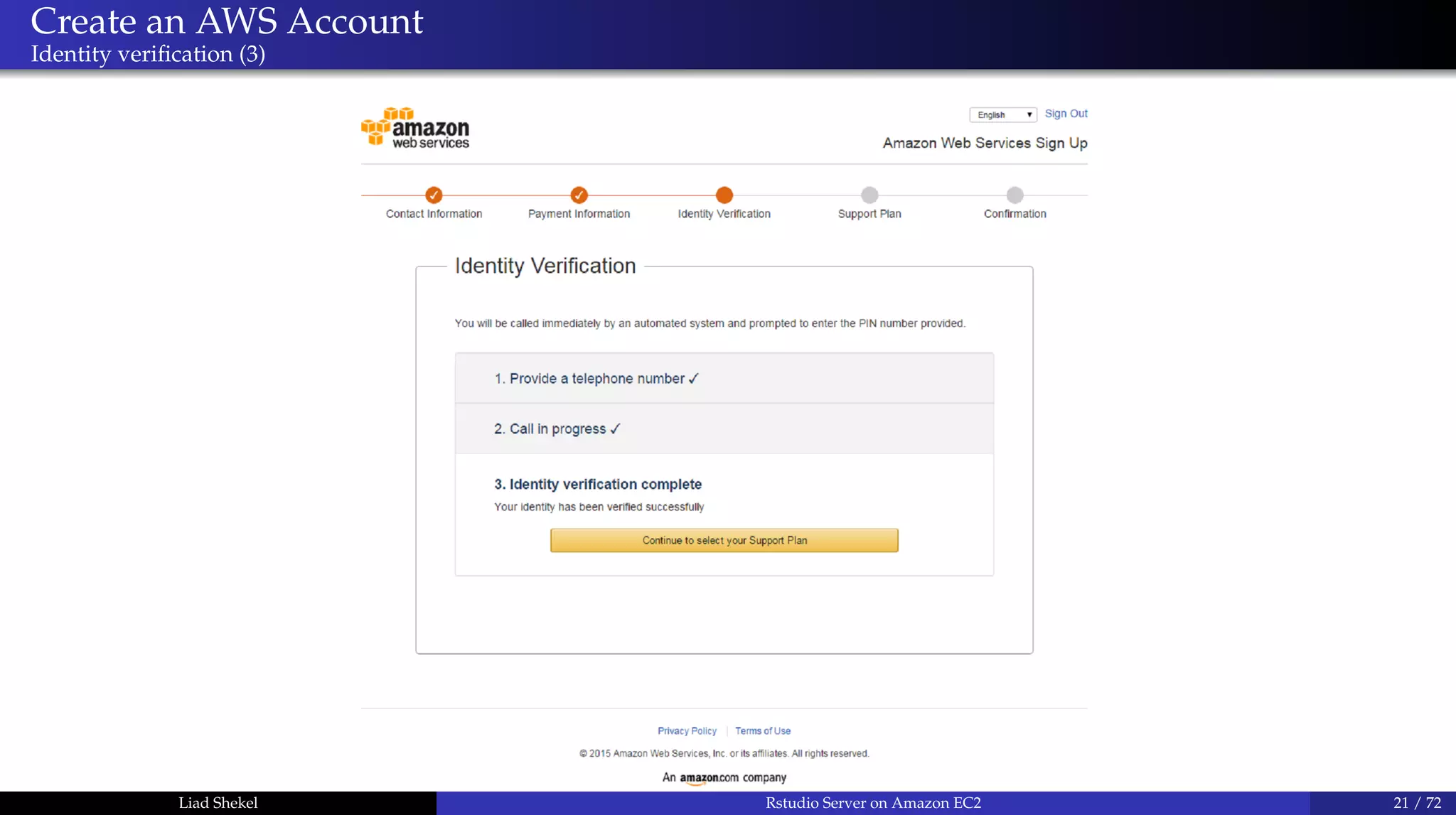
Create an AWS Account
Identity verification (3)
Liad Shekel Rstudio Server on Amazon EC2 21 / 72
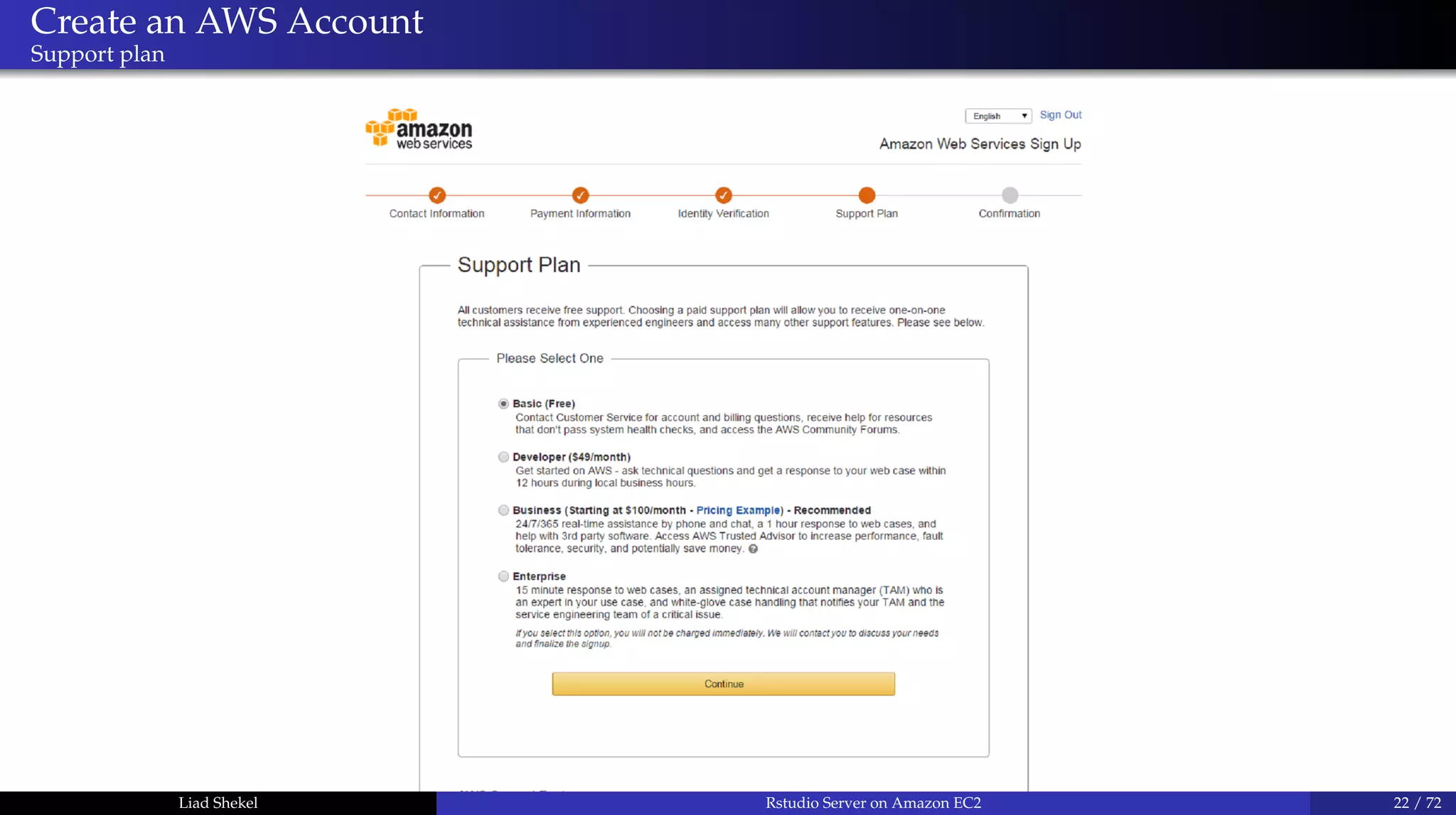
Create an AWS Account
Support plan
Liad Shekel Rstudio Server on Amazon EC2 22 / 72
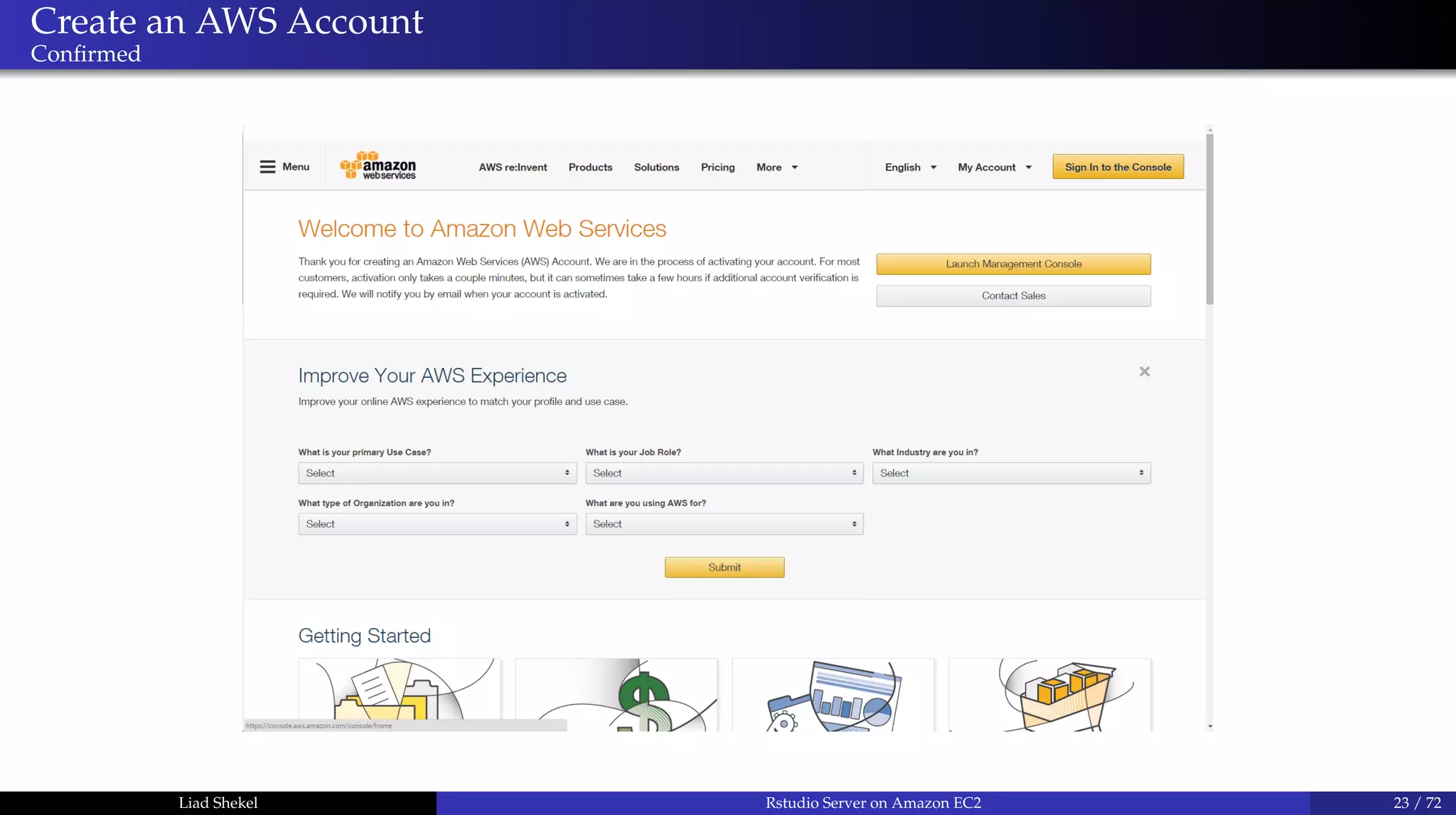
Create an AWS Account
Confirmed
Liad Shekel Rstudio Server on Amazon EC2 23 / 72
Create an AWS Account
Wait...
Liad Shekel Rstudio Server on Amazon EC2 24 / 72
Create an AWS Account
Done!
Liad Shekel Rstudio Server on Amazon EC2 25 / 72
Create an AWS Account
Next: EC2 instances
Liad Shekel Rstudio Server on Amazon EC2 26 / 72
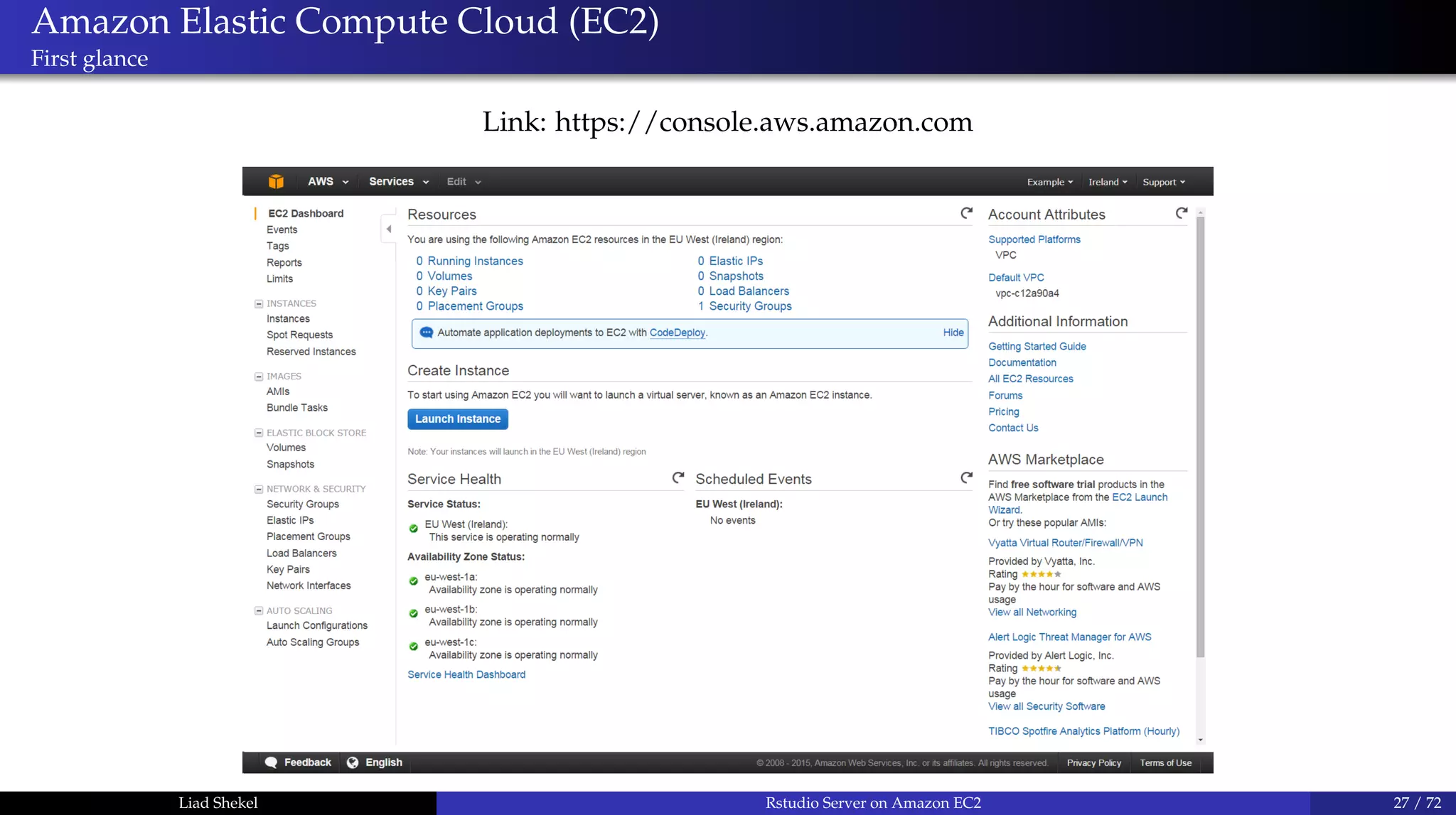
Amazon Elastic Compute Cloud (EC2)
First glance
Link: https://console.aws.amazon.com
Liad Shekel Rstudio Server on Amazon EC2 27 / 72
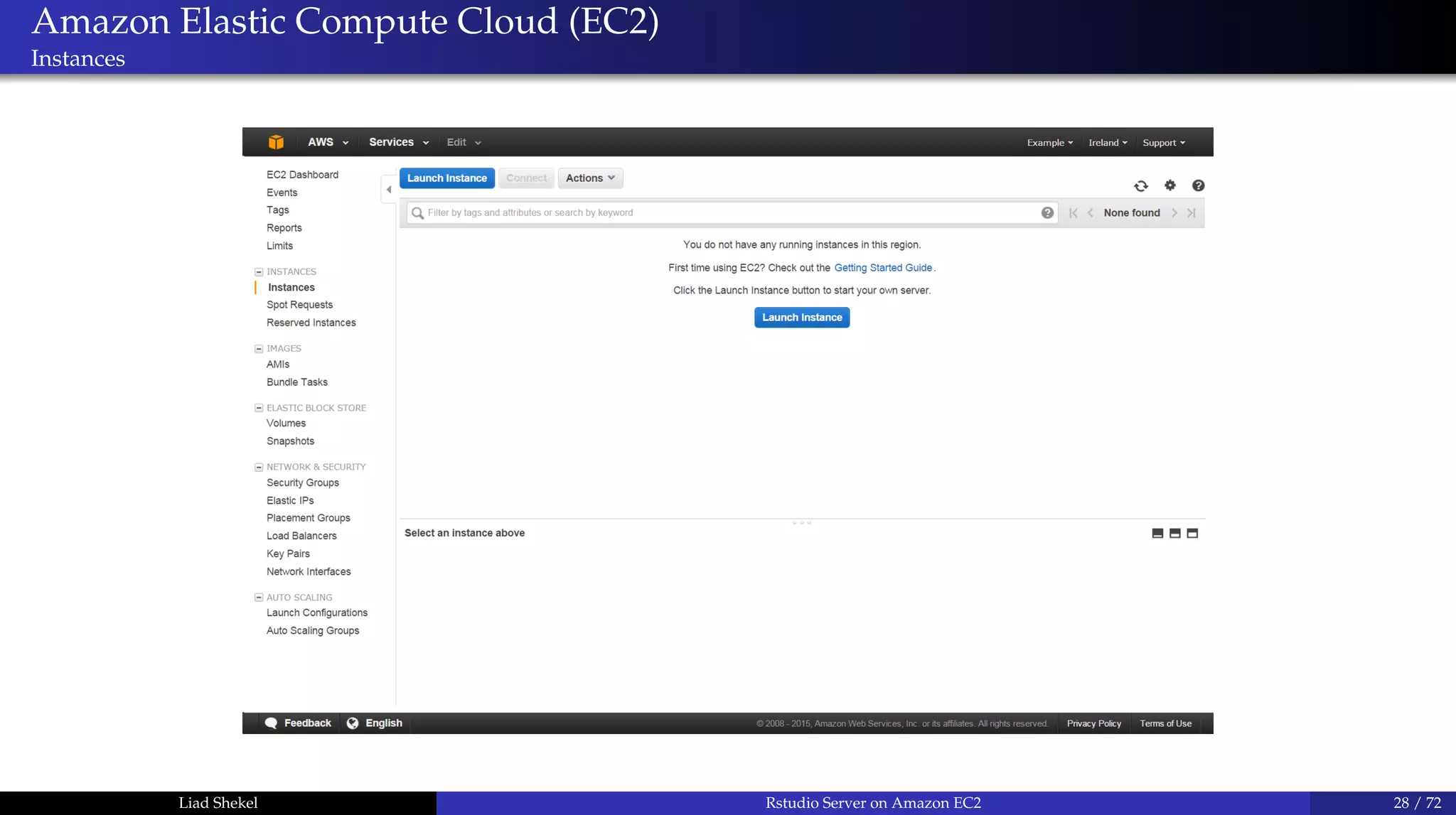
Amazon Elastic Compute Cloud (EC2)
Instances
Liad Shekel Rstudio Server on Amazon EC2 28 / 72
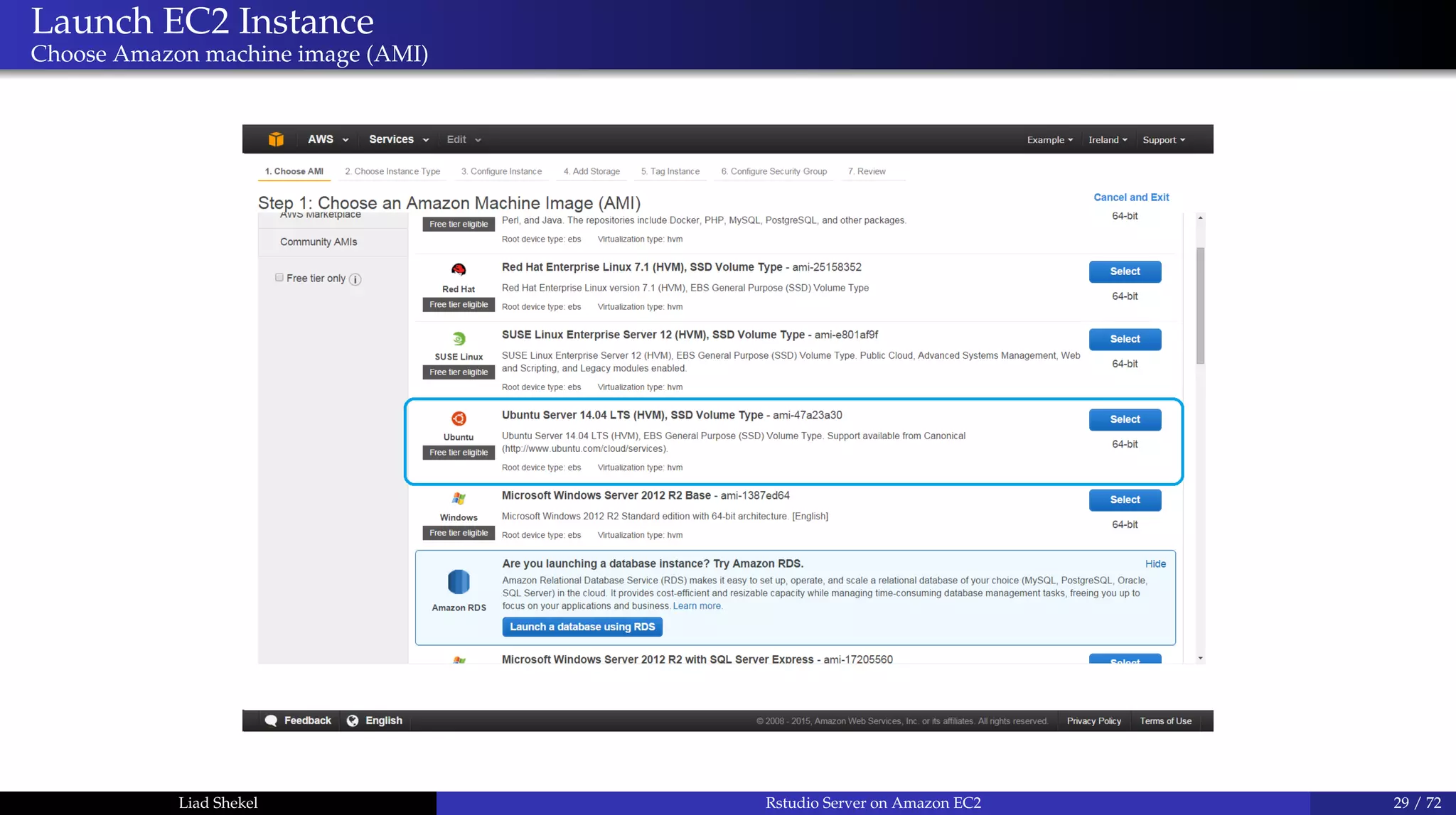
Launch EC2 Instance
Choose Amazon machine image (AMI)
Liad Shekel Rstudio Server on Amazon EC2 29 / 72
Launch EC2 Instance
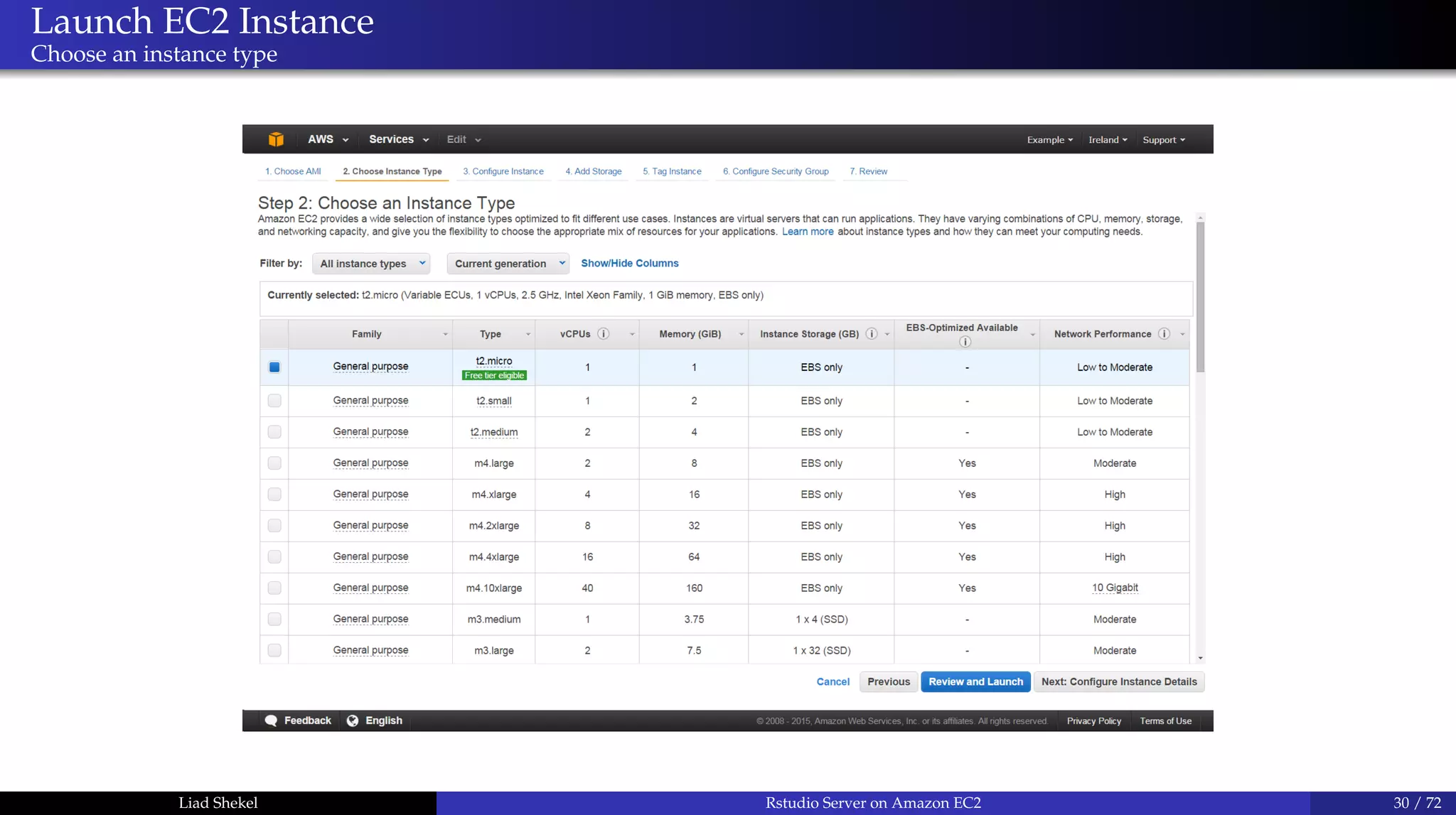
Choose an instance type
Liad Shekel Rstudio Server on Amazon EC2 30 / 72
Launch EC2 Instance
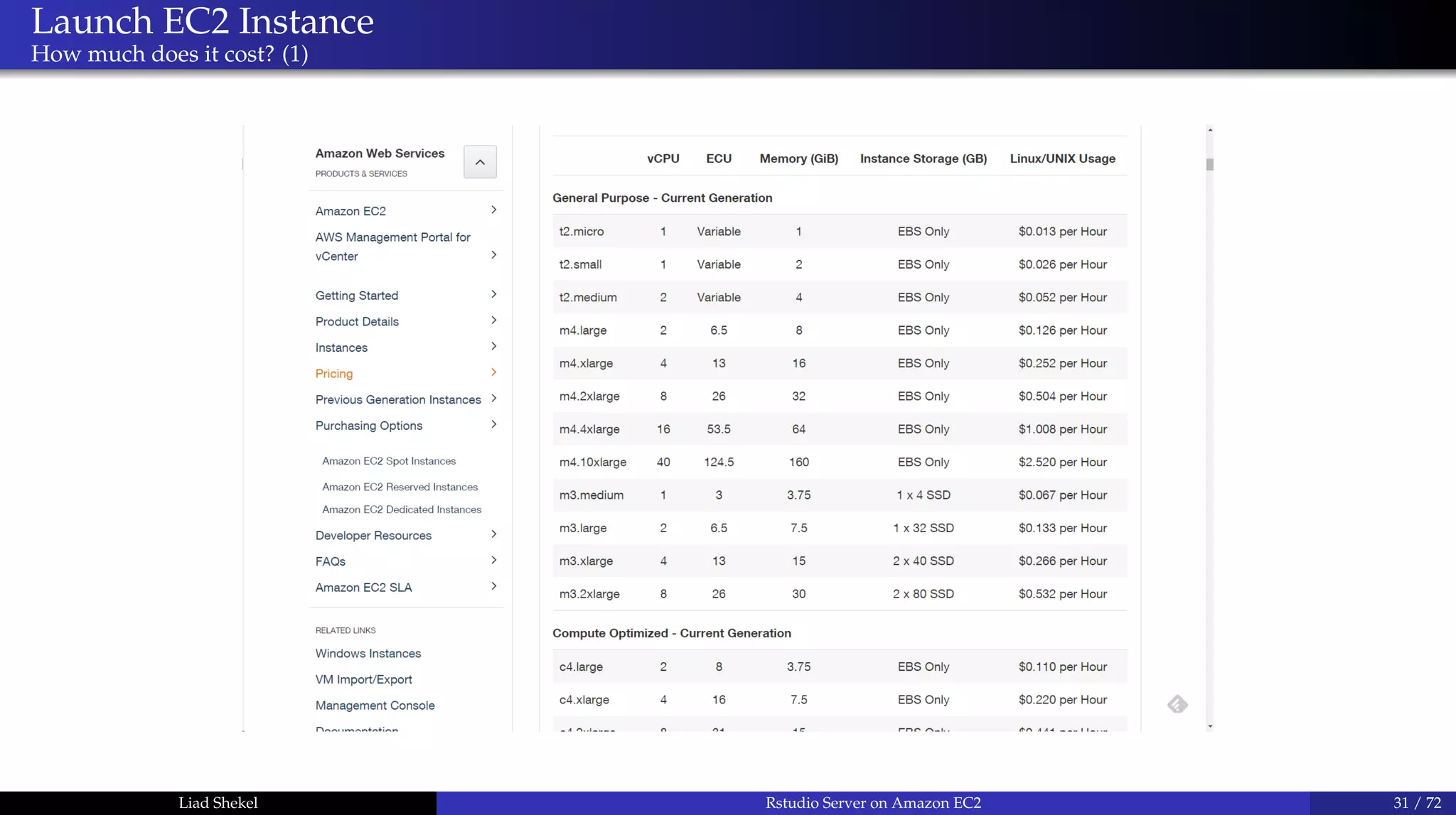
How much does it cost? (1)
Liad Shekel Rstudio Server on Amazon EC2 31 / 72
Launch EC2 Instance
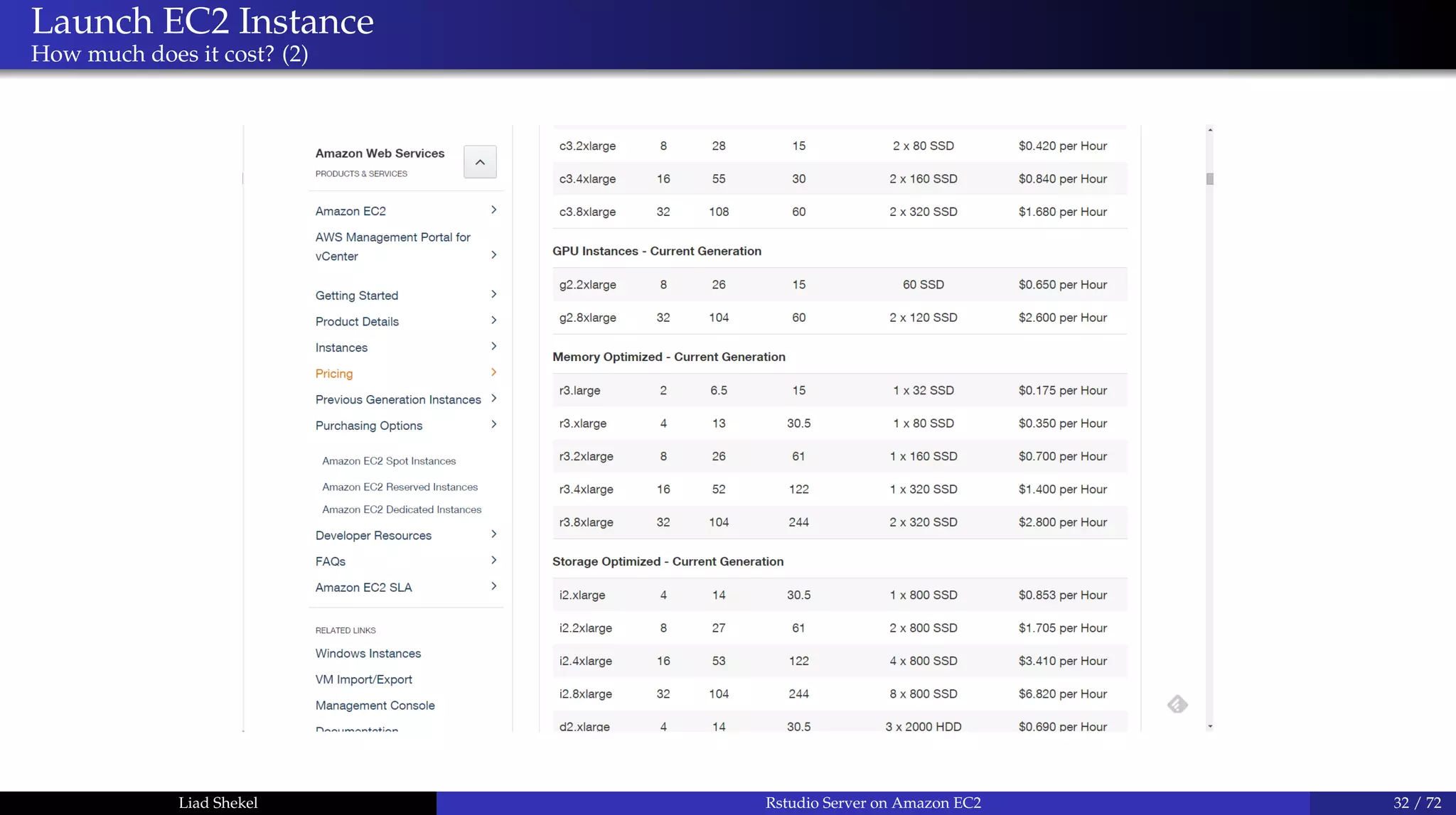
How much does it cost? (2)
Liad Shekel Rstudio Server on Amazon EC2 32 / 72
Launch EC2 Instance
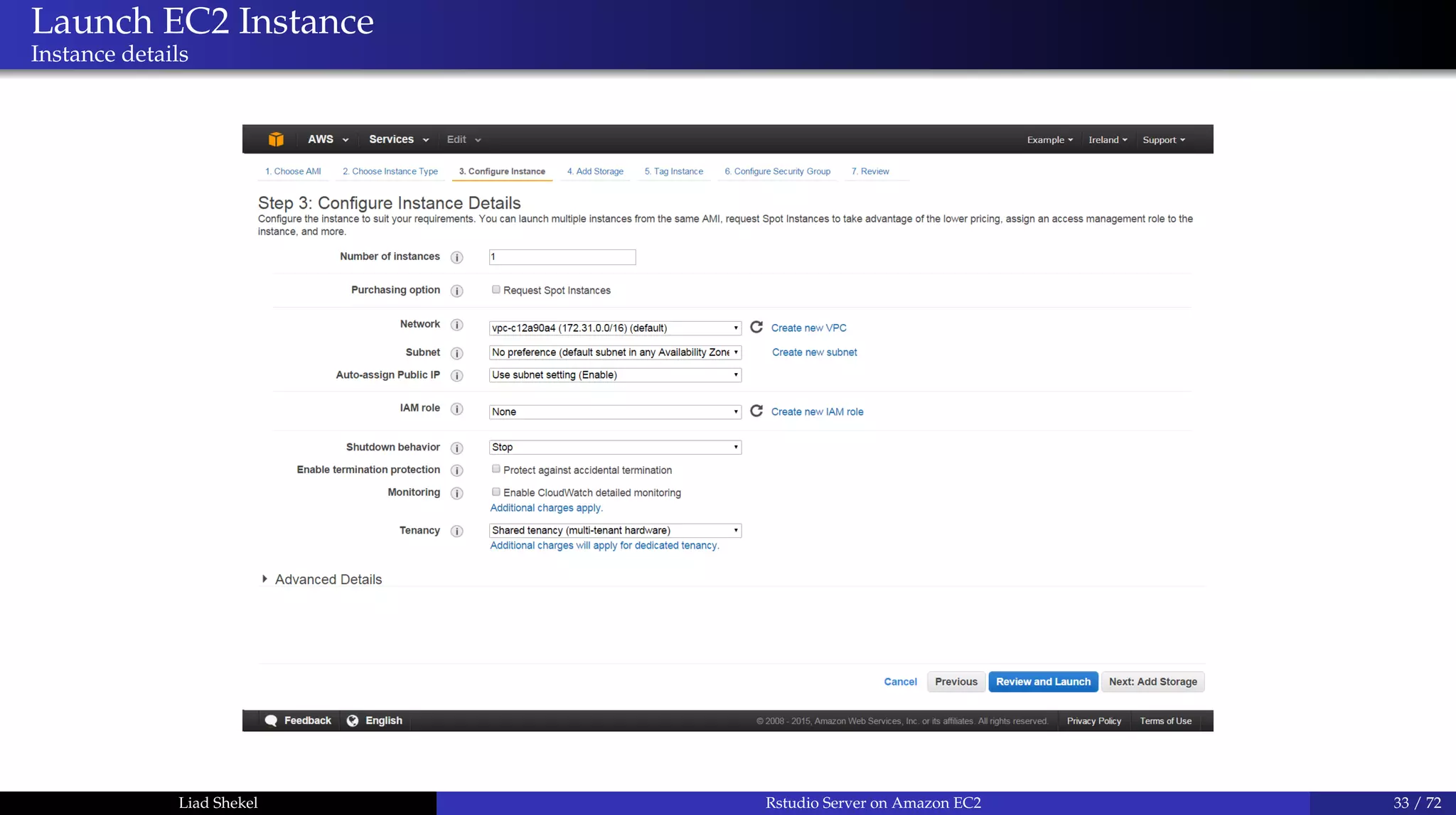
Instance details
Liad Shekel Rstudio Server on Amazon EC2 33 / 72
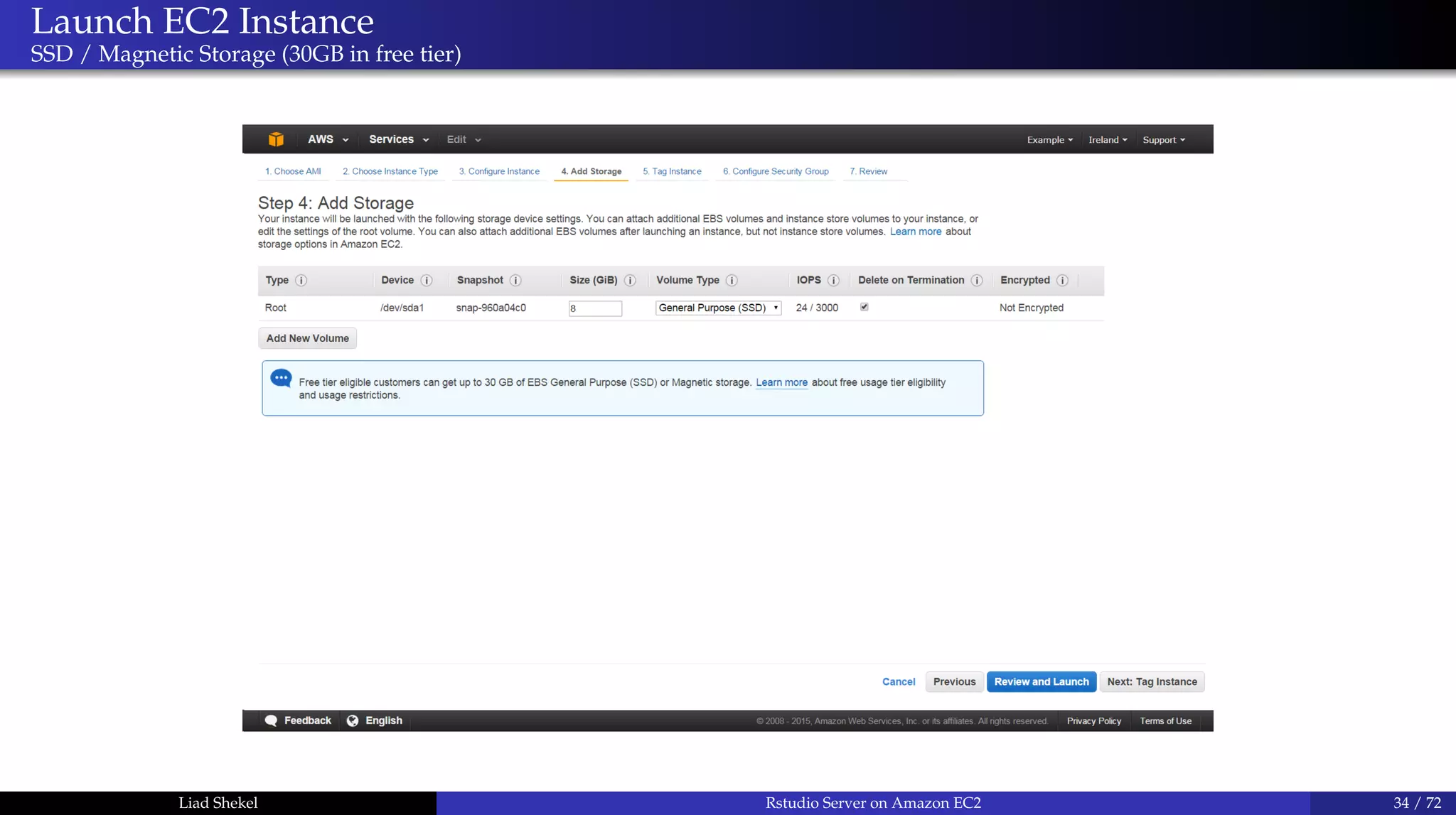
Launch EC2 Instance
SSD / Magnetic Storage (30GB in free tier)
Liad Shekel Rstudio Server on Amazon EC2 34 / 72
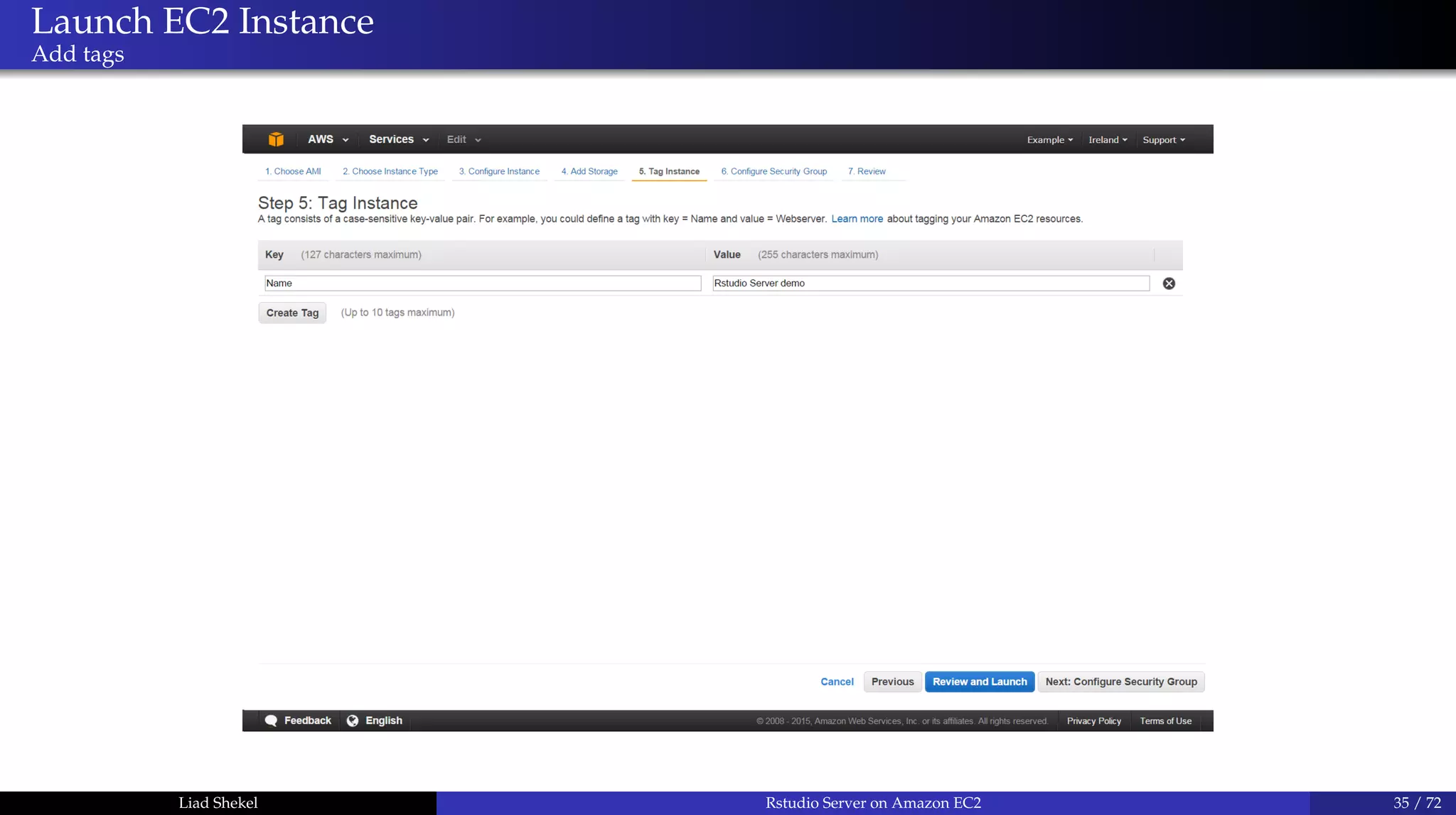
Launch EC2 Instance
Add tags
Liad Shekel Rstudio Server on Amazon EC2 35 / 72
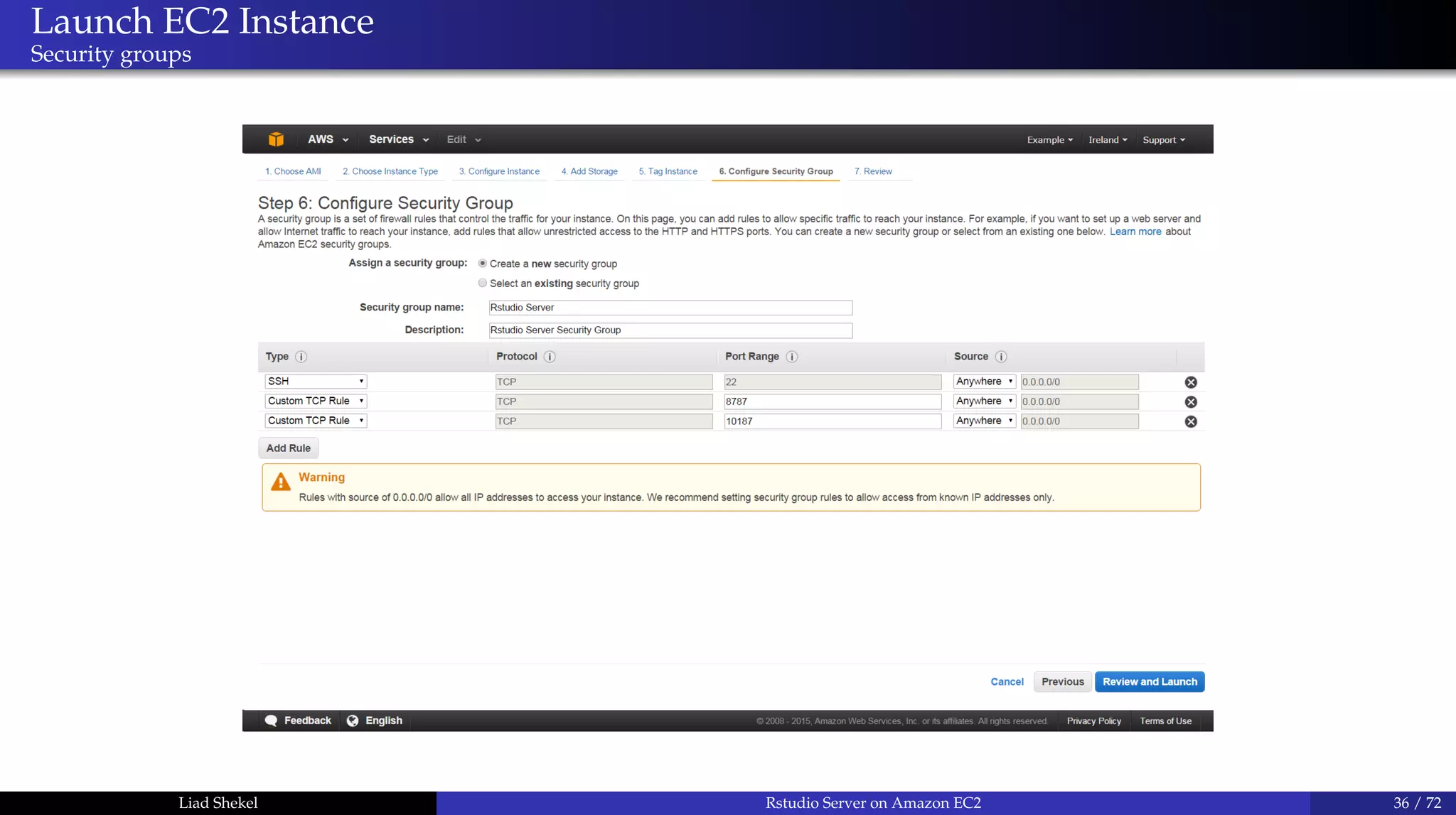
Launch EC2 Instance
Security groups
Liad Shekel Rstudio Server on Amazon EC2 36 / 72
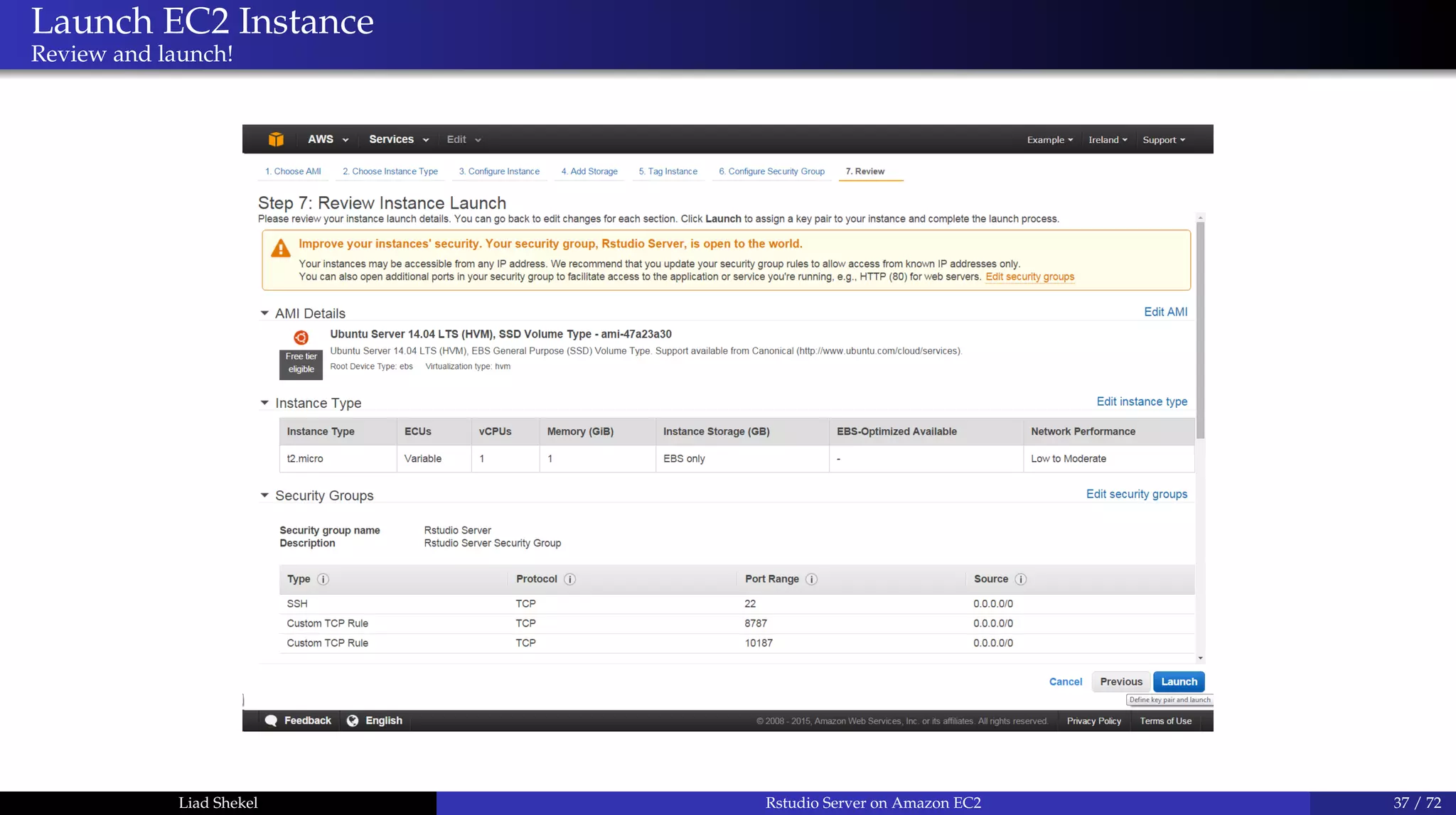
Launch EC2 Instance
Review and launch!
Liad Shekel Rstudio Server on Amazon EC2 37 / 72
Launch EC2 Instance
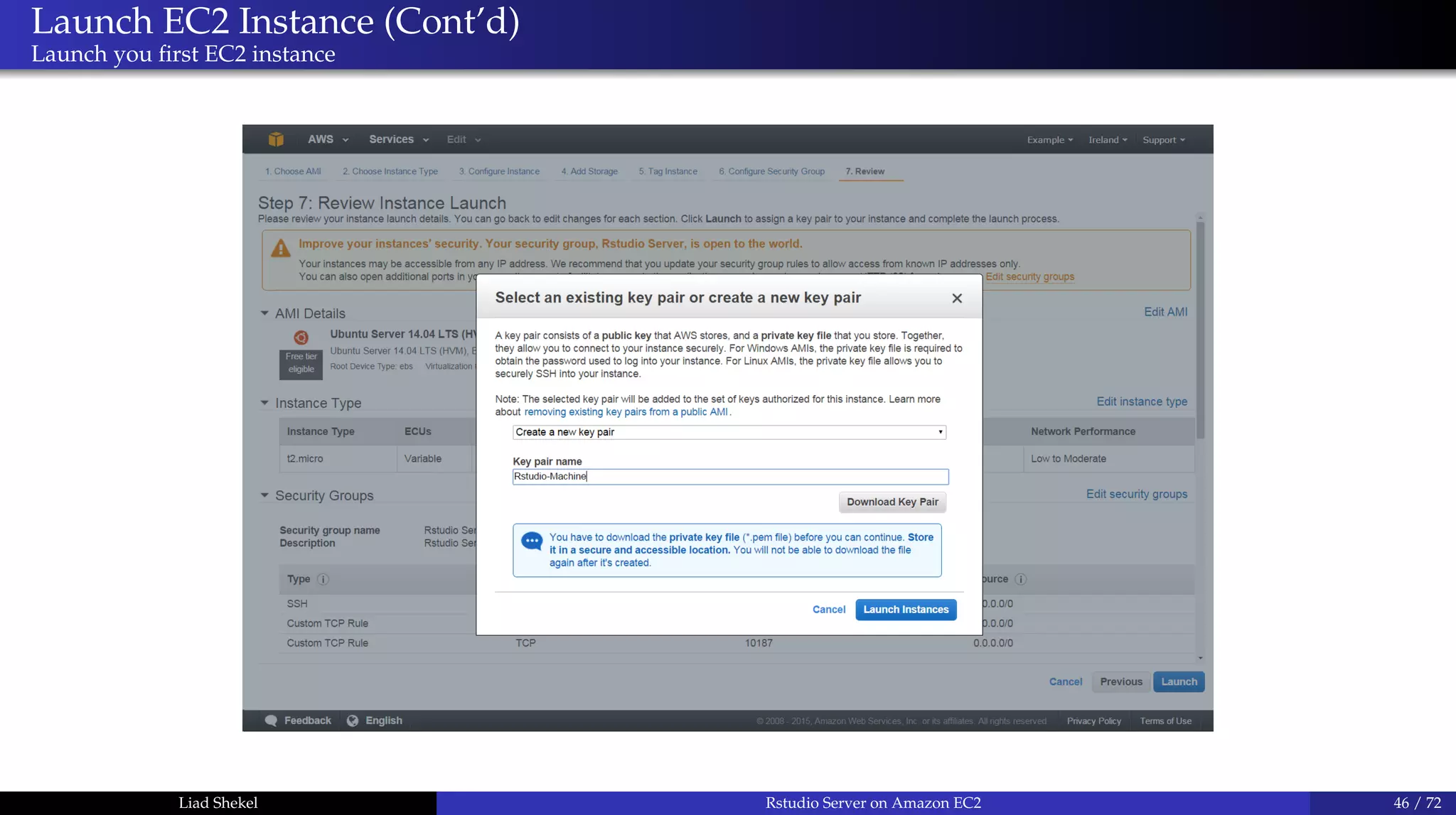
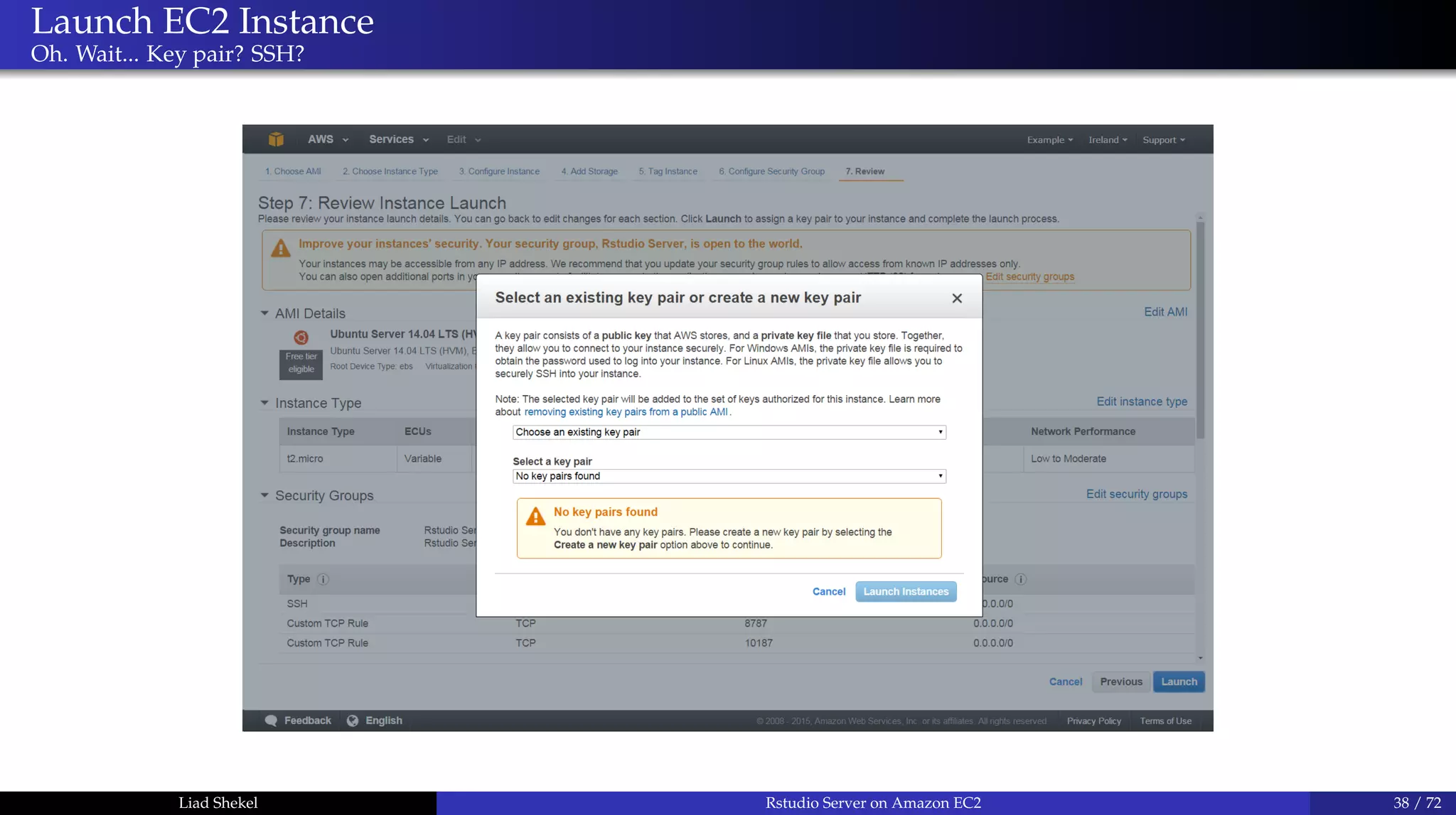
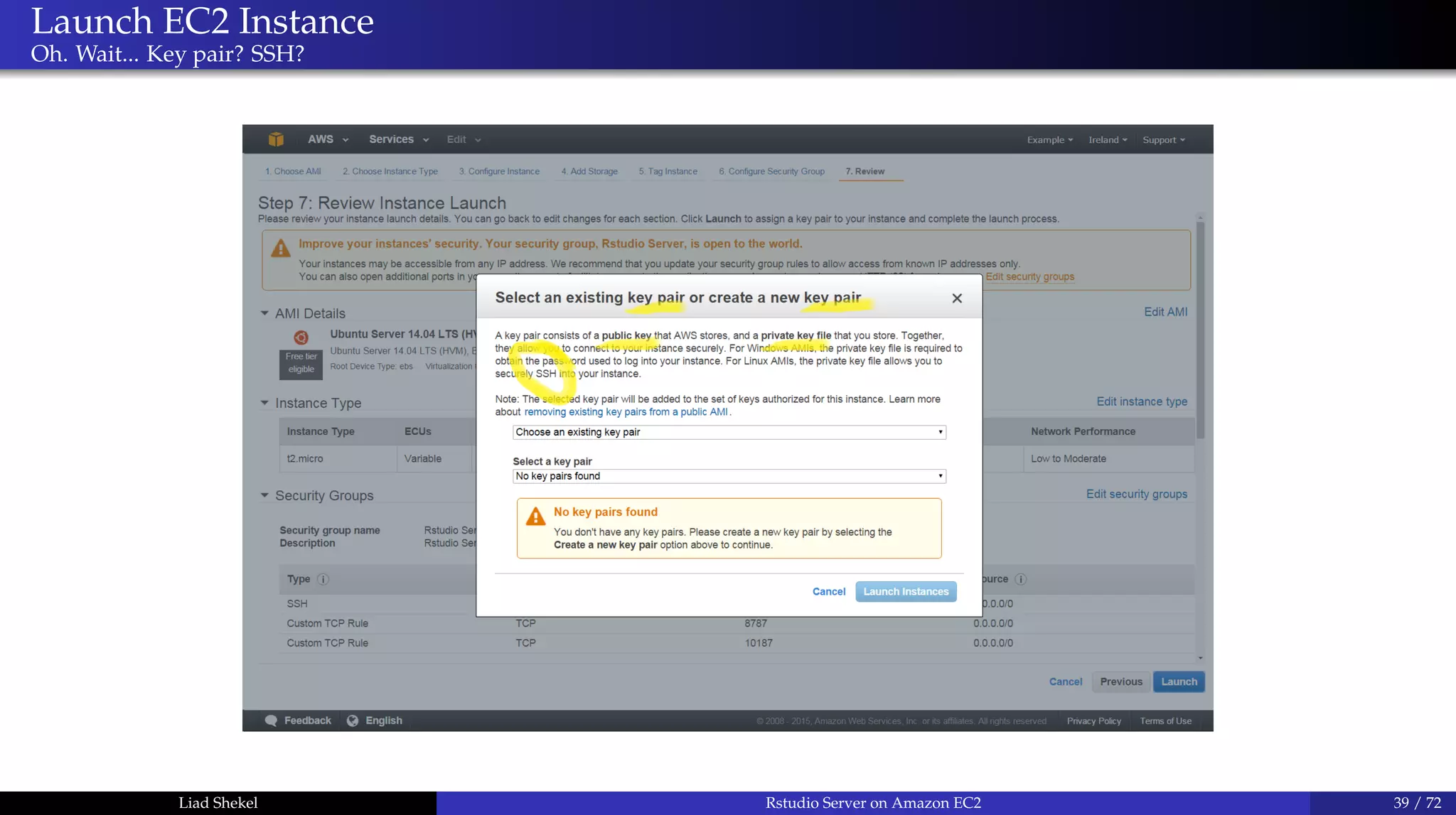
Oh. Wait... Key pair? SSH?
Liad Shekel Rstudio Server on Amazon EC2 38 / 72
Launch EC2 Instance
Oh. Wait... Key pair? SSH?
Liad Shekel Rstudio Server on Amazon EC2 39 / 72
Kay Pair and Asymmetric Cryptography
Public-key encryption
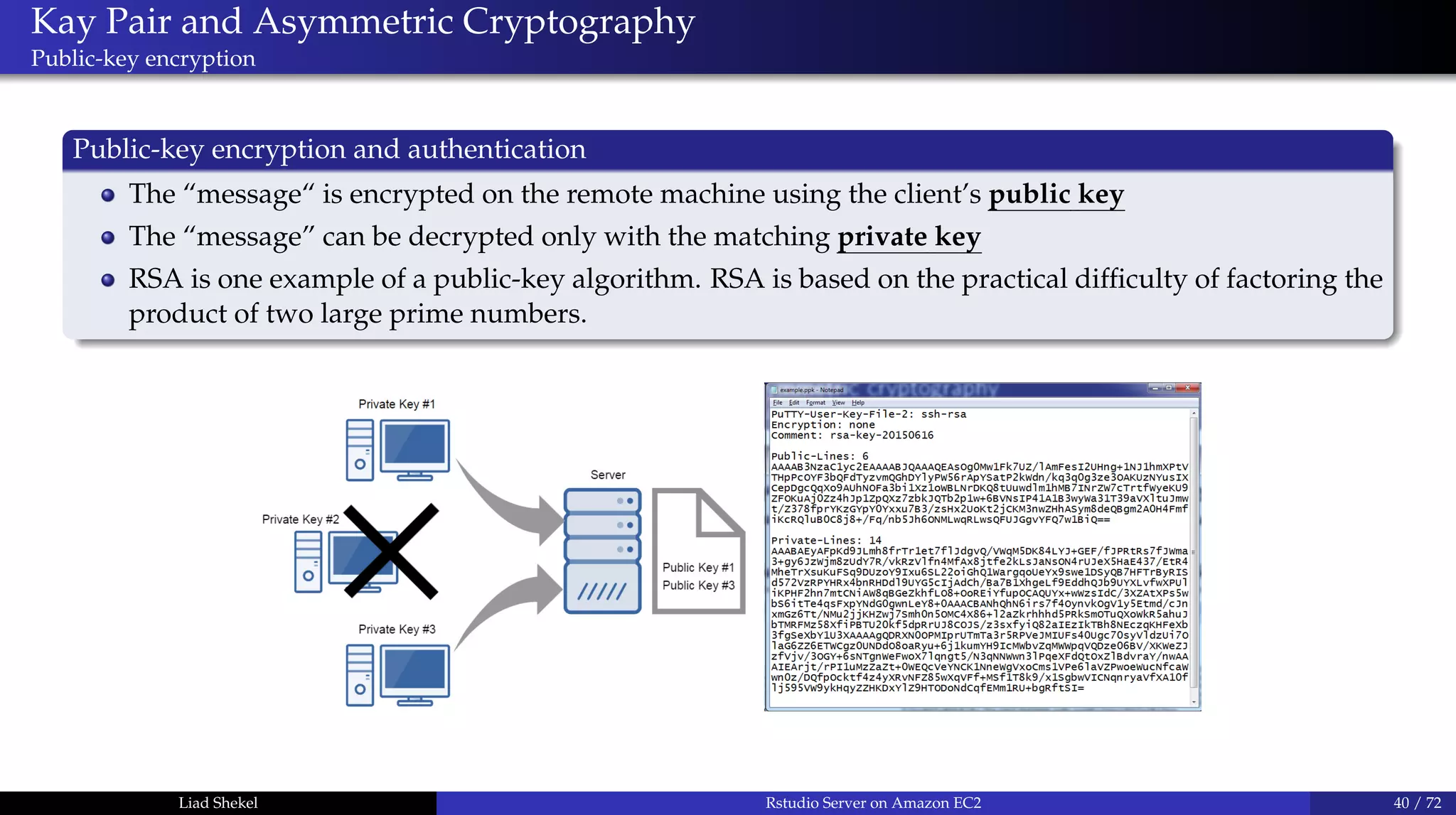
Public-key encryption and authentication
The “message“ is encrypted on the remote machine using the client’s public key
The “message” can be decrypted only with the matching private key
RSA is one example of a public-key algorithm. RSA is based on the practical difficulty of factoring the
product of two large prime numbers.
Liad Shekel Rstudio Server on Amazon EC2 40 / 72
Secure Shell (SSH)
What is an SSH protocol?
Basics
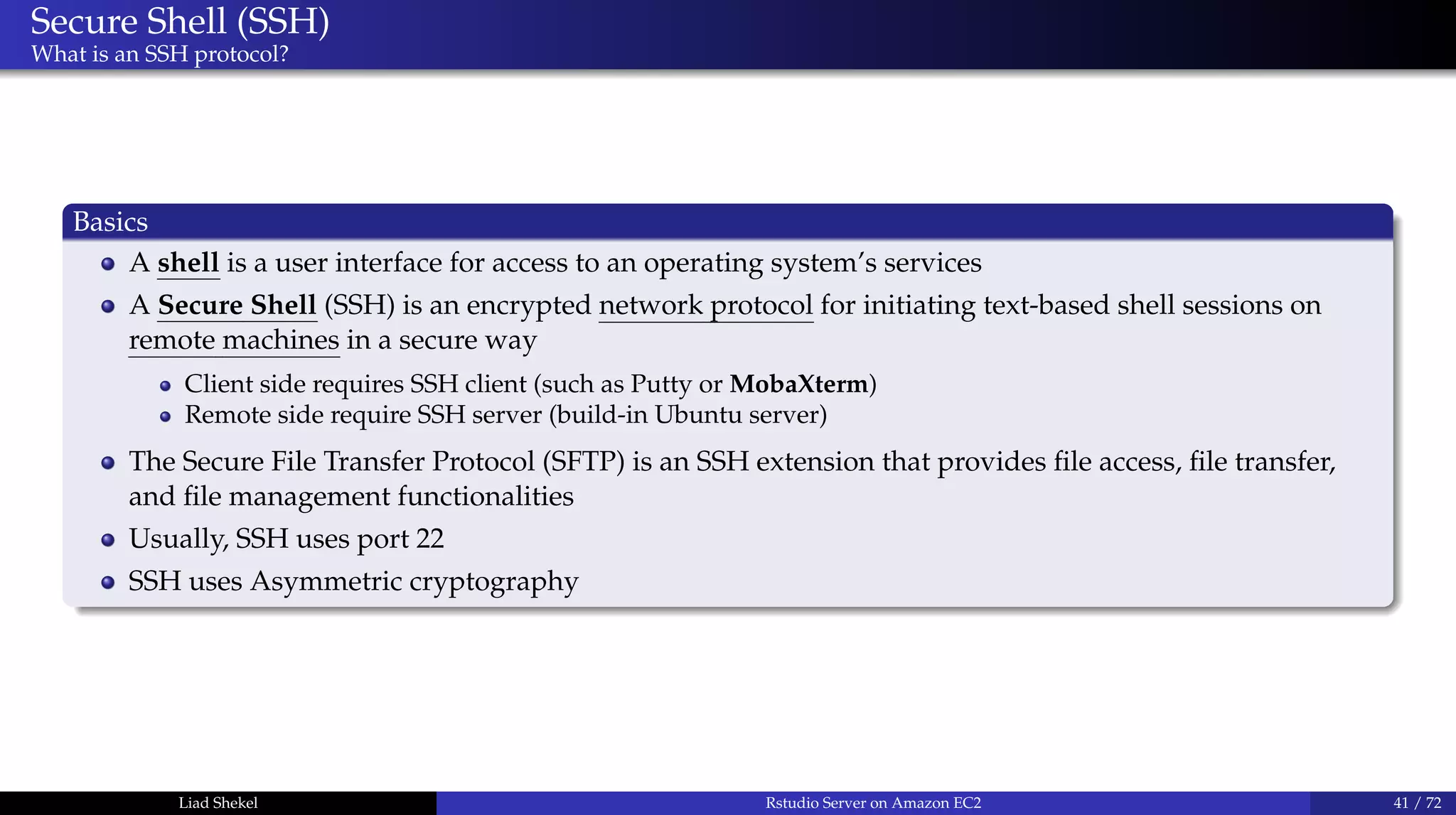
A shell is a user interface for access to an operating system’s services
A Secure Shell (SSH) is an encrypted network protocol for initiating text-based shell sessions on
remote machines in a secure way
Client side requires SSH client (such as Putty or MobaXterm)
Remote side require SSH server (build-in Ubuntu server)
The Secure File Transfer Protocol (SFTP) is an SSH extension that provides file access, file transfer,
and file management functionalities
Usually, SSH uses port 22
SSH uses Asymmetric cryptography
Liad Shekel Rstudio Server on Amazon EC2 41 / 72
Asymmetric cryptography
In practice
How? What? Where?
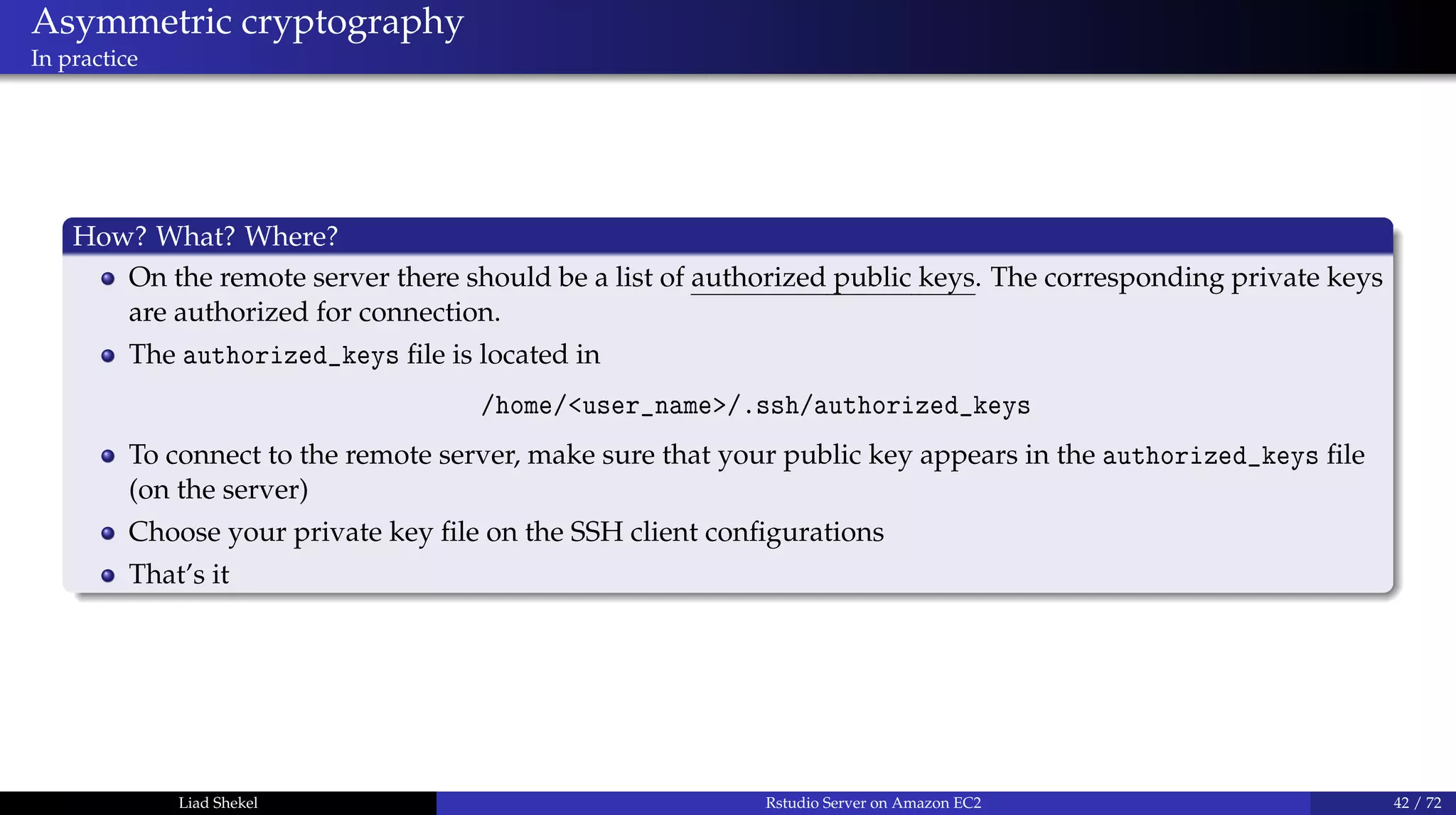
On the remote server there should be a list of authorized public keys. The corresponding private keys
are authorized for connection.
The authorized_keys file is located in
/home/<user_name>/.ssh/authorized_keys
To connect to the remote server, make sure that your public key appears in the authorized_keys file
(on the server)
Choose your private key file on the SSH client configurations
That’s it
Liad Shekel Rstudio Server on Amazon EC2 42 / 72
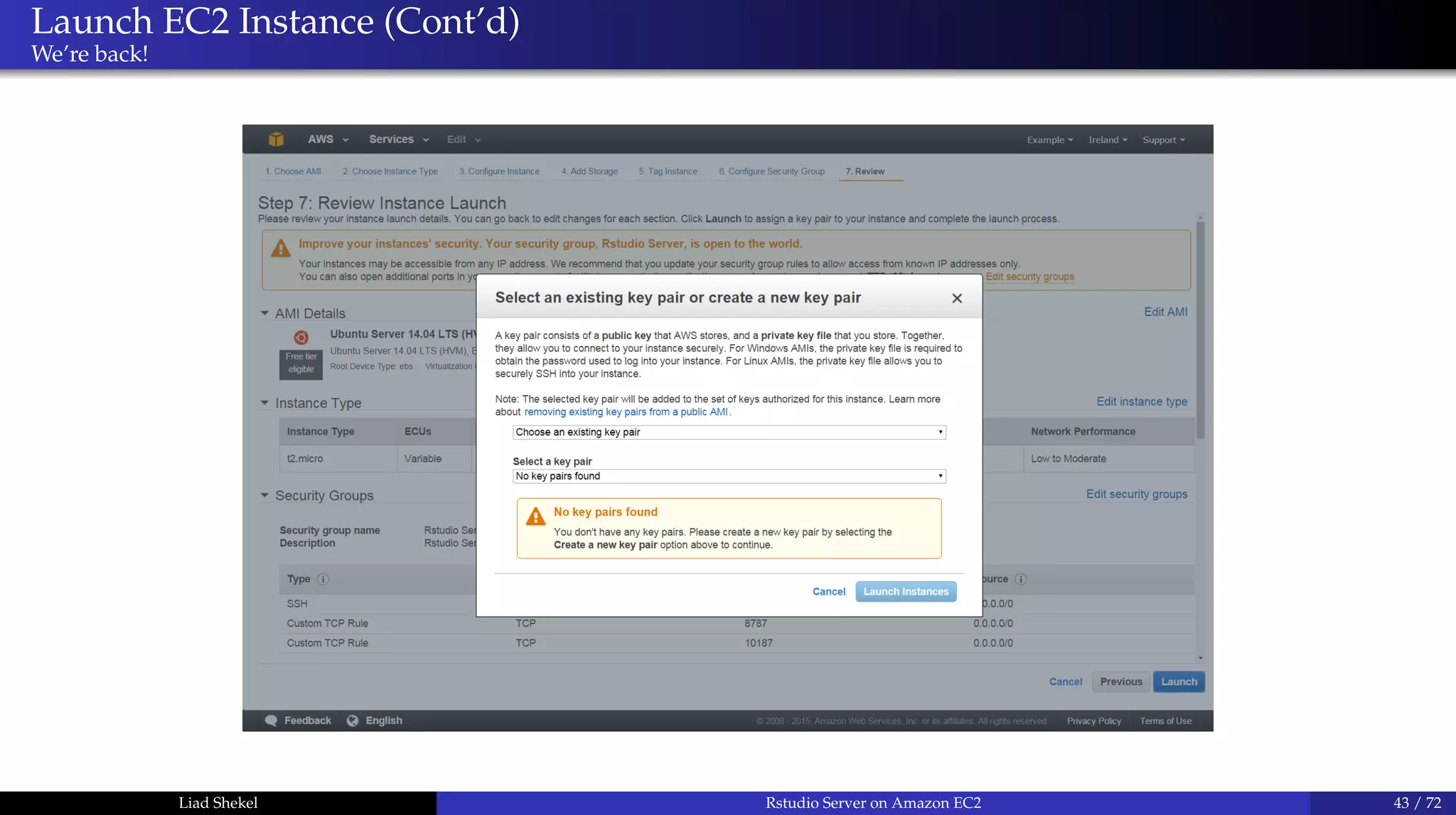
Launch EC2 Instance (Cont’d)
We’re back!
Liad Shekel Rstudio Server on Amazon EC2 43 / 72
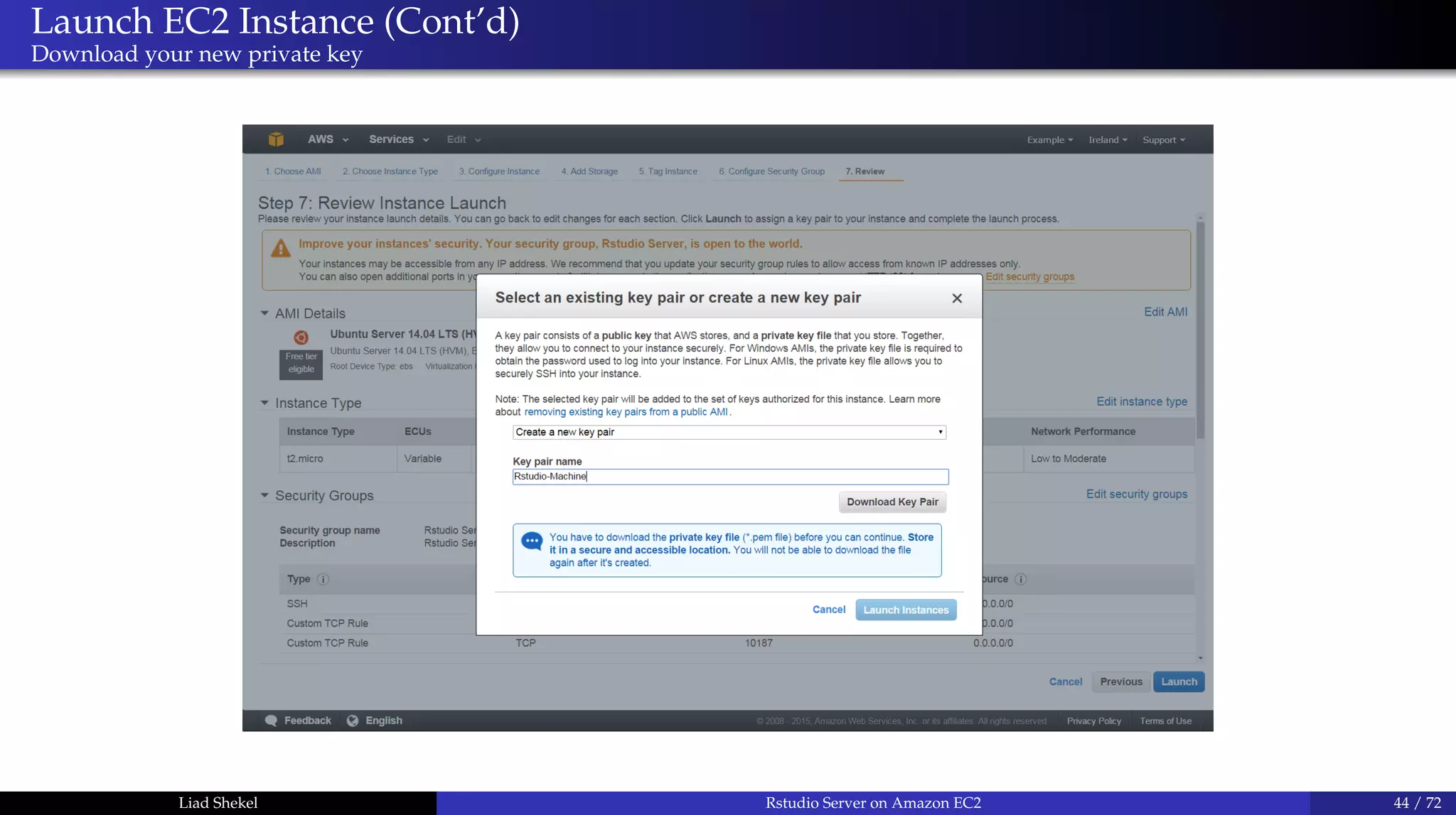
Launch EC2 Instance (Cont’d)
Download your new private key
Liad Shekel Rstudio Server on Amazon EC2 44 / 72
Launch EC2 Instance (Cont’d)
Congrats!
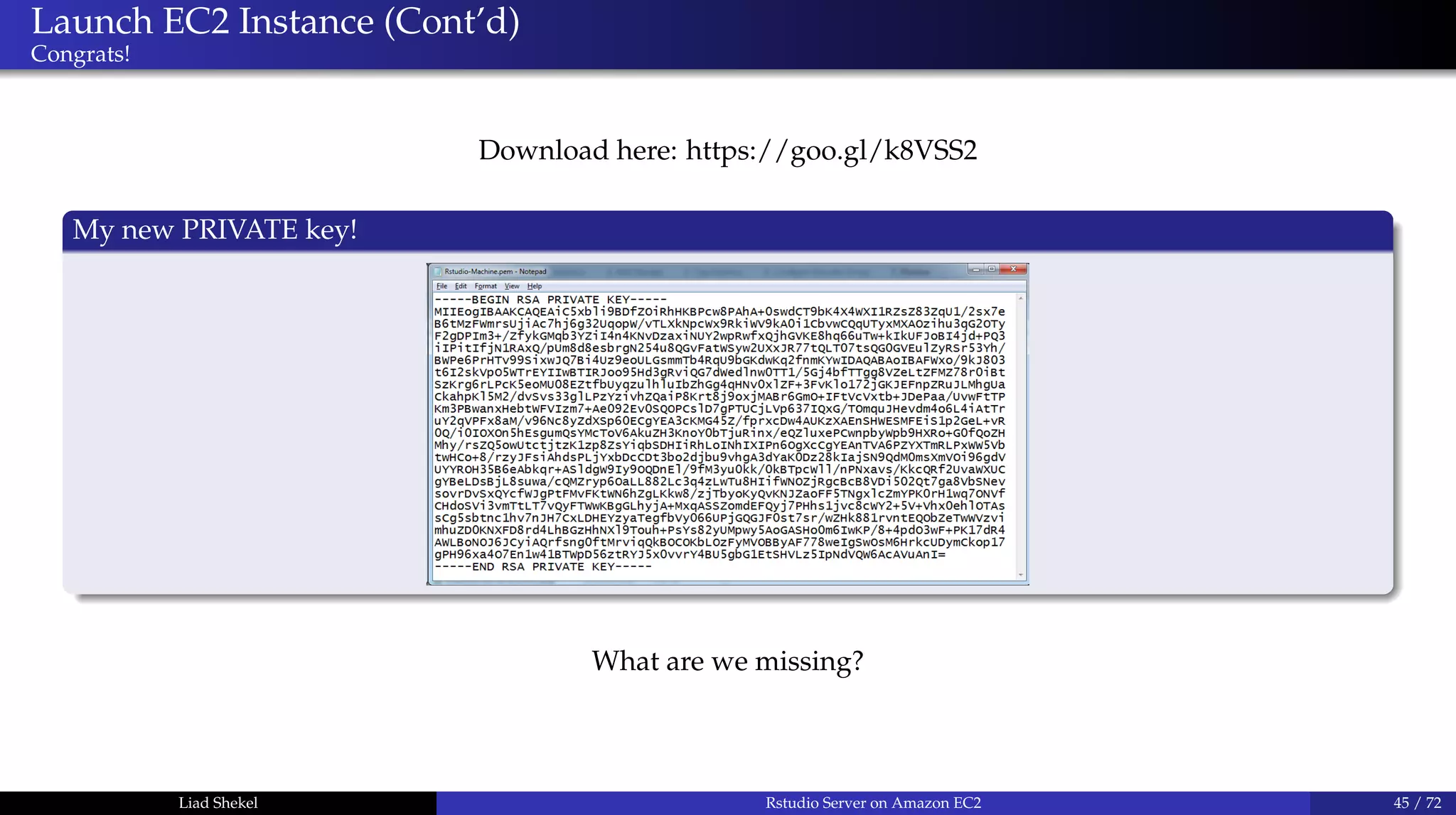
Download here: https://goo.gl/k8VSS2
My new PRIVATE key!
What are we missing?
Liad Shekel Rstudio Server on Amazon EC2 45 / 72
Launch EC2 Instance (Cont’d)
Congrats!
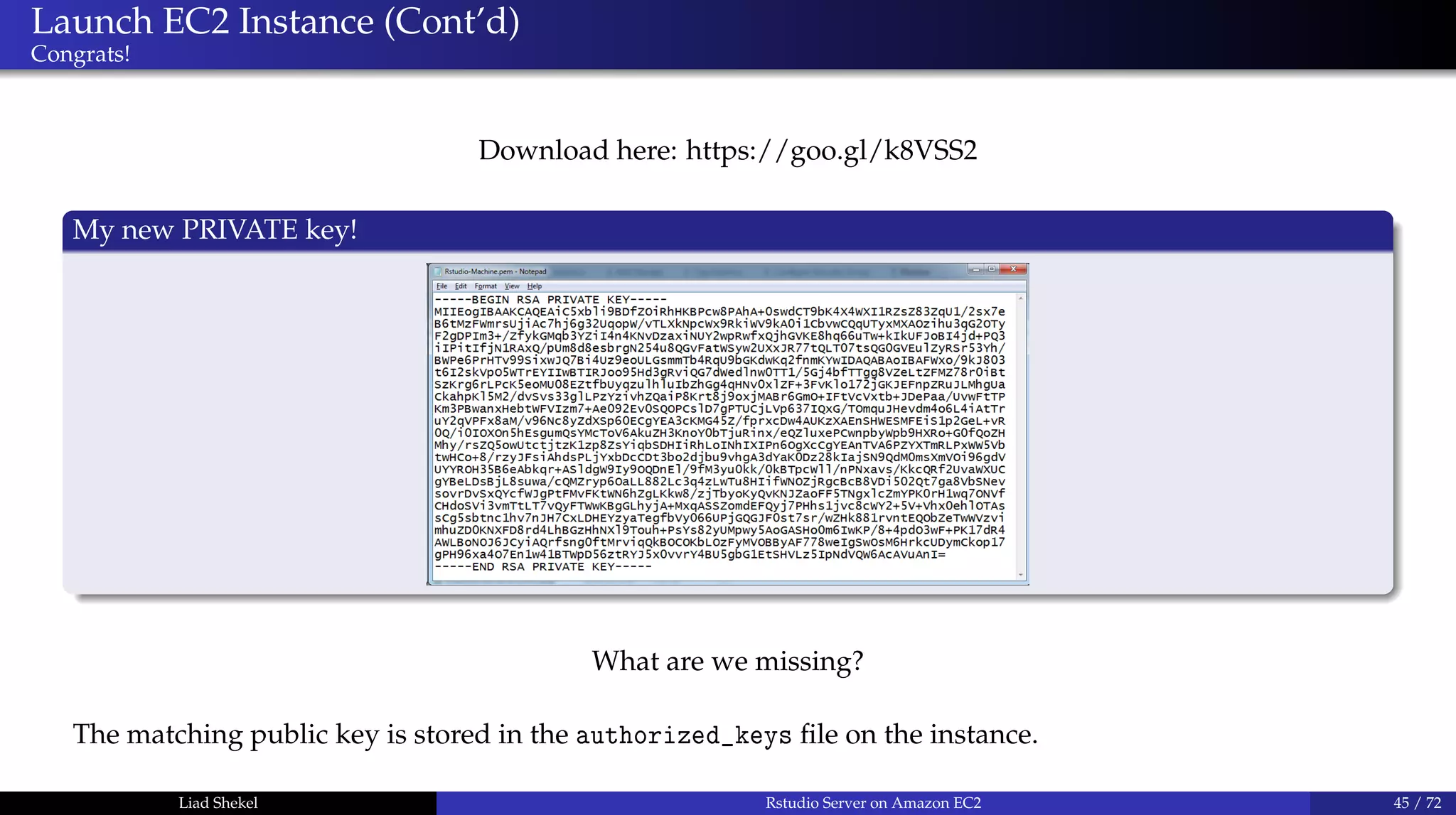
Download here: https://goo.gl/k8VSS2
My new PRIVATE key!
What are we missing?
The matching public key is stored in the authorized_keys file on the instance.
Liad Shekel Rstudio Server on Amazon EC2 45 / 72
Launch EC2 Instance (Cont’d)
Launch you first EC2 instance
Liad Shekel Rstudio Server on Amazon EC2 46 / 72
Launch EC2 Instance (Cont’d)
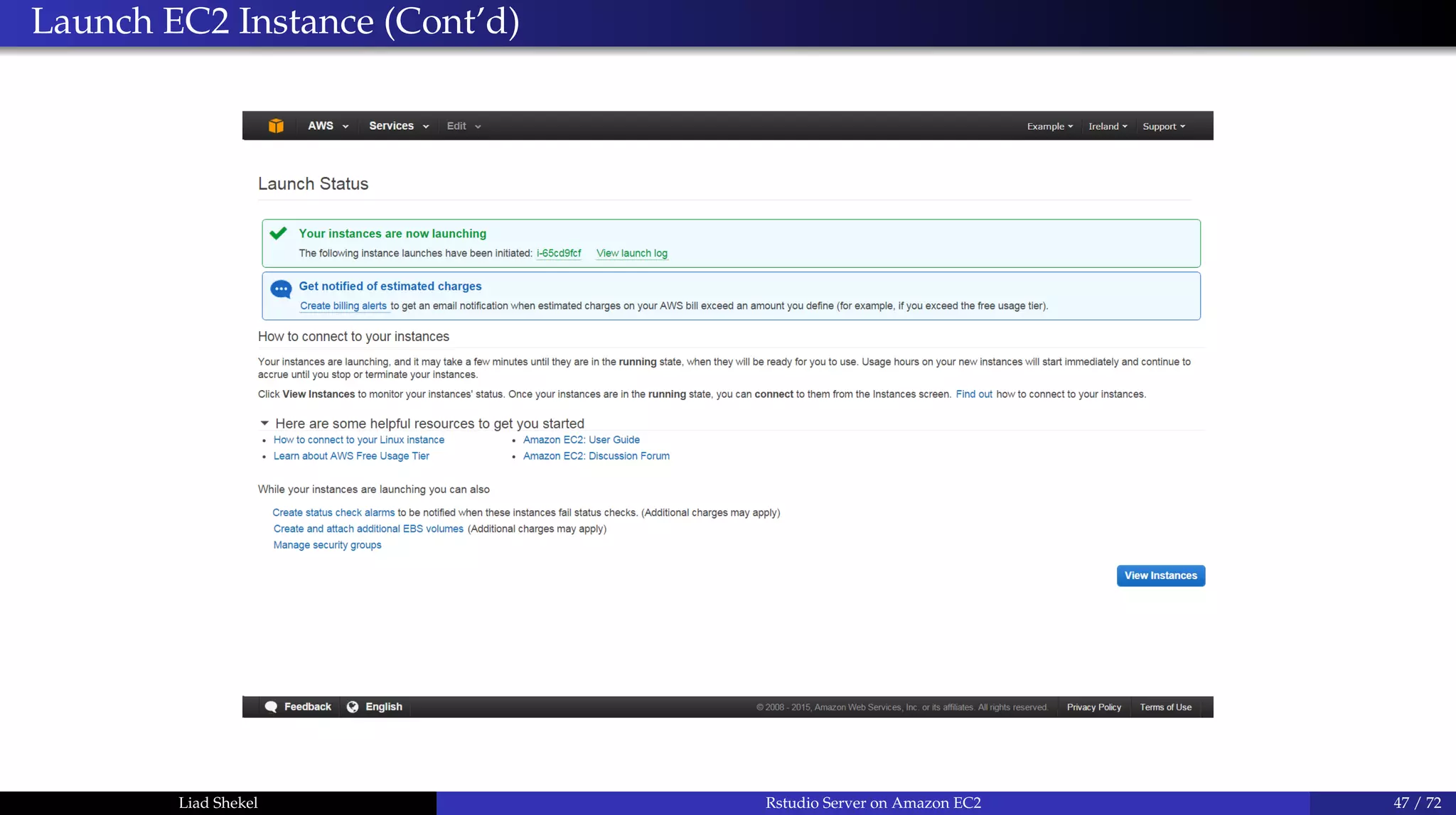
Liad Shekel Rstudio Server on Amazon EC2 47 / 72
Launch EC2 Instance (Cont’d)
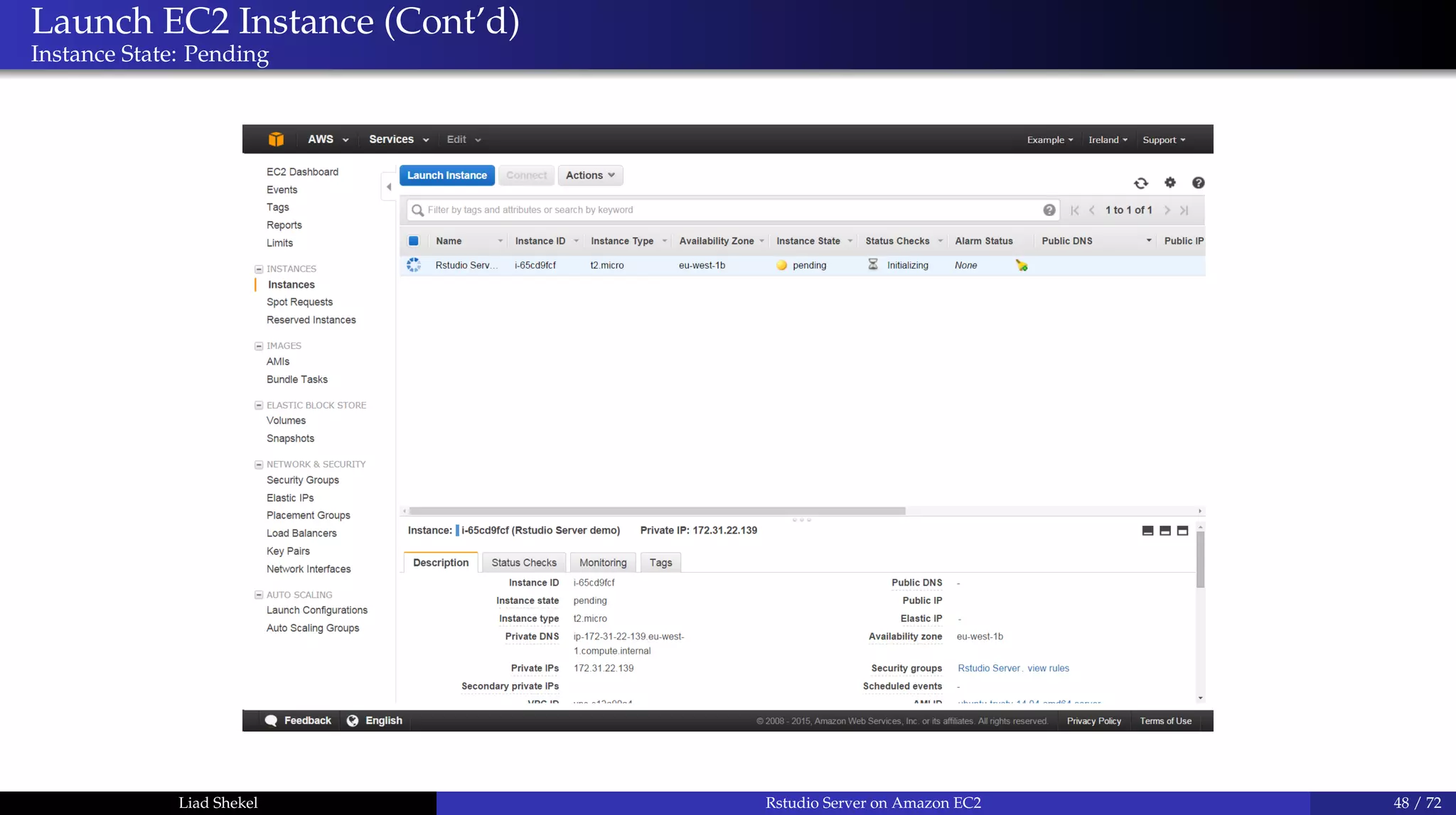
Instance State: Pending
Liad Shekel Rstudio Server on Amazon EC2 48 / 72
Launch EC2 Instance (Cont’d)
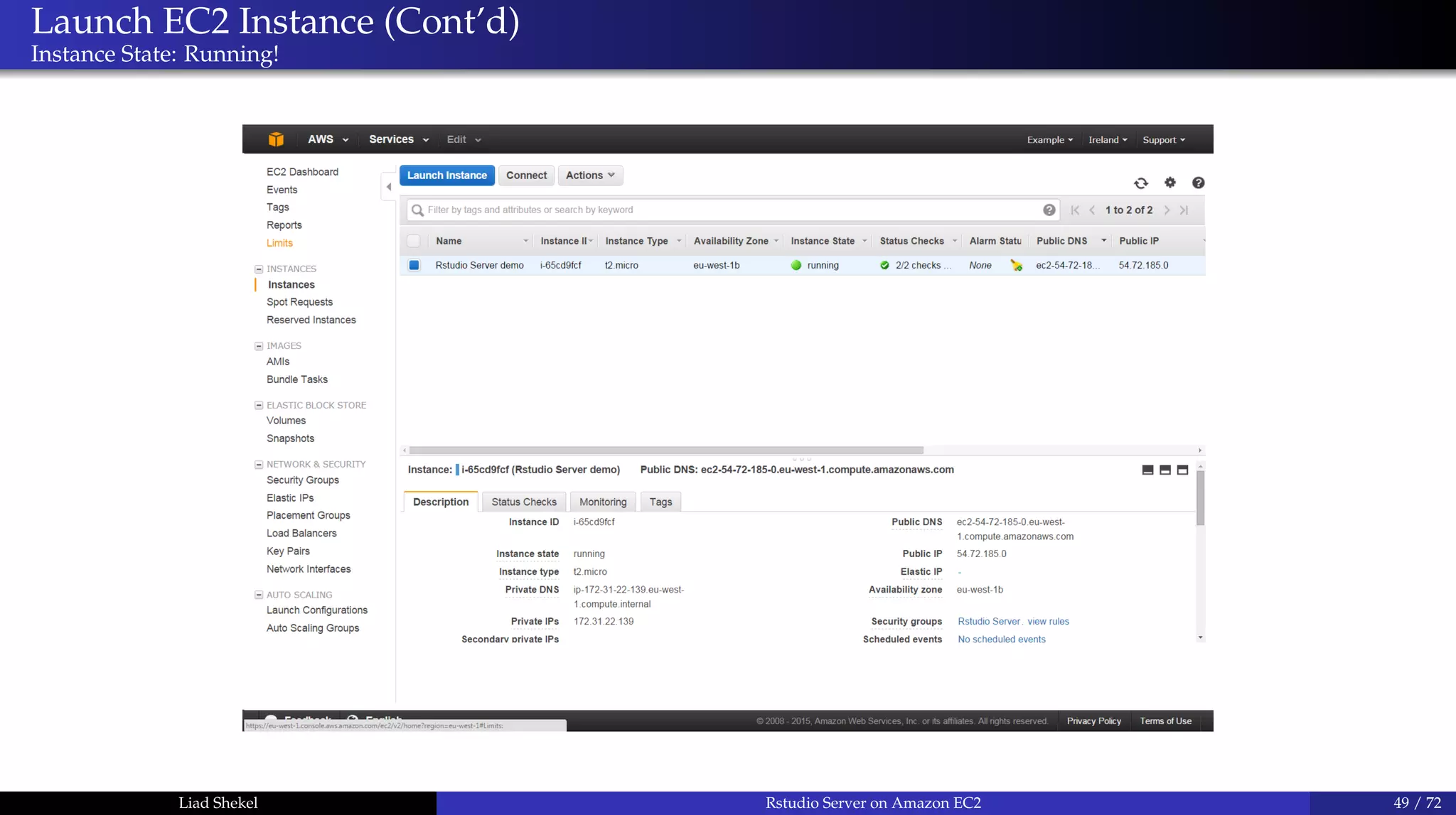
Instance State: Running!
Liad Shekel Rstudio Server on Amazon EC2 49 / 72
Launch EC2 Instance (Cont’d)
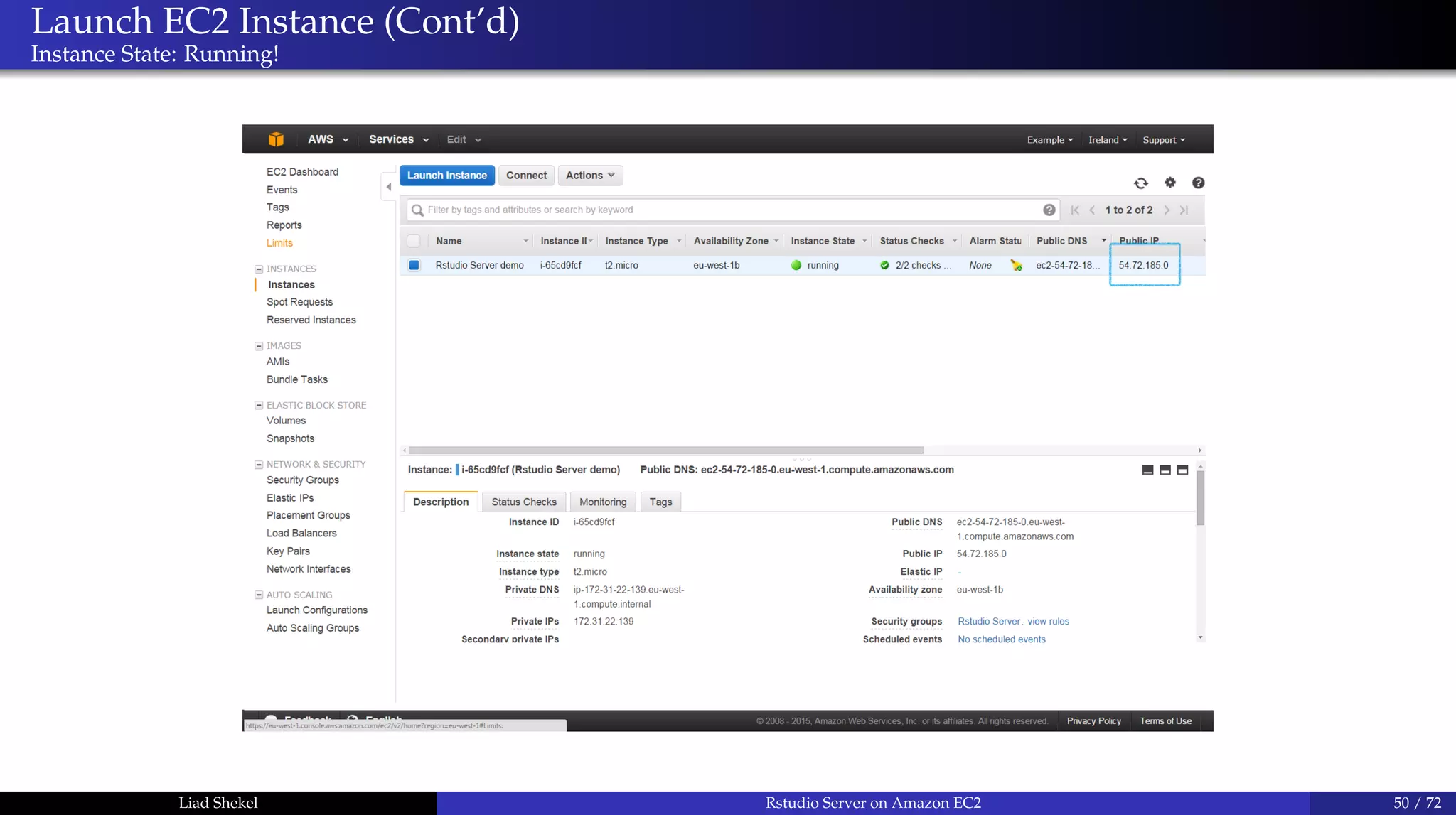
Instance State: Running!
Liad Shekel Rstudio Server on Amazon EC2 50 / 72
Use SSH Client
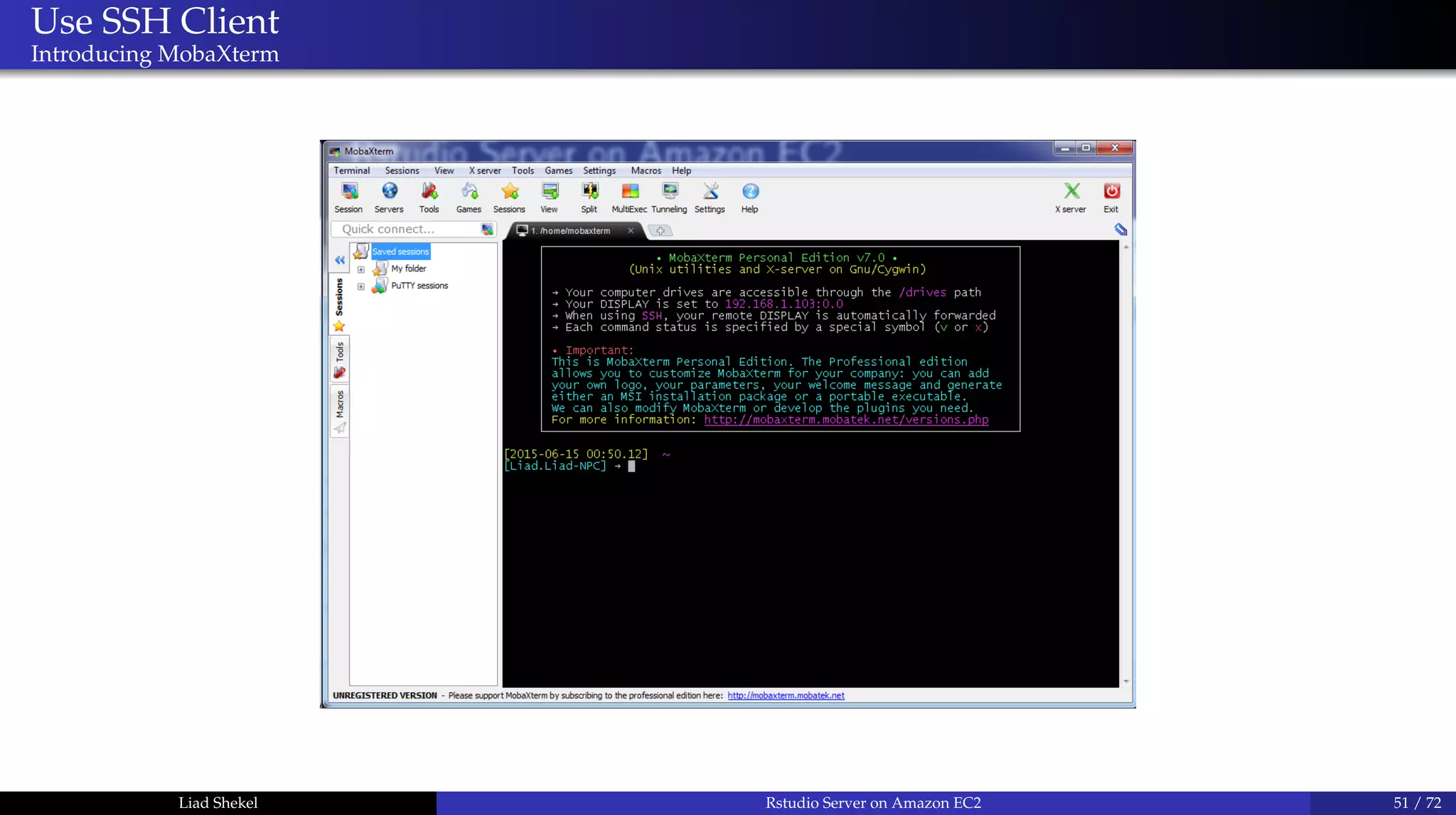
Introducing MobaXterm
Liad Shekel Rstudio Server on Amazon EC2 51 / 72
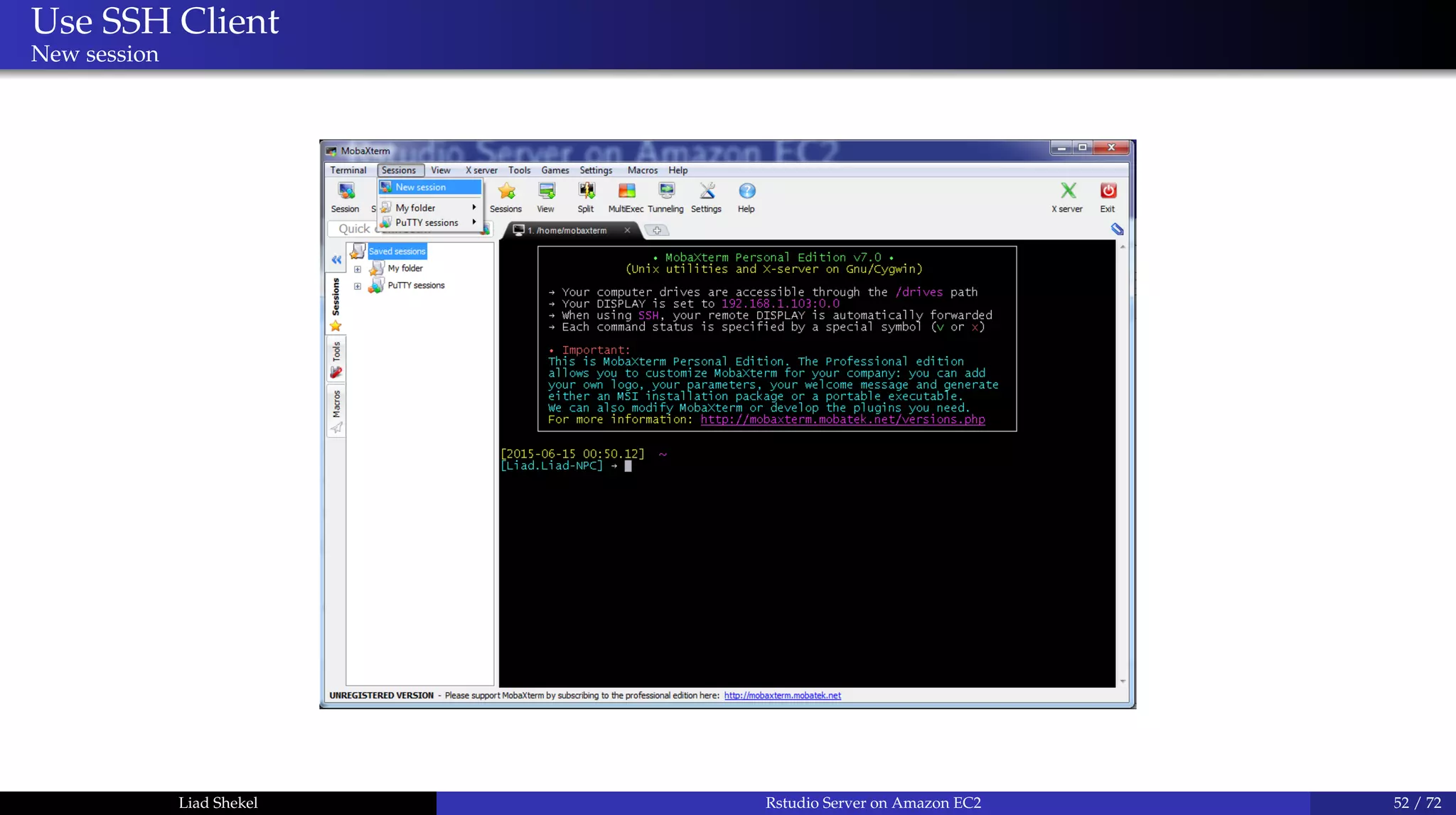
Use SSH Client
New session
Liad Shekel Rstudio Server on Amazon EC2 52 / 72
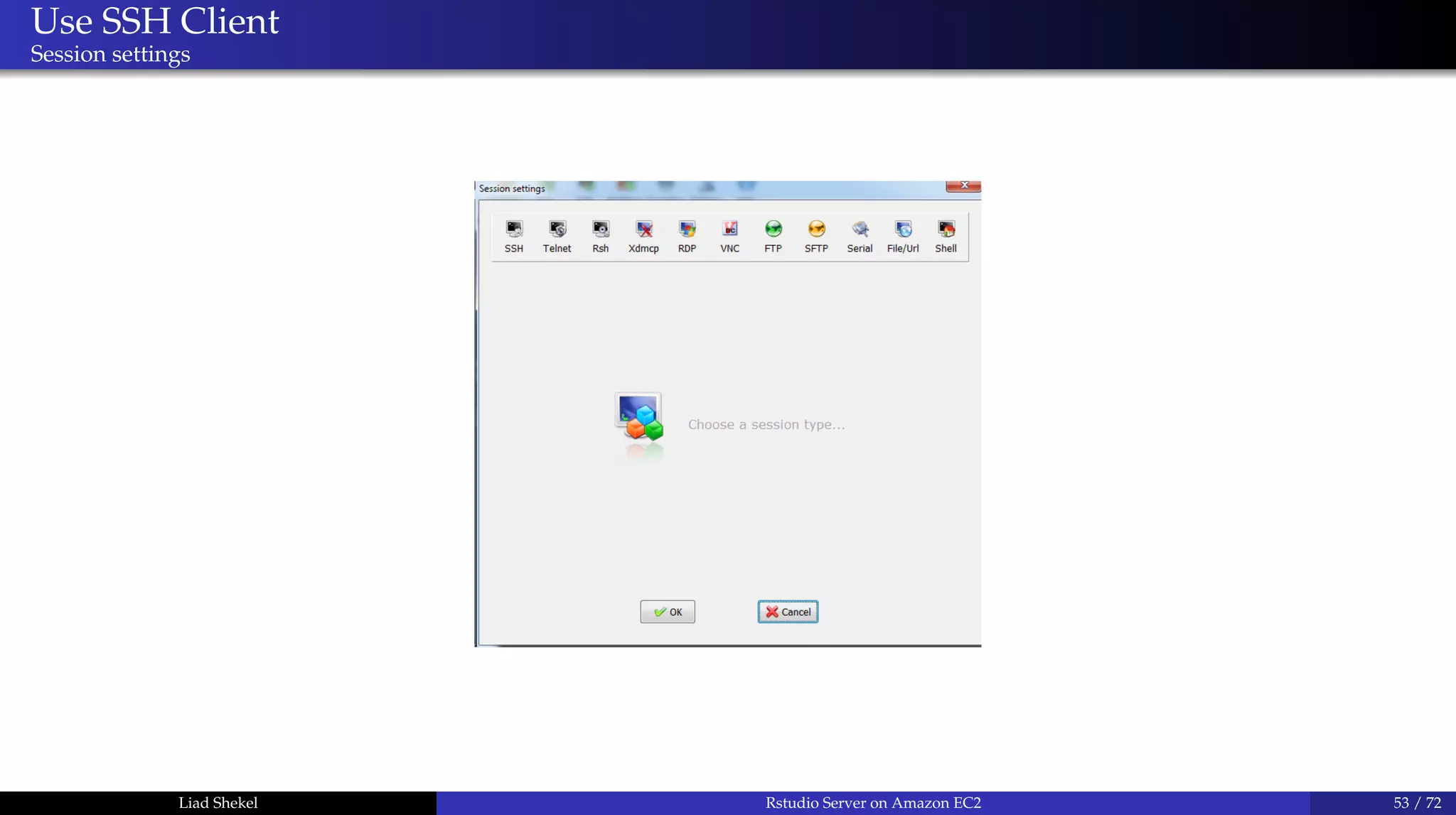
Use SSH Client
Session settings
Liad Shekel Rstudio Server on Amazon EC2 53 / 72
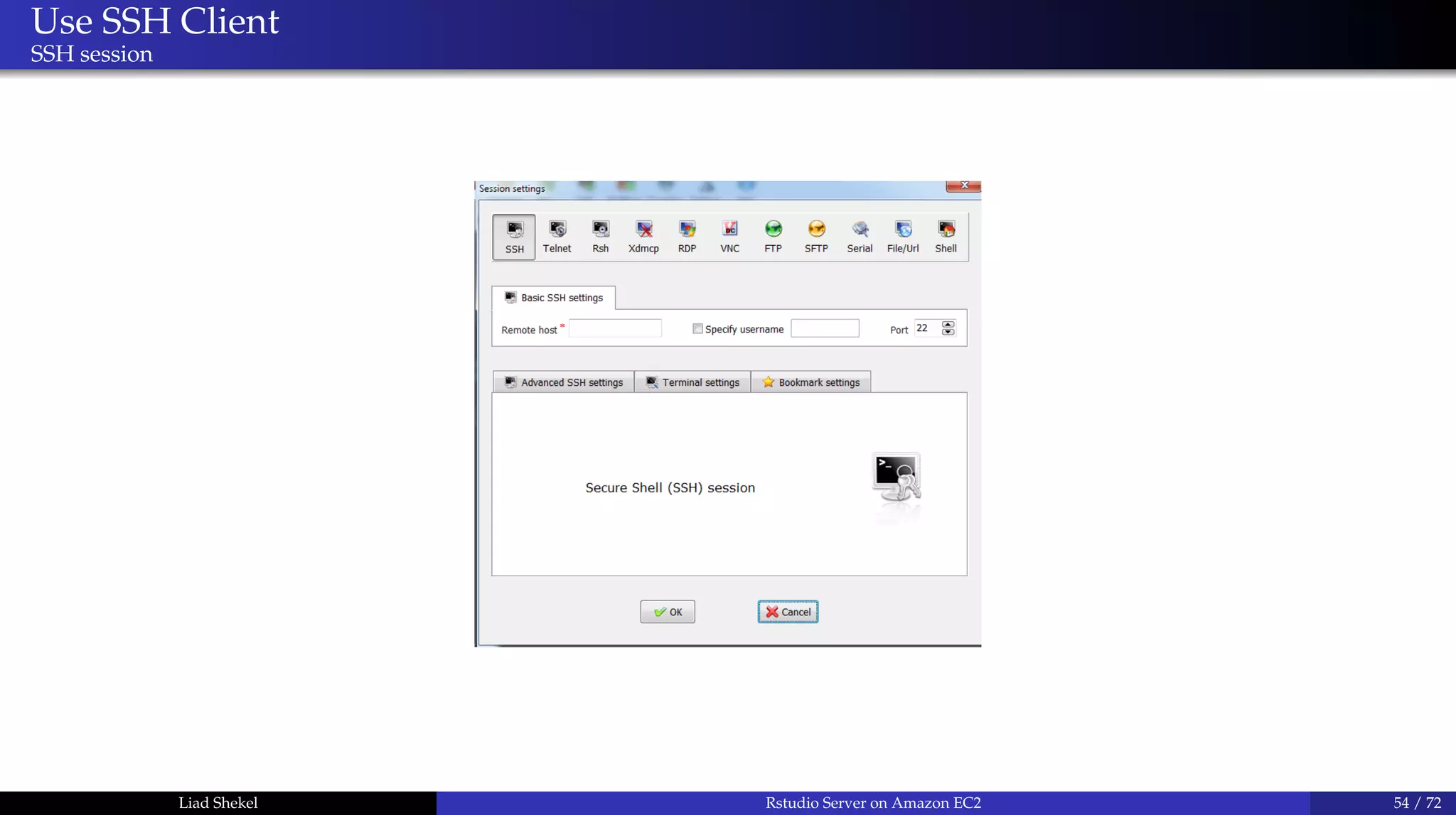
Use SSH Client
SSH session
Liad Shekel Rstudio Server on Amazon EC2 54 / 72
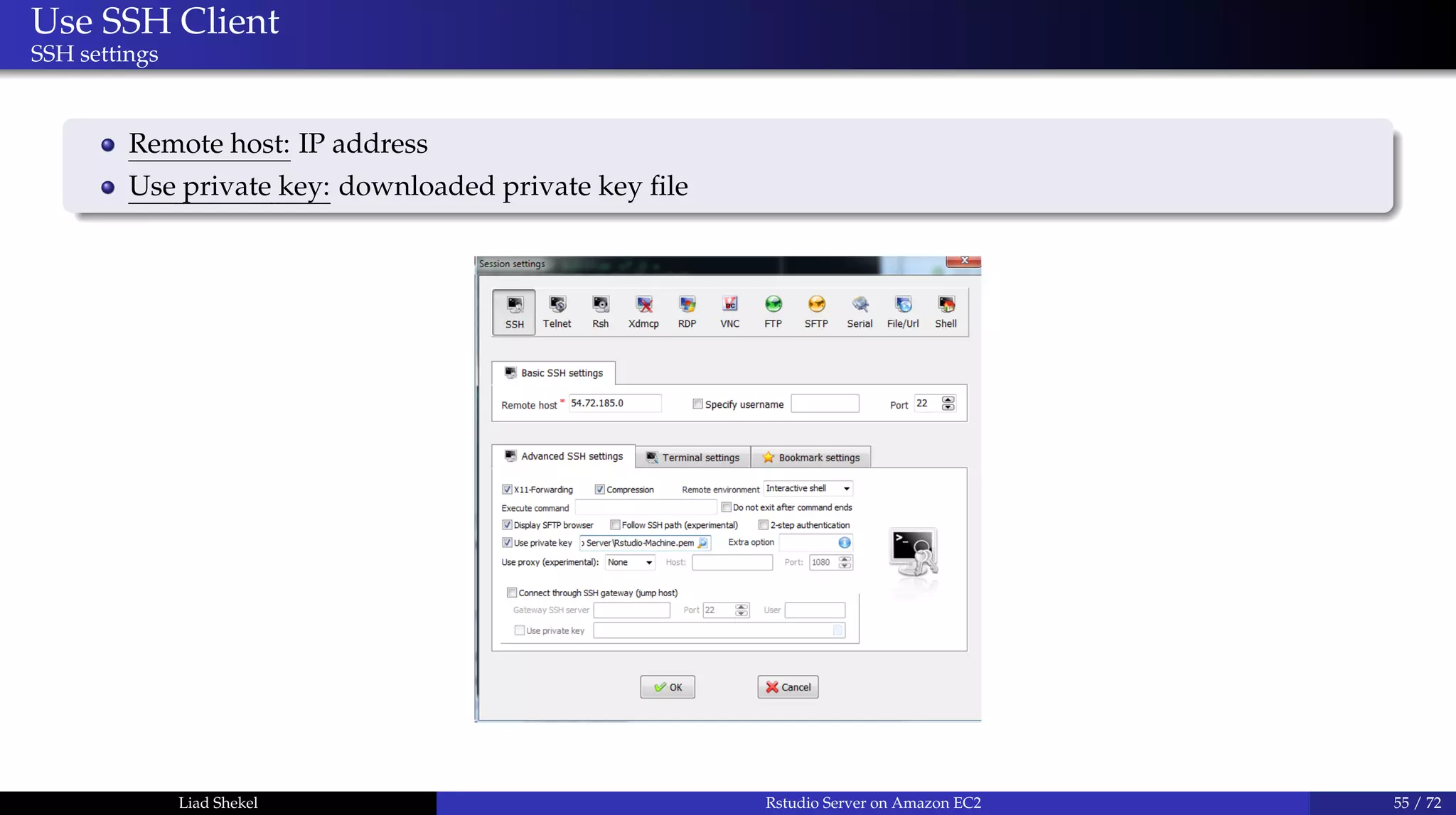
Use SSH Client
SSH settings
Remote host: IP address
Use private key: downloaded private key file
Liad Shekel Rstudio Server on Amazon EC2 55 / 72
Use SSH Client
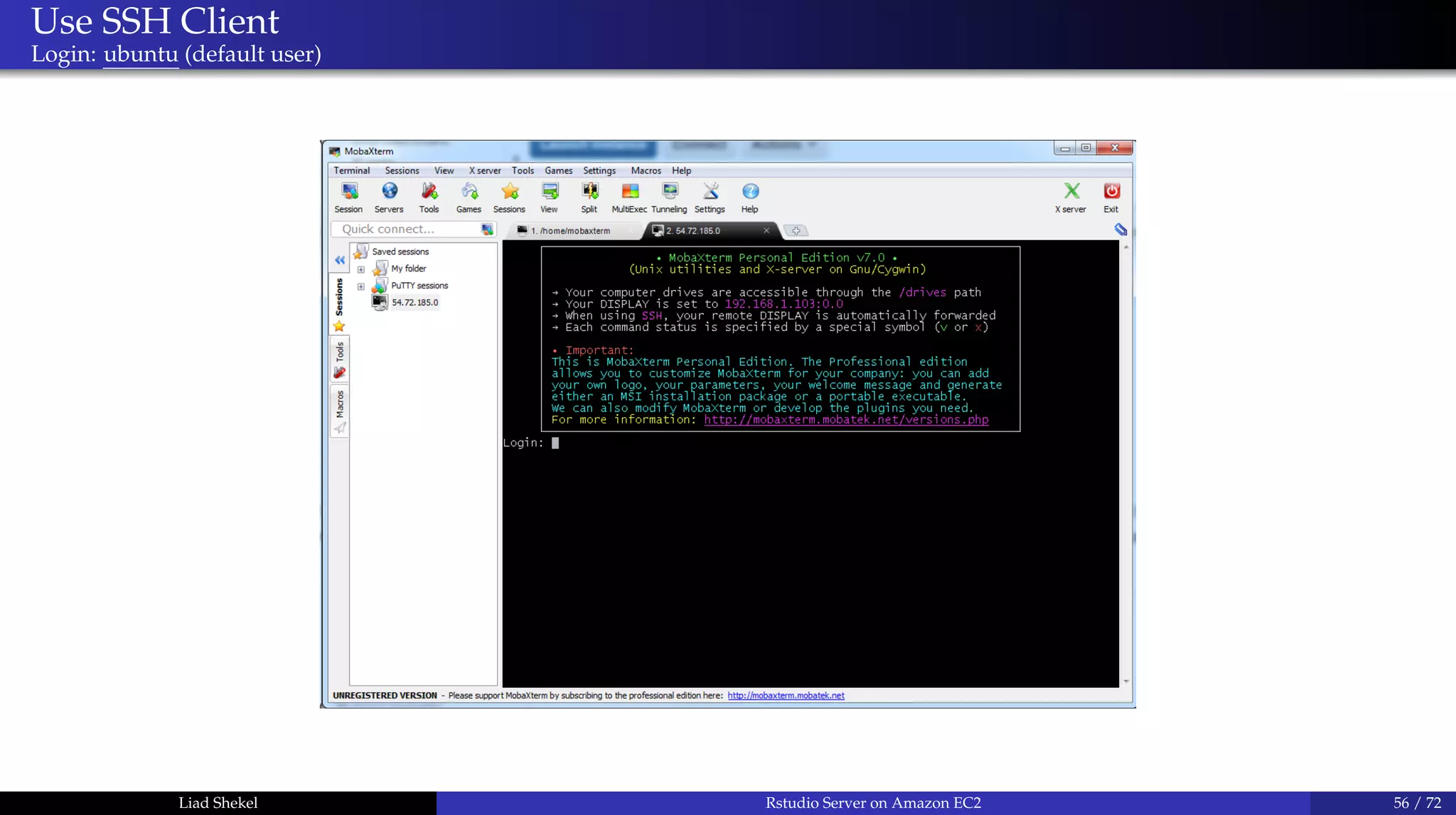
Login: ubuntu (default user)
Liad Shekel Rstudio Server on Amazon EC2 56 / 72
Use SSH Client
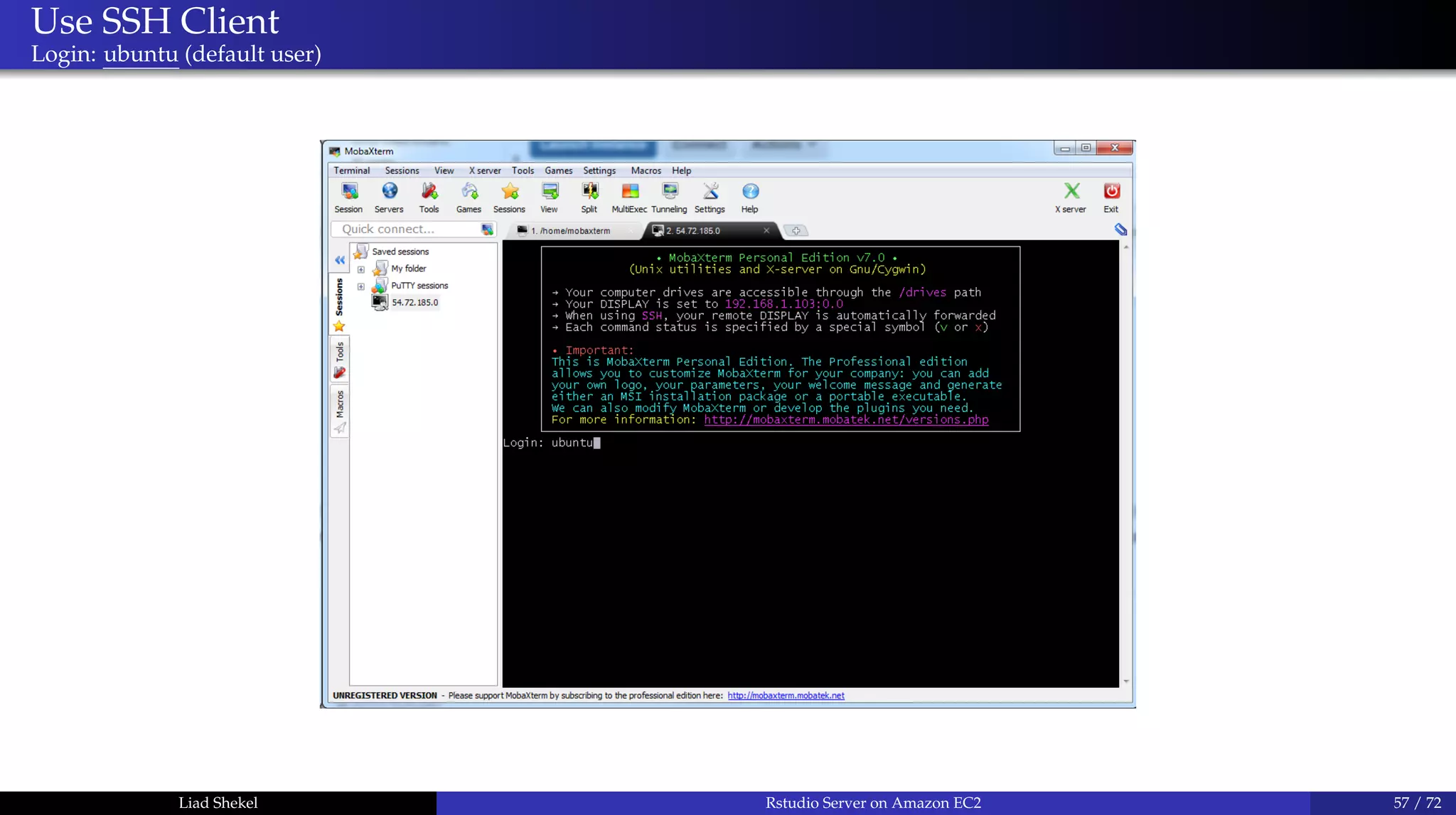
Login: ubuntu (default user)
Liad Shekel Rstudio Server on Amazon EC2 57 / 72
Use SSH Client
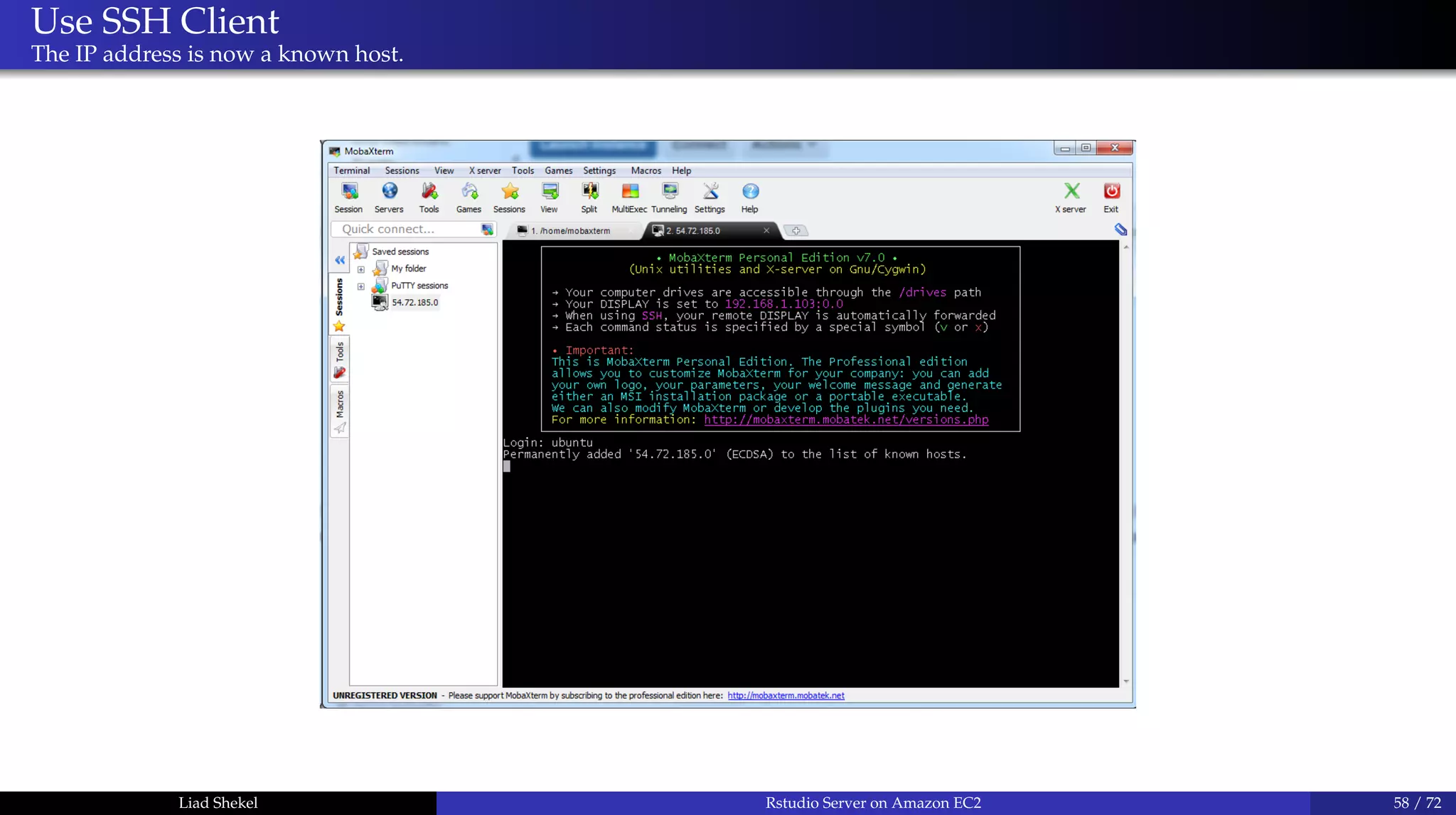
The IP address is now a known host.
Liad Shekel Rstudio Server on Amazon EC2 58 / 72
Use SSH Client
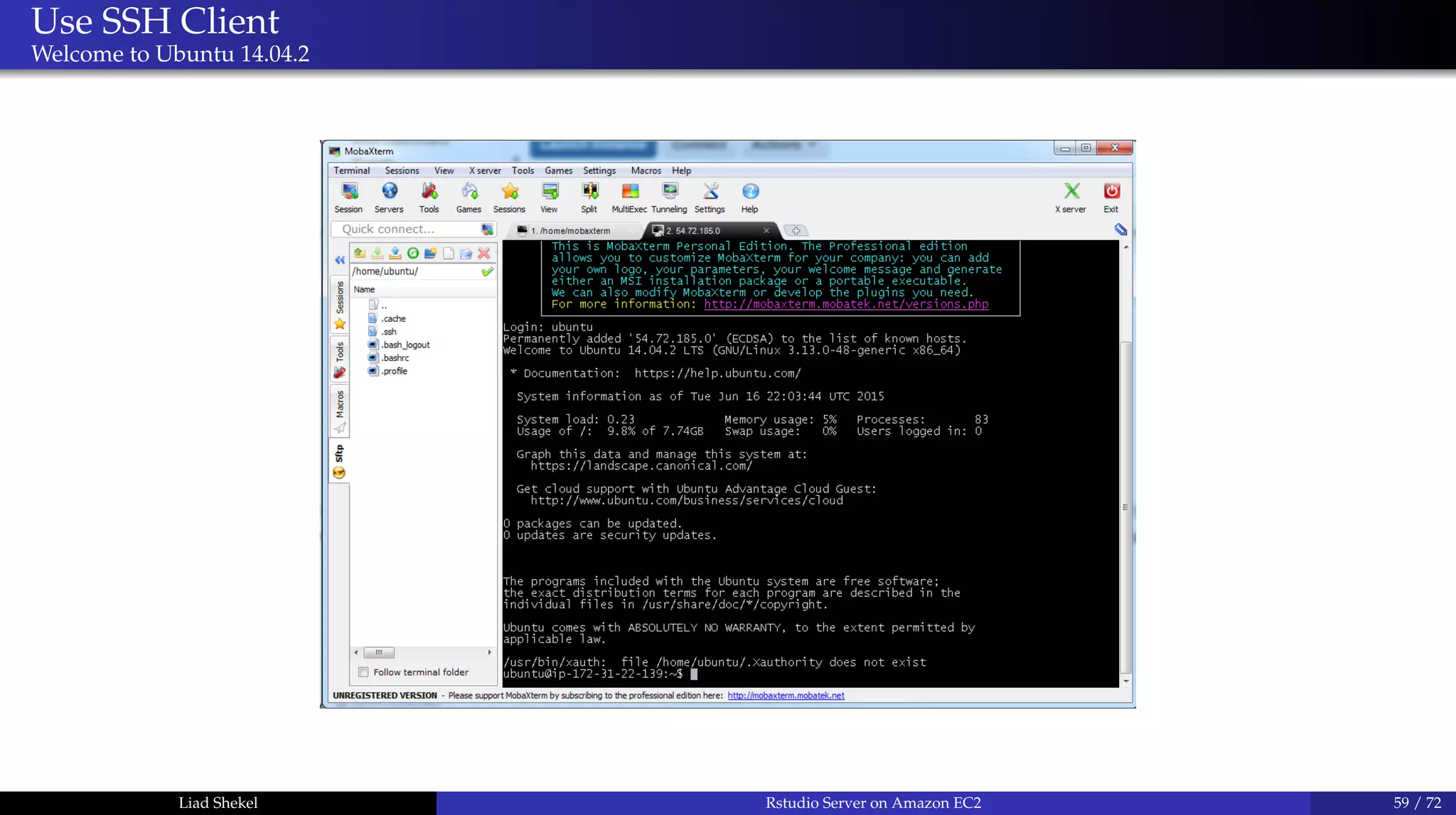
Welcome to Ubuntu 14.04.2
Liad Shekel Rstudio Server on Amazon EC2 59 / 72
Linux basics
Command line
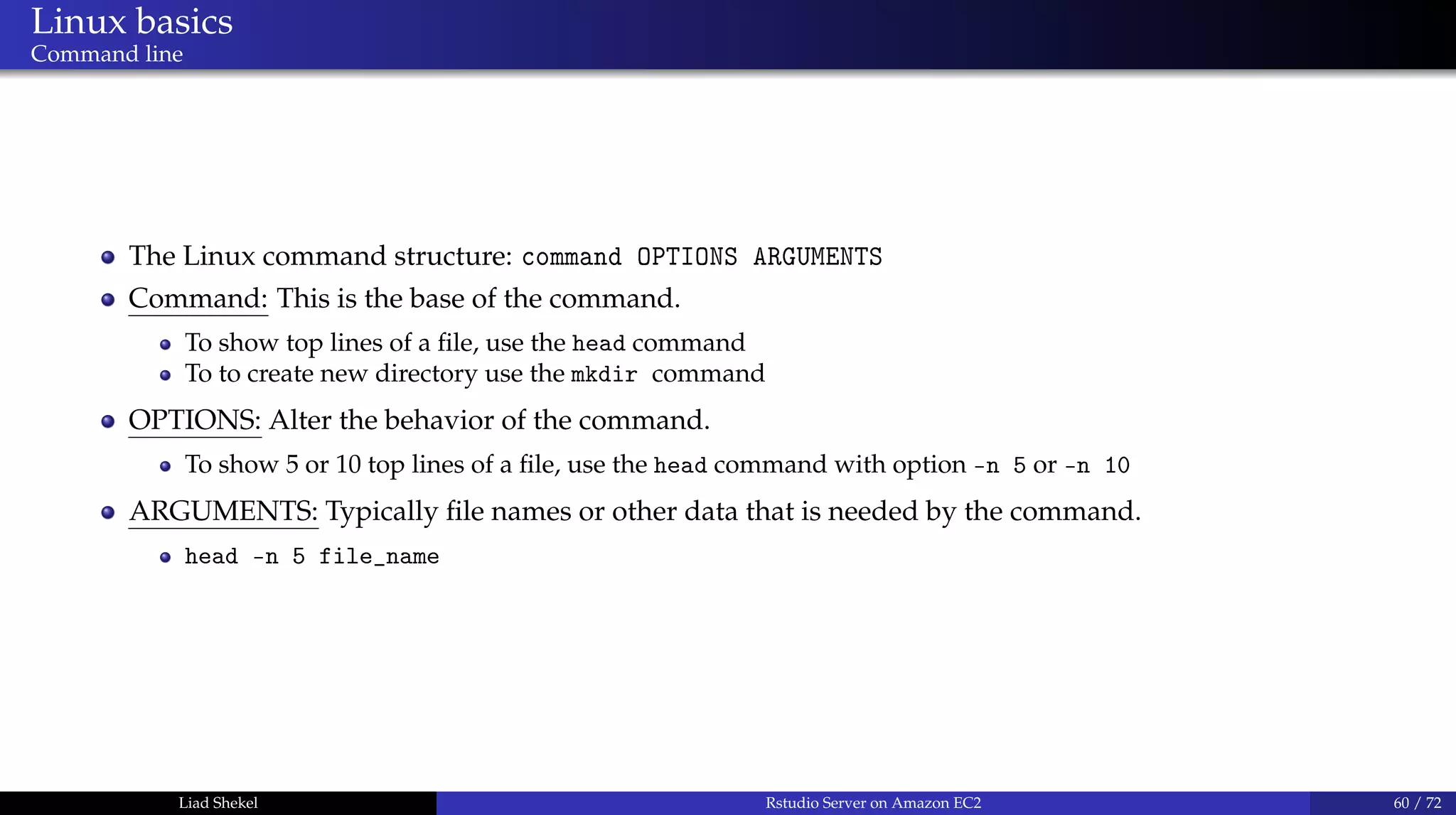
The Linux command structure: command OPTIONS ARGUMENTS
Command: This is the base of the command.
To show top lines of a file, use the head command
To to create new directory use the mkdir command
OPTIONS: Alter the behavior of the command.
To show 5 or 10 top lines of a file, use the head command with option -n 5 or -n 10
ARGUMENTS: Typically file names or other data that is needed by the command.
head -n 5 file_name
Liad Shekel Rstudio Server on Amazon EC2 60 / 72
Linux basics
Super User DO
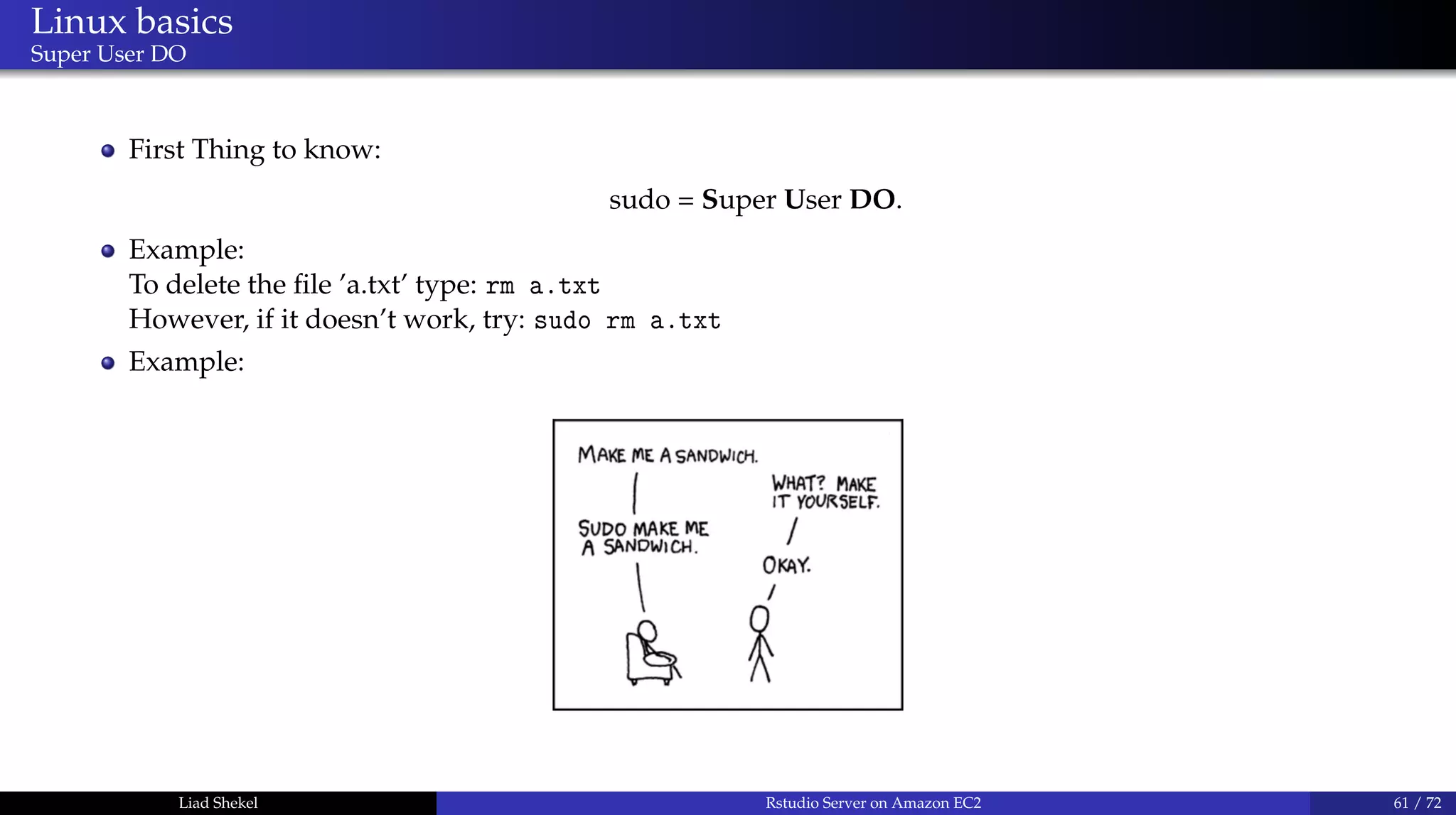
First Thing to know:
sudo = Super User DO.
Example:
To delete the file ’a.txt’ type: rm a.txt
However, if it doesn’t work, try: sudo rm a.txt
Example:
Liad Shekel Rstudio Server on Amazon EC2 61 / 72
Linux basics
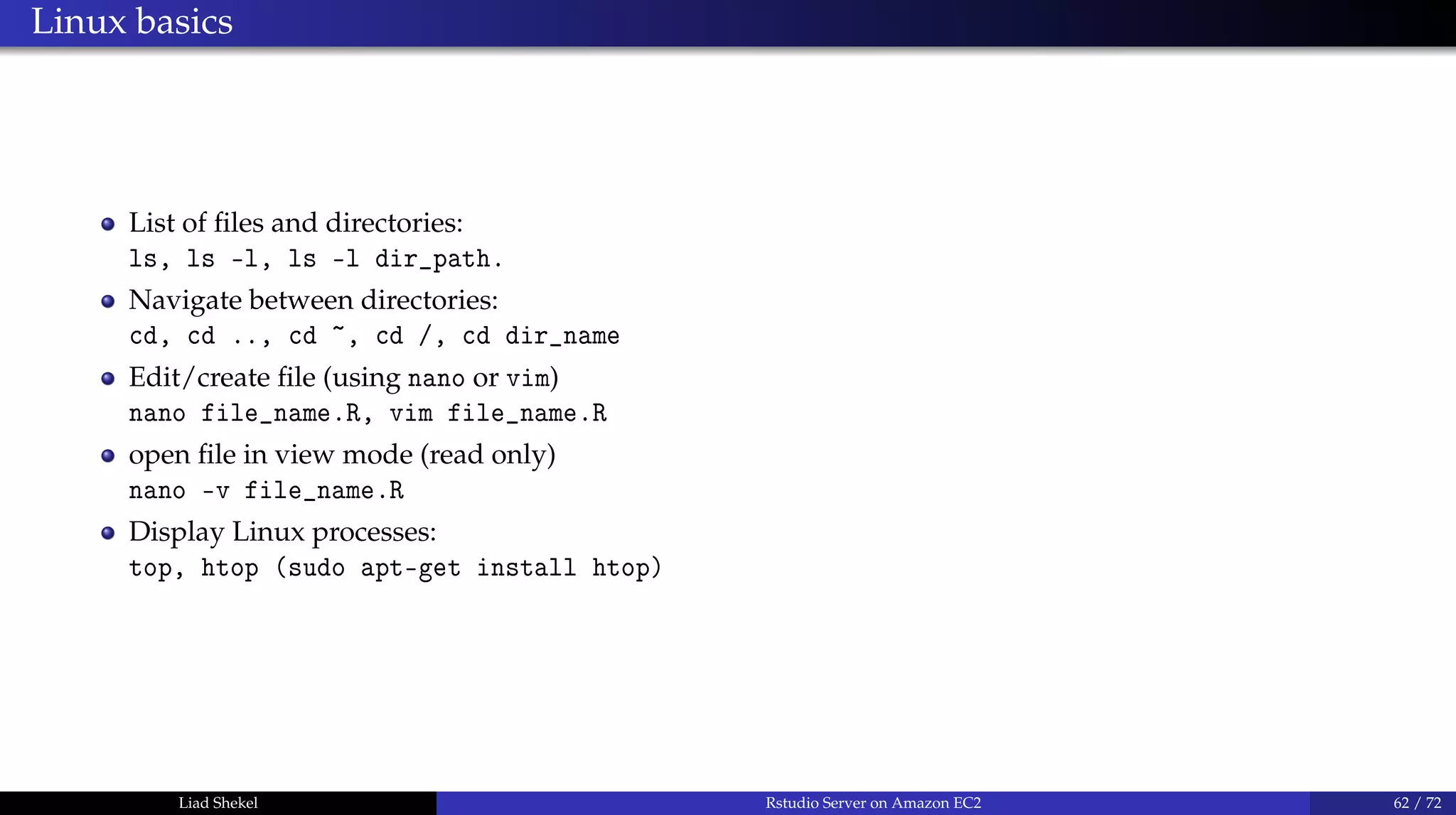
List of files and directories:
ls, ls -l, ls -l dir_path.
Navigate between directories:
cd, cd .., cd ~, cd /, cd dir_name
Edit/create file (using nano or vim)
nano file_name.R, vim file_name.R
open file in view mode (read only)
nano -v file_name.R
Display Linux processes:
top, htop (sudo apt-get install htop)
Liad Shekel Rstudio Server on Amazon EC2 62 / 72
Linux basics
Add user
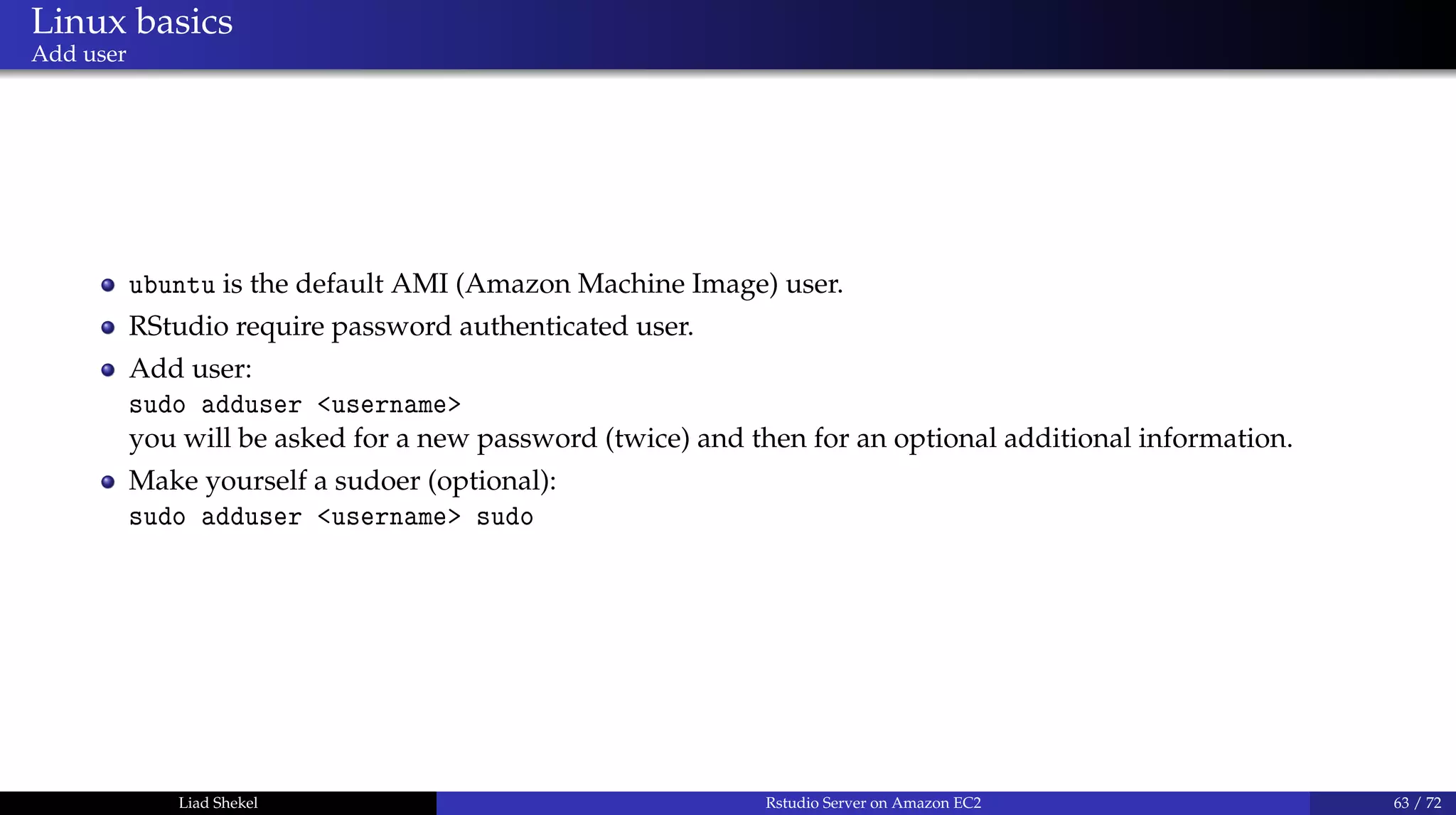
ubuntu is the default AMI (Amazon Machine Image) user.
RStudio require password authenticated user.
Add user:
sudo adduser <username>
you will be asked for a new password (twice) and then for an optional additional information.
Make yourself a sudoer (optional):
sudo adduser <username> sudo
Liad Shekel Rstudio Server on Amazon EC2 63 / 72
Install R on Ubuntu Server
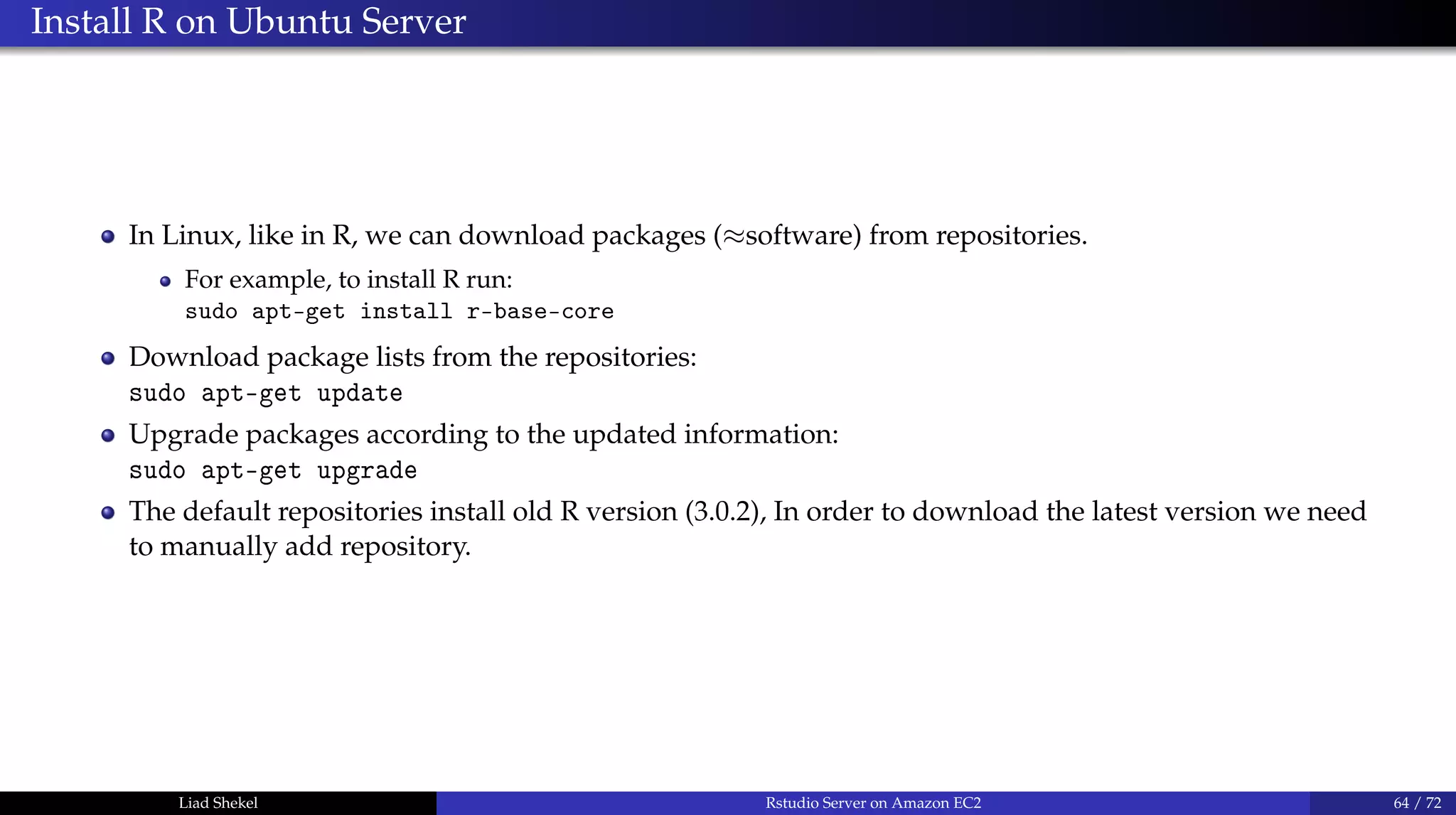
In Linux, like in R, we can download packages (≈software) from repositories.
For example, to install R run:
sudo apt-get install r-base-core
Download package lists from the repositories:
sudo apt-get update
Upgrade packages according to the updated information:
sudo apt-get upgrade
The default repositories install old R version (3.0.2), In order to download the latest version we need
to manually add repository.
Liad Shekel Rstudio Server on Amazon EC2 64 / 72
Install R on Ubuntu Server
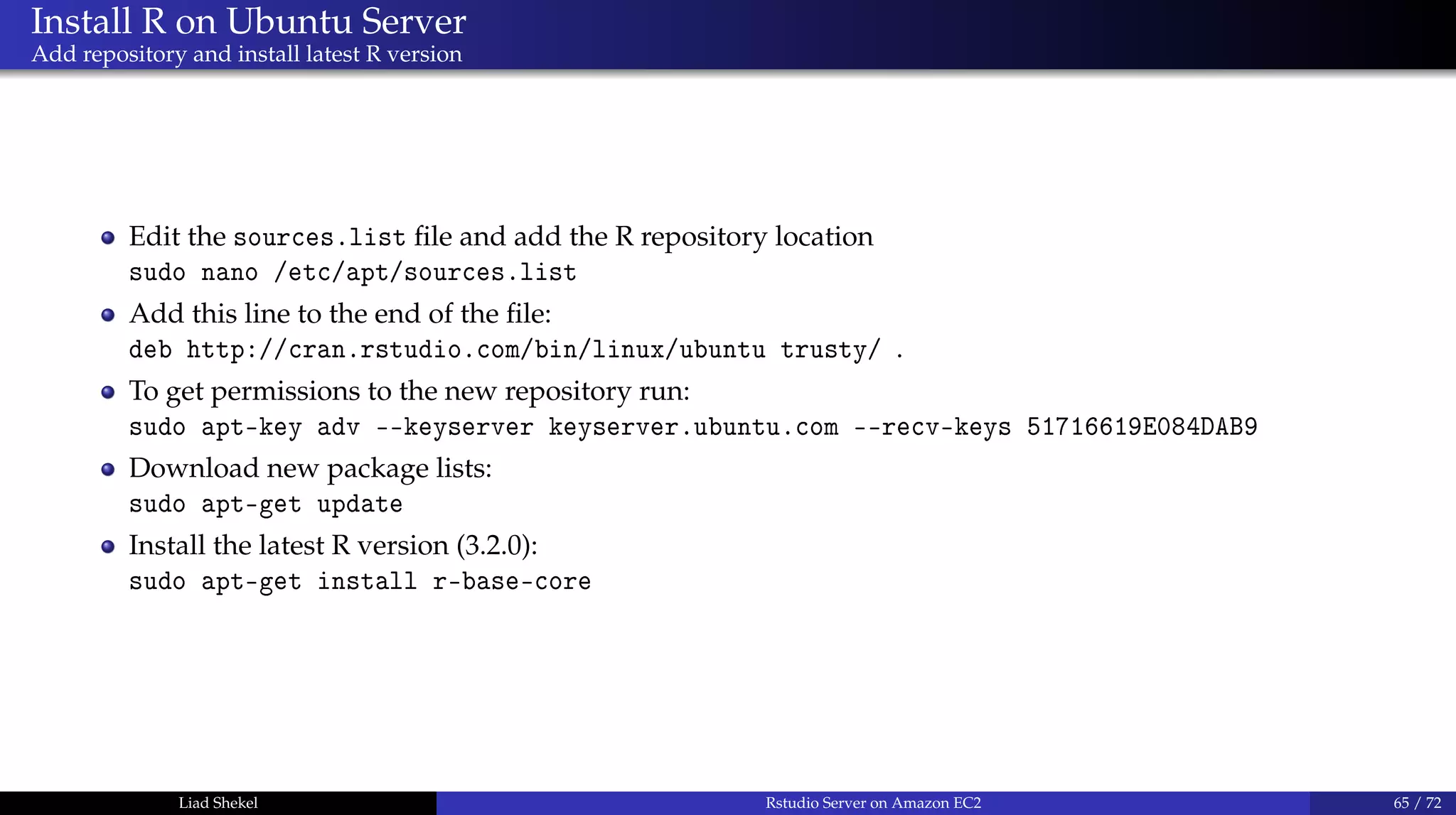
Add repository and install latest R version
Edit the sources.list file and add the R repository location
sudo nano /etc/apt/sources.list
Add this line to the end of the file:
deb http://cran.rstudio.com/bin/linux/ubuntu trusty/ .
To get permissions to the new repository run:
sudo apt-key adv --keyserver keyserver.ubuntu.com --recv-keys 51716619E084DAB9
Download new package lists:
sudo apt-get update
Install the latest R version (3.2.0):
sudo apt-get install r-base-core
Liad Shekel Rstudio Server on Amazon EC2 65 / 72
Install Rstudio on Ubuntu Server
Only a few seconds away...
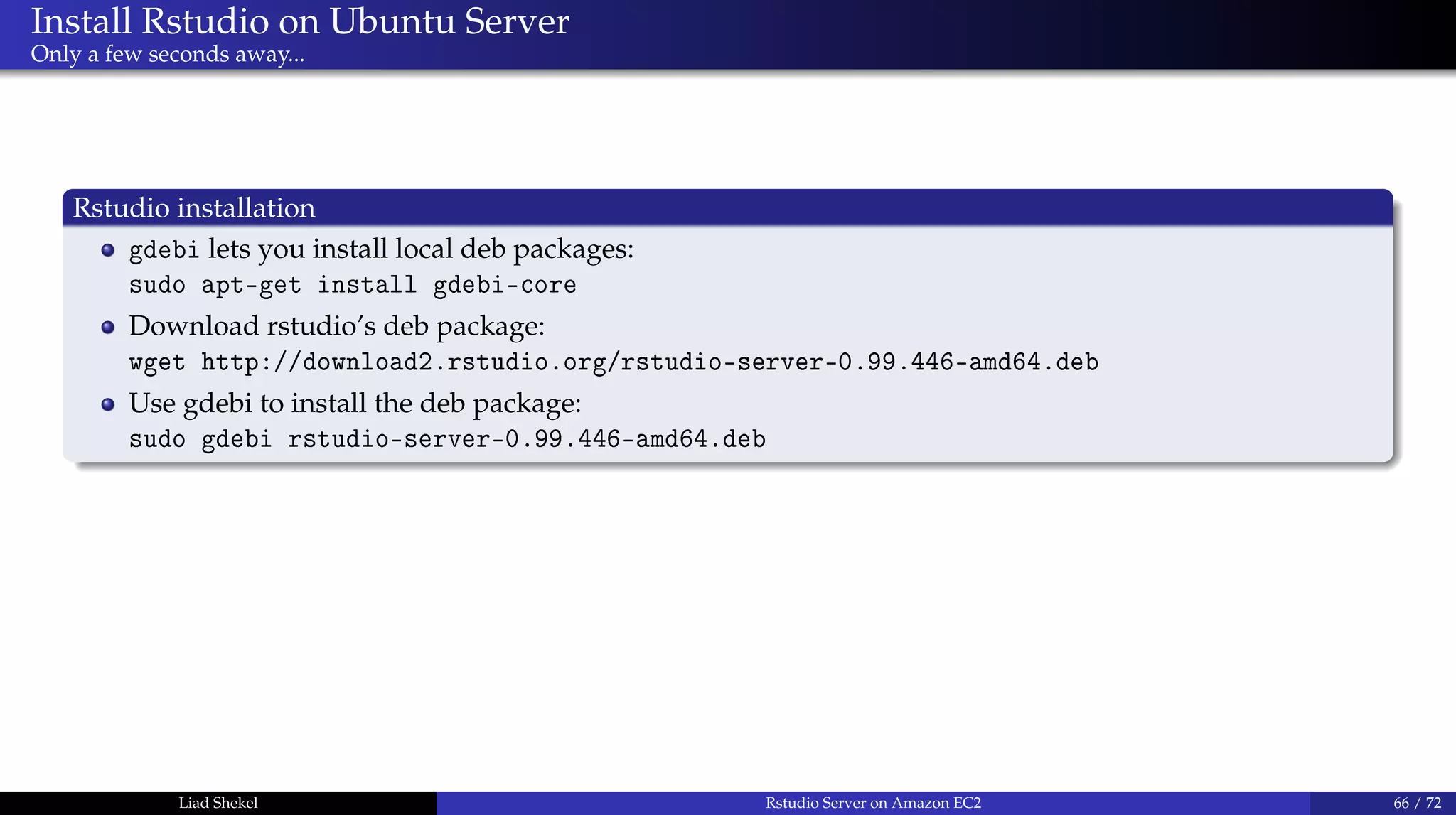
Rstudio installation
gdebi lets you install local deb packages:
sudo apt-get install gdebi-core
Download rstudio’s deb package:
wget http://download2.rstudio.org/rstudio-server-0.99.446-amd64.deb
Use gdebi to install the deb package:
sudo gdebi rstudio-server-0.99.446-amd64.deb
Liad Shekel Rstudio Server on Amazon EC2 66 / 72
Install Rstudio on Ubuntu Server
Only a few seconds away...
Rstudio installation
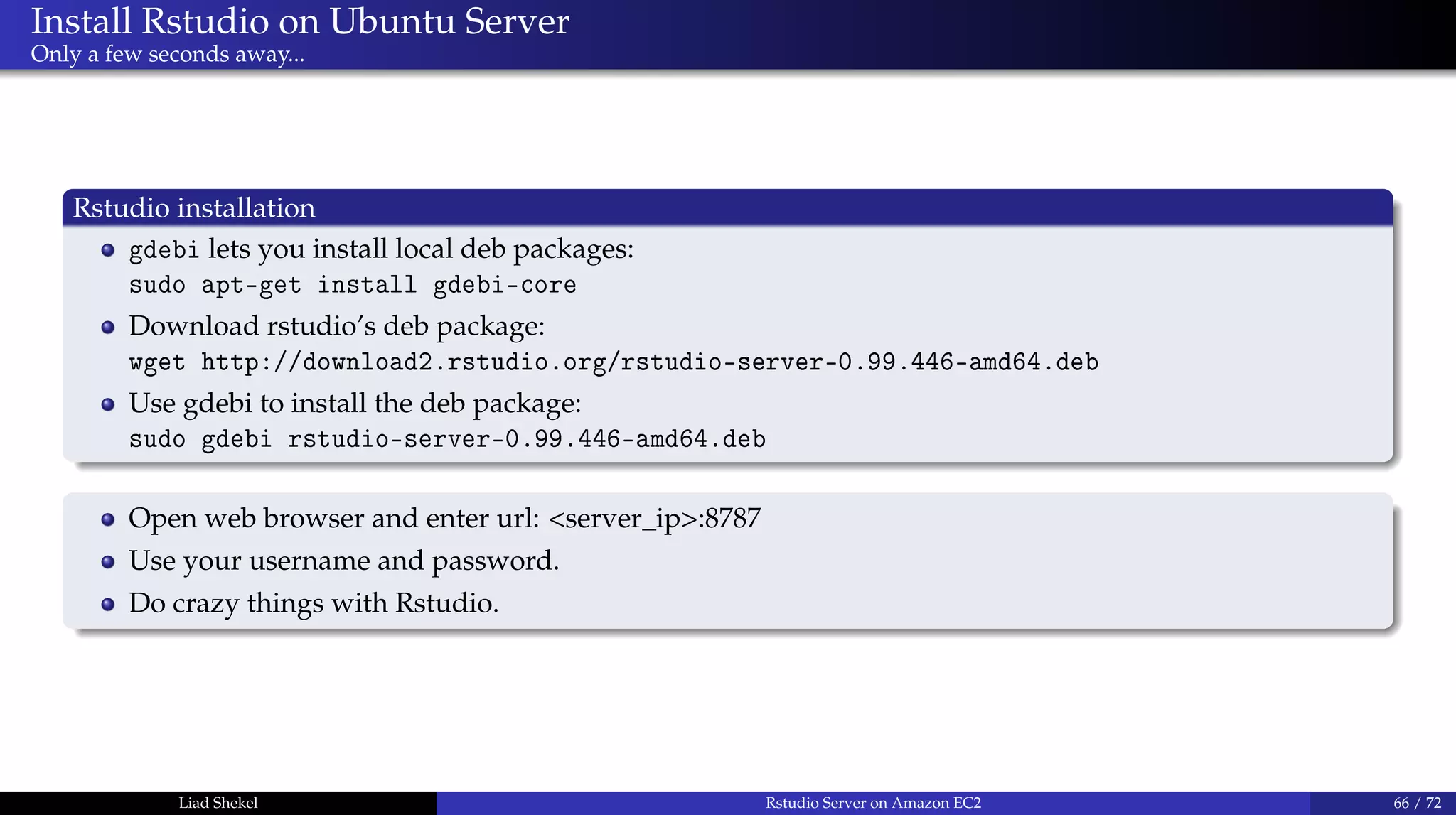
gdebi lets you install local deb packages:
sudo apt-get install gdebi-core
Download rstudio’s deb package:
wget http://download2.rstudio.org/rstudio-server-0.99.446-amd64.deb
Use gdebi to install the deb package:
sudo gdebi rstudio-server-0.99.446-amd64.deb
Open web browser and enter url: <server_ip>:8787
Use your username and password.
Do crazy things with Rstudio.
Liad Shekel Rstudio Server on Amazon EC2 66 / 72
Rstudio Server on Amazon EC2
Thank you!
Liad Shekel
liad.shekel@gmail.com
Liad Shekel Rstudio Server on Amazon EC2 67 / 72
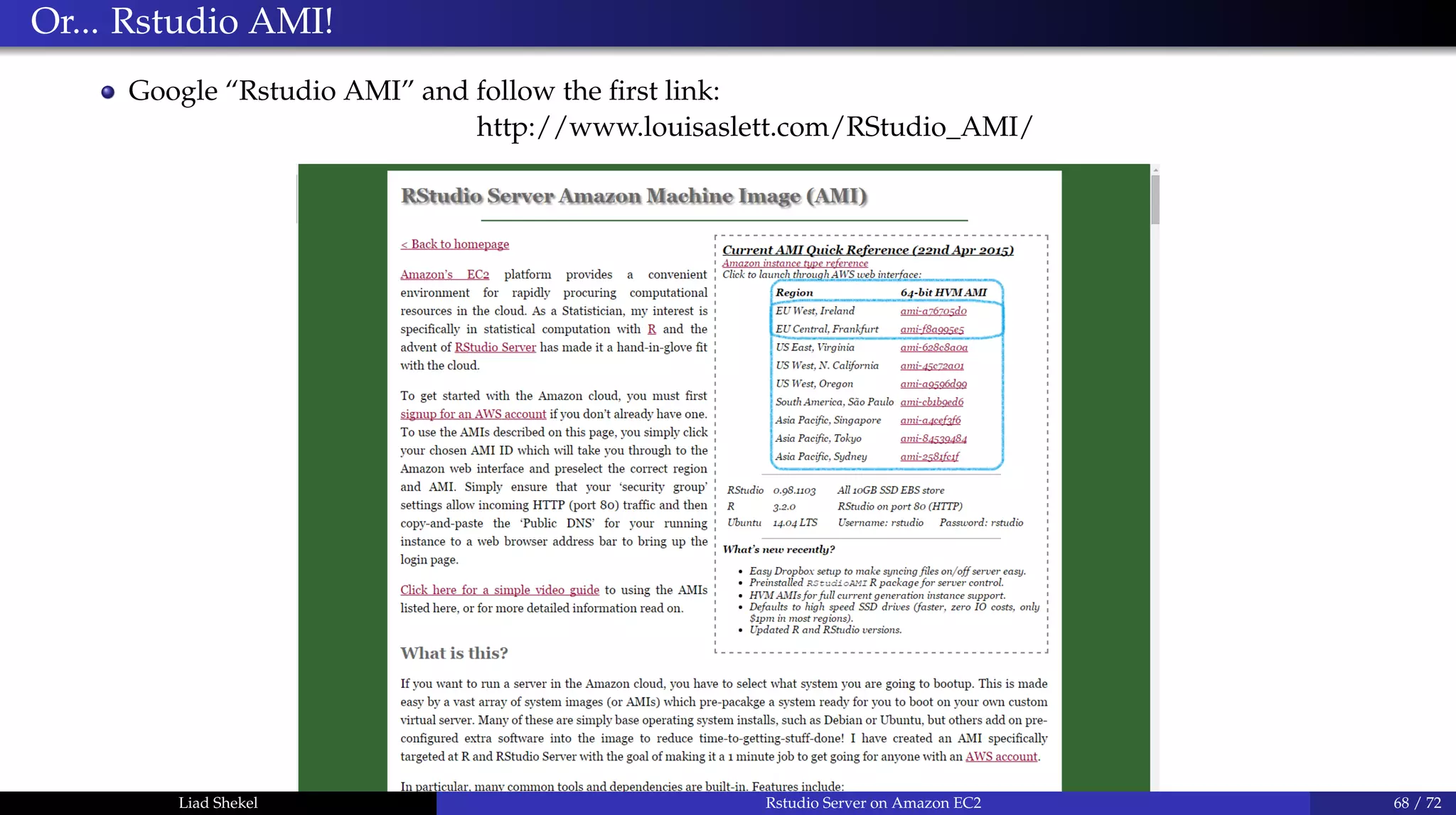
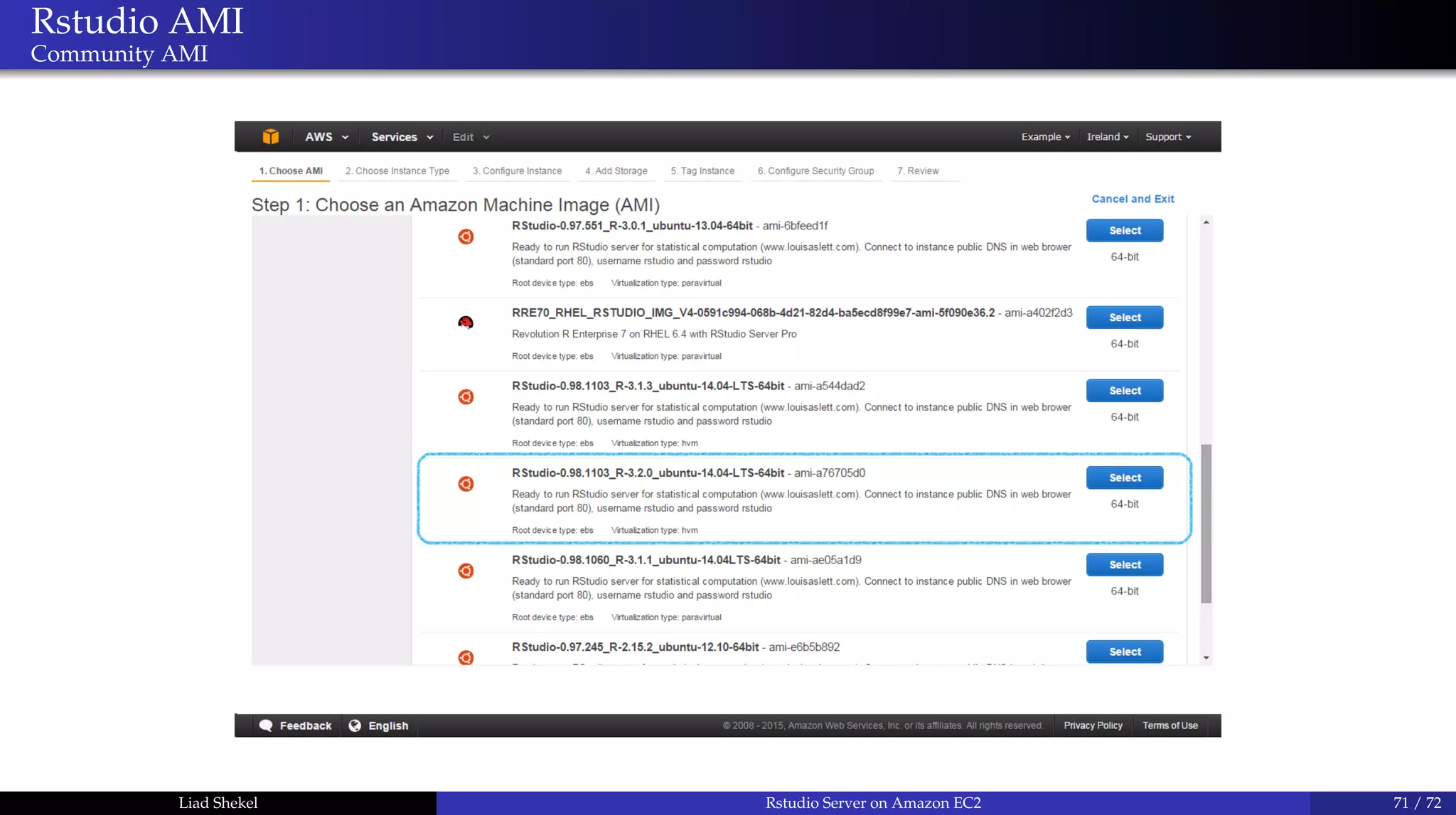
Or... Rstudio AMI!
Google “Rstudio AMI” and follow the first link:
http://www.louisaslett.com/RStudio_AMI/
Liad Shekel Rstudio Server on Amazon EC2 68 / 72
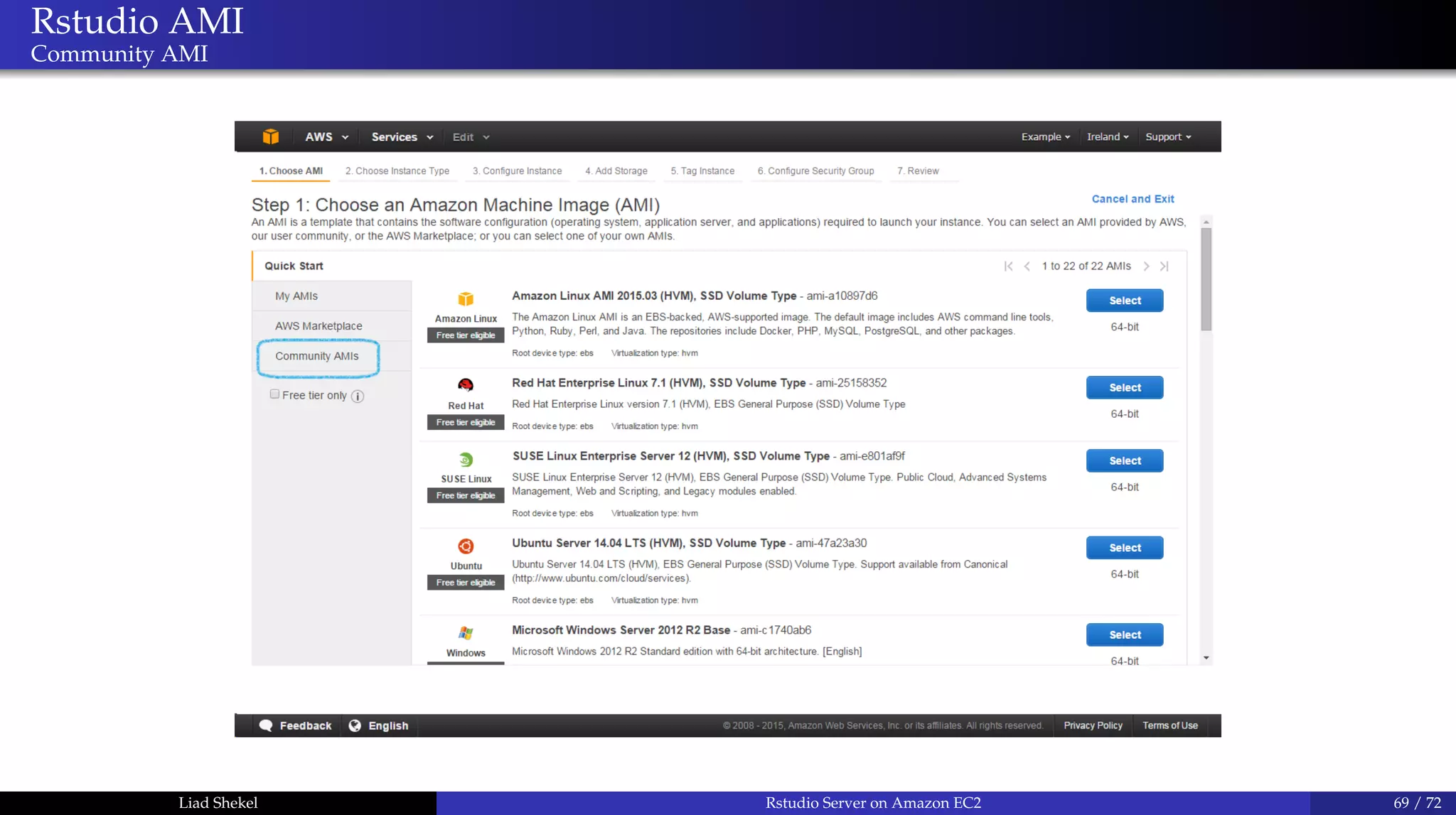
Rstudio AMI
Community AMI
Liad Shekel Rstudio Server on Amazon EC2 69 / 72
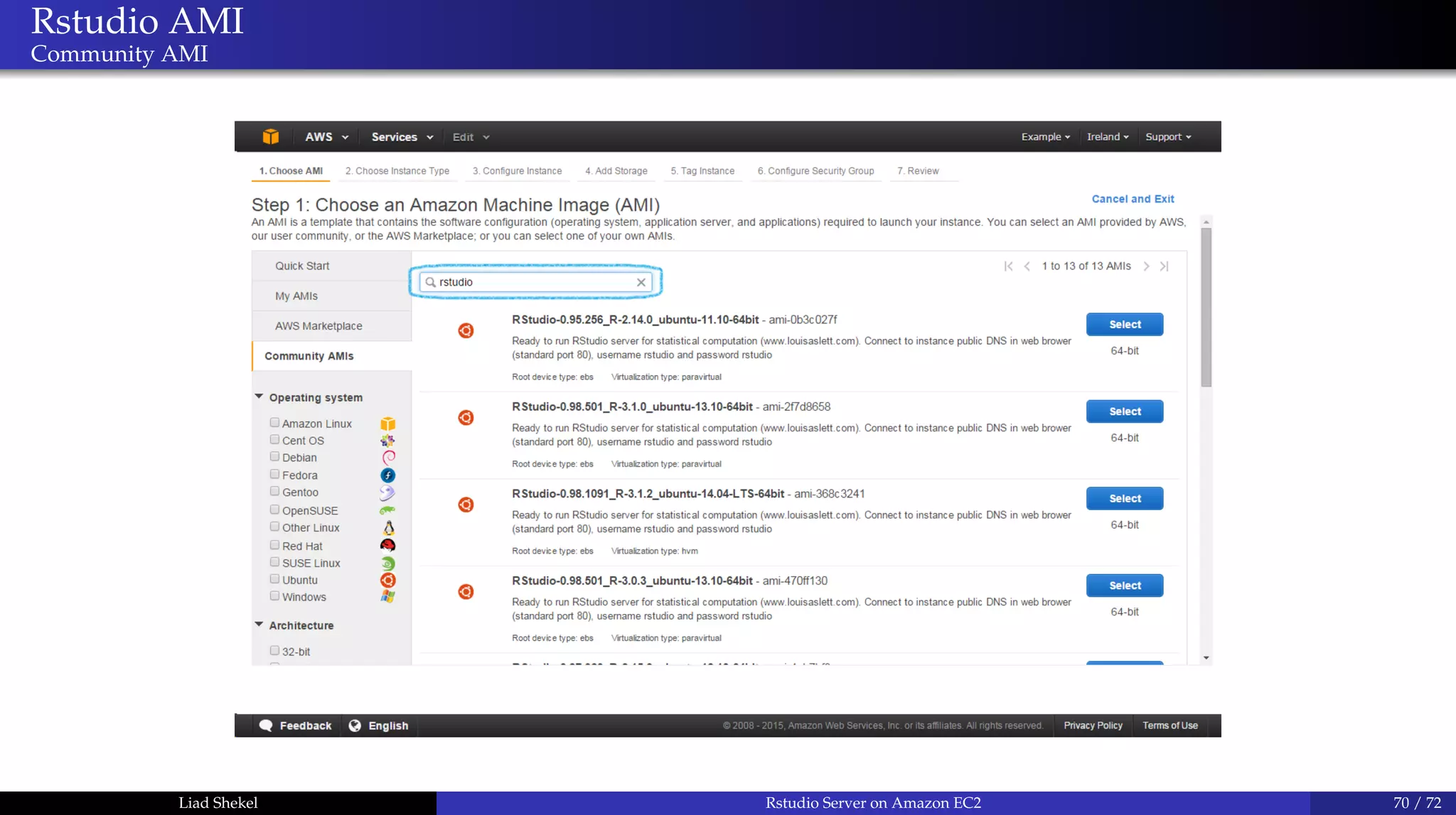
Rstudio AMI
Community AMI
Liad Shekel Rstudio Server on Amazon EC2 70 / 72
Rstudio AMI
Community AMI
Liad Shekel Rstudio Server on Amazon EC2 71 / 72
Rstudio Server on Amazon EC2
Thank you!
Liad Shekel
liad.shekel@gmail.com
Liad Shekel Rstudio Server on Amazon EC2 72 / 72

Rstudio in aws 16 9

  • 1.
    Rstudio Server onAmazon EC2 Liad Shekel liad.shekel@gmail.com June 2015 Liad Shekel Rstudio Server on Amazon EC2 1 / 72
  • 2.
    Rstudio Server onAmazon EC2 Outline 1 Amazon Web Services (AWS) History Services Amazon EC2 Create an AWS Account 2 SSH and Asymmetric Cryptography Basic terminology Launch an EC2 instance Connect to EC2 instance via SSH 3 Install R on Ubuntu Server Linux basics Install R on Ubuntu Server Install Rstudio on Ubuntu Server Liad Shekel Rstudio Server on Amazon EC2 2 / 72
  • 3.
    History 1994-2006 1994: Jeff Bezosfounded Amazon 2002: AWS was developed for Amazon’s internal infrastructure 2003: AWS started building an "infrastructure service for the world.” 2006: Amazon launched “Amazon Simple Storage Service” (Amazon S3) and a virtual computing environment called “Amazon Elastic Compute Cloud” (Amazon EC2) Liad Shekel Rstudio Server on Amazon EC2 3 / 72
  • 4.
    How big isAmazon Web Services? Today About 1.4 million servers working around the globe 158k − 450k servers 1/3 of all internet users will access an AWS cloud site at least once a day (2012) 1% of all internet traffic (2012) Liad Shekel Rstudio Server on Amazon EC2 4 / 72
  • 5.
    Amazon Web Services(AWS) Services Liad Shekel Rstudio Server on Amazon EC2 5 / 72
  • 6.
    Amazon Web Services(AWS) Amazon Elastic Compute Cloud (EC2) Liad Shekel Rstudio Server on Amazon EC2 6 / 72
  • 7.
    Amazon Web Services(AWS) Amazon Simple Storage Service (S3) Liad Shekel Rstudio Server on Amazon EC2 7 / 72
  • 8.
    Amazon Web Services(AWS) Amazon Relational Database Service (RDS) Liad Shekel Rstudio Server on Amazon EC2 8 / 72
  • 9.
    Amazon Web Services(AWS) NoSQL database service (DynamoDB) * Petabyte-scale data warehouse (RedShift) Liad Shekel Rstudio Server on Amazon EC2 9 / 72
  • 10.
    Amazon Web Services(AWS) Analytics (Hadoop, ML as a service) Liad Shekel Rstudio Server on Amazon EC2 10 / 72
  • 11.
    Amazon EC2 Next: EC2instances Liad Shekel Rstudio Server on Amazon EC2 11 / 72
  • 12.
    Amazon Elastic ComputeCloud (EC2) Introduction Marketing lines Scale to your needs - Amazon EC2 provides re-sizable compute capacity which allows to quickly scale capacity, both up and down, as your computing requirements change. Pay per hour - Amazon EC2 allows you to pay only for capacity that you actually use. Buttom line EC2 instance is a remote {server / machine / virtual machine / instance / computer / host } with flexible and changeable specifications. Liad Shekel Rstudio Server on Amazon EC2 12 / 72
  • 13.
    Create an AWSAccount Link: www.aws.amazon.com Liad Shekel Rstudio Server on Amazon EC2 13 / 72
  • 14.
    Create an AWSAccount Liad Shekel Rstudio Server on Amazon EC2 14 / 72
  • 15.
    Create an AWSAccount Liad Shekel Rstudio Server on Amazon EC2 15 / 72
  • 16.
    Create an AWSAccount Login credentials Liad Shekel Rstudio Server on Amazon EC2 16 / 72
  • 17.
    Create an AWSAccount Contact information Liad Shekel Rstudio Server on Amazon EC2 17 / 72
  • 18.
    Create an AWSAccount Payment information Liad Shekel Rstudio Server on Amazon EC2 18 / 72
  • 19.
    Create an AWSAccount Identity verification (1) Liad Shekel Rstudio Server on Amazon EC2 19 / 72
  • 20.
    Create an AWSAccount Identity verification (2) Liad Shekel Rstudio Server on Amazon EC2 20 / 72
  • 21.
    Create an AWSAccount Identity verification (3) Liad Shekel Rstudio Server on Amazon EC2 21 / 72
  • 22.
    Create an AWSAccount Support plan Liad Shekel Rstudio Server on Amazon EC2 22 / 72
  • 23.
    Create an AWSAccount Confirmed Liad Shekel Rstudio Server on Amazon EC2 23 / 72
  • 24.
    Create an AWSAccount Wait... Liad Shekel Rstudio Server on Amazon EC2 24 / 72
  • 25.
    Create an AWSAccount Done! Liad Shekel Rstudio Server on Amazon EC2 25 / 72
  • 26.
    Create an AWSAccount Next: EC2 instances Liad Shekel Rstudio Server on Amazon EC2 26 / 72
  • 27.
    Amazon Elastic ComputeCloud (EC2) First glance Link: https://console.aws.amazon.com Liad Shekel Rstudio Server on Amazon EC2 27 / 72
  • 28.
    Amazon Elastic ComputeCloud (EC2) Instances Liad Shekel Rstudio Server on Amazon EC2 28 / 72
  • 29.
    Launch EC2 Instance ChooseAmazon machine image (AMI) Liad Shekel Rstudio Server on Amazon EC2 29 / 72
  • 30.
    Launch EC2 Instance Choosean instance type Liad Shekel Rstudio Server on Amazon EC2 30 / 72
  • 31.
    Launch EC2 Instance Howmuch does it cost? (1) Liad Shekel Rstudio Server on Amazon EC2 31 / 72
  • 32.
    Launch EC2 Instance Howmuch does it cost? (2) Liad Shekel Rstudio Server on Amazon EC2 32 / 72
  • 33.
    Launch EC2 Instance Instancedetails Liad Shekel Rstudio Server on Amazon EC2 33 / 72
  • 34.
    Launch EC2 Instance SSD/ Magnetic Storage (30GB in free tier) Liad Shekel Rstudio Server on Amazon EC2 34 / 72
  • 35.
    Launch EC2 Instance Addtags Liad Shekel Rstudio Server on Amazon EC2 35 / 72
  • 36.
    Launch EC2 Instance Securitygroups Liad Shekel Rstudio Server on Amazon EC2 36 / 72
  • 37.
    Launch EC2 Instance Reviewand launch! Liad Shekel Rstudio Server on Amazon EC2 37 / 72
  • 38.
    Launch EC2 Instance Oh.Wait... Key pair? SSH? Liad Shekel Rstudio Server on Amazon EC2 38 / 72
  • 39.
    Launch EC2 Instance Oh.Wait... Key pair? SSH? Liad Shekel Rstudio Server on Amazon EC2 39 / 72
  • 40.
    Kay Pair andAsymmetric Cryptography Public-key encryption Public-key encryption and authentication The “message“ is encrypted on the remote machine using the client’s public key The “message” can be decrypted only with the matching private key RSA is one example of a public-key algorithm. RSA is based on the practical difficulty of factoring the product of two large prime numbers. Liad Shekel Rstudio Server on Amazon EC2 40 / 72
  • 41.
    Secure Shell (SSH) Whatis an SSH protocol? Basics A shell is a user interface for access to an operating system’s services A Secure Shell (SSH) is an encrypted network protocol for initiating text-based shell sessions on remote machines in a secure way Client side requires SSH client (such as Putty or MobaXterm) Remote side require SSH server (build-in Ubuntu server) The Secure File Transfer Protocol (SFTP) is an SSH extension that provides file access, file transfer, and file management functionalities Usually, SSH uses port 22 SSH uses Asymmetric cryptography Liad Shekel Rstudio Server on Amazon EC2 41 / 72
  • 42.
    Asymmetric cryptography In practice How?What? Where? On the remote server there should be a list of authorized public keys. The corresponding private keys are authorized for connection. The authorized_keys file is located in /home/<user_name>/.ssh/authorized_keys To connect to the remote server, make sure that your public key appears in the authorized_keys file (on the server) Choose your private key file on the SSH client configurations That’s it Liad Shekel Rstudio Server on Amazon EC2 42 / 72
  • 43.
    Launch EC2 Instance(Cont’d) We’re back! Liad Shekel Rstudio Server on Amazon EC2 43 / 72
  • 44.
    Launch EC2 Instance(Cont’d) Download your new private key Liad Shekel Rstudio Server on Amazon EC2 44 / 72
  • 45.
    Launch EC2 Instance(Cont’d) Congrats! Download here: https://goo.gl/k8VSS2 My new PRIVATE key! What are we missing? Liad Shekel Rstudio Server on Amazon EC2 45 / 72
  • 46.
    Launch EC2 Instance(Cont’d) Congrats! Download here: https://goo.gl/k8VSS2 My new PRIVATE key! What are we missing? The matching public key is stored in the authorized_keys file on the instance. Liad Shekel Rstudio Server on Amazon EC2 45 / 72
  • 47.
    Launch EC2 Instance(Cont’d) Launch you first EC2 instance Liad Shekel Rstudio Server on Amazon EC2 46 / 72
  • 48.
    Launch EC2 Instance(Cont’d) Liad Shekel Rstudio Server on Amazon EC2 47 / 72
  • 49.
    Launch EC2 Instance(Cont’d) Instance State: Pending Liad Shekel Rstudio Server on Amazon EC2 48 / 72
  • 50.
    Launch EC2 Instance(Cont’d) Instance State: Running! Liad Shekel Rstudio Server on Amazon EC2 49 / 72
  • 51.
    Launch EC2 Instance(Cont’d) Instance State: Running! Liad Shekel Rstudio Server on Amazon EC2 50 / 72
  • 52.
    Use SSH Client IntroducingMobaXterm Liad Shekel Rstudio Server on Amazon EC2 51 / 72
  • 53.
    Use SSH Client Newsession Liad Shekel Rstudio Server on Amazon EC2 52 / 72
  • 54.
    Use SSH Client Sessionsettings Liad Shekel Rstudio Server on Amazon EC2 53 / 72
  • 55.
    Use SSH Client SSHsession Liad Shekel Rstudio Server on Amazon EC2 54 / 72
  • 56.
    Use SSH Client SSHsettings Remote host: IP address Use private key: downloaded private key file Liad Shekel Rstudio Server on Amazon EC2 55 / 72
  • 57.
    Use SSH Client Login:ubuntu (default user) Liad Shekel Rstudio Server on Amazon EC2 56 / 72
  • 58.
    Use SSH Client Login:ubuntu (default user) Liad Shekel Rstudio Server on Amazon EC2 57 / 72
  • 59.
    Use SSH Client TheIP address is now a known host. Liad Shekel Rstudio Server on Amazon EC2 58 / 72
  • 60.
    Use SSH Client Welcometo Ubuntu 14.04.2 Liad Shekel Rstudio Server on Amazon EC2 59 / 72
  • 61.
    Linux basics Command line TheLinux command structure: command OPTIONS ARGUMENTS Command: This is the base of the command. To show top lines of a file, use the head command To to create new directory use the mkdir command OPTIONS: Alter the behavior of the command. To show 5 or 10 top lines of a file, use the head command with option -n 5 or -n 10 ARGUMENTS: Typically file names or other data that is needed by the command. head -n 5 file_name Liad Shekel Rstudio Server on Amazon EC2 60 / 72
  • 62.
    Linux basics Super UserDO First Thing to know: sudo = Super User DO. Example: To delete the file ’a.txt’ type: rm a.txt However, if it doesn’t work, try: sudo rm a.txt Example: Liad Shekel Rstudio Server on Amazon EC2 61 / 72
  • 63.
    Linux basics List offiles and directories: ls, ls -l, ls -l dir_path. Navigate between directories: cd, cd .., cd ~, cd /, cd dir_name Edit/create file (using nano or vim) nano file_name.R, vim file_name.R open file in view mode (read only) nano -v file_name.R Display Linux processes: top, htop (sudo apt-get install htop) Liad Shekel Rstudio Server on Amazon EC2 62 / 72
  • 64.
    Linux basics Add user ubuntuis the default AMI (Amazon Machine Image) user. RStudio require password authenticated user. Add user: sudo adduser <username> you will be asked for a new password (twice) and then for an optional additional information. Make yourself a sudoer (optional): sudo adduser <username> sudo Liad Shekel Rstudio Server on Amazon EC2 63 / 72
  • 65.
    Install R onUbuntu Server In Linux, like in R, we can download packages (≈software) from repositories. For example, to install R run: sudo apt-get install r-base-core Download package lists from the repositories: sudo apt-get update Upgrade packages according to the updated information: sudo apt-get upgrade The default repositories install old R version (3.0.2), In order to download the latest version we need to manually add repository. Liad Shekel Rstudio Server on Amazon EC2 64 / 72
  • 66.
    Install R onUbuntu Server Add repository and install latest R version Edit the sources.list file and add the R repository location sudo nano /etc/apt/sources.list Add this line to the end of the file: deb http://cran.rstudio.com/bin/linux/ubuntu trusty/ . To get permissions to the new repository run: sudo apt-key adv --keyserver keyserver.ubuntu.com --recv-keys 51716619E084DAB9 Download new package lists: sudo apt-get update Install the latest R version (3.2.0): sudo apt-get install r-base-core Liad Shekel Rstudio Server on Amazon EC2 65 / 72
  • 67.
    Install Rstudio onUbuntu Server Only a few seconds away... Rstudio installation gdebi lets you install local deb packages: sudo apt-get install gdebi-core Download rstudio’s deb package: wget http://download2.rstudio.org/rstudio-server-0.99.446-amd64.deb Use gdebi to install the deb package: sudo gdebi rstudio-server-0.99.446-amd64.deb Liad Shekel Rstudio Server on Amazon EC2 66 / 72
  • 68.
    Install Rstudio onUbuntu Server Only a few seconds away... Rstudio installation gdebi lets you install local deb packages: sudo apt-get install gdebi-core Download rstudio’s deb package: wget http://download2.rstudio.org/rstudio-server-0.99.446-amd64.deb Use gdebi to install the deb package: sudo gdebi rstudio-server-0.99.446-amd64.deb Open web browser and enter url: <server_ip>:8787 Use your username and password. Do crazy things with Rstudio. Liad Shekel Rstudio Server on Amazon EC2 66 / 72
  • 69.
    Rstudio Server onAmazon EC2 Thank you! Liad Shekel liad.shekel@gmail.com Liad Shekel Rstudio Server on Amazon EC2 67 / 72
  • 70.
    Or... Rstudio AMI! Google“Rstudio AMI” and follow the first link: http://www.louisaslett.com/RStudio_AMI/ Liad Shekel Rstudio Server on Amazon EC2 68 / 72
  • 71.
    Rstudio AMI Community AMI LiadShekel Rstudio Server on Amazon EC2 69 / 72
  • 72.
    Rstudio AMI Community AMI LiadShekel Rstudio Server on Amazon EC2 70 / 72
  • 73.
    Rstudio AMI Community AMI LiadShekel Rstudio Server on Amazon EC2 71 / 72
  • 74.
    Rstudio Server onAmazon EC2 Thank you! Liad Shekel liad.shekel@gmail.com Liad Shekel Rstudio Server on Amazon EC2 72 / 72