Using Quartz Connector
By Rahul Kumar
Prerequisites
Understanding of basic endpoints like http, file etc
Example : http://localhost:8081/app/b
file:///D/invoice/input
Understanding of CRON expressions
A good place to learn CRON expressions is
http://www.quartz-scheduler.org/documentation/quartz-2.1.x/tutorials/crontrigger.html
Quartz Connector
The Quartz Connector supports the scheduling of programmatic events, both inside and outside your Mule
flow. Through a quartz endpoint, you can trigger flows that don’t depend on receiving any external input to
execute at scheduled times.
For instance, an inbound Quartz endpoint can trigger inbound events, such as temperature reports from a
remote location, at regular intervals.
Outbound Quartz endpoints can delay otherwise imminent events. For example, you can prevent outgoing
email from being sent as soon as it has completed processing in your Mule flow. Instead, you can use
Quartz to delay sending it until the top of the next hour.
Inbound Quartz Endpoint
A Quartz inbound endpoint can be used to generate events. It is most useful when you want to trigger a
flow at a given interval (or cron expression) rather than have an external event trigger the flow.
Polling
Creating custom events
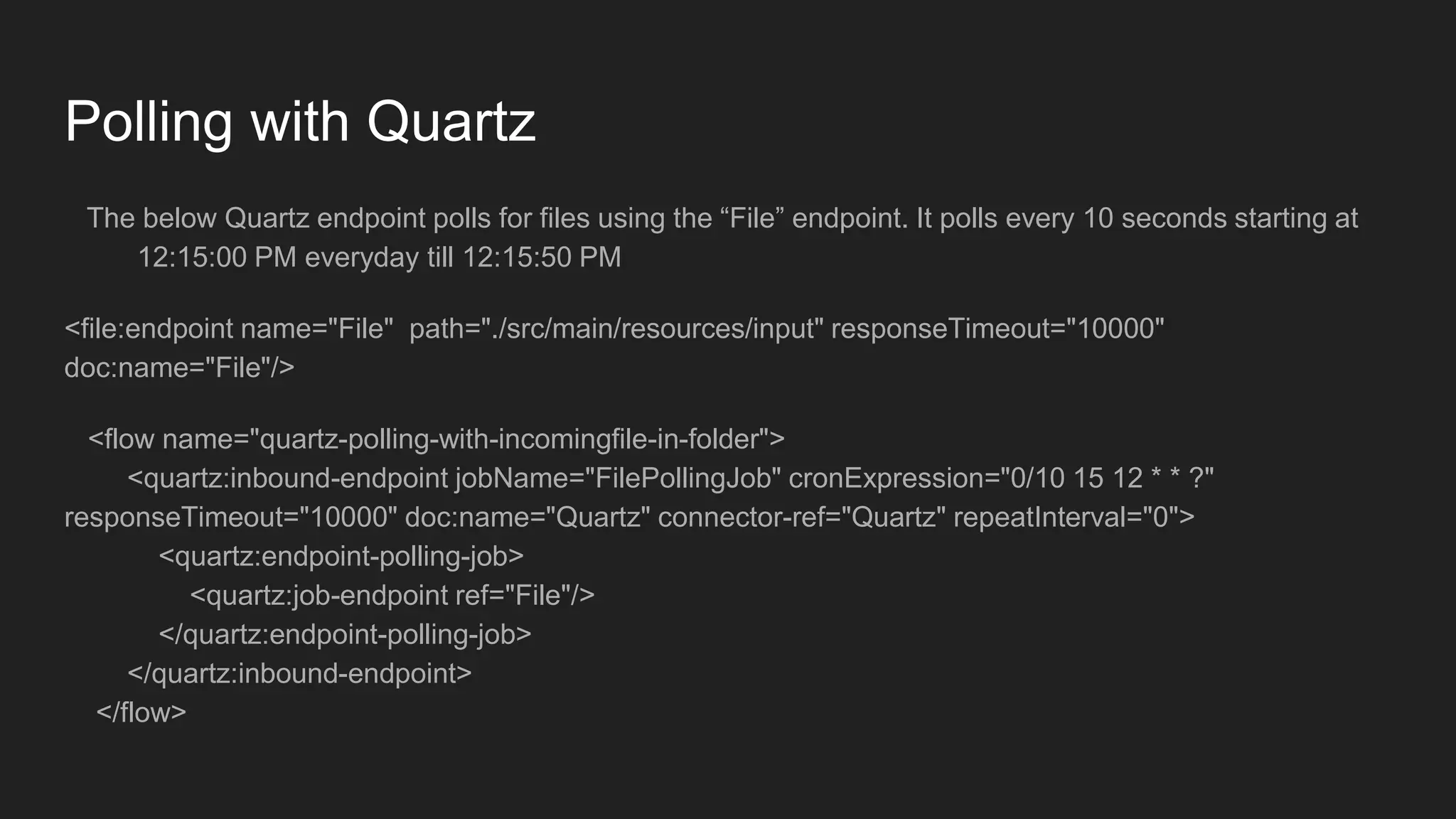
Polling with Quartz
The below Quartz endpoint polls for files using the “File” endpoint. It polls every 10 seconds starting at
12:15:00 PM everyday till 12:15:50 PM
<file:endpoint name="File" path="./src/main/resources/input" responseTimeout="10000"
doc:name="File"/>
<flow name="quartz-polling-with-incomingfile-in-folder">
<quartz:inbound-endpoint jobName="FilePollingJob" cronExpression="0/10 15 12 * * ?"
responseTimeout="10000" doc:name="Quartz" connector-ref="Quartz" repeatInterval="0">
<quartz:endpoint-polling-job>
<quartz:job-endpoint ref="File"/>
</quartz:endpoint-polling-job>
</quartz:inbound-endpoint>
</flow>
Example 2
The below Quartz endpoint executes a HTTP GET request to http://localhost:8081/app/b every 30
seconds starting at 11:05:00 AM till 11:05:30 AM
<flow name="quartz-polling-with-http-get-invoke">
<quartz:inbound-endpoint jobName="HTTPPollingJob" cronExpression="0/30 5 11 * * ?" connector-ref="Quartz"
responseTimeout="10000" doc:name="Quartz" repeatInterval="0">
<quartz:endpoint-polling-job>
<quartz:job-endpoint address="http://localhost:8081/app/b"/>
</quartz:endpoint-polling-job>
</quartz:inbound-endpoint>
</flow>
Generate Events with Quartz
The below Quartz endpoint creates an event which will post Payload “Event from Quartz !! ” every 10
seconds starting at 01:36:00 PM till 01:36:50 PM
<flow name="app7-3Flow1">
<quartz:inbound-endpoint jobName="SimpleEventCreateJob" cronExpression="0/10 36 13 * * ?" repeatInterval="0"
responseTimeout="10000" doc:name="Quartz">
<quartz:event-generator-job>
<quartz:payload>Event from Quartz !! </quartz:payload>
</quartz:event-generator-job>
</quartz:inbound-endpoint>
</flow>
Outbound Quartz Endpoint
An outbound Quartz endpoint allows existing events to be stored and fired at a later time/date.
Dispatching events
Dispatching custom events
Dispatching events with Quartz
Example 1
The below Quartz endpoint Invokes the job endpoint which is file i.e creates file several times according to
CRON expression that is starting at 01:43 PM at interval of 10 seconds till 01:43:50 PM
<file:endpoint path="./src/main/resources/output" name="File-Outbound-Endpoint" responseTimeout="10000"
doc:name="File"/> <flow name="quartz-schedule-dispatch-file">
<http:listener config-ref="HTTP_Listener_Configuration" path="/app/c" doc:name="HTTP"/>
<set-payload value="#['Payload for Dispatch !']" doc:name="Set Payload"/>
<quartz:outbound-endpoint jobName="FileDispatchJob" cronExpression="0/10 43 13 * * ?" connector-ref="Quartz"
responseTimeout="10000" doc:name="Quartz">
<quartz:scheduled-dispatch-job>
<quartz:job-endpoint ref="File-Outbound-Endpoint"/>
</quartz:scheduled-dispatch-job>
</quartz:outbound-endpoint>
</flow>
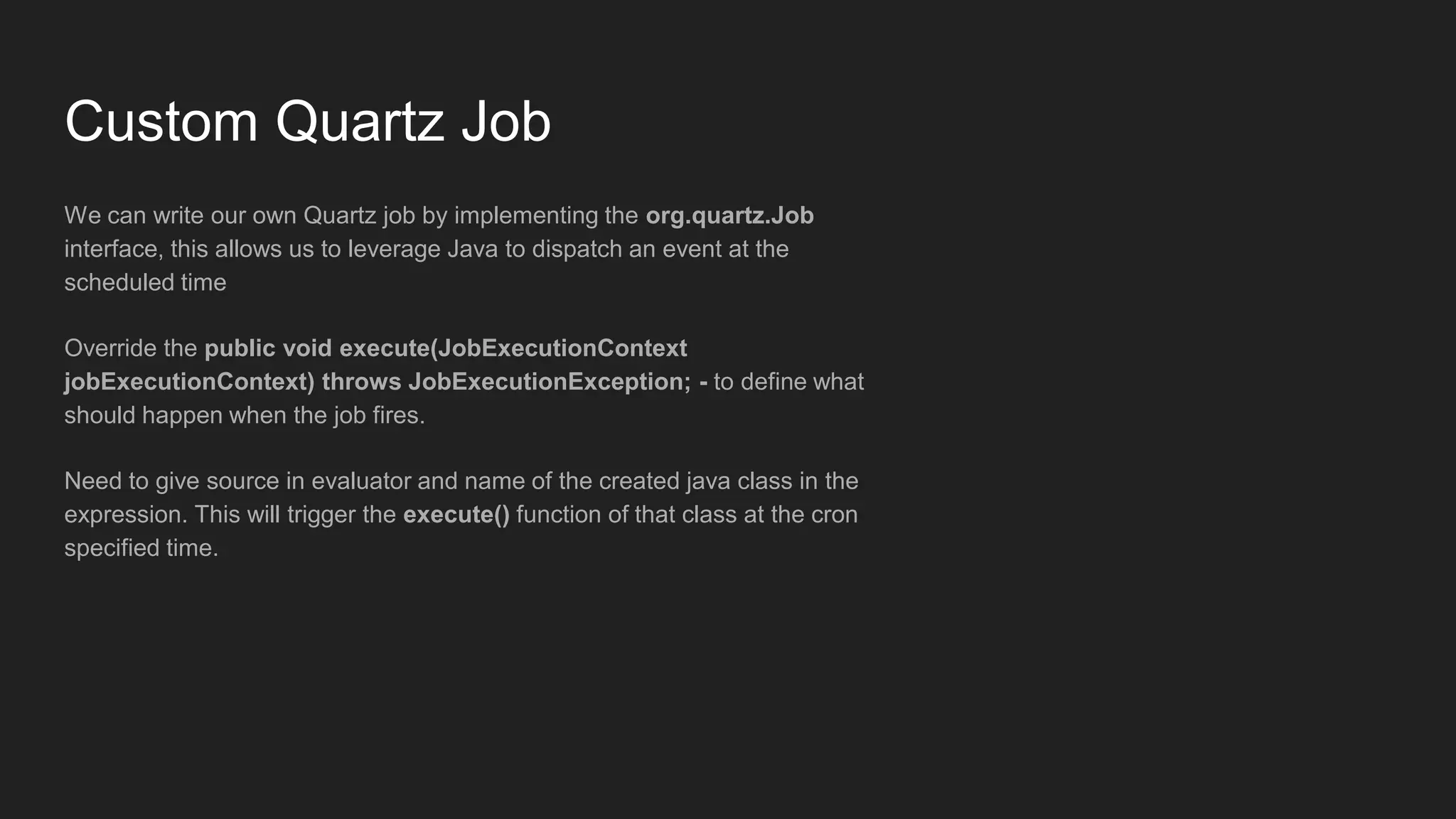
Custom Quartz Job
We can write our own Quartz job by implementing the org.quartz.Job
interface, this allows us to leverage Java to dispatch an event at the
scheduled time
Override the public void execute(JobExecutionContext
jobExecutionContext) throws JobExecutionException; - to define what
should happen when the job fires.
Need to give source in evaluator and name of the created java class in the
expression. This will trigger the execute() function of that class at the cron
specified time.
Example of Custom Quartz Job:
package org.rahul.quartz.job;
import java.io.FileNotFoundException;
import java.io.FileOutputStream;
import java.io.IOException;
import org.quartz.JobExecutionContext;
import org.quartz.JobExecutionException;
public class CustomQuartzJob implements org.quartz.Job{
private String data;
public String getData() {
return data;
}
public void setData(String data) {
this.data = data;
}
@Override
public void execute(JobExecutionContext jobExecutionContext) throws JobExecutionException {
try {
FileOutputStream fos = new FileOutputStream("D:AnypointStudio-
5.4.3Workspaceapp7srcmainresourcesoutputoutput.txt");
fos.write(this.data.getBytes());
fos.close();
} catch (FileNotFoundException e) {
e.printStackTrace();
} catch (IOException e) {
e.printStackTrace();
}
}
We have to pass an instance of the created Quartz job and supply it to the Quartz endpoint as evaluator and the fully qualified name
of the created Quartz Job in the expression field. For this example i have passed evaluator from the Payload.
Example Snippet below:
<dw:transform-message doc:name="Transform Message">
<dw:set-payload><![CDATA[%dw 1.0
%output application/java
---
{
data: "Hello from Quartz!!"
} as :object {
class : "org.rahul.quartz.job.CustomQuartzJob"
}]]></dw:set-payload>
</dw:transform-message>
<quartz:outbound-endpoint jobName="customJob1" responseTimeout="10000" doc:name="Quartz" cronExpression="0/10 29 12
* * ?">
<quartz:custom-job-from-message evaluator="payload" expression="org.rahul.quartz.job.CustomQuartzJob" />
</quartz:outbound-endpoint>
References
https://docs.mulesoft.com/mule-user-guide/v/3.6/quartz-connector
https://docs.mulesoft.com/mule-user-guide/v/3.7/quartz-transport-reference

Quartz connector

  • 1.
  • 2.
    Prerequisites Understanding of basicendpoints like http, file etc Example : http://localhost:8081/app/b file:///D/invoice/input Understanding of CRON expressions A good place to learn CRON expressions is http://www.quartz-scheduler.org/documentation/quartz-2.1.x/tutorials/crontrigger.html
  • 3.
    Quartz Connector The QuartzConnector supports the scheduling of programmatic events, both inside and outside your Mule flow. Through a quartz endpoint, you can trigger flows that don’t depend on receiving any external input to execute at scheduled times. For instance, an inbound Quartz endpoint can trigger inbound events, such as temperature reports from a remote location, at regular intervals. Outbound Quartz endpoints can delay otherwise imminent events. For example, you can prevent outgoing email from being sent as soon as it has completed processing in your Mule flow. Instead, you can use Quartz to delay sending it until the top of the next hour.
  • 4.
    Inbound Quartz Endpoint AQuartz inbound endpoint can be used to generate events. It is most useful when you want to trigger a flow at a given interval (or cron expression) rather than have an external event trigger the flow. Polling Creating custom events
  • 5.
    Polling with Quartz Thebelow Quartz endpoint polls for files using the “File” endpoint. It polls every 10 seconds starting at 12:15:00 PM everyday till 12:15:50 PM <file:endpoint name="File" path="./src/main/resources/input" responseTimeout="10000" doc:name="File"/> <flow name="quartz-polling-with-incomingfile-in-folder"> <quartz:inbound-endpoint jobName="FilePollingJob" cronExpression="0/10 15 12 * * ?" responseTimeout="10000" doc:name="Quartz" connector-ref="Quartz" repeatInterval="0"> <quartz:endpoint-polling-job> <quartz:job-endpoint ref="File"/> </quartz:endpoint-polling-job> </quartz:inbound-endpoint> </flow>
  • 6.
    Example 2 The belowQuartz endpoint executes a HTTP GET request to http://localhost:8081/app/b every 30 seconds starting at 11:05:00 AM till 11:05:30 AM <flow name="quartz-polling-with-http-get-invoke"> <quartz:inbound-endpoint jobName="HTTPPollingJob" cronExpression="0/30 5 11 * * ?" connector-ref="Quartz" responseTimeout="10000" doc:name="Quartz" repeatInterval="0"> <quartz:endpoint-polling-job> <quartz:job-endpoint address="http://localhost:8081/app/b"/> </quartz:endpoint-polling-job> </quartz:inbound-endpoint> </flow>
  • 7.
    Generate Events withQuartz The below Quartz endpoint creates an event which will post Payload “Event from Quartz !! ” every 10 seconds starting at 01:36:00 PM till 01:36:50 PM <flow name="app7-3Flow1"> <quartz:inbound-endpoint jobName="SimpleEventCreateJob" cronExpression="0/10 36 13 * * ?" repeatInterval="0" responseTimeout="10000" doc:name="Quartz"> <quartz:event-generator-job> <quartz:payload>Event from Quartz !! </quartz:payload> </quartz:event-generator-job> </quartz:inbound-endpoint> </flow>
  • 8.
    Outbound Quartz Endpoint Anoutbound Quartz endpoint allows existing events to be stored and fired at a later time/date. Dispatching events Dispatching custom events
  • 9.
    Dispatching events withQuartz Example 1 The below Quartz endpoint Invokes the job endpoint which is file i.e creates file several times according to CRON expression that is starting at 01:43 PM at interval of 10 seconds till 01:43:50 PM <file:endpoint path="./src/main/resources/output" name="File-Outbound-Endpoint" responseTimeout="10000" doc:name="File"/> <flow name="quartz-schedule-dispatch-file"> <http:listener config-ref="HTTP_Listener_Configuration" path="/app/c" doc:name="HTTP"/> <set-payload value="#['Payload for Dispatch !']" doc:name="Set Payload"/> <quartz:outbound-endpoint jobName="FileDispatchJob" cronExpression="0/10 43 13 * * ?" connector-ref="Quartz" responseTimeout="10000" doc:name="Quartz"> <quartz:scheduled-dispatch-job> <quartz:job-endpoint ref="File-Outbound-Endpoint"/> </quartz:scheduled-dispatch-job> </quartz:outbound-endpoint> </flow>
  • 10.
    Custom Quartz Job Wecan write our own Quartz job by implementing the org.quartz.Job interface, this allows us to leverage Java to dispatch an event at the scheduled time Override the public void execute(JobExecutionContext jobExecutionContext) throws JobExecutionException; - to define what should happen when the job fires. Need to give source in evaluator and name of the created java class in the expression. This will trigger the execute() function of that class at the cron specified time.
  • 11.
    Example of CustomQuartz Job: package org.rahul.quartz.job; import java.io.FileNotFoundException; import java.io.FileOutputStream; import java.io.IOException; import org.quartz.JobExecutionContext; import org.quartz.JobExecutionException; public class CustomQuartzJob implements org.quartz.Job{ private String data; public String getData() { return data; } public void setData(String data) { this.data = data; } @Override public void execute(JobExecutionContext jobExecutionContext) throws JobExecutionException { try { FileOutputStream fos = new FileOutputStream("D:AnypointStudio- 5.4.3Workspaceapp7srcmainresourcesoutputoutput.txt"); fos.write(this.data.getBytes()); fos.close(); } catch (FileNotFoundException e) { e.printStackTrace(); } catch (IOException e) { e.printStackTrace(); } }
  • 12.
    We have topass an instance of the created Quartz job and supply it to the Quartz endpoint as evaluator and the fully qualified name of the created Quartz Job in the expression field. For this example i have passed evaluator from the Payload. Example Snippet below: <dw:transform-message doc:name="Transform Message"> <dw:set-payload><![CDATA[%dw 1.0 %output application/java --- { data: "Hello from Quartz!!" } as :object { class : "org.rahul.quartz.job.CustomQuartzJob" }]]></dw:set-payload> </dw:transform-message> <quartz:outbound-endpoint jobName="customJob1" responseTimeout="10000" doc:name="Quartz" cronExpression="0/10 29 12 * * ?"> <quartz:custom-job-from-message evaluator="payload" expression="org.rahul.quartz.job.CustomQuartzJob" /> </quartz:outbound-endpoint>
  • 13.

Editor's Notes

  • #3 Understanding of basic endpoints like http, file etc Example : http://localhost:8081/app/b file:///D/invoice/input Understanding of CRON expressions A good place to learn CRON expressions is http://www.quartz-scheduler.org/documentation/quartz-2.1.x/tutorials/crontrigger.html
  • #4 The Quartz Connector supports the scheduling of programmatic events, both inside and outside your Mule flow. Through a quartz endpoint, you can trigger flows that don’t depend on receiving any external input to execute at scheduled times. For instance, an inbound Quartz endpoint can trigger inbound events, such as temperature reports from a remote location, at regular intervals. Outbound Quartz endpoints can delay otherwise imminent events. For example, you can prevent outgoing email from being sent as soon as it has completed processing in your Mule flow. Instead, you can use Quartz to delay sending it until the top of the next hour.
  • #5 A Quartz inbound endpoint can be used to generate events. It is most useful when you want to trigger a flow at a given interval (or cron expression) rather than have an external event trigger the flow. Polling Creating custom events
  • #6 The below Quartz endpoint polls for files using the “File” endpoint. It polls every 10 seconds starting at 12:15:00 PM everyday till 12:15:50 PM <file:endpoint name="File" path="./src/main/resources/input" responseTimeout="10000" doc:name="File"/> <flow name="quartz-polling-with-incomingfile-in-folder"> <quartz:inbound-endpoint jobName="FilePollingJob" cronExpression="0/10 15 12 * * ?" responseTimeout="10000" doc:name="Quartz" connector-ref="Quartz" repeatInterval="0"> <quartz:endpoint-polling-job> <quartz:job-endpoint ref="File"/> </quartz:endpoint-polling-job> </quartz:inbound-endpoint> </flow>
  • #7 Example 2 The below Quartz endpoint executes a HTTP GET request to http://localhost:8081/app/b every 30 seconds starting at 11:05:00 AM till 11:05:30 AM <flow name="quartz-polling-with-http-get-invoke"> <quartz:inbound-endpoint jobName="HTTPPollingJob" cronExpression="0/30 5 11 * * ?" connector-ref="Quartz" responseTimeout="10000" doc:name="Quartz" repeatInterval="0"> <quartz:endpoint-polling-job> <quartz:job-endpoint address="http://localhost:8081/app/b"/> </quartz:endpoint-polling-job> </quartz:inbound-endpoint> </flow>
  • #8 The below Quartz endpoint creates an event which will post Payload “Event from Quartz !! ” every 10 seconds starting at 01:36:00 PM till 01:36:50 PM <flow name="app7-3Flow1"> <quartz:inbound-endpoint jobName="SimpleEventCreateJob" cronExpression="0/10 36 13 * * ?" repeatInterval="0" responseTimeout="10000" doc:name="Quartz"> <quartz:event-generator-job> <quartz:payload>Event from Quartz !! </quartz:payload> </quartz:event-generator-job> </quartz:inbound-endpoint> </flow>
  • #9 An outbound Quartz endpoint allows existing events to be stored and fired at a later time/date. Dispatching events Dispatching custom events
  • #10 Example 1 The below Quartz endpoint Invokes the job endpoint which is file i.e creates file several times according to CRON expression that is starting at 01:43 PM at interval of 10 seconds till 01:43:50 PM <file:endpoint path="./src/main/resources/output" name="File-Outbound-Endpoint" responseTimeout="10000" doc:name="File"/> <flow name="quartz-schedule-dispatch-file"> <http:listener config-ref="HTTP_Listener_Configuration" path="/app/c" doc:name="HTTP"/> <set-payload value="#['Payload for Dispatch !']" doc:name="Set Payload"/> <quartz:outbound-endpoint jobName="FileDispatchJob" cronExpression="0/10 43 13 * * ?" connector-ref="Quartz" responseTimeout="10000" doc:name="Quartz"> <quartz:scheduled-dispatch-job> <quartz:job-endpoint ref="File-Outbound-Endpoint"/> </quartz:scheduled-dispatch-job> </quartz:outbound-endpoint> </flow>
  • #11 We can write our own Quartz job by implementing the org.quartz.Job interface, this allows us to leverage Java to dispatch an event at the scheduled time Override the public void execute(JobExecutionContext jobExecutionContext) throws JobExecutionException; - to define what should happen when the job fires. Need to give source in evaluator and name of the created java class in the expression. This will trigger the execute() function of that class at the cron specified time.
  • #12 Example of Custom Quartz Job: package org.rahul.quartz.job; import java.io.FileNotFoundException; import java.io.FileOutputStream; import java.io.IOException; import org.quartz.JobExecutionContext; import org.quartz.JobExecutionException; public class CustomQuartzJob implements org.quartz.Job{ private String data; public String getData() { return data; } public void setData(String data) { this.data = data; } @Override public void execute(JobExecutionContext jobExecutionContext) throws JobExecutionException { try { FileOutputStream fos = new FileOutputStream("D:\\AnypointStudio-5.4.3\\Workspace\\app7\\src\\main\\resources\\output\\output.txt"); fos.write(this.data.getBytes()); fos.close(); } catch (FileNotFoundException e) { e.printStackTrace(); } catch (IOException e) { e.printStackTrace(); } } }
  • #13  We have to pass an instance of the created Quartz job and supply it to the Quartz endpoint as evaluator and the fully qualified name of the created Quartz Job in the expression field. For this example i have passed evaluator from the Payload. Example Snippet below: <dw:transform-message doc:name="Transform Message"> <dw:set-payload><![CDATA[%dw 1.0 %output application/java --- { data: "Hello from Quartz!!" } as :object { class : "org.rahul.quartz.job.CustomQuartzJob" }]]></dw:set-payload> </dw:transform-message> <quartz:outbound-endpoint jobName="customJob1" responseTimeout="10000" doc:name="Quartz" cronExpression="0/10 29 12 * * ?"> <quartz:custom-job-from-message evaluator="payload" expression="org.rahul.quartz.job.CustomQuartzJob" /> </quartz:outbound-endpoint>
  • #14 https://docs.mulesoft.com/mule-user-guide/v/3.6/quartz-connector https://docs.mulesoft.com/mule-user-guide/v/3.7/quartz-transport-reference