





Quality Assurance in Computer Supported Collaborative Learning Environments Euro-CAT Ergonomic Evaluation Dr. Niki Lambropoulos  * Dr. Margarida Romero
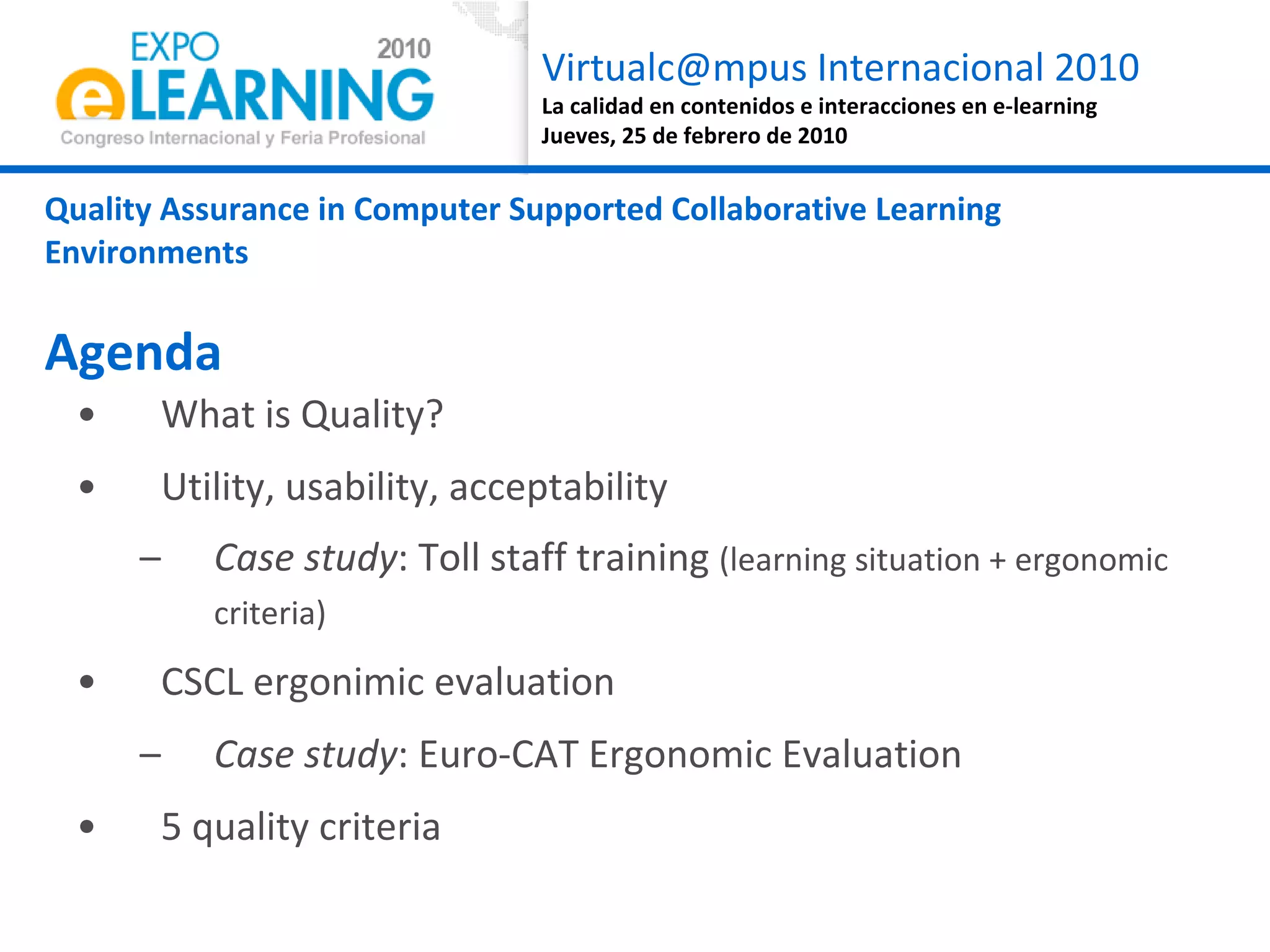
What is Quality? Utility, usability, acceptability Case study : Toll staff training  (learning situation + ergonomic criteria) CSCL ergonimic evaluation Case study : Euro-CAT Ergonomic Evaluation 5 quality criteria Quality Assurance in Computer Supported Collaborative Learning Environments Agenda
What is quality?
Fit of purpose Bergman and Klefsjö (1994):  “ The quality of a product (article or service)  is its ability to satisfy  the needs and expectations of the customers” European Foundation for Quality in eLearning (EFQUEL)
1.  Utility, usability, acceptability Case study : Toll staff training  (learning situation + ergonomic criteria)
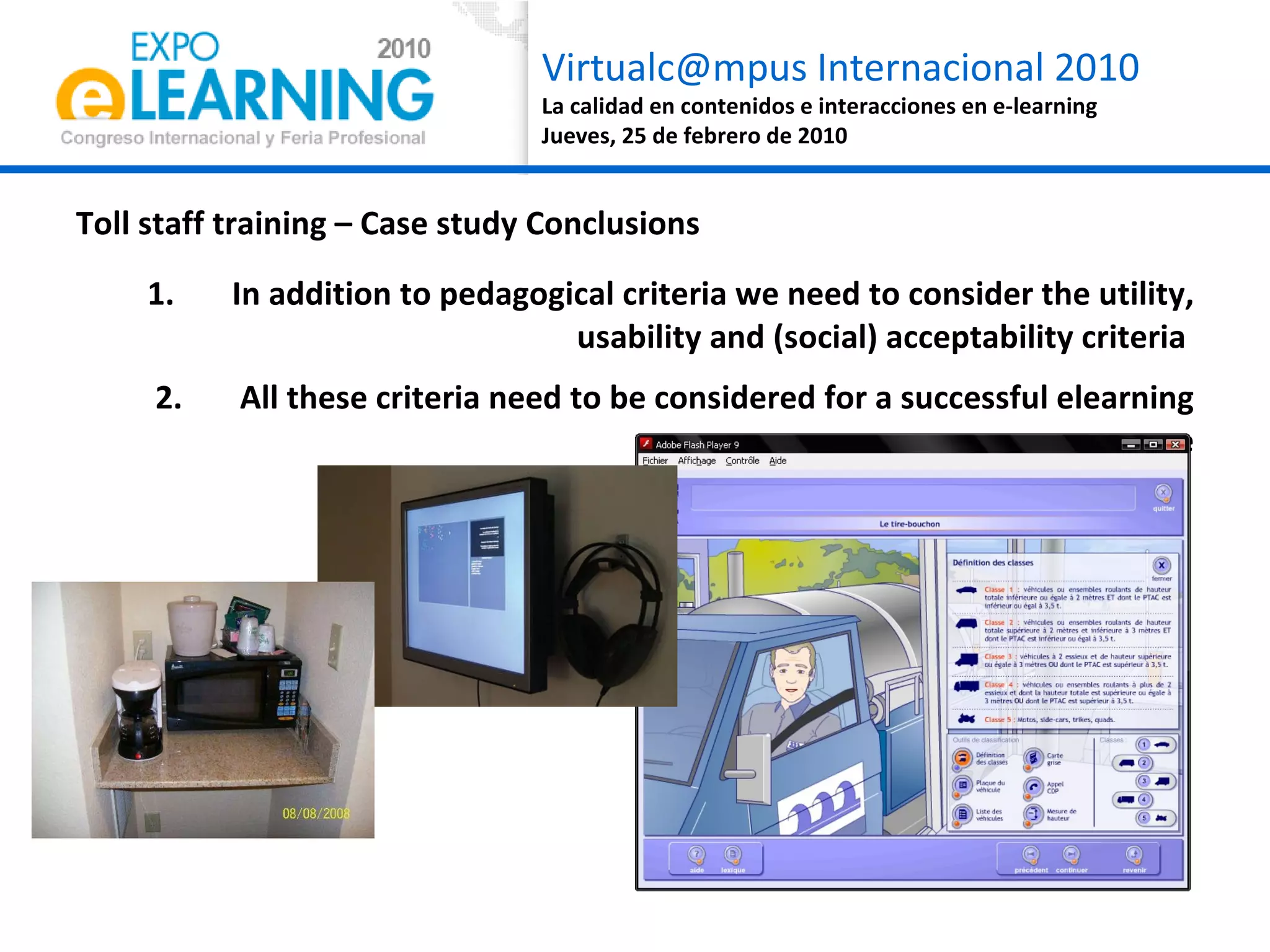
Tooll staff training needs USA Toll Tariffs: No training is necessary, even children can became toll staff ! European Toll Tariffs: Intensive training needs to achieve 2 main learning objectives Vehicle category identification Angry management
Where and when can a toll worker could follow an elearning course? During the work hours? During the coffee break? At home?
As if the learning situation were not enough complex.... we will consider the usability criteria  Is the course  useful ?  Is the course  easy to use ? … mmmh, if the course is not  useful, compatible to my workplace and out of the work life, reliable… and my colleagues don’t like the course,  will I  accept the course ?
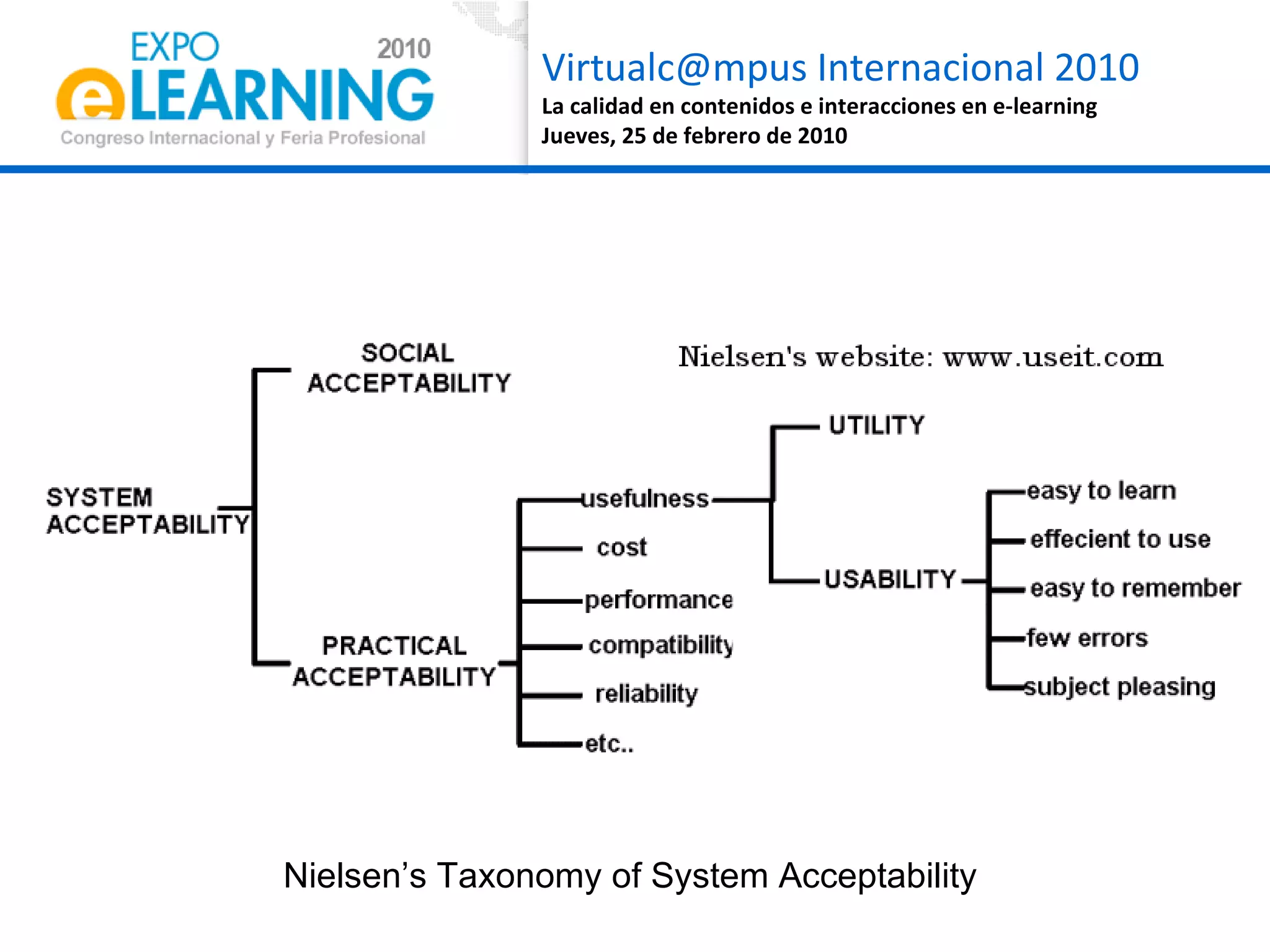
As if the learning situation was not complex enough.... we will consider the ergonomics criteria UTILITY USABILITY  ACCESSIBILITY
As if the learning situation were not enough complex.... we will consider the usability criteria  UTILITY Relevance and efficacy (Tricot, 2007) for the performance in academic settings or the workplace Is the course  useful ?
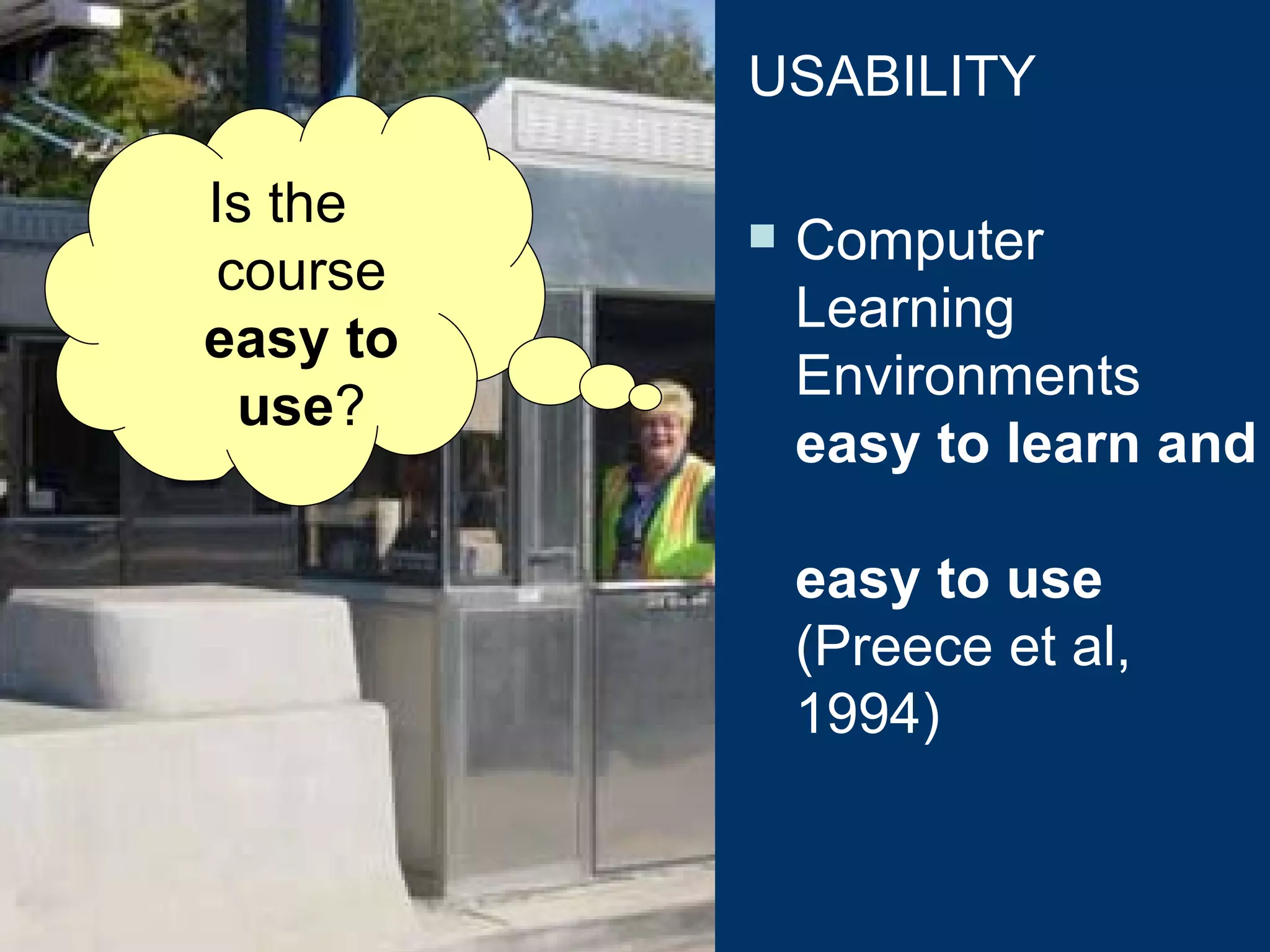
As if the learning situation were not enough complex.... we will consider the usability criteria  Is the course  easy to use ? USABILITY Computer Learning Environments  easy to learn and  easy to use  (Preece et al, 1994)
As if the learning situation were not enough complex.... we will consider the usability criteria  ACCEPTABILITY Not only consider the usefulness and usability, but also robustness, cost and reliability of ICT applications … mmmh, if the course is not  useful, compatible to my workplace and out of the work life, reliable… and my colleagues don’t like the course,  will I  accept the course ?
As if the learning situation were not enough complex.... we will consider the usability criteria  SOCIAL ACCEPTABILITY Not only consider the usefulness and usability, but also robustness, cost and reliability of ICT applications Joel says the course is nuts; for me, is quite boring, and you? No, Joel is nuts, the course is just not enough challenging and interactive [Joel] The course don’t work in my computer… I needed to use my son computer to follow the course…
Nielsen’s Taxonomy of System Acceptability
Toll staff training – Case study Conclusions In addition to pedagogical criteria we need to consider the utility, usability and (social) acceptability criteria  All these criteria need to be considered for a successful elearning course
2. CSCL ergonomic evaluation Case study: Euro-CAT Ergonomic Evaluation
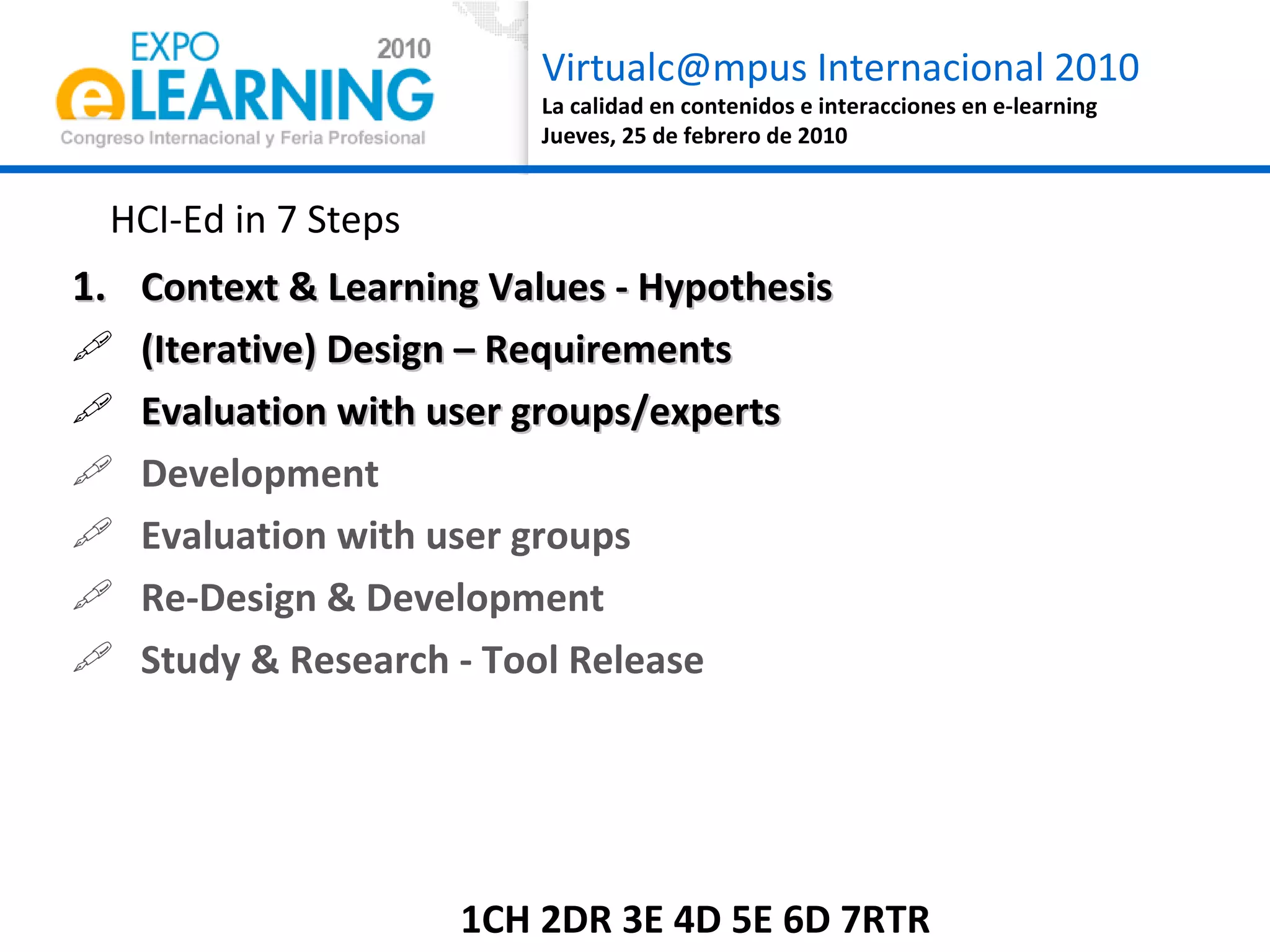
HCI-Ed in 7 Steps Context & Learning Values - Hypothesis (Iterative) Design – Requirements  Evaluation with user groups/experts Development Evaluation with user groups Re-Design & Development Study & Research - Tool Release  1CH 2DR 3E 4D 5E 6D 7RTR
Research Problem Distributed learning teams in team-based learning situations aim to achieve organisational convergence.  However, there are collaboration problems due to mediated distance & time flexibility. 1CH 2DR 3E 4D 5E 6D 7RTR
Key CSCeL concept: Collaboration Awareness Students’ difficulties Group Awareness Time convergence Learners’ Intentions (learning goals): Task Convergence Users’ operations (actions/tasks): Pedagogical Usability  Step1a: Context & Learning Values 1C H 2DR 3E 4D 5E 6D 7RTR
Collaboration Awareness Students’ difficulties:  In addition to f2f Collaborative Learning difficulties, CSCeL situation adds Computer Mediated Communication (CMC) and ILE difficulties  (Kirschner, 2009) Group Awareness:  understanding of the activities of others, which provides context for your own activity  (Dourish & Bellotti, 1992) Group time awareness:  Distributed learning students need to develop an awareness of their team-mates’ temporal patterns in order to regulate the Time-on-Task efficiently in the collective level  (Romero, 2010) Being Human 1C H 2DR 3E 4D 5E 6D 7RTR
3C Model:  C ommunication,  C oordination & knowledge C onvergence  (Ellis   et al, 1991) How? 1C H 2DR 3E 4D 5E 6D 7RTR
If group awareness is a prerequisite for convergence then increase of group awareness will result in increase of organisational convergence and thus, collaboration awareness. Step1b: Hypothesis 1C H  2DR 3E 4D 5E 6D 7RTR
Euro-CAT… C ollaboration  A wareness  T ool  Task-independent Supports 3C via  Mirroring capabilities Awareness cues Does not replace other 3C tools Step2: (Iterative) Design - Requirements 1CH 2DR  3E 4D 5E 6D 7RTR
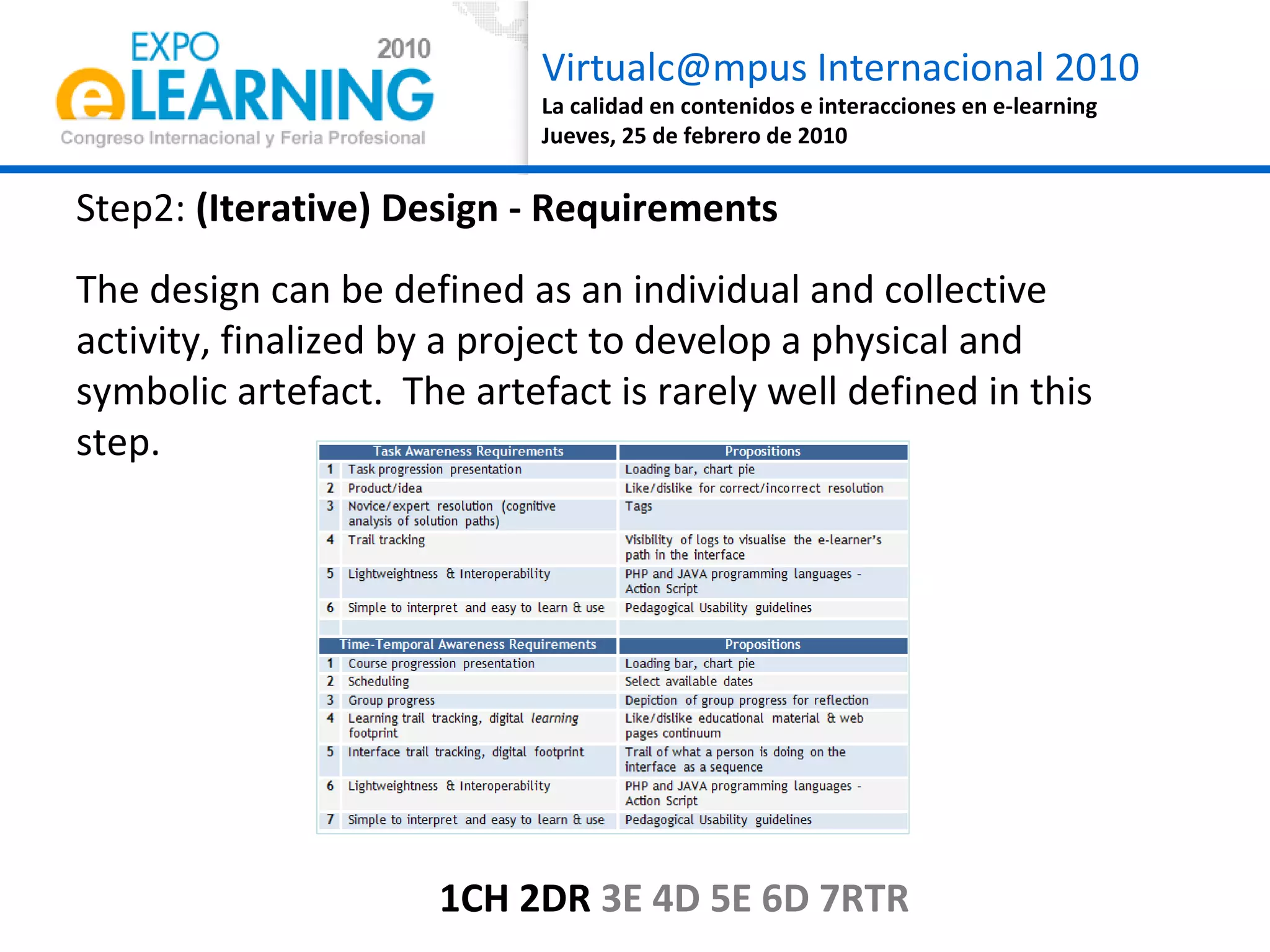
Step2:  (Iterative) Design - Requirements The design can be defined as an individual and collective activity, finalized by a project to develop a physical and symbolic artefact.  The artefact is rarely well defined in this step. 1CH 2DR  3E 4D 5E 6D 7RTR
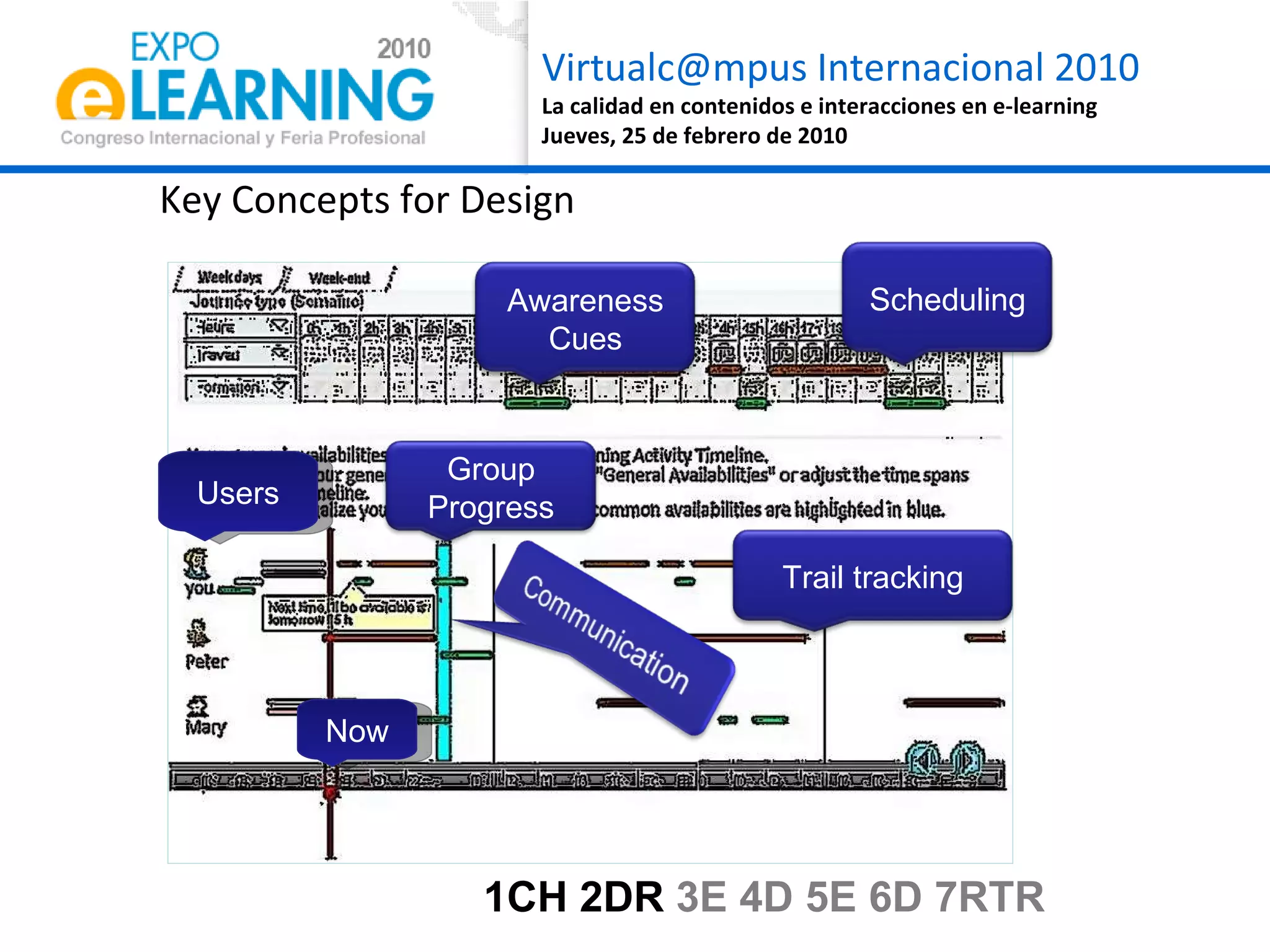
Key Concepts for Design Users Now 1CH 2DR  3E 4D 5E 6D 7RTR Group Progress Scheduling Trail tracking Awareness Cues
Euro-CAT Screenshot 1CH 2DR  3E 4D 5E 6D 7RTR
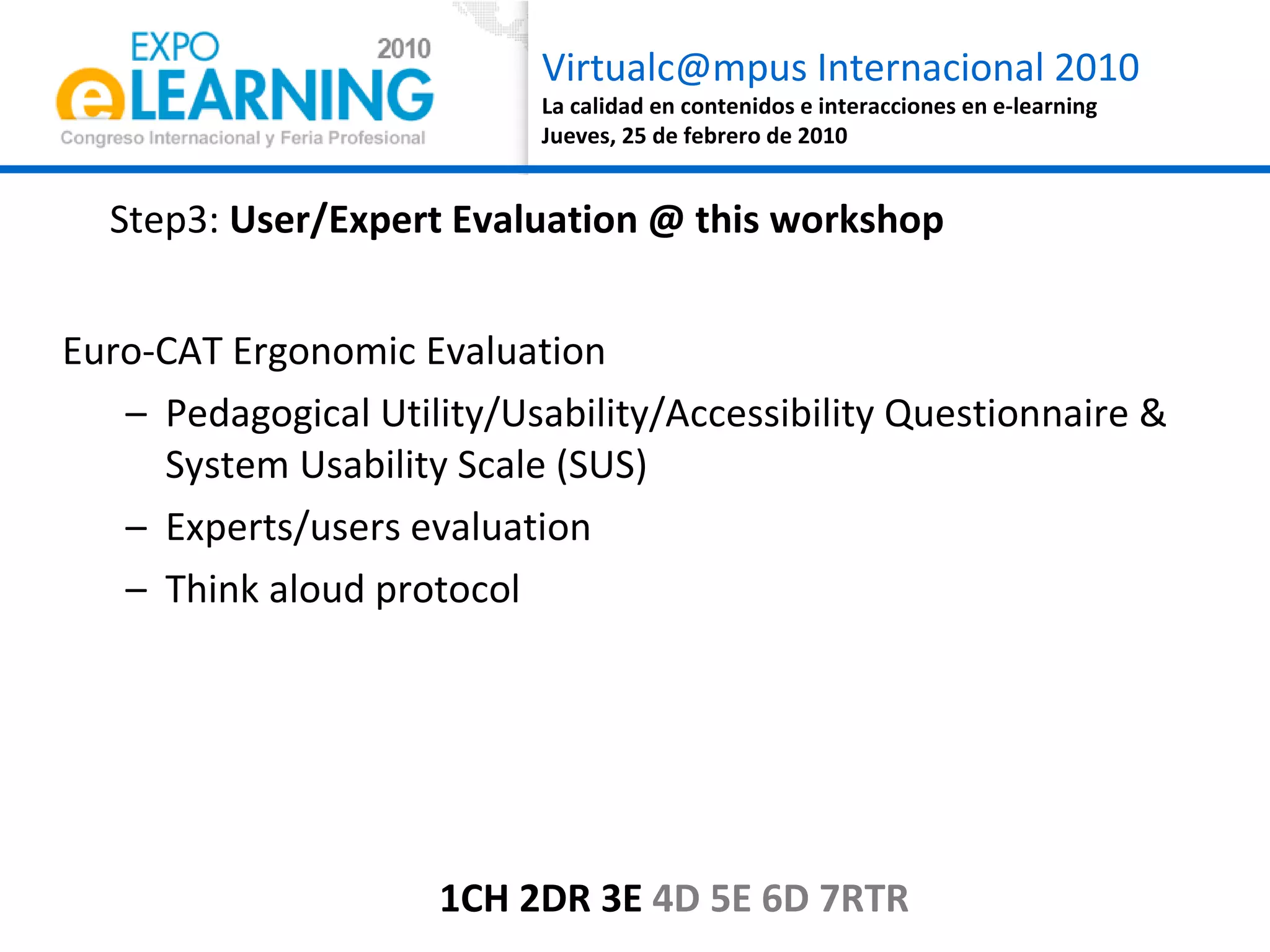
Step3:  User/Expert Evaluation @ this workshop Euro-CAT Ergonomic Evaluation  Pedagogical Utility/Usability/Accessibility Questionnaire & System Usability Scale (SUS) Experts/users evaluation Think aloud protocol 1CH 2DR 3E  4D 5E 6D 7RTR
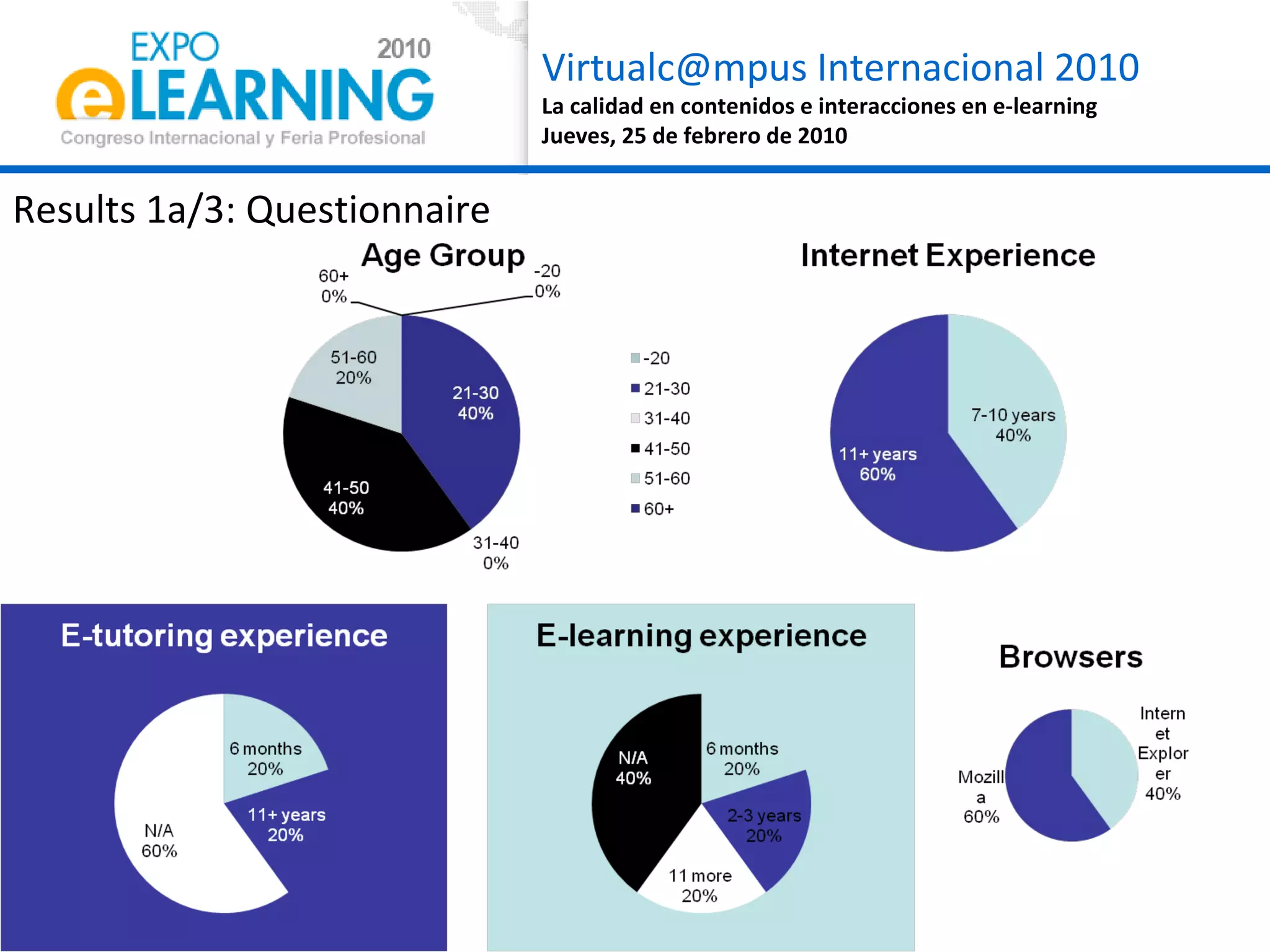
Results 1a/3: Questionnaire
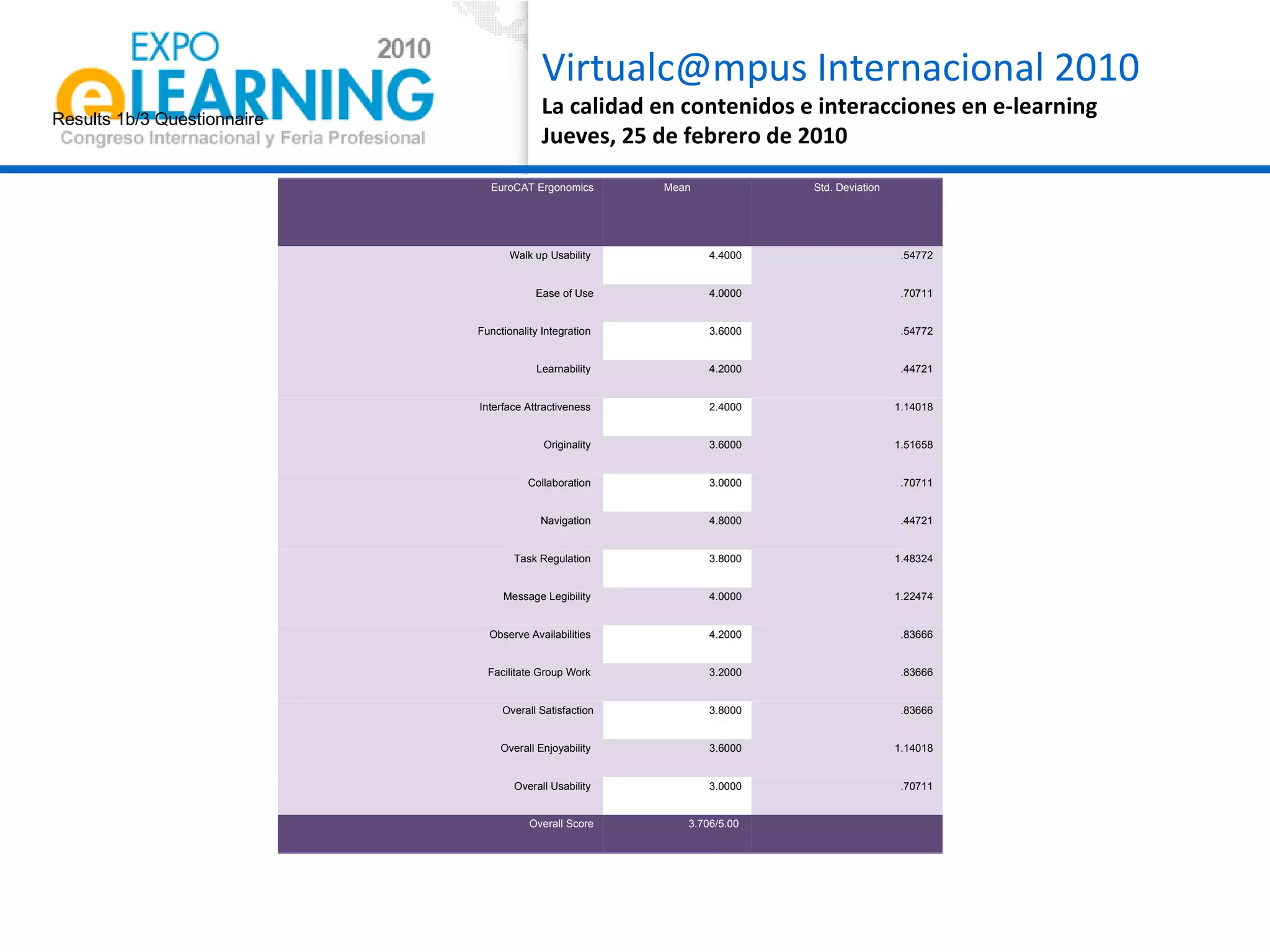
Results 1b/3 Questionnaire EuroCAT Ergonomics Mean Std. Deviation Walk up Usability  4.4000 .54772 Ease of Use 4.0000 .70711 Functionality Integration  3.6000 .54772 Learnability  4.2000 .44721 Interface Attractiveness  2.4000 1.14018 Originality  3.6000 1.51658 Collaboration  3.0000 .70711 Navigation   4.8000 .44721 Task Regulation  3.8000 1.48324 Message Legibility  4.0000 1.22474 Observe Availabilities  4.2000 .83666 Facilitate Group Work  3.2000 .83666 Overall Satisfaction 3.8000 .83666 Overall Enjoyability  3.6000 1.14018 Overall Usability  3.0000 .70711 Overall Score 3.706/5.00
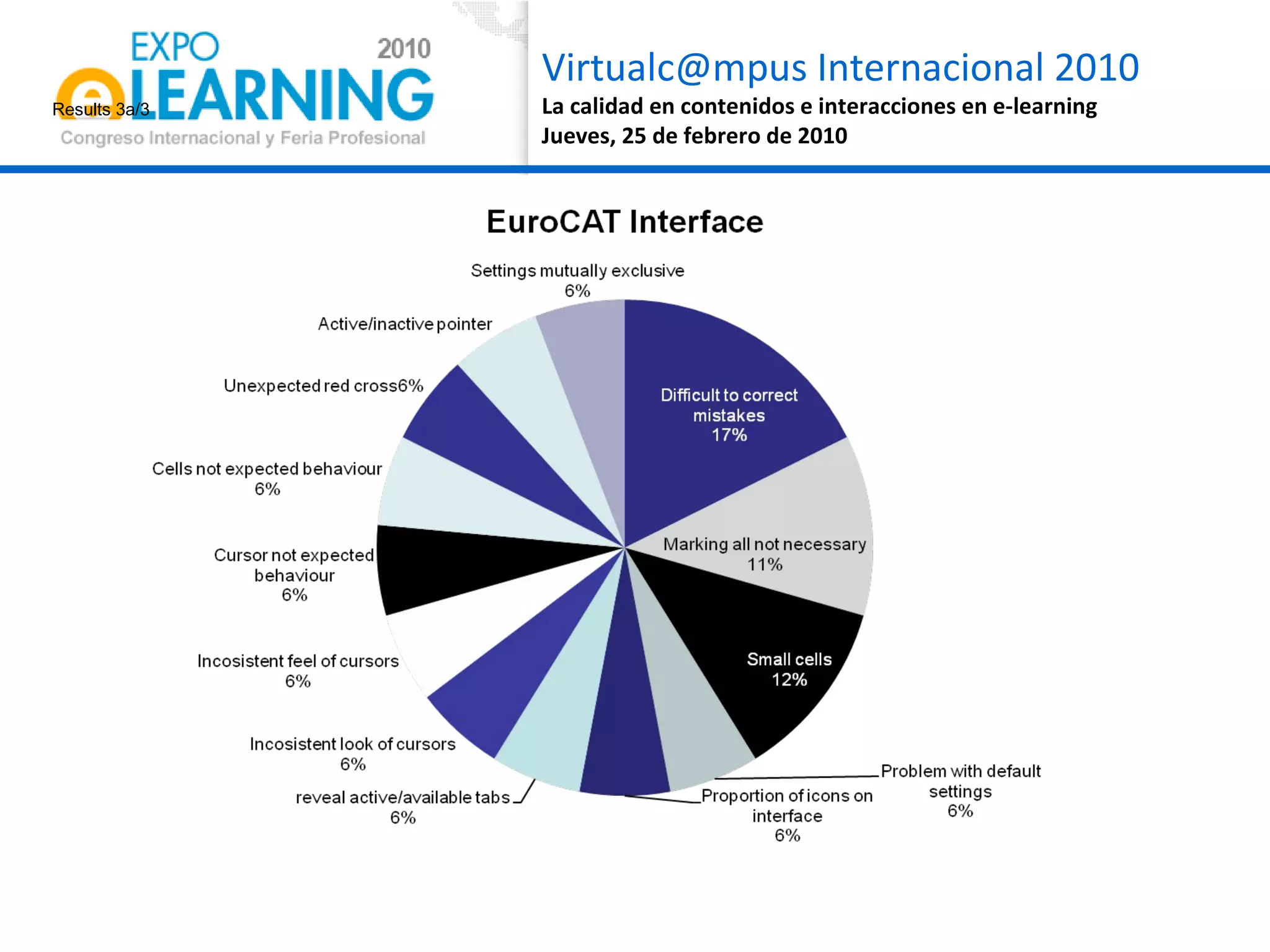
Results 3a/3
Results 3b/3
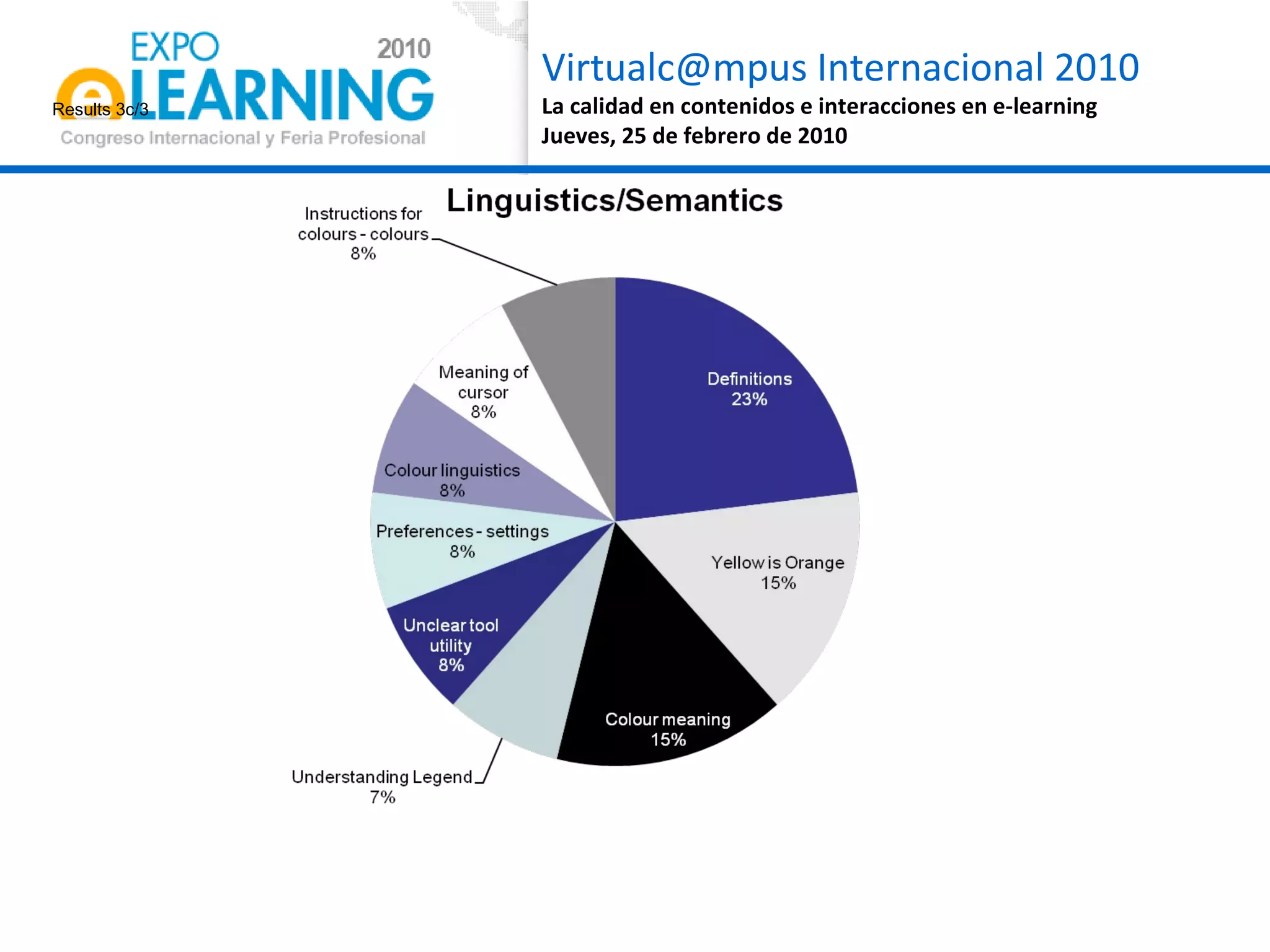
Results 3c/3
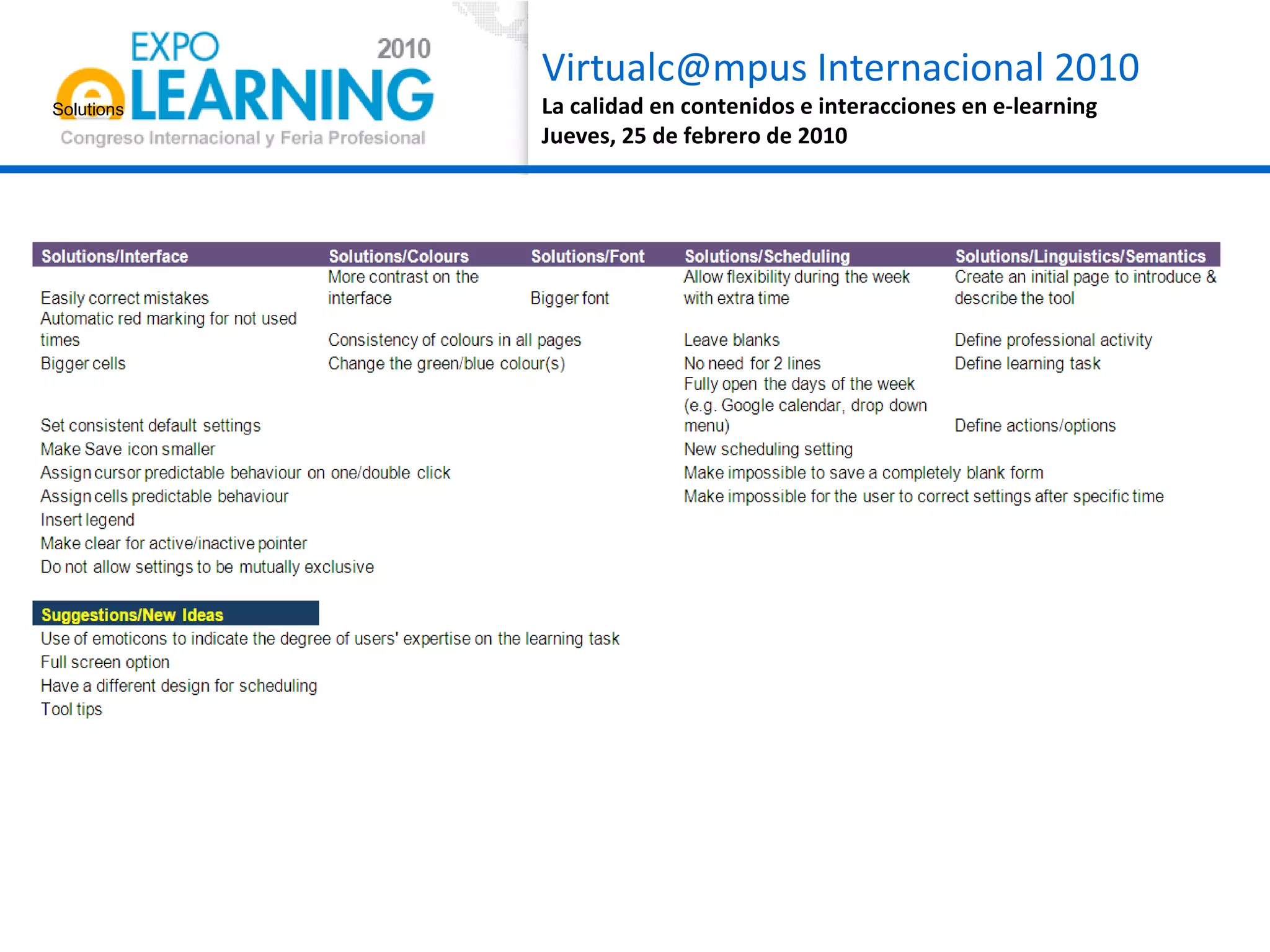
Solutions
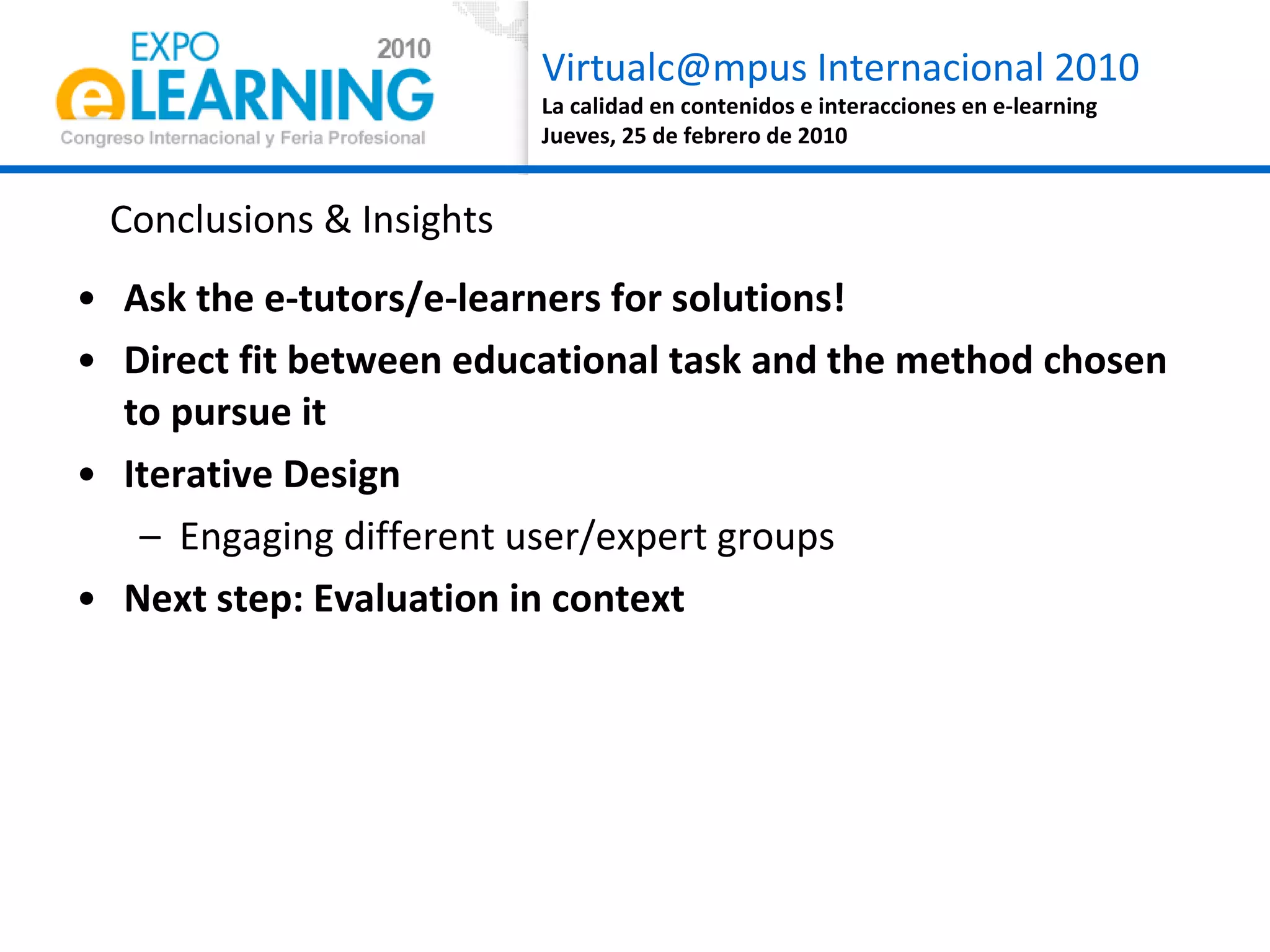
Ask the e-tutors/e-learners for solutions! Direct fit between educational task and the method chosen to pursue it Iterative Design  Engaging different user/expert groups Next step: Evaluation in context Conclusions & Insights
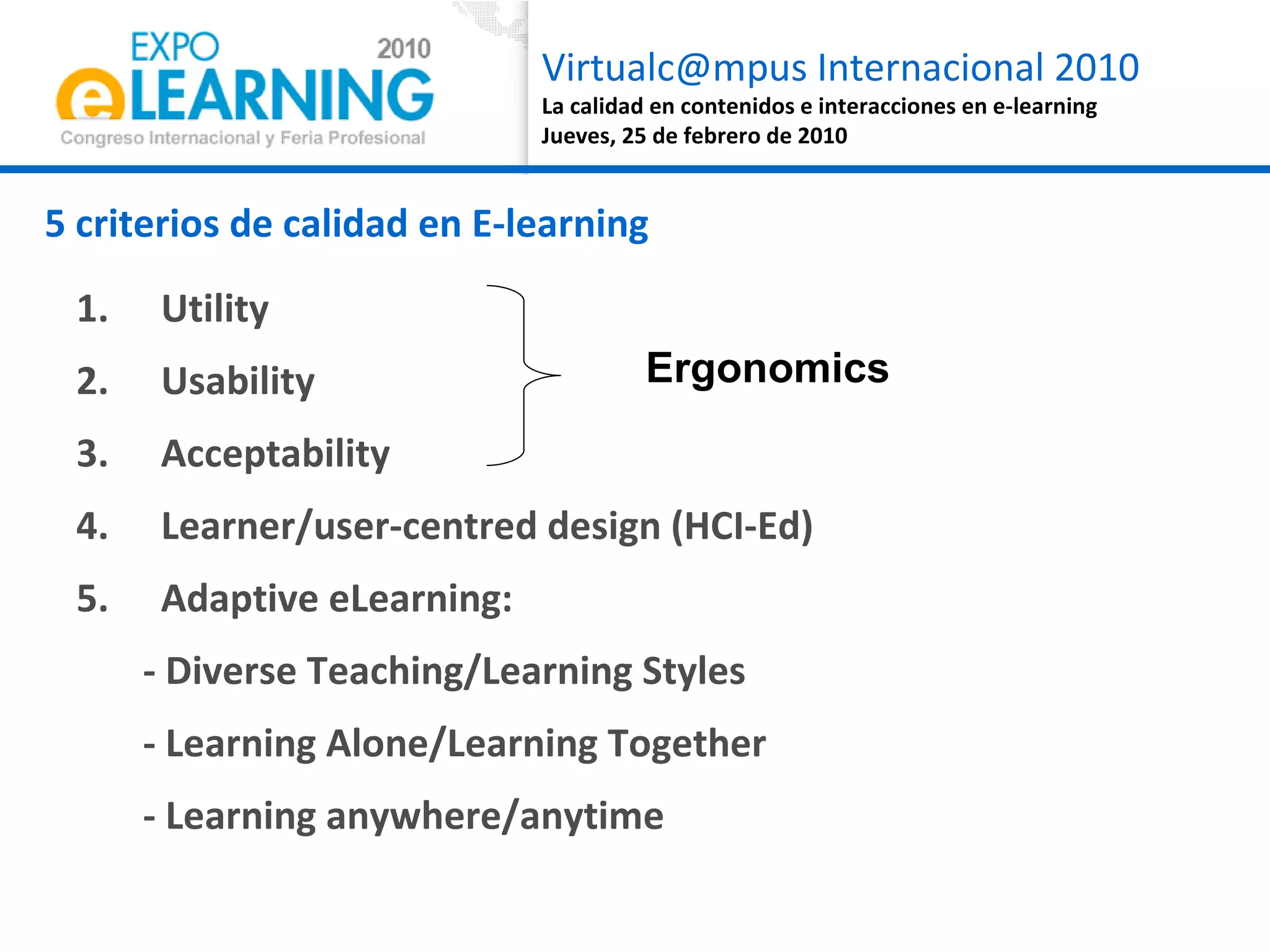
Utility Usability Acceptability Learner/user-centred design (HCI-Ed) Adaptive eLearning:  - Diverse Teaching/Learning Styles - Learning Alone/Learning Together - Learning anywhere/anytime 5 criterios de calidad en E-learning  Ergonomics
Thank you! Questions? Dr. Niki Lambropoulos [email_address] Dr. Margarida Romero [email_address]

Quality In Computer Supported Collaborative eLearning by Lambropoulos Romero

  • 1.
    Quality Assurance inComputer Supported Collaborative Learning Environments Euro-CAT Ergonomic Evaluation Dr. Niki Lambropoulos * Dr. Margarida Romero
  • 2.
    What is Quality?Utility, usability, acceptability Case study : Toll staff training (learning situation + ergonomic criteria) CSCL ergonimic evaluation Case study : Euro-CAT Ergonomic Evaluation 5 quality criteria Quality Assurance in Computer Supported Collaborative Learning Environments Agenda
  • 3.
  • 4.
    Fit of purposeBergman and Klefsjö (1994): “ The quality of a product (article or service) is its ability to satisfy the needs and expectations of the customers” European Foundation for Quality in eLearning (EFQUEL)
  • 5.
    1. Utility,usability, acceptability Case study : Toll staff training (learning situation + ergonomic criteria)
  • 6.
    Tooll staff trainingneeds USA Toll Tariffs: No training is necessary, even children can became toll staff ! European Toll Tariffs: Intensive training needs to achieve 2 main learning objectives Vehicle category identification Angry management
  • 7.
    Where and whencan a toll worker could follow an elearning course? During the work hours? During the coffee break? At home?
  • 8.
    As if thelearning situation were not enough complex.... we will consider the usability criteria Is the course useful ? Is the course easy to use ? … mmmh, if the course is not useful, compatible to my workplace and out of the work life, reliable… and my colleagues don’t like the course, will I accept the course ?
  • 9.
    As if thelearning situation was not complex enough.... we will consider the ergonomics criteria UTILITY USABILITY ACCESSIBILITY
  • 10.
    As if thelearning situation were not enough complex.... we will consider the usability criteria UTILITY Relevance and efficacy (Tricot, 2007) for the performance in academic settings or the workplace Is the course useful ?
  • 11.
    As if thelearning situation were not enough complex.... we will consider the usability criteria Is the course easy to use ? USABILITY Computer Learning Environments easy to learn and easy to use (Preece et al, 1994)
  • 12.
    As if thelearning situation were not enough complex.... we will consider the usability criteria ACCEPTABILITY Not only consider the usefulness and usability, but also robustness, cost and reliability of ICT applications … mmmh, if the course is not useful, compatible to my workplace and out of the work life, reliable… and my colleagues don’t like the course, will I accept the course ?
  • 13.
    As if thelearning situation were not enough complex.... we will consider the usability criteria SOCIAL ACCEPTABILITY Not only consider the usefulness and usability, but also robustness, cost and reliability of ICT applications Joel says the course is nuts; for me, is quite boring, and you? No, Joel is nuts, the course is just not enough challenging and interactive [Joel] The course don’t work in my computer… I needed to use my son computer to follow the course…
  • 14.
    Nielsen’s Taxonomy ofSystem Acceptability
  • 15.
    Toll staff training– Case study Conclusions In addition to pedagogical criteria we need to consider the utility, usability and (social) acceptability criteria All these criteria need to be considered for a successful elearning course
  • 16.
    2. CSCL ergonomicevaluation Case study: Euro-CAT Ergonomic Evaluation
  • 17.
    HCI-Ed in 7Steps Context & Learning Values - Hypothesis (Iterative) Design – Requirements Evaluation with user groups/experts Development Evaluation with user groups Re-Design & Development Study & Research - Tool Release 1CH 2DR 3E 4D 5E 6D 7RTR
  • 18.
    Research Problem Distributedlearning teams in team-based learning situations aim to achieve organisational convergence. However, there are collaboration problems due to mediated distance & time flexibility. 1CH 2DR 3E 4D 5E 6D 7RTR
  • 19.
    Key CSCeL concept:Collaboration Awareness Students’ difficulties Group Awareness Time convergence Learners’ Intentions (learning goals): Task Convergence Users’ operations (actions/tasks): Pedagogical Usability Step1a: Context & Learning Values 1C H 2DR 3E 4D 5E 6D 7RTR
  • 20.
    Collaboration Awareness Students’difficulties: In addition to f2f Collaborative Learning difficulties, CSCeL situation adds Computer Mediated Communication (CMC) and ILE difficulties (Kirschner, 2009) Group Awareness: understanding of the activities of others, which provides context for your own activity (Dourish & Bellotti, 1992) Group time awareness: Distributed learning students need to develop an awareness of their team-mates’ temporal patterns in order to regulate the Time-on-Task efficiently in the collective level (Romero, 2010) Being Human 1C H 2DR 3E 4D 5E 6D 7RTR
  • 21.
    3C Model: C ommunication, C oordination & knowledge C onvergence (Ellis et al, 1991) How? 1C H 2DR 3E 4D 5E 6D 7RTR
  • 22.
    If group awarenessis a prerequisite for convergence then increase of group awareness will result in increase of organisational convergence and thus, collaboration awareness. Step1b: Hypothesis 1C H 2DR 3E 4D 5E 6D 7RTR
  • 23.
    Euro-CAT… C ollaboration A wareness T ool Task-independent Supports 3C via Mirroring capabilities Awareness cues Does not replace other 3C tools Step2: (Iterative) Design - Requirements 1CH 2DR 3E 4D 5E 6D 7RTR
  • 24.
    Step2: (Iterative)Design - Requirements The design can be defined as an individual and collective activity, finalized by a project to develop a physical and symbolic artefact. The artefact is rarely well defined in this step. 1CH 2DR 3E 4D 5E 6D 7RTR
  • 25.
    Key Concepts forDesign Users Now 1CH 2DR 3E 4D 5E 6D 7RTR Group Progress Scheduling Trail tracking Awareness Cues
  • 26.
    Euro-CAT Screenshot 1CH2DR 3E 4D 5E 6D 7RTR
  • 27.
    Step3: User/ExpertEvaluation @ this workshop Euro-CAT Ergonomic Evaluation Pedagogical Utility/Usability/Accessibility Questionnaire & System Usability Scale (SUS) Experts/users evaluation Think aloud protocol 1CH 2DR 3E 4D 5E 6D 7RTR
  • 28.
  • 29.
    Results 1b/3 QuestionnaireEuroCAT Ergonomics Mean Std. Deviation Walk up Usability 4.4000 .54772 Ease of Use 4.0000 .70711 Functionality Integration 3.6000 .54772 Learnability 4.2000 .44721 Interface Attractiveness 2.4000 1.14018 Originality 3.6000 1.51658 Collaboration 3.0000 .70711 Navigation 4.8000 .44721 Task Regulation 3.8000 1.48324 Message Legibility 4.0000 1.22474 Observe Availabilities 4.2000 .83666 Facilitate Group Work 3.2000 .83666 Overall Satisfaction 3.8000 .83666 Overall Enjoyability 3.6000 1.14018 Overall Usability 3.0000 .70711 Overall Score 3.706/5.00
  • 30.
  • 31.
  • 32.
  • 33.
  • 34.
    Ask the e-tutors/e-learnersfor solutions! Direct fit between educational task and the method chosen to pursue it Iterative Design Engaging different user/expert groups Next step: Evaluation in context Conclusions & Insights
  • 35.
    Utility Usability AcceptabilityLearner/user-centred design (HCI-Ed) Adaptive eLearning: - Diverse Teaching/Learning Styles - Learning Alone/Learning Together - Learning anywhere/anytime 5 criterios de calidad en E-learning Ergonomics
  • 36.
    Thank you! Questions?Dr. Niki Lambropoulos [email_address] Dr. Margarida Romero [email_address]

Editor's Notes

  • #20 The first HCI-Ed stage is the understanding of the context, key concepts and tasks prior to their translation into design. The understanding of the context is attained by identifying issues within it and the key factors that are at play with the associated learning values.  
  • #25 The second HCI-Ed stage is iterative design based on reflections upon processes and outputs from the previous stage. The design can be defined as an individual and collective activity, finalized by a project to develop a physical and symbolic artefact. The problem is rarely well defined.