Quark – Contents page.
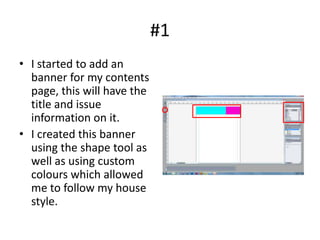
#1
• I started to add an
  banner for my contents
  page, this will have the
  title and issue
  information on it.
• I created this banner
  using the shape tool as
  well as using custom
  colours which allowed
  me to follow my house
  style.
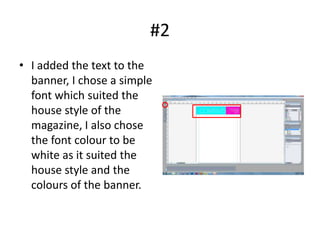
#2
• I added the text to the
  banner, I chose a simple
  font which suited the
  house style of the
  magazine, I also chose
  the font colour to be
  white as it suited the
  house style and the
  colours of the banner.
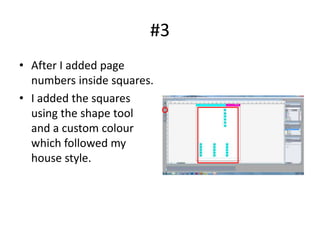
#3
• After I added page
  numbers inside squares.
• I added the squares
  using the shape tool
  and a custom colour
  which followed my
  house style.
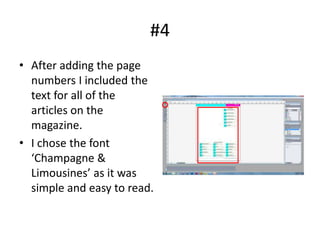
#4
• After adding the page
  numbers I included the
  text for all of the
  articles on the
  magazine.
• I chose the font
  ‘Champagne &
  Limousines’ as it was
  simple and easy to read.
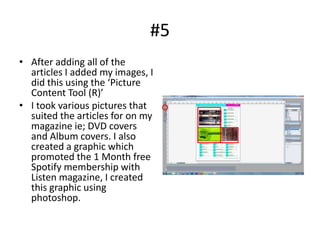
#5
• After adding all of the
  articles I added my images, I
  did this using the ‘Picture
  Content Tool (R)’
• I took various pictures that
  suited the articles for on my
  magazine ie; DVD covers
  and Album covers. I also
  created a graphic which
  promoted the 1 Month free
  Spotify membership with
  Listen magazine, I created
  this graphic using
  photoshop.
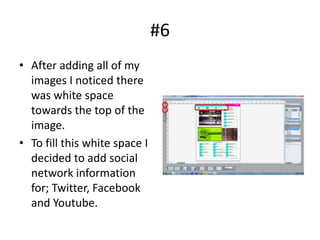
#6
• After adding all of my
  images I noticed there
  was white space
  towards the top of the
  image.
• To fill this white space I
  decided to add social
  network information
  for; Twitter, Facebook
  and Youtube.

Q contents page

  • 1.
  • 2.
    #1 • I startedto add an banner for my contents page, this will have the title and issue information on it. • I created this banner using the shape tool as well as using custom colours which allowed me to follow my house style.
  • 3.
    #2 • I addedthe text to the banner, I chose a simple font which suited the house style of the magazine, I also chose the font colour to be white as it suited the house style and the colours of the banner.
  • 4.
    #3 • After Iadded page numbers inside squares. • I added the squares using the shape tool and a custom colour which followed my house style.
  • 5.
    #4 • After addingthe page numbers I included the text for all of the articles on the magazine. • I chose the font ‘Champagne & Limousines’ as it was simple and easy to read.
  • 6.
    #5 • After addingall of the articles I added my images, I did this using the ‘Picture Content Tool (R)’ • I took various pictures that suited the articles for on my magazine ie; DVD covers and Album covers. I also created a graphic which promoted the 1 Month free Spotify membership with Listen magazine, I created this graphic using photoshop.
  • 7.
    #6 • After addingall of my images I noticed there was white space towards the top of the image. • To fill this white space I decided to add social network information for; Twitter, Facebook and Youtube.