Internet Security Zoaib Mirza Promote Education www.promoteeducation.com
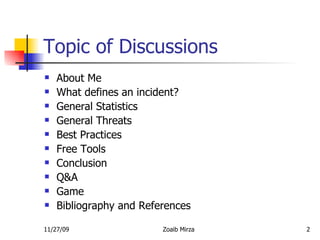
Topic of Discussions About Me What defines an incident?  General Statistics General Threats Best Practices Free Tools Conclusion Q&A Game Bibliography and References
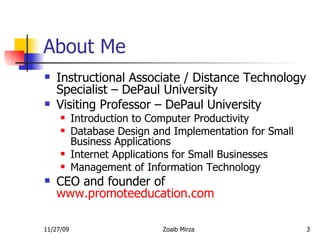
About Me Instructional Associate / Distance Technology Specialist – DePaul University Visiting Professor – DePaul University Introduction to Computer Productivity Database Design and Implementation for Small Business Applications Internet Applications for Small Businesses Management of Information Technology CEO and founder of  www.promoteeducation.com
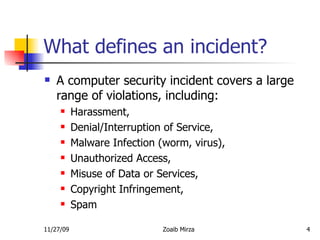
What defines an incident? A computer security incident covers a large range of violations, including: Harassment, Denial/Interruption of Service, Malware Infection (worm, virus), Unauthorized Access, Misuse of Data or Services, Copyright Infringement, Spam
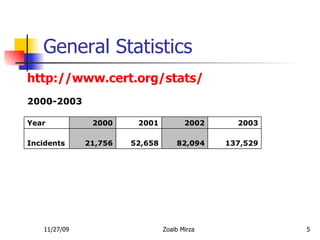
General Statistics 137,529 82,094 52,658 21,756 Incidents 2003 2002 2001 2000 Year   http://www.cert.org/stats/ 2000-2003
General Threats Virus  - A computer virus is a computer program that can copy itself and infect a computer without permission or knowledge of the user.  Example an infected file. Worm  - A computer worm is a self-replicating computer program. It uses a network to send copies of itself to other nodes (computer terminals on the network) and it may do so without any user intervention. Unlike a virus, it does not need to attach itself to an existing program. Worms always harm the network (if only by consuming bandwidth), whereas viruses always infect or corrupt files on a targeted computer.  For example, a worm could send out copies of itself to everyone listed in your e-mail address book, and their computers would then do the same, which causes a domino effect of heavy network traffic that can slow down business networks and the Internet as a whole. When new worms are unleashed, they spread very quickly. They clog networks and possibly cause a long wait for you (and everyone else) to view Web pages on the Internet.
Types of Threats Trojan horse  – A Trojan horse is a program that unlike a virus contains or installs a malicious program (sometimes called the payload or 'trojan'). Trojan horses may appear to be useful or interesting programs (or at the very least harmless) to an unsuspecting user, but are actually harmful when executed.  Examples include various implementations of weather alerting programs, computer clock setting software, Software that you download for free, and peer to peer file sharing utilities.  Spam  - Spamming is the abuse of electronic messaging systems to send unsolicited bulk messages, which are generally undesired. The most widely recognized form of spam is email spam. Spam is also called junk mail.  Example: Emails for unknown senders
Types of Threats Phishing  - phishing is a criminal activity using “social engineering” techniques which is manipulating people into performing actions or revealing confidential information. Phishers attempt to fraudulently acquire sensitive information, such as usernames, passwords and credit card details, by masquerading as a trustworthy entity in an electronic communication.  eBay and PayPal are two of the most targeted companies, and online banks are also common targets.  Phishing is typically carried out using email or an instant message, and often directs users to give details at a website, although phone contact has been used as well.
Best Practices Install Operating system Updates and Patches Install Anti-Virus and Spyware Protection  Use a Host Based Firewall Create a strong password Use caution when opening email attachments  Never share personal information  Do not respond to Spam  Back up Files  Do not Share Folders Use a Spyware program
Free Tools Microsoft Baseline Security Analyzer http://www.microsoft.com/ technet/security/tools/mbsahome.mspx Microsoft Windows Update http://update.microsoft.com/windowsupdate/v6/default.aspx?ln=en-us   Trend Micro for virus scan http://housecall.trendmicro.com/
Conclusion Secure your computer like you would secure your home.  Do not respond to any emails or messages if you do not know the sender. Always keep your computer up to date. Do now share any important information via chatting or emails. Do not download any free software on your computer. Make sure it is from an authentic website. E.g.  http://www.download.com/
Questions and Answers
Game - Questions You cannot stop me, I can come in your machine in many ways, can you guess the type of threat I am, and what are you doing to do about it muhuaaahahahahahah!
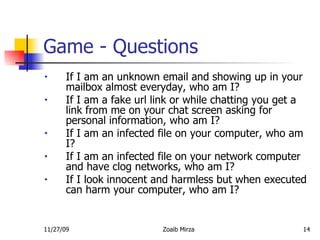
Game - Questions If I am an unknown email and showing up in your mailbox almost everyday, who am I?  If I am a fake url link or while chatting you get a link from me on your chat screen asking for personal information, who am I?  If I am an infected file on your computer, who am I?  If I am an infected file on your network computer and have clog networks, who am I?  If I look innocent and harmless but when executed can harm your computer, who am I?
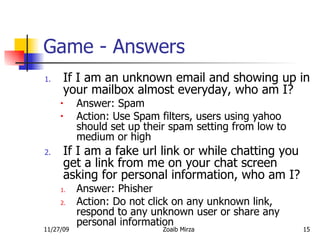
Game - Answers If I am an unknown email and showing up in your mailbox almost everyday, who am I? Answer: Spam  Action: Use Spam filters, users using yahoo should set up their spam setting from low to medium or high If I am a fake url link or while chatting you get a link from me on your chat screen asking for personal information, who am I? Answer: Phisher Action: Do not click on any unknown link, respond to any unknown user or share any personal information
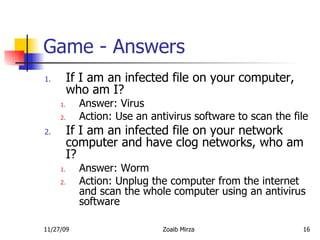
Game - Answers If I am an infected file on your computer, who am I? Answer: Virus Action: Use an antivirus software to scan the file If I am an infected file on your network computer and have clog networks, who am I? Answer: Worm Action: Unplug the computer from the internet and scan the whole computer using an antivirus software
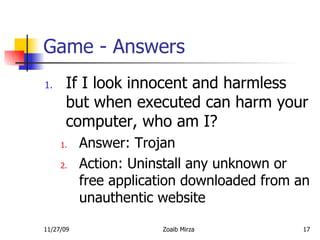
Game - Answers If I look innocent and harmless but when executed can harm your computer, who am I? Answer: Trojan Action: Uninstall any unknown or free application downloaded from an unauthentic website
Bibliography and References http://www.cert.org/stats/ http://is.depaul.edu/security/information_security/software.asp   http://en.wikipedia.org/wiki/Main_Page

Promote Education Internet Security

  • 1.
    Internet Security ZoaibMirza Promote Education www.promoteeducation.com
  • 2.
    Topic of DiscussionsAbout Me What defines an incident? General Statistics General Threats Best Practices Free Tools Conclusion Q&A Game Bibliography and References
  • 3.
    About Me InstructionalAssociate / Distance Technology Specialist – DePaul University Visiting Professor – DePaul University Introduction to Computer Productivity Database Design and Implementation for Small Business Applications Internet Applications for Small Businesses Management of Information Technology CEO and founder of www.promoteeducation.com
  • 4.
    What defines anincident? A computer security incident covers a large range of violations, including: Harassment, Denial/Interruption of Service, Malware Infection (worm, virus), Unauthorized Access, Misuse of Data or Services, Copyright Infringement, Spam
  • 5.
    General Statistics 137,52982,094 52,658 21,756 Incidents 2003 2002 2001 2000 Year   http://www.cert.org/stats/ 2000-2003
  • 6.
    General Threats Virus - A computer virus is a computer program that can copy itself and infect a computer without permission or knowledge of the user. Example an infected file. Worm - A computer worm is a self-replicating computer program. It uses a network to send copies of itself to other nodes (computer terminals on the network) and it may do so without any user intervention. Unlike a virus, it does not need to attach itself to an existing program. Worms always harm the network (if only by consuming bandwidth), whereas viruses always infect or corrupt files on a targeted computer. For example, a worm could send out copies of itself to everyone listed in your e-mail address book, and their computers would then do the same, which causes a domino effect of heavy network traffic that can slow down business networks and the Internet as a whole. When new worms are unleashed, they spread very quickly. They clog networks and possibly cause a long wait for you (and everyone else) to view Web pages on the Internet.
  • 7.
    Types of ThreatsTrojan horse – A Trojan horse is a program that unlike a virus contains or installs a malicious program (sometimes called the payload or 'trojan'). Trojan horses may appear to be useful or interesting programs (or at the very least harmless) to an unsuspecting user, but are actually harmful when executed. Examples include various implementations of weather alerting programs, computer clock setting software, Software that you download for free, and peer to peer file sharing utilities. Spam - Spamming is the abuse of electronic messaging systems to send unsolicited bulk messages, which are generally undesired. The most widely recognized form of spam is email spam. Spam is also called junk mail. Example: Emails for unknown senders
  • 8.
    Types of ThreatsPhishing - phishing is a criminal activity using “social engineering” techniques which is manipulating people into performing actions or revealing confidential information. Phishers attempt to fraudulently acquire sensitive information, such as usernames, passwords and credit card details, by masquerading as a trustworthy entity in an electronic communication. eBay and PayPal are two of the most targeted companies, and online banks are also common targets. Phishing is typically carried out using email or an instant message, and often directs users to give details at a website, although phone contact has been used as well.
  • 9.
    Best Practices InstallOperating system Updates and Patches Install Anti-Virus and Spyware Protection Use a Host Based Firewall Create a strong password Use caution when opening email attachments Never share personal information Do not respond to Spam Back up Files Do not Share Folders Use a Spyware program
  • 10.
    Free Tools MicrosoftBaseline Security Analyzer http://www.microsoft.com/ technet/security/tools/mbsahome.mspx Microsoft Windows Update http://update.microsoft.com/windowsupdate/v6/default.aspx?ln=en-us Trend Micro for virus scan http://housecall.trendmicro.com/
  • 11.
    Conclusion Secure yourcomputer like you would secure your home. Do not respond to any emails or messages if you do not know the sender. Always keep your computer up to date. Do now share any important information via chatting or emails. Do not download any free software on your computer. Make sure it is from an authentic website. E.g. http://www.download.com/
  • 12.
  • 13.
    Game - QuestionsYou cannot stop me, I can come in your machine in many ways, can you guess the type of threat I am, and what are you doing to do about it muhuaaahahahahahah!
  • 14.
    Game - QuestionsIf I am an unknown email and showing up in your mailbox almost everyday, who am I? If I am a fake url link or while chatting you get a link from me on your chat screen asking for personal information, who am I? If I am an infected file on your computer, who am I? If I am an infected file on your network computer and have clog networks, who am I? If I look innocent and harmless but when executed can harm your computer, who am I?
  • 15.
    Game - AnswersIf I am an unknown email and showing up in your mailbox almost everyday, who am I? Answer: Spam Action: Use Spam filters, users using yahoo should set up their spam setting from low to medium or high If I am a fake url link or while chatting you get a link from me on your chat screen asking for personal information, who am I? Answer: Phisher Action: Do not click on any unknown link, respond to any unknown user or share any personal information
  • 16.
    Game - AnswersIf I am an infected file on your computer, who am I? Answer: Virus Action: Use an antivirus software to scan the file If I am an infected file on your network computer and have clog networks, who am I? Answer: Worm Action: Unplug the computer from the internet and scan the whole computer using an antivirus software
  • 17.
    Game - AnswersIf I look innocent and harmless but when executed can harm your computer, who am I? Answer: Trojan Action: Uninstall any unknown or free application downloaded from an unauthentic website
  • 18.
    Bibliography and Referenceshttp://www.cert.org/stats/ http://is.depaul.edu/security/information_security/software.asp http://en.wikipedia.org/wiki/Main_Page