Submitted To: Submitted By:
Studymafia.org Studymafia.org
Web-Development
Front
End
Development
Prepared By :
Manohar Kumar
Table Contents
• Definition
• Introduction
• Classification
• Frontend Roadmap
• Backend Roadmap
• Full-Stack Developer
• What does Developer do?
• Tools Used
2
Definition
The word Web Development is made up of two words:
– Web: It refers to websites, web pages or anything that
works over the internet.
– Development: Building the application from scratch.
3
Introduction
• Web development refers to the building, creating, and
maintaining of websites. It includes aspects such as web
design, web publishing, web programming, and
database management.
• It is the creation of an application that works over the
internet i.e. websites.
• The term development is usually reserved for the actual
construction of these things (that is to say, the
programming of sites). The basic tools involved are
programming languages called HTML (Hypertext
Markup Language), CSS (Cascading Style Sheets), and
JavaScript. 4
5
Web Development can be classified into two ways:
• Frontend Development: The part of a website that the
user interacts directly is termed as front end. It is also
referred to as the ‘client side’ of the application.
• Backend Development: Backend is the server side of
a website. It is the part of the website that users cannot
see and interact. It is the portion of software that does
not come in direct contact with the users. It is used to
store and arrange data.
6
Classification
●●●
7
Frontend Roadmap
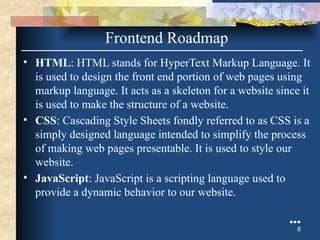
• HTML: HTML stands for HyperText Markup Language. It
is used to design the front end portion of web pages using
markup language. It acts as a skeleton for a website since it
is used to make the structure of a website.
• CSS: Cascading Style Sheets fondly referred to as CSS is a
simply designed language intended to simplify the process
of making web pages presentable. It is used to style our
website.
• JavaScript: JavaScript is a scripting language used to
provide a dynamic behavior to our website.
●●●
8
Frontend Roadmap
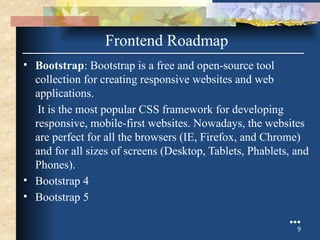
• Bootstrap: Bootstrap is a free and open-source tool
collection for creating responsive websites and web
applications.
It is the most popular CSS framework for developing
responsive, mobile-first websites. Nowadays, the websites
are perfect for all the browsers (IE, Firefox, and Chrome)
and for all sizes of screens (Desktop, Tablets, Phablets, and
Phones).
• Bootstrap 4
• Bootstrap 5
●●●
9
Frontend Roadmap
Frontend Frameworks and Libraries:
• AngularJS
• React.js
• VueJS
• jQuery
• Bootstrap
• Material UI
• Tailwind CSS
• jQuery UI
10
Frontend Roadmap
Backend Roadmap
●●●
11
Backend Roadmap
• PHP: PHP is a server-side scripting language
designed specifically for web development.
• Java: Java is one of the most popular and widely
used programming language. It is highly scalable.
• Python: Python is a programming language that lets
you work quickly and integrate systems more
efficiently.
• Node.js: Node.js is an open source and cross-
platform runtime environment for executing
JavaScript code outside a browser.
●●●
12
Backend Roadmap
Back End Frameworks
The list of back end frameworks are:
Express,
Django,
Rails,
Laravel,
Spring, etc.
13
What Does Web-Developer Do?
• Translating wireframe designs into working code
• Creating the architecture and content of a site
• Building in functionality and responsivity
• Making a site go live
• Updating and renovating sites
• Troubleshooting, fixing bugs, and glitches
14
Tools Used
• WordPress
• Joomla!
• Drupal
• TYPO3
• Adobe Experience Manager
• Sketch – A toolkit for digital designs
• InVision Cloud – A leading digital product design platform
• Sublime Text – A code editor for advanced website design
• Foundation – A family of front-end frameworks
• Chrome DevTools – Tools from the popular browser that
facilitate web development
15
Conclusion
• In today's Web development, a good page design is
essential. A bad design will lead to the loss of visitors
and that can lead to a loss of business. In general, a
good page layout has to satisfy the basic elements of
a good page design.
• This includes color contrast, text organization, font
selection, style of a page, page size, graphics used,
and consistency. In order to create a well-designed
page for a specific audience.
16
HTML and Web Pages
HTML?
 HTML is not a programming language
 A type of SGML (standard generalized
markup language)
 HTML uses paired tags to markup different
elements of a page
 We will discuss XHTML later.
 Language that drives web pages in WWW
 It is where we will start the semester
Editing Your HTML File
 Try not to use Notepad use EditPlus instead
 WYSIWYG editor, like FrontPage
 PHP Designer or HTMLGateFree
 Familiarize with the mechanics
 Without using WISIWYG like Frontpage
 Understand the coding behind web pages
 Provides you the knowledge to make changes
Publish at marqone.busadm.mu.edu
 We’ll publish on the server designated for
the class
 Using an FTP server like Filezilla
 The server also have a file transfer program
but Filezilla is easier to use
Words to remember
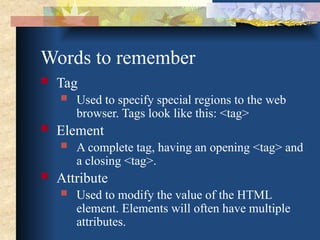
 Tag
 Used to specify special regions to the web
browser. Tags look like this: <tag>
 Element
 A complete tag, having an opening <tag> and
a closing <tag>.
 Attribute
 Used to modify the value of the HTML
element. Elements will often have multiple
attributes.
Element?
 An element consists of three basic parts:
an opening tag, the element's content, and
finally, a closing tag.
 <p> - opening paragraph tag
 Element Content - paragraph content
 </p> - closing tag
 Every webpage contains four basic
elements. The html, head, title, and body
elements.
More elements
 <html> begins and ends each and every
web page.
 The <head> element comes next.
 Tags placed within the head element are not
directly displayed by browsers.
 Place the <title> tag within the <head>
element to title your page. The title will be
displayed at the top of a viewer's browser.
 The <body> element is where all content is
placed. Paragraphs, pictures, tables, etc.
A Simple HTML File – ex1.html
<html>
<head>
<title>A Simple HTML Example</title>
</head>
<body>
HTML is Easy To Learn</H1>
Welcome to the world of HTML.
</body>
</html>
Exercise – ex1.html
 Using Filezilla – open
marqone.busadm.mu.edu
 Enter user name and password
 mkdir – “exercise”
 Go into the exercise directory
 create ex1.html with HTMLGateFree
 Test it before you download to the “server”
 Download and test
https://marqone.busadm.mu.edu/~user/exercise/ex1.html
Tags
¨ Tags are embedded commands within a
document that communicate to the browser.
¨ <opening tag> Content </closing tag>
¨ Any number of white-spaces are compressed
into a single one
¨ Examples of Tags
¨ <p>Paragraph Tag</p>
¨ <h2>Heading Tag</h2>
¨ <b>Bold Tag</b> or <strong> Bold Tag </strong>
¨ <i>Italic Tag</i> or <em> Italic Tag </i>
More HTML tags
¨ Tags Without Closing Tags
¨ They still have the 3 basic parts
(opening/closing and content).
¨ do not require a formal </closingtag>
¨ Examples:
¨ <img src="mypic.jpg" /> -- Image Tag
¨ <br /> -- Line Break Tag
¨ <input type="text" size="12" /> -- Input Field
Lists – un-numbered
 Unnumbered Lists:
<UL>
<LI> apples </LI>
<LI> bananas </LI>
<LI> grapefruit </LI>
</UL>
 Unnumbered Lists with different pointer types:
<UL type="square">
<LI> oranges </LI>
<LI> peaches </LI>
<LI> grapes </LI>
</UL>
type="square"
type="disc"
type="circle"
Lists - numbered
 Unnumbered Lists:
<UL>
<LI> apples </LI>
<LI> bananas </LI>
<LI> grapefruit </LI>
</UL>
 Numbered Lists:
<OL>
<LI> oranges </LI>
<LI> peaches </LI>
<LI> grapes </LI>
</OL>
Lists - numbered
 Numbered Lists that starts with 4:
<OL start="4">
<LI> oranges </LI>
<LI> peaches </LI>
<LI> grapes </LI>
</OL>
 Numbered Lists with different ordering:
<OL type="a">
<LI> oranges </LI>
<LI> peaches </LI>
<LI> grapes </LI>
</OL>
type="a": a, b, c
type="A": A, B, C
type="i": i, ii, iii
type="I": I, II, III
Lists
TIPS
Use the start and type attributes to customize your lists.
It is possible to make lists of lists, which is helpful for
creating some items, such as outlines.
Put it all together so far
<HTML>
<HEAD>
<TITLE>The document title</TITLE>
</HEAD>
<BODY>
<H1>Main heading</H1>
<P>A paragraph.</P>
<P>Another paragraph.</P>
<UL> Things that I like </UL>
<LI>A list item.</LI>
<LI>Another list item.</LI>
</UL>
</BODY>
</HTML>
Block vs. Inline Elements
 <h2><em>This header will be bold and
italicized</em></h2>
OR
 <em><h2>This header will be bold and
italicized</h2></em>
 <em> and <h2> are different kinds of tags.
 <h2>: header elements are BLOCK-
LEVEL elements.

Formatting
<p>An example of <b>Bold Text</b> </p>
<p>An example of <em>Emphasized Text</em> </p>
<p>An example of <strong>Strong Text</strong> </p>
<p>An example of <i>Italic Text</i> </p>
<p>An example of <sup>superscripted Text</sup> </p>
<p>An example of <sub>subscripted Text</sub> </p>
<p>An example of <del>struckthrough Text</del> </p>
<p>An example of <code>Computer Code Text</code> </p>
<center>Centering of text in page</center>
Hyperlinks
¨ The most important capability of HTML
¨ Both text and image can serve as anchors
for the link
<a HREF=http://www.mu.edu>Marquette University</a>
<a HREF=http://www.mu.edu> <IMG
SRC="mu.gif"></a>
Exercise: ex2.html
Thank You

Project on Front End Developer FOR vIVA.pptx

  • 1.
    Submitted To: SubmittedBy: Studymafia.org Studymafia.org Web-Development Front End Development Prepared By : Manohar Kumar
  • 2.
    Table Contents • Definition •Introduction • Classification • Frontend Roadmap • Backend Roadmap • Full-Stack Developer • What does Developer do? • Tools Used 2
  • 3.
    Definition The word WebDevelopment is made up of two words: – Web: It refers to websites, web pages or anything that works over the internet. – Development: Building the application from scratch. 3
  • 4.
    Introduction • Web developmentrefers to the building, creating, and maintaining of websites. It includes aspects such as web design, web publishing, web programming, and database management. • It is the creation of an application that works over the internet i.e. websites. • The term development is usually reserved for the actual construction of these things (that is to say, the programming of sites). The basic tools involved are programming languages called HTML (Hypertext Markup Language), CSS (Cascading Style Sheets), and JavaScript. 4
  • 5.
  • 6.
    Web Development canbe classified into two ways: • Frontend Development: The part of a website that the user interacts directly is termed as front end. It is also referred to as the ‘client side’ of the application. • Backend Development: Backend is the server side of a website. It is the part of the website that users cannot see and interact. It is the portion of software that does not come in direct contact with the users. It is used to store and arrange data. 6 Classification
  • 7.
  • 8.
    • HTML: HTMLstands for HyperText Markup Language. It is used to design the front end portion of web pages using markup language. It acts as a skeleton for a website since it is used to make the structure of a website. • CSS: Cascading Style Sheets fondly referred to as CSS is a simply designed language intended to simplify the process of making web pages presentable. It is used to style our website. • JavaScript: JavaScript is a scripting language used to provide a dynamic behavior to our website. ●●● 8 Frontend Roadmap
  • 9.
    • Bootstrap: Bootstrapis a free and open-source tool collection for creating responsive websites and web applications. It is the most popular CSS framework for developing responsive, mobile-first websites. Nowadays, the websites are perfect for all the browsers (IE, Firefox, and Chrome) and for all sizes of screens (Desktop, Tablets, Phablets, and Phones). • Bootstrap 4 • Bootstrap 5 ●●● 9 Frontend Roadmap
  • 10.
    Frontend Frameworks andLibraries: • AngularJS • React.js • VueJS • jQuery • Bootstrap • Material UI • Tailwind CSS • jQuery UI 10 Frontend Roadmap
  • 11.
  • 12.
    Backend Roadmap • PHP:PHP is a server-side scripting language designed specifically for web development. • Java: Java is one of the most popular and widely used programming language. It is highly scalable. • Python: Python is a programming language that lets you work quickly and integrate systems more efficiently. • Node.js: Node.js is an open source and cross- platform runtime environment for executing JavaScript code outside a browser. ●●● 12
  • 13.
    Backend Roadmap Back EndFrameworks The list of back end frameworks are: Express, Django, Rails, Laravel, Spring, etc. 13
  • 14.
    What Does Web-DeveloperDo? • Translating wireframe designs into working code • Creating the architecture and content of a site • Building in functionality and responsivity • Making a site go live • Updating and renovating sites • Troubleshooting, fixing bugs, and glitches 14
  • 15.
    Tools Used • WordPress •Joomla! • Drupal • TYPO3 • Adobe Experience Manager • Sketch – A toolkit for digital designs • InVision Cloud – A leading digital product design platform • Sublime Text – A code editor for advanced website design • Foundation – A family of front-end frameworks • Chrome DevTools – Tools from the popular browser that facilitate web development 15
  • 16.
    Conclusion • In today'sWeb development, a good page design is essential. A bad design will lead to the loss of visitors and that can lead to a loss of business. In general, a good page layout has to satisfy the basic elements of a good page design. • This includes color contrast, text organization, font selection, style of a page, page size, graphics used, and consistency. In order to create a well-designed page for a specific audience. 16
  • 17.
  • 18.
    HTML?  HTML isnot a programming language  A type of SGML (standard generalized markup language)  HTML uses paired tags to markup different elements of a page  We will discuss XHTML later.  Language that drives web pages in WWW  It is where we will start the semester
  • 19.
    Editing Your HTMLFile  Try not to use Notepad use EditPlus instead  WYSIWYG editor, like FrontPage  PHP Designer or HTMLGateFree  Familiarize with the mechanics  Without using WISIWYG like Frontpage  Understand the coding behind web pages  Provides you the knowledge to make changes
  • 20.
    Publish at marqone.busadm.mu.edu We’ll publish on the server designated for the class  Using an FTP server like Filezilla  The server also have a file transfer program but Filezilla is easier to use
  • 21.
    Words to remember Tag  Used to specify special regions to the web browser. Tags look like this: <tag>  Element  A complete tag, having an opening <tag> and a closing <tag>.  Attribute  Used to modify the value of the HTML element. Elements will often have multiple attributes.
  • 22.
    Element?  An elementconsists of three basic parts: an opening tag, the element's content, and finally, a closing tag.  <p> - opening paragraph tag  Element Content - paragraph content  </p> - closing tag  Every webpage contains four basic elements. The html, head, title, and body elements.
  • 23.
    More elements  <html>begins and ends each and every web page.  The <head> element comes next.  Tags placed within the head element are not directly displayed by browsers.  Place the <title> tag within the <head> element to title your page. The title will be displayed at the top of a viewer's browser.  The <body> element is where all content is placed. Paragraphs, pictures, tables, etc.
  • 24.
    A Simple HTMLFile – ex1.html <html> <head> <title>A Simple HTML Example</title> </head> <body> HTML is Easy To Learn</H1> Welcome to the world of HTML. </body> </html>
  • 25.
    Exercise – ex1.html Using Filezilla – open marqone.busadm.mu.edu  Enter user name and password  mkdir – “exercise”  Go into the exercise directory  create ex1.html with HTMLGateFree  Test it before you download to the “server”  Download and test https://marqone.busadm.mu.edu/~user/exercise/ex1.html
  • 26.
    Tags ¨ Tags areembedded commands within a document that communicate to the browser. ¨ <opening tag> Content </closing tag> ¨ Any number of white-spaces are compressed into a single one ¨ Examples of Tags ¨ <p>Paragraph Tag</p> ¨ <h2>Heading Tag</h2> ¨ <b>Bold Tag</b> or <strong> Bold Tag </strong> ¨ <i>Italic Tag</i> or <em> Italic Tag </i>
  • 27.
    More HTML tags ¨Tags Without Closing Tags ¨ They still have the 3 basic parts (opening/closing and content). ¨ do not require a formal </closingtag> ¨ Examples: ¨ <img src="mypic.jpg" /> -- Image Tag ¨ <br /> -- Line Break Tag ¨ <input type="text" size="12" /> -- Input Field
  • 28.
    Lists – un-numbered Unnumbered Lists: <UL> <LI> apples </LI> <LI> bananas </LI> <LI> grapefruit </LI> </UL>  Unnumbered Lists with different pointer types: <UL type="square"> <LI> oranges </LI> <LI> peaches </LI> <LI> grapes </LI> </UL> type="square" type="disc" type="circle"
  • 29.
    Lists - numbered Unnumbered Lists: <UL> <LI> apples </LI> <LI> bananas </LI> <LI> grapefruit </LI> </UL>  Numbered Lists: <OL> <LI> oranges </LI> <LI> peaches </LI> <LI> grapes </LI> </OL>
  • 30.
    Lists - numbered Numbered Lists that starts with 4: <OL start="4"> <LI> oranges </LI> <LI> peaches </LI> <LI> grapes </LI> </OL>  Numbered Lists with different ordering: <OL type="a"> <LI> oranges </LI> <LI> peaches </LI> <LI> grapes </LI> </OL> type="a": a, b, c type="A": A, B, C type="i": i, ii, iii type="I": I, II, III
  • 31.
    Lists TIPS Use the startand type attributes to customize your lists. It is possible to make lists of lists, which is helpful for creating some items, such as outlines.
  • 32.
    Put it alltogether so far <HTML> <HEAD> <TITLE>The document title</TITLE> </HEAD> <BODY> <H1>Main heading</H1> <P>A paragraph.</P> <P>Another paragraph.</P> <UL> Things that I like </UL> <LI>A list item.</LI> <LI>Another list item.</LI> </UL> </BODY> </HTML>
  • 33.
    Block vs. InlineElements  <h2><em>This header will be bold and italicized</em></h2> OR  <em><h2>This header will be bold and italicized</h2></em>  <em> and <h2> are different kinds of tags.  <h2>: header elements are BLOCK- LEVEL elements. 
  • 34.
    Formatting <p>An example of<b>Bold Text</b> </p> <p>An example of <em>Emphasized Text</em> </p> <p>An example of <strong>Strong Text</strong> </p> <p>An example of <i>Italic Text</i> </p> <p>An example of <sup>superscripted Text</sup> </p> <p>An example of <sub>subscripted Text</sub> </p> <p>An example of <del>struckthrough Text</del> </p> <p>An example of <code>Computer Code Text</code> </p> <center>Centering of text in page</center>
  • 35.
    Hyperlinks ¨ The mostimportant capability of HTML ¨ Both text and image can serve as anchors for the link <a HREF=http://www.mu.edu>Marquette University</a> <a HREF=http://www.mu.edu> <IMG SRC="mu.gif"></a>
  • 36.
  • 37.

Editor's Notes

  • #2 SAY: Before we wrap up the course, let’s review what we have learned today. During this course, we have <READ the bullets from the slide.> GO to next slide.
  • #3 SAY: Before we wrap up the course, let’s review what we have learned today. During this course, we have <READ the bullets from the slide.> GO to next slide.
  • #4 SAY: Before we wrap up the course, let’s review what we have learned today. During this course, we have <READ the bullets from the slide.> GO to next slide.
  • #5 SAY: Before we wrap up the course, let’s review what we have learned today. During this course, we have <READ the bullets from the slide.> GO to next slide.
  • #6 SAY: Before we wrap up the course, let’s review what we have learned today. During this course, we have <READ the bullets from the slide.> GO to next slide.
  • #7 SAY: Before we wrap up the course, let’s review what we have learned today. During this course, we have <READ the bullets from the slide.> GO to next slide.
  • #8 SAY: Before we wrap up the course, let’s review what we have learned today. During this course, we have <READ the bullets from the slide.> GO to next slide.
  • #9 SAY: Before we wrap up the course, let’s review what we have learned today. During this course, we have <READ the bullets from the slide.> GO to next slide.
  • #10 SAY: Before we wrap up the course, let’s review what we have learned today. During this course, we have <READ the bullets from the slide.> GO to next slide.
  • #11 SAY: The purpose of epidemiology in public health practice is to discover the agent, host, and environmental factors that affect health; determine the relative importance of causes of illness, disability, and death; identify those segments of the population that have the greatest risk from specific causes of ill health; and evaluate the effectiveness of health programs and services in improving population health. GO to next slide.
  • #12 SAY: The purpose of epidemiology in public health practice is to discover the agent, host, and environmental factors that affect health; determine the relative importance of causes of illness, disability, and death; identify those segments of the population that have the greatest risk from specific causes of ill health; and evaluate the effectiveness of health programs and services in improving population health. GO to next slide.
  • #13 SAY: The purpose of epidemiology in public health practice is to discover the agent, host, and environmental factors that affect health; determine the relative importance of causes of illness, disability, and death; identify those segments of the population that have the greatest risk from specific causes of ill health; and evaluate the effectiveness of health programs and services in improving population health. GO to next slide.
  • #14 SAY: The purpose of epidemiology in public health practice is to discover the agent, host, and environmental factors that affect health; determine the relative importance of causes of illness, disability, and death; identify those segments of the population that have the greatest risk from specific causes of ill health; and evaluate the effectiveness of health programs and services in improving population health. GO to next slide.
  • #15 SAY: The purpose of epidemiology in public health practice is to discover the agent, host, and environmental factors that affect health; determine the relative importance of causes of illness, disability, and death; identify those segments of the population that have the greatest risk from specific causes of ill health; and evaluate the effectiveness of health programs and services in improving population health. GO to next slide.
  • #16 SAY: The purpose of epidemiology in public health practice is to discover the agent, host, and environmental factors that affect health; determine the relative importance of causes of illness, disability, and death; identify those segments of the population that have the greatest risk from specific causes of ill health; and evaluate the effectiveness of health programs and services in improving population health. GO to next slide.