http://osama-oransa.blogspot.com/
 Introduction
 Basic Java Concepts
◦ Concurrency
◦ Memory Management
 Java Profiler Tools
◦ NetBeans Profiler
◦ JProfiler
◦ Eclipse TPTP
 Questions
 Performance is one of the NFRs.
 Usually you have SLA for each transaction.
 2 types of performance issues :
◦ Performance Testing Results
 In Dev or Test environment.
◦ Production Performance Issues
 Difficult to handle.
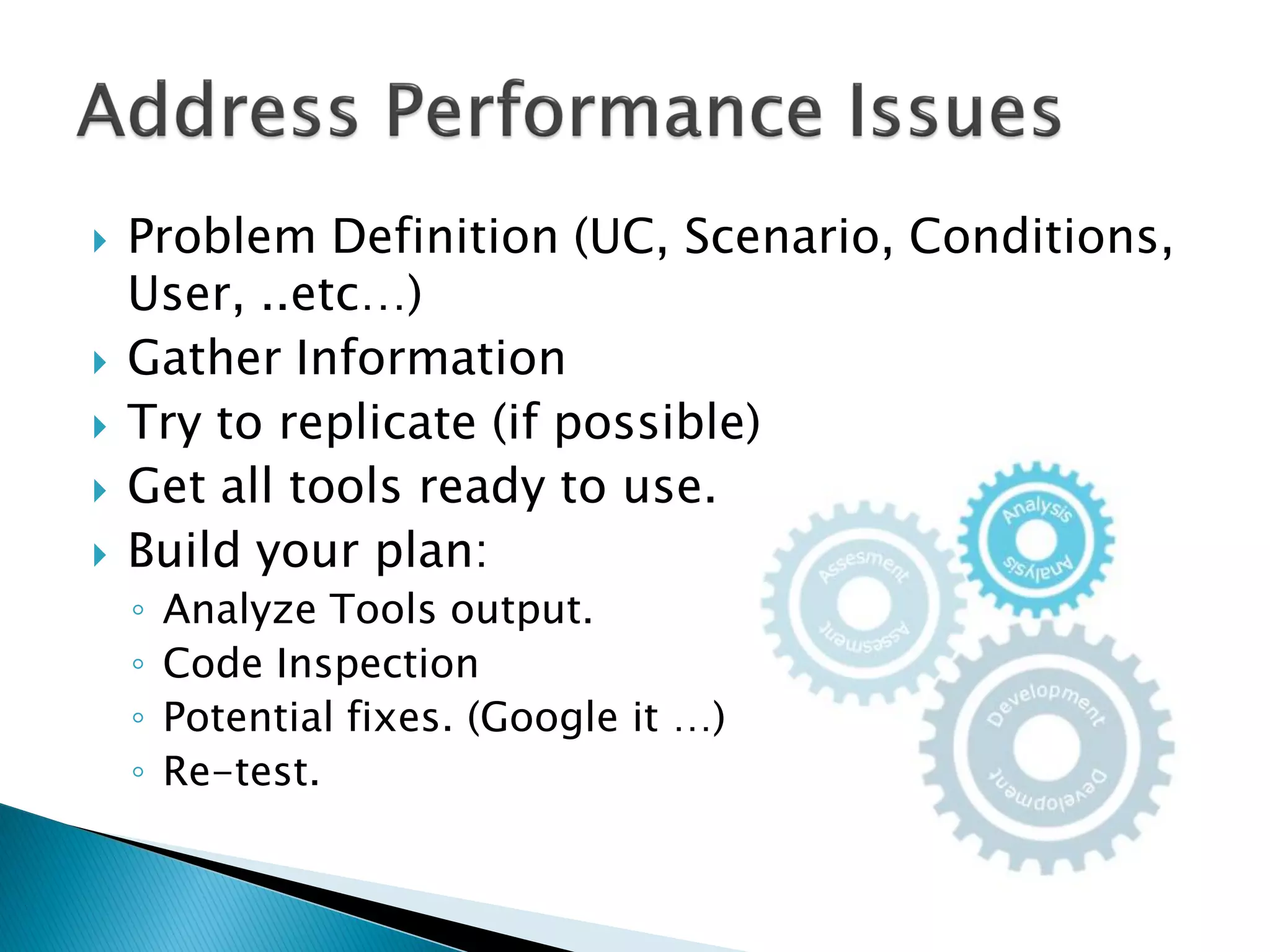
 Problem Definition (UC, Scenario, Conditions,
User, ..etc…)
 Gather Information
 Try to replicate (if possible)
 Get all tools ready to use.
 Build your plan:
◦ Analyze Tools output.
◦ Code Inspection
◦ Potential fixes. (Google it …)
◦ Re-test.
 Better if :
◦ Relay on tools output.
◦ Less dependant on personal experience.
◦ Concrete (not abstract)
◦ Always comparative.
◦ Quick POC
◦ Proven from Google 
 Better if not:
◦ Trial and error approach.
◦ Optimize as you go.
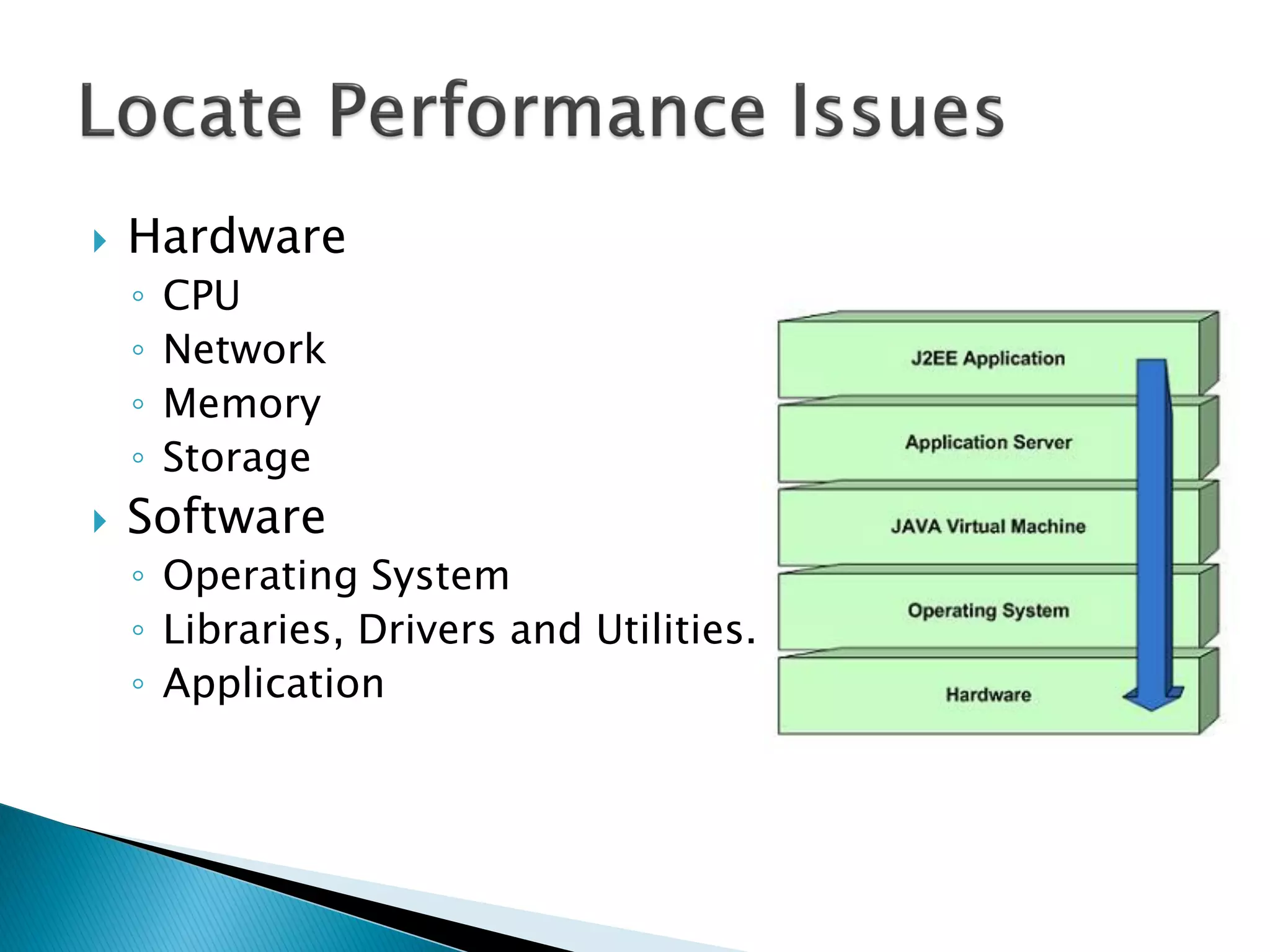
 Hardware
◦ CPU
◦ Network
◦ Memory
◦ Storage
 Software
◦ Operating System
◦ Libraries, Drivers and Utilities.
◦ Application
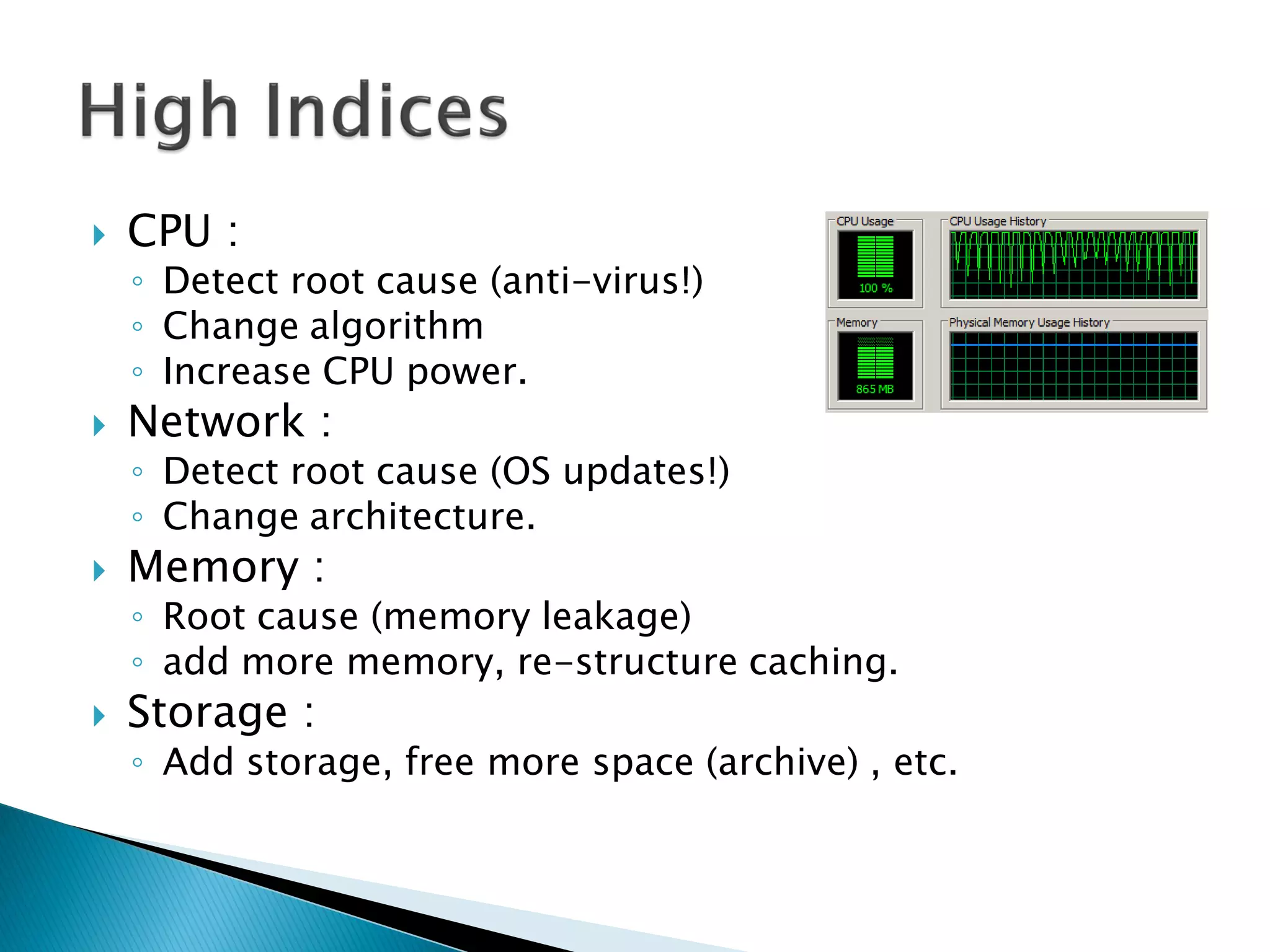
 CPU :
◦ Detect root cause (anti-virus!)
◦ Change algorithm
◦ Increase CPU power.
 Network :
◦ Detect root cause (OS updates!)
◦ Change architecture.
 Memory :
◦ Root cause (memory leakage)
◦ add more memory, re-structure caching.
 Storage :
◦ Add storage, free more space (archive) , etc.
 Good but sometimes you can consider:
◦ CPU :
 Use MT.
 Change workflow.
◦ Memory :
 Utilize more memory in caching.
 Change architecture.
 Google it.
 Continuous follow-up is essential , as new
tips always come:
◦ Use StringBuffer rather than the string
concatenation operator (+).
◦ Use primitive data types instead of objects.
◦ Use short-circuit boolean operators whenever
possible.
◦ Flatten objects as much as possible.
◦ Use the clone() method to avoid calling any
constructors.
◦ Don’t use exception to return flag.
 Vector, Stack, Hashtable are deprecated
 For single threaded use :
◦ ArrayList
◦ Deque
◦ HashMap
 For MT use : (a lot of other alternatives)
◦ CopyOnWriteArrayList
◦ ConcurrentLinkedDeque
◦ ConcurrentHashMap
 Concurrency
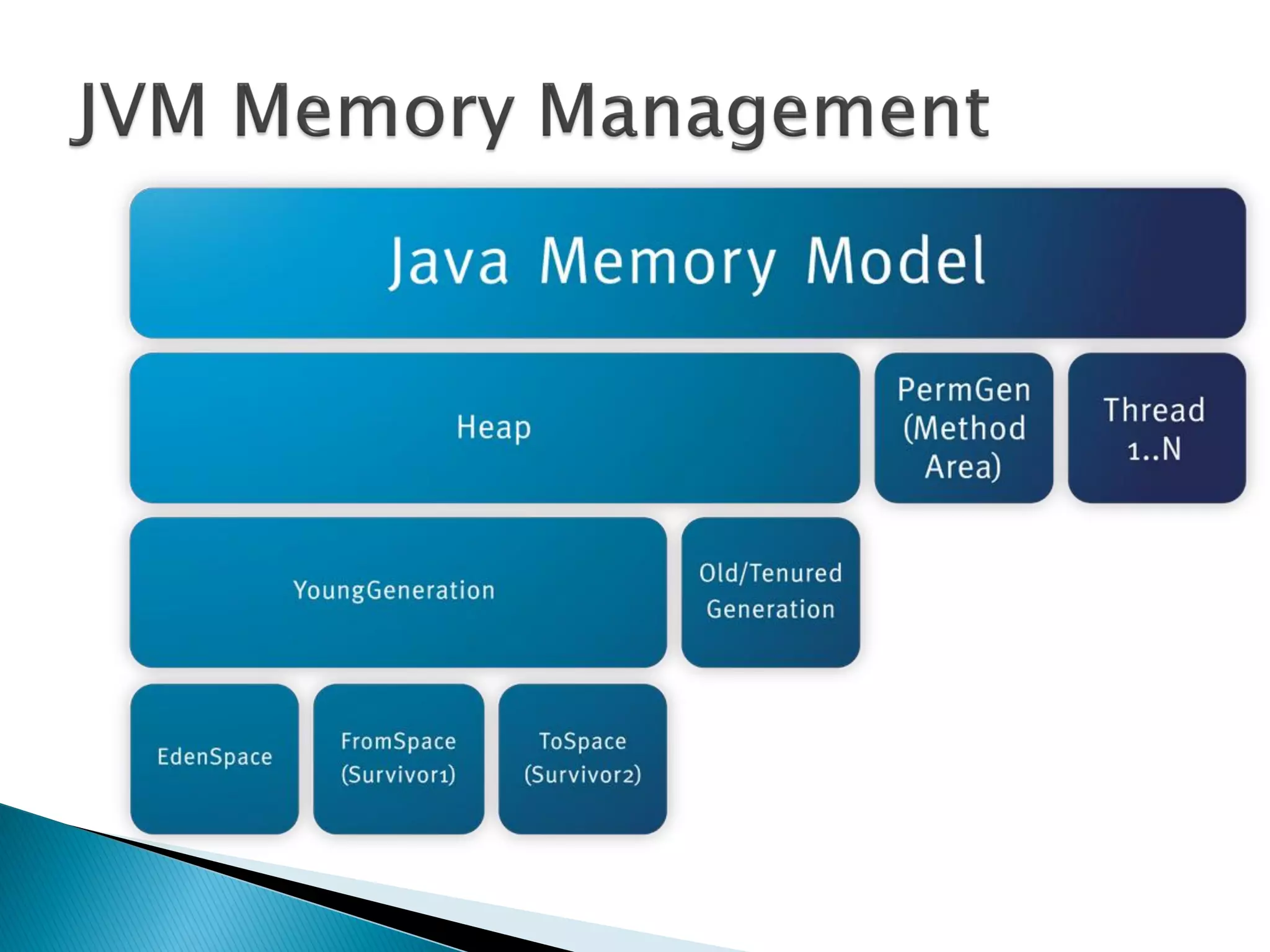
 Memory Management
 Has a self-contained execution environment.
 A process generally has a complete, private
set of basic run-time resources; in particular,
each process has its own memory space.
 Most operating systems support Inter Process
Communication (IPC) resources, such as pipes
and sockets
 Most implementations of the Java virtual
machine run as a single process.
 A Java application can create additional
processes using a ProcessBuilder object.
 As simple as :
Process pb = new
ProcessBuilder("myCommand",
"myArg").start();
 But can be more complex by defining the
Input, Output , Error streams or inherit them
using: pb.inheritIO()
public Process start() throws IOException
 Both processes and threads provide an
execution environment, but creating a new
thread requires fewer resources than creating
a new process.
 Threads exist within a process — every
process has at least one.
 Threads share the process's resources,
including memory and open files.
 This makes for efficient, but potentially
problematic, communication.
 Every application has at least one thread — or
several, if you count "system" threads ( like
memory management ).
 But from the application programmer's point
of view, you start with just one thread, called
the main thread.
 This thread has the ability to create additional
threads.
 Using the Interface or extending the Class :
public class HelloRunnable implements Runnable {
public void run() {
System.out.println("Hello!");
}
public static void main(String args[]) {
(new Thread(new HelloRunnable())).start();
}
}
 Each object in Java is associated with a
monitor, which a thread can lock or unlock.
 Only one thread at a time may hold a lock on
a monitor.
 A synchronized statement :
◦ It then attempts to perform a lock action on that
object's monitor and does not proceed further until
the lock action has successfully.
 A synchronized method automatically
performs a lock action when it is invoked;
◦ Its body is not executed until the lock action has
successfully completed.
◦ If the method is an instance method :
 It locks the monitor associated with the instance for
which it was invoked (this).
◦ If the method is static :
 It locks the monitor associated with the Class object
that represents the class in which the method is
defined.
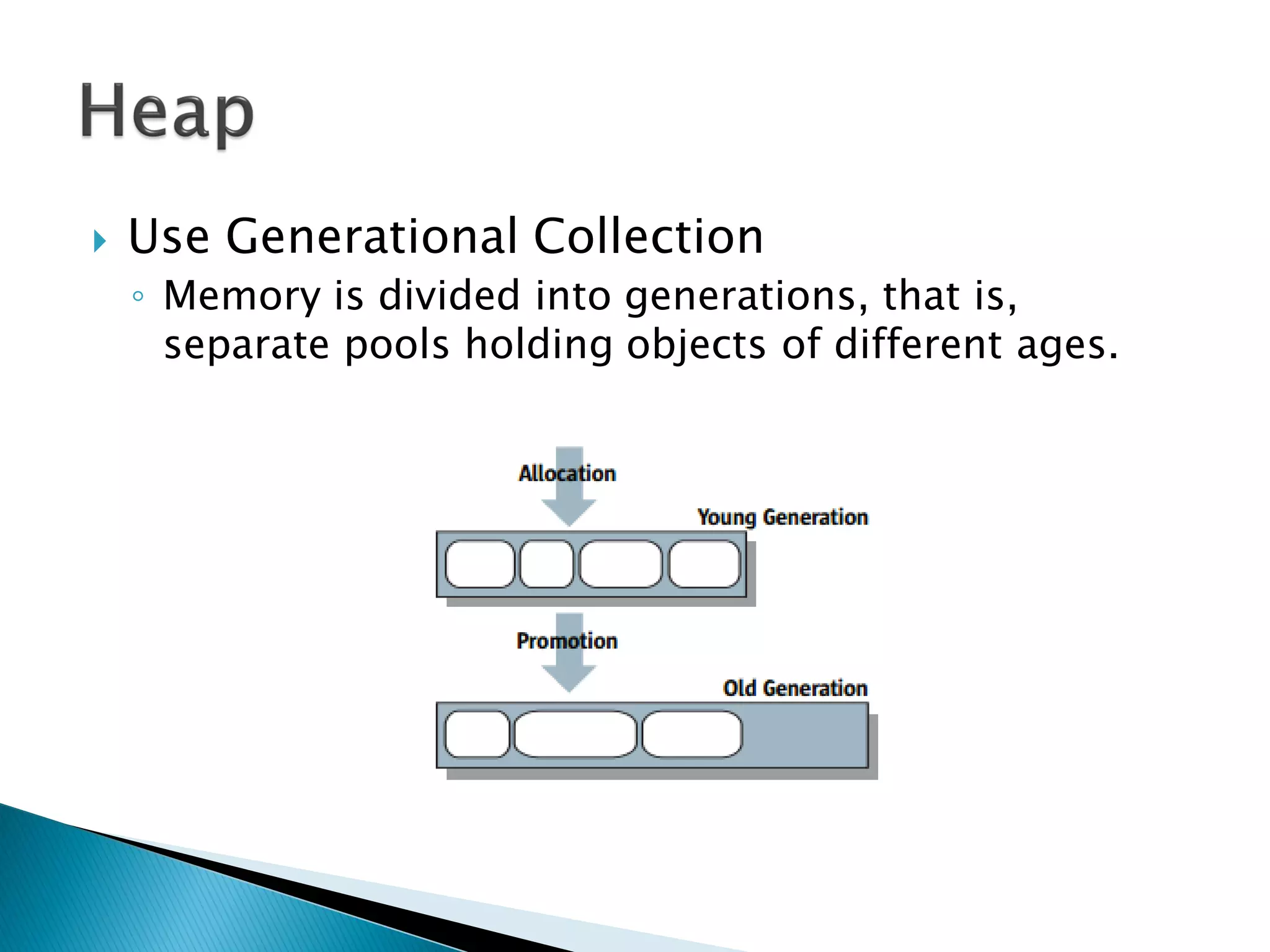
 Use Generational Collection
◦ Memory is divided into generations, that is,
separate pools holding objects of different ages.
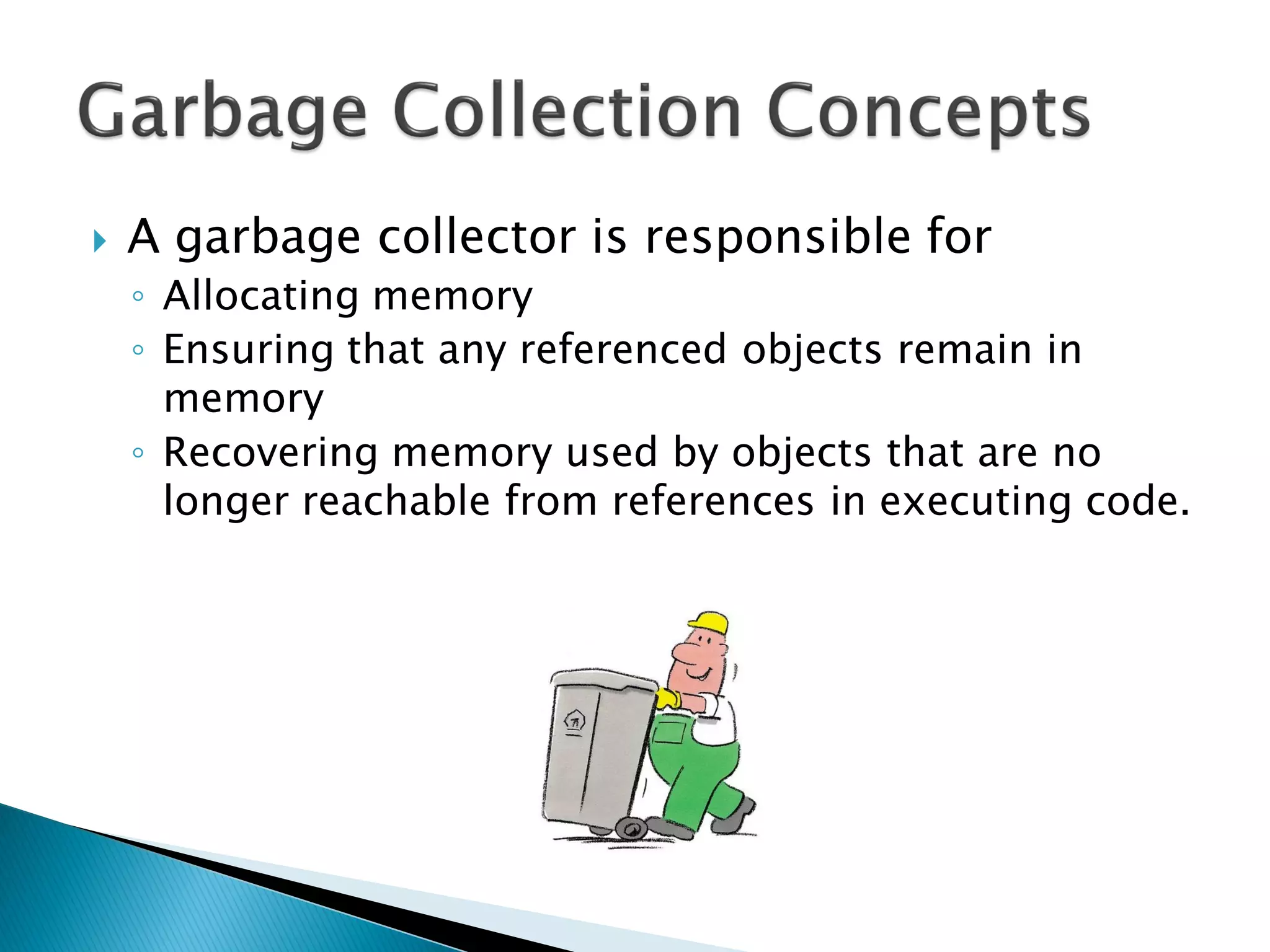
 A garbage collector is responsible for
◦ Allocating memory
◦ Ensuring that any referenced objects remain in
memory
◦ Recovering memory used by objects that are no
longer reachable from references in executing code.
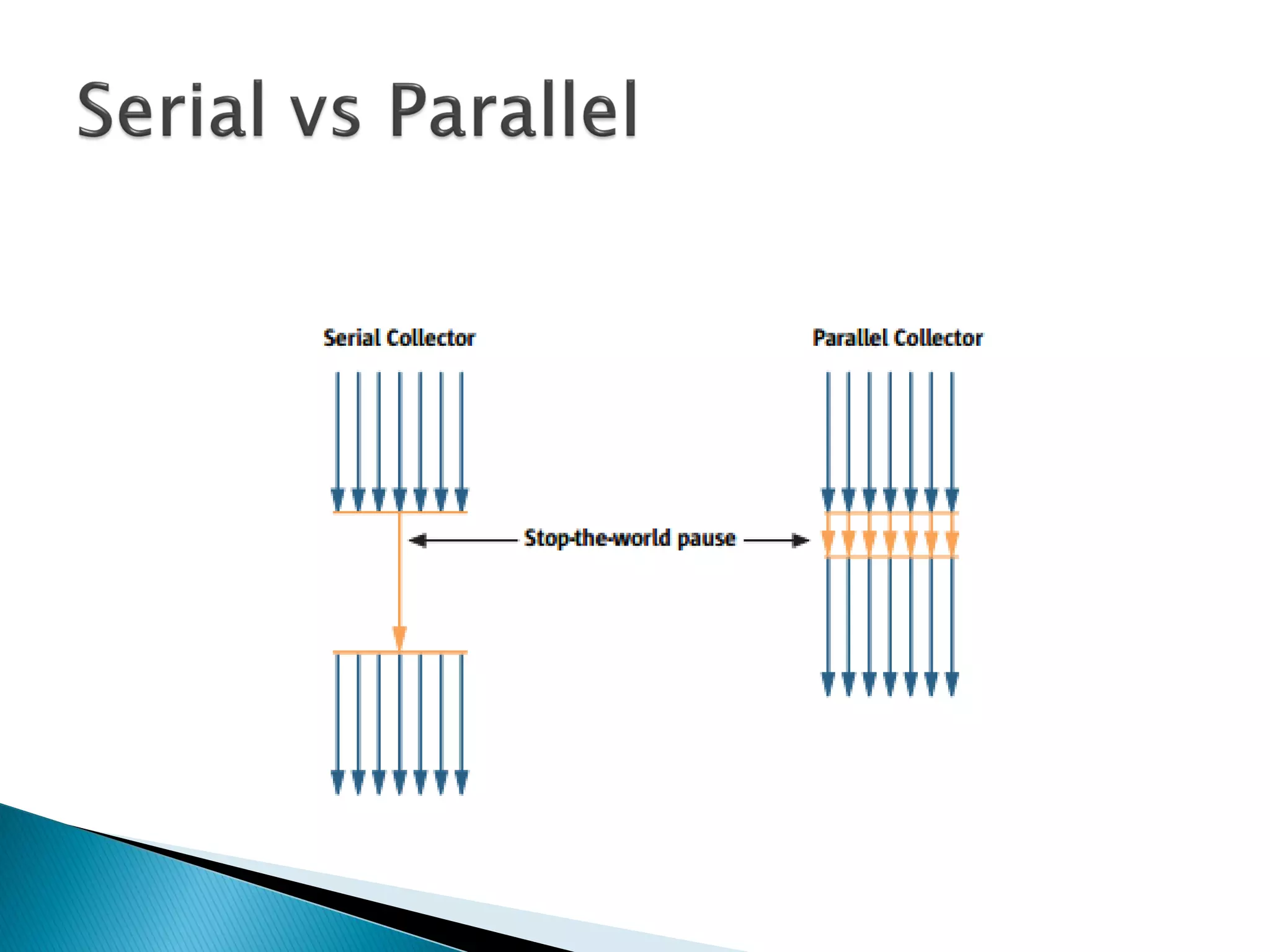
 Serial versus Parallel
◦ When parallel collection is used, the task of garbage
collection is split into parts and those subparts are
executed simultaneously, on different CPUs.
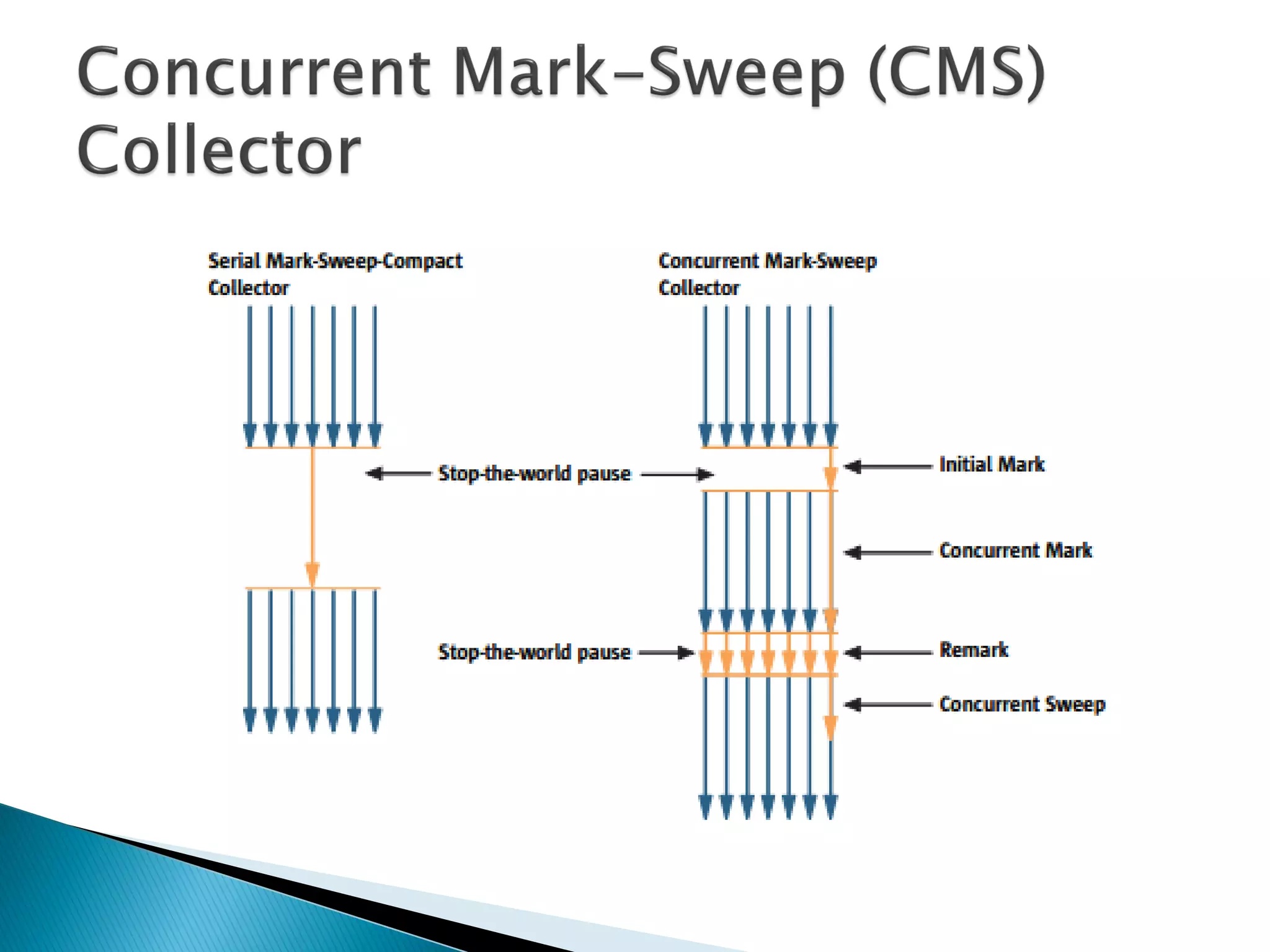
 Concurrent versus Stop-the-world
◦ Concurrent need extra care, as it is operating over
objects that might be updated at the same time by the
application.
◦ Adds some overhead and requires a larger heap size.
◦ Stop-the-world garbage collection is simpler since the
heap is frozen and objects are not changing during the
collection.
◦ It may be undesirable for some applications to be
paused.
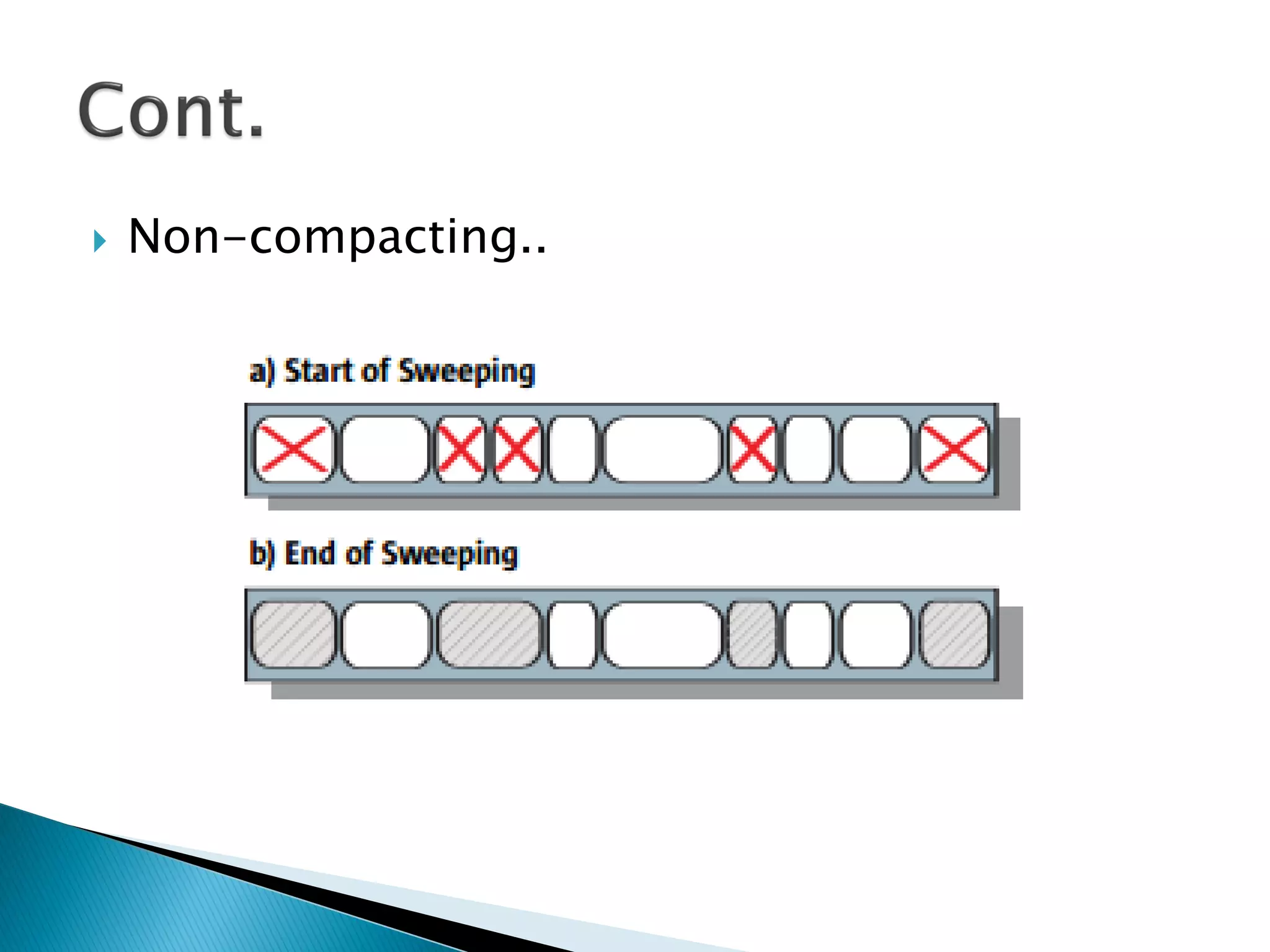
 Compacting versus Non-compacting
◦ Make it easy and fast to allocate a new object at
the first free location (One pointer is enough)
◦ Non-compacting collector releases the space
utilized by garbage objects in-place.
◦ Faster completion of garbage collection, but the
drawback is potential fragmentation. (Need array of
pointers)
◦ In general, it is more expensive to allocate from a
heap with in-place deallocation than from a
compacted heap.
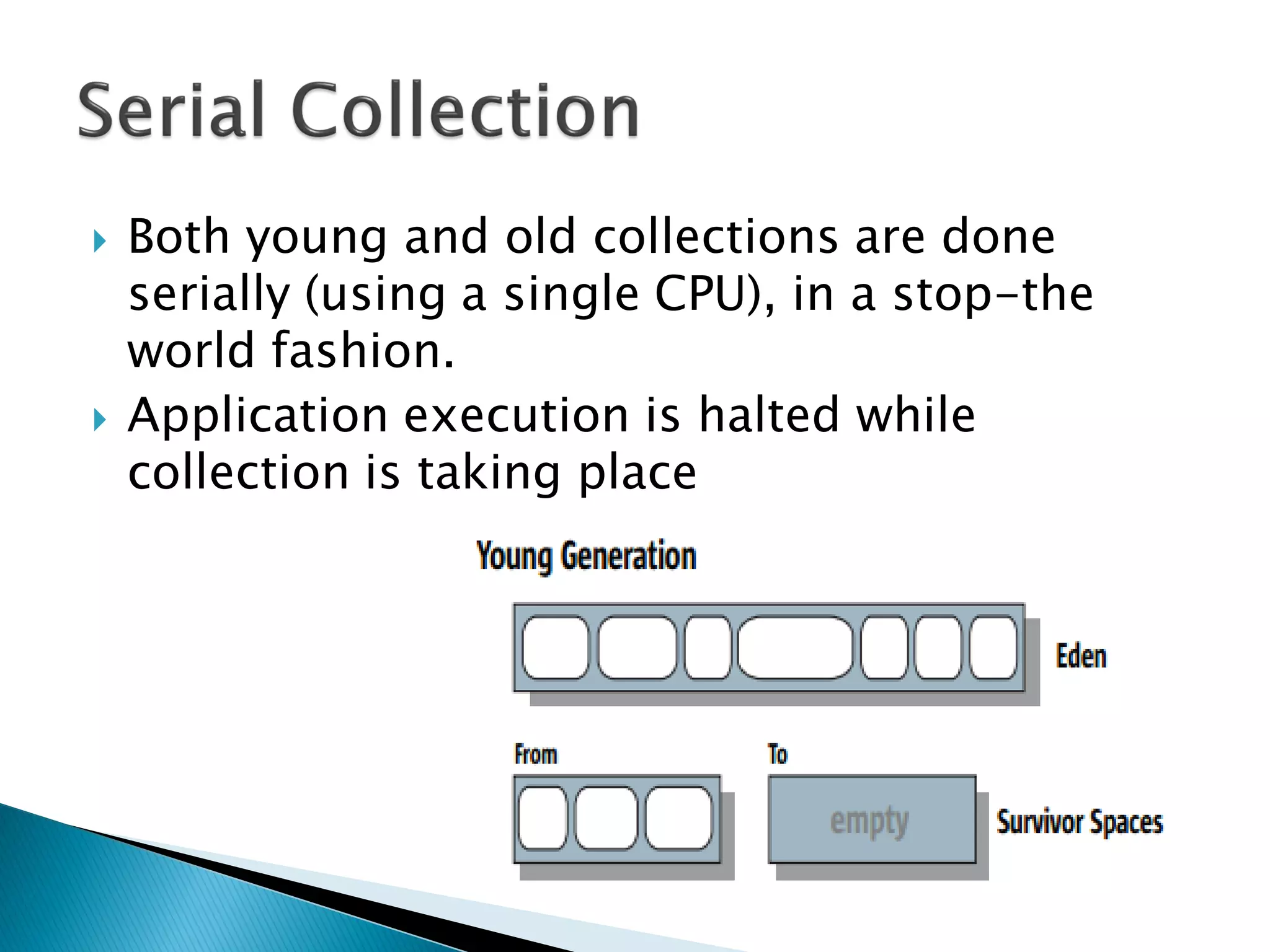
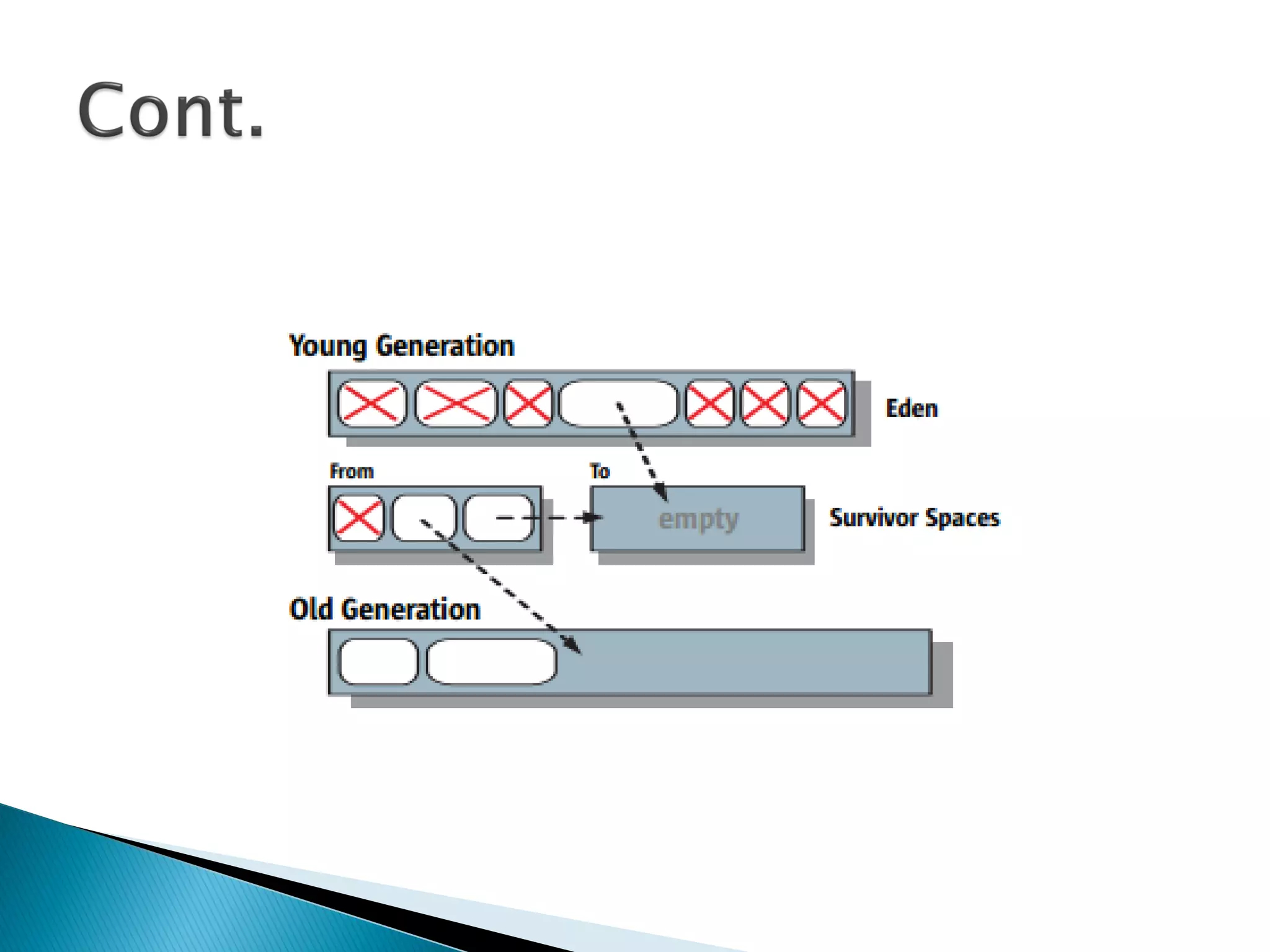
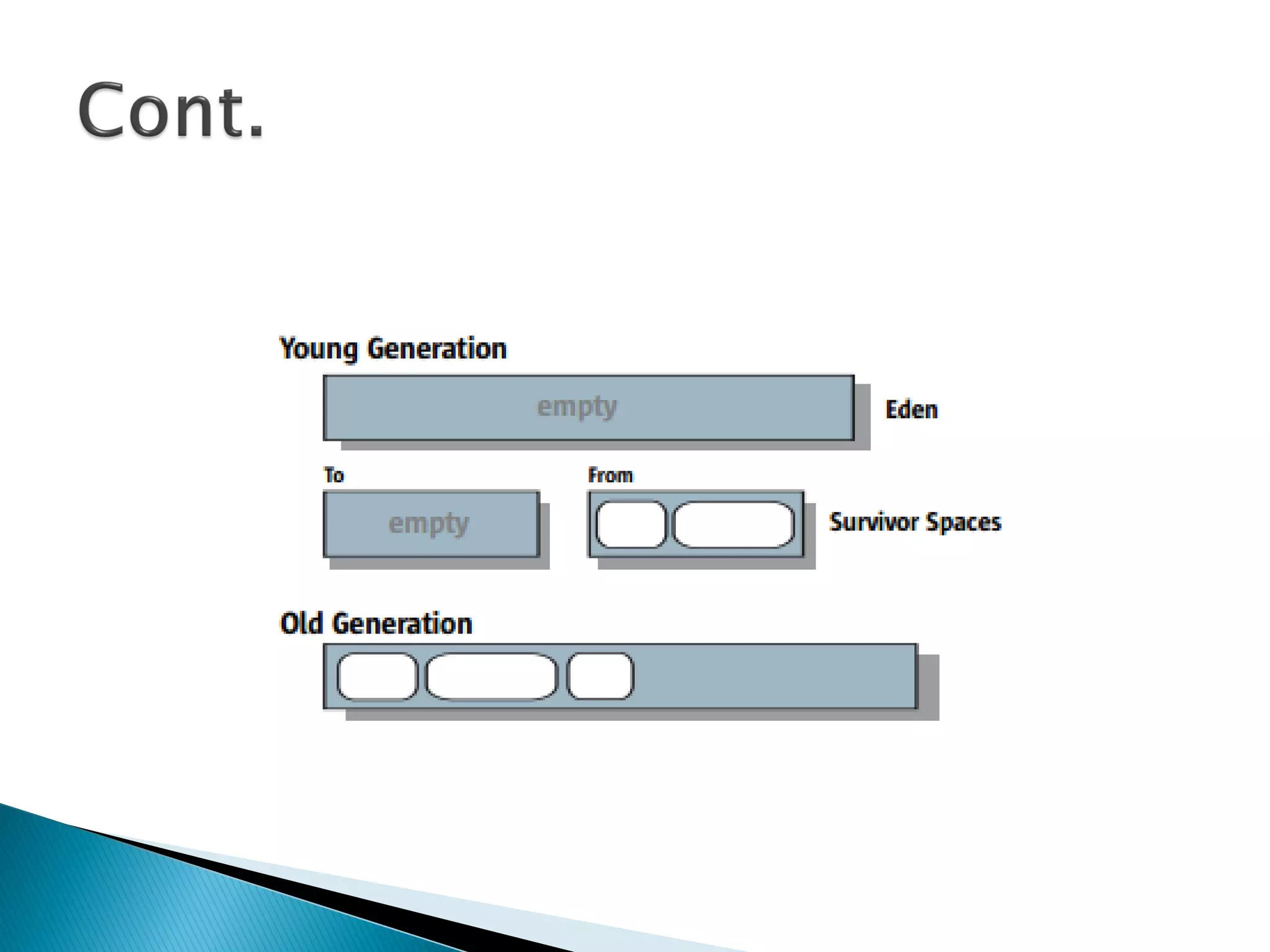
 Most objects are initially allocated in Eden.
◦ A few large objects may be allocated directly in the
old generation
 The survivor spaces hold objects that have
survived at least one young generation
collection
◦ i.e. given additional chances to die before being
considered “old enough” to be promoted to the old
generation.
 Both young and old collections are done
serially (using a single CPU), in a stop-the
world fashion.
 Application execution is halted while
collection is taking place
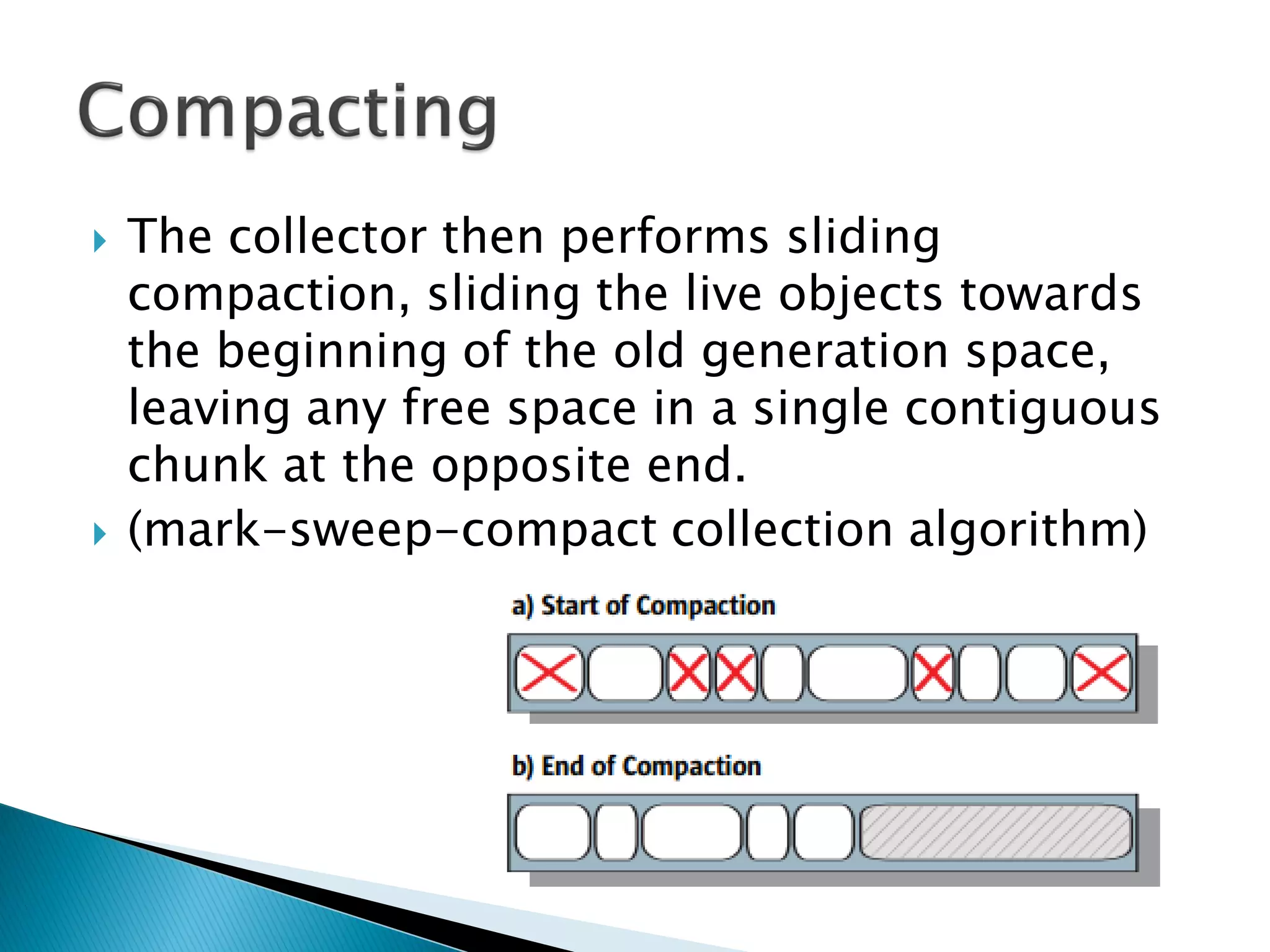
 The collector then performs sliding
compaction, sliding the live objects towards
the beginning of the old generation space,
leaving any free space in a single contiguous
chunk at the opposite end.
 (mark-sweep-compact collection algorithm)
 Non-compacting..
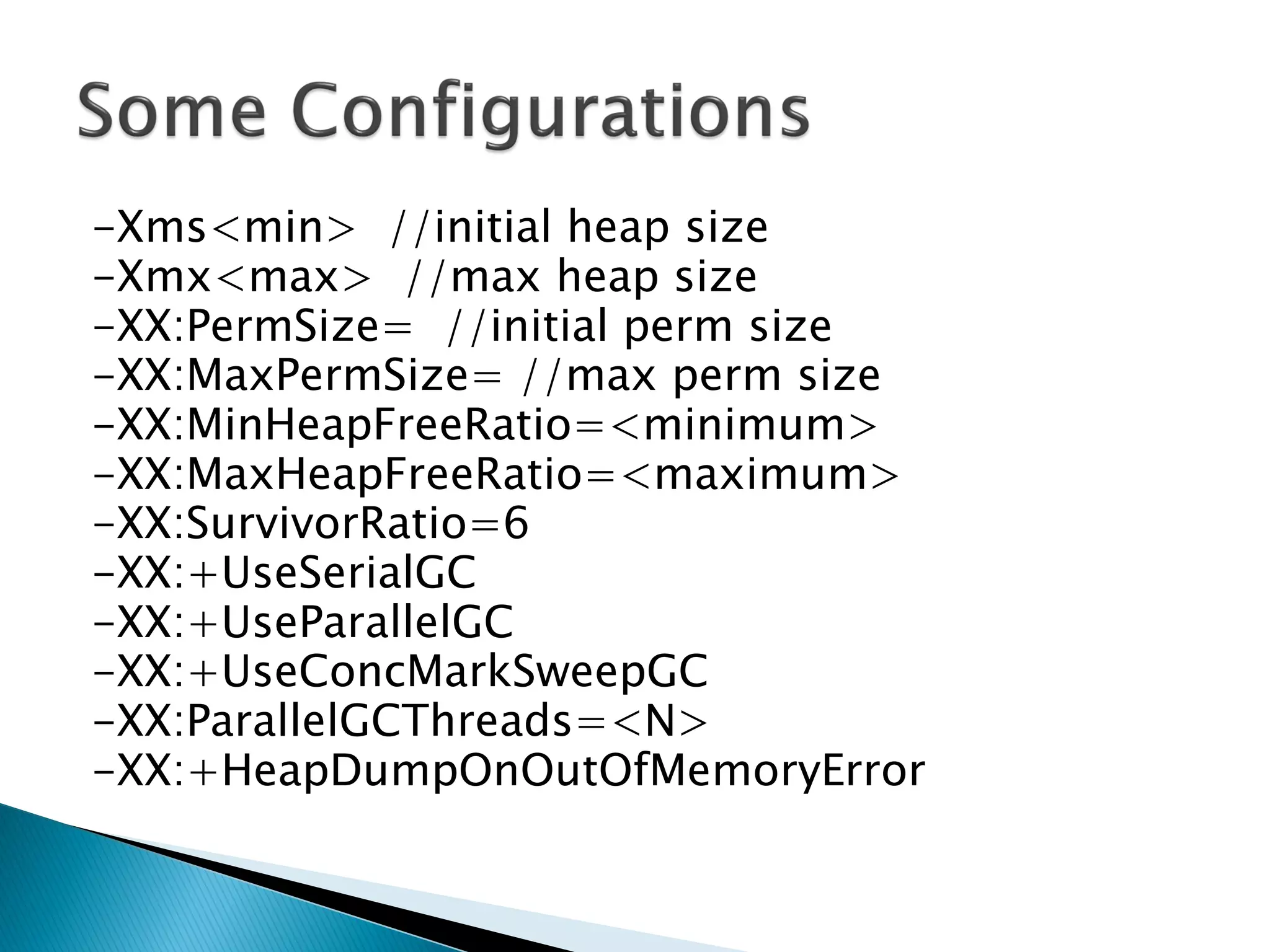
-Xms<min> //initial heap size
-Xmx<max> //max heap size
-XX:PermSize= //initial perm size
-XX:MaxPermSize= //max perm size
-XX:MinHeapFreeRatio=<minimum>
-XX:MaxHeapFreeRatio=<maximum>
-XX:SurvivorRatio=6
-XX:+UseSerialGC
-XX:+UseParallelGC
-XX:+UseConcMarkSweepGC
-XX:ParallelGCThreads=<N>
-XX:+HeapDumpOnOutOfMemoryError
 -verbose:gc
 [GC 325816K->83372K(776768K), 0.2454258 secs]
[Full GC 267628K->83769K(776768K), 1.8479984 secs]
 [GC (1)->(2)(3), (4) secs]
 (1->2) Combined size of live objects before and
after garbage collection.
 (3) Amount of space usable for java objects
without requesting more memory from the
operating system.
 (4) time taken to perform GC.
 -XX:+PrintGCDetails : print more details
 -XX:+PrintGCTimeStamps : print timestamp
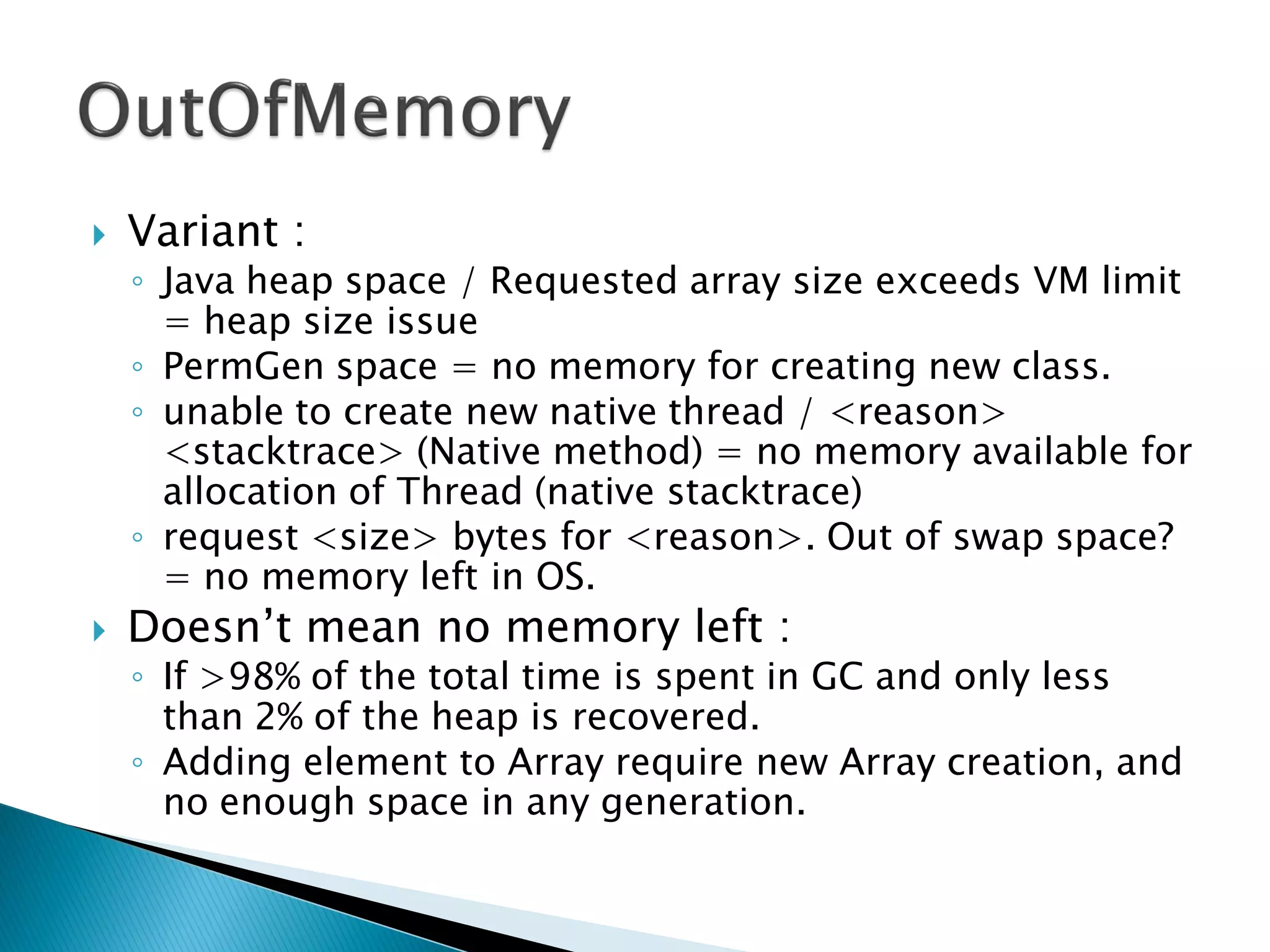
 Variant :
◦ Java heap space / Requested array size exceeds VM limit
= heap size issue
◦ PermGen space = no memory for creating new class.
◦ unable to create new native thread / <reason>
<stacktrace> (Native method) = no memory available for
allocation of Thread (native stacktrace)
◦ request <size> bytes for <reason>. Out of swap space?
= no memory left in OS.
 Doesn’t mean no memory left :
◦ If >98% of the total time is spent in GC and only less
than 2% of the heap is recovered.
◦ Adding element to Array require new Array creation, and
no enough space in any generation.
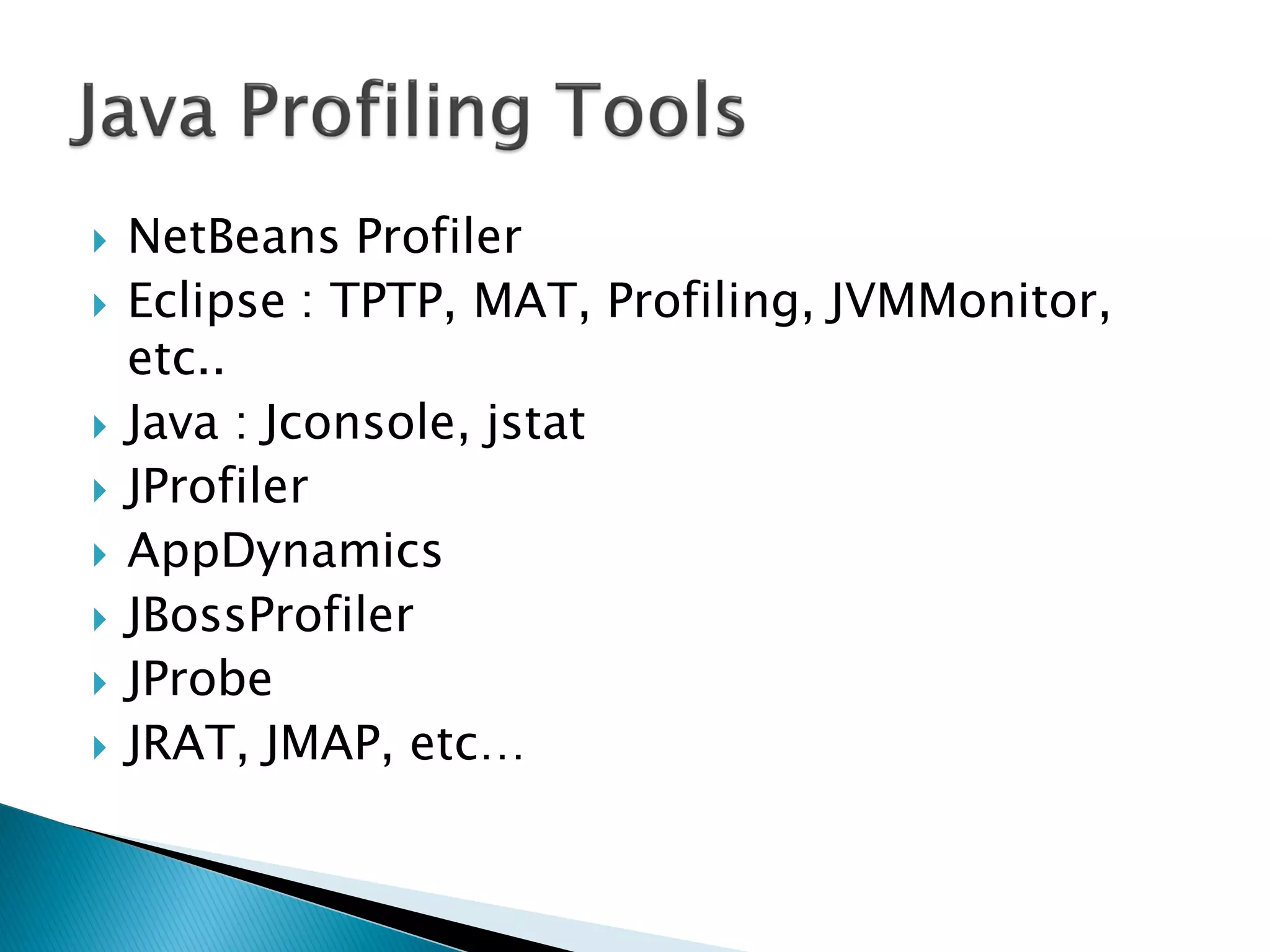
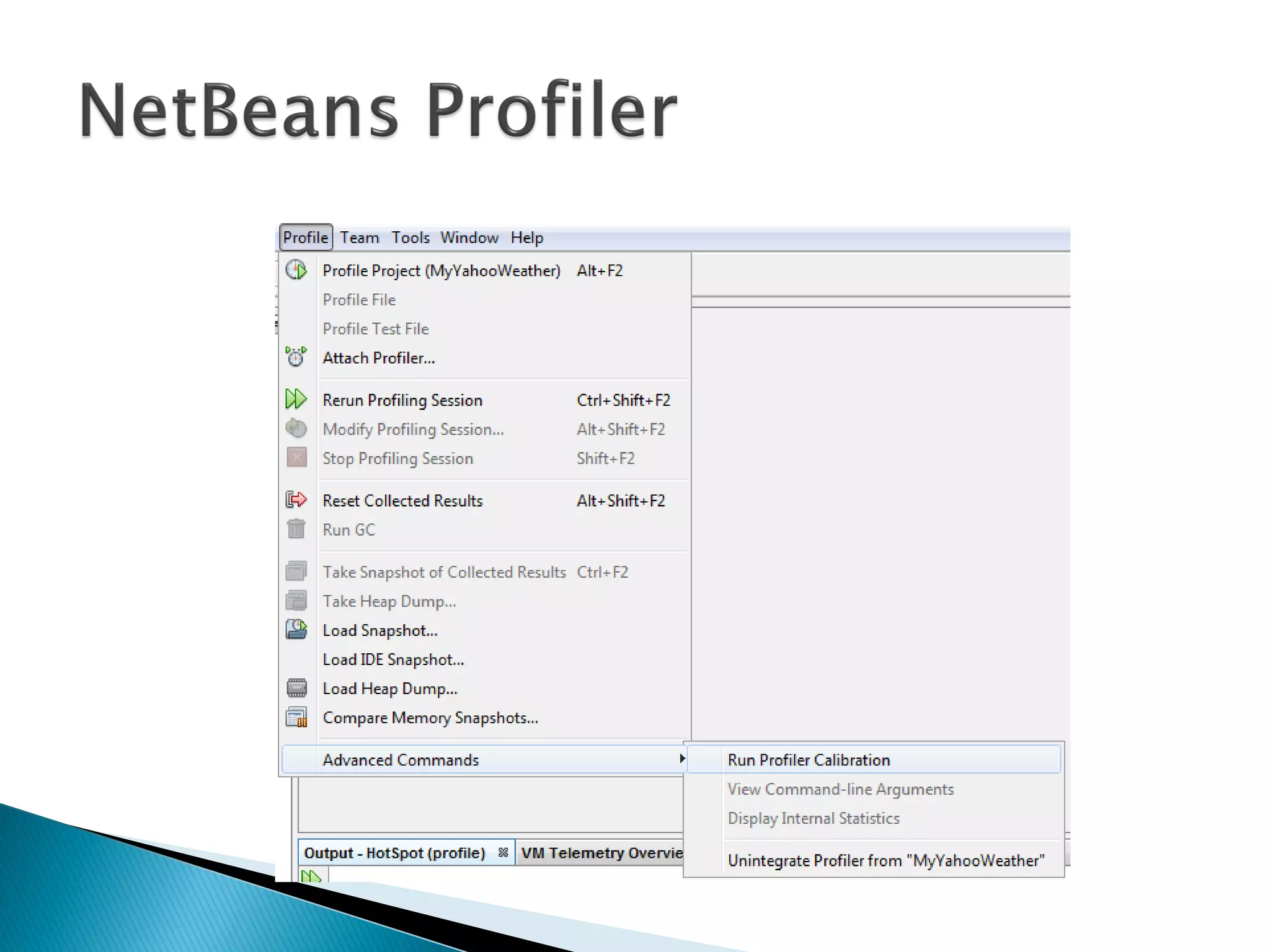
 NetBeans Profiler
 Eclipse : TPTP, MAT, Profiling, JVMMonitor,
etc..
 Java : Jconsole, jstat
 JProfiler
 AppDynamics
 JBossProfiler
 JProbe
 JRAT, JMAP, etc…
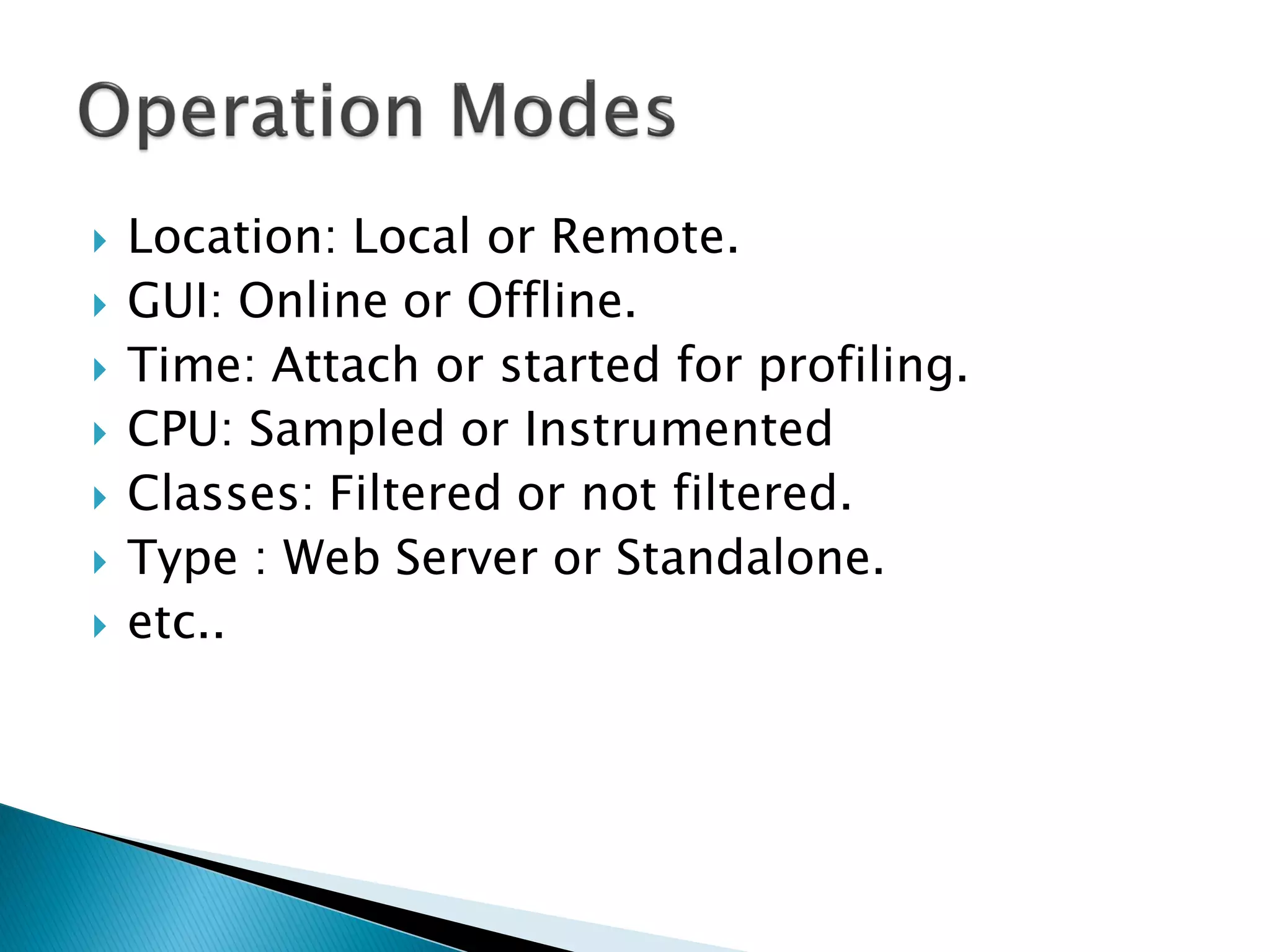
 Location: Local or Remote.
 GUI: Online or Offline.
 Time: Attach or started for profiling.
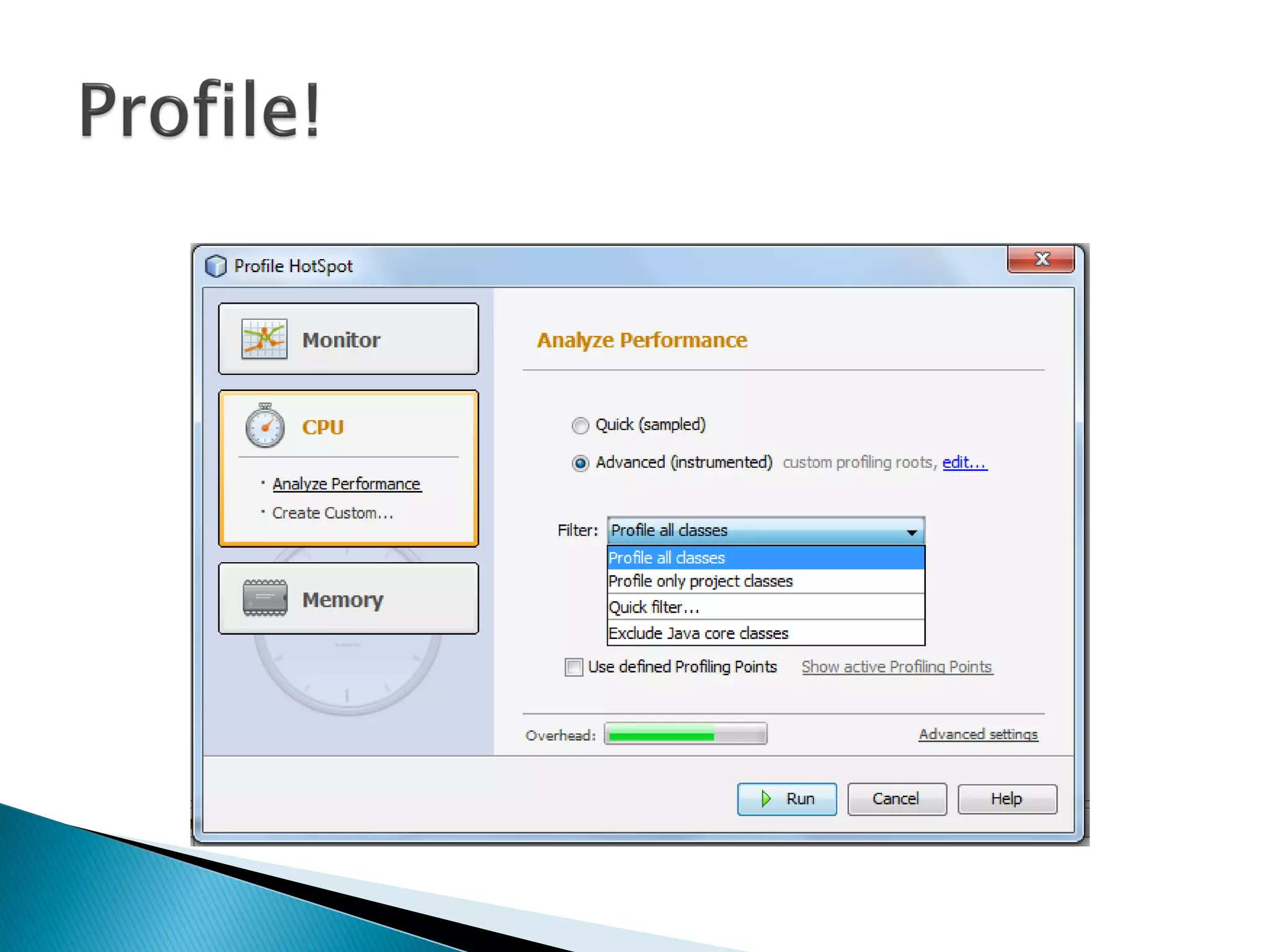
 CPU: Sampled or Instrumented
 Classes: Filtered or not filtered.
 Type : Web Server or Standalone.
 etc..
 We will try 3 profilers:
◦ NetBeans Profiler
◦ JProfiler
◦ Eclipse TPTP
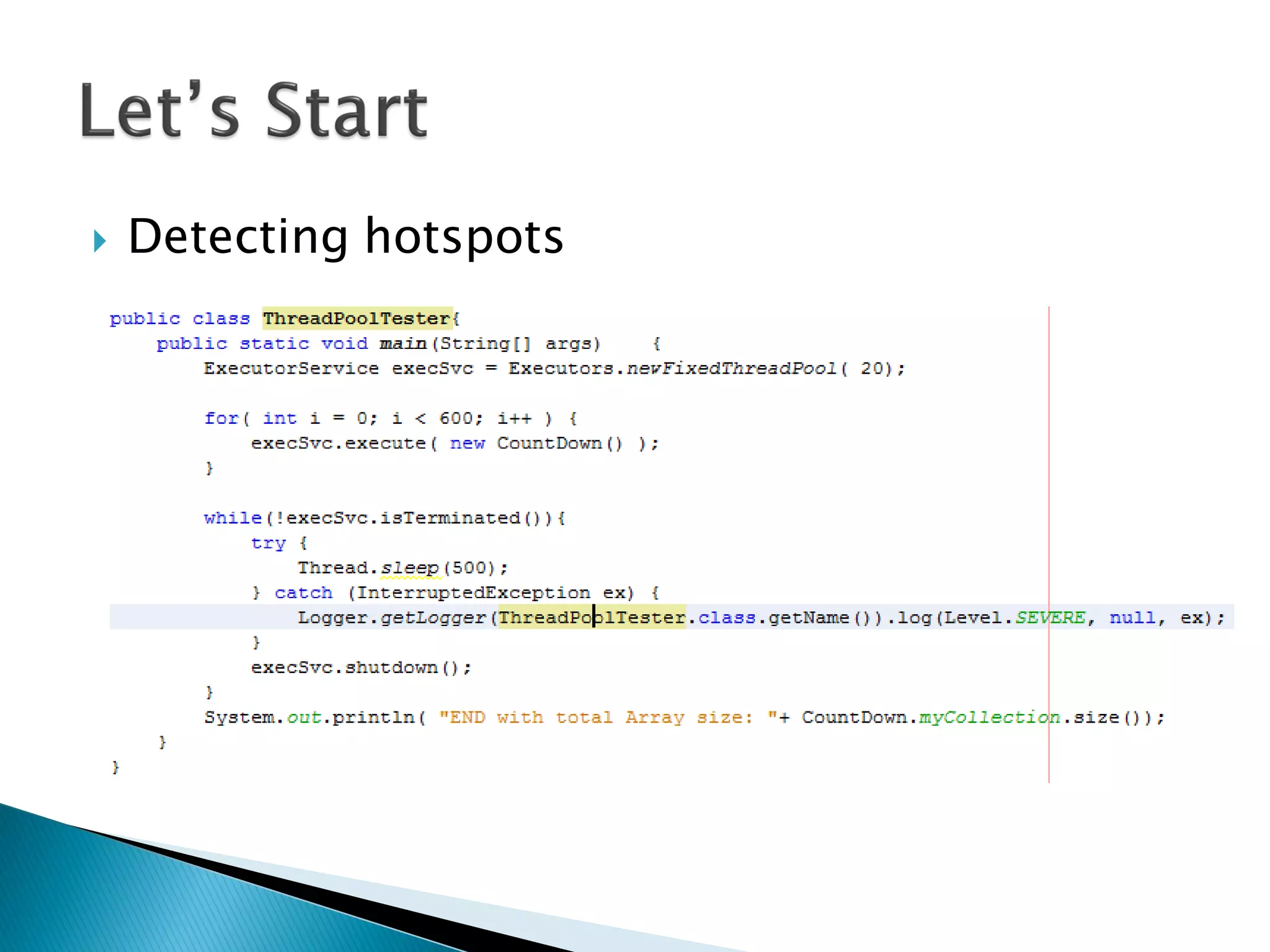
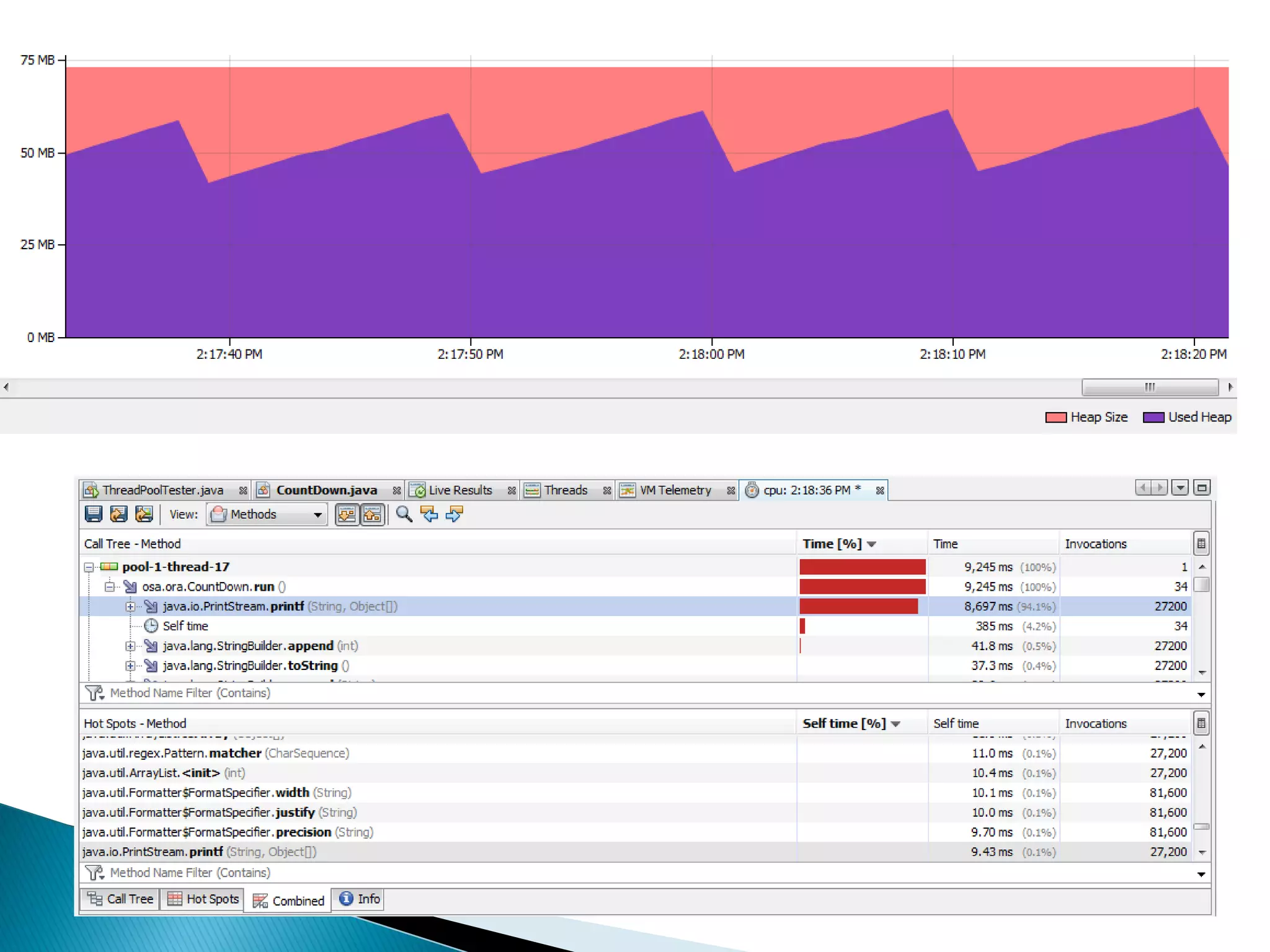
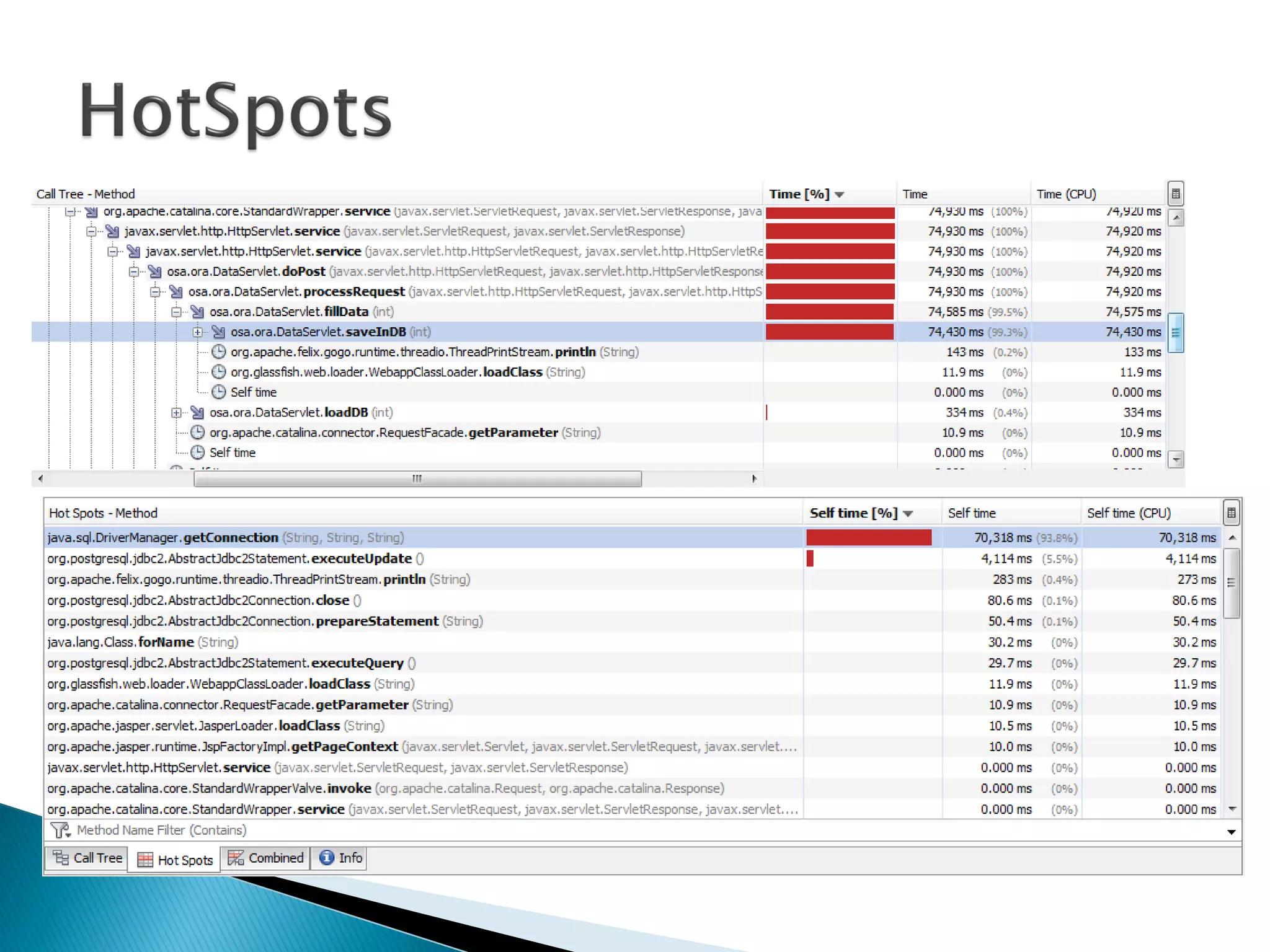
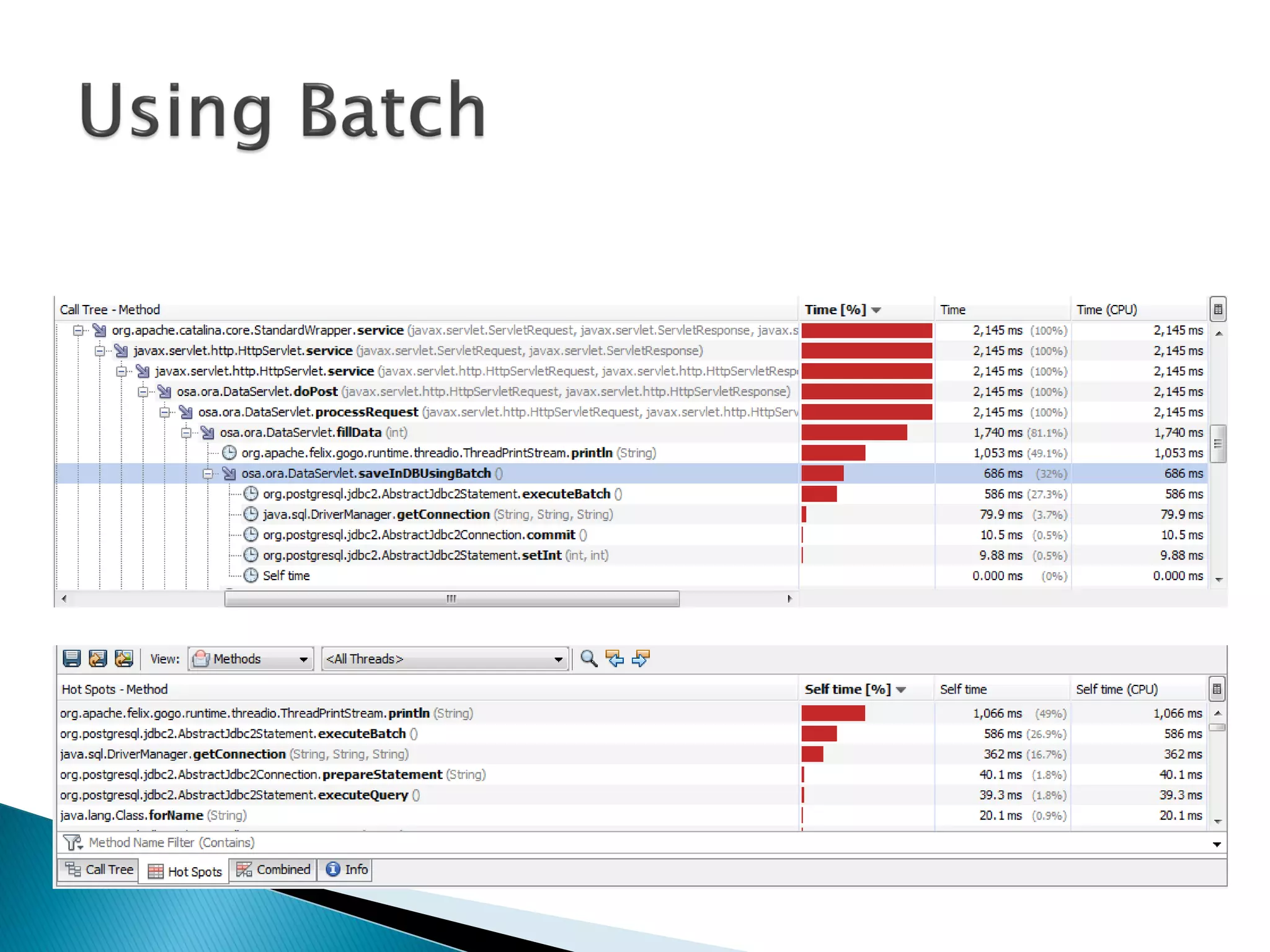
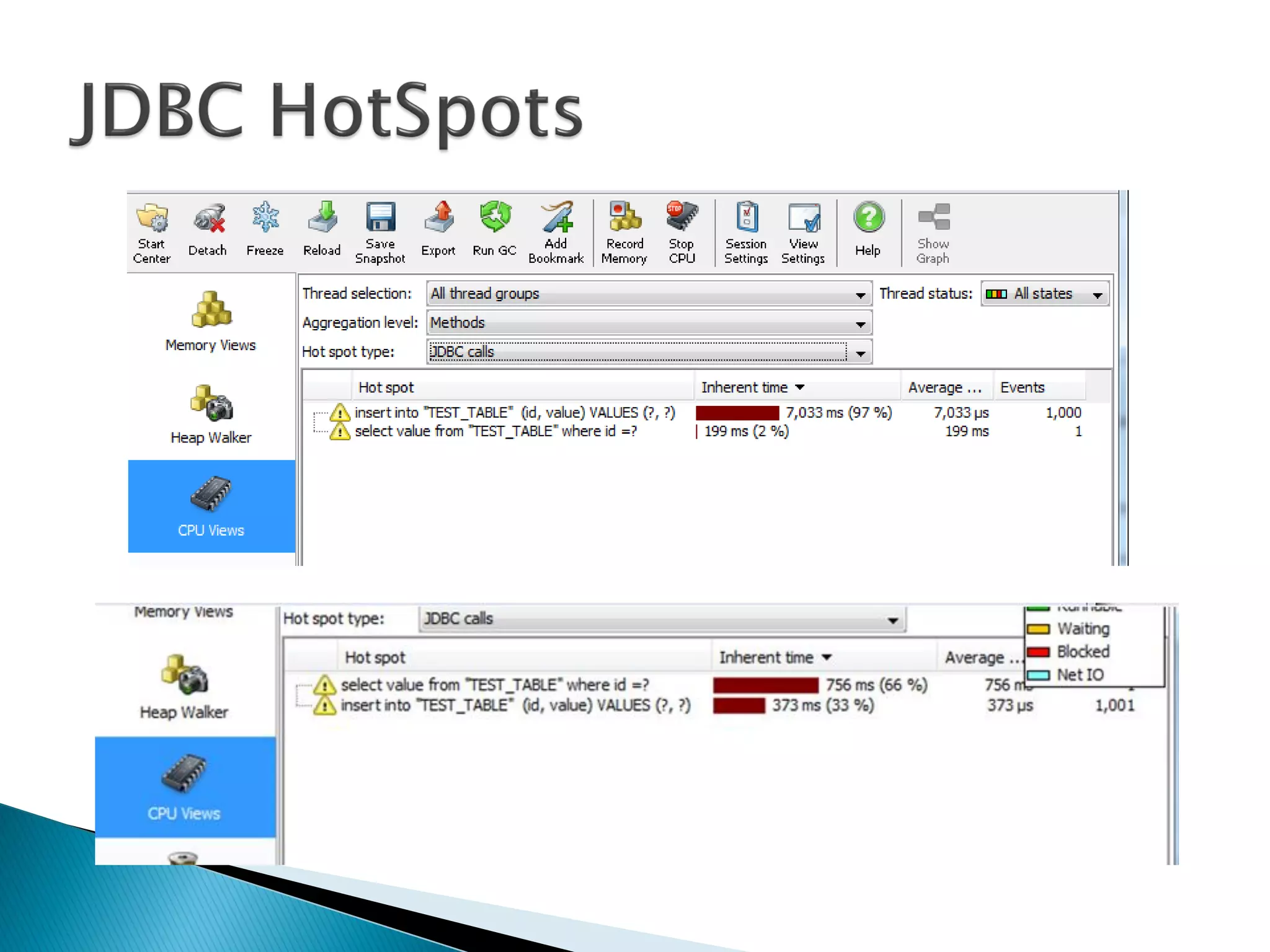
 Detecting hotspots
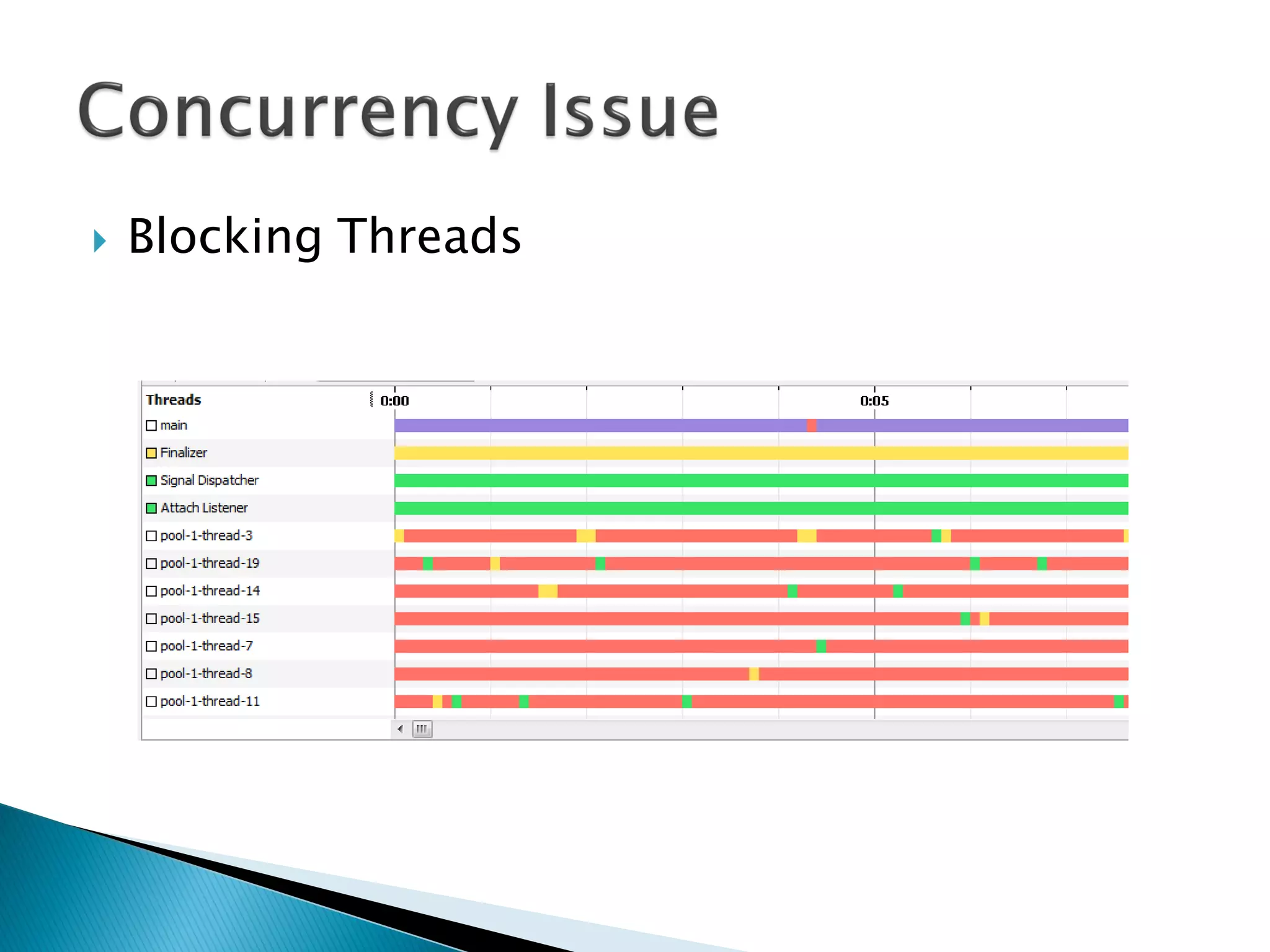
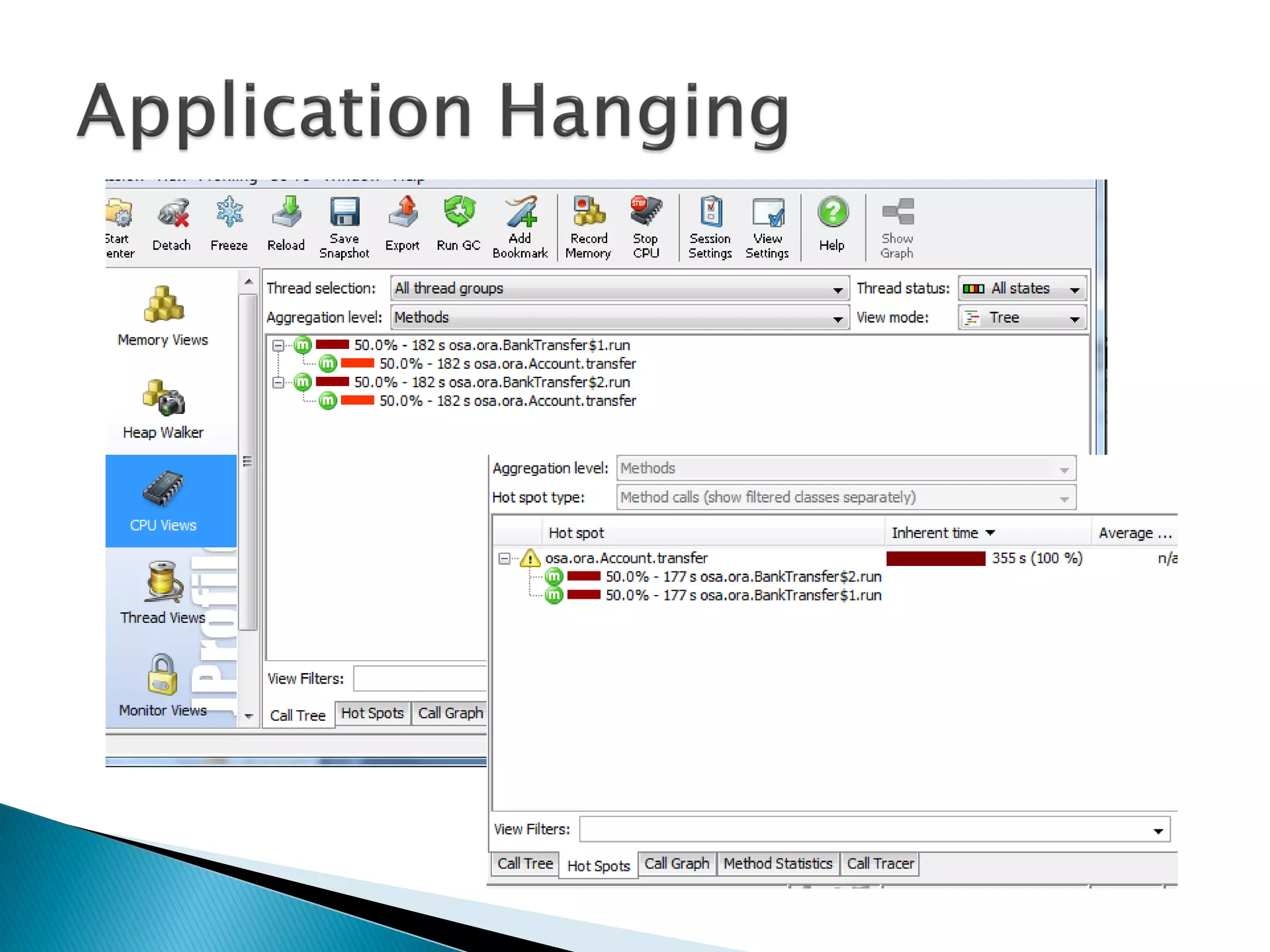
 Blocking Threads
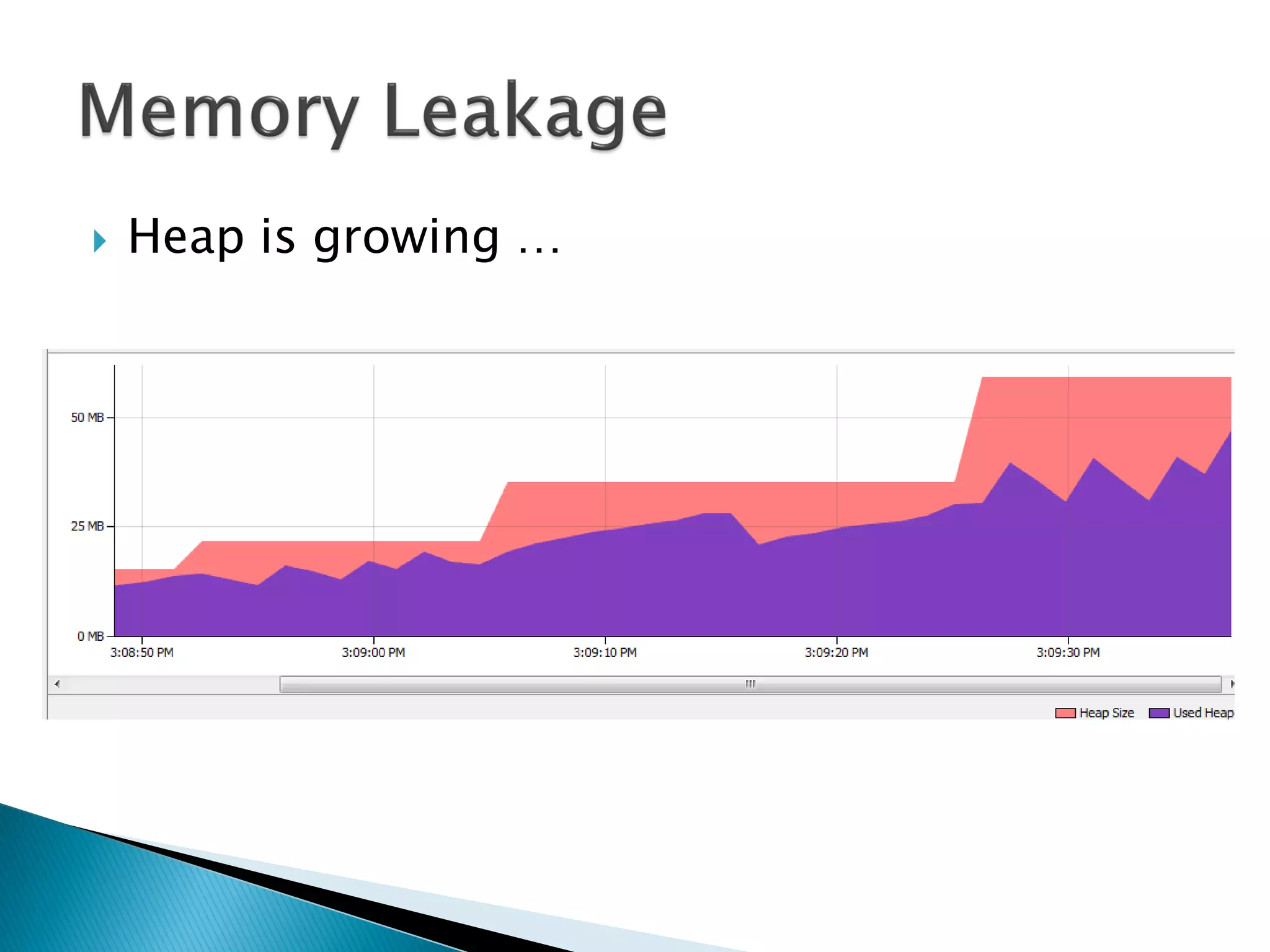
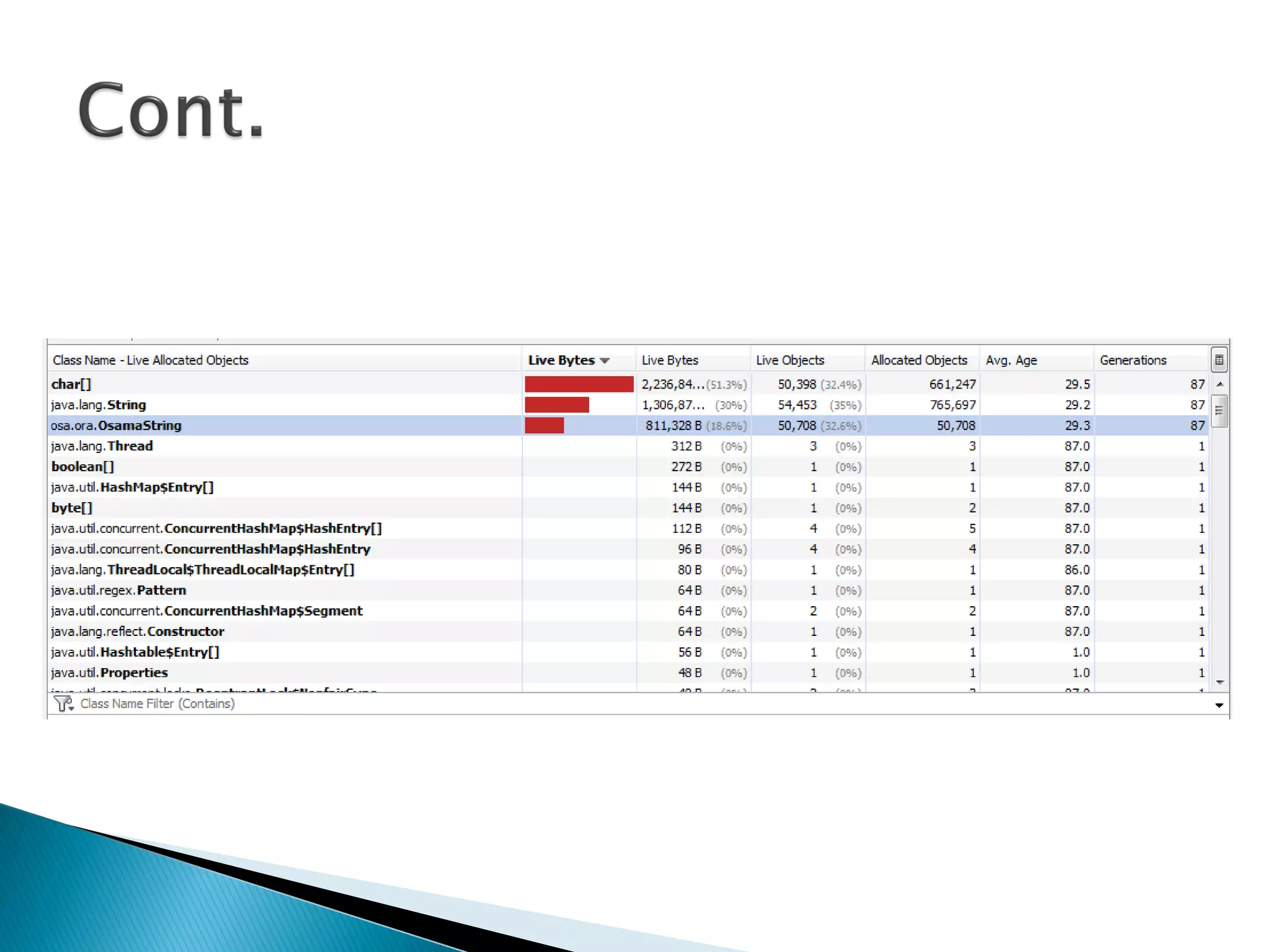
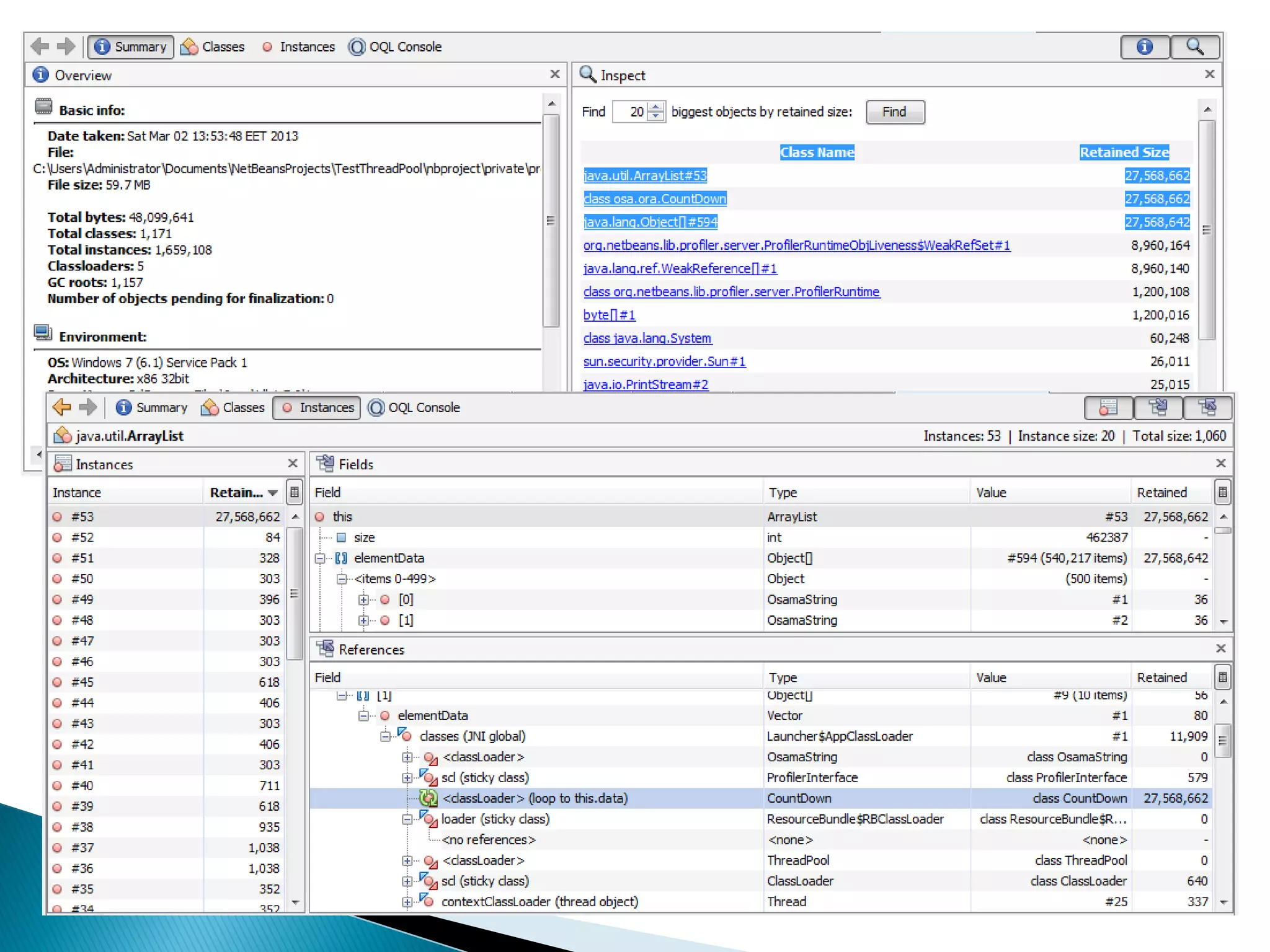
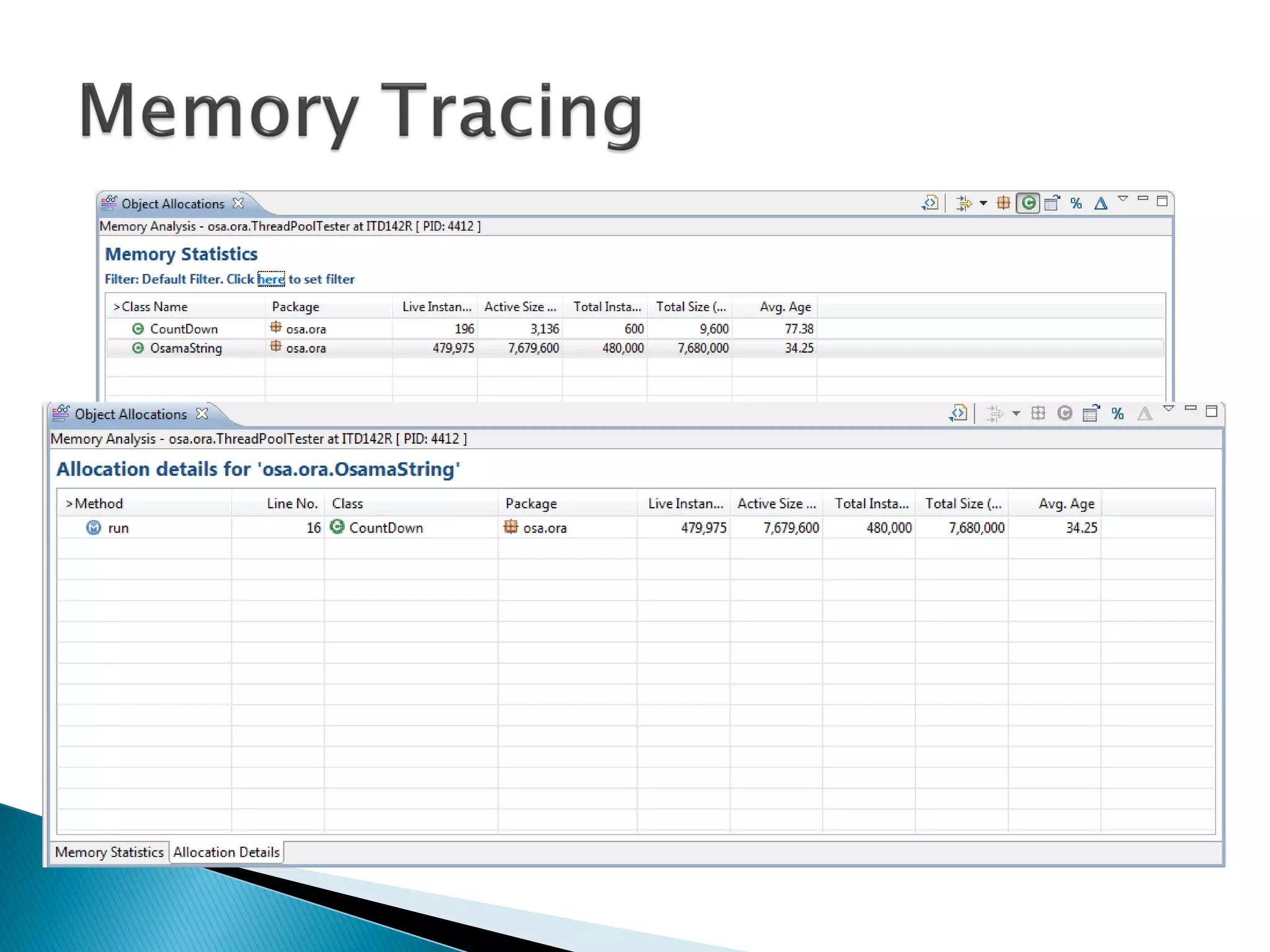
 Heap is growing …
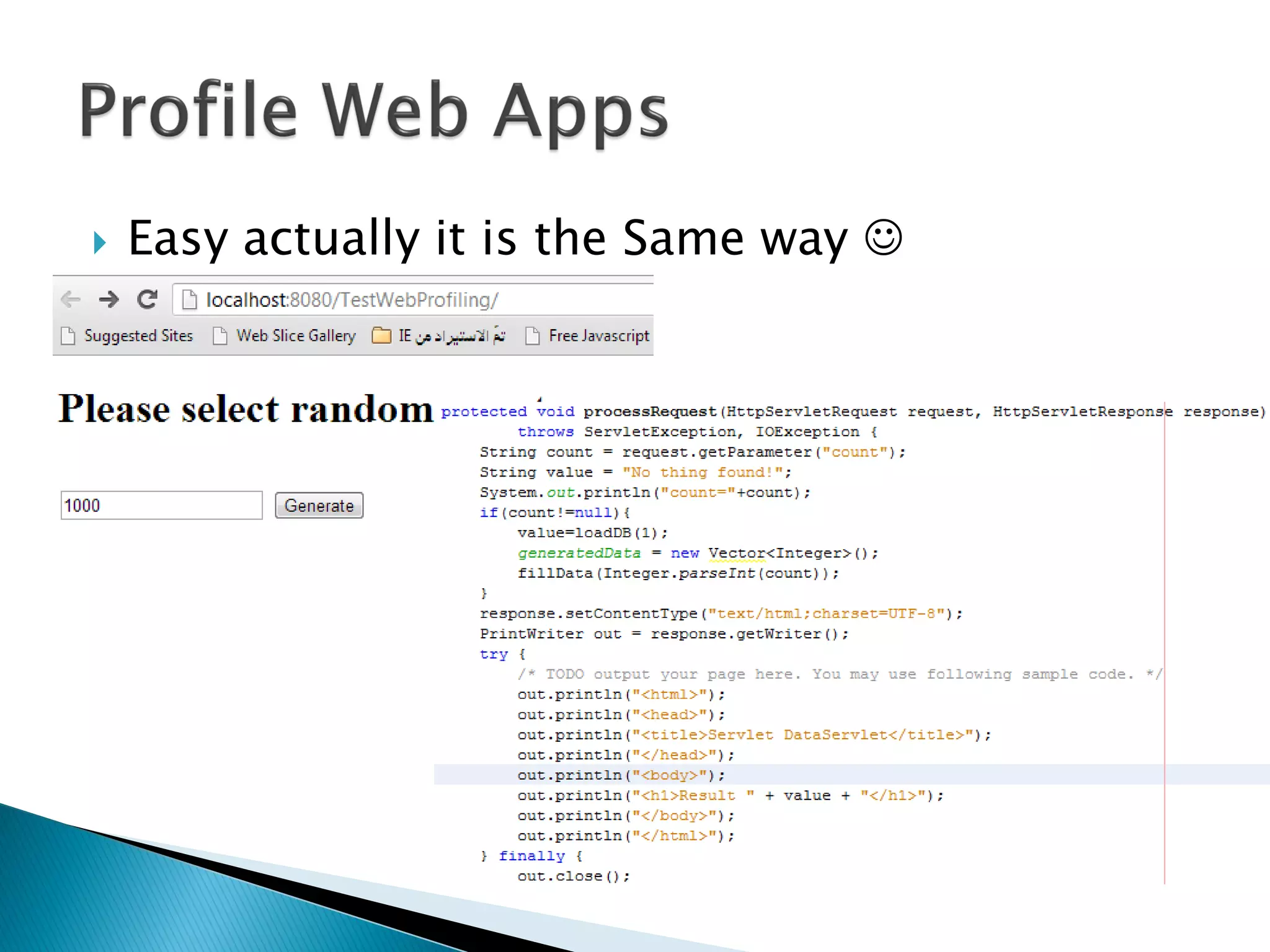
 Easy actually it is the Same way 
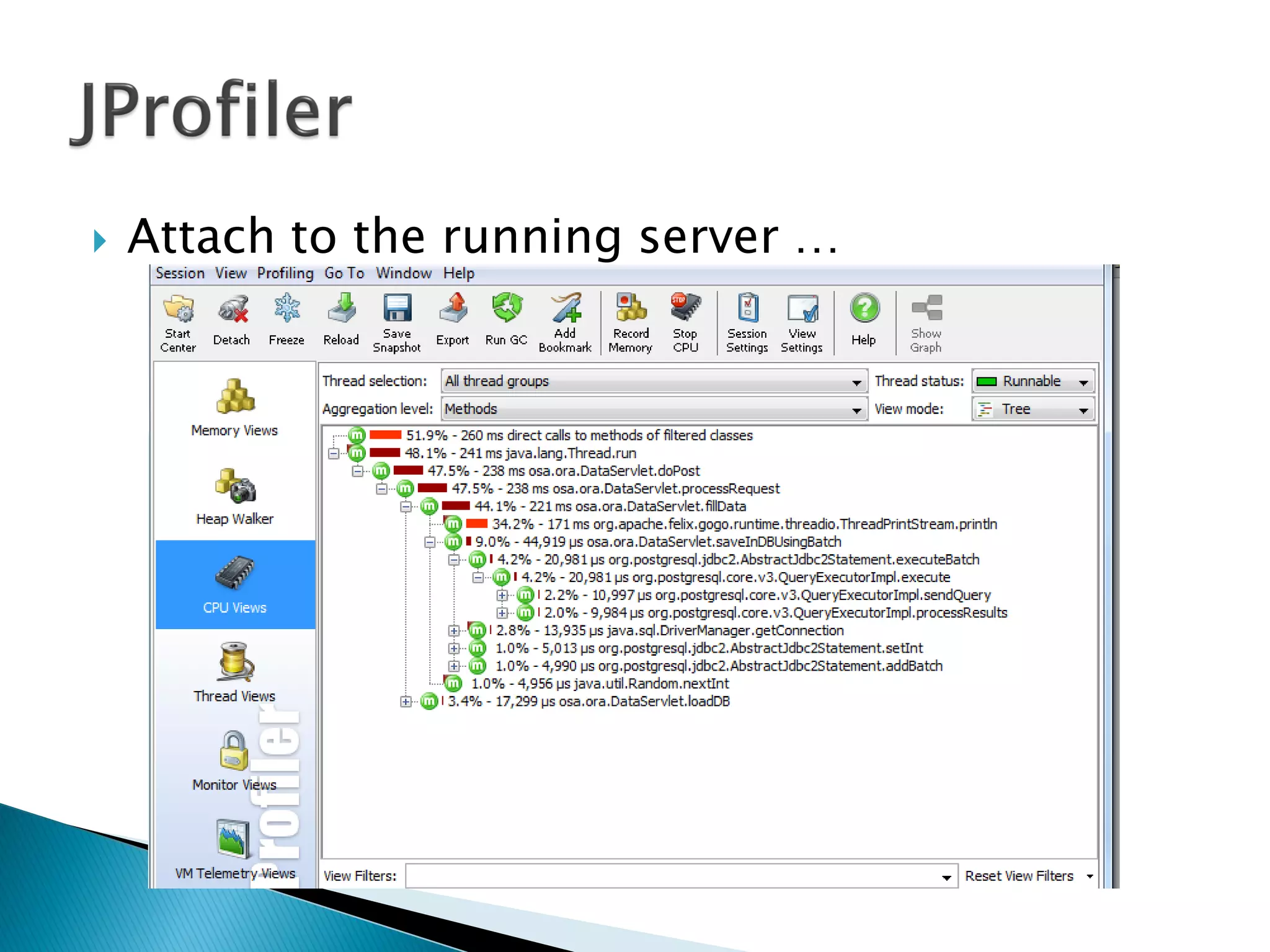
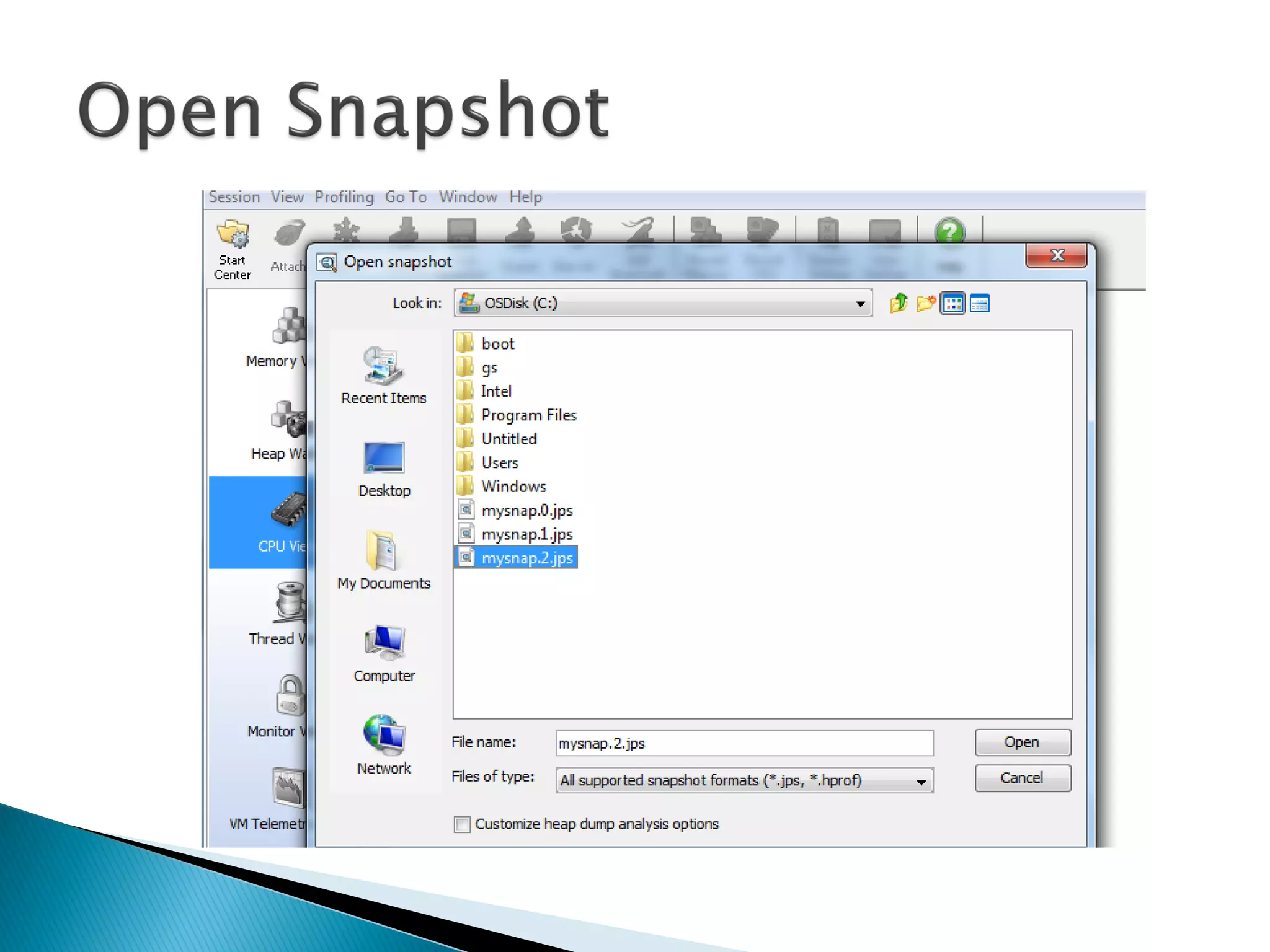
 Attach to the running server …
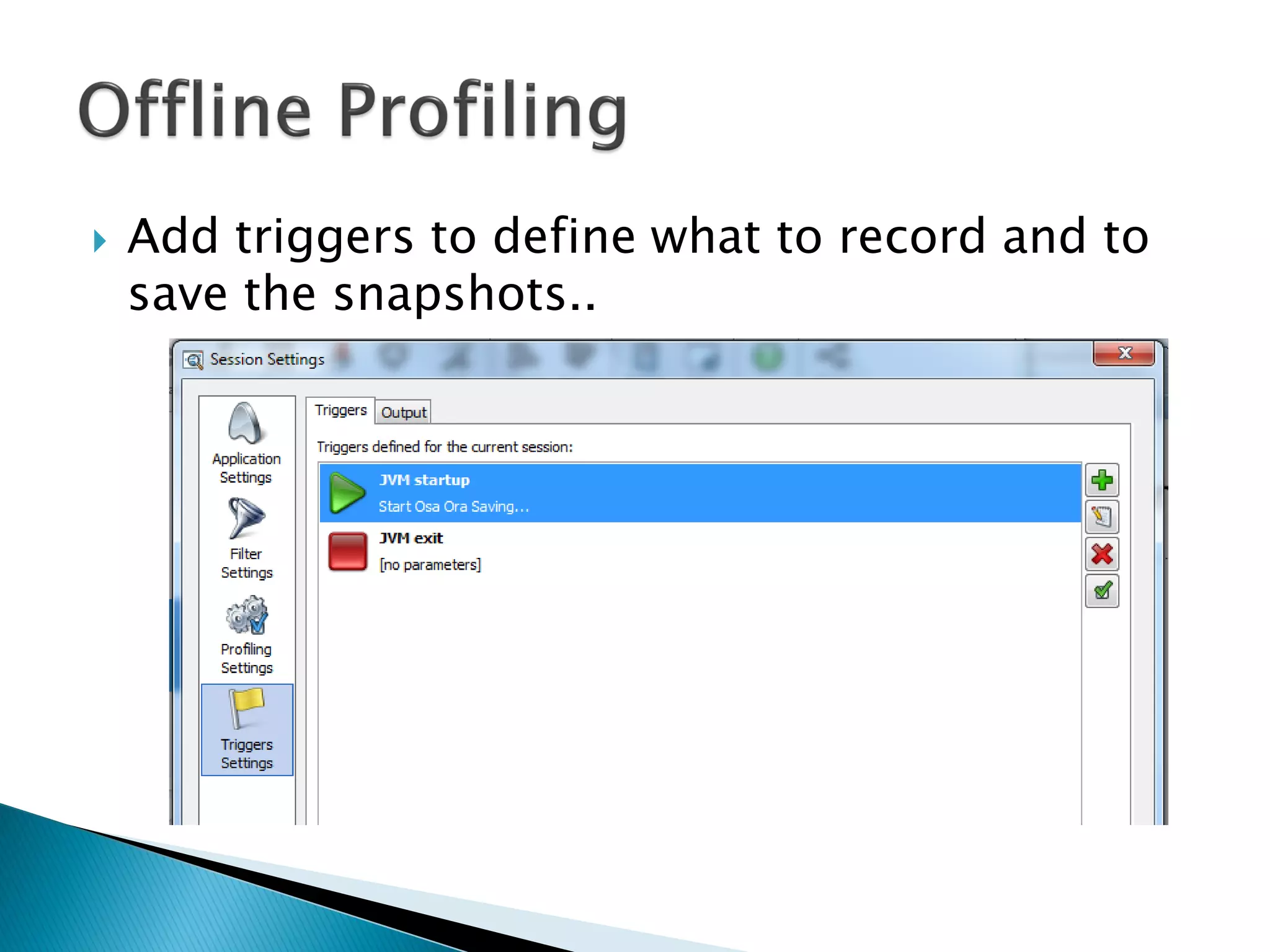
 Add triggers to define what to record and to
save the snapshots..
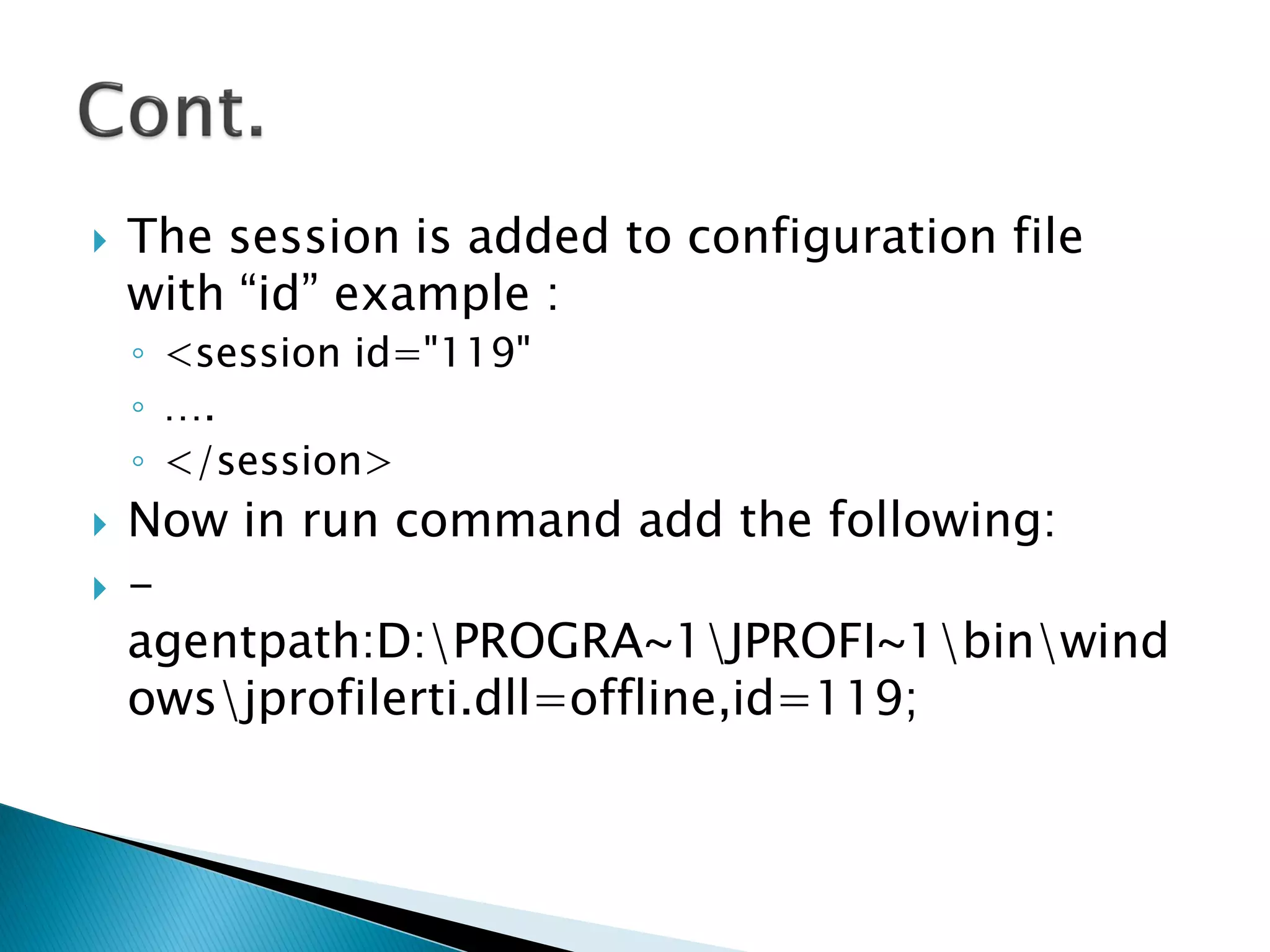
 The session is added to configuration file
with “id” example :
◦ <session id="119"
◦ ….
◦ </session>
 Now in run command add the following:
 -
agentpath:D:PROGRA~1JPROFI~1binwind
owsjprofilerti.dll=offline,id=119;
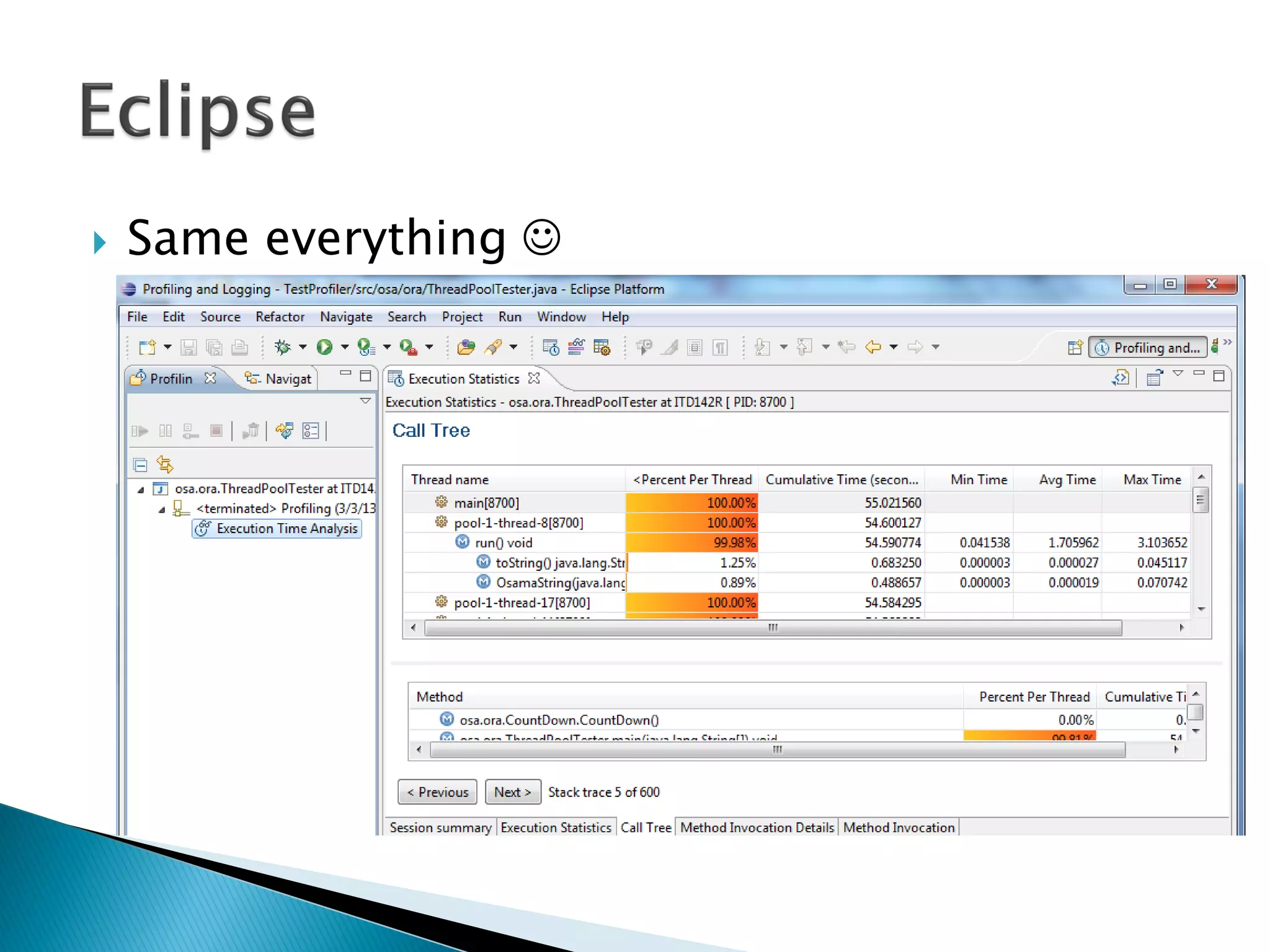
 Same everything 
 For More information refer to Java EE 7
performance tuning and optimization book.
 The book is published by Packt Publishing.
◦ http://www.packtpub.com/java-ee-7-
performance-tuning-and-optimization/book
◦ http://www.amazon.com/dp/178217642X/?tag=pa
cktpubli-20
◦ http://www.amazon.co.uk/dp/178217642X/?tag=p
acktpubli-21
 http://www.oracle.com/technetwork/java/javase
/memorymanagement-whitepaper-150215.pdf
 http://docs.oracle.com/javase/specs/jvms/se7/h
tml/jvms-2.html
 http://www.oracle.com/technetwork/java/javase
/gc-tuning-6-140523.html
 http://docs.oracle.com/javase/tutorial/essential/
concurrency/procthread.html
 http://java-source.net/open-source/profilers
 www.ej-technologies.com/
 http://profiler.netbeans.org/
 http://www.eclipse.org/tptp/
 http://www.petefreitag.com/articles/gctuning/
 Introduction
 Basic Java Concepts
◦ Concurrency
◦ Memory Management
 Java Profiler Tools
◦ NetBeans Profiler
◦ JProfiler
◦ Eclipse TPTP
http://osama-oransa.blogspot.com/

Profiler Guided Java Performance Tuning

  • 1.
  • 2.
     Introduction  BasicJava Concepts ◦ Concurrency ◦ Memory Management  Java Profiler Tools ◦ NetBeans Profiler ◦ JProfiler ◦ Eclipse TPTP  Questions
  • 4.
     Performance isone of the NFRs.  Usually you have SLA for each transaction.  2 types of performance issues : ◦ Performance Testing Results  In Dev or Test environment. ◦ Production Performance Issues  Difficult to handle.
  • 5.
     Problem Definition(UC, Scenario, Conditions, User, ..etc…)  Gather Information  Try to replicate (if possible)  Get all tools ready to use.  Build your plan: ◦ Analyze Tools output. ◦ Code Inspection ◦ Potential fixes. (Google it …) ◦ Re-test.
  • 6.
     Better if: ◦ Relay on tools output. ◦ Less dependant on personal experience. ◦ Concrete (not abstract) ◦ Always comparative. ◦ Quick POC ◦ Proven from Google   Better if not: ◦ Trial and error approach. ◦ Optimize as you go.
  • 7.
     Hardware ◦ CPU ◦Network ◦ Memory ◦ Storage  Software ◦ Operating System ◦ Libraries, Drivers and Utilities. ◦ Application
  • 8.
     CPU : ◦Detect root cause (anti-virus!) ◦ Change algorithm ◦ Increase CPU power.  Network : ◦ Detect root cause (OS updates!) ◦ Change architecture.  Memory : ◦ Root cause (memory leakage) ◦ add more memory, re-structure caching.  Storage : ◦ Add storage, free more space (archive) , etc.
  • 9.
     Good butsometimes you can consider: ◦ CPU :  Use MT.  Change workflow. ◦ Memory :  Utilize more memory in caching.  Change architecture.
  • 10.
     Google it. Continuous follow-up is essential , as new tips always come: ◦ Use StringBuffer rather than the string concatenation operator (+). ◦ Use primitive data types instead of objects. ◦ Use short-circuit boolean operators whenever possible. ◦ Flatten objects as much as possible. ◦ Use the clone() method to avoid calling any constructors. ◦ Don’t use exception to return flag.
  • 11.
     Vector, Stack,Hashtable are deprecated  For single threaded use : ◦ ArrayList ◦ Deque ◦ HashMap  For MT use : (a lot of other alternatives) ◦ CopyOnWriteArrayList ◦ ConcurrentLinkedDeque ◦ ConcurrentHashMap
  • 13.
  • 14.
     Has aself-contained execution environment.  A process generally has a complete, private set of basic run-time resources; in particular, each process has its own memory space.  Most operating systems support Inter Process Communication (IPC) resources, such as pipes and sockets  Most implementations of the Java virtual machine run as a single process.  A Java application can create additional processes using a ProcessBuilder object.
  • 15.
     As simpleas : Process pb = new ProcessBuilder("myCommand", "myArg").start();  But can be more complex by defining the Input, Output , Error streams or inherit them using: pb.inheritIO() public Process start() throws IOException
  • 16.
     Both processesand threads provide an execution environment, but creating a new thread requires fewer resources than creating a new process.  Threads exist within a process — every process has at least one.  Threads share the process's resources, including memory and open files.  This makes for efficient, but potentially problematic, communication.
  • 17.
     Every applicationhas at least one thread — or several, if you count "system" threads ( like memory management ).  But from the application programmer's point of view, you start with just one thread, called the main thread.  This thread has the ability to create additional threads.
  • 18.
     Using theInterface or extending the Class : public class HelloRunnable implements Runnable { public void run() { System.out.println("Hello!"); } public static void main(String args[]) { (new Thread(new HelloRunnable())).start(); } }
  • 19.
     Each objectin Java is associated with a monitor, which a thread can lock or unlock.  Only one thread at a time may hold a lock on a monitor.  A synchronized statement : ◦ It then attempts to perform a lock action on that object's monitor and does not proceed further until the lock action has successfully.
  • 20.
     A synchronizedmethod automatically performs a lock action when it is invoked; ◦ Its body is not executed until the lock action has successfully completed. ◦ If the method is an instance method :  It locks the monitor associated with the instance for which it was invoked (this). ◦ If the method is static :  It locks the monitor associated with the Class object that represents the class in which the method is defined.
  • 22.
     Use GenerationalCollection ◦ Memory is divided into generations, that is, separate pools holding objects of different ages.
  • 23.
     A garbagecollector is responsible for ◦ Allocating memory ◦ Ensuring that any referenced objects remain in memory ◦ Recovering memory used by objects that are no longer reachable from references in executing code.
  • 24.
     Serial versusParallel ◦ When parallel collection is used, the task of garbage collection is split into parts and those subparts are executed simultaneously, on different CPUs.  Concurrent versus Stop-the-world ◦ Concurrent need extra care, as it is operating over objects that might be updated at the same time by the application. ◦ Adds some overhead and requires a larger heap size. ◦ Stop-the-world garbage collection is simpler since the heap is frozen and objects are not changing during the collection. ◦ It may be undesirable for some applications to be paused.
  • 25.
     Compacting versusNon-compacting ◦ Make it easy and fast to allocate a new object at the first free location (One pointer is enough) ◦ Non-compacting collector releases the space utilized by garbage objects in-place. ◦ Faster completion of garbage collection, but the drawback is potential fragmentation. (Need array of pointers) ◦ In general, it is more expensive to allocate from a heap with in-place deallocation than from a compacted heap.
  • 26.
     Most objectsare initially allocated in Eden. ◦ A few large objects may be allocated directly in the old generation  The survivor spaces hold objects that have survived at least one young generation collection ◦ i.e. given additional chances to die before being considered “old enough” to be promoted to the old generation.
  • 27.
     Both youngand old collections are done serially (using a single CPU), in a stop-the world fashion.  Application execution is halted while collection is taking place
  • 30.
     The collectorthen performs sliding compaction, sliding the live objects towards the beginning of the old generation space, leaving any free space in a single contiguous chunk at the opposite end.  (mark-sweep-compact collection algorithm)
  • 31.
  • 34.
    -Xms<min> //initial heapsize -Xmx<max> //max heap size -XX:PermSize= //initial perm size -XX:MaxPermSize= //max perm size -XX:MinHeapFreeRatio=<minimum> -XX:MaxHeapFreeRatio=<maximum> -XX:SurvivorRatio=6 -XX:+UseSerialGC -XX:+UseParallelGC -XX:+UseConcMarkSweepGC -XX:ParallelGCThreads=<N> -XX:+HeapDumpOnOutOfMemoryError
  • 35.
     -verbose:gc  [GC325816K->83372K(776768K), 0.2454258 secs] [Full GC 267628K->83769K(776768K), 1.8479984 secs]  [GC (1)->(2)(3), (4) secs]  (1->2) Combined size of live objects before and after garbage collection.  (3) Amount of space usable for java objects without requesting more memory from the operating system.  (4) time taken to perform GC.  -XX:+PrintGCDetails : print more details  -XX:+PrintGCTimeStamps : print timestamp
  • 36.
     Variant : ◦Java heap space / Requested array size exceeds VM limit = heap size issue ◦ PermGen space = no memory for creating new class. ◦ unable to create new native thread / <reason> <stacktrace> (Native method) = no memory available for allocation of Thread (native stacktrace) ◦ request <size> bytes for <reason>. Out of swap space? = no memory left in OS.  Doesn’t mean no memory left : ◦ If >98% of the total time is spent in GC and only less than 2% of the heap is recovered. ◦ Adding element to Array require new Array creation, and no enough space in any generation.
  • 38.
     NetBeans Profiler Eclipse : TPTP, MAT, Profiling, JVMMonitor, etc..  Java : Jconsole, jstat  JProfiler  AppDynamics  JBossProfiler  JProbe  JRAT, JMAP, etc…
  • 39.
     Location: Localor Remote.  GUI: Online or Offline.  Time: Attach or started for profiling.  CPU: Sampled or Instrumented  Classes: Filtered or not filtered.  Type : Web Server or Standalone.  etc..
  • 40.
     We willtry 3 profilers: ◦ NetBeans Profiler ◦ JProfiler ◦ Eclipse TPTP
  • 43.
  • 45.
  • 46.
     Heap isgrowing …
  • 49.
     Easy actuallyit is the Same way 
  • 52.
     Attach tothe running server …
  • 54.
     Add triggersto define what to record and to save the snapshots..
  • 55.
     The sessionis added to configuration file with “id” example : ◦ <session id="119" ◦ …. ◦ </session>  Now in run command add the following:  - agentpath:D:PROGRA~1JPROFI~1binwind owsjprofilerti.dll=offline,id=119;
  • 58.
  • 60.
     For Moreinformation refer to Java EE 7 performance tuning and optimization book.  The book is published by Packt Publishing. ◦ http://www.packtpub.com/java-ee-7- performance-tuning-and-optimization/book ◦ http://www.amazon.com/dp/178217642X/?tag=pa cktpubli-20 ◦ http://www.amazon.co.uk/dp/178217642X/?tag=p acktpubli-21
  • 61.
     http://www.oracle.com/technetwork/java/javase /memorymanagement-whitepaper-150215.pdf  http://docs.oracle.com/javase/specs/jvms/se7/h tml/jvms-2.html http://www.oracle.com/technetwork/java/javase /gc-tuning-6-140523.html  http://docs.oracle.com/javase/tutorial/essential/ concurrency/procthread.html  http://java-source.net/open-source/profilers  www.ej-technologies.com/  http://profiler.netbeans.org/  http://www.eclipse.org/tptp/  http://www.petefreitag.com/articles/gctuning/
  • 62.
     Introduction  BasicJava Concepts ◦ Concurrency ◦ Memory Management  Java Profiler Tools ◦ NetBeans Profiler ◦ JProfiler ◦ Eclipse TPTP
  • 63.