Application Profiling
          for
Memory & Performance
Srinath Perera   Pradeep Fernando   Dinuka Malalanayke
  WSO2 Inc           WSO2 Inc           WSO2 Inc
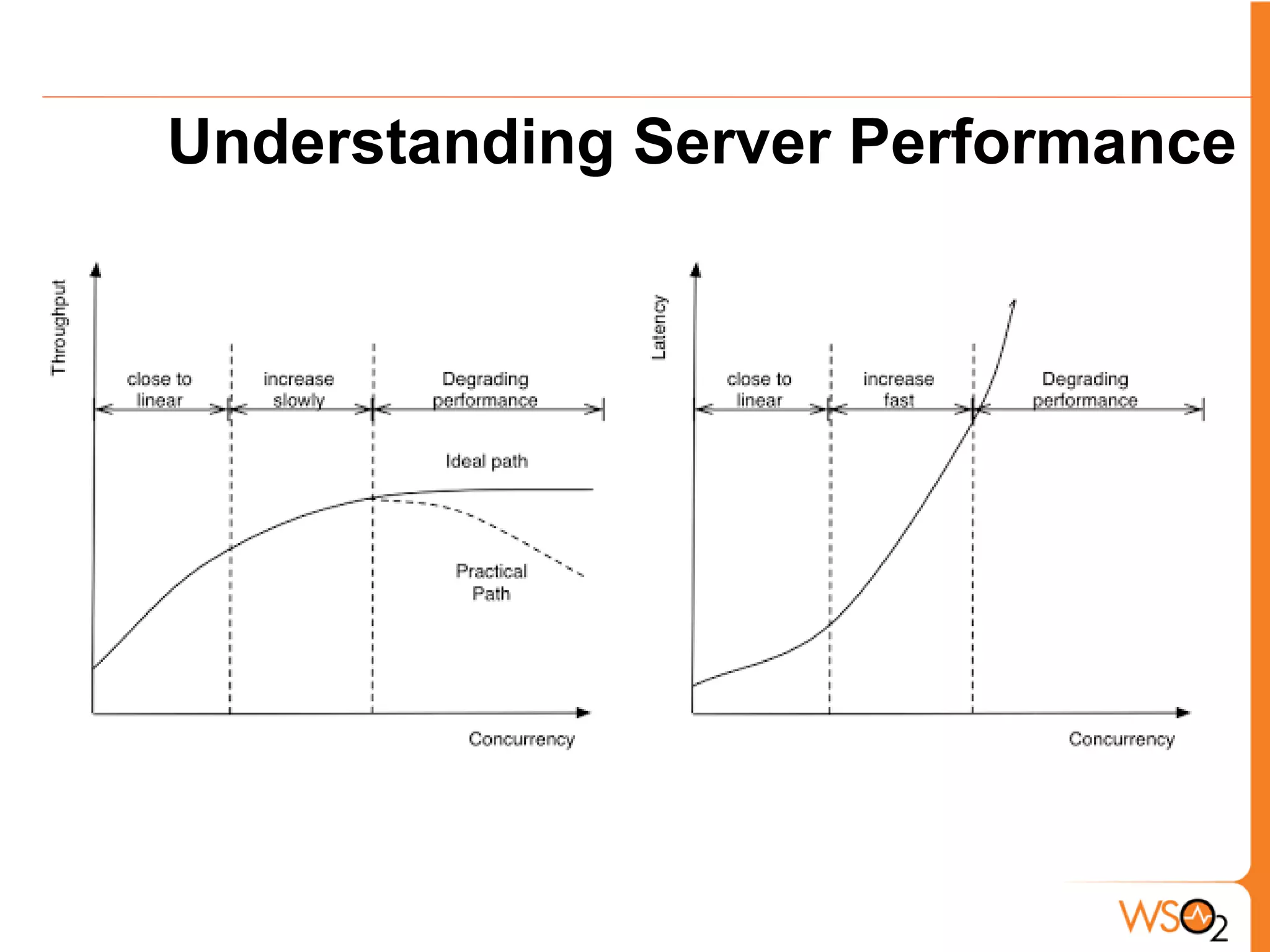
Understanding Server Performance
When Concurrency Increases?
•   Throughput increases, but where will it stop?
•   When there are contention for the server
•   Contention for what?
    o   CPU
    o   Memory
    o   Disk - I/O
    o   Network -I/O
•   If your server running on full capacity, there should be at
    least one resource under contention.
How to measure Contention?

•   CPU - CPU or load average
•   Memory - GC logs, monitor memory, sometime swapping
•   Disk I/O - IOPS per seconds, load average
•   Network I/O - network utilization, load average
•   What is load average? length of processor queue of the OS
•   How much load average is too much?
    o   Load average = number of cores (machine is fully used)
    o   Load average = 2* number of cores (machine is loaded)
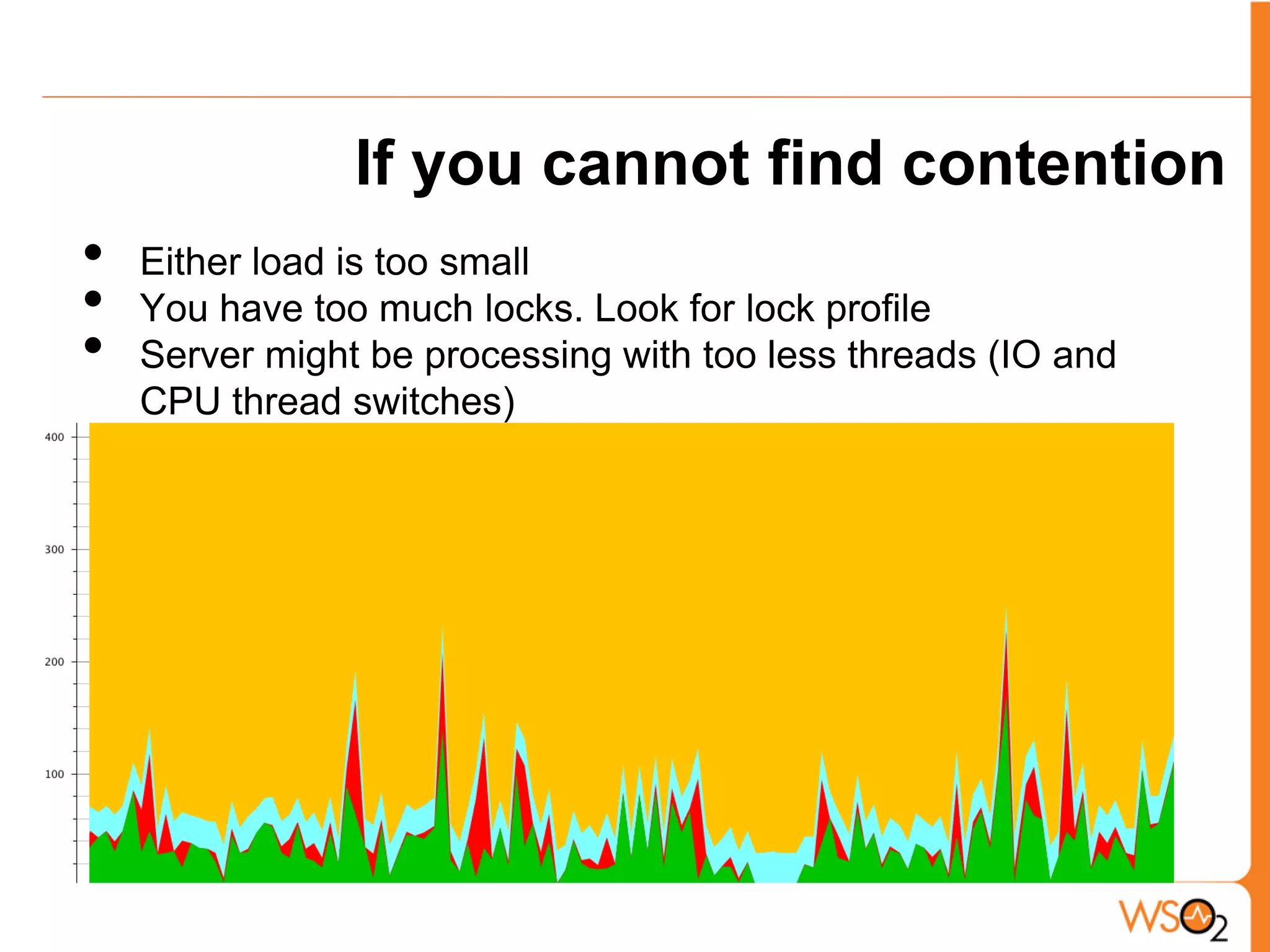
If you cannot find contention
•   Either load is too small
•   You have too much locks. Look for lock profile
•   Server might be processing with too less threads (IO and
    CPU thread switches)
Performance Tuning
•   Increase throughput/ latency or both
•   Know that latency vs. throughput is often a tradeoff
•   Run the system and see how it does, make sure you are
    putting in enough load
•   Verify where is the bottleneck? is it CPU, memory, network,
    or disk
•   Start tuning
Tuning

•   When you tune, bottlenecks will shift, you will have to shift
    your focus
•   Can you tune settings (Application, JVM, OS) to improve and
    shift the bottleneck? play with parameters .. we call this
    parameter sweep
•   Then focus on the code, look for right profile
    o   CPU profile
    o   Memory/ Allocation profile
    o   Network profile
    o   IO profile
    o   Database profile
Programmer Nightmares

                  ClassCastException
                        Permgen Errors
            DeadLocks
                           NullPointer
     Unacceptable Latency
     CPU spin       OutofMemoryException
            ArrayIndexOutOfBoundsException

[image] http://www1.free-clipart.net/gallery2/clipart/Holidays/Halloween/Ghost_-_Boo.jpg
Introducing: Profiling...


•   Best thing would be to write bug free, high performant code
•   Normally development happens in iterative manner - get
    something to work and improve on that.
•   Basic profiling can help you to eliminate most of the memory
    and performance issues.
Right Tools...
•       There are many commercial and open source tools
•       We are going to use,
         o       Jprofiler by ejTechnologies
                     CPU, Memory, Allocation, Network, DB
         o       Eclipse Memory Analyzer tool
                     Find memory leaks
         o       Standard JDK tooling - Jconsole
                     Basic stats


    [image] http://writingsongs.com/pictures/toolbox.jpg
Environment Setup
    With WSO2 Carbon
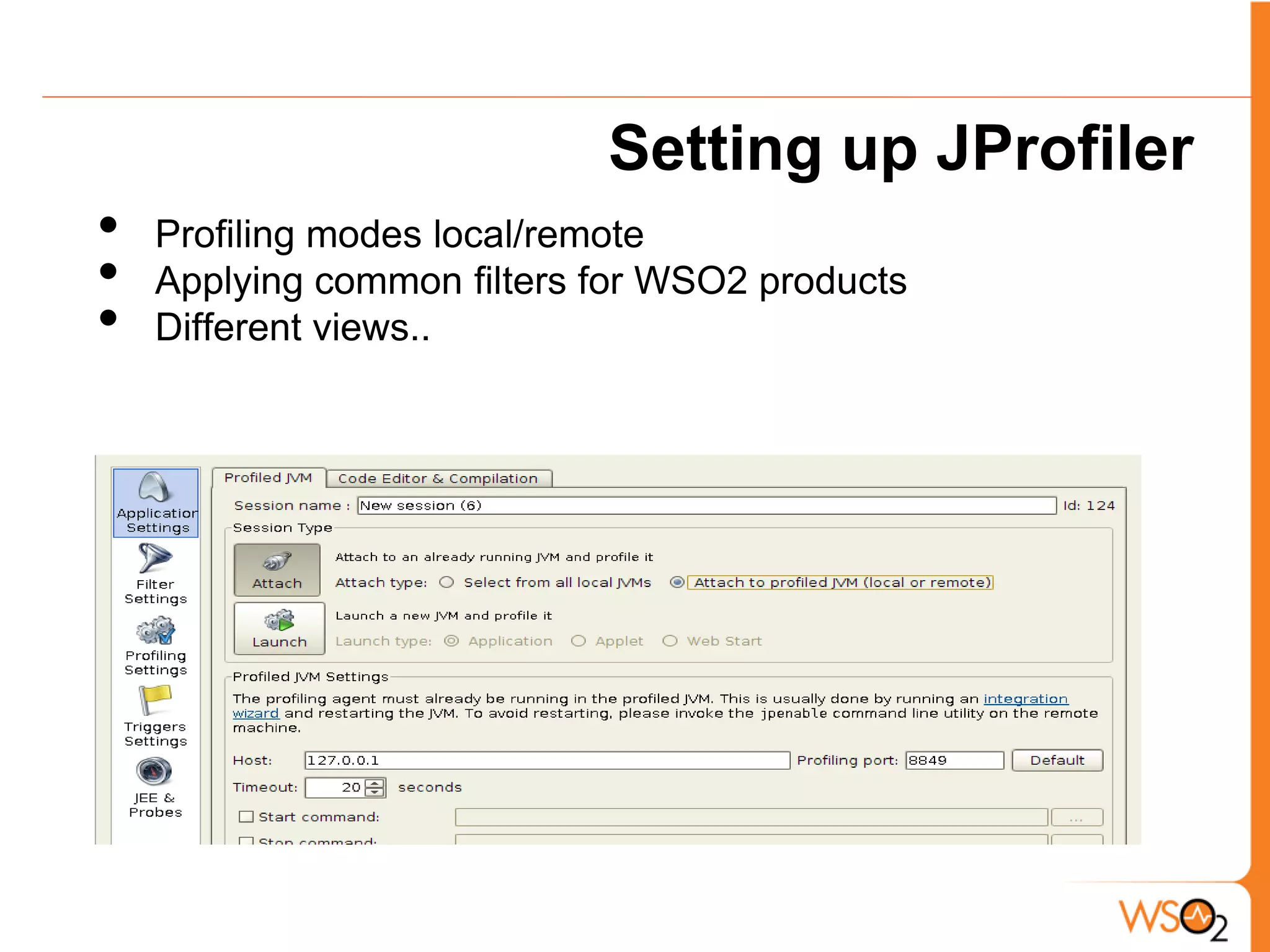
Setting up JProfiler
•   Profiling modes local/remote
•   Applying common filters for WSO2 products
•   Different views..
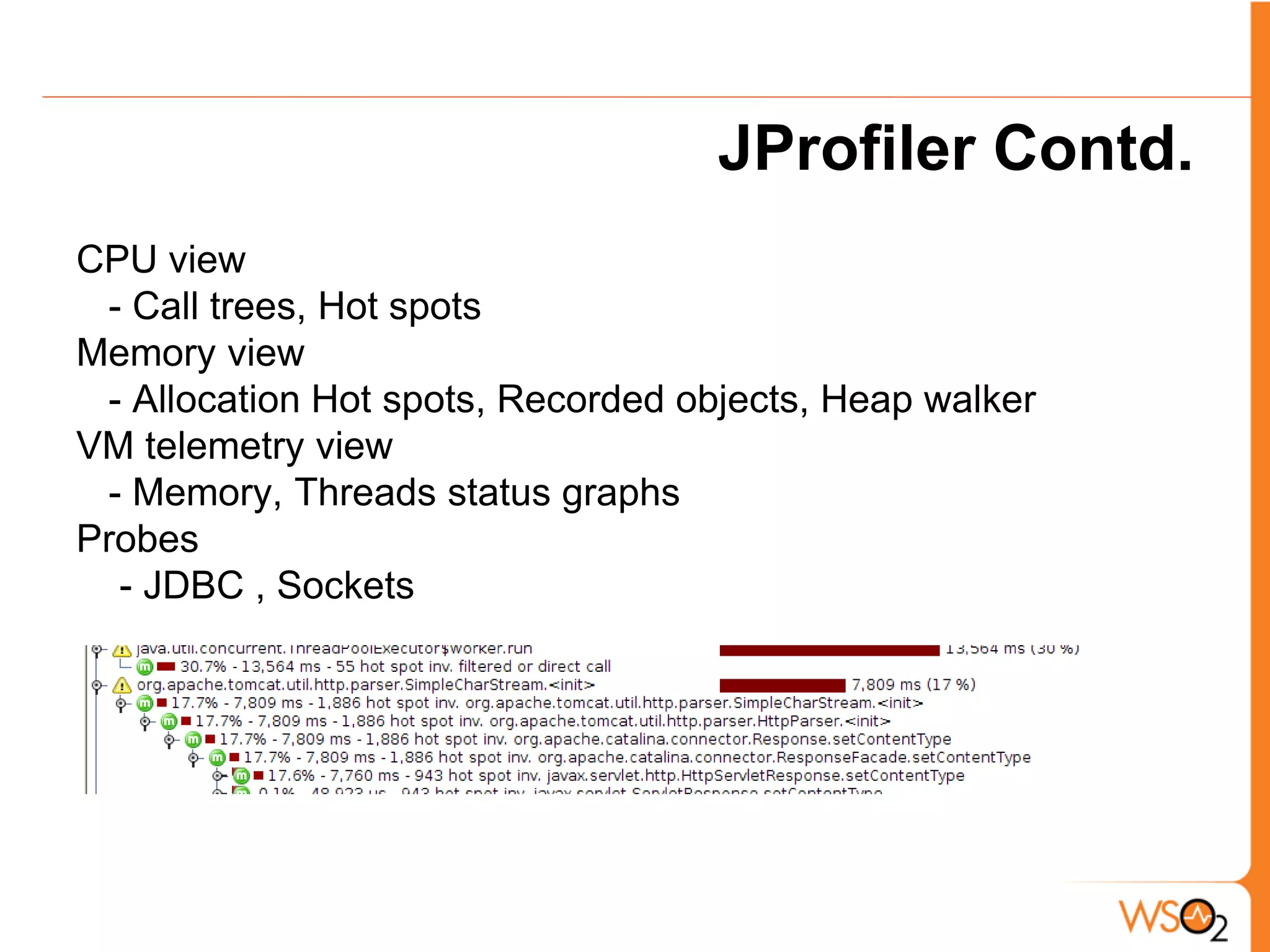
JProfiler Contd.
CPU view
 - Call trees, Hot spots
Memory view
 - Allocation Hot spots, Recorded objects, Heap walker
VM telemetry view
 - Memory, Threads status graphs
Probes
  - JDBC , Sockets
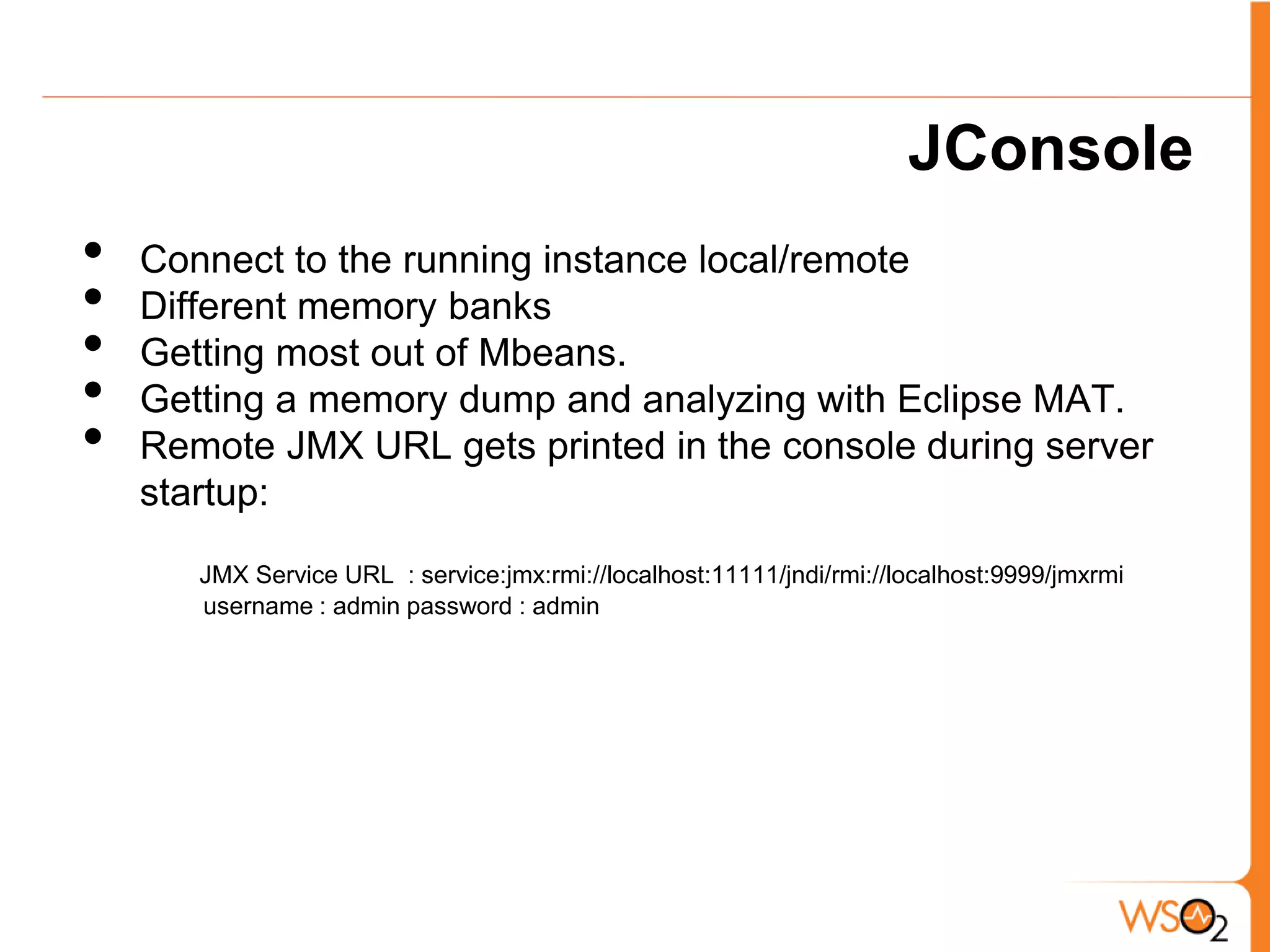
JConsole
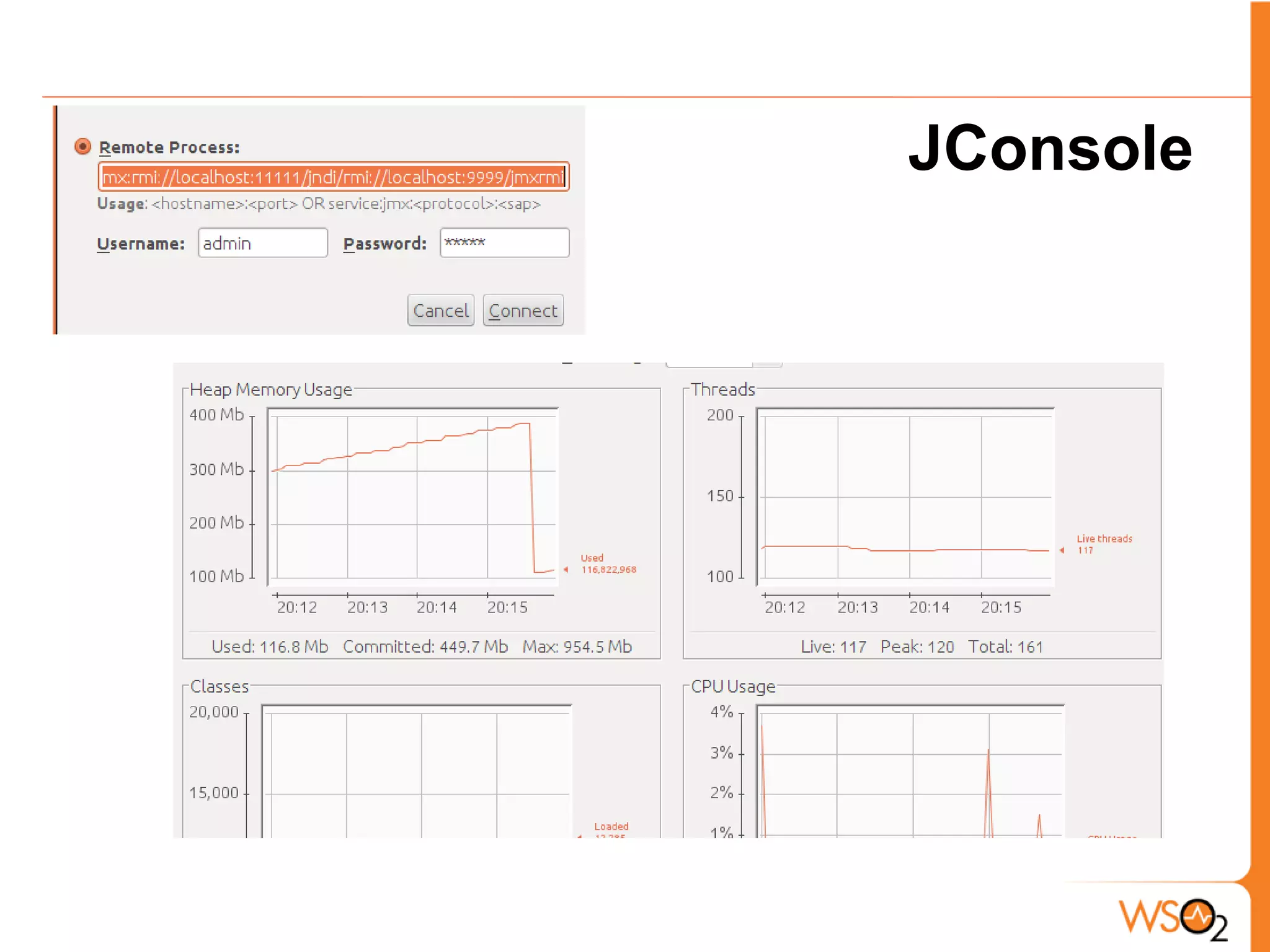
•   Connect to the running instance local/remote
•   Different memory banks
•   Getting most out of Mbeans.
•   Getting a memory dump and analyzing with Eclipse MAT.
•   Remote JMX URL gets printed in the console during server
    startup:

       JMX Service URL : service:jmx:rmi://localhost:11111/jndi/rmi://localhost:9999/jmxrmi
       username : admin password : admin
JConsole
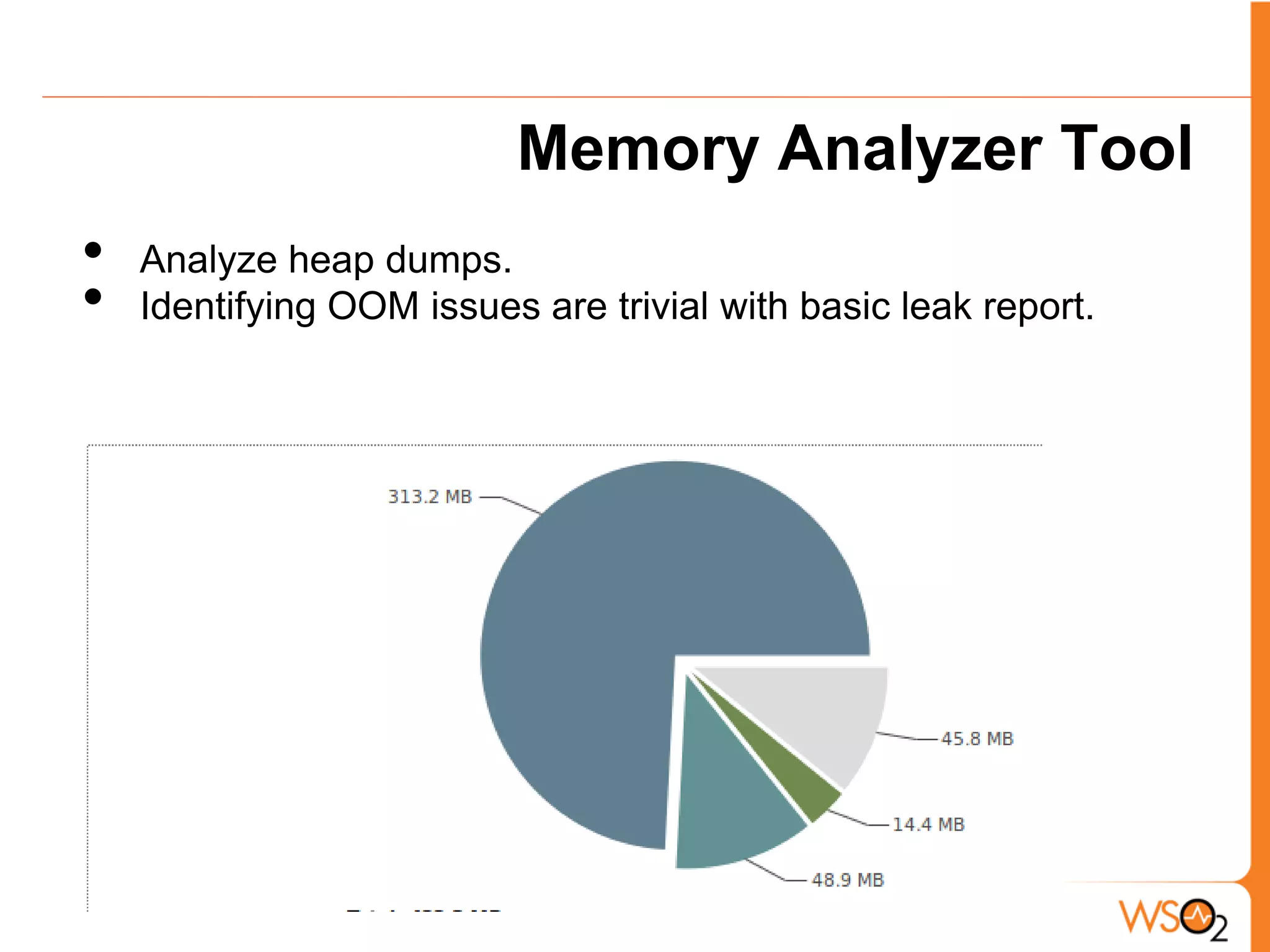
Memory Analyzer Tool
•   Analyze heap dumps.
•   Identifying OOM issues are trivial with basic leak report.
Usual Suspects

 Some of the common issues...
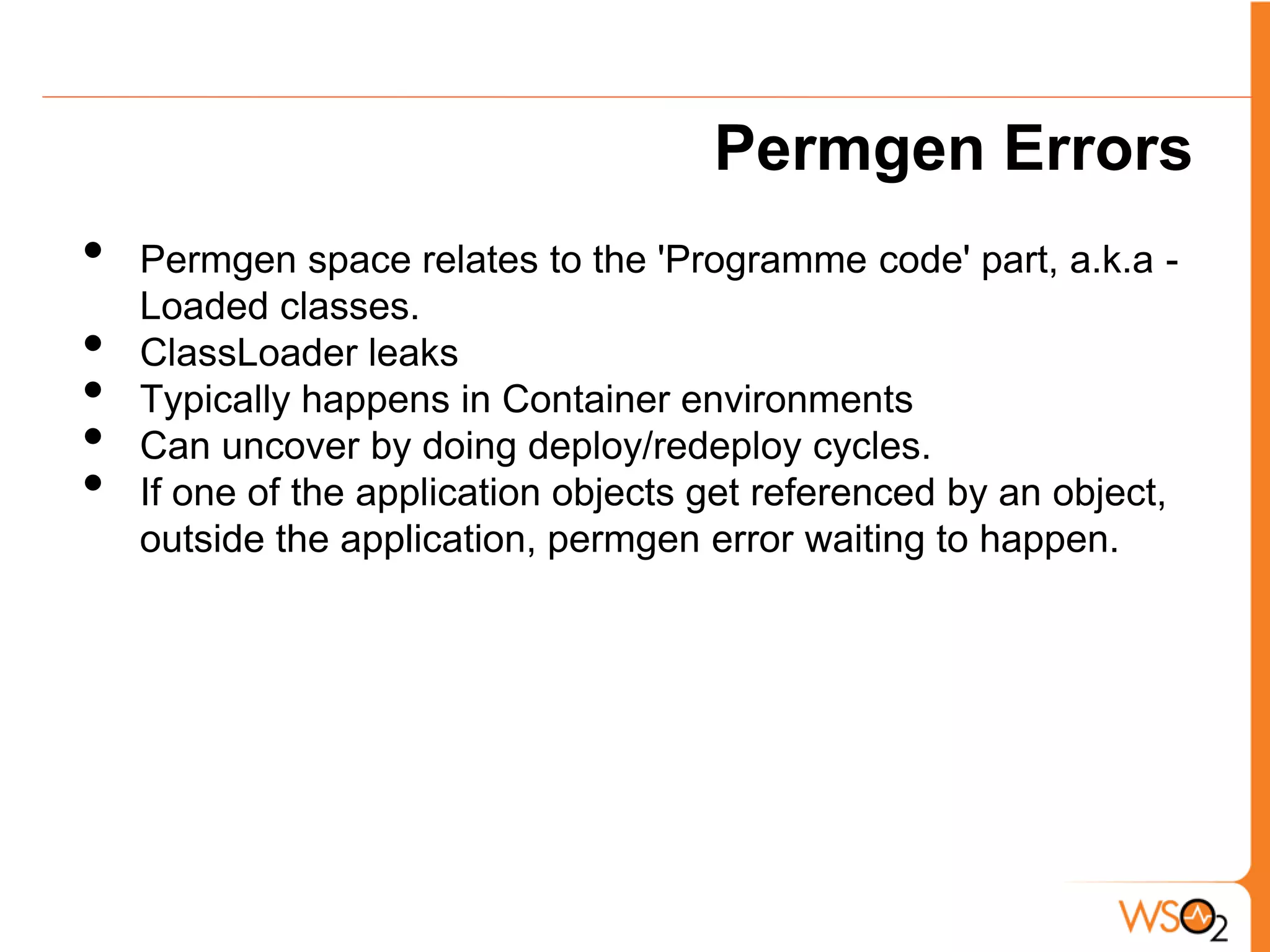
Permgen Errors
•   Permgen space relates to the 'Programme code' part, a.k.a -
    Loaded classes.
•   ClassLoader leaks
•   Typically happens in Container environments
•   Can uncover by doing deploy/redeploy cycles.
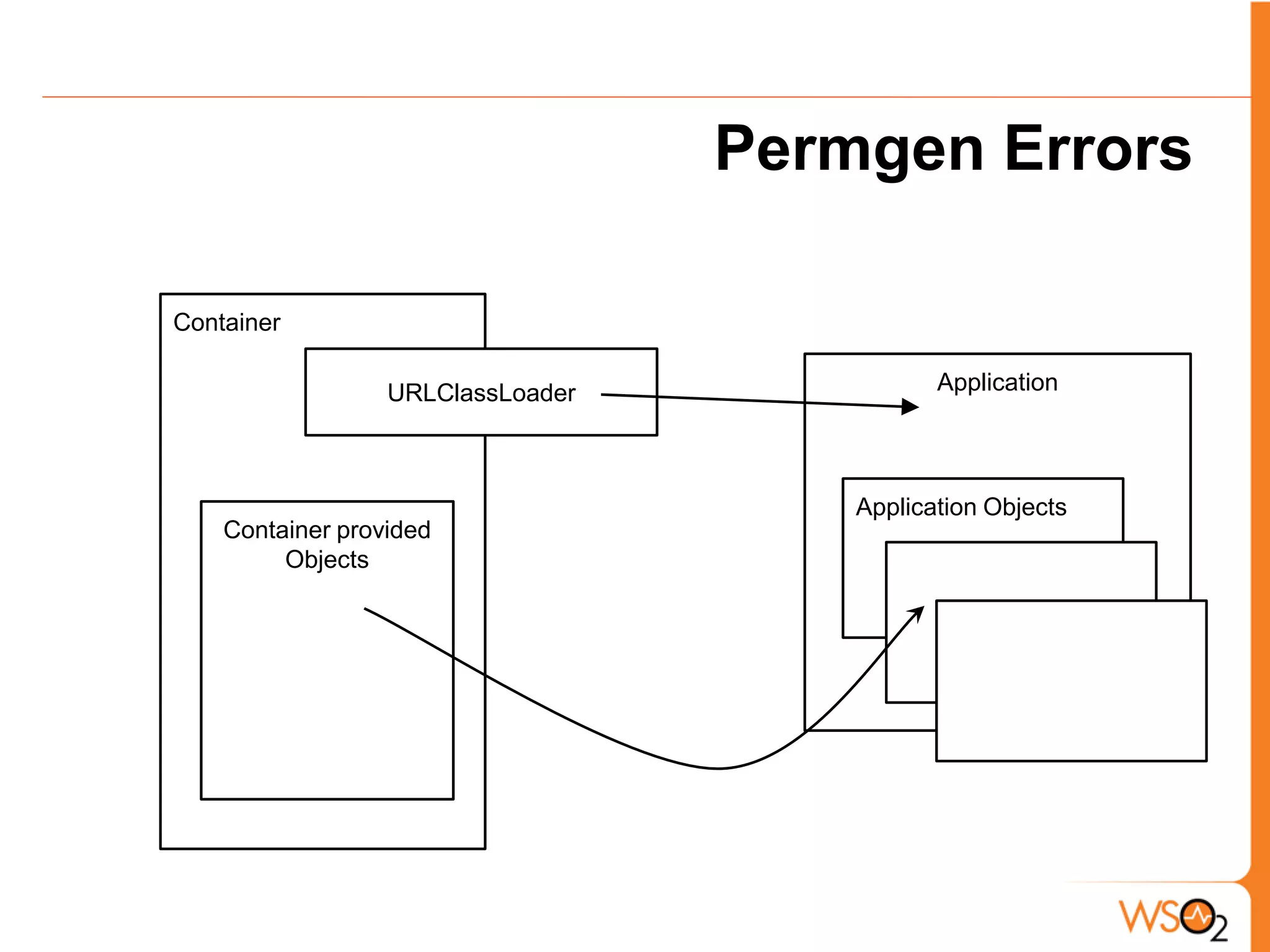
•   If one of the application objects get referenced by an object,
    outside the application, permgen error waiting to happen.
Permgen Errors

Container

                  URLClassLoader              Application


                                       Application Objects
    Container provided
         Objects
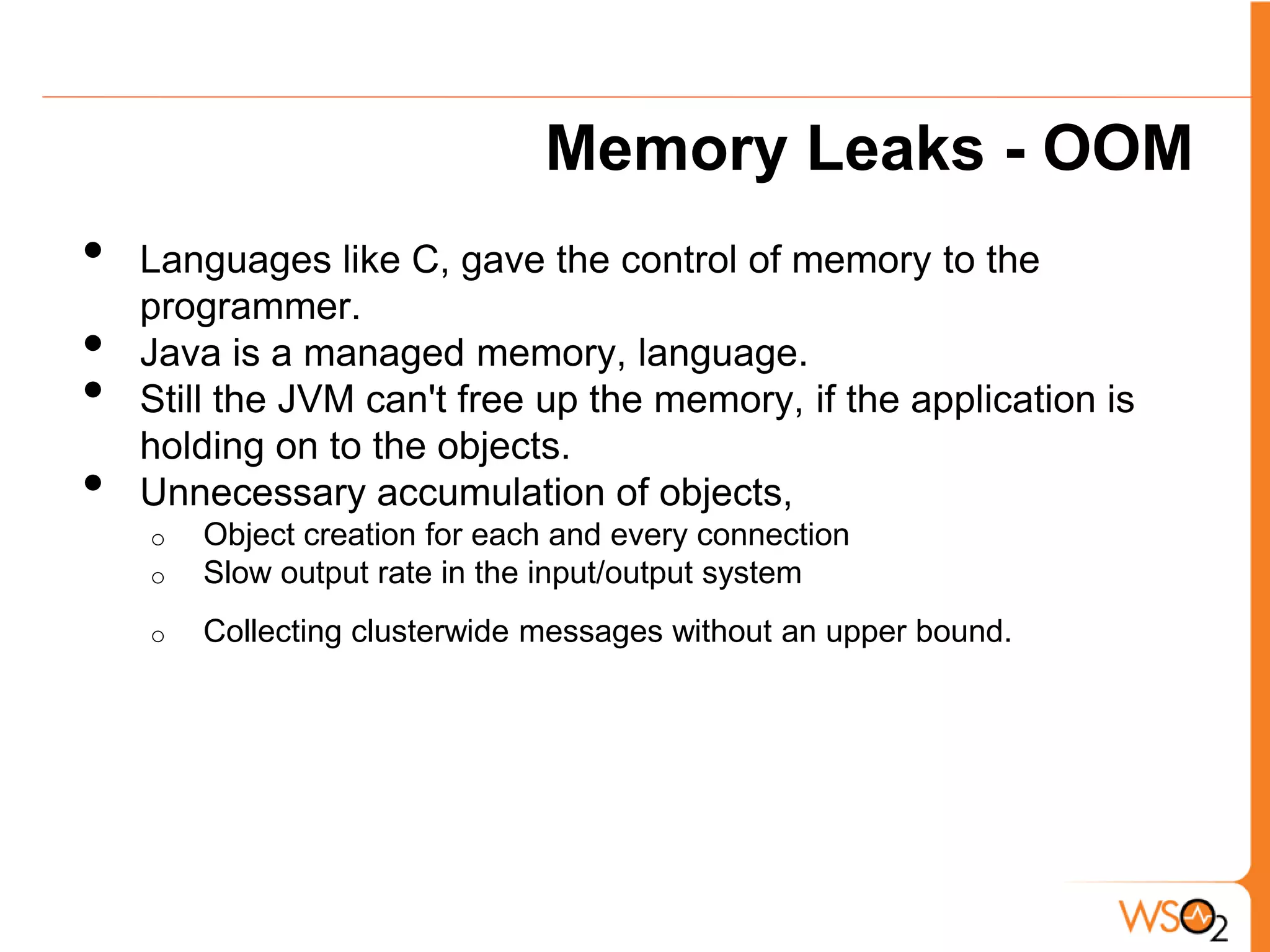
Memory Leaks - OOM
•   Languages like C, gave the control of memory to the
    programmer.
•   Java is a managed memory, language.
•   Still the JVM can't free up the memory, if the application is
    holding on to the objects.
•   Unnecessary accumulation of objects,
    o   Object creation for each and every connection
    o   Slow output rate in the input/output system
    o   Collecting clusterwide messages without an upper bound.
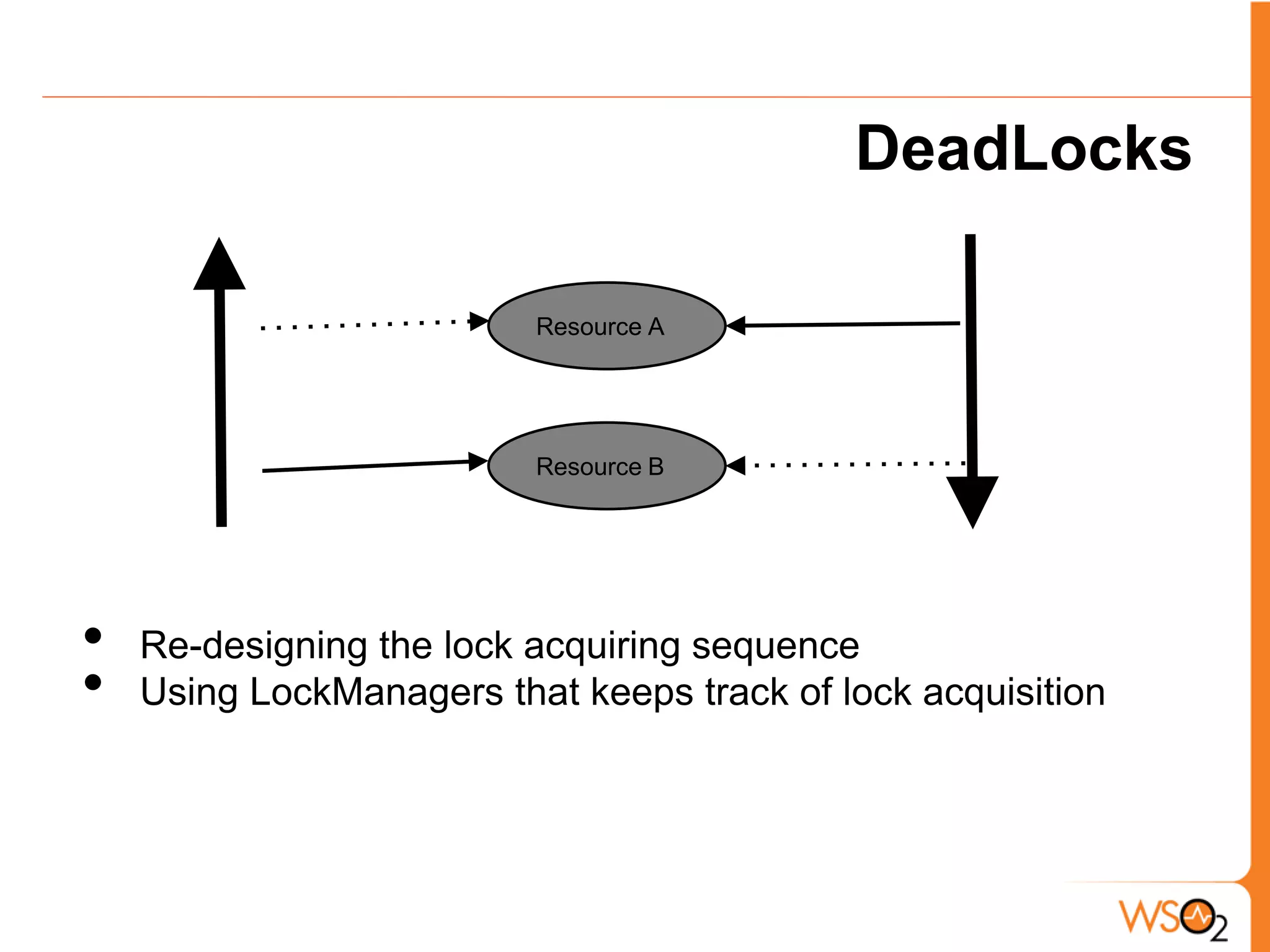
DeadLocks

                          Resource A


                          Resource B


•   Re-designing the lock acquiring sequence
•   Using LockManagers that keeps track of lock acquisition
Liveness issues...


•   Starvation - A thread can starve for CPU cycles, if it is
    blocked by a lock-wait.
•   Poor Responsiveness
•   LiveLock scenarios
Programming Best Practices


•   Think about memory aspects/ data retrieval process while
    writing code.
•   Optimize the critical Path (look at CPU profile).
•   Make use of Standard libs as much as possible.
•   Profile your apps before releasing them to production.
WSO2 make use of profiling ?
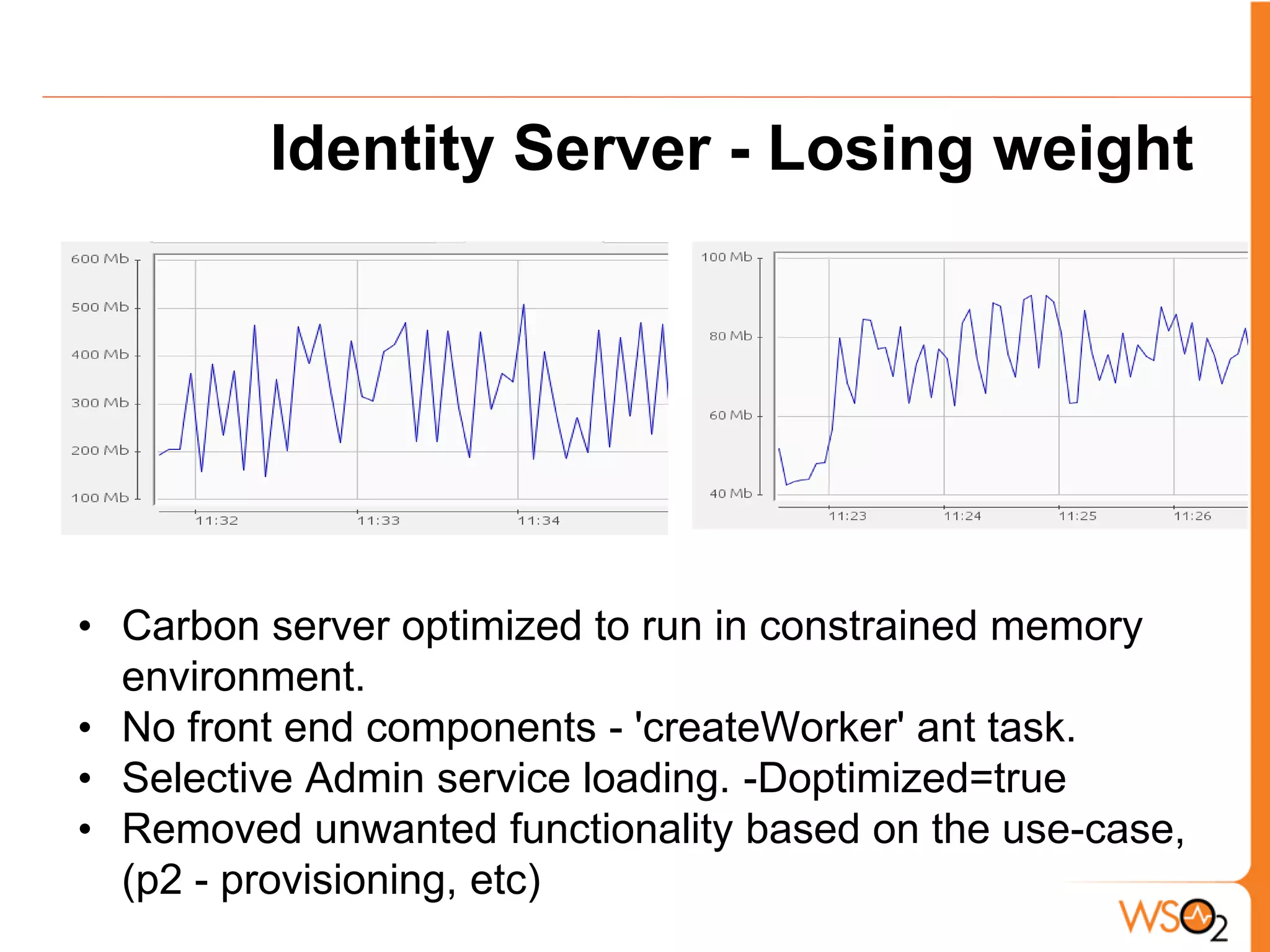
Identity Server - Losing weight


• Carbon server optimized to run in constrained memory
  environment.
• No front end components - 'createWorker' ant task.
• Selective Admin service loading. -Doptimized=true
• Removed unwanted functionality based on the use-case,
  (p2 - provisioning, etc)
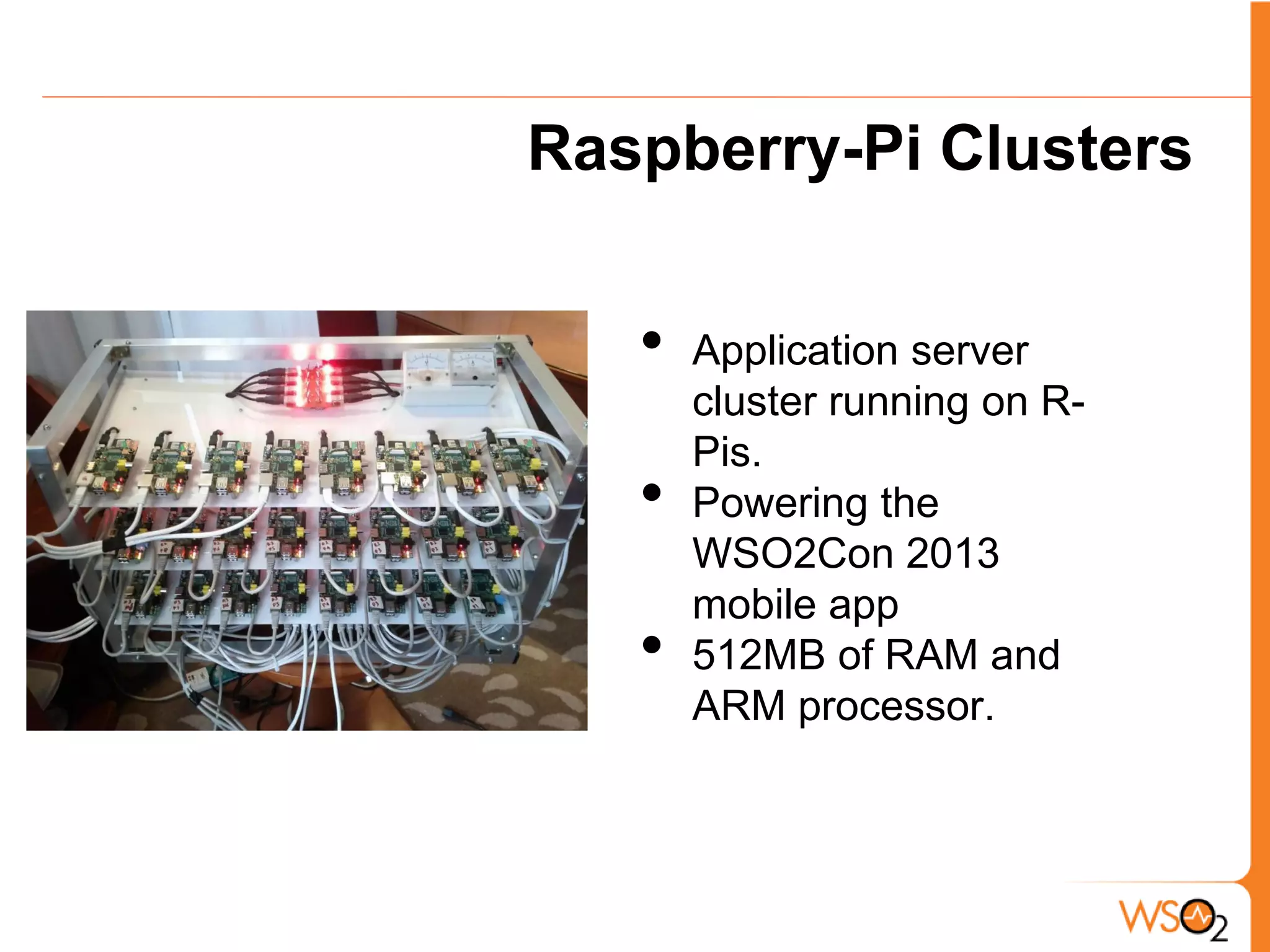
Raspberry-Pi Clusters


   •   Application server
       cluster running on R-
       Pis.
   •   Powering the
       WSO2Con 2013
       mobile app
   •   512MB of RAM and
       ARM processor.
Demo

CPU spin and Memory leak scenario
Questions
Thank You

Application Profiling for Memory and Performance

  • 1.
    Application Profiling for Memory & Performance Srinath Perera Pradeep Fernando Dinuka Malalanayke WSO2 Inc WSO2 Inc WSO2 Inc
  • 2.
  • 3.
    When Concurrency Increases? • Throughput increases, but where will it stop? • When there are contention for the server • Contention for what? o CPU o Memory o Disk - I/O o Network -I/O • If your server running on full capacity, there should be at least one resource under contention.
  • 4.
    How to measureContention? • CPU - CPU or load average • Memory - GC logs, monitor memory, sometime swapping • Disk I/O - IOPS per seconds, load average • Network I/O - network utilization, load average • What is load average? length of processor queue of the OS • How much load average is too much? o Load average = number of cores (machine is fully used) o Load average = 2* number of cores (machine is loaded)
  • 5.
    If you cannotfind contention • Either load is too small • You have too much locks. Look for lock profile • Server might be processing with too less threads (IO and CPU thread switches)
  • 6.
    Performance Tuning • Increase throughput/ latency or both • Know that latency vs. throughput is often a tradeoff • Run the system and see how it does, make sure you are putting in enough load • Verify where is the bottleneck? is it CPU, memory, network, or disk • Start tuning
  • 7.
    Tuning • When you tune, bottlenecks will shift, you will have to shift your focus • Can you tune settings (Application, JVM, OS) to improve and shift the bottleneck? play with parameters .. we call this parameter sweep • Then focus on the code, look for right profile o CPU profile o Memory/ Allocation profile o Network profile o IO profile o Database profile
  • 8.
  • 9.
    Programmer Nightmares ClassCastException Permgen Errors DeadLocks NullPointer Unacceptable Latency CPU spin OutofMemoryException ArrayIndexOutOfBoundsException [image] http://www1.free-clipart.net/gallery2/clipart/Holidays/Halloween/Ghost_-_Boo.jpg
  • 10.
    Introducing: Profiling... • Best thing would be to write bug free, high performant code • Normally development happens in iterative manner - get something to work and improve on that. • Basic profiling can help you to eliminate most of the memory and performance issues.
  • 11.
    Right Tools... • There are many commercial and open source tools • We are going to use, o Jprofiler by ejTechnologies  CPU, Memory, Allocation, Network, DB o Eclipse Memory Analyzer tool  Find memory leaks o Standard JDK tooling - Jconsole  Basic stats [image] http://writingsongs.com/pictures/toolbox.jpg
  • 12.
    Environment Setup With WSO2 Carbon
  • 13.
    Setting up JProfiler • Profiling modes local/remote • Applying common filters for WSO2 products • Different views..
  • 14.
    JProfiler Contd. CPU view - Call trees, Hot spots Memory view - Allocation Hot spots, Recorded objects, Heap walker VM telemetry view - Memory, Threads status graphs Probes - JDBC , Sockets
  • 15.
    JConsole • Connect to the running instance local/remote • Different memory banks • Getting most out of Mbeans. • Getting a memory dump and analyzing with Eclipse MAT. • Remote JMX URL gets printed in the console during server startup: JMX Service URL : service:jmx:rmi://localhost:11111/jndi/rmi://localhost:9999/jmxrmi username : admin password : admin
  • 16.
  • 17.
    Memory Analyzer Tool • Analyze heap dumps. • Identifying OOM issues are trivial with basic leak report.
  • 18.
    Usual Suspects Someof the common issues...
  • 19.
    Permgen Errors • Permgen space relates to the 'Programme code' part, a.k.a - Loaded classes. • ClassLoader leaks • Typically happens in Container environments • Can uncover by doing deploy/redeploy cycles. • If one of the application objects get referenced by an object, outside the application, permgen error waiting to happen.
  • 20.
    Permgen Errors Container URLClassLoader Application Application Objects Container provided Objects
  • 21.
    Memory Leaks -OOM • Languages like C, gave the control of memory to the programmer. • Java is a managed memory, language. • Still the JVM can't free up the memory, if the application is holding on to the objects. • Unnecessary accumulation of objects, o Object creation for each and every connection o Slow output rate in the input/output system o Collecting clusterwide messages without an upper bound.
  • 22.
    DeadLocks Resource A Resource B • Re-designing the lock acquiring sequence • Using LockManagers that keeps track of lock acquisition
  • 23.
    Liveness issues... • Starvation - A thread can starve for CPU cycles, if it is blocked by a lock-wait. • Poor Responsiveness • LiveLock scenarios
  • 24.
    Programming Best Practices • Think about memory aspects/ data retrieval process while writing code. • Optimize the critical Path (look at CPU profile). • Make use of Standard libs as much as possible. • Profile your apps before releasing them to production.
  • 25.
    WSO2 make useof profiling ?
  • 26.
    Identity Server -Losing weight • Carbon server optimized to run in constrained memory environment. • No front end components - 'createWorker' ant task. • Selective Admin service loading. -Doptimized=true • Removed unwanted functionality based on the use-case, (p2 - provisioning, etc)
  • 27.
    Raspberry-Pi Clusters • Application server cluster running on R- Pis. • Powering the WSO2Con 2013 mobile app • 512MB of RAM and ARM processor.
  • 28.
    Demo CPU spin andMemory leak scenario
  • 29.
  • 30.