Presentation on fire alarm
-presented by : Rikriti Koirala
Contents
 Introduction to the project
 Components working
 Circuit
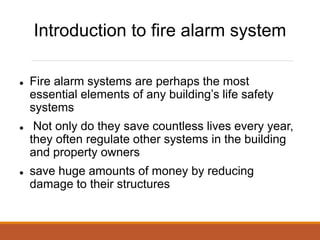
Introduction to fire alarm system
 Fire alarm systems are perhaps the most
essential elements of any building’s life safety
systems
 Not only do they save countless lives every year,
they often regulate other systems in the building
and property owners
 save huge amounts of money by reducing
damage to their structures
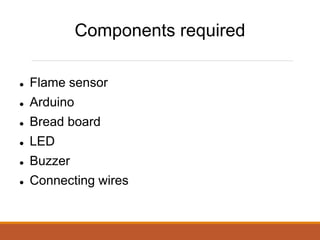
Components required
 Flame sensor
 Arduino
 Bread board
 LED
 Buzzer
 Connecting wires
Working with components
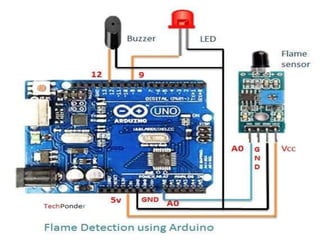
 Flame sensor interfacing to Arduino
 Flame sensor to Arduino
 vcc -> vcc
 gnd -> gnd
 A0 -> A0
 Led interfacing to Arduino
 LED +ve is connected to 9th pin of Arduino
 LED -ve is connected to gnd pin of arduino
 Buzzer interfacing to Arduino
 Buzzer +ve is connected to 12th pin of Arduino
 Buzzer -ve is connected to GND pin of Arduino
 Then we program in arduino ide and set it up in arduino
uno
Thank You
Any queries

presentation_on_fire_alarm.pptx

  • 1.
    Presentation on firealarm -presented by : Rikriti Koirala
  • 2.
    Contents  Introduction tothe project  Components working  Circuit
  • 3.
    Introduction to firealarm system  Fire alarm systems are perhaps the most essential elements of any building’s life safety systems  Not only do they save countless lives every year, they often regulate other systems in the building and property owners  save huge amounts of money by reducing damage to their structures
  • 4.
    Components required  Flamesensor  Arduino  Bread board  LED  Buzzer  Connecting wires
  • 5.
    Working with components Flame sensor interfacing to Arduino  Flame sensor to Arduino  vcc -> vcc  gnd -> gnd  A0 -> A0
  • 6.
     Led interfacingto Arduino  LED +ve is connected to 9th pin of Arduino  LED -ve is connected to gnd pin of arduino  Buzzer interfacing to Arduino  Buzzer +ve is connected to 12th pin of Arduino  Buzzer -ve is connected to GND pin of Arduino  Then we program in arduino ide and set it up in arduino uno
  • 8.