Getting the Most Out of SQL 
Developer User-Defined Reports 
David Mann - Biogen Idec - ECOUG 2014
Topics 
• Context 
• Why use SQL Developer for reports? 
• Canned Report Review 
• Basic User Defined Reports 
• Supplying Parameters to Reports 
• Parent/Child & Drill Down 
• Advanced - Charts, HTML, Command Line Reports 
• Where do you go from here?
Bio 
• Graphic Arts Background 
• Development Background 
• Lead Oracle DBA @ 
• Interests : 
• Tools, Performance, 
Data Visualization
Context 
• GUI Java Application 
• Available for Windows/Mac OS X/Linux 
• Free from Oracle 
• Connects to databases via JDBC 
• No OCI client required (usually) 
• TNS / LDAP / Custom connection 
parameters
Why use SQL 
Developer for reports?
Ease of Use 
• Ready to go infrastructure 
• Multiple OSes supported 
• Quick download and install 
• Just need a JVM + GUI
Features 
• Feature Rich Admin and Query Tool 
• Source Code Control Integration 
• Unit testing 
• Data Modeling 
• DBA Module 
• Vote for features 
• Its a democracy, get some you want, some 
you don’t 
• Access to expertise
Reporting 
• Robust reporting feature set 
• Canned reports 
• User Defined Reports 
• HTML/PDF Output Options 
• Command Line Report Generation 
• Extensible 
• Customizable / Extensions 
• Portable report definitions 
• Sharing is caring
4.0 - Not Your Father’s SQL Developer 
• Faster report development round trips 
• Live Preview in report editor during design 
time 
• 50+ Charting Options 
• Live preview also available for charts 
• Comprehensive reports included out of the box 
• Command Line Report Generation
Personal Reporting Process 
• DBA 1.0? 
• Get out of the query-> export -> 
Excel Graph rut 
• Too cumbersome to repeat reliably 
• Slow to repeat 
• Hard to share with others 
• Hard to motivate others to use your methods 
• Put this power into user’s hands with UDRs
Canned Reports
Canned Reports 
• Lots of useful reports included 
• Database Administration 
• Data Dictionary 
• Object Info 
• Application Express 
• Performance 
• + more
Other Canned Report Uses 
• Good learning tool 
• Copy + Modify 
• Can be the target of your own Drill Down 
reports
Basic User Defined Reports
Create a Simple UDR
Specify Properties
Set SQL Query
Run It
Gauge Example
Building Gauges 
• SQLDEV:GAUGE 
• min:max:low thresh:upper threshold:value
Using Bind Variables
Filter with Binds
Bind Variable Details
“All” Option 
• Provide for optional use of Bind Variables
Parent/Child Reports
• Consist of a pair of related queries 
• Child query refreshed when Parent row clicked 
• Related by bind variable
Parent/Child
Drill Down Reports
Features 
• Like Parent/Child but Child is hidden 
• Multiple Children can be attached to each 
Parent 
• Usage 
• Right click on Parent data element 
• Select drill down report name 
• Helps navigate your data
Creation 
• Create target report 
• Add to parent report* 
• Drilled report has access to bind variables
Navigation 
Forward: 
Back:
Advanced : Charts
Charts
Charts 
• Prepare data series 
• Position 1 : Category Group (Y Axis) 
• Position 2 : Series (Legend) 
• Position 3 : Data Value (X Axis) 
• Choose best representation 
• Customize styles 
• Test it!
Chart Usage 
• Combine Parent Summary chart with Child 
Detail report 
• Can click on chart region to generate child 
report 
• Best of both worlds - digest the summary but 
have access to detail
Save as HTML
Options
Table Report as HTML
Chart Rendered in SQL Dev
Chart as HTML
Advanced : 
Internal HTML Render 
& 
PL/SQL DBMS_OUTPUT
HTML - Internal Render 
• PL/SQL DBMS_OUTPUT or Table Cell 
• Supports HTML subset 
• Supports inline CSS 
• No: 
• Style sheets 
• Javascript
HTML Example 1 
Source 
Code
HTML Example 2 
Source 
Code
HTML Example 3 
Source 
Code
HTML Example 4 
Source 
Code
Advanced: 
HTML External Render 
PL/SQL DBMS_OUTPUT
HTML - External Render 
• Many report types will save to local 
HTML file 
• Formatting decisions made for you 
• Not all features may translate
Advanced: 
Command Line Interface
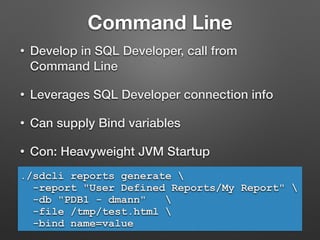
Command Line 
• Develop in SQL Developer, call from 
Command Line 
• Leverages SQL Developer connection info 
• Can supply Bind variables 
• Con: Heavyweight JVM Startup 
./sdcli reports generate  
-report "User Defined Reports/My Report"  
-db "PDB1 - dmann"  
-file /tmp/test.html  
-bind name=value
Putting It All Together 
• Let’s make the most complicated UDF we can 
• HTML Report 
• External render 
• Javascript referencing external libraries 
• Kick it off via the command line 
• Look at familiar data in a new way
Example Output 
Source 
Code
Behind the Scenes 
• Check the XML 
• Do you feel lucky?
Where Do You Go From Here? 
• Start your own collection of UD Reports 
• SQL Analytic Features 
• Custom Actions 
• What can you automate? 
• SQL Developer Exchange, OTN 
• http://github.com/dmann99/SQLDevUDRepPack 
• “5 in 5” at http://ba6.us
Questions 
Slides, code, links : 
http://ba6.us 
david@ba6.us 
@ba6dotus 
http://github.com/dmann99
References 
• http://www.thatjeffsmith.com/archive/2014/04/ 
how-to-add-custom-actions-to-your-user-reports/ 
• http://www.thatjeffsmith.com/archive/2012/07/ 
customizing-monitor-sessions-in-oracle-sql-developer/
Abstract 
• SQL Developer has proved itself as one of the 
most innovative and useful tools available for 
Oracle users, DBAs, and developers. With the 
release of version 4.0 the included and custom 
report options have been greatly expanded. This 
session will review the different types of reports 
available in SQL developer and review the 
powerful Custom Reports features. Demos will 
include creating simple and complex user defined 
reports, leveraging the new graph types, as well 
as a discussion and demo of the new command 
line HTML reports generation features.

DMann-SQLDeveloper4Reporting

  • 1.
    Getting the MostOut of SQL Developer User-Defined Reports David Mann - Biogen Idec - ECOUG 2014
  • 2.
    Topics • Context • Why use SQL Developer for reports? • Canned Report Review • Basic User Defined Reports • Supplying Parameters to Reports • Parent/Child & Drill Down • Advanced - Charts, HTML, Command Line Reports • Where do you go from here?
  • 3.
    Bio • GraphicArts Background • Development Background • Lead Oracle DBA @ • Interests : • Tools, Performance, Data Visualization
  • 4.
    Context • GUIJava Application • Available for Windows/Mac OS X/Linux • Free from Oracle • Connects to databases via JDBC • No OCI client required (usually) • TNS / LDAP / Custom connection parameters
  • 5.
    Why use SQL Developer for reports?
  • 6.
    Ease of Use • Ready to go infrastructure • Multiple OSes supported • Quick download and install • Just need a JVM + GUI
  • 7.
    Features • FeatureRich Admin and Query Tool • Source Code Control Integration • Unit testing • Data Modeling • DBA Module • Vote for features • Its a democracy, get some you want, some you don’t • Access to expertise
  • 8.
    Reporting • Robustreporting feature set • Canned reports • User Defined Reports • HTML/PDF Output Options • Command Line Report Generation • Extensible • Customizable / Extensions • Portable report definitions • Sharing is caring
  • 9.
    4.0 - NotYour Father’s SQL Developer • Faster report development round trips • Live Preview in report editor during design time • 50+ Charting Options • Live preview also available for charts • Comprehensive reports included out of the box • Command Line Report Generation
  • 11.
    Personal Reporting Process • DBA 1.0? • Get out of the query-> export -> Excel Graph rut • Too cumbersome to repeat reliably • Slow to repeat • Hard to share with others • Hard to motivate others to use your methods • Put this power into user’s hands with UDRs
  • 12.
  • 13.
    Canned Reports •Lots of useful reports included • Database Administration • Data Dictionary • Object Info • Application Express • Performance • + more
  • 14.
    Other Canned ReportUses • Good learning tool • Copy + Modify • Can be the target of your own Drill Down reports
  • 15.
  • 16.
  • 17.
  • 18.
  • 19.
  • 20.
  • 21.
    Building Gauges •SQLDEV:GAUGE • min:max:low thresh:upper threshold:value
  • 22.
  • 23.
  • 24.
  • 25.
    “All” Option •Provide for optional use of Bind Variables
  • 26.
  • 27.
    • Consist ofa pair of related queries • Child query refreshed when Parent row clicked • Related by bind variable
  • 28.
  • 29.
  • 30.
    Features • LikeParent/Child but Child is hidden • Multiple Children can be attached to each Parent • Usage • Right click on Parent data element • Select drill down report name • Helps navigate your data
  • 31.
    Creation • Createtarget report • Add to parent report* • Drilled report has access to bind variables
  • 32.
  • 33.
  • 34.
  • 35.
    Charts • Preparedata series • Position 1 : Category Group (Y Axis) • Position 2 : Series (Legend) • Position 3 : Data Value (X Axis) • Choose best representation • Customize styles • Test it!
  • 36.
    Chart Usage •Combine Parent Summary chart with Child Detail report • Can click on chart region to generate child report • Best of both worlds - digest the summary but have access to detail
  • 37.
  • 38.
  • 39.
  • 40.
  • 41.
  • 42.
    Advanced : InternalHTML Render & PL/SQL DBMS_OUTPUT
  • 43.
    HTML - InternalRender • PL/SQL DBMS_OUTPUT or Table Cell • Supports HTML subset • Supports inline CSS • No: • Style sheets • Javascript
  • 44.
    HTML Example 1 Source Code
  • 45.
    HTML Example 2 Source Code
  • 46.
    HTML Example 3 Source Code
  • 47.
    HTML Example 4 Source Code
  • 48.
    Advanced: HTML ExternalRender PL/SQL DBMS_OUTPUT
  • 49.
    HTML - ExternalRender • Many report types will save to local HTML file • Formatting decisions made for you • Not all features may translate
  • 50.
  • 51.
    Command Line •Develop in SQL Developer, call from Command Line • Leverages SQL Developer connection info • Can supply Bind variables • Con: Heavyweight JVM Startup ./sdcli reports generate -report "User Defined Reports/My Report" -db "PDB1 - dmann" -file /tmp/test.html -bind name=value
  • 52.
    Putting It AllTogether • Let’s make the most complicated UDF we can • HTML Report • External render • Javascript referencing external libraries • Kick it off via the command line • Look at familiar data in a new way
  • 53.
  • 54.
    Behind the Scenes • Check the XML • Do you feel lucky?
  • 55.
    Where Do YouGo From Here? • Start your own collection of UD Reports • SQL Analytic Features • Custom Actions • What can you automate? • SQL Developer Exchange, OTN • http://github.com/dmann99/SQLDevUDRepPack • “5 in 5” at http://ba6.us
  • 56.
    Questions Slides, code,links : http://ba6.us david@ba6.us @ba6dotus http://github.com/dmann99
  • 57.
    References • http://www.thatjeffsmith.com/archive/2014/04/ how-to-add-custom-actions-to-your-user-reports/ • http://www.thatjeffsmith.com/archive/2012/07/ customizing-monitor-sessions-in-oracle-sql-developer/
  • 58.
    Abstract • SQLDeveloper has proved itself as one of the most innovative and useful tools available for Oracle users, DBAs, and developers. With the release of version 4.0 the included and custom report options have been greatly expanded. This session will review the different types of reports available in SQL developer and review the powerful Custom Reports features. Demos will include creating simple and complex user defined reports, leveraging the new graph types, as well as a discussion and demo of the new command line HTML reports generation features.