Writing WordPress
Plugins with Standards
Developer at Range
http://ran.ge
Devin Vinson
@devinvinson
–WordPress Core Handbook
“Coding standards help avoid common coding
errors, improve the readability of code, and
simplify modification. They ensure that files within
the project appear as if they were created by a
single person.”
There are quirks,
deal with it.
CSS, HTML, JavaScript, and PHP
https://make.wordpress.org/core/handbook/coding-standards
Set WordPress code
formatting settings in your
code editor and move on
Quick and Easy
Super Condensed
Overview
• HTML - It should be valid and readable
• CSS - Make it easy to follow and then comment
more, then even more.
• JS - Tough. Things are changing quickly here, not
sure how up to date it is.
PHP Coding Standards
Get excited
Naming Conventions
• Functions, variables, actions should be lowercase
• Separate words with an _
• No camelCase
• Self-documenting - prefix_get_the_data();
• Class names should use capitalized words
separated by underscores. Any acronyms should
be all upper case.
• Prefix everything
Seriously, prefix
everything
http://nacin.com/2010/05/11/in-wordpress-prefix-everything/
http://justintadlock.com/archives/2010/12/30/wordpress-
theme-function-files
Clever isn’t better
You don’t need to impress anyone.
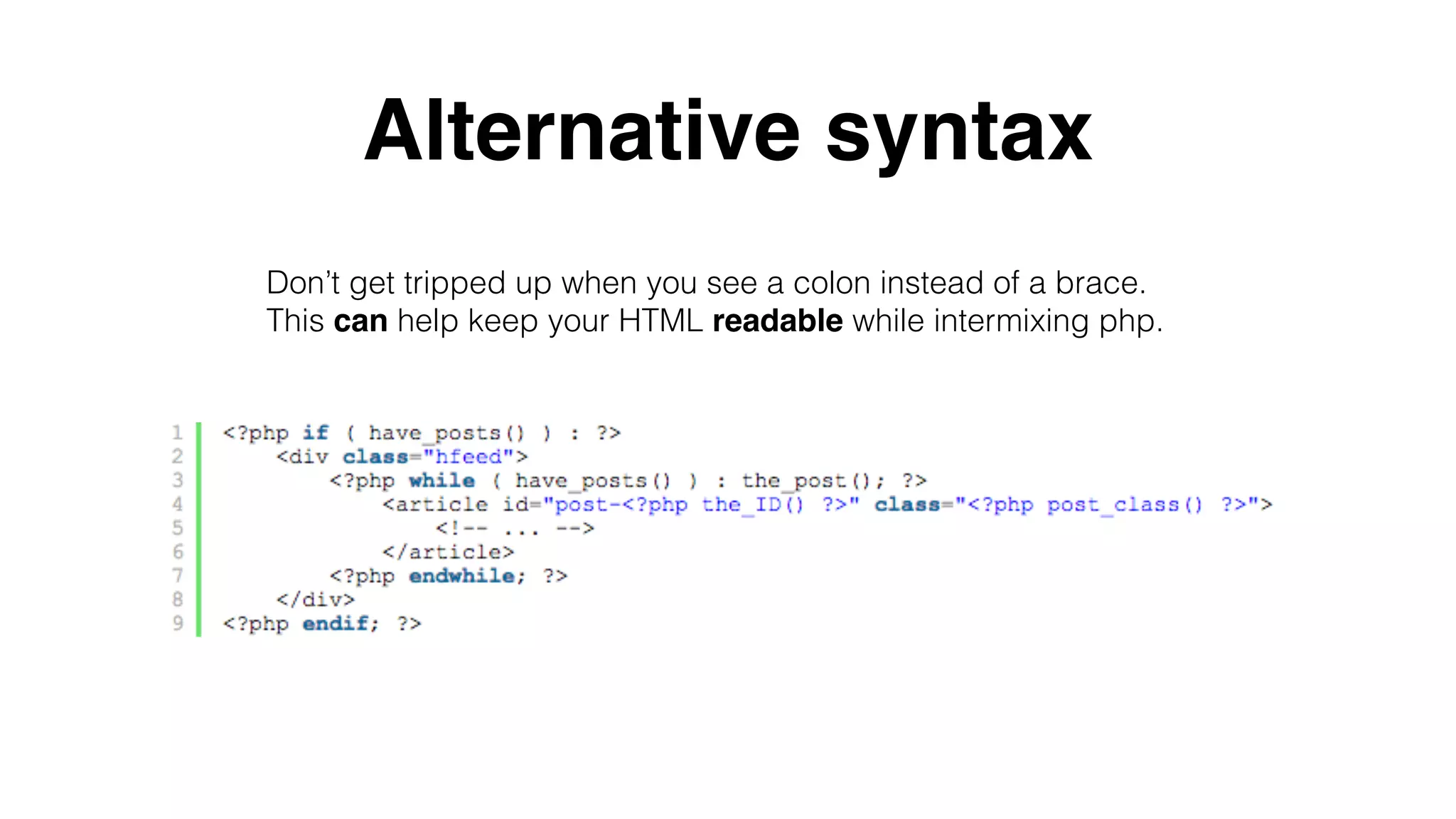
Alternative syntax
Don’t get tripped up when you see a colon instead of a brace.
This can help keep your HTML readable while intermixing php.
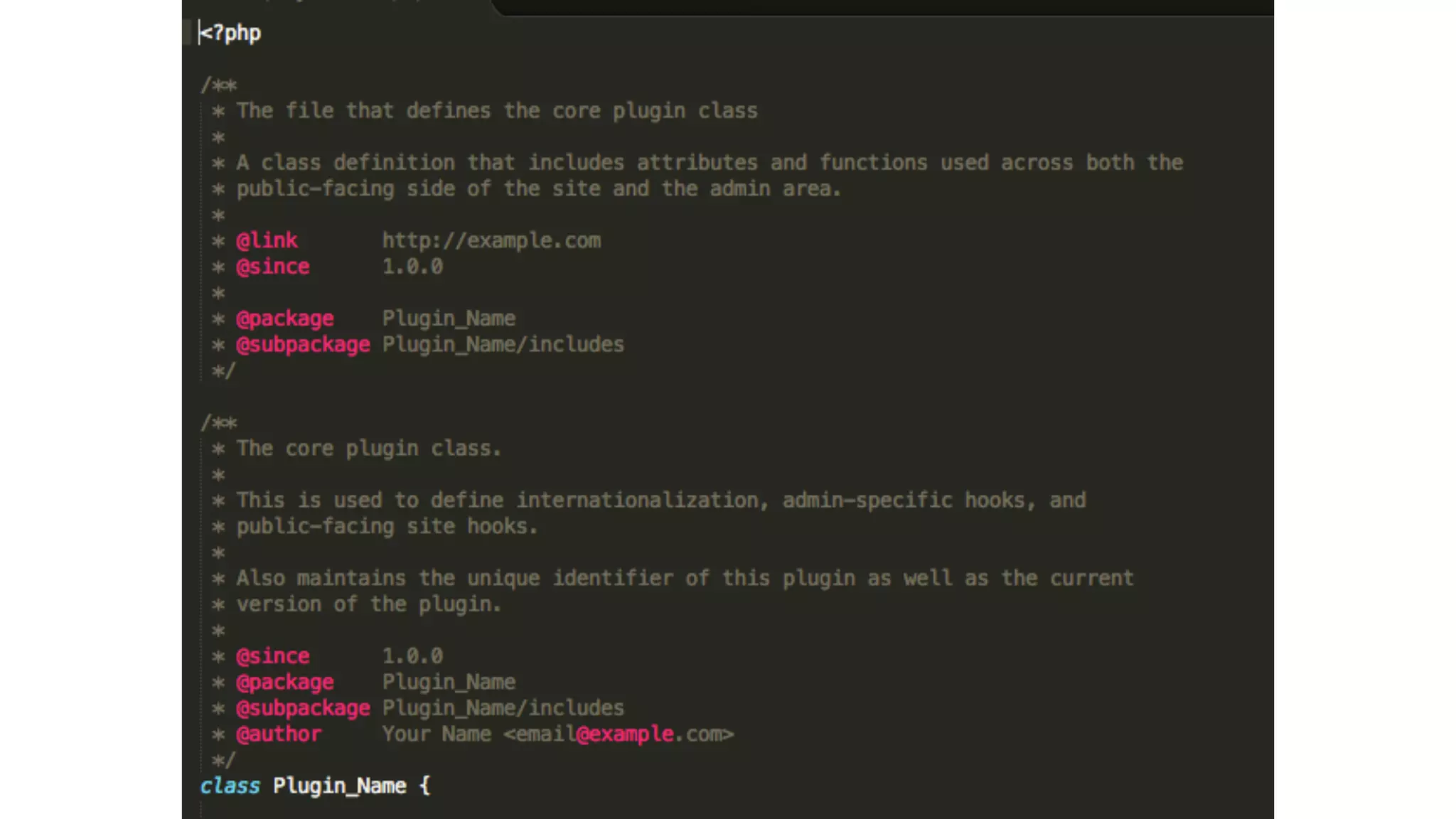
DocBlocks
Not just for making your code look cool
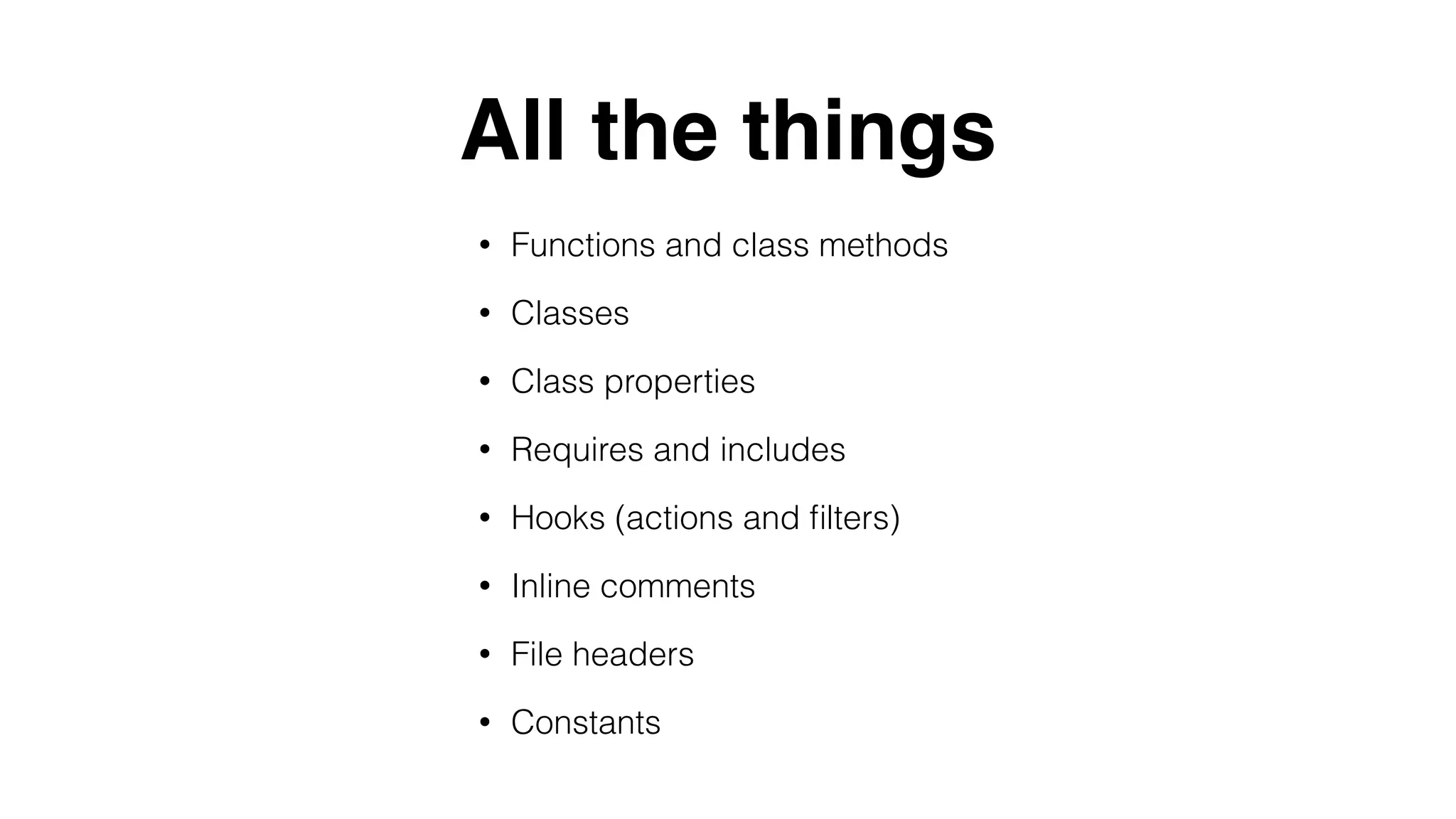
All the things
• Functions and class methods
• Classes
• Class properties
• Requires and includes
• Hooks (actions and filters)
• Inline comments
• File headers
• Constants
/**
* Summary.
*
* Description.
*
* @since x.x.x
* @access (for functions: only use if private)
*
* @see Function/method/class relied on
* @link URL
* @global type $varname Description.
*
* @param type $var Description.
* @param type $var Optional. Description.
* @return type Description.
*/
DocBlock for functions
Bonus Round
Using DocBlocks means
your code can be auto built
into basic documentation
#doingitright is
hard…
Take a shortcut
WPPB
• Organized file structure
• Standards compliant code, file headers, inline
documentation
• Updated to keep inline with best practices
• Translation ready
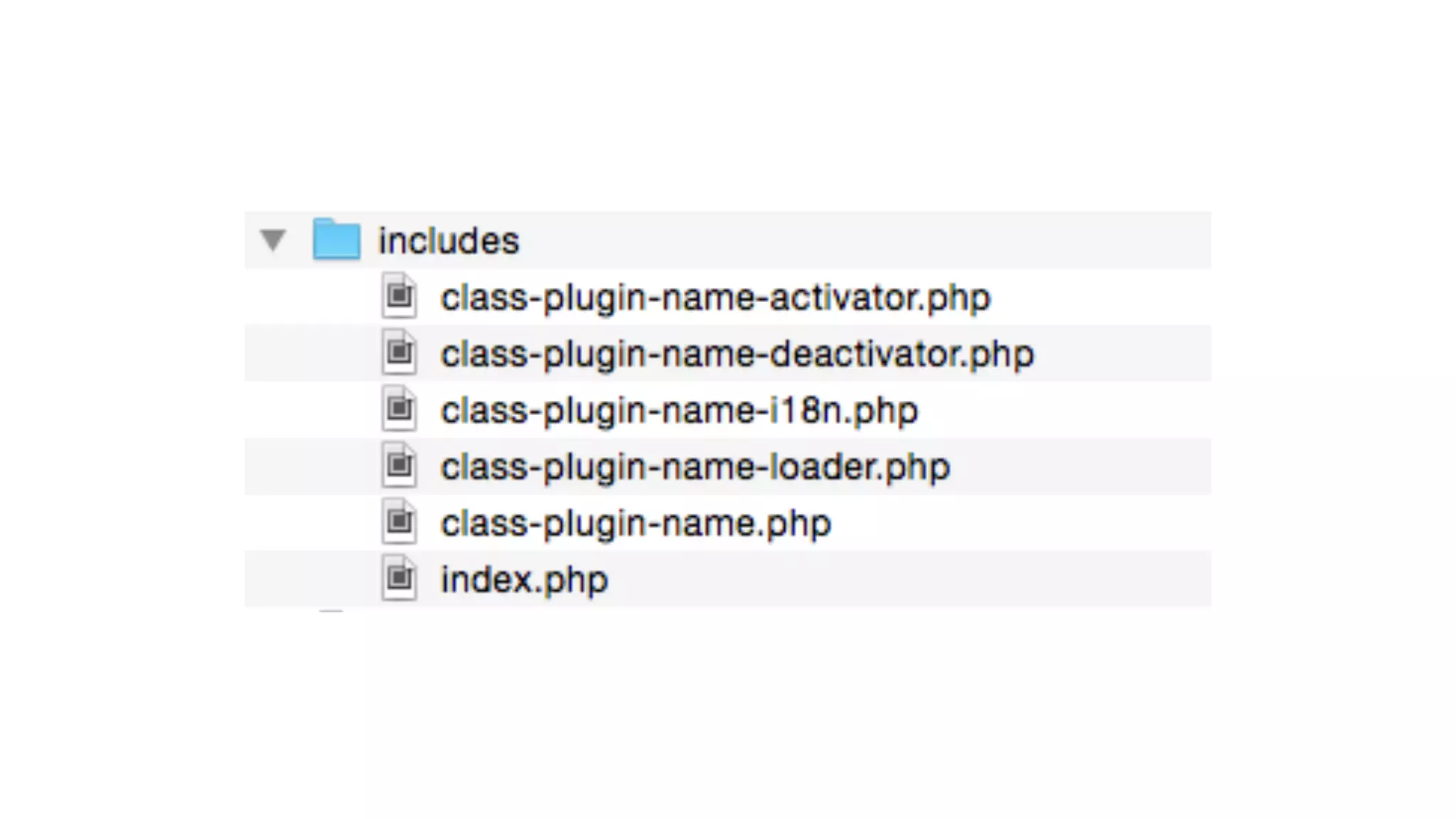
Plugin Structure
• admin is used for all
dashboard-specific
functionality
• includes is used for all
shared functionality either as
part of the core of the plugin
or for a third-party library
• languages are where the
i18n files are kept
• public is where all public-
facing functionality is kept
You don’t have to
use every part
But you can
Make the extra
effort, we will all
thank you for it

Miami2015