




2016 © AppFolio, Inc. Confidential.
AppFolio End of Year
Preparation
November 2016
2016 © AppFolio, Inc. Confidential.
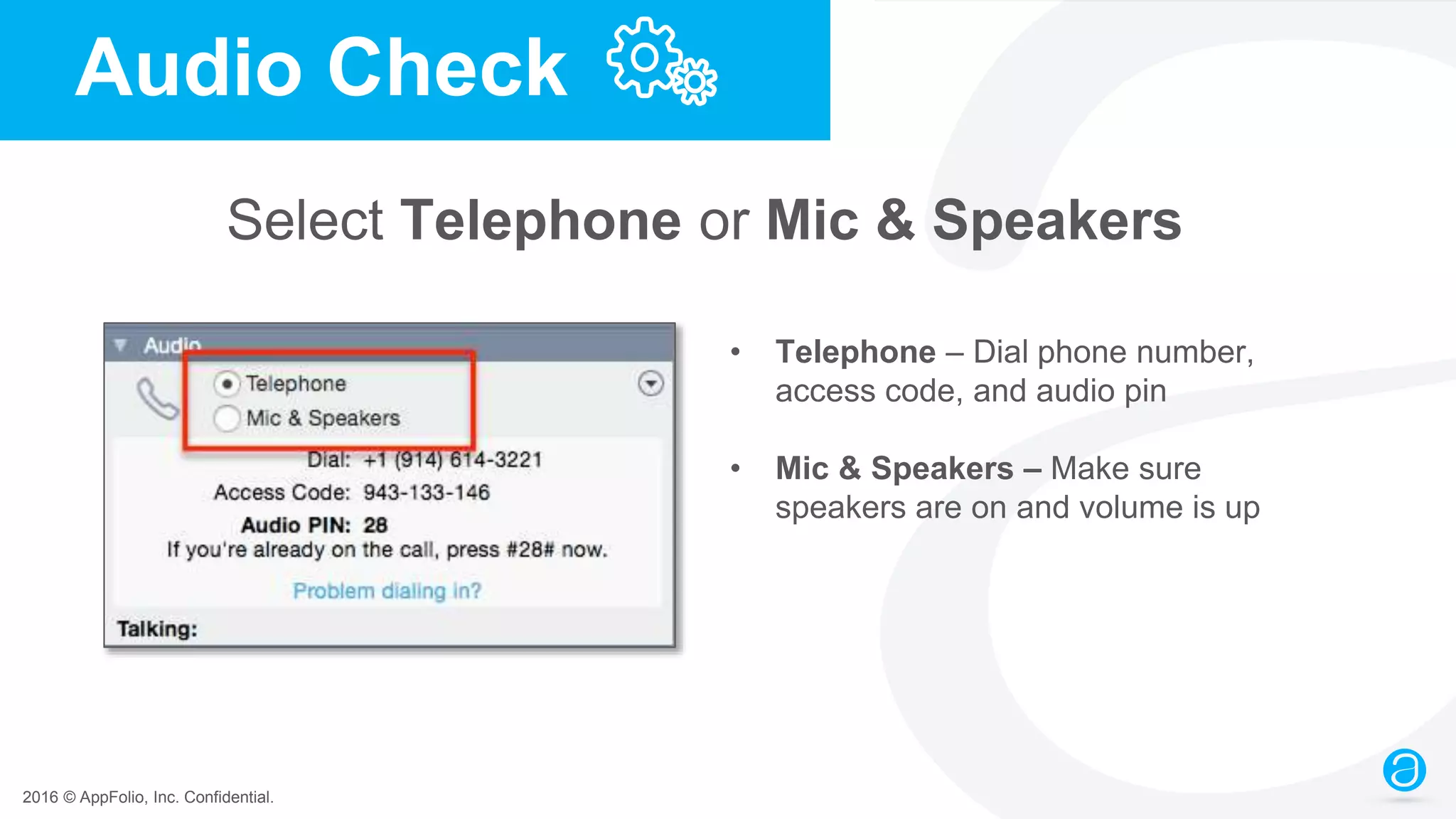
Audio Check
Select Telephone or Mic & Speakers
• Telephone – Dial phone number,
access code, and audio pin
• Mic & Speakers – Make sure
speakers are on and volume is up
2016 © AppFolio, Inc. Confidential.
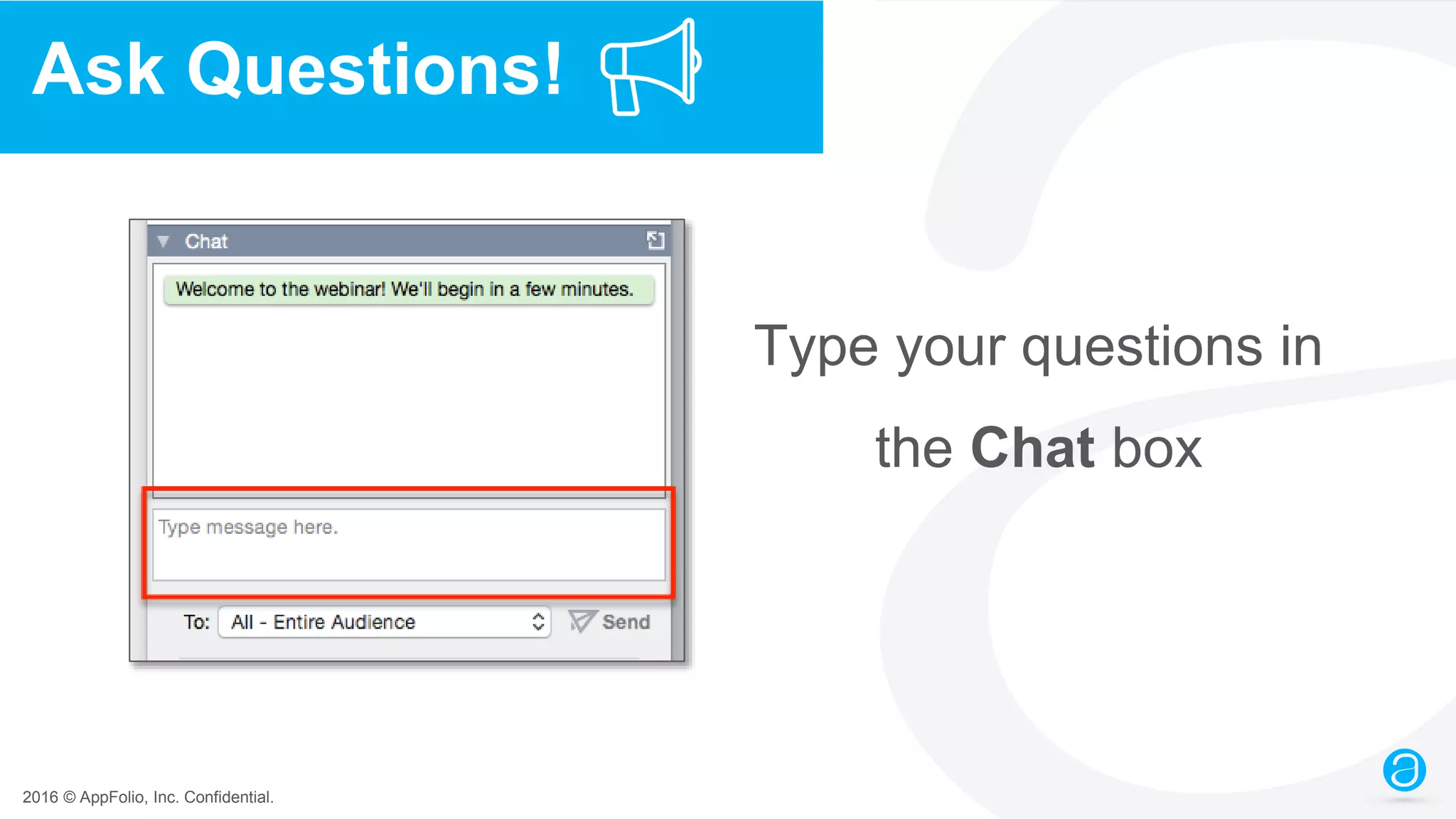
Ask Questions!
Type your questions in
the Chat box
2016 © AppFolio, Inc. Confidential.
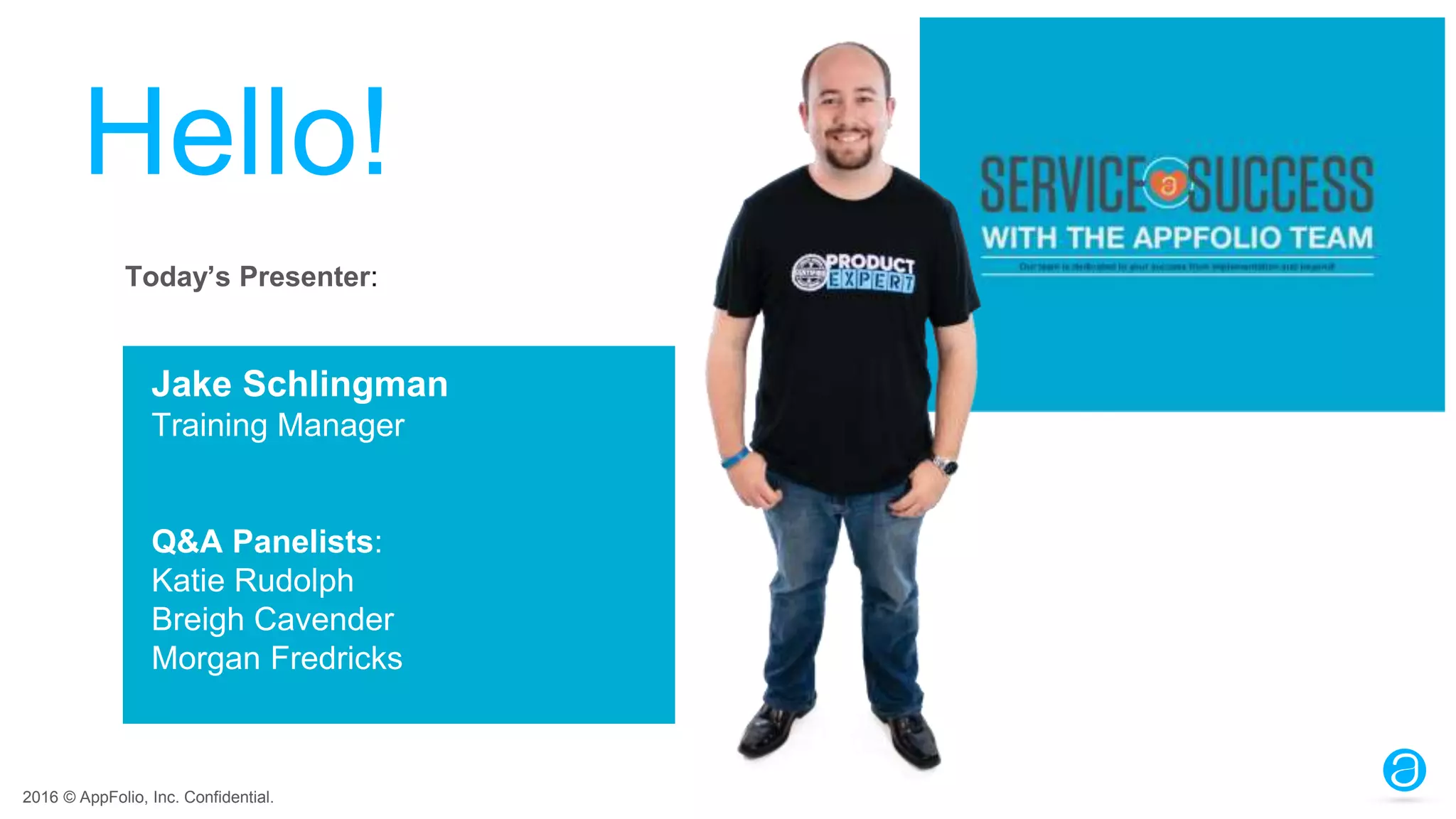
Hello!
Jake Schlingman
Training Manager
Q&A Panelists:
Katie Rudolph
Breigh Cavender
Morgan Fredricks
Today’s Presenter:
2016 © AppFolio, Inc. Confidential.
Time: Approximately 60 minutes
Webinar is being recorded
Follow-up Email: Link to recording and slides within 48 hours
Details
2016 © AppFolio, Inc. Confidential.
Agenda
● Understanding AppFolio’s EOY Process
● Review and Update Information and Settings
● Generate Reports and Send 1099s
● FAQs
● Coming Soon!
2016 © AppFolio, Inc. Confidential.
End of Year Preparation Poll #1
What have you done to prep for year end?
• Checked tax settings for owners, vendors & PM co.
• Reviewed ownership dates & vendor 1099 payers
• Run financial reports to verify owners’ 1099 totals
• Gotten owner consent to only send 1099s electronically
• Nothing yet
2016 © AppFolio, Inc. Confidential.
Understanding
AppFolio’s
EOY Process
2016 © AppFolio, Inc. Confidential.
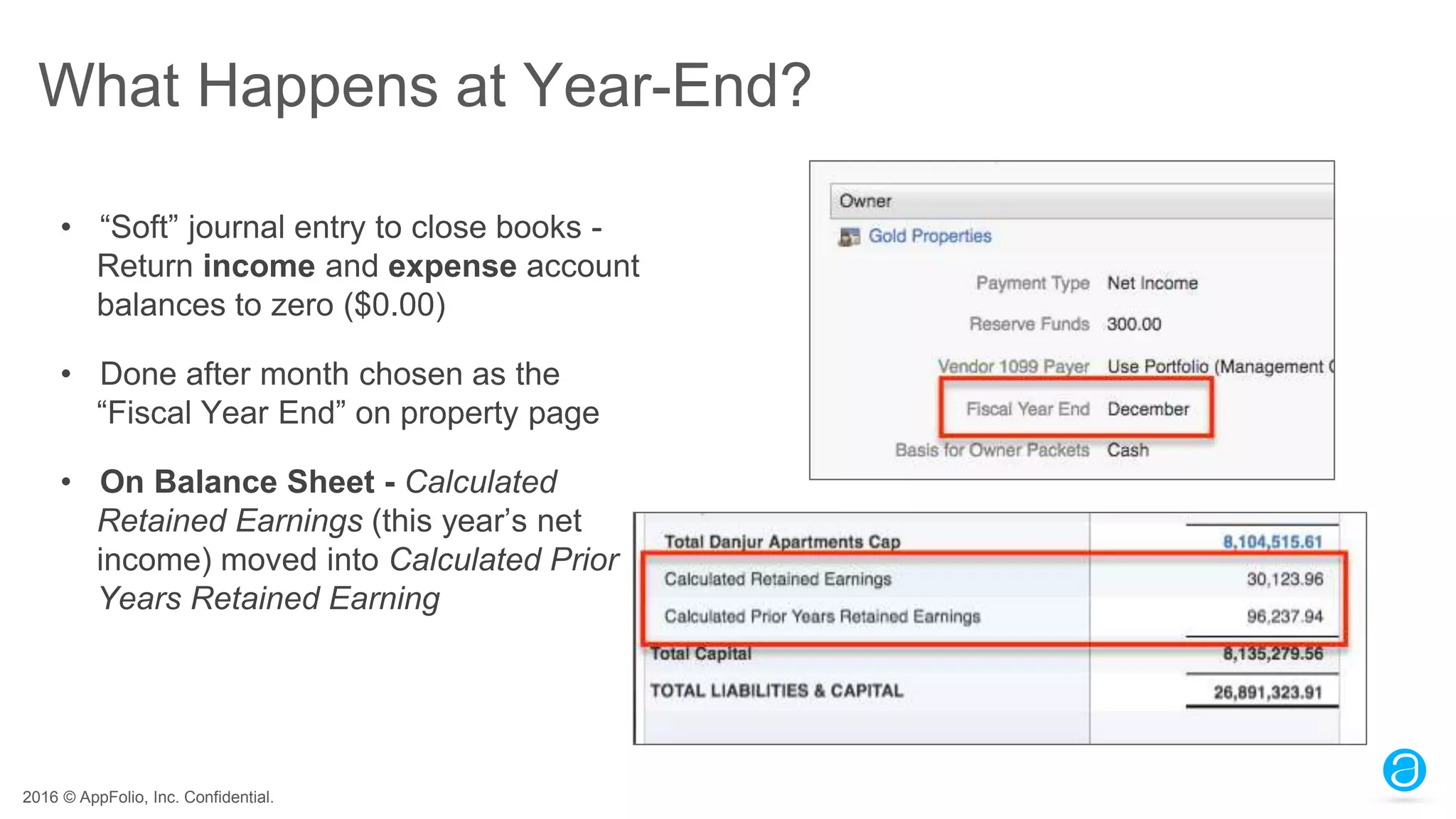
What Happens at Year-End?
• “Soft” journal entry to close books -
Return income and expense account
balances to zero ($0.00)
• Done after month chosen as the
“Fiscal Year End” on property page
• On Balance Sheet - Calculated
Retained Earnings (this year’s net
income) moved into Calculated Prior
Years Retained Earning
2016 © AppFolio, Inc. Confidential.
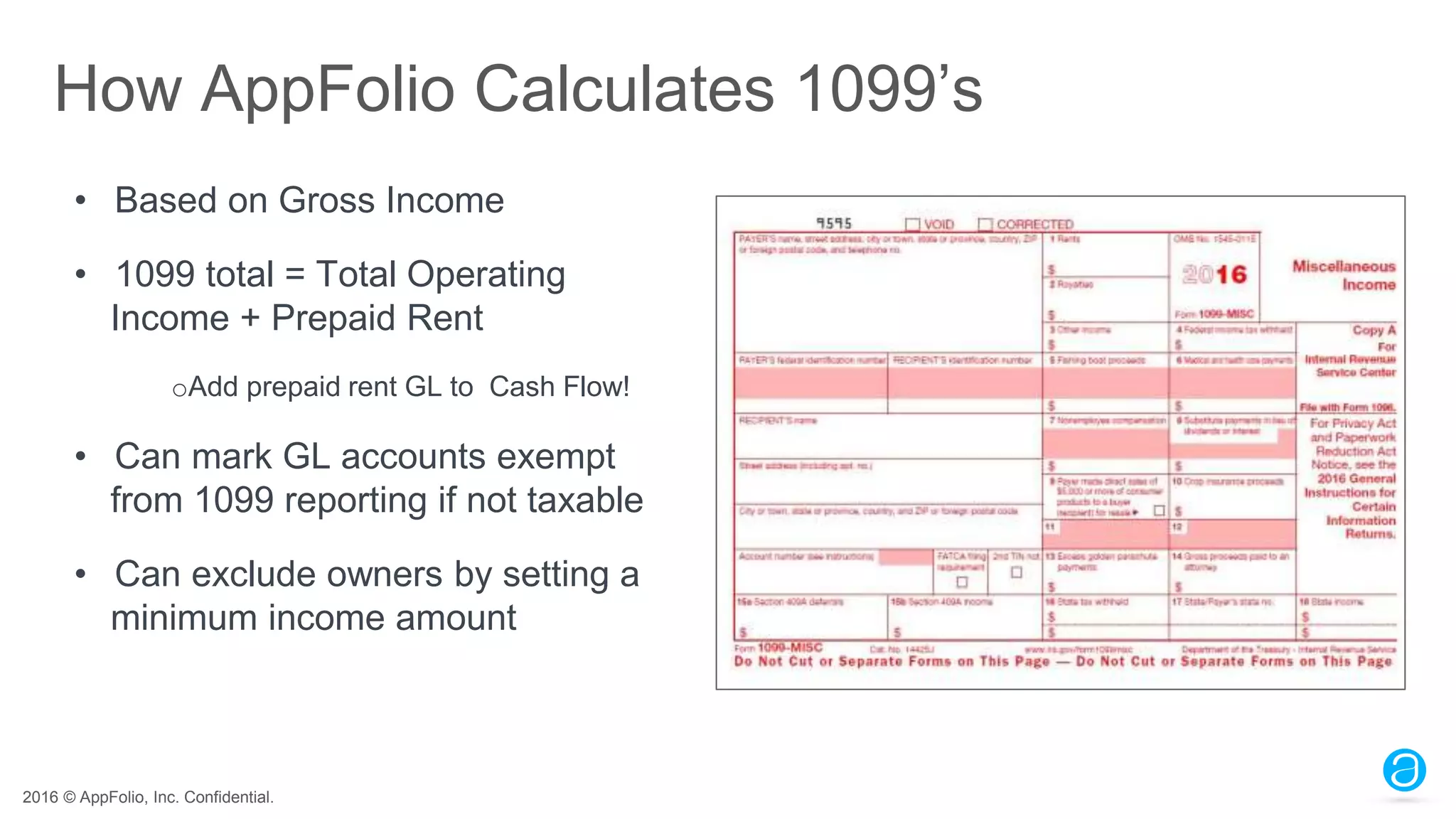
How AppFolio Calculates 1099’s
• Based on Gross Income
• 1099 total = Total Operating
Income + Prepaid Rent
oAdd prepaid rent GL to Cash Flow!
• Can mark GL accounts exempt
from 1099 reporting if not taxable
• Can exclude owners by setting a
minimum income amount
2016 © AppFolio, Inc. Confidential.
Manage Mid-Year Migrations
For Owners:
o Make sure year-to-date income balances were brought forward in
Implementation
o Can be added with a Journal Entry per property if they were not
For Vendors:
o If 1099 payer is the Management Company:
• Make sure 1099 Balance Forward is entered on vendor’s page
o If the vendor 1099 payer is the owner or portfolio:
• Vendor 1099s need to be done from both systems (prior and AppFolio)
2016 © AppFolio, Inc. Confidential.
Review and Update
Information and
Settings
2016 © AppFolio, Inc. Confidential.
Verify Settings
• Property Management Company Tax Settings
• Owner & Vendor Tax Settings
• GL Accounts for 1099 Reporting
• Who Pays Vendor 1099
• Property Ownership Dates
2016 © AppFolio, Inc. Confidential.
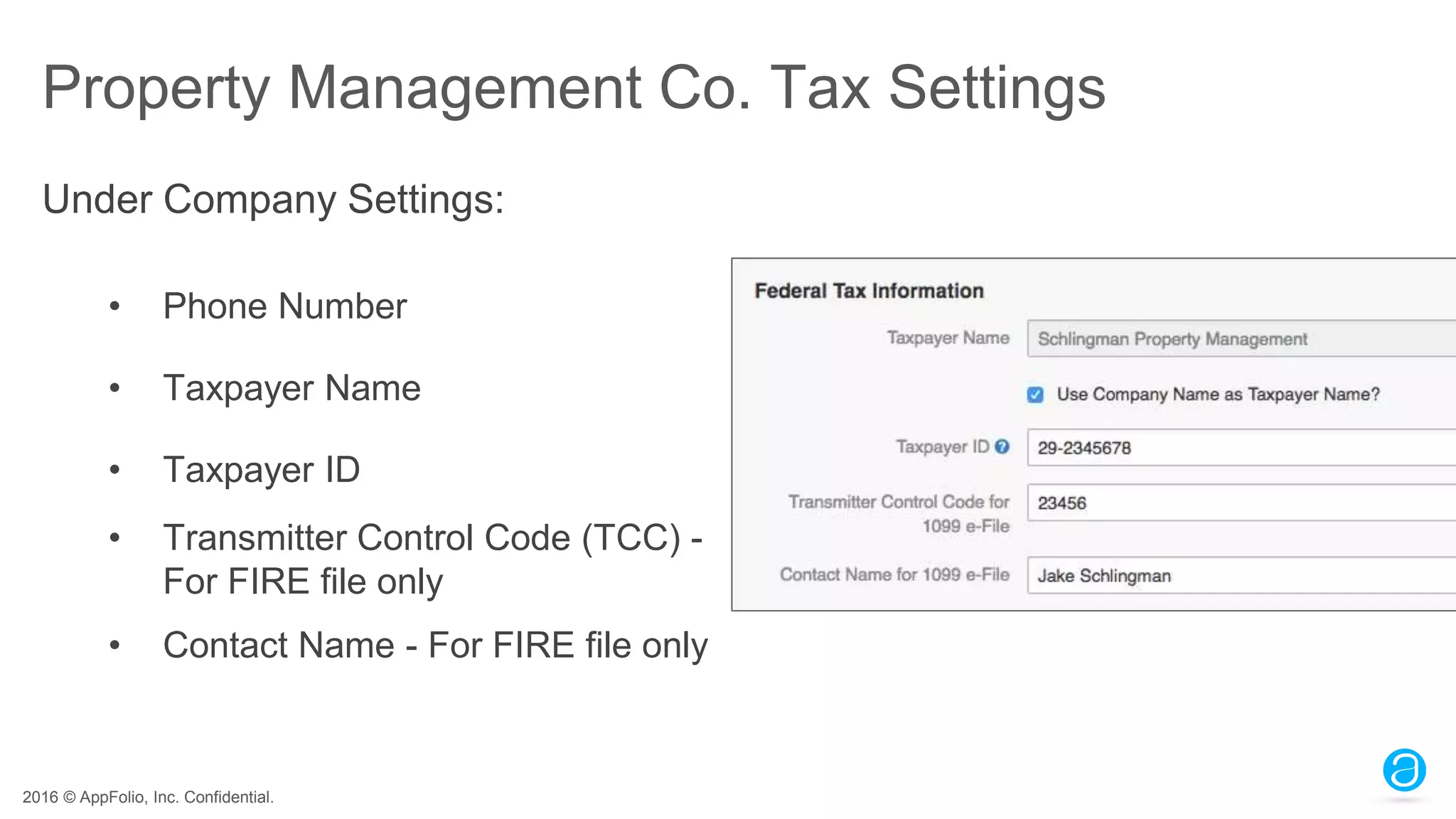
Property Management Co. Tax Settings
• Phone Number
• Taxpayer Name
• Taxpayer ID
• Transmitter Control Code (TCC) -
For FIRE file only
• Contact Name - For FIRE file only
Under Company Settings:
2016 © AppFolio, Inc. Confidential.
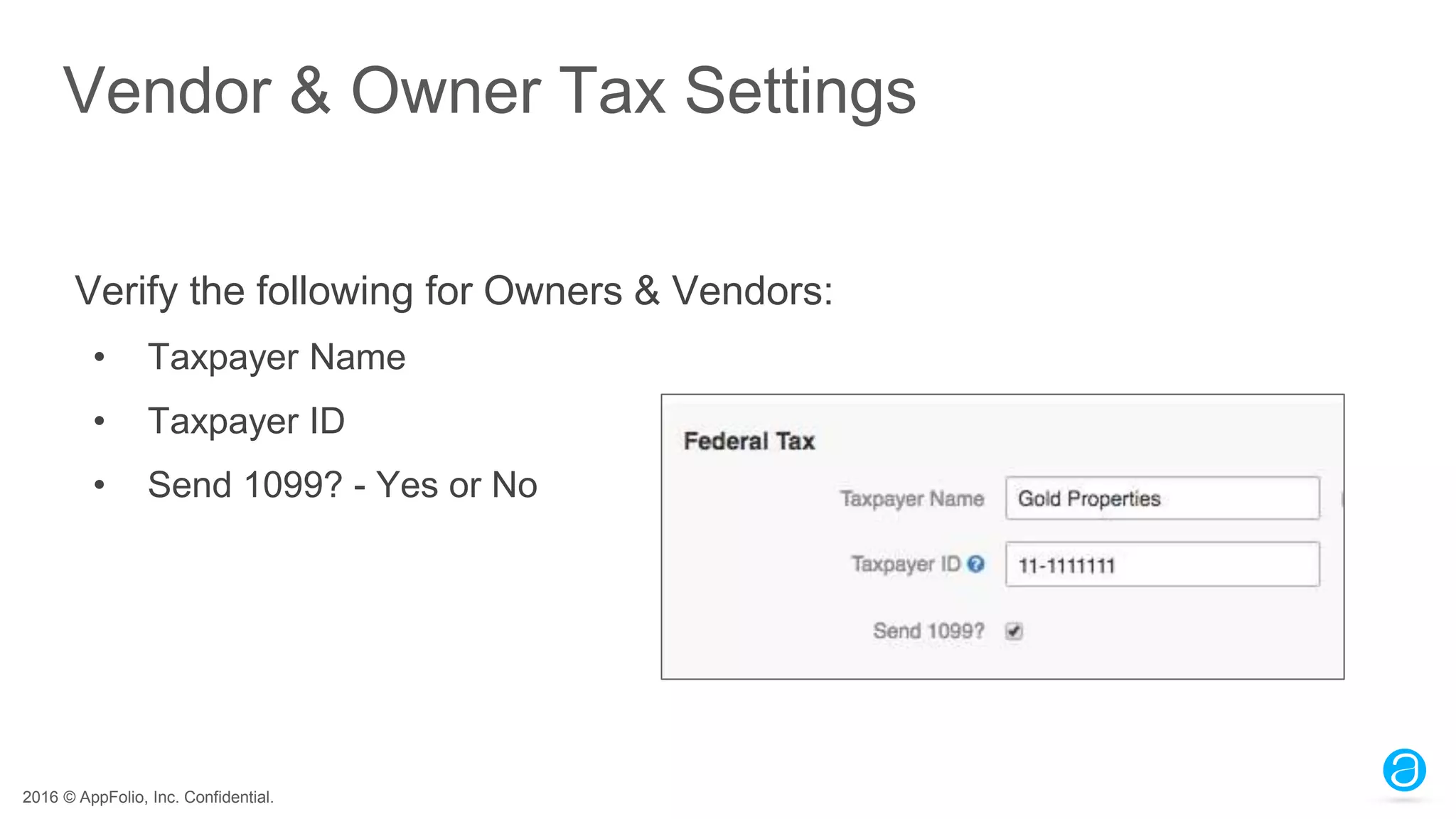
Vendor & Owner Tax Settings
Verify the following for Owners & Vendors:
• Taxpayer Name
• Taxpayer ID
• Send 1099? - Yes or No
2016 © AppFolio, Inc. Confidential.
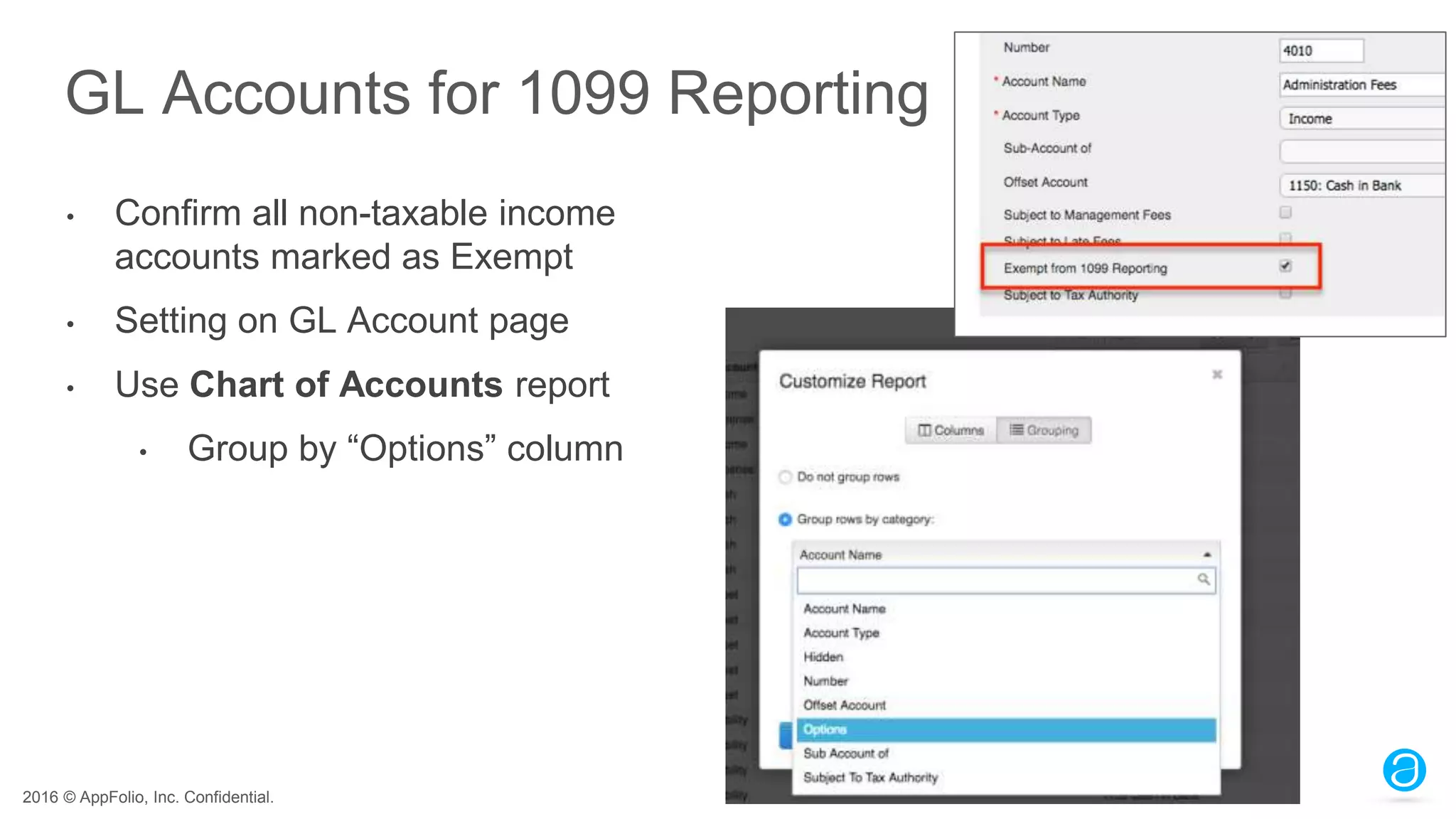
GL Accounts for 1099 Reporting
• Confirm all non-taxable income
accounts marked as Exempt
• Setting on GL Account page
• Use Chart of Accounts report
• Group by “Options” column
2016 © AppFolio, Inc. Confidential.
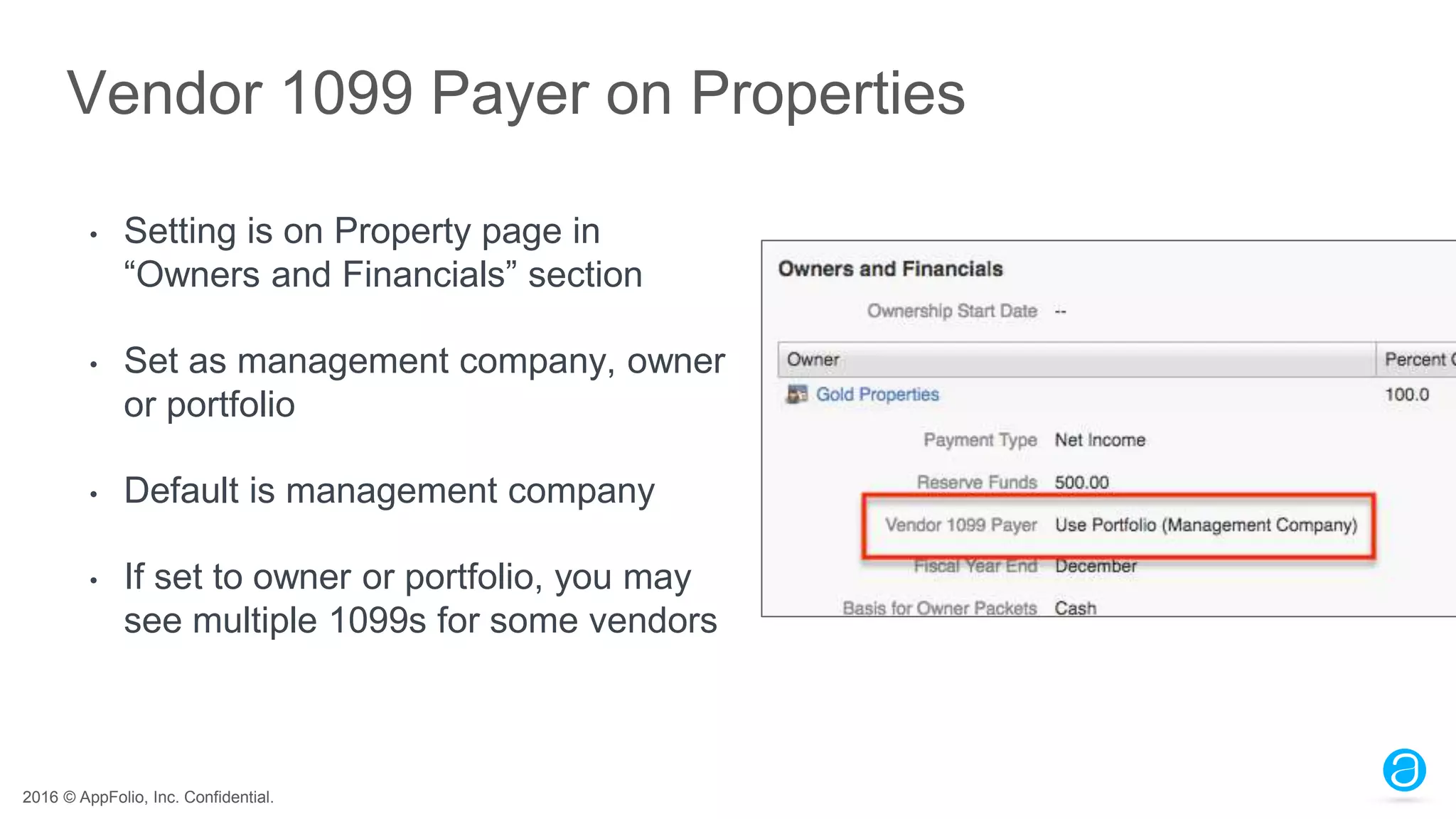
Vendor 1099 Payer on Properties
• Setting is on Property page in
“Owners and Financials” section
• Set as management company, owner
or portfolio
• Default is management company
• If set to owner or portfolio, you may
see multiple 1099s for some vendors
2016 © AppFolio, Inc. Confidential.
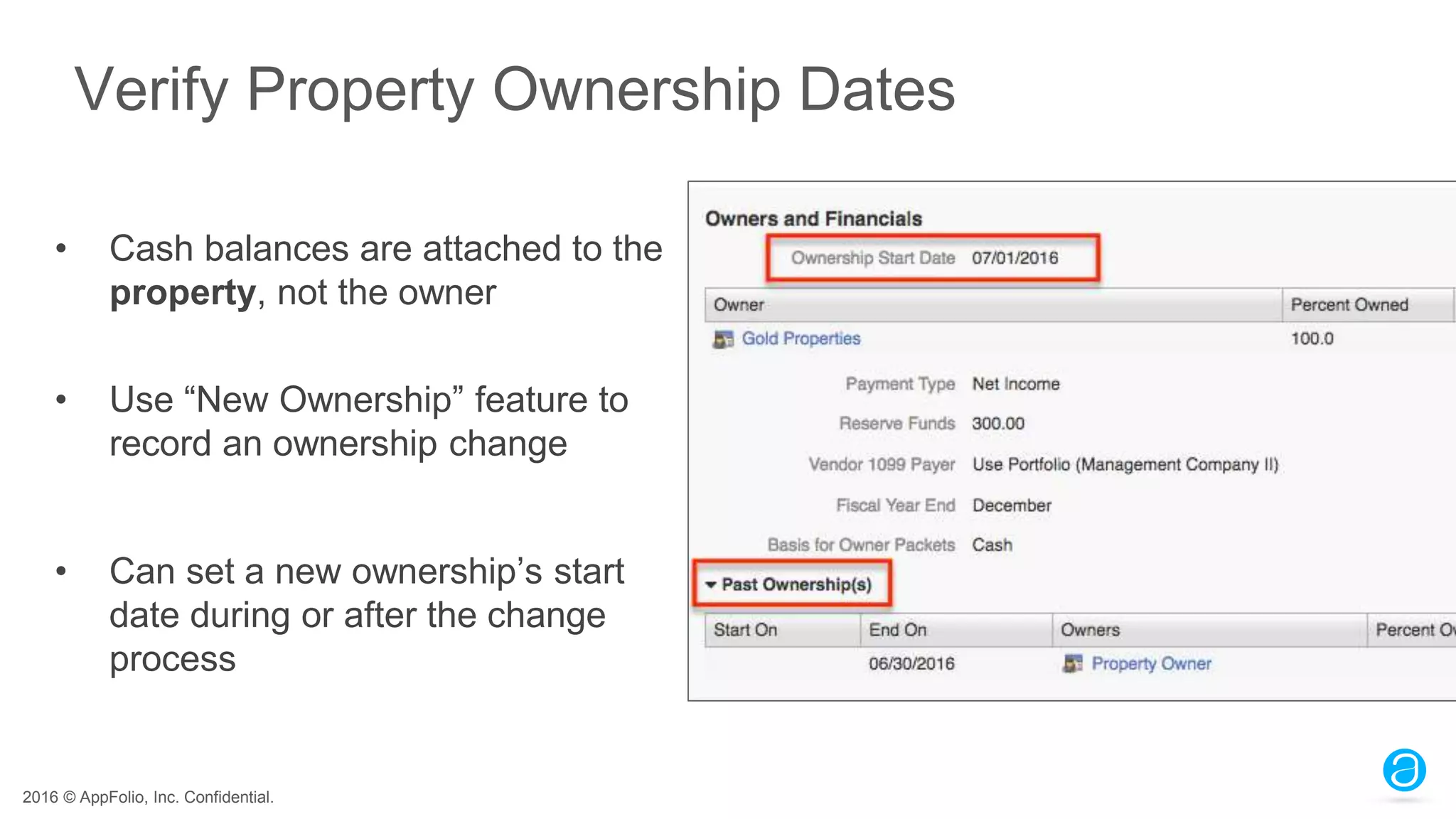
Verify Property Ownership Dates
• Cash balances are attached to the
property, not the owner
• Use “New Ownership” feature to
record an ownership change
• Can set a new ownership’s start
date during or after the change
process
2016 © AppFolio, Inc. Confidential.
Reports to Review Owner 1099 Information
Owner 1099 Summary:
• Includes all hidden properties and owners with taxable income
• Click 1099 total to open Cash Flow report filtered for the tax year
o 1099 total = Total Operating Income + Prepaid Rent
Owner 1099 Detail:
• Shows owners’ 1099 totals per property
• Shows ownership dates during the tax year
• Click 1099 total to open General Ledger filtered for the tax year
2016 © AppFolio, Inc. Confidential.
Reports to Review Vendor 1099 Information
Vendor 1099 Summary:
• Includes all hidden properties and vendors with taxable income
• Click 1099 total to open Vendor 1099 Detail report filtered for the tax year
Vendor 1099 Detail:
• Shows each payment contributing to a vendor’s 1099 total
2016 © AppFolio, Inc. Confidential.
Demo
2016 © AppFolio, Inc. Confidential.
Generate EOY
Reports
2016 © AppFolio, Inc. Confidential.
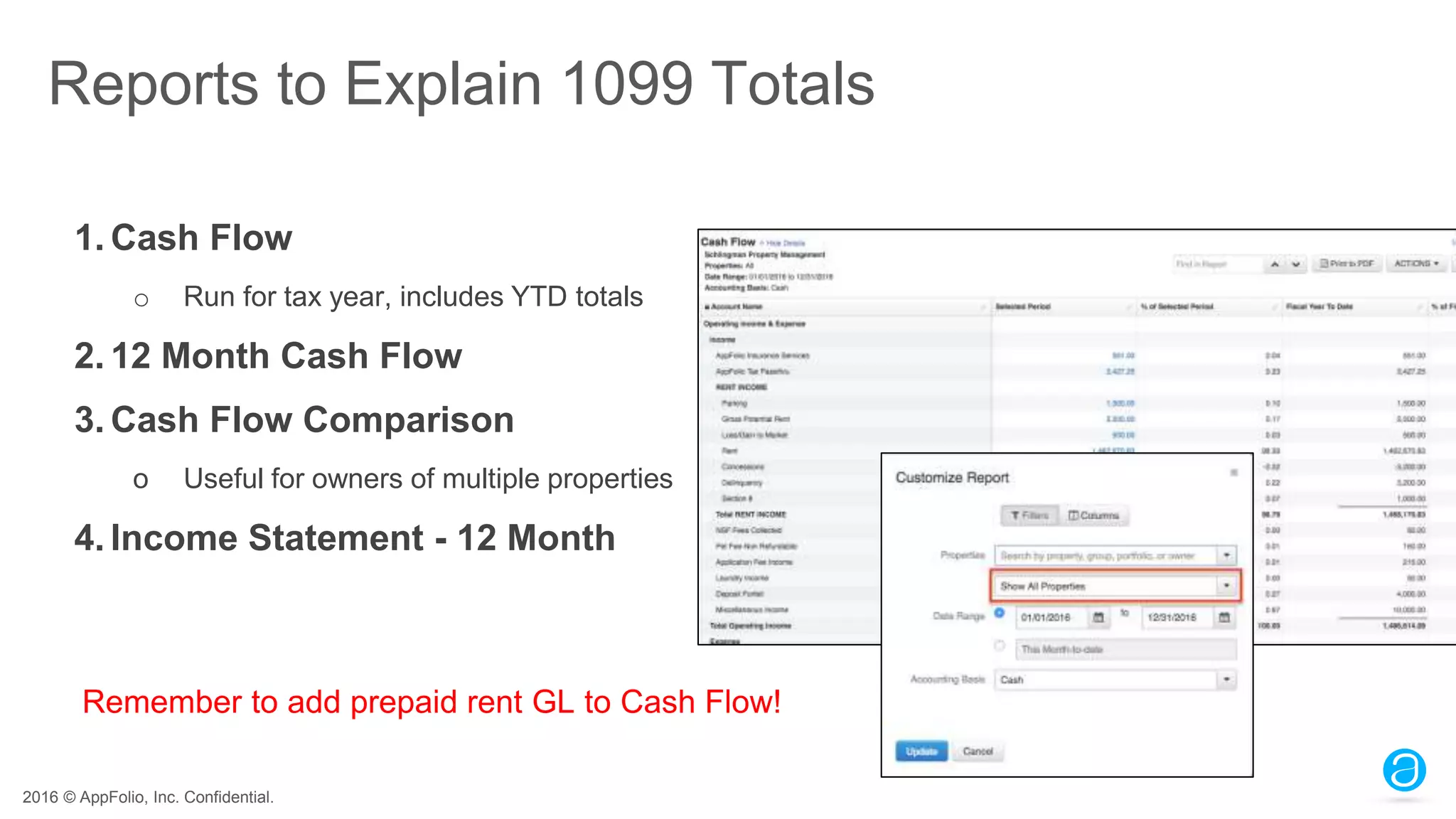
Reports to Explain 1099 Totals
1. Cash Flow
o Run for tax year, includes YTD totals
2. 12 Month Cash Flow
3. Cash Flow Comparison
o Useful for owners of multiple properties
4. Income Statement - 12 Month
Remember to add prepaid rent GL to Cash Flow!
2016 © AppFolio, Inc. Confidential.
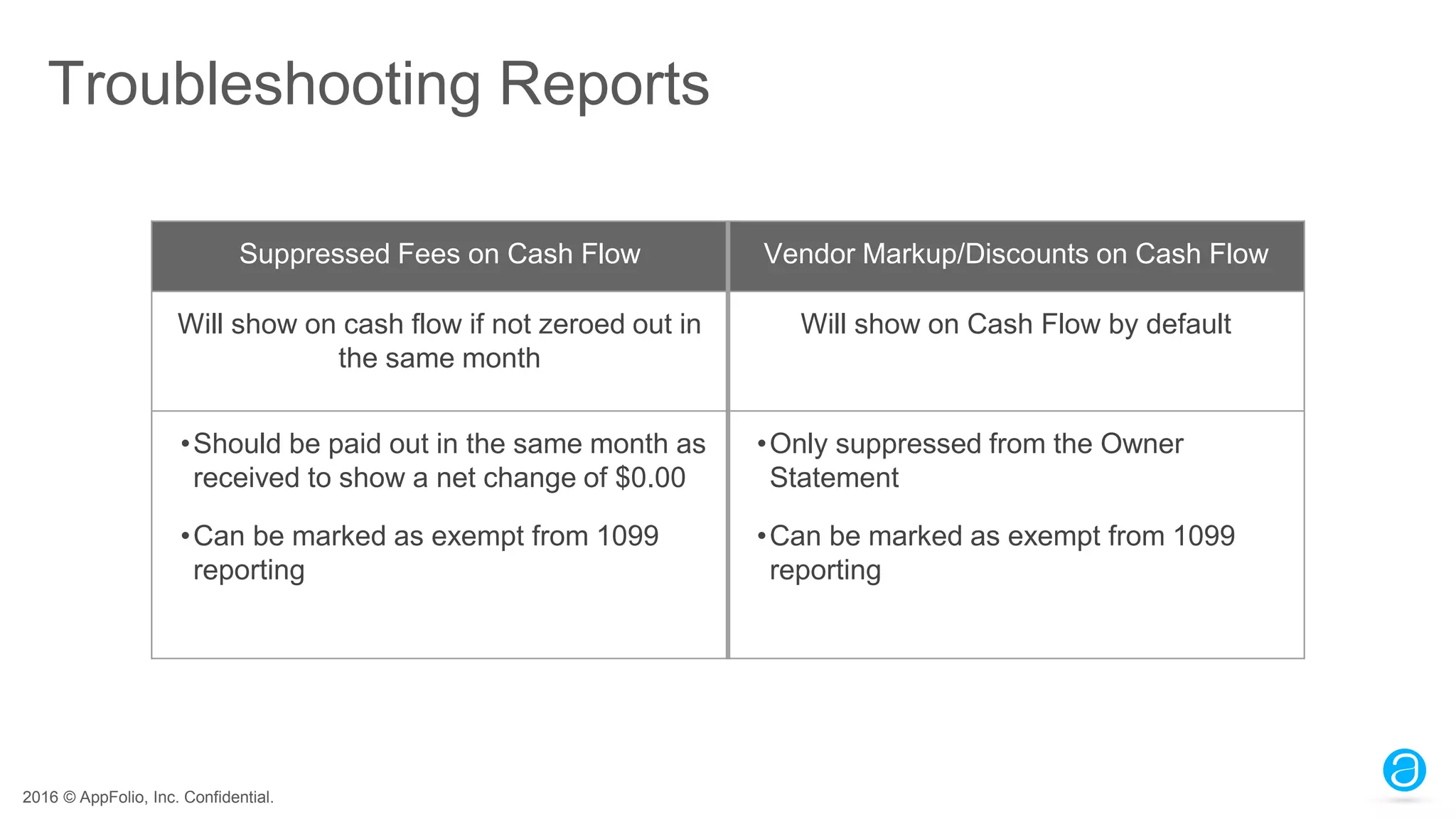
Troubleshooting Reports
Suppressed Fees on Cash Flow Vendor Markup/Discounts on Cash Flow
Will show on cash flow if not zeroed out in
the same month
Will show on Cash Flow by default
•Should be paid out in the same month as
received to show a net change of $0.00
•Can be marked as exempt from 1099
reporting
•Only suppressed from the Owner
Statement
•Can be marked as exempt from 1099
reporting
2016 © AppFolio, Inc. Confidential.
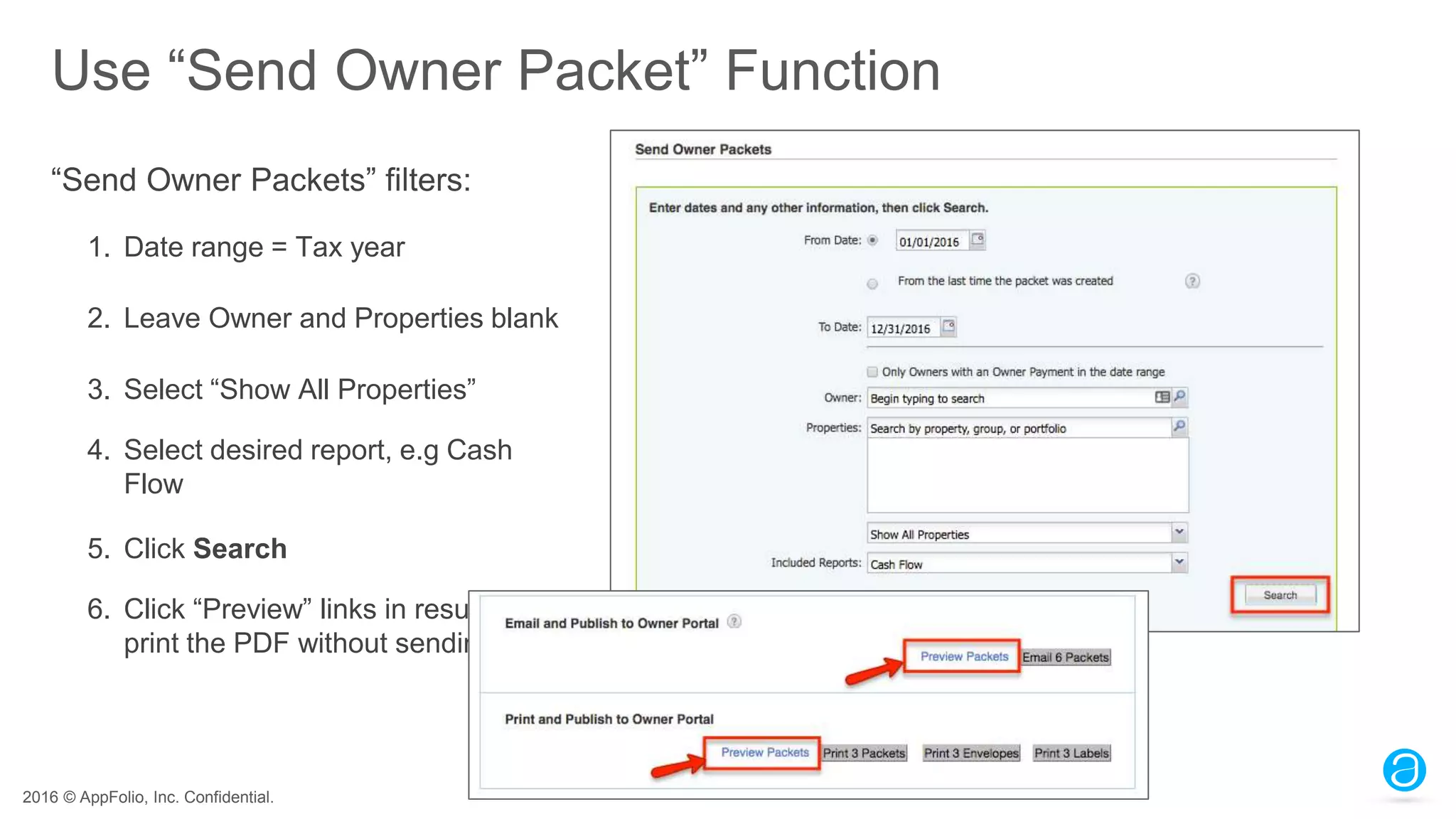
Use “Send Owner Packet” Function
“Send Owner Packets” filters:
1. Date range = Tax year
2. Leave Owner and Properties blank
3. Select “Show All Properties”
4. Select desired report, e.g Cash
Flow
5. Click Search
6. Click “Preview” links in results to
print the PDF without sending.
2016 © AppFolio, Inc. Confidential.
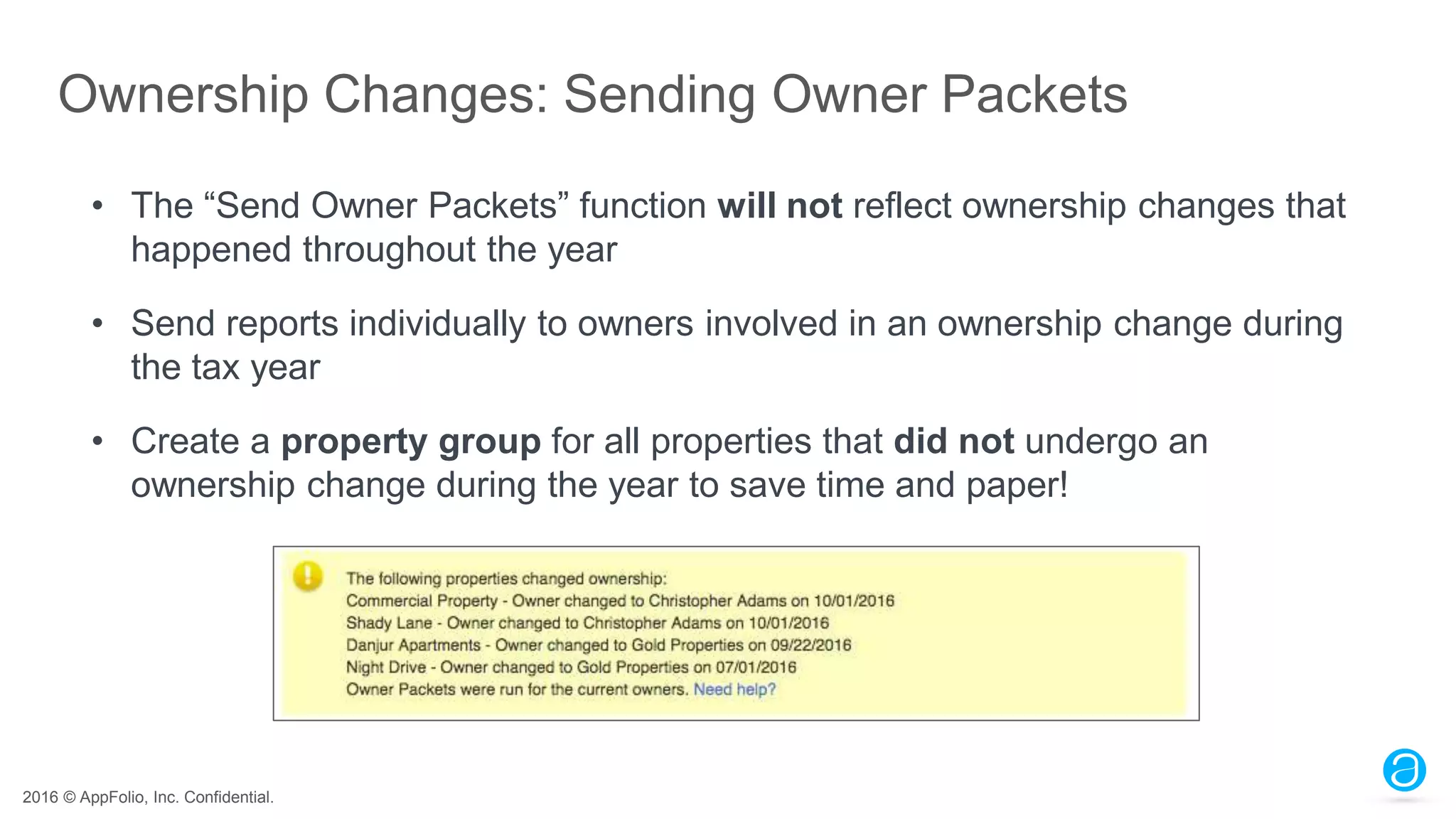
Ownership Changes: Sending Owner Packets
• The “Send Owner Packets” function will not reflect ownership changes that
happened throughout the year
• Send reports individually to owners involved in an ownership change during
the tax year
• Create a property group for all properties that did not undergo an
ownership change during the year to save time and paper!
2016 © AppFolio, Inc. Confidential.
FAQs
2016 © AppFolio, Inc. Confidential.
FAQs
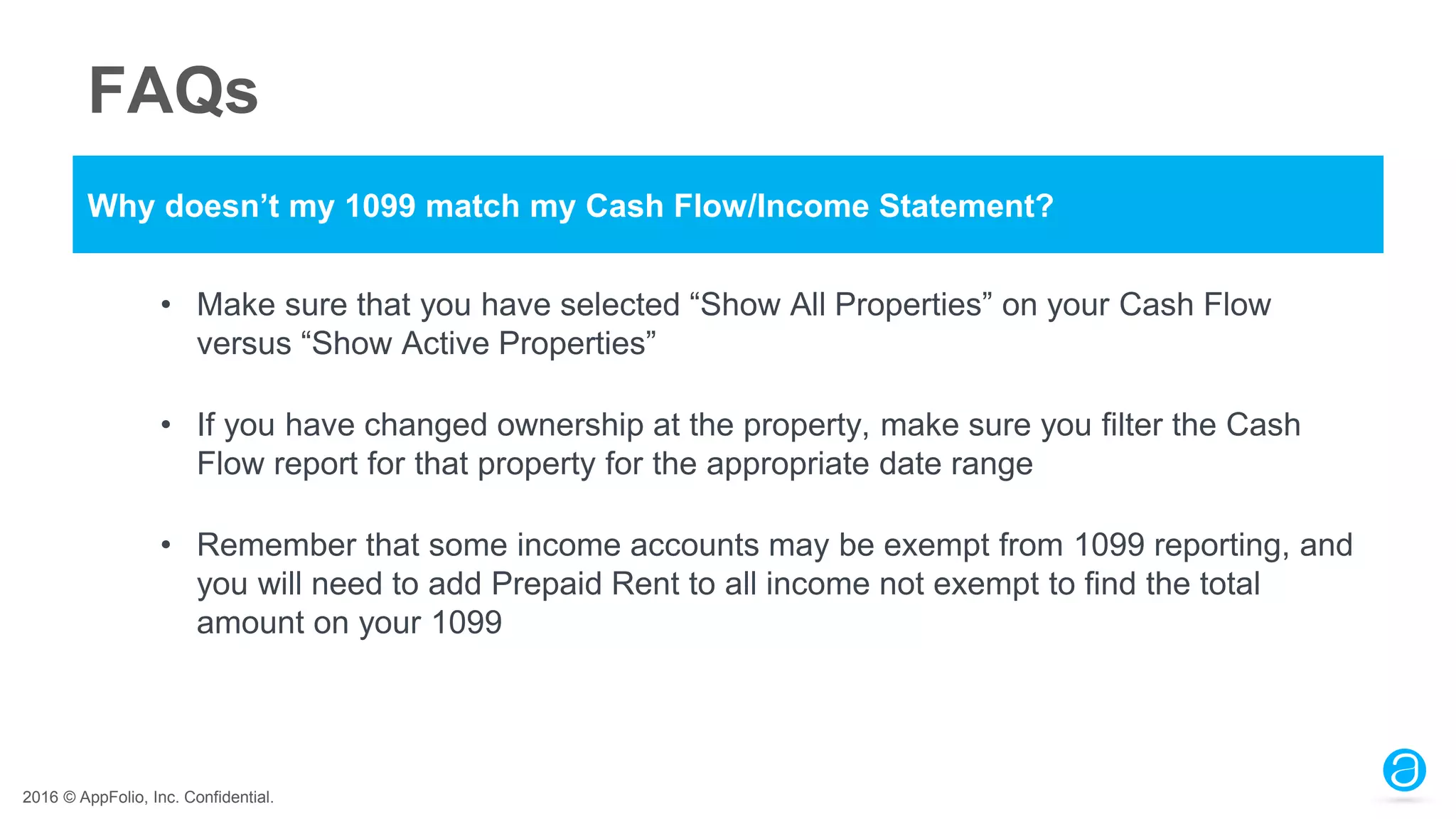
Why doesn’t my 1099 match my Cash Flow/Income Statement?
• Make sure that you have selected “Show All Properties” on your Cash Flow
versus “Show Active Properties”
• If you have changed ownership at the property, make sure you filter the Cash
Flow report for that property for the appropriate date range
• Remember that some income accounts may be exempt from 1099 reporting, and
you will need to add Prepaid Rent to all income not exempt to find the total
amount on your 1099
2016 © AppFolio, Inc. Confidential.
FAQs
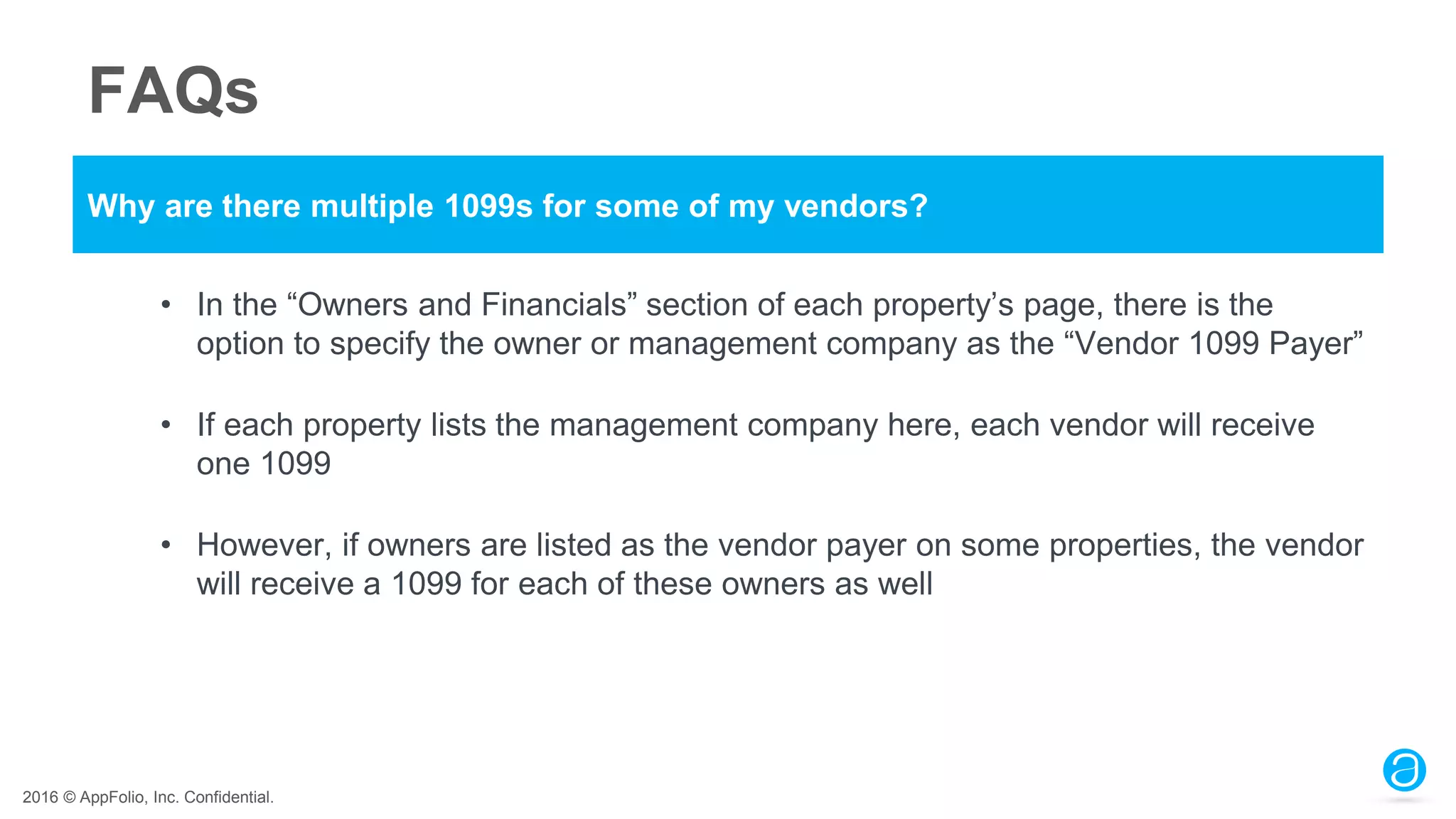
Why are there multiple 1099s for some of my vendors?
• In the “Owners and Financials” section of each property’s page, there is the
option to specify the owner or management company as the “Vendor 1099 Payer”
• If each property lists the management company here, each vendor will receive
one 1099
• However, if owners are listed as the vendor payer on some properties, the vendor
will receive a 1099 for each of these owners as well
2016 © AppFolio, Inc. Confidential.
FAQs
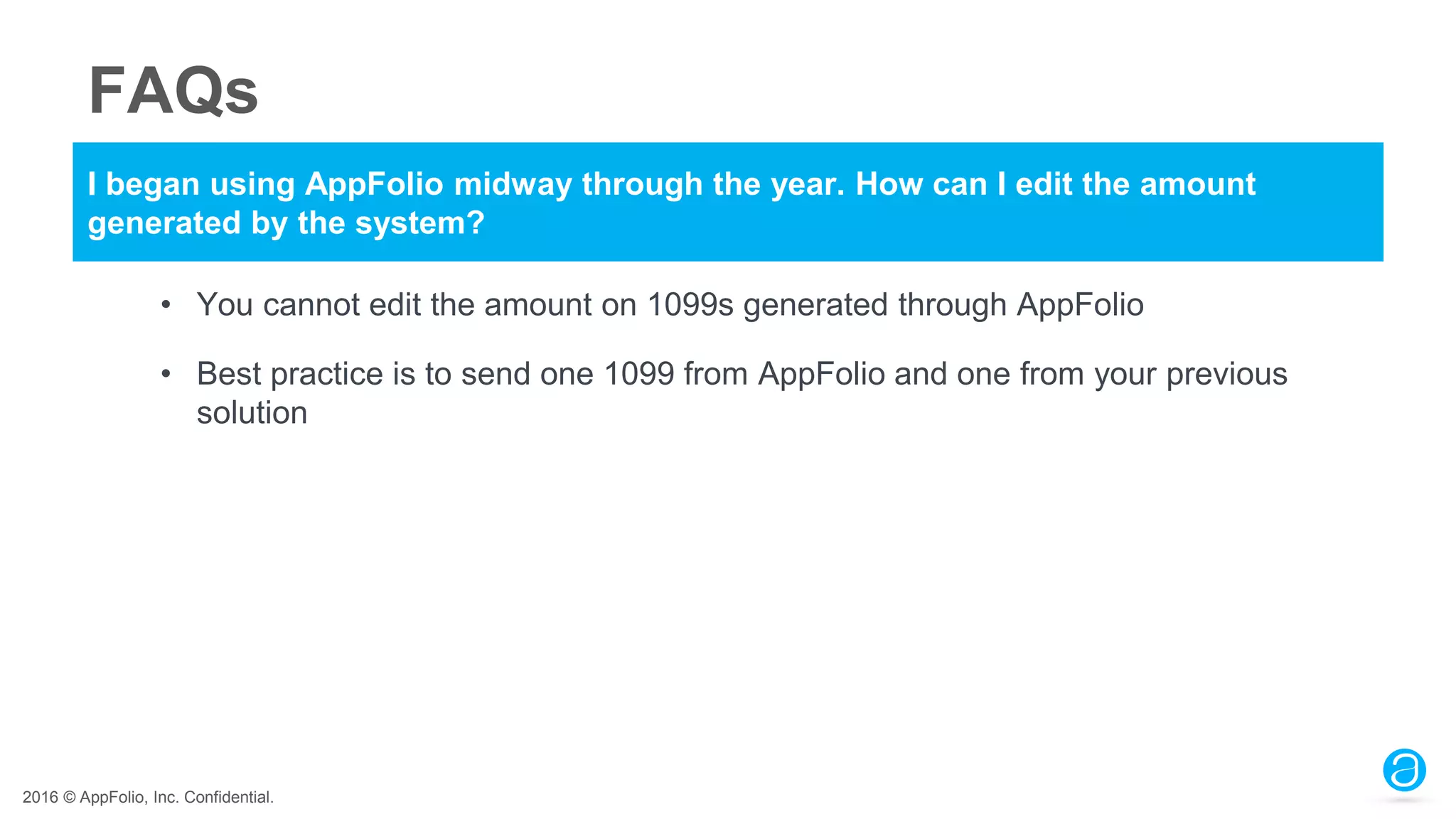
I began using AppFolio midway through the year. How can I edit the amount
generated by the system?
• You cannot edit the amount on 1099s generated through AppFolio
• Best practice is to send one 1099 from AppFolio and one from your previous
solution
2016 © AppFolio, Inc. Confidential.
FAQs
Do I have to file by e-File and if so, how do I obtain a transmitter control code?
• The IRS requires anyone submitting more than 250 forms to submit by e-File
(FIRE file)
• The Transmitter Code (TCC) must be requested by the IRS at www.IRS.gov
• Approval can take up to six weeks so don’t wait
• Will also need to setup account with the FIRE file system at www.fire.irs.gov
2016 © AppFolio, Inc. Confidential.
FAQs
Who do I contact about Accounting Questions?
• AppFolio is not able to provide accounting advice. Please contact an Accountant
or CPA for legal questions regarding taxes and filing
2016 © AppFolio, Inc. Confidential.
Coming
Soon!
2016 © AppFolio, Inc. Confidential.
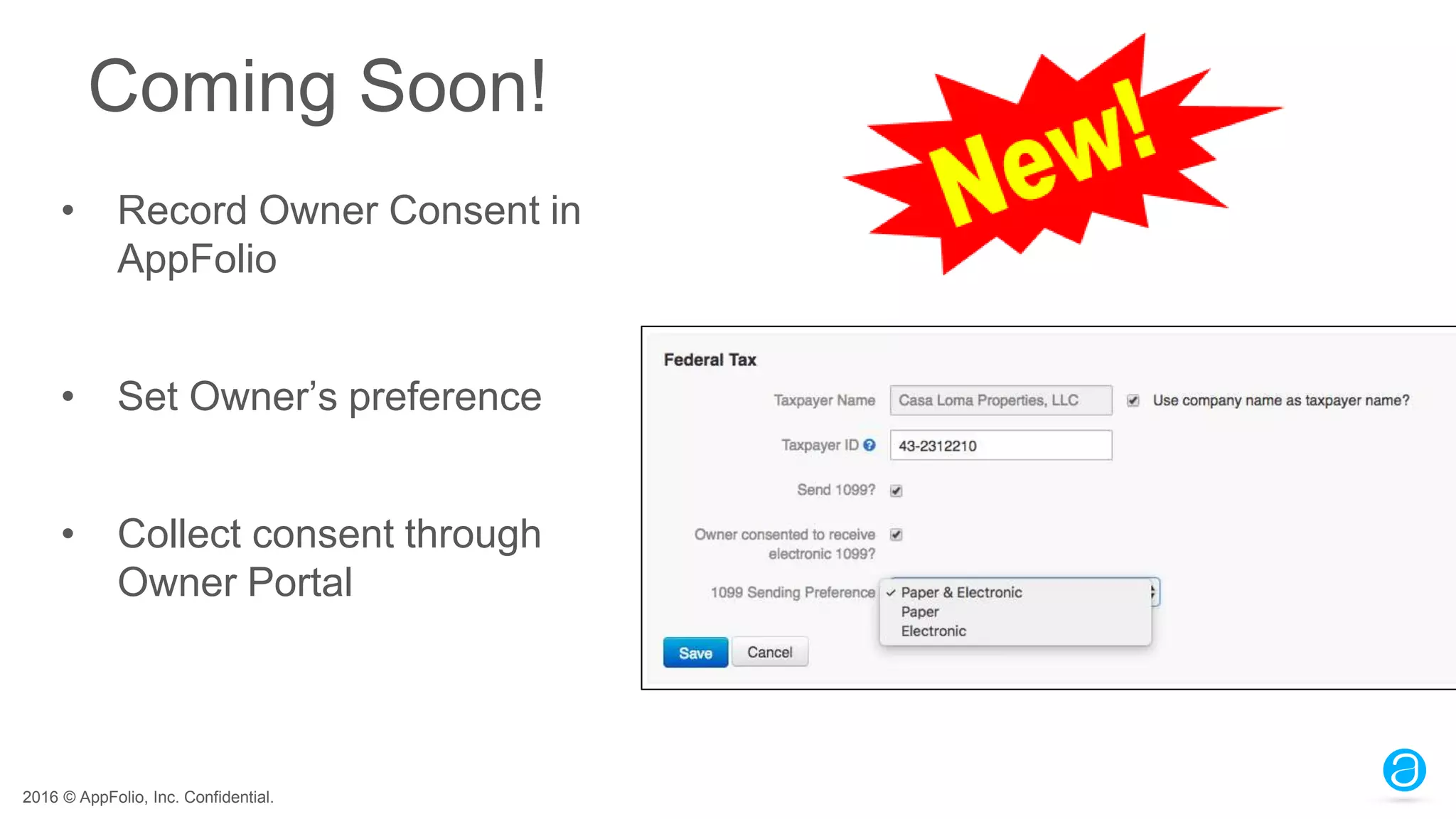
Coming Soon!
• Record Owner Consent in
AppFolio
• Set Owner’s preference
• Collect consent through
Owner Portal
2016 © AppFolio, Inc. Confidential.
Recap
● Understanding AppFolio’s EOY Process
● Review and Update Information and Settings
● Demo
● Generate EOY Reports
● FAQs
2016 © AppFolio, Inc. Confidential.
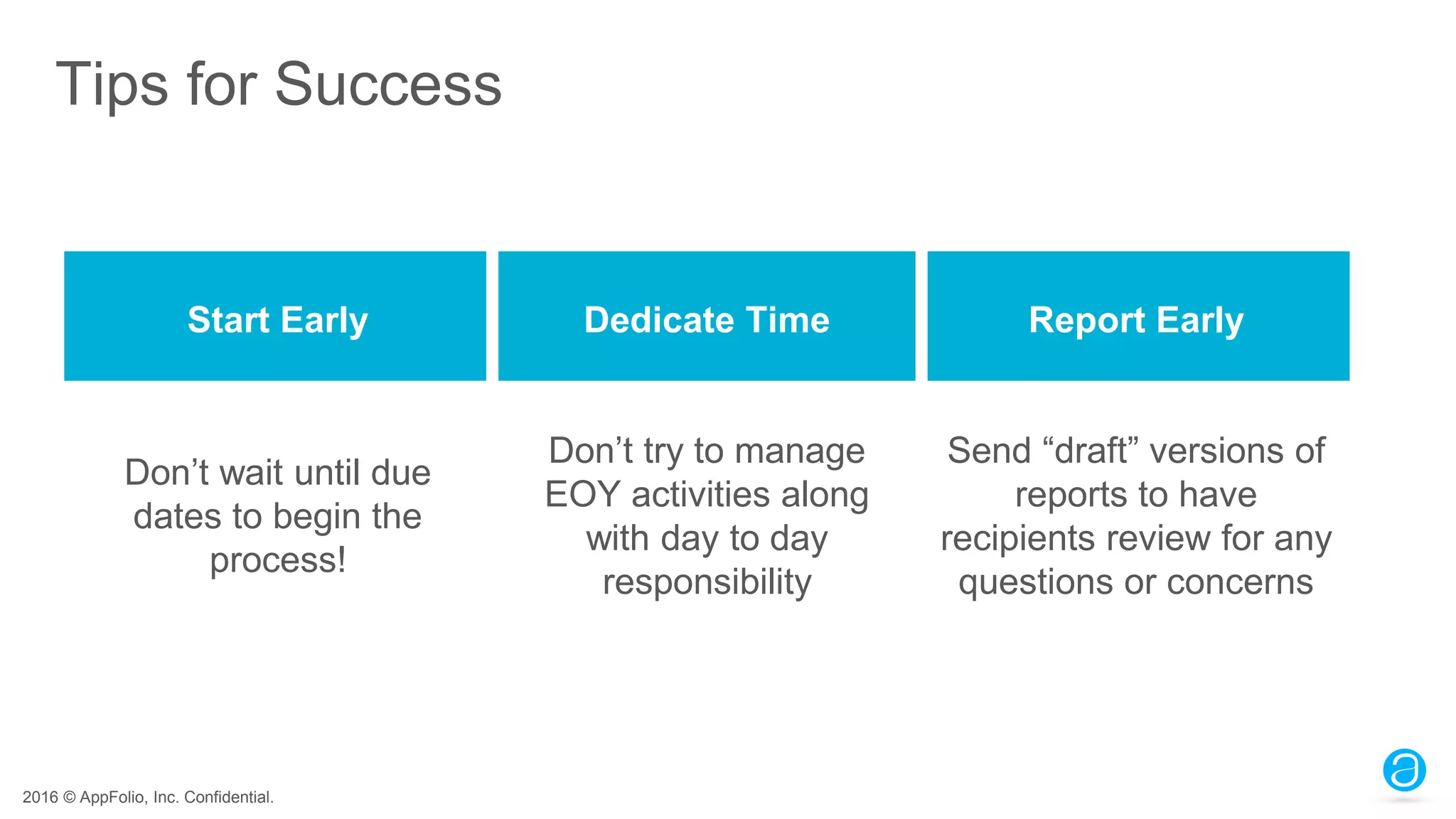
Tips for Success
Start Early Dedicate Time Report Early
Don’t wait until due
dates to begin the
process!
Don’t try to manage
EOY activities along
with day to day
responsibility
Send “draft” versions of
reports to have
recipients review for any
questions or concerns
2016 © AppFolio, Inc. Confidential.
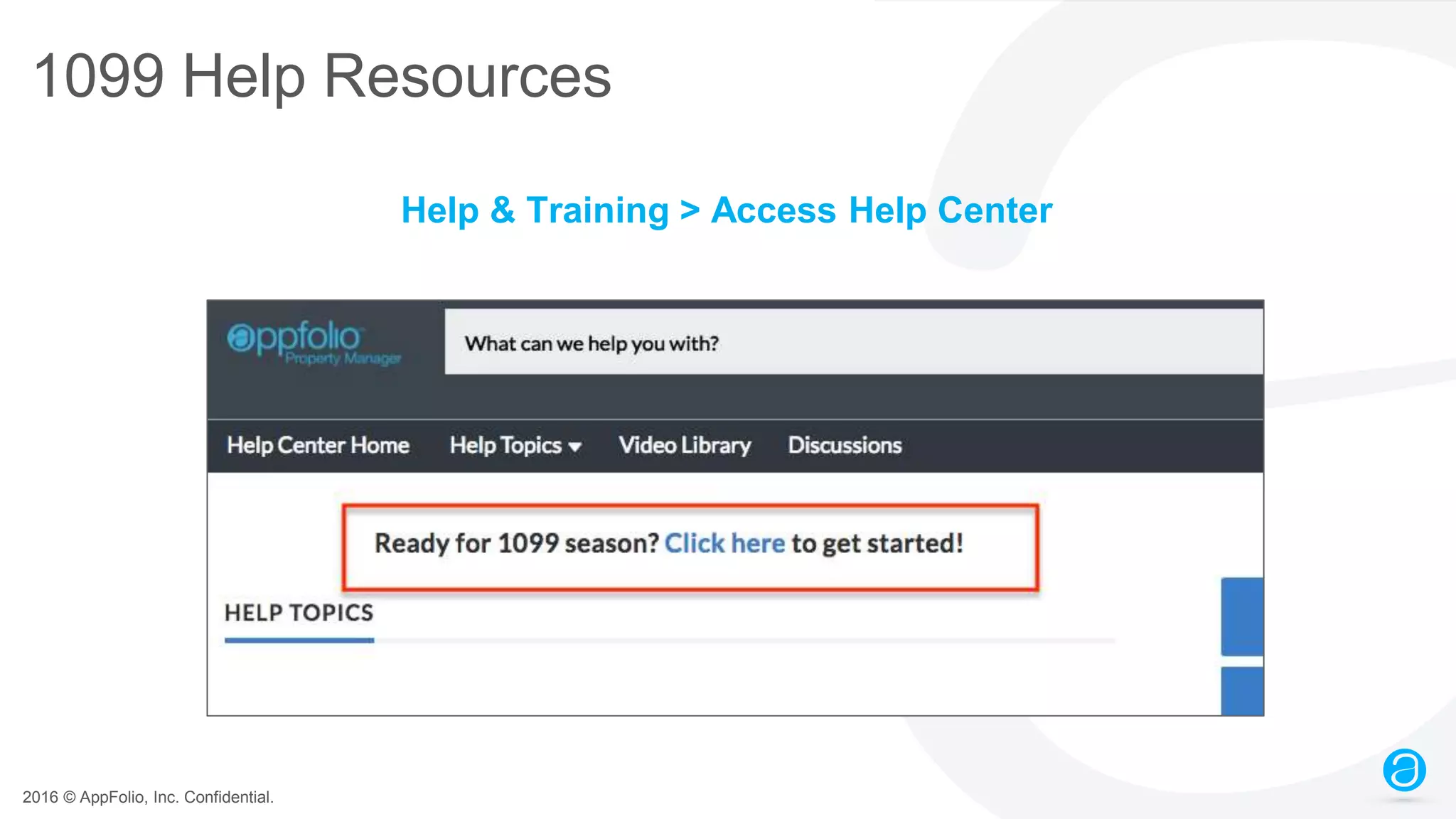
1099 Help Resources
Help & Training > Access Help Center
2016 © AppFolio, Inc. Confidential.
End of Year Preparation Poll #2
When will you start to prep for year end?
• Now!
• This month (November)
• December
• January
• Not sure
2016 © AppFolio, Inc. Confidential.
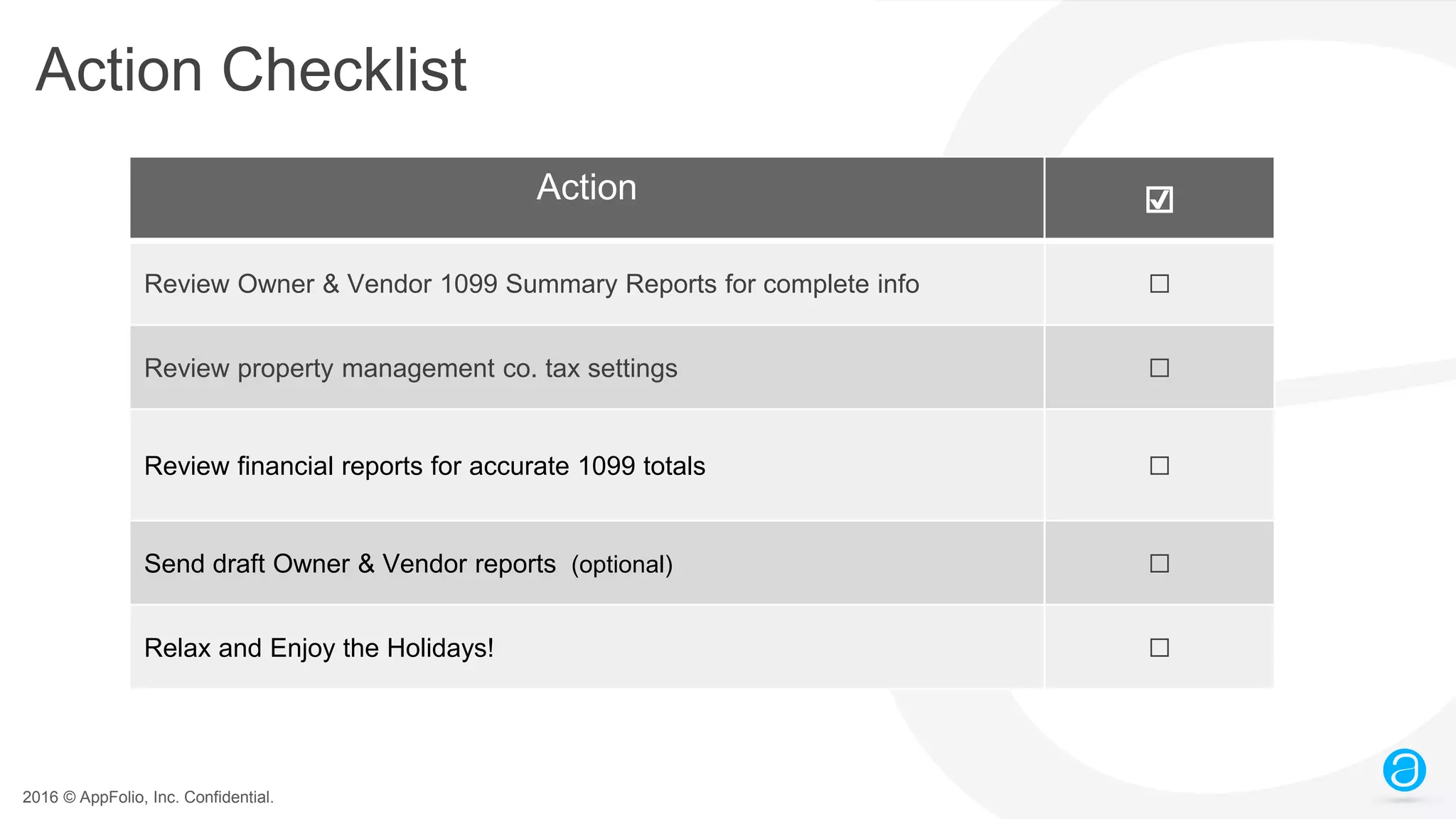
Action Checklist
Action ☑
Review Owner & Vendor 1099 Summary Reports for complete info ☐
Review property management co. tax settings ☐
Review financial reports for accurate 1099 totals ☐
Send draft Owner & Vendor reports (optional) ☐
Relax and Enjoy the Holidays! ☐
2016 © AppFolio, Inc. Confidential.
Thanks!
Any questions?
Please submit a support
request through the Help
Center!

Prepare for End-of-Year Reporting & 1099s (webinar slides)

  • 1.
    2016 © AppFolio,Inc. Confidential.
  • 2.
    2016 © AppFolio,Inc. Confidential. AppFolio End of Year Preparation November 2016
  • 3.
    2016 © AppFolio,Inc. Confidential. Audio Check Select Telephone or Mic & Speakers • Telephone – Dial phone number, access code, and audio pin • Mic & Speakers – Make sure speakers are on and volume is up
  • 4.
    2016 © AppFolio,Inc. Confidential. Ask Questions! Type your questions in the Chat box
  • 5.
    2016 © AppFolio,Inc. Confidential. Hello! Jake Schlingman Training Manager Q&A Panelists: Katie Rudolph Breigh Cavender Morgan Fredricks Today’s Presenter:
  • 6.
    2016 © AppFolio,Inc. Confidential. Time: Approximately 60 minutes Webinar is being recorded Follow-up Email: Link to recording and slides within 48 hours Details
  • 7.
    2016 © AppFolio,Inc. Confidential. Agenda ● Understanding AppFolio’s EOY Process ● Review and Update Information and Settings ● Generate Reports and Send 1099s ● FAQs ● Coming Soon!
  • 8.
    2016 © AppFolio,Inc. Confidential. End of Year Preparation Poll #1 What have you done to prep for year end? • Checked tax settings for owners, vendors & PM co. • Reviewed ownership dates & vendor 1099 payers • Run financial reports to verify owners’ 1099 totals • Gotten owner consent to only send 1099s electronically • Nothing yet
  • 9.
    2016 © AppFolio,Inc. Confidential. Understanding AppFolio’s EOY Process
  • 10.
    2016 © AppFolio,Inc. Confidential. What Happens at Year-End? • “Soft” journal entry to close books - Return income and expense account balances to zero ($0.00) • Done after month chosen as the “Fiscal Year End” on property page • On Balance Sheet - Calculated Retained Earnings (this year’s net income) moved into Calculated Prior Years Retained Earning
  • 11.
    2016 © AppFolio,Inc. Confidential. How AppFolio Calculates 1099’s • Based on Gross Income • 1099 total = Total Operating Income + Prepaid Rent oAdd prepaid rent GL to Cash Flow! • Can mark GL accounts exempt from 1099 reporting if not taxable • Can exclude owners by setting a minimum income amount
  • 12.
    2016 © AppFolio,Inc. Confidential. Manage Mid-Year Migrations For Owners: o Make sure year-to-date income balances were brought forward in Implementation o Can be added with a Journal Entry per property if they were not For Vendors: o If 1099 payer is the Management Company: • Make sure 1099 Balance Forward is entered on vendor’s page o If the vendor 1099 payer is the owner or portfolio: • Vendor 1099s need to be done from both systems (prior and AppFolio)
  • 13.
    2016 © AppFolio,Inc. Confidential. Review and Update Information and Settings
  • 14.
    2016 © AppFolio,Inc. Confidential. Verify Settings • Property Management Company Tax Settings • Owner & Vendor Tax Settings • GL Accounts for 1099 Reporting • Who Pays Vendor 1099 • Property Ownership Dates
  • 15.
    2016 © AppFolio,Inc. Confidential. Property Management Co. Tax Settings • Phone Number • Taxpayer Name • Taxpayer ID • Transmitter Control Code (TCC) - For FIRE file only • Contact Name - For FIRE file only Under Company Settings:
  • 16.
    2016 © AppFolio,Inc. Confidential. Vendor & Owner Tax Settings Verify the following for Owners & Vendors: • Taxpayer Name • Taxpayer ID • Send 1099? - Yes or No
  • 17.
    2016 © AppFolio,Inc. Confidential. GL Accounts for 1099 Reporting • Confirm all non-taxable income accounts marked as Exempt • Setting on GL Account page • Use Chart of Accounts report • Group by “Options” column
  • 18.
    2016 © AppFolio,Inc. Confidential. Vendor 1099 Payer on Properties • Setting is on Property page in “Owners and Financials” section • Set as management company, owner or portfolio • Default is management company • If set to owner or portfolio, you may see multiple 1099s for some vendors
  • 19.
    2016 © AppFolio,Inc. Confidential. Verify Property Ownership Dates • Cash balances are attached to the property, not the owner • Use “New Ownership” feature to record an ownership change • Can set a new ownership’s start date during or after the change process
  • 20.
    2016 © AppFolio,Inc. Confidential. Reports to Review Owner 1099 Information Owner 1099 Summary: • Includes all hidden properties and owners with taxable income • Click 1099 total to open Cash Flow report filtered for the tax year o 1099 total = Total Operating Income + Prepaid Rent Owner 1099 Detail: • Shows owners’ 1099 totals per property • Shows ownership dates during the tax year • Click 1099 total to open General Ledger filtered for the tax year
  • 21.
    2016 © AppFolio,Inc. Confidential. Reports to Review Vendor 1099 Information Vendor 1099 Summary: • Includes all hidden properties and vendors with taxable income • Click 1099 total to open Vendor 1099 Detail report filtered for the tax year Vendor 1099 Detail: • Shows each payment contributing to a vendor’s 1099 total
  • 22.
    2016 © AppFolio,Inc. Confidential. Demo
  • 23.
    2016 © AppFolio,Inc. Confidential. Generate EOY Reports
  • 24.
    2016 © AppFolio,Inc. Confidential. Reports to Explain 1099 Totals 1. Cash Flow o Run for tax year, includes YTD totals 2. 12 Month Cash Flow 3. Cash Flow Comparison o Useful for owners of multiple properties 4. Income Statement - 12 Month Remember to add prepaid rent GL to Cash Flow!
  • 25.
    2016 © AppFolio,Inc. Confidential. Troubleshooting Reports Suppressed Fees on Cash Flow Vendor Markup/Discounts on Cash Flow Will show on cash flow if not zeroed out in the same month Will show on Cash Flow by default •Should be paid out in the same month as received to show a net change of $0.00 •Can be marked as exempt from 1099 reporting •Only suppressed from the Owner Statement •Can be marked as exempt from 1099 reporting
  • 26.
    2016 © AppFolio,Inc. Confidential. Use “Send Owner Packet” Function “Send Owner Packets” filters: 1. Date range = Tax year 2. Leave Owner and Properties blank 3. Select “Show All Properties” 4. Select desired report, e.g Cash Flow 5. Click Search 6. Click “Preview” links in results to print the PDF without sending.
  • 27.
    2016 © AppFolio,Inc. Confidential. Ownership Changes: Sending Owner Packets • The “Send Owner Packets” function will not reflect ownership changes that happened throughout the year • Send reports individually to owners involved in an ownership change during the tax year • Create a property group for all properties that did not undergo an ownership change during the year to save time and paper!
  • 28.
    2016 © AppFolio,Inc. Confidential. FAQs
  • 29.
    2016 © AppFolio,Inc. Confidential. FAQs Why doesn’t my 1099 match my Cash Flow/Income Statement? • Make sure that you have selected “Show All Properties” on your Cash Flow versus “Show Active Properties” • If you have changed ownership at the property, make sure you filter the Cash Flow report for that property for the appropriate date range • Remember that some income accounts may be exempt from 1099 reporting, and you will need to add Prepaid Rent to all income not exempt to find the total amount on your 1099
  • 30.
    2016 © AppFolio,Inc. Confidential. FAQs Why are there multiple 1099s for some of my vendors? • In the “Owners and Financials” section of each property’s page, there is the option to specify the owner or management company as the “Vendor 1099 Payer” • If each property lists the management company here, each vendor will receive one 1099 • However, if owners are listed as the vendor payer on some properties, the vendor will receive a 1099 for each of these owners as well
  • 31.
    2016 © AppFolio,Inc. Confidential. FAQs I began using AppFolio midway through the year. How can I edit the amount generated by the system? • You cannot edit the amount on 1099s generated through AppFolio • Best practice is to send one 1099 from AppFolio and one from your previous solution
  • 32.
    2016 © AppFolio,Inc. Confidential. FAQs Do I have to file by e-File and if so, how do I obtain a transmitter control code? • The IRS requires anyone submitting more than 250 forms to submit by e-File (FIRE file) • The Transmitter Code (TCC) must be requested by the IRS at www.IRS.gov • Approval can take up to six weeks so don’t wait • Will also need to setup account with the FIRE file system at www.fire.irs.gov
  • 33.
    2016 © AppFolio,Inc. Confidential. FAQs Who do I contact about Accounting Questions? • AppFolio is not able to provide accounting advice. Please contact an Accountant or CPA for legal questions regarding taxes and filing
  • 34.
    2016 © AppFolio,Inc. Confidential. Coming Soon!
  • 35.
    2016 © AppFolio,Inc. Confidential. Coming Soon! • Record Owner Consent in AppFolio • Set Owner’s preference • Collect consent through Owner Portal
  • 36.
    2016 © AppFolio,Inc. Confidential. Recap ● Understanding AppFolio’s EOY Process ● Review and Update Information and Settings ● Demo ● Generate EOY Reports ● FAQs
  • 37.
    2016 © AppFolio,Inc. Confidential. Tips for Success Start Early Dedicate Time Report Early Don’t wait until due dates to begin the process! Don’t try to manage EOY activities along with day to day responsibility Send “draft” versions of reports to have recipients review for any questions or concerns
  • 38.
    2016 © AppFolio,Inc. Confidential. 1099 Help Resources Help & Training > Access Help Center
  • 39.
    2016 © AppFolio,Inc. Confidential. End of Year Preparation Poll #2 When will you start to prep for year end? • Now! • This month (November) • December • January • Not sure
  • 40.
    2016 © AppFolio,Inc. Confidential. Action Checklist Action ☑ Review Owner & Vendor 1099 Summary Reports for complete info ☐ Review property management co. tax settings ☐ Review financial reports for accurate 1099 totals ☐ Send draft Owner & Vendor reports (optional) ☐ Relax and Enjoy the Holidays! ☐
  • 41.
    2016 © AppFolio,Inc. Confidential. Thanks! Any questions? Please submit a support request through the Help Center!