World®
’16
CA	Workload	Automation	AE:	
Tips	and	Tricks	
Mike	Woods,	CA	Technologies,	Principal	Engineering	Services	Architect
MFX09E
MAINFRAME	AND	WORKLOAD	AUTOMATION
2 ©	2016	CA.	ALL	RIGHTS	RESERVED.@CAWORLD				#CAWORLD
©	2016	CA.	All	rights	reserved.	All	trademarks	referenced	herein	belong	to	their	respective	companies.
The	content	provided	in	this CA	World	2016	presentation	is	intended	for	informational	purposes	only	and	does	not	form	any	type	of	
warranty. The information	provided	by	a	CA	partner	and/or	CA	customer	has	not	been	reviewed	for	accuracy	by	CA.	
For	Informational	Purposes	Only	
Terms	of	this	Presentation
3 ©	2016	CA.	ALL	RIGHTS	RESERVED.@CAWORLD				#CAWORLD
Abstract
This	session	will	cover	many	tips	and	tricks	gathered	from	CA	experts	
and	customers.	The	presentation	will	cover	day	to	day	usage	including	
scheduling	and	monitoring.	
Michael	
Woods
CA	Technologies
Principal	Engineering	
Services	Architect
4 ©	2016	CA.	ALL	RIGHTS	RESERVED.@CAWORLD				#CAWORLD
Agenda
CA	WORKLOAD	AUTOMATION	AE
LOAD	BALANCING
WORKLOAD	CONTROL	CENTER
Q	&	A
1
2
3
4
5 ©	2016	CA.	ALL	RIGHTS	RESERVED.@CAWORLD				#CAWORLD
CA	Workload	Automation	AE
§ Passing	job	attribute	as	environment	variables
This	settings	makes	some	job	attributes	available	as	environment	
variables
– SetJobAttributeEnvironmentals=0|1
0	Specifies	that	the	scheduler	does	not	automatically	set	the	supported	
job	attributes	as	environment	variables
1	Specifies	that	the	scheduler	does automatically	set	the	supported	job	
attributes	as	environment	variables
Configuration	Settings
6 ©	2016	CA.	ALL	RIGHTS	RESERVED.@CAWORLD				#CAWORLD
CA	Workload	Automation	AE
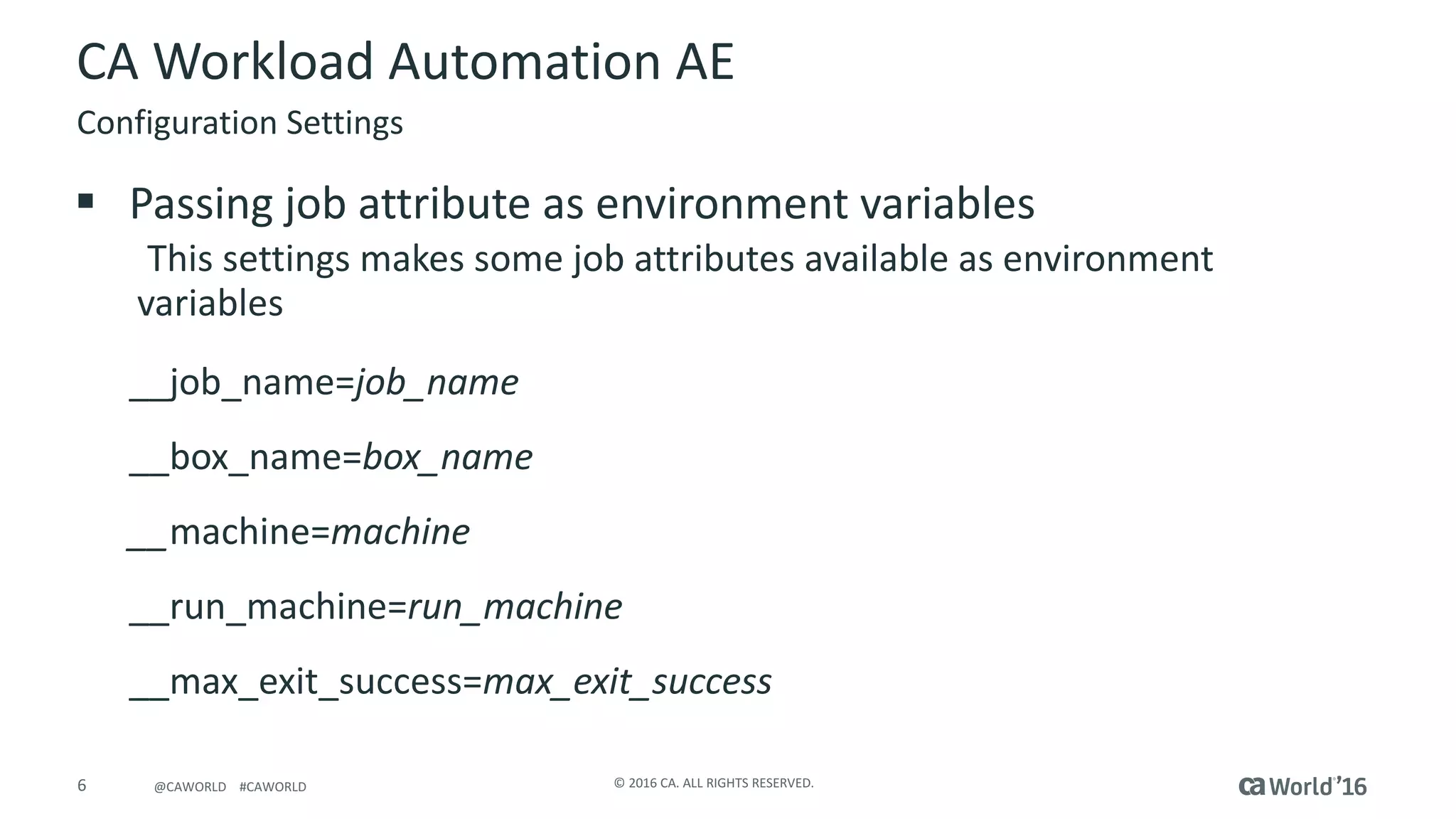
§ Passing	job	attribute	as	environment	variables
This	settings	makes	some	job	attributes	available	as	environment	
variables
__job_name=job_name
__box_name=box_name
__machine=machine	
__run_machine=run_machine
__max_exit_success=max_exit_success
Configuration	Settings
7 ©	2016	CA.	ALL	RIGHTS	RESERVED.@CAWORLD				#CAWORLD
CA	Workload	Automation	AE
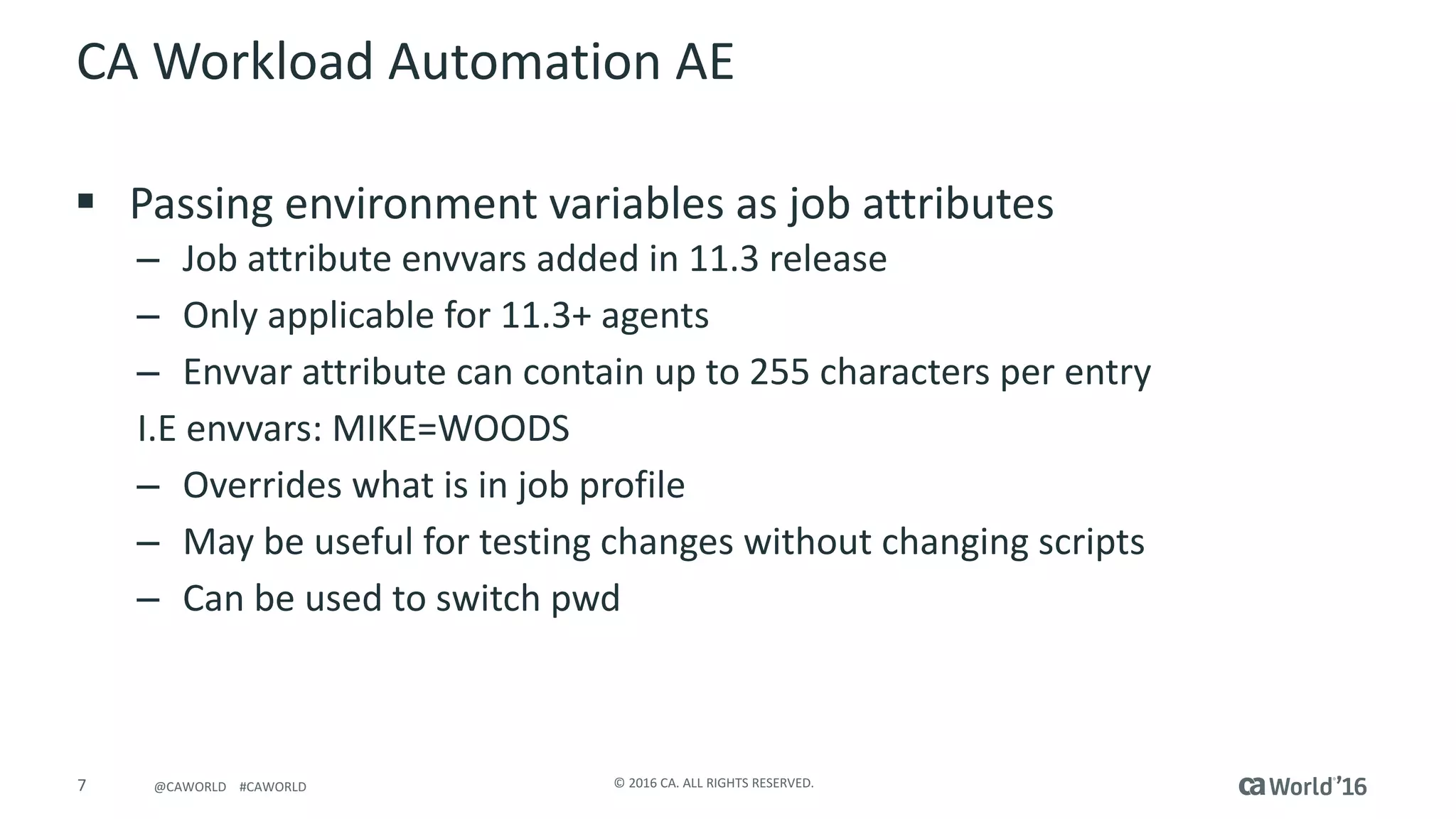
§ Passing	environment	variables	as	job	attributes
– Job	attribute	envvars added	in	11.3	release
– Only	applicable	for	11.3+	agents
– Envvar attribute	can	contain	up	to	255	characters	per	entry
I.E	envvars:	MIKE=WOODS
– Overrides	what	is	in	job	profile	
– May	be	useful	for	testing	changes	without	changing	scripts
– Can	be	used	to	switch	pwd
8 ©	2016	CA.	ALL	RIGHTS	RESERVED.@CAWORLD				#CAWORLD
CA	Workload	Automation	AE
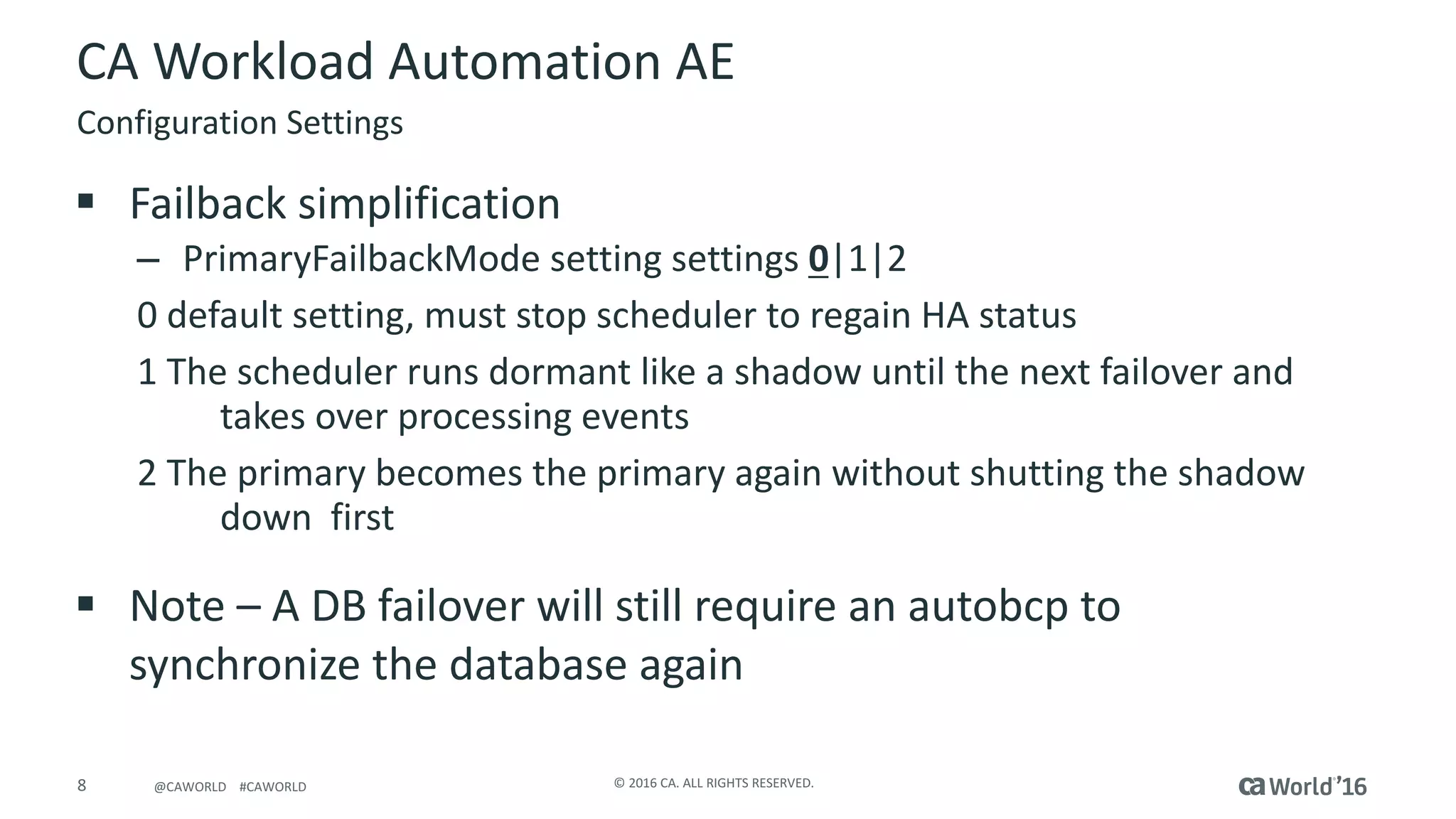
§ Failback	simplification
– PrimaryFailbackMode setting	settings	0|1|2
0	default	setting,	must	stop	scheduler	to	regain	HA	status
1	The	scheduler	runs	dormant	like	a	shadow	until	the	next	failover	and	
takes	over	processing	events
2	The	primary	becomes	the	primary	again	without	shutting	the	shadow	
down		first
§ Note	– A	DB	failover	will	still	require	an	autobcp	to	
synchronize	the	database	again
Configuration	Settings
9 ©	2016	CA.	ALL	RIGHTS	RESERVED.@CAWORLD				#CAWORLD
CA	Workload	Automation	AE
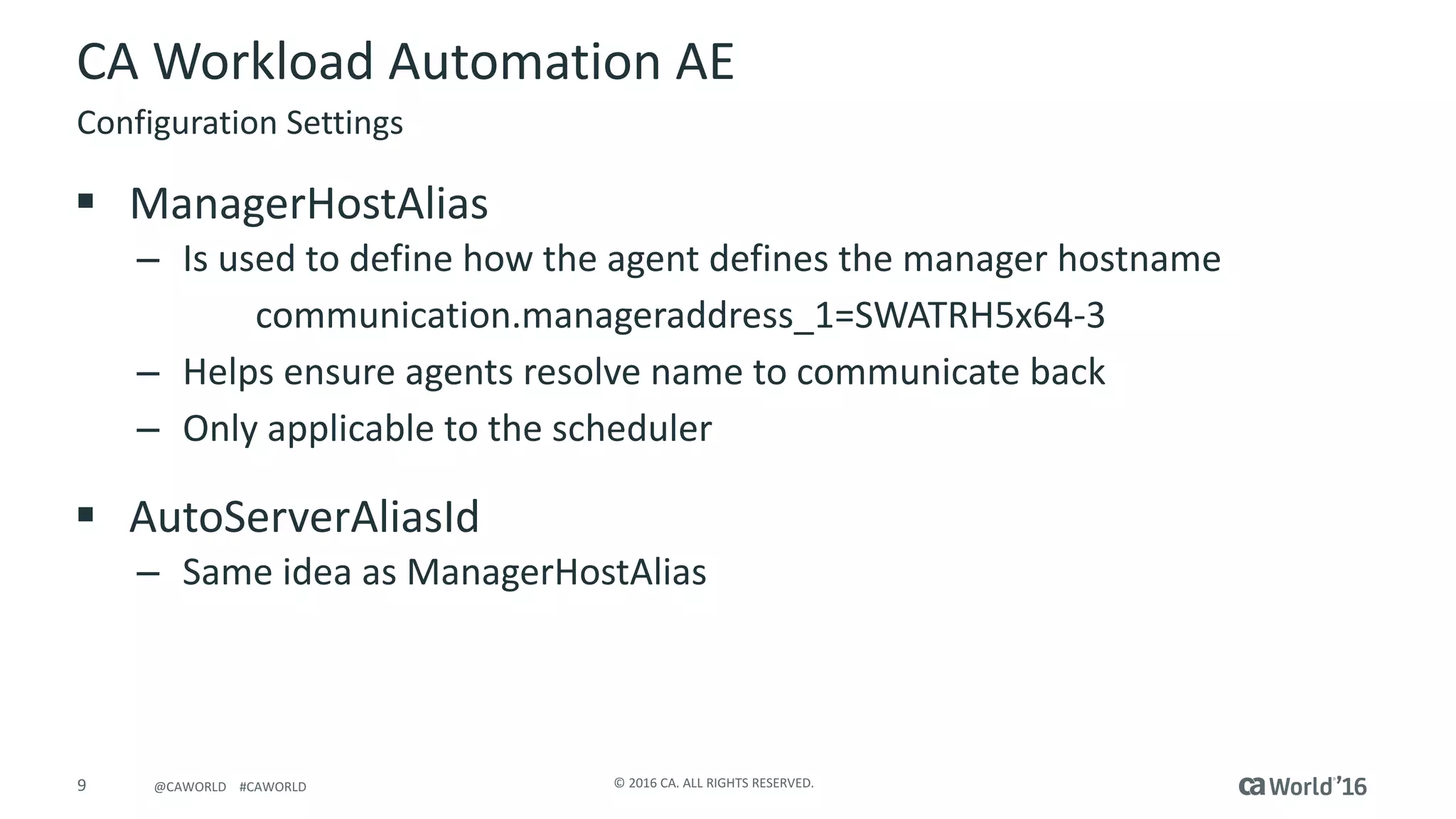
§ ManagerHostAlias
– Is	used	to	define	how	the	agent	defines	the	manager	hostname
communication.manageraddress_1=SWATRH5x64-3
– Helps	ensure	agents	resolve	name	to	communicate	back
– Only	applicable	to	the	scheduler
§ AutoServerAliasId
– Same	idea	as	ManagerHostAlias
Configuration	Settings
10 ©	2016	CA.	ALL	RIGHTS	RESERVED.@CAWORLD				#CAWORLD
CA	Workload	Automation	AE
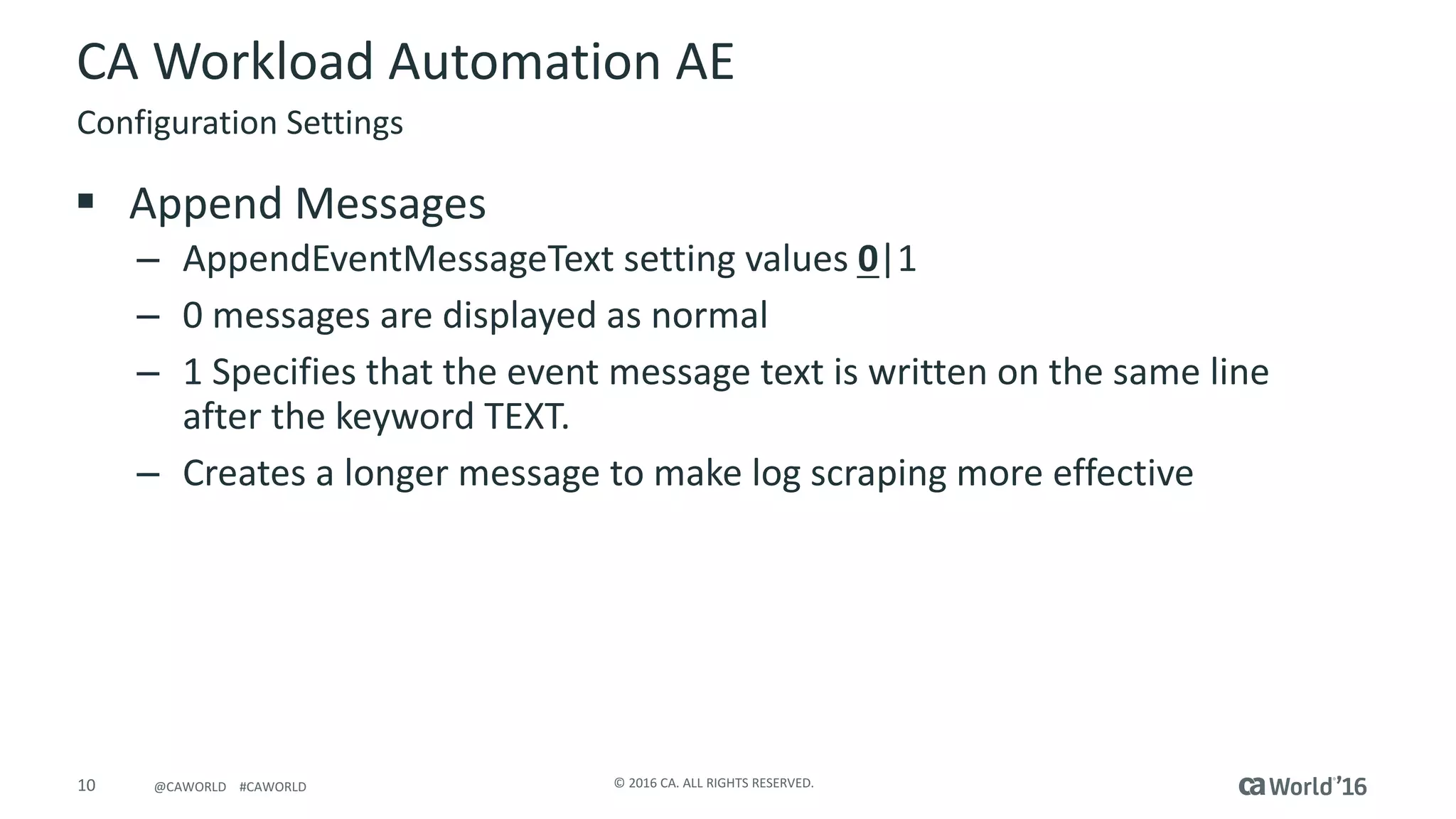
§ Append	Messages
– AppendEventMessageText setting	values	0|1
– 0	messages	are	displayed	as	normal
– 1	Specifies	that	the	event	message	text	is	written	on	the	same	line	
after	the	keyword	TEXT.
– Creates	a	longer	message	to	make	log	scraping	more	effective
Configuration	Settings
11 ©	2016	CA.	ALL	RIGHTS	RESERVED.@CAWORLD				#CAWORLD
CA	Workload	Automation	AE
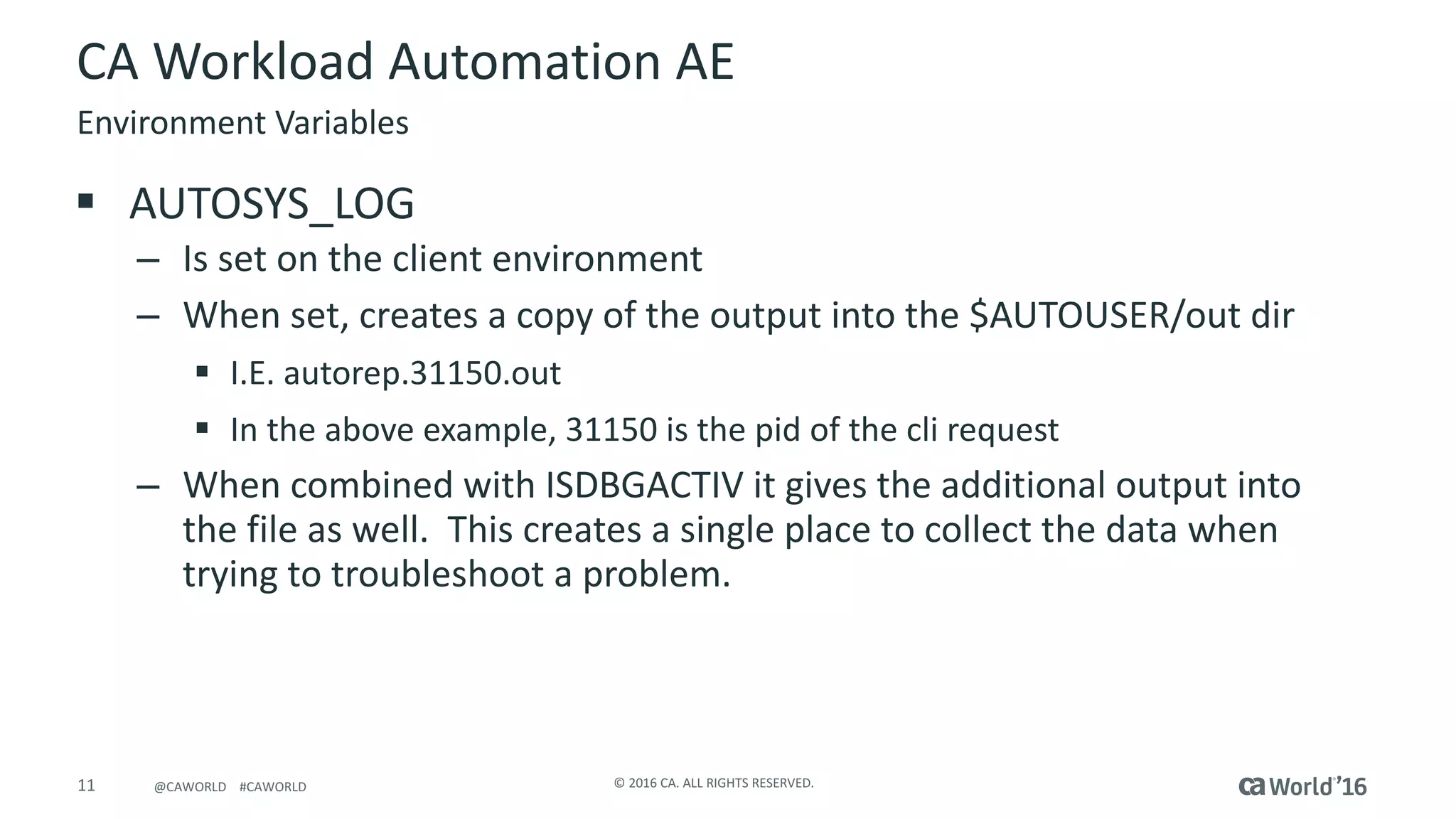
§ AUTOSYS_LOG
– Is	set	on	the	client	environment
– When	set,	creates	a	copy	of	the	output	into	the	$AUTOUSER/out	dir
§ I.E.	autorep.31150.out
§ In	the	above	example,	31150	is	the	pid of	the	cli	request
– When	combined	with	ISDBGACTIV	it	gives	the	additional	output	into	
the	file	as	well.		This	creates	a	single	place	to	collect	the	data	when	
trying	to	troubleshoot	a	problem.
Environment	Variables
12 ©	2016	CA.	ALL	RIGHTS	RESERVED.@CAWORLD				#CAWORLD
CA	Workload	Automation	AE
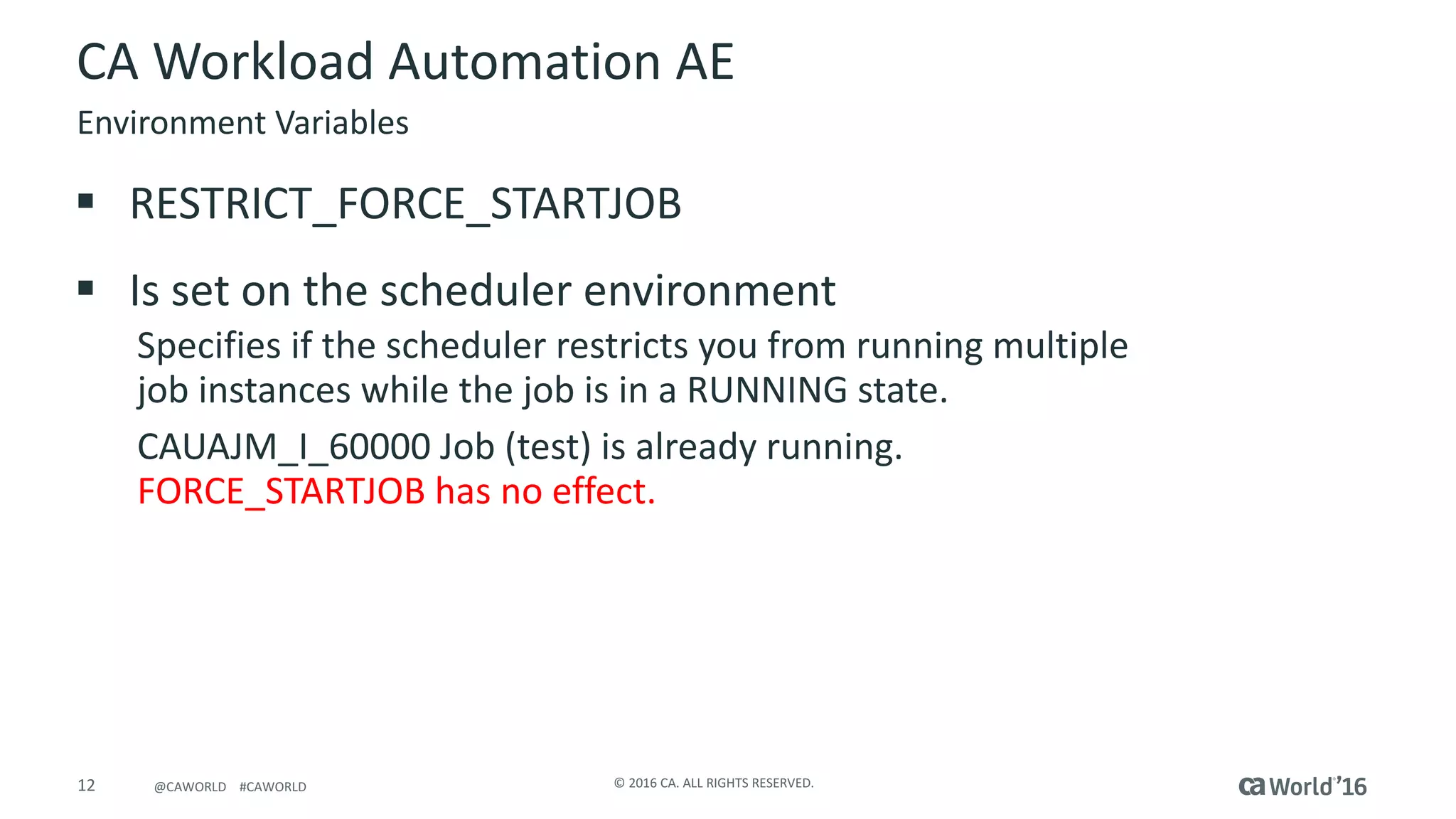
§ RESTRICT_FORCE_STARTJOB
§ Is	set	on	the	scheduler	environment
Specifies	if	the	scheduler	restricts	you	from	running	multiple	
job	instances	while	the	job	is	in	a	RUNNING	state.
CAUAJM_I_60000	Job	(test)	is	already	running.	
FORCE_STARTJOB	has	no	effect.
Environment	Variables
13 ©	2016	CA.	ALL	RIGHTS	RESERVED.@CAWORLD				#CAWORLD
CA	Workload	Automation	AE
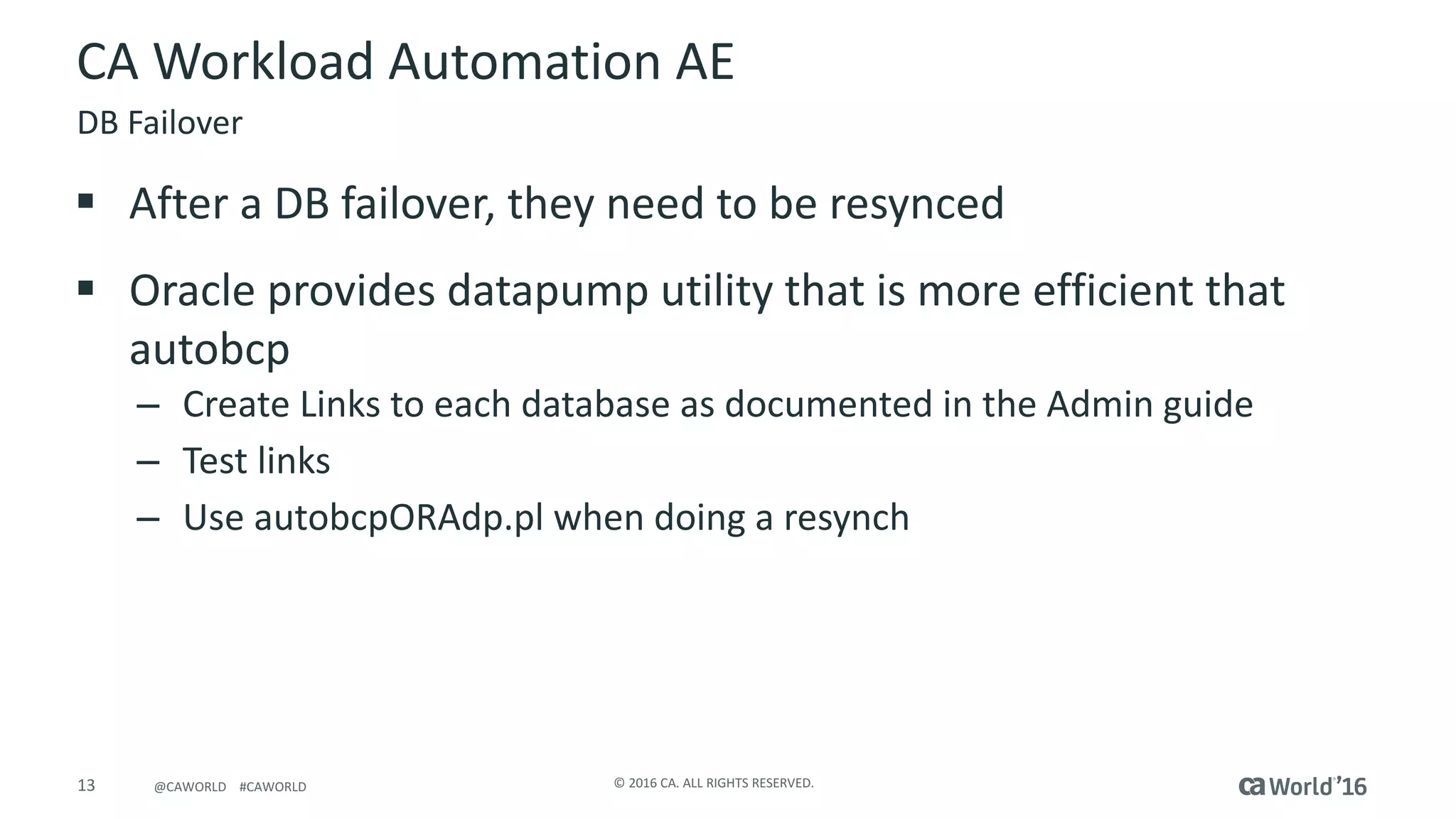
§ After	a	DB	failover,	they	need	to	be	resynced
§ Oracle	provides	datapump	utility	that	is	more	efficient	that	
autobcp
– Create	Links	to	each	database	as	documented	in	the	Admin	guide	
– Test	links
– Use	autobcpORAdp.pl	when	doing	a	resynch
DB	Failover
14 ©	2016	CA.	ALL	RIGHTS	RESERVED.@CAWORLD				#CAWORLD
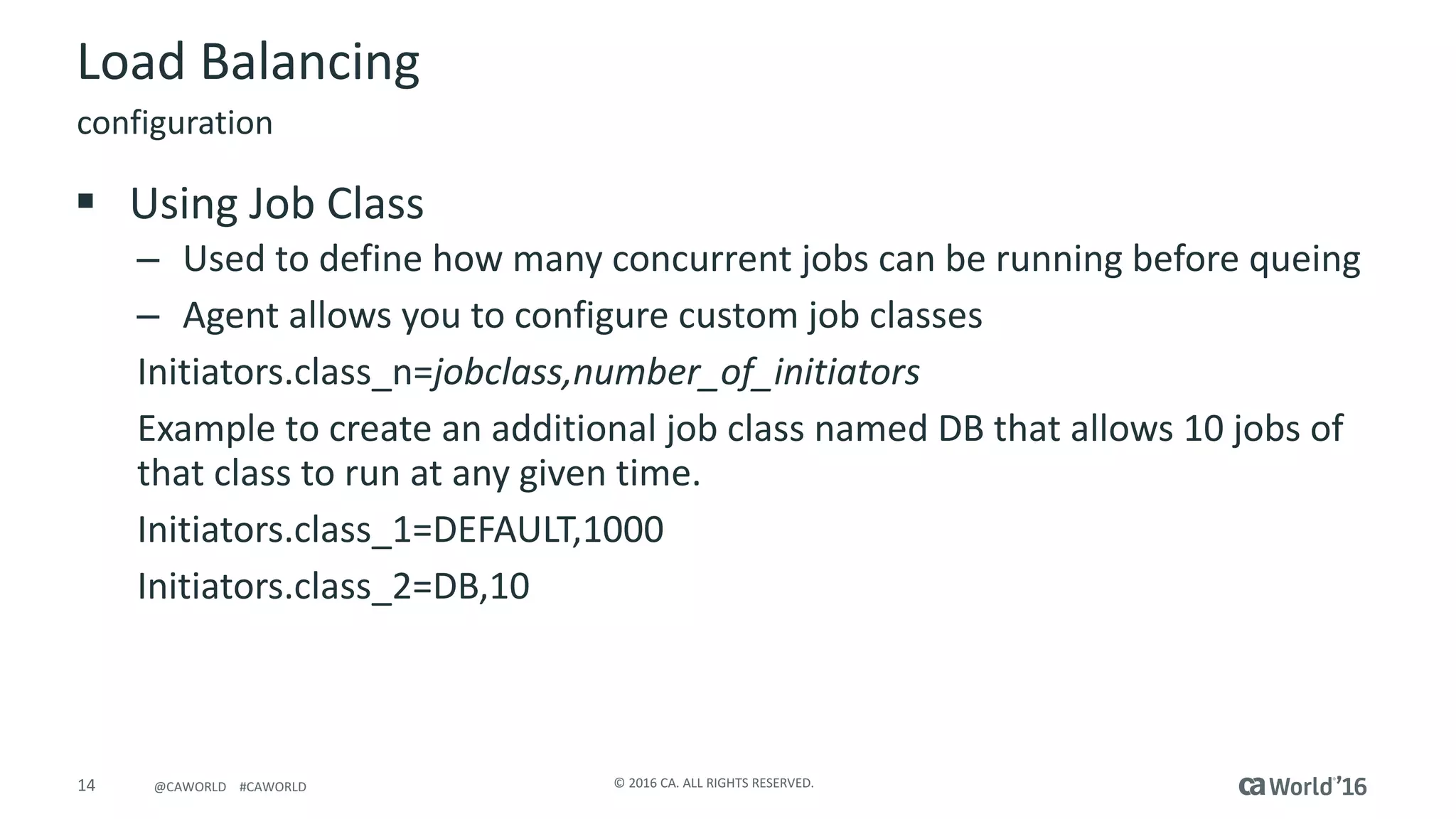
Load	Balancing
§ Using	Job	Class
– Used	to	define	how	many	concurrent	jobs	can	be	running	before	queing
– Agent	allows	you	to	configure	custom	job	classes
Initiators.class_n=jobclass,number_of_initiators
Example	to	create	an	additional	job	class	named	DB	that	allows	10	jobs	of	
that	class	to	run	at	any	given	time.
Initiators.class_1=DEFAULT,1000
Initiators.class_2=DB,10
configuration
15 ©	2016	CA.	ALL	RIGHTS	RESERVED.@CAWORLD				#CAWORLD
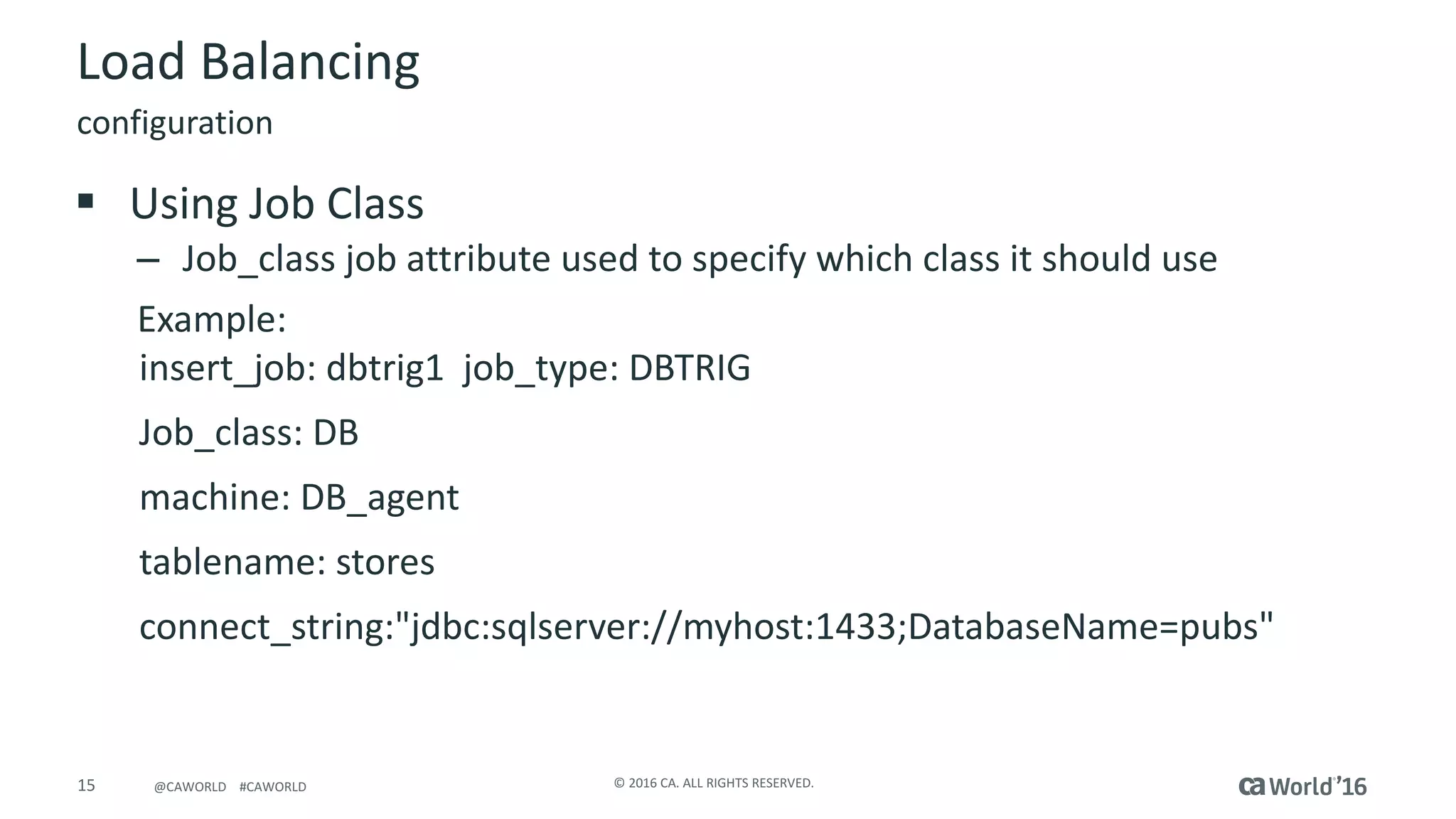
Load	Balancing
§ Using	Job	Class
– Job_class job	attribute	used	to	specify	which	class	it	should	use
Example:
insert_job:	dbtrig1		job_type:	DBTRIG	
Job_class:	DB
machine:	DB_agent
tablename:	stores	
connect_string:"jdbc:sqlserver://myhost:1433;DatabaseName=pubs"	
configuration
16 ©	2016	CA.	ALL	RIGHTS	RESERVED.@CAWORLD				#CAWORLD
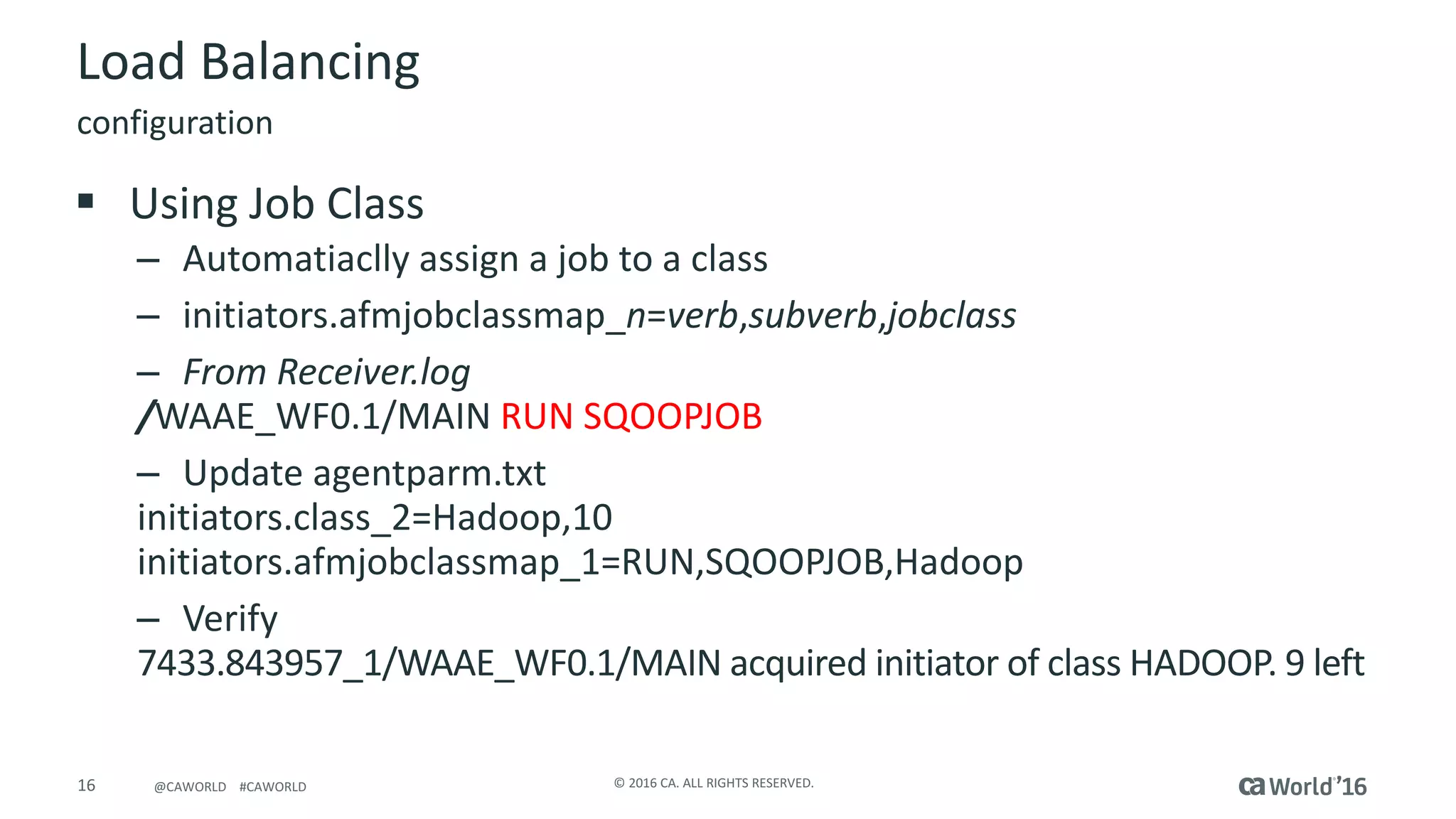
Load	Balancing
configuration
§ Using	Job	Class
– Automatiaclly assign	a	job	to	a	class
– initiators.afmjobclassmap_n=verb,subverb,jobclass
– From	Receiver.log
/WAAE_WF0.1/MAIN	RUN	SQOOPJOB
– Update	agentparm.txt
initiators.class_2=Hadoop,10
initiators.afmjobclassmap_1=RUN,SQOOPJOB,Hadoop
– Verify
7433.843957_1/WAAE_WF0.1/MAIN	acquired	initiator	of	class	HADOOP.	9	left
17 ©	2016	CA.	ALL	RIGHTS	RESERVED.@CAWORLD				#CAWORLD
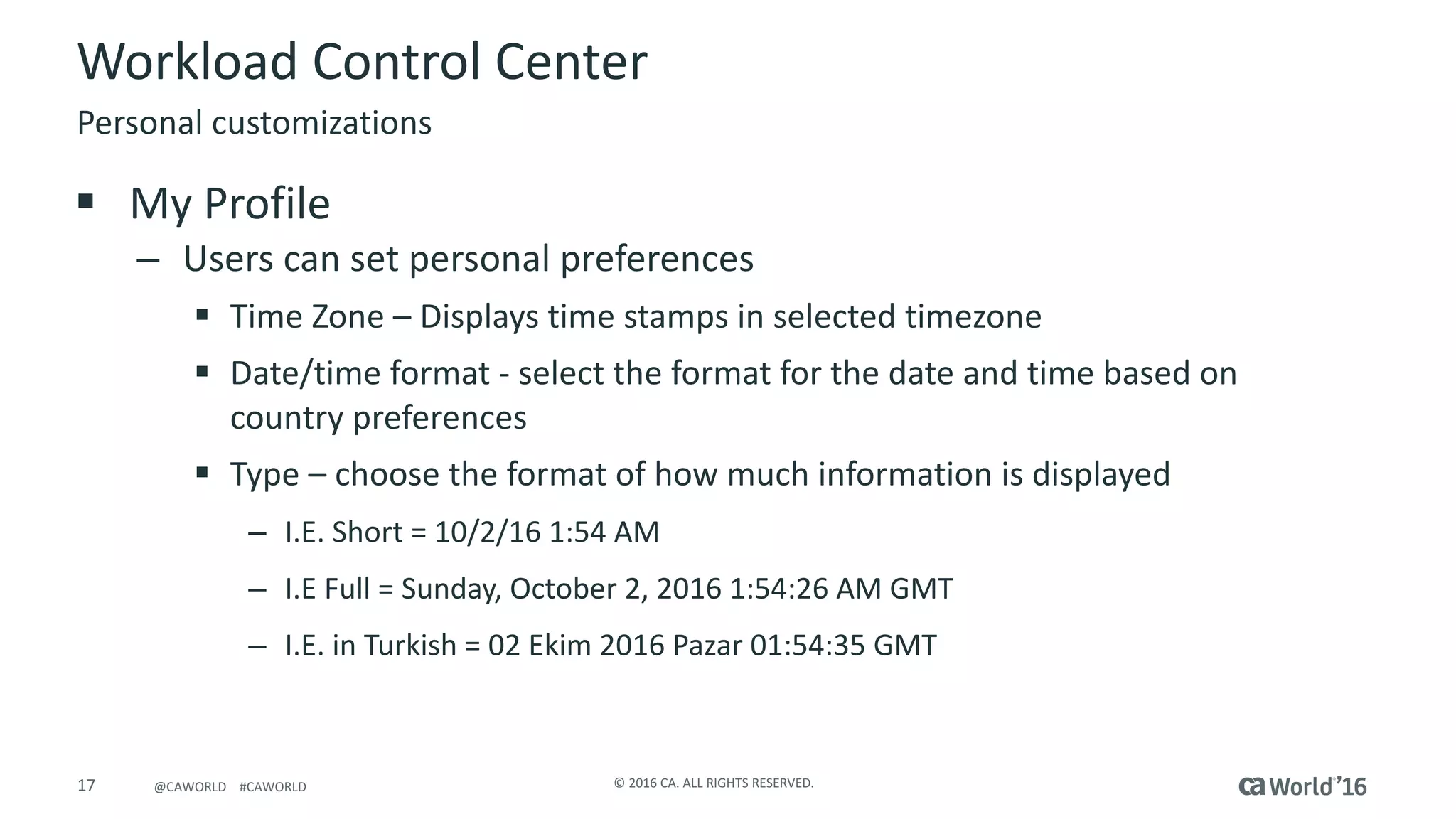
Workload	Control	Center
§ My	Profile
– Users	can	set	personal	preferences
§ Time	Zone	– Displays	time	stamps	in	selected	timezone
§ Date/time	format	- select	the	format	for	the	date	and	time	based	on	
country	preferences
§ Type	– choose	the	format	of	how	much	information	is	displayed
– I.E.	Short	=	10/2/16	1:54	AM
– I.E	Full	=	Sunday,	October	2,	2016	1:54:26	AM	GMT
– I.E.	in	Turkish	=	02	Ekim 2016	Pazar 01:54:35	GMT
Personal	customizations
18 ©	2016	CA.	ALL	RIGHTS	RESERVED.@CAWORLD				#CAWORLD
Workload	Control	Center
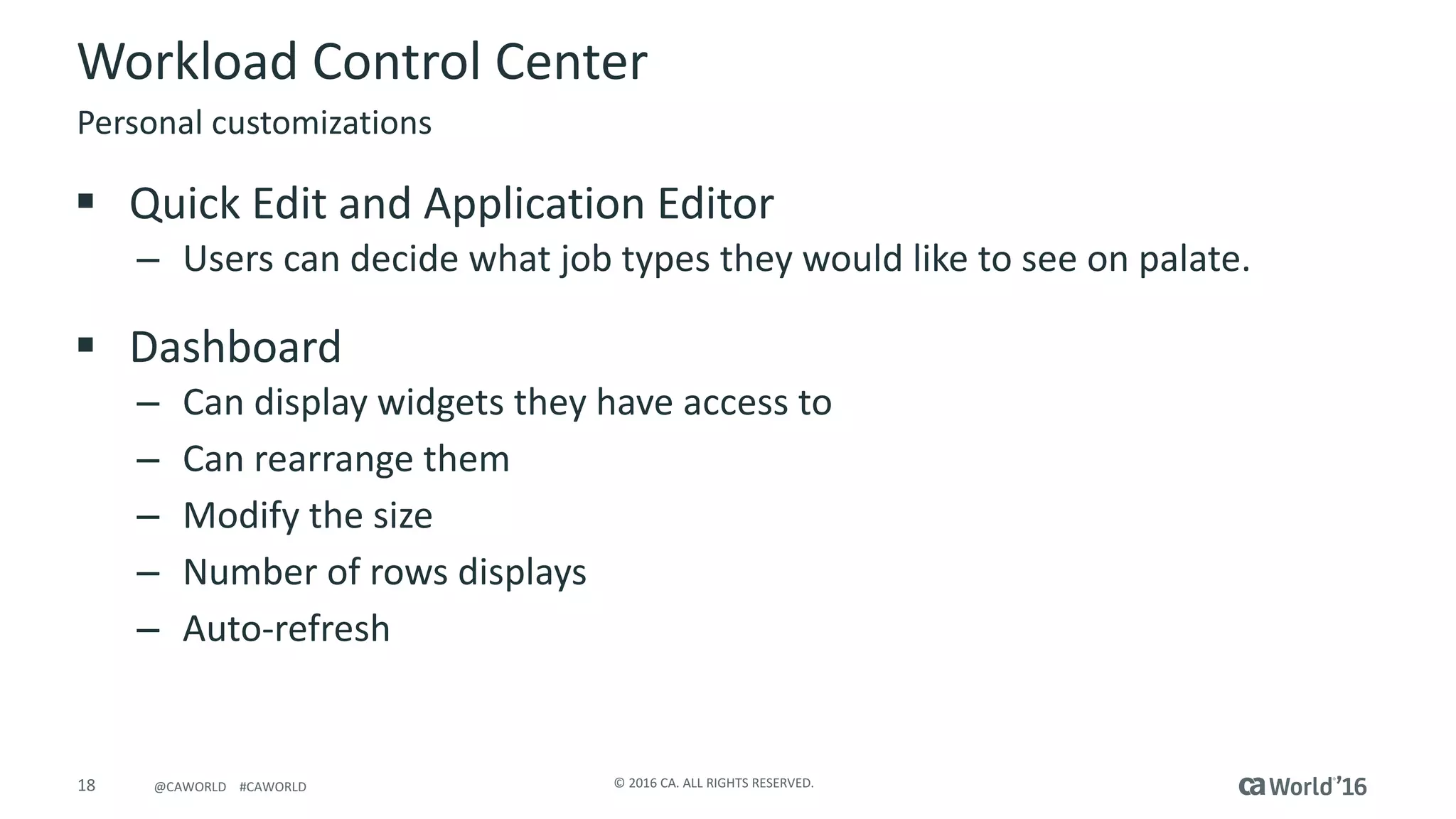
§ Quick	Edit	and	Application	Editor
– Users	can	decide	what	job	types	they	would	like	to	see	on	palate.
§ Dashboard
– Can	display	widgets	they	have	access	to
– Can	rearrange	them
– Modify	the	size
– Number	of	rows	displays
– Auto-refresh
Personal	customizations
19 ©	2016	CA.	ALL	RIGHTS	RESERVED.@CAWORLD				#CAWORLD
Workload	Control	Center
§ Monitoring
– Modify	the	size
– Number	of	rows	displays
– Auto-refresh
Personal	customizations
20 ©	2016	CA.	ALL	RIGHTS	RESERVED.@CAWORLD				#CAWORLD
Workload	Control	Center
§ Displays	jobs	in	a	‘file	directory’	style
§ Boxes	are	expanded	to	show	jobs	within	and	nested	are	
displayed	as	well.
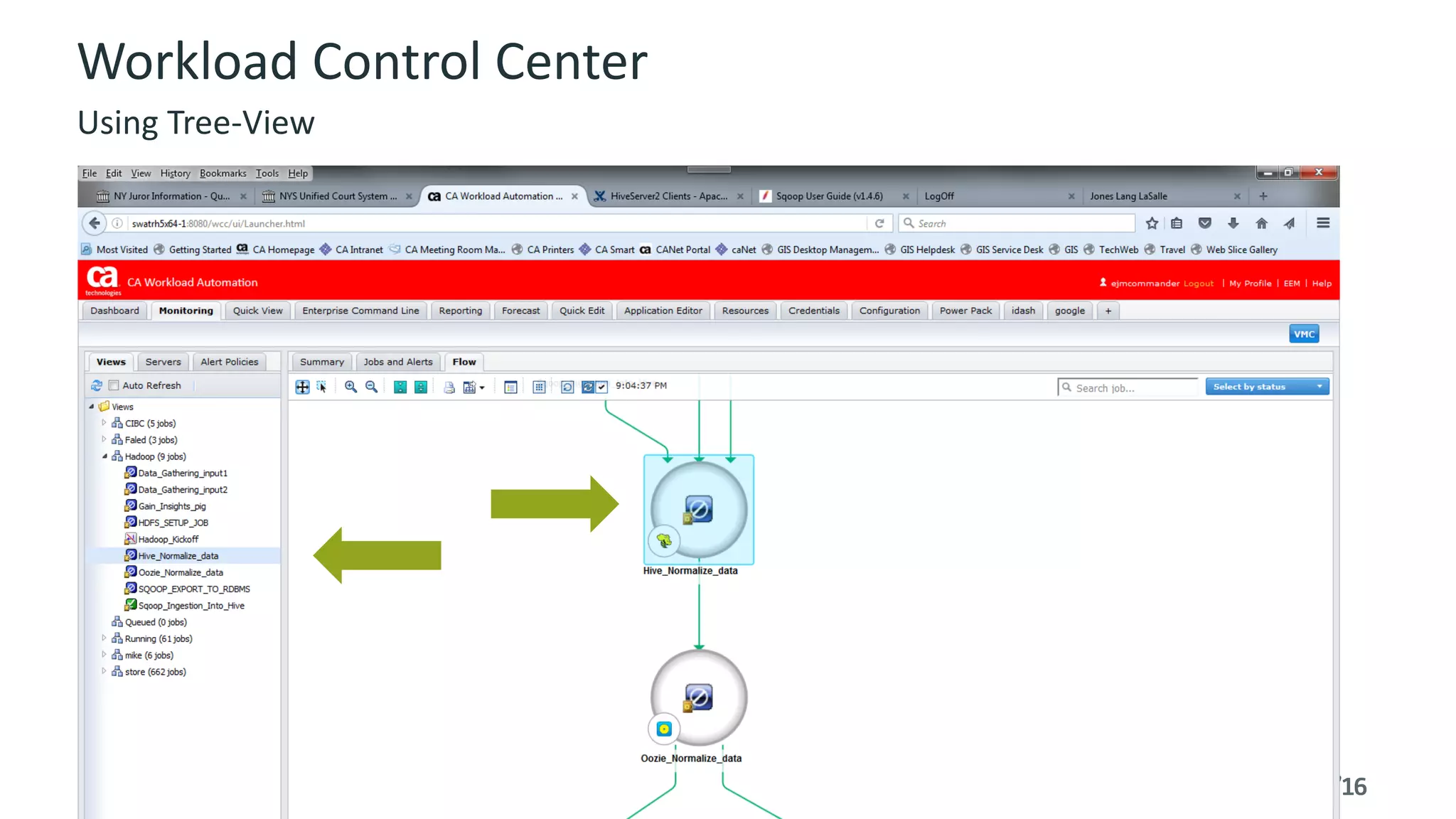
§ Job	selected	in	flow	view	is	highlighted	in	tree	view
§ Job	selected	in	tree	view	is	brought	into	focus	on	flow	view
Tree	View	in	Monitoring
21 ©	2016	CA.	ALL	RIGHTS	RESERVED.@CAWORLD				#CAWORLD
Workload	Control	Center
Using	Tree-View
22 ©	2016	CA.	ALL	RIGHTS	RESERVED.@CAWORLD				#CAWORLD
Workload	Control	Center
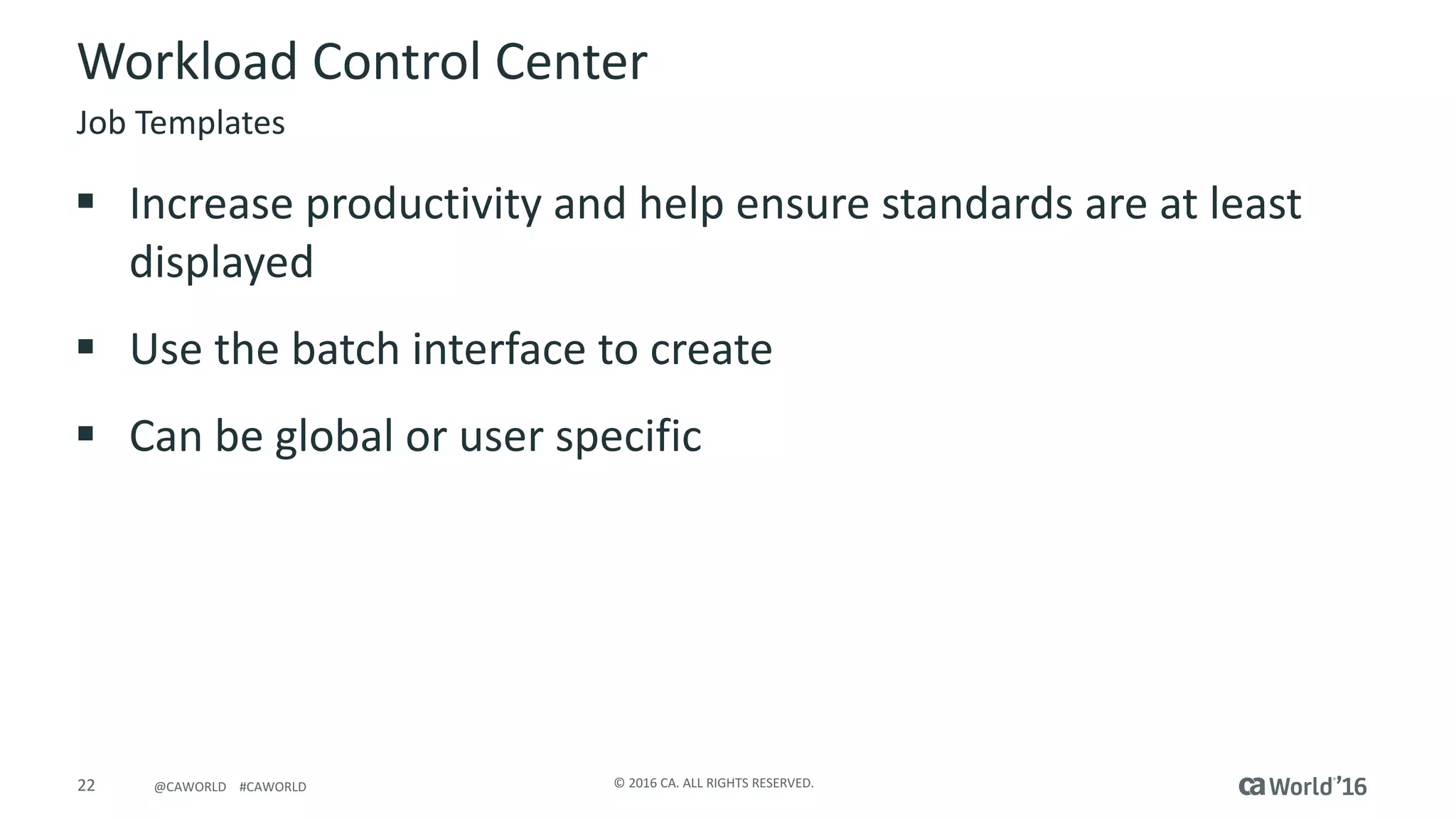
§ Increase	productivity	and	help	ensure	standards	are	at	least	
displayed
§ Use	the	batch	interface	to	create
§ Can	be	global	or	user	specific
Job	Templates
23 ©	2016	CA.	ALL	RIGHTS	RESERVED.@CAWORLD				#CAWORLD
Workload	Control	Center
Creates	job	templates	to	be	used	both	in	Quick	Edit	and	Application	Editor
§ Global	template	for	all	users,	templates	only	for	specific	uses
Syntax:	job_template -u,--user	<user>	-p,--password	<password>	<-g,--global	|
-f,--for-user	<user>	>	<	-l,--list	|	-r,--remove	<template-name>	|
-i,--import	<template-name>	<file-name>	|	-export	<template-name>	<file-
name>
[-o,--overwrite]
24 ©	2016	CA.	ALL	RIGHTS	RESERVED.@CAWORLD				#CAWORLD
Workload	Control	Center
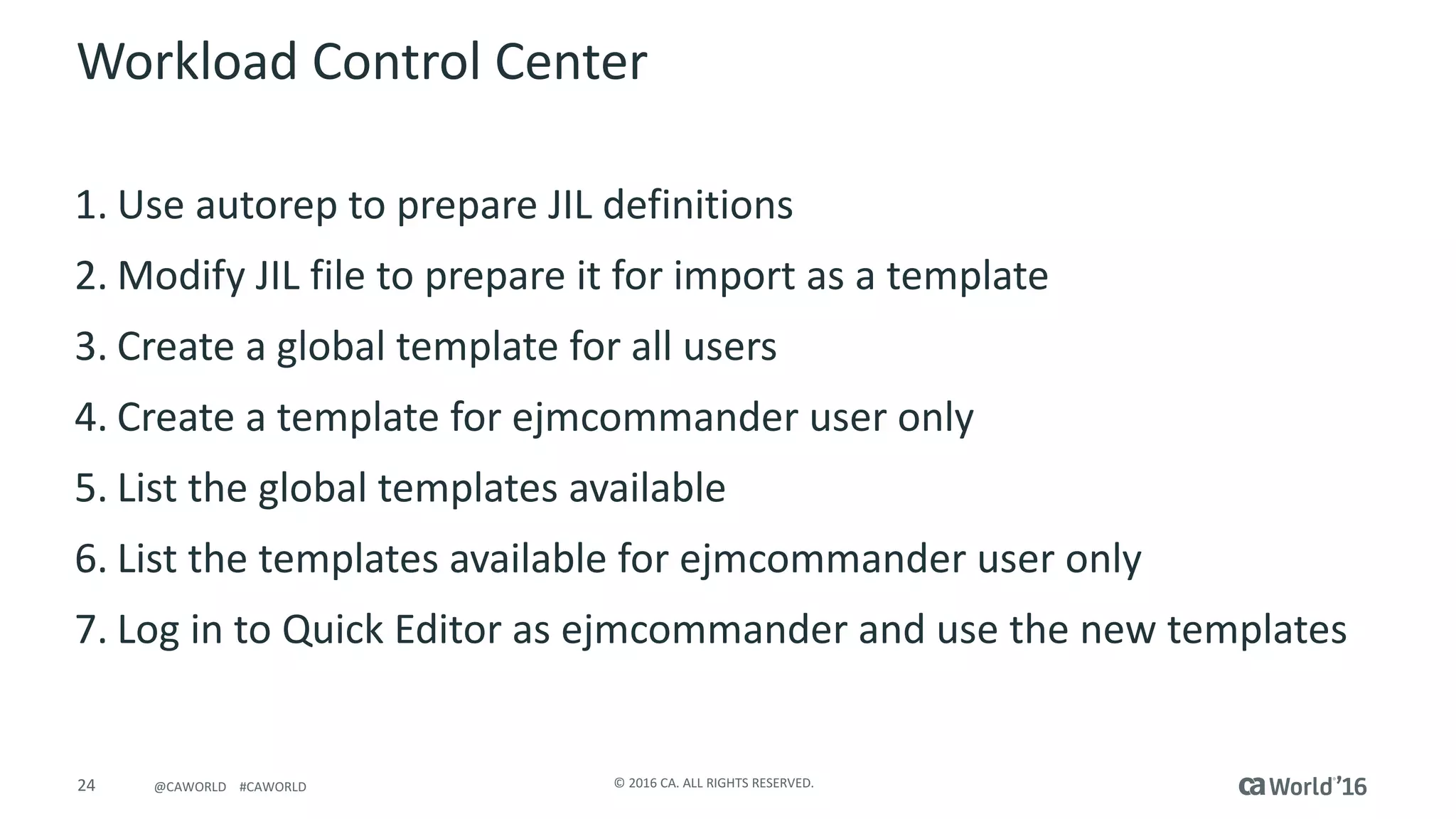
1. Use	autorep to	prepare	JIL	definitions
2. Modify	JIL	file	to	prepare	it	for	import	as	a	template
3. Create	a	global	template	for	all	users
4. Create	a	template	for	ejmcommander	user	only
5. List	the	global	templates	available
6. List	the	templates	available	for	ejmcommander	user	only
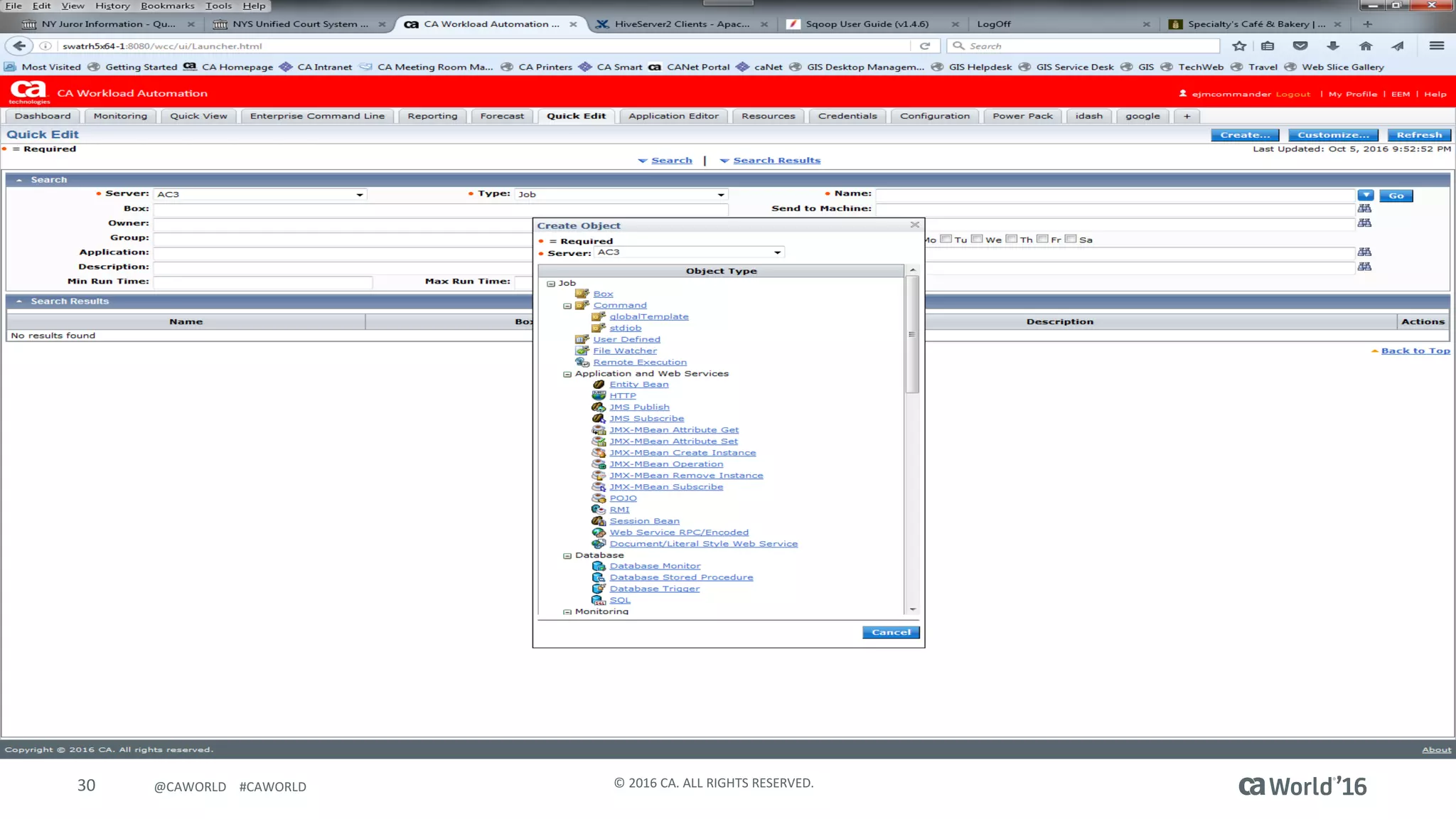
7. Log	in	to	Quick	Editor	as	ejmcommander	and	use	the	new	templates
25 ©	2016	CA.	ALL	RIGHTS	RESERVED.@CAWORLD				#CAWORLD
Workload	Control	Center
Prepare	JIL	Definitions
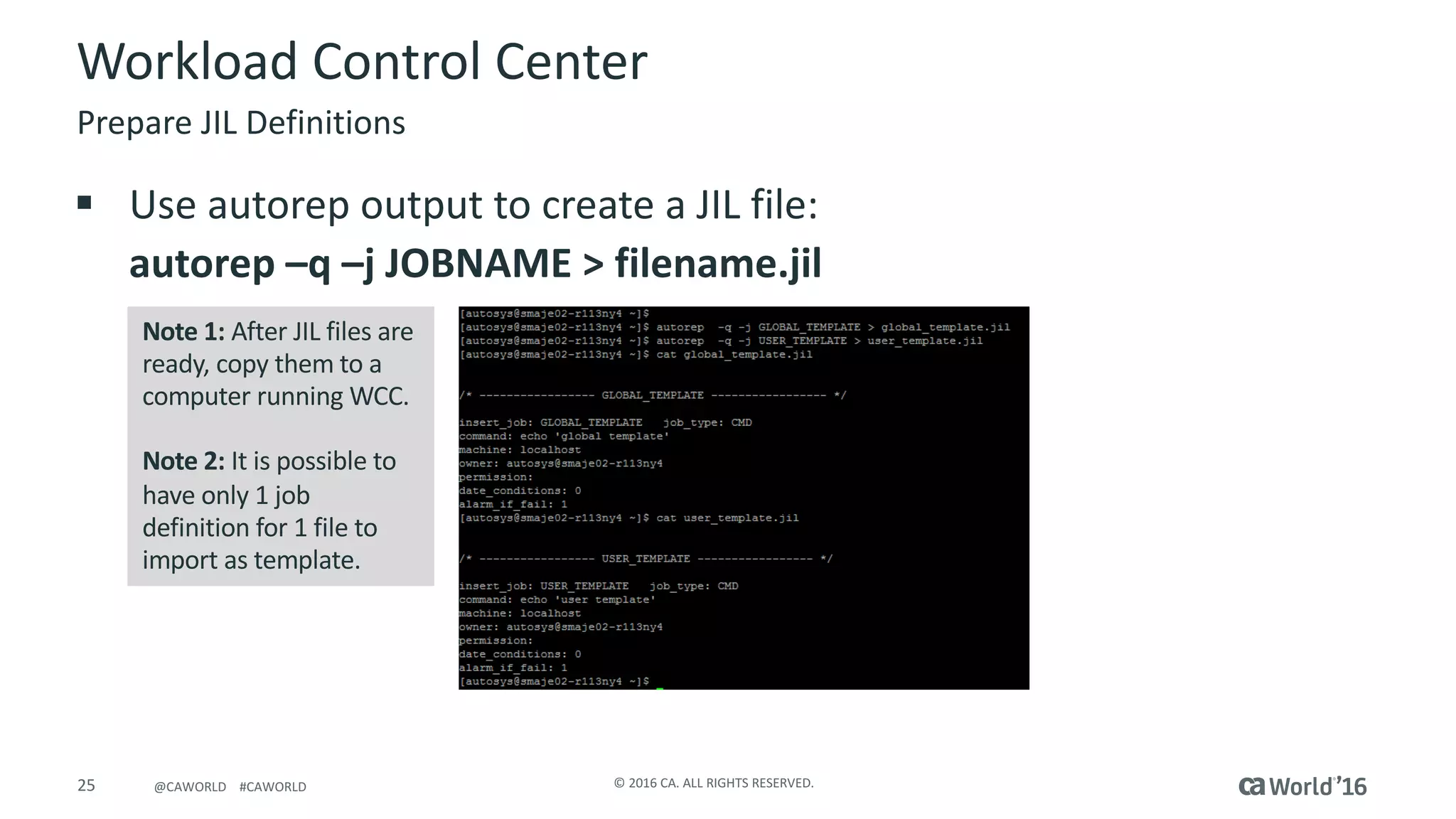
Note	1:	After	JIL	files	are	
ready,	copy	them	to	a	
computer	running	WCC.
Note	2:	It	is	possible	to	
have	only	1	job	
definition	for	1	file	to	
import	as	template.
§ Use	autorep output	to	create	a	JIL	file:
autorep	–q	–j	JOBNAME	>	filename.jil
26 ©	2016	CA.	ALL	RIGHTS	RESERVED.@CAWORLD				#CAWORLD
Workload	Control	Center
Prepare	JIL	Definitions Continued
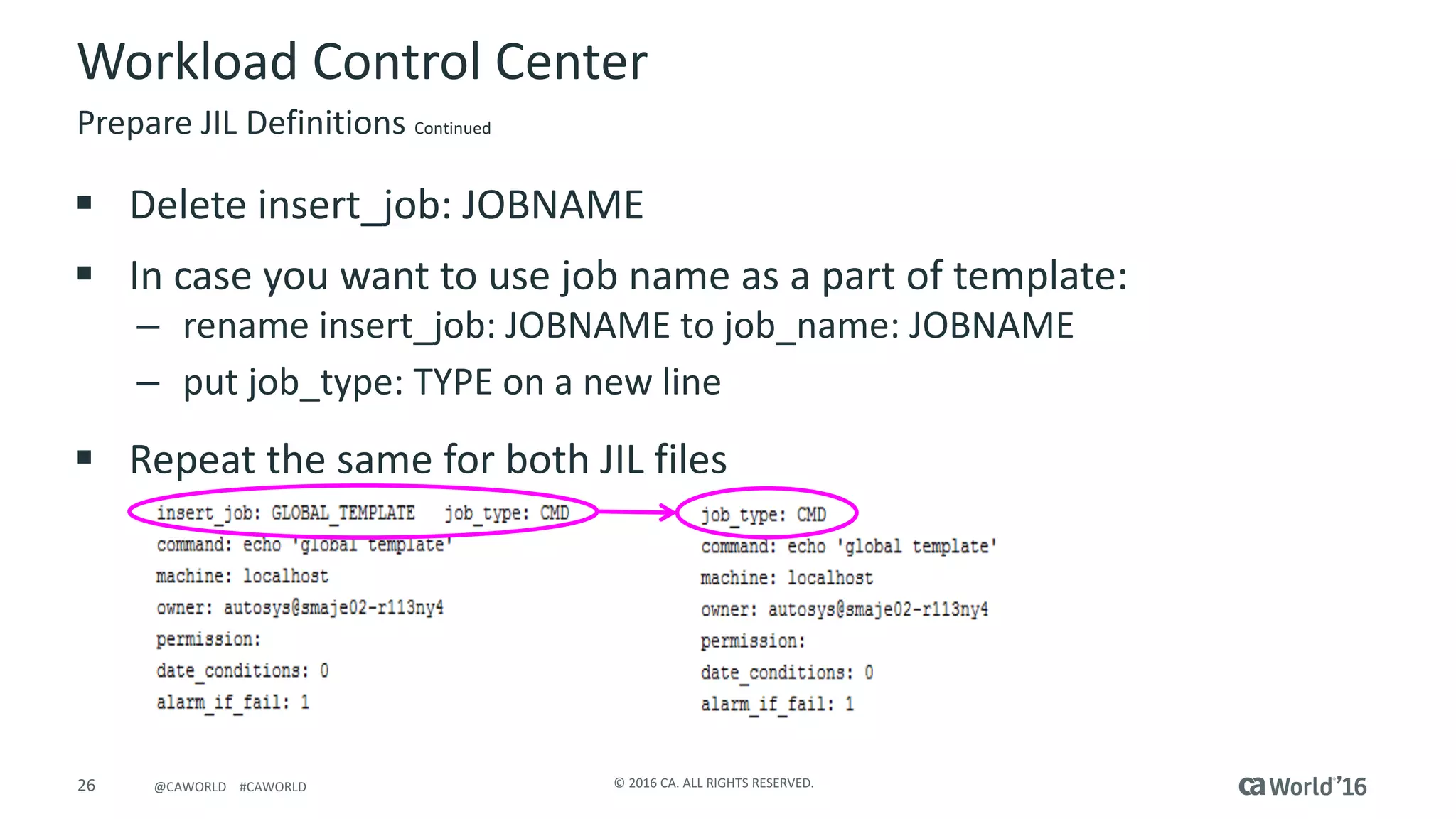
§ Delete	insert_job:	JOBNAME
§ In	case	you	want	to	use	job	name	as	a	part	of	template:
– rename	insert_job:	JOBNAME	to	job_name:	JOBNAME
– put	job_type:	TYPE	on	a	new	line
§ Repeat	the	same	for	both	JIL	files
27 ©	2016	CA.	ALL	RIGHTS	RESERVED.@CAWORLD				#CAWORLD
Workload	Control	Center
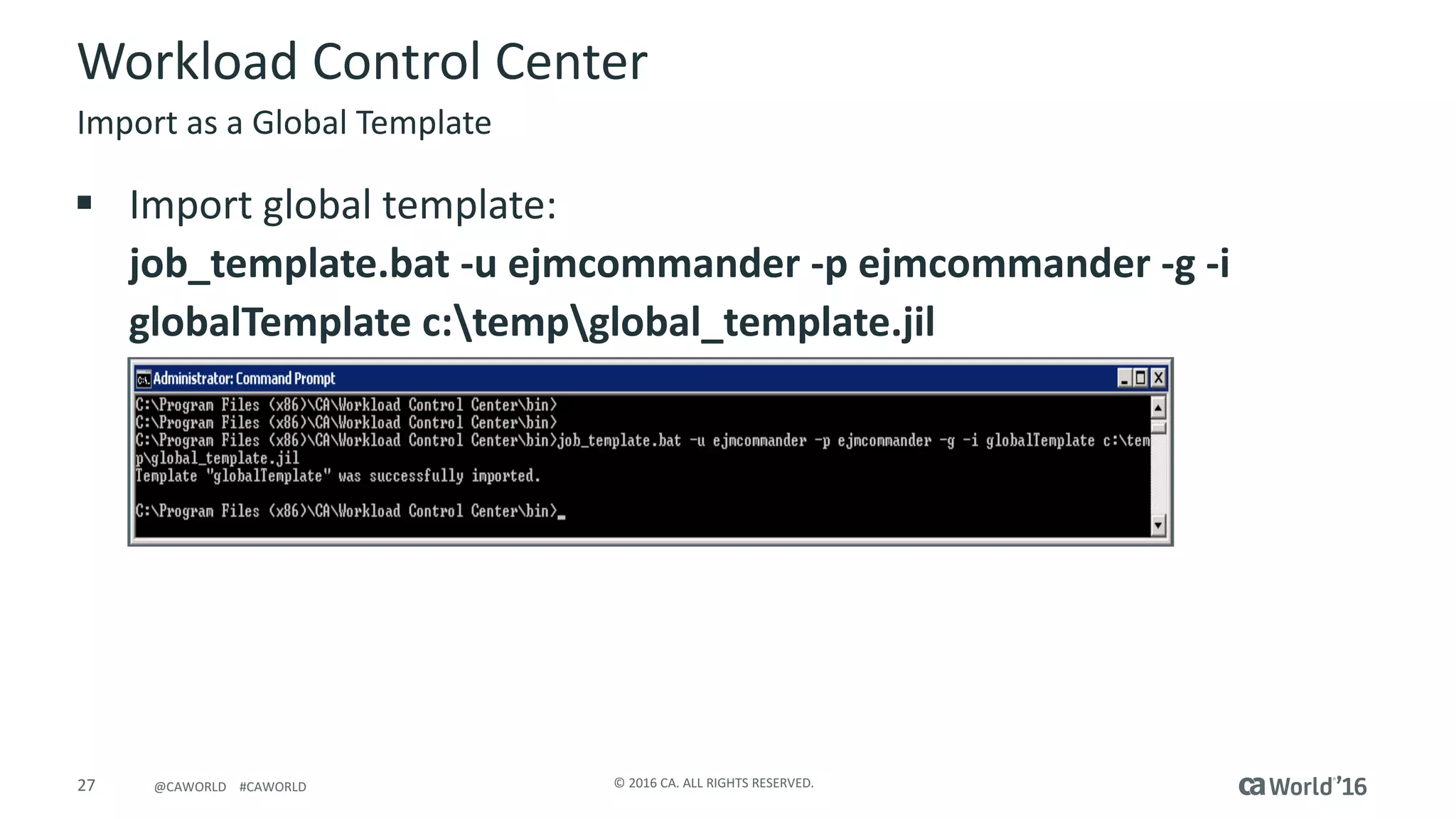
Import	as	a	Global	Template
§ Import	global	template:
job_template.bat	-u	ejmcommander	-p	ejmcommander	-g	-i	
globalTemplate	c:tempglobal_template.jil
28 ©	2016	CA.	ALL	RIGHTS	RESERVED.@CAWORLD				#CAWORLD
Workload	Control	Center
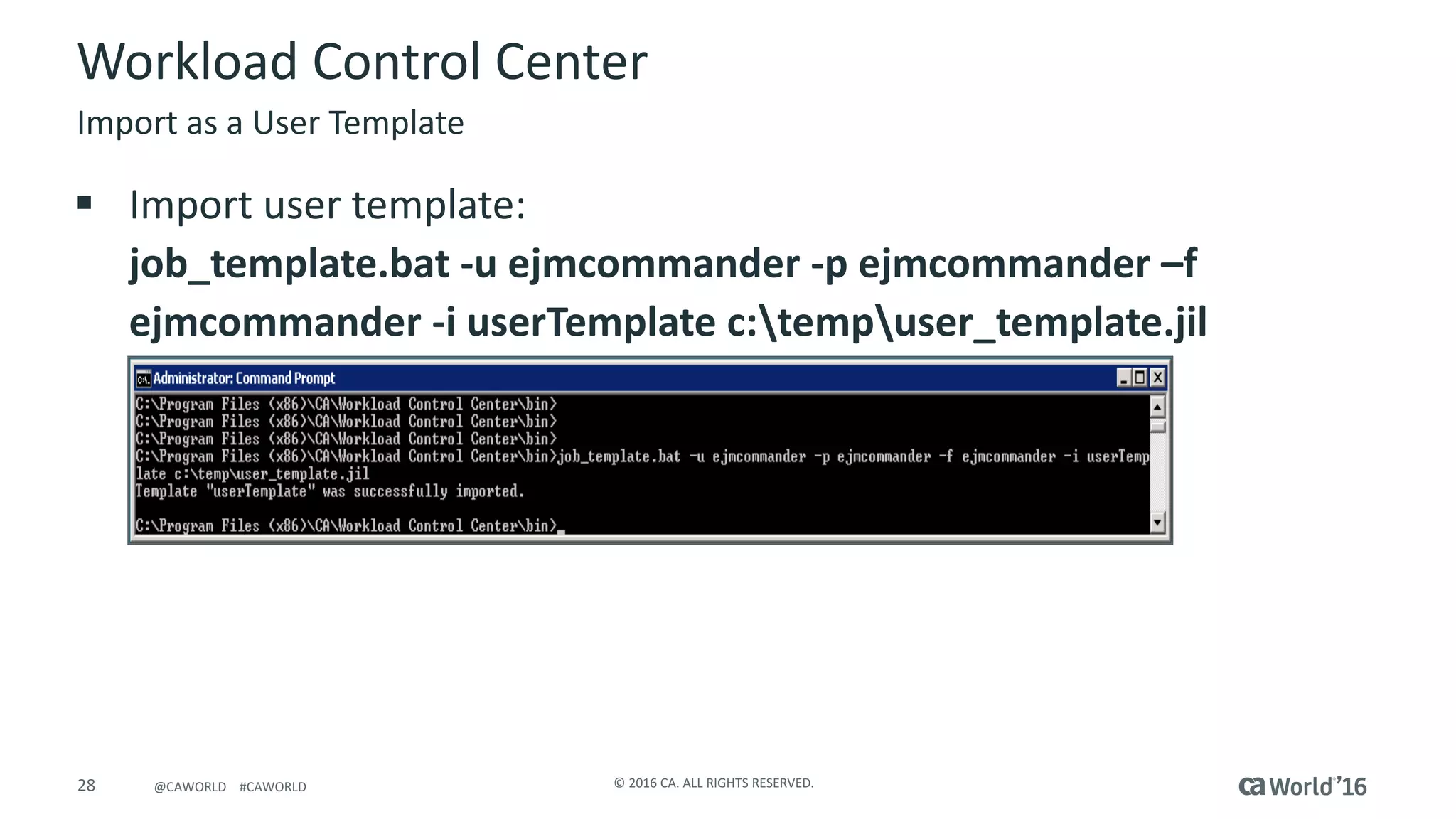
Import	as	a	User	Template
§ Import	user	template:
job_template.bat	-u	ejmcommander	-p	ejmcommander	–f	
ejmcommander	-i	userTemplate	c:tempuser_template.jil
29 ©	2016	CA.	ALL	RIGHTS	RESERVED.@CAWORLD				#CAWORLD
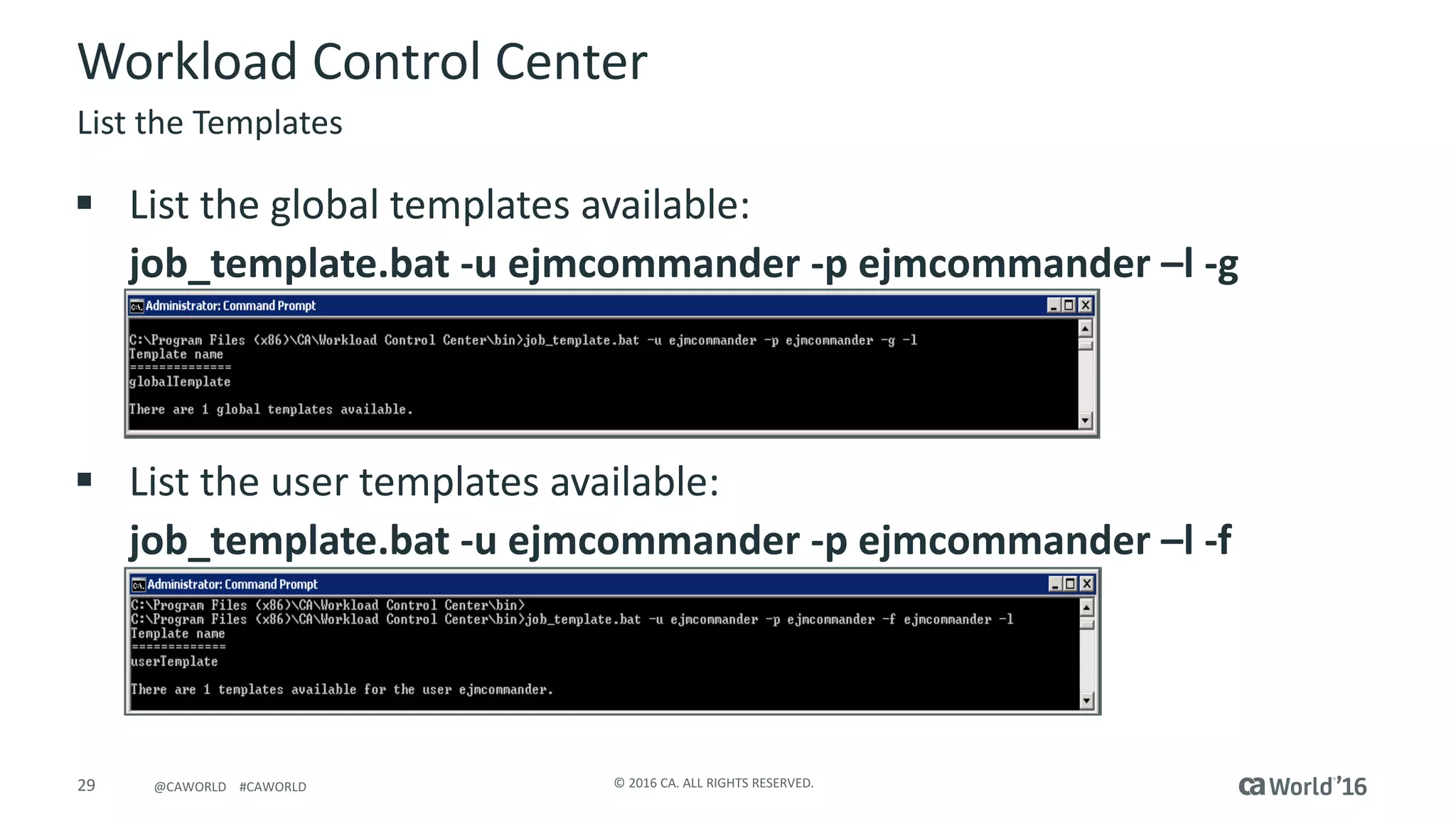
§ List	the	global	templates	available:
job_template.bat	-u	ejmcommander	-p	ejmcommander	–l	-g
§ List	the	user	templates	available:
job_template.bat	-u	ejmcommander	-p	ejmcommander	–l	-f
Workload	Control	Center
List	the	Templates
30 ©	2016	CA.	ALL	RIGHTS	RESERVED.@CAWORLD				#CAWORLD
31 ©	2016	CA.	ALL	RIGHTS	RESERVED.@CAWORLD				#CAWORLD
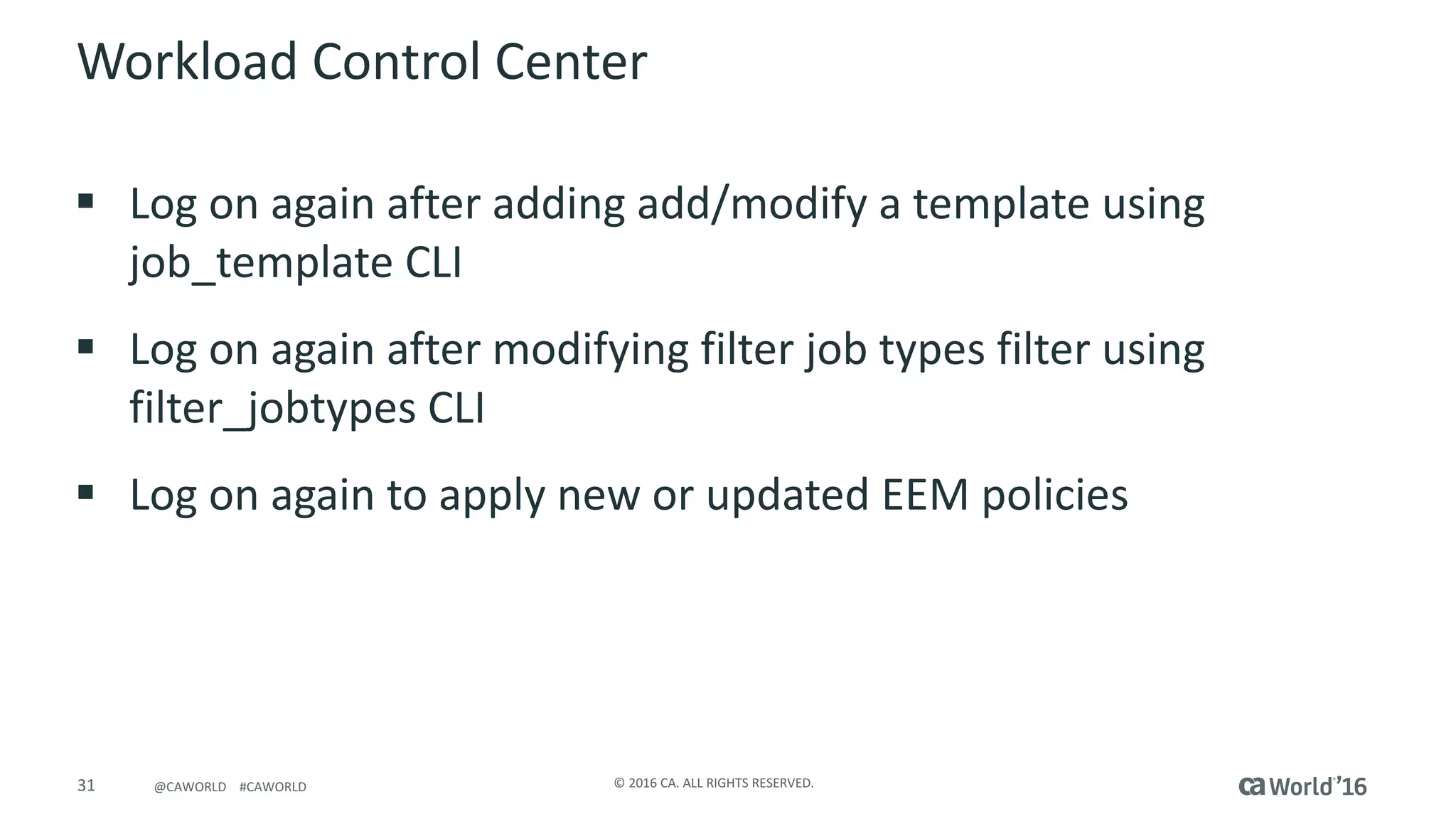
Workload	Control	Center
§ Log	on	again	after	adding	add/modify	a	template	using	
job_template CLI
§ Log	on	again	after	modifying	filter	job	types	filter	using	
filter_jobtypes CLI
§ Log	on	again	to	apply	new	or	updated	EEM	policies
32 ©	2016	CA.	ALL	RIGHTS	RESERVED.@CAWORLD				#CAWORLD
Questions?
33 ©	2016	CA.	ALL	RIGHTS	RESERVED.@CAWORLD				#CAWORLD
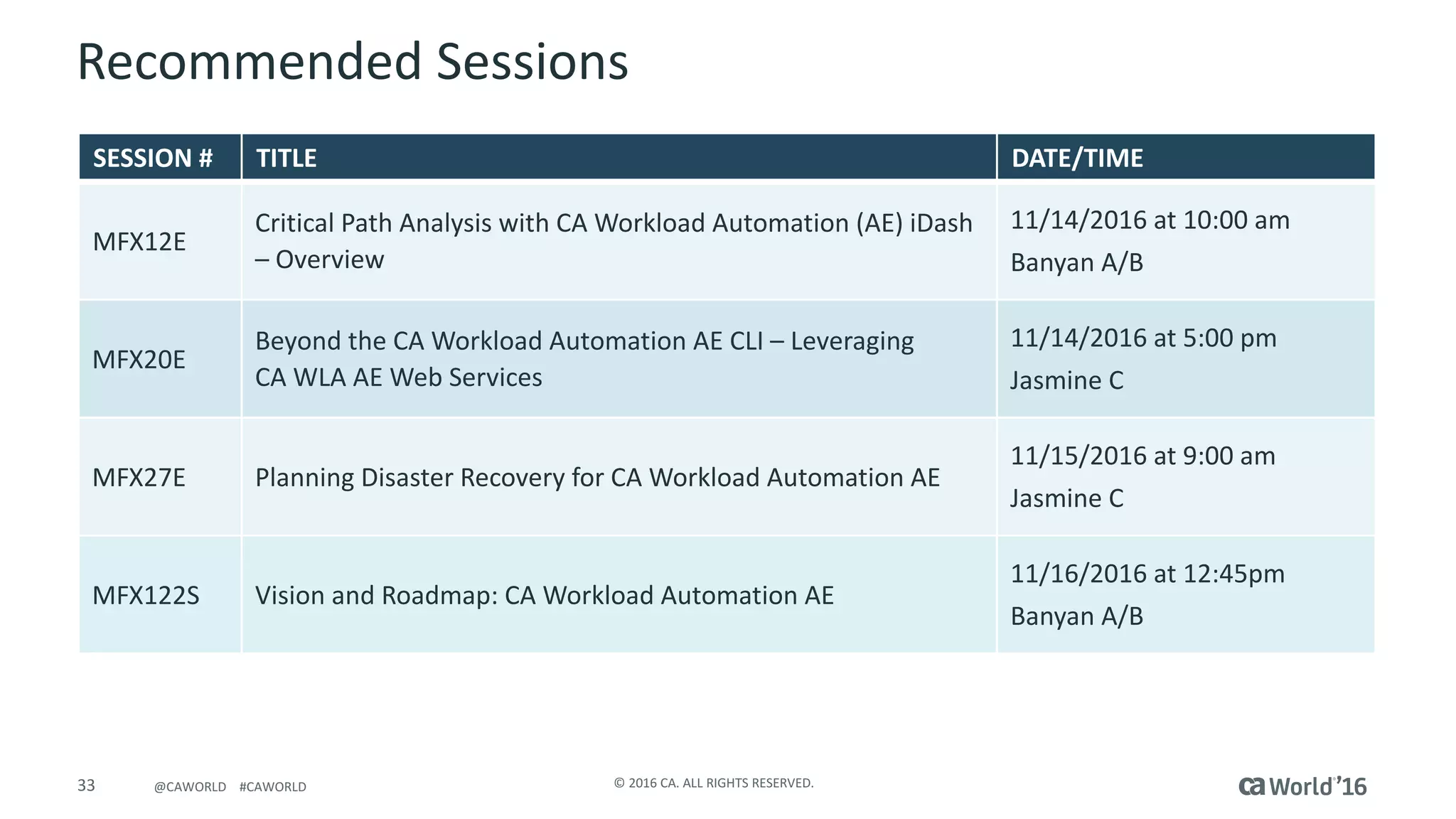
Recommended	Sessions
SESSION	# TITLE DATE/TIME
MFX12E
Critical	Path	Analysis	with	CA	Workload	Automation	(AE)	iDash	
– Overview
11/14/2016	at	10:00	am
Banyan	A/B
MFX20E
Beyond	the	CA	Workload	Automation	AE	CLI	– Leveraging	
CA	WLA	AE	Web	Services
11/14/2016	at	5:00	pm
Jasmine	C
MFX27E Planning	Disaster	Recovery	for	CA	Workload	Automation	AE
11/15/2016	at	9:00	am
Jasmine	C
MFX122S Vision	and	Roadmap:	CA	Workload	Automation	AE	
11/16/2016	at	12:45pm
Banyan	A/B
You Are Cordially Invited……..
CA Workload Automation & CA Process Automation
Where? South Seas E
When? Tuesday, November 15th
Time? 4:30pm – 6:00pm
Customer & Partner Reception
35 ©	2016	CA.	ALL	RIGHTS	RESERVED.@CAWORLD				#CAWORLD
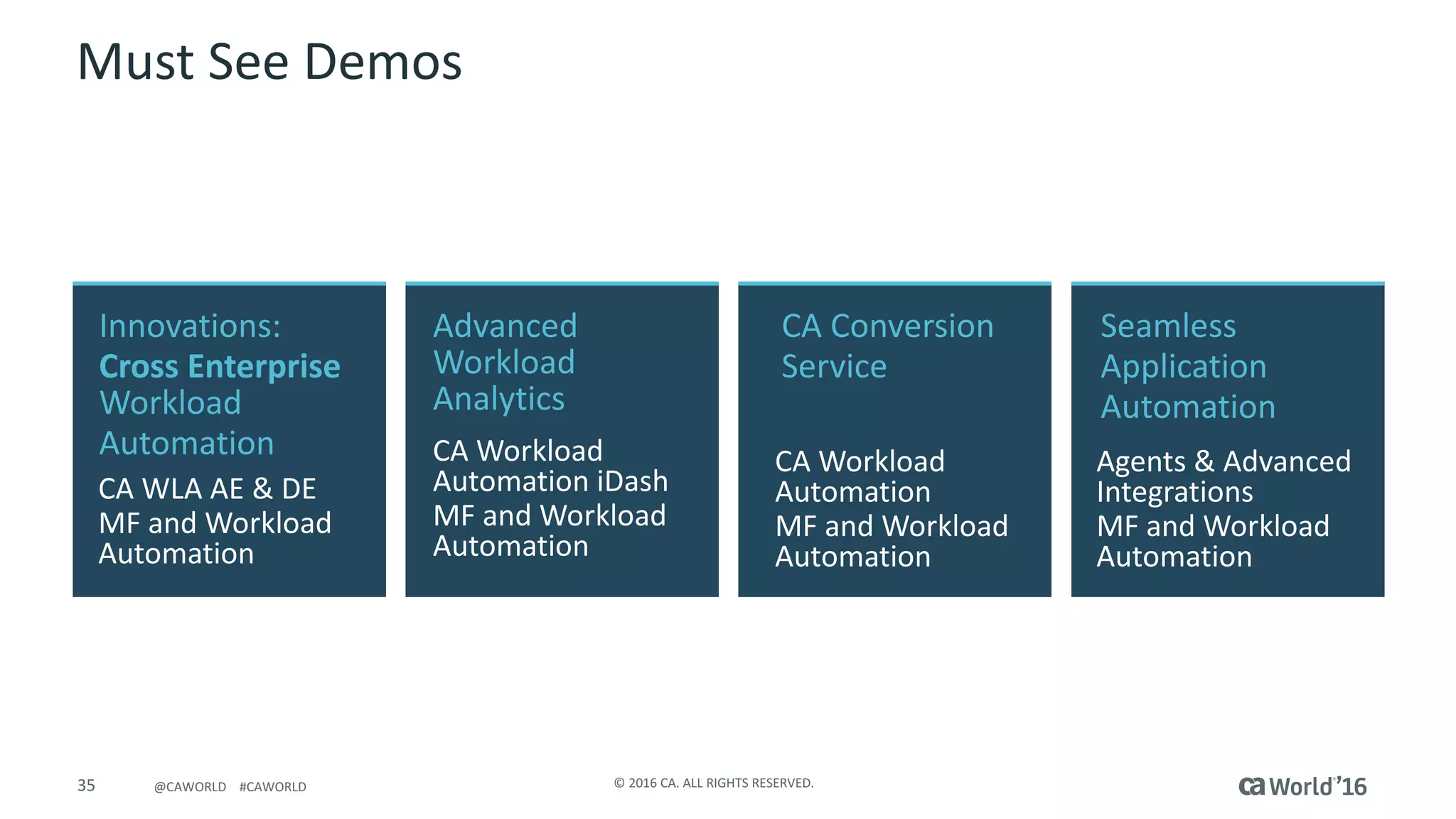
Must	See	Demos
CA	Conversion	
Service	
CA	Workload	
Automation
MF	and	Workload	
Automation
Seamless	
Application
Automation
Agents	&	Advanced	
Integrations
MF	and	Workload	
Automation
Advanced
Workload
Analytics	
CA	Workload	
Automation	iDash
MF	and	Workload	
Automation
Innovations:	
Cross	Enterprise	
Workload	
Automation
CA	WLA	AE	&	DE
MF	and	Workload	
Automation
@CAWORLD					#CAWORLD ©	2016	CA.	All	RIGHTS	RESERVED.36 @CAWORLD					#CAWORLD
Mainframe	and	Workload	Automation
For	more	information	on	Mainframe	and	Workload	Automation,		
please	visit:	http://cainc.to/9GQ2JI
37 ©	2016	CA.	ALL	RIGHTS	RESERVED.@CAWORLD				#CAWORLD
Thank	you
Stay	connected	at	communities.ca.com

Pre-Con Ed: CA Workload Automation AE: Tips and Tricks