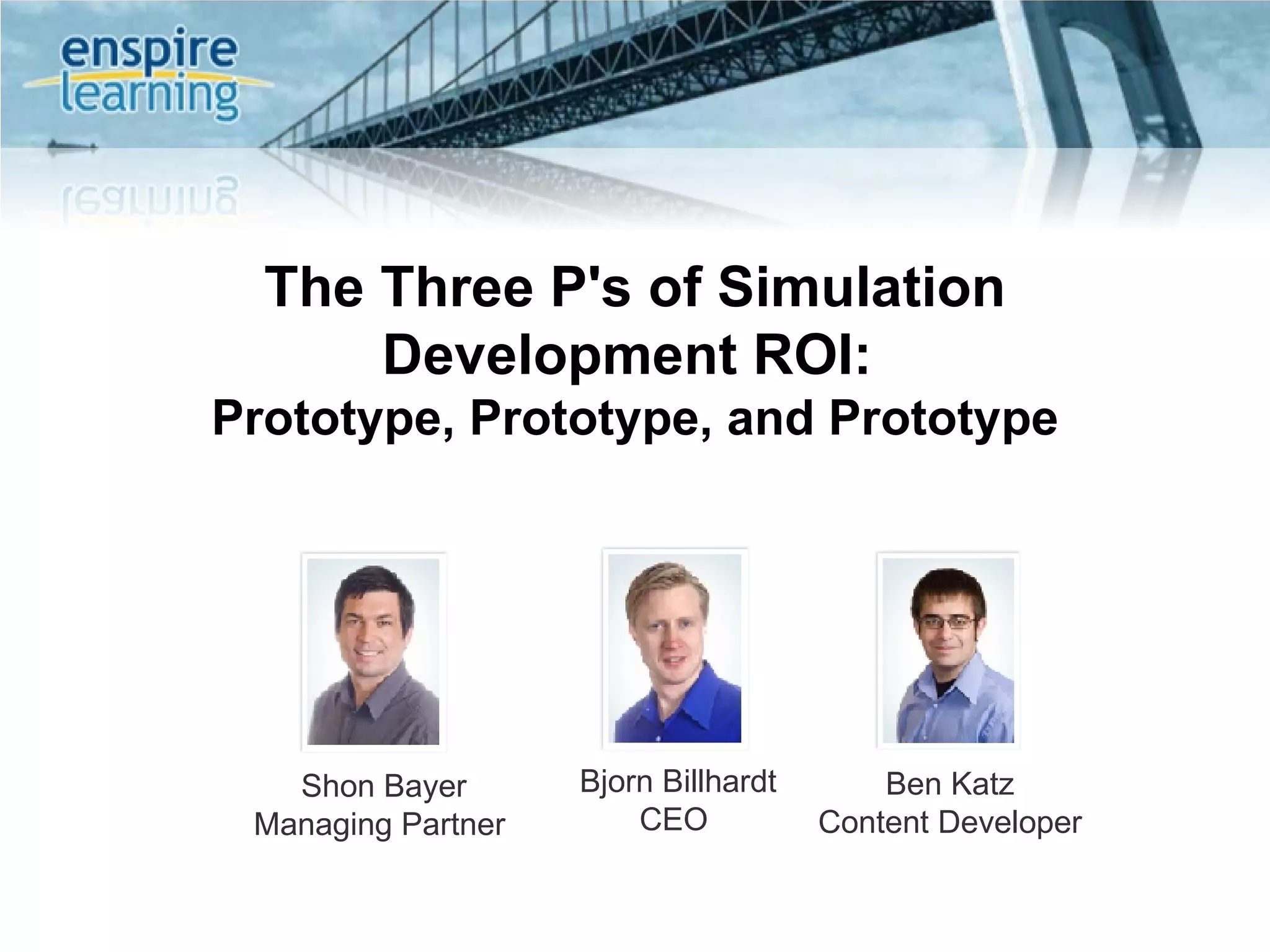
The Three P's of Simulation Development ROI:  Prototype, Prototype, and Prototype Shon Bayer Managing Partner  Bjorn Billhardt CEO  Ben Katz Content Developer
Session Agenda Today we’ll talk about: Horror stories from the trenches  How to develop a prototyping strategy Who to get involved in prototyping Hands-On examples of prototypes We won’t talk about: Prototyping software simulations ROI Analysis
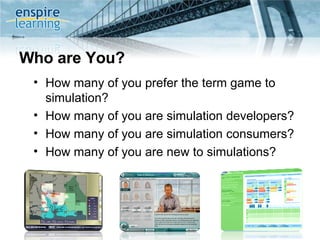
Who are You? How many of you prefer the term game to simulation?  How many of you are simulation developers? How many of you are simulation consumers? How many of you are new to simulations?
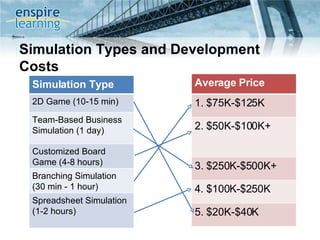
Simulation Types and Development Costs Reference: http://clarkaldrich.blogspot.com/2007/02/costs-for-simulation.html Simulation Type 2D Game (10-15 min) Team-Based Business Simulation (1 day) Customized Board Game (4-8 hours) Branching Simulation (30 min - 1 hour) Spreadsheet Simulation (1-2 hours) Average Price 1. $75K-$125K 2. $50K-$100K+ 3. $250K-$500K+ 4. $100K-$250K 5. $20K-$40K
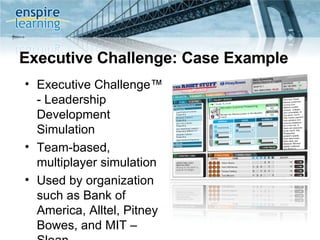
Executive Challenge: Case Example Executive Challenge™ - Leadership Development Simulation Team-based, multiplayer simulation Used by organization such as Bank of America, Alltel, Pitney Bowes, and MIT – Sloan
A Cautionary Tale
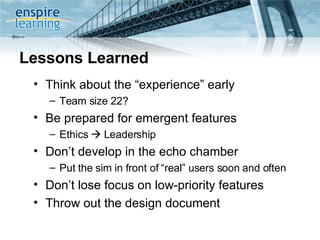
Lessons Learned Think about the “experience” early Team size 22?  Be prepared for emergent features Ethics    Leadership Don’t develop in the echo chamber Put the sim in front of “real” users soon and often Don’t lose focus on low-priority features Throw out the design document
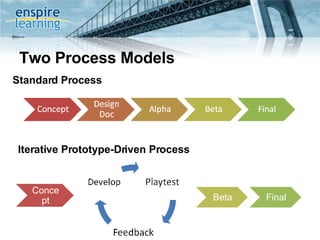
Two Process Models Standard Process Iterative Prototype-Driven Process Concept Beta Final
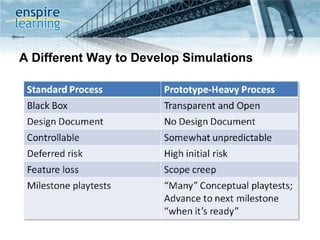
A Different Way to Develop Simulations
 
 
What Does Failure Look Like? Interface and mechanism confusion  Difficult to learn, long ramp-up time Boring, non-engaging experience Doesn’t align with learning objectives Doesn’t mesh into overarching program  Significant additional development effort to “fix” sim
Tools to Prototype With Choose an approach that aligns with the goals of the simulation, development team skill sets, and resource needs There is no “right” approach: Thought Experiments Paper Based Prototypes Excel Based Iterative Computer Based Hybrid Approach Rapid Development Tool
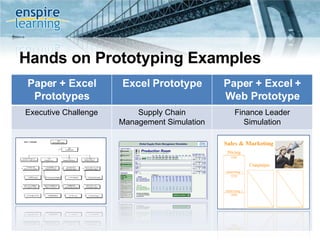
Hands on Prototyping Examples Paper + Excel Prototypes Excel Prototype Paper + Excel + Web Prototype Executive Challenge Supply Chain Management Simulation Finance Leader Simulation
Best Practices for Prototyping
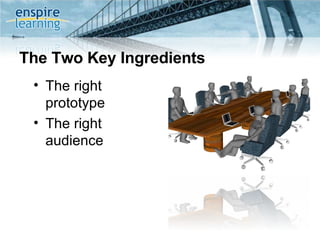
The Two Key Ingredients The right prototype The right audience
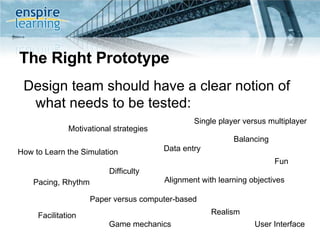
The Right Prototype Design team should have a clear notion of what needs to be tested: Game mechanics Data entry  Realism Balancing User Interface Motivational strategies Alignment with learning objectives Fun How to Learn the Simulation Pacing, Rhythm Facilitation Single player versus multiplayer Difficulty Paper versus computer-based
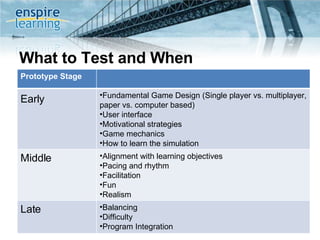
What to Test and When Game mechanics Data entry  Realism Balancing User Interface Motivational strategies Alignment with learning objectives Fun How to Learn the Simulation Pacing, Rhythm Facilitation Single player versus multiplayer Difficulty Paper versus computer-based Prototype Stage Early   Fundamental Game Design (Single player vs. multiplayer, paper vs. computer based) User interface  Motivational strategies Game mechanics How to learn the simulation Middle  Alignment with learning objectives Pacing and rhythm Facilitation Fun Realism Late Balancing Difficulty Program Integration
The Right Prototype (cont) Don’t be afraid to test a single game mechanic or learning objective in a playtest Build in complexity over time (but don’t be afraid to keep it out altogether)
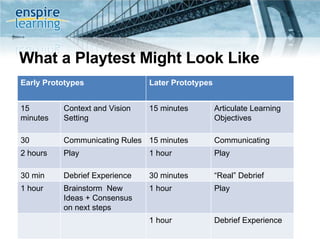
What a Playtest Might Look Like Early Prototypes Later Prototypes 15 minutes Context and Vision Setting 15 minutes Articulate Learning Objectives 30 minutes Communicating Rules 15 minutes Communicating Rules 2 hours Play 1 hour Play  30 min Debrief Experience 30 minutes  “ Real” Debrief  1 hour Brainstorm  New Ideas + Consensus on next steps 1 hour  Play 1 hour Debrief Experience
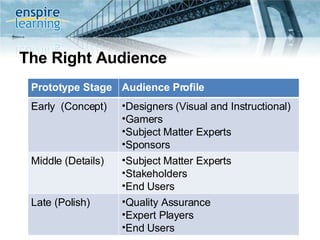
The Right Audience Prototype Stage Audience Profile Early  (Concept) Designers (Visual and Instructional) Gamers Subject Matter Experts Sponsors Middle (Details) Subject Matter Experts Stakeholders End Users Late (Polish) Quality Assurance Expert Players End Users
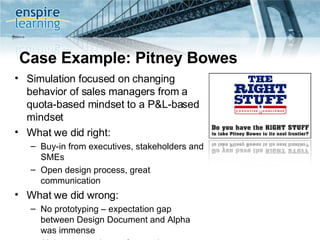
Case Example: Pitney Bowes Simulation focused on changing behavior of sales managers from a quota-based mindset to a P&L-based mindset What we did right: Buy-in from executives, stakeholders and SMEs Open design process, great communication What we did wrong: No prototyping – expectation gap between Design Document and Alpha was immense Alpha was made up of executive sponsors with collective P&L responsibility of $4B+  Beta was made up of end users
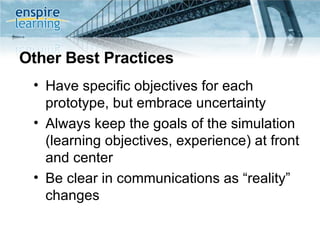
Other Best Practices Have specific objectives for each prototype, but embrace uncertainty Always keep the goals of the simulation (learning objectives, experience) at front and center Be clear in communications as “reality” changes
About Enspire Learning Enspire delivers  exceptional simulation experiences  that help our clients address strategic learning challenges Our Austin-based team of 60+ learning professionals provides best practices in design, development, and delivery of  e-learning, simulations, and blended learning Our  award-winning solutions  have delivered value to some of the most demanding and prestigious organizations around the world © Copyright 2006, Enspire Learning  Page  “ The Enspire team who worked with me from the initial point of contact through implementation was exceptionally professional, friendly, helpful and detail-oriented. The simulation itself was a big success.” -Dr. Corrine Bendersky, Professor of Management, UCLA Anderson School of Management
www.enspire.com  |  [email_address] Questions?

Ppp Of Simulation Development2

  • 1.
    The Three P'sof Simulation Development ROI: Prototype, Prototype, and Prototype Shon Bayer Managing Partner Bjorn Billhardt CEO Ben Katz Content Developer
  • 2.
    Session Agenda Todaywe’ll talk about: Horror stories from the trenches How to develop a prototyping strategy Who to get involved in prototyping Hands-On examples of prototypes We won’t talk about: Prototyping software simulations ROI Analysis
  • 3.
    Who are You?How many of you prefer the term game to simulation? How many of you are simulation developers? How many of you are simulation consumers? How many of you are new to simulations?
  • 4.
    Simulation Types andDevelopment Costs Reference: http://clarkaldrich.blogspot.com/2007/02/costs-for-simulation.html Simulation Type 2D Game (10-15 min) Team-Based Business Simulation (1 day) Customized Board Game (4-8 hours) Branching Simulation (30 min - 1 hour) Spreadsheet Simulation (1-2 hours) Average Price 1. $75K-$125K 2. $50K-$100K+ 3. $250K-$500K+ 4. $100K-$250K 5. $20K-$40K
  • 5.
    Executive Challenge: CaseExample Executive Challenge™ - Leadership Development Simulation Team-based, multiplayer simulation Used by organization such as Bank of America, Alltel, Pitney Bowes, and MIT – Sloan
  • 6.
  • 7.
    Lessons Learned Thinkabout the “experience” early Team size 22? Be prepared for emergent features Ethics  Leadership Don’t develop in the echo chamber Put the sim in front of “real” users soon and often Don’t lose focus on low-priority features Throw out the design document
  • 8.
    Two Process ModelsStandard Process Iterative Prototype-Driven Process Concept Beta Final
  • 9.
    A Different Wayto Develop Simulations
  • 10.
  • 11.
  • 12.
    What Does FailureLook Like? Interface and mechanism confusion Difficult to learn, long ramp-up time Boring, non-engaging experience Doesn’t align with learning objectives Doesn’t mesh into overarching program Significant additional development effort to “fix” sim
  • 13.
    Tools to PrototypeWith Choose an approach that aligns with the goals of the simulation, development team skill sets, and resource needs There is no “right” approach: Thought Experiments Paper Based Prototypes Excel Based Iterative Computer Based Hybrid Approach Rapid Development Tool
  • 14.
    Hands on PrototypingExamples Paper + Excel Prototypes Excel Prototype Paper + Excel + Web Prototype Executive Challenge Supply Chain Management Simulation Finance Leader Simulation
  • 15.
    Best Practices forPrototyping
  • 16.
    The Two KeyIngredients The right prototype The right audience
  • 17.
    The Right PrototypeDesign team should have a clear notion of what needs to be tested: Game mechanics Data entry Realism Balancing User Interface Motivational strategies Alignment with learning objectives Fun How to Learn the Simulation Pacing, Rhythm Facilitation Single player versus multiplayer Difficulty Paper versus computer-based
  • 18.
    What to Testand When Game mechanics Data entry Realism Balancing User Interface Motivational strategies Alignment with learning objectives Fun How to Learn the Simulation Pacing, Rhythm Facilitation Single player versus multiplayer Difficulty Paper versus computer-based Prototype Stage Early Fundamental Game Design (Single player vs. multiplayer, paper vs. computer based) User interface Motivational strategies Game mechanics How to learn the simulation Middle Alignment with learning objectives Pacing and rhythm Facilitation Fun Realism Late Balancing Difficulty Program Integration
  • 19.
    The Right Prototype(cont) Don’t be afraid to test a single game mechanic or learning objective in a playtest Build in complexity over time (but don’t be afraid to keep it out altogether)
  • 20.
    What a PlaytestMight Look Like Early Prototypes Later Prototypes 15 minutes Context and Vision Setting 15 minutes Articulate Learning Objectives 30 minutes Communicating Rules 15 minutes Communicating Rules 2 hours Play 1 hour Play 30 min Debrief Experience 30 minutes “ Real” Debrief 1 hour Brainstorm New Ideas + Consensus on next steps 1 hour Play 1 hour Debrief Experience
  • 21.
    The Right AudiencePrototype Stage Audience Profile Early (Concept) Designers (Visual and Instructional) Gamers Subject Matter Experts Sponsors Middle (Details) Subject Matter Experts Stakeholders End Users Late (Polish) Quality Assurance Expert Players End Users
  • 22.
    Case Example: PitneyBowes Simulation focused on changing behavior of sales managers from a quota-based mindset to a P&L-based mindset What we did right: Buy-in from executives, stakeholders and SMEs Open design process, great communication What we did wrong: No prototyping – expectation gap between Design Document and Alpha was immense Alpha was made up of executive sponsors with collective P&L responsibility of $4B+ Beta was made up of end users
  • 23.
    Other Best PracticesHave specific objectives for each prototype, but embrace uncertainty Always keep the goals of the simulation (learning objectives, experience) at front and center Be clear in communications as “reality” changes
  • 24.
    About Enspire LearningEnspire delivers exceptional simulation experiences that help our clients address strategic learning challenges Our Austin-based team of 60+ learning professionals provides best practices in design, development, and delivery of e-learning, simulations, and blended learning Our award-winning solutions have delivered value to some of the most demanding and prestigious organizations around the world © Copyright 2006, Enspire Learning Page “ The Enspire team who worked with me from the initial point of contact through implementation was exceptionally professional, friendly, helpful and detail-oriented. The simulation itself was a big success.” -Dr. Corrine Bendersky, Professor of Management, UCLA Anderson School of Management
  • 25.
    www.enspire.com | [email_address] Questions?