CONNECT TO POSTGRESQL
With python script
 psycopg is a PostgreSQL database adapter for
the Python_ programming language. This is
version 2, a complete rewrite of the original
code to provide new-style classes for
connection and cursor objects and other sweet
candies.
 Homepage:
http://initd.org/projects/psycopg2
PyGreSQL – PostgreSQL module for Python
PyGreSQL is an open-source Python module
that interfaces to a PostgreSQL database. It
embeds the PostgreSQL query library to allow
easy use of the powerful PostgreSQL features
from a Python script.
Python version 2.5 or 2.6 or 2.7
PostGreSQL 9.1 or higher
Linux
Look for a package such as python-psycopg2
sudo apt-get install python-psycopg2 - to install
the package with all its dependencies.
Windows
 http://www.stickpeople.com/projects/python/win-psycopg/
 http://initd.org/psycopg/
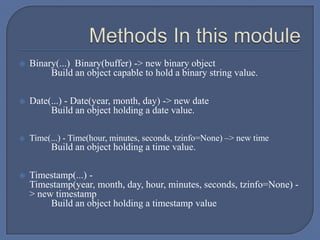
 Binary(...) Binary(buffer) -> new binary object
Build an object capable to hold a binary string value.
 Date(...) - Date(year, month, day) -> new date
Build an object holding a date value.
 Time(...) - Time(hour, minutes, seconds, tzinfo=None) –> new time
Build an object holding a time value.
 Timestamp(...) -
Timestamp(year, month, day, hour, minutes, seconds, tzinfo=None) -
> new timestamp
Build an object holding a timestamp value
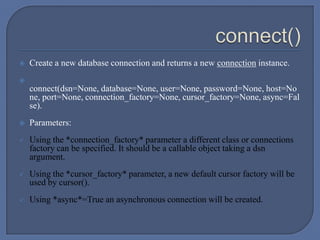
 Create a new database connection and returns a new connection instance.

connect(dsn=None, database=None, user=None, password=None, host=No
ne, port=None, connection_factory=None, cursor_factory=None, async=Fal
se).
 Parameters:
 Using the *connection_factory* parameter a different class or connections
factory can be specified. It should be a callable object taking a dsn
argument.
 Using the *cursor_factory* parameter, a new default cursor factory will be
used by cursor().
 Using *async*=True an asynchronous connection will be created.
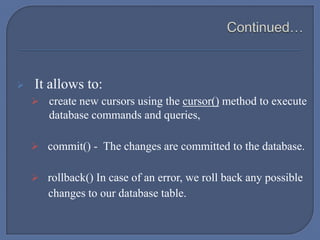
 It allows to:
 create new cursors using the cursor() method to execute
database commands and queries,
 commit() - The changes are committed to the database.
 rollback() In case of an error, we roll back any possible
changes to our database table.
 The class cursor allows interaction with the database:
 send commands to the database using methods such as execute() and
executemany(),
 retrieve data from the database by iteration or using methods such as
fetchone(), fetchmany(), fetchall().
 cur.description – to get metadata
 copy-to – to copy db tables to a file
 copy-from – to copy files to a db
 scrollable()
 mogrify()
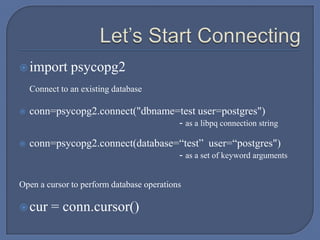
import psycopg2
Connect to an existing database
 conn=psycopg2.connect("dbname=test user=postgres")
- as a libpq connection string
 conn=psycopg2.connect(database=“test” user=“postgres")
- as a set of keyword arguments
Open a cursor to perform database operations
cur = conn.cursor()
 Psycopg cursor usually fetches all the record from database
during a query, usually which is a large dataset to be handled
in the client side, hence to do controlled transfer of data to the
client,we use server side cursors.
 Psycopg wraps the database server side cursor in named
cursors. A named cursor is created using the cursor() method
specifying the name parameter.
 To move in the dataset we use scroll() method and scrollable()
method to move backward as well
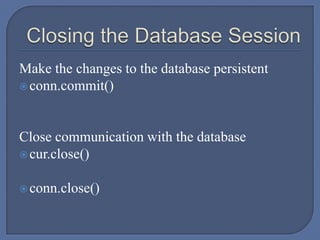
Make the changes to the database persistent
conn.commit()
Close communication with the database
cur.close()
conn.close()
connect_test.py
check_version.py
Form.py
CRUD
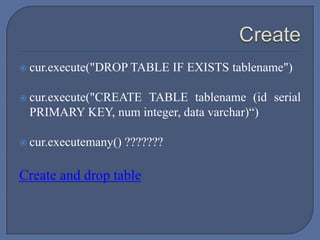
 cur.execute("DROP TABLE IF EXISTS tablename")
 cur.execute("CREATE TABLE tablename (id serial
PRIMARY KEY, num integer, data varchar)“)
 cur.executemany() ???????
Create and drop table
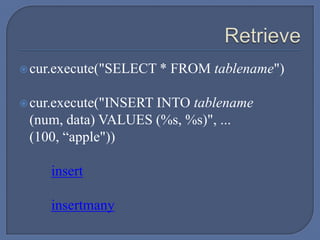
cur.execute("SELECT * FROM tablename")
cur.execute("INSERT INTO tablename
(num, data) VALUES (%s, %s)", ...
(100, “apple"))
insert
insertmany
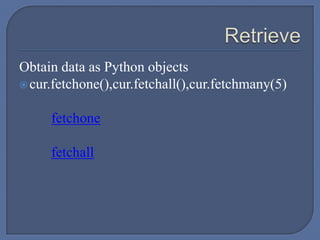
Obtain data as Python objects
cur.fetchone(),cur.fetchall(),cur.fetchmany(5)
fetchone
fetchall
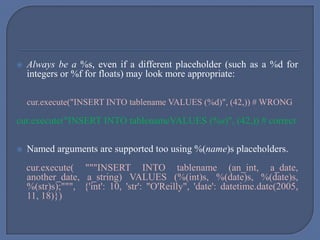
 Always be a %s, even if a different placeholder (such as a %d for
integers or %f for floats) may look more appropriate:
cur.execute("INSERT INTO tablename VALUES (%d)", (42,)) # WRONG
cur.execute("INSERT INTO tablenameVALUES (%s)", (42,)) # correct
 Named arguments are supported too using %(name)s placeholders.
cur.execute( """INSERT INTO tablename (an_int, a_date,
another_date, a_string) VALUES (%(int)s, %(date)s, %(date)s,
%(str)s);""", {'int': 10, 'str': "O'Reilly", 'date': datetime.date(2005,
11, 18)})
 The Python string operator % is not used: the execute() method accepts a
tuple or dictionary of values as second parameter.
 For positional variables binding, the second argument must always be a
sequence, even if it contains a single variable:
 cur.execute("INSERT INTO foo VALUES (%s)", "bar") # WRONG
 cur.execute("INSERT INTO foo VALUES (%s)", ("bar")) # WRONG
 cur.execute("INSERT INTO foo VALUES (%s)", ("bar",)) # correct
 cur.execute("INSERT INTO foo VALUES (%s)", ["bar"]) # correct
Python PostgreSQL
None NULL
Bool Bool
Float Real,double
Int,long Smallint,integer,bigint
Decimal Numeric
Str Varchar
Date Date
Datetime Timestamp
List array
Many standard Python types are adapted into SQL and returned as Python objects
when a query is executed.
Psycopg casts Python variables to SQL literals by type.
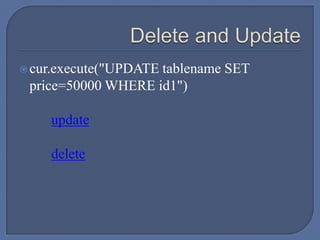
cur.execute("UPDATE tablename SET
price=50000 WHERE id1")
update
delete
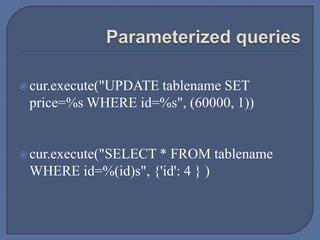
cur.execute("UPDATE tablename SET
price=%s WHERE id=%s", (60000, 1))
cur.execute("SELECT * FROM tablename
WHERE id=%(id)s", {'id': 4 } )
Python Filescopy_from_db.py
Python Filescopy_to_db.py
Matadata.py
Information on db
autocommit
Writing image to db
Reading image from db
Python Filesdictionary_cursor.py
Psycopg2 - Connect to PostgreSQL using Python Script

Psycopg2 - Connect to PostgreSQL using Python Script

  • 1.
  • 2.
     psycopg isa PostgreSQL database adapter for the Python_ programming language. This is version 2, a complete rewrite of the original code to provide new-style classes for connection and cursor objects and other sweet candies.  Homepage: http://initd.org/projects/psycopg2
  • 3.
    PyGreSQL – PostgreSQLmodule for Python PyGreSQL is an open-source Python module that interfaces to a PostgreSQL database. It embeds the PostgreSQL query library to allow easy use of the powerful PostgreSQL features from a Python script.
  • 4.
    Python version 2.5or 2.6 or 2.7 PostGreSQL 9.1 or higher
  • 5.
    Linux Look for apackage such as python-psycopg2 sudo apt-get install python-psycopg2 - to install the package with all its dependencies. Windows  http://www.stickpeople.com/projects/python/win-psycopg/  http://initd.org/psycopg/
  • 6.
     Binary(...) Binary(buffer)-> new binary object Build an object capable to hold a binary string value.  Date(...) - Date(year, month, day) -> new date Build an object holding a date value.  Time(...) - Time(hour, minutes, seconds, tzinfo=None) –> new time Build an object holding a time value.  Timestamp(...) - Timestamp(year, month, day, hour, minutes, seconds, tzinfo=None) - > new timestamp Build an object holding a timestamp value
  • 7.
     Create anew database connection and returns a new connection instance.  connect(dsn=None, database=None, user=None, password=None, host=No ne, port=None, connection_factory=None, cursor_factory=None, async=Fal se).  Parameters:  Using the *connection_factory* parameter a different class or connections factory can be specified. It should be a callable object taking a dsn argument.  Using the *cursor_factory* parameter, a new default cursor factory will be used by cursor().  Using *async*=True an asynchronous connection will be created.
  • 8.
     It allowsto:  create new cursors using the cursor() method to execute database commands and queries,  commit() - The changes are committed to the database.  rollback() In case of an error, we roll back any possible changes to our database table.
  • 9.
     The classcursor allows interaction with the database:  send commands to the database using methods such as execute() and executemany(),  retrieve data from the database by iteration or using methods such as fetchone(), fetchmany(), fetchall().  cur.description – to get metadata  copy-to – to copy db tables to a file  copy-from – to copy files to a db  scrollable()  mogrify()
  • 10.
    import psycopg2 Connect toan existing database  conn=psycopg2.connect("dbname=test user=postgres") - as a libpq connection string  conn=psycopg2.connect(database=“test” user=“postgres") - as a set of keyword arguments Open a cursor to perform database operations cur = conn.cursor()
  • 11.
     Psycopg cursorusually fetches all the record from database during a query, usually which is a large dataset to be handled in the client side, hence to do controlled transfer of data to the client,we use server side cursors.  Psycopg wraps the database server side cursor in named cursors. A named cursor is created using the cursor() method specifying the name parameter.  To move in the dataset we use scroll() method and scrollable() method to move backward as well
  • 12.
    Make the changesto the database persistent conn.commit() Close communication with the database cur.close() conn.close()
  • 13.
  • 14.
  • 15.
     cur.execute("DROP TABLEIF EXISTS tablename")  cur.execute("CREATE TABLE tablename (id serial PRIMARY KEY, num integer, data varchar)“)  cur.executemany() ??????? Create and drop table
  • 16.
    cur.execute("SELECT * FROMtablename") cur.execute("INSERT INTO tablename (num, data) VALUES (%s, %s)", ... (100, “apple")) insert insertmany
  • 17.
    Obtain data asPython objects cur.fetchone(),cur.fetchall(),cur.fetchmany(5) fetchone fetchall
  • 18.
     Always bea %s, even if a different placeholder (such as a %d for integers or %f for floats) may look more appropriate: cur.execute("INSERT INTO tablename VALUES (%d)", (42,)) # WRONG cur.execute("INSERT INTO tablenameVALUES (%s)", (42,)) # correct  Named arguments are supported too using %(name)s placeholders. cur.execute( """INSERT INTO tablename (an_int, a_date, another_date, a_string) VALUES (%(int)s, %(date)s, %(date)s, %(str)s);""", {'int': 10, 'str': "O'Reilly", 'date': datetime.date(2005, 11, 18)})
  • 19.
     The Pythonstring operator % is not used: the execute() method accepts a tuple or dictionary of values as second parameter.  For positional variables binding, the second argument must always be a sequence, even if it contains a single variable:  cur.execute("INSERT INTO foo VALUES (%s)", "bar") # WRONG  cur.execute("INSERT INTO foo VALUES (%s)", ("bar")) # WRONG  cur.execute("INSERT INTO foo VALUES (%s)", ("bar",)) # correct  cur.execute("INSERT INTO foo VALUES (%s)", ["bar"]) # correct
  • 20.
    Python PostgreSQL None NULL BoolBool Float Real,double Int,long Smallint,integer,bigint Decimal Numeric Str Varchar Date Date Datetime Timestamp List array Many standard Python types are adapted into SQL and returned as Python objects when a query is executed. Psycopg casts Python variables to SQL literals by type.
  • 21.
  • 22.
    cur.execute("UPDATE tablename SET price=%sWHERE id=%s", (60000, 1)) cur.execute("SELECT * FROM tablename WHERE id=%(id)s", {'id': 4 } )
  • 23.
  • 24.
  • 25.
  • 26.
    Writing image todb Reading image from db
  • 27.