An Introduction
Building a Good Presentation
Before starting, consider:
Who is my audience?
What do I want to communicate?
What is my BIG take-away message?

How do I want to organize my presentation?
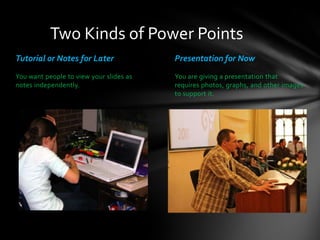
Two Kinds of Power Points
Tutorial or Notes for Later

Presentation for Now

You want people to view your slides as
notes independently.

You are giving a presentation that
requires photos, graphs, and other images
to support it.
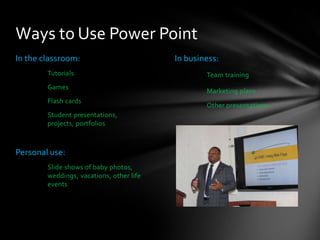
Ways to Use Power Point
In the classroom:
Tutorials

Games
Flash cards
Student presentations,
projects, portfolios

Personal use:
Slide shows of baby photos,
weddings, vacations, other life
events

In business:
Team training

Marketing plans
Other presentations
Writing
You don’t have to use just sentence fragments.

You don’t have to use bullets.

But please, don’t write an essay.
Negative Space

Can help you

communicate.
Better Than
Words
Want to see a GREAT Power Point?

https://www.udemy.com/blog/best-powerpoint-presentations/
Common Mistakes
If you’ve ever sat through a Power Point presentation, you
might find that some people type all the words they’re going
to say on the slide, and then they read them word for word.
This is really not the point of Power Point, nor is it the point of
any type of presentation!

Plus, it’s really annoying to read all the words on the screen.
Don’t you think so?
Let me know if you disagree.

It might help me make a better presentation in the future.
Common Mistakes

• Using images to decorate your slide
• Makes it look cluttered and unprofessional
Common Mistakes
Silly transitions and animation—They look
kind of…silly

Remember your audience! Keep it
professional, not distracting
And After
Our business
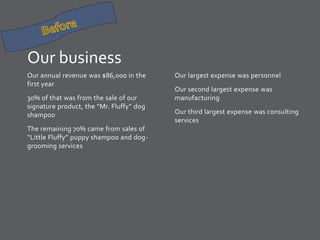
Our annual revenue was $86,000 in the
first year
30% of that was from the sale of our
signature product, the “Mr. Fluffy” dog
shampoo
The remaining 70% came from sales of
“Little Fluffy” puppy shampoo and doggrooming services

Our largest expense was personnel

Our second largest expense was
manufacturing
Our third largest expense was consulting
services
Mr. Fluffy Dog Grooming
Expenses
Revenue
Personnel

Mr. Fluffy
Little Fluffy
Services
Manufacturing

Consulting
Copyright Considerations
What images do you have the right to use?
• Images you take yourself
• Clip art from Power Point
• Creative Commons Images, with attribution

• Check out:
http://commons.wikimedia.org/wiki/Main_Page
• Images from morgueFile
• Check out: http://morguefile.com/
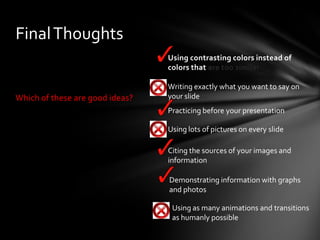
Final Thoughts
 Using contrasting colors instead of
colors that are too similar

Which of these are good ideas?

 Writing exactly what you want to say on
your slide
 Practicing before your presentation
 Using lots of pictures on every slide
 Citing the sources of your images and
information
 Demonstrating information with graphs
and photos
 Using as many animations and transitions
as humanly possible
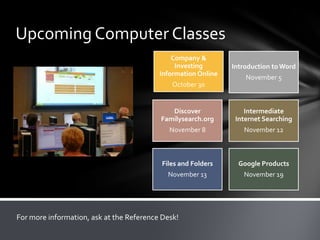
Upcoming Computer Classes
Company &
Investing
Information Online

Introduction to Word
November 5

October 30

Discover
Familysearch.org

Intermediate
Internet Searching

November 8

November 12

Files and Folders

Google Products

November 13

November 19

For more information, ask at the Reference Desk!
Sources
Library photos, courtesy of Glenview Public Library
Presentation photo, courtesy of Maxim Bouev
Before and After Disaster Photo, courtesy of FEMA
Ways to Use Power Point photo, courtesy of United States Marine Corps

PowerPoint 2010

  • 1.
  • 3.
    Building a GoodPresentation Before starting, consider: Who is my audience? What do I want to communicate? What is my BIG take-away message? How do I want to organize my presentation?
  • 4.
    Two Kinds ofPower Points Tutorial or Notes for Later Presentation for Now You want people to view your slides as notes independently. You are giving a presentation that requires photos, graphs, and other images to support it.
  • 5.
    Ways to UsePower Point In the classroom: Tutorials Games Flash cards Student presentations, projects, portfolios Personal use: Slide shows of baby photos, weddings, vacations, other life events In business: Team training Marketing plans Other presentations
  • 6.
    Writing You don’t haveto use just sentence fragments. You don’t have to use bullets. But please, don’t write an essay.
  • 7.
    Negative Space Can helpyou communicate.
  • 11.
  • 12.
  • 14.
    Want to seea GREAT Power Point? https://www.udemy.com/blog/best-powerpoint-presentations/
  • 15.
    Common Mistakes If you’veever sat through a Power Point presentation, you might find that some people type all the words they’re going to say on the slide, and then they read them word for word. This is really not the point of Power Point, nor is it the point of any type of presentation! Plus, it’s really annoying to read all the words on the screen. Don’t you think so? Let me know if you disagree. It might help me make a better presentation in the future.
  • 16.
    Common Mistakes • Usingimages to decorate your slide • Makes it look cluttered and unprofessional
  • 17.
    Common Mistakes Silly transitionsand animation—They look kind of…silly Remember your audience! Keep it professional, not distracting
  • 18.
  • 19.
    Our business Our annualrevenue was $86,000 in the first year 30% of that was from the sale of our signature product, the “Mr. Fluffy” dog shampoo The remaining 70% came from sales of “Little Fluffy” puppy shampoo and doggrooming services Our largest expense was personnel Our second largest expense was manufacturing Our third largest expense was consulting services
  • 20.
    Mr. Fluffy DogGrooming Expenses Revenue Personnel Mr. Fluffy Little Fluffy Services Manufacturing Consulting
  • 21.
    Copyright Considerations What imagesdo you have the right to use? • Images you take yourself • Clip art from Power Point • Creative Commons Images, with attribution • Check out: http://commons.wikimedia.org/wiki/Main_Page • Images from morgueFile • Check out: http://morguefile.com/
  • 22.
    Final Thoughts  Usingcontrasting colors instead of colors that are too similar Which of these are good ideas?  Writing exactly what you want to say on your slide  Practicing before your presentation  Using lots of pictures on every slide  Citing the sources of your images and information  Demonstrating information with graphs and photos  Using as many animations and transitions as humanly possible
  • 23.
    Upcoming Computer Classes Company& Investing Information Online Introduction to Word November 5 October 30 Discover Familysearch.org Intermediate Internet Searching November 8 November 12 Files and Folders Google Products November 13 November 19 For more information, ask at the Reference Desk!
  • 24.
    Sources Library photos, courtesyof Glenview Public Library Presentation photo, courtesy of Maxim Bouev Before and After Disaster Photo, courtesy of FEMA Ways to Use Power Point photo, courtesy of United States Marine Corps

Editor's Notes

  • #11 Here is where I can add notes to speak about my presentation!