INTRODUCTION
• PL/I was developed by IBM in the mid 1960’s
and was originally named as NPL(New
Programming Language)
• It was first introduced in 1964.
• The name was changed to PL/I to avoid
confusion of NPL with National Physical
Laboratory in England.
22
www.srinimf.comwww.srinimf.com
INTRODUCTION
• Previous languages had focussed on one
particular area of application, such as Science
or Business.
• PL/I was not designed as to be used in the
same way.
• It was the first large scale attempt to design
a language that could be used in a variety of
application areas.
33
www.srinimf.comwww.srinimf.com
INTRODUCTION
• PL/I is used significantly in both Business and
Science applications.
• Marathon Oil Company, Ford Motor Company, General
Motors are some of the clients.
• Unlike many other languages PL/I is completely free-
form.
• No reserved keywords I.e PL/I determines the
meaning of the keywords from the context of usage.
▫ E.g. : It is perfectly valid to declare a variable
AREA even though it is also a PL/I keyword.
44
www.srinimf.comwww.srinimf.com
CODING FORMAT & RULES
• Column 1 => Reserved for OS.
• Column 2-72 => PL/I statements.
• Column 73-80 => Seq..no/comments.
• All PL/I statements terminate with ;
• The name affixed to the PROCEDURE
statement is called label.
• The label is separated from rest of the PL/I
statement by colon(:).
55
www.srinimf.comwww.srinimf.com
IDENTIFIERS
• Identifier is the name given to,
▫ DATA NAMES.
▫ FILE NAMES.
▫ PROCEDURE NAMES.
▫ LABELS PL/I STATEMENTS & KEYWORDS.
66
www.srinimf.comwww.srinimf.com
CHARACTER SET
• Extended alphabet of 29 characters
▫ A - Z, @,#,$.
• 10 decimal digits
▫ 0 - 9
• 21 special characters
▫ blank, =, +, -, *, /, (, ), ‘, %, ;, :, ., >, <, _, &, ?, not, or,
~ , <=, >=
 Note: do not code any blanks in-between.
77
www.srinimf.comwww.srinimf.com
Rules for naming Data names,
Statement labels & Internal Procedures
• Maximum of 31 characters.
• Alphabets of A-Z, @, #, $
• Numeric digits of 0-9
• First character must be an alphabet.
• Examples of IDENTIFIERS.
▫ RATE_OF_INCOME_TAX
▫ BASIC_PAY
▫ ACCOUNT_NUMBER
▫ #_OF_LINES.
88
www.srinimf.comwww.srinimf.com
COMMENTS
• Comments begins with /* and ends with */
• Example,
▫ /* MY FIRST PL/I PROGRAM */
99
www.srinimf.comwww.srinimf.com
PROCEDURE
• Block of code is called as a procedure
• First statement in a program is the
PROCEDURE statement
• Example,
▫ ADDR : PROCEDURE OPTIONS(MAIN);
▫ ADDR => label, MAIN =>main program
▫ PROCEDURE can be written as PROC
1010
www.srinimf.comwww.srinimf.com
PROCEDURE
• Procedure statement is not executable, it is
simply a way of telling the computer that this
statement marks the beginning of a block of
PL/I statements
• Procedure statement must always be labeled
• Procedures are EXTERNAL and INTERNAL
procedures.
1111
www.srinimf.comwww.srinimf.com
PROCEDURE
• Names of External procedures can have a
maximum of 8 characters
• -,#,@ should not be used while naming
External procedures
• External procedure names are known to OS
by PROCEDURE with OPTIONS(MAIN)
• Internal procedures are nested within the
external procedure.
• END statement is used to mark end of proc
1212
www.srinimf.comwww.srinimf.com
LIST DIRECTED INPUT-OUTPUT
• GET LIST:
▫ Used to input the data
▫ Example : GET LIST(X,Y,Z);
▫ each input value must be separated from each
other by a blank or a comma
▫ each input value could be keyed on a separate line
1313
www.srinimf.comwww.srinimf.com
LIST DIRECTED INPUT-OUTPUT
• PUT LIST:
▫ Used to put the output data
▫ Example : PUT LIST(A,B,C,D); output will be
▫ 1 25 49 73 97 121
▫ AB C D
▫ Default line size for PUT LIST is 120 positions
▫ Constants, Variables or Expressions can be
specified as data items
▫ Example : PUT LIST( 7,X,A*B);
1414
www.srinimf.comwww.srinimf.com
LIST DIRECTED INPUT-OUTPUT
• PUT LIST
▫ Skip one line before print
 E.g. : PUT SKIP LIST(123);
▫ Skip two lines before print
 Eg : PUT SKIP(2) LIST(345);
▫ Start a new page
 Eg : PUT PAGE LIST(‘EDS-INDIA’);
▫ Skip(0) causes the suppression of the line feed
 Eg : PUT PAGE LIST(‘EDS-INDIA’);
 PUT SKIP(0) LIST((9)’_’); will result in
 EDS-INDIA
1515
www.srinimf.comwww.srinimf.com
ASSIGNMENT STATEMENT
• The value of the expression on the right of the = is
assigned(moved) to the variable on the left of the =
symbol.
▫ Eg : SUM = X+Y+Z; COUNT = COUNT+1;
• PL/I statement may contain blanks as needed to
improve the readability of the program.
• Statement may be continued across several lines.
• One line may contain several PL/I statements.
▫ Eg : GET LIST(X,Y,Z); SUM=X+Y+Z;
1616
www.srinimf.comwww.srinimf.com
PL/I CONSTANTS
• DECIMAL FIXED POINT CONSTANTS
▫ These consists of one or more decimal digits and
optionally a decimal point.
▫ If no decimal point appears, then data item is an
integer.
▫ Examples: 125, 1.4567, +34.67, -890, 0.0005
1717
www.srinimf.comwww.srinimf.com
PL/I CONSTANTS
• DECIMAL FLOATING POINT CONSTANTS
▫ Written using exponential notation
 12.E+05 or 12E5 1200000
 3141593E-6 3.141593
 .1E-7 .00000007
 85E 85
• CHARACTER STRING CONSTANTS
▫ ‘EDS-INDIA, CHENNAI’
▫ Repetition factor for string constants
 (2)’HELLO’ will result in HELLO HELLO
1818
www.srinimf.comwww.srinimf.com
PL/I CONSTANTS
• BIT-STRING CONSTANTS
▫ Series of binary digits enclosed in single quote
marks and followed by the letter B.
▫ Used as indicator or flags.
▫ They can be set to 1 or 0
▫ Eg :
 ‘1’B,
 ‘11111010111001’B,
 (54)’0’B
1919
www.srinimf.comwww.srinimf.com
DECLARE STATEMENT
• Declare statement is used to specify the
attributes of the variable.
▫ Examples:
 DECLARE NAME CHAR(20);
 NAME=‘EDS-INDIA, CHENNAI’
• Unused positions of the variable name are
padded on the right with blanks.
2020
www.srinimf.comwww.srinimf.com
PL/I DATA TYPES
• FIXED DECIMAL
▫ Default precision - 5 decimal digits - 99,999
▫ Max. precision - 15 Decimal digits, 999,999,999,999,999
▫ DECLARE PRICE FIXED DECIMAL(m,n);
 m - total number of digits including fractional digits
 n - number of fractional digits
▫ DECLARE PRICE FIXED DECIMAL(5,2) INIT(123.45);
 DECLARE - PL/I keyword
 PRICE - Identifier(variable)
 FIXED - Scale attribute
 DECIMAL - Base attribute
 5 - Precision of 5 digits of which 2 are decimal fraction
2121
www.srinimf.comwww.srinimf.com
PL/I DATA TYPES
• FIXED BINARY
▫ Default precision - 15 bits plus sign bit(decimal-32,767)
▫ Max. precision - 31 bits plus sign bit(decimal-2**31)
• used for faster executions, usually for integers.
▫ DCL MIN FIXED BIN(15);
▫ DCL MAX FIXED BIN(31);
• FLOAT DECIMAL
▫ Default precision - 6 decimal digits
▫ Max. precision - 16 decimal digits
▫ Range of Exponent - 10**-78 to 10**+75
• Suitable for Scientific applications.
▫ DCL FORCE FLOAT DEC(6);
2222
www.srinimf.comwww.srinimf.com
PL/I DATA TYPES
• BIT
▫ Default length - none
▫ Max. length - 8000 bits for constants
32767 bits for variables.
▫ DCL YES BIT(1) INIT(‘1’B);
▫ DCL NO BIT(1) INIT(‘0’B);
• CHARACTER
▫ Default length - none
▫ Max. length - 1000 characters for constants
32767 characters for variables.
▫ DCL DESCN CHAR(20);
▫ DCL TITLE CHAR(15) INIT(‘STATUS REPORT’);
2323
www.srinimf.comwww.srinimf.com
PL/I DATA TYPES
• Declared Attribute
▫ DECIMAL FIXED
▫ DECIMAL FLOAT
▫ BINARY FIXED
▫ BINARY FLOAT
▫ DECIMAL
▫ BINARY
▫ FIXED
▫ FLOAT
▫ none, variable begins with
I-N
▫ none, variable begins with
A-H, O-Z,@,#,$
• Defaults Attributes
▫ (5,0)
▫ (6)
▫ (15,0)
▫ (21)
▫ FLOAT(6)
▫ FLOAT(21)
▫ DECIMAL(5,0)
▫ DECIMAL(6)
▫ BINARY FIXED(15)
▫ DECIMAL FLOAT(6)
2424
www.srinimf.comwww.srinimf.com
IF STATEMENT
• Used when a test or decision is to be made
• Comparison operators,
▫ GE or >=, GT or >, LT or <, GE or >=, LE or <= etc
• SIMPLE IF
▫ IF A=B THEN PUT LIST(‘A=B’);
• COMPOUND IF
▫ IF A=B THEN
X=1;
ELSE
X=2;
2525
www.srinimf.comwww.srinimf.com
IF STATEMENT
• NESTED IF
▫ IF A=B THEN
IF A=C THEN
X=1;
ELSE
X=2;
ELSE
X=3;
2626
www.srinimf.comwww.srinimf.com
DO statements
• SIMPLE DO
▫ DO;
:
END;
• DO UNTIL
▫ DO UNTIL(Expression);
:
END;
2727
www.srinimf.comwww.srinimf.com
DO statements
• DO WHILE
▫ DO WHILE(expression);
:
END;
• ITERATIVE DO
▫ J=10; K=2;
▫ DO I=1 TO J BY K;
▫ DO I=K*2 TO K*5 BY 2;
2828
www.srinimf.comwww.srinimf.com
SELECT statement
• The SELECT statement provides s practical
alternative to coding of the case structure in
which a large number of alternatives must be
evaluated.
• Similar to EVALUATE in COBOL
▫ SELECT(optional exp.);
WHEN(exp1) Action 1;
WHEN(exp2) Action 2;
:
OTERWISE Action3;
END;
2929
www.srinimf.comwww.srinimf.com
SELECT statement
▫ SELECT(SHIP_CDE);
WHEN(110) CALL ABC;
WHEN(120) CALL XYZ;
:
OTHERWISE CALL ERROR;
END;
▫ SELECT;
WHEN (BALANCE < 0) CALL NEG_BAL_RT;
WHEN (BALANCE = 0) CALL ZERO_BAL_RT;
WHEN (BALANCE > 0) CALL BAL_RT;
OTHERWISE CALL ERROR_RT;
3030
www.srinimf.comwww.srinimf.com
ARRAYS (Table handling)
• An array is a table of data in which each
items has the same attribute as every other
item in the array.
• An array has storage reserved for it by
means of a DECLARE statement.
▫ DCL TEMPERATURES (365) FIXED DEC(4,1);
• BOUNDS
▫ used for declaring the size of an array.
▫ In the above example 365 is the upper bound, lower
bound is assumed to be 1.
3131
www.srinimf.comwww.srinimf.com
ARRAYS (Table handling)
▫ DCL GRAPH (-5 : +5) FLOAT DEC(6);
▫ here -5 is lower bound and +5 is the upper bound.
• DIMENSION
▫ The number of sets of upper and lower bounds specifies
the number of dimensions in the array
▫ DCL TABLE (6,2) FIXED DEC(5);
▫ 6 => first dimension (row), 2 => second dimension(column)
▫ DCL POPULATION (2,30,10) FLAOT DEC(6);
▫ Maximum number of dimensions generally allowed is !5.
3232
www.srinimf.comwww.srinimf.com
ARRAYS (Table handling)
• SUBSCRIPTS
▫ used to reference an element of an array
▫ may be constants, variables or expressions
▫ T = TEMPERATURE(2);
▫ K=3; T = TEMPERATURE(K);
▫ T = TEMPERATURE(K+1);
• BUILT-IN FUNCTIONS FOR ARRAYS
▫ DIM, LBOUND, HBOUND, SUM, PROD
3333
www.srinimf.comwww.srinimf.com
ARRAYS (Table handling)
• BUILT-IN FUNCTIONS FOR ARRAYS
▫ DCL ARRAY(-3 : +3);
▫ DIM
 I = DIM (ARRAY,1); /* I = 7 */
▫ LBOUND
 I = LBOUND (ARRAY,1); /* I = -3 */
▫ HBOUND
 I = HBOUND(ARRAY,1) /* I = +3 */
3434
www.srinimf.comwww.srinimf.com
ARRAYS (Table handling)
• BUILT-IN FUNCTIONS FOR ARRAYS
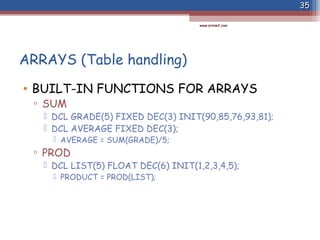
▫ SUM
 DCL GRADE(5) FIXED DEC(3) INIT(90,85,76,93,81);
 DCL AVERAGE FIXED DEC(3);
 AVERAGE = SUM(GRADE)/5;
▫ PROD
 DCL LIST(5) FLOAT DEC(6) INIT(1,2,3,4,5);
 PRODUCT = PROD(LIST);
3535
www.srinimf.comwww.srinimf.com
SUBROUTINE PROCEDURES
• Also known as subprograms
• invoked by a CALL statement
• arguments are passed by means of an argument list
• length of the procedure is limited to 8 characters
• ARGUMENTS & PARAMETERS
▫ arguments passed to a called procedure must be accepted by
that procedure
▫ this is done by explicit declaration of one or more parameters
in parenthesized list in the procedure statement of the
invoked procedure.
▫ The attributes of parameter and its corresponding argument
must be same.
3636
www.srinimf.comwww.srinimf.com
SUBROUTINE PROCEDURES
• PROG : PROCEDURE OPTIONS(MAIN);
:
CALL SUBRT (A,B,C);
:
END PROG;
SUBRT : PROCEDURE(X,Y,Z);
:
END SUBRT;
3737
www.srinimf.comwww.srinimf.com
EDIT-DIRECTED INPUT/OUTPUT
• GET EDIT
▫ GET EDIT(data list)(format list);
▫ GET EDIT(NAME,AGE,SEX,STATUS,SALARY)
(COLUMN(1),A(20),F(3),A(1),F(6,2));
• PUT EDIT
▫ PUT EDIT(data list)(format list);
▫ PUT EDIT(NAME,AGE,SEX,STATUS,SALARY)
(COLUMN(16),A(20),F(3),A(1),F(6,2));
3838
www.srinimf.comwww.srinimf.com
LIST DIRECTED I/O Vs EDIT DIRECTED I/O
• LIST DIRECTED I/O
▫ easy to code
▫ useful debugging tool
▫ data items in GET LIST
must be separated by
blanks or commas;
therefore more space is
required
▫ PUT LIST prints the data
at predetermined tab
positions (no formatting of
data is possible)
• EDIT DIRECTED I/O
▫ eliminates some
disadvantages of list-
directed I/O
▫ it is not easy to code
▫ offers greater flexibility in
formatting of output data
for printed reports
3939
www.srinimf.comwww.srinimf.com
DATA-DIRECTED INPUT/OUTPUT
• DATA-DIRECTED INPUT
▫ gives the programmer the flexibility of
transmitting self-identified data
 GET DATA(A,B,C,D);
 A=12.3; B=57.5; C=EDS; D=INDIA
▫ statements are separated by a comma or blank
▫ a semicolon ends each group of items accessed by a
single GET DATA statement.
▫ Data can be given in any order.
▫ The maximum number of elements permitted in a
list is 320.
4040
www.srinimf.comwww.srinimf.com
DATA-DIRECTED INPUT/OUTPUT
• DATA-DIRECTED OUTPUT
▫ PUT DATA(A,B,C);
▫ PUT PAGE DATA(A,B,C);
▫ PUT SKIP(3) DATA(A,B,C);
4141
www.srinimf.comwww.srinimf.com
FILE HANDLING
• PROGRAMMING STEPS
▫ Define the file.
▫ Open the file.
▫ Process information in the file.
▫ Close the file.
• FILE DECLARATIONS
▫ The set of records in the file or data set is
referred to in a PL/I program by a file name.
▫ The file name may be 1 to 8 characters long.
4242
www.srinimf.comwww.srinimf.com
FILE HANDLING
• FILE DECLARATIONS
▫ The set of records in the file or data set is
referred to in a PL/I program by a file name.
▫ The file name may be 1 to 8 characters long.
 DCL PAYROLL FILE (other attributes);
▫ other attributes are,
 type of transmission - STREAM or RECORD
 direction of transmission - INPUT, OUTPUT, UPDATE
 physical environment - ENV(F BLKSIZE(80)), it can be
mentioned in JCL.
4343
www.srinimf.comwww.srinimf.com
FILE HANDLING
• After specifying the attributes a file
declaration will look like;
• DCL EMPFILE FILE INPUT STREAM ENV (F BLKSIZE(80));
• DCL OUTFILE FILE OUTPUT STREAM ENV (F BLKSIZE(80));
• DCL PRNTFILE FILE OUTPUT STREAM PRINT
ENV (F BLKSIZE(80));
• LIST-DIRECTED I/O FOR A FILE
▫ GET FILE(file name) LIST(data names);
▫ PUT FILE(file name) LIST(data names);
▫ GET FILE(file name) EDIT(data names);
▫ PUT FILE(file name) EDIT(data names);
4444
www.srinimf.comwww.srinimf.com
FILE HANDLING
• OPEN STATEMENT
▫ OPEN FILE(file name);
▫ OPEN FILE(INFILE);
▫ OPEN FILE(INFILE, OUTFILE);
▫ OPEN
FILE(XFILE),
FILE(YFILE),
FILE(ZFILE);
▫ following attributes and options may be specified in
the open statement
 STREAM or RECORD; INPUT or OUTPUT; PRINT;
PAGESIZE; LINESIZE(stream files having print).
4545
www.srinimf.comwww.srinimf.com
FILE HANDLING
• CLOSE STATEMENT
▫ CLOSE FILE(file name);
▫ CLOSE FILE(INFILE);
▫ CLOSE FILE(INFILE,OUTFILE);
4646
www.srinimf.comwww.srinimf.com
RECORD INPUT/OUTPUT
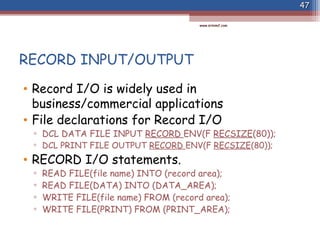
• Record I/O is widely used in
business/commercial applications
• File declarations for Record I/O
▫ DCL DATA FILE INPUT RECORD ENV(F RECSIZE(80));
▫ DCL PRINT FILE OUTPUT RECORD ENV(F RECSIZE(80));
• RECORD I/O statements.
▫ READ FILE(file name) INTO (record area);
▫ READ FILE(DATA) INTO (DATA_AREA);
▫ WRITE FILE(file name) FROM (record area);
▫ WRITE FILE(PRINT) FROM (PRINT_AREA);
4747
www.srinimf.comwww.srinimf.com
RECOED I/O - CHARACTERISTICS
• Stores data in exactly the same form as
input; no conversion.
• Outputs data in exactly the same form as
internally stored.
• Input and output may be any data type.
• Keywords : READ, WRITE
• may be used with any data set organization
(sequential, indexed, VSAM)
4848
www.srinimf.comwww.srinimf.com
STRUCTURES
• A structure is a collection of data items
whose locations relative to one another are
critical..
• When a structure is declared, the level of
each data name is indicated by a level number.
• Structures are,
▫ major structure
▫ minor structure
▫ elementary item
4949
www.srinimf.comwww.srinimf.com
STRUCTURES
• Structures-Level numbers,
▫ the major structure name must be numbered as 1
▫ each name at a deeper level is given a greater number to
indicate the level depth
▫ the maximum level number is 255
▫ level numbers must be followed by a space.
• DCL 1 NAME_ADDR,
2 NAME CHAR(15),
2 STREET CHAR(15),
2 CITY CHAR(15),
2 STATE CHAR(15),
2 PIN CHAR(6),
2 REST CHAR(14);
READ FILE(RECIN) INTO (NAME_ADDR);
5050
www.srinimf.comwww.srinimf.com
STRUCTURES
• QUALIFIED NAMES
▫ DCL 1 SALARY_RECORD,
5 HOURS,
10 REGULAR PIC ‘99’,
10 OVERTIME PIC ‘99’,
5 WAGES,
10 REGULAR PIC ‘999V99’,
10 OVERTIME PIC ‘999V99’;
REG_PAY = HOURS.REGULAR * WAGES.REGUALR;
OT_PAY = HOURS.OVERTIME * WAGES.OVERTIME;
5151
www.srinimf.comwww.srinimf.com
PICTURES
• Syntax -
▫ PICTURE ‘picture specification characters’
• PICTURE specification characters
▫ 9 - decimal digit
▫ V - assumed decimal point location
▫ S - sign
▫ Z - zero suppression
▫ B - blank
▫ CR, DB, +, -, /, ., , $, * & ,
5252
www.srinimf.comwww.srinimf.com
PICTURES
• DECIMAL PICTURES
▫ DCL A PICTURE’9999V99’;
▫ DCL B PICTURE’(4)9V99’;
• DECIMAL POINT
▫ DCL PRICE PIC’99V.99’;
• ZERO SUPPRESSION
▫ DCL A PIC ‘ZZ99’;
▫ DCL B PIC ZZZV99;
▫ DCL C PIC ZZZVZ9 /* Invalid */
5353
www.srinimf.comwww.srinimf.com
PICTURES
• COMMA
▫ DCL SALARY PIC ‘9,99,999’ INIT(360500);
▫ DCL AMT PIC ‘ZZZ,ZZZV.99’ INIT(450.75);
• BLANK
▫ DCL A PIC ‘999V99BB’;
▫ DCL TODAYS_DATE PIC ‘99B99B99’;
• SLASH
▫ DCL TODAYS_DATE PIC ‘99/99/99’;
• DOLLAR SIGN
▫ DCL A PIC ‘$9999’ INIT(125);
▫ DCL B PIC ‘$ZZZZ’ INIT(125);
5454
www.srinimf.comwww.srinimf.com
PICTURES
• ASTERISK
▫ CHECK PROTECTION
▫ DCL PAY PIC ‘*****9’ INIT(150);
▫ DCL X PIC ‘****9.V99’;
• CR and DB
▫ DCL D PIC ‘999CR’ ;
▫ DCL X PIC ‘999DB’;
5555
www.srinimf.comwww.srinimf.com
STORAGE CLASSES
• Storage allocation is the process of
associating the variable names with specific
storage(memory) locations.
• PL/I provides 4 classes of data storage
▫ Automatic storage
▫ Static storage
▫ Controlled storage
▫ Based storage
5656
www.srinimf.comwww.srinimf.com
AUTOMATIC STORAGE
• All the variables which are not specifically
declared as any of the storage class are
default stored in the Automatic storage.
• Storage(memory) is assigned to each
automatic variable, each time procedure is
entered.
• Upon termination of block/procedure all the
automatic variable locations within it are
freed.
5757
www.srinimf.comwww.srinimf.com
AUTOMATIC STORAGE
• Any value previously assigned to those
variables are lost.
• Termination of block/procedure occurs when
END statement is executed.
• Storage allocation occurs prior to the
execution of the first statement in the
procedure each time a procedure is entered in
the program.
5858
www.srinimf.comwww.srinimf.com
STATIC STORAGE
• Storage allocated before the execution of
program and allocated throughout execution
of program.
• Initialized only once and never freed or re-
initialized until entire program terminates.
• Whenever value of a variable is to be stored
between the invocation of the same
procedure, static storage classes are used.
5959
www.srinimf.comwww.srinimf.com
CONTROLLED STORAGE
• Storage is allocated upon execution of
ALLOCATE statement.
• Storage remains allocated until another
statement FREE is executed.
• The allocation and freeing of controlled
variable is under the complete control of the
programmer.
6060
www.srinimf.comwww.srinimf.com
BASED STORAGE
• Based storage is similar to controlled storage
in that it is allocated dynamically by the
programmer before it is used for storing
information.
• But based storage does not provide stacking
I.e all allocation of based storage are
simultaneously available to the programmer.
• This is done by using pointer variable.
6161
www.srinimf.comwww.srinimf.com
BASED STORAGE
• Pointer variable points to or identifies
allocation of based storage.
• DECLARATION OF BASED VARIABLES
▫ DCL T FLOAT BASED(P);
▫ DCL (P) POINTER;
6262
www.srinimf.comwww.srinimf.com

PLI Presentation for Mainframe Programmers

  • 2.
    INTRODUCTION • PL/I wasdeveloped by IBM in the mid 1960’s and was originally named as NPL(New Programming Language) • It was first introduced in 1964. • The name was changed to PL/I to avoid confusion of NPL with National Physical Laboratory in England. 22 www.srinimf.comwww.srinimf.com
  • 3.
    INTRODUCTION • Previous languageshad focussed on one particular area of application, such as Science or Business. • PL/I was not designed as to be used in the same way. • It was the first large scale attempt to design a language that could be used in a variety of application areas. 33 www.srinimf.comwww.srinimf.com
  • 4.
    INTRODUCTION • PL/I isused significantly in both Business and Science applications. • Marathon Oil Company, Ford Motor Company, General Motors are some of the clients. • Unlike many other languages PL/I is completely free- form. • No reserved keywords I.e PL/I determines the meaning of the keywords from the context of usage. ▫ E.g. : It is perfectly valid to declare a variable AREA even though it is also a PL/I keyword. 44 www.srinimf.comwww.srinimf.com
  • 5.
    CODING FORMAT &RULES • Column 1 => Reserved for OS. • Column 2-72 => PL/I statements. • Column 73-80 => Seq..no/comments. • All PL/I statements terminate with ; • The name affixed to the PROCEDURE statement is called label. • The label is separated from rest of the PL/I statement by colon(:). 55 www.srinimf.comwww.srinimf.com
  • 6.
    IDENTIFIERS • Identifier isthe name given to, ▫ DATA NAMES. ▫ FILE NAMES. ▫ PROCEDURE NAMES. ▫ LABELS PL/I STATEMENTS & KEYWORDS. 66 www.srinimf.comwww.srinimf.com
  • 7.
    CHARACTER SET • Extendedalphabet of 29 characters ▫ A - Z, @,#,$. • 10 decimal digits ▫ 0 - 9 • 21 special characters ▫ blank, =, +, -, *, /, (, ), ‘, %, ;, :, ., >, <, _, &, ?, not, or, ~ , <=, >=  Note: do not code any blanks in-between. 77 www.srinimf.comwww.srinimf.com
  • 8.
    Rules for namingData names, Statement labels & Internal Procedures • Maximum of 31 characters. • Alphabets of A-Z, @, #, $ • Numeric digits of 0-9 • First character must be an alphabet. • Examples of IDENTIFIERS. ▫ RATE_OF_INCOME_TAX ▫ BASIC_PAY ▫ ACCOUNT_NUMBER ▫ #_OF_LINES. 88 www.srinimf.comwww.srinimf.com
  • 9.
    COMMENTS • Comments beginswith /* and ends with */ • Example, ▫ /* MY FIRST PL/I PROGRAM */ 99 www.srinimf.comwww.srinimf.com
  • 10.
    PROCEDURE • Block ofcode is called as a procedure • First statement in a program is the PROCEDURE statement • Example, ▫ ADDR : PROCEDURE OPTIONS(MAIN); ▫ ADDR => label, MAIN =>main program ▫ PROCEDURE can be written as PROC 1010 www.srinimf.comwww.srinimf.com
  • 11.
    PROCEDURE • Procedure statementis not executable, it is simply a way of telling the computer that this statement marks the beginning of a block of PL/I statements • Procedure statement must always be labeled • Procedures are EXTERNAL and INTERNAL procedures. 1111 www.srinimf.comwww.srinimf.com
  • 12.
    PROCEDURE • Names ofExternal procedures can have a maximum of 8 characters • -,#,@ should not be used while naming External procedures • External procedure names are known to OS by PROCEDURE with OPTIONS(MAIN) • Internal procedures are nested within the external procedure. • END statement is used to mark end of proc 1212 www.srinimf.comwww.srinimf.com
  • 13.
    LIST DIRECTED INPUT-OUTPUT •GET LIST: ▫ Used to input the data ▫ Example : GET LIST(X,Y,Z); ▫ each input value must be separated from each other by a blank or a comma ▫ each input value could be keyed on a separate line 1313 www.srinimf.comwww.srinimf.com
  • 14.
    LIST DIRECTED INPUT-OUTPUT •PUT LIST: ▫ Used to put the output data ▫ Example : PUT LIST(A,B,C,D); output will be ▫ 1 25 49 73 97 121 ▫ AB C D ▫ Default line size for PUT LIST is 120 positions ▫ Constants, Variables or Expressions can be specified as data items ▫ Example : PUT LIST( 7,X,A*B); 1414 www.srinimf.comwww.srinimf.com
  • 15.
    LIST DIRECTED INPUT-OUTPUT •PUT LIST ▫ Skip one line before print  E.g. : PUT SKIP LIST(123); ▫ Skip two lines before print  Eg : PUT SKIP(2) LIST(345); ▫ Start a new page  Eg : PUT PAGE LIST(‘EDS-INDIA’); ▫ Skip(0) causes the suppression of the line feed  Eg : PUT PAGE LIST(‘EDS-INDIA’);  PUT SKIP(0) LIST((9)’_’); will result in  EDS-INDIA 1515 www.srinimf.comwww.srinimf.com
  • 16.
    ASSIGNMENT STATEMENT • Thevalue of the expression on the right of the = is assigned(moved) to the variable on the left of the = symbol. ▫ Eg : SUM = X+Y+Z; COUNT = COUNT+1; • PL/I statement may contain blanks as needed to improve the readability of the program. • Statement may be continued across several lines. • One line may contain several PL/I statements. ▫ Eg : GET LIST(X,Y,Z); SUM=X+Y+Z; 1616 www.srinimf.comwww.srinimf.com
  • 17.
    PL/I CONSTANTS • DECIMALFIXED POINT CONSTANTS ▫ These consists of one or more decimal digits and optionally a decimal point. ▫ If no decimal point appears, then data item is an integer. ▫ Examples: 125, 1.4567, +34.67, -890, 0.0005 1717 www.srinimf.comwww.srinimf.com
  • 18.
    PL/I CONSTANTS • DECIMALFLOATING POINT CONSTANTS ▫ Written using exponential notation  12.E+05 or 12E5 1200000  3141593E-6 3.141593  .1E-7 .00000007  85E 85 • CHARACTER STRING CONSTANTS ▫ ‘EDS-INDIA, CHENNAI’ ▫ Repetition factor for string constants  (2)’HELLO’ will result in HELLO HELLO 1818 www.srinimf.comwww.srinimf.com
  • 19.
    PL/I CONSTANTS • BIT-STRINGCONSTANTS ▫ Series of binary digits enclosed in single quote marks and followed by the letter B. ▫ Used as indicator or flags. ▫ They can be set to 1 or 0 ▫ Eg :  ‘1’B,  ‘11111010111001’B,  (54)’0’B 1919 www.srinimf.comwww.srinimf.com
  • 20.
    DECLARE STATEMENT • Declarestatement is used to specify the attributes of the variable. ▫ Examples:  DECLARE NAME CHAR(20);  NAME=‘EDS-INDIA, CHENNAI’ • Unused positions of the variable name are padded on the right with blanks. 2020 www.srinimf.comwww.srinimf.com
  • 21.
    PL/I DATA TYPES •FIXED DECIMAL ▫ Default precision - 5 decimal digits - 99,999 ▫ Max. precision - 15 Decimal digits, 999,999,999,999,999 ▫ DECLARE PRICE FIXED DECIMAL(m,n);  m - total number of digits including fractional digits  n - number of fractional digits ▫ DECLARE PRICE FIXED DECIMAL(5,2) INIT(123.45);  DECLARE - PL/I keyword  PRICE - Identifier(variable)  FIXED - Scale attribute  DECIMAL - Base attribute  5 - Precision of 5 digits of which 2 are decimal fraction 2121 www.srinimf.comwww.srinimf.com
  • 22.
    PL/I DATA TYPES •FIXED BINARY ▫ Default precision - 15 bits plus sign bit(decimal-32,767) ▫ Max. precision - 31 bits plus sign bit(decimal-2**31) • used for faster executions, usually for integers. ▫ DCL MIN FIXED BIN(15); ▫ DCL MAX FIXED BIN(31); • FLOAT DECIMAL ▫ Default precision - 6 decimal digits ▫ Max. precision - 16 decimal digits ▫ Range of Exponent - 10**-78 to 10**+75 • Suitable for Scientific applications. ▫ DCL FORCE FLOAT DEC(6); 2222 www.srinimf.comwww.srinimf.com
  • 23.
    PL/I DATA TYPES •BIT ▫ Default length - none ▫ Max. length - 8000 bits for constants 32767 bits for variables. ▫ DCL YES BIT(1) INIT(‘1’B); ▫ DCL NO BIT(1) INIT(‘0’B); • CHARACTER ▫ Default length - none ▫ Max. length - 1000 characters for constants 32767 characters for variables. ▫ DCL DESCN CHAR(20); ▫ DCL TITLE CHAR(15) INIT(‘STATUS REPORT’); 2323 www.srinimf.comwww.srinimf.com
  • 24.
    PL/I DATA TYPES •Declared Attribute ▫ DECIMAL FIXED ▫ DECIMAL FLOAT ▫ BINARY FIXED ▫ BINARY FLOAT ▫ DECIMAL ▫ BINARY ▫ FIXED ▫ FLOAT ▫ none, variable begins with I-N ▫ none, variable begins with A-H, O-Z,@,#,$ • Defaults Attributes ▫ (5,0) ▫ (6) ▫ (15,0) ▫ (21) ▫ FLOAT(6) ▫ FLOAT(21) ▫ DECIMAL(5,0) ▫ DECIMAL(6) ▫ BINARY FIXED(15) ▫ DECIMAL FLOAT(6) 2424 www.srinimf.comwww.srinimf.com
  • 25.
    IF STATEMENT • Usedwhen a test or decision is to be made • Comparison operators, ▫ GE or >=, GT or >, LT or <, GE or >=, LE or <= etc • SIMPLE IF ▫ IF A=B THEN PUT LIST(‘A=B’); • COMPOUND IF ▫ IF A=B THEN X=1; ELSE X=2; 2525 www.srinimf.comwww.srinimf.com
  • 26.
    IF STATEMENT • NESTEDIF ▫ IF A=B THEN IF A=C THEN X=1; ELSE X=2; ELSE X=3; 2626 www.srinimf.comwww.srinimf.com
  • 27.
    DO statements • SIMPLEDO ▫ DO; : END; • DO UNTIL ▫ DO UNTIL(Expression); : END; 2727 www.srinimf.comwww.srinimf.com
  • 28.
    DO statements • DOWHILE ▫ DO WHILE(expression); : END; • ITERATIVE DO ▫ J=10; K=2; ▫ DO I=1 TO J BY K; ▫ DO I=K*2 TO K*5 BY 2; 2828 www.srinimf.comwww.srinimf.com
  • 29.
    SELECT statement • TheSELECT statement provides s practical alternative to coding of the case structure in which a large number of alternatives must be evaluated. • Similar to EVALUATE in COBOL ▫ SELECT(optional exp.); WHEN(exp1) Action 1; WHEN(exp2) Action 2; : OTERWISE Action3; END; 2929 www.srinimf.comwww.srinimf.com
  • 30.
    SELECT statement ▫ SELECT(SHIP_CDE); WHEN(110)CALL ABC; WHEN(120) CALL XYZ; : OTHERWISE CALL ERROR; END; ▫ SELECT; WHEN (BALANCE < 0) CALL NEG_BAL_RT; WHEN (BALANCE = 0) CALL ZERO_BAL_RT; WHEN (BALANCE > 0) CALL BAL_RT; OTHERWISE CALL ERROR_RT; 3030 www.srinimf.comwww.srinimf.com
  • 31.
    ARRAYS (Table handling) •An array is a table of data in which each items has the same attribute as every other item in the array. • An array has storage reserved for it by means of a DECLARE statement. ▫ DCL TEMPERATURES (365) FIXED DEC(4,1); • BOUNDS ▫ used for declaring the size of an array. ▫ In the above example 365 is the upper bound, lower bound is assumed to be 1. 3131 www.srinimf.comwww.srinimf.com
  • 32.
    ARRAYS (Table handling) ▫DCL GRAPH (-5 : +5) FLOAT DEC(6); ▫ here -5 is lower bound and +5 is the upper bound. • DIMENSION ▫ The number of sets of upper and lower bounds specifies the number of dimensions in the array ▫ DCL TABLE (6,2) FIXED DEC(5); ▫ 6 => first dimension (row), 2 => second dimension(column) ▫ DCL POPULATION (2,30,10) FLAOT DEC(6); ▫ Maximum number of dimensions generally allowed is !5. 3232 www.srinimf.comwww.srinimf.com
  • 33.
    ARRAYS (Table handling) •SUBSCRIPTS ▫ used to reference an element of an array ▫ may be constants, variables or expressions ▫ T = TEMPERATURE(2); ▫ K=3; T = TEMPERATURE(K); ▫ T = TEMPERATURE(K+1); • BUILT-IN FUNCTIONS FOR ARRAYS ▫ DIM, LBOUND, HBOUND, SUM, PROD 3333 www.srinimf.comwww.srinimf.com
  • 34.
    ARRAYS (Table handling) •BUILT-IN FUNCTIONS FOR ARRAYS ▫ DCL ARRAY(-3 : +3); ▫ DIM  I = DIM (ARRAY,1); /* I = 7 */ ▫ LBOUND  I = LBOUND (ARRAY,1); /* I = -3 */ ▫ HBOUND  I = HBOUND(ARRAY,1) /* I = +3 */ 3434 www.srinimf.comwww.srinimf.com
  • 35.
    ARRAYS (Table handling) •BUILT-IN FUNCTIONS FOR ARRAYS ▫ SUM  DCL GRADE(5) FIXED DEC(3) INIT(90,85,76,93,81);  DCL AVERAGE FIXED DEC(3);  AVERAGE = SUM(GRADE)/5; ▫ PROD  DCL LIST(5) FLOAT DEC(6) INIT(1,2,3,4,5);  PRODUCT = PROD(LIST); 3535 www.srinimf.comwww.srinimf.com
  • 36.
    SUBROUTINE PROCEDURES • Alsoknown as subprograms • invoked by a CALL statement • arguments are passed by means of an argument list • length of the procedure is limited to 8 characters • ARGUMENTS & PARAMETERS ▫ arguments passed to a called procedure must be accepted by that procedure ▫ this is done by explicit declaration of one or more parameters in parenthesized list in the procedure statement of the invoked procedure. ▫ The attributes of parameter and its corresponding argument must be same. 3636 www.srinimf.comwww.srinimf.com
  • 37.
    SUBROUTINE PROCEDURES • PROG: PROCEDURE OPTIONS(MAIN); : CALL SUBRT (A,B,C); : END PROG; SUBRT : PROCEDURE(X,Y,Z); : END SUBRT; 3737 www.srinimf.comwww.srinimf.com
  • 38.
    EDIT-DIRECTED INPUT/OUTPUT • GETEDIT ▫ GET EDIT(data list)(format list); ▫ GET EDIT(NAME,AGE,SEX,STATUS,SALARY) (COLUMN(1),A(20),F(3),A(1),F(6,2)); • PUT EDIT ▫ PUT EDIT(data list)(format list); ▫ PUT EDIT(NAME,AGE,SEX,STATUS,SALARY) (COLUMN(16),A(20),F(3),A(1),F(6,2)); 3838 www.srinimf.comwww.srinimf.com
  • 39.
    LIST DIRECTED I/OVs EDIT DIRECTED I/O • LIST DIRECTED I/O ▫ easy to code ▫ useful debugging tool ▫ data items in GET LIST must be separated by blanks or commas; therefore more space is required ▫ PUT LIST prints the data at predetermined tab positions (no formatting of data is possible) • EDIT DIRECTED I/O ▫ eliminates some disadvantages of list- directed I/O ▫ it is not easy to code ▫ offers greater flexibility in formatting of output data for printed reports 3939 www.srinimf.comwww.srinimf.com
  • 40.
    DATA-DIRECTED INPUT/OUTPUT • DATA-DIRECTEDINPUT ▫ gives the programmer the flexibility of transmitting self-identified data  GET DATA(A,B,C,D);  A=12.3; B=57.5; C=EDS; D=INDIA ▫ statements are separated by a comma or blank ▫ a semicolon ends each group of items accessed by a single GET DATA statement. ▫ Data can be given in any order. ▫ The maximum number of elements permitted in a list is 320. 4040 www.srinimf.comwww.srinimf.com
  • 41.
    DATA-DIRECTED INPUT/OUTPUT • DATA-DIRECTEDOUTPUT ▫ PUT DATA(A,B,C); ▫ PUT PAGE DATA(A,B,C); ▫ PUT SKIP(3) DATA(A,B,C); 4141 www.srinimf.comwww.srinimf.com
  • 42.
    FILE HANDLING • PROGRAMMINGSTEPS ▫ Define the file. ▫ Open the file. ▫ Process information in the file. ▫ Close the file. • FILE DECLARATIONS ▫ The set of records in the file or data set is referred to in a PL/I program by a file name. ▫ The file name may be 1 to 8 characters long. 4242 www.srinimf.comwww.srinimf.com
  • 43.
    FILE HANDLING • FILEDECLARATIONS ▫ The set of records in the file or data set is referred to in a PL/I program by a file name. ▫ The file name may be 1 to 8 characters long.  DCL PAYROLL FILE (other attributes); ▫ other attributes are,  type of transmission - STREAM or RECORD  direction of transmission - INPUT, OUTPUT, UPDATE  physical environment - ENV(F BLKSIZE(80)), it can be mentioned in JCL. 4343 www.srinimf.comwww.srinimf.com
  • 44.
    FILE HANDLING • Afterspecifying the attributes a file declaration will look like; • DCL EMPFILE FILE INPUT STREAM ENV (F BLKSIZE(80)); • DCL OUTFILE FILE OUTPUT STREAM ENV (F BLKSIZE(80)); • DCL PRNTFILE FILE OUTPUT STREAM PRINT ENV (F BLKSIZE(80)); • LIST-DIRECTED I/O FOR A FILE ▫ GET FILE(file name) LIST(data names); ▫ PUT FILE(file name) LIST(data names); ▫ GET FILE(file name) EDIT(data names); ▫ PUT FILE(file name) EDIT(data names); 4444 www.srinimf.comwww.srinimf.com
  • 45.
    FILE HANDLING • OPENSTATEMENT ▫ OPEN FILE(file name); ▫ OPEN FILE(INFILE); ▫ OPEN FILE(INFILE, OUTFILE); ▫ OPEN FILE(XFILE), FILE(YFILE), FILE(ZFILE); ▫ following attributes and options may be specified in the open statement  STREAM or RECORD; INPUT or OUTPUT; PRINT; PAGESIZE; LINESIZE(stream files having print). 4545 www.srinimf.comwww.srinimf.com
  • 46.
    FILE HANDLING • CLOSESTATEMENT ▫ CLOSE FILE(file name); ▫ CLOSE FILE(INFILE); ▫ CLOSE FILE(INFILE,OUTFILE); 4646 www.srinimf.comwww.srinimf.com
  • 47.
    RECORD INPUT/OUTPUT • RecordI/O is widely used in business/commercial applications • File declarations for Record I/O ▫ DCL DATA FILE INPUT RECORD ENV(F RECSIZE(80)); ▫ DCL PRINT FILE OUTPUT RECORD ENV(F RECSIZE(80)); • RECORD I/O statements. ▫ READ FILE(file name) INTO (record area); ▫ READ FILE(DATA) INTO (DATA_AREA); ▫ WRITE FILE(file name) FROM (record area); ▫ WRITE FILE(PRINT) FROM (PRINT_AREA); 4747 www.srinimf.comwww.srinimf.com
  • 48.
    RECOED I/O -CHARACTERISTICS • Stores data in exactly the same form as input; no conversion. • Outputs data in exactly the same form as internally stored. • Input and output may be any data type. • Keywords : READ, WRITE • may be used with any data set organization (sequential, indexed, VSAM) 4848 www.srinimf.comwww.srinimf.com
  • 49.
    STRUCTURES • A structureis a collection of data items whose locations relative to one another are critical.. • When a structure is declared, the level of each data name is indicated by a level number. • Structures are, ▫ major structure ▫ minor structure ▫ elementary item 4949 www.srinimf.comwww.srinimf.com
  • 50.
    STRUCTURES • Structures-Level numbers, ▫the major structure name must be numbered as 1 ▫ each name at a deeper level is given a greater number to indicate the level depth ▫ the maximum level number is 255 ▫ level numbers must be followed by a space. • DCL 1 NAME_ADDR, 2 NAME CHAR(15), 2 STREET CHAR(15), 2 CITY CHAR(15), 2 STATE CHAR(15), 2 PIN CHAR(6), 2 REST CHAR(14); READ FILE(RECIN) INTO (NAME_ADDR); 5050 www.srinimf.comwww.srinimf.com
  • 51.
    STRUCTURES • QUALIFIED NAMES ▫DCL 1 SALARY_RECORD, 5 HOURS, 10 REGULAR PIC ‘99’, 10 OVERTIME PIC ‘99’, 5 WAGES, 10 REGULAR PIC ‘999V99’, 10 OVERTIME PIC ‘999V99’; REG_PAY = HOURS.REGULAR * WAGES.REGUALR; OT_PAY = HOURS.OVERTIME * WAGES.OVERTIME; 5151 www.srinimf.comwww.srinimf.com
  • 52.
    PICTURES • Syntax - ▫PICTURE ‘picture specification characters’ • PICTURE specification characters ▫ 9 - decimal digit ▫ V - assumed decimal point location ▫ S - sign ▫ Z - zero suppression ▫ B - blank ▫ CR, DB, +, -, /, ., , $, * & , 5252 www.srinimf.comwww.srinimf.com
  • 53.
    PICTURES • DECIMAL PICTURES ▫DCL A PICTURE’9999V99’; ▫ DCL B PICTURE’(4)9V99’; • DECIMAL POINT ▫ DCL PRICE PIC’99V.99’; • ZERO SUPPRESSION ▫ DCL A PIC ‘ZZ99’; ▫ DCL B PIC ZZZV99; ▫ DCL C PIC ZZZVZ9 /* Invalid */ 5353 www.srinimf.comwww.srinimf.com
  • 54.
    PICTURES • COMMA ▫ DCLSALARY PIC ‘9,99,999’ INIT(360500); ▫ DCL AMT PIC ‘ZZZ,ZZZV.99’ INIT(450.75); • BLANK ▫ DCL A PIC ‘999V99BB’; ▫ DCL TODAYS_DATE PIC ‘99B99B99’; • SLASH ▫ DCL TODAYS_DATE PIC ‘99/99/99’; • DOLLAR SIGN ▫ DCL A PIC ‘$9999’ INIT(125); ▫ DCL B PIC ‘$ZZZZ’ INIT(125); 5454 www.srinimf.comwww.srinimf.com
  • 55.
    PICTURES • ASTERISK ▫ CHECKPROTECTION ▫ DCL PAY PIC ‘*****9’ INIT(150); ▫ DCL X PIC ‘****9.V99’; • CR and DB ▫ DCL D PIC ‘999CR’ ; ▫ DCL X PIC ‘999DB’; 5555 www.srinimf.comwww.srinimf.com
  • 56.
    STORAGE CLASSES • Storageallocation is the process of associating the variable names with specific storage(memory) locations. • PL/I provides 4 classes of data storage ▫ Automatic storage ▫ Static storage ▫ Controlled storage ▫ Based storage 5656 www.srinimf.comwww.srinimf.com
  • 57.
    AUTOMATIC STORAGE • Allthe variables which are not specifically declared as any of the storage class are default stored in the Automatic storage. • Storage(memory) is assigned to each automatic variable, each time procedure is entered. • Upon termination of block/procedure all the automatic variable locations within it are freed. 5757 www.srinimf.comwww.srinimf.com
  • 58.
    AUTOMATIC STORAGE • Anyvalue previously assigned to those variables are lost. • Termination of block/procedure occurs when END statement is executed. • Storage allocation occurs prior to the execution of the first statement in the procedure each time a procedure is entered in the program. 5858 www.srinimf.comwww.srinimf.com
  • 59.
    STATIC STORAGE • Storageallocated before the execution of program and allocated throughout execution of program. • Initialized only once and never freed or re- initialized until entire program terminates. • Whenever value of a variable is to be stored between the invocation of the same procedure, static storage classes are used. 5959 www.srinimf.comwww.srinimf.com
  • 60.
    CONTROLLED STORAGE • Storageis allocated upon execution of ALLOCATE statement. • Storage remains allocated until another statement FREE is executed. • The allocation and freeing of controlled variable is under the complete control of the programmer. 6060 www.srinimf.comwww.srinimf.com
  • 61.
    BASED STORAGE • Basedstorage is similar to controlled storage in that it is allocated dynamically by the programmer before it is used for storing information. • But based storage does not provide stacking I.e all allocation of based storage are simultaneously available to the programmer. • This is done by using pointer variable. 6161 www.srinimf.comwww.srinimf.com
  • 62.
    BASED STORAGE • Pointervariable points to or identifies allocation of based storage. • DECLARATION OF BASED VARIABLES ▫ DCL T FLOAT BASED(P); ▫ DCL (P) POINTER; 6262 www.srinimf.comwww.srinimf.com