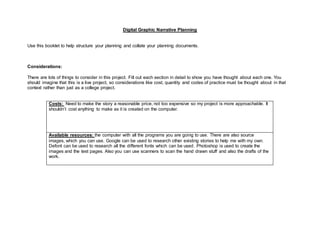
Digital Graphic Narrative Planning
Use this booklet to help structure your planning and collate your planning documents.
Considerations:
There are lots of things to consider in this project. Fill out each section in detail to show you have thought about each one. You
should imagine that this is a live project, so considerations like cost, quantity and codes of practice must be thought about in that
context rather than just as a college project.
Costs: Need to make the story a reasonable price, not too expensive so my project is more approachable. It
shouldn’t cost anything to make as it is created on the computer.
Available resources: the computer with all the programs you are going to use. There are also source
images, which you can use. Google can be used to research other existing stories to help me with my own.
Defont can be used to research all the different fonts which can be used. Photoshop is used to create the
images and the test pages. Also you can use scanners to scan the hand drawn stuff and also the drafts of the
work.
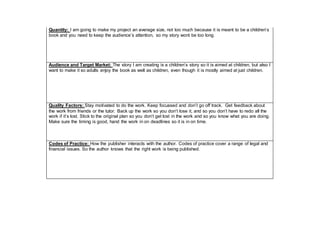
Quantity: I am going to make my project an average size, not too much because it is meant to be a children’s
book and you need to keep the audience’s attention, so my story wont be too long.
Audience and Target Market: The story I am creating is a children’s story so it is aimed at children, but also I
want to make it so adults enjoy the book as well as children, even though it is mostly aimed at just children.
Quality Factors: Stay motivated to do the work. Keep focussed and don’t go off track. Get feedback about
the work from friends or the tutor. Back up the work so you don’t lose it, and so you don’t have to redo all the
work if it’s lost. Stick to the original plan so you don’t get lost in the work and so you know what you are doing.
Make sure the timing is good, hand the work in on deadlines so it is in on time.
Codes of Practice: How the publisher interacts with the author. Codes of practice cover a range of legal and
financial issues. So the author knows that the right work is being published.
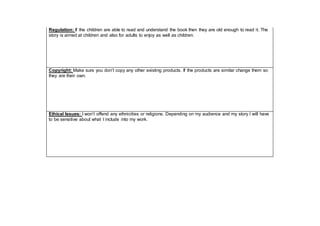
Regulation: If the children are able to read and understand the book then they are old enough to read it. The
story is aimed at children and also for adults to enjoy as well as children.
Copyright: Make sure you don’t copy any other existing products. If the products are similar change them so
they are their own.
Ethical Issues: I won’t offend any ethnicities or religions. Depending on my audience and my story I will have
to be sensitive about what I include into my work.
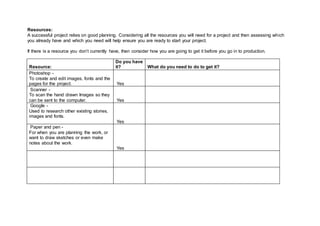
Resources:
A successful project relies on good planning. Considering all the resources you will need for a project and then assessing which
you already have and which you need will help ensure you are ready to start your project.
If there is a resource you don’t currently have, then consider how you are going to get it before you go in to production.
Resource:
Do you have
it? What do you need to do to get it?
Photoshop -
To create and edit images, fonts and the
pages for the project. Yes
Scanner -
To scan the hand drawn Images so they
can be sent to the computer. Yes
Google -
Used to research other existing stories,
images and fonts.
Yes
Paper and pen -
For when you are planning the work, or
want to draw sketches or even make
notes about the work.
Yes
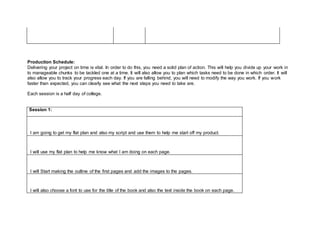
Production Schedule:
Delivering your project on time is vital. In order to do this, you need a solid plan of action. This will help you divide up your work in
to manageable chunks to be tackled one at a time. It will also allow you to plan which tasks need to be done in which order. It will
also allow you to track your progress each day. If you are falling behind, you will need to modify the way you work. If you work
faster than expected, you can clearly see what the next steps you need to take are.
Each session is a half day of college.
Session 1:
I am going to get my flat plan and also my script and use them to help me start off my product.
I will use my flat plan to help me know what I am doing on each page.
I will Start making the outline of the first pages and add the images to the pages.
I will also choose a font to use for the title of the book and also the text inside the book on each page.
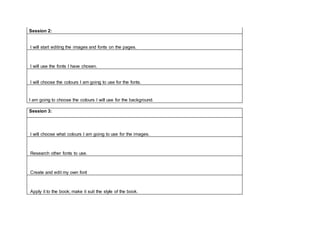
Session 2:
I will start editing the images and fonts on the pages.
I will use the fonts I have chosen.
I will choose the colours I am going to use for the fonts.
I am going to choose the colours I will use for the background.
Session 3:
I will choose what colours I am going to use for the images.
Research other fonts to use.
Create and edit my own font
Apply it to the book; make it suit the style of the book.
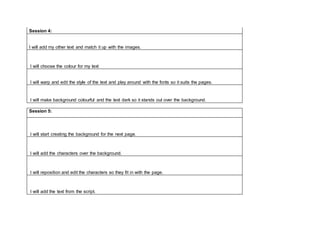
Session 4:
I will add my other text and match it up with the images.
I will choose the colour for my text
I will warp and edit the style of the text and play around with the fonts so it suits the pages.
I will make background colourful and the text dark so it stands out over the background.
Session 5:
I will start creating the background for the next page.
I will add the characters over the background.
I will reposition and edit the characters so they fit in with the page.
I will add the text from the script.
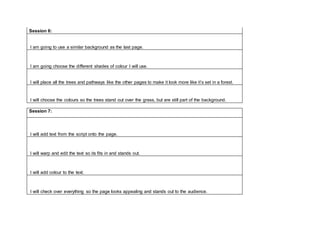
Session 6:
I am going to use a similar background as the last page.
I am going choose the different shades of colour I will use.
I will place all the trees and pathways like the other pages to make it look more like it’s set in a forest.
I will choose the colours so the trees stand out over the grass, but are still part of the background.
Session 7:
I will add text from the script onto the page.
I will warp and edit the text so its fits in and stands out.
I will add colour to the text.
I will check over everything so the page looks appealing and stands out to the audience.
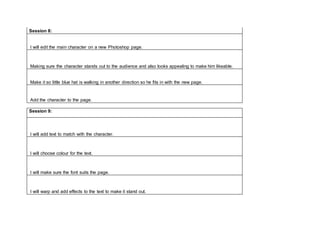
Session 8:
I will edit the main character on a new Photoshop page.
Making sure the character stands out to the audience and also looks appealing to make him likeable.
Make it so little blue hat is walking in another direction so he fits in with the new page.
Add the character to the page.
Session 9:
I will add text to match with the character.
I will choose colour for the text.
I will make sure the font suits the page.
I will warp and add effects to the text to make it stand out.
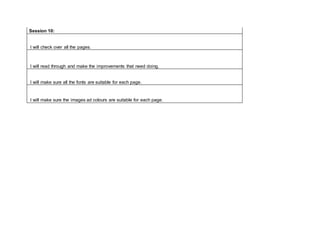
Session 10:
I will check over all the pages.
I will read through and make the improvements that need doing.
I will make sure all the fonts are suitable for each page.
I will make sure the images ad colours are suitable for each page.
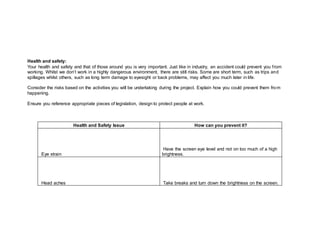
Health and safety:
Your health and safety and that of those around you is very important. Just like in industry, an accident could prevent you from
working. Whilst we don’t work in a highly dangerous environment, there are still risks. Some are short term, such as trips and
spillages whilst others, such as long term damage to eyesight or back problems, may affect you much later in life.
Consider the risks based on the activities you will be undertaking during the project. Explain how you could prevent them from
happening.
Ensure you reference appropriate pieces of legislation, design to protect people at work.
Health and Safety Issue How can you prevent it?
Eye strain
Have the screen eye level and not on too much of a high
brightness.
Head aches Take breaks and turn down the brightness on the screen.
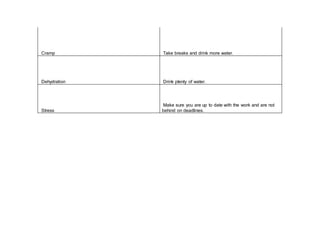
Cramp Take breaks and drink more water.
Dehydration Drink plenty of water.
Stress
Make sure you are up to date with the work and are not
behind on deadlines.

Planning booklet

  • 1.
    Digital Graphic NarrativePlanning Use this booklet to help structure your planning and collate your planning documents. Considerations: There are lots of things to consider in this project. Fill out each section in detail to show you have thought about each one. You should imagine that this is a live project, so considerations like cost, quantity and codes of practice must be thought about in that context rather than just as a college project. Costs: Need to make the story a reasonable price, not too expensive so my project is more approachable. It shouldn’t cost anything to make as it is created on the computer. Available resources: the computer with all the programs you are going to use. There are also source images, which you can use. Google can be used to research other existing stories to help me with my own. Defont can be used to research all the different fonts which can be used. Photoshop is used to create the images and the test pages. Also you can use scanners to scan the hand drawn stuff and also the drafts of the work.
  • 2.
    Quantity: I amgoing to make my project an average size, not too much because it is meant to be a children’s book and you need to keep the audience’s attention, so my story wont be too long. Audience and Target Market: The story I am creating is a children’s story so it is aimed at children, but also I want to make it so adults enjoy the book as well as children, even though it is mostly aimed at just children. Quality Factors: Stay motivated to do the work. Keep focussed and don’t go off track. Get feedback about the work from friends or the tutor. Back up the work so you don’t lose it, and so you don’t have to redo all the work if it’s lost. Stick to the original plan so you don’t get lost in the work and so you know what you are doing. Make sure the timing is good, hand the work in on deadlines so it is in on time. Codes of Practice: How the publisher interacts with the author. Codes of practice cover a range of legal and financial issues. So the author knows that the right work is being published.
  • 3.
    Regulation: If thechildren are able to read and understand the book then they are old enough to read it. The story is aimed at children and also for adults to enjoy as well as children. Copyright: Make sure you don’t copy any other existing products. If the products are similar change them so they are their own. Ethical Issues: I won’t offend any ethnicities or religions. Depending on my audience and my story I will have to be sensitive about what I include into my work.
  • 4.
    Resources: A successful projectrelies on good planning. Considering all the resources you will need for a project and then assessing which you already have and which you need will help ensure you are ready to start your project. If there is a resource you don’t currently have, then consider how you are going to get it before you go in to production. Resource: Do you have it? What do you need to do to get it? Photoshop - To create and edit images, fonts and the pages for the project. Yes Scanner - To scan the hand drawn Images so they can be sent to the computer. Yes Google - Used to research other existing stories, images and fonts. Yes Paper and pen - For when you are planning the work, or want to draw sketches or even make notes about the work. Yes
  • 5.
    Production Schedule: Delivering yourproject on time is vital. In order to do this, you need a solid plan of action. This will help you divide up your work in to manageable chunks to be tackled one at a time. It will also allow you to plan which tasks need to be done in which order. It will also allow you to track your progress each day. If you are falling behind, you will need to modify the way you work. If you work faster than expected, you can clearly see what the next steps you need to take are. Each session is a half day of college. Session 1: I am going to get my flat plan and also my script and use them to help me start off my product. I will use my flat plan to help me know what I am doing on each page. I will Start making the outline of the first pages and add the images to the pages. I will also choose a font to use for the title of the book and also the text inside the book on each page.
  • 6.
    Session 2: I willstart editing the images and fonts on the pages. I will use the fonts I have chosen. I will choose the colours I am going to use for the fonts. I am going to choose the colours I will use for the background. Session 3: I will choose what colours I am going to use for the images. Research other fonts to use. Create and edit my own font Apply it to the book; make it suit the style of the book.
  • 7.
    Session 4: I willadd my other text and match it up with the images. I will choose the colour for my text I will warp and edit the style of the text and play around with the fonts so it suits the pages. I will make background colourful and the text dark so it stands out over the background. Session 5: I will start creating the background for the next page. I will add the characters over the background. I will reposition and edit the characters so they fit in with the page. I will add the text from the script.
  • 8.
    Session 6: I amgoing to use a similar background as the last page. I am going choose the different shades of colour I will use. I will place all the trees and pathways like the other pages to make it look more like it’s set in a forest. I will choose the colours so the trees stand out over the grass, but are still part of the background. Session 7: I will add text from the script onto the page. I will warp and edit the text so its fits in and stands out. I will add colour to the text. I will check over everything so the page looks appealing and stands out to the audience.
  • 9.
    Session 8: I willedit the main character on a new Photoshop page. Making sure the character stands out to the audience and also looks appealing to make him likeable. Make it so little blue hat is walking in another direction so he fits in with the new page. Add the character to the page. Session 9: I will add text to match with the character. I will choose colour for the text. I will make sure the font suits the page. I will warp and add effects to the text to make it stand out.
  • 10.
    Session 10: I willcheck over all the pages. I will read through and make the improvements that need doing. I will make sure all the fonts are suitable for each page. I will make sure the images ad colours are suitable for each page.
  • 11.
    Health and safety: Yourhealth and safety and that of those around you is very important. Just like in industry, an accident could prevent you from working. Whilst we don’t work in a highly dangerous environment, there are still risks. Some are short term, such as trips and spillages whilst others, such as long term damage to eyesight or back problems, may affect you much later in life. Consider the risks based on the activities you will be undertaking during the project. Explain how you could prevent them from happening. Ensure you reference appropriate pieces of legislation, design to protect people at work. Health and Safety Issue How can you prevent it? Eye strain Have the screen eye level and not on too much of a high brightness. Head aches Take breaks and turn down the brightness on the screen.
  • 12.
    Cramp Take breaksand drink more water. Dehydration Drink plenty of water. Stress Make sure you are up to date with the work and are not behind on deadlines.