Programming in Java
5-day workshop
Testing and
Exceptions
Matt Collison
JP Morgan Chase 2021
PiJ4.2: Testing and Exceptions
Software reliability
• Assertion: to make a correct program
• Exception: to make a robust program
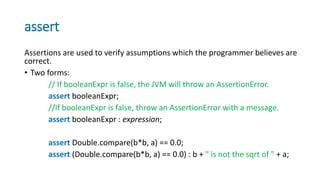
assert
Assertions are used to verify assumptions which the programmer believes are
correct.
• Two forms:
// If booleanExpr is false, the JVM will throw an AssertionError.
assert booleanExpr;
//If booleanExpr is false, throw an AssertionError with a message.
assert booleanExpr : expression;
assert Double.compare(b*b, a) == 0.0;
assert (Double.compare(b*b, a) == 0.0) : b + " is not the sqrt of " + a;
Assertions
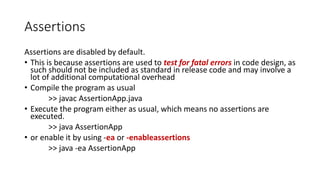
Assertions are disabled by default.
• This is because assertions are used to test for fatal errors in code design, as
such should not be included as standard in release code and may involve a
lot of additional computational overhead
• Compile the program as usual
>> javac AssertionApp.java
• Execute the program either as usual, which means no assertions are
executed.
>> java AssertionApp
• or enable it by using -ea or -enableassertions
>> java -ea AssertionApp
Assertion example
// A demo for using assertions to find bugs during the test process
enum HandSign {SCISSOR, PAPER, ROCK}
class AssertionApp{
public static void main( String args[] ){
int n=11; HandSign h;
switch (n%3){
case 0:
h = HandSign.SCISSOR;
break;
case 1:
h = HandSign.ROCK;
break;
case 2:
h = HandSign.PAPER;
break;
// Assert that the default clause will not be reached
default:
assert false;
} // ... continued
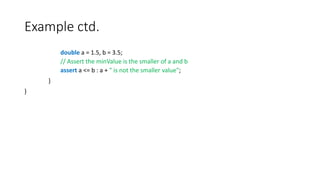
Example ctd.
double a = 1.5, b = 3.5;
// Assert the minValue is the smaller of a and b
assert a <= b : a + " is not the smaller value";
}
}
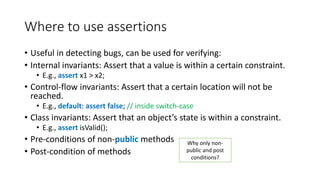
Where to use assertions
• Useful in detecting bugs, can be used for verifying:
• Internal invariants: Assert that a value is within a certain constraint.
• E.g., assert x1 > x2;
• Control-flow invariants: Assert that a certain location will not be
reached.
• E.g., default: assert false; // inside switch-case
• Class invariants: Assert that an object’s state is within a constraint.
• E.g., assert isValid();
• Pre-conditions of non-public methods
• Post-condition of methods
Why only non-
public and post
conditions?
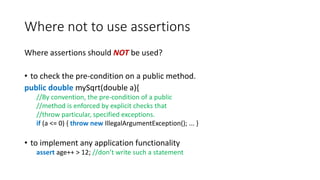
Where not to use assertions
Where assertions should NOT be used?
• to check the pre-condition on a public method.
public double mySqrt(double a){
//By convention, the pre-condition of a public
//method is enforced by explicit checks that
//throw particular, specified exceptions.
if (a <= 0) { throw new IllegalArgumentException(); ... }
• to implement any application functionality
assert age++ > 12; //don’t write such a statement
Summary of assertion
• assert
• Where (not) to use assertions?
• Assertions are disabled by default.
• Assertion: to make a correct program
• Exception: to make a robust program
Exceptions
• Exception Definition
• Unchecked exceptions
• Checked exceptions
• Exception propagation
• An exception is an abnormal event that arises during the execution of
the program and disrupts the normal flow of the program.
• When an error occurs during the running of a program in Java, an
Exception object is automatically generated.
Example: unhandled exception
// A demo for try-catch
public class NoTryCatchApp{
public static void main(String args[]){
int a[]=new int[3];
System.out.println("An int array is instantiated.");
a[0] = 10;
a[1] = 6/0; // divided by 0
System.out.println( "The rest of the code...” );
}
}
>> java NoTryCatchApp
An int array is instantiated.
Exception in thread "main" java.lang.ArithmeticException: / by zero
at NoTryCatchApp.main(NoTryCatchApp.java:7)
Example: handled exception
// A demo for try-catch
public class TryCatchApp{
public static void main(String args[]){
int a[]=new int[3];
System.out.println("An int array is instantiated.");
try{
a[0] = 10;
a[1] = 6/0; // divided by 0
} catch(ArithmeticException e){ //e is an exception obj
System.out.println("Warning: divided by 0.");
}
System.out.println("The rest of the code ...");
}
}
>> java NoTryCatchApp
An int array is instantiated.
Warning: divided by 0.
The rest of the code ...
Exception handling
Exception handling is to handle the runtime errors so that normal flow
of the application can be maintained.
• try-catch
• try-catch-finally
• Q: Why does the compiler complain about these type of exceptions
[IOException, FileNotFoundException, etc.], but tolerates some other
exceptions [e.g., ArithmeticException, etc.]?
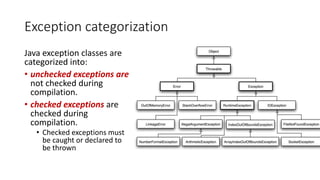
Exception categorization
Java exception classes are
categorized into:
• unchecked exceptions are
not checked during
compilation.
• checked exceptions are
checked during
compilation.
• Checked exceptions must
be caught or declared to
be thrown
RuntimeException
Unchecked exceptions
• any exception that is a SUBCLASS of RuntimeException (as well as
RuntimeException itself) is not checked by the compiler.
Common unchecked exceptions
Common scenarios where exceptions (unchecked) may occur
• ArithmeticException
int a = 2/0;
• NullPointerException
Rectangle r;
r.getWidth(); //why doesn’t this work?
• NumberFormatException
int i=Integer.parseInt( "book” );
• ArrayIndexOutOfBoundsException
int[] anArray = new int[3];
System.out.println( anArray[3] );
• ...
Unchecked exceptions
• When an unchecked exception might occur, two options:
• Don’t handle it - Do nothing.
• Maybe it’s supposed to fail
• Handle it.
• Create some ‘fault’ tolerance
• try-catch try-catch-finally
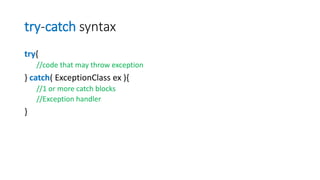
try-catch syntax
try{
//code that may throw exception
} catch( ExceptionClass ex ){
//1 or more catch blocks
//Exception handler
}
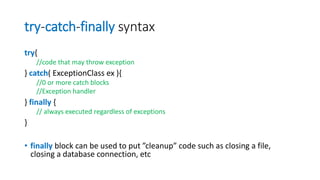
try-catch-finally syntax
try{
//code that may throw exception
} catch( ExceptionClass ex ){
//0 or more catch blocks
//Exception handler
} finally {
// always executed regardless of exceptions
}
• finally block can be used to put ”cleanup” code such as closing a file,
closing a database connection, etc
Challenge
• Add a finally block to the TryCatchApp.java program that simply prints
”Finally block” every time the try-catch block.
Q: What happens now when this code is attempted to run and either
completes cleanly or throws and catches the Exception?
int a[]=new int[3];
System.out.println("An int array is instantiated.");
try{// handle the exception
a[0] = 10;
a[1] = 6/0; // devided by 0
} catch(ArithmeticException e){ //e is an exception obj
System.out.println("Warning: divided by 0.");
} finally{
System.out.println("Finally block.");
}
System.out.println("The rest code ...");
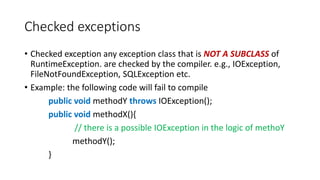
Checked exceptions
• Checked exception any exception class that is NOT A SUBCLASS of
RuntimeException. are checked by the compiler. e.g., IOException,
FileNotFoundException, SQLException etc.
• Example: the following code will fail to compile
public void methodY throws IOException();
public void methodX(){
// there is a possible IOException in the logic of methoY
methodY();
}
Checked exceptions
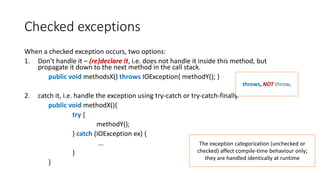
When a checked exception occurs, two options:
1. Don’t handle it – (re)declare it, i.e. does not handle it inside this method, but
propagate it down to the next method in the call stack.
public void methodsX() throws IOException{ methodY(); }
2. catch it, i.e. handle the exception using try-catch or try-catch-finally.
public void methodX(){
try {
methodY();
} catch (IOException ex) {
...
}
}
throws, NOT throw.
The exception categorization (unchecked or
checked) affect compile-time behaviour only;
they are handled identically at runtime
Option 1
// Opt1: Declare it with "throws" keywords
import java.io.*;
public class ReadTxtOpt1App {
public static void main(String[] args) throws IOException {
// not handle it in this method
String fileName = "test.txt";
readTxtFile( fileName );
System.out.println( "Finish” );
}
// continued ...
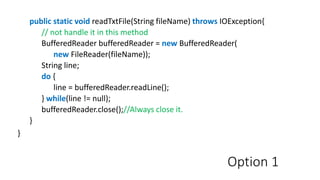
Option 1
public static void readTxtFile(String fileName) throws IOException{
// not handle it in this method
BufferedReader bufferedReader = new BufferedReader(
new FileReader(fileName));
String line;
do {
line = bufferedReader.readLine();
} while(line != null);
bufferedReader.close();//Always close it.
}
}
Option 2
// Opt2: Use try-catch to handle checked Exceptions
import java.io.*;
public class ReadTxtOpt2App {
public static void main(String [] args) {
String fileName = "test.txt";
readTxtFile(fileName);
System.out.println( "Finish” );
}
// continued ...
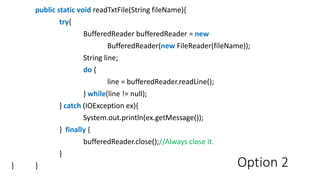
Option 2
public static void readTxtFile(String fileName){
try{
BufferedReader bufferedReader = new
BufferedReader(new FileReader(fileName));
String line;
do {
line = bufferedReader.readLine();
} while(line != null);
} catch (IOException ex){
System.out.println(ex.getMessage());
} finally {
bufferedReader.close();//Always close it.
}
} }
Exception throws
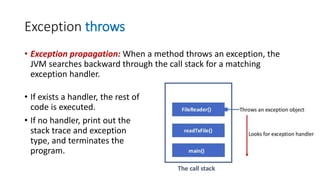
• Exception propagation: When a method throws an exception, the
JVM searches backward through the call stack for a matching
exception handler.
• If exists a handler, the rest of
code is executed.
• If no handler, print out the
stack trace and exception
type, and terminates the
program.
Exceptions summary
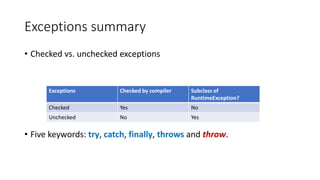
• Checked vs. unchecked exceptions
• Five keywords: try, catch, finally, throws and throw.
Exceptions Checked by compiler Subclass of
RuntimeException?
Checked Yes No
Unchecked No Yes
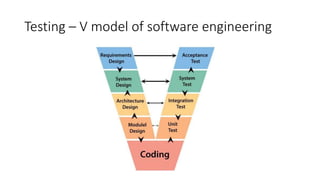
Testing – V model of software engineering
Unit testing is…
• Software written by a developer that tests an independent piece
of software written by a developer
• Code that exercises a small specific area of functionality of a
class/object (a method)
• Black box testing to see if a given input returns a suitable output
• Remember – it is often very difficult or impossible to “prove” a
piece of code works, we can only satisfy ourselves that we
haven’t disproved that it works
• Designing our tests while keeping this in mind therefore becomes
critical
Reasons for unit tests
1. Reduces time spent on debugging
2. Helps communicate code’s intended use – illustrates how you
expect the code to perform on various inputs and conditions
3. The code shouldn’t drift away from the limits put on them by the
tests unless you stop running them (regression testing)
4. Etc
Example
• Given the following (abstract) method what testing might we do?
static int largest (int[] list);
• Ordering
• [7, 8, 9] => 9
• [8, 9, 7] => 9
• [9, 7, 8] => 9
• Duplicates [7, 9, 8, 9] => 9
• One number [1] => 1
• Negatives [-9, -8, -7] => -7
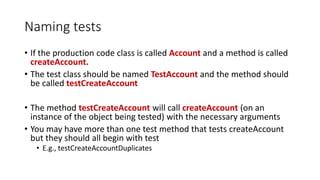
Naming tests
• If the production code class is called Account and a method is called
createAccount.
• The test class should be named TestAccount and the method should
be called testCreateAccount
• The method testCreateAccount will call createAccount (on an
instance of the object being tested) with the necessary arguments
• You may have more than one test method that tests createAccount
but they should all begin with test
• E.g., testCreateAccountDuplicates
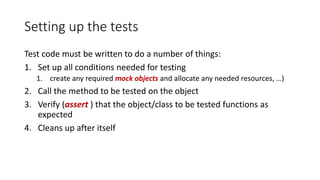
Setting up the tests
Test code must be written to do a number of things:
1. Set up all conditions needed for testing
1. create any required mock objects and allocate any needed resources, …)
2. Call the method to be tested on the object
3. Verify (assert ) that the object/class to be tested functions as
expected
4. Cleans up after itself
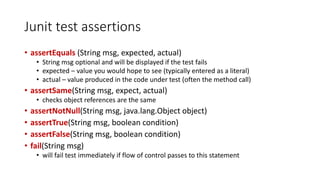
Junit test assertions
• assertEquals (String msg, expected, actual)
• String msg optional and will be displayed if the test fails
• expected – value you would hope to see (typically entered as a literal)
• actual – value produced in the code under test (often the method call)
• assertSame(String msg, expect, actual)
• checks object references are the same
• assertNotNull(String msg, java.lang.Object object)
• assertTrue(String msg, boolean condition)
• assertFalse(String msg, boolean condition)
• fail(String msg)
• will fail test immediately if flow of control passes to this statement
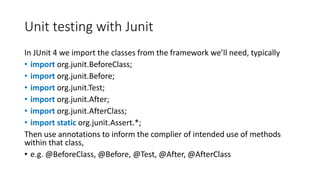
Unit testing with Junit
In JUnit 4 we import the classes from the framework we’ll need, typically
• import org.junit.BeforeClass;
• import org.junit.Before;
• import org.junit.Test;
• import org.junit.After;
• import org.junit.AfterClass;
• import static org.junit.Assert.*;
Then use annotations to inform the complier of intended use of methods
within that class,
• e.g. @BeforeClass, @Before, @Test, @After, @AfterClass
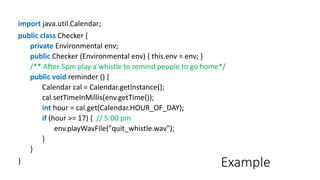
Example
import java.util.Calendar;
public class Checker {
private Environmental env;
public Checker (Environmental env) { this.env = env; }
/** After 5pm play a whistle to remind people to go home*/
public void reminder () {
Calendar cal = Calendar.getInstance();
cal.setTimeInMillis(env.getTime());
int hour = cal.get(Calendar.HOUR_OF_DAY);
if (hour >= 17) { // 5:00 pm
env.playWavFile("quit_whistle.wav");
}
}
}
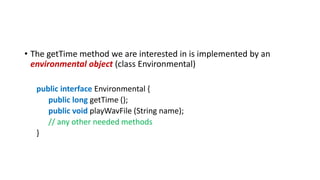
• The getTime method we are interested in is implemented by an
environmental object (class Environmental)
public interface Environmental {
public long getTime ();
public void playWavFile (String name);
// any other needed methods
}
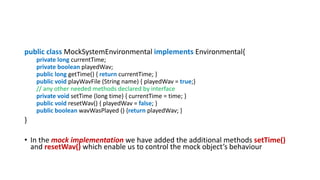
public class MockSystemEnvironmental implements Environmental{
private long currentTime;
private boolean playedWav;
public long getTime() { return currentTime; }
public void playWavFile (String name) { playedWav = true;}
// any other needed methods declared by interface
private void setTime (long time) { currentTime = time; }
public void resetWav() { playedWav = false; }
public boolean wavWasPlayed () {return playedWav; }
}
• In the mock implementation we have added the additional methods setTime()
and resetWav() which enable us to control the mock object’s behaviour
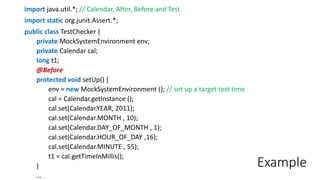
Example
import java.util.*; // Calendar, After, Before and Test
import static org.junit.Assert.*;
public class TestChecker {
private MockSystemEnvironment env;
private Calendar cal;
long t1;
@Before
protected void setUp() {
env = new MockSystemEnvironment (); // set up a target test time
cal = Calendar.getInstance ();
cal.set(Calendar.YEAR, 2011);
cal.set(Calendar.MONTH , 10);
cal.set(Calendar.DAY_OF_MONTH , 1);
cal.set(Calendar.HOUR_OF_DAY ,16);
cal.set(Calendar.MINUTE , 55);
t1 = cal.getTimeInMillis();
}
…
Example
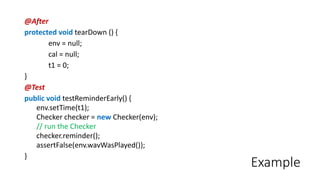
@After
protected void tearDown () {
env = null;
cal = null;
t1 = 0;
}
@Test
public void testReminderEarly() {
env.setTime(t1);
Checker checker = new Checker(env);
// run the Checker
checker.reminder();
assertFalse(env.wavWasPlayed());
}
Example
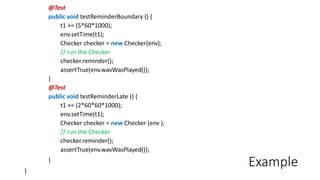
@Test
public void testReminderBoundary () {
t1 += (5*60*1000);
env.setTime(t1);
Checker checker = new Checker(env);
// run the Checker
checker.reminder();
assertTrue(env.wavWasPlayed());
}
@Test
public void testReminderLate () {
t1 += (2*60*60*1000);
env.setTime(t1);
Checker checker = new Checker (env );
// run the Checker
checker.reminder();
assertTrue(env.wavWasPlayed());
}
}
Learning resources
The workshop homepage
https://mcollison.github.io/JPMC-java-intro-2021/
The course materials
https://mcollison.github.io/java-programming-foundations/
• Session worksheets – updated each week
Additional resources
• Think Java: How to think like a computer scientist
• Allen B Downey (O’Reilly Press)
• Available under Creative Commons license
• https://greenteapress.com/wp/think-java-2e/
• Oracle central Java Documentation –
https://docs.oracle.com/javase/8/docs/api/
• Other sources:
• W3Schools Java - https://www.w3schools.com/java/
• stack overflow - https://stackoverflow.com/
• Coding bat - https://codingbat.com/java

Pi j4.2 software-reliability

  • 1.
    Programming in Java 5-dayworkshop Testing and Exceptions Matt Collison JP Morgan Chase 2021 PiJ4.2: Testing and Exceptions
  • 2.
    Software reliability • Assertion:to make a correct program • Exception: to make a robust program
  • 3.
    assert Assertions are usedto verify assumptions which the programmer believes are correct. • Two forms: // If booleanExpr is false, the JVM will throw an AssertionError. assert booleanExpr; //If booleanExpr is false, throw an AssertionError with a message. assert booleanExpr : expression; assert Double.compare(b*b, a) == 0.0; assert (Double.compare(b*b, a) == 0.0) : b + " is not the sqrt of " + a;
  • 4.
    Assertions Assertions are disabledby default. • This is because assertions are used to test for fatal errors in code design, as such should not be included as standard in release code and may involve a lot of additional computational overhead • Compile the program as usual >> javac AssertionApp.java • Execute the program either as usual, which means no assertions are executed. >> java AssertionApp • or enable it by using -ea or -enableassertions >> java -ea AssertionApp
  • 5.
    Assertion example // Ademo for using assertions to find bugs during the test process enum HandSign {SCISSOR, PAPER, ROCK} class AssertionApp{ public static void main( String args[] ){ int n=11; HandSign h; switch (n%3){ case 0: h = HandSign.SCISSOR; break; case 1: h = HandSign.ROCK; break; case 2: h = HandSign.PAPER; break; // Assert that the default clause will not be reached default: assert false; } // ... continued
  • 6.
    Example ctd. double a= 1.5, b = 3.5; // Assert the minValue is the smaller of a and b assert a <= b : a + " is not the smaller value"; } }
  • 7.
    Where to useassertions • Useful in detecting bugs, can be used for verifying: • Internal invariants: Assert that a value is within a certain constraint. • E.g., assert x1 > x2; • Control-flow invariants: Assert that a certain location will not be reached. • E.g., default: assert false; // inside switch-case • Class invariants: Assert that an object’s state is within a constraint. • E.g., assert isValid(); • Pre-conditions of non-public methods • Post-condition of methods Why only non- public and post conditions?
  • 8.
    Where not touse assertions Where assertions should NOT be used? • to check the pre-condition on a public method. public double mySqrt(double a){ //By convention, the pre-condition of a public //method is enforced by explicit checks that //throw particular, specified exceptions. if (a <= 0) { throw new IllegalArgumentException(); ... } • to implement any application functionality assert age++ > 12; //don’t write such a statement
  • 9.
    Summary of assertion •assert • Where (not) to use assertions? • Assertions are disabled by default. • Assertion: to make a correct program • Exception: to make a robust program
  • 10.
    Exceptions • Exception Definition •Unchecked exceptions • Checked exceptions • Exception propagation • An exception is an abnormal event that arises during the execution of the program and disrupts the normal flow of the program. • When an error occurs during the running of a program in Java, an Exception object is automatically generated.
  • 11.
    Example: unhandled exception //A demo for try-catch public class NoTryCatchApp{ public static void main(String args[]){ int a[]=new int[3]; System.out.println("An int array is instantiated."); a[0] = 10; a[1] = 6/0; // divided by 0 System.out.println( "The rest of the code...” ); } } >> java NoTryCatchApp An int array is instantiated. Exception in thread "main" java.lang.ArithmeticException: / by zero at NoTryCatchApp.main(NoTryCatchApp.java:7)
  • 12.
    Example: handled exception //A demo for try-catch public class TryCatchApp{ public static void main(String args[]){ int a[]=new int[3]; System.out.println("An int array is instantiated."); try{ a[0] = 10; a[1] = 6/0; // divided by 0 } catch(ArithmeticException e){ //e is an exception obj System.out.println("Warning: divided by 0."); } System.out.println("The rest of the code ..."); } } >> java NoTryCatchApp An int array is instantiated. Warning: divided by 0. The rest of the code ...
  • 13.
    Exception handling Exception handlingis to handle the runtime errors so that normal flow of the application can be maintained. • try-catch • try-catch-finally • Q: Why does the compiler complain about these type of exceptions [IOException, FileNotFoundException, etc.], but tolerates some other exceptions [e.g., ArithmeticException, etc.]?
  • 14.
    Exception categorization Java exceptionclasses are categorized into: • unchecked exceptions are not checked during compilation. • checked exceptions are checked during compilation. • Checked exceptions must be caught or declared to be thrown
  • 15.
    RuntimeException Unchecked exceptions • anyexception that is a SUBCLASS of RuntimeException (as well as RuntimeException itself) is not checked by the compiler.
  • 16.
    Common unchecked exceptions Commonscenarios where exceptions (unchecked) may occur • ArithmeticException int a = 2/0; • NullPointerException Rectangle r; r.getWidth(); //why doesn’t this work? • NumberFormatException int i=Integer.parseInt( "book” ); • ArrayIndexOutOfBoundsException int[] anArray = new int[3]; System.out.println( anArray[3] ); • ...
  • 17.
    Unchecked exceptions • Whenan unchecked exception might occur, two options: • Don’t handle it - Do nothing. • Maybe it’s supposed to fail • Handle it. • Create some ‘fault’ tolerance • try-catch try-catch-finally
  • 18.
    try-catch syntax try{ //code thatmay throw exception } catch( ExceptionClass ex ){ //1 or more catch blocks //Exception handler }
  • 19.
    try-catch-finally syntax try{ //code thatmay throw exception } catch( ExceptionClass ex ){ //0 or more catch blocks //Exception handler } finally { // always executed regardless of exceptions } • finally block can be used to put ”cleanup” code such as closing a file, closing a database connection, etc
  • 20.
    Challenge • Add afinally block to the TryCatchApp.java program that simply prints ”Finally block” every time the try-catch block. Q: What happens now when this code is attempted to run and either completes cleanly or throws and catches the Exception? int a[]=new int[3]; System.out.println("An int array is instantiated."); try{// handle the exception a[0] = 10; a[1] = 6/0; // devided by 0 } catch(ArithmeticException e){ //e is an exception obj System.out.println("Warning: divided by 0."); } finally{ System.out.println("Finally block."); } System.out.println("The rest code ...");
  • 21.
    Checked exceptions • Checkedexception any exception class that is NOT A SUBCLASS of RuntimeException. are checked by the compiler. e.g., IOException, FileNotFoundException, SQLException etc. • Example: the following code will fail to compile public void methodY throws IOException(); public void methodX(){ // there is a possible IOException in the logic of methoY methodY(); }
  • 22.
    Checked exceptions When achecked exception occurs, two options: 1. Don’t handle it – (re)declare it, i.e. does not handle it inside this method, but propagate it down to the next method in the call stack. public void methodsX() throws IOException{ methodY(); } 2. catch it, i.e. handle the exception using try-catch or try-catch-finally. public void methodX(){ try { methodY(); } catch (IOException ex) { ... } } throws, NOT throw. The exception categorization (unchecked or checked) affect compile-time behaviour only; they are handled identically at runtime
  • 23.
    Option 1 // Opt1:Declare it with "throws" keywords import java.io.*; public class ReadTxtOpt1App { public static void main(String[] args) throws IOException { // not handle it in this method String fileName = "test.txt"; readTxtFile( fileName ); System.out.println( "Finish” ); } // continued ...
  • 24.
    Option 1 public staticvoid readTxtFile(String fileName) throws IOException{ // not handle it in this method BufferedReader bufferedReader = new BufferedReader( new FileReader(fileName)); String line; do { line = bufferedReader.readLine(); } while(line != null); bufferedReader.close();//Always close it. } }
  • 25.
    Option 2 // Opt2:Use try-catch to handle checked Exceptions import java.io.*; public class ReadTxtOpt2App { public static void main(String [] args) { String fileName = "test.txt"; readTxtFile(fileName); System.out.println( "Finish” ); } // continued ...
  • 26.
    Option 2 public staticvoid readTxtFile(String fileName){ try{ BufferedReader bufferedReader = new BufferedReader(new FileReader(fileName)); String line; do { line = bufferedReader.readLine(); } while(line != null); } catch (IOException ex){ System.out.println(ex.getMessage()); } finally { bufferedReader.close();//Always close it. } } }
  • 27.
    Exception throws • Exceptionpropagation: When a method throws an exception, the JVM searches backward through the call stack for a matching exception handler. • If exists a handler, the rest of code is executed. • If no handler, print out the stack trace and exception type, and terminates the program.
  • 28.
    Exceptions summary • Checkedvs. unchecked exceptions • Five keywords: try, catch, finally, throws and throw. Exceptions Checked by compiler Subclass of RuntimeException? Checked Yes No Unchecked No Yes
  • 29.
    Testing – Vmodel of software engineering
  • 30.
    Unit testing is… •Software written by a developer that tests an independent piece of software written by a developer • Code that exercises a small specific area of functionality of a class/object (a method) • Black box testing to see if a given input returns a suitable output • Remember – it is often very difficult or impossible to “prove” a piece of code works, we can only satisfy ourselves that we haven’t disproved that it works • Designing our tests while keeping this in mind therefore becomes critical
  • 31.
    Reasons for unittests 1. Reduces time spent on debugging 2. Helps communicate code’s intended use – illustrates how you expect the code to perform on various inputs and conditions 3. The code shouldn’t drift away from the limits put on them by the tests unless you stop running them (regression testing) 4. Etc
  • 32.
    Example • Given thefollowing (abstract) method what testing might we do? static int largest (int[] list); • Ordering • [7, 8, 9] => 9 • [8, 9, 7] => 9 • [9, 7, 8] => 9 • Duplicates [7, 9, 8, 9] => 9 • One number [1] => 1 • Negatives [-9, -8, -7] => -7
  • 33.
    Naming tests • Ifthe production code class is called Account and a method is called createAccount. • The test class should be named TestAccount and the method should be called testCreateAccount • The method testCreateAccount will call createAccount (on an instance of the object being tested) with the necessary arguments • You may have more than one test method that tests createAccount but they should all begin with test • E.g., testCreateAccountDuplicates
  • 34.
    Setting up thetests Test code must be written to do a number of things: 1. Set up all conditions needed for testing 1. create any required mock objects and allocate any needed resources, …) 2. Call the method to be tested on the object 3. Verify (assert ) that the object/class to be tested functions as expected 4. Cleans up after itself
  • 35.
    Junit test assertions •assertEquals (String msg, expected, actual) • String msg optional and will be displayed if the test fails • expected – value you would hope to see (typically entered as a literal) • actual – value produced in the code under test (often the method call) • assertSame(String msg, expect, actual) • checks object references are the same • assertNotNull(String msg, java.lang.Object object) • assertTrue(String msg, boolean condition) • assertFalse(String msg, boolean condition) • fail(String msg) • will fail test immediately if flow of control passes to this statement
  • 36.
    Unit testing withJunit In JUnit 4 we import the classes from the framework we’ll need, typically • import org.junit.BeforeClass; • import org.junit.Before; • import org.junit.Test; • import org.junit.After; • import org.junit.AfterClass; • import static org.junit.Assert.*; Then use annotations to inform the complier of intended use of methods within that class, • e.g. @BeforeClass, @Before, @Test, @After, @AfterClass
  • 37.
    Example import java.util.Calendar; public classChecker { private Environmental env; public Checker (Environmental env) { this.env = env; } /** After 5pm play a whistle to remind people to go home*/ public void reminder () { Calendar cal = Calendar.getInstance(); cal.setTimeInMillis(env.getTime()); int hour = cal.get(Calendar.HOUR_OF_DAY); if (hour >= 17) { // 5:00 pm env.playWavFile("quit_whistle.wav"); } } }
  • 38.
    • The getTimemethod we are interested in is implemented by an environmental object (class Environmental) public interface Environmental { public long getTime (); public void playWavFile (String name); // any other needed methods }
  • 39.
    public class MockSystemEnvironmentalimplements Environmental{ private long currentTime; private boolean playedWav; public long getTime() { return currentTime; } public void playWavFile (String name) { playedWav = true;} // any other needed methods declared by interface private void setTime (long time) { currentTime = time; } public void resetWav() { playedWav = false; } public boolean wavWasPlayed () {return playedWav; } } • In the mock implementation we have added the additional methods setTime() and resetWav() which enable us to control the mock object’s behaviour
  • 40.
    Example import java.util.*; //Calendar, After, Before and Test import static org.junit.Assert.*; public class TestChecker { private MockSystemEnvironment env; private Calendar cal; long t1; @Before protected void setUp() { env = new MockSystemEnvironment (); // set up a target test time cal = Calendar.getInstance (); cal.set(Calendar.YEAR, 2011); cal.set(Calendar.MONTH , 10); cal.set(Calendar.DAY_OF_MONTH , 1); cal.set(Calendar.HOUR_OF_DAY ,16); cal.set(Calendar.MINUTE , 55); t1 = cal.getTimeInMillis(); } …
  • 41.
    Example @After protected void tearDown() { env = null; cal = null; t1 = 0; } @Test public void testReminderEarly() { env.setTime(t1); Checker checker = new Checker(env); // run the Checker checker.reminder(); assertFalse(env.wavWasPlayed()); }
  • 42.
    Example @Test public void testReminderBoundary() { t1 += (5*60*1000); env.setTime(t1); Checker checker = new Checker(env); // run the Checker checker.reminder(); assertTrue(env.wavWasPlayed()); } @Test public void testReminderLate () { t1 += (2*60*60*1000); env.setTime(t1); Checker checker = new Checker (env ); // run the Checker checker.reminder(); assertTrue(env.wavWasPlayed()); } }
  • 43.
    Learning resources The workshophomepage https://mcollison.github.io/JPMC-java-intro-2021/ The course materials https://mcollison.github.io/java-programming-foundations/ • Session worksheets – updated each week
  • 44.
    Additional resources • ThinkJava: How to think like a computer scientist • Allen B Downey (O’Reilly Press) • Available under Creative Commons license • https://greenteapress.com/wp/think-java-2e/ • Oracle central Java Documentation – https://docs.oracle.com/javase/8/docs/api/ • Other sources: • W3Schools Java - https://www.w3schools.com/java/ • stack overflow - https://stackoverflow.com/ • Coding bat - https://codingbat.com/java