Presentation on:-
Exception Handling In JAVA
Presented by:-
ANTARA MITRA
ANUPRIYA
ARDHENDU NANDI
Exception
 An exception is a problem that arises during the time
of execution of program. An exception can occur for
many different reasons, including the following.
A user has enter invalid data.
A file that needs to be opened cannot be found.
A network connection has been lost in the middle of
communicatons,or the JVM has run out of memory.
Some of these exception are caused by user error,
others by programmer error, and others by physical
resources, that have failed in some manner.
Other exception
 It is possible to define two categories of Exception
and Errors.
o JVM Exceptions:- These are exceptions/errors that are
exclusively or logically thrown by the JVM.
o Example:- Nullpointer Exception, ArrayIndexOutof Bounds
Exception,Classcast Exception.
o Programmatic Exception:- These Exception are thrown
explicitly by the application or the API programmers.
o Example:- IllegalArgument Exception, IllegalState Exception.
Categories Exception
 Checked Exception:- A checked Excption is an exception that is
typically a user or a problem that cannot be forseen .By the programmer.
For example if a file is to be opened, but the file cannot be found, an
exception occurs. These exceptions cannot simply be ignored at the time of
compilation.
 Runtime Exceptions:- A runtime exception is an exception that
occurs that probably could have been avoided by the programmer. As
opposed to checked exception, runtime exceptions are ignored at the time
of compilation.
 Errors:- These are not exceptions at all ,but problems that arise
beyond the control of the user or the programmer. Errors are
typically ignored in your code because you can really do anything
about an error. For example, if a stack overflow occurs, an error will
arise. They are also ignored at the time of complation.
Exception hierarchy
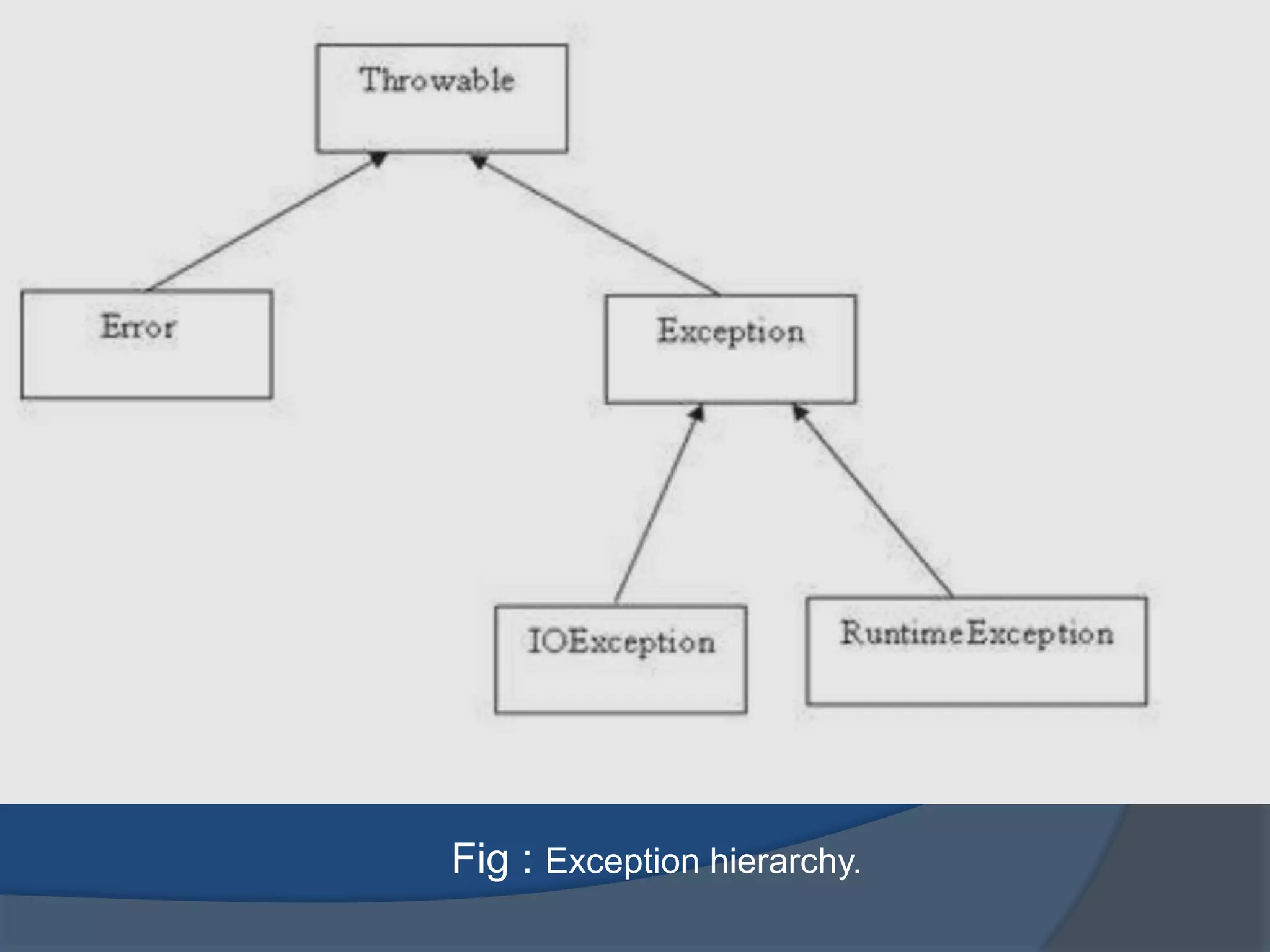
 All exception classes are subtypes of the java.lang.Exception
class. The exception class is a subclass of the Throwable
class. Other than the exception class there is another subclass
called error which is derived from throwable class.
 Error are not normally trapped from the java programs. These
conditions normally happen in case of sever failures, which are
not handled by the java programs. Error are Generated to
indicate errors generated by the runtime environment.
Example: JVM is out of memory.
 Normally programs cannot recover from errors.
 The exception class has two main subclasses:
 IOException class
 Runtime Exception Class.
Fig : Exception hierarchy.
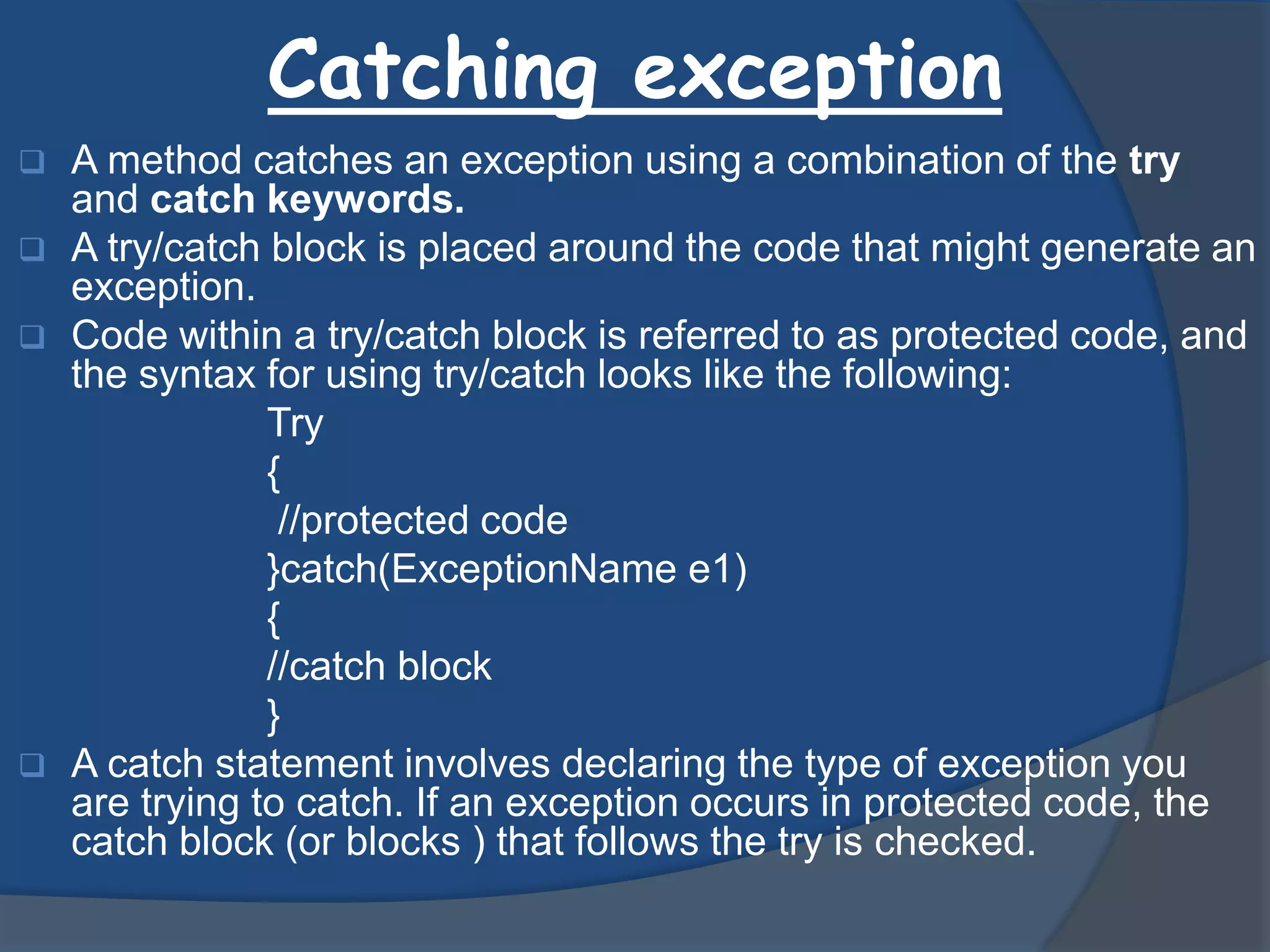
Catching exception
 A method catches an exception using a combination of the try
and catch keywords.
 A try/catch block is placed around the code that might generate an
exception.
 Code within a try/catch block is referred to as protected code, and
the syntax for using try/catch looks like the following:
Try
{
//protected code
}catch(ExceptionName e1)
{
//catch block
}
 A catch statement involves declaring the type of exception you
are trying to catch. If an exception occurs in protected code, the
catch block (or blocks ) that follows the try is checked.
Internal working of java try-catch block
Example of Try-catch
Input
public class Testtrycatch{
public static void main(String args[]){
try{
int data=50/0;
}catch(Exception e)
{
System.out.println(e);
}
System.out.println("rest of the code...");
}
}
output
Exception in thread main java.lang.ArithmeticException:/ by zero
rest of the code...
Multiple catch block
 If you have to perform different tasks at the occurrence of different
Exceptions, use java multi catch block.
Syntax :-
Try
{
//protected code
}Catch(ExceptionType1 e1)
{
//catch block
}Catch(ExceptionType2 e2)
{
//catch block
}Catch(ExceptionType3 e3)
{
//catch block
}
 Rule1: At a time only one Exception is occured and at a time only one catch block
is executed.
 Rule2: All catch blocks must be ordered from most specific to most general i.e. catch for
ArithmeticException must come before catch for Exception .
Example of multiple catch block
Input
public class TestMultipleCatchBlock{
public static void main(String args[]){
try{
int a[]=new int[5];
a[5]=30/0;
}
catch(ArithmeticException
e){System.out.println("task1 is
completed");}
catch(ArrayIndexOutOfBoundsException
e){System.out.println("task 2
completed");}
catch(Exception
e){System.out.println("common task
completed");}
System.out.println("rest of the code...");
}
}
output
task1 completed
rest of the code...
I
input
class TestMultipleCatchBlock1{
public static void main(String args[]){
try{
int a[]=new int[5];
a[5]=30/0;
}
catch(Exception
e){System.out.println("common task
completed");}
catch(ArithmeticException
e){System.out.println("task1 is
completed");}
catch(ArrayIndexOutOfBoundsException
e){System.out.println("task 2
completed");}
System.out.println("rest of the code...");
}
}
output
Compile-time error
Throws/throw
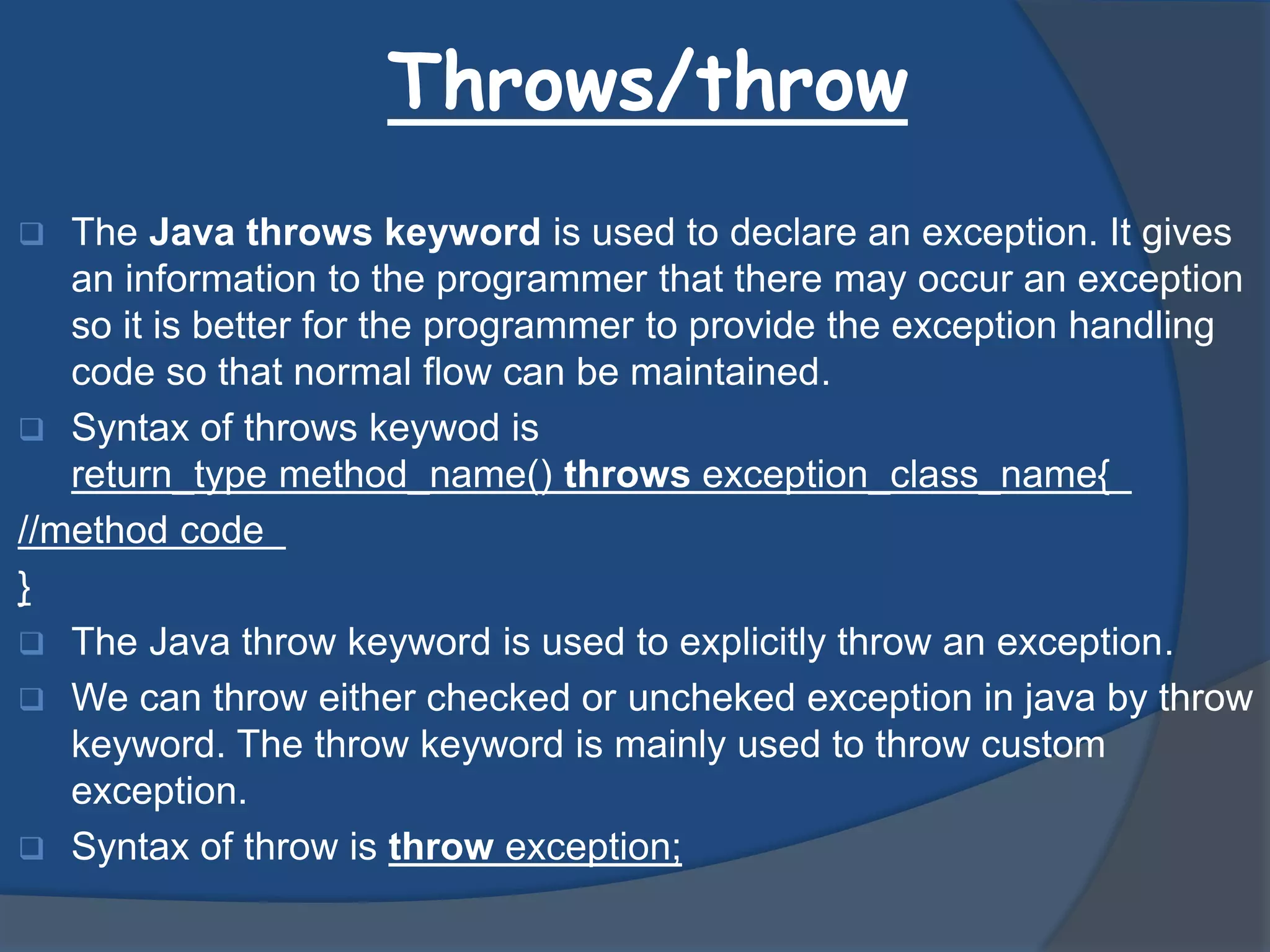
 The Java throws keyword is used to declare an exception. It gives
an information to the programmer that there may occur an exception
so it is better for the programmer to provide the exception handling
code so that normal flow can be maintained.
 Syntax of throws keywod is
return_type method_name() throws exception_class_name{
//method code
}
 The Java throw keyword is used to explicitly throw an exception.
 We can throw either checked or uncheked exception in java by throw
keyword. The throw keyword is mainly used to throw custom
exception.
 Syntax of throw is throw exception;
Example of Exception handling
Input
public class test exception{
public static void main(String args[]){
try{
int data=50/0;
}catch(ArithmeticException e){System.out.println(e);}
System.out.println("rest of the code...");
}
}
output
Exception in thread main java.lang.ArithmeticException:/ by zero
rest of the code...
Example of throws & throw
Input
import java.io.IOException;
class Testthrows1{
void m()throws IOException{
throw new IOException("device error");//chec
ked exception
}
void n()throws IOException{
m();
}
void p(){
try{
n();
}catch(Exception e){System.out.println("excep
tion handled");}
}
public static void main(String args[]){
Testthrows1 obj=new Testthrows1();
obj.p();
System.out.println("normal flow...");
}
}
Output
exception handled
normal flow…….
Input
public class TestThrow1{
static void validate(int age){
if(age<18)
throw new ArithmeticException("not v
alid");
else
System.out.println("welcome to vote");
}
public static void main(String args[]){
validate(13);
System.out.println("rest of the code..."
);
}
}
Output
Exception in thread main
java.lang.ArithmeticException:not valid
Advantages
The advantage of Exception handling are:-
 The core advantage of exception handling is to maintain
the normal flow of the application. Exception normally
disrupts the normal flow of the application that is why we use
exception handling. Let's take a scenario:
 statement 1;
 statement 2;
 statement 3;
 statement 4;
 statement 5;//exception occurs
 statement 6;
 statement 7;
 statement 8;
 statement 9;
 statement 10;
Thank you

Exception handling

  • 1.
    Presentation on:- Exception HandlingIn JAVA Presented by:- ANTARA MITRA ANUPRIYA ARDHENDU NANDI
  • 2.
    Exception  An exceptionis a problem that arises during the time of execution of program. An exception can occur for many different reasons, including the following. A user has enter invalid data. A file that needs to be opened cannot be found. A network connection has been lost in the middle of communicatons,or the JVM has run out of memory. Some of these exception are caused by user error, others by programmer error, and others by physical resources, that have failed in some manner.
  • 3.
    Other exception  Itis possible to define two categories of Exception and Errors. o JVM Exceptions:- These are exceptions/errors that are exclusively or logically thrown by the JVM. o Example:- Nullpointer Exception, ArrayIndexOutof Bounds Exception,Classcast Exception. o Programmatic Exception:- These Exception are thrown explicitly by the application or the API programmers. o Example:- IllegalArgument Exception, IllegalState Exception.
  • 4.
    Categories Exception  CheckedException:- A checked Excption is an exception that is typically a user or a problem that cannot be forseen .By the programmer. For example if a file is to be opened, but the file cannot be found, an exception occurs. These exceptions cannot simply be ignored at the time of compilation.  Runtime Exceptions:- A runtime exception is an exception that occurs that probably could have been avoided by the programmer. As opposed to checked exception, runtime exceptions are ignored at the time of compilation.  Errors:- These are not exceptions at all ,but problems that arise beyond the control of the user or the programmer. Errors are typically ignored in your code because you can really do anything about an error. For example, if a stack overflow occurs, an error will arise. They are also ignored at the time of complation.
  • 5.
    Exception hierarchy  Allexception classes are subtypes of the java.lang.Exception class. The exception class is a subclass of the Throwable class. Other than the exception class there is another subclass called error which is derived from throwable class.  Error are not normally trapped from the java programs. These conditions normally happen in case of sever failures, which are not handled by the java programs. Error are Generated to indicate errors generated by the runtime environment. Example: JVM is out of memory.  Normally programs cannot recover from errors.  The exception class has two main subclasses:  IOException class  Runtime Exception Class.
  • 6.
    Fig : Exceptionhierarchy.
  • 7.
    Catching exception  Amethod catches an exception using a combination of the try and catch keywords.  A try/catch block is placed around the code that might generate an exception.  Code within a try/catch block is referred to as protected code, and the syntax for using try/catch looks like the following: Try { //protected code }catch(ExceptionName e1) { //catch block }  A catch statement involves declaring the type of exception you are trying to catch. If an exception occurs in protected code, the catch block (or blocks ) that follows the try is checked.
  • 8.
    Internal working ofjava try-catch block
  • 9.
    Example of Try-catch Input publicclass Testtrycatch{ public static void main(String args[]){ try{ int data=50/0; }catch(Exception e) { System.out.println(e); } System.out.println("rest of the code..."); } } output Exception in thread main java.lang.ArithmeticException:/ by zero rest of the code...
  • 10.
    Multiple catch block If you have to perform different tasks at the occurrence of different Exceptions, use java multi catch block. Syntax :- Try { //protected code }Catch(ExceptionType1 e1) { //catch block }Catch(ExceptionType2 e2) { //catch block }Catch(ExceptionType3 e3) { //catch block }  Rule1: At a time only one Exception is occured and at a time only one catch block is executed.  Rule2: All catch blocks must be ordered from most specific to most general i.e. catch for ArithmeticException must come before catch for Exception .
  • 11.
    Example of multiplecatch block Input public class TestMultipleCatchBlock{ public static void main(String args[]){ try{ int a[]=new int[5]; a[5]=30/0; } catch(ArithmeticException e){System.out.println("task1 is completed");} catch(ArrayIndexOutOfBoundsException e){System.out.println("task 2 completed");} catch(Exception e){System.out.println("common task completed");} System.out.println("rest of the code..."); } } output task1 completed rest of the code... I input class TestMultipleCatchBlock1{ public static void main(String args[]){ try{ int a[]=new int[5]; a[5]=30/0; } catch(Exception e){System.out.println("common task completed");} catch(ArithmeticException e){System.out.println("task1 is completed");} catch(ArrayIndexOutOfBoundsException e){System.out.println("task 2 completed");} System.out.println("rest of the code..."); } } output Compile-time error
  • 12.
    Throws/throw  The Javathrows keyword is used to declare an exception. It gives an information to the programmer that there may occur an exception so it is better for the programmer to provide the exception handling code so that normal flow can be maintained.  Syntax of throws keywod is return_type method_name() throws exception_class_name{ //method code }  The Java throw keyword is used to explicitly throw an exception.  We can throw either checked or uncheked exception in java by throw keyword. The throw keyword is mainly used to throw custom exception.  Syntax of throw is throw exception;
  • 13.
    Example of Exceptionhandling Input public class test exception{ public static void main(String args[]){ try{ int data=50/0; }catch(ArithmeticException e){System.out.println(e);} System.out.println("rest of the code..."); } } output Exception in thread main java.lang.ArithmeticException:/ by zero rest of the code...
  • 14.
    Example of throws& throw Input import java.io.IOException; class Testthrows1{ void m()throws IOException{ throw new IOException("device error");//chec ked exception } void n()throws IOException{ m(); } void p(){ try{ n(); }catch(Exception e){System.out.println("excep tion handled");} } public static void main(String args[]){ Testthrows1 obj=new Testthrows1(); obj.p(); System.out.println("normal flow..."); } } Output exception handled normal flow……. Input public class TestThrow1{ static void validate(int age){ if(age<18) throw new ArithmeticException("not v alid"); else System.out.println("welcome to vote"); } public static void main(String args[]){ validate(13); System.out.println("rest of the code..." ); } } Output Exception in thread main java.lang.ArithmeticException:not valid
  • 15.
    Advantages The advantage ofException handling are:-  The core advantage of exception handling is to maintain the normal flow of the application. Exception normally disrupts the normal flow of the application that is why we use exception handling. Let's take a scenario:  statement 1;  statement 2;  statement 3;  statement 4;  statement 5;//exception occurs  statement 6;  statement 7;  statement 8;  statement 9;  statement 10;
  • 16.