Payroll Giving with TracksGiving
Ritvvij Parrikh
rp@pykih.com
www.tracksgiving.com1
Agenda
• Introduction
• Challenges with Payroll Giving
• Benefits of using TracksGiving
• How it works? - Setup
• How it works? - Monthly
• Gamification for Employee Engagement
• Summary
• Frequently Asked Technical Questions
2
Introduction
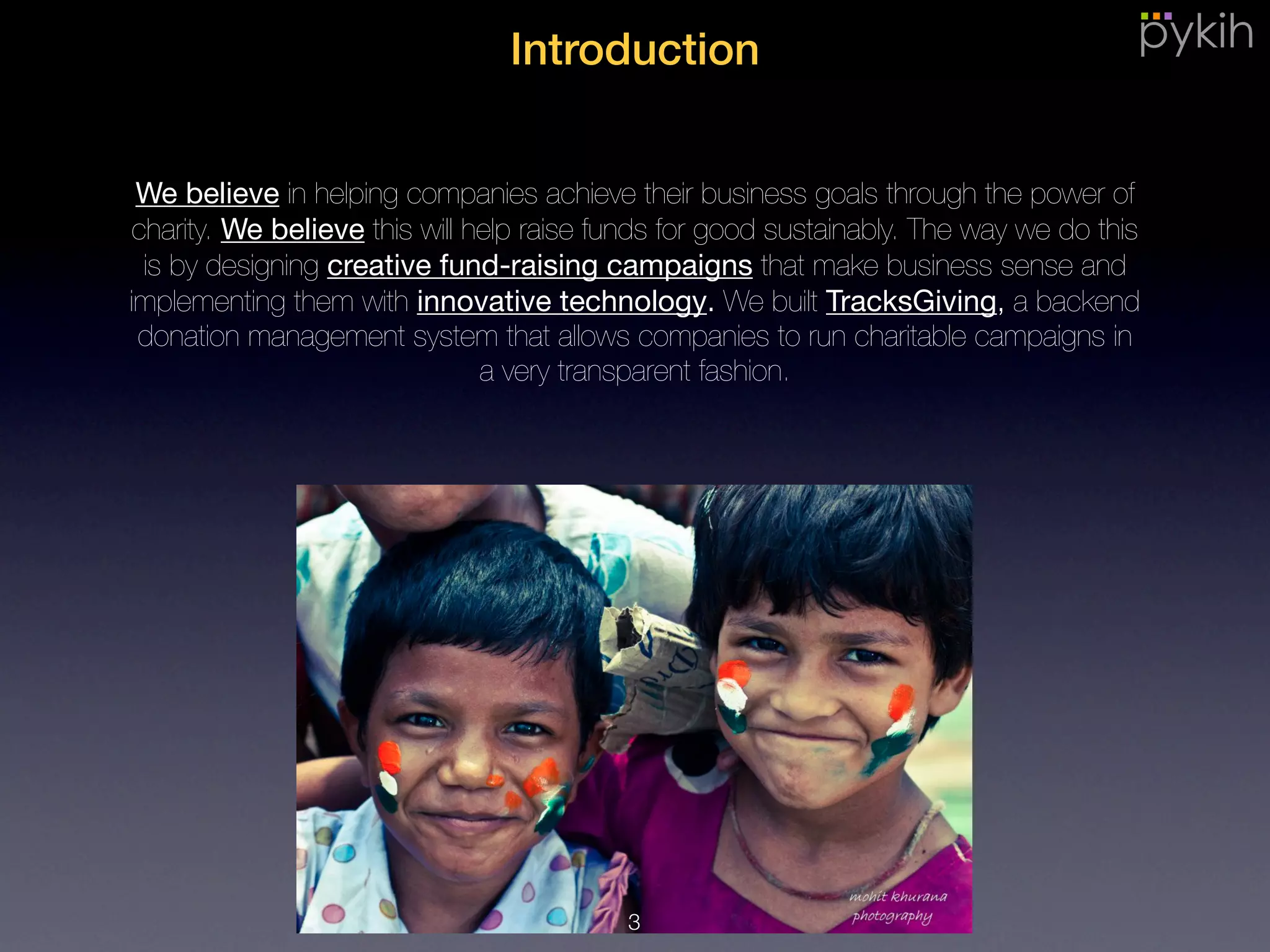
We believe in helping companies achieve their business goals through the
power of charity. We believe this will help raise funds for good sustainably. The
way we do this is by designing creative fund-raising campaigns that make
business sense and implementing them with innovative technology. We built
TracksGiving, a backend donation management system that allows companies
to run charitable campaigns in a very transparent fashion.
3
Challenges with Payroll Giving
4
A common payroll giving process involves data flow from across many departments (HR, CSR, Finance,
Payroll) within the corporate, to-and-fro the employee, the charity intermediary and finally on to the end
charity. With accounts spread across so many departments, it is bound to have reconciliation issues.
•Error-prone cumbersome
process
5
Payroll Giving is a non-core business activity. Hence, it is imperative that employees be given a delightful
experience. Without it, corporates are generally reluctant to run payroll giving campaigns.
•Error-prone cumbersome
process
•Non-core business activity
6
Corporates are generally possessive of any communication i.e. emails being sent out to employees
directly by charities or intermediaries to avoid unnecessary spamming. Hence generally communication
material is first handed over to the HR or CSR department which then forwards it to employees.
•Error-prone cumbersome
process
•Non-core business activity
•Cannot send emails to
employees
7
Once an employee pledges his amount, he has absolutely no insight into what happened with his
donation and what social impact it made.
•Error-prone cumbersome
process
•Non-core business activity
•Cannot send emails to
employees
•Trust and transparency
8
Benefits of usingTracksGiving
9
•Error-prone cumbersome
process
•Non-core business activity
•Cannot send emails to
employees
•Trust and transparency
Save man-hours with simplified, error-free,
automated ops.
• Organize employees into units and
departments.
• Systematic reconciliation of accounts
across various departments.
• Beautiful live dashboards to visualize
giving trends.
10
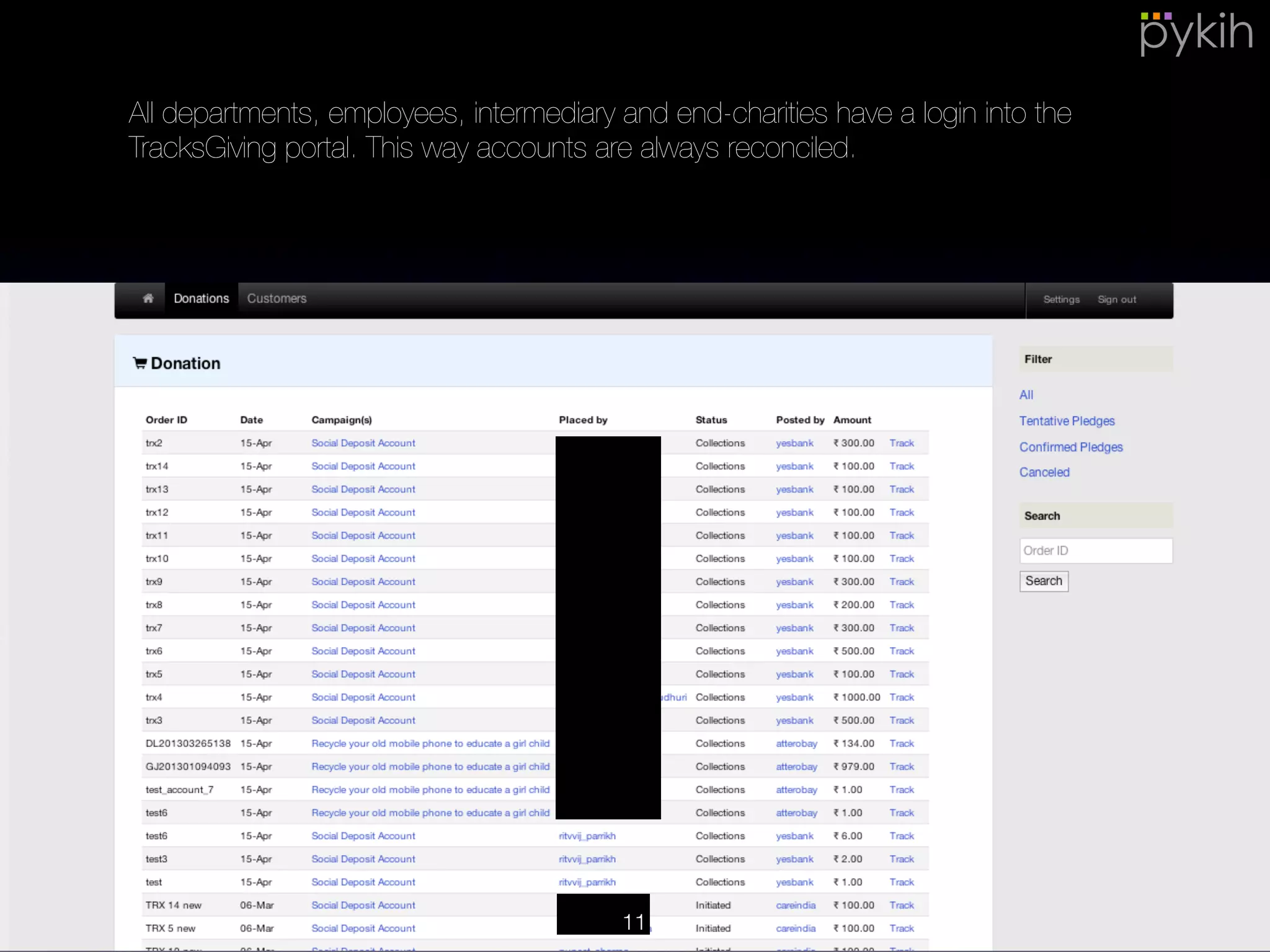
All departments, employees, intermediary and end-charities have a login into
the TracksGiving portal. This way accounts are always reconciled.
11
•Error-prone cumbersome
process
•Non-core business activity
•Cannot send emails to
employees
•Trust and transparency
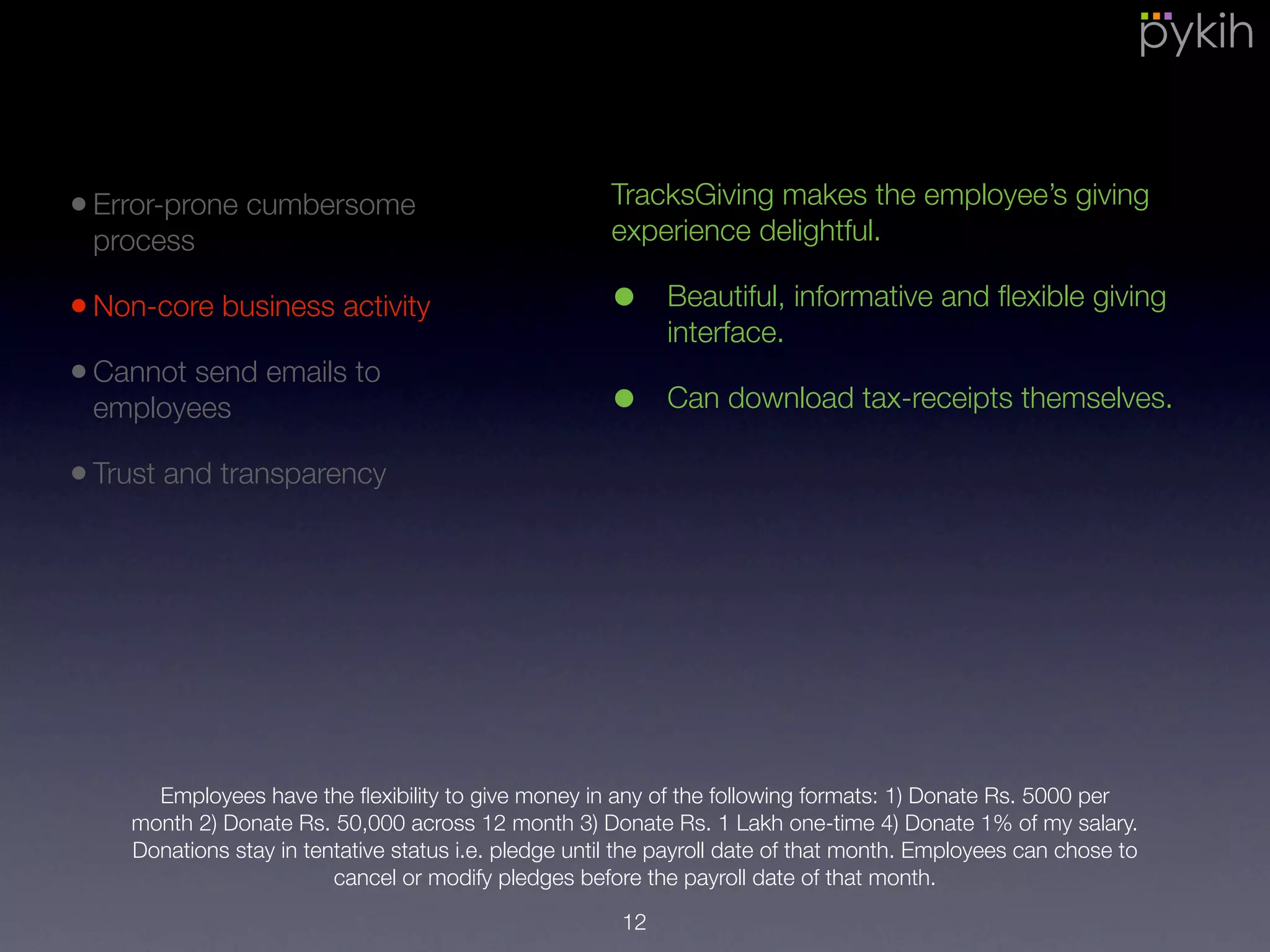
TracksGiving makes the employee’s giving
experience delightful.
• Beautiful, informative and flexible giving
interface.
• Can download tax-receipts themselves.
Employees have the flexibility to give money in any of the following formats: 1) Donate Rs. 5000 per
month 2) Donate Rs. 50,000 across 12 month 3) Donate Rs. 1 Lakh one-time 4) Donate 1% of my salary.
Donations stay in tentative status i.e. pledge until the payroll date of that month. Employees can chose to
cancel or modify pledges before the payroll date of that month.
12
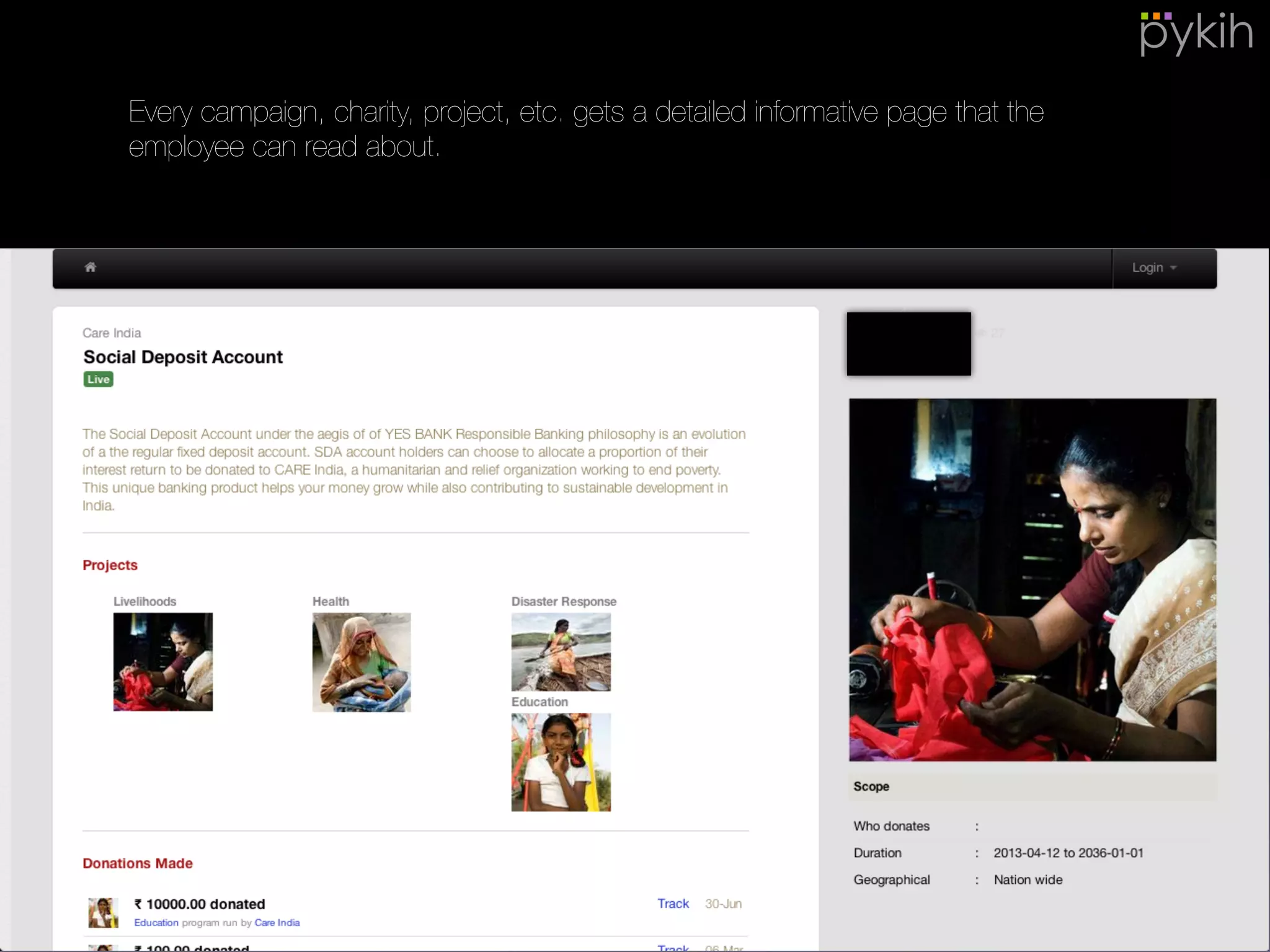
Every campaign, charity, project, etc. gets a detailed informative page that the
employee can read about.
13
1
2
3 4
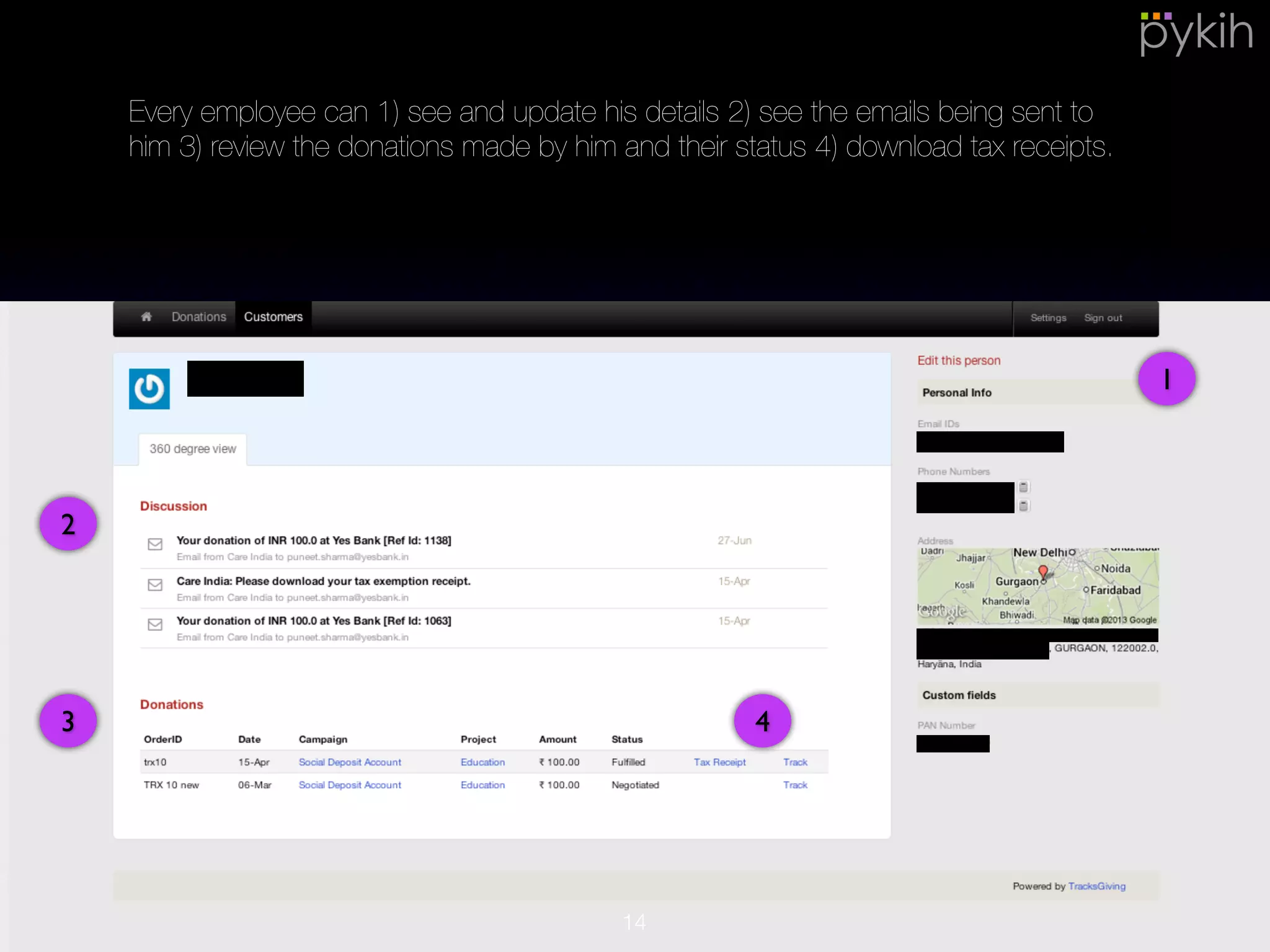
Every employee can 1) see and update his details 2) see the emails being sent
to him 3) review the donations made by him and their status 4) download tax
receipts.
14
•Error-prone cumbersome
process
•Non-core business activity
•Cannot send emails to
employees
•Trust and transparency
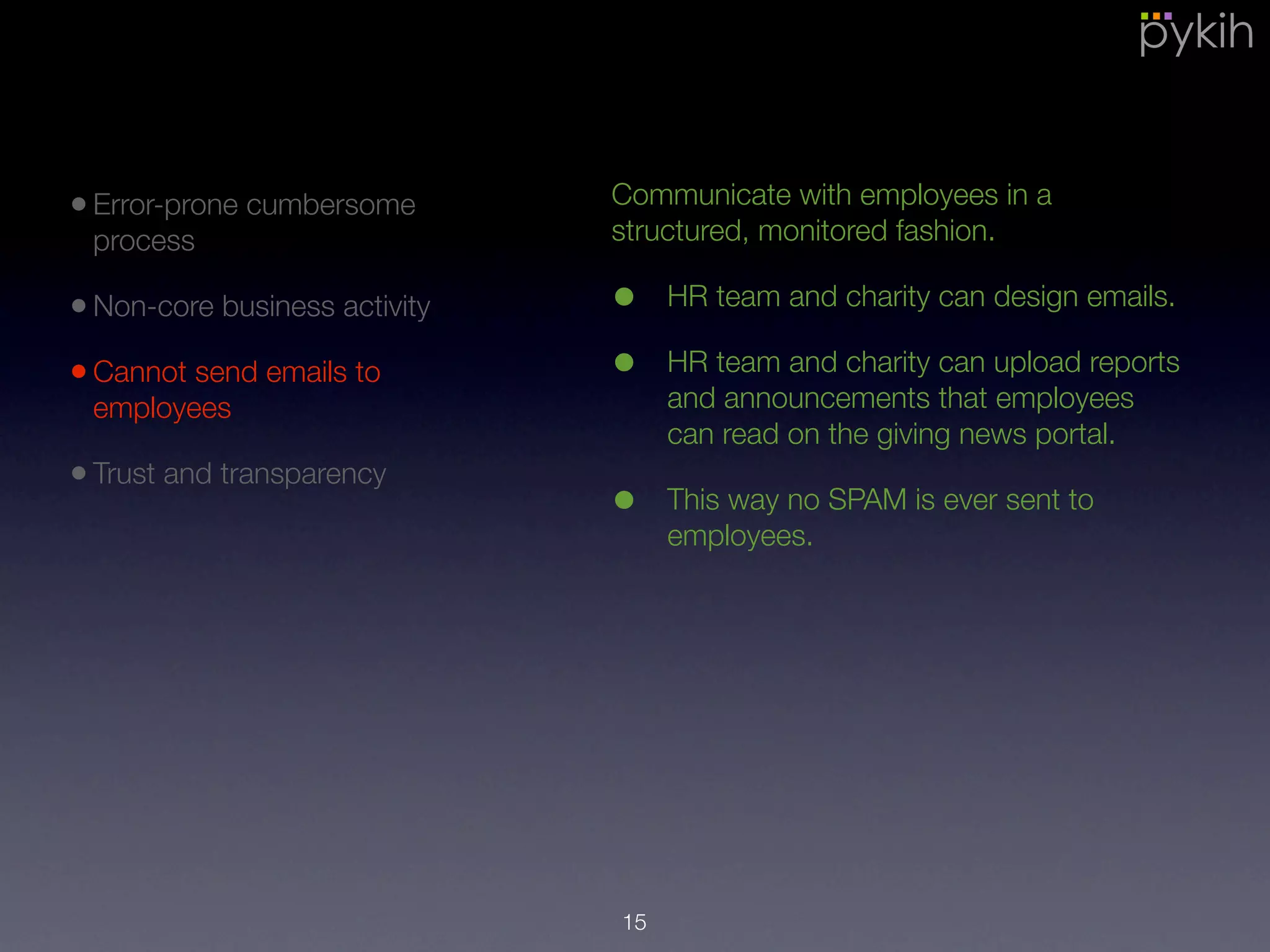
Communicate with employees in a
structured, monitored fashion.
• HR team and charity can design emails.
• HR team and charity can upload reports
and announcements that employees
can read on the giving news portal.
• This way no SPAM is ever sent to
employees.
15
1
2
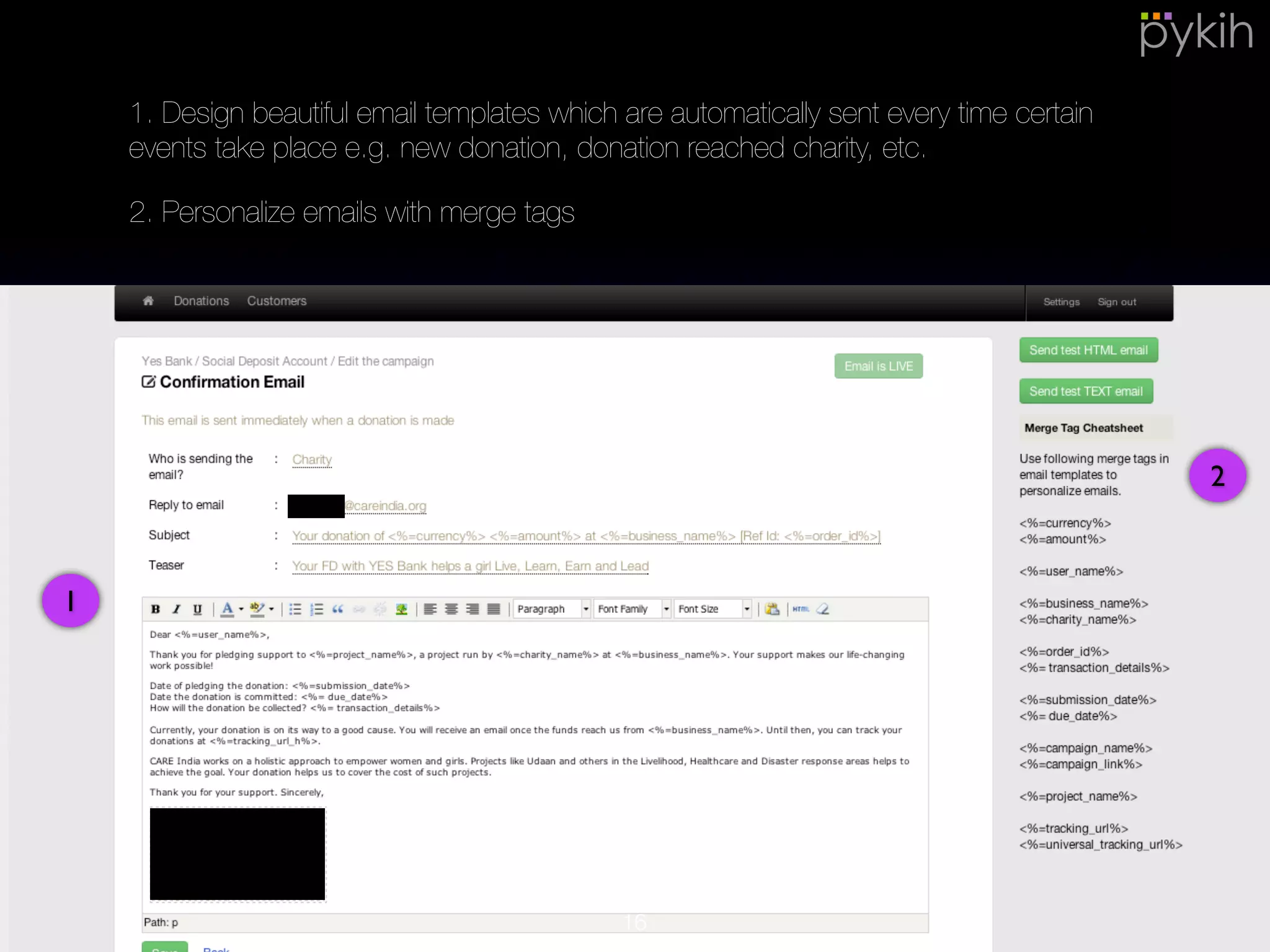
1. Design beautiful email templates which are automatically sent every time
certain events take place e.g. new donation, donation reached charity, etc.
2. Personalize emails with merge tags
16
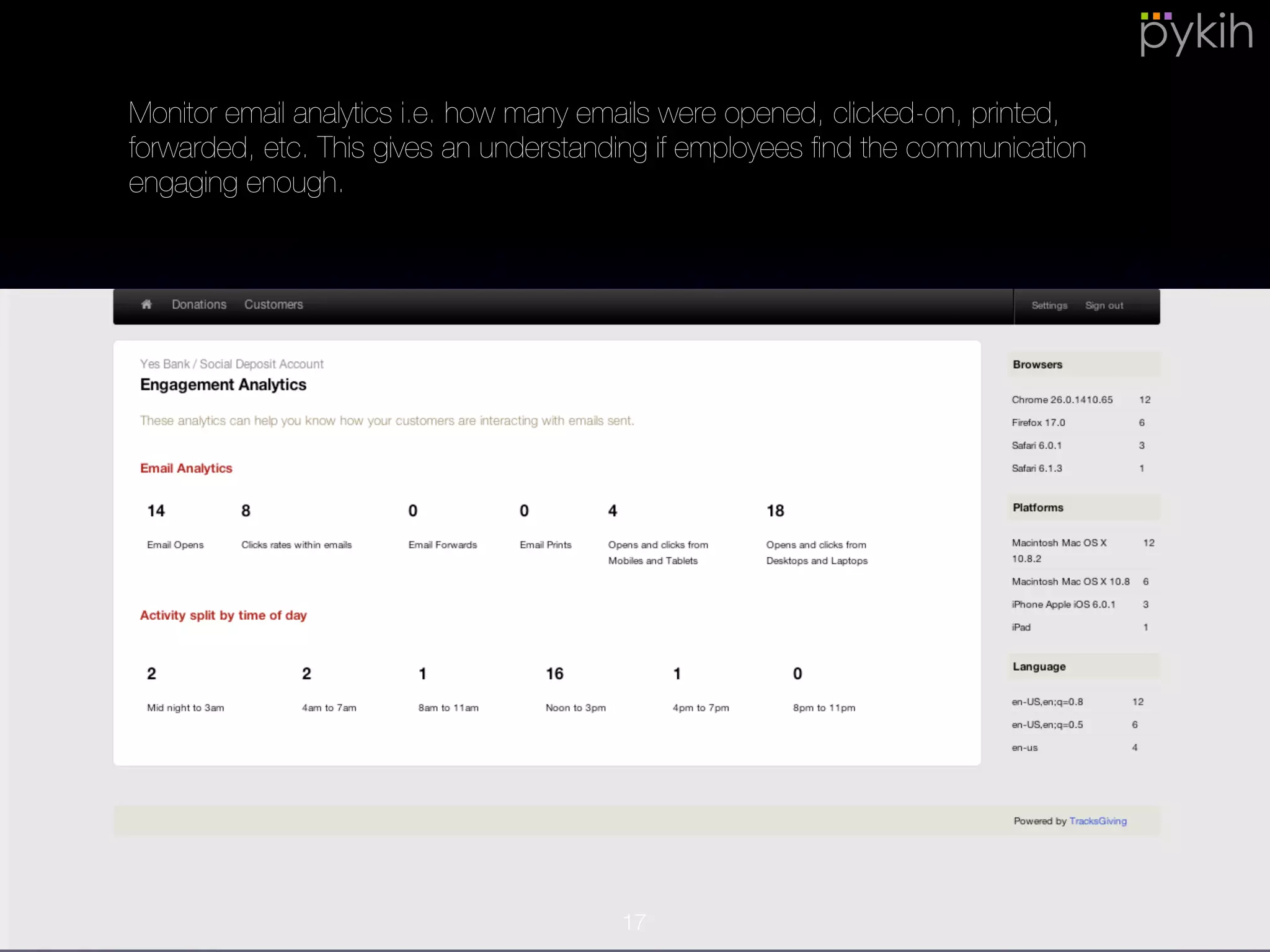
Monitor email analytics i.e. how many emails were opened, clicked-on, printed,
forwarded, etc. This gives an understanding if employees find the
communication engaging enough.
17
•Error-prone cumbersome
process
•Non-core business activity
•Cannot send emails to
employees
•Trust and transparency
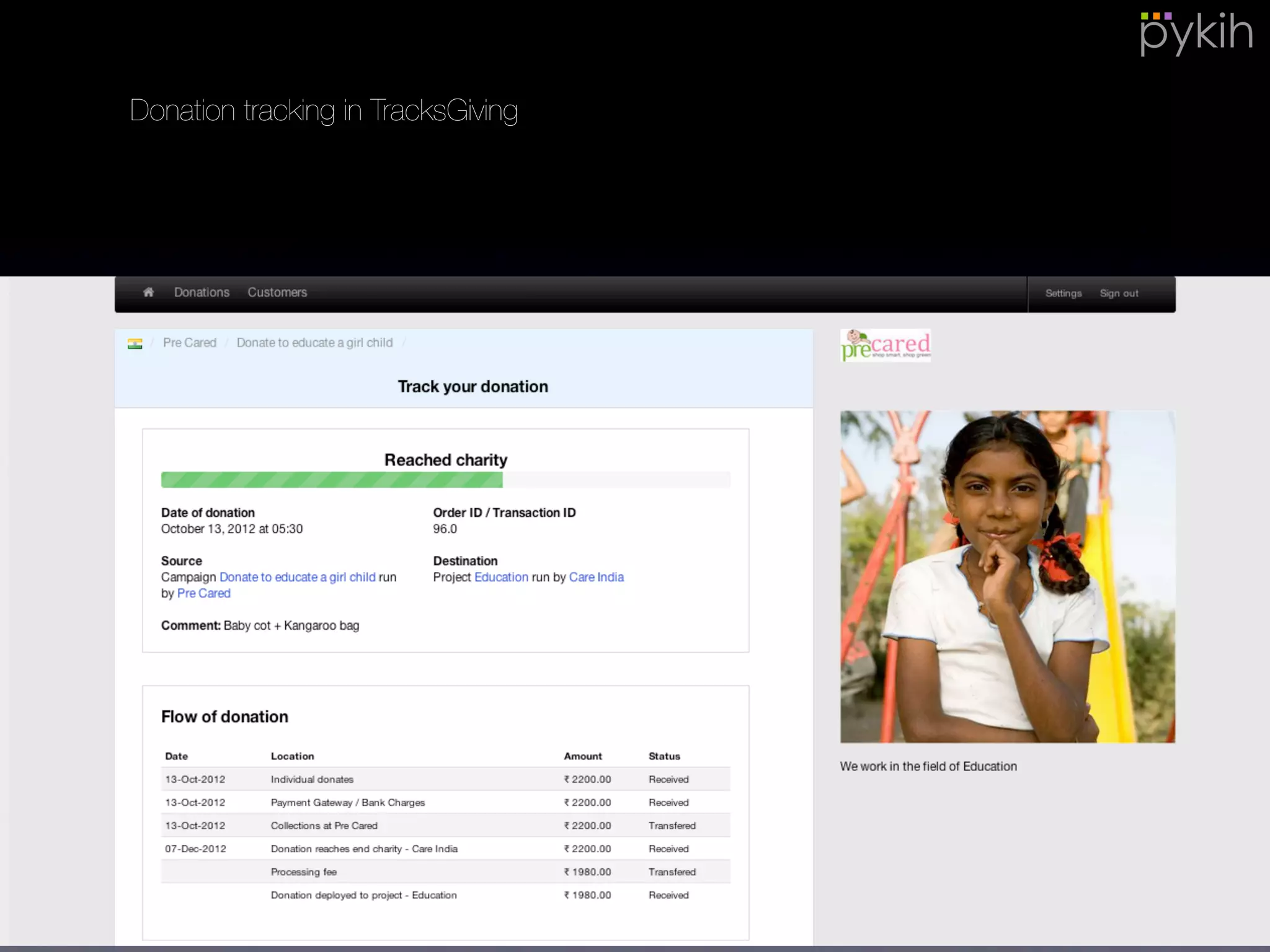
• TracksGiving allows employees to track
the flow of donations i.e. where is the
donation right now, when will it move to
the next step, how much deduction was
made, did it reach the beneficiary, etc.
• Being able to visualize giving, it
improves trust.
• Personalization
18
Personalization involves:
1) Hosting the site on your company domain e.g. mycorp.com/employees/give
2) The landing page is made to look exactly like your website
3) Emails can be sent from your email ID e.g. giving@mycorp.com
Donation tracking in TracksGiving
19
How it works? : Setup
20
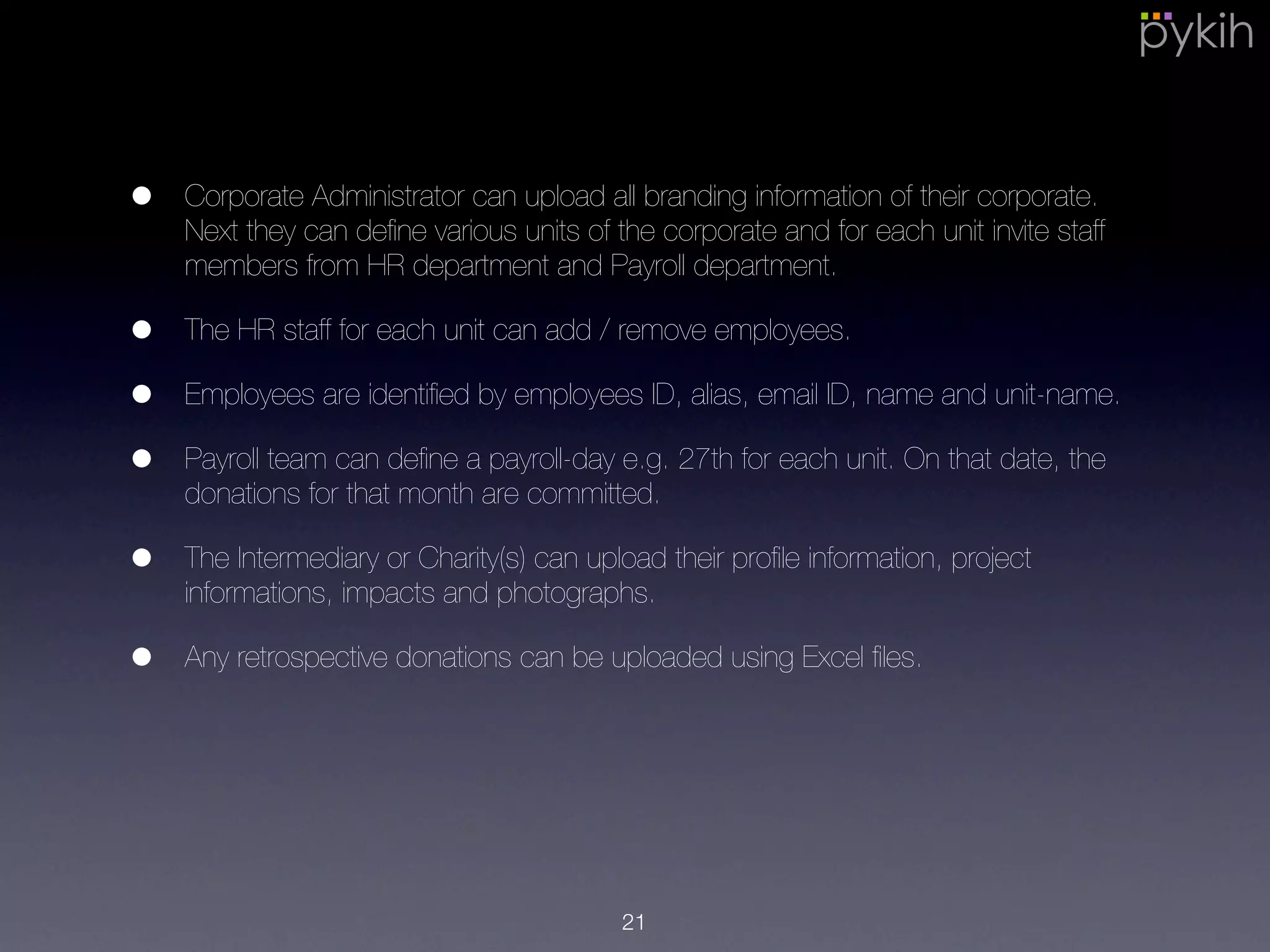
• Corporate Administrator can upload all branding information of their
corporate. Next they can define various units of the corporate and for each
unit invite staff members from HR department and Payroll department.
• The HR staff for each unit can add / remove employees.
• Employees are identified by employees ID, alias, email ID, name and unit-
name.
• Payroll team can define a payroll-day e.g. 27th for each unit. On that date,
the donations for that month are committed.
• The Intermediary or Charity(s) can upload their profile information, project
informations, impacts and photographs.
• Any retrospective donations can be uploaded using Excel files.
21
• The HR team can define various payroll giving campaigns. For each
campaign they can invite different charities / projects, design
communication material and finally decide if the corporate will match
employee giving for that campaign.
• Campaigns can be configured to be corporate-wide i.e. all employees can
see it or unit-wide i.e. employees of only certain units can see and
participate in that campaign.
• HR Team can define a limit per employee-unit-year i.e. if the annual
corporate-matching amount for an employee from a certain unit crosses
say Rs. 2.5 Lakh then a notification is generated for the HR team.
22
How it works? : Monthly Ops.
23
• Employees see various giving options and pledge an amount.
• The amount remains in tentative status till payroll date and employees can
either modify it or cancel it.
• On payroll date, all donations for that months are committed.
• Payroll team get a report of total donated amount for that month, which
employee donated and how much. They can also use TracksGiving
interface to tick each record as they deduct in the payroll system.
• Payroll team transfers the amount to Intermediary or charities.
• The Intermediary and charity see a total amount they are to expect from
the corporate at end of month. On receiving amount in their bank, they are
to confirm receipt of the amount on TracksGiving.
• Tax receipts are automatically generated for employees which they can
download themselves.
24
Gamification for
Employee Engagement
25
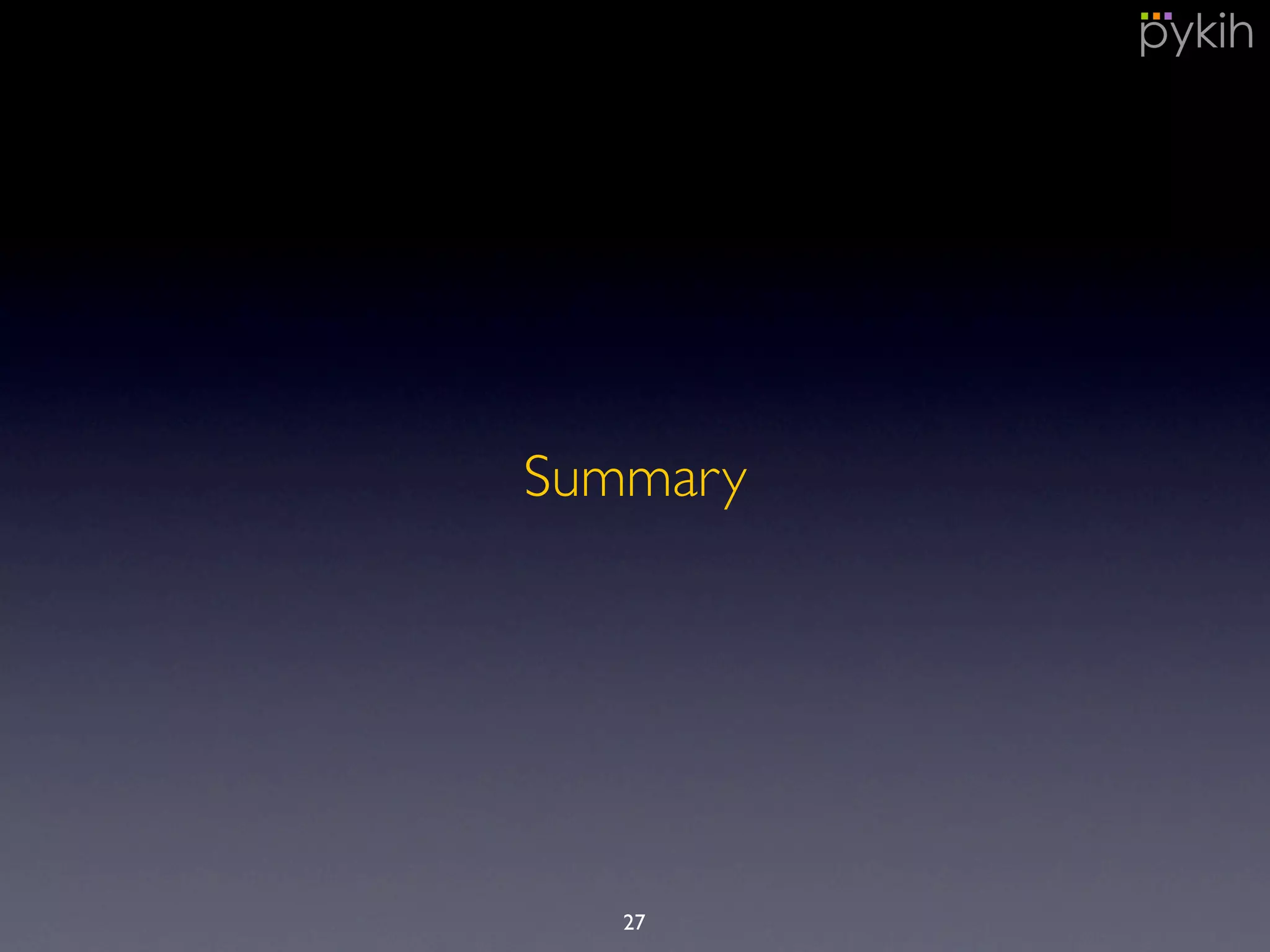
• Corporates can leverage TracksGiving to build innovative games centered
around giving, that improve productivity and team-work to improve
employee engagement.
• Examples of games:
• Target fulfillment: A game centered around monthly planned
achievement can be built. E.g. If the support team that handles
tickets and defects solves 50 high priority defects within the SLA set
by client in a month then the corporate will plant 50 trees. E.g. If
sales team achieves a certain monthly target then corporate will feed
500 children.
• Team-working: Each employee in a team can gift his colleague a
smile as a thank you if the colleague has helped the employee. For
every smile, a tiny donation is made from employee’s payroll to
colleague’s chosen charity.
26
Summary
27
Summary
• Simplify processes and save man-hours
• Delightful employee experience
• Improved Trust and Transparency
• Possibility to innovate with games around giving
29
Contact us at rp@pykih.com
or visit us at www.tracksgiving.com
28
Frequently Asked
Technical Questions
29
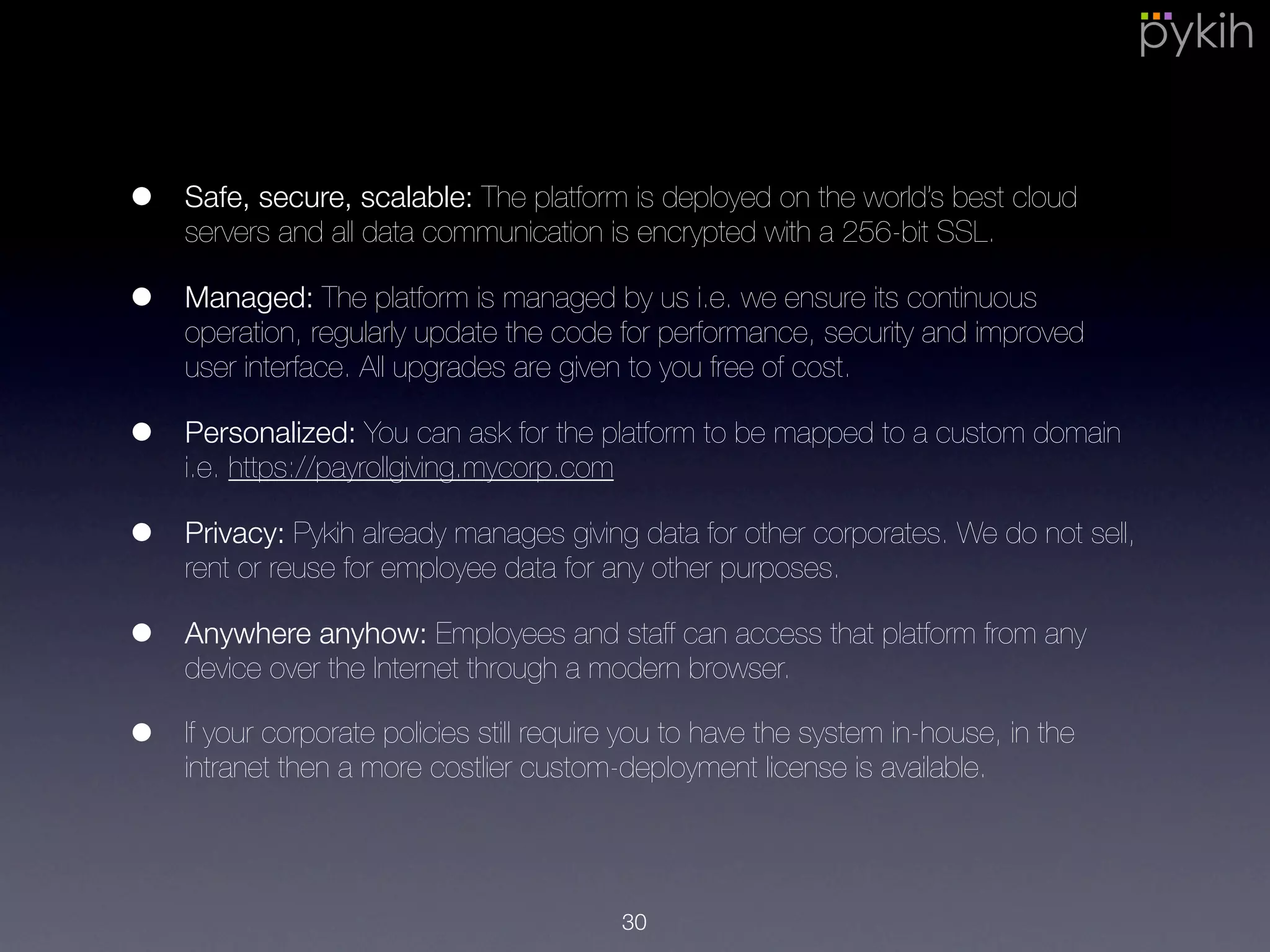
• Safe, secure, scalable: The platform is deployed on the world’s best cloud
servers and all data communication is encrypted with a 256-bit SSL.
• Managed: The platform is managed by us i.e. we ensure its continuous
operation, regularly update the code for performance, security and
improved user interface. All upgrades are given to you free of cost.
• Privacy: Pykih already manages giving data for other corporates. We do
not sell, rent or reuse for employee data for any other purposes.
• Anywhere anyhow: Employees and staff can access that platform from any
device over the Internet through a modern browser.
• If your corporate policies still require you to have the system in-house, in
the intranet then a more costlier custom-deployment license is available.
30

Payroll Giving Management with TracksGiving

  • 1.
    Payroll Giving withTracksGiving Ritvvij Parrikh rp@pykih.com www.tracksgiving.com1
  • 2.
    Agenda • Introduction • Challengeswith Payroll Giving • Benefits of using TracksGiving • How it works? - Setup • How it works? - Monthly • Gamification for Employee Engagement • Summary • Frequently Asked Technical Questions 2
  • 3.
    Introduction We believe inhelping companies achieve their business goals through the power of charity. We believe this will help raise funds for good sustainably. The way we do this is by designing creative fund-raising campaigns that make business sense and implementing them with innovative technology. We built TracksGiving, a backend donation management system that allows companies to run charitable campaigns in a very transparent fashion. 3
  • 4.
  • 5.
    A common payrollgiving process involves data flow from across many departments (HR, CSR, Finance, Payroll) within the corporate, to-and-fro the employee, the charity intermediary and finally on to the end charity. With accounts spread across so many departments, it is bound to have reconciliation issues. •Error-prone cumbersome process 5
  • 6.
    Payroll Giving isa non-core business activity. Hence, it is imperative that employees be given a delightful experience. Without it, corporates are generally reluctant to run payroll giving campaigns. •Error-prone cumbersome process •Non-core business activity 6
  • 7.
    Corporates are generallypossessive of any communication i.e. emails being sent out to employees directly by charities or intermediaries to avoid unnecessary spamming. Hence generally communication material is first handed over to the HR or CSR department which then forwards it to employees. •Error-prone cumbersome process •Non-core business activity •Cannot send emails to employees 7
  • 8.
    Once an employeepledges his amount, he has absolutely no insight into what happened with his donation and what social impact it made. •Error-prone cumbersome process •Non-core business activity •Cannot send emails to employees •Trust and transparency 8
  • 9.
  • 10.
    •Error-prone cumbersome process •Non-core businessactivity •Cannot send emails to employees •Trust and transparency Save man-hours with simplified, error-free, automated ops. • Organize employees into units and departments. • Systematic reconciliation of accounts across various departments. • Beautiful live dashboards to visualize giving trends. 10
  • 11.
    All departments, employees,intermediary and end-charities have a login into the TracksGiving portal. This way accounts are always reconciled. 11
  • 12.
    •Error-prone cumbersome process •Non-core businessactivity •Cannot send emails to employees •Trust and transparency TracksGiving makes the employee’s giving experience delightful. • Beautiful, informative and flexible giving interface. • Can download tax-receipts themselves. Employees have the flexibility to give money in any of the following formats: 1) Donate Rs. 5000 per month 2) Donate Rs. 50,000 across 12 month 3) Donate Rs. 1 Lakh one-time 4) Donate 1% of my salary. Donations stay in tentative status i.e. pledge until the payroll date of that month. Employees can chose to cancel or modify pledges before the payroll date of that month. 12
  • 13.
    Every campaign, charity,project, etc. gets a detailed informative page that the employee can read about. 13
  • 14.
    1 2 3 4 Every employeecan 1) see and update his details 2) see the emails being sent to him 3) review the donations made by him and their status 4) download tax receipts. 14
  • 15.
    •Error-prone cumbersome process •Non-core businessactivity •Cannot send emails to employees •Trust and transparency Communicate with employees in a structured, monitored fashion. • HR team and charity can design emails. • HR team and charity can upload reports and announcements that employees can read on the giving news portal. • This way no SPAM is ever sent to employees. 15
  • 16.
    1 2 1. Design beautifulemail templates which are automatically sent every time certain events take place e.g. new donation, donation reached charity, etc. 2. Personalize emails with merge tags 16
  • 17.
    Monitor email analyticsi.e. how many emails were opened, clicked-on, printed, forwarded, etc. This gives an understanding if employees find the communication engaging enough. 17
  • 18.
    •Error-prone cumbersome process •Non-core businessactivity •Cannot send emails to employees •Trust and transparency • TracksGiving allows employees to track the flow of donations i.e. where is the donation right now, when will it move to the next step, how much deduction was made, did it reach the beneficiary, etc. • Being able to visualize giving, it improves trust. • Personalization 18 Personalization involves: 1) Hosting the site on your company domain e.g. mycorp.com/employees/give 2) The landing page is made to look exactly like your website 3) Emails can be sent from your email ID e.g. giving@mycorp.com
  • 19.
    Donation tracking inTracksGiving 19
  • 20.
    How it works?: Setup 20
  • 21.
    • Corporate Administratorcan upload all branding information of their corporate. Next they can define various units of the corporate and for each unit invite staff members from HR department and Payroll department. • The HR staff for each unit can add / remove employees. • Employees are identified by employees ID, alias, email ID, name and unit- name. • Payroll team can define a payroll-day e.g. 27th for each unit. On that date, the donations for that month are committed. • The Intermediary or Charity(s) can upload their profile information, project informations, impacts and photographs. • Any retrospective donations can be uploaded using Excel files. 21
  • 22.
    • The HRteam can define various payroll giving campaigns. For each campaign they can invite different charities / projects, design communication material and finally decide if the corporate will match employee giving for that campaign. • Campaigns can be configured to be corporate-wide i.e. all employees can see it or unit-wide i.e. employees of only certain units can see and participate in that campaign. • HR Team can define a limit per employee-unit-year i.e. if the annual corporate-matching amount for an employee from a certain unit crosses say Rs. 2.5 Lakh then a notification is generated for the HR team. 22
  • 23.
    How it works?: Monthly Ops. 23
  • 24.
    • Employees seevarious giving options and pledge an amount. • The amount remains in tentative status till payroll date and employees can either modify it or cancel it. • On payroll date, all donations for that months are committed. • Payroll team get a report of total donated amount for that month, which employee donated and how much. They can also use TracksGiving interface to tick each record as they deduct in the payroll system. • Payroll team transfers the amount to Intermediary or charities. • The Intermediary and charity see a total amount they are to expect from the corporate at end of month. On receiving amount in their bank, they are to confirm receipt of the amount on TracksGiving. • Tax receipts are automatically generated for employees which they can download themselves. 24
  • 25.
  • 26.
    • Corporates canleverage TracksGiving to build innovative games centered around giving, that improve productivity and team-work to improve employee engagement. • Examples of games: • Target fulfillment: A game centered around monthly planned achievement can be built. E.g. If the support team that handles tickets and defects solves 50 high priority defects within the SLA set by client in a month then the corporate will plant 50 trees. E.g. If sales team achieves a certain monthly target then corporate will feed 500 children. • Team-working: Each employee in a team can gift his colleague a smile as a thank you if the colleague has helped the employee. For every smile, a tiny donation is made from employee’s payroll to colleague’s chosen charity. 26
  • 27.
  • 28.
    Summary • Simplify processesand save man-hours • Delightful employee experience • Improved Trust and Transparency • Possibility to innovate with games around giving 29 Contact us at rp@pykih.com or visit us at www.tracksgiving.com 28
  • 29.
  • 30.
    • Safe, secure,scalable: The platform is deployed on the world’s best cloud servers and all data communication is encrypted with a 256-bit SSL. • Managed: The platform is managed by us i.e. we ensure its continuous operation, regularly update the code for performance, security and improved user interface. All upgrades are given to you free of cost. • Privacy: Pykih already manages giving data for other corporates. We do not sell, rent or reuse for employee data for any other purposes. • Anywhere anyhow: Employees and staff can access that platform from any device over the Internet through a modern browser. • If your corporate policies still require you to have the system in-house, in the intranet then a more costlier custom-deployment license is available. 30