










Hi
Everybody!
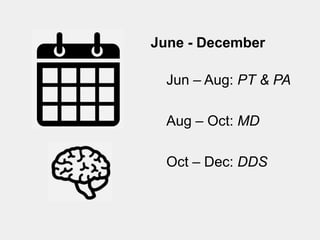
June - December

  Jun – Aug: PT & PA

  Aug – Oct: MD

  Oct – Dec: DDS
How to improve your teaching
using emerging technology


Mike Pascoe, PhD
@mpascoe
#EdTechPMR
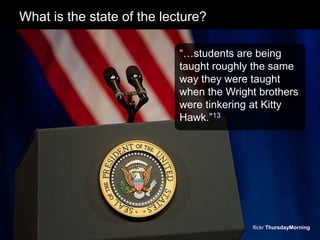
What is the state of the lecture?

                            “…students are being
                            taught roughly the same
                            way they were taught
                            when the Wright brothers
                            were tinkering at Kitty
                            Hawk.”13


                                          flickr ThursdayMorning
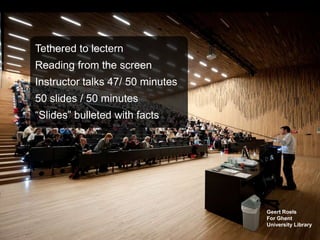
Tethered to lectern
Reading from the screen
Instructor talks 47/ 50 minutes
50 slides / 50 minutes
“Slides” bulleted with facts


                                  Geert Roels
                                  For Ghent
                                  University Library
flickr kevan_cooke
Transform your
 teaching with
  technology
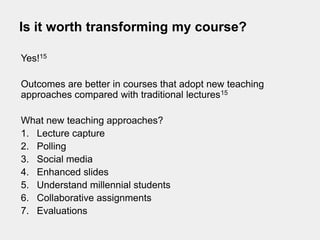
Is it worth transforming my course?

Yes!15

Outcomes are better in courses that adopt new teaching
approaches compared with traditional lectures15

What new teaching approaches?
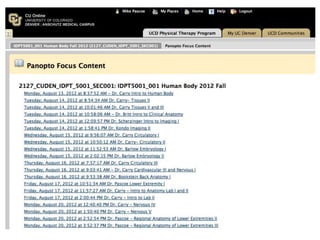
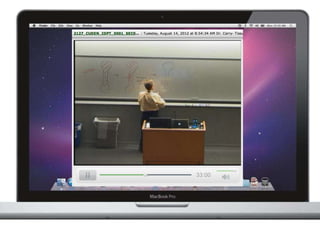
1. Lecture capture
2. Polling
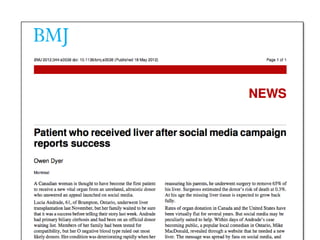
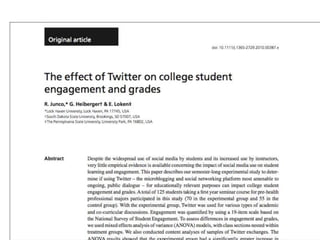
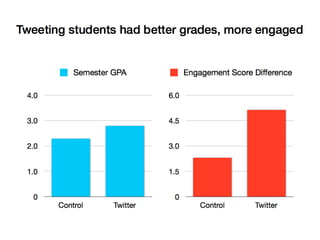
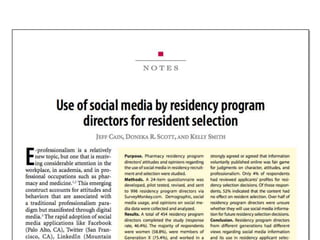
3. Social media
4. Enhanced slides
5. Understand millennial students
6. Collaborative assignments
7. Evaluations
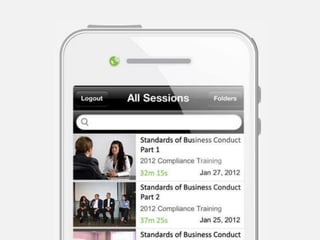
1. Lecture Capture
Instructional guidance strategy


#1 classroom technology requested by students.


Students do not replay lectures they attended live (3.8%).


Instead, students make an active choice whether or not to
attend lectures ahead of time (factors?).


Usually reinvest the time they gain missing lecture into other
studies (e.g., study for other courses).3
1. Lecture Capture
Instructional guidance strategy


Most students (88.5%) accelerate the playback
of recorded lectures (1.67X).


Students felt that accelerated playback
allowed them to learn more, faster, be more
focused.


However, live attendance was still the
predominant method for viewing lectures.3
NOT IMPRESSED?


                 @McKaylaMaroney
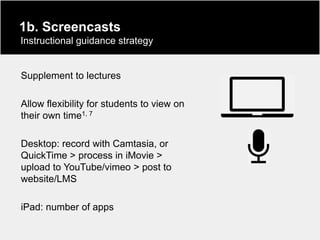
1b. Screencasts
Instructional guidance strategy


Supplement to lectures

Allow flexibility for students to view on
their own time1, 7

Desktop: record with Camtasia, or
QuickTime > process in iMovie >
upload to YouTube/vimeo > post to
website/LMS

iPad: number of apps
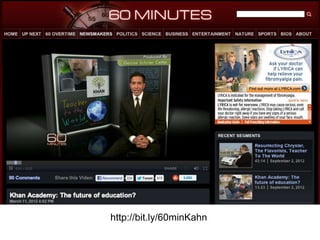
http://bit.ly/60minKahn
2. Polling
Facilitation strategy


• Audience response system (ARS)

• Stop every 10-15 minutes to assess
  understanding, address problems on the spot

• Can facilitate interactivity in large classes and
  promote active learning

• Anonymity is great for shy students
2. Polling
Facilitation strategy


• Studies uniformly report students have positive
  attitudes toward ARS4, 9

• What tech do our students have? Assume
  most have a laptop or smart phone but is there
  an ITS survey?

• Do not poll for facts, use real-world clinical
  cases to give students practice, higher on
  Bloom‟s taxonomy, stories are more “sticky”
NOT IMPRESSED?
3. Social Media
General communication strategy


• Americans spend 23% of all internet time on social
  networks (gaming second 10%, email third 8%)
• 50 million tweets about the #London2012 games
• 5 million tweets about the #DNC2012
• Twitter is best suited for communication
• Facilitate communication with instructor
• Backchannel for lecture
• Keep conversation going after lecture
NOT IMPRESSED?
4. Enhanced slides


• Embed video, stimulate discussion
• Too much text a bad thing for lecture?
• Simple icons from TheNounProject.com
• Move out from behind the lectern (iPad?)
• Do not include unrelated graphics, only ones that add info
• High quality graphics from book publisher websites
• Build-in lists
• Do not dim the lights unless you are showing radiographs,
  use a white background
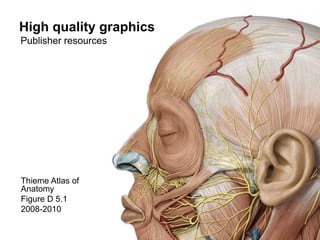
High quality graphics
Publisher resources


Thieme Atlas of
Anatomy
Figure D 5.1
2008-2010
How to add a video to PPT
Link option


1. Visit YouTube, Most Viewed, This Week, Sci & Tech:
   http://www.youtube.com/charts/videos_views/science?t=w
2. Take a screenshot of the video
3. Paste screenshot on your slide
4. Copy video URL from YouTube
5. Add hyperlink to the screenshot directed to URL
6. Click on the screenshot during your lecture to open URL on
   host computer browser

Assumes you will have WiFi connectivity in lecture hall
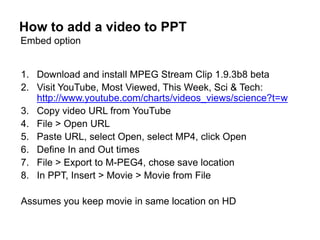
How to add a video to PPT
Embed option


1. Download and install MPEG Stream Clip 1.9.3b8 beta
2. Visit YouTube, Most Viewed, This Week, Sci & Tech:
   http://www.youtube.com/charts/videos_views/science?t=w
3. Copy video URL from YouTube
4. File > Open URL
5. Paste URL, select Open, select MP4, click Open
6. Define In and Out times
7. File > Export to M-PEG4, chose save location
8. In PPT, Insert > Movie > Movie from File

Assumes you keep movie in same location on HD
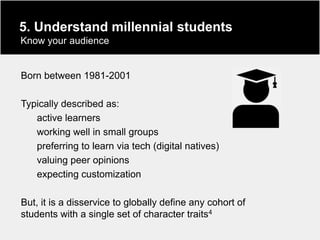
5. Understand millennial students
Know your audience


Born between 1981-2001

Typically described as:
   active learners
   working well in small groups
   preferring to learn via tech (digital natives)
   valuing peer opinions
   expecting customization

But, it is a disservice to globally define any cohort of
students with a single set of character traits4
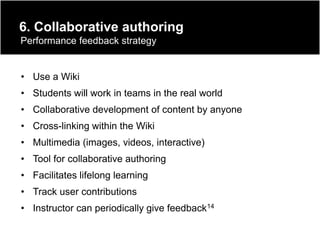
6. Collaborative authoring
Performance feedback strategy


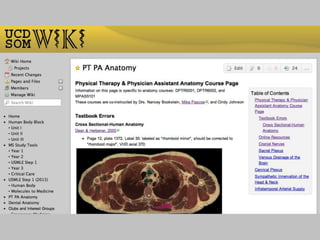
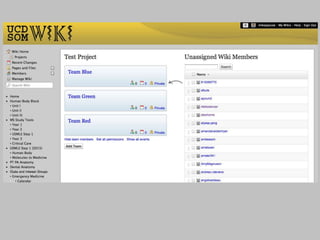
• Use a Wiki
• Students will work in teams in the real world
• Collaborative development of content by anyone
• Cross-linking within the Wiki
• Multimedia (images, videos, interactive)
• Tool for collaborative authoring
• Facilitates lifelong learning
• Track user contributions
• Instructor can periodically give feedback14
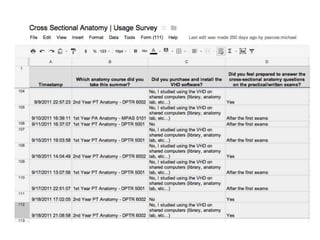
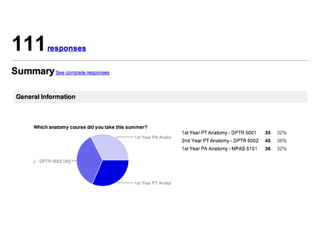
7. Evaluations


• Evaluations can be distributed electronically using Dropbox
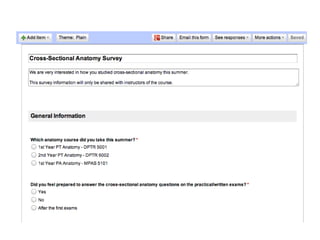
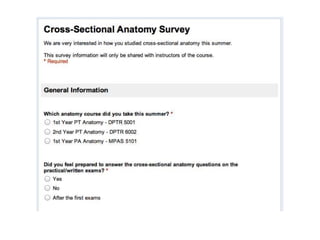
• Use a Google Doc Form
• Let the data come to you already packaged and ready for
  analysis
• Email to students or embed in a website
• Students take online surveys all the time!
• Story on NPR
• What did they find most difficult, what was most interesting
  from today‟s lecture
NOT IMPRESSED?
bit.ly/PMReval
Tech in the classroom
A double-edged sword


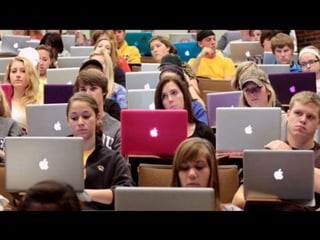
•   Laptops can be a distraction
•   You cannot multitask!
•   “Multitasking is a myth” JJ Cohen
•   Most can type faster than they can write by hand
•   Give your students the data showing how detrimental
    distractions can be during a lecture8
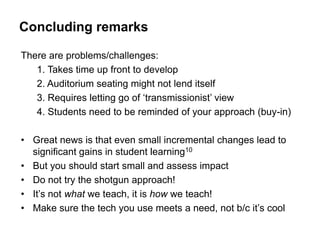
Concluding remarks

There are problems/challenges:
   1. Takes time up front to develop
   2. Auditorium seating might not lend itself
   3. Requires letting go of „transmissionist‟ view
   4. Students need to be reminded of your approach (buy-in)

• Great news is that even small incremental changes lead to
  significant gains in student learning10
• But you should start small and assess impact
• Do not try the shotgun approach!
• It‟s not what we teach, it is how we teach!
• Make sure the tech you use meets a need, not b/c it‟s cool
Additional Resources
On the web…


MERLOT – link
MedEdPORTAL – link
EDUCAUSE – link
CU Faculty Learning Committee – link
CU Online; Spring Symposium – link
Google me: “Mike Pascoe” – link
Delicious bookmarks tagged “education” – link
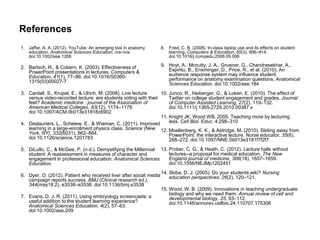
References
1. Jaffar, A. A. (2012). YouTube: An emerging tool in anatomy       8. Fried, C. B. (2008). In-class laptop use and its effects on student
   education. Anatomical Sciences Education, n/a–n/a.                  learning. Computers & Education, 50(3), 906–914.
   doi:10.1002/ase.1268                                                doi:10.1016/j.compedu.2006.09.006

2. Bartsch, R., & Cobern, K. (2003). Effectiveness of               9. Hoyt, A., Mcnulty, J. A., Gruener, G., Chandrasekhar, A.,
   PowerPoint presentations in lectures. Computers &                   Espiritu, B., Ensminger, D., Price, R., et al. (2010). An
   Education, 41(1), 77–86. doi:10.1016/S0360-                         audience response system may influence student
   1315(03)00027-7                                                     performance on anatomy examination questions. Anatomical
                                                                       Sciences Education. doi:10.1002/ase.184
3. Cardall, S., Krupat, E., & Ulrich, M. (2008). Live lecture    10. Junco, R., Heiberger, G., & Loken, E. (2010). The effect of
   versus video-recorded lecture: are students voting with their     Twitter on college student engagement and grades. Journal
   feet? Academic medicine : journal of the Association of           of Computer Assisted Learning, 27(2), 119–132.
   American Medical Colleges, 83(12), 1174–1178.                     doi:10.1111/j.1365-2729.2010.00387.x
   doi:10.1097/ACM.0b013e31818c6902
                                                                 11. Knight JK, Wood WB. 2005. Teaching more by lecturing
4. Deslauriers, L., Schelew, E., & Wieman, C. (2011). Improved       less. Cell Biol. Educ. 4:298–310
   learning in a large-enrollment physics class. Science (New 12. Moellenberg, K. K., & Aldridge, M. (2010). Sliding away from
   York, NY), 332(6031), 862–864.                                    PowerPoint: the interactive lecture. Nurse educator, 35(6),
   doi:10.1126/science.1201783                                       268–272. doi:10.1097/NNE.0b013e3181f7f2f7
5. DiLullo, C., & McGee, P. (n.d.). Demystifying the Millennial 13. Prober, C. G., & Heath, C. (2012). Lecture halls without
   student: A reassessment in measures of character and             lectures--a proposal for medical education. The New
   engagement in professional education. Anatomical Sciences        England journal of medicine, 366(18), 1657–1659.
   Education.                                                       doi:10.1056/NEJMp1202451
                                                                    14. Skiba, D. J. (2005). Do your students wiki? Nursing
6. Dyer, O. (2012). Patient who received liver after social media       education perspectives, 26(2), 120–121.
   campaign reports success. BMJ (Clinical research ed.),
   344(may18 2), e3538–e3538. doi:10.1136/bmj.e3538
                                                                    15. Wood, W. B. (2009). Innovations in teaching undergraduate
                                                                        biology and why we need them. Annual review of cell and
7. Evans, D. J. R. (2011). Using embryology screencasts: a              developmental biology, 25, 93–112.
   useful addition to the student learning experience?                  doi:10.1146/annurev.cellbio.24.110707.175306
   Anatomical Sciences Education, 4(2), 57–63.
   doi:10.1002/ase.209
iPad[3]
Released March 16, 2012
3M sold in three days


                          Apple, Inc
Activities

 • Lecture slides      •   Data collection/analysis
 • Video / Music       •   Back channel monitoring
 • Polling:            •   Mapping
   pollev.com/pascoe   •   Find a reference
 • Drawing             •   Interact with other iPads
 • 3D modeling         •   Live Google Doc editing:
 • Camera                  bit.ly/mptester
 • Facetime / Skype

How to improve your teaching using emerging technology

  • 1.
  • 4.
    June - December Jun – Aug: PT & PA Aug – Oct: MD Oct – Dec: DDS
  • 10.
    How to improveyour teaching using emerging technology Mike Pascoe, PhD @mpascoe #EdTechPMR
  • 12.
    What is thestate of the lecture? “…students are being taught roughly the same way they were taught when the Wright brothers were tinkering at Kitty Hawk.”13 flickr ThursdayMorning
  • 13.
    Tethered to lectern Readingfrom the screen Instructor talks 47/ 50 minutes 50 slides / 50 minutes “Slides” bulleted with facts Geert Roels For Ghent University Library
  • 14.
  • 16.
    Transform your teachingwith technology
  • 17.
    Is it worthtransforming my course? Yes!15 Outcomes are better in courses that adopt new teaching approaches compared with traditional lectures15 What new teaching approaches? 1. Lecture capture 2. Polling 3. Social media 4. Enhanced slides 5. Understand millennial students 6. Collaborative assignments 7. Evaluations
  • 18.
    1. Lecture Capture Instructionalguidance strategy #1 classroom technology requested by students. Students do not replay lectures they attended live (3.8%). Instead, students make an active choice whether or not to attend lectures ahead of time (factors?). Usually reinvest the time they gain missing lecture into other studies (e.g., study for other courses).3
  • 19.
    1. Lecture Capture Instructionalguidance strategy Most students (88.5%) accelerate the playback of recorded lectures (1.67X). Students felt that accelerated playback allowed them to learn more, faster, be more focused. However, live attendance was still the predominant method for viewing lectures.3
  • 23.
    NOT IMPRESSED? @McKaylaMaroney
  • 24.
    1b. Screencasts Instructional guidancestrategy Supplement to lectures Allow flexibility for students to view on their own time1, 7 Desktop: record with Camtasia, or QuickTime > process in iMovie > upload to YouTube/vimeo > post to website/LMS iPad: number of apps
  • 26.
  • 27.
    2. Polling Facilitation strategy •Audience response system (ARS) • Stop every 10-15 minutes to assess understanding, address problems on the spot • Can facilitate interactivity in large classes and promote active learning • Anonymity is great for shy students
  • 28.
    2. Polling Facilitation strategy •Studies uniformly report students have positive attitudes toward ARS4, 9 • What tech do our students have? Assume most have a laptop or smart phone but is there an ITS survey? • Do not poll for facts, use real-world clinical cases to give students practice, higher on Bloom‟s taxonomy, stories are more “sticky”
  • 29.
  • 31.
    3. Social Media Generalcommunication strategy • Americans spend 23% of all internet time on social networks (gaming second 10%, email third 8%) • 50 million tweets about the #London2012 games • 5 million tweets about the #DNC2012 • Twitter is best suited for communication • Facilitate communication with instructor • Backchannel for lecture • Keep conversation going after lecture
  • 36.
  • 37.
    4. Enhanced slides •Embed video, stimulate discussion • Too much text a bad thing for lecture? • Simple icons from TheNounProject.com • Move out from behind the lectern (iPad?) • Do not include unrelated graphics, only ones that add info • High quality graphics from book publisher websites • Build-in lists • Do not dim the lights unless you are showing radiographs, use a white background
  • 38.
    High quality graphics Publisherresources Thieme Atlas of Anatomy Figure D 5.1 2008-2010
  • 39.
    How to adda video to PPT Link option 1. Visit YouTube, Most Viewed, This Week, Sci & Tech: http://www.youtube.com/charts/videos_views/science?t=w 2. Take a screenshot of the video 3. Paste screenshot on your slide 4. Copy video URL from YouTube 5. Add hyperlink to the screenshot directed to URL 6. Click on the screenshot during your lecture to open URL on host computer browser Assumes you will have WiFi connectivity in lecture hall
  • 41.
    How to adda video to PPT Embed option 1. Download and install MPEG Stream Clip 1.9.3b8 beta 2. Visit YouTube, Most Viewed, This Week, Sci & Tech: http://www.youtube.com/charts/videos_views/science?t=w 3. Copy video URL from YouTube 4. File > Open URL 5. Paste URL, select Open, select MP4, click Open 6. Define In and Out times 7. File > Export to M-PEG4, chose save location 8. In PPT, Insert > Movie > Movie from File Assumes you keep movie in same location on HD
  • 43.
    5. Understand millennialstudents Know your audience Born between 1981-2001 Typically described as: active learners working well in small groups preferring to learn via tech (digital natives) valuing peer opinions expecting customization But, it is a disservice to globally define any cohort of students with a single set of character traits4
  • 47.
    6. Collaborative authoring Performancefeedback strategy • Use a Wiki • Students will work in teams in the real world • Collaborative development of content by anyone • Cross-linking within the Wiki • Multimedia (images, videos, interactive) • Tool for collaborative authoring • Facilitates lifelong learning • Track user contributions • Instructor can periodically give feedback14
  • 51.
    7. Evaluations • Evaluationscan be distributed electronically using Dropbox • Use a Google Doc Form • Let the data come to you already packaged and ready for analysis • Email to students or embed in a website • Students take online surveys all the time! • Story on NPR • What did they find most difficult, what was most interesting from today‟s lecture
  • 56.
  • 57.
  • 58.
    Tech in theclassroom A double-edged sword • Laptops can be a distraction • You cannot multitask! • “Multitasking is a myth” JJ Cohen • Most can type faster than they can write by hand • Give your students the data showing how detrimental distractions can be during a lecture8
  • 59.
    Concluding remarks There areproblems/challenges: 1. Takes time up front to develop 2. Auditorium seating might not lend itself 3. Requires letting go of „transmissionist‟ view 4. Students need to be reminded of your approach (buy-in) • Great news is that even small incremental changes lead to significant gains in student learning10 • But you should start small and assess impact • Do not try the shotgun approach! • It‟s not what we teach, it is how we teach! • Make sure the tech you use meets a need, not b/c it‟s cool
  • 60.
    Additional Resources On theweb… MERLOT – link MedEdPORTAL – link EDUCAUSE – link CU Faculty Learning Committee – link CU Online; Spring Symposium – link Google me: “Mike Pascoe” – link Delicious bookmarks tagged “education” – link
  • 61.
    References 1. Jaffar, A.A. (2012). YouTube: An emerging tool in anatomy 8. Fried, C. B. (2008). In-class laptop use and its effects on student education. Anatomical Sciences Education, n/a–n/a. learning. Computers & Education, 50(3), 906–914. doi:10.1002/ase.1268 doi:10.1016/j.compedu.2006.09.006 2. Bartsch, R., & Cobern, K. (2003). Effectiveness of 9. Hoyt, A., Mcnulty, J. A., Gruener, G., Chandrasekhar, A., PowerPoint presentations in lectures. Computers & Espiritu, B., Ensminger, D., Price, R., et al. (2010). An Education, 41(1), 77–86. doi:10.1016/S0360- audience response system may influence student 1315(03)00027-7 performance on anatomy examination questions. Anatomical Sciences Education. doi:10.1002/ase.184 3. Cardall, S., Krupat, E., & Ulrich, M. (2008). Live lecture 10. Junco, R., Heiberger, G., & Loken, E. (2010). The effect of versus video-recorded lecture: are students voting with their Twitter on college student engagement and grades. Journal feet? Academic medicine : journal of the Association of of Computer Assisted Learning, 27(2), 119–132. American Medical Colleges, 83(12), 1174–1178. doi:10.1111/j.1365-2729.2010.00387.x doi:10.1097/ACM.0b013e31818c6902 11. Knight JK, Wood WB. 2005. Teaching more by lecturing 4. Deslauriers, L., Schelew, E., & Wieman, C. (2011). Improved less. Cell Biol. Educ. 4:298–310 learning in a large-enrollment physics class. Science (New 12. Moellenberg, K. K., & Aldridge, M. (2010). Sliding away from York, NY), 332(6031), 862–864. PowerPoint: the interactive lecture. Nurse educator, 35(6), doi:10.1126/science.1201783 268–272. doi:10.1097/NNE.0b013e3181f7f2f7 5. DiLullo, C., & McGee, P. (n.d.). Demystifying the Millennial 13. Prober, C. G., & Heath, C. (2012). Lecture halls without student: A reassessment in measures of character and lectures--a proposal for medical education. The New engagement in professional education. Anatomical Sciences England journal of medicine, 366(18), 1657–1659. Education. doi:10.1056/NEJMp1202451 14. Skiba, D. J. (2005). Do your students wiki? Nursing 6. Dyer, O. (2012). Patient who received liver after social media education perspectives, 26(2), 120–121. campaign reports success. BMJ (Clinical research ed.), 344(may18 2), e3538–e3538. doi:10.1136/bmj.e3538 15. Wood, W. B. (2009). Innovations in teaching undergraduate biology and why we need them. Annual review of cell and 7. Evans, D. J. R. (2011). Using embryology screencasts: a developmental biology, 25, 93–112. useful addition to the student learning experience? doi:10.1146/annurev.cellbio.24.110707.175306 Anatomical Sciences Education, 4(2), 57–63. doi:10.1002/ase.209
  • 62.
    iPad[3] Released March 16,2012 3M sold in three days Apple, Inc
  • 63.
    Activities • Lectureslides • Data collection/analysis • Video / Music • Back channel monitoring • Polling: • Mapping pollev.com/pascoe • Find a reference • Drawing • Interact with other iPads • 3D modeling • Live Google Doc editing: • Camera bit.ly/mptester • Facetime / Skype

Editor's Notes

  • #13 Prober, C. G., & Heath, C. (2012). Lecture halls without lectures--a proposal for medical education. The New England journal of medicine, 366(18), 1657–1659. doi:10.1056/NEJMp1202451
  • #19 Cardall, S., Krupat, E., & Ulrich, M. (2008). Live lecture versus video-recorded lecture: are students voting with their feet? Academic medicine : journal of the Association of American Medical Colleges, 83(12), 1174–1178. doi:10.1097/ACM.0b013e31818c6902
  • #20 Cardall, S., Krupat, E., & Ulrich, M. (2008). Live lecture versus video-recorded lecture: are students voting with their feet? Academic medicine : journal of the Association of American Medical Colleges, 83(12), 1174–1178. doi:10.1097/ACM.0b013e31818c6902
  • #25 Evans, D. J. R. (2011). Using embryology screencasts: a useful addition to the student learning experience? Anatomical Sciences Education, 4(2), 57–63. doi:10.1002/ase.209
  • #28 1. Deslauriers, L., Schelew, E., & Wieman, C. (2011). Improved learning in a large-enrollment physics class. Science (New York, NY), 332(6031), 862–864. doi:10.1126/science.12017832. Hoyt, A., Mcnulty, J. A., Gruener, G., Chandrasekhar, A., Espiritu, B., Ensminger, D., Price, R., et al. (2010). An audience response system may influence student performance on anatomy examination questions. Anatomical Sciences Education. doi:10.1002/ase.184
  • #29 1. Deslauriers, L., Schelew, E., & Wieman, C. (2011). Improved learning in a large-enrollment physics class. Science (New York, NY), 332(6031), 862–864. doi:10.1126/science.12017832. Hoyt, A., Mcnulty, J. A., Gruener, G., Chandrasekhar, A., Espiritu, B., Ensminger, D., Price, R., et al. (2010). An audience response system may influence student performance on anatomy examination questions. Anatomical Sciences Education. doi:10.1002/ase.184
  • #31 <?xml version="1.0" encoding="ISO-8859-1" ?><poll url="http://www.polleverywhere.com/multiple_choice_polls/NTcyNzU2NTA4"> <!-- This snippet was inserted via the Poll Everywhere Mac Presenter --> <!-- The presence of this snippet is used to indicate that a poll will be shown during the slideshow --> <!-- TIP: You can draw a solid, filled rectangle on your slide and the Mac Presenter will automatically display your poll in that area. --> <!-- The Mac Presenter application must also be running and logged in for this to work. --> <!-- To remove this, simply delete it from the notes yourself or use the Mac Presenter to remove it for you. --> <title>The _______ nerve is the most commonly injured nerve in the lower extremity due to its close association with the neck of the fibula.</title></poll>
  • #33 Dyer, O. (2012). Patient who received liver after social media campaign reports success. BMJ (Clinical research ed.), 344(may18 2), e3538–e3538. doi:10.1136/bmj.e3538
  • #34 Junco, R., Heiberger, G., & Loken, E. (2010). The effect of Twitter on college student engagement and grades. Journal of Computer Assisted Learning, 27(2), 119–132. doi:10.1111/j.1365-2729.2010.00387.x
  • #38 Moellenberg, K. K., & Aldridge, M. (2010). Sliding away from PowerPoint: the interactive lecture. Nurse educator, 35(6), 268–272. doi:10.1097/NNE.0b013e3181f7f2f7Bartsch, R., & Cobern, K. (2003). Effectiveness of PowerPoint presentations in lectures. Computers & Education, 41(1), 77–86. doi:10.1016/S0360-1315(03)00027-7
  • #44 DiLullo, C., & McGee, P. (n.d.). Demystifying the Millennial student: A reassessment in measures of character and engagement in professional education. Anatomical Sciences Education.
  • #48 Skiba, D. J. (2005). Do your students wiki? Nursing education perspectives, 26(2), 120–121.
  • #60 1. Knight JK, Wood WB. 2005. Teaching more by lecturing less. Cell Biol. Educ. 4:298–310