LEARNING STYLES AND
STUDENT ENGAGEMENT:
Using technology to address multiple learning styles
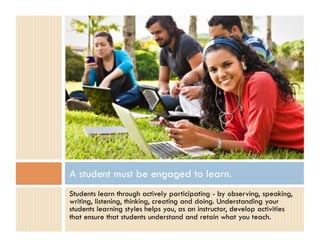
A student must be engaged to learn.
Students learn through actively participating - by observing, speaking,
writing, listening, thinking, creating and doing. Understanding your
students learning styles helps you, as an instructor, develop activities
that ensure that students understand and retain what you teach.
What is a learning style?
A “learning style” is a preference for information acquisition.
   •    Visual/Verbal: Prefers to read information
   •    Visual/Nonverbal: Uses graphics or diagrams to represent information
   •    Auditory/Verbal: Prefers to listen to information
   •    Tactile/Kinesthetic: Prefers physical hands-on experiences


To identify your learning style, visit:
   •    http://www.edutopia.org/multiple-intelligences-learning-styles-quiz
   •    http://www.vark-learn.com/english/page.asp?p=questionnaire
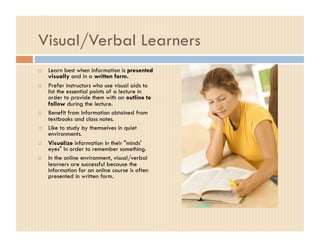
Visual/Verbal Learners
    Learn best when information is presented
     visually and in a written form.
    Prefer instructors who use visual aids to
     list the essential points of a lecture in
     order to provide them with an outline to
     follow during the lecture.
    Benefit from information obtained from
     textbooks and class notes.
    Like to study by themselves in quiet
     environments.
    Visualize information in their "minds'
     eyes" in order to remember something.
    In the online environment, visual/verbal
     learners are successful because the
     information for an online course is often
     presented in written form.
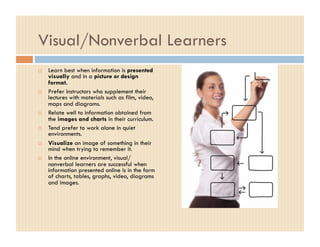
Visual/Nonverbal Learners
    Learn best when information is presented
     visually and in a picture or design
     format.
    Prefer instructors who supplement their
     lectures with materials such as film, video,
     maps and diagrams.
    Relate well to information obtained from
     the images and charts in their curriculum.
    Tend prefer to work alone in quiet
     environments.
    Visualize an image of something in their
     mind when trying to remember it.
    In the online environment, visual/
     nonverbal learners are successful when
     information presented online is in the form
     of charts, tables, graphs, video, diagrams
     and images.
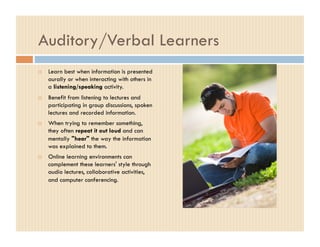
Auditory/Verbal Learners
    Learn best when information is presented
     aurally or when interacting with others in
     a listening/speaking activity.
    Benefit from listening to lectures and
     participating in group discussions, spoken
     lectures and recorded information.
    When trying to remember something,
     they often repeat it out loud and can
     mentally "hear" the way the information
     was explained to them.
    Online learning environments can
     complement these learners' style through
     audio lectures, collaborative activities,
     and computer conferencing.
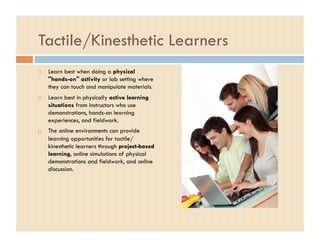
Tactile/Kinesthetic Learners
    Learn best when doing a physical
     "hands-on" activity or lab setting where
     they can touch and manipulate materials.
    Learn best in physically active learning
     situations from instructors who use
     demonstrations, hands-on learning
     experiences, and fieldwork.
    The online environments can provide
     learning opportunities for tactile/
     kinesthetic learners through project-based
     learning, online simulations of physical
     demonstrations and fieldwork, and online
     discussion.
Learning Styles
Most students have different learning styles, or a
combination of styles. Therefore learning
activities should be designed to address the
various ways that students learn in order to
provide a significant experience for each class
participant.
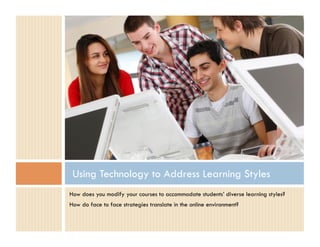
Using Technology to Address Learning Styles
How does you modify your courses to accommodate students’ diverse learning styles?
How do face to face strategies translate in the online environment?
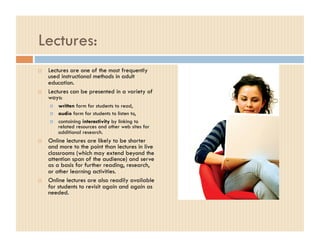
Lectures:
    Lectures are one of the most frequently
     used instructional methods in adult
     education.
    Lectures can be presented in a variety of
     ways:
         written form for students to read,
         audio form for students to listen to,
         containing interactivity by linking to
          related resources and other web sites for
          additional research.
    Online lectures are likely to be shorter
     and more to the point than lectures in live
     classrooms (which may extend beyond the
     attention span of the audience) and serve
     as a basis for further reading, research,
     or other learning activities.
    Online lectures are also readily available
     for students to revisit again and again as
     needed.
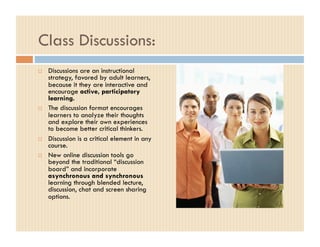
Class Discussions:
    Discussions are an instructional
     strategy, favored by adult learners,
     because it they are interactive and
     encourage active, participatory
     learning.
    The discussion format encourages
     learners to analyze their thoughts
     and explore their own experiences
     to become better critical thinkers.
    Discussion is a critical element in any
     course.
    New online discussion tools go
     beyond the traditional “discussion
     board” and incorporate
     asynchronous and synchronous
     learning through blended lecture,
     discussion, chat and screen sharing
     options.
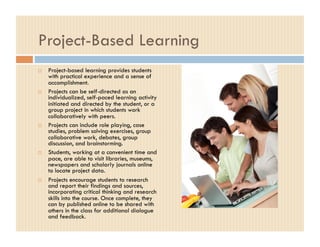
Project-Based Learning
    Project-based learning provides students
     with practical experience and a sense of
     accomplishment.
    Projects can be self-directed as an
     individualized, self-paced learning activity
     initiated and directed by the student, or a
     group project in which students work
     collaboratively with peers.
    Projects can include role playing, case
     studies, problem solving exercises, group
     collaborative work, debates, group
     discussion, and brainstorming.
    Students, working at a convenient time and
     pace, are able to visit libraries, museums,
     newspapers and scholarly journals online
     to locate project data.
    Projects encourage students to research
     and report their findings and sources,
     incorporating critical thinking and research
     skills into the course. Once complete, they
     can by published online to be shared with
     others in the class for additional dialogue
     and feedback.
Collaboration Tools to Address Multiple Learning Styles

As faculty begin to teach online and incorporate more technology-based
activities into their classrooms, learning is becoming more collaborative,
contextual and active.
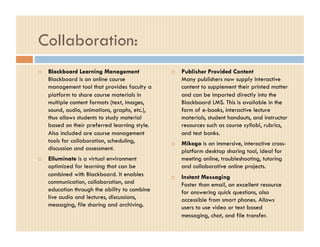
Collaboration:
    Blackboard Learning Management                 Publisher Provided Content
     Blackboard is an online course                  Many publishers now supply interactive
     management tool that provides faculty a         content to supplement their printed matter
     platform to share course materials in           and can be imported directly into the
     multiple content formats (text, images,         Blackboard LMS. This is available in the
     sound, audio, animations, graphs, etc.),        form of e-books, interactive lecture
     thus allows students to study material          materials, student handouts, and instructor
     based on their preferred learning style.        resources such as course syllabi, rubrics,
     Also included are course management             and test banks.
     tools for collaboration, scheduling,           Mikogo is an immersive, interactive cross-
     discussion and assessment.                      platform desktop sharing tool, ideal for
    Elluminate is a virtual environment             meeting online, troubleshooting, tutoring
     optimized for learning that can be              and collaborative online projects.
     combined with Blackboard. It enables           Instant Messaging
     communication, collaboration, and               Faster than email, an excellent resource
     education through the ability to combine        for answering quick questions, also
     live audio and lectures, discussions,           accessible from smart phones. Allows
     messaging, file sharing and archiving.          users to use video or text based
                                                     messaging, chat, and file transfer.
Much of the power of teaching via the internet
lies in its capacity to support multiple modes of
communication and learning styles. Taking this
into account, educators can facilitate powerful,
effective courses geared to achieve specific
learning goals and outcomes using the vast
resources and capacities of online learning.

LS/Engagement Presentation

  • 1.
    LEARNING STYLES AND STUDENTENGAGEMENT: Using technology to address multiple learning styles
  • 2.
    A student mustbe engaged to learn. Students learn through actively participating - by observing, speaking, writing, listening, thinking, creating and doing. Understanding your students learning styles helps you, as an instructor, develop activities that ensure that students understand and retain what you teach.
  • 3.
    What is alearning style? A “learning style” is a preference for information acquisition. •  Visual/Verbal: Prefers to read information •  Visual/Nonverbal: Uses graphics or diagrams to represent information •  Auditory/Verbal: Prefers to listen to information •  Tactile/Kinesthetic: Prefers physical hands-on experiences To identify your learning style, visit: •  http://www.edutopia.org/multiple-intelligences-learning-styles-quiz •  http://www.vark-learn.com/english/page.asp?p=questionnaire
  • 4.
    Visual/Verbal Learners   Learn best when information is presented visually and in a written form.   Prefer instructors who use visual aids to list the essential points of a lecture in order to provide them with an outline to follow during the lecture.   Benefit from information obtained from textbooks and class notes.   Like to study by themselves in quiet environments.   Visualize information in their "minds' eyes" in order to remember something.   In the online environment, visual/verbal learners are successful because the information for an online course is often presented in written form.
  • 5.
    Visual/Nonverbal Learners   Learn best when information is presented visually and in a picture or design format.   Prefer instructors who supplement their lectures with materials such as film, video, maps and diagrams.   Relate well to information obtained from the images and charts in their curriculum.   Tend prefer to work alone in quiet environments.   Visualize an image of something in their mind when trying to remember it.   In the online environment, visual/ nonverbal learners are successful when information presented online is in the form of charts, tables, graphs, video, diagrams and images.
  • 6.
    Auditory/Verbal Learners   Learn best when information is presented aurally or when interacting with others in a listening/speaking activity.   Benefit from listening to lectures and participating in group discussions, spoken lectures and recorded information.   When trying to remember something, they often repeat it out loud and can mentally "hear" the way the information was explained to them.   Online learning environments can complement these learners' style through audio lectures, collaborative activities, and computer conferencing.
  • 7.
    Tactile/Kinesthetic Learners   Learn best when doing a physical "hands-on" activity or lab setting where they can touch and manipulate materials.   Learn best in physically active learning situations from instructors who use demonstrations, hands-on learning experiences, and fieldwork.   The online environments can provide learning opportunities for tactile/ kinesthetic learners through project-based learning, online simulations of physical demonstrations and fieldwork, and online discussion.
  • 8.
    Learning Styles Most studentshave different learning styles, or a combination of styles. Therefore learning activities should be designed to address the various ways that students learn in order to provide a significant experience for each class participant.
  • 9.
    Using Technology toAddress Learning Styles How does you modify your courses to accommodate students’ diverse learning styles? How do face to face strategies translate in the online environment?
  • 10.
    Lectures:   Lectures are one of the most frequently used instructional methods in adult education.   Lectures can be presented in a variety of ways:   written form for students to read,   audio form for students to listen to,   containing interactivity by linking to related resources and other web sites for additional research.   Online lectures are likely to be shorter and more to the point than lectures in live classrooms (which may extend beyond the attention span of the audience) and serve as a basis for further reading, research, or other learning activities.   Online lectures are also readily available for students to revisit again and again as needed.
  • 11.
    Class Discussions:   Discussions are an instructional strategy, favored by adult learners, because it they are interactive and encourage active, participatory learning.   The discussion format encourages learners to analyze their thoughts and explore their own experiences to become better critical thinkers.   Discussion is a critical element in any course.   New online discussion tools go beyond the traditional “discussion board” and incorporate asynchronous and synchronous learning through blended lecture, discussion, chat and screen sharing options.
  • 12.
    Project-Based Learning   Project-based learning provides students with practical experience and a sense of accomplishment.   Projects can be self-directed as an individualized, self-paced learning activity initiated and directed by the student, or a group project in which students work collaboratively with peers.   Projects can include role playing, case studies, problem solving exercises, group collaborative work, debates, group discussion, and brainstorming.   Students, working at a convenient time and pace, are able to visit libraries, museums, newspapers and scholarly journals online to locate project data.   Projects encourage students to research and report their findings and sources, incorporating critical thinking and research skills into the course. Once complete, they can by published online to be shared with others in the class for additional dialogue and feedback.
  • 13.
    Collaboration Tools toAddress Multiple Learning Styles As faculty begin to teach online and incorporate more technology-based activities into their classrooms, learning is becoming more collaborative, contextual and active.
  • 14.
    Collaboration:   Blackboard Learning Management   Publisher Provided Content Blackboard is an online course Many publishers now supply interactive management tool that provides faculty a content to supplement their printed matter platform to share course materials in and can be imported directly into the multiple content formats (text, images, Blackboard LMS. This is available in the sound, audio, animations, graphs, etc.), form of e-books, interactive lecture thus allows students to study material materials, student handouts, and instructor based on their preferred learning style. resources such as course syllabi, rubrics, Also included are course management and test banks. tools for collaboration, scheduling,   Mikogo is an immersive, interactive cross- discussion and assessment. platform desktop sharing tool, ideal for   Elluminate is a virtual environment meeting online, troubleshooting, tutoring optimized for learning that can be and collaborative online projects. combined with Blackboard. It enables   Instant Messaging communication, collaboration, and Faster than email, an excellent resource education through the ability to combine for answering quick questions, also live audio and lectures, discussions, accessible from smart phones. Allows messaging, file sharing and archiving. users to use video or text based messaging, chat, and file transfer.
  • 15.
    Much of thepower of teaching via the internet lies in its capacity to support multiple modes of communication and learning styles. Taking this into account, educators can facilitate powerful, effective courses geared to achieve specific learning goals and outcomes using the vast resources and capacities of online learning.