
XML transformations with PHP PHPCon 2003 East April 25 th  2003, New York City, USA Stephan Schmidt
Agenda About the speaker XML transformations Drawbacks of XSLT Transforming XML with PHP Installation patXMLRenderer Adding fun by overloading XML namespaces Design and usage of extensions PEAR::XML_Transformer XSLT vs PHP Transformers
Stephan Schmidt Web Application Developer at Metrix Internet Design GmbH in Karlsruhe/Germany Programming since 1988, PHP since 1998 Publishing OS on  http://www.php-tools.net Contributor to the German PHP Magazine Regular speaker at conferences Maintainer of patXMLRenderer, patTemplate, patUser and others
XML transformations Data is stored in an XML document Needed in different formats and environments Other XML formats (DocBook, SVG, …) HTML Plain text LaTeX Anything else you can imagine Content remains the same
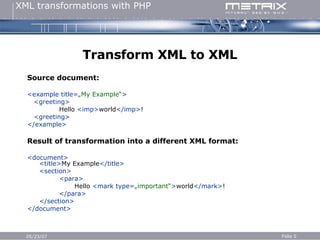
Transform XML to XML Source document: <example title= „My Example“ > <greeting> Hello  <imp> world </imp> ! <greeting> </example> Result of transformation into a different XML format: <document> <title> My Example </title> <section> <para>   Hello  <mark type= „important“ > world </mark> ! </para> </section> </document>
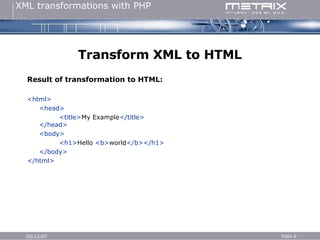
Transform XML to HTML Result of transformation to HTML: <html> <head> <title> My Example </title> </head> <body> <h1> Hello  <b> world </b></h1> </body> </html>
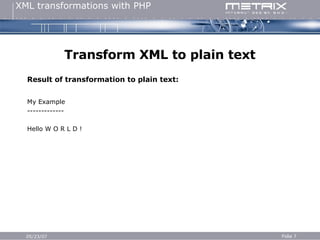
Transform XML to plain text Result of transformation to plain text: My Example ------------- Hello W O R L D !
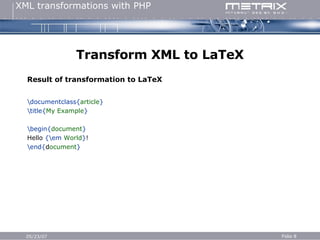
Transform XML to LaTeX Result of transformation to LaTeX \documentclass{ article } \title{ My Example } \begin{ document } Hello  {\em   World } ! \end{ d ocument }
Introduction to XSLT XSLT has been developed for the task of transforming XML documents XSLT stylesheets are XML documents Transforms XML trees that are stored in memory Uses XPath to access parts of a document Based on pattern matching (“When see you something that looks like this, do that…”) “ awk of the XML universe” May only append to its output Functional syntax
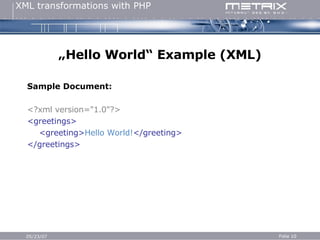
„ Hello World“ Example (XML) Sample Document: <?xml version=&quot;1.0&quot;?> <greetings> <greeting> Hello World! </greeting> </greetings>
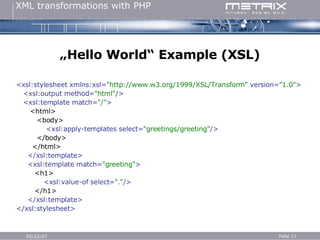
„ Hello World“ Example (XSL) <xsl:stylesheet xmlns:xsl= &quot;http://www.w3.org/1999/XSL/Transform&quot;  version= &quot;1.0&quot; > <xsl:output method= &quot;html&quot; /> <xsl:template match= &quot;/&quot; > <html> <body> <xsl:apply-templates select= &quot;greetings/greeting&quot; /> </body> </html> </xsl:template> <xsl:template match= &quot;greeting&quot; > <h1> <xsl:value-of select= &quot;.&quot; /> </h1> </xsl:template> </xsl:stylesheet>
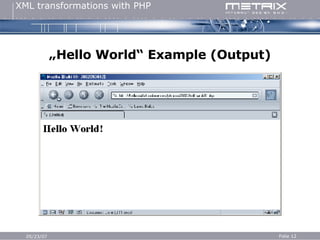
„ Hello World“ Example (Output)
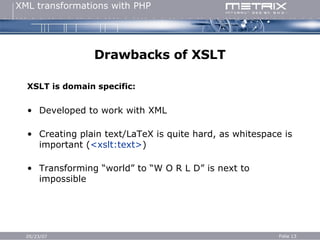
Drawbacks of XSLT XSLT is domain specific: Developed to work with XML Creating plain text/LaTeX is quite hard, as whitespace is important ( <xslt:text> ) Transforming “world” to “W O R L D” is next to impossible
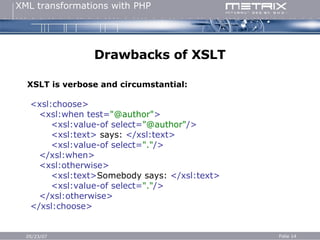
Drawbacks of XSLT XSLT is verbose and circumstantial: <xsl:choose> <xsl:when test= &quot;@author&quot; > <xsl:value-of select= &quot;@author&quot; /> <xsl:text>  says:  </xsl:text> <xsl:value-of select= &quot;.&quot; /> </xsl:when> <xsl:otherwise> <xsl:text> Somebody says:  </xsl:text> <xsl:value-of select= &quot;.&quot; /> </xsl:otherwise> </xsl:choose>
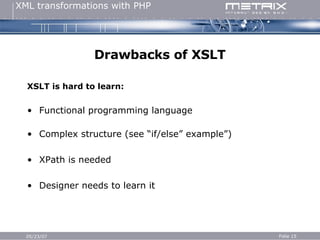
Drawbacks of XSLT XSLT is hard to learn: Functional programming language Complex structure (see “if/else” example”) XPath is needed Designer needs to learn it
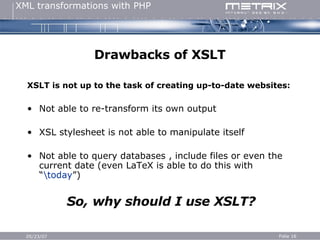
Drawbacks of XSLT XSLT is not up to the task of creating up-to-date websites: Not able to re-transform its own output XSL stylesheet is not able to manipulate itself  Not able to query databases , include files or even the current date (even LaTeX is able to do this with “ \today ”) So, why should I use XSLT?
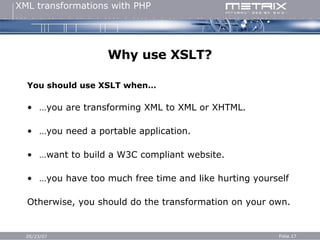
Why use XSLT? You should use XSLT when… … you are transforming XML to XML or XHTML. … you need a portable application. … want to build a W3C compliant website. … you have too much free time and like hurting yourself Otherwise, you should do the transformation on your own.
Transforming XML using PHP Transforming an XML document is easy: Define a transformation rule for each tag Start at the root element Traverse the document recursively Insert the transformation result to the parent tag Go home early as you have completed the task faster than with XSLT.
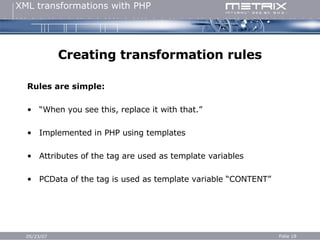
Creating transformation rules Rules are simple: “ When you see this, replace it with that.” Implemented in PHP using templates Attributes of the tag are used as template variables PCData of the tag is used as template variable “CONTENT”
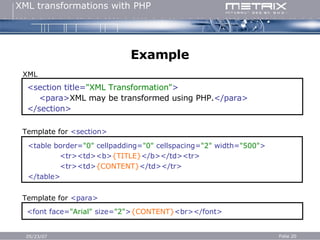
Example <section title= &quot;XML Transformation&quot; > <para> XML may be transformed using PHP. </para> </section> XML Template for  <section> Template for  <para> <table border= &quot;0&quot;  cellpadding= &quot;0&quot;  cellspacing= &quot;2&quot;  width= &quot;500&quot; > <tr><td><b> {TITLE} </b></td><tr> <tr><td> {CONTENT} </td></tr> </table> <font face= &quot; Arial &quot;  size= &quot; 2 &quot; > {CONTENT} <br> </font>
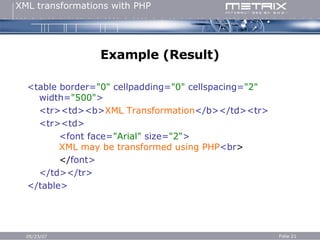
Example (Result) <table border= &quot;0&quot;  cellpadding= &quot;0&quot;  cellspacing= &quot;2&quot;  width= &quot;500&quot; > <tr><td><b> XML Transformation </b></td><tr> <tr><td> <font face= &quot; Arial &quot;  size= &quot; 2 &quot; > XML may be transformed using PHP <br > </ font> </td></tr> </table>
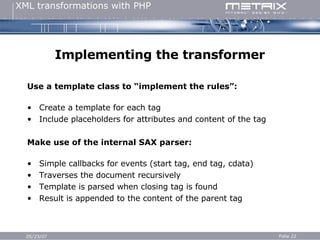
Implementing the transformer Use a template class to “implement the rules”: Create a template for each tag Include placeholders for attributes and content of the tag Make use of the internal SAX parser: Simple callbacks for events (start tag, end tag, cdata) Traverses the document recursively Template is parsed when closing tag is found Result is appended to the content of the parent tag
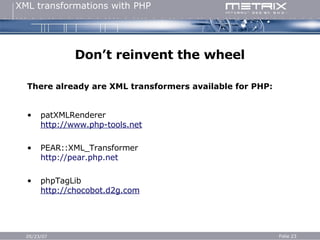
Don’t reinvent the wheel There already are XML transformers available for PHP: patXMLRenderer http://www.php-tools.net PEAR::XML_Transformer http:// pear.php.net phpTagLib http://chocobot.d2g.com
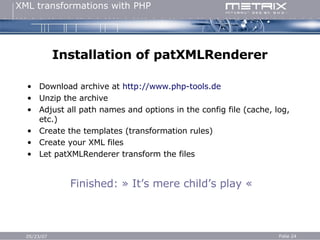
Installation of patXMLRenderer Download archive at  http://www.php-tools.de Unzip the archive Adjust all path names and options in the config file (cache, log, etc.) Create the templates (transformation rules) Create your XML files Let patXMLRenderer transform the files Finished: » It’s mere child’s play «
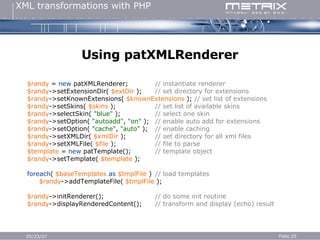
Using patXMLRenderer $randy  =  new  patXMLRenderer; // instantiate renderer $randy ->setExtensionDir(  $extDir  );  // set directory for extensions $randy ->setKnownExtensions(  $knownExtensions  );  // set list of extensions $randy ->setSkins(  $skins  ); // set list of available skins $randy ->selectSkin(  &quot;blue&quot;  ); // select one skin $randy ->setOption(  &quot;autoadd&quot; ,  &quot;on&quot;  ); // enable auto add for extensions $randy ->setOption(  &quot;cache&quot; ,  &quot;auto&quot;  ); // enable caching $randy ->setXMLDir(  $xmlDir  ); // set directory for all xml files $randy ->setXMLFile(  $file  ); // file to parse $template  =  new  patTemplate(); // template object $randy ->setTemplate(  $template  ); foreach (  $baseTemplates  as   $tmplFile  ) // load templates $randy ->addTemplateFile(  $tmplFile  ); $randy ->initRenderer(); // do some init routine $randy ->displayRenderedContent(); // transform and display (echo) result
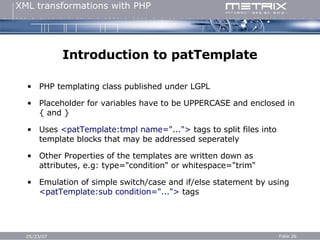
Introduction to patTemplate PHP templating class published under LGPL Placeholder for variables have to be UPPERCASE and enclosed in { and } Uses  <patTemplate:tmpl name=&quot;...&quot;>  tags to split files into template blocks that may be addressed seperately Other Properties of the templates are written down as attributes, e.g: type=&quot;condition&quot; or whitespace=&quot;trim&quot; Emulation of simple switch/case and if/else statement by using  <patTemplate:sub condition=&quot;...&quot;>  tags
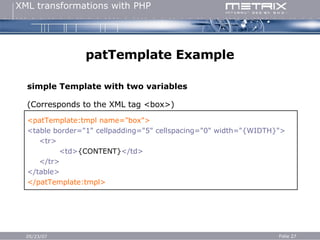
patTemplate Example simple Template with two variables (Corresponds to the XML tag <box>) <patTemplate:tmpl name=&quot;box&quot;> <table border=&quot;1&quot; cellpadding=&quot;5&quot; cellspacing=&quot;0&quot; width=&quot;{WIDTH}&quot;> <tr> <td> {CONTENT} </td> </tr> </table> </patTemplate:tmpl>
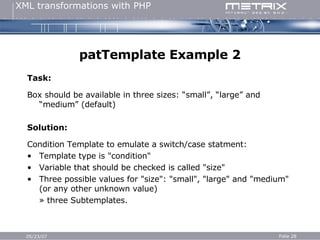
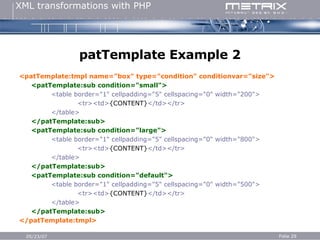
patTemplate Example 2 Task: Box should be available in three sizes: “small”, “large” and “medium” (default) Solution: Condition Template to emulate a switch/case statment: Template type is &quot;condition&quot; Variable that should be checked is called &quot;size&quot; Three possible values for &quot;size&quot;: &quot;small&quot;, &quot;large&quot; and &quot;medium&quot; (or any other unknown value) » three Subtemplates.
patTemplate Example 2 <patTemplate:tmpl name=&quot;box&quot; type=&quot;condition&quot; conditionvar=&quot;size&quot;> <patTemplate:sub condition=&quot;small&quot;> <table border=&quot;1&quot; cellpadding=&quot;5&quot; cellspacing=&quot;0&quot; width=&quot;200&quot;>   <tr><td> {CONTENT} </td></tr> </table> </patTemplate:sub> <patTemplate:sub condition=&quot;large&quot;> <table border=&quot;1&quot; cellpadding=&quot;5&quot; cellspacing=&quot;0&quot; width=&quot;800&quot;>   <tr><td> {CONTENT} </td></tr> </table> </patTemplate:sub> <patTemplate:sub condition=&quot;default&quot;> <table border=&quot;1&quot; cellpadding=&quot;5&quot; cellspacing=&quot;0&quot; width=&quot;500&quot;>   <tr><td> {CONTENT} </td></tr> </table> </patTemplate:sub> </patTemplate:tmpl>
Adding fun Simple transformation is easy, but patXMLRenderer can do  more: Callbacks for events (start tag, end tag, data) can be dispatched to classes (dubbed “extensions”) that are responsible for the transformation of the tag. Extensions may access any PHP function Extensions may return XML that is still transformed
Overloading namespaces Extensions are added by overloading namespaces: On each event patXMLRenderer checks whether the current tag has a namespace patXMLRenderer checks whether an extension for the namespace has been defined patXMLRenderer instantiates the extension class (if not done already) patXMLRenderer calls the appropriate method of the class (startElement, endElement, characterData) Extension returns transformed tag and patXMLRenderer appends it to parent tag (or transforms it again)
Simple Example <example> Today is  <time:current format= “m-d-Y” /> . </example> Will be transformed to… <example> Today is 04-25-2004. </example> … Which will then be transformed using the rules defined in  the templates.
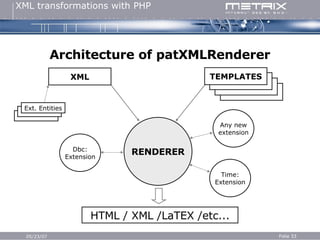
Architecture of patXMLRenderer RENDERER HTML / XML /LaTEX /etc... Any new extension XML TEMPLATES Time: Extension Dbc: Extension Ext. Entities
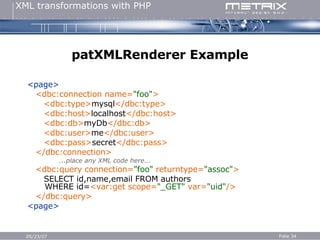
patXMLRenderer Example <page> <dbc:connection name= &quot;foo&quot; > <dbc:type> mysql </dbc:type> <dbc:host> localhost </dbc:host> <dbc:db> myDb </dbc:db> <dbc:user> me </dbc:user> <dbc:pass> secret </dbc:pass> </dbc:connection> ...place any XML code here... <dbc:query connection= &quot;foo&quot;  returntype= &quot;assoc&quot; > SELECT id,name,email FROM authors   WHERE id= <var:get scope= &quot;_GET&quot;  var= &quot;uid&quot; /> </dbc:query> <page>
patXMLRenderer Example (Result) <page> ...any static XML... <result> <row> <id> 1 </id> <name> Stephan </name> <email> [email_address] </email> </row> </result> </page>
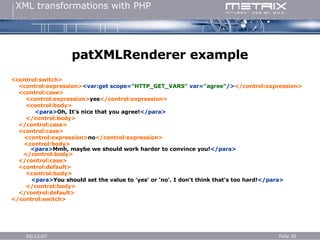
patXMLRenderer example <control:switch>  <control:expression> <var:get scope= &quot;HTTP_GET_VARS&quot;  var= &quot;agree&quot; /> </control:expression>  <control:case>  <control:expression> yes </control:expression>  <control:body>  <para> Oh, It's nice that you agree! </para> </control:body>  </control:case>  <control:case> <control:expression> no </control:expression> <control:body>   <para> Mmh, maybe we should work harder to convince you! </para> </control:body> </control:case>  <control:default> <control:body>   <para> You should set the value to 'yes' or 'no'. I don't think that's too hard! </para> </control:body>  </control:default>  </control:switch>
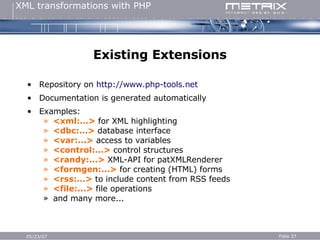
Existing Extensions Repository on  http://www.php-tools.net Documentation is generated automatically Examples: <xml:...>  for XML highlighting <dbc:...>  database interface <var:...>  access to variables <control:...>  control structures <randy:...>  XML-API for patXMLRenderer <formgen:...>  for creating (HTML) forms <rss:...>  to include content from RSS feeds <file:...>  file operations and many more...
Getting bored? Let’s take a look at some real-life examples…
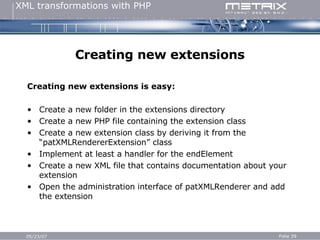
Creating new extensions Creating new extensions is easy: Create a new folder in the extensions directory Create a new PHP file containing the extension class Create a new extension class by deriving it from the “patXMLRendererExtension” class Implement at least a handler for the endElement Create a new XML file that contains documentation about your extension Open the administration interface of patXMLRenderer and add the extension
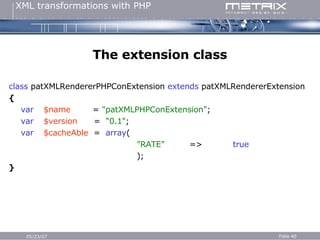
The extension class c lass   patXMLRendererPHPConExtension  extends  patXMLRendererExtension { var     $name   =  &quot;patXMLPHPConExtension&quot; ; var   $version   =  &quot;0.1&quot; ; var   $cacheAble   =   array ( &quot;RATE&quot;   => true ); }
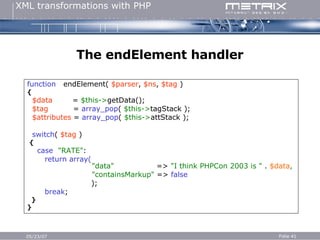
The endElement handler f unction   endElement(  $parser ,  $ns ,  $tag  ) { $data   =   $this-> getData(); $tag   =   array_pop (  $this-> tagStack ); $attributes   =   array_pop (  $this-> attStack ); switch (  $tag  ) { case   &quot;RATE&quot; : return array(   &quot;data&quot;   =>   &quot;I think PHPCon 2003 is &quot;  .   $data ,   &quot;containsMarkup&quot;  =>  false ); break ; } }
The XML file <configuration> <!-- information about the extension --> <path name= &quot;extension&quot; > <configValue type= &quot;string&quot;  name= &quot;namespace&quot; > phpcon </configValue> <configValue type= &quot;string&quot;  name= &quot;name&quot; > PHPCon Extension </configValue> <configValue type= &quot;string&quot;  name= &quot;class&quot; > patXMLRendererPHPConExtension </configValue> <configValue type= &quot;float&quot;  name= &quot;version&quot; > 0.1 </configValue> <configValue type= &quot;string&quot;  name= &quot;requiredRandyVersion&quot; > 0.6 </configValue> <configValue type= &quot;string&quot;  name= &quot;description&quot; >   Just an example for the PHPCon 2003 East in NYC </configValue> </path> <!-- information about the author --> <path name= &quot;author&quot; > <configValue type= &quot;string&quot;  name= &quot;name&quot; > Stephan Schmidt </configValue> <configValue type= &quot;string&quot;  name= &quot;email&quot; > [email_address] </configValue> </path> <!-- documentation of the tags would follow here --> </configuration>
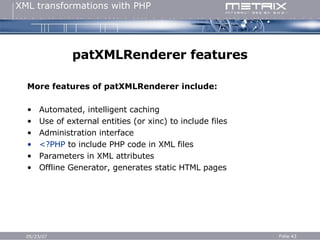
patXMLRenderer features More features of patXMLRenderer include: Automated, intelligent caching Use of external entities (or xinc) to include files Administration interface <?PHP  to include PHP code in XML files Parameters in XML attributes Offline Generator, generates static HTML pages
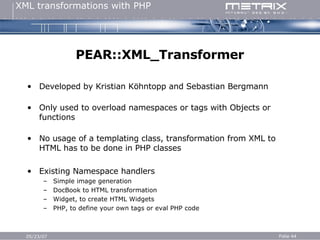
PEAR::XML_Transformer Developed by Kristian Köhntopp and Sebastian Bergmann Only used to overload namespaces or tags with Objects or functions No usage of a templating class, transformation from XML to HTML has to be done in PHP classes Existing Namespace handlers Simple image generation DocBook to HTML transformation Widget, to create HTML Widgets PHP, to define your own tags or eval PHP code
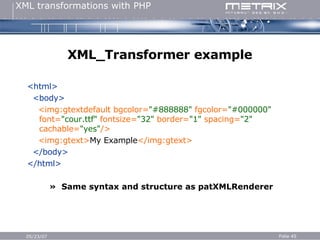
XML_Transformer example <html> <body> <img:gtextdefault bgcolor= &quot;#888888&quot;  fgcolor= &quot;#000000&quot;  font= &quot;cour.ttf&quot;  fontsize= &quot;32&quot;  border= &quot;1&quot;  spacing= &quot;2&quot;  cachable= &quot;yes&quot; /> <img:gtext> My Example </img:gtext> </body> </html> »  Same syntax and structure as patXMLRenderer
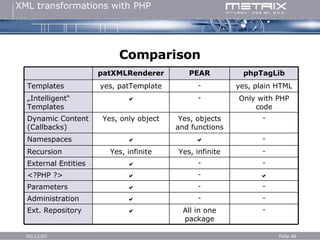
Comparison - -  Parameters Only with PHP code -  „ Intelligent“ Templates - All in one package  Ext. Repository - -  Administration  -  <?PHP ?> - -  External Entities - Yes, infinite Yes, infinite Recursion -   Namespaces - Yes, objects and functions Yes, only object Dynamic Content (Callbacks) yes, plain HTML - yes, patTemplate Templates phpTagLib PEAR patXMLRenderer
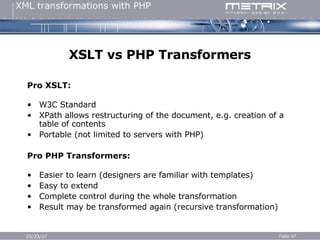
XSLT vs PHP Transformers Pro XSLT: W3C Standard XPath allows restructuring of the document, e.g. creation of a table of contents Portable (not limited to servers with PHP) Pro PHP Transformers: Easier to learn (designers are familiar with templates) Easy to extend Complete control during the whole transformation Result may be transformed again (recursive transformation)
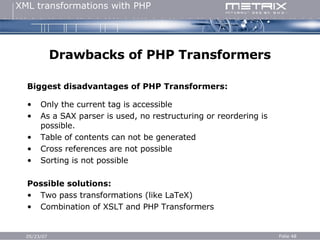
Drawbacks of PHP Transformers Biggest disadvantages of PHP Transformers:   Only the current tag is accessible As a SAX parser is used, no restructuring or reordering is possible. Table of contents can not be generated Cross references are not possible Sorting is not possible Possible solutions: Two pass transformations (like LaTeX) Combination of XSLT and PHP Transformers
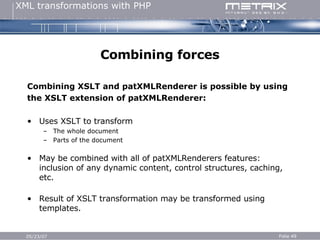
Combining forces Combining XSLT and patXMLRenderer is possible by using  the XSLT extension of patXMLRenderer: Uses XSLT to transform The whole document Parts of the document May be combined with all of patXMLRenderers features: inclusion of any dynamic content, control structures, caching, etc. Result of XSLT transformation may be transformed using templates.
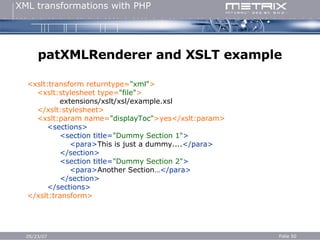
patXMLRenderer and XSLT example <xslt:transform returntype= &quot;xml&quot; > <xslt:stylesheet type= &quot;file&quot; > extensions/xslt/xsl/example.xsl </xslt:stylesheet> <xslt:param name= &quot;displayToc&quot; >yes</xslt:param> <sections> <section title= &quot;Dummy Section 1&quot; > <para> This is just a dummy.... </para> </section> <section title= &quot;Dummy Section 2&quot; > <para> Another Section… </para> </section> </sections> </xslt:transform>
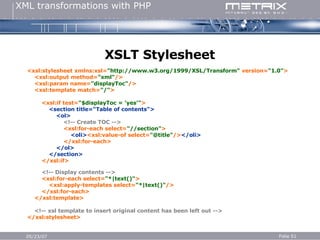
XSLT Stylesheet <xsl:stylesheet xmlns:xsl= &quot;http://www.w3.org/1999/XSL/Transform&quot;  version= &quot;1.0&quot; > <xsl:output method= &quot;xml&quot; /> <xsl:param name= &quot;displayToc&quot; /> <xsl:template match= &quot;/&quot; > <xsl:if test= &quot;$displayToc = 'yes'&quot; > <section title=&quot;Table of contents&quot;> <ol> <!-- Create TOC --> <xsl:for-each select= &quot;//section&quot; > <oli> <xsl:value-of select= &quot;@title&quot; /> </oli> </xsl:for-each> </ol> </section> </xsl:if> <!-- Display contents --> <xsl:for-each select= &quot;*|text()&quot; > <xsl:apply-templates select= &quot;*|text()&quot; /> </xsl:for-each> </xsl:template> <!-- xsl template to insert original content has been left out --> </xsl:stylesheet>
The End Thank you! More information: http://www.php-tools.net [email_address] Thanks to: Sebastian Mordziol, Gerd Schaufelberger,  Metrix Internet Design GmbH

XML Transformations With PHP

  • 1.
    XML transformations withPHP PHPCon 2003 East April 25 th 2003, New York City, USA Stephan Schmidt
  • 2.
    Agenda About thespeaker XML transformations Drawbacks of XSLT Transforming XML with PHP Installation patXMLRenderer Adding fun by overloading XML namespaces Design and usage of extensions PEAR::XML_Transformer XSLT vs PHP Transformers
  • 3.
    Stephan Schmidt WebApplication Developer at Metrix Internet Design GmbH in Karlsruhe/Germany Programming since 1988, PHP since 1998 Publishing OS on http://www.php-tools.net Contributor to the German PHP Magazine Regular speaker at conferences Maintainer of patXMLRenderer, patTemplate, patUser and others
  • 4.
    XML transformations Datais stored in an XML document Needed in different formats and environments Other XML formats (DocBook, SVG, …) HTML Plain text LaTeX Anything else you can imagine Content remains the same
  • 5.
    Transform XML toXML Source document: <example title= „My Example“ > <greeting> Hello <imp> world </imp> ! <greeting> </example> Result of transformation into a different XML format: <document> <title> My Example </title> <section> <para> Hello <mark type= „important“ > world </mark> ! </para> </section> </document>
  • 6.
    Transform XML toHTML Result of transformation to HTML: <html> <head> <title> My Example </title> </head> <body> <h1> Hello <b> world </b></h1> </body> </html>
  • 7.
    Transform XML toplain text Result of transformation to plain text: My Example ------------- Hello W O R L D !
  • 8.
    Transform XML toLaTeX Result of transformation to LaTeX \documentclass{ article } \title{ My Example } \begin{ document } Hello {\em World } ! \end{ d ocument }
  • 9.
    Introduction to XSLTXSLT has been developed for the task of transforming XML documents XSLT stylesheets are XML documents Transforms XML trees that are stored in memory Uses XPath to access parts of a document Based on pattern matching (“When see you something that looks like this, do that…”) “ awk of the XML universe” May only append to its output Functional syntax
  • 10.
    „ Hello World“Example (XML) Sample Document: <?xml version=&quot;1.0&quot;?> <greetings> <greeting> Hello World! </greeting> </greetings>
  • 11.
    „ Hello World“Example (XSL) <xsl:stylesheet xmlns:xsl= &quot;http://www.w3.org/1999/XSL/Transform&quot; version= &quot;1.0&quot; > <xsl:output method= &quot;html&quot; /> <xsl:template match= &quot;/&quot; > <html> <body> <xsl:apply-templates select= &quot;greetings/greeting&quot; /> </body> </html> </xsl:template> <xsl:template match= &quot;greeting&quot; > <h1> <xsl:value-of select= &quot;.&quot; /> </h1> </xsl:template> </xsl:stylesheet>
  • 12.
    „ Hello World“Example (Output)
  • 13.
    Drawbacks of XSLTXSLT is domain specific: Developed to work with XML Creating plain text/LaTeX is quite hard, as whitespace is important ( <xslt:text> ) Transforming “world” to “W O R L D” is next to impossible
  • 14.
    Drawbacks of XSLTXSLT is verbose and circumstantial: <xsl:choose> <xsl:when test= &quot;@author&quot; > <xsl:value-of select= &quot;@author&quot; /> <xsl:text> says: </xsl:text> <xsl:value-of select= &quot;.&quot; /> </xsl:when> <xsl:otherwise> <xsl:text> Somebody says: </xsl:text> <xsl:value-of select= &quot;.&quot; /> </xsl:otherwise> </xsl:choose>
  • 15.
    Drawbacks of XSLTXSLT is hard to learn: Functional programming language Complex structure (see “if/else” example”) XPath is needed Designer needs to learn it
  • 16.
    Drawbacks of XSLTXSLT is not up to the task of creating up-to-date websites: Not able to re-transform its own output XSL stylesheet is not able to manipulate itself Not able to query databases , include files or even the current date (even LaTeX is able to do this with “ \today ”) So, why should I use XSLT?
  • 17.
    Why use XSLT?You should use XSLT when… … you are transforming XML to XML or XHTML. … you need a portable application. … want to build a W3C compliant website. … you have too much free time and like hurting yourself Otherwise, you should do the transformation on your own.
  • 18.
    Transforming XML usingPHP Transforming an XML document is easy: Define a transformation rule for each tag Start at the root element Traverse the document recursively Insert the transformation result to the parent tag Go home early as you have completed the task faster than with XSLT.
  • 19.
    Creating transformation rulesRules are simple: “ When you see this, replace it with that.” Implemented in PHP using templates Attributes of the tag are used as template variables PCData of the tag is used as template variable “CONTENT”
  • 20.
    Example <section title=&quot;XML Transformation&quot; > <para> XML may be transformed using PHP. </para> </section> XML Template for <section> Template for <para> <table border= &quot;0&quot; cellpadding= &quot;0&quot; cellspacing= &quot;2&quot; width= &quot;500&quot; > <tr><td><b> {TITLE} </b></td><tr> <tr><td> {CONTENT} </td></tr> </table> <font face= &quot; Arial &quot; size= &quot; 2 &quot; > {CONTENT} <br> </font>
  • 21.
    Example (Result) <tableborder= &quot;0&quot; cellpadding= &quot;0&quot; cellspacing= &quot;2&quot; width= &quot;500&quot; > <tr><td><b> XML Transformation </b></td><tr> <tr><td> <font face= &quot; Arial &quot; size= &quot; 2 &quot; > XML may be transformed using PHP <br > </ font> </td></tr> </table>
  • 22.
    Implementing the transformerUse a template class to “implement the rules”: Create a template for each tag Include placeholders for attributes and content of the tag Make use of the internal SAX parser: Simple callbacks for events (start tag, end tag, cdata) Traverses the document recursively Template is parsed when closing tag is found Result is appended to the content of the parent tag
  • 23.
    Don’t reinvent thewheel There already are XML transformers available for PHP: patXMLRenderer http://www.php-tools.net PEAR::XML_Transformer http:// pear.php.net phpTagLib http://chocobot.d2g.com
  • 24.
    Installation of patXMLRendererDownload archive at http://www.php-tools.de Unzip the archive Adjust all path names and options in the config file (cache, log, etc.) Create the templates (transformation rules) Create your XML files Let patXMLRenderer transform the files Finished: » It’s mere child’s play «
  • 25.
    Using patXMLRenderer $randy = new patXMLRenderer; // instantiate renderer $randy ->setExtensionDir( $extDir ); // set directory for extensions $randy ->setKnownExtensions( $knownExtensions ); // set list of extensions $randy ->setSkins( $skins ); // set list of available skins $randy ->selectSkin( &quot;blue&quot; ); // select one skin $randy ->setOption( &quot;autoadd&quot; , &quot;on&quot; ); // enable auto add for extensions $randy ->setOption( &quot;cache&quot; , &quot;auto&quot; ); // enable caching $randy ->setXMLDir( $xmlDir ); // set directory for all xml files $randy ->setXMLFile( $file ); // file to parse $template = new patTemplate(); // template object $randy ->setTemplate( $template ); foreach ( $baseTemplates as $tmplFile ) // load templates $randy ->addTemplateFile( $tmplFile ); $randy ->initRenderer(); // do some init routine $randy ->displayRenderedContent(); // transform and display (echo) result
  • 26.
    Introduction to patTemplatePHP templating class published under LGPL Placeholder for variables have to be UPPERCASE and enclosed in { and } Uses <patTemplate:tmpl name=&quot;...&quot;> tags to split files into template blocks that may be addressed seperately Other Properties of the templates are written down as attributes, e.g: type=&quot;condition&quot; or whitespace=&quot;trim&quot; Emulation of simple switch/case and if/else statement by using <patTemplate:sub condition=&quot;...&quot;> tags
  • 27.
    patTemplate Example simpleTemplate with two variables (Corresponds to the XML tag <box>) <patTemplate:tmpl name=&quot;box&quot;> <table border=&quot;1&quot; cellpadding=&quot;5&quot; cellspacing=&quot;0&quot; width=&quot;{WIDTH}&quot;> <tr> <td> {CONTENT} </td> </tr> </table> </patTemplate:tmpl>
  • 28.
    patTemplate Example 2Task: Box should be available in three sizes: “small”, “large” and “medium” (default) Solution: Condition Template to emulate a switch/case statment: Template type is &quot;condition&quot; Variable that should be checked is called &quot;size&quot; Three possible values for &quot;size&quot;: &quot;small&quot;, &quot;large&quot; and &quot;medium&quot; (or any other unknown value) » three Subtemplates.
  • 29.
    patTemplate Example 2<patTemplate:tmpl name=&quot;box&quot; type=&quot;condition&quot; conditionvar=&quot;size&quot;> <patTemplate:sub condition=&quot;small&quot;> <table border=&quot;1&quot; cellpadding=&quot;5&quot; cellspacing=&quot;0&quot; width=&quot;200&quot;> <tr><td> {CONTENT} </td></tr> </table> </patTemplate:sub> <patTemplate:sub condition=&quot;large&quot;> <table border=&quot;1&quot; cellpadding=&quot;5&quot; cellspacing=&quot;0&quot; width=&quot;800&quot;> <tr><td> {CONTENT} </td></tr> </table> </patTemplate:sub> <patTemplate:sub condition=&quot;default&quot;> <table border=&quot;1&quot; cellpadding=&quot;5&quot; cellspacing=&quot;0&quot; width=&quot;500&quot;> <tr><td> {CONTENT} </td></tr> </table> </patTemplate:sub> </patTemplate:tmpl>
  • 30.
    Adding fun Simpletransformation is easy, but patXMLRenderer can do more: Callbacks for events (start tag, end tag, data) can be dispatched to classes (dubbed “extensions”) that are responsible for the transformation of the tag. Extensions may access any PHP function Extensions may return XML that is still transformed
  • 31.
    Overloading namespaces Extensionsare added by overloading namespaces: On each event patXMLRenderer checks whether the current tag has a namespace patXMLRenderer checks whether an extension for the namespace has been defined patXMLRenderer instantiates the extension class (if not done already) patXMLRenderer calls the appropriate method of the class (startElement, endElement, characterData) Extension returns transformed tag and patXMLRenderer appends it to parent tag (or transforms it again)
  • 32.
    Simple Example <example>Today is <time:current format= “m-d-Y” /> . </example> Will be transformed to… <example> Today is 04-25-2004. </example> … Which will then be transformed using the rules defined in the templates.
  • 33.
    Architecture of patXMLRendererRENDERER HTML / XML /LaTEX /etc... Any new extension XML TEMPLATES Time: Extension Dbc: Extension Ext. Entities
  • 34.
    patXMLRenderer Example <page><dbc:connection name= &quot;foo&quot; > <dbc:type> mysql </dbc:type> <dbc:host> localhost </dbc:host> <dbc:db> myDb </dbc:db> <dbc:user> me </dbc:user> <dbc:pass> secret </dbc:pass> </dbc:connection> ...place any XML code here... <dbc:query connection= &quot;foo&quot; returntype= &quot;assoc&quot; > SELECT id,name,email FROM authors WHERE id= <var:get scope= &quot;_GET&quot; var= &quot;uid&quot; /> </dbc:query> <page>
  • 35.
    patXMLRenderer Example (Result)<page> ...any static XML... <result> <row> <id> 1 </id> <name> Stephan </name> <email> [email_address] </email> </row> </result> </page>
  • 36.
    patXMLRenderer example <control:switch> <control:expression> <var:get scope= &quot;HTTP_GET_VARS&quot; var= &quot;agree&quot; /> </control:expression> <control:case> <control:expression> yes </control:expression> <control:body> <para> Oh, It's nice that you agree! </para> </control:body> </control:case> <control:case> <control:expression> no </control:expression> <control:body> <para> Mmh, maybe we should work harder to convince you! </para> </control:body> </control:case> <control:default> <control:body> <para> You should set the value to 'yes' or 'no'. I don't think that's too hard! </para> </control:body> </control:default> </control:switch>
  • 37.
    Existing Extensions Repositoryon http://www.php-tools.net Documentation is generated automatically Examples: <xml:...> for XML highlighting <dbc:...> database interface <var:...> access to variables <control:...> control structures <randy:...> XML-API for patXMLRenderer <formgen:...> for creating (HTML) forms <rss:...> to include content from RSS feeds <file:...> file operations and many more...
  • 38.
    Getting bored? Let’stake a look at some real-life examples…
  • 39.
    Creating new extensionsCreating new extensions is easy: Create a new folder in the extensions directory Create a new PHP file containing the extension class Create a new extension class by deriving it from the “patXMLRendererExtension” class Implement at least a handler for the endElement Create a new XML file that contains documentation about your extension Open the administration interface of patXMLRenderer and add the extension
  • 40.
    The extension classc lass patXMLRendererPHPConExtension extends patXMLRendererExtension { var $name = &quot;patXMLPHPConExtension&quot; ; var $version = &quot;0.1&quot; ; var $cacheAble = array ( &quot;RATE&quot; => true ); }
  • 41.
    The endElement handlerf unction endElement( $parser , $ns , $tag ) { $data = $this-> getData(); $tag = array_pop ( $this-> tagStack ); $attributes = array_pop ( $this-> attStack ); switch ( $tag ) { case &quot;RATE&quot; : return array( &quot;data&quot; => &quot;I think PHPCon 2003 is &quot; . $data , &quot;containsMarkup&quot; => false ); break ; } }
  • 42.
    The XML file<configuration> <!-- information about the extension --> <path name= &quot;extension&quot; > <configValue type= &quot;string&quot; name= &quot;namespace&quot; > phpcon </configValue> <configValue type= &quot;string&quot; name= &quot;name&quot; > PHPCon Extension </configValue> <configValue type= &quot;string&quot; name= &quot;class&quot; > patXMLRendererPHPConExtension </configValue> <configValue type= &quot;float&quot; name= &quot;version&quot; > 0.1 </configValue> <configValue type= &quot;string&quot; name= &quot;requiredRandyVersion&quot; > 0.6 </configValue> <configValue type= &quot;string&quot; name= &quot;description&quot; > Just an example for the PHPCon 2003 East in NYC </configValue> </path> <!-- information about the author --> <path name= &quot;author&quot; > <configValue type= &quot;string&quot; name= &quot;name&quot; > Stephan Schmidt </configValue> <configValue type= &quot;string&quot; name= &quot;email&quot; > [email_address] </configValue> </path> <!-- documentation of the tags would follow here --> </configuration>
  • 43.
    patXMLRenderer features Morefeatures of patXMLRenderer include: Automated, intelligent caching Use of external entities (or xinc) to include files Administration interface <?PHP to include PHP code in XML files Parameters in XML attributes Offline Generator, generates static HTML pages
  • 44.
    PEAR::XML_Transformer Developed byKristian Köhntopp and Sebastian Bergmann Only used to overload namespaces or tags with Objects or functions No usage of a templating class, transformation from XML to HTML has to be done in PHP classes Existing Namespace handlers Simple image generation DocBook to HTML transformation Widget, to create HTML Widgets PHP, to define your own tags or eval PHP code
  • 45.
    XML_Transformer example <html><body> <img:gtextdefault bgcolor= &quot;#888888&quot; fgcolor= &quot;#000000&quot; font= &quot;cour.ttf&quot; fontsize= &quot;32&quot; border= &quot;1&quot; spacing= &quot;2&quot; cachable= &quot;yes&quot; /> <img:gtext> My Example </img:gtext> </body> </html> » Same syntax and structure as patXMLRenderer
  • 46.
    Comparison - - Parameters Only with PHP code -  „ Intelligent“ Templates - All in one package  Ext. Repository - -  Administration  -  <?PHP ?> - -  External Entities - Yes, infinite Yes, infinite Recursion -   Namespaces - Yes, objects and functions Yes, only object Dynamic Content (Callbacks) yes, plain HTML - yes, patTemplate Templates phpTagLib PEAR patXMLRenderer
  • 47.
    XSLT vs PHPTransformers Pro XSLT: W3C Standard XPath allows restructuring of the document, e.g. creation of a table of contents Portable (not limited to servers with PHP) Pro PHP Transformers: Easier to learn (designers are familiar with templates) Easy to extend Complete control during the whole transformation Result may be transformed again (recursive transformation)
  • 48.
    Drawbacks of PHPTransformers Biggest disadvantages of PHP Transformers: Only the current tag is accessible As a SAX parser is used, no restructuring or reordering is possible. Table of contents can not be generated Cross references are not possible Sorting is not possible Possible solutions: Two pass transformations (like LaTeX) Combination of XSLT and PHP Transformers
  • 49.
    Combining forces CombiningXSLT and patXMLRenderer is possible by using the XSLT extension of patXMLRenderer: Uses XSLT to transform The whole document Parts of the document May be combined with all of patXMLRenderers features: inclusion of any dynamic content, control structures, caching, etc. Result of XSLT transformation may be transformed using templates.
  • 50.
    patXMLRenderer and XSLTexample <xslt:transform returntype= &quot;xml&quot; > <xslt:stylesheet type= &quot;file&quot; > extensions/xslt/xsl/example.xsl </xslt:stylesheet> <xslt:param name= &quot;displayToc&quot; >yes</xslt:param> <sections> <section title= &quot;Dummy Section 1&quot; > <para> This is just a dummy.... </para> </section> <section title= &quot;Dummy Section 2&quot; > <para> Another Section… </para> </section> </sections> </xslt:transform>
  • 51.
    XSLT Stylesheet <xsl:stylesheetxmlns:xsl= &quot;http://www.w3.org/1999/XSL/Transform&quot; version= &quot;1.0&quot; > <xsl:output method= &quot;xml&quot; /> <xsl:param name= &quot;displayToc&quot; /> <xsl:template match= &quot;/&quot; > <xsl:if test= &quot;$displayToc = 'yes'&quot; > <section title=&quot;Table of contents&quot;> <ol> <!-- Create TOC --> <xsl:for-each select= &quot;//section&quot; > <oli> <xsl:value-of select= &quot;@title&quot; /> </oli> </xsl:for-each> </ol> </section> </xsl:if> <!-- Display contents --> <xsl:for-each select= &quot;*|text()&quot; > <xsl:apply-templates select= &quot;*|text()&quot; /> </xsl:for-each> </xsl:template> <!-- xsl template to insert original content has been left out --> </xsl:stylesheet>
  • 52.
    The End Thankyou! More information: http://www.php-tools.net [email_address] Thanks to: Sebastian Mordziol, Gerd Schaufelberger, Metrix Internet Design GmbH