OSI MODEL
Open System Interconnection
• This divides the networks into the 7 Layers
• The protocol perform services to unique layers
• Protocol interacts with protocol in Layer Directly above and
below
• Protocol: It is a set of instruction to perform a function or group
of function that is written by a programmer
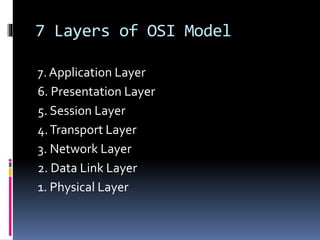
7 Layers of OSI Model
7. Application Layer
6. Presentation Layer
5. Session Layer
4.Transport Layer
3. Network Layer
2. Data Link Layer
1. Physical Layer
Data Transmission Process
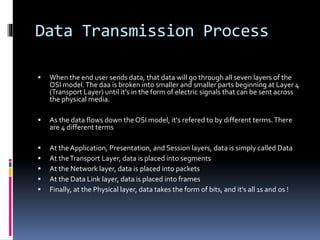
 When the end user sends data, that data will go through all seven layers of the
OSI model.The daa is broken into smaller and smaller parts beginning at Layer 4
(Transport Layer) until it's in the form of electric signals that can be sent across
the physical media.
 As the data flows down the OSI model, it's refered to by different terms.There
are 4 different terms
 At theApplication, Presentation, and Session layers, data is simply called Data
 At theTransport Layer, data is placed into segments
 At the Network layer, data is placed into packets
 At the Data Link layer, data is placed into frames
 Finally, at the Physical layer, data takes the form of bits, and it's all 1s and os !
 This is the layer where the end users themselves
interact with the network.Authentication services
also run at Layer 7, but encryption runs at next layer
down.
 The Application layer ensures that the remote
communication partner is available, that the needed
communication resource exist (e.g.A modem), and
that both ends of the communication agree on
procedures involving data integrity, privacy, and
error recovery.
Application Layer
 When trying to decide if a protocol is an
Application layer protocol, just remember that
protocols that require the end user to enter a
request are Application layer protocols.
 Firewalls, devices intended to keep network
intruders out, operate at Layer 7.
 Protocols & services that run at L7 include:
 Email Protocols: SMTP & POP3
 Telnet, HTTP, FTP
 SNMP (Simple N/w Management Protocol)
Presentation Layer
 This Layer answers one simple question: "How
should data be presented ?" In addition to
properly formatting data, encryption occurs at
this layer.
 Have you ever opened a file in word processing
application, and you got pages of
unrecognizable characters?That is Presentation
layer issue.The applications have not agreed on
how the data is to be presented
Presentation Layer
 There are 4 primary tasks that this layer is
concerned with
 1. Compatibility with OS
 2. Proper encapsulation of data for n/w
transmission
 3. Data formatting (ASCII, Binary)
 4. Data encryption, compression and translation
 You have probably seen some of the file types
that are used at Presentation layer:
 JPEG, ASCII, GIF, MPEG, MIDI, andTIFF etc.
Session Layer
 Layer 5 is the "manager" of the two-way
communication between two remote hosts.This
is the layer that handles the creation,
maintenance, and teardown of communications
between those two hosts.The overall
communication itself is referred to as a session.
 Some sessions last just long enough to send a
unidirectional message, where other sessions
will be of longer duration.
Transport Layer
 TheTransport-Layer's purpose is to establish a
logical end-to-end connectin between two systems,
segment data received from theupper layers of the
OSI model, and to make sure the data gets to the
destinationin the correct order and free of errors.
 At this layers, there are two methods for
transporting data:
 Connection oriented
 Connection less
Network Layer
 It is Layer 3 of the OSI model. IP runs at this
layer, and since routers operate here at L3, this
layer is often called "Routing Layer". Routing is a
two questions process:
 1.What valid paths exist from the local router to
a given destination ?
 2.What is the best path ("The Optimal Path") to
take to get there ?
Data Link Layer
 The switches operate at Layer 2, WirelessAccess Points
(WAPs) also operate at this layer. Devices that you may be
using to access the internet, cable modems and DSL
modems, also run at L
 4 Major specifications that run here are:
 a. Ethernet
 b. High Data Link Control (HDLC)
 c. Point=to-Point Protocol (PPP)
 d. Frame Relay
Data Link Layer
 The Data Link Layer does perform error detection
through something called the Frame Check
Sequence, but this layer deos not perform error
recovery.
 Data Link Layer is generally referred to as Layer 2,
and MAC addresses as Layer 2 addresses.
 Switches operate at Layer 2, as do bridges, L3
bridges do exist, but when operating at Layer 3, they
are not switching or bridging.They are routing
Physical Layer
 Whatever data our end users are creating, it's
going to eventually be "translated" into a series
of 1s and 0s. Once that is done, it's the Physical
layer that handles the actual data transmission.
 Anything to do with a physical cable or the
standards in use - the pins, the connectors, the
electrical current itself - is running at the Physical
Layer
Data Transmission Process
 As data flows down the OSI model, each layer adds a
header that will be removed by the same layer on
the other end of the session.These headers are
layer-specific.
 As an end user enters data for transmission to a
remote host, the first 6 layers of the OSI model will
add a layer-specific header tht contains information
to be read by same layer at remote location.
 Layer 2, adds both a trailer and a header
Data Transmission Process
 The combination of data and a layer-specific
header in called a Protocol Data Unit (PDU).
There's a PDU for each layer.The combinatin of
data and L7 header information is called an L7
PDU.
 After the data is successfully transmitted by the
Physical layer to the remote location, each layer
will remove the header added by its counterpart,
i.e. Layer 3 remove the L3 header and reads it,
and so forth.
Data Transmission Process
 The term same-layer interaction describes
the process of a given OSI layer removing the
header placed on the data by the same layer
on the sending side.
 The term adjacent-layer interaction refers to
the interaction between layers of the OSI
model on the same host.

Osi model

  • 1.
    OSI MODEL Open SystemInterconnection • This divides the networks into the 7 Layers • The protocol perform services to unique layers • Protocol interacts with protocol in Layer Directly above and below • Protocol: It is a set of instruction to perform a function or group of function that is written by a programmer
  • 2.
    7 Layers ofOSI Model 7. Application Layer 6. Presentation Layer 5. Session Layer 4.Transport Layer 3. Network Layer 2. Data Link Layer 1. Physical Layer
  • 3.
    Data Transmission Process When the end user sends data, that data will go through all seven layers of the OSI model.The daa is broken into smaller and smaller parts beginning at Layer 4 (Transport Layer) until it's in the form of electric signals that can be sent across the physical media.  As the data flows down the OSI model, it's refered to by different terms.There are 4 different terms  At theApplication, Presentation, and Session layers, data is simply called Data  At theTransport Layer, data is placed into segments  At the Network layer, data is placed into packets  At the Data Link layer, data is placed into frames  Finally, at the Physical layer, data takes the form of bits, and it's all 1s and os !
  • 4.
     This isthe layer where the end users themselves interact with the network.Authentication services also run at Layer 7, but encryption runs at next layer down.  The Application layer ensures that the remote communication partner is available, that the needed communication resource exist (e.g.A modem), and that both ends of the communication agree on procedures involving data integrity, privacy, and error recovery.
  • 5.
    Application Layer  Whentrying to decide if a protocol is an Application layer protocol, just remember that protocols that require the end user to enter a request are Application layer protocols.  Firewalls, devices intended to keep network intruders out, operate at Layer 7.  Protocols & services that run at L7 include:  Email Protocols: SMTP & POP3  Telnet, HTTP, FTP  SNMP (Simple N/w Management Protocol)
  • 6.
    Presentation Layer  ThisLayer answers one simple question: "How should data be presented ?" In addition to properly formatting data, encryption occurs at this layer.  Have you ever opened a file in word processing application, and you got pages of unrecognizable characters?That is Presentation layer issue.The applications have not agreed on how the data is to be presented
  • 7.
    Presentation Layer  Thereare 4 primary tasks that this layer is concerned with  1. Compatibility with OS  2. Proper encapsulation of data for n/w transmission  3. Data formatting (ASCII, Binary)  4. Data encryption, compression and translation  You have probably seen some of the file types that are used at Presentation layer:  JPEG, ASCII, GIF, MPEG, MIDI, andTIFF etc.
  • 8.
    Session Layer  Layer5 is the "manager" of the two-way communication between two remote hosts.This is the layer that handles the creation, maintenance, and teardown of communications between those two hosts.The overall communication itself is referred to as a session.  Some sessions last just long enough to send a unidirectional message, where other sessions will be of longer duration.
  • 9.
    Transport Layer  TheTransport-Layer'spurpose is to establish a logical end-to-end connectin between two systems, segment data received from theupper layers of the OSI model, and to make sure the data gets to the destinationin the correct order and free of errors.  At this layers, there are two methods for transporting data:  Connection oriented  Connection less
  • 10.
    Network Layer  Itis Layer 3 of the OSI model. IP runs at this layer, and since routers operate here at L3, this layer is often called "Routing Layer". Routing is a two questions process:  1.What valid paths exist from the local router to a given destination ?  2.What is the best path ("The Optimal Path") to take to get there ?
  • 11.
    Data Link Layer The switches operate at Layer 2, WirelessAccess Points (WAPs) also operate at this layer. Devices that you may be using to access the internet, cable modems and DSL modems, also run at L  4 Major specifications that run here are:  a. Ethernet  b. High Data Link Control (HDLC)  c. Point=to-Point Protocol (PPP)  d. Frame Relay
  • 12.
    Data Link Layer The Data Link Layer does perform error detection through something called the Frame Check Sequence, but this layer deos not perform error recovery.  Data Link Layer is generally referred to as Layer 2, and MAC addresses as Layer 2 addresses.  Switches operate at Layer 2, as do bridges, L3 bridges do exist, but when operating at Layer 3, they are not switching or bridging.They are routing
  • 13.
    Physical Layer  Whateverdata our end users are creating, it's going to eventually be "translated" into a series of 1s and 0s. Once that is done, it's the Physical layer that handles the actual data transmission.  Anything to do with a physical cable or the standards in use - the pins, the connectors, the electrical current itself - is running at the Physical Layer
  • 14.
    Data Transmission Process As data flows down the OSI model, each layer adds a header that will be removed by the same layer on the other end of the session.These headers are layer-specific.  As an end user enters data for transmission to a remote host, the first 6 layers of the OSI model will add a layer-specific header tht contains information to be read by same layer at remote location.  Layer 2, adds both a trailer and a header
  • 15.
    Data Transmission Process The combination of data and a layer-specific header in called a Protocol Data Unit (PDU). There's a PDU for each layer.The combinatin of data and L7 header information is called an L7 PDU.  After the data is successfully transmitted by the Physical layer to the remote location, each layer will remove the header added by its counterpart, i.e. Layer 3 remove the L3 header and reads it, and so forth.
  • 16.
    Data Transmission Process The term same-layer interaction describes the process of a given OSI layer removing the header placed on the data by the same layer on the sending side.  The term adjacent-layer interaction refers to the interaction between layers of the OSI model on the same host.