REMINDER
Check in on the COLLABORATE
mobile app
Optimizing Storage for E-Business Suite
Using Oracle Advanced Compression
Prepared by:
Andrejs Karpovs
Lead Oracle Apps DBA
Tieto
Session ID#: 14798
About me
■ Lead Oracle Apps DBA at Tieto
▪ Fusion Apps DBA
■ Certifications:
▪ EBS R12 OCP, 11g RAC OCE, WLS OCA
■ Oracle Certified Master
■ Masters Degree in Computers Science
■ Speaker @ UKOUG_APPS 13, UKOUG 2012, UOGH 2012,
OUG_IRE 2012, LVOUG 2011
■ RAC Attack Ninja @ UKOUG Tech 2013, Collaborate 14
■ Twitter: @AndrejsKarpovs
■ Blog: adbaday.wordpress.com
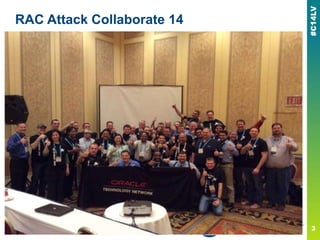
RAC Attack Collaborate 14
Tieto
■ Tieto is the largest Nordic IT services company providing full
life-cycle services for both private and public sectors. The
company has global presence through its product
development business and the delivery centers.
■ Tieto is committed to develop enterprises and society through
IT by realizing new opportunities in customers‘ business
transformation. At Tieto, we believe in professional
development and results.
■ Founded 1968, headquartered in Helsinki, Finland and with
approximately 14 000 experts, the company operates in
approximately 20 countries with net sales at approximately
EUR 1.6 billion. Tieto‘s shares are listed on NASDAQ OMX in
Helsinki and Stockholm.
■ www.tieto.com
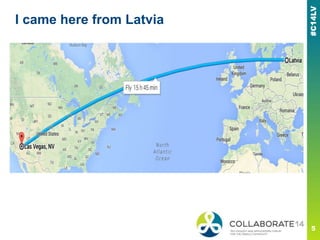
I came here from Latvia
Latvia?
Topics
■ Compression in Oracle
▪ Advanced Compression
■ Advanced Compression with EBS
▪ Particular customer scenario
■ Implementation
■ Recommendations
■ Conclusion and Results
Disclaimer
■ Not a deep dive into Oracle Compression algorithms
■ Specifically based on implementation in EBS environment
■ Not a silver bullet for Advanced Compression implementation
▪ Many things varies depending on individual environment and
requirements
▪ Therefore many answers could be ―it depends…‖
— There might be exceptions
— There are different business needs and requirements
— Presentation does not scope all the conditions
— The compression ratio achieved in a given environment depends on
the nature of the data being compressed; specifically the cardinality
of the data.
■ I would recommend Jonathan Lewis series
Compression
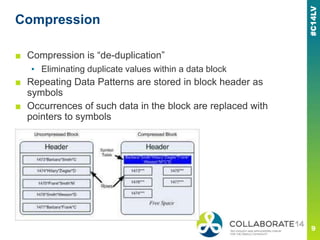
■ Compression is ―de-duplication‖
▪ Eliminating duplicate values within a data block
■ Repeating Data Patterns are stored in block header as
symbols
■ Occurrences of such data in the block are replaced with
pointers to symbols
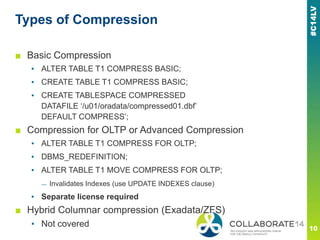
Types of Compression
■ Basic Compression
▪ ALTER TABLE T1 COMPRESS BASIC;
▪ CREATE TABLE T1 COMPRESS BASIC;
▪ CREATE TABLESPACE COMPRESSED
DATAFILE ‗/u01/oradata/compressed01.dbf‘
DEFAULT COMPRESS‘;
■ Compression for OLTP or Advanced Compression
▪ ALTER TABLE T1 COMPRESS FOR OLTP;
▪ DBMS_REDEFINITION;
▪ ALTER TABLE T1 MOVE COMPRESS FOR OLTP;
— Invalidates Indexes (use UPDATE INDEXES clause)
▪ Separate license required
■ Hybrid Columnar compression (Exadata/ZFS)
▪ Not covered
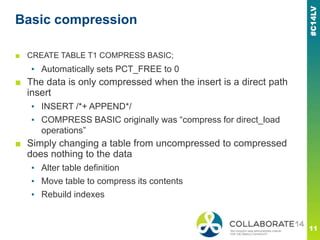
Basic compression
■ CREATE TABLE T1 COMPRESS BASIC;
▪ Automatically sets PCT_FREE to 0
■ The data is only compressed when the insert is a direct path
insert
▪ INSERT /*+ APPEND*/
▪ COMPRESS BASIC originally was ―compress for direct_load
operations‖
■ Simply changing a table from uncompressed to compressed
does nothing to the data
▪ Alter table definition
▪ Move table to compress its contents
▪ Rebuild indexes
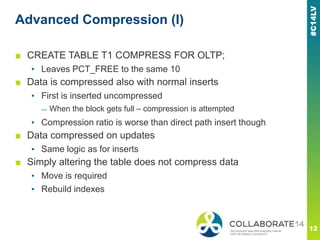
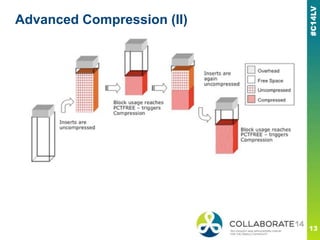
Advanced Compression (I)
■ CREATE TABLE T1 COMPRESS FOR OLTP;
▪ Leaves PCT_FREE to the same 10
■ Data is compressed also with normal inserts
▪ First is inserted uncompressed
— When the block gets full – compression is attempted
▪ Compression ratio is worse than direct path insert though
■ Data compressed on updates
▪ Same logic as for inserts
■ Simply altering the table does not compress data
▪ Move is required
▪ Rebuild indexes
Advanced Compression (II)
Advanced Compression additional options
■ Data compress in tables and indexes
■ RMAN backups
■ Data Guard Redo compression
■ Data Pump compression
■ Oracle Secure File LOBs
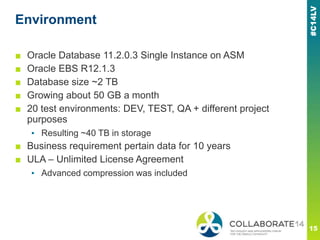
Environment
■ Oracle Database 11.2.0.3 Single Instance on ASM
■ Oracle EBS R12.1.3
■ Database size ~2 TB
■ Growing about 50 GB a month
■ 20 test environments: DEV, TEST, QA + different project
purposes
▪ Resulting ~40 TB in storage
■ Business requirement pertain data for 10 years
■ ULA – Unlimited License Agreement
▪ Advanced compression was included
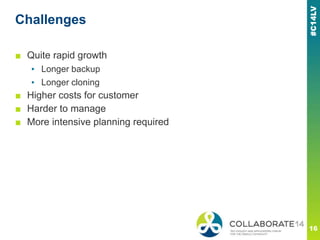
Challenges
■ Quite rapid growth
▪ Longer backup
▪ Longer cloning
■ Higher costs for customer
■ Harder to manage
■ More intensive planning required
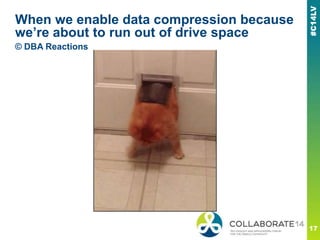
When we enable data compression because
we’re about to run out of drive space
© DBA Reactions
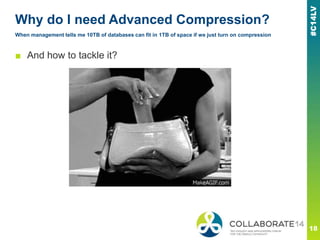
Why do I need Advanced Compression?
When management tells me 10TB of databases can fit in 1TB of space if we just turn on compression
■ And how to tackle it?
Identify additional pre-Compression
capabilities
■ Verify/implement purging
▪ OM, AR, Accounting tables, FA, GL, ICX, Oracle Workflow
Runtime data, etc…
■ Partition
▪ OE_ORDER_LINES_ALL
▪ Custom tables
▪ Be careful with seeded ones
■ Rebuild indexes
■ Reorganize database
▪ Resize datafiles
■ Monitor your segment growth over time
Prepare
■ Study Advanced Compression bugs and patches/fixes and
apply them
▪ BUG:6846187 - UPDATE ON COMPRESSED TABLE TAKES
MORE THAN SEVERAL HOURS
▪ NOTE:8287680.8 - Bug 8287680 - Poor insert performance into
COMPRESS table
▪ NOTE:987049.1 - Performance Issue After Enabling
Compression
■ Or upgrade to latest DB release + PSU (11.2.0.4)
■ Study MOS notes for known issues
■ Measure what space savings will be done with reorg
▪ Reorganize tables prior to compression to see the exact
compression gains
Strategy
■ Review your largest candidate tables
▪ Some of the largest transaction tables in EBS have over 255
columns or include Long columns and are therefore not
candidates for compression.
■ Start by compressing your largest tables based on the 80/20
rule, in that 20% of your tables likely consume 80% of the
space
■ Identify tables that were not updated frequently
■ Oracle Compression Advisor
▪ http://www.oracle.com/technetwork/database/options/compressi
on/index.html?ssSourceSiteId=otnes
Execution
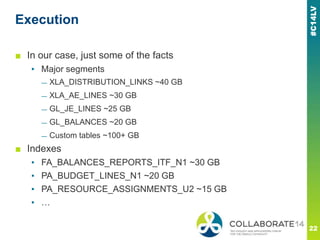
■ In our case, just some of the facts
▪ Major segments
— XLA_DISTRIBUTION_LINKS ~40 GB
— XLA_AE_LINES ~30 GB
— GL_JE_LINES ~25 GB
— GL_BALANCES ~20 GB
— Custom tables ~100+ GB
■ Indexes
▪ FA_BALANCES_REPORTS_ITF_N1 ~30 GB
▪ PA_BUDGET_LINES_N1 ~20 GB
▪ PA_RESOURCE_ASSIGNMENTS_U2 ~15 GB
▪ …
Results (I)
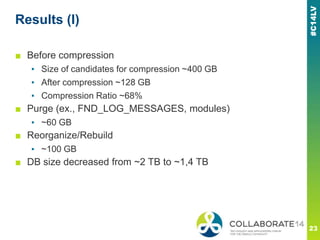
■ Before compression
▪ Size of candidates for compression ~400 GB
▪ After compression ~128 GB
▪ Compression Ratio ~68%
■ Purge (ex., FND_LOG_MESSAGES, modules)
▪ ~60 GB
■ Reorganize/Rebuild
▪ ~100 GB
■ DB size decreased from ~2 TB to ~1,4 TB
Results (II)
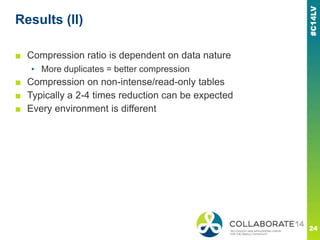
■ Compression ratio is dependent on data nature
▪ More duplicates = better compression
■ Compression on non-intense/read-only tables
■ Typically a 2-4 times reduction can be expected
■ Every environment is different
Timing
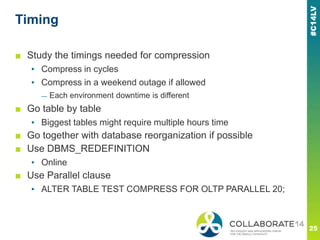
■ Study the timings needed for compression
▪ Compress in cycles
▪ Compress in a weekend outage if allowed
— Each environment downtime is different
■ Go table by table
▪ Biggest tables might require multiple hours time
■ Go together with database reorganization if possible
■ Use DBMS_REDEFINITION
▪ Online
■ Use Parallel clause
▪ ALTER TABLE TEST COMPRESS FOR OLTP PARALLEL 20;
Benchmarking
■ Identify your own testing strategy
▪ In my case it was combined with a migration project
■ Measure CPU overhead
■ Identify SLA requirements for particular jobs
■ Load testing tools
■ Batch processing simulation (CONCURRENT REQUESTS)
■ Involve functional team as much as possible in testing
■ Use AWR
▪ StatsPack
■ Cloud Control
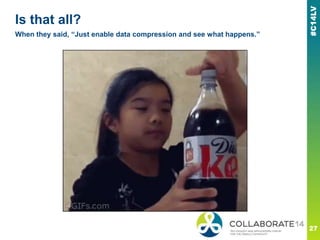
Is that all?
When they said, “Just enable data compression and see what happens.”
Side effects (I)
■ Performance impact – good or bad?
▪ Retrieving same data from fewer blocks
▪ Fewer physical reads
— Less I/O and CPU
■ Inserts and updates may trigger block compression
▪ Increase in CPU consumption
■ Index compression
▪ Execution plan may change
— If the size become much lower, full index scan might be chosen
rather than range scan
■ Additional overhead with db_block_checking = TRUE
▪ More CPU
▪ ―Database corruption is exceptionally rare and Block Checking is not
recommended for EBS.‖
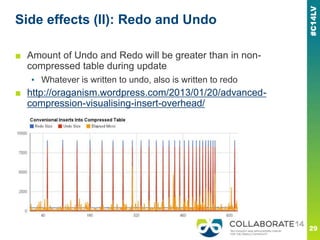
Side effects (II): Redo and Undo
■ Amount of Undo and Redo will be greater than in non-
compressed table during update
▪ Whatever is written to undo, also is written to redo
■ http://oraganism.wordpress.com/2013/01/20/advanced-
compression-visualising-insert-overhead/
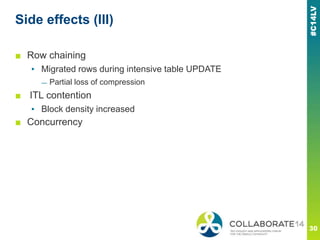
Side effects (III)
■ Row chaining
▪ Migrated rows during intensive table UPDATE
— Partial loss of compression
■ ITL contention
▪ Block density increased
■ Concurrency
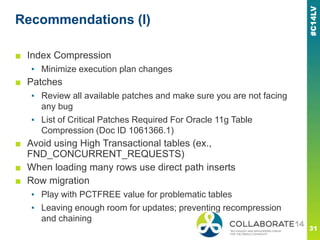
Recommendations (I)
■ Index Compression
▪ Minimize execution plan changes
■ Patches
▪ Review all available patches and make sure you are not facing
any bug
▪ List of Critical Patches Required For Oracle 11g Table
Compression (Doc ID 1061366.1)
■ Avoid using High Transactional tables (ex.,
FND_CONCURRENT_REQUESTS)
■ When loading many rows use direct path inserts
■ Row migration
▪ Play with PCTFREE value for problematic tables
▪ Leaving enough room for updates; preventing recompression
and chaining
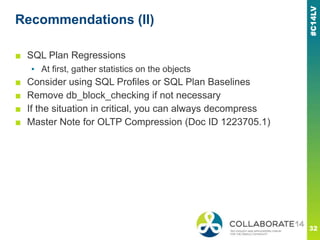
Recommendations (II)
■ SQL Plan Regressions
▪ At first, gather statistics on the objects
■ Consider using SQL Profiles or SQL Plan Baselines
■ Remove db_block_checking if not necessary
■ If the situation in critical, you can always decompress
■ Master Note for OLTP Compression (Doc ID 1223705.1)
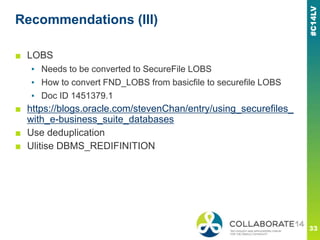
Recommendations (III)
■ LOBS
▪ Needs to be converted to SecureFile LOBS
▪ How to convert FND_LOBS from basicfile to securefile LOBS
▪ Doc ID 1451379.1
■ https://blogs.oracle.com/stevenChan/entry/using_securefiles_
with_e-business_suite_databases
■ Use deduplication
■ Ulitise DBMS_REDIFINITION
Results
■ CPU Usage
▪ 7% increase in CPU time
■ DB sequential reads reduced 20%
■ SQL Performance
▪ Some of the Execution plans changed reducing performance
■ Improved Self-Service flow response times
▪ More read intensive
■ I/O Waits
▪ Increased number of overall I/O waits
Advanced Compression considerations
■ How much will we save in storage?
▪ Will it balance the product cost?
■ How much will this impact our performance?
▪ Every environment will vary, how much will yours be impacted
■ How much will the implementation cost us?
■ How much risk is there
▪ What things should we test
▪ How much should we test
Conclusions: Advanced Compression
■ Reduce storage requirements
■ Save costs
■ May improve query
performance
■ Reduction in I/O as fewer
blocks are accessed for a
given set of rows
■ CPU overhead
■ SQL Plan regressions
■ Row Chaining
■ ITL Contention
■ Not suited for High
Transaction tables
Advantages Disadvantages
Future plans
■ Test RMAN compression
■ Test Redo compression
Thank you!
Questions?
Please complete the session
evaluation
We appreciate your feedback and insight
You may complete the session evaluation either
on paper or online via the mobile app

Optimizing E-Business Suite Storage Using Oracle Advanced Compression

  • 1.
    REMINDER Check in onthe COLLABORATE mobile app Optimizing Storage for E-Business Suite Using Oracle Advanced Compression Prepared by: Andrejs Karpovs Lead Oracle Apps DBA Tieto Session ID#: 14798
  • 2.
    About me ■ LeadOracle Apps DBA at Tieto ▪ Fusion Apps DBA ■ Certifications: ▪ EBS R12 OCP, 11g RAC OCE, WLS OCA ■ Oracle Certified Master ■ Masters Degree in Computers Science ■ Speaker @ UKOUG_APPS 13, UKOUG 2012, UOGH 2012, OUG_IRE 2012, LVOUG 2011 ■ RAC Attack Ninja @ UKOUG Tech 2013, Collaborate 14 ■ Twitter: @AndrejsKarpovs ■ Blog: adbaday.wordpress.com
  • 3.
  • 4.
    Tieto ■ Tieto isthe largest Nordic IT services company providing full life-cycle services for both private and public sectors. The company has global presence through its product development business and the delivery centers. ■ Tieto is committed to develop enterprises and society through IT by realizing new opportunities in customers‘ business transformation. At Tieto, we believe in professional development and results. ■ Founded 1968, headquartered in Helsinki, Finland and with approximately 14 000 experts, the company operates in approximately 20 countries with net sales at approximately EUR 1.6 billion. Tieto‘s shares are listed on NASDAQ OMX in Helsinki and Stockholm. ■ www.tieto.com
  • 5.
    I came herefrom Latvia
  • 6.
  • 7.
    Topics ■ Compression inOracle ▪ Advanced Compression ■ Advanced Compression with EBS ▪ Particular customer scenario ■ Implementation ■ Recommendations ■ Conclusion and Results
  • 8.
    Disclaimer ■ Not adeep dive into Oracle Compression algorithms ■ Specifically based on implementation in EBS environment ■ Not a silver bullet for Advanced Compression implementation ▪ Many things varies depending on individual environment and requirements ▪ Therefore many answers could be ―it depends…‖ — There might be exceptions — There are different business needs and requirements — Presentation does not scope all the conditions — The compression ratio achieved in a given environment depends on the nature of the data being compressed; specifically the cardinality of the data. ■ I would recommend Jonathan Lewis series
  • 9.
    Compression ■ Compression is―de-duplication‖ ▪ Eliminating duplicate values within a data block ■ Repeating Data Patterns are stored in block header as symbols ■ Occurrences of such data in the block are replaced with pointers to symbols
  • 10.
    Types of Compression ■Basic Compression ▪ ALTER TABLE T1 COMPRESS BASIC; ▪ CREATE TABLE T1 COMPRESS BASIC; ▪ CREATE TABLESPACE COMPRESSED DATAFILE ‗/u01/oradata/compressed01.dbf‘ DEFAULT COMPRESS‘; ■ Compression for OLTP or Advanced Compression ▪ ALTER TABLE T1 COMPRESS FOR OLTP; ▪ DBMS_REDEFINITION; ▪ ALTER TABLE T1 MOVE COMPRESS FOR OLTP; — Invalidates Indexes (use UPDATE INDEXES clause) ▪ Separate license required ■ Hybrid Columnar compression (Exadata/ZFS) ▪ Not covered
  • 11.
    Basic compression ■ CREATETABLE T1 COMPRESS BASIC; ▪ Automatically sets PCT_FREE to 0 ■ The data is only compressed when the insert is a direct path insert ▪ INSERT /*+ APPEND*/ ▪ COMPRESS BASIC originally was ―compress for direct_load operations‖ ■ Simply changing a table from uncompressed to compressed does nothing to the data ▪ Alter table definition ▪ Move table to compress its contents ▪ Rebuild indexes
  • 12.
    Advanced Compression (I) ■CREATE TABLE T1 COMPRESS FOR OLTP; ▪ Leaves PCT_FREE to the same 10 ■ Data is compressed also with normal inserts ▪ First is inserted uncompressed — When the block gets full – compression is attempted ▪ Compression ratio is worse than direct path insert though ■ Data compressed on updates ▪ Same logic as for inserts ■ Simply altering the table does not compress data ▪ Move is required ▪ Rebuild indexes
  • 13.
  • 14.
    Advanced Compression additionaloptions ■ Data compress in tables and indexes ■ RMAN backups ■ Data Guard Redo compression ■ Data Pump compression ■ Oracle Secure File LOBs
  • 15.
    Environment ■ Oracle Database11.2.0.3 Single Instance on ASM ■ Oracle EBS R12.1.3 ■ Database size ~2 TB ■ Growing about 50 GB a month ■ 20 test environments: DEV, TEST, QA + different project purposes ▪ Resulting ~40 TB in storage ■ Business requirement pertain data for 10 years ■ ULA – Unlimited License Agreement ▪ Advanced compression was included
  • 16.
    Challenges ■ Quite rapidgrowth ▪ Longer backup ▪ Longer cloning ■ Higher costs for customer ■ Harder to manage ■ More intensive planning required
  • 17.
    When we enabledata compression because we’re about to run out of drive space © DBA Reactions
  • 18.
    Why do Ineed Advanced Compression? When management tells me 10TB of databases can fit in 1TB of space if we just turn on compression ■ And how to tackle it?
  • 19.
    Identify additional pre-Compression capabilities ■Verify/implement purging ▪ OM, AR, Accounting tables, FA, GL, ICX, Oracle Workflow Runtime data, etc… ■ Partition ▪ OE_ORDER_LINES_ALL ▪ Custom tables ▪ Be careful with seeded ones ■ Rebuild indexes ■ Reorganize database ▪ Resize datafiles ■ Monitor your segment growth over time
  • 20.
    Prepare ■ Study AdvancedCompression bugs and patches/fixes and apply them ▪ BUG:6846187 - UPDATE ON COMPRESSED TABLE TAKES MORE THAN SEVERAL HOURS ▪ NOTE:8287680.8 - Bug 8287680 - Poor insert performance into COMPRESS table ▪ NOTE:987049.1 - Performance Issue After Enabling Compression ■ Or upgrade to latest DB release + PSU (11.2.0.4) ■ Study MOS notes for known issues ■ Measure what space savings will be done with reorg ▪ Reorganize tables prior to compression to see the exact compression gains
  • 21.
    Strategy ■ Review yourlargest candidate tables ▪ Some of the largest transaction tables in EBS have over 255 columns or include Long columns and are therefore not candidates for compression. ■ Start by compressing your largest tables based on the 80/20 rule, in that 20% of your tables likely consume 80% of the space ■ Identify tables that were not updated frequently ■ Oracle Compression Advisor ▪ http://www.oracle.com/technetwork/database/options/compressi on/index.html?ssSourceSiteId=otnes
  • 22.
    Execution ■ In ourcase, just some of the facts ▪ Major segments — XLA_DISTRIBUTION_LINKS ~40 GB — XLA_AE_LINES ~30 GB — GL_JE_LINES ~25 GB — GL_BALANCES ~20 GB — Custom tables ~100+ GB ■ Indexes ▪ FA_BALANCES_REPORTS_ITF_N1 ~30 GB ▪ PA_BUDGET_LINES_N1 ~20 GB ▪ PA_RESOURCE_ASSIGNMENTS_U2 ~15 GB ▪ …
  • 23.
    Results (I) ■ Beforecompression ▪ Size of candidates for compression ~400 GB ▪ After compression ~128 GB ▪ Compression Ratio ~68% ■ Purge (ex., FND_LOG_MESSAGES, modules) ▪ ~60 GB ■ Reorganize/Rebuild ▪ ~100 GB ■ DB size decreased from ~2 TB to ~1,4 TB
  • 24.
    Results (II) ■ Compressionratio is dependent on data nature ▪ More duplicates = better compression ■ Compression on non-intense/read-only tables ■ Typically a 2-4 times reduction can be expected ■ Every environment is different
  • 25.
    Timing ■ Study thetimings needed for compression ▪ Compress in cycles ▪ Compress in a weekend outage if allowed — Each environment downtime is different ■ Go table by table ▪ Biggest tables might require multiple hours time ■ Go together with database reorganization if possible ■ Use DBMS_REDEFINITION ▪ Online ■ Use Parallel clause ▪ ALTER TABLE TEST COMPRESS FOR OLTP PARALLEL 20;
  • 26.
    Benchmarking ■ Identify yourown testing strategy ▪ In my case it was combined with a migration project ■ Measure CPU overhead ■ Identify SLA requirements for particular jobs ■ Load testing tools ■ Batch processing simulation (CONCURRENT REQUESTS) ■ Involve functional team as much as possible in testing ■ Use AWR ▪ StatsPack ■ Cloud Control
  • 27.
    Is that all? Whenthey said, “Just enable data compression and see what happens.”
  • 28.
    Side effects (I) ■Performance impact – good or bad? ▪ Retrieving same data from fewer blocks ▪ Fewer physical reads — Less I/O and CPU ■ Inserts and updates may trigger block compression ▪ Increase in CPU consumption ■ Index compression ▪ Execution plan may change — If the size become much lower, full index scan might be chosen rather than range scan ■ Additional overhead with db_block_checking = TRUE ▪ More CPU ▪ ―Database corruption is exceptionally rare and Block Checking is not recommended for EBS.‖
  • 29.
    Side effects (II):Redo and Undo ■ Amount of Undo and Redo will be greater than in non- compressed table during update ▪ Whatever is written to undo, also is written to redo ■ http://oraganism.wordpress.com/2013/01/20/advanced- compression-visualising-insert-overhead/
  • 30.
    Side effects (III) ■Row chaining ▪ Migrated rows during intensive table UPDATE — Partial loss of compression ■ ITL contention ▪ Block density increased ■ Concurrency
  • 31.
    Recommendations (I) ■ IndexCompression ▪ Minimize execution plan changes ■ Patches ▪ Review all available patches and make sure you are not facing any bug ▪ List of Critical Patches Required For Oracle 11g Table Compression (Doc ID 1061366.1) ■ Avoid using High Transactional tables (ex., FND_CONCURRENT_REQUESTS) ■ When loading many rows use direct path inserts ■ Row migration ▪ Play with PCTFREE value for problematic tables ▪ Leaving enough room for updates; preventing recompression and chaining
  • 32.
    Recommendations (II) ■ SQLPlan Regressions ▪ At first, gather statistics on the objects ■ Consider using SQL Profiles or SQL Plan Baselines ■ Remove db_block_checking if not necessary ■ If the situation in critical, you can always decompress ■ Master Note for OLTP Compression (Doc ID 1223705.1)
  • 33.
    Recommendations (III) ■ LOBS ▪Needs to be converted to SecureFile LOBS ▪ How to convert FND_LOBS from basicfile to securefile LOBS ▪ Doc ID 1451379.1 ■ https://blogs.oracle.com/stevenChan/entry/using_securefiles_ with_e-business_suite_databases ■ Use deduplication ■ Ulitise DBMS_REDIFINITION
  • 34.
    Results ■ CPU Usage ▪7% increase in CPU time ■ DB sequential reads reduced 20% ■ SQL Performance ▪ Some of the Execution plans changed reducing performance ■ Improved Self-Service flow response times ▪ More read intensive ■ I/O Waits ▪ Increased number of overall I/O waits
  • 35.
    Advanced Compression considerations ■How much will we save in storage? ▪ Will it balance the product cost? ■ How much will this impact our performance? ▪ Every environment will vary, how much will yours be impacted ■ How much will the implementation cost us? ■ How much risk is there ▪ What things should we test ▪ How much should we test
  • 36.
    Conclusions: Advanced Compression ■Reduce storage requirements ■ Save costs ■ May improve query performance ■ Reduction in I/O as fewer blocks are accessed for a given set of rows ■ CPU overhead ■ SQL Plan regressions ■ Row Chaining ■ ITL Contention ■ Not suited for High Transaction tables Advantages Disadvantages

  • 37.
    Future plans ■ TestRMAN compression ■ Test Redo compression
  • 38.
  • 39.
    Please complete thesession evaluation We appreciate your feedback and insight You may complete the session evaluation either on paper or online via the mobile app

Editor's Notes

  • #5 The biggest IT service provider in Nordics
  • #8 First I am gonna tell you a little bit about Compression as such in Oracle, types of compression. we are going to focus specifically on Advanced CompressionThen we will switch on the main presentation topic which is using Advanced Compression with EBS. I am going to tell you my experience with the product in a real world customer scenario.How did we implement it, what issues did we face and anomalities seen. How did we overcome those problems. I will provide some basic recommendations on what should you consider when going for Advanced Compression. We will wrap up with a conclusion on Advanced Compression and results that we were able to achieve in particular scenario.Anyone in the audience runs/implemented Oracle Advanced Compression?
  • #9 This is more from APPS perspectiveOracle has some complicated algorithms underneath
  • #10 Who many DBAs in the room? Who is familiar with compression? Who has ever compressed something? Who has ever used Advanced Compression? Advanced Compression in EBS?Oracle doesn’t really do compression. What it does is “de-duplication” at the block level. Imagine you had three rows in a block containing the following data YES, NOIn fact, Oracle can get smarter than that, because it can rearrange the column order for each individual block to maximize the possibility of multiple columns turning into a single token.Who many DBAs in the room? Who is familiar with compression? Who has ever compressed something? Who has ever used Advanced Compression? Advanced Compression in EBS?
  • #11 For alloperations it has been deprecated syntax
  • #12 PCTFREE is a block storage parameter used to specify how much space should be left in a database block for future updates. For example, for PCTFREE=10, Oracle will keep on adding new rows to a block until it is 90% full. This leaves 10% for future updates (row expansion).The zero pctfree is a hint that Oracle thinks this table is going to be read-only; but it is possible to set a non-zero pctfree and, as we shall see in the next slides of the presentation, there may be cases where you want to take advantage of that option.
  • #13 Sets PCT_FREE to 10 to maximize compress while still allowing for some future DML changes to the data, unless you override this default explicitly.The block itself contains the symbol table that facilitates the one time storage of repeated values. Each block's compression is completely self-contained; no information from outside the block is required to access the information in the block. When a block is accessed it is not decompressed, it remains compressed when it is read into the buffer cache. However,
  • #20 Identify with business how much you can purgeA common question asked is, "Can I use the database partitioning feature in my Oracle E-Business Suite environment?" As mentioned earlier, the answer is yes. Several Oracle E-Business Suite modules take advantage of partitioning out of the box, and the use of custom partitioning with Oracle E-Business Suite is supported. However, it is important to note that if an incorrect partitioning strategy is chosen, partitioning can actually degrade rather than enhance performance.
  • #22 There are also other compression limitations, you can review them in Oracle documentation
  • #29 Execution plan might change not only because of indexes
  • #34 Had a twitter discussion in the morning regarding this