Optimal Interview User’s Guide
Getting Started
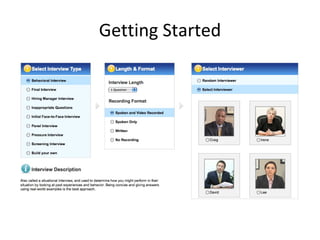
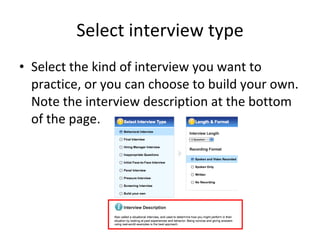
Select interview type Select the kind of interview you want to practice, or you can choose to build your own. Note the interview description at the bottom of the page.
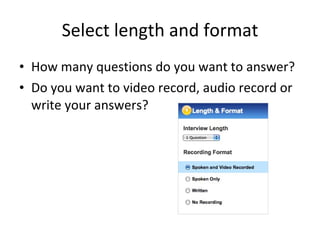
Select length and format How many questions do you want to answer? Do you want to video record, audio record or write your answers?
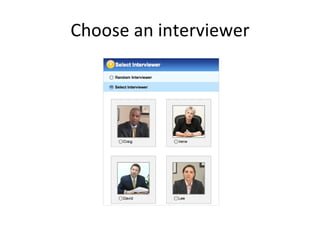
Choose an interviewer
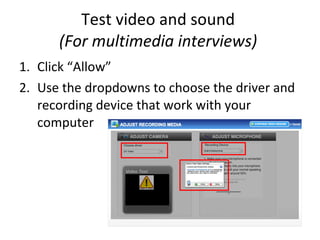
Test video and sound  (For multimedia interviews)  Click “Allow” Use the dropdowns to choose the driver and recording device that work with your computer
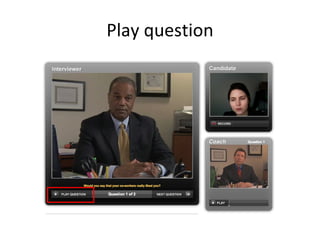
Play question
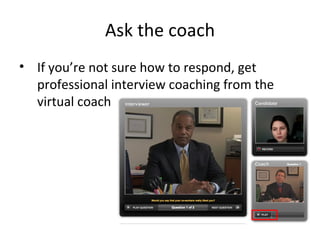
Ask the coach If you’re not sure how to respond, get professional interview coaching from the virtual coach
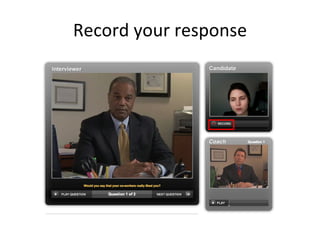
Record your response
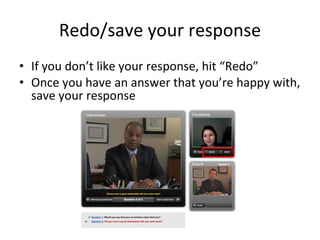
Redo/save your response If you don’t like your response, hit “Redo” Once you have an answer that you’re happy with, save your response
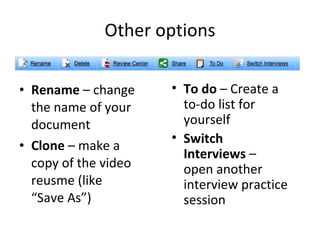
Other options Rename  – change the name of your document Clone  – make a copy of the video reusme (like “Save As”) To do  – Create a to-do list for yourself Switch  Interviews  – open another interview practice session
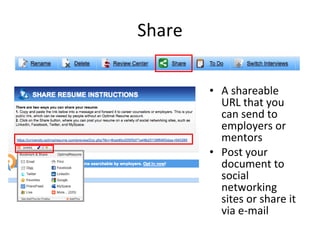
Share A shareable URL that you can send to employers or mentors Post your document to social networking sites or share it via e-mail

Optimal Interview Guide

  • 1.
  • 2.
  • 3.
    Select interview typeSelect the kind of interview you want to practice, or you can choose to build your own. Note the interview description at the bottom of the page.
  • 4.
    Select length andformat How many questions do you want to answer? Do you want to video record, audio record or write your answers?
  • 5.
  • 6.
    Test video andsound (For multimedia interviews) Click “Allow” Use the dropdowns to choose the driver and recording device that work with your computer
  • 7.
  • 8.
    Ask the coachIf you’re not sure how to respond, get professional interview coaching from the virtual coach
  • 9.
  • 10.
    Redo/save your responseIf you don’t like your response, hit “Redo” Once you have an answer that you’re happy with, save your response
  • 11.
    Other options Rename – change the name of your document Clone – make a copy of the video reusme (like “Save As”) To do – Create a to-do list for yourself Switch Interviews – open another interview practice session
  • 12.
    Share A shareableURL that you can send to employers or mentors Post your document to social networking sites or share it via e-mail