OPERATING SYSTEM
LINUX
WINDOWS
NETWARE
UNIX
Presented by: Arti Rajput
INRODUCTION
A computer system comprises of:

Hardware

Software
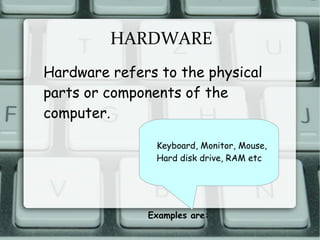
HARDWARE
Hardware refers to the physical
parts or components of the
computer.
Examples are:
Keyboard, Monitor, Mouse,
Hard disk drive, RAM etc
SOFTWARE
Software refers to a program or a set
of instructions and applications used to
manage and control various functions of
a computer.
SOFTWARE
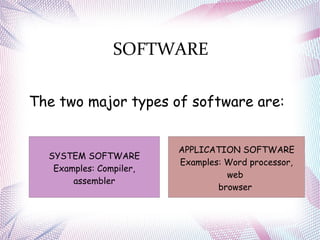
The two major types of software are:
SYSTEM SOFTWARE
Examples: Compiler,
assembler
APPLICATION SOFTWARE
Examples: Word processor,
web
browser
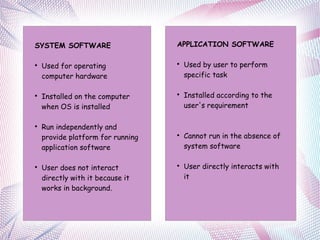
SYSTEM SOFTWARE

Used for operating
computer hardware

Installed on the computer
when OS is installed

Run independently and
provide platform for running
application software

User does not interact
directly with it because it
works in background.
APPLICATION SOFTWARE

Used by user to perform
specific task

Installed according to the
user's requirement

Cannot run in the absence of
system software

User directly interacts with
it
OPERATING SYSTEM
An operating system is a system
software that manages computer
hardware and software resources and
provides common services for
computer programs.
Examples: Linux, Unix, Windows, MS-DOS etc
FUNCTIONS OF AN
OPERATING SYSTEM
Device management
Process management
CPU Scheduling
Memory and file storage
management
User application program
management
Provide interface for the
interaction
Of user and computer
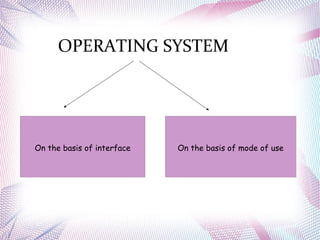
OPERATING SYSTEM
On the basis of interface On the basis of mode of use
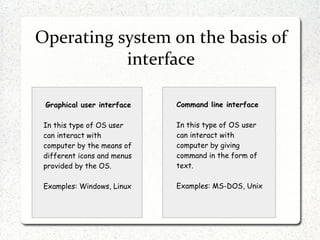
Operating system on the basis of
interface
Graphical user interface
In this type of OS user
can interact with
computer by the means of
different icons and menus
provided by the OS.
Examples: Windows, Linux
Command line interface
In this type of OS user
can interact with
computer by giving
command in the form of
text.
Examples: MS-DOS, Unix
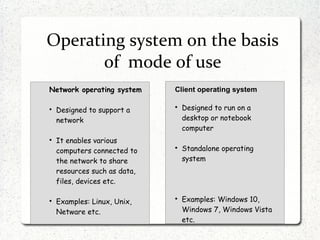
Operating system on the basis
of mode of use
Network operating system

Designed to support a
network

It enables various
computers connected to
the network to share
resources such as data,
files, devices etc.

Examples: Linux, Unix,
Netware etc.
Client operating system

Designed to run on a
desktop or notebook
computer

Standalone operating
system

Examples: Windows 10,
Windows 7, Windows Vista
etc.
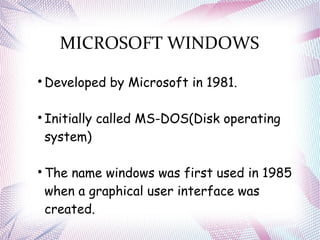
MICROSOFT WINDOWS

Developed by Microsoft in 1981.

Initially called MS-DOS(Disk operating
system)

The name windows was first used in 1985
when a graphical user interface was
created.
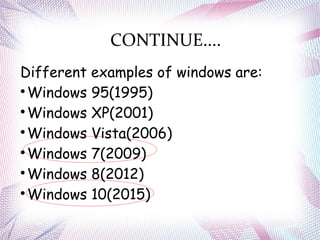
CONTINUE....
Different examples of windows are:

Windows 95(1995)

Windows XP(2001)

Windows Vista(2006)

Windows 7(2009)

Windows 8(2012)

Windows 10(2015)
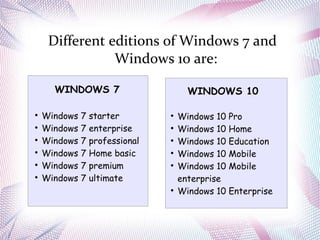
Different editions of Windows 7 and
Windows 10 are:
WINDOWS 7

Windows 7 starter

Windows 7 enterprise

Windows 7 professional

Windows 7 Home basic

Windows 7 premium

Windows 7 ultimate
WINDOWS 10

Windows 10 Pro

Windows 10 Home

Windows 10 Education

Windows 10 Mobile

Windows 10 Mobile
enterprise

Windows 10 Enterprise
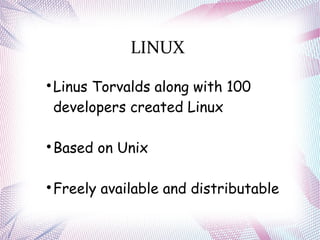
LINUX

Linus Torvalds along with 100
developers created Linux

Based on Unix

Freely available and distributable
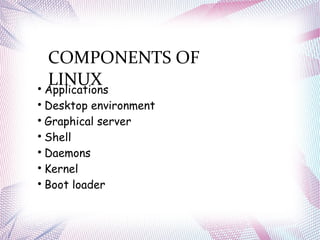
COMPONENTS OF
LINUX
Applications

Desktop environment

Graphical server

Shell

Daemons

Kernel

Boot loader
KEY PRINCIPLES OF LINUX

Freedom to run program for any purpose

Freedom to study and modify it

Freedom to redistribute copies

Freedom to distribute copies of
modified versions
PARTITION TYPES IN LINUX(RHEL)

Standard partition

Logical volume

LVM thin provisioning

Btrfs
PARTITION REQUIRED FOR DEFAULT
RHEL INSTALLATION

Root '/'

/boot

/swap

/home
DUAL BOOT

Refers to a computer which uses two
operating systems

Both are installed on the same hard
drive with different partition
OS UPGRADING

Refers to the installation of an operating
system or application on the computer without
removing the older version first

Media Creation Tool is generally used
OS UPDATES

Refers to the replacement of hardware,
software or firmware with a newer or better
version, in order to bring the system up to
date or to improve its characteristics.

Generally WSUS is used by an organization
for OS updates
WSUS(Windows Server Update Services)

Developed by Microsoft

Can download and manage OS
related updates

Enables management &
distribution of updates
Operating system mod

Operating system mod

  • 1.
  • 2.
    INRODUCTION A computer systemcomprises of:  Hardware  Software
  • 3.
    HARDWARE Hardware refers tothe physical parts or components of the computer. Examples are: Keyboard, Monitor, Mouse, Hard disk drive, RAM etc
  • 4.
    SOFTWARE Software refers toa program or a set of instructions and applications used to manage and control various functions of a computer.
  • 5.
    SOFTWARE The two majortypes of software are: SYSTEM SOFTWARE Examples: Compiler, assembler APPLICATION SOFTWARE Examples: Word processor, web browser
  • 6.
    SYSTEM SOFTWARE  Used foroperating computer hardware  Installed on the computer when OS is installed  Run independently and provide platform for running application software  User does not interact directly with it because it works in background. APPLICATION SOFTWARE  Used by user to perform specific task  Installed according to the user's requirement  Cannot run in the absence of system software  User directly interacts with it
  • 7.
    OPERATING SYSTEM An operatingsystem is a system software that manages computer hardware and software resources and provides common services for computer programs. Examples: Linux, Unix, Windows, MS-DOS etc
  • 8.
    FUNCTIONS OF AN OPERATINGSYSTEM Device management Process management CPU Scheduling Memory and file storage management User application program management Provide interface for the interaction Of user and computer
  • 9.
    OPERATING SYSTEM On thebasis of interface On the basis of mode of use
  • 10.
    Operating system onthe basis of interface Graphical user interface In this type of OS user can interact with computer by the means of different icons and menus provided by the OS. Examples: Windows, Linux Command line interface In this type of OS user can interact with computer by giving command in the form of text. Examples: MS-DOS, Unix
  • 11.
    Operating system onthe basis of mode of use Network operating system  Designed to support a network  It enables various computers connected to the network to share resources such as data, files, devices etc.  Examples: Linux, Unix, Netware etc. Client operating system  Designed to run on a desktop or notebook computer  Standalone operating system  Examples: Windows 10, Windows 7, Windows Vista etc.
  • 12.
    MICROSOFT WINDOWS  Developed byMicrosoft in 1981.  Initially called MS-DOS(Disk operating system)  The name windows was first used in 1985 when a graphical user interface was created.
  • 13.
    CONTINUE.... Different examples ofwindows are:  Windows 95(1995)  Windows XP(2001)  Windows Vista(2006)  Windows 7(2009)  Windows 8(2012)  Windows 10(2015)
  • 14.
    Different editions ofWindows 7 and Windows 10 are: WINDOWS 7  Windows 7 starter  Windows 7 enterprise  Windows 7 professional  Windows 7 Home basic  Windows 7 premium  Windows 7 ultimate WINDOWS 10  Windows 10 Pro  Windows 10 Home  Windows 10 Education  Windows 10 Mobile  Windows 10 Mobile enterprise  Windows 10 Enterprise
  • 15.
    LINUX  Linus Torvalds alongwith 100 developers created Linux  Based on Unix  Freely available and distributable
  • 16.
    COMPONENTS OF LINUX Applications  Desktop environment  Graphicalserver  Shell  Daemons  Kernel  Boot loader
  • 17.
    KEY PRINCIPLES OFLINUX  Freedom to run program for any purpose  Freedom to study and modify it  Freedom to redistribute copies  Freedom to distribute copies of modified versions
  • 18.
    PARTITION TYPES INLINUX(RHEL)  Standard partition  Logical volume  LVM thin provisioning  Btrfs
  • 19.
    PARTITION REQUIRED FORDEFAULT RHEL INSTALLATION  Root '/'  /boot  /swap  /home
  • 20.
    DUAL BOOT  Refers toa computer which uses two operating systems  Both are installed on the same hard drive with different partition
  • 21.
    OS UPGRADING  Refers tothe installation of an operating system or application on the computer without removing the older version first  Media Creation Tool is generally used
  • 23.
    OS UPDATES  Refers tothe replacement of hardware, software or firmware with a newer or better version, in order to bring the system up to date or to improve its characteristics.  Generally WSUS is used by an organization for OS updates
  • 24.
    WSUS(Windows Server UpdateServices)  Developed by Microsoft  Can download and manage OS related updates  Enables management & distribution of updates