Chapter 1
An introduction
Operating System
1. It is a bridge between a human and a computer
2. A system by which you can communicate with a computer
3. A master controlling program that manages computer resources
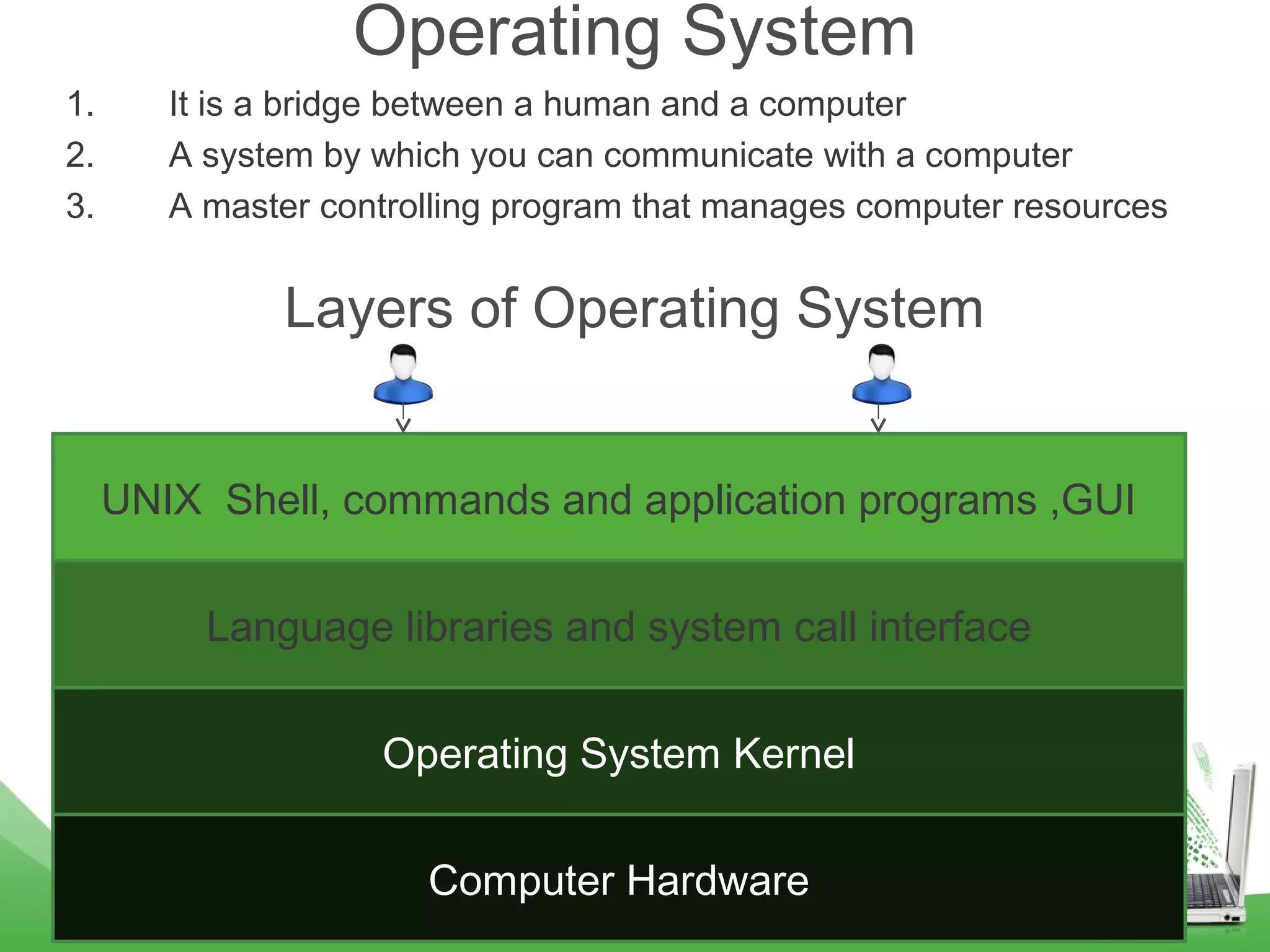
Layers of Operating System
Computer Hardware
Operating System Kernel
Language libraries and system call interface
UNIX Shell, commands and application programs ,GUI
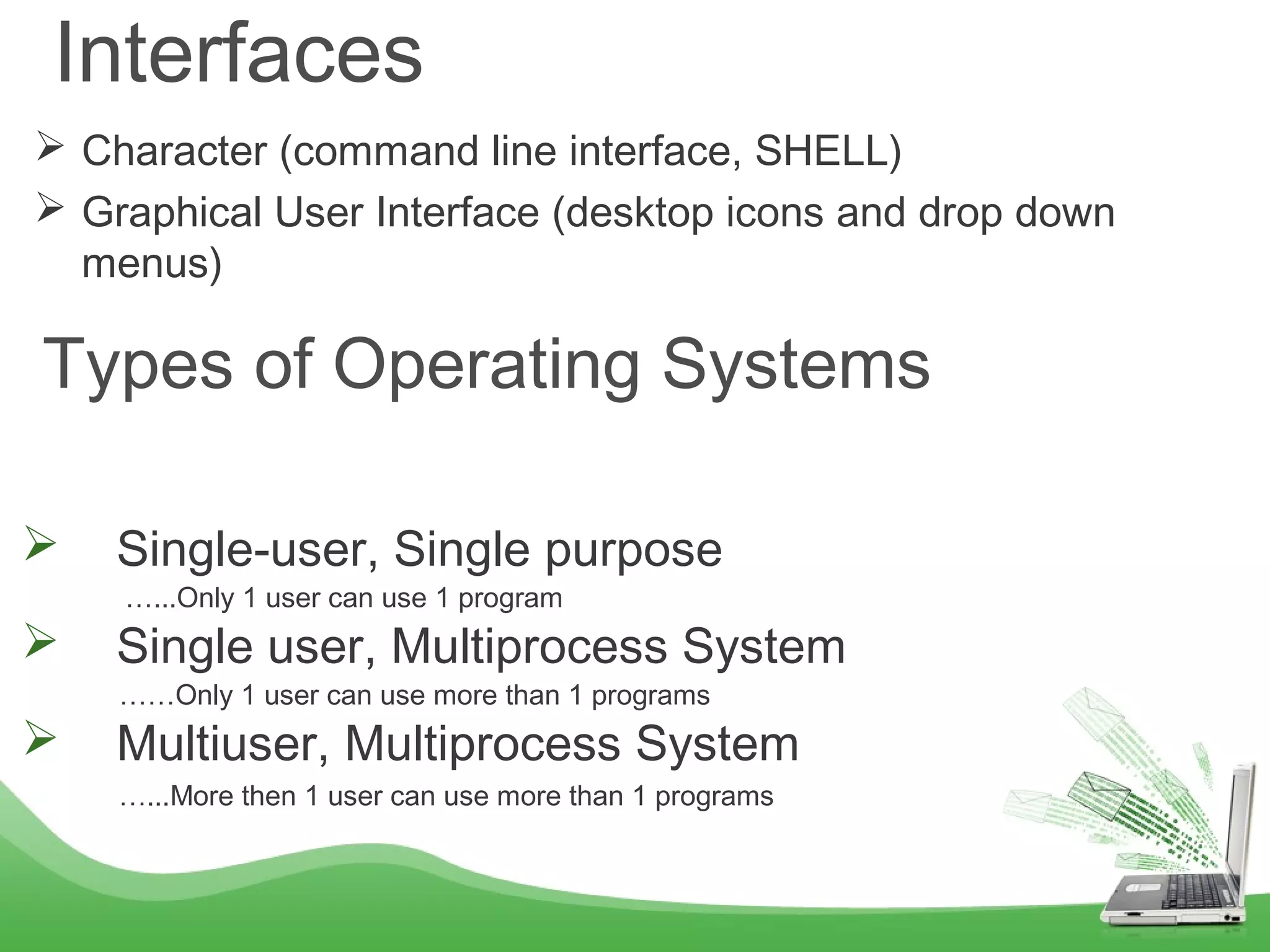
Interfaces
 Character (command line interface, SHELL)
 Graphical User Interface (desktop icons and drop down
menus)
Types of Operating Systems
 Single-user, Single purpose
…...Only 1 user can use 1 program
 Single user, Multiprocess System
……Only 1 user can use more than 1 programs
 Multiuser, Multiprocess System
…...More then 1 user can use more than 1 programs
4
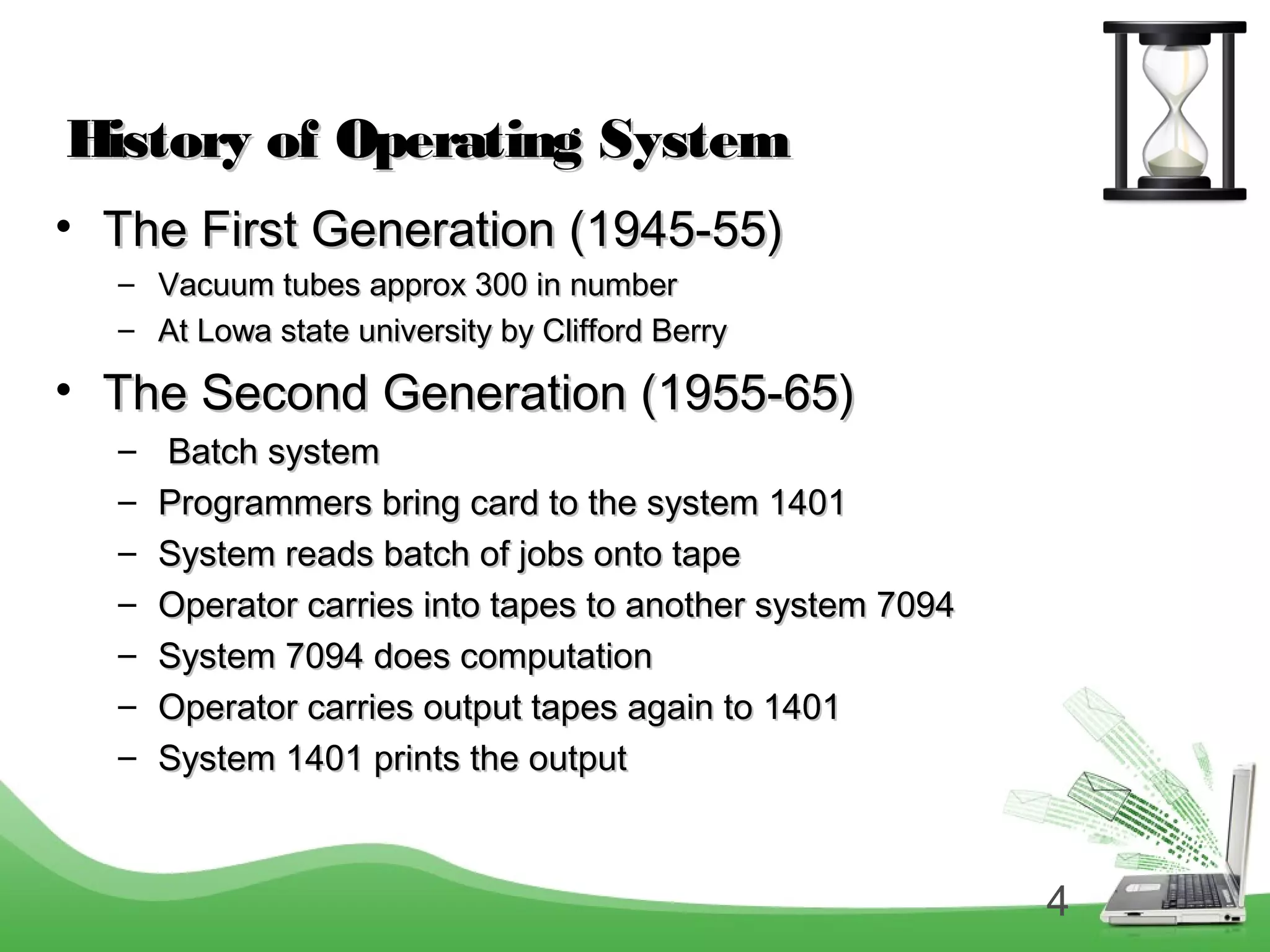
History of Operating SystemHistory of Operating System
• The First Generation (1945-55)The First Generation (1945-55)
– Vacuum tubes approx 300 in numberVacuum tubes approx 300 in number
– At Lowa state university by Clifford BerryAt Lowa state university by Clifford Berry
• The Second Generation (1955-65)The Second Generation (1955-65)
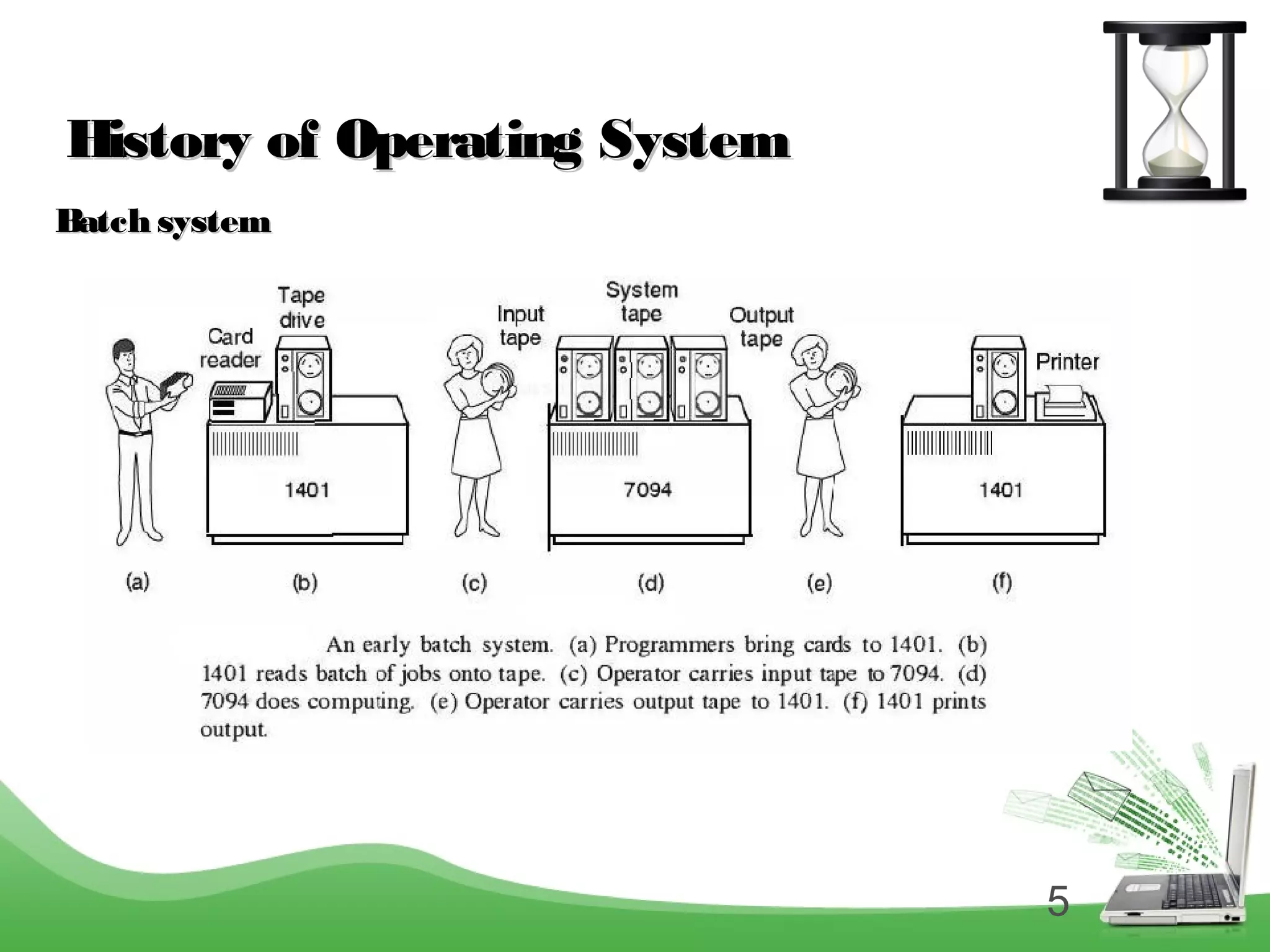
– Batch systemBatch system
– Programmers bring card to the system 1401Programmers bring card to the system 1401
– System reads batch of jobs onto tapeSystem reads batch of jobs onto tape
– Operator carries into tapes to another system 7094Operator carries into tapes to another system 7094
– System 7094 does computationSystem 7094 does computation
– Operator carries output tapes again to 1401Operator carries output tapes again to 1401
– System 1401 prints the outputSystem 1401 prints the output
5
History of Operating SystemHistory of Operating System
Batch systemBatch system
6
History of Operating SystemHistory of Operating System
• The Third Generation (1965-80)The Third Generation (1965-80)
 In 1960’s Bell labs developed a large operating system MULTICS
(multi user multi process).
 In the same year they decided not to pursue on MULTICS as it was full of
problems.
 Programmers were pulled out but some lingered on there own.
 These programmers came up with a operating system which used to serve
only one person and do one task at a time, but was pretty good and they
named it as UNIX.
7
History of Operating SystemHistory of Operating System
• The Fourth Generation (1980)The Fourth Generation (1980)
– Personal computersPersonal computers
– DOS (CLI)DOS (CLI)
– User friendly (GUI)User friendly (GUI)
– WindowsWindows
8
Computer Hardware ReviewComputer Hardware Review
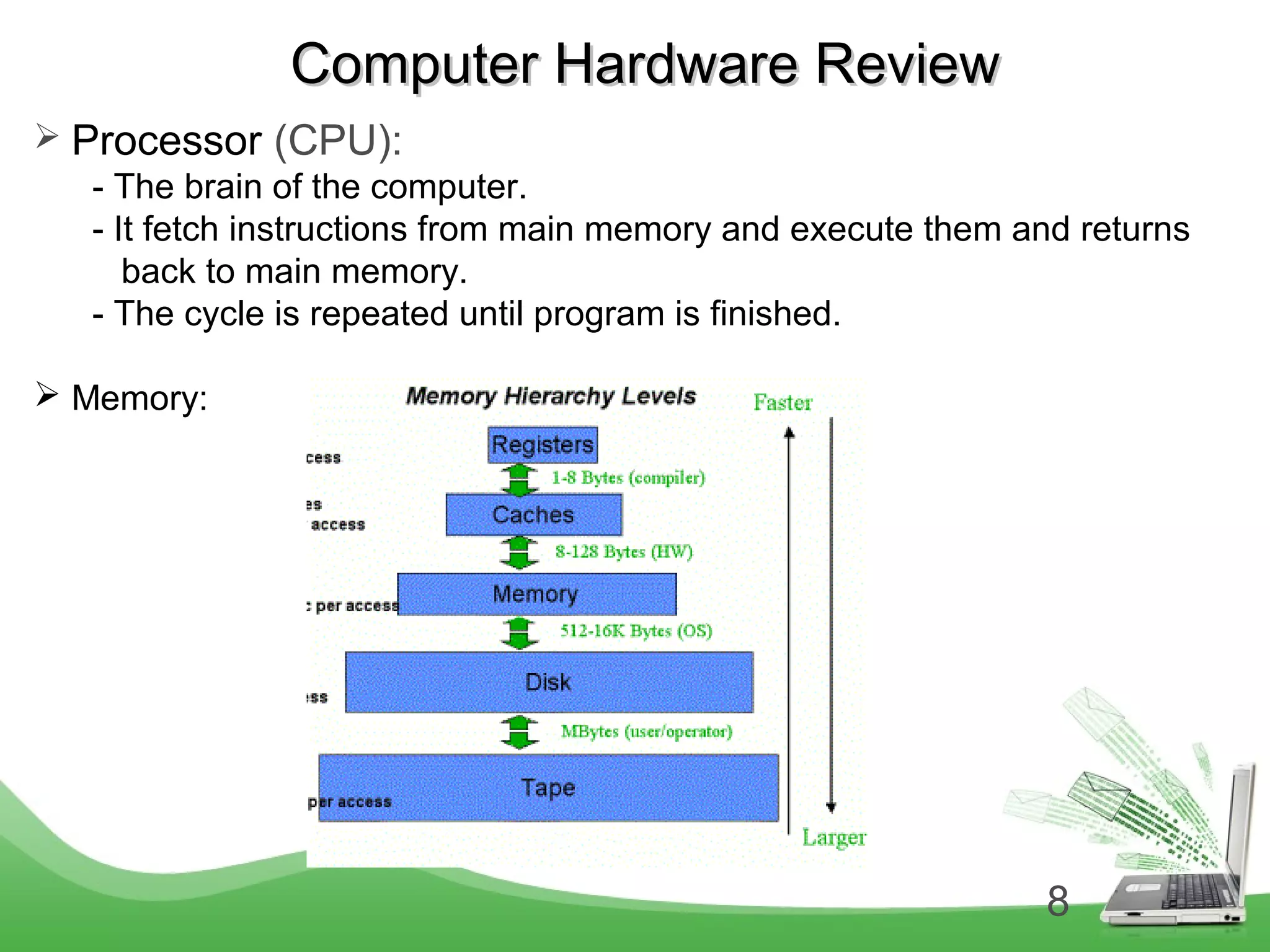
 Processor (CPU):
- The brain of the computer.
- It fetch instructions from main memory and execute them and returns
back to main memory.
- The cycle is repeated until program is finished.
 Memory:
9
Computer Hardware ReviewComputer Hardware Review
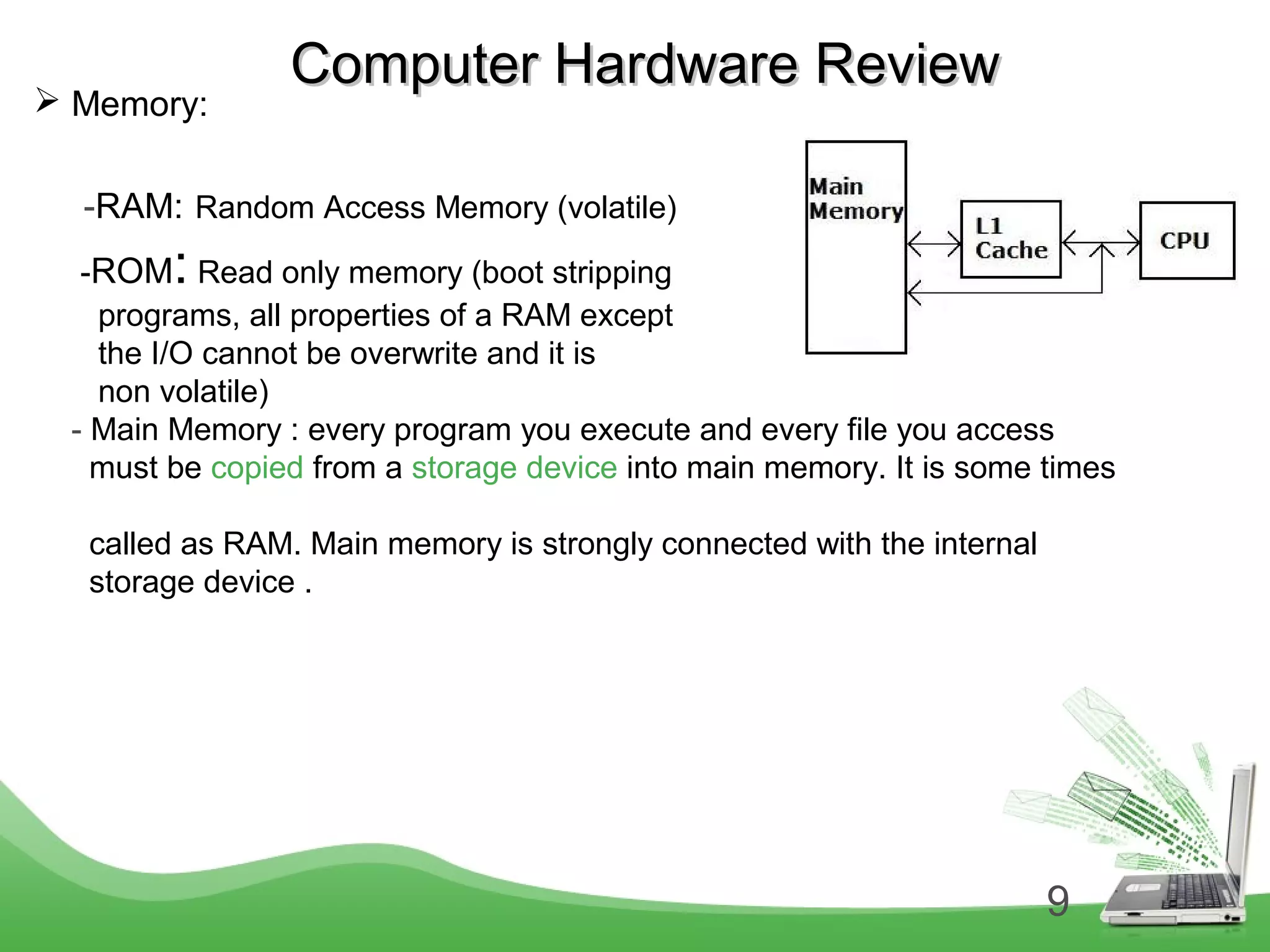
 Memory:
-RAM: Random Access Memory (volatile)
-ROM: Read only memory (boot stripping
programs, all properties of a RAM except
the I/O cannot be overwrite and it is
non volatile)
- Main Memory : every program you execute and every file you access
must be copied from a storage device into main memory. It is some times
called as RAM. Main memory is strongly connected with the internal
storage device .
10
Computer Hardware ReviewComputer Hardware Review
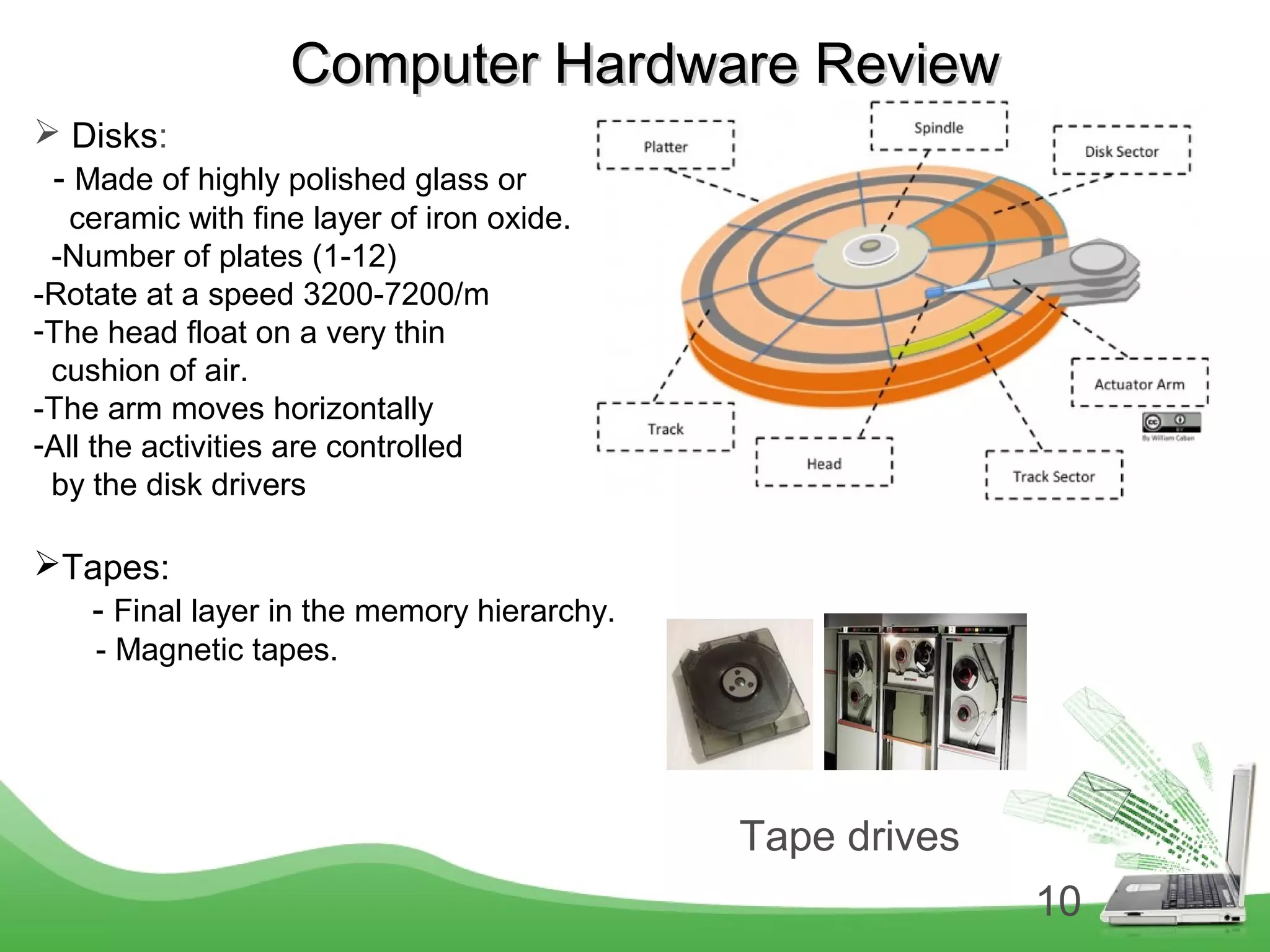
 Disks:
- Made of highly polished glass or
ceramic with fine layer of iron oxide.
-Number of plates (1-12)
-Rotate at a speed 3200-7200/m
-The head float on a very thin
cushion of air.
-The arm moves horizontally
-All the activities are controlled
by the disk drivers
Tapes:
- Final layer in the memory hierarchy.
- Magnetic tapes.
Tape drives
11
Computer Hardware ReviewComputer Hardware Review
 Input / Output devices:
They all have device drive layer on top
- Keyboard
- Mouse
- Printer
- Scanner
 Buses:
The System Bus has 3 types of Buses
 Data Bus: It carries the data
Control Bus: It carries the control information such as read , write instructions
Address Bus: It carries the address/path, where the data needs to go.
Universal serial bus (USB): used to attach all the slow I/O devices like keyboard and
mouse, to computer.
12
Computer Hardware ReviewComputer Hardware Review
 Booting the Computer:
- Basic Input Output System (BIOS)
- when the computer is booted, the BIOS is started.
The Operating SystemsThe Operating Systems
 Server Operating System:
- Client and server relation.
- They serve many users at a time over the network.
- Server can provide below facilities
* File server
* Print server
* Web server
* Data base server
13
The Operating SystemsThe Operating Systems
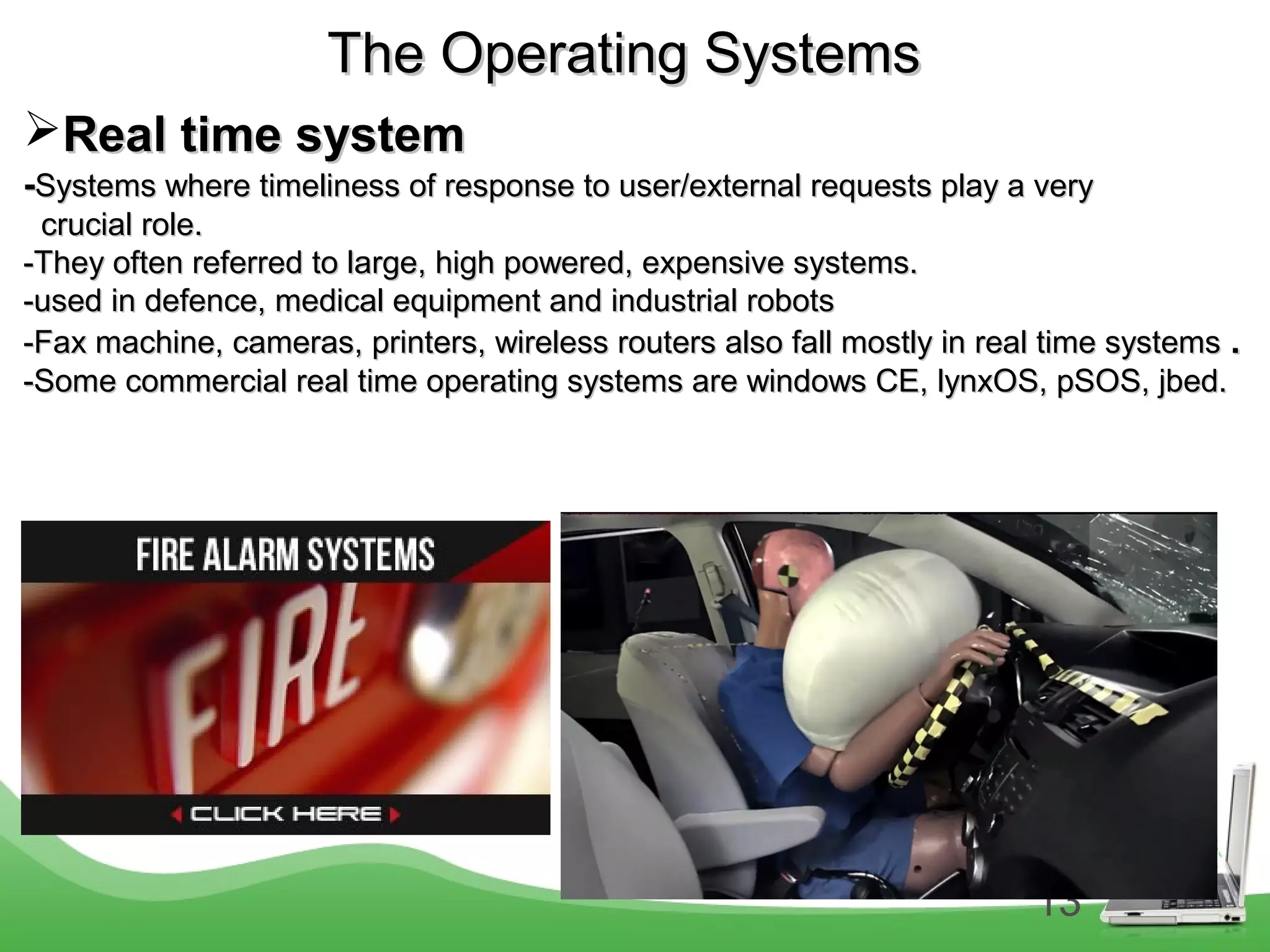
Real time systemReal time system
--Systems where timeliness of response to user/external requests play a verySystems where timeliness of response to user/external requests play a very
crucial role.crucial role.
-They often referred to large, high powered, expensive systems.-They often referred to large, high powered, expensive systems.
-used in defence, medical equipment and industrial robots-used in defence, medical equipment and industrial robots
-Fax machine, cameras, printers, wireless routers also fall mostly in real time systems-Fax machine, cameras, printers, wireless routers also fall mostly in real time systems ..
-Some commercial real time operating systems are windows CE, lynxOS, pSOS, jbed.-Some commercial real time operating systems are windows CE, lynxOS, pSOS, jbed.
14
The Operating SystemsThe Operating Systems
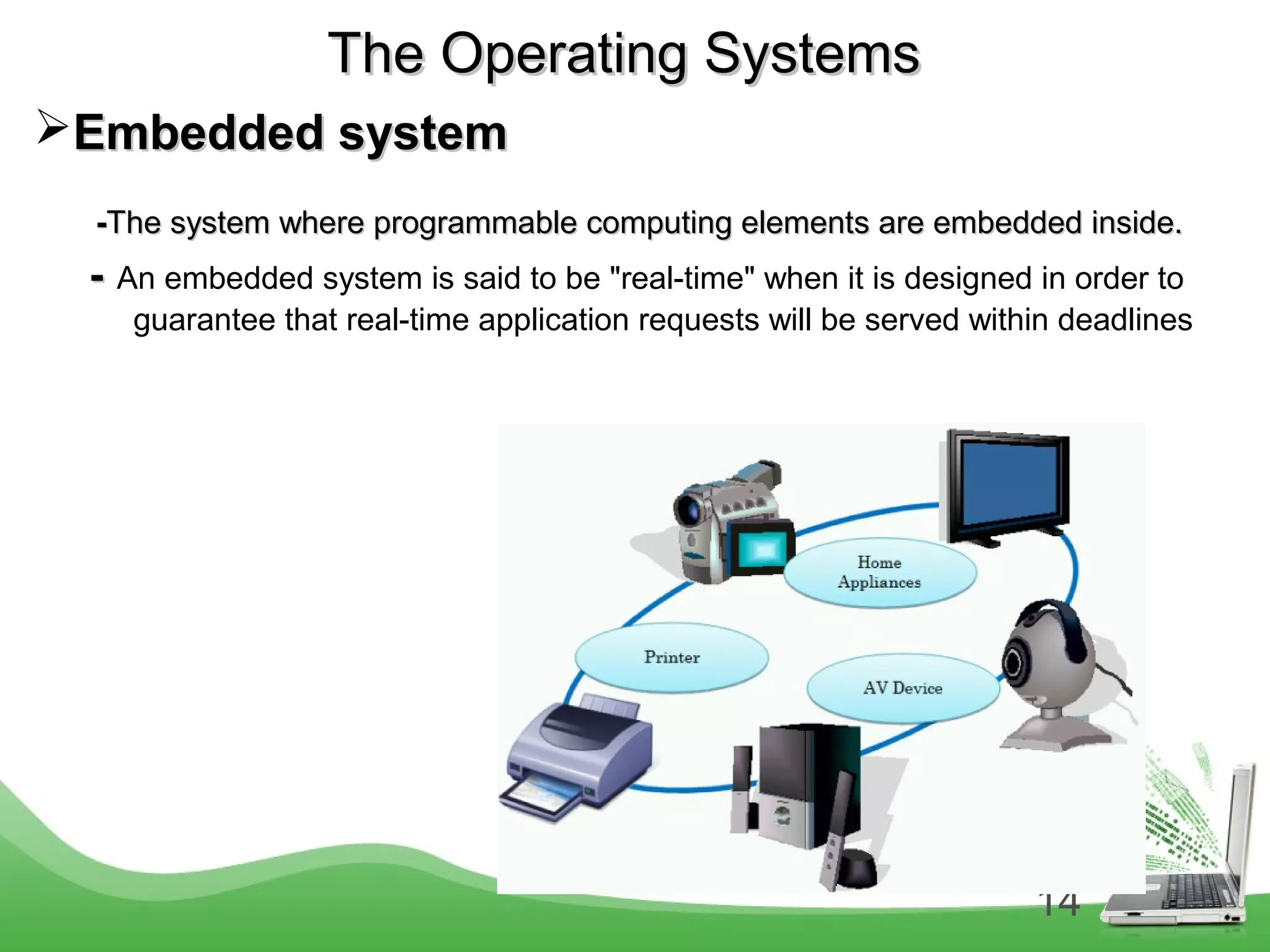
Embedded systemEmbedded system
--The system where programmable computing elements are embedded inside.The system where programmable computing elements are embedded inside.
-- An embedded system is said to be "real-time" when it is designed in order to
guarantee that real-time application requests will be served within deadlines
15
The Operating SystemsThe Operating Systems
Multiprocessor Operating SystemMultiprocessor Operating System
-An operating system that is used to run many processors at a time.-An operating system that is used to run many processors at a time.
- Multi processor system is called as multicomputers or parallel computers- Multi processor system is called as multicomputers or parallel computers
and multiprocessor.and multiprocessor.
Personal Computer Operating SystemPersonal Computer Operating System
- Support multi programming.- Support multi programming.
- Good support to a single user.- Good support to a single user.
- window xp, linux etc…- window xp, linux etc…
Handheld Computer Operating SystemHandheld Computer Operating System
- PDA (Personal Digital Assistant)- PDA (Personal Digital Assistant)
16
The Operating SystemsThe Operating Systems
Sensor Node Operating SystemSensor Node Operating System
-Small nodes being deployed for many purpose attached to a network-Small nodes being deployed for many purpose attached to a network
-These nodes are tiny computers that communicate with each other.-These nodes are tiny computers that communicate with each other.
- All the nodes have a base station.- All the nodes have a base station.
Smart Card Operating SystemSmart Card Operating System
- Smallest operating system run on a small CPU chip.- Smallest operating system run on a small CPU chip.
17
ProcessProcess
-A process is a program in execution.
-A process is created every time you run an external command.
-A process is removed from the system when command finishes its
execution .
In chapter 2
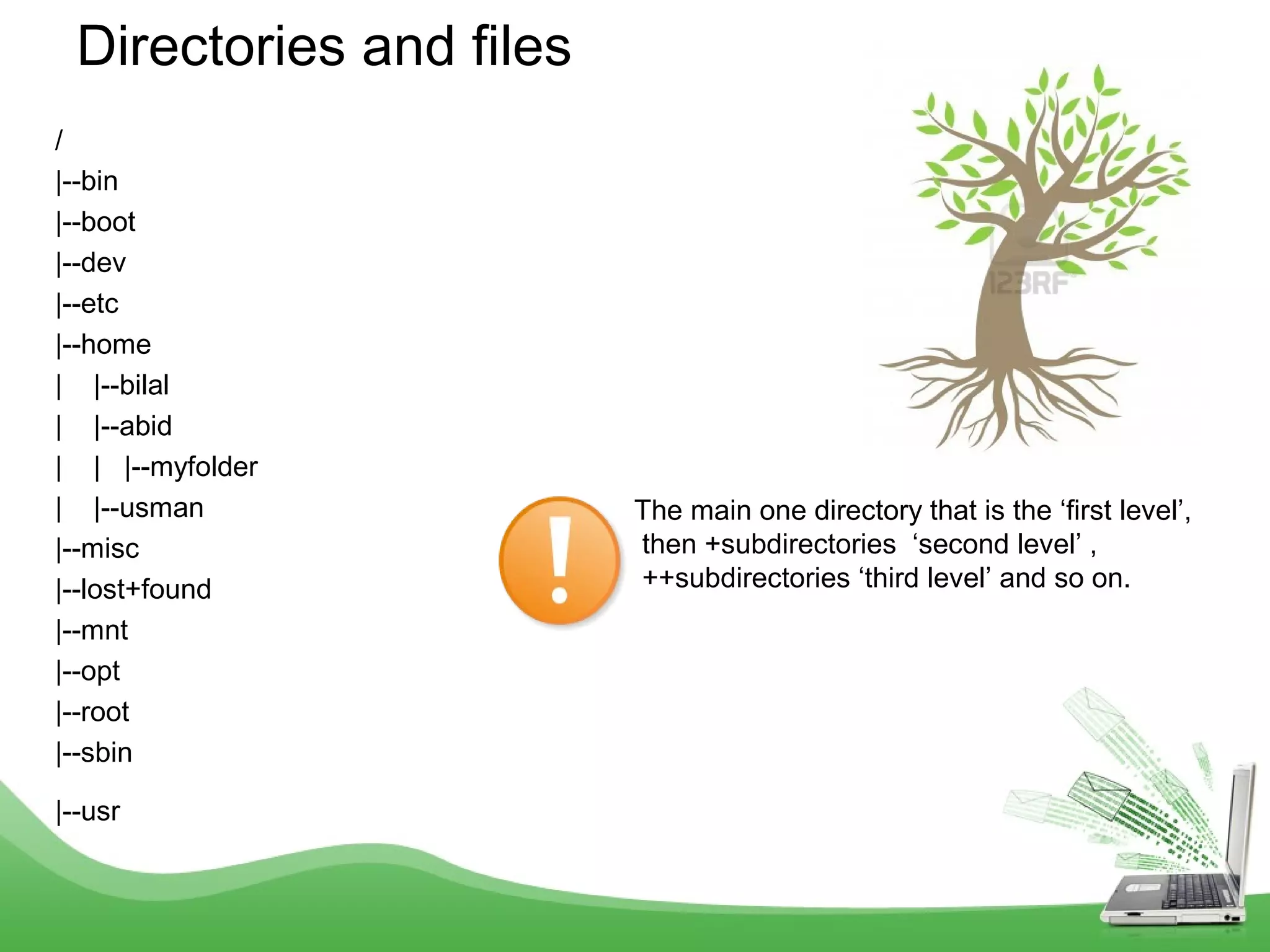
/
|--bin
|--boot
|--dev
|--etc
|--home
| |--bilal
| |--abid
| | |--myfolder
| |--usman
|--misc
|--lost+found
|--mnt
|--opt
|--root
|--sbin
|--usr
Directories and files
The main one directory that is the ‘first level’,
then +subdirectories ‘second level’ ,
++subdirectories ‘third level’ and so on.
19
Files and DirectoriesFiles and Directories
 .
 .
• / “native root” – It is the main directory in which all the rest linux directories are located
• /bin -It requires about 550mb of space, contain essential commands used by the system
when running and booting Linux.
• /sbin -It requires about 550mb of space, contain essential commands used by the system
when running and booting Linux.
• /boot -It contains Linux kernel which is loaded at boot time.It also contain files that contain
information for booting Linux.
• /dev -It contains 7500 files representing devices.
• /etc -It contains more then 20mb system configuration files and directories .Containing
some major software packages like apache , Openssh and passwd file.
• /home -It contains the directories of all the normal users, when ever a new user is created
then automatically a directory will be created by his/her name inside home directory.
when ever a user will login then he/she will automatically will jump in his/her home
directory.
• /proc -It only exist while Linux is running and it shows different memory usage.
• /usr -It is approx 5GB in size and contains software applications and libraries.
• /tmp -it is used for temporaty file storage.The tmp directory is cleaned of each day and will
delete files that are not used for 10 days.
• /var -It contains directories and sub directories used by various system services e.g mail ,
ftp etc…
20
ProtectionProtection
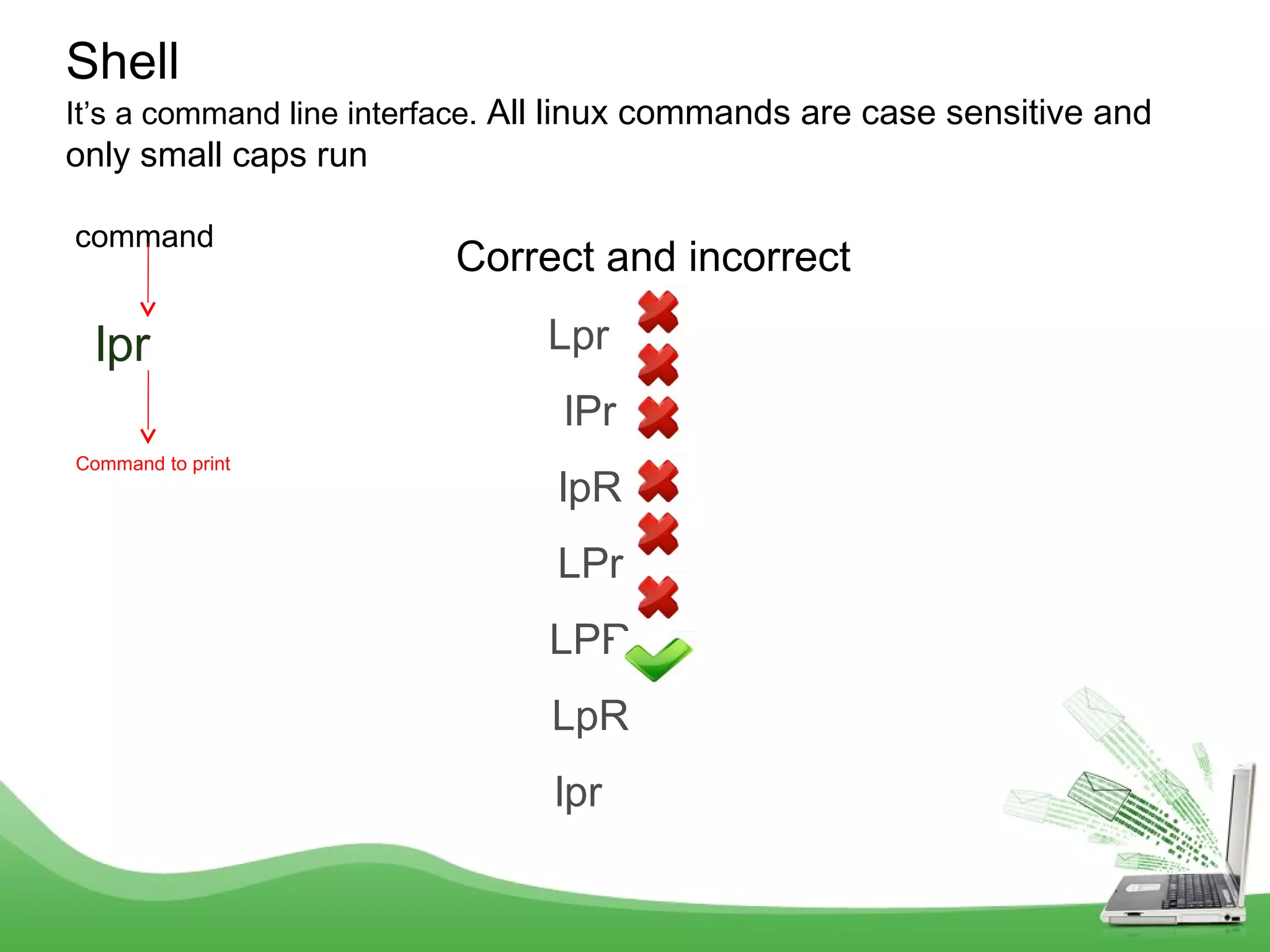
command
lpr
Shell
It’s a command line interface. All linux commands are case sensitive and
only small caps run
Command to print
Lpr
lPr
lpR
LPr
LPR
LpR
lpr
Correct and incorrect
Structure of command
command [{-}option(s)] [command argument(s)]
lpr -P apr proposal.txt
Structure of Linux Command
All linux commands are case sensitive and only small caps run
Command to print Option pointing towards
a printer name
Name of the printer
The file name which will be
Printed out
Structure of command
command [{-}option(s)] [{-}option argument(s)] [command argument(s)]
lpr -P apr -n 3 proposal.txt
Structure of Linux Command
All linux commands are case sensitive and only small caps run
Command to print Option pointing towards
a printer name
Name of the printer
Option use for number of copies
to be printed out
The file name which will be
Printed out
Three copies will be printed out
cat file1 file2 | sort > /dev/lpr
24
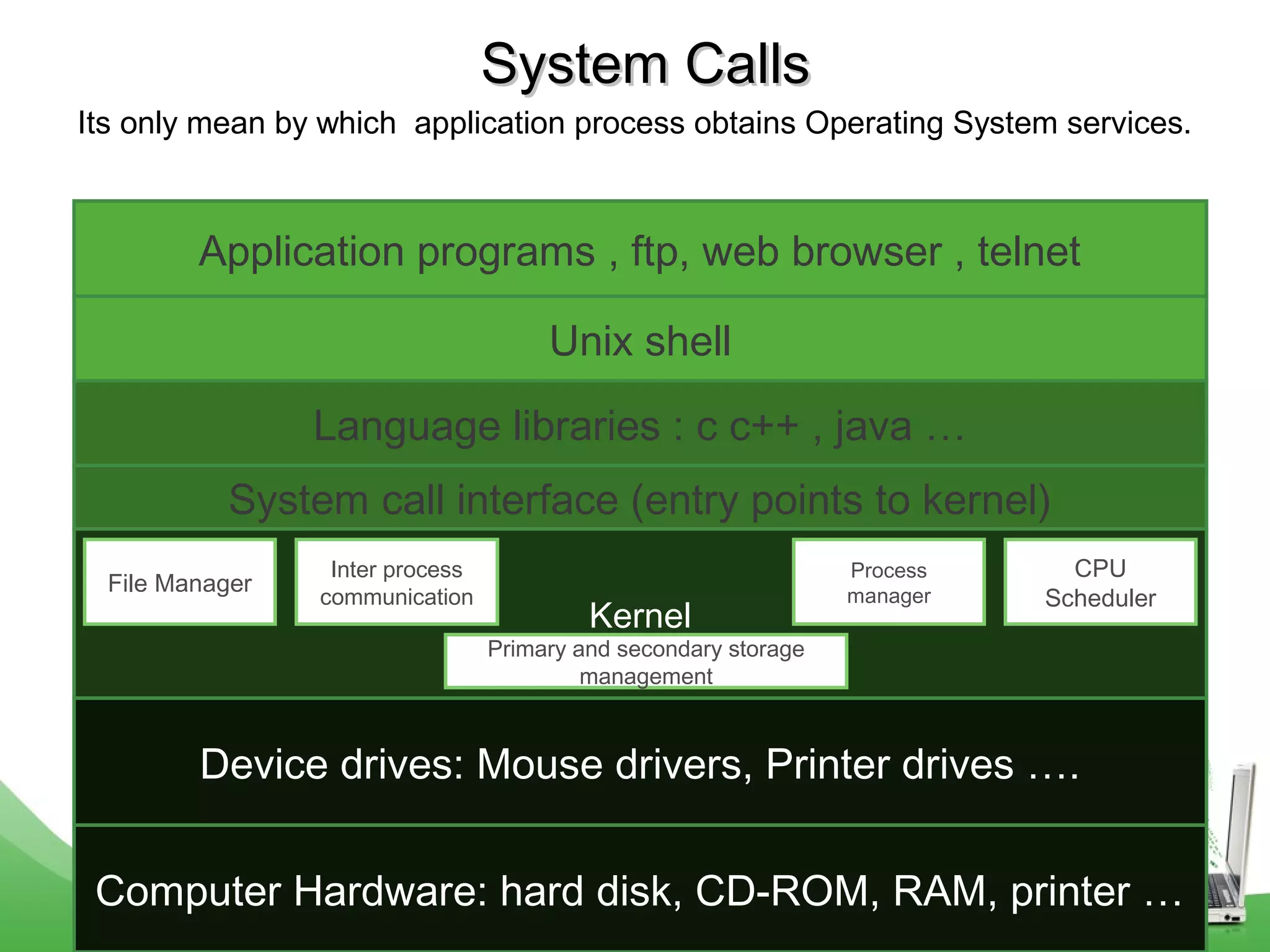
System CallsSystem Calls
Its only mean by which application process obtains Operating System services.
Computer Hardware: hard disk, CD-ROM, RAM, printer …
Kernel
Unix shell
Application programs , ftp, web browser , telnet
Language libraries : c c++ , java …
System call interface (entry points to kernel)
File Manager
Inter process
communication
Process
manager
CPU
Scheduler
Primary and secondary storage
management
Device drives: Mouse drivers, Printer drives ….
25
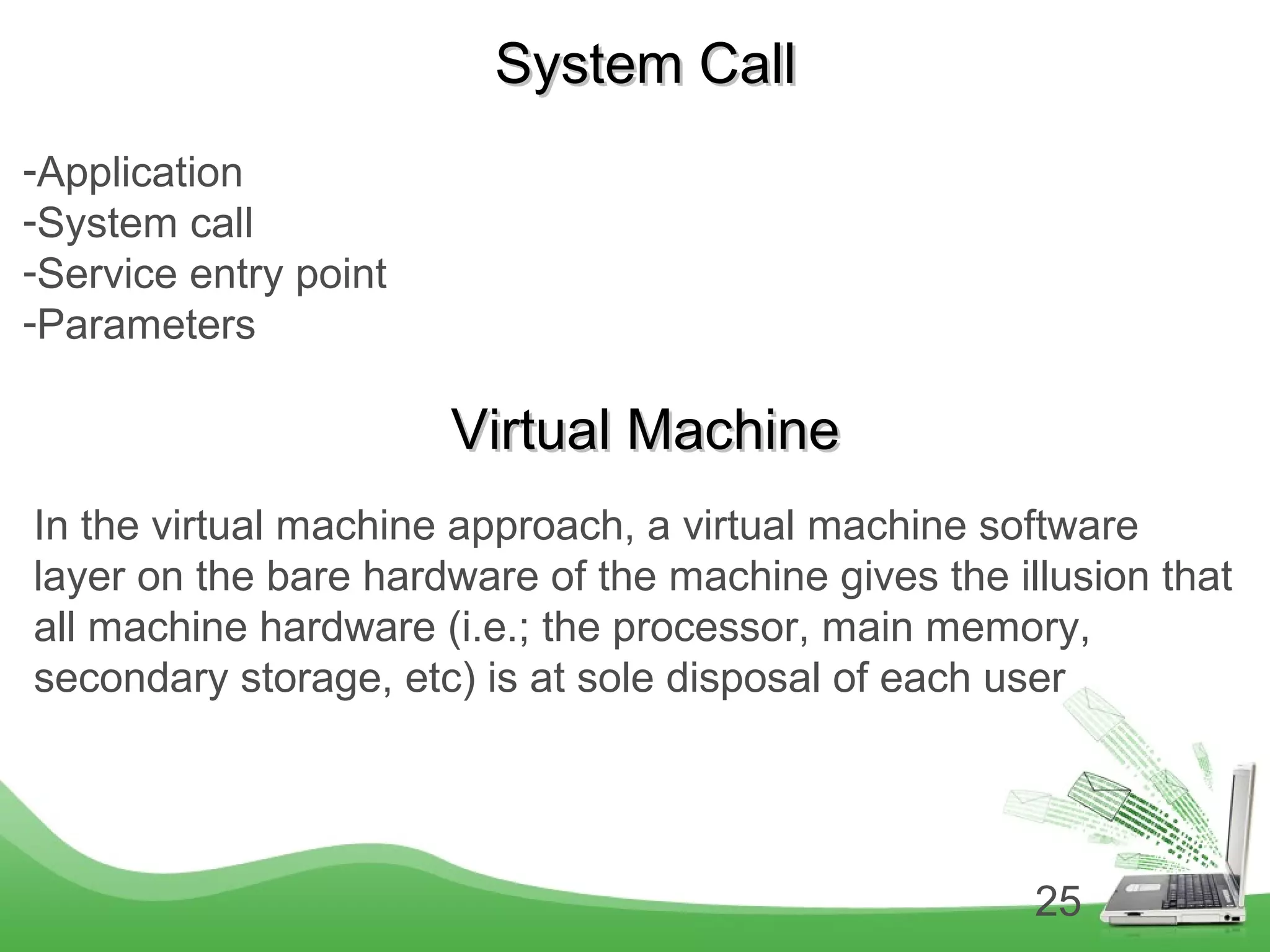
System CallSystem Call
-Application
-System call
-Service entry point
-Parameters
Virtual MachineVirtual Machine
In the virtual machine approach, a virtual machine software
layer on the bare hardware of the machine gives the illusion that
all machine hardware (i.e.; the processor, main memory,
secondary storage, etc) is at sole disposal of each user
Thank You !!

operating system

  • 1.
  • 2.
    Operating System 1. Itis a bridge between a human and a computer 2. A system by which you can communicate with a computer 3. A master controlling program that manages computer resources Layers of Operating System Computer Hardware Operating System Kernel Language libraries and system call interface UNIX Shell, commands and application programs ,GUI
  • 3.
    Interfaces  Character (commandline interface, SHELL)  Graphical User Interface (desktop icons and drop down menus) Types of Operating Systems  Single-user, Single purpose …...Only 1 user can use 1 program  Single user, Multiprocess System ……Only 1 user can use more than 1 programs  Multiuser, Multiprocess System …...More then 1 user can use more than 1 programs
  • 4.
    4 History of OperatingSystemHistory of Operating System • The First Generation (1945-55)The First Generation (1945-55) – Vacuum tubes approx 300 in numberVacuum tubes approx 300 in number – At Lowa state university by Clifford BerryAt Lowa state university by Clifford Berry • The Second Generation (1955-65)The Second Generation (1955-65) – Batch systemBatch system – Programmers bring card to the system 1401Programmers bring card to the system 1401 – System reads batch of jobs onto tapeSystem reads batch of jobs onto tape – Operator carries into tapes to another system 7094Operator carries into tapes to another system 7094 – System 7094 does computationSystem 7094 does computation – Operator carries output tapes again to 1401Operator carries output tapes again to 1401 – System 1401 prints the outputSystem 1401 prints the output
  • 5.
    5 History of OperatingSystemHistory of Operating System Batch systemBatch system
  • 6.
    6 History of OperatingSystemHistory of Operating System • The Third Generation (1965-80)The Third Generation (1965-80)  In 1960’s Bell labs developed a large operating system MULTICS (multi user multi process).  In the same year they decided not to pursue on MULTICS as it was full of problems.  Programmers were pulled out but some lingered on there own.  These programmers came up with a operating system which used to serve only one person and do one task at a time, but was pretty good and they named it as UNIX.
  • 7.
    7 History of OperatingSystemHistory of Operating System • The Fourth Generation (1980)The Fourth Generation (1980) – Personal computersPersonal computers – DOS (CLI)DOS (CLI) – User friendly (GUI)User friendly (GUI) – WindowsWindows
  • 8.
    8 Computer Hardware ReviewComputerHardware Review  Processor (CPU): - The brain of the computer. - It fetch instructions from main memory and execute them and returns back to main memory. - The cycle is repeated until program is finished.  Memory:
  • 9.
    9 Computer Hardware ReviewComputerHardware Review  Memory: -RAM: Random Access Memory (volatile) -ROM: Read only memory (boot stripping programs, all properties of a RAM except the I/O cannot be overwrite and it is non volatile) - Main Memory : every program you execute and every file you access must be copied from a storage device into main memory. It is some times called as RAM. Main memory is strongly connected with the internal storage device .
  • 10.
    10 Computer Hardware ReviewComputerHardware Review  Disks: - Made of highly polished glass or ceramic with fine layer of iron oxide. -Number of plates (1-12) -Rotate at a speed 3200-7200/m -The head float on a very thin cushion of air. -The arm moves horizontally -All the activities are controlled by the disk drivers Tapes: - Final layer in the memory hierarchy. - Magnetic tapes. Tape drives
  • 11.
    11 Computer Hardware ReviewComputerHardware Review  Input / Output devices: They all have device drive layer on top - Keyboard - Mouse - Printer - Scanner  Buses: The System Bus has 3 types of Buses  Data Bus: It carries the data Control Bus: It carries the control information such as read , write instructions Address Bus: It carries the address/path, where the data needs to go. Universal serial bus (USB): used to attach all the slow I/O devices like keyboard and mouse, to computer.
  • 12.
    12 Computer Hardware ReviewComputerHardware Review  Booting the Computer: - Basic Input Output System (BIOS) - when the computer is booted, the BIOS is started. The Operating SystemsThe Operating Systems  Server Operating System: - Client and server relation. - They serve many users at a time over the network. - Server can provide below facilities * File server * Print server * Web server * Data base server
  • 13.
    13 The Operating SystemsTheOperating Systems Real time systemReal time system --Systems where timeliness of response to user/external requests play a verySystems where timeliness of response to user/external requests play a very crucial role.crucial role. -They often referred to large, high powered, expensive systems.-They often referred to large, high powered, expensive systems. -used in defence, medical equipment and industrial robots-used in defence, medical equipment and industrial robots -Fax machine, cameras, printers, wireless routers also fall mostly in real time systems-Fax machine, cameras, printers, wireless routers also fall mostly in real time systems .. -Some commercial real time operating systems are windows CE, lynxOS, pSOS, jbed.-Some commercial real time operating systems are windows CE, lynxOS, pSOS, jbed.
  • 14.
    14 The Operating SystemsTheOperating Systems Embedded systemEmbedded system --The system where programmable computing elements are embedded inside.The system where programmable computing elements are embedded inside. -- An embedded system is said to be "real-time" when it is designed in order to guarantee that real-time application requests will be served within deadlines
  • 15.
    15 The Operating SystemsTheOperating Systems Multiprocessor Operating SystemMultiprocessor Operating System -An operating system that is used to run many processors at a time.-An operating system that is used to run many processors at a time. - Multi processor system is called as multicomputers or parallel computers- Multi processor system is called as multicomputers or parallel computers and multiprocessor.and multiprocessor. Personal Computer Operating SystemPersonal Computer Operating System - Support multi programming.- Support multi programming. - Good support to a single user.- Good support to a single user. - window xp, linux etc…- window xp, linux etc… Handheld Computer Operating SystemHandheld Computer Operating System - PDA (Personal Digital Assistant)- PDA (Personal Digital Assistant)
  • 16.
    16 The Operating SystemsTheOperating Systems Sensor Node Operating SystemSensor Node Operating System -Small nodes being deployed for many purpose attached to a network-Small nodes being deployed for many purpose attached to a network -These nodes are tiny computers that communicate with each other.-These nodes are tiny computers that communicate with each other. - All the nodes have a base station.- All the nodes have a base station. Smart Card Operating SystemSmart Card Operating System - Smallest operating system run on a small CPU chip.- Smallest operating system run on a small CPU chip.
  • 17.
    17 ProcessProcess -A process isa program in execution. -A process is created every time you run an external command. -A process is removed from the system when command finishes its execution . In chapter 2
  • 18.
    / |--bin |--boot |--dev |--etc |--home | |--bilal | |--abid || |--myfolder | |--usman |--misc |--lost+found |--mnt |--opt |--root |--sbin |--usr Directories and files The main one directory that is the ‘first level’, then +subdirectories ‘second level’ , ++subdirectories ‘third level’ and so on.
  • 19.
    19 Files and DirectoriesFilesand Directories  .  . • / “native root” – It is the main directory in which all the rest linux directories are located • /bin -It requires about 550mb of space, contain essential commands used by the system when running and booting Linux. • /sbin -It requires about 550mb of space, contain essential commands used by the system when running and booting Linux. • /boot -It contains Linux kernel which is loaded at boot time.It also contain files that contain information for booting Linux. • /dev -It contains 7500 files representing devices. • /etc -It contains more then 20mb system configuration files and directories .Containing some major software packages like apache , Openssh and passwd file. • /home -It contains the directories of all the normal users, when ever a new user is created then automatically a directory will be created by his/her name inside home directory. when ever a user will login then he/she will automatically will jump in his/her home directory. • /proc -It only exist while Linux is running and it shows different memory usage. • /usr -It is approx 5GB in size and contains software applications and libraries. • /tmp -it is used for temporaty file storage.The tmp directory is cleaned of each day and will delete files that are not used for 10 days. • /var -It contains directories and sub directories used by various system services e.g mail , ftp etc…
  • 20.
  • 21.
    command lpr Shell It’s a commandline interface. All linux commands are case sensitive and only small caps run Command to print Lpr lPr lpR LPr LPR LpR lpr Correct and incorrect
  • 22.
    Structure of command command[{-}option(s)] [command argument(s)] lpr -P apr proposal.txt Structure of Linux Command All linux commands are case sensitive and only small caps run Command to print Option pointing towards a printer name Name of the printer The file name which will be Printed out
  • 23.
    Structure of command command[{-}option(s)] [{-}option argument(s)] [command argument(s)] lpr -P apr -n 3 proposal.txt Structure of Linux Command All linux commands are case sensitive and only small caps run Command to print Option pointing towards a printer name Name of the printer Option use for number of copies to be printed out The file name which will be Printed out Three copies will be printed out cat file1 file2 | sort > /dev/lpr
  • 24.
    24 System CallsSystem Calls Itsonly mean by which application process obtains Operating System services. Computer Hardware: hard disk, CD-ROM, RAM, printer … Kernel Unix shell Application programs , ftp, web browser , telnet Language libraries : c c++ , java … System call interface (entry points to kernel) File Manager Inter process communication Process manager CPU Scheduler Primary and secondary storage management Device drives: Mouse drivers, Printer drives ….
  • 25.
    25 System CallSystem Call -Application -Systemcall -Service entry point -Parameters Virtual MachineVirtual Machine In the virtual machine approach, a virtual machine software layer on the bare hardware of the machine gives the illusion that all machine hardware (i.e.; the processor, main memory, secondary storage, etc) is at sole disposal of each user
  • 26.