


© 2014 VMware Inc. All rights reserved.
OpenStack + VMware : Deploy, Upgrade and
Operate Powerful Production OpenStack
Cloud in Minutes!
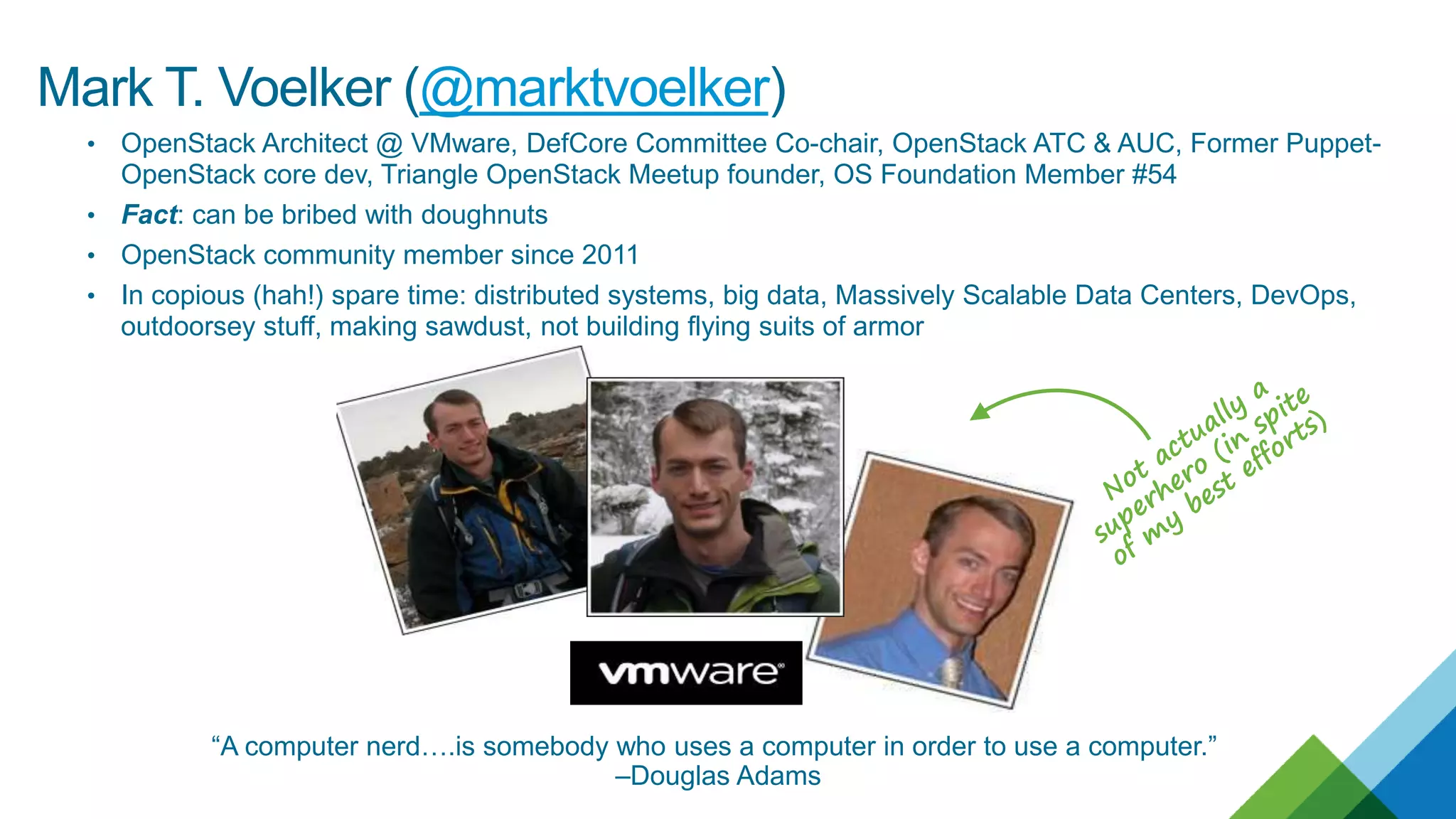
Mark T. Voelker
OpenStack Architect
Oct. 27, 2016
2
It was 2011, and it was an exciting time
to be in the cloud business!
Cactus had just been released, and I was attending my first
design summit.
3
4
Turns out, getting Cactus running in
my lab was a *LOT* of work…
…and that was before Cinder, Neutron,
Ceilometer, Heat, & many more projects
even existed.
5
Managing it after I built it was kind of awkward in the early days…
Upgrades? Patches?
Diagnosing problems?
High availability?
Existing workloads?
6
…sometimes the problems proved both costly & painful.
This is not 2011.
7
This is not Cactus.
We’ve come a long way.
• OpenStack Architect @ VMware, DefCore Committee Co-chair, OpenStack ATC & AUC, Former Puppet-
OpenStack core dev, Triangle OpenStack Meetup founder, OS Foundation Member #54
• Fact: can be bribed with doughnuts
• OpenStack community member since 2011
• In copious (hah!) spare time: distributed systems, big data, Massively Scalable Data Centers, DevOps,
outdoorsey stuff, making sawdust, not building flying suits of armor
“A computer nerd….is somebody who uses a computer in order to use a computer.”
–Douglas Adams
Mark T. Voelker (@marktvoelker)
Now pull up a seat and let’s talk about
what a modern OpenStack cloud should
look like.
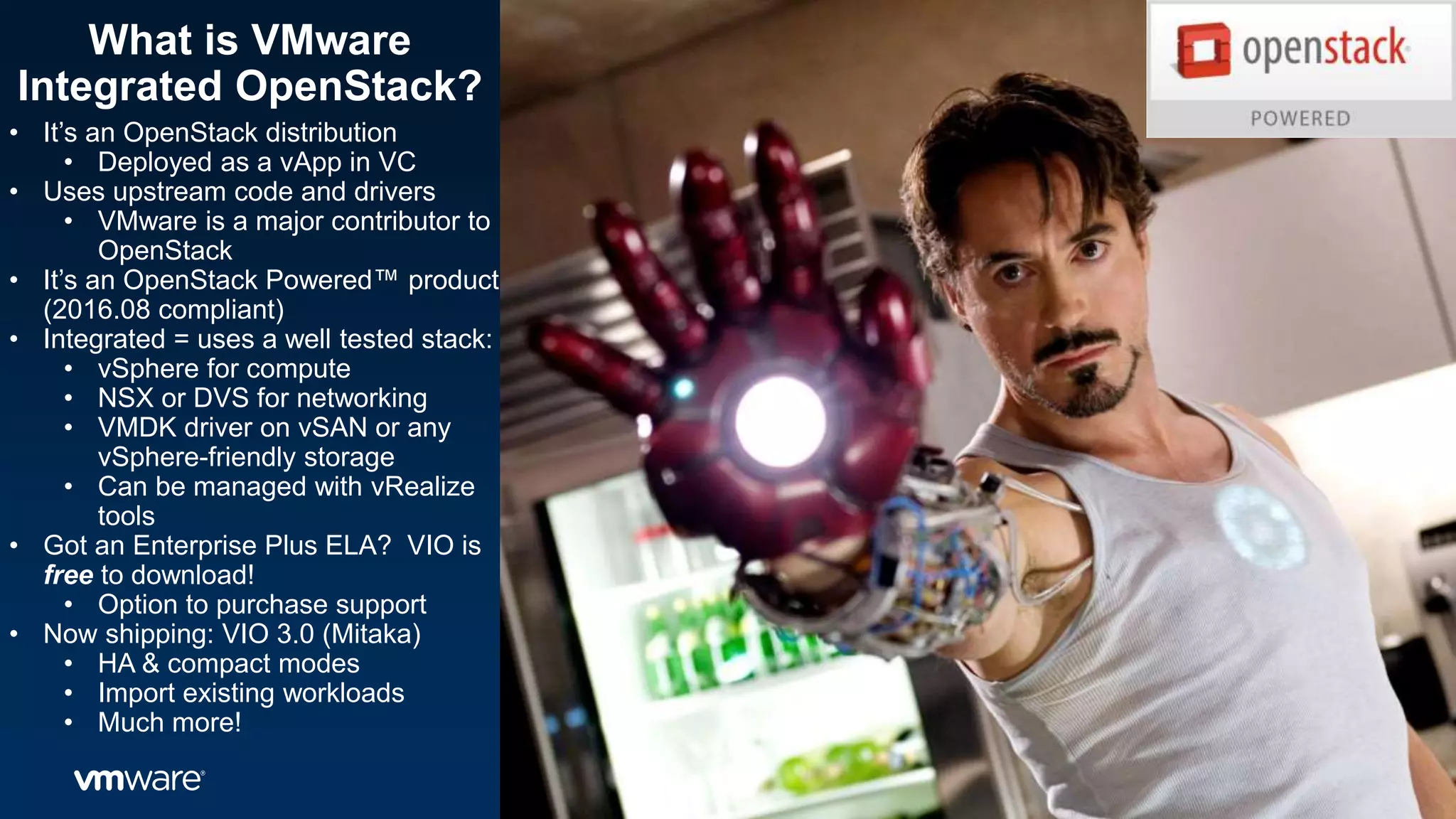
What is VMware
Integrated OpenStack?
• It’s an OpenStack distribution
• Deployed as a vApp in VC
• Uses upstream code and drivers
• VMware is a major contributor to
OpenStack
• It’s an OpenStack Powered™ product
(2016.08 compliant)
• Integrated = uses a well tested stack:
• vSphere for compute
• NSX or DVS for networking
• VMDK driver on vSAN or any
vSphere-friendly storage
• Can be managed with vRealize
tools
• Got an Enterprise Plus ELA? VIO is
free to download!
• Option to purchase support
• Now shipping: VIO 3.0 (Mitaka)
• HA & compact modes
• Import existing workloads
• Much more!
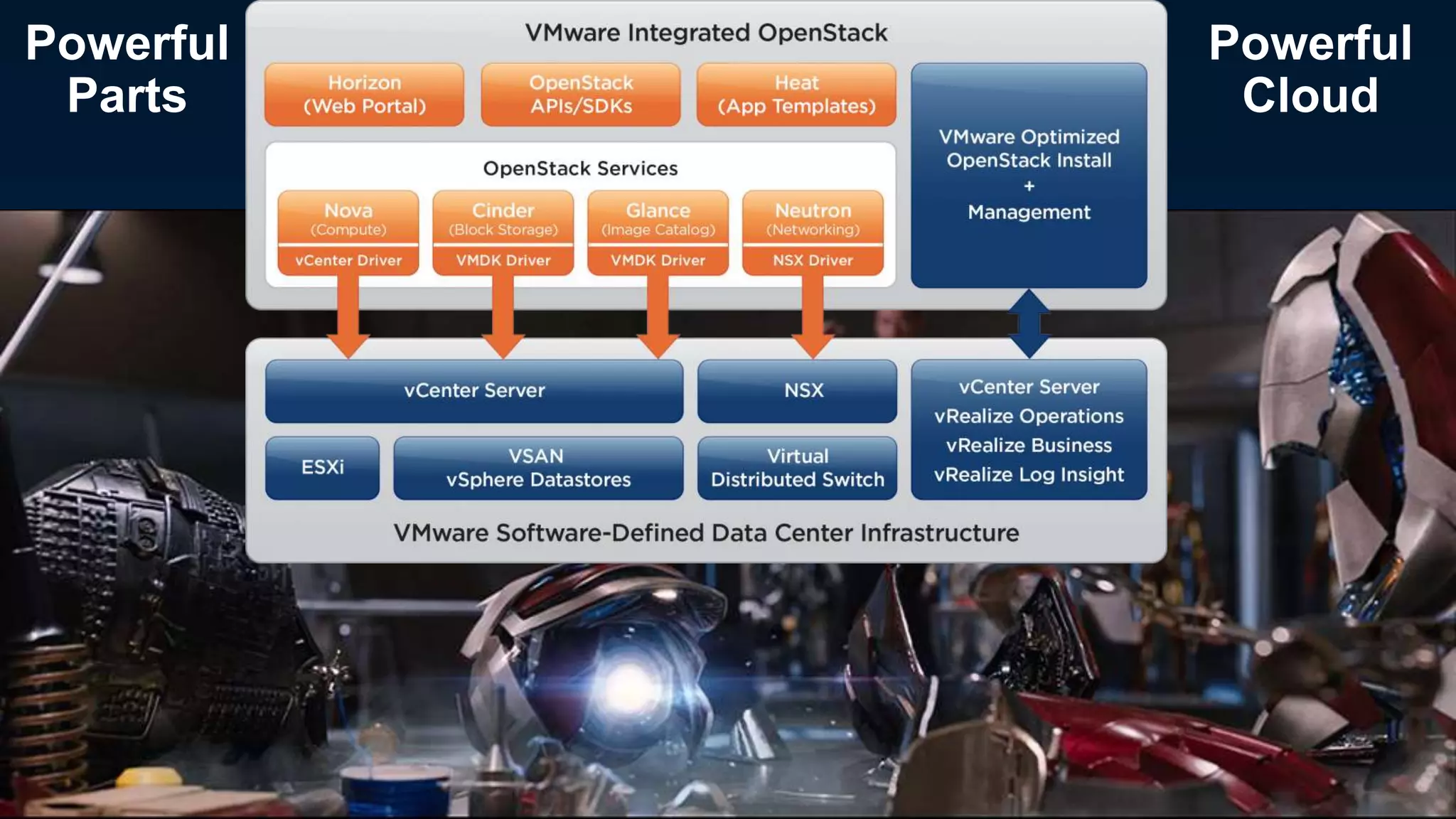
Powerful
Parts
Powerful
Cloud
Let’s start with deployment…how easy is it to deploy?
Pretty easy!
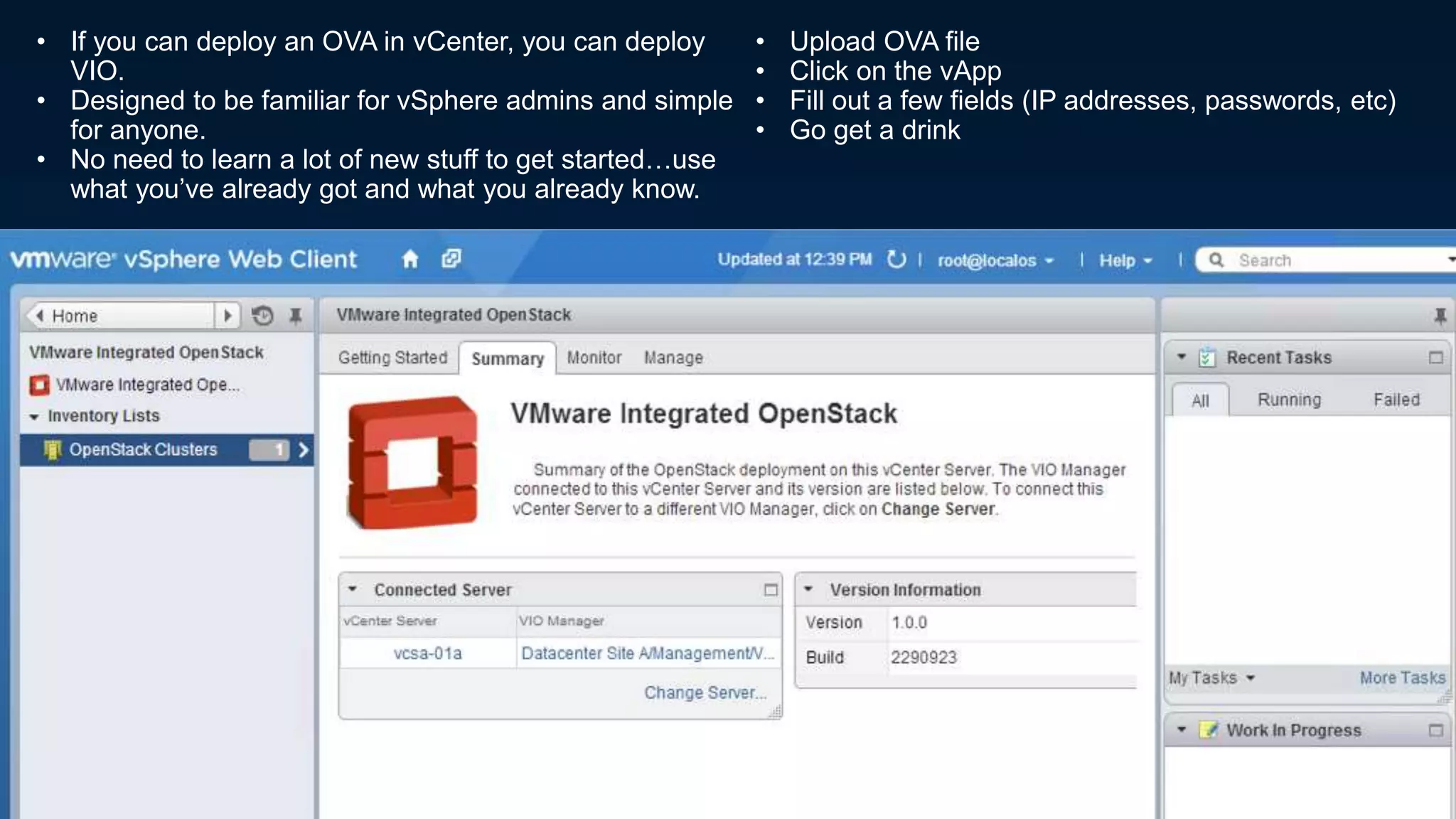
• If you can deploy an OVA in vCenter, you can deploy
VIO.
• Designed to be familiar for vSphere admins and simple
for anyone.
• No need to learn a lot of new stuff to get started…use
what you’ve already got and what you already know.
• Upload OVA file
• Click on the vApp
• Fill out a few fields (IP addresses, passwords, etc)
• Go get a drink
Under the hood, we’ll be deploying a highly available OpenStack to your management cluster…
• HAProxy load balancer pair w/Keepalived
• Control node pair
• RabbitMQ nodes
• MariaDB w/Galera Cluster
• Compute node per VC cluster
• OpenStack Management Server (OMS) for management tasks
Wanna see a video?
http://bit.ly/2eNujaz
Your ops guy (who’s been a VC admin
for ages and knows his way around VC
operations like the back of his hand)
wants to vMotion a VM within a cluster?
Go ahead!
Puts the power of both VMware and OpenStack in the palm of your hand!
Want to protect workloads with vSphere
HA? You can!
Want to use the DRS or SPBM? Not a
problem!
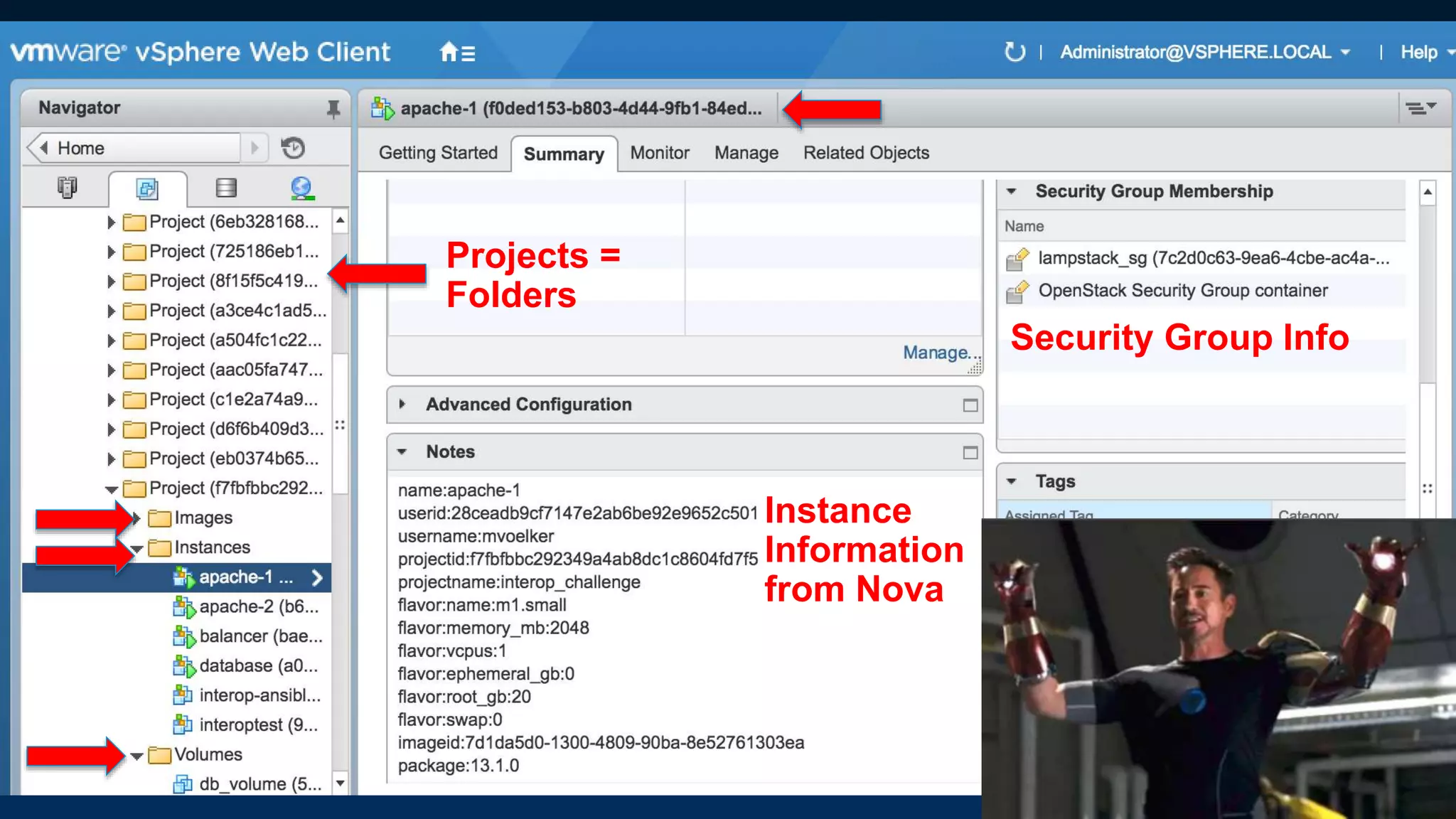
Use vCenter to see what’s
going on and what’s in use?
You’ll see OpenStack info in
there too (instance ID’s, etc)!
Let’s not forget control
plane/data plane decoupling…
• ESXi host goes down? VM’s
rescheduled to another host in
the cluster. (optional)
• vCenter goes down? All
workloads keep functioning!
• Upgrading or patching services?
No app downtime!
• Got cattle and pets? No problem!
• Reduced number of nova-
compute instances reduces
MQ/API chatter.
Ok, now I’ve got this awesome cloud
…but it’s empty.
I built it, but will the workloads come?
What if you could import your existing
workloads and use them as OpenStack
instances going forward?
• Imported instances can now be
manipulated with Openstack API’s
• Networks imported as provider
networks
• Achieve critical mass faster
• Existing templates can also be
imported as Glance images
Ok, I’ve got a cloud and critical
workloads on it. Now what
about all the Day 2 stuff like:
• Operations
• Patching
• Upgrades
• Just plain being able to know
what’s going on in my cloud
• Patching:
• Upload patch to OMS
• Patch staged and ready
• Deployment and service
restart are automated
• No downtime
• Monitoring
• vRealize Operations
management packs for
OpenStack
• LogInsight
• vRealize Business for
costing
• Or use whatever tools you
like…it’s OpenStack!
• Other stuff
• Add new storage
• Add new hosts or retire old
ones
• Start/stop/restart services
Another way to find information about what’s
going on in your cloud:
Just pull up your VC client.
Projects =
Folders
Instance
Information
from Nova
Security Group Info
Let’s take a minute to
talk about upgrades...
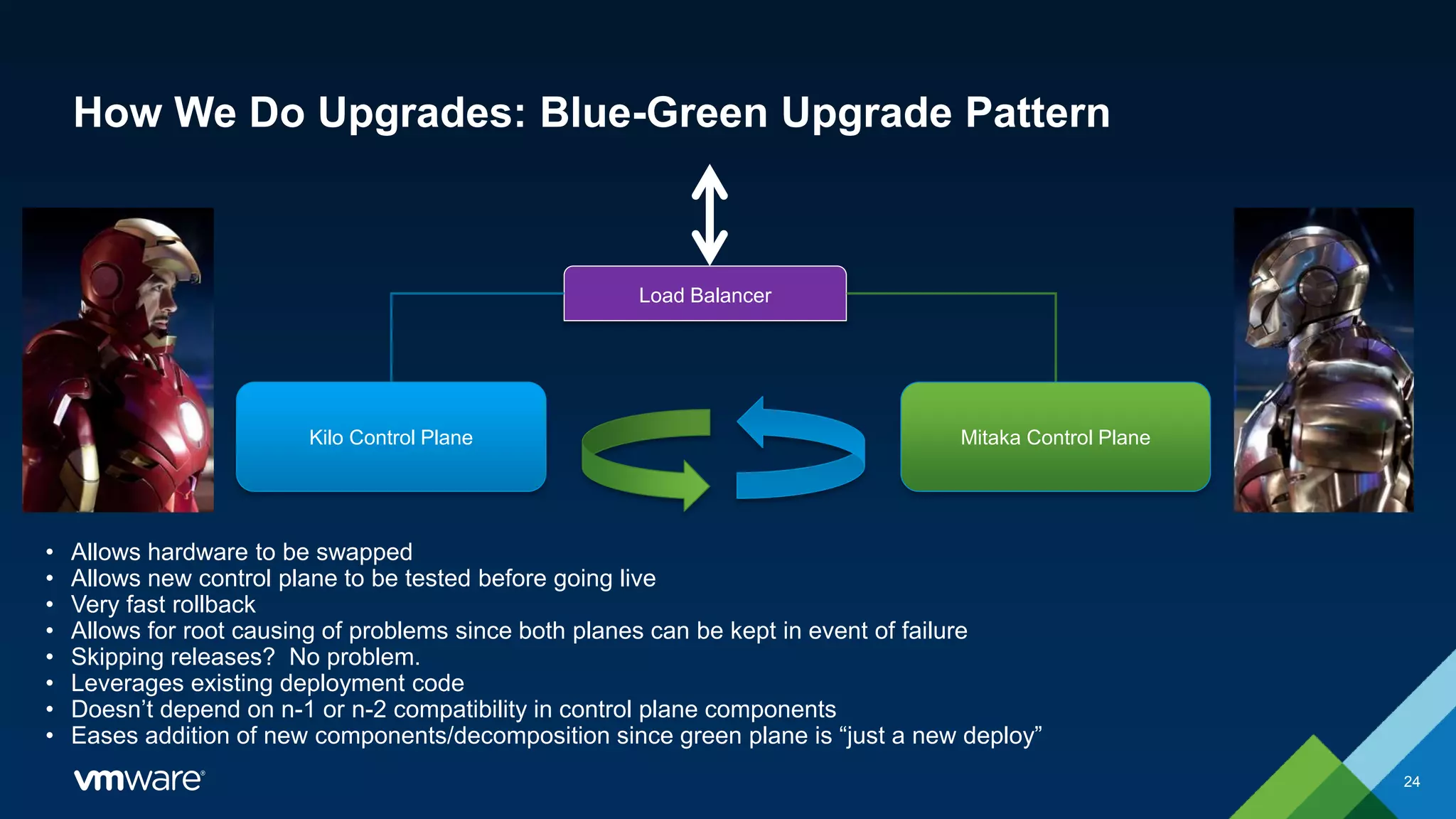
How We Do Upgrades: Blue-Green Upgrade Pattern
24
Load Balancer
• Allows hardware to be swapped
• Allows new control plane to be tested before going live
• Very fast rollback
• Allows for root causing of problems since both planes can be kept in event of failure
• Skipping releases? No problem.
• Leverages existing deployment code
• Doesn’t depend on n-1 or n-2 compatibility in control plane components
• Eases addition of new components/decomposition since green plane is “just a new deploy”
Kilo Control Plane Mitaka Control Plane
CONFIDENTIAL 25
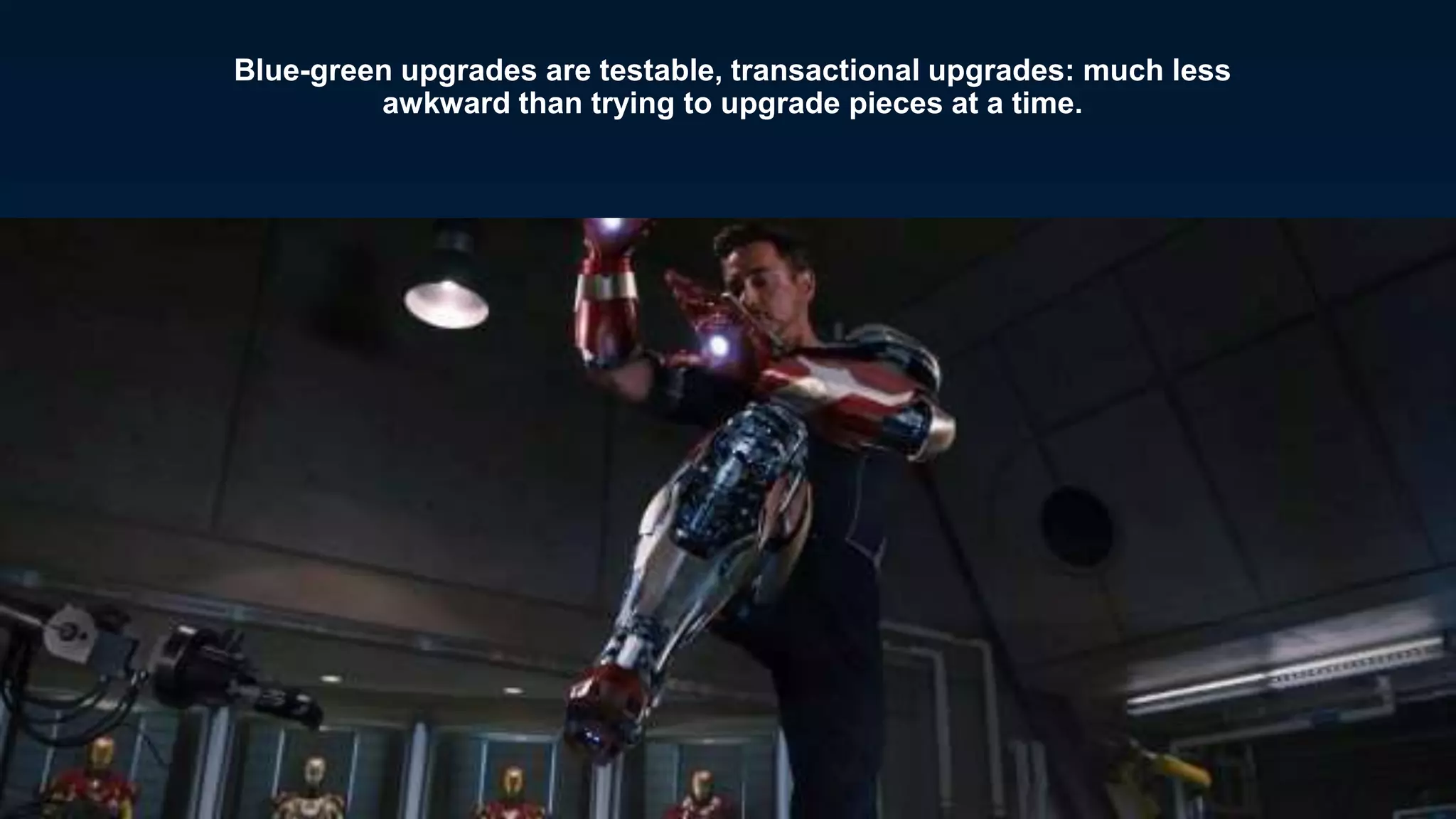
Blue-green upgrades are testable, transactional upgrades: much less
awkward than trying to upgrade pieces at a time.
“BTW just did an upgrade [from Kilo to
Mitaka]...while drinking a beer and watching the
game! How an OpenStack upgrade should be!”
“We just found out the customer upgraded
recently…with no help. They didn’t even tell us
they were doing it.”
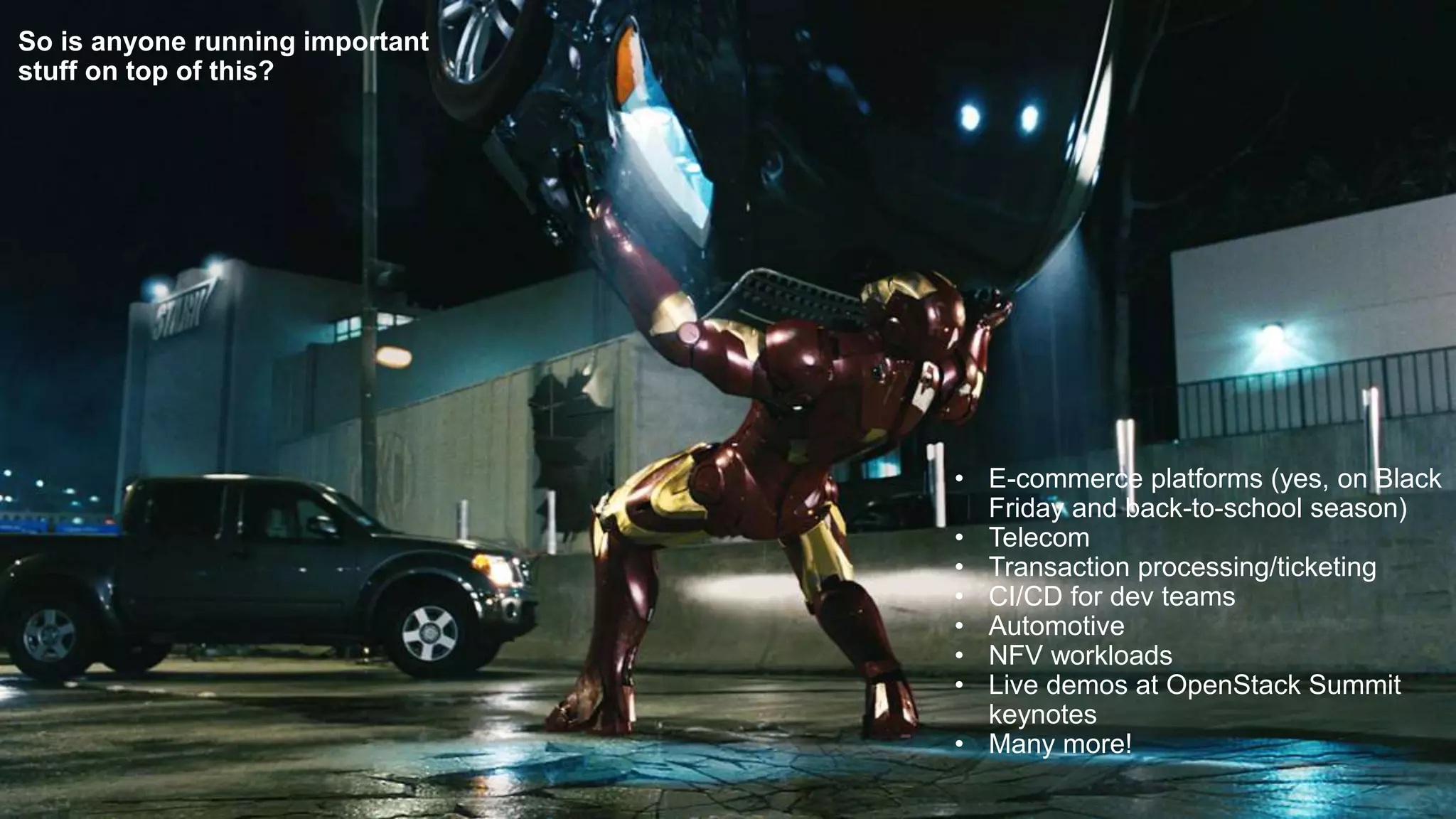
So is anyone running important
stuff on top of this?
• E-commerce platforms (yes, on Black
Friday and back-to-school season)
• Telecom
• Transaction processing/ticketing
• CI/CD for dev teams
• Automotive
• NFV workloads
• Live demos at OpenStack Summit
keynotes
• Many more!
Wanna learn more? Let’s
talk.
• Visit our booth
• Check us out online
• Register for a free
webinar on 11/2
• Try a Hands on Lab
• Check out some
videos on Youtube
• Check us out in the
OpenStack
Marketplace
VMware Integrated
Openstack: a robust,
powerful cloud that
anyone can love!
Any questions?
Thanks for coming—see you at lunch!
(or down the hall in 118/119 in a few minutes for a talk on
skipping releases when upgrading)

OpenStack + VMware: Deploy, Upgrade, & Operate a Powerful Production OpenStack Cloud In Minutes

  • 1.
    © 2014 VMwareInc. All rights reserved. OpenStack + VMware : Deploy, Upgrade and Operate Powerful Production OpenStack Cloud in Minutes! Mark T. Voelker OpenStack Architect Oct. 27, 2016
  • 2.
    2 It was 2011,and it was an exciting time to be in the cloud business!
  • 3.
    Cactus had justbeen released, and I was attending my first design summit. 3
  • 4.
    4 Turns out, gettingCactus running in my lab was a *LOT* of work… …and that was before Cinder, Neutron, Ceilometer, Heat, & many more projects even existed.
  • 5.
    5 Managing it afterI built it was kind of awkward in the early days… Upgrades? Patches? Diagnosing problems? High availability? Existing workloads?
  • 6.
    6 …sometimes the problemsproved both costly & painful.
  • 7.
    This is not2011. 7 This is not Cactus. We’ve come a long way.
  • 8.
    • OpenStack Architect@ VMware, DefCore Committee Co-chair, OpenStack ATC & AUC, Former Puppet- OpenStack core dev, Triangle OpenStack Meetup founder, OS Foundation Member #54 • Fact: can be bribed with doughnuts • OpenStack community member since 2011 • In copious (hah!) spare time: distributed systems, big data, Massively Scalable Data Centers, DevOps, outdoorsey stuff, making sawdust, not building flying suits of armor “A computer nerd….is somebody who uses a computer in order to use a computer.” –Douglas Adams Mark T. Voelker (@marktvoelker)
  • 9.
    Now pull upa seat and let’s talk about what a modern OpenStack cloud should look like.
  • 10.
    What is VMware IntegratedOpenStack? • It’s an OpenStack distribution • Deployed as a vApp in VC • Uses upstream code and drivers • VMware is a major contributor to OpenStack • It’s an OpenStack Powered™ product (2016.08 compliant) • Integrated = uses a well tested stack: • vSphere for compute • NSX or DVS for networking • VMDK driver on vSAN or any vSphere-friendly storage • Can be managed with vRealize tools • Got an Enterprise Plus ELA? VIO is free to download! • Option to purchase support • Now shipping: VIO 3.0 (Mitaka) • HA & compact modes • Import existing workloads • Much more!
  • 11.
  • 12.
    Let’s start withdeployment…how easy is it to deploy? Pretty easy!
  • 13.
    • If youcan deploy an OVA in vCenter, you can deploy VIO. • Designed to be familiar for vSphere admins and simple for anyone. • No need to learn a lot of new stuff to get started…use what you’ve already got and what you already know. • Upload OVA file • Click on the vApp • Fill out a few fields (IP addresses, passwords, etc) • Go get a drink
  • 14.
    Under the hood,we’ll be deploying a highly available OpenStack to your management cluster… • HAProxy load balancer pair w/Keepalived • Control node pair • RabbitMQ nodes • MariaDB w/Galera Cluster • Compute node per VC cluster • OpenStack Management Server (OMS) for management tasks Wanna see a video? http://bit.ly/2eNujaz
  • 15.
    Your ops guy(who’s been a VC admin for ages and knows his way around VC operations like the back of his hand) wants to vMotion a VM within a cluster? Go ahead! Puts the power of both VMware and OpenStack in the palm of your hand! Want to protect workloads with vSphere HA? You can! Want to use the DRS or SPBM? Not a problem! Use vCenter to see what’s going on and what’s in use? You’ll see OpenStack info in there too (instance ID’s, etc)!
  • 16.
    Let’s not forgetcontrol plane/data plane decoupling… • ESXi host goes down? VM’s rescheduled to another host in the cluster. (optional) • vCenter goes down? All workloads keep functioning! • Upgrading or patching services? No app downtime! • Got cattle and pets? No problem! • Reduced number of nova- compute instances reduces MQ/API chatter.
  • 17.
    Ok, now I’vegot this awesome cloud …but it’s empty. I built it, but will the workloads come?
  • 18.
    What if youcould import your existing workloads and use them as OpenStack instances going forward? • Imported instances can now be manipulated with Openstack API’s • Networks imported as provider networks • Achieve critical mass faster • Existing templates can also be imported as Glance images
  • 19.
    Ok, I’ve gota cloud and critical workloads on it. Now what about all the Day 2 stuff like: • Operations • Patching • Upgrades • Just plain being able to know what’s going on in my cloud
  • 20.
    • Patching: • Uploadpatch to OMS • Patch staged and ready • Deployment and service restart are automated • No downtime • Monitoring • vRealize Operations management packs for OpenStack • LogInsight • vRealize Business for costing • Or use whatever tools you like…it’s OpenStack! • Other stuff • Add new storage • Add new hosts or retire old ones • Start/stop/restart services
  • 21.
    Another way tofind information about what’s going on in your cloud: Just pull up your VC client.
  • 22.
  • 23.
    Let’s take aminute to talk about upgrades...
  • 24.
    How We DoUpgrades: Blue-Green Upgrade Pattern 24 Load Balancer • Allows hardware to be swapped • Allows new control plane to be tested before going live • Very fast rollback • Allows for root causing of problems since both planes can be kept in event of failure • Skipping releases? No problem. • Leverages existing deployment code • Doesn’t depend on n-1 or n-2 compatibility in control plane components • Eases addition of new components/decomposition since green plane is “just a new deploy” Kilo Control Plane Mitaka Control Plane
  • 25.
    CONFIDENTIAL 25 Blue-green upgradesare testable, transactional upgrades: much less awkward than trying to upgrade pieces at a time.
  • 26.
    “BTW just didan upgrade [from Kilo to Mitaka]...while drinking a beer and watching the game! How an OpenStack upgrade should be!” “We just found out the customer upgraded recently…with no help. They didn’t even tell us they were doing it.”
  • 27.
    So is anyonerunning important stuff on top of this? • E-commerce platforms (yes, on Black Friday and back-to-school season) • Telecom • Transaction processing/ticketing • CI/CD for dev teams • Automotive • NFV workloads • Live demos at OpenStack Summit keynotes • Many more!
  • 28.
    Wanna learn more?Let’s talk. • Visit our booth • Check us out online • Register for a free webinar on 11/2 • Try a Hands on Lab • Check out some videos on Youtube • Check us out in the OpenStack Marketplace
  • 29.
    VMware Integrated Openstack: arobust, powerful cloud that anyone can love!
  • 30.
  • 31.
    Thanks for coming—seeyou at lunch! (or down the hall in 118/119 in a few minutes for a talk on skipping releases when upgrading)

Editor's Notes

  • #9 Hi, I’m Mark Voelker, and I am a software architect who in comparison to modern enterprise apps is only slightly more evolved than the donut I ate for breakfast.
  • #25 Note: this slide is animated to show the logical flow