




An OpenShift Primer Get your code into the Cloud! Eric D. Schabell  JBoss Senior Solution Architect
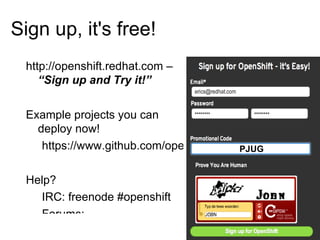
Sign up, it's free! http://openshift.redhat.com –  “Sign up and Try it!”
Example projects you can deploy now! https://www.github.com/openshift Help? IRC: freenode #openshift
Forums: http://www.redhat.com/openshift/community/forums
Email: openshift at redhat dot com Promo code:  PJUG PJUG
 
Immersion... Shift happens?
Never look back...
 
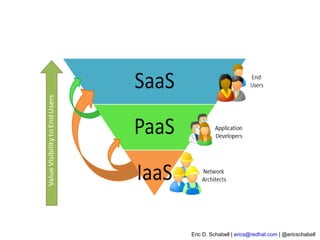
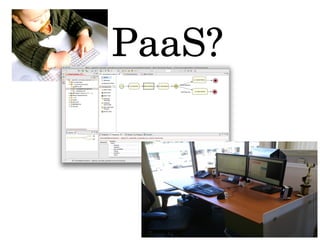
PaaS?
Why am i DORKING with the stack?!
 
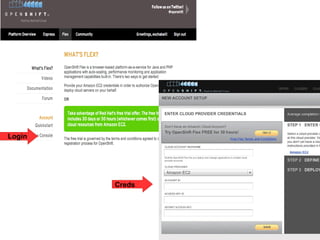
OpenShift Express Sign Up
Install Client Tools
Create Domain
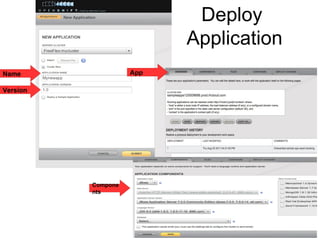
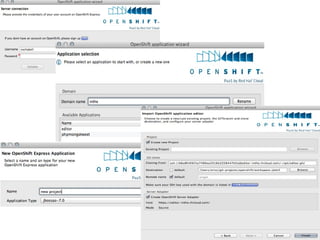
Create Application
Deploy Application (GIT)
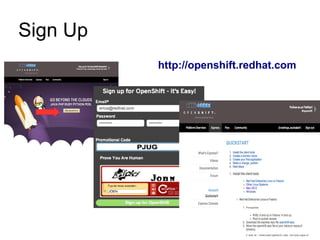
Sign Up http://openshift.redhat.com
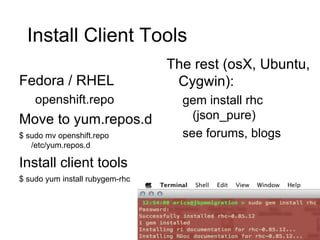
Install Client Tools Fedora / RHEL openshift.repo Move to yum.repos.d
$ sudo mv openshift.repo /etc/yum.repos.d
Install client tools
$ sudo yum install rubygem-rhc The rest (osX, Ubuntu, Cygwin): gem install rhc (json_pure)
see forums, blogs
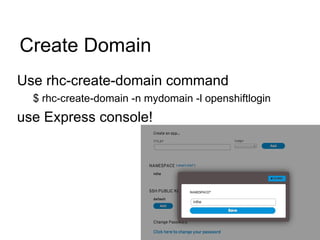
Create Domain Use rhc-create-domain command $ rhc-create-domain -n mydomain -l openshiftlogin use Express console!
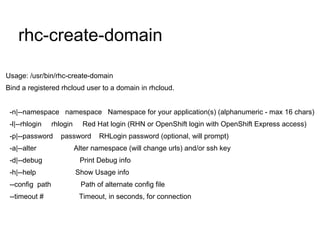
rhc-create-domain Usage: /usr/bin/rhc-create-domain Bind a registered rhcloud user to a domain in rhcloud. -n|--namespace  namespace  Namespace for your application(s) (alphanumeric - max 16 chars) -l|--rhlogin  rhlogin  Red Hat login (RHN or OpenShift login with OpenShift Express access)  -p|--password  password  RHLogin password (optional, will prompt) -a|--alter  Alter namespace (will change urls) and/or ssh key -d|--debug  Print Debug info -h|--help  Show Usage info --config  path  Path of alternate config file --timeout #  Timeout, in seconds, for connection
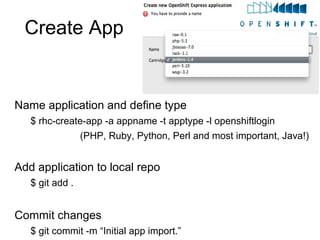
Create App Name application and define type $ rhc-create-app -a appname -t apptype -l openshiftlogin
(PHP, Ruby, Python, Perl and most important, Java!) Add application to local repo $ git add . Commit changes $ git commit -m “Initial app import.”
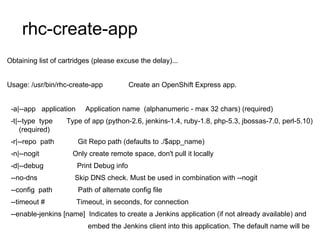
rhc-create-app Obtaining list of cartridges (please excuse the delay)... Usage: /usr/bin/rhc-create-app  Create an OpenShift Express app. -a|--app  application  Application name  (alphanumeric - max 32 chars) (required) -t|--type  type  Type of app (python-2.6, jenkins-1.4, ruby-1.8, php-5.3, jbossas-7.0, perl-5.10) (required) -r|--repo  path  Git Repo path (defaults to ./$app_name) -n|--nogit  Only create remote space, don't pull it locally -d|--debug  Print Debug info --no-dns  Skip DNS check. Must be used in combination with --nogit --config  path  Path of alternate config file --timeout #  Timeout, in seconds, for connection --enable-jenkins [name]  Indicates to create a Jenkins application (if not already available) and  embed the Jenkins client into this application. The default name will be 'jenkins' if not specified.
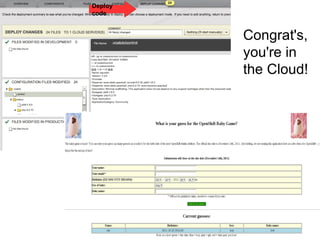
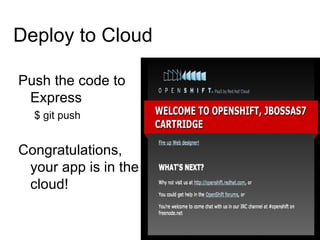
Deploy to Cloud Push the code to Express $ git push Congratulations, your app is in the cloud!
 
Demo BPM Web Designer $ rhc-create-app -a editor -t jbossas-7.0 $ cd editor $ git remote add upstream -m master git://github.com/eschabell/openshift-webdesigner-jbpmmigration.git $ git pull -s recursive -X theirs upstream master $ git push http://editor-$your_domain.rhcloud.comdesigner/editor?profile=jbpm&uuid=123
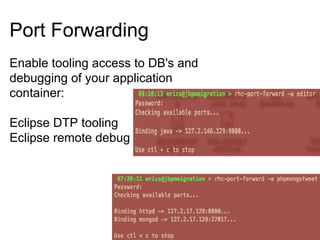
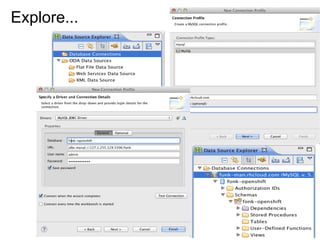
Port Forwarding Enable tooling access to DB's and debugging of your application container: Eclipse DTP tooling Eclipse remote debug
Explore...
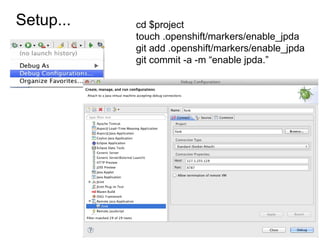
Setup... cd $project touch .openshift/markers/enable_jpda git add .openshift/markers/enable_jpda git commit -a -m “enable jpda.”
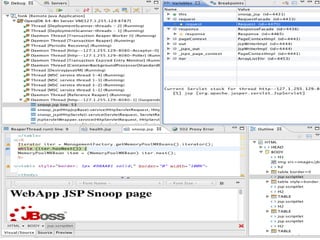
Debugging
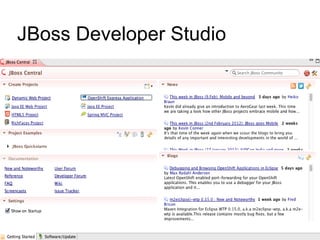
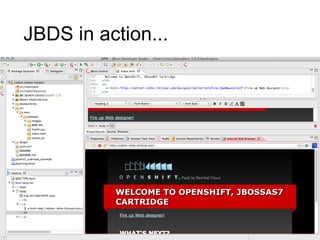
JBoss Developer Studio

An OpenShift Primer for Developers to get your Code into the Cloud (PTJUG)

  • 1.
    An OpenShift PrimerGet your code into the Cloud! Eric D. Schabell JBoss Senior Solution Architect
  • 2.
    Sign up, it'sfree! http://openshift.redhat.com – “Sign up and Try it!”
  • 3.
    Example projects youcan deploy now! https://www.github.com/openshift Help? IRC: freenode #openshift
  • 4.
  • 5.
    Email: openshift atredhat dot com Promo code: PJUG PJUG
  • 6.
  • 7.
  • 8.
  • 9.
  • 10.
  • 11.
    Why am iDORKING with the stack?!
  • 12.
  • 13.
  • 14.
  • 15.
  • 16.
  • 17.
  • 18.
  • 19.
    Install Client ToolsFedora / RHEL openshift.repo Move to yum.repos.d
  • 20.
    $ sudo mvopenshift.repo /etc/yum.repos.d
  • 21.
  • 22.
    $ sudo yuminstall rubygem-rhc The rest (osX, Ubuntu, Cygwin): gem install rhc (json_pure)
  • 23.
  • 24.
    Create Domain Userhc-create-domain command $ rhc-create-domain -n mydomain -l openshiftlogin use Express console!
  • 25.
    rhc-create-domain Usage: /usr/bin/rhc-create-domainBind a registered rhcloud user to a domain in rhcloud. -n|--namespace namespace Namespace for your application(s) (alphanumeric - max 16 chars) -l|--rhlogin rhlogin Red Hat login (RHN or OpenShift login with OpenShift Express access) -p|--password password RHLogin password (optional, will prompt) -a|--alter Alter namespace (will change urls) and/or ssh key -d|--debug Print Debug info -h|--help Show Usage info --config path Path of alternate config file --timeout # Timeout, in seconds, for connection
  • 26.
    Create App Nameapplication and define type $ rhc-create-app -a appname -t apptype -l openshiftlogin
  • 27.
    (PHP, Ruby, Python,Perl and most important, Java!) Add application to local repo $ git add . Commit changes $ git commit -m “Initial app import.”
  • 28.
    rhc-create-app Obtaining listof cartridges (please excuse the delay)... Usage: /usr/bin/rhc-create-app Create an OpenShift Express app. -a|--app application Application name (alphanumeric - max 32 chars) (required) -t|--type type Type of app (python-2.6, jenkins-1.4, ruby-1.8, php-5.3, jbossas-7.0, perl-5.10) (required) -r|--repo path Git Repo path (defaults to ./$app_name) -n|--nogit Only create remote space, don't pull it locally -d|--debug Print Debug info --no-dns Skip DNS check. Must be used in combination with --nogit --config path Path of alternate config file --timeout # Timeout, in seconds, for connection --enable-jenkins [name] Indicates to create a Jenkins application (if not already available) and embed the Jenkins client into this application. The default name will be 'jenkins' if not specified.
  • 29.
    Deploy to CloudPush the code to Express $ git push Congratulations, your app is in the cloud!
  • 30.
  • 31.
    Demo BPM WebDesigner $ rhc-create-app -a editor -t jbossas-7.0 $ cd editor $ git remote add upstream -m master git://github.com/eschabell/openshift-webdesigner-jbpmmigration.git $ git pull -s recursive -X theirs upstream master $ git push http://editor-$your_domain.rhcloud.comdesigner/editor?profile=jbpm&uuid=123
  • 32.
    Port Forwarding Enabletooling access to DB's and debugging of your application container: Eclipse DTP tooling Eclipse remote debug
  • 33.
  • 34.
    Setup... cd $projecttouch .openshift/markers/enable_jpda git add .openshift/markers/enable_jpda git commit -a -m “enable jpda.”
  • 35.
  • 36.