Modeling & Performing Static
Analysis in OpenSees
By
Dhanaji S. Chavan, Assistant Professor, TKIET, Warananagar
Dhanaji Chavan 1
General steps to be followed…
i. Define ndm & ndf
ii. Define nodes
iii. Define element(s)
iv. Define material(s)
v. Define boundary conditions
vi. Define matrix transformation
vii. Apply load
viii. Define recorders
ix. Define analysis objects
x. Run the analysis
Dhanaji Chavan 2
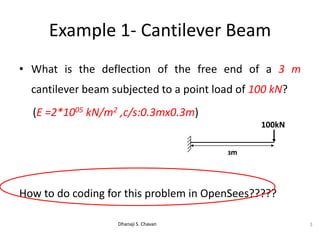
Example 1- Cantilever Beam
• What is the deflection of the free end of a 3 m
cantilever beam subjected to a point load of 100 kN?
(E =2*1005 kN/m2 ,c/s:0.3mx0.3m)
How to do coding for this problem in OpenSees?????
Dhanaji S. Chavan 3
3m
100kN
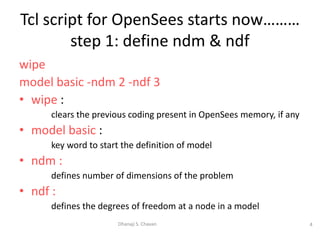
wipe
model basic -ndm 2 -ndf 3
• wipe :
clears the previous coding present in OpenSees memory, if any
• model basic :
key word to start the definition of model
• ndm :
defines number of dimensions of the problem
• ndf :
defines the degrees of freedom at a node in a model
4Dhanaji S. Chavan
Tcl script for OpenSees starts now………
step 1: define ndm & ndf
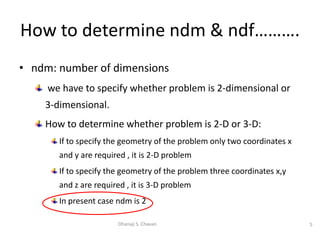
• ndm: number of dimensions
we have to specify whether problem is 2-dimensional or
3-dimensional.
How to determine whether problem is 2-D or 3-D:
If to specify the geometry of the problem only two coordinates x
and y are required , it is 2-D problem
If to specify the geometry of the problem three coordinates x,y
and z are required , it is 3-D problem
In present case ndm is 2
5Dhanaji S. Chavan
How to determine ndm & ndf……….
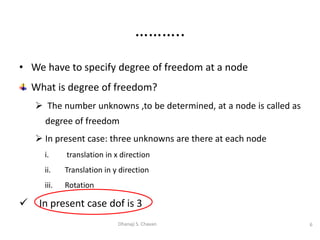
• We have to specify degree of freedom at a node
What is degree of freedom?
 The number unknowns ,to be determined, at a node is called as
degree of freedom
 In present case: three unknowns are there at each node
i. translation in x direction
ii. Translation in y direction
iii. Rotation
 In present case dof is 3
6Dhanaji S. Chavan
………..
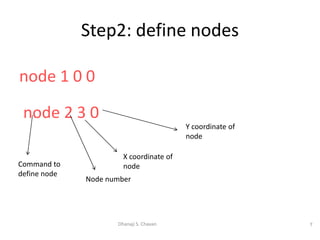
node 1 0 0
node 2 3 0
7Dhanaji S. Chavan
Step2: define nodes
Command to
define node
Node number
X coordinate of
node
Y coordinate of
node
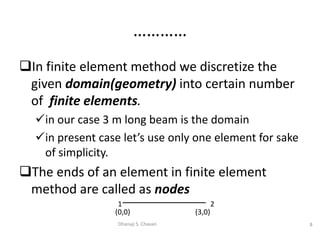
In finite element method we discretize the
given domain(geometry) into certain number
of finite elements.
in our case 3 m long beam is the domain
in present case let’s use only one element for sake
of simplicity.
The ends of an element in finite element
method are called as nodes
8Dhanaji S. Chavan
…………
1 2
(0,0) (3,0)
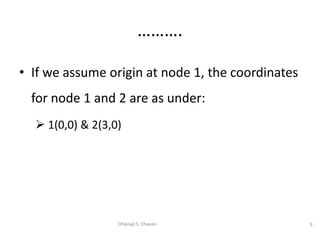
• If we assume origin at node 1, the coordinates
for node 1 and 2 are as under:
 1(0,0) & 2(3,0)
9Dhanaji S. Chavan
……….
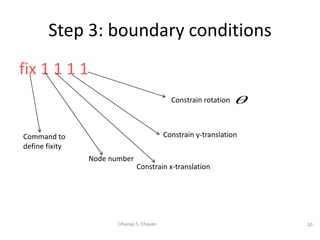
fix 1 1 1 1
10Dhanaji S. Chavan
Step 3: boundary conditions
Command to
define fixity
Node number
Constrain x-translation
Constrain y-translation
Constrain rotation 
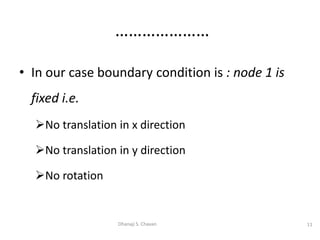
• In our case boundary condition is : node 1 is
fixed i.e.
No translation in x direction
No translation in y direction
No rotation
11Dhanaji S. Chavan
…………………
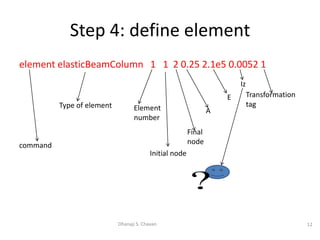
element elasticBeamColumn 1 1 2 0.25 2.1e5 0.0052 1
12Dhanaji S. Chavan
Step 4: define element
command
Type of element Element
number
Initial node
Final
node
A
E
Iz
Transformation
tag
?
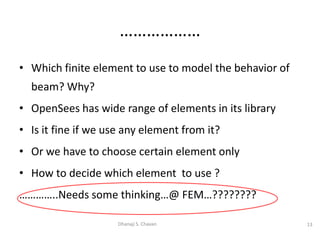
• Which finite element to use to model the behavior of
beam? Why?
• OpenSees has wide range of elements in its library
• Is it fine if we use any element from it?
• Or we have to choose certain element only
• How to decide which element to use ?
…………..Needs some thinking…@ FEM…????????
13Dhanaji S. Chavan
………………
1-d element :
Used for geometries for which one of the dimensions
is quite larger than rest two.
E.g. beam : in case of beam its length is considerably larger
than its breadth and depth. i.e. x >>> y, z
In FEM such geometry is represented by just a line. When
the element is created by connecting two nodes, software
comes to know about only one out of 3 dimensions.
Remaining two dimensions i.e. cross sectional area must be
defined as additional input data & assigned to respective
element.
14Dhanaji S. Chavan
Three types of elements in finite
element method
2-d element:
Two dimensions are quite larger than third one
E.g. metal plate: length & width are considerably
larger than thickness. i.e. x, y >>> z
The third dimension i.e. thickness has to be
provided as additional input in coding by user &
assigned to respective element.
15Dhanaji S. Chavan
……..
3-d element:
All three dimensions are comparable
E.g. brick: x~y~z
No additional dimension to be defined. While
meshing itself all three dimensions are
included.
16Dhanaji S. Chavan
………
• In our case, we understood that we have to use
1-d element.
• Which 1-d element should we use?
Should we use spring element?
Or bar/truss element?
Or beam element
Think……………….?????????????
17Dhanaji S. Chavan
…………
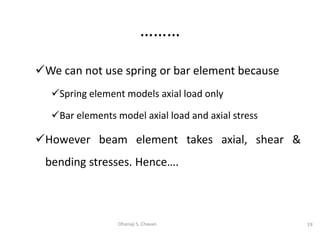
In present case,
– Shear force &
– Bending moment
will be developed in the cantilever beam.
We have to choose 1-d finite element in such a way
that it will take both shear force & bending moment
18Dhanaji S. Chavan
………..
We can not use spring or bar element because
Spring element models axial load only
Bar elements model axial load and axial stress
However beam element takes axial, shear &
bending stresses. Hence….
19Dhanaji S. Chavan
………
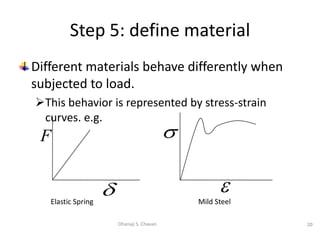
Different materials behave differently when
subjected to load.
This behavior is represented by stress-strain
curves. e.g.
20Dhanaji S. Chavan
Step 5: define material
Elastic Spring


Mild Steel
F

……….
• In present case material has been defined
implicitly.(slide no:12)
• However in many other cases we have to
define material separately
Dhanaji Chavan 21
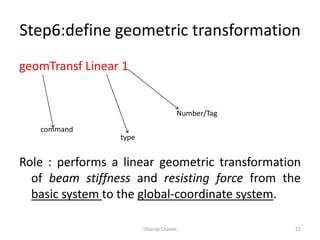
Step6:define geometric transformation
geomTransf Linear 1
Role : performs a linear geometric transformation
of beam stiffness and resisting force from the
basic system to the global-coordinate system.
Dhanaji Chavan 22
command
type
Number/Tag
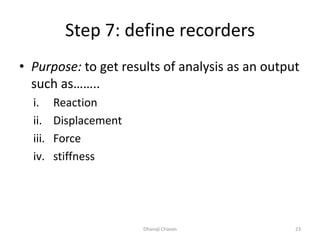
Step 7: define recorders
• Purpose: to get results of analysis as an output
such as……..
i. Reaction
ii. Displacement
iii. Force
iv. stiffness
Dhanaji Chavan 23
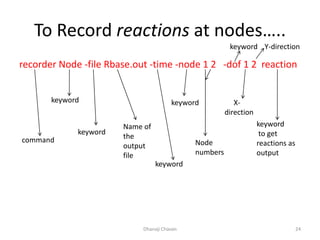
To Record reactions at nodes…..
recorder Node -file Rbase.out -time -node 1 2 -dof 1 2 reaction
Dhanaji Chavan 24
command
keyword
keyword
Name of
the
output
file
keyword
keyword
Node
numbers
keyword
X-
direction
Y-direction
keyword
to get
reactions as
output
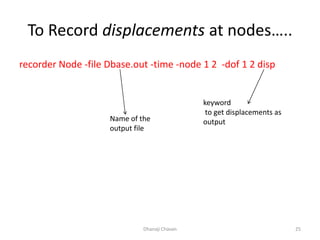
To Record displacements at nodes…..
recorder Node -file Dbase.out -time -node 1 2 -dof 1 2 disp
Dhanaji Chavan 25
Name of the
output file
keyword
to get displacements as
output
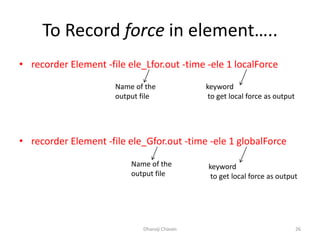
To Record force in element…..
• recorder Element -file ele_Lfor.out -time -ele 1 localForce
• recorder Element -file ele_Gfor.out -time -ele 1 globalForce
Dhanaji Chavan 26
Name of the
output file
keyword
to get local force as output
Name of the
output file
keyword
to get local force as output
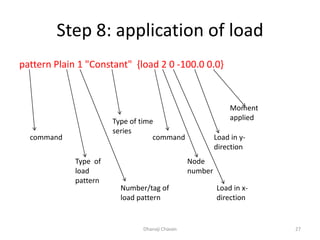
Step 8: application of load
pattern Plain 1 "Constant" {load 2 0 -100.0 0.0}
Dhanaji Chavan 27
command
Type of
load
pattern
Number/tag of
load pattern
Type of time
series
command
Node
number
Load in x-
direction
Load in y-
direction
Moment
applied
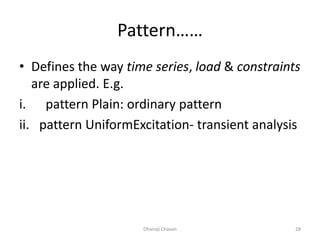
Pattern……
• Defines the way time series, load & constraints
are applied. E.g.
i. pattern Plain: ordinary pattern
ii. pattern UniformExcitation- transient analysis
Dhanaji Chavan 28
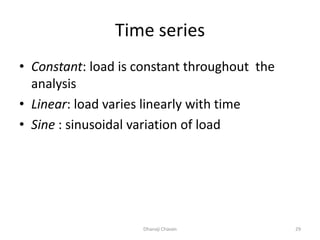
Time series
• Constant: load is constant throughout the
analysis
• Linear: load varies linearly with time
• Sine : sinusoidal variation of load
Dhanaji Chavan 29
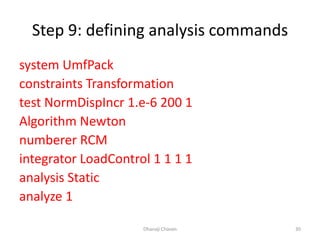
Step 9: defining analysis commands
system UmfPack
constraints Transformation
test NormDispIncr 1.e-6 200 1
Algorithm Newton
numberer RCM
integrator LoadControl 1 1 1 1
analysis Static
analyze 1
Dhanaji Chavan 30
………………
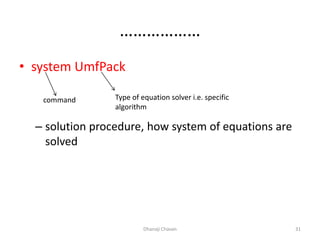
• system UmfPack
– solution procedure, how system of equations are
solved
Dhanaji Chavan 31
command Type of equation solver i.e. specific
algorithm
…………….
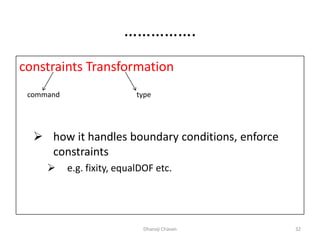
constraints Transformation
 how it handles boundary conditions, enforce
constraints
 e.g. fixity, equalDOF etc.
Dhanaji Chavan 32
command type
…………….
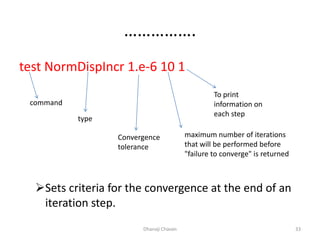
test NormDispIncr 1.e-6 10 1
Sets criteria for the convergence at the end of an
iteration step.
Dhanaji Chavan 33
command
type
Convergence
tolerance
maximum number of iterations
that will be performed before
"failure to converge" is returned
To print
information on
each step
………..
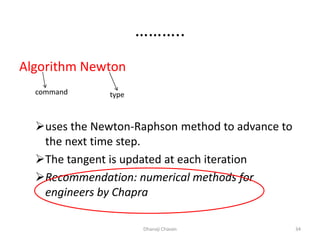
Algorithm Newton
uses the Newton-Raphson method to advance to
the next time step.
The tangent is updated at each iteration
Recommendation: numerical methods for
engineers by Chapra
Dhanaji Chavan 34
command type
……….
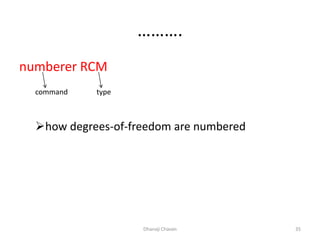
numberer RCM
how degrees-of-freedom are numbered
Dhanaji Chavan 35
command type
…………
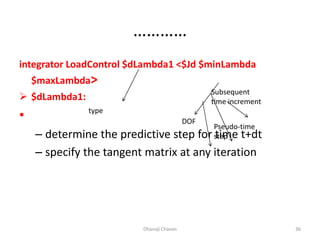
integrator LoadControl $dLambda1 <$Jd $minLambda
$maxLambda>
 $dLambda1:
•
– determine the predictive step for time t+dt
– specify the tangent matrix at any iteration
Dhanaji Chavan 36
type
DOF
Pseudo-time
step
Subsequent
time increment
…………..
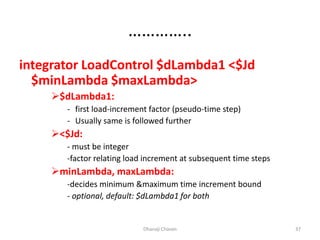
integrator LoadControl $dLambda1 <$Jd
$minLambda $maxLambda>
$dLambda1:
- first load-increment factor (pseudo-time step)
- Usually same is followed further
<$Jd:
- must be integer
-factor relating load increment at subsequent time steps
minLambda, maxLambda:
-decides minimum &maximum time increment bound
- optional, default: $dLambda1 for both
Dhanaji Chavan 37
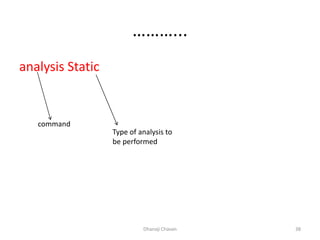
………...
analysis Static
Dhanaji Chavan 38
command
Type of analysis to
be performed
………
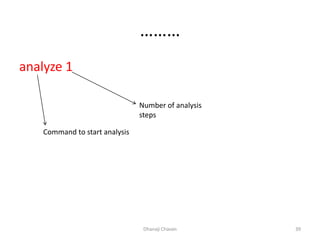
analyze 1
Dhanaji Chavan 39
Command to start analysis
Number of analysis
steps
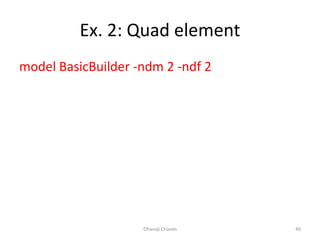
Ex. 2: Quad element
model BasicBuilder -ndm 2 -ndf 2
Dhanaji Chavan 40
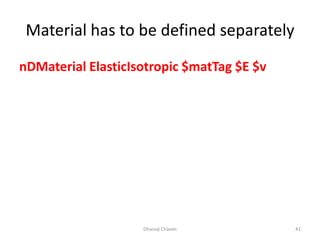
Material has to be defined separately
nDMaterial ElasticIsotropic $matTag $E $v
Dhanaji Chavan 41
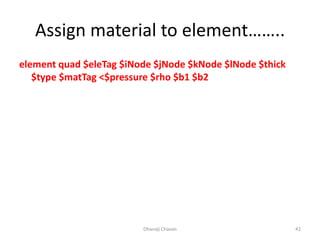
Assign material to element……..
element quad $eleTag $iNode $jNode $kNode $lNode $thick
$type $matTag <$pressure $rho $b1 $b2
Dhanaji Chavan 42
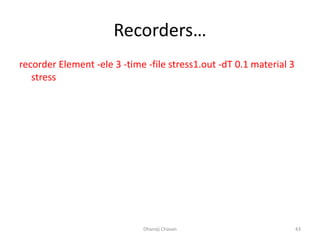
Recorders…
recorder Element -ele 3 -time -file stress1.out -dT 0.1 material 3
stress
Dhanaji Chavan 43
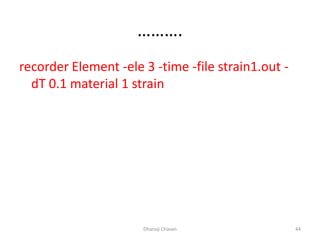
……….
recorder Element -ele 3 -time -file strain1.out -
dT 0.1 material 1 strain
Dhanaji Chavan 44

OpenSees: modeling and performing static analysis

  • 1.
    Modeling & PerformingStatic Analysis in OpenSees By Dhanaji S. Chavan, Assistant Professor, TKIET, Warananagar Dhanaji Chavan 1
  • 2.
    General steps tobe followed… i. Define ndm & ndf ii. Define nodes iii. Define element(s) iv. Define material(s) v. Define boundary conditions vi. Define matrix transformation vii. Apply load viii. Define recorders ix. Define analysis objects x. Run the analysis Dhanaji Chavan 2
  • 3.
    Example 1- CantileverBeam • What is the deflection of the free end of a 3 m cantilever beam subjected to a point load of 100 kN? (E =2*1005 kN/m2 ,c/s:0.3mx0.3m) How to do coding for this problem in OpenSees????? Dhanaji S. Chavan 3 3m 100kN
  • 4.
    wipe model basic -ndm2 -ndf 3 • wipe : clears the previous coding present in OpenSees memory, if any • model basic : key word to start the definition of model • ndm : defines number of dimensions of the problem • ndf : defines the degrees of freedom at a node in a model 4Dhanaji S. Chavan Tcl script for OpenSees starts now……… step 1: define ndm & ndf
  • 5.
    • ndm: numberof dimensions we have to specify whether problem is 2-dimensional or 3-dimensional. How to determine whether problem is 2-D or 3-D: If to specify the geometry of the problem only two coordinates x and y are required , it is 2-D problem If to specify the geometry of the problem three coordinates x,y and z are required , it is 3-D problem In present case ndm is 2 5Dhanaji S. Chavan How to determine ndm & ndf……….
  • 6.
    • We haveto specify degree of freedom at a node What is degree of freedom?  The number unknowns ,to be determined, at a node is called as degree of freedom  In present case: three unknowns are there at each node i. translation in x direction ii. Translation in y direction iii. Rotation  In present case dof is 3 6Dhanaji S. Chavan ………..
  • 7.
    node 1 00 node 2 3 0 7Dhanaji S. Chavan Step2: define nodes Command to define node Node number X coordinate of node Y coordinate of node
  • 8.
    In finite elementmethod we discretize the given domain(geometry) into certain number of finite elements. in our case 3 m long beam is the domain in present case let’s use only one element for sake of simplicity. The ends of an element in finite element method are called as nodes 8Dhanaji S. Chavan ………… 1 2 (0,0) (3,0)
  • 9.
    • If weassume origin at node 1, the coordinates for node 1 and 2 are as under:  1(0,0) & 2(3,0) 9Dhanaji S. Chavan ……….
  • 10.
    fix 1 11 1 10Dhanaji S. Chavan Step 3: boundary conditions Command to define fixity Node number Constrain x-translation Constrain y-translation Constrain rotation 
  • 11.
    • In ourcase boundary condition is : node 1 is fixed i.e. No translation in x direction No translation in y direction No rotation 11Dhanaji S. Chavan …………………
  • 12.
    element elasticBeamColumn 11 2 0.25 2.1e5 0.0052 1 12Dhanaji S. Chavan Step 4: define element command Type of element Element number Initial node Final node A E Iz Transformation tag ?
  • 13.
    • Which finiteelement to use to model the behavior of beam? Why? • OpenSees has wide range of elements in its library • Is it fine if we use any element from it? • Or we have to choose certain element only • How to decide which element to use ? …………..Needs some thinking…@ FEM…???????? 13Dhanaji S. Chavan ………………
  • 14.
    1-d element : Usedfor geometries for which one of the dimensions is quite larger than rest two. E.g. beam : in case of beam its length is considerably larger than its breadth and depth. i.e. x >>> y, z In FEM such geometry is represented by just a line. When the element is created by connecting two nodes, software comes to know about only one out of 3 dimensions. Remaining two dimensions i.e. cross sectional area must be defined as additional input data & assigned to respective element. 14Dhanaji S. Chavan Three types of elements in finite element method
  • 15.
    2-d element: Two dimensionsare quite larger than third one E.g. metal plate: length & width are considerably larger than thickness. i.e. x, y >>> z The third dimension i.e. thickness has to be provided as additional input in coding by user & assigned to respective element. 15Dhanaji S. Chavan ……..
  • 16.
    3-d element: All threedimensions are comparable E.g. brick: x~y~z No additional dimension to be defined. While meshing itself all three dimensions are included. 16Dhanaji S. Chavan ………
  • 17.
    • In ourcase, we understood that we have to use 1-d element. • Which 1-d element should we use? Should we use spring element? Or bar/truss element? Or beam element Think……………….????????????? 17Dhanaji S. Chavan …………
  • 18.
    In present case, –Shear force & – Bending moment will be developed in the cantilever beam. We have to choose 1-d finite element in such a way that it will take both shear force & bending moment 18Dhanaji S. Chavan ………..
  • 19.
    We can notuse spring or bar element because Spring element models axial load only Bar elements model axial load and axial stress However beam element takes axial, shear & bending stresses. Hence…. 19Dhanaji S. Chavan ………
  • 20.
    Different materials behavedifferently when subjected to load. This behavior is represented by stress-strain curves. e.g. 20Dhanaji S. Chavan Step 5: define material Elastic Spring   Mild Steel F 
  • 21.
    ………. • In presentcase material has been defined implicitly.(slide no:12) • However in many other cases we have to define material separately Dhanaji Chavan 21
  • 22.
    Step6:define geometric transformation geomTransfLinear 1 Role : performs a linear geometric transformation of beam stiffness and resisting force from the basic system to the global-coordinate system. Dhanaji Chavan 22 command type Number/Tag
  • 23.
    Step 7: definerecorders • Purpose: to get results of analysis as an output such as…….. i. Reaction ii. Displacement iii. Force iv. stiffness Dhanaji Chavan 23
  • 24.
    To Record reactionsat nodes….. recorder Node -file Rbase.out -time -node 1 2 -dof 1 2 reaction Dhanaji Chavan 24 command keyword keyword Name of the output file keyword keyword Node numbers keyword X- direction Y-direction keyword to get reactions as output
  • 25.
    To Record displacementsat nodes….. recorder Node -file Dbase.out -time -node 1 2 -dof 1 2 disp Dhanaji Chavan 25 Name of the output file keyword to get displacements as output
  • 26.
    To Record forcein element….. • recorder Element -file ele_Lfor.out -time -ele 1 localForce • recorder Element -file ele_Gfor.out -time -ele 1 globalForce Dhanaji Chavan 26 Name of the output file keyword to get local force as output Name of the output file keyword to get local force as output
  • 27.
    Step 8: applicationof load pattern Plain 1 "Constant" {load 2 0 -100.0 0.0} Dhanaji Chavan 27 command Type of load pattern Number/tag of load pattern Type of time series command Node number Load in x- direction Load in y- direction Moment applied
  • 28.
    Pattern…… • Defines theway time series, load & constraints are applied. E.g. i. pattern Plain: ordinary pattern ii. pattern UniformExcitation- transient analysis Dhanaji Chavan 28
  • 29.
    Time series • Constant:load is constant throughout the analysis • Linear: load varies linearly with time • Sine : sinusoidal variation of load Dhanaji Chavan 29
  • 30.
    Step 9: defininganalysis commands system UmfPack constraints Transformation test NormDispIncr 1.e-6 200 1 Algorithm Newton numberer RCM integrator LoadControl 1 1 1 1 analysis Static analyze 1 Dhanaji Chavan 30
  • 31.
    ……………… • system UmfPack –solution procedure, how system of equations are solved Dhanaji Chavan 31 command Type of equation solver i.e. specific algorithm
  • 32.
    ……………. constraints Transformation  howit handles boundary conditions, enforce constraints  e.g. fixity, equalDOF etc. Dhanaji Chavan 32 command type
  • 33.
    ……………. test NormDispIncr 1.e-610 1 Sets criteria for the convergence at the end of an iteration step. Dhanaji Chavan 33 command type Convergence tolerance maximum number of iterations that will be performed before "failure to converge" is returned To print information on each step
  • 34.
    ……….. Algorithm Newton uses theNewton-Raphson method to advance to the next time step. The tangent is updated at each iteration Recommendation: numerical methods for engineers by Chapra Dhanaji Chavan 34 command type
  • 35.
    ………. numberer RCM how degrees-of-freedomare numbered Dhanaji Chavan 35 command type
  • 36.
    ………… integrator LoadControl $dLambda1<$Jd $minLambda $maxLambda>  $dLambda1: • – determine the predictive step for time t+dt – specify the tangent matrix at any iteration Dhanaji Chavan 36 type DOF Pseudo-time step Subsequent time increment
  • 37.
    ………….. integrator LoadControl $dLambda1<$Jd $minLambda $maxLambda> $dLambda1: - first load-increment factor (pseudo-time step) - Usually same is followed further <$Jd: - must be integer -factor relating load increment at subsequent time steps minLambda, maxLambda: -decides minimum &maximum time increment bound - optional, default: $dLambda1 for both Dhanaji Chavan 37
  • 38.
    ………... analysis Static Dhanaji Chavan38 command Type of analysis to be performed
  • 39.
    ……… analyze 1 Dhanaji Chavan39 Command to start analysis Number of analysis steps
  • 40.
    Ex. 2: Quadelement model BasicBuilder -ndm 2 -ndf 2 Dhanaji Chavan 40
  • 41.
    Material has tobe defined separately nDMaterial ElasticIsotropic $matTag $E $v Dhanaji Chavan 41
  • 42.
    Assign material toelement…….. element quad $eleTag $iNode $jNode $kNode $lNode $thick $type $matTag <$pressure $rho $b1 $b2 Dhanaji Chavan 42
  • 43.
    Recorders… recorder Element -ele3 -time -file stress1.out -dT 0.1 material 3 stress Dhanaji Chavan 43
  • 44.
    ………. recorder Element -ele3 -time -file strain1.out - dT 0.1 material 1 strain Dhanaji Chavan 44