Jaime Melis
OpenNebula Systems Infrastructure Engineer
@j_melis
jmelis@opennebula.org
OpenNebula and Docker
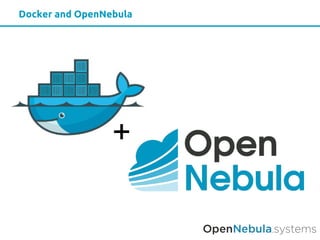
Docker and OpenNebula
+
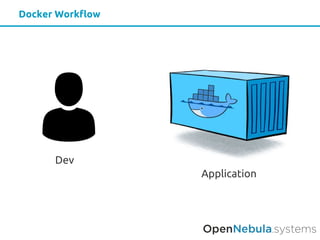
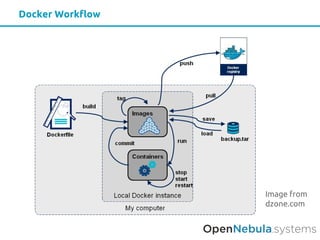
Docker Workflow
Dev
Application
Docker Workflow
Image from
dzone.com
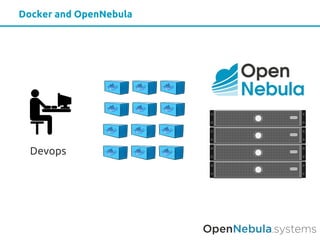
Docker and OpenNebula
Devops
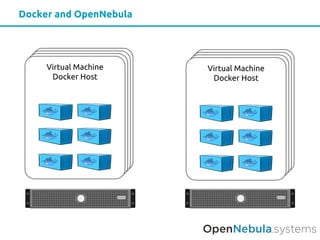
Docker and OpenNebula
Virtual Machine
Docker Host
Virtual Machine
Docker Host
© OpenNebula Systems SL
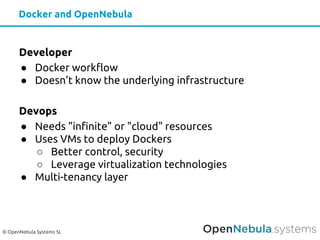
Developer
● Docker workflow
● Doesn't know the underlying infrastructure
Devops
● Needs "infinite" or "cloud" resources
● Uses VMs to deploy Dockers
○ Better control, security
○ Leverage virtualization technologies
● Multi-tenancy layer
Docker and OpenNebula
© OpenNebula Systems SL
Deploy a Docker Host in OpenNebula
Docker Machine
© OpenNebula Systems SL
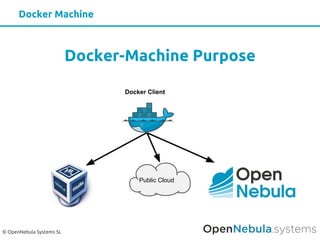
Docker-Machine Purpose
Docker Client
Public Cloud
Docker Machine
© OpenNebula Systems SL
Lightweight Linux distribution based on Tiny
Core Linux made specifically to run Docker
containers.
http://boot2docker.io
Boot2Docker
© OpenNebula Systems SL
Docker-Machine + OpenNebula - Requirements
Requirements
● Desktop/Laptop access to OpenNebula CLI
● Image for Docker Engine
● Install Docker Machine
● Install OpenNebula Docker Machine driver plugin:
https://github.com/OpenNebula/docker-machine-opennebula
Docker-Machine + OpenNebula - You can try it out
Demo
https://github.com/OpenNebula/
docker-machine-opennebula
© OpenNebula Systems SL
Docker-Machine + OpenNebula - Usage I/II
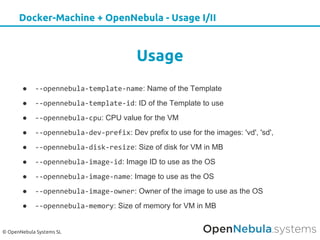
Usage
● --opennebula-template-name: Name of the Template
● --opennebula-template-id: ID of the Template to use
● --opennebula-cpu: CPU value for the VM
● --opennebula-dev-prefix: Dev prefix to use for the images: 'vd', 'sd',
● --opennebula-disk-resize: Size of disk for VM in MB
● --opennebula-image-id: Image ID to use as the OS
● --opennebula-image-name: Image to use as the OS
● --opennebula-image-owner: Owner of the image to use as the OS
● --opennebula-memory: Size of memory for VM in MB
© OpenNebula Systems SL
Docker-Machine + OpenNebula - Usage II/II
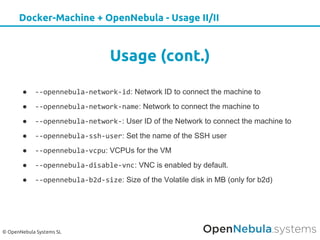
Usage (cont.)
● --opennebula-network-id: Network ID to connect the machine to
● --opennebula-network-name: Network to connect the machine to
● --opennebula-network-: User ID of the Network to connect the machine to
● --opennebula-ssh-user: Set the name of the SSH user
● --opennebula-vcpu: VCPUs for the VM
● --opennebula-disable-vnc: VNC is enabled by default.
● --opennebula-b2d-size: Size of the Volatile disk in MB (only for b2d)
© OpenNebula Systems SL
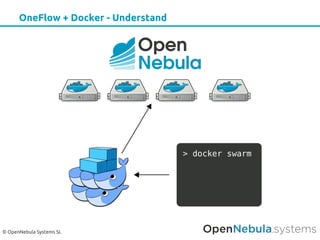
OneFlow + Docker - Overview
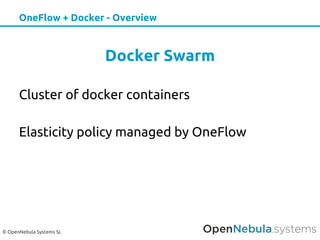
Docker Swarm
Cluster of docker containers
Elasticity policy managed by OneFlow
© OpenNebula Systems SL
OneFlow + Docker - Understand
© OpenNebula Systems SL
Rancher
Simple, easy-to-use container management
DEMO
© OpenNebula Systems SL
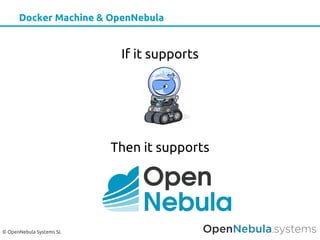
Docker Machine & OpenNebula
If it supports
Then it supports
© OpenNebula Systems SL
Third Party Integrations
OneDock: Docker support for OpenNebula
This project intends to provide support for OpenNebula to create Docker
containers and deliver them to the end user as if they were Virtual Machines.
https://github.com/indigo-dc/onedock
© OpenNebula Systems SL
Third Party Integrations
LXDOne: Docker support for OpenNebula
LXDoNe is an addon for OpenNebula to manage LXD Containers. It fits in the
Virtualization and Monitorization Driver section according to OpenNebula's
Architecture.
https://github.com/OpenNebula/addon-lxdone
© OpenNebula Systems SL
Third Party Integrations
Corona: Distribute OpenNebula in Docker containers
CORONA is a containerized OpenNebula deployment. The primary goal is to
build a OpenNebula deployment which can easily be rolled out or rolled back. At
the moment the plan is to split the services into 3 containers libvirt, onenode,
and oneserver.
https://github.com/fasrc/corona
THANKS!
OpenNebulaConf 2017 US
5th
edition

OpenNebulaconf2017US: Using docker with OpenNebula by Jaime Melis, OpenNebula

  • 1.
    Jaime Melis OpenNebula SystemsInfrastructure Engineer @j_melis jmelis@opennebula.org OpenNebula and Docker
  • 2.
  • 3.
  • 4.
  • 5.
  • 6.
    Docker and OpenNebula VirtualMachine Docker Host Virtual Machine Docker Host
  • 7.
    © OpenNebula SystemsSL Developer ● Docker workflow ● Doesn't know the underlying infrastructure Devops ● Needs "infinite" or "cloud" resources ● Uses VMs to deploy Dockers ○ Better control, security ○ Leverage virtualization technologies ● Multi-tenancy layer Docker and OpenNebula
  • 8.
    © OpenNebula SystemsSL Deploy a Docker Host in OpenNebula Docker Machine
  • 9.
    © OpenNebula SystemsSL Docker-Machine Purpose Docker Client Public Cloud Docker Machine
  • 10.
    © OpenNebula SystemsSL Lightweight Linux distribution based on Tiny Core Linux made specifically to run Docker containers. http://boot2docker.io Boot2Docker
  • 11.
    © OpenNebula SystemsSL Docker-Machine + OpenNebula - Requirements Requirements ● Desktop/Laptop access to OpenNebula CLI ● Image for Docker Engine ● Install Docker Machine ● Install OpenNebula Docker Machine driver plugin: https://github.com/OpenNebula/docker-machine-opennebula
  • 12.
    Docker-Machine + OpenNebula- You can try it out Demo https://github.com/OpenNebula/ docker-machine-opennebula
  • 13.
    © OpenNebula SystemsSL Docker-Machine + OpenNebula - Usage I/II Usage ● --opennebula-template-name: Name of the Template ● --opennebula-template-id: ID of the Template to use ● --opennebula-cpu: CPU value for the VM ● --opennebula-dev-prefix: Dev prefix to use for the images: 'vd', 'sd', ● --opennebula-disk-resize: Size of disk for VM in MB ● --opennebula-image-id: Image ID to use as the OS ● --opennebula-image-name: Image to use as the OS ● --opennebula-image-owner: Owner of the image to use as the OS ● --opennebula-memory: Size of memory for VM in MB
  • 14.
    © OpenNebula SystemsSL Docker-Machine + OpenNebula - Usage II/II Usage (cont.) ● --opennebula-network-id: Network ID to connect the machine to ● --opennebula-network-name: Network to connect the machine to ● --opennebula-network-: User ID of the Network to connect the machine to ● --opennebula-ssh-user: Set the name of the SSH user ● --opennebula-vcpu: VCPUs for the VM ● --opennebula-disable-vnc: VNC is enabled by default. ● --opennebula-b2d-size: Size of the Volatile disk in MB (only for b2d)
  • 15.
    © OpenNebula SystemsSL OneFlow + Docker - Overview Docker Swarm Cluster of docker containers Elasticity policy managed by OneFlow
  • 16.
    © OpenNebula SystemsSL OneFlow + Docker - Understand
  • 17.
    © OpenNebula SystemsSL Rancher Simple, easy-to-use container management DEMO
  • 18.
    © OpenNebula SystemsSL Docker Machine & OpenNebula If it supports Then it supports
  • 19.
    © OpenNebula SystemsSL Third Party Integrations OneDock: Docker support for OpenNebula This project intends to provide support for OpenNebula to create Docker containers and deliver them to the end user as if they were Virtual Machines. https://github.com/indigo-dc/onedock
  • 20.
    © OpenNebula SystemsSL Third Party Integrations LXDOne: Docker support for OpenNebula LXDoNe is an addon for OpenNebula to manage LXD Containers. It fits in the Virtualization and Monitorization Driver section according to OpenNebula's Architecture. https://github.com/OpenNebula/addon-lxdone
  • 21.
    © OpenNebula SystemsSL Third Party Integrations Corona: Distribute OpenNebula in Docker containers CORONA is a containerized OpenNebula deployment. The primary goal is to build a OpenNebula deployment which can easily be rolled out or rolled back. At the moment the plan is to split the services into 3 containers libvirt, onenode, and oneserver. https://github.com/fasrc/corona
  • 22.