MONITORING
OPENNEBULA
OpenNebulaConf 2013
© Florian Heigl fh@florianheigl.me
There will be some heresy.
Hi! That‘s me!
UnixSysadmin / freelance consultant.
Storage
virtualiztion
monitoring
HA clusters
Backups (if you had them)
Bleeding edge software (fun but makes you grumpy)
What else?
•  Created first embedded Xen Distro (and other weird
things)
•  Training: Monitoring, Linux Storage (LVM, Ceph...)
•  On IRC @darkfader, on Twitter @FlorianHeigl1
Making monitoring more useful is <H1> for me.
reap the benefits!
OpenNebula
My love:
•  Abstraction / Layering (oZones, VNets, Instantiation)
•  Hypervisor abstraction (write a Jail driver and a moment
later it could set up FreeBSD jails)
•  Something happens if you report a bug.
My hate:
•  Feature imparity
•  Complexity „spikes“
•  Unknown states
•  Scheduler
We‘ve all run Nagios once?
Not new:
•  Systems and Application Monitoring
•  Nagios
But:
•  #monitoringsucks on Twitter is quite busy
•  Managers still unhappy?
Interruption
How come there were no checks for OpenNebula?
•  Skipped a few demos
•  Added checks so I can actually show *something*
•  https://bitbucket.org/darkfader/nagios/src/
Monitoring Systems
•  Keep an eye out for redundancy
•  monitor everything. EVERYTHING. monitor!
•  But think about „capacity“
•  I don‘t care if my disk does 200 IOPS (except when i‘m
tuning my IO stack)
•  I do care if it‘s maxed!
•  My manager doesn‘t care if it‘s maxed?
Monitoring Applications
•  We know how to monitor a process, right?
Differentiate:
•  Checking software components
I don‘t care if a process on one HV is gone.
Nor does the mananger, nor does the customer.
•  End-to-End checks
Customers will care if Sunstone dies.
Totally different levels of impact!
Monitoring Apps & Systems
Chose strategy:
•  Every single piece (proactive, expensive)
•  Something hand-picked (reactive)
Limited by resources, pick monitoring functionality over
monitoring components.
Proactively monitoring something random?
Doesn‘t work.
Examples
•  This is so I don‘t forget to give examples for the last slide.
•  So, lets go back.
Dynamic configuration
•  You might have heard of Check_MK and inventory. Some
think that‘s it.
•  But... sorry... I won‘t talk (a lot) about that.
•  We‘ll be talking about dynamic configuration
•  We‘ll be talking about rule matching
•  We‘ll be talking about SLAs
Business KPIs
•  „Key Performance Indicators“
•  Not our kind of performance.
•  I promise there is a reason to talk about this
Were you ever asked to provide
•  Reports and fancy graphs
•  What impact a failure is going to have
As if you had a damn looking glass on your desk, right?
The looking glass
•  Assume, we know how to monitor it all.
•  Let‘s ask what we‘re monitoring.
Top down, spotted.
•  [availability]
•  [performance]
•  [business operations]
•  [redundancy]
Ponder on that:
•  All your aircos with their [redundancy] failed.
•  Isn‘t your cloud still [available]?
•  Your filers are being trashed by the Nagios VM, crippling
[performance]. Everything is still [available], but cloning a
template takes an hour.
•  Will that impact [business operations]?
Ponder on that too:
Assume you‘re hosting a public cloud.
How will your [business operations] lose more money:
1.  A hypervisor is no longer [available] and you even lose
5 VM images
2.  Sunstone doesn‘t work for 5 hours
Disclaimer: Your actual business‘ requirements may differ from this example.
J
Losing your accounting...
„das ist ganz schlecht.
dadurch funktioniert eine ganze Reihe von Dingen nicht mehr.
z.B. Strom u. Traffic-Accounting im RZ, Anlage und Verwaltung
von Domains etc. das müssen wir ganz schnell fixen, sonst
können wir !nichts abrechnen! da nichts geloggt wird, nix
anlegen und nichts nachsehen.“
Very recent example:
That KPI stuff creeps back
•  All VMs are running, Sunstone is fine. Our storage is low
util, lot of capacity for new VMs
•  => [availability] [redundancy] [Peformance] is A+
•  But you have a BIG problem.
•  You didn‘t notice, because you „just“ monitored that every
piece of „the cloud“ works.
•  Customers are switching for another provider!
•  Couldn‘t you easily notice anyway?
Into: Business
•  VM creations / day => revenue
•  User registrations / day => revenue
•  Time to „bingo point“ for storage
Those are „KPIs“.
Talk to boss‘s boss about that.
You could:
•  Set alert levels for revenue
•  Set alert levels for customer aquisitions
•  Set alert levels on SLA penalties
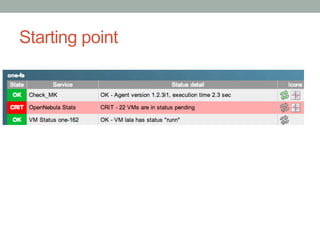
Starting point
Into: Business
•  VM creations / day => revenue
•  User registrations / day => revenue
•  Time to „bingo point“ for storage
Those are „KPIs“.
Talk to boss‘s boss about that.
You could:
•  Set alert levels for revenue
•  Set alert levels for customer aquisitions
•  Set alert levels on SLA penalties
Into: Availability
•  Checks need to be reliable
•  Avoid anything that can „flap“
•  Allow for retries, even allow for larger intervals
•  „Wiggle room“
•  Reason: DESTROY any false alerts
•  Invent more End2End / Alive Checks
Nagios/Icinga users:
•  You must(!) take care of Parent definitions
Example: Availability
•  checks that focus on availability
•  Top Down to
•  „doesn‘t ping“
•  Bonded nic
•  missing process
Aggregation rules:
•  „all“ DNS servers are down
•  bus factor is „too low“
•  Can your config understand the SLAs?
Into: Performance
•  Constant, low intervals
•  One thing measured at multiple points
•  Historical data and prediction the future
•  Ideally, only alert based on performance issues
•  Interface checks, BAD!
•  one alert for two things? link loss,BW limit, error rates
•  => maybe historical unicorn/s?
•  => loses meaning
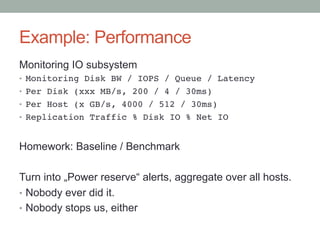
Example: Performance
Monitoring IO subsystem
•  Monitoring Disk BW / IOPS / Queue / Latency!
•  Per Disk (xxx MB/s, 200 / 4 / 30ms)!
•  Per Host (x GB/s, 4000 / 512 / 30ms)!
•  Replication Traffic % Disk IO % Net IO!
Homework: Baseline / Benchmark
Turn into „Power reserve“ alerts, aggregate over all hosts.
•  Nobody ever did it.
•  Nobody stops us, either
Capacity?
They figured it out.
Screenshot removed.
Capacity?
Turn some checks into „Power reserve“ alerts.
Nobody ever did it.
Nobody stops us, either.
Example: one_hosts summary check.
aggregate over all hosts.
Into: Redundancy
Monitor all components, sublayers making them up.
Associate them:
•  Physical Disks
•  SAN Lun, Raid Vdisk, MD Raid volume
•  Filesystem...
Make your alerting aware.
Make it differentiate...
Example: Redundancy
Why would you get the same alert for:
•  Broken disk in a raid10+HSP under a DR:BD volume?
•  A lost LUN
•  A crashed storage array
What are your goals
•  for replacing a broken disk that is protected
•  for MTTR on a array failure
=> you really need to adjust your „retries“
Create rules to bind them
•  An eye on details
•  Relationships
•  Impact analysis
•  Cloud services: Constantly changing platform
⇒  Close to impossible to maintain manually
⇒  Infra as Code is more than a Puppet class adding a
dozen „standard“ service checks.
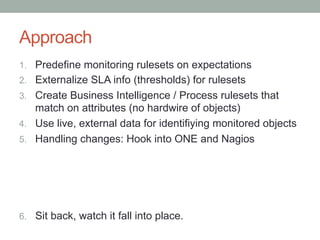
Approach
1.  Predefine monitoring rulesets on expectations
2.  Externalize SLA info (thresholds) for rulesets
3.  Create Business Intelligence / Process rulesets that
match on attributes (no hardwire of objects)
4.  Use live, external data for identifiying monitored objects
5.  Handling changes: Hook into ONE and Nagios
6.  Sit back, watch it fall into place.
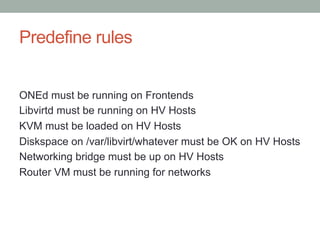
Predefine rules
ONEd must be running on Frontends
Libvirtd must be running on HV Hosts
KVM must be loaded on HV Hosts
Diskspace on /var/libvirt/whatever must be OK on HV Hosts
Networking bridge must be up on HV Hosts
Router VM must be running for networks
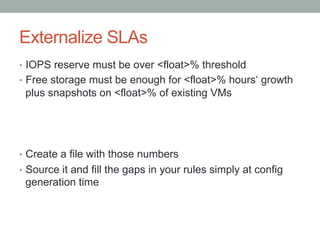
Externalize SLAs
•  IOPS reserve must be over <float>% threshold
•  Free storage must be enough for <float>% hours‘ growth
plus snapshots on <float>% of existing VMs
•  Create a file with those numbers
•  Source it and fill the gaps in your rules simply at config
generation time
Build Business aggregations
ONEd must be running on Frontend
Libvirtd must be running on HV Hosts
KVM must be loaded on HV Hosts
Diskspace on /var/libvirt/whatever must match SLA on HV
Hosts
Networking bridge must be up on HV Hosts
Router VM must be running for networks
-> Platform is available
Live data
•  ONE frontend nodes know about all HV hosts
•  All about its ressouces
•  All about its networks
•  So lets source that.
•  Add attributes (which we do know) automatically
•  The rules will match on those attributes
for _vnet in _one_info[vnets].keys():!
checks += [([ „one-infra“ ], „VM vrouter-%s“ % vnet )]!
We can haz config!
•  Attributes == Check_MK host tags
•  Check_MK rules made on attributes, not hosts etc.
•  Rules suddenly match as objects are available
•  Rules inherit SLA data
•  Check_MK writes out valid Nagios config
=> The pieces have fallen
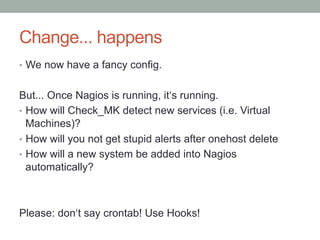
Change... happens
•  We now have a fancy config.
But... Once Nagios is running, it‘s running.
•  How will Check_MK detect new services (i.e. Virtual
Machines)?
•  How will you not get stupid alerts after onehost delete
•  How will a new system be added into Nagios
automatically?
Please: don‘t say crontab! Use Hooks!
How do I use this
OpenNebula Marketplace:
•  Would like to add preconfigured OMD monitoring VM
•  Add context: SSH info for ONE frontend
•  Test, poke around, ask questions, create patches
Join? Questions?
•  Thanks! Ask questions - or do it later J
•  fh@florianheigl.me
Monitoring
3 Monitoring Sites
•  Availability
•  Capacity
•  Business Processes
Use preconfigured rulesets
...that differ.
Goal: Nothing hardcoded
Monitoring
Different handling:
Interface link state -> Availability
Interface IO rates -> Capacity
Rack Power % -> Capacity
Rack Power OK -> Availability
Sunstone:
Availability
Business Processes
Interface
1.  HOOK injects services (or hosts)
2.  Each monitoring filters applicable
3.  Rulesets immediately apply to new objects
•  Central Monitoring to aggregate (...them all)

Monitoring of OpenNebula installations

  • 1.
    MONITORING OPENNEBULA OpenNebulaConf 2013 © FlorianHeigl fh@florianheigl.me There will be some heresy.
  • 2.
    Hi! That‘s me! UnixSysadmin/ freelance consultant. Storage virtualiztion monitoring HA clusters Backups (if you had them) Bleeding edge software (fun but makes you grumpy)
  • 3.
    What else? •  Createdfirst embedded Xen Distro (and other weird things) •  Training: Monitoring, Linux Storage (LVM, Ceph...) •  On IRC @darkfader, on Twitter @FlorianHeigl1 Making monitoring more useful is <H1> for me. reap the benefits!
  • 4.
    OpenNebula My love: •  Abstraction/ Layering (oZones, VNets, Instantiation) •  Hypervisor abstraction (write a Jail driver and a moment later it could set up FreeBSD jails) •  Something happens if you report a bug. My hate: •  Feature imparity •  Complexity „spikes“ •  Unknown states •  Scheduler
  • 5.
    We‘ve all runNagios once? Not new: •  Systems and Application Monitoring •  Nagios But: •  #monitoringsucks on Twitter is quite busy •  Managers still unhappy?
  • 6.
    Interruption How come therewere no checks for OpenNebula? •  Skipped a few demos •  Added checks so I can actually show *something* •  https://bitbucket.org/darkfader/nagios/src/
  • 7.
    Monitoring Systems •  Keepan eye out for redundancy •  monitor everything. EVERYTHING. monitor! •  But think about „capacity“ •  I don‘t care if my disk does 200 IOPS (except when i‘m tuning my IO stack) •  I do care if it‘s maxed! •  My manager doesn‘t care if it‘s maxed?
  • 8.
    Monitoring Applications •  Weknow how to monitor a process, right? Differentiate: •  Checking software components I don‘t care if a process on one HV is gone. Nor does the mananger, nor does the customer. •  End-to-End checks Customers will care if Sunstone dies. Totally different levels of impact!
  • 9.
    Monitoring Apps &Systems Chose strategy: •  Every single piece (proactive, expensive) •  Something hand-picked (reactive) Limited by resources, pick monitoring functionality over monitoring components. Proactively monitoring something random? Doesn‘t work.
  • 10.
    Examples •  This isso I don‘t forget to give examples for the last slide. •  So, lets go back.
  • 11.
    Dynamic configuration •  Youmight have heard of Check_MK and inventory. Some think that‘s it. •  But... sorry... I won‘t talk (a lot) about that. •  We‘ll be talking about dynamic configuration •  We‘ll be talking about rule matching •  We‘ll be talking about SLAs
  • 12.
    Business KPIs •  „KeyPerformance Indicators“ •  Not our kind of performance. •  I promise there is a reason to talk about this Were you ever asked to provide •  Reports and fancy graphs •  What impact a failure is going to have As if you had a damn looking glass on your desk, right?
  • 13.
    The looking glass • Assume, we know how to monitor it all. •  Let‘s ask what we‘re monitoring.
  • 14.
    Top down, spotted. • [availability] •  [performance] •  [business operations] •  [redundancy]
  • 15.
    Ponder on that: • All your aircos with their [redundancy] failed. •  Isn‘t your cloud still [available]? •  Your filers are being trashed by the Nagios VM, crippling [performance]. Everything is still [available], but cloning a template takes an hour. •  Will that impact [business operations]?
  • 16.
    Ponder on thattoo: Assume you‘re hosting a public cloud. How will your [business operations] lose more money: 1.  A hypervisor is no longer [available] and you even lose 5 VM images 2.  Sunstone doesn‘t work for 5 hours Disclaimer: Your actual business‘ requirements may differ from this example. J
  • 17.
    Losing your accounting... „dasist ganz schlecht. dadurch funktioniert eine ganze Reihe von Dingen nicht mehr. z.B. Strom u. Traffic-Accounting im RZ, Anlage und Verwaltung von Domains etc. das müssen wir ganz schnell fixen, sonst können wir !nichts abrechnen! da nichts geloggt wird, nix anlegen und nichts nachsehen.“ Very recent example:
  • 18.
    That KPI stuffcreeps back •  All VMs are running, Sunstone is fine. Our storage is low util, lot of capacity for new VMs •  => [availability] [redundancy] [Peformance] is A+ •  But you have a BIG problem. •  You didn‘t notice, because you „just“ monitored that every piece of „the cloud“ works. •  Customers are switching for another provider! •  Couldn‘t you easily notice anyway?
  • 19.
    Into: Business •  VMcreations / day => revenue •  User registrations / day => revenue •  Time to „bingo point“ for storage Those are „KPIs“. Talk to boss‘s boss about that. You could: •  Set alert levels for revenue •  Set alert levels for customer aquisitions •  Set alert levels on SLA penalties
  • 20.
  • 21.
    Into: Business •  VMcreations / day => revenue •  User registrations / day => revenue •  Time to „bingo point“ for storage Those are „KPIs“. Talk to boss‘s boss about that. You could: •  Set alert levels for revenue •  Set alert levels for customer aquisitions •  Set alert levels on SLA penalties
  • 22.
    Into: Availability •  Checksneed to be reliable •  Avoid anything that can „flap“ •  Allow for retries, even allow for larger intervals •  „Wiggle room“ •  Reason: DESTROY any false alerts •  Invent more End2End / Alive Checks Nagios/Icinga users: •  You must(!) take care of Parent definitions
  • 23.
    Example: Availability •  checksthat focus on availability •  Top Down to •  „doesn‘t ping“ •  Bonded nic •  missing process Aggregation rules: •  „all“ DNS servers are down •  bus factor is „too low“ •  Can your config understand the SLAs?
  • 24.
    Into: Performance •  Constant,low intervals •  One thing measured at multiple points •  Historical data and prediction the future •  Ideally, only alert based on performance issues •  Interface checks, BAD! •  one alert for two things? link loss,BW limit, error rates •  => maybe historical unicorn/s? •  => loses meaning
  • 25.
    Example: Performance Monitoring IOsubsystem •  Monitoring Disk BW / IOPS / Queue / Latency! •  Per Disk (xxx MB/s, 200 / 4 / 30ms)! •  Per Host (x GB/s, 4000 / 512 / 30ms)! •  Replication Traffic % Disk IO % Net IO! Homework: Baseline / Benchmark Turn into „Power reserve“ alerts, aggregate over all hosts. •  Nobody ever did it. •  Nobody stops us, either
  • 26.
    Capacity? They figured itout. Screenshot removed.
  • 27.
    Capacity? Turn some checksinto „Power reserve“ alerts. Nobody ever did it. Nobody stops us, either. Example: one_hosts summary check. aggregate over all hosts.
  • 28.
    Into: Redundancy Monitor allcomponents, sublayers making them up. Associate them: •  Physical Disks •  SAN Lun, Raid Vdisk, MD Raid volume •  Filesystem... Make your alerting aware. Make it differentiate...
  • 29.
    Example: Redundancy Why wouldyou get the same alert for: •  Broken disk in a raid10+HSP under a DR:BD volume? •  A lost LUN •  A crashed storage array What are your goals •  for replacing a broken disk that is protected •  for MTTR on a array failure => you really need to adjust your „retries“
  • 30.
    Create rules tobind them •  An eye on details •  Relationships •  Impact analysis •  Cloud services: Constantly changing platform ⇒  Close to impossible to maintain manually ⇒  Infra as Code is more than a Puppet class adding a dozen „standard“ service checks.
  • 31.
    Approach 1.  Predefine monitoringrulesets on expectations 2.  Externalize SLA info (thresholds) for rulesets 3.  Create Business Intelligence / Process rulesets that match on attributes (no hardwire of objects) 4.  Use live, external data for identifiying monitored objects 5.  Handling changes: Hook into ONE and Nagios 6.  Sit back, watch it fall into place.
  • 32.
    Predefine rules ONEd mustbe running on Frontends Libvirtd must be running on HV Hosts KVM must be loaded on HV Hosts Diskspace on /var/libvirt/whatever must be OK on HV Hosts Networking bridge must be up on HV Hosts Router VM must be running for networks
  • 33.
    Externalize SLAs •  IOPSreserve must be over <float>% threshold •  Free storage must be enough for <float>% hours‘ growth plus snapshots on <float>% of existing VMs •  Create a file with those numbers •  Source it and fill the gaps in your rules simply at config generation time
  • 34.
    Build Business aggregations ONEdmust be running on Frontend Libvirtd must be running on HV Hosts KVM must be loaded on HV Hosts Diskspace on /var/libvirt/whatever must match SLA on HV Hosts Networking bridge must be up on HV Hosts Router VM must be running for networks -> Platform is available
  • 35.
    Live data •  ONEfrontend nodes know about all HV hosts •  All about its ressouces •  All about its networks •  So lets source that. •  Add attributes (which we do know) automatically •  The rules will match on those attributes for _vnet in _one_info[vnets].keys():! checks += [([ „one-infra“ ], „VM vrouter-%s“ % vnet )]!
  • 36.
    We can hazconfig! •  Attributes == Check_MK host tags •  Check_MK rules made on attributes, not hosts etc. •  Rules suddenly match as objects are available •  Rules inherit SLA data •  Check_MK writes out valid Nagios config => The pieces have fallen
  • 37.
    Change... happens •  Wenow have a fancy config. But... Once Nagios is running, it‘s running. •  How will Check_MK detect new services (i.e. Virtual Machines)? •  How will you not get stupid alerts after onehost delete •  How will a new system be added into Nagios automatically? Please: don‘t say crontab! Use Hooks!
  • 38.
    How do Iuse this OpenNebula Marketplace: •  Would like to add preconfigured OMD monitoring VM •  Add context: SSH info for ONE frontend •  Test, poke around, ask questions, create patches
  • 39.
    Join? Questions? •  Thanks!Ask questions - or do it later J •  fh@florianheigl.me
  • 40.
    Monitoring 3 Monitoring Sites • Availability •  Capacity •  Business Processes Use preconfigured rulesets ...that differ. Goal: Nothing hardcoded
  • 41.
    Monitoring Different handling: Interface linkstate -> Availability Interface IO rates -> Capacity Rack Power % -> Capacity Rack Power OK -> Availability Sunstone: Availability Business Processes
  • 42.
    Interface 1.  HOOK injectsservices (or hosts) 2.  Each monitoring filters applicable 3.  Rulesets immediately apply to new objects •  Central Monitoring to aggregate (...them all)