Online Learning in the Age of SCORM Claude Ostyn Learning Standards Strategist Aspen  |  ToolBook  |  Consulting  |  Implementation  |  Solutions September 23, 2003 Leader in Enterprise Productivity Solutions
Synopsis This presentation was designed to achieve the following objectives:  Provide a synopsis of SCORM 1.2 and 1.3 Provide a synopsis of Reusable Competency Definitions  Describe some of the ways SCORM and Reusable Competency Definitions affect instructional design Explore one or more simple sequencing scenarios Relate sequencing and competency management Copyright © 2003 Click2learn, Inc. – All rights reserved
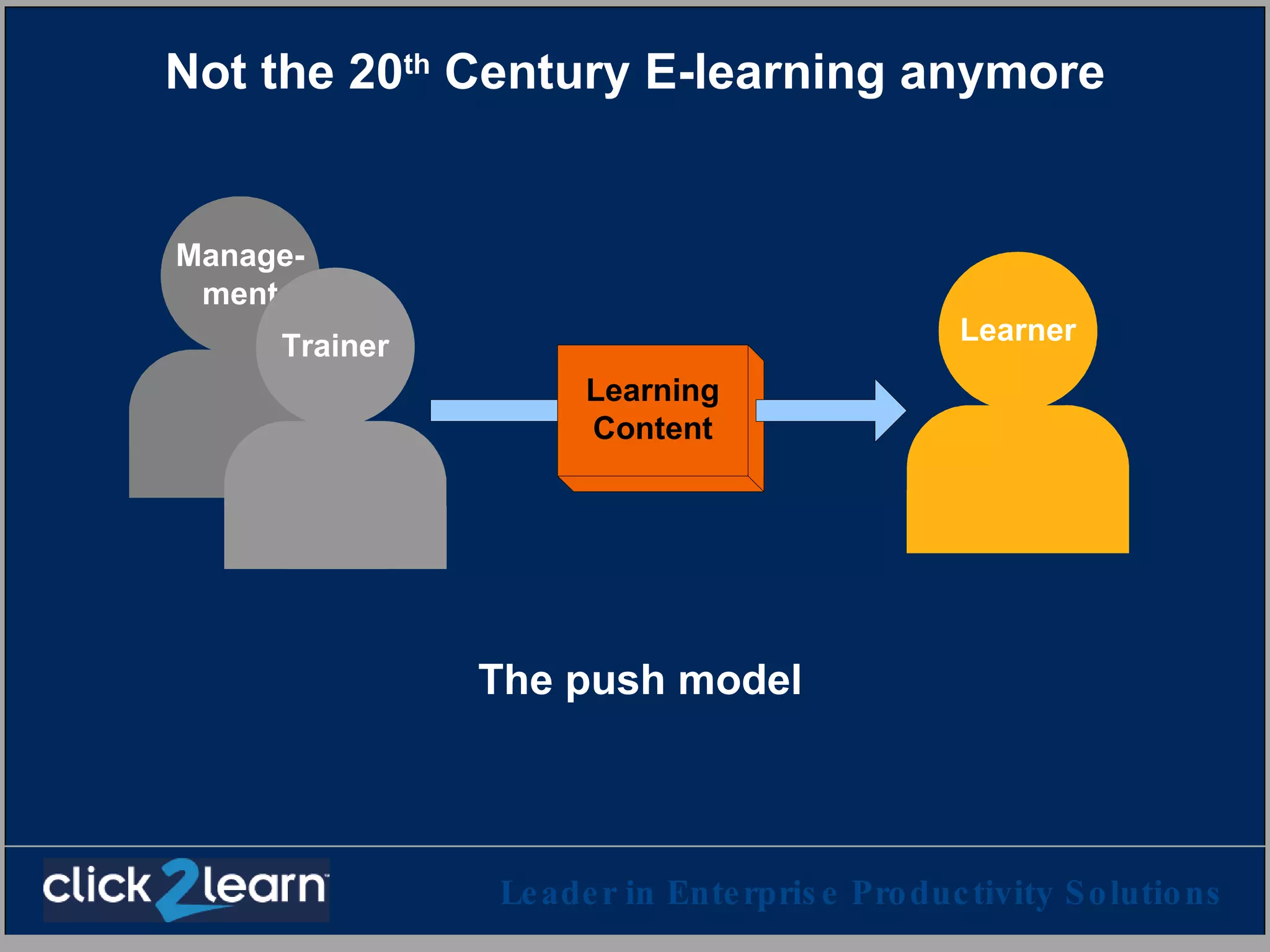
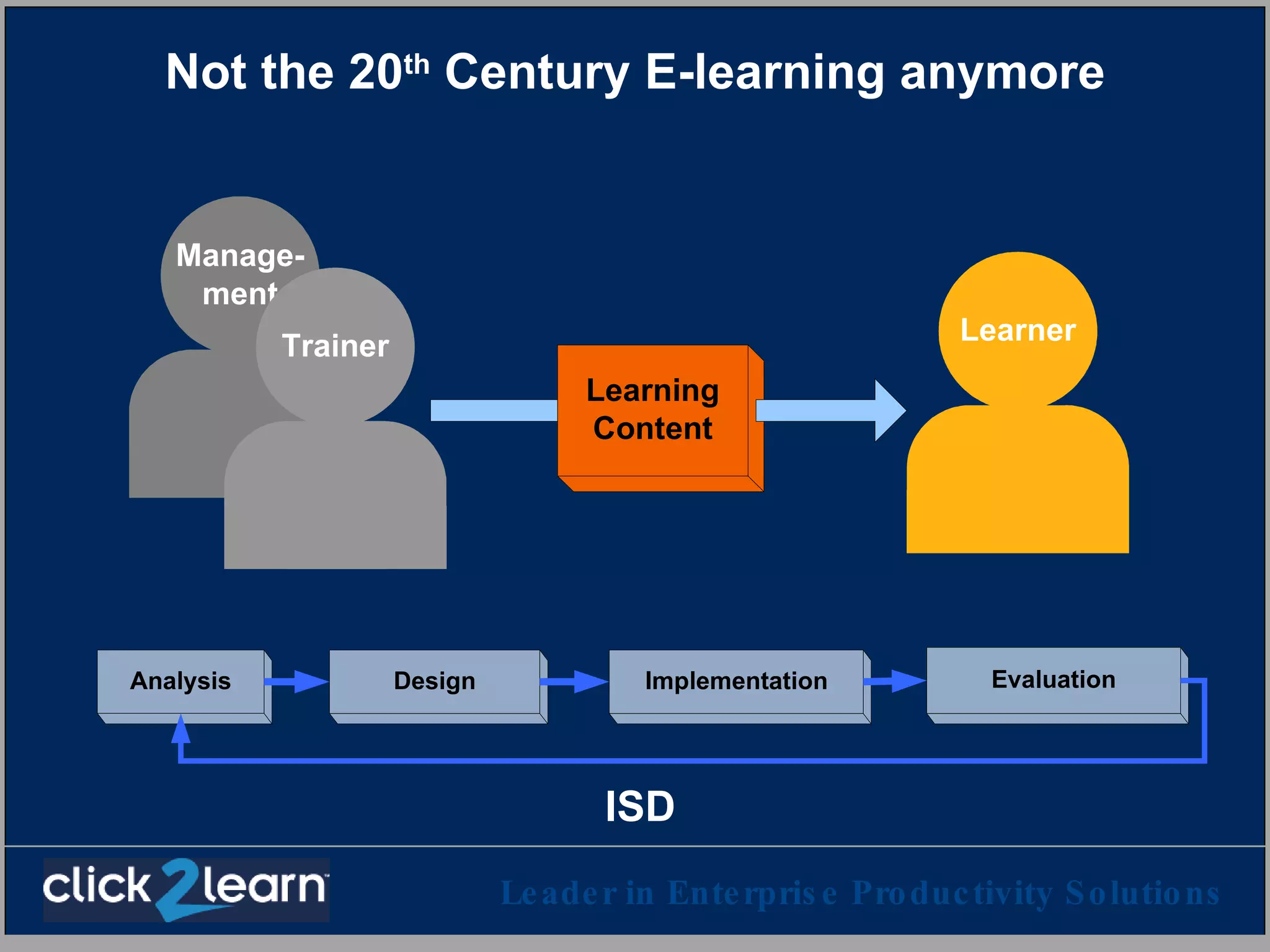
Not the 20 th  Century E-learning anymore The push model
Not the 20 th  Century E-learning anymore ISD
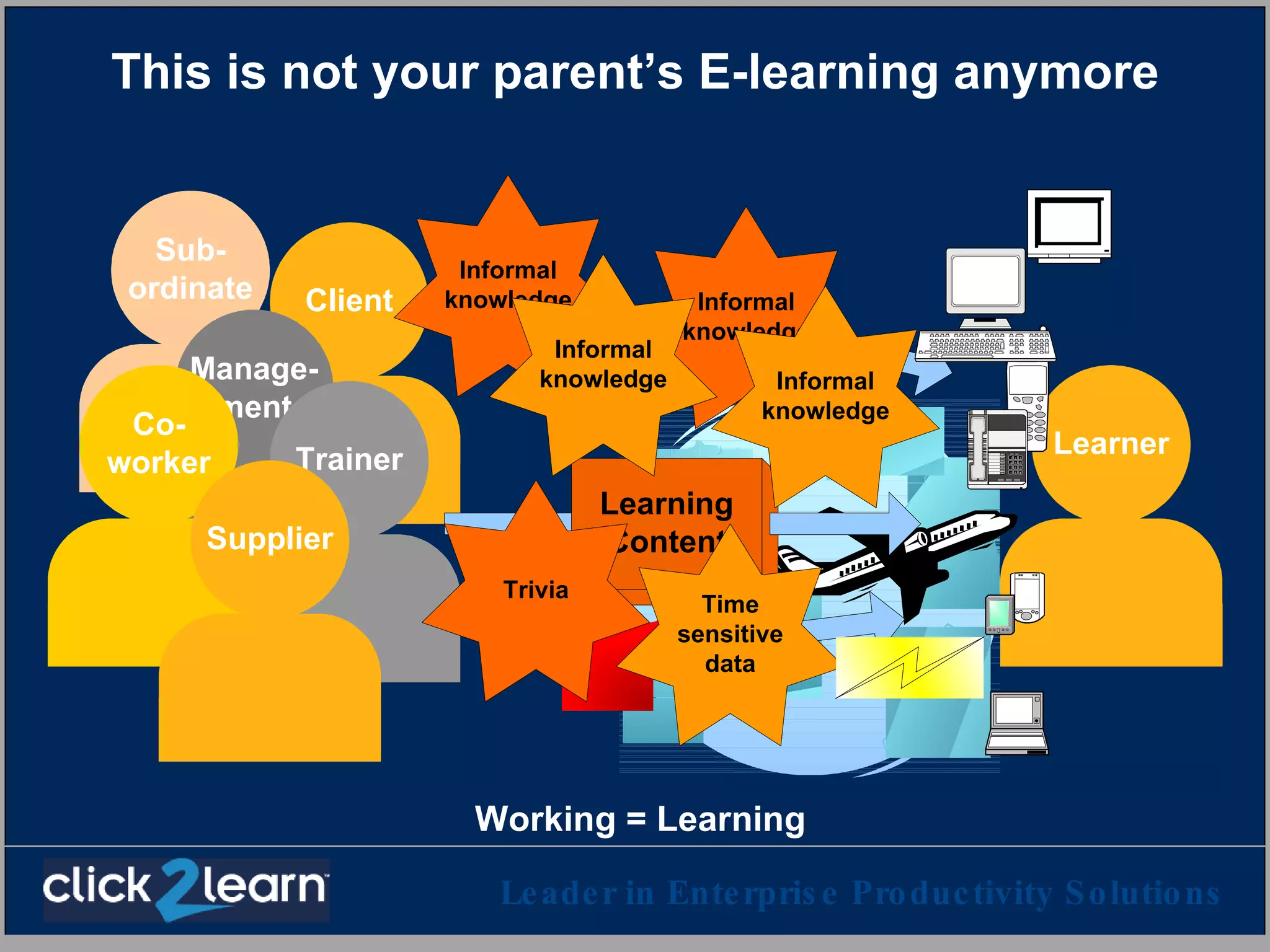
This is not your parent’s E-learning anymore Working = Learning
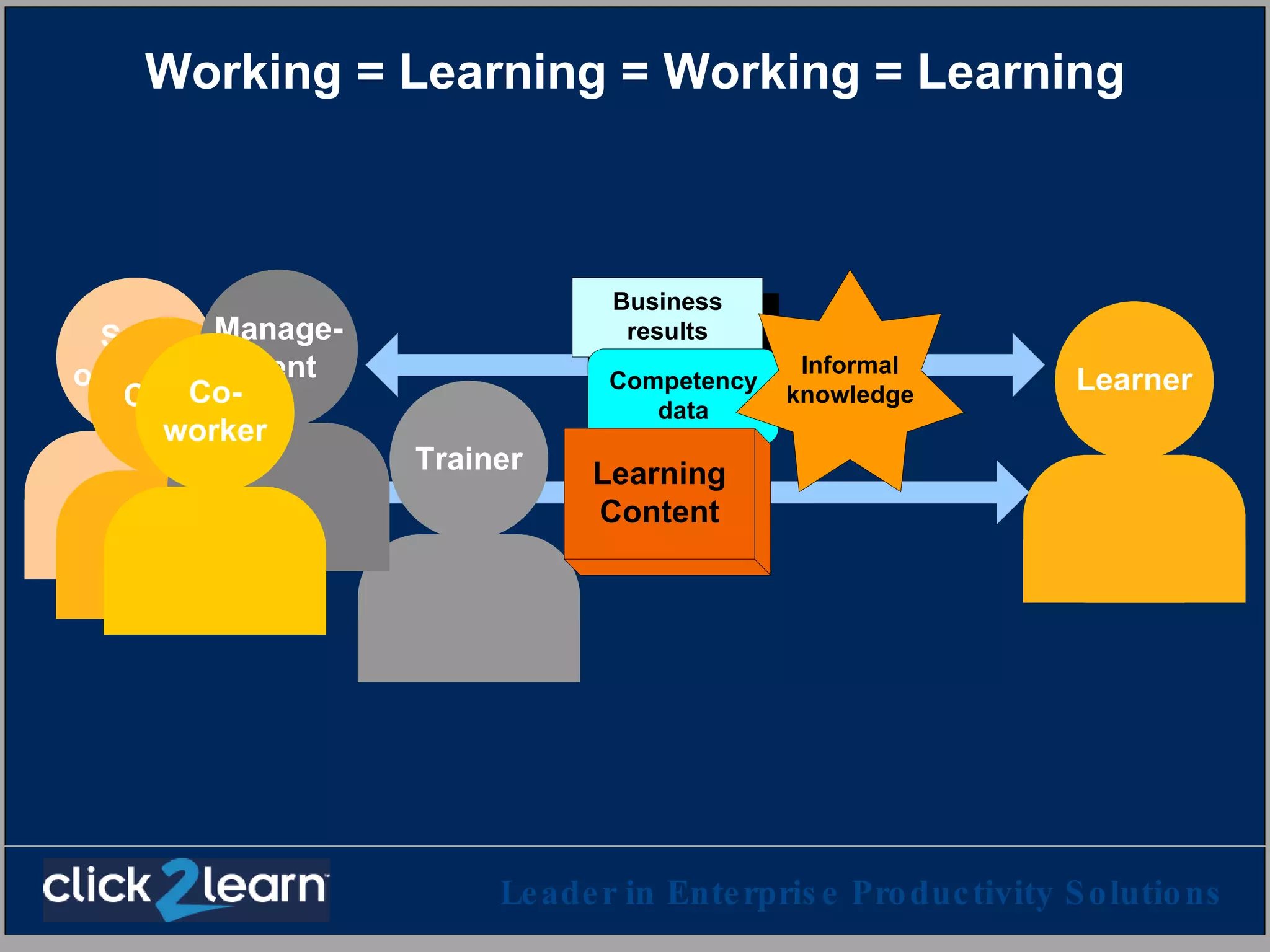
Working = Learning = Working = Learning
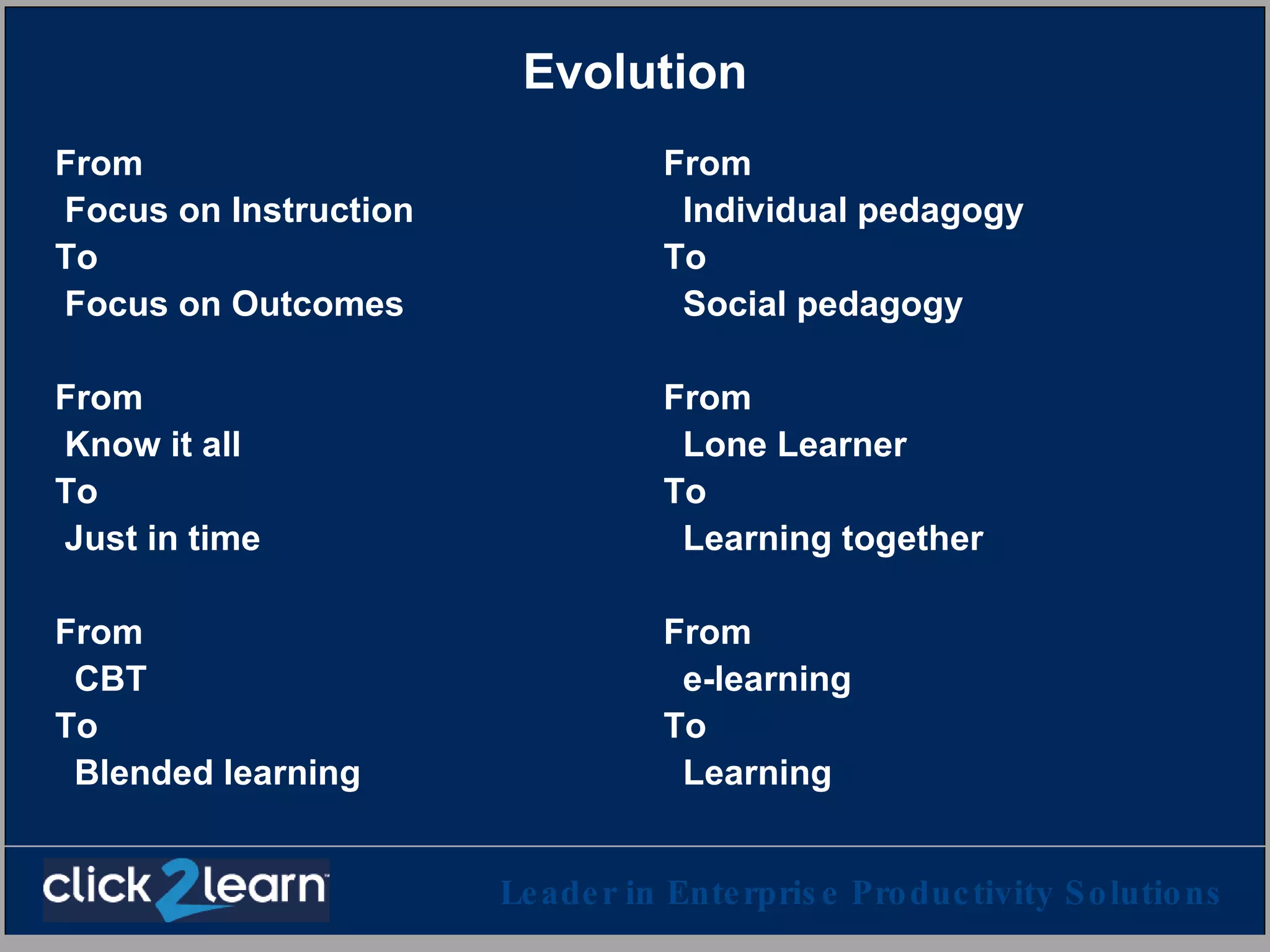
Evolution From  Focus on Instruction To Focus on Outcomes From Know it all To Just in time From CBT To Blended learning From Individual pedagogy To Social pedagogy From  Lone Learner To Learning together From e-learning To Learning
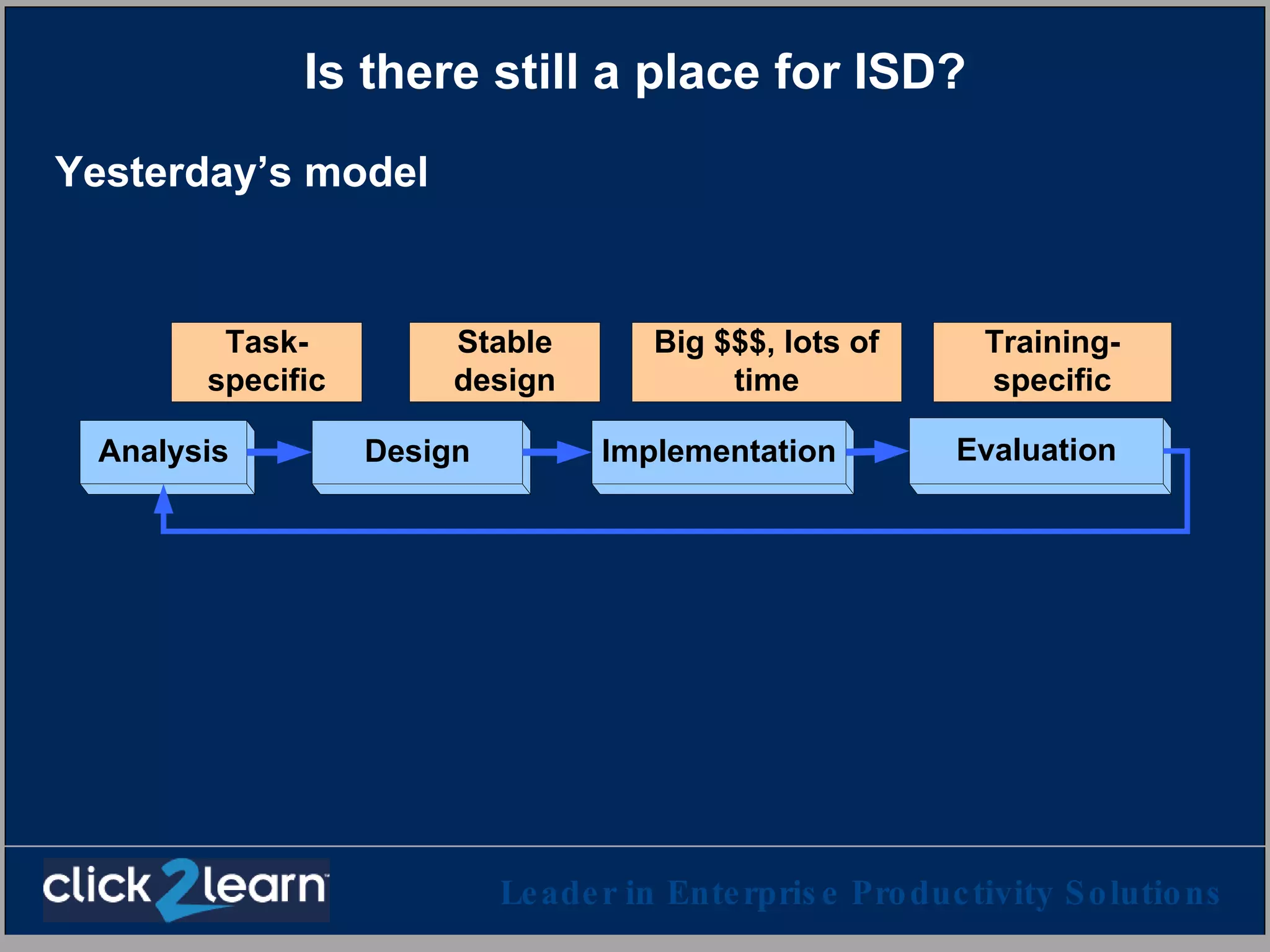
Is there still a place for ISD? Yesterday’s model
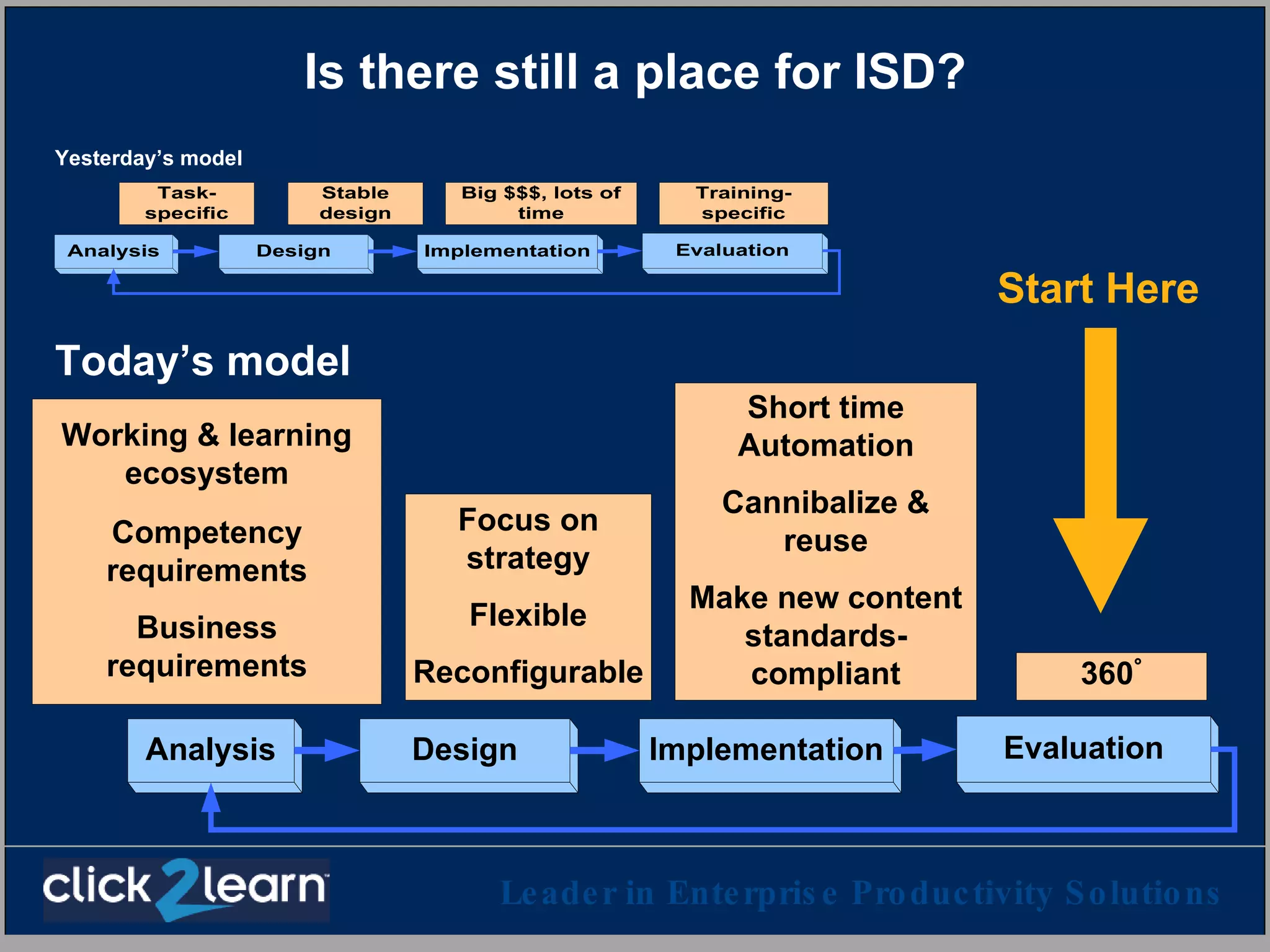
Is there still a place for ISD? Yesterday’s model Today’s model Start Here
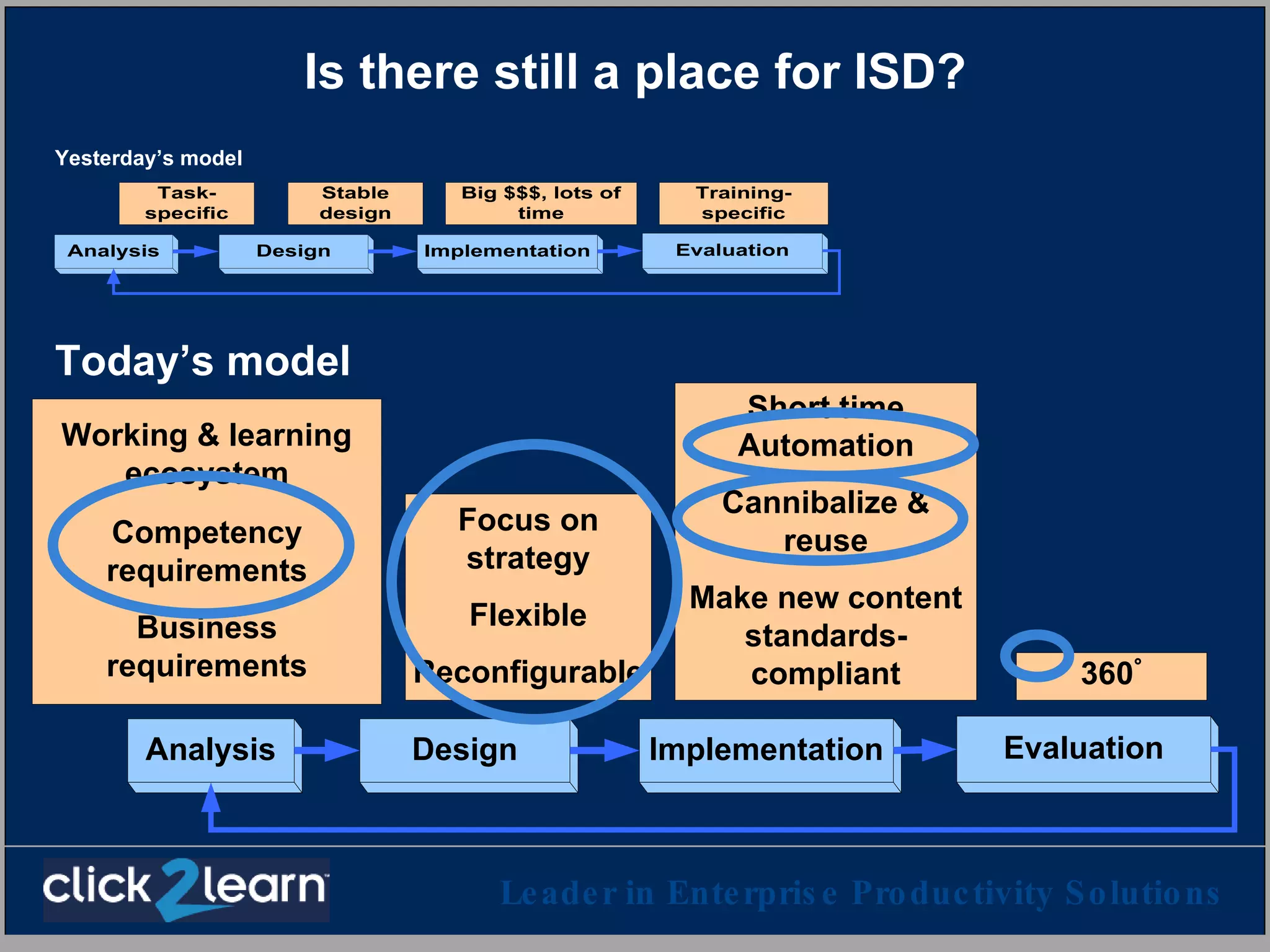
Is there still a place for ISD? Yesterday’s model Today’s model
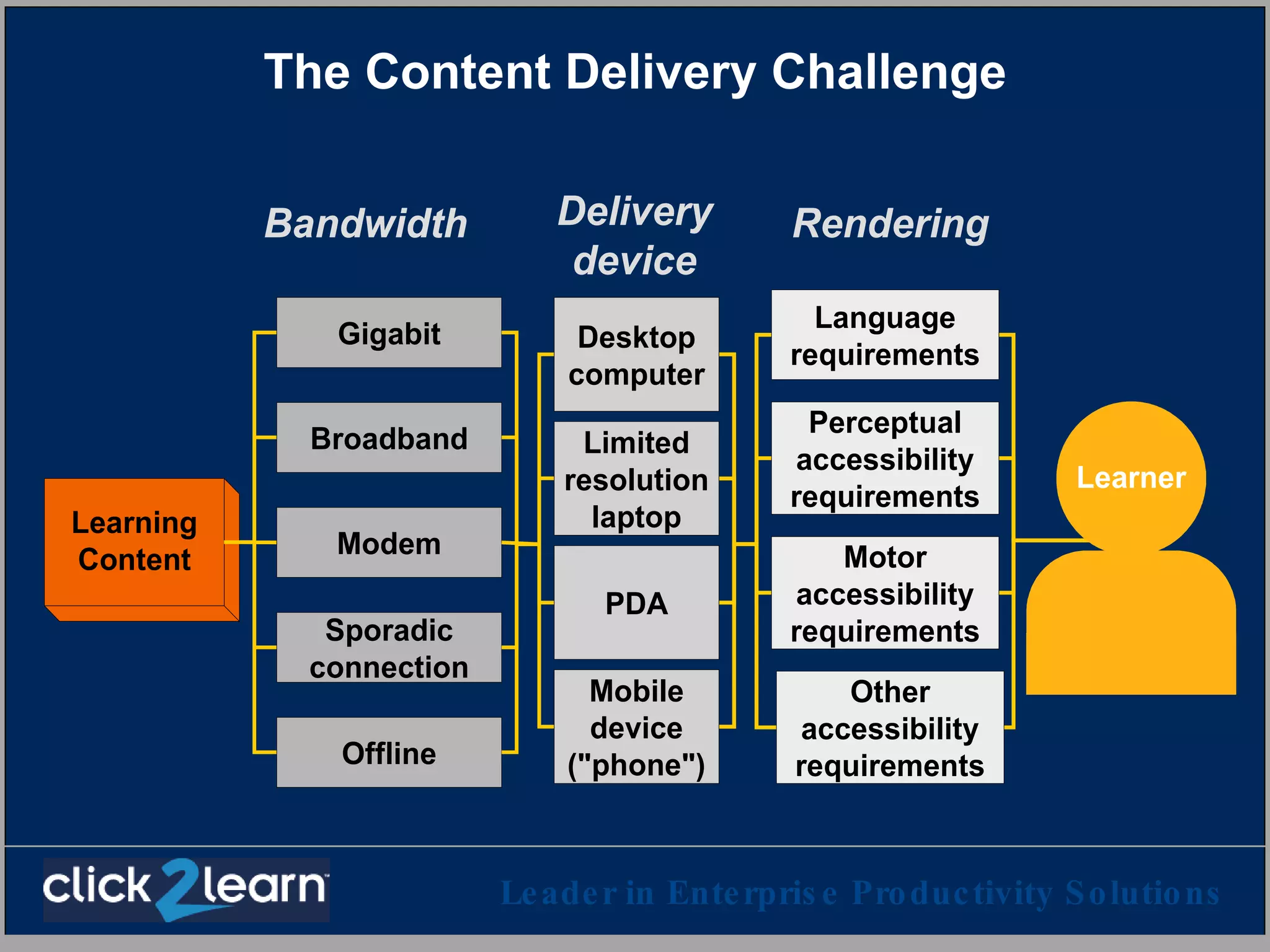
The Content Delivery Challenge
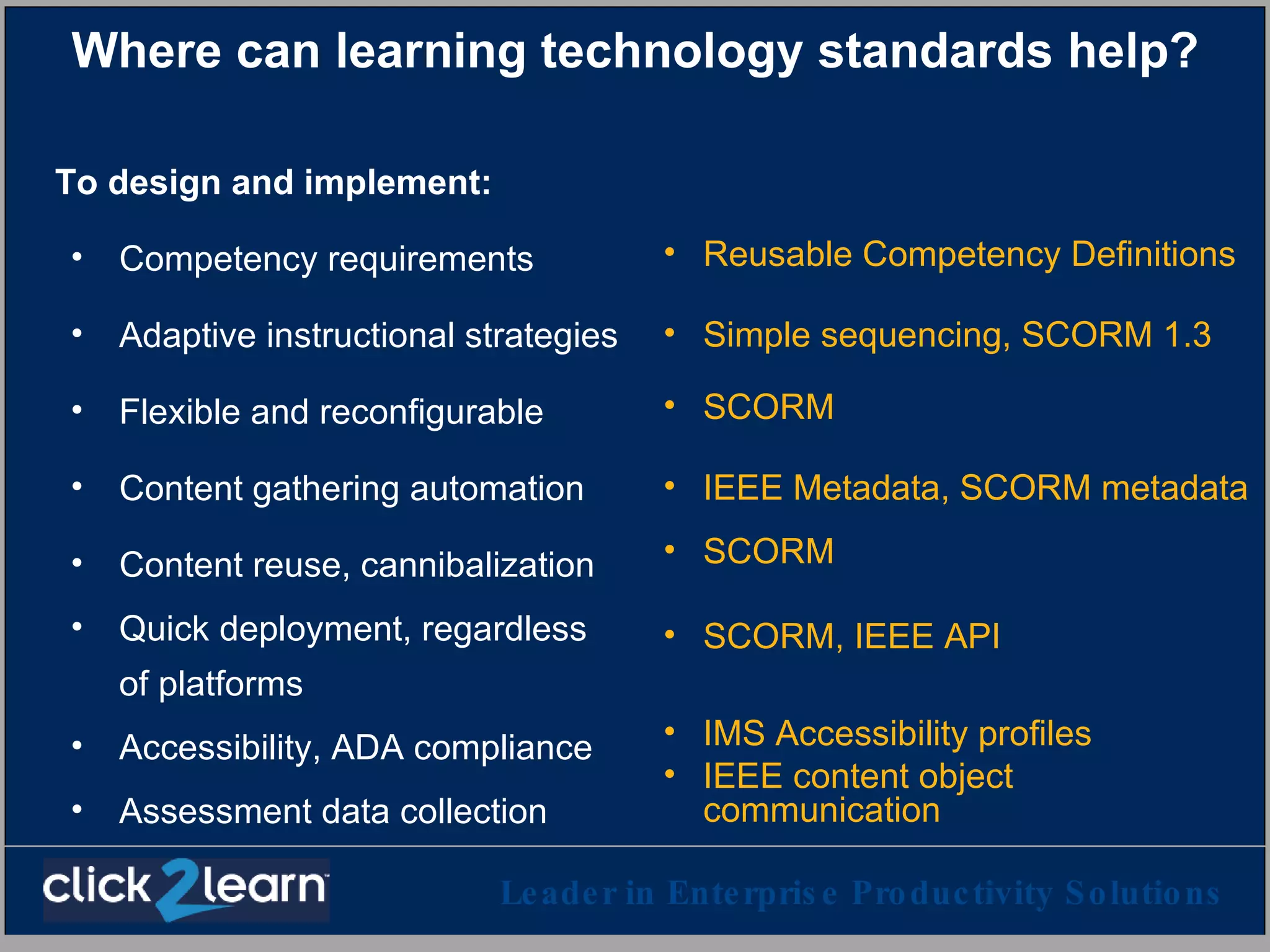
Where can learning technology standards help? To design and implement: Competency requirements Adaptive instructional strategies Flexible and reconfigurable Content gathering automation Content reuse, cannibalization Quick deployment, regardless of platforms Accessibility, ADA compliance Assessment data collection Reusable Competency Definitions Simple sequencing, SCORM 1.3 SCORM IEEE Metadata, SCORM metadata SCORM SCORM, IEEE API IMS Accessibility profiles IEEE content object communication
A closer look at two standards initiatives Which Reusable Competency Definitions (RDCEO) SCORM Point of view How they can impact learning
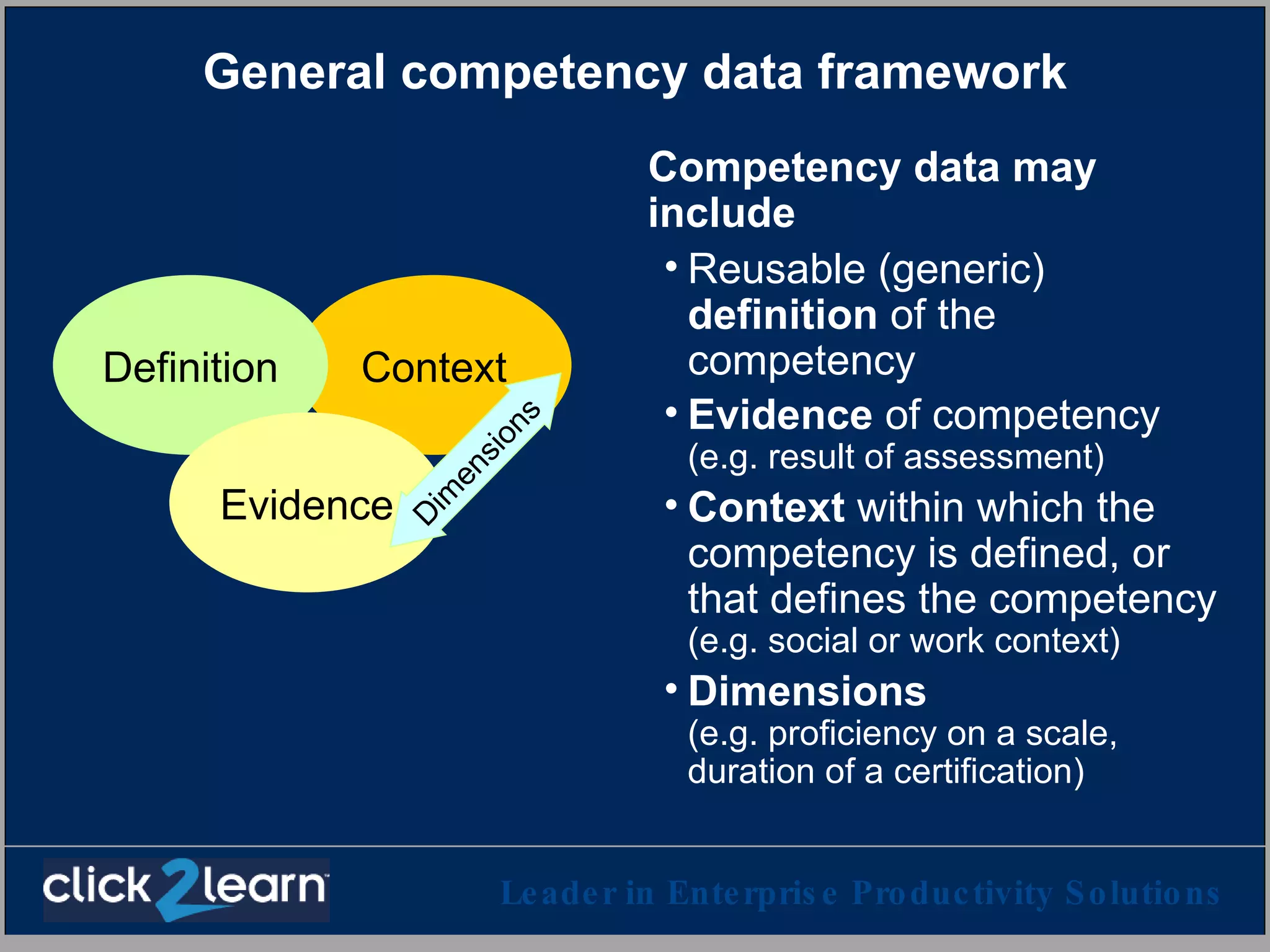
General competency data framework Competency data may include Reusable (generic)  definition  of the competency Evidence  of competency (e.g. result of assessment) Context  within which the competency is defined, or that defines the competency  (e.g. social or work context) Dimensions (e.g. proficiency on a scale,  duration of a certification) Context Definition Evidence Dimensions
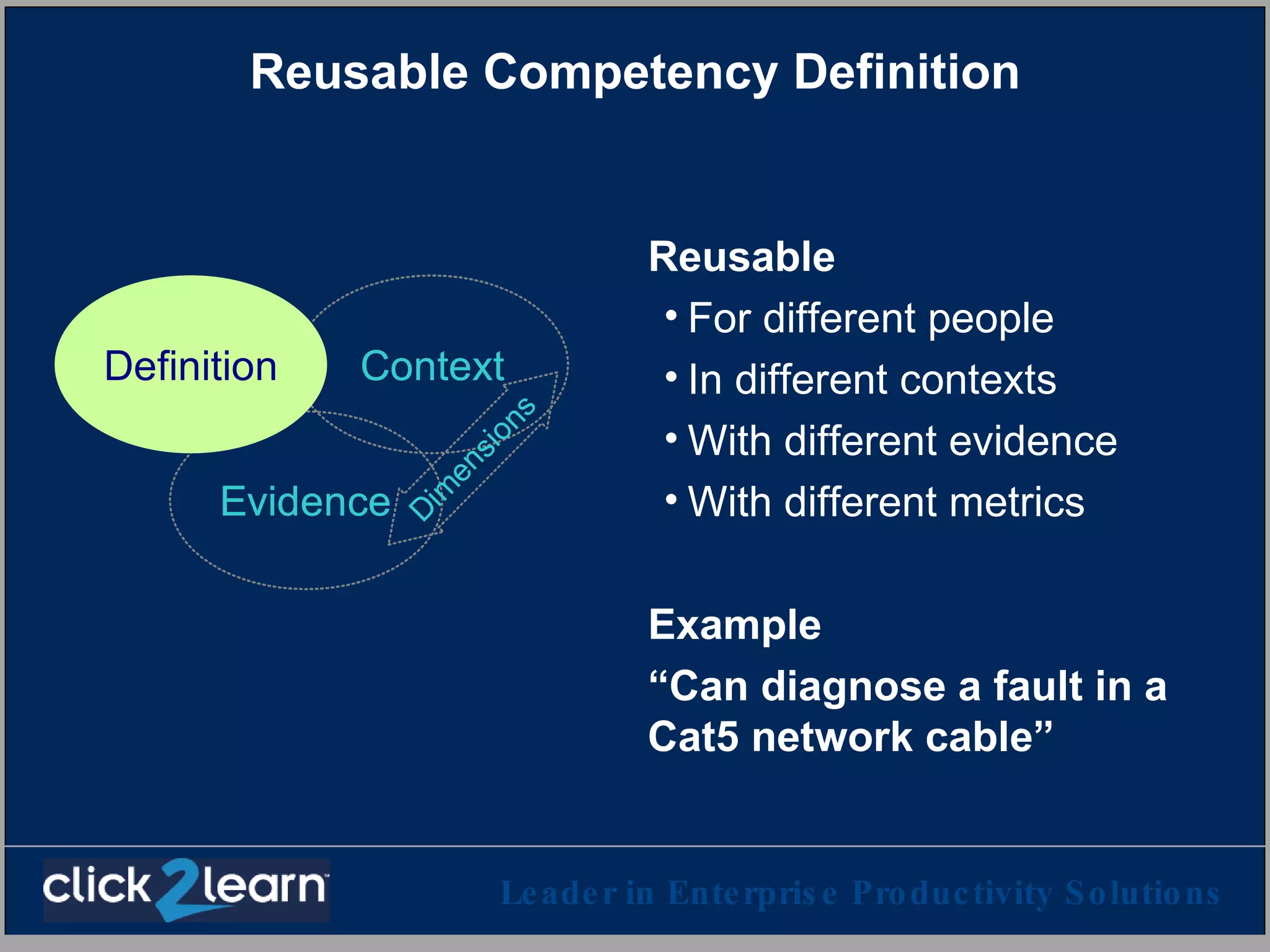
Reusable Competency Definition Reusable For different people In different contexts With different evidence With different metrics Example “Can diagnose a fault in a Cat5 network cable”
For example X001 is the identifier of a competency definition Here is an activity designed to learn X001 Here is a learning object designed to learn X001 Here is a different learning object designed to learn X001; this one is a video clip Here is someone who is an expert resource on X001 Here is a learning object designed to practice X001 Here is an assessment designed to test X001 Here is some evidence that Ann knows how to do X001 Here is some evidence that Joe was assessed on X001, using instrument XYZ on June 2, 2003, with a 72% score
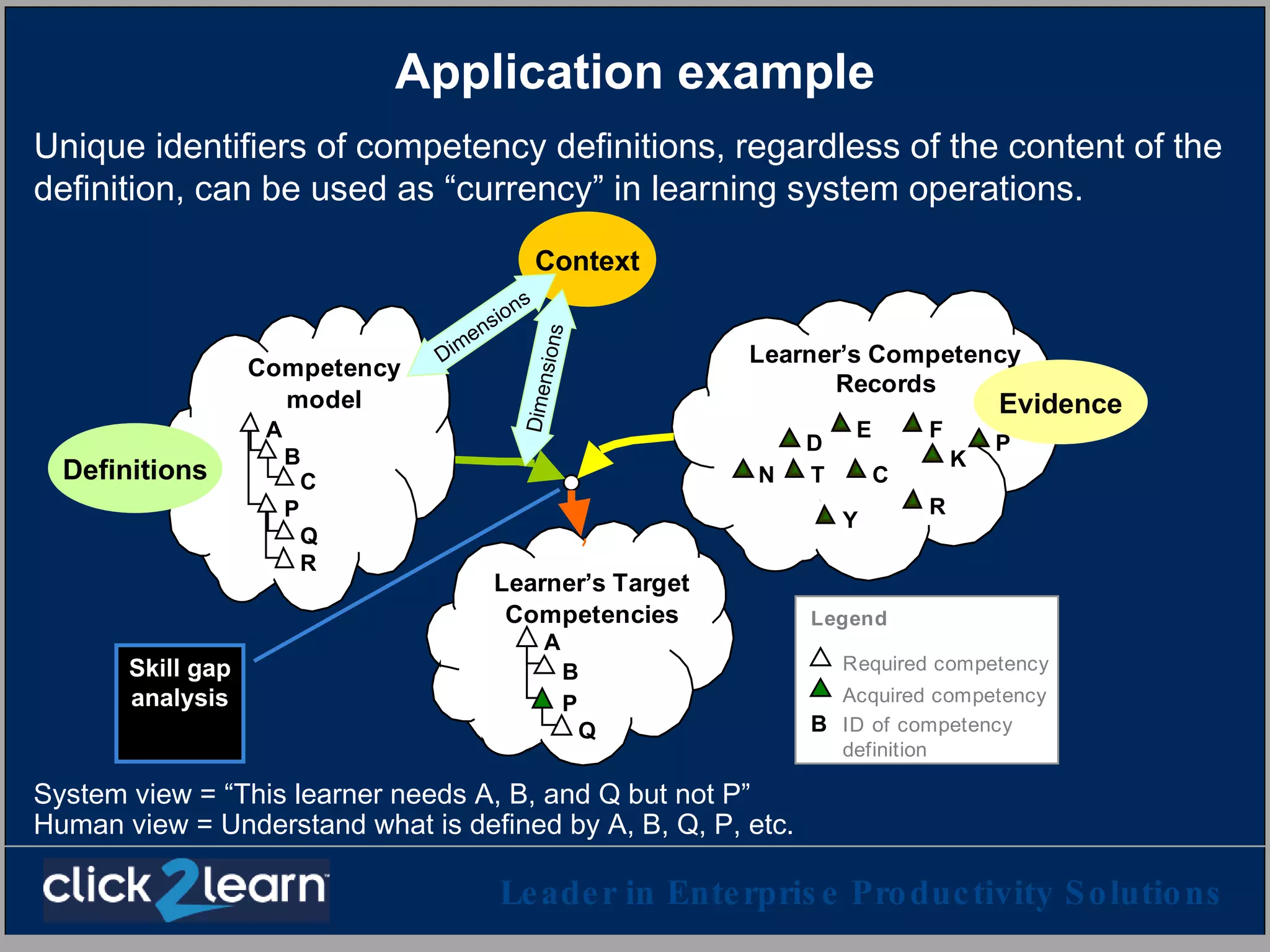
Application example Context Skill gap analysis Definitions Evidence Dimensions Dimensions Unique identifiers of competency definitions, regardless of the content of the definition, can be used as “currency” in learning system operations. System view = “This learner needs A, B, and Q but not P” Human view = Understand what is defined by A, B, Q, P, etc.
SCORM S hareable  C ontent  O bject  R eference  M odel   Advanced Distributed Learning initiative Dept. of Defense, Dept. of Labor, Industry, Education Initial focus: Distributed learning accessible through a web browser Deliver and track through any LMS, any browser, anywhere
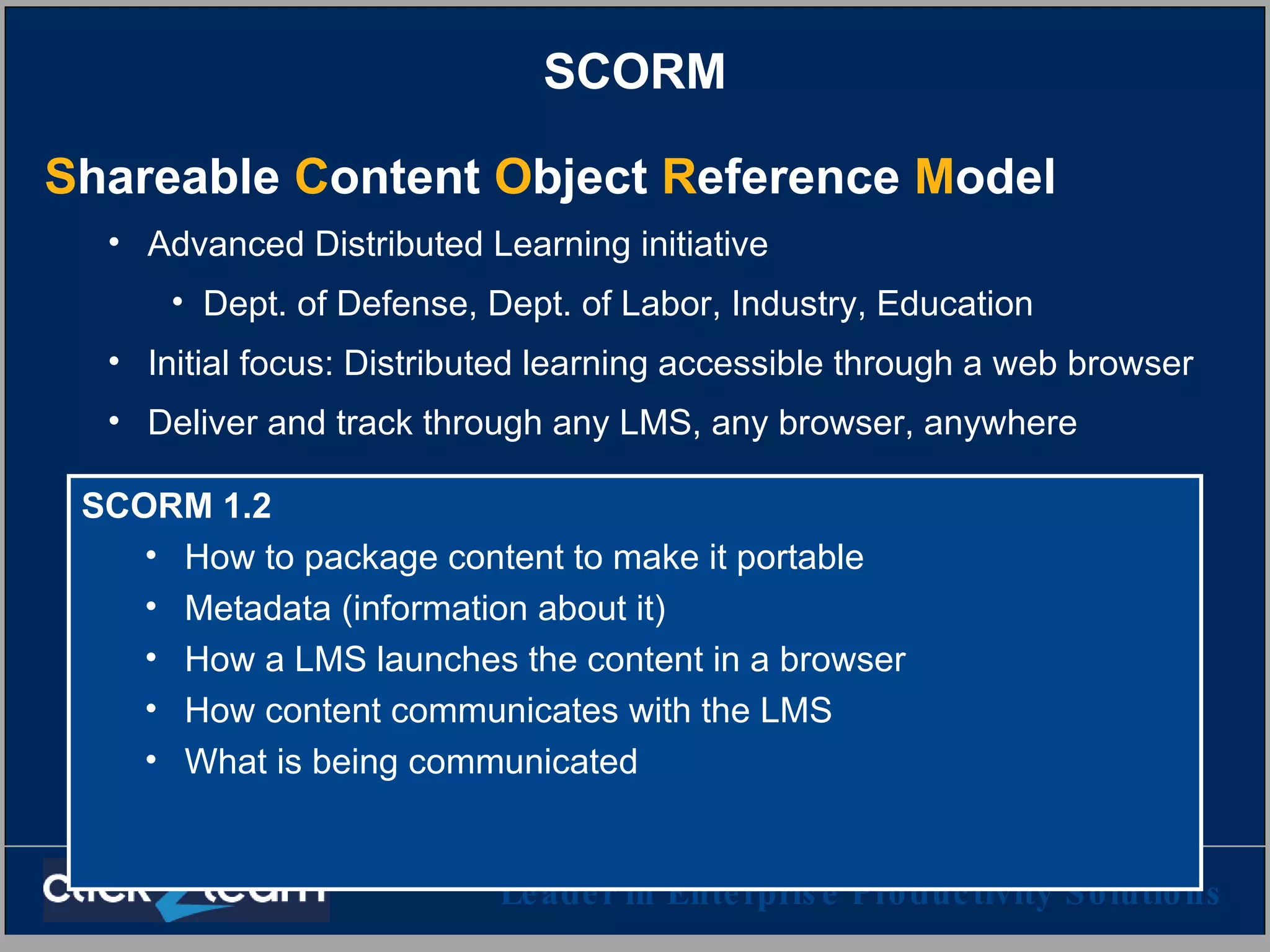
SCORM S hareable  C ontent  O bject  R eference  M odel   Advanced Distributed Learning initiative Dept. of Defense, Dept. of Labor, Industry, Education Initial focus: Distributed learning accessible through a web browser Deliver and track through any LMS, any browser, anywhere SCORM 1.2 How to package content to make it portable Metadata (information about it) How a LMS launches the content in a browser How content communicates with the LMS What is being communicated
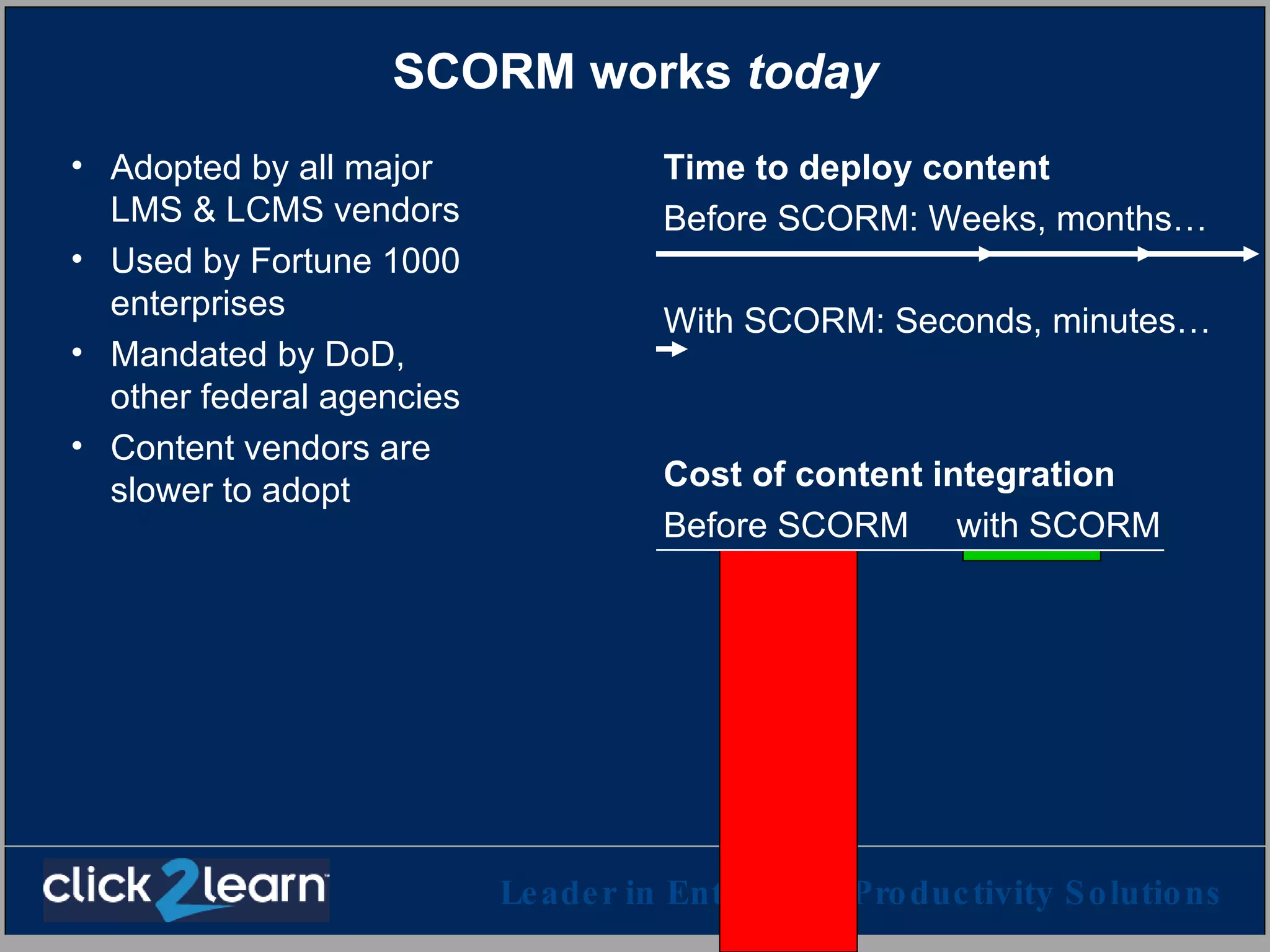
SCORM works  today Adopted by all major LMS & LCMS vendors Used by Fortune 1000 enterprises Mandated by DoD, other federal agencies Content vendors are slower to adopt Time to deploy content Before SCORM: Weeks, months… With SCORM: Seconds, minutes… Cost of content integration Before SCORM   with SCORM
SCORM 1.2 – Instructional design perspective Advantages Reusable content objects The learner chooses Flexible aggregation model Use your favorite nomenclature Shortened timeline allow more timely content Broader deployment options and better longevity allow better ROI for desirable but expensive content (e.g. simulations) No restriction on pedagogical approach Limitations No sequencing between content objects – the learner chooses No guided learning Adaptive learning strategies must be built inside the content objects No standard for collaborative learning Some tools are only beginning to catch up
SCORM evolves SCORM 1.3  Focus on activities that use content, rather than content as such Sequencing of activities Adaptive sequencing options Expected final version: Late 2003 SCORM 1.2 How to package content to make it portable Metadata (information about it) How a LMS launches the content in a browser How the content communicates with the LMS What is being communicated In use today
SCORM 1.3 – Instructional design perspective Advantages Advantages of SCORM 1.2 Designer can choose to sequence the activities that use the content objects Sequencing rules based on success and/or completion Supports tracking & assessment of competencies Can mix guided learning with discovery and free play Adaptive learning strategies can be defined for all levels of the activity tree Allows visual continuity Limitations Collaborative learning is out of scope No support for interacting with “persistent” simulations (but it’s in the works)  High level design and authoring tools to really take advantage of SCORM 1.3 will take a while to appear Main problem: Failure of imagination
For example The following slides illustrate some simple sequencing scenarios in SCORM 1.3 Except as otherwise noted, these scenarios are not supported by SCORM 1.2, but must be supported by every SCORM 1.3 conformant player.  This functionality is defined in the current SCORM 1.3 draft and is stable. Other aspects of the SCORM 1.3 draft are subject to change before the final version is released.
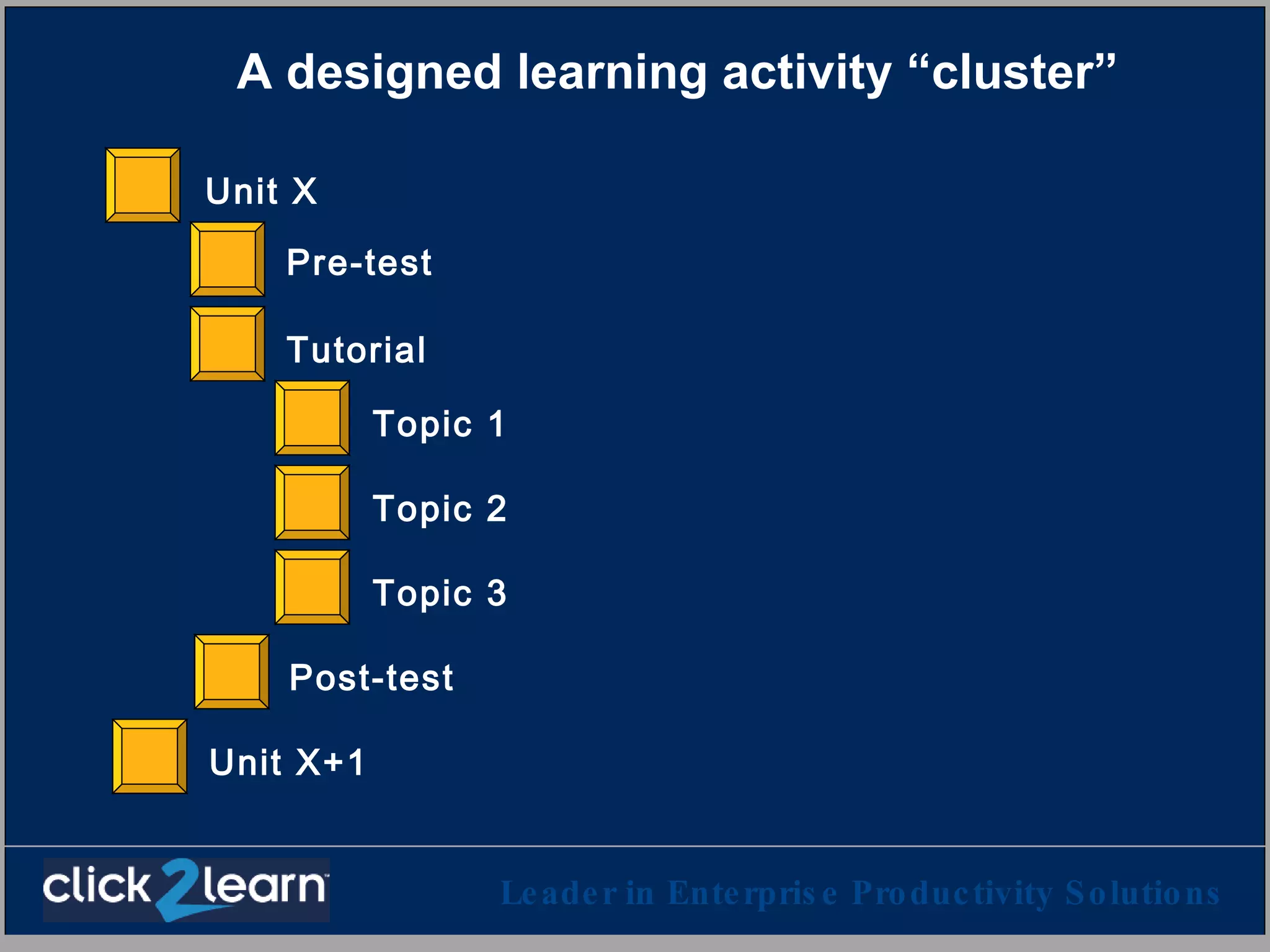
A designed learning activity “cluster” Pre-test Topic 1 Topic 2 Topic 3 Post-test Tutorial Unit X Unit X+1
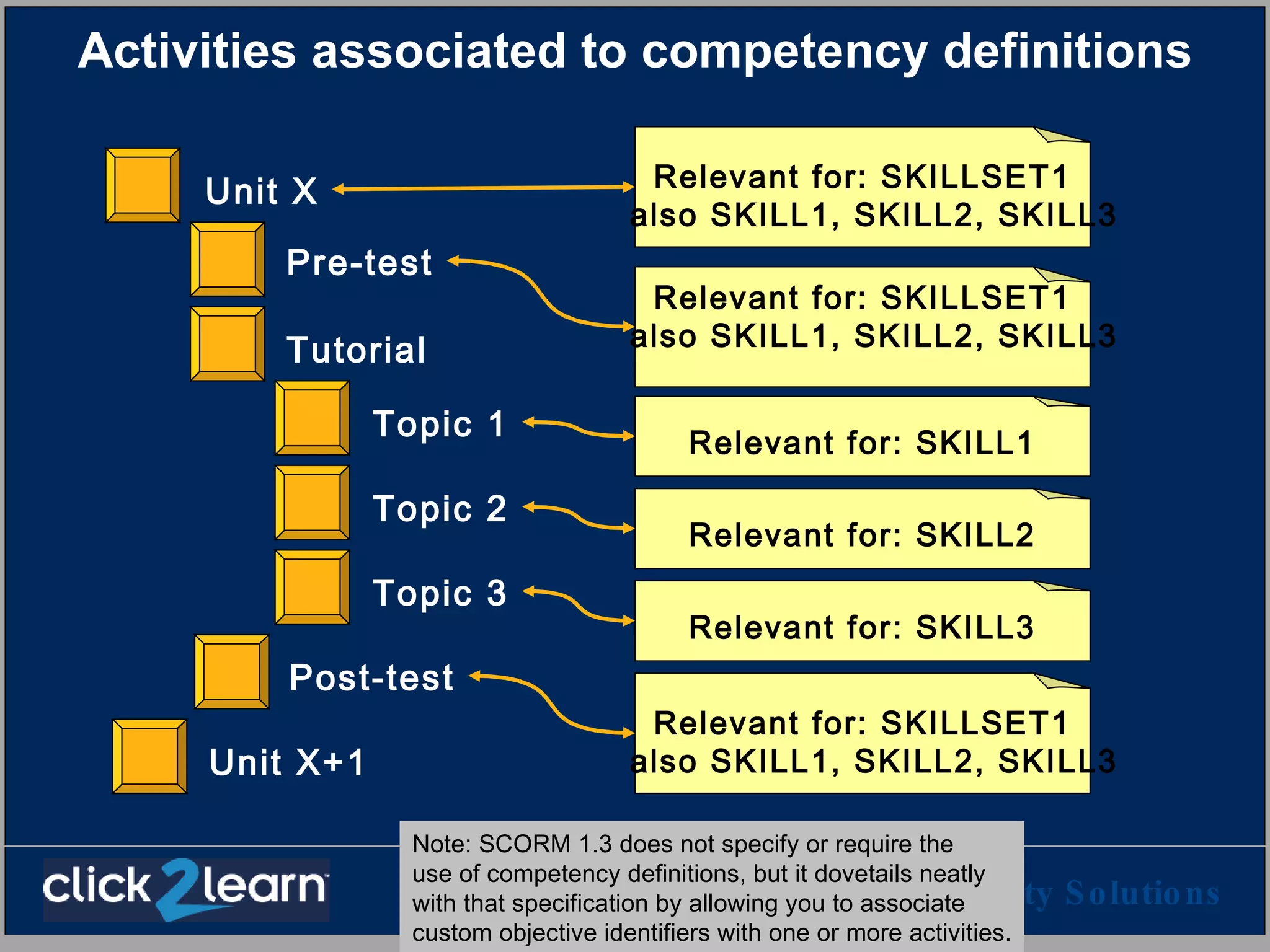
Activities associated to competency definitions Pre-test Topic 1 Topic 2 Topic 3 Post-test Tutorial Unit X Unit X+1 Relevant for: SKILLSET1 also SKILL1, SKILL2, SKILL3 Relevant for: SKILLSET1 also SKILL1, SKILL2, SKILL3 Relevant for: SKILL1 Relevant for: SKILL2 Relevant for: SKILL3 Relevant for: SKILLSET1 also SKILL1, SKILL2, SKILL3 Note: SCORM 1.3 does not specify or require the  use of competency definitions, but it dovetails neatly with that specification by allowing you to associate  custom objective identifiers with one or more activities.
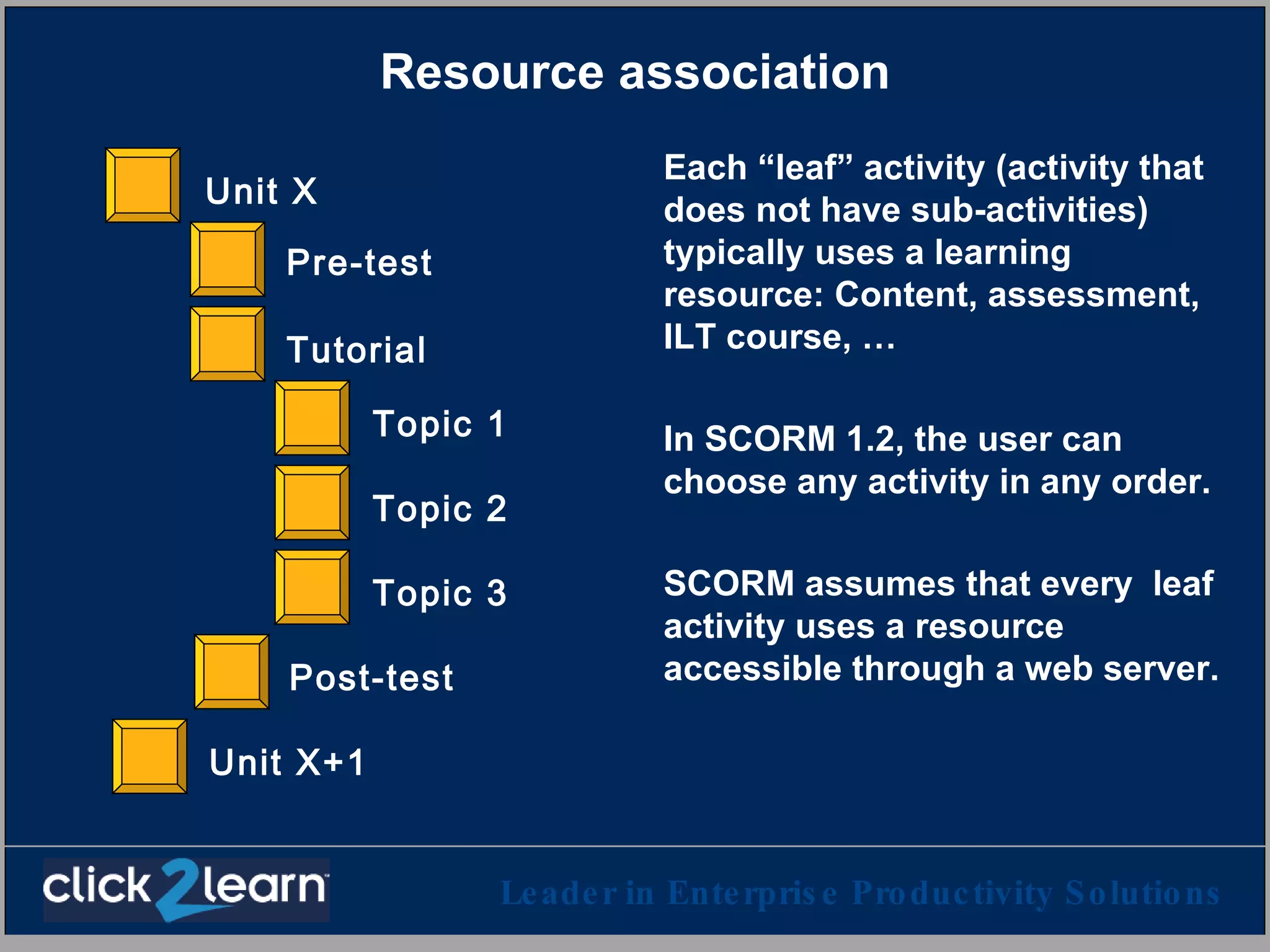
Resource association Each “leaf” activity (activity that does not have sub-activities) typically uses a learning resource: Content, assessment, ILT course, … In SCORM 1.2, the user can choose any activity in any order. SCORM assumes that every  leaf activity uses a resource accessible through a web server. Pre-test Topic 1 Topic 2 Topic 3 Post-test Tutorial Unit X Unit X+1
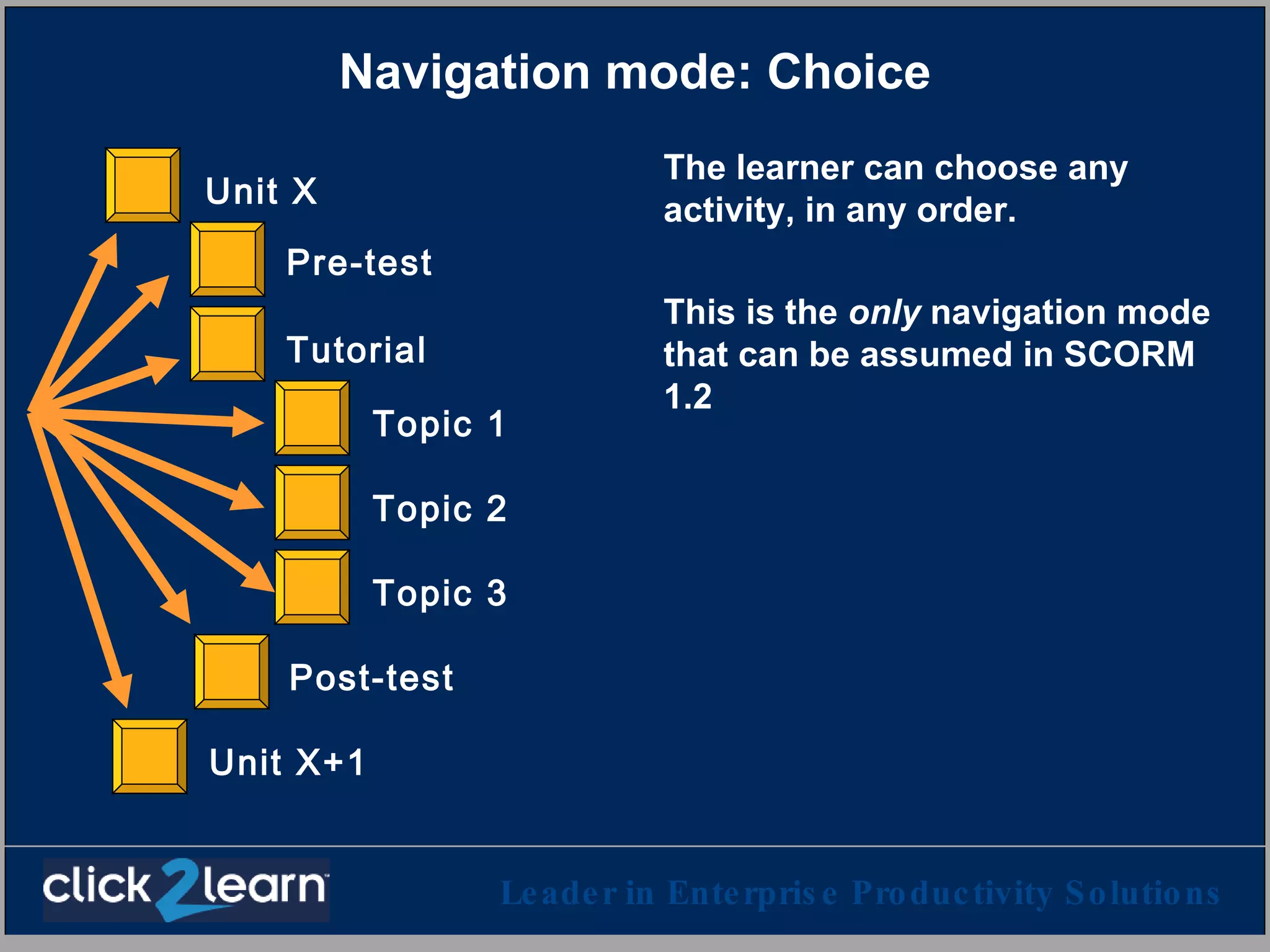
Navigation mode: Choice The learner can choose any activity, in any order. This is the  only  navigation mode that can be assumed in SCORM 1.2 Pre-test Topic 1 Topic 2 Topic 3 Post-test Tutorial Unit X Unit X+1
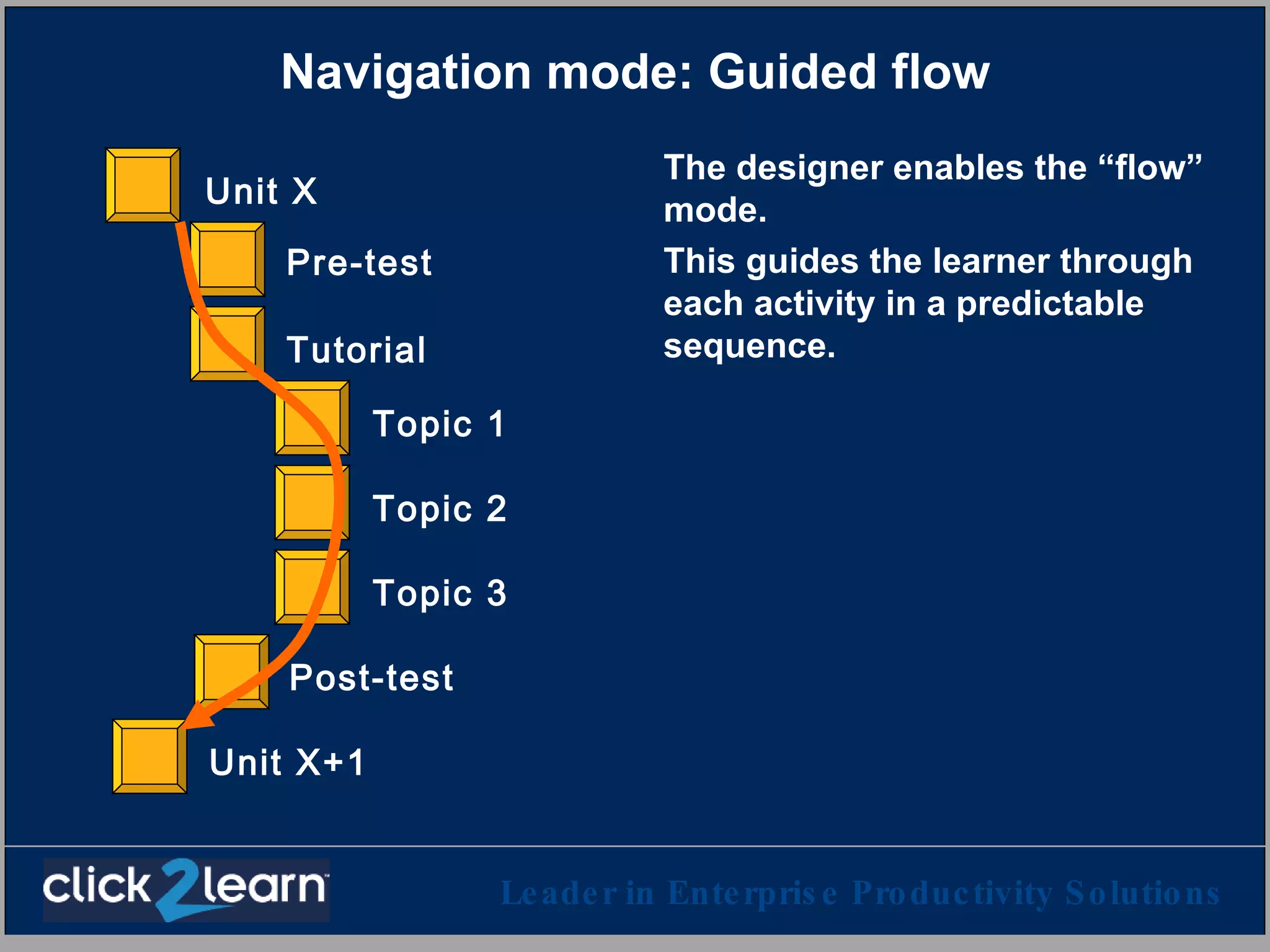
Navigation mode: Guided flow The designer enables the “flow” mode.  This guides the learner through each activity in a predictable sequence. Pre-test Topic 1 Topic 2 Topic 3 Post-test Tutorial Unit X Unit X+1
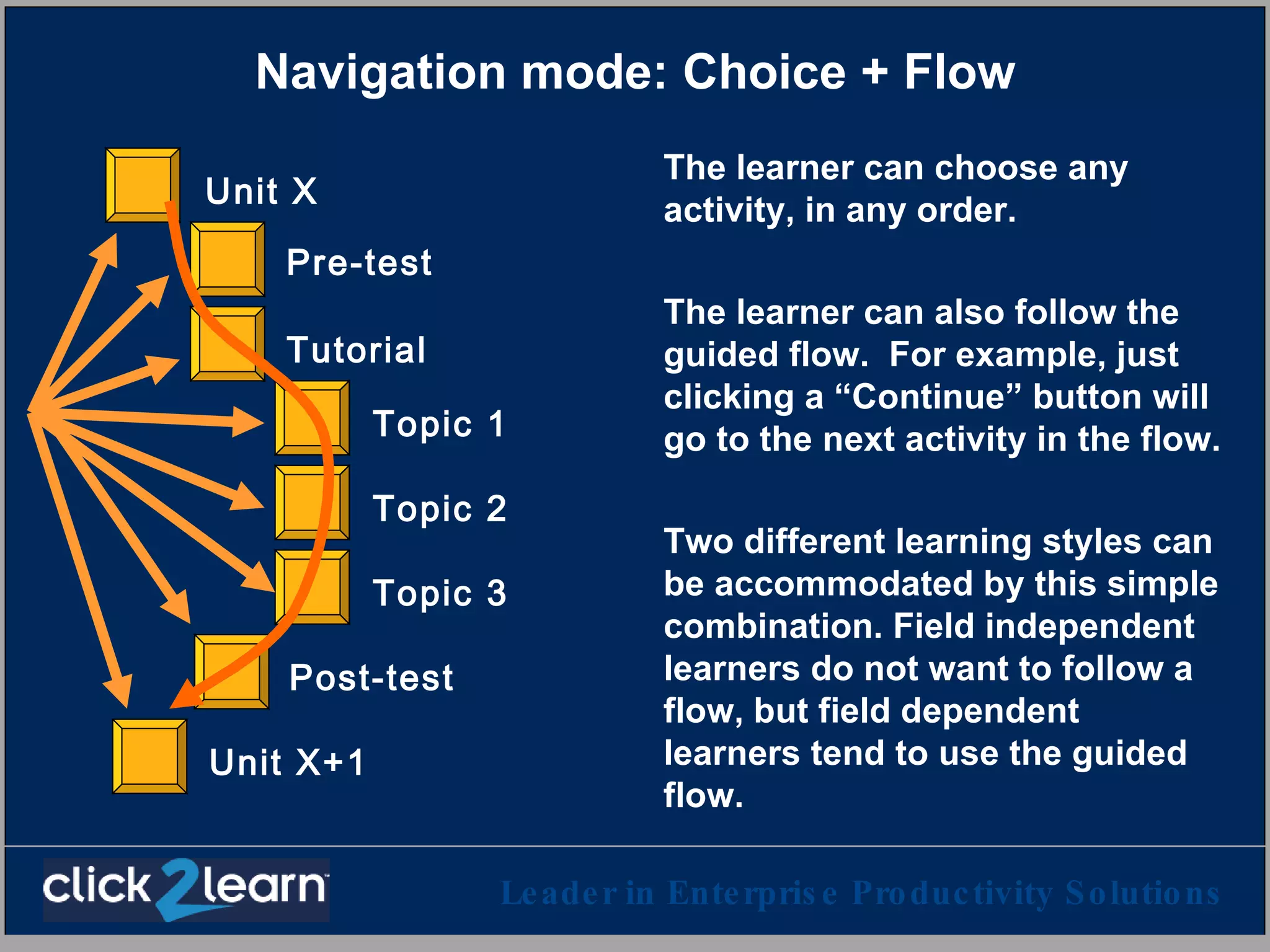
Navigation mode: Choice + Flow The learner can choose any activity, in any order. The learner can also follow the guided flow.  For example, just clicking a “Continue” button will go to the next activity in the flow. Two different learning styles can be accommodated by this simple combination. Field independent learners do not want to follow a  flow, but field dependent learners tend to use the guided flow. Pre-test Topic 1 Topic 2 Topic 3 Post-test Tutorial Unit X Unit X+1
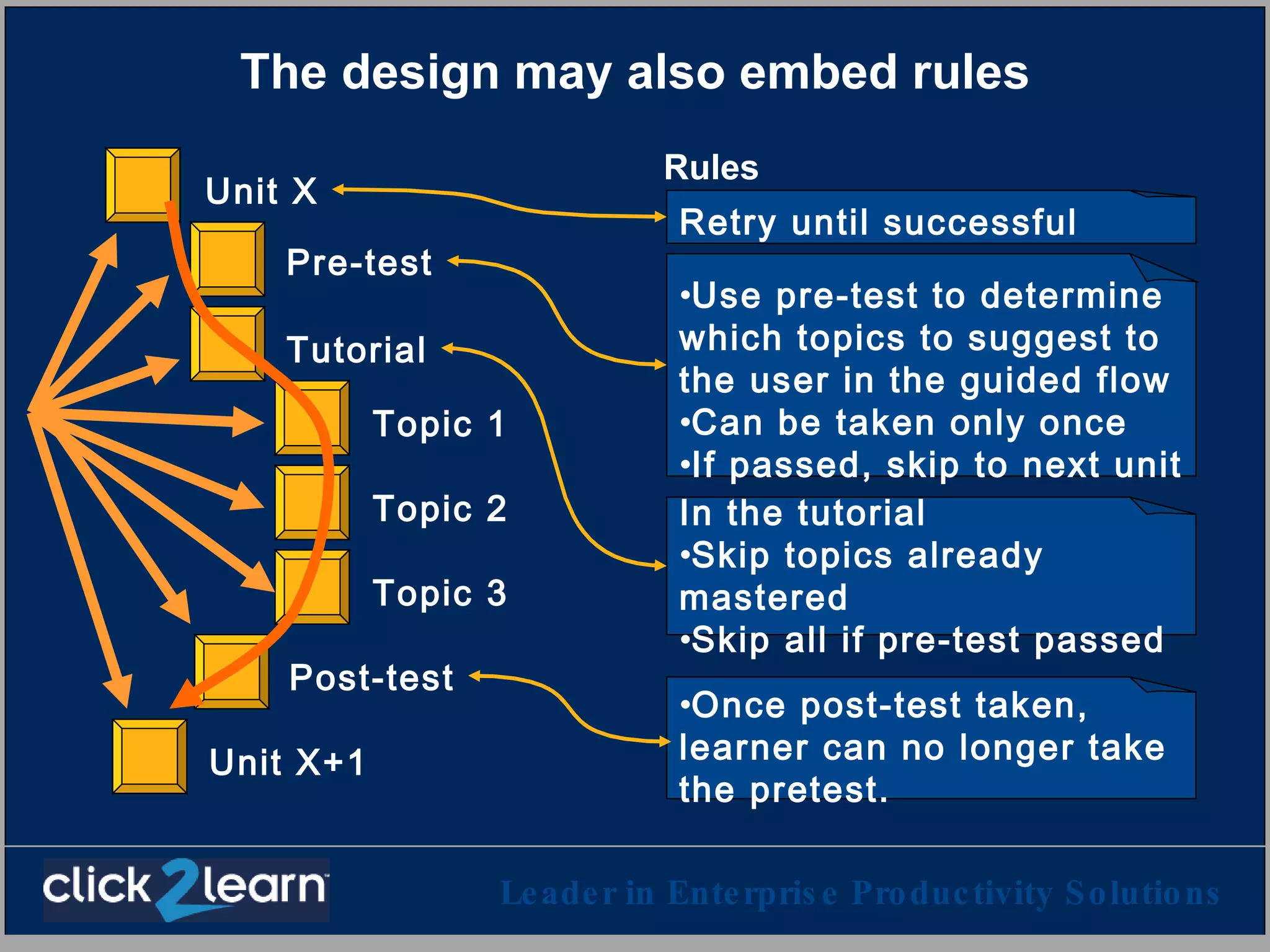
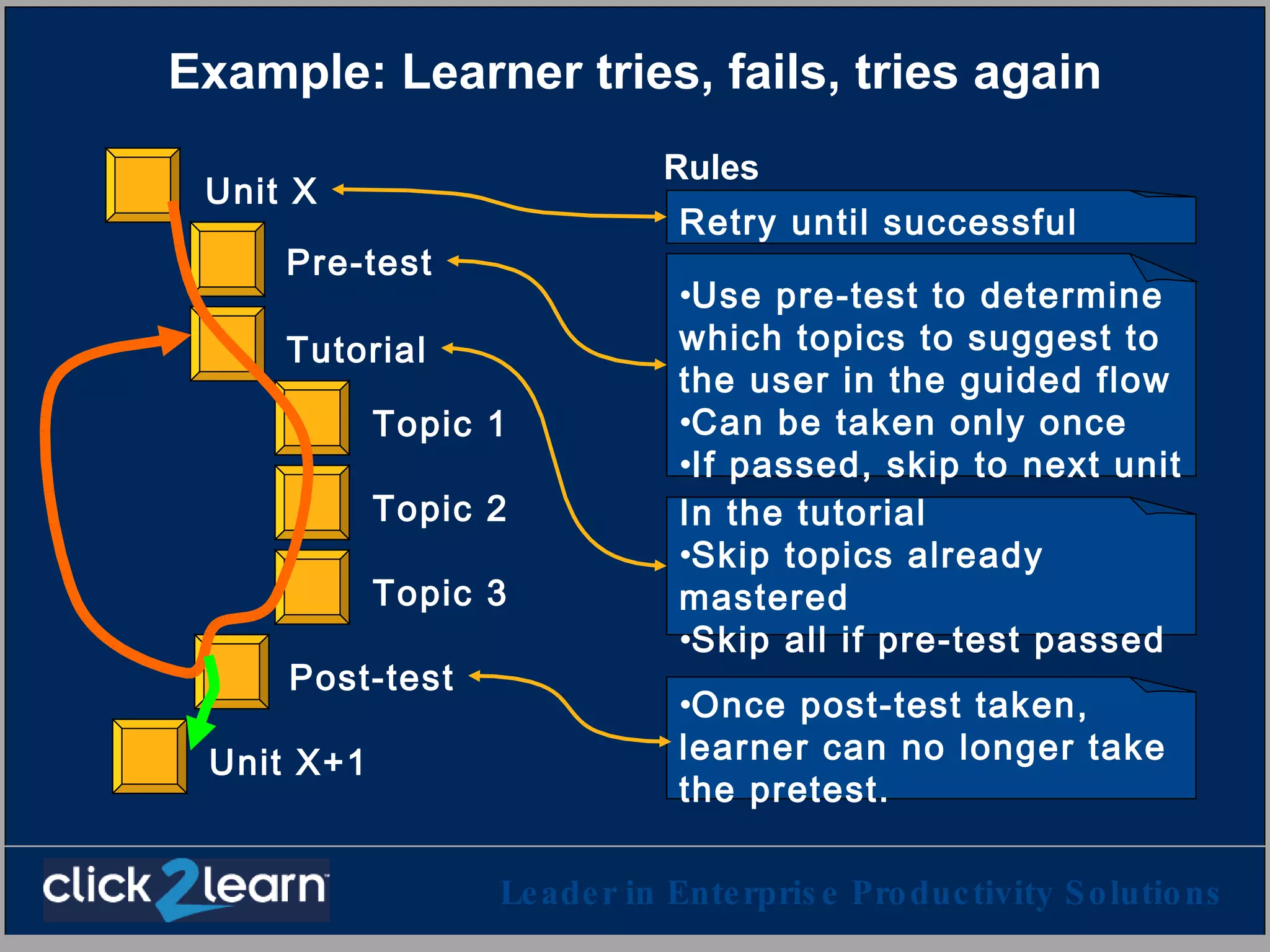
The design may also embed rules Rules Pre-test Topic 1 Topic 2 Topic 3 Post-test Tutorial Unit X Unit X+1 Use pre-test to determine which topics to suggest to the user in the guided flow Can be taken only once If passed, skip to next unit Once post-test taken, learner can no longer take the pretest. In the tutorial  Skip topics already mastered Skip all if pre-test passed  Retry until successful
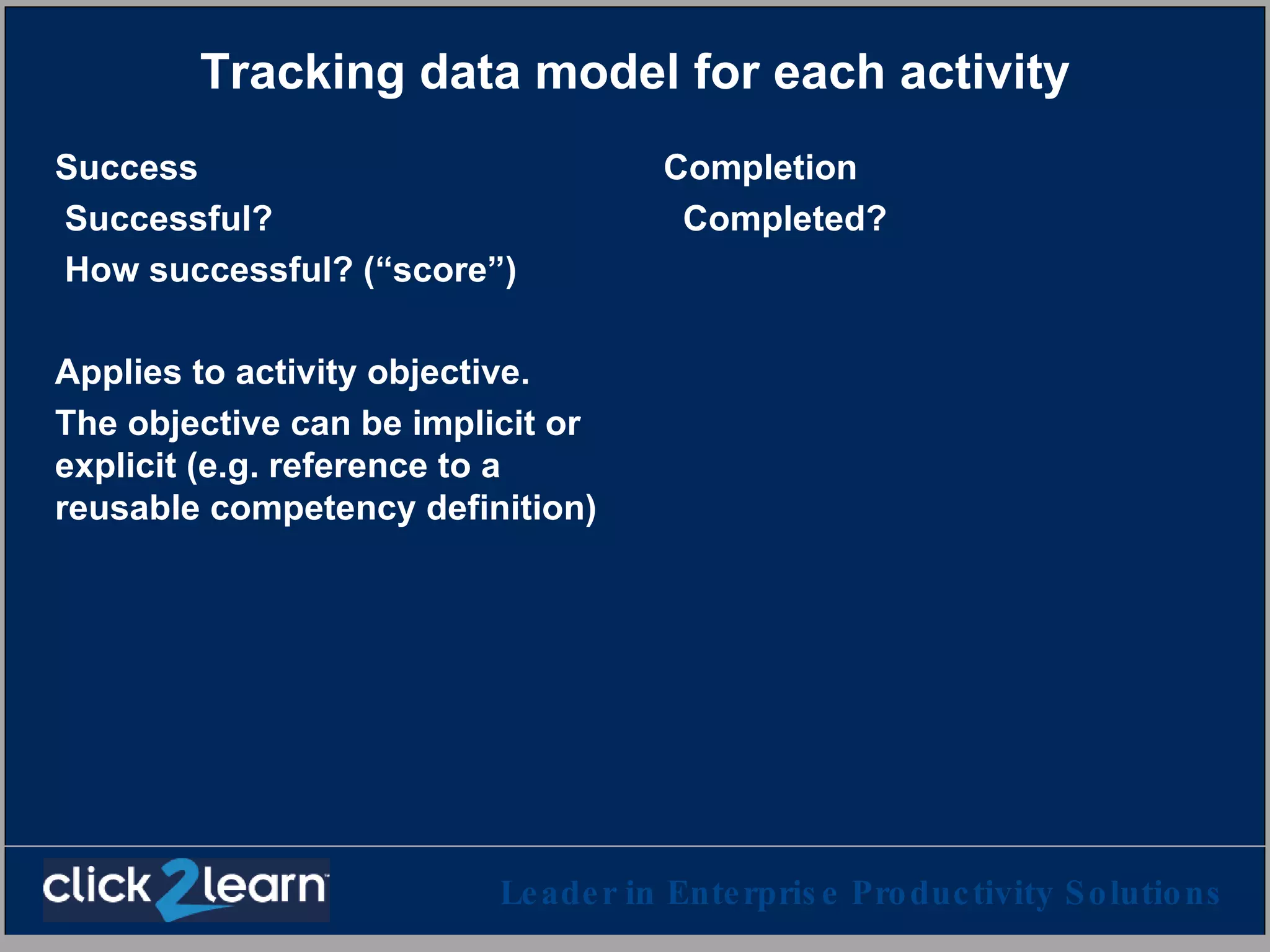
Tracking data model for each activity Success Successful? How successful? (“score”) Applies to activity objective. The objective can be implicit or explicit (e.g. reference to a reusable competency definition) Completion Completed?
Example: Learner tries, fails, tries again Rules Pre-test Topic 1 Topic 2 Topic 3 Post-test Tutorial Unit X Unit X+1 Use pre-test to determine which topics to suggest to the user in the guided flow Can be taken only once If passed, skip to next unit Once post-test taken, learner can no longer take the pretest. In the tutorial  Skip topics already mastered Skip all if pre-test passed  Retry until successful
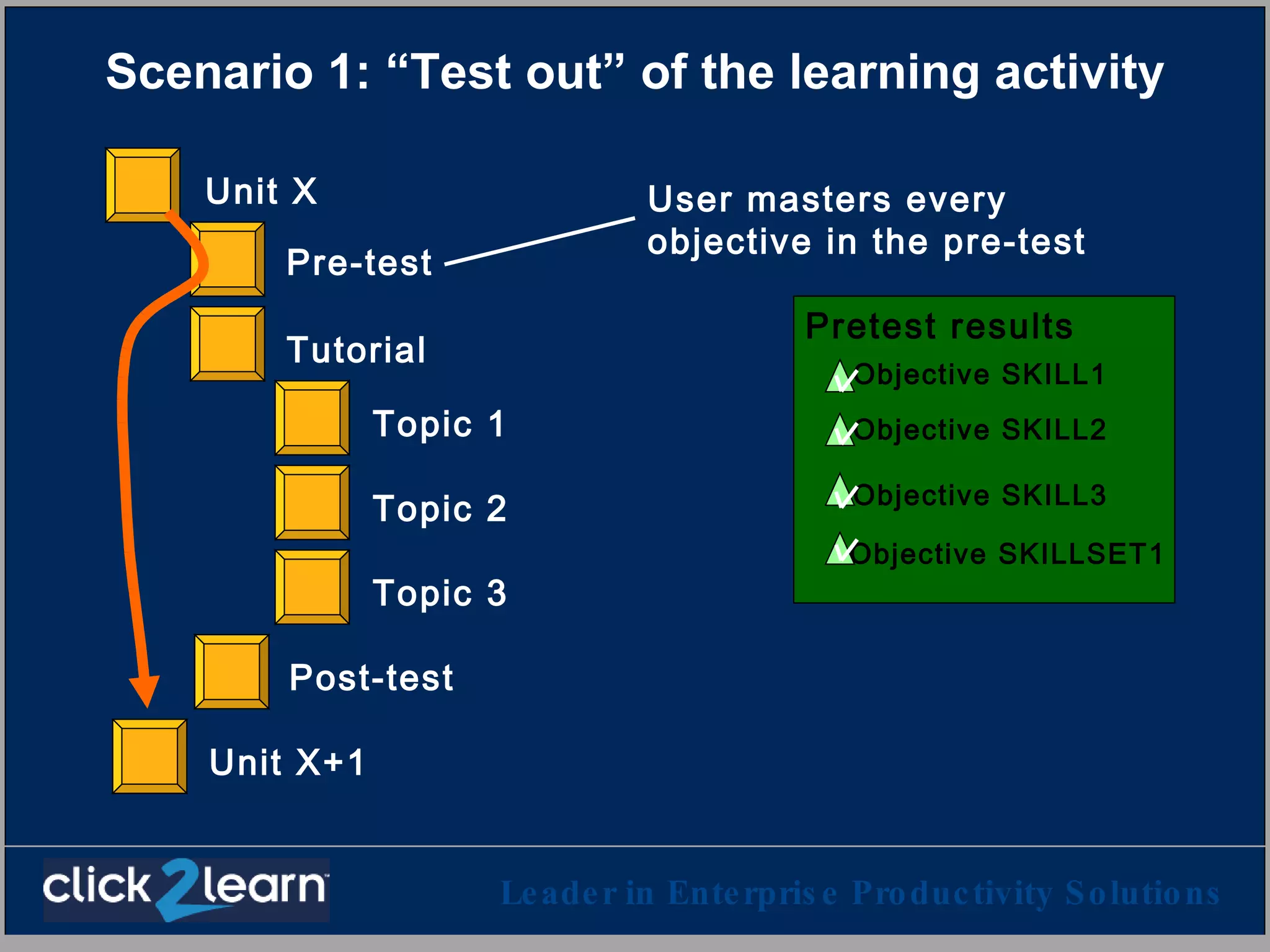
Scenario 1: “Test out” of the learning activity Pre-test Topic 1 Topic 2 Topic 3 Post-test Tutorial Unit X Unit X+1 User masters every objective in the pre-test Objective SKILL1 Objective SKILL2 Objective SKILLSET1 Objective SKILL3 Pretest results
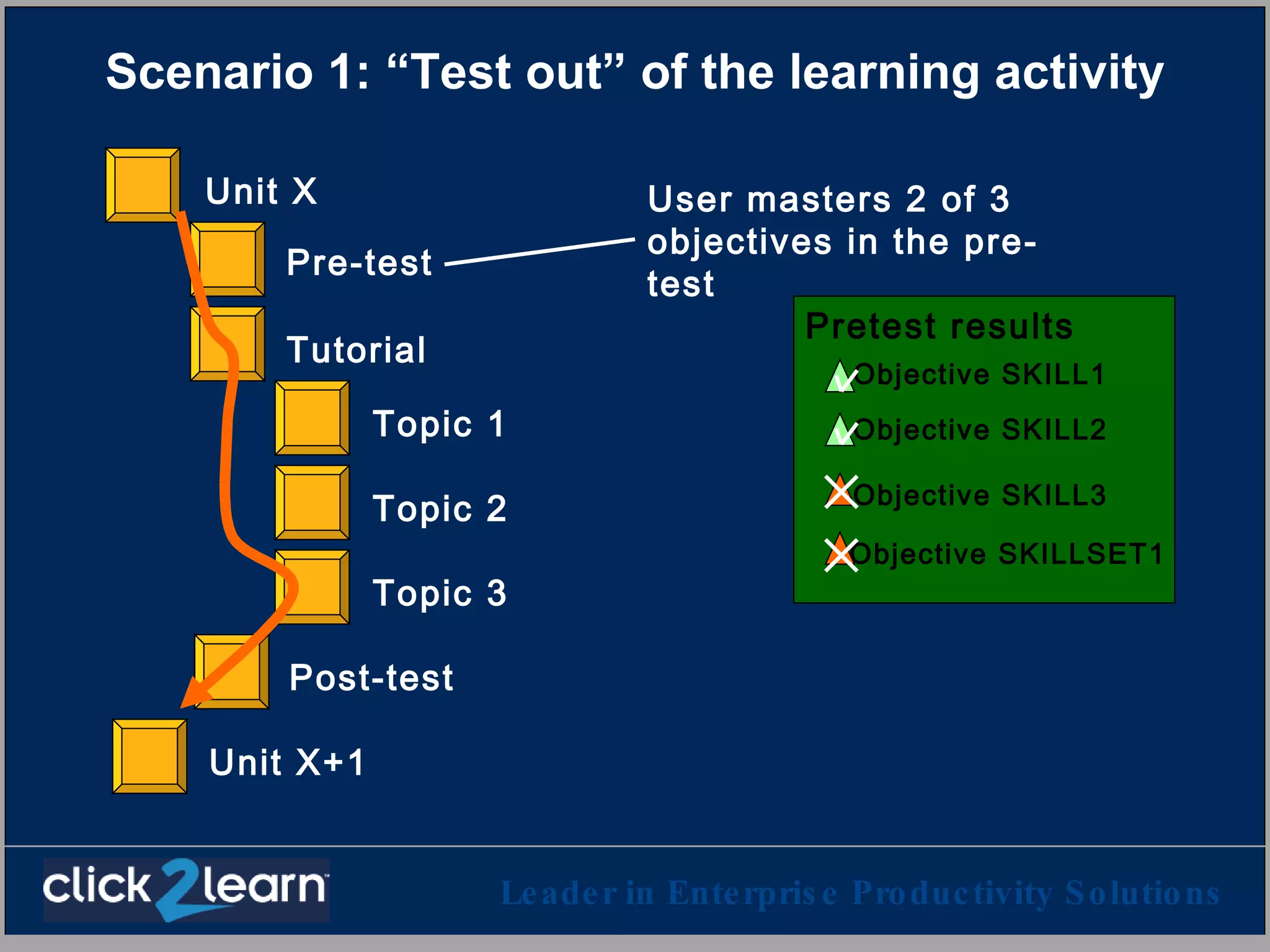
Scenario 1: “Test out” of the learning activity Pre-test Topic 1 Topic 2 Topic 3 Post-test Tutorial Unit X Unit X+1 User masters 2 of 3 objectives in the pre-test Objective SKILL1 Objective SKILL2 Pretest results Objective SKILLSET1 Objective SKILL3
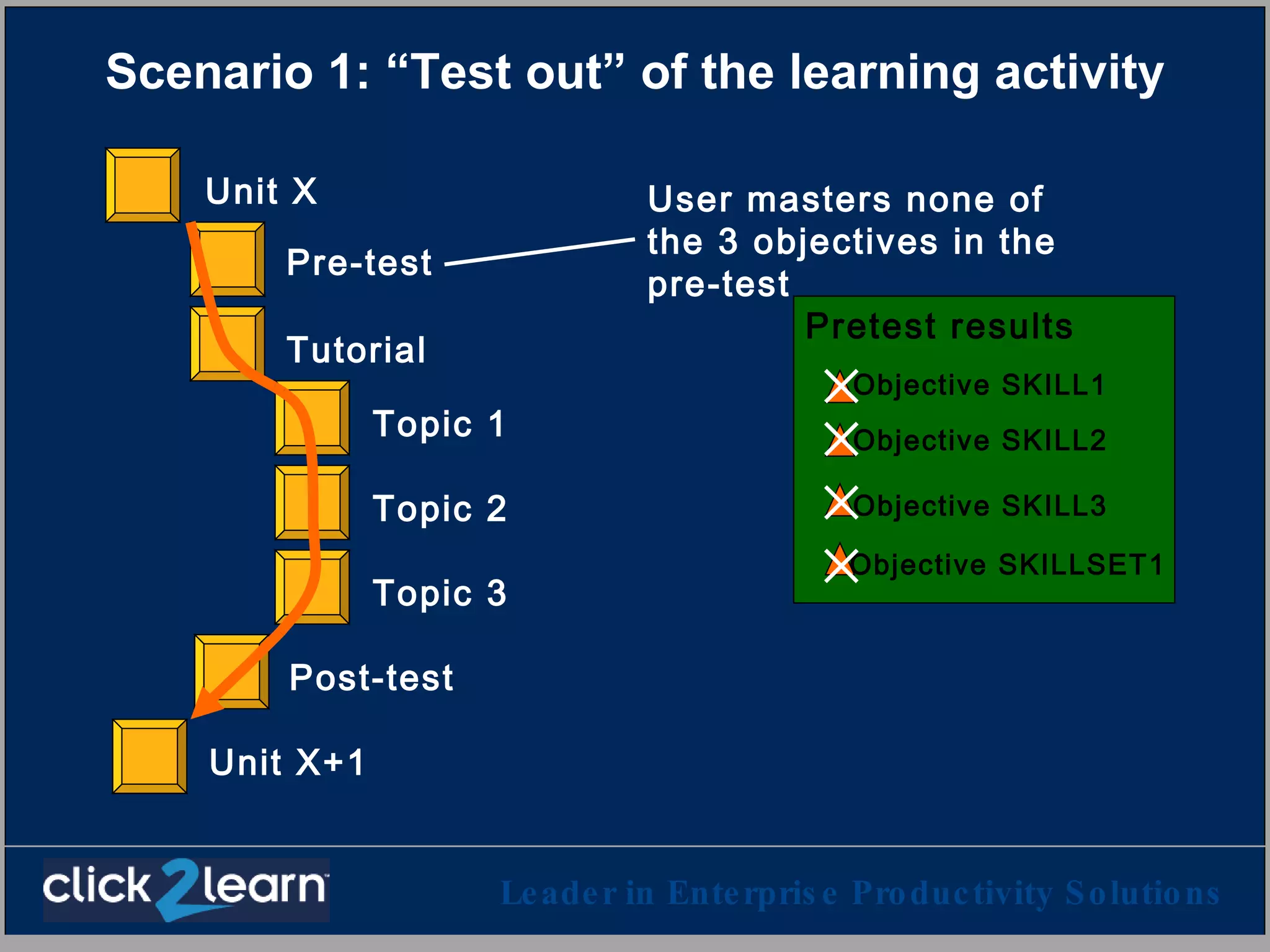
Scenario 1: “Test out” of the learning activity Pre-test Topic 1 Topic 2 Topic 3 Post-test Tutorial Unit X Unit X+1 User masters none of the 3 objectives in the pre-test Pretest results Objective SKILL1 Objective SKILL2 Objective SKILLSET1 Objective SKILL3
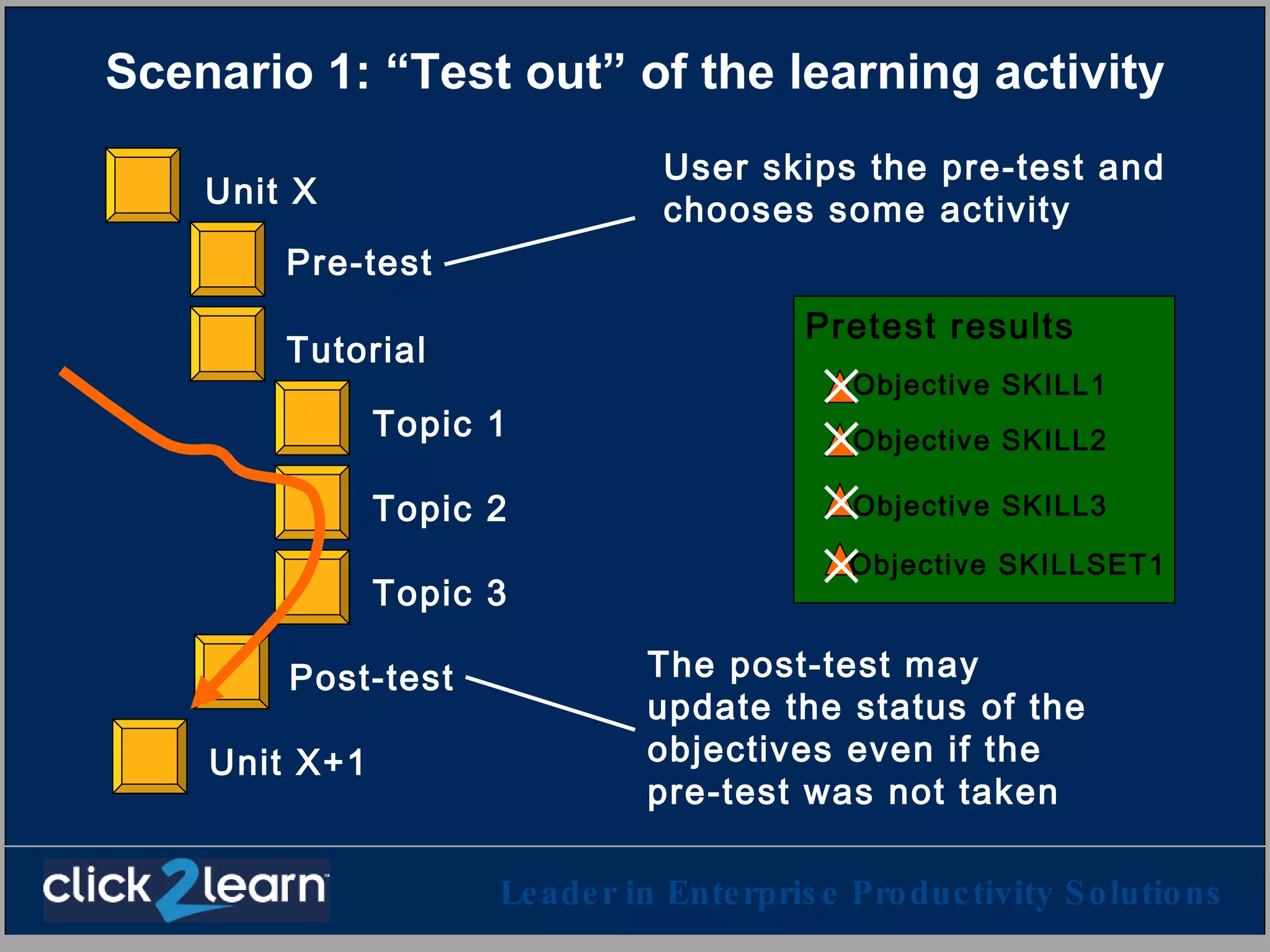
Scenario 1: “Test out” of the learning activity User skips the pre-test and chooses some activity Pre-test Topic 1 Topic 2 Topic 3 Post-test Tutorial Unit X Unit X+1 Pretest results Objective SKILL1 Objective SKILL2 Objective SKILLSET1 Objective SKILL3 The post-test may update the status of the objectives even if the pre-test was not taken
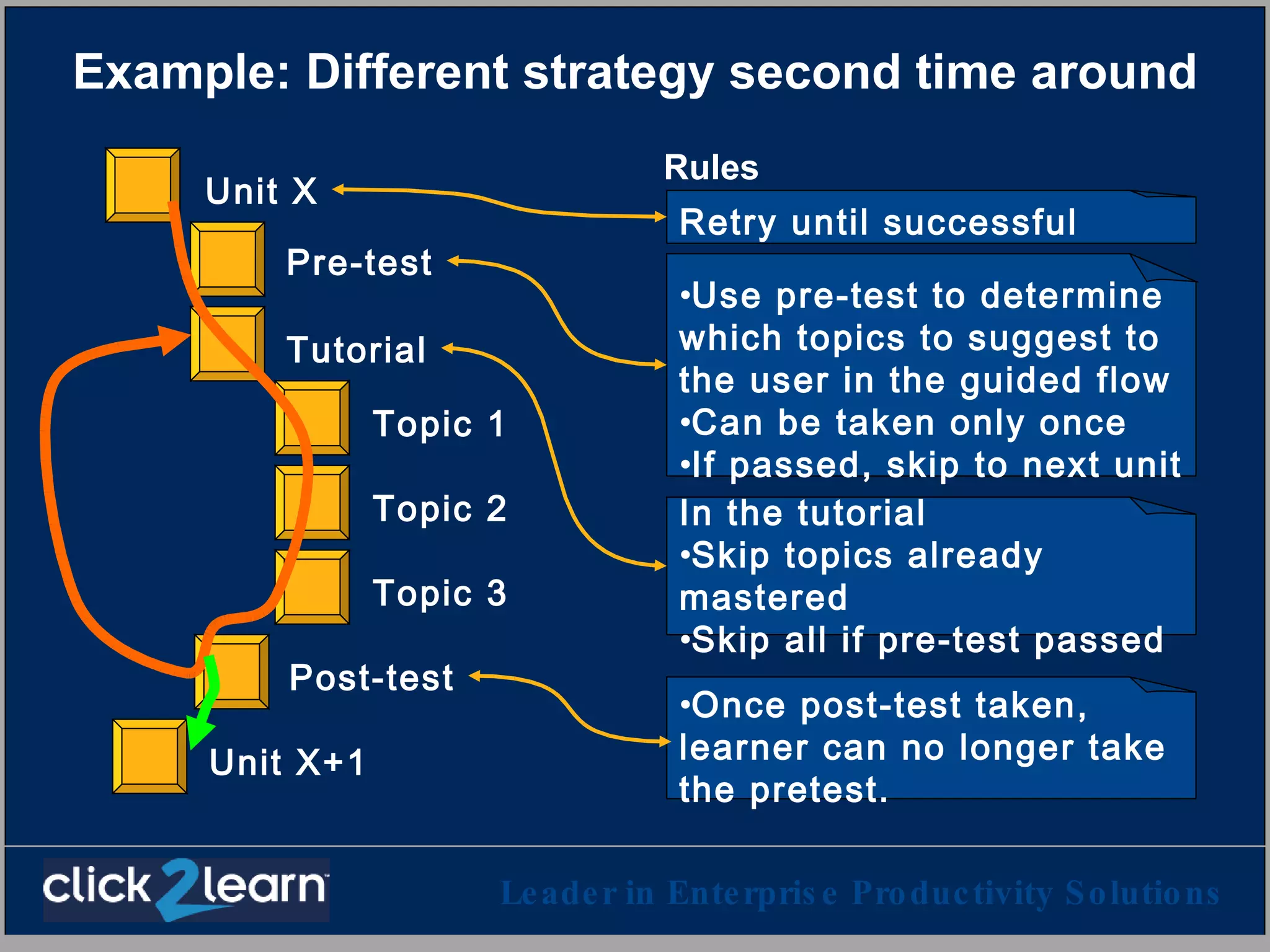
Example: Different strategy second time around Rules Pre-test Topic 1 Topic 2 Topic 3 Post-test Tutorial Unit X Unit X+1 Use pre-test to determine which topics to suggest to the user in the guided flow Can be taken only once If passed, skip to next unit Once post-test taken, learner can no longer take the pretest. In the tutorial  Skip topics already mastered Skip all if pre-test passed  Retry until successful
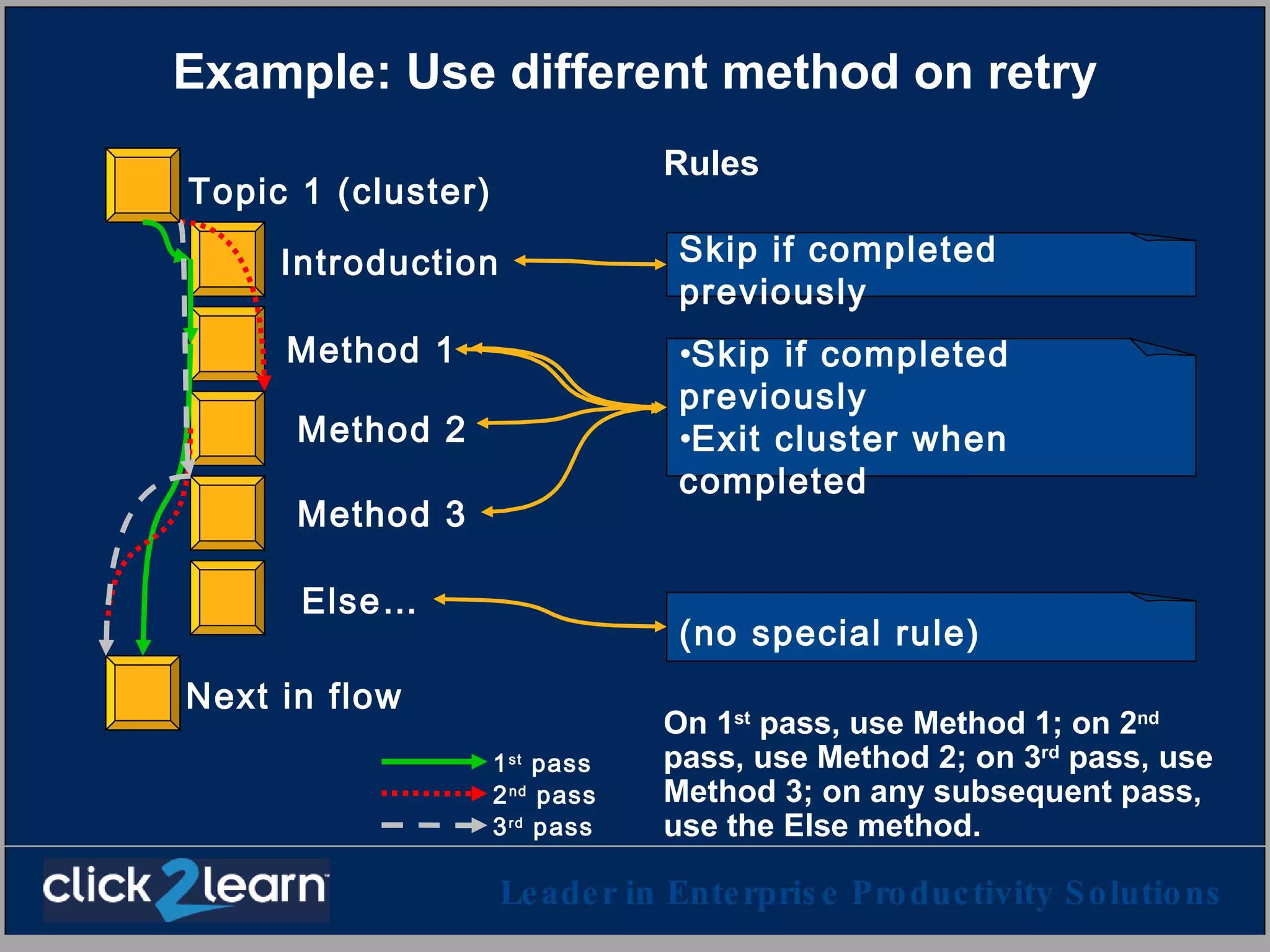
Example: Use different method on retry Rules On 1 st  pass, use Method 1; on 2 nd  pass, use Method 2; on 3 rd  pass, use Method 3; on any subsequent pass, use the Else method. Introduction Method 2 Method 3 Else… Method 1 Topic 1 (cluster) Next in flow Skip if completed previously (no special rule) Skip if completed previously Exit cluster when completed 1 st  pass 2 nd  pass 3 rd  pass
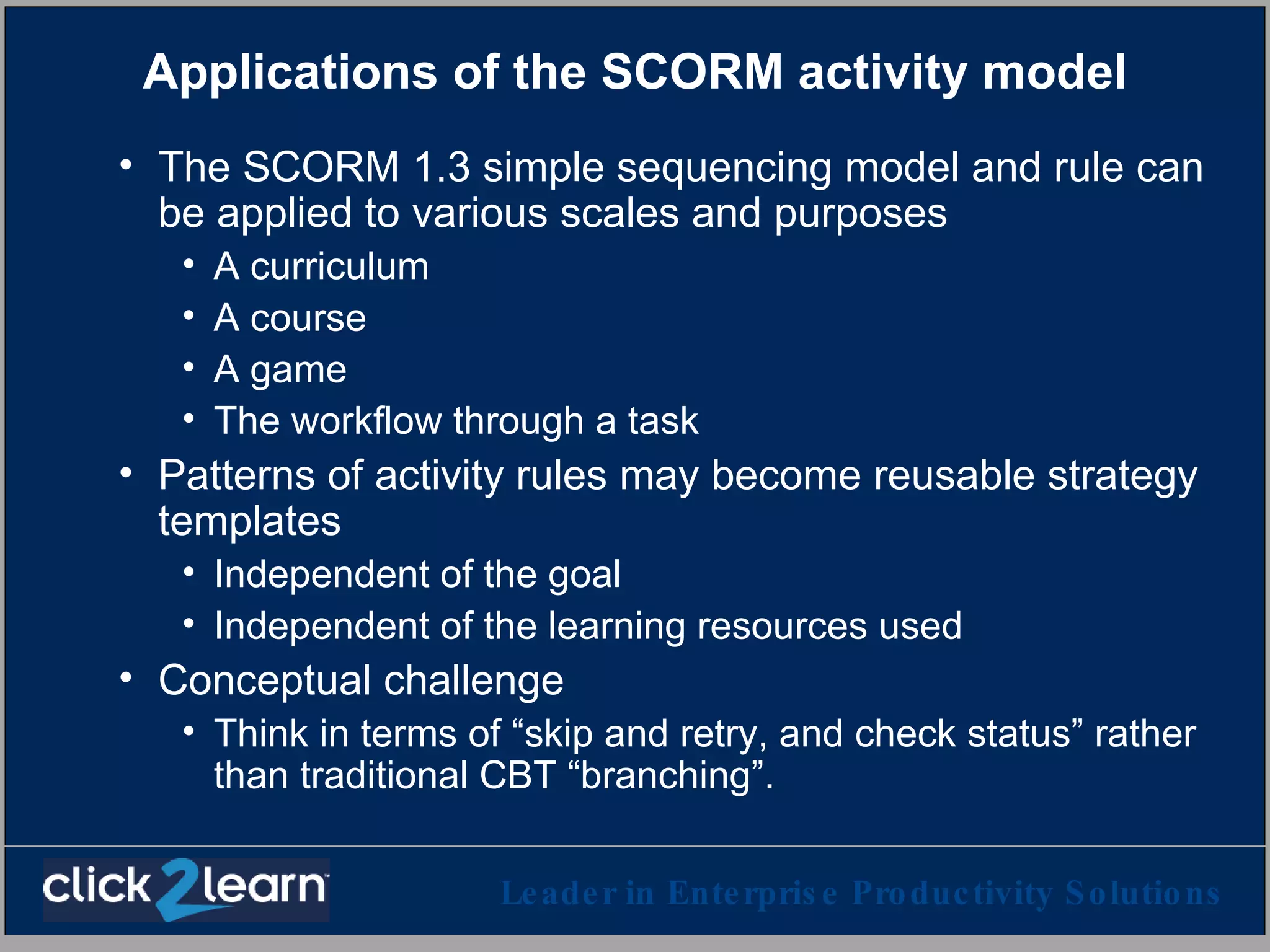
Applications of the SCORM activity model The SCORM 1.3 simple sequencing model and rule can be applied to various scales and purposes A curriculum A course A game The workflow through a task Patterns of activity rules may become reusable strategy templates Independent of the goal Independent of the learning resources used Conceptual challenge Think in terms of “skip and retry, and check status” rather than traditional CBT “branching”.
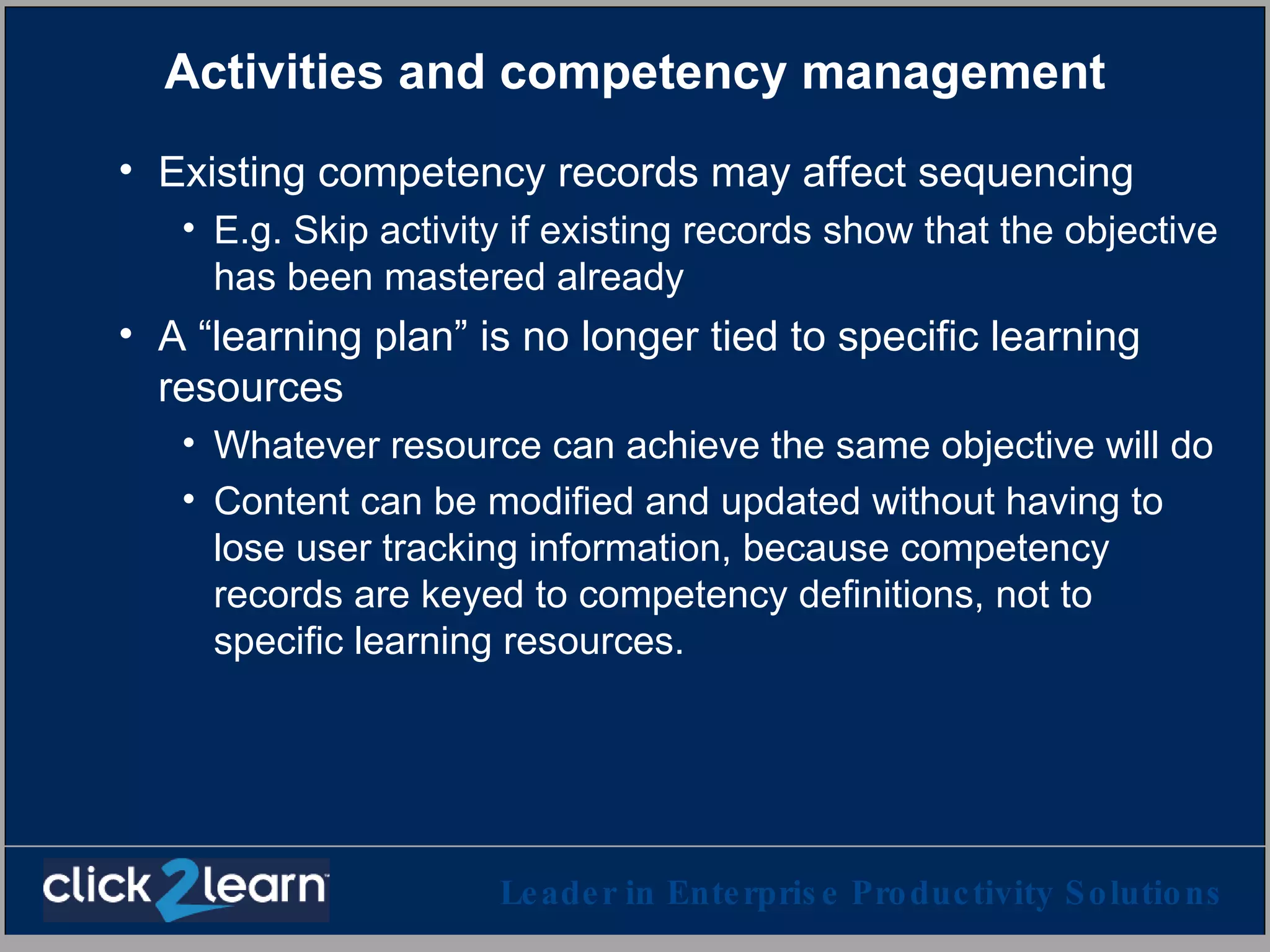
Activities and competency management Existing competency records may affect sequencing E.g. Skip activity if existing records show that the objective has been mastered already A “learning plan” is no longer tied to specific learning resources  Whatever resource can achieve the same objective will do Content can be modified and updated without having to lose user tracking information, because competency records are keyed to competency definitions, not to specific learning resources.
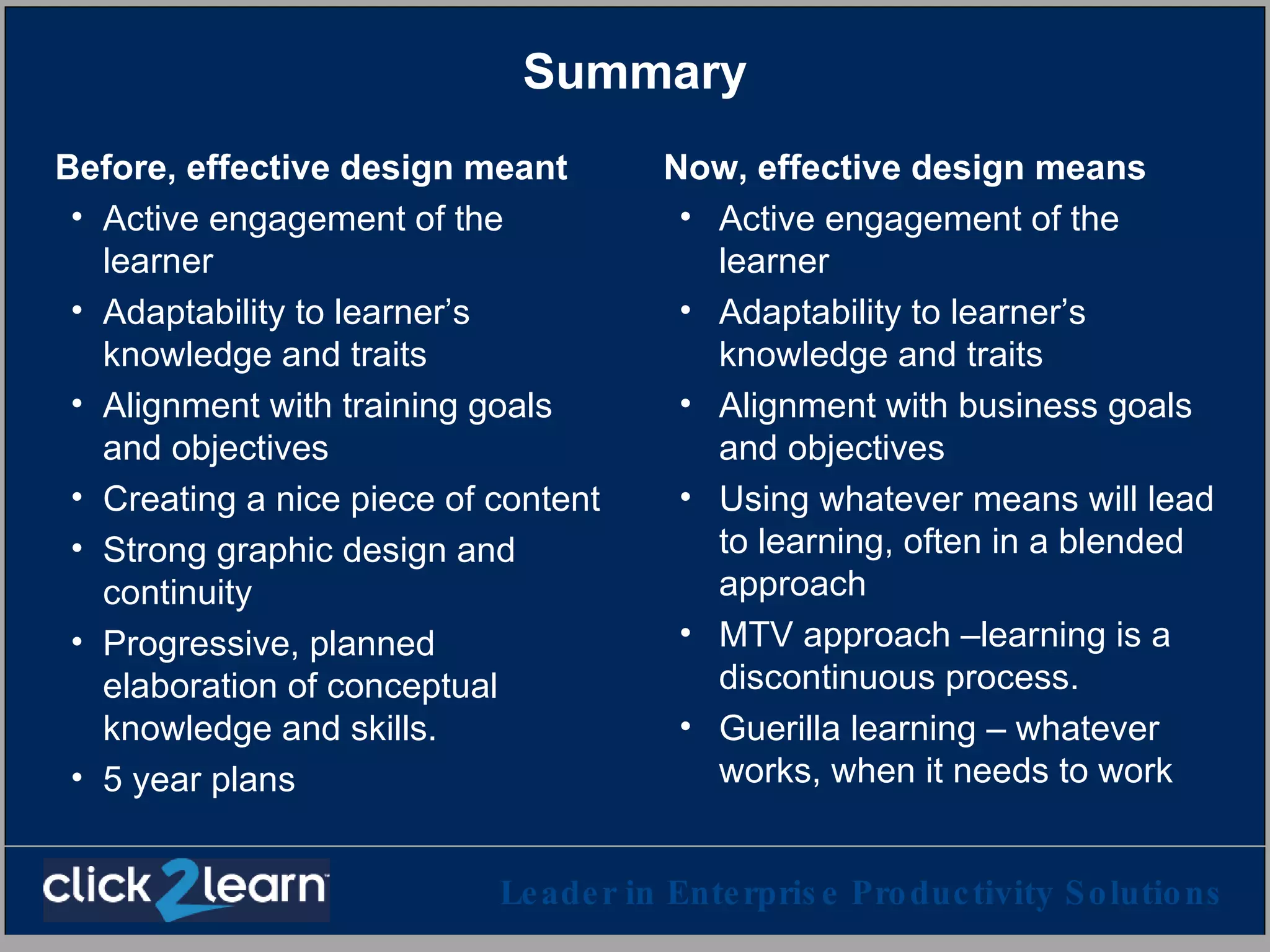
Summary Before, effective design meant Active engagement of the learner Adaptability to learner’s knowledge and traits Alignment with training goals and objectives Creating a nice piece of content Strong graphic design and continuity Progressive, planned elaboration of conceptual knowledge and skills. 5 year plans Now, effective design means Active engagement of the learner Adaptability to learner’s knowledge and traits Alignment with business goals and objectives Using whatever means will lead to learning, often in a blended approach MTV approach –learning is a discontinuous process. Guerilla learning – whatever works, when it needs to work
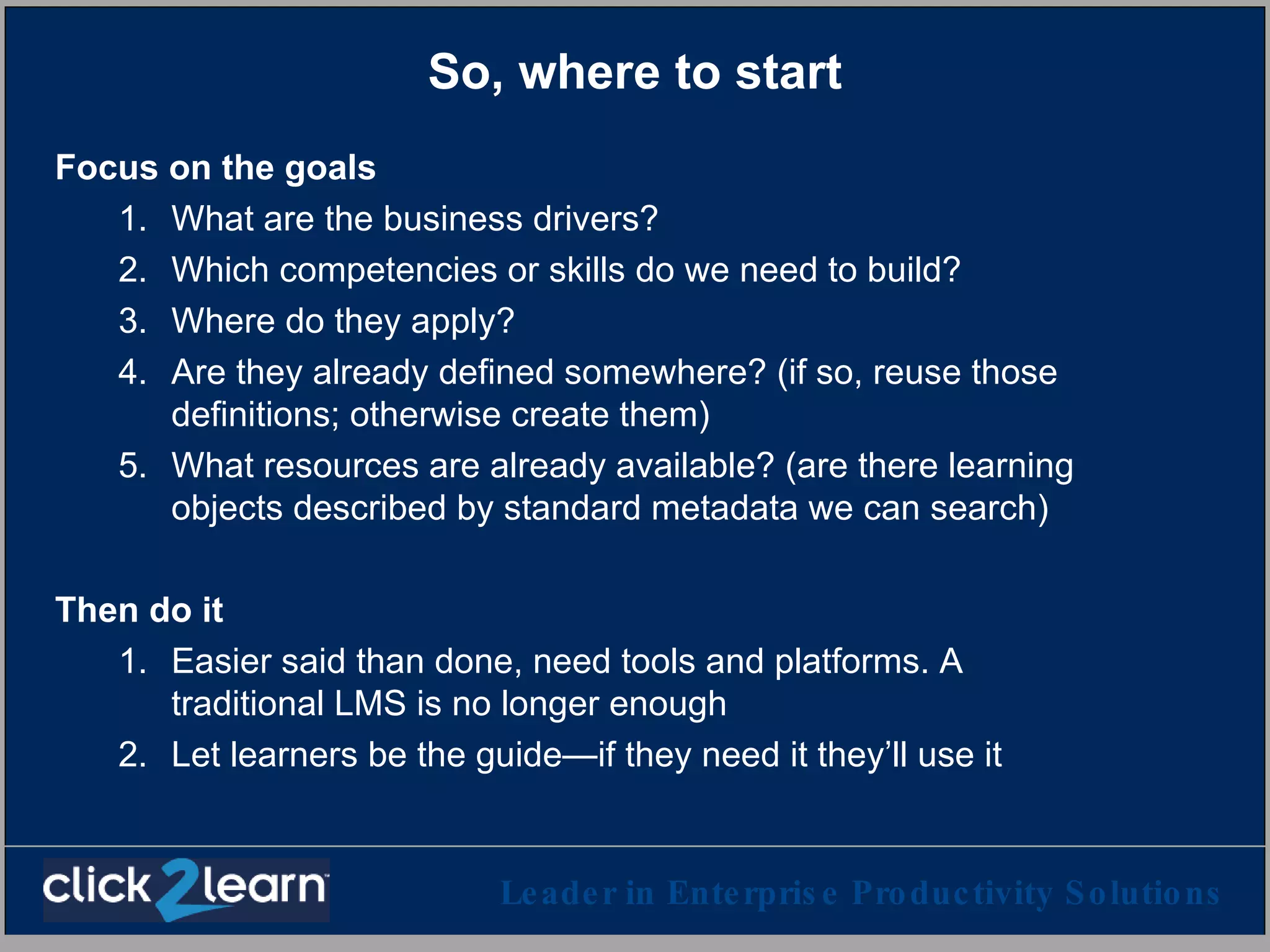
So, where to start Focus on the goals What are the business drivers? Which competencies or skills do we need to build? Where do they apply? Are they already defined somewhere? (if so, reuse those definitions; otherwise create them) What resources are already available? (are there learning objects described by standard metadata we can search) Then do it Easier said than done, need tools and platforms. A traditional LMS is no longer enough Let learners be the guide—if they need it they’ll use it
Thank you [email_address] (See next slide for some acronyms, buzzword definitions and links)
Acronyms and buzzwords SCORM (explained in this presentation) AICC – Aviation Industry CBT Committee  ( http://www.aicc.org )  One of the first organizations that published CBT technology standards for the aviation industry. SCORM is based in part on some elements of an AICC specification. IMS – IMS Global Learning Consortium  ( http://imsglobal.org )   Consortium of higher education, industry and government organizations to develop E-learning standards. SCORM is based in part on IMS specifications. IEEE LTSC --  Learning Technology Standards Committee of the International Electrical and Electronic Engineers standards association. ( http://ltsc.ieee.org ) An international accredited standards organization. SCORM is based in part on IEEE standards and drafts. ISD – Instructional System Design A methodology that was developed a few decades ago large size military and industrial instructional design and training deployment, to try to guarantee that a standard process is followed and documented. Hotly debated for years. HR-XML Consortium ( http://hr-xml.org )  A consortium of corporations and HR services vendors, that specified XML schemas for exchange and storage of HR information

Online learning in the age of scorm

  • 1.
    Online Learning inthe Age of SCORM Claude Ostyn Learning Standards Strategist Aspen | ToolBook | Consulting | Implementation | Solutions September 23, 2003 Leader in Enterprise Productivity Solutions
  • 2.
    Synopsis This presentationwas designed to achieve the following objectives: Provide a synopsis of SCORM 1.2 and 1.3 Provide a synopsis of Reusable Competency Definitions Describe some of the ways SCORM and Reusable Competency Definitions affect instructional design Explore one or more simple sequencing scenarios Relate sequencing and competency management Copyright © 2003 Click2learn, Inc. – All rights reserved
  • 3.
    Not the 20th Century E-learning anymore The push model
  • 4.
    Not the 20th Century E-learning anymore ISD
  • 5.
    This is notyour parent’s E-learning anymore Working = Learning
  • 6.
    Working = Learning= Working = Learning
  • 7.
    Evolution From Focus on Instruction To Focus on Outcomes From Know it all To Just in time From CBT To Blended learning From Individual pedagogy To Social pedagogy From Lone Learner To Learning together From e-learning To Learning
  • 8.
    Is there stilla place for ISD? Yesterday’s model
  • 9.
    Is there stilla place for ISD? Yesterday’s model Today’s model Start Here
  • 10.
    Is there stilla place for ISD? Yesterday’s model Today’s model
  • 11.
  • 12.
    Where can learningtechnology standards help? To design and implement: Competency requirements Adaptive instructional strategies Flexible and reconfigurable Content gathering automation Content reuse, cannibalization Quick deployment, regardless of platforms Accessibility, ADA compliance Assessment data collection Reusable Competency Definitions Simple sequencing, SCORM 1.3 SCORM IEEE Metadata, SCORM metadata SCORM SCORM, IEEE API IMS Accessibility profiles IEEE content object communication
  • 13.
    A closer lookat two standards initiatives Which Reusable Competency Definitions (RDCEO) SCORM Point of view How they can impact learning
  • 14.
    General competency dataframework Competency data may include Reusable (generic) definition of the competency Evidence of competency (e.g. result of assessment) Context within which the competency is defined, or that defines the competency (e.g. social or work context) Dimensions (e.g. proficiency on a scale, duration of a certification) Context Definition Evidence Dimensions
  • 15.
    Reusable Competency DefinitionReusable For different people In different contexts With different evidence With different metrics Example “Can diagnose a fault in a Cat5 network cable”
  • 16.
    For example X001is the identifier of a competency definition Here is an activity designed to learn X001 Here is a learning object designed to learn X001 Here is a different learning object designed to learn X001; this one is a video clip Here is someone who is an expert resource on X001 Here is a learning object designed to practice X001 Here is an assessment designed to test X001 Here is some evidence that Ann knows how to do X001 Here is some evidence that Joe was assessed on X001, using instrument XYZ on June 2, 2003, with a 72% score
  • 17.
    Application example ContextSkill gap analysis Definitions Evidence Dimensions Dimensions Unique identifiers of competency definitions, regardless of the content of the definition, can be used as “currency” in learning system operations. System view = “This learner needs A, B, and Q but not P” Human view = Understand what is defined by A, B, Q, P, etc.
  • 18.
    SCORM S hareable C ontent O bject R eference M odel Advanced Distributed Learning initiative Dept. of Defense, Dept. of Labor, Industry, Education Initial focus: Distributed learning accessible through a web browser Deliver and track through any LMS, any browser, anywhere
  • 19.
    SCORM S hareable C ontent O bject R eference M odel Advanced Distributed Learning initiative Dept. of Defense, Dept. of Labor, Industry, Education Initial focus: Distributed learning accessible through a web browser Deliver and track through any LMS, any browser, anywhere SCORM 1.2 How to package content to make it portable Metadata (information about it) How a LMS launches the content in a browser How content communicates with the LMS What is being communicated
  • 20.
    SCORM works today Adopted by all major LMS & LCMS vendors Used by Fortune 1000 enterprises Mandated by DoD, other federal agencies Content vendors are slower to adopt Time to deploy content Before SCORM: Weeks, months… With SCORM: Seconds, minutes… Cost of content integration Before SCORM with SCORM
  • 21.
    SCORM 1.2 –Instructional design perspective Advantages Reusable content objects The learner chooses Flexible aggregation model Use your favorite nomenclature Shortened timeline allow more timely content Broader deployment options and better longevity allow better ROI for desirable but expensive content (e.g. simulations) No restriction on pedagogical approach Limitations No sequencing between content objects – the learner chooses No guided learning Adaptive learning strategies must be built inside the content objects No standard for collaborative learning Some tools are only beginning to catch up
  • 22.
    SCORM evolves SCORM1.3 Focus on activities that use content, rather than content as such Sequencing of activities Adaptive sequencing options Expected final version: Late 2003 SCORM 1.2 How to package content to make it portable Metadata (information about it) How a LMS launches the content in a browser How the content communicates with the LMS What is being communicated In use today
  • 23.
    SCORM 1.3 –Instructional design perspective Advantages Advantages of SCORM 1.2 Designer can choose to sequence the activities that use the content objects Sequencing rules based on success and/or completion Supports tracking & assessment of competencies Can mix guided learning with discovery and free play Adaptive learning strategies can be defined for all levels of the activity tree Allows visual continuity Limitations Collaborative learning is out of scope No support for interacting with “persistent” simulations (but it’s in the works) High level design and authoring tools to really take advantage of SCORM 1.3 will take a while to appear Main problem: Failure of imagination
  • 24.
    For example Thefollowing slides illustrate some simple sequencing scenarios in SCORM 1.3 Except as otherwise noted, these scenarios are not supported by SCORM 1.2, but must be supported by every SCORM 1.3 conformant player. This functionality is defined in the current SCORM 1.3 draft and is stable. Other aspects of the SCORM 1.3 draft are subject to change before the final version is released.
  • 25.
    A designed learningactivity “cluster” Pre-test Topic 1 Topic 2 Topic 3 Post-test Tutorial Unit X Unit X+1
  • 26.
    Activities associated tocompetency definitions Pre-test Topic 1 Topic 2 Topic 3 Post-test Tutorial Unit X Unit X+1 Relevant for: SKILLSET1 also SKILL1, SKILL2, SKILL3 Relevant for: SKILLSET1 also SKILL1, SKILL2, SKILL3 Relevant for: SKILL1 Relevant for: SKILL2 Relevant for: SKILL3 Relevant for: SKILLSET1 also SKILL1, SKILL2, SKILL3 Note: SCORM 1.3 does not specify or require the use of competency definitions, but it dovetails neatly with that specification by allowing you to associate custom objective identifiers with one or more activities.
  • 27.
    Resource association Each“leaf” activity (activity that does not have sub-activities) typically uses a learning resource: Content, assessment, ILT course, … In SCORM 1.2, the user can choose any activity in any order. SCORM assumes that every leaf activity uses a resource accessible through a web server. Pre-test Topic 1 Topic 2 Topic 3 Post-test Tutorial Unit X Unit X+1
  • 28.
    Navigation mode: ChoiceThe learner can choose any activity, in any order. This is the only navigation mode that can be assumed in SCORM 1.2 Pre-test Topic 1 Topic 2 Topic 3 Post-test Tutorial Unit X Unit X+1
  • 29.
    Navigation mode: Guidedflow The designer enables the “flow” mode. This guides the learner through each activity in a predictable sequence. Pre-test Topic 1 Topic 2 Topic 3 Post-test Tutorial Unit X Unit X+1
  • 30.
    Navigation mode: Choice+ Flow The learner can choose any activity, in any order. The learner can also follow the guided flow. For example, just clicking a “Continue” button will go to the next activity in the flow. Two different learning styles can be accommodated by this simple combination. Field independent learners do not want to follow a flow, but field dependent learners tend to use the guided flow. Pre-test Topic 1 Topic 2 Topic 3 Post-test Tutorial Unit X Unit X+1
  • 31.
    The design mayalso embed rules Rules Pre-test Topic 1 Topic 2 Topic 3 Post-test Tutorial Unit X Unit X+1 Use pre-test to determine which topics to suggest to the user in the guided flow Can be taken only once If passed, skip to next unit Once post-test taken, learner can no longer take the pretest. In the tutorial Skip topics already mastered Skip all if pre-test passed Retry until successful
  • 32.
    Tracking data modelfor each activity Success Successful? How successful? (“score”) Applies to activity objective. The objective can be implicit or explicit (e.g. reference to a reusable competency definition) Completion Completed?
  • 33.
    Example: Learner tries,fails, tries again Rules Pre-test Topic 1 Topic 2 Topic 3 Post-test Tutorial Unit X Unit X+1 Use pre-test to determine which topics to suggest to the user in the guided flow Can be taken only once If passed, skip to next unit Once post-test taken, learner can no longer take the pretest. In the tutorial Skip topics already mastered Skip all if pre-test passed Retry until successful
  • 34.
    Scenario 1: “Testout” of the learning activity Pre-test Topic 1 Topic 2 Topic 3 Post-test Tutorial Unit X Unit X+1 User masters every objective in the pre-test Objective SKILL1 Objective SKILL2 Objective SKILLSET1 Objective SKILL3 Pretest results
  • 35.
    Scenario 1: “Testout” of the learning activity Pre-test Topic 1 Topic 2 Topic 3 Post-test Tutorial Unit X Unit X+1 User masters 2 of 3 objectives in the pre-test Objective SKILL1 Objective SKILL2 Pretest results Objective SKILLSET1 Objective SKILL3
  • 36.
    Scenario 1: “Testout” of the learning activity Pre-test Topic 1 Topic 2 Topic 3 Post-test Tutorial Unit X Unit X+1 User masters none of the 3 objectives in the pre-test Pretest results Objective SKILL1 Objective SKILL2 Objective SKILLSET1 Objective SKILL3
  • 37.
    Scenario 1: “Testout” of the learning activity User skips the pre-test and chooses some activity Pre-test Topic 1 Topic 2 Topic 3 Post-test Tutorial Unit X Unit X+1 Pretest results Objective SKILL1 Objective SKILL2 Objective SKILLSET1 Objective SKILL3 The post-test may update the status of the objectives even if the pre-test was not taken
  • 38.
    Example: Different strategysecond time around Rules Pre-test Topic 1 Topic 2 Topic 3 Post-test Tutorial Unit X Unit X+1 Use pre-test to determine which topics to suggest to the user in the guided flow Can be taken only once If passed, skip to next unit Once post-test taken, learner can no longer take the pretest. In the tutorial Skip topics already mastered Skip all if pre-test passed Retry until successful
  • 39.
    Example: Use differentmethod on retry Rules On 1 st pass, use Method 1; on 2 nd pass, use Method 2; on 3 rd pass, use Method 3; on any subsequent pass, use the Else method. Introduction Method 2 Method 3 Else… Method 1 Topic 1 (cluster) Next in flow Skip if completed previously (no special rule) Skip if completed previously Exit cluster when completed 1 st pass 2 nd pass 3 rd pass
  • 40.
    Applications of theSCORM activity model The SCORM 1.3 simple sequencing model and rule can be applied to various scales and purposes A curriculum A course A game The workflow through a task Patterns of activity rules may become reusable strategy templates Independent of the goal Independent of the learning resources used Conceptual challenge Think in terms of “skip and retry, and check status” rather than traditional CBT “branching”.
  • 41.
    Activities and competencymanagement Existing competency records may affect sequencing E.g. Skip activity if existing records show that the objective has been mastered already A “learning plan” is no longer tied to specific learning resources Whatever resource can achieve the same objective will do Content can be modified and updated without having to lose user tracking information, because competency records are keyed to competency definitions, not to specific learning resources.
  • 42.
    Summary Before, effectivedesign meant Active engagement of the learner Adaptability to learner’s knowledge and traits Alignment with training goals and objectives Creating a nice piece of content Strong graphic design and continuity Progressive, planned elaboration of conceptual knowledge and skills. 5 year plans Now, effective design means Active engagement of the learner Adaptability to learner’s knowledge and traits Alignment with business goals and objectives Using whatever means will lead to learning, often in a blended approach MTV approach –learning is a discontinuous process. Guerilla learning – whatever works, when it needs to work
  • 43.
    So, where tostart Focus on the goals What are the business drivers? Which competencies or skills do we need to build? Where do they apply? Are they already defined somewhere? (if so, reuse those definitions; otherwise create them) What resources are already available? (are there learning objects described by standard metadata we can search) Then do it Easier said than done, need tools and platforms. A traditional LMS is no longer enough Let learners be the guide—if they need it they’ll use it
  • 44.
    Thank you [email_address](See next slide for some acronyms, buzzword definitions and links)
  • 45.
    Acronyms and buzzwordsSCORM (explained in this presentation) AICC – Aviation Industry CBT Committee ( http://www.aicc.org ) One of the first organizations that published CBT technology standards for the aviation industry. SCORM is based in part on some elements of an AICC specification. IMS – IMS Global Learning Consortium ( http://imsglobal.org ) Consortium of higher education, industry and government organizations to develop E-learning standards. SCORM is based in part on IMS specifications. IEEE LTSC -- Learning Technology Standards Committee of the International Electrical and Electronic Engineers standards association. ( http://ltsc.ieee.org ) An international accredited standards organization. SCORM is based in part on IEEE standards and drafts. ISD – Instructional System Design A methodology that was developed a few decades ago large size military and industrial instructional design and training deployment, to try to guarantee that a standard process is followed and documented. Hotly debated for years. HR-XML Consortium ( http://hr-xml.org ) A consortium of corporations and HR services vendors, that specified XML schemas for exchange and storage of HR information