By Linda Foulkes
Encouraged teacher buy-in
Students pushed the need for interaction and problem solving through technology
Had impact on student participation including them in learning and BYOD decisions
Stimulated the use of Microsoft Technologies and software students/teachers did not
explore before
Equipping students with skills to be life long learners and ready for the workplace
Using OneNote as a training tool for content for the Microsoft Office Specialist
Certification – students used this more than a courseware CD or book
Subject related material using technology excited the learning process
Access to tutorials or explanations by teachers when a student was absent.
Quicker response to problem solving and examples
Lighter load in terms of strain of carrying school bag full of books
Encouraged note taking in class on device using OneNote
Encouraged group workshops and cross curriculum planning
and many more benefits…
LA
 ACCESSIBLE and SHAREABLE in our BYOD environment
anywhere, anytime, any LA
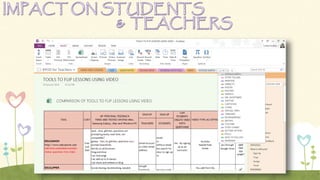
 I compiled research notebook on 21st century integration tools
for teachers and students [shared OFFLINE or ONLINE].
 SIMPLICITY of making CHANGES to shared resources and SYNC
to all my devices and to my shared community. [Western Cape Teachers, extending
beyond my school – TeachMeets, Conferences, Engagement].
 Shared study notes, create and share subject content and textbooks created by
student or teacher with the ability to update, revisit, enhance class material from year
to year moving forward with current educational trends and the way in which our youth
want to learn.
 LINKING and TAGGING within ONENOTE and other MS Products [Linking to any
resource outside of OneNote, inking, drawing, video, audio, tagging]
 ONETASTIC CALENDAR – teachers could see updated / new content at a glance.SHARE MOTIVATE
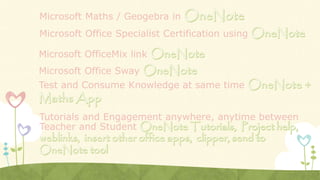
Microsoft Maths / Geogebra in
Microsoft OfficeMix link
Microsoft Office Sway
Test and Consume Knowledge at same time
Microsoft Office Specialist Certification using
Tutorials and Engagement anywhere, anytime between
Teacher and Student
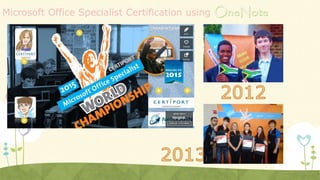
Microsoft Office Specialist Certification using
My
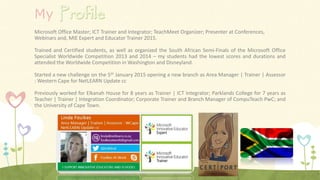
Microsoft Office Master; ICT Trainer and Integrator; TeachMeet Organizer; Presenter at Conferences,
Webinars and, MIE Expert and Educator Trainer 2015.
Trained and Certified students, as well as organized the South African Semi-Finals of the Microsoft Office
Specialist Worldwide Competition 2013 and 2014 – my students had the lowest scores and durations and
attended the Worldwide Competition in Washington and Disneyland.
Started a new challenge on the 5th January 2015 opening a new branch as Area Manager | Trainer | Assessor
: Western Cape for NetLEARN Update cc
Previously worked for Elkanah House for 8 years as Trainer | ICT Integrator; Parklands College for 7 years as
Teacher | Trainer | Integration Coordinator; Corporate Trainer and Branch Manager of CompuTeach PwC; and
the University of Cape Town.

OneNote TeachMeet Presentation

  • 1.
  • 3.
    Encouraged teacher buy-in Studentspushed the need for interaction and problem solving through technology Had impact on student participation including them in learning and BYOD decisions Stimulated the use of Microsoft Technologies and software students/teachers did not explore before Equipping students with skills to be life long learners and ready for the workplace Using OneNote as a training tool for content for the Microsoft Office Specialist Certification – students used this more than a courseware CD or book Subject related material using technology excited the learning process Access to tutorials or explanations by teachers when a student was absent. Quicker response to problem solving and examples Lighter load in terms of strain of carrying school bag full of books Encouraged note taking in class on device using OneNote Encouraged group workshops and cross curriculum planning and many more benefits…
  • 4.
    LA  ACCESSIBLE andSHAREABLE in our BYOD environment anywhere, anytime, any LA  I compiled research notebook on 21st century integration tools for teachers and students [shared OFFLINE or ONLINE].  SIMPLICITY of making CHANGES to shared resources and SYNC to all my devices and to my shared community. [Western Cape Teachers, extending beyond my school – TeachMeets, Conferences, Engagement].  Shared study notes, create and share subject content and textbooks created by student or teacher with the ability to update, revisit, enhance class material from year to year moving forward with current educational trends and the way in which our youth want to learn.  LINKING and TAGGING within ONENOTE and other MS Products [Linking to any resource outside of OneNote, inking, drawing, video, audio, tagging]  ONETASTIC CALENDAR – teachers could see updated / new content at a glance.SHARE MOTIVATE
  • 5.
    Microsoft Maths /Geogebra in Microsoft OfficeMix link Microsoft Office Sway Test and Consume Knowledge at same time Microsoft Office Specialist Certification using Tutorials and Engagement anywhere, anytime between Teacher and Student
  • 6.
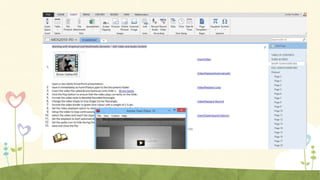
    Microsoft Office SpecialistCertification using
  • 8.
    Microsoft Office SpecialistCertification using
  • 9.
    My Microsoft Office Master;ICT Trainer and Integrator; TeachMeet Organizer; Presenter at Conferences, Webinars and, MIE Expert and Educator Trainer 2015. Trained and Certified students, as well as organized the South African Semi-Finals of the Microsoft Office Specialist Worldwide Competition 2013 and 2014 – my students had the lowest scores and durations and attended the Worldwide Competition in Washington and Disneyland. Started a new challenge on the 5th January 2015 opening a new branch as Area Manager | Trainer | Assessor : Western Cape for NetLEARN Update cc Previously worked for Elkanah House for 8 years as Trainer | ICT Integrator; Parklands College for 7 years as Teacher | Trainer | Integration Coordinator; Corporate Trainer and Branch Manager of CompuTeach PwC; and the University of Cape Town.

Editor's Notes

  • #3 The impact my Learning Activity has on my students
  • #4 The impact my Learning Activity has on my students
  • #5 How the Learning Activity encouraged learning beyond the classroom
  • #6 The innovative use of technology in my Learning Activity
  • #7 The innovative use of technology in my Learning Activity
  • #9 The innovative use of technology in my Learning Activity