Objective-C
                          A Beginner’s Dive


Saturday, March 9, 13
I Assume

                        • A Background in Java or C++
                        • An understanding of OOP
                        • A basic understanding of C


Saturday, March 9, 13
What is Objective-C?

                        • Superset of C
                        • Smalltalk style Object-Oriented
                        • The Official Language for iOS and OS X


Saturday, March 9, 13
Cool!
                        But before we dive in...


Saturday, March 9, 13
Hello World!
                 //
                 //     main.m

                 #include <stdio.h>
                 #include <Foundation/Foundation.h>

                 int main(int argc, const char **argv)
                 {
                     NSString *message = @"Hello World!";

                        printf("%sn", [message cString]);

                        return 0;
                 }


Saturday, March 9, 13

The main() program runs.
Make a string object called message with the value “Hello World!”
Print message to the screen followed by a newline character.
End the program.
Hello World!
                        •   Objective-C String Literal

                            •   @”Hello World!”          //
                                                         //   main.m

                        •   C Function                   #include <stdio.h>
                                                         #include <Foundation/Foundation.h>


                            •   printf()                 int main(int argc, const char **argv)
                                                         {
                                                             NSString *message = @"Hello World!";


                            •   main()                        printf("%sn", [message cString]);

                                                              return 0;

                        •
                                                         }
                            Objective-C message

                            •   [message cString]


Saturday, March 9, 13

This shows that you can have C code along-side Objective-C. (well, actually, it’s visa-versa)
This shows some Objective-C @ symbol action.
This shows an Objective-C message using those fancy square brackets.
Ok.
                        Now, on to the teaching!


Saturday, March 9, 13
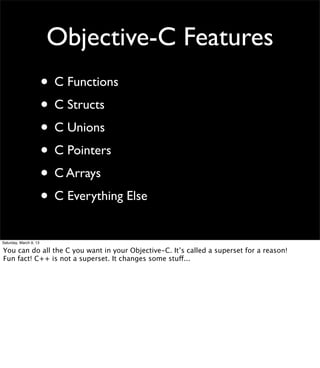
Objective-C Features
                        • C Functions
                        • C Structs
                        • C Unions
                        • C Pointers
                        • C Arrays
                        • C Everything Else
Saturday, March 9, 13

You can do all the C you want in your Objective-C. It’s called a superset for a reason!
Fun fact! C++ is not a superset. It changes some stuff...
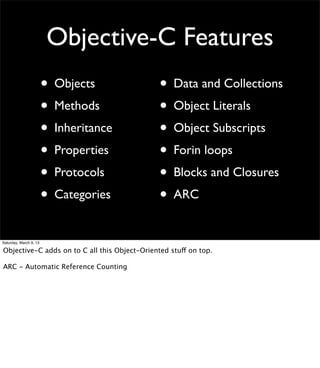
Objective-C Features
                        • Objects              • Data and Collections
                        • Methods              • Object Literals
                        • Inheritance          • Object Subscripts
                        • Properties           • Forin loops
                        • Protocols            • Blocks and Closures
                        • Categories           • ARC
Saturday, March 9, 13

Objective-C adds on to C all this Object-Oriented stuff on top.

ARC - Automatic Reference Counting
You Will Learn About

                        • Making and Using Objects
                        • Using Foundation Framework Data Types
                        • Automatic Reference Counting (ARC)


Saturday, March 9, 13
Writing Objects
                           A Quick Run-Through


Saturday, March 9, 13
Objects
                        •   Interface

                            •   like Java’s Interface, but every object has one

                            •   placed in the header file

                        •   Implementation

                            •   must fill minimum requirements of Interface

                            •   placed in the implementation file


Saturday, March 9, 13
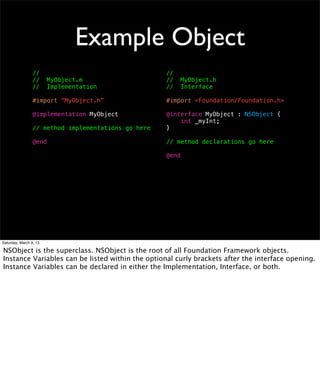
Example Object
                 //                                  //
                 //     MyObject.m                   //     MyObject.h
                 //     Implementation               //     Interface

                 #import “MyObject.h”                #import <Foundation/Foundation.h>

                 @implementation MyObject            @interface MyObject : NSObject {
                                                         int _myInt;
                 // method implementations go here   }

                 @end                                // method declarations go here

                                                     @end


Saturday, March 9, 13

NSObject is the superclass. NSObject is the root of all Foundation Framework objects.
Instance Variables can be listed within the optional curly brackets after the interface opening.
Instance Variables can be declared in either the Implementation, Interface, or both.
Objects (More Info)
                        • Objects have Instance Variables (ivars)
                        • No Class variables, use C static globals
                        • No enforced “public” and “private”
                        • Object Instances can be of type:
                         •id
                         •Class *
Saturday, March 9, 13

id is the generic object type. All objects are of type id.
If you want to be more specific, objects can be represented as pointers to their class.
Object Methods

                        • Class Method or Instance Method
                        • Variables are “named” in the method’s
                          signature (fancy word for method name)
                        • Default return and variable type is id


Saturday, March 9, 13
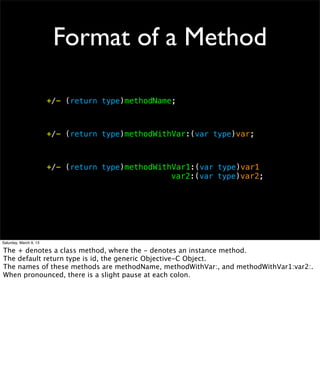
Format of a Method

                        +/- (return type)methodName;


                        +/- (return type)methodWithVar:(var type)var;


                        +/- (return type)methodWithVar1:(var type)var1
                        ! ! ! ! ! ! ! !            var2:(var type)var2;


Saturday, March 9, 13

The + denotes a class method, where the - denotes an instance method.
The default return type is id, the generic Objective-C Object.
The names of these methods are methodName, methodWithVar:, and methodWithVar1:var2:.
When pronounced, there is a slight pause at each colon.
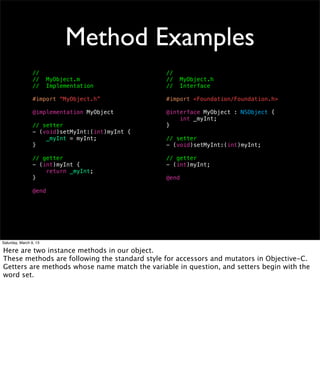
Method Examples
                 //                              //
                 //     MyObject.m               //     MyObject.h
                 //     Implementation           //     Interface

                 #import “MyObject.h”            #import <Foundation/Foundation.h>

                 @implementation MyObject        @interface MyObject : NSObject {
                                                     int _myInt;
                 // setter                       }
                 - (void)setMyInt:(int)myInt {
                     _myInt = myInt;             // setter
                 }                               - (void)setMyInt:(int)myInt;

                 // getter                       // getter
                 - (int)myInt {                  - (int)myInt;
                     return _myInt;
                 }                               @end

                 @end


Saturday, March 9, 13

Here are two instance methods in our object.
These methods are following the standard style for accessors and mutators in Objective-C.
Getters are methods whose name match the variable in question, and setters begin with the
word set.
Object Method Calling
                        • Not like C, C++, or Java
                        • Based on Smalltalk message passing
                        • The Square Brackets [] are your friend!
                          [object method];
                          [object methodWithVar:value];
                          [object methodWithVar1:val1
                          ! ! ! ! ! ! ! ! var2:val2];


Saturday, March 9, 13

If you need to make your method call multi-line, the general convention is to line up the
colons.
Xcode generally lines them up for you with the tab key.
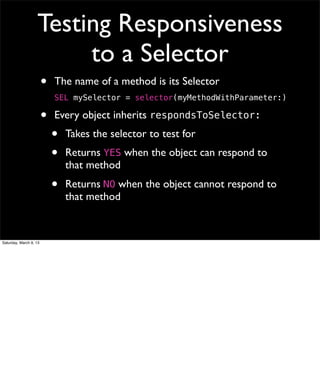
Testing Responsiveness
                        to a Selector
                        •   The name of a method is its Selector
                            SEL mySelector = selector(myMethodWithParameter:)

                        •   Every object inherits respondsToSelector:
                            •   Takes the selector to test for
                            •   Returns YES when the object can respond to
                                that method
                            •   Returns NO when the object cannot respond to
                                that method


Saturday, March 9, 13
Object Constructor

                        • Not a special method (unlike Java)
                        • Just an instance method to set up the
                          Object’s Instance Variables
                        • Generally named init


Saturday, March 9, 13
Generic Constructor

                 - (id)init {
                     if (self = [super init]) {
                         // initialize variables
                     }
                     return self;
                 }


Saturday, March 9, 13

This code calls the superclass’s init method and sets the self variable to its result.
If there is a problem in the initialization, [super init] will return 0, which would cause the if
statement to skip to the return at the bottom of the method, and the method would return 0.
Otherwise, [super init] will return the pointer to the object being initialized, which will be
assigned to self, and the if statement will execute the code within, finally returning the
pointer to self at the end of the method.
Constructor Example
                   // default constructor
                 - (id)init {
                     // calls my custom constructor
                     return [self initWithInt:0];
                 }

                 // custom constructor
                 - (id)initWithInt:(int)myInt {
                     if (self = [super init]) {
                         _myInt = myInt;
                     }
                     return self;
                 }


Saturday, March 9, 13
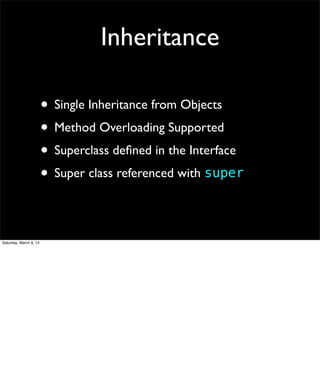
Inheritance

                        • Single Inheritance from Objects
                        • Method Overloading Supported
                        • Superclass defined in the Interface
                        • Super class referenced with super

Saturday, March 9, 13
Inheritance Example
                 //                               //
                 //     MyObject.m                //     MyObject.h
                 //     Implementation            //     Interface

                 #import “MyObject.h”             #import <Foundation/Foundation.h>

                 @implementation MyObject         @interface MyObject : NSObject {
                                                      int _myInt;
                 - (id)init {                     }
                     if (self = [super init]) {
                         _myInt = 5;              - (id)init;
                     }
                     return self;                 @end
                 }

                 @end


Saturday, March 9, 13

Here we inherit init from our superclass NSObject.
We override init with our own definition.
We then call our superclass’s implementation of init using the super keyword.
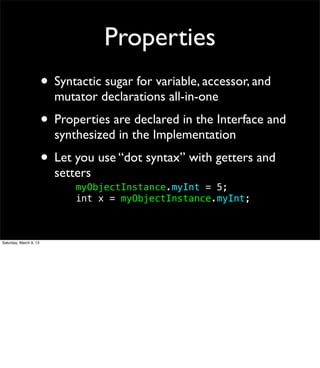
Properties
                        • Syntactic sugar for variable, accessor, and
                          mutator declarations all-in-one
                        • Properties are declared in the Interface and
                          synthesized in the Implementation
                        • Let you use “dot syntax” with getters and
                          setters
                          !   myObjectInstance.myInt = 5;
                          !   int x = myObjectInstance.myInt;


Saturday, March 9, 13
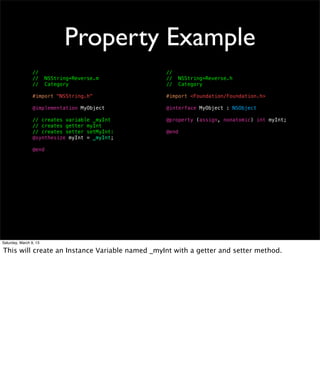
Property Example
                 //                             //
                 //     NSString+Reverse.m      //     NSString+Reverse.h
                 //     Category                //     Category

                 #import "NSString.h"           #import <Foundation/Foundation.h>

                 @implementation MyObject       @interface MyObject : NSObject

                 // creates variable _myInt     @property (assign, nonatomic) int myInt;
                 // creates getter myInt
                 // creates setter setMyInt:    @end
                 @synthesize myInt = _myInt;

                 @end


Saturday, March 9, 13

This will create an Instance Variable named _myInt with a getter and setter method.
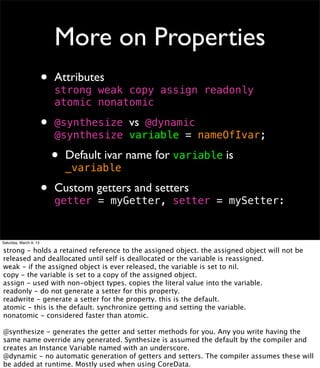
More on Properties
                        •   Attributes
                            strong weak copy assign readonly
                            atomic nonatomic

                        •   	

                            @synthesize vs @dynamic
                            !synthesize variable = nameOfIvar;
                            @

                            •   Default ivar name for variable is
                                _variable

                        •   Custom getters and setters
                            getter = myGetter, setter = mySetter:


Saturday, March 9, 13

strong - holds a retained reference to the assigned object. the assigned object will not be
released and deallocated until self is deallocated or the variable is reassigned.
weak - if the assigned object is ever released, the variable is set to nil.
copy - the variable is set to a copy of the assigned object.
assign - used with non-object types. copies the literal value into the variable.
readonly - do not generate a setter for this property.
readwrite - generate a setter for the property. this is the default.
atomic - this is the default. synchronize getting and setting the variable.
nonatomic - considered faster than atomic.

@synthesize - generates the getter and setter methods for you. Any you write having the
same name override any generated. Synthesize is assumed the default by the compiler and
creates an Instance Variable named with an underscore.
@dynamic - no automatic generation of getters and setters. The compiler assumes these will
be added at runtime. Mostly used when using CoreData.
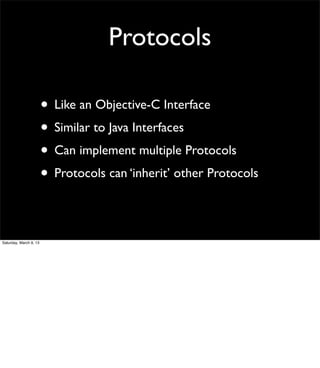
Protocols

                        • Like an Objective-C Interface
                        • Similar to Java Interfaces
                        • Can implement multiple Protocols
                        • Protocols can ‘inherit’ other Protocols

Saturday, March 9, 13
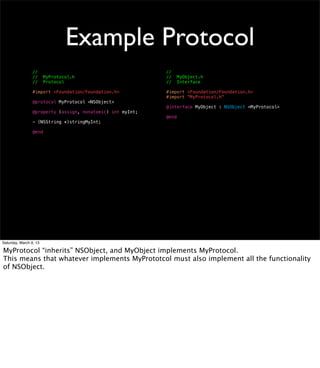
Example Protocol
                 //                                         //
                 //     MyProtocol.h                        //     MyObject.h
                 //     Protocol                            //     Interface

                 #import <Foundation/Foundation.h>          #import <Foundation/Foundation.h>
                                                            #import "MyProtocol.h"
                 @protocol MyProtocol <NSObject>
                                                            @interface MyObject : NSObject <MyProtocol>
                 @property (assign, nonatomic) int myInt;
                                                            @end
                 - (NSString *)stringMyInt;

                 @end


Saturday, March 9, 13

MyProtocol “inherits” NSObject, and MyObject implements MyProtocol.
This means that whatever implements MyPrototcol must also implement all the functionality
of NSObject.
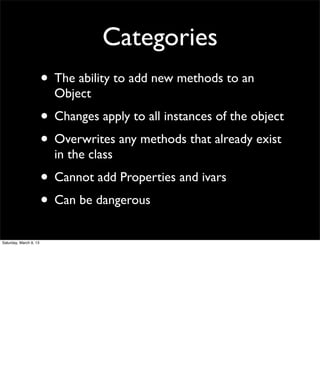
Categories
                        • The ability to add new methods to an
                          Object
                        • Changes apply to all instances of the object
                        • Overwrites any methods that already exist
                          in the class
                        • Cannot add Properties and ivars
                        • Can be dangerous
Saturday, March 9, 13
Example Category
                 //                                                     //
                 //     NSString+Reverse.m                              //     NSString+Reverse.h
                 //     Category                                        //     Category

                 #import "NSString+Reverse.h"                           #import <Foundation/Foundation.h>
                 #import <stdlib.h>
                                                                        @interface NSString (Reverse)
                 @implementation NSString (Reverse)
                                                                        - (NSString *)reverse;
                 - (NSString *)reverse {
                     int length = [self length];                        @end
                     char *newString =
                 ! !      calloc(length+1, sizeof(char));
                     int current = 0;

                        const char *cstr = [self cString];
                        for (int i=length-1; i >= 0; i--) {
                            newString[current] = cstr[i];
                            current++;
                        }

                         NSString *new =
                 !      !     [NSString stringWithCString:newString];
                         free(newString);

                        return new;
                 }

                 @end


Saturday, March 9, 13

This is a category on NSString that adds the method reverse, which returns a reversed string.
Now, all implementations of NSString have the method reverse.
If NSString already had a reverse method, it is no longer accessible.
If another category is added that also has a reverse method, this method implementation will
no longer be accessible.

Notice the naming convention of the category Interface and Implementation files.
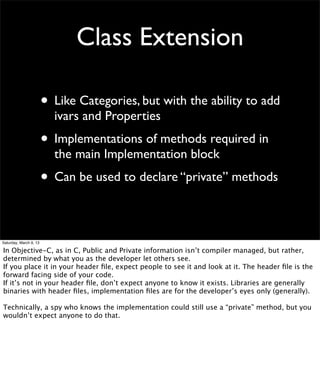
Class Extension

                        • Like Categories, but with the ability to add
                          ivars and Properties
                        • Implementations of methods required in
                          the main Implementation block
                        • Can be used to declare “private” methods

Saturday, March 9, 13

In Objective-C, as in C, Public and Private information isn’t compiler managed, but rather,
determined by what you as the developer let others see.
If you place it in your header file, expect people to see it and look at it. The header file is the
forward facing side of your code.
If it’s not in your header file, don’t expect anyone to know it exists. Libraries are generally
binaries with header files, implementation files are for the developer’s eyes only (generally).

Technically, a spy who knows the implementation could still use a “private” method, but you
wouldn’t expect anyone to do that.
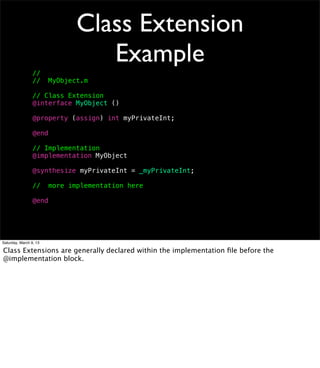
Class Extension
                                  Example
                 //
                 //     MyObject.m

                 // Class Extension
                 @interface MyObject ()

                 @property (assign) int myPrivateInt;

                 @end

                 // Implementation
                 @implementation MyObject

                 @synthesize myPrivateInt = _myPrivateInt;

                 //     more implementation here

                 @end


Saturday, March 9, 13

Class Extensions are generally declared within the implementation file before the
@implementation block.
Ok.
                        Now, lets take a look at MyObject


Saturday, March 9, 13
MyObject
                 //                                                      //
                 //     MyObject.m                                       //     MyObject.h

                 #import "MyObject.h"                                    #import <Foundation/Foundation.h>
                                                                         #import "MyProtocol.h"
                 @interface MyObject ()
                 @property (assign, nonatomic) int myPrivateInt;         @interface MyObject : NSObject <MyProtocol>
                 @end
                                                                         @property (assign, nonatomic) int myInt;
                 @implementation MyObject
                                                                         // default constructor
                 @synthesize myInt = _myInt;                             - (id)init;
                 @synthesize myPrivateInt = _myPrivateInt;
                                                                         // custom constructor
                 - (id)init {                                            - (id)initWithInt:(int)myInt;
                     return [self initWithInt:0];
                 }                                                       @end

                 - (id)initWithInt:(int)myInt {
                     if (self = [super init]) {
                         _myInt = myInt;
                 !   !     _myPrivateInt = 5;
                     }
                     return self;
                 }

                 - (NSString *)stringMyInt {
                     return [NSString stringWithFormat:@"%d", _myInt];
                 }

                 @end


Saturday, March 9, 13

Here we have an object that holds a public myInt variable and an ‘private’ myPrivateInt
variable.
Both ivars are accessible through the property ‘dot’ syntax and their getter/setter methods.
MyObject fulfills the MyProtocol protocol by implementing the stringMyInt method.
The @synthesize statements here were technically unnecessary since they are default.
Great
                        But how do I use it?


Saturday, March 9, 13
Using MyObject
                 MyObject *obj = [[MyObject alloc] init];
                 obj.myInt = 5;
                 NSLog(@"%in", obj.myInt);


                 MyObject *other = [MyObject alloc];
                 other = [other initWithInt:5];
                 [other setMyInt:10];
                 NSLog(@"%in", [obj myInt]);


Saturday, March 9, 13

Remember: an object instance is a pointer to an instance of its class.
Using MyObject
                        •   alloc class method


                        •   use of init and
                            initWithInt: methods         MyObject *obj = [[MyObject alloc] init];
                                                         obj.myInt = 5;

                        •
                                                         NSLog(@"%in", obj.myInt);
                            splitting up the alloc and
                            init method calls
                                                         MyObject *other = [MyObject alloc];
                                                         other = [other initWithInt:5];

                        •   use of dot syntax and        [other setMyInt:10];
                                                         NSLog(@"%in", [obj myInt]);
                            generated methods

                        •   NSLog() for printing
                            messages to the console


Saturday, March 9, 13

alloc allocates a new object for you.
init (and initWithInt:) initialize that new object for you.
These methods together are like the new keyword in Java and C++.
(there is a new class method that automatically calls init after alloc, but it’s generally
considered better to call alloc and init instead)

The different init methods go to show that init is not super special.

The call to alloc and init don’t need to happen on the same line, but you should always use
the result of the init method as your object.

NSLog() is a C Function that takes an NSString and printf style arguments (including %@ to
print an object’s description method which returns an NSString). It prints a message to the
console.
One More Thing
                        Imports and Forward Declarations


Saturday, March 9, 13
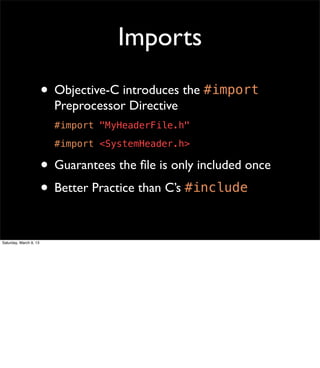
Imports
                        • Objective-C introduces the #import
                          Preprocessor Directive
                          #import "MyHeaderFile.h"
                          #import <SystemHeader.h>

                        • Guarantees the file is only included once
                        • Better Practice than C’s #include

Saturday, March 9, 13
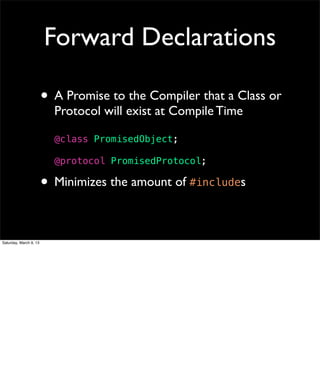
Forward Declarations

                        • A Promise to the Compiler that a Class or
                          Protocol will exist at Compile Time

                          @class PromisedObject;

                          @protocol PromisedProtocol;

                        • Minimizes the amount of #includes

Saturday, March 9, 13
Objective-C Data
                        What you get with the Foundation Framework


Saturday, March 9, 13
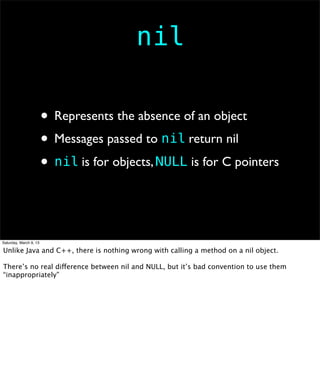
nil

                        • Represents the absence of an object
                        • Messages passed to nil return nil
                        • nil is for objects, NULL is for C pointers


Saturday, March 9, 13

Unlike Java and C++, there is nothing wrong with calling a method on a nil object.

There’s no real difference between nil and NULL, but it’s bad convention to use them
“inappropriately”
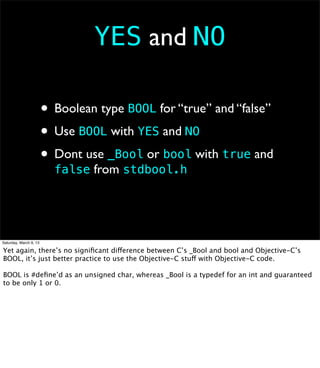
YES and NO

                        • Boolean type BOOL for “true” and “false”
                        • Use BOOL with YES and NO
                        • Dont use _Bool or bool with true and
                          false from stdbool.h


Saturday, March 9, 13

Yet again, there’s no significant difference between C’s _Bool and bool and Objective-C’s
BOOL, it’s just better practice to use the Objective-C stuff with Objective-C code.

BOOL is #define’d as an unsigned char, whereas _Bool is a typedef for an int and guaranteed
to be only 1 or 0.
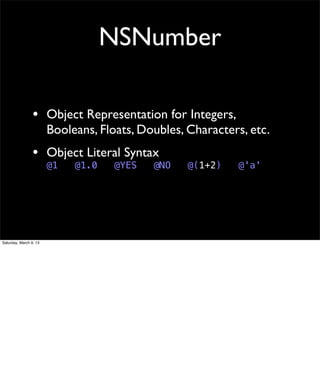
NSNumber

                 • Object Representation for Integers,
                        Booleans, Floats, Doubles, Characters, etc.
                 • Object Literal Syntax
                        @1   @1.0    @YES   @NO    @(1+2)   @'a'


Saturday, March 9, 13
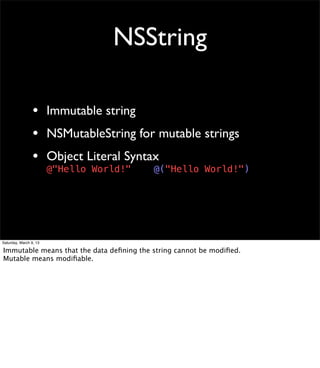
NSString

                 • Immutable string
                 • NSMutableString for mutable strings
                 • Object Literal Syntax
                        @"Hello World!"   @("Hello World!")


Saturday, March 9, 13

Immutable means that the data defining the string cannot be modified.
Mutable means modifiable.
NSArray
                 • Immutable object array
                 • NSMutableArray for mutable arrays
                 • Object Literal Syntax
                        @[object1, object2, ..., objectN];

                 • Object Subscripting Syntax
                        array[0] = object;
                        id object = array[0];


Saturday, March 9, 13

The array can only hold Objective-C objects.
NSDictionary
                 • Immutable object dictionary
                 • NSMutableDictionary for mutable
                 • Object Literal Syntax
                        @{key1:value1, key2:value2, ...};

                 • Object Subscripting Syntax
                        dictionary[key] = object;
                        id object = dictionary[key];


Saturday, March 9, 13

Both the key and the value must be an Objective-C object.
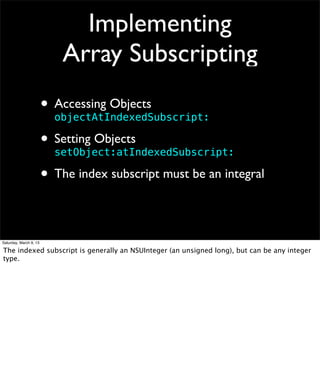
Implementing
                            Array Subscripting
                        • Accessing Objects
                          objectAtIndexedSubscript:

                        • Setting Objects
                          setObject:atIndexedSubscript:

                        • The index subscript must be an integral

Saturday, March 9, 13

The indexed subscript is generally an NSUInteger (an unsigned long), but can be any integer
type.
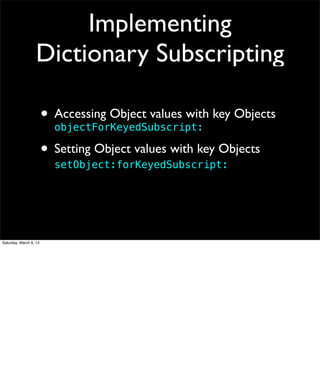
Implementing
                   Dictionary Subscripting

                        • Accessing Object values with key Objects
                          objectForKeyedSubscript:

                        • Setting Object values with key Objects
                          setObject:forKeyedSubscript:


Saturday, March 9, 13
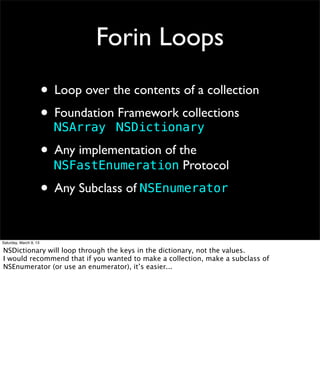
Forin Loops
                        • Loop over the contents of a collection
                        • Foundation NSDictionary
                          NSArray
                                     Framework collections


                        • Any implementation of the
                          NSFastEnumeration Protocol

                        • Any Subclass of NSEnumerator

Saturday, March 9, 13

NSDictionary will loop through the keys in the dictionary, not the values.
I would recommend that if you wanted to make a collection, make a subclass of
NSEnumerator (or use an enumerator), it’s easier...
Forin Loops Example

                 NSArray *array = @[@1, @2, @3, @4, @5];

                 for (NSNumber *num in array) {
                     NSLog(@"%@", num);
                 }

                 for (id num in [array reverseObjectEnumerator]) {
                     NSLog(@"%@", num);
                 }


Saturday, March 9, 13

an array can only hold objects.
the first for loop will loop through the array from index 0 to index 4.
the second for loop will loop through the array from index 4 to index 0.
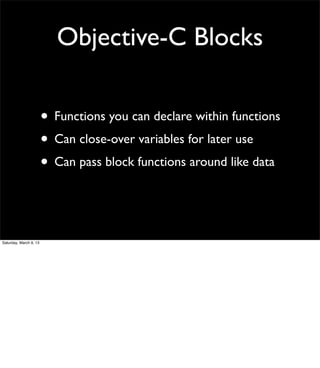
Objective-C Blocks

                        • Functions you can declare within functions
                        • Can close-over variables for later use
                        • Can pass block functions around like data


Saturday, March 9, 13
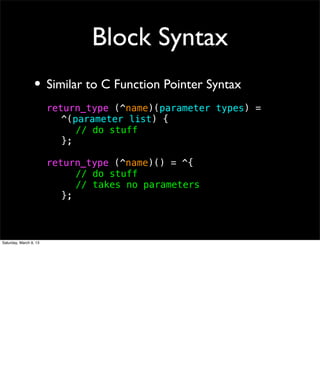
Block Syntax
                 • Similar to C Function Pointer Syntax
                        return_type (^name)(parameter types) =
                        ! ^(parameter list) {
                        ! ! // do stuff
                        ! };

                        return_type (^name)() = ^{
                        ! ! // do stuff
                        ! ! // takes no parameters
                        ! };


Saturday, March 9, 13
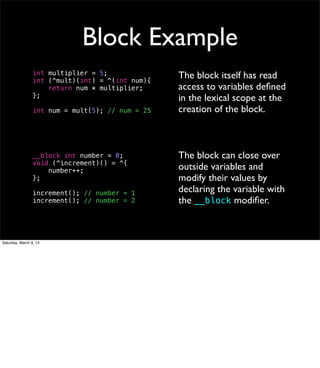
Block Example
                 int multiplier = 5;              The block itself has read
                 int (^mult)(int) = ^(int num){
                     return num * multiplier;     access to variables defined
                 };                               in the lexical scope at the
                 int num = mult(5); // num = 25   creation of the block.


                 __block int number = 0;          The block can close over
                 void (^increment)() = ^{
                     number++;                    outside variables and
                 };                               modify their values by
                 increment(); // number = 1       declaring the variable with
                 increment(); // number = 2       the __block modifier.


Saturday, March 9, 13
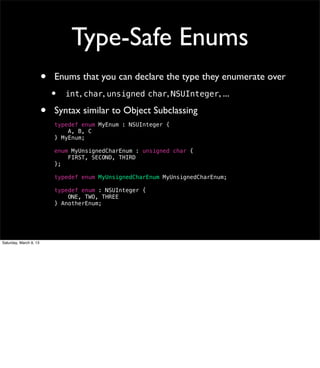
Type-Safe Enums
                        •   Enums that you can declare the type they enumerate over
                            •   int, char, unsigned char, NSUInteger, ...

                        •   Syntax similar to Object Subclassing
                            typedef enum MyEnum : NSUInteger {
                                A, B, C
                            } MyEnum;

                            enum MyUnsignedCharEnum : unsigned char {
                                FIRST, SECOND, THIRD
                            };

                            typedef enum MyUnsignedCharEnum MyUnsignedCharEnum;

                            typedef enum : NSUInteger {
                                ONE, TWO, THREE
                            } AnotherEnum;


Saturday, March 9, 13
Automatic Reference
                            Counting
                          What it is, and what it means to you


Saturday, March 9, 13
Referencing Counting
                        •   Nearly-Manual Memory Management

                        •   Objects have a counter showing how many
                            references are using them

                        •   Retain Objects when you receive them
                            [object retain];

                        •   Release Objects when you’re done using them
                            [object release];

                        •   Objects deallocate themselves when their retain
                            count reaches 0


Saturday, March 9, 13

Objects are created with a retain count of 1, so you don’t need to retain objects you just
created.
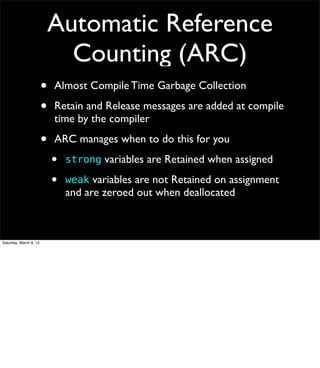
Automatic Reference
                              Counting (ARC)
                        •   Almost Compile Time Garbage Collection

                        •   Retain and Release messages are added at compile
                            time by the compiler

                        •   ARC manages when to do this for you
                            •   strong variables are Retained when assigned

                            •   weak variables are not Retained on assignment
                                and are zeroed out when deallocated


Saturday, March 9, 13
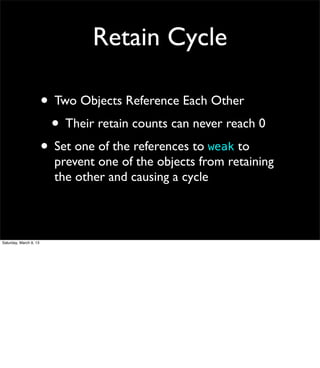
Retain Cycle

                        • Two Objects Reference Each Other
                         • Their retain counts can never reach 0
                        • Set one of the references to weak to
                          prevent one of the objects from retaining
                          the other and causing a cycle


Saturday, March 9, 13
So there you have it
                            Objective-C thrown at you


Saturday, March 9, 13
Useful References
                        •   Programming with Objective-C
                            http://developer.apple.com/library/ios/#documentation/cocoa/conceptual/
                            ProgrammingWithObjectiveC/Introduction/Introduction.html
                            http://developer.apple.com/library/ios/documentation/Cocoa/Conceptual/
                            ProgrammingWithObjectiveC/ProgrammingWithObjectiveC.pdf


                        •   Objective-C Cheat Sheet and Quick Reference
                            http://cdn5.raywenderlich.com/downloads/RW-Objective-C-Cheatsheet-v1_2.pdf


                        •   Coding Guidelines for Cocoa
                            http://developer.apple.com/library/mac/#documentation/Cocoa/Conceptual/CodingGuidelines/
                            CodingGuidelines.html
                            http://developer.apple.com/library/mac/documentation/Cocoa/Conceptual/CodingGuidelines/
                            CodingGuidelines.pdf


                        •   Ry’s Objective-C Tutorial
                            http://rypress.com/tutorials/objective-c/index.html


Saturday, March 9, 13

Programming with Objective-C and Coding Guidelines for Cocoa are Apple documents.
Ry’s Objective-C Tutorial is a nice looking piece of documentation.

Objective-C A Beginner's Dive (with notes)

  • 1.
    Objective-C A Beginner’s Dive Saturday, March 9, 13
  • 2.
    I Assume • A Background in Java or C++ • An understanding of OOP • A basic understanding of C Saturday, March 9, 13
  • 3.
    What is Objective-C? • Superset of C • Smalltalk style Object-Oriented • The Official Language for iOS and OS X Saturday, March 9, 13
  • 4.
    Cool! But before we dive in... Saturday, March 9, 13
  • 5.
    Hello World! // // main.m #include <stdio.h> #include <Foundation/Foundation.h> int main(int argc, const char **argv) { NSString *message = @"Hello World!"; printf("%sn", [message cString]); return 0; } Saturday, March 9, 13 The main() program runs. Make a string object called message with the value “Hello World!” Print message to the screen followed by a newline character. End the program.
  • 6.
    Hello World! • Objective-C String Literal • @”Hello World!” // // main.m • C Function #include <stdio.h> #include <Foundation/Foundation.h> • printf() int main(int argc, const char **argv) { NSString *message = @"Hello World!"; • main() printf("%sn", [message cString]); return 0; • } Objective-C message • [message cString] Saturday, March 9, 13 This shows that you can have C code along-side Objective-C. (well, actually, it’s visa-versa) This shows some Objective-C @ symbol action. This shows an Objective-C message using those fancy square brackets.
  • 7.
    Ok. Now, on to the teaching! Saturday, March 9, 13
  • 8.
    Objective-C Features • C Functions • C Structs • C Unions • C Pointers • C Arrays • C Everything Else Saturday, March 9, 13 You can do all the C you want in your Objective-C. It’s called a superset for a reason! Fun fact! C++ is not a superset. It changes some stuff...
  • 9.
    Objective-C Features • Objects • Data and Collections • Methods • Object Literals • Inheritance • Object Subscripts • Properties • Forin loops • Protocols • Blocks and Closures • Categories • ARC Saturday, March 9, 13 Objective-C adds on to C all this Object-Oriented stuff on top. ARC - Automatic Reference Counting
  • 10.
    You Will LearnAbout • Making and Using Objects • Using Foundation Framework Data Types • Automatic Reference Counting (ARC) Saturday, March 9, 13
  • 11.
    Writing Objects A Quick Run-Through Saturday, March 9, 13
  • 12.
    Objects • Interface • like Java’s Interface, but every object has one • placed in the header file • Implementation • must fill minimum requirements of Interface • placed in the implementation file Saturday, March 9, 13
  • 13.
    Example Object // // // MyObject.m // MyObject.h // Implementation // Interface #import “MyObject.h” #import <Foundation/Foundation.h> @implementation MyObject @interface MyObject : NSObject { int _myInt; // method implementations go here } @end // method declarations go here @end Saturday, March 9, 13 NSObject is the superclass. NSObject is the root of all Foundation Framework objects. Instance Variables can be listed within the optional curly brackets after the interface opening. Instance Variables can be declared in either the Implementation, Interface, or both.
  • 14.
    Objects (More Info) • Objects have Instance Variables (ivars) • No Class variables, use C static globals • No enforced “public” and “private” • Object Instances can be of type: •id •Class * Saturday, March 9, 13 id is the generic object type. All objects are of type id. If you want to be more specific, objects can be represented as pointers to their class.
  • 15.
    Object Methods • Class Method or Instance Method • Variables are “named” in the method’s signature (fancy word for method name) • Default return and variable type is id Saturday, March 9, 13
  • 16.
    Format of aMethod +/- (return type)methodName; +/- (return type)methodWithVar:(var type)var; +/- (return type)methodWithVar1:(var type)var1 ! ! ! ! ! ! ! ! var2:(var type)var2; Saturday, March 9, 13 The + denotes a class method, where the - denotes an instance method. The default return type is id, the generic Objective-C Object. The names of these methods are methodName, methodWithVar:, and methodWithVar1:var2:. When pronounced, there is a slight pause at each colon.
  • 17.
    Method Examples // // // MyObject.m // MyObject.h // Implementation // Interface #import “MyObject.h” #import <Foundation/Foundation.h> @implementation MyObject @interface MyObject : NSObject { int _myInt; // setter } - (void)setMyInt:(int)myInt { _myInt = myInt; // setter } - (void)setMyInt:(int)myInt; // getter // getter - (int)myInt { - (int)myInt; return _myInt; } @end @end Saturday, March 9, 13 Here are two instance methods in our object. These methods are following the standard style for accessors and mutators in Objective-C. Getters are methods whose name match the variable in question, and setters begin with the word set.
  • 18.
    Object Method Calling • Not like C, C++, or Java • Based on Smalltalk message passing • The Square Brackets [] are your friend! [object method]; [object methodWithVar:value]; [object methodWithVar1:val1 ! ! ! ! ! ! ! ! var2:val2]; Saturday, March 9, 13 If you need to make your method call multi-line, the general convention is to line up the colons. Xcode generally lines them up for you with the tab key.
  • 19.
    Testing Responsiveness to a Selector • The name of a method is its Selector SEL mySelector = selector(myMethodWithParameter:) • Every object inherits respondsToSelector: • Takes the selector to test for • Returns YES when the object can respond to that method • Returns NO when the object cannot respond to that method Saturday, March 9, 13
  • 20.
    Object Constructor • Not a special method (unlike Java) • Just an instance method to set up the Object’s Instance Variables • Generally named init Saturday, March 9, 13
  • 21.
    Generic Constructor - (id)init { if (self = [super init]) { // initialize variables } return self; } Saturday, March 9, 13 This code calls the superclass’s init method and sets the self variable to its result. If there is a problem in the initialization, [super init] will return 0, which would cause the if statement to skip to the return at the bottom of the method, and the method would return 0. Otherwise, [super init] will return the pointer to the object being initialized, which will be assigned to self, and the if statement will execute the code within, finally returning the pointer to self at the end of the method.
  • 22.
    Constructor Example // default constructor - (id)init { // calls my custom constructor return [self initWithInt:0]; } // custom constructor - (id)initWithInt:(int)myInt { if (self = [super init]) { _myInt = myInt; } return self; } Saturday, March 9, 13
  • 23.
    Inheritance • Single Inheritance from Objects • Method Overloading Supported • Superclass defined in the Interface • Super class referenced with super Saturday, March 9, 13
  • 24.
    Inheritance Example // // // MyObject.m // MyObject.h // Implementation // Interface #import “MyObject.h” #import <Foundation/Foundation.h> @implementation MyObject @interface MyObject : NSObject { int _myInt; - (id)init { } if (self = [super init]) { _myInt = 5; - (id)init; } return self; @end } @end Saturday, March 9, 13 Here we inherit init from our superclass NSObject. We override init with our own definition. We then call our superclass’s implementation of init using the super keyword.
  • 25.
    Properties • Syntactic sugar for variable, accessor, and mutator declarations all-in-one • Properties are declared in the Interface and synthesized in the Implementation • Let you use “dot syntax” with getters and setters ! myObjectInstance.myInt = 5; ! int x = myObjectInstance.myInt; Saturday, March 9, 13
  • 26.
    Property Example // // // NSString+Reverse.m // NSString+Reverse.h // Category // Category #import "NSString.h" #import <Foundation/Foundation.h> @implementation MyObject @interface MyObject : NSObject // creates variable _myInt @property (assign, nonatomic) int myInt; // creates getter myInt // creates setter setMyInt: @end @synthesize myInt = _myInt; @end Saturday, March 9, 13 This will create an Instance Variable named _myInt with a getter and setter method.
  • 27.
    More on Properties • Attributes strong weak copy assign readonly atomic nonatomic • @synthesize vs @dynamic !synthesize variable = nameOfIvar; @ • Default ivar name for variable is _variable • Custom getters and setters getter = myGetter, setter = mySetter: Saturday, March 9, 13 strong - holds a retained reference to the assigned object. the assigned object will not be released and deallocated until self is deallocated or the variable is reassigned. weak - if the assigned object is ever released, the variable is set to nil. copy - the variable is set to a copy of the assigned object. assign - used with non-object types. copies the literal value into the variable. readonly - do not generate a setter for this property. readwrite - generate a setter for the property. this is the default. atomic - this is the default. synchronize getting and setting the variable. nonatomic - considered faster than atomic. @synthesize - generates the getter and setter methods for you. Any you write having the same name override any generated. Synthesize is assumed the default by the compiler and creates an Instance Variable named with an underscore. @dynamic - no automatic generation of getters and setters. The compiler assumes these will be added at runtime. Mostly used when using CoreData.
  • 28.
    Protocols • Like an Objective-C Interface • Similar to Java Interfaces • Can implement multiple Protocols • Protocols can ‘inherit’ other Protocols Saturday, March 9, 13
  • 29.
    Example Protocol // // // MyProtocol.h // MyObject.h // Protocol // Interface #import <Foundation/Foundation.h> #import <Foundation/Foundation.h> #import "MyProtocol.h" @protocol MyProtocol <NSObject> @interface MyObject : NSObject <MyProtocol> @property (assign, nonatomic) int myInt; @end - (NSString *)stringMyInt; @end Saturday, March 9, 13 MyProtocol “inherits” NSObject, and MyObject implements MyProtocol. This means that whatever implements MyPrototcol must also implement all the functionality of NSObject.
  • 30.
    Categories • The ability to add new methods to an Object • Changes apply to all instances of the object • Overwrites any methods that already exist in the class • Cannot add Properties and ivars • Can be dangerous Saturday, March 9, 13
  • 31.
    Example Category // // // NSString+Reverse.m // NSString+Reverse.h // Category // Category #import "NSString+Reverse.h" #import <Foundation/Foundation.h> #import <stdlib.h> @interface NSString (Reverse) @implementation NSString (Reverse) - (NSString *)reverse; - (NSString *)reverse { int length = [self length]; @end char *newString = ! ! calloc(length+1, sizeof(char)); int current = 0; const char *cstr = [self cString]; for (int i=length-1; i >= 0; i--) { newString[current] = cstr[i]; current++; } NSString *new = ! ! [NSString stringWithCString:newString]; free(newString); return new; } @end Saturday, March 9, 13 This is a category on NSString that adds the method reverse, which returns a reversed string. Now, all implementations of NSString have the method reverse. If NSString already had a reverse method, it is no longer accessible. If another category is added that also has a reverse method, this method implementation will no longer be accessible. Notice the naming convention of the category Interface and Implementation files.
  • 32.
    Class Extension • Like Categories, but with the ability to add ivars and Properties • Implementations of methods required in the main Implementation block • Can be used to declare “private” methods Saturday, March 9, 13 In Objective-C, as in C, Public and Private information isn’t compiler managed, but rather, determined by what you as the developer let others see. If you place it in your header file, expect people to see it and look at it. The header file is the forward facing side of your code. If it’s not in your header file, don’t expect anyone to know it exists. Libraries are generally binaries with header files, implementation files are for the developer’s eyes only (generally). Technically, a spy who knows the implementation could still use a “private” method, but you wouldn’t expect anyone to do that.
  • 33.
    Class Extension Example // // MyObject.m // Class Extension @interface MyObject () @property (assign) int myPrivateInt; @end // Implementation @implementation MyObject @synthesize myPrivateInt = _myPrivateInt; // more implementation here @end Saturday, March 9, 13 Class Extensions are generally declared within the implementation file before the @implementation block.
  • 34.
    Ok. Now, lets take a look at MyObject Saturday, March 9, 13
  • 35.
    MyObject // // // MyObject.m // MyObject.h #import "MyObject.h" #import <Foundation/Foundation.h> #import "MyProtocol.h" @interface MyObject () @property (assign, nonatomic) int myPrivateInt; @interface MyObject : NSObject <MyProtocol> @end @property (assign, nonatomic) int myInt; @implementation MyObject // default constructor @synthesize myInt = _myInt; - (id)init; @synthesize myPrivateInt = _myPrivateInt; // custom constructor - (id)init { - (id)initWithInt:(int)myInt; return [self initWithInt:0]; } @end - (id)initWithInt:(int)myInt { if (self = [super init]) { _myInt = myInt; ! ! _myPrivateInt = 5; } return self; } - (NSString *)stringMyInt { return [NSString stringWithFormat:@"%d", _myInt]; } @end Saturday, March 9, 13 Here we have an object that holds a public myInt variable and an ‘private’ myPrivateInt variable. Both ivars are accessible through the property ‘dot’ syntax and their getter/setter methods. MyObject fulfills the MyProtocol protocol by implementing the stringMyInt method. The @synthesize statements here were technically unnecessary since they are default.
  • 36.
    Great But how do I use it? Saturday, March 9, 13
  • 37.
    Using MyObject MyObject *obj = [[MyObject alloc] init]; obj.myInt = 5; NSLog(@"%in", obj.myInt); MyObject *other = [MyObject alloc]; other = [other initWithInt:5]; [other setMyInt:10]; NSLog(@"%in", [obj myInt]); Saturday, March 9, 13 Remember: an object instance is a pointer to an instance of its class.
  • 38.
    Using MyObject • alloc class method • use of init and initWithInt: methods MyObject *obj = [[MyObject alloc] init]; obj.myInt = 5; • NSLog(@"%in", obj.myInt); splitting up the alloc and init method calls MyObject *other = [MyObject alloc]; other = [other initWithInt:5]; • use of dot syntax and [other setMyInt:10]; NSLog(@"%in", [obj myInt]); generated methods • NSLog() for printing messages to the console Saturday, March 9, 13 alloc allocates a new object for you. init (and initWithInt:) initialize that new object for you. These methods together are like the new keyword in Java and C++. (there is a new class method that automatically calls init after alloc, but it’s generally considered better to call alloc and init instead) The different init methods go to show that init is not super special. The call to alloc and init don’t need to happen on the same line, but you should always use the result of the init method as your object. NSLog() is a C Function that takes an NSString and printf style arguments (including %@ to print an object’s description method which returns an NSString). It prints a message to the console.
  • 39.
    One More Thing Imports and Forward Declarations Saturday, March 9, 13
  • 40.
    Imports • Objective-C introduces the #import Preprocessor Directive #import "MyHeaderFile.h" #import <SystemHeader.h> • Guarantees the file is only included once • Better Practice than C’s #include Saturday, March 9, 13
  • 41.
    Forward Declarations • A Promise to the Compiler that a Class or Protocol will exist at Compile Time @class PromisedObject; @protocol PromisedProtocol; • Minimizes the amount of #includes Saturday, March 9, 13
  • 42.
    Objective-C Data What you get with the Foundation Framework Saturday, March 9, 13
  • 43.
    nil • Represents the absence of an object • Messages passed to nil return nil • nil is for objects, NULL is for C pointers Saturday, March 9, 13 Unlike Java and C++, there is nothing wrong with calling a method on a nil object. There’s no real difference between nil and NULL, but it’s bad convention to use them “inappropriately”
  • 44.
    YES and NO • Boolean type BOOL for “true” and “false” • Use BOOL with YES and NO • Dont use _Bool or bool with true and false from stdbool.h Saturday, March 9, 13 Yet again, there’s no significant difference between C’s _Bool and bool and Objective-C’s BOOL, it’s just better practice to use the Objective-C stuff with Objective-C code. BOOL is #define’d as an unsigned char, whereas _Bool is a typedef for an int and guaranteed to be only 1 or 0.
  • 45.
    NSNumber • Object Representation for Integers, Booleans, Floats, Doubles, Characters, etc. • Object Literal Syntax @1 @1.0 @YES @NO @(1+2) @'a' Saturday, March 9, 13
  • 46.
    NSString • Immutable string • NSMutableString for mutable strings • Object Literal Syntax @"Hello World!" @("Hello World!") Saturday, March 9, 13 Immutable means that the data defining the string cannot be modified. Mutable means modifiable.
  • 47.
    NSArray • Immutable object array • NSMutableArray for mutable arrays • Object Literal Syntax @[object1, object2, ..., objectN]; • Object Subscripting Syntax array[0] = object; id object = array[0]; Saturday, March 9, 13 The array can only hold Objective-C objects.
  • 48.
    NSDictionary • Immutable object dictionary • NSMutableDictionary for mutable • Object Literal Syntax @{key1:value1, key2:value2, ...}; • Object Subscripting Syntax dictionary[key] = object; id object = dictionary[key]; Saturday, March 9, 13 Both the key and the value must be an Objective-C object.
  • 49.
    Implementing Array Subscripting • Accessing Objects objectAtIndexedSubscript: • Setting Objects setObject:atIndexedSubscript: • The index subscript must be an integral Saturday, March 9, 13 The indexed subscript is generally an NSUInteger (an unsigned long), but can be any integer type.
  • 50.
    Implementing Dictionary Subscripting • Accessing Object values with key Objects objectForKeyedSubscript: • Setting Object values with key Objects setObject:forKeyedSubscript: Saturday, March 9, 13
  • 51.
    Forin Loops • Loop over the contents of a collection • Foundation NSDictionary NSArray Framework collections • Any implementation of the NSFastEnumeration Protocol • Any Subclass of NSEnumerator Saturday, March 9, 13 NSDictionary will loop through the keys in the dictionary, not the values. I would recommend that if you wanted to make a collection, make a subclass of NSEnumerator (or use an enumerator), it’s easier...
  • 52.
    Forin Loops Example NSArray *array = @[@1, @2, @3, @4, @5]; for (NSNumber *num in array) { NSLog(@"%@", num); } for (id num in [array reverseObjectEnumerator]) { NSLog(@"%@", num); } Saturday, March 9, 13 an array can only hold objects. the first for loop will loop through the array from index 0 to index 4. the second for loop will loop through the array from index 4 to index 0.
  • 53.
    Objective-C Blocks • Functions you can declare within functions • Can close-over variables for later use • Can pass block functions around like data Saturday, March 9, 13
  • 54.
    Block Syntax • Similar to C Function Pointer Syntax return_type (^name)(parameter types) = ! ^(parameter list) { ! ! // do stuff ! }; return_type (^name)() = ^{ ! ! // do stuff ! ! // takes no parameters ! }; Saturday, March 9, 13
  • 55.
    Block Example int multiplier = 5; The block itself has read int (^mult)(int) = ^(int num){ return num * multiplier; access to variables defined }; in the lexical scope at the int num = mult(5); // num = 25 creation of the block. __block int number = 0; The block can close over void (^increment)() = ^{ number++; outside variables and }; modify their values by increment(); // number = 1 declaring the variable with increment(); // number = 2 the __block modifier. Saturday, March 9, 13
  • 56.
    Type-Safe Enums • Enums that you can declare the type they enumerate over • int, char, unsigned char, NSUInteger, ... • Syntax similar to Object Subclassing typedef enum MyEnum : NSUInteger { A, B, C } MyEnum; enum MyUnsignedCharEnum : unsigned char { FIRST, SECOND, THIRD }; typedef enum MyUnsignedCharEnum MyUnsignedCharEnum; typedef enum : NSUInteger { ONE, TWO, THREE } AnotherEnum; Saturday, March 9, 13
  • 57.
    Automatic Reference Counting What it is, and what it means to you Saturday, March 9, 13
  • 58.
    Referencing Counting • Nearly-Manual Memory Management • Objects have a counter showing how many references are using them • Retain Objects when you receive them [object retain]; • Release Objects when you’re done using them [object release]; • Objects deallocate themselves when their retain count reaches 0 Saturday, March 9, 13 Objects are created with a retain count of 1, so you don’t need to retain objects you just created.
  • 59.
    Automatic Reference Counting (ARC) • Almost Compile Time Garbage Collection • Retain and Release messages are added at compile time by the compiler • ARC manages when to do this for you • strong variables are Retained when assigned • weak variables are not Retained on assignment and are zeroed out when deallocated Saturday, March 9, 13
  • 60.
    Retain Cycle • Two Objects Reference Each Other • Their retain counts can never reach 0 • Set one of the references to weak to prevent one of the objects from retaining the other and causing a cycle Saturday, March 9, 13
  • 61.
    So there youhave it Objective-C thrown at you Saturday, March 9, 13
  • 62.
    Useful References • Programming with Objective-C http://developer.apple.com/library/ios/#documentation/cocoa/conceptual/ ProgrammingWithObjectiveC/Introduction/Introduction.html http://developer.apple.com/library/ios/documentation/Cocoa/Conceptual/ ProgrammingWithObjectiveC/ProgrammingWithObjectiveC.pdf • Objective-C Cheat Sheet and Quick Reference http://cdn5.raywenderlich.com/downloads/RW-Objective-C-Cheatsheet-v1_2.pdf • Coding Guidelines for Cocoa http://developer.apple.com/library/mac/#documentation/Cocoa/Conceptual/CodingGuidelines/ CodingGuidelines.html http://developer.apple.com/library/mac/documentation/Cocoa/Conceptual/CodingGuidelines/ CodingGuidelines.pdf • Ry’s Objective-C Tutorial http://rypress.com/tutorials/objective-c/index.html Saturday, March 9, 13 Programming with Objective-C and Coding Guidelines for Cocoa are Apple documents. Ry’s Objective-C Tutorial is a nice looking piece of documentation.