Creating and Collecting
“Open” Cultural Heritage
Collections
Loren Fantin and Jess Posgate
Digital Odyssey 2015
Agenda
Introduction
Best practices for cultural heritage collections
Community collections in action
** Ask questions anytime
** Break at some point
What is Open Data?
An idea.
A principle.
“Open means anyone can freely access, use,
modify and share for any purpose (subject, at
most, to requirements that preserve provenance
and openness).”
opendefinition.org
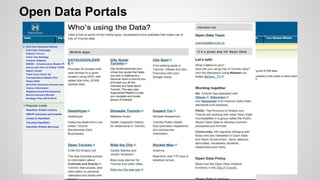
Open Data Portals
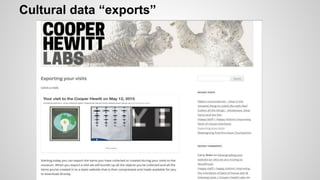
Cultural data “exports”
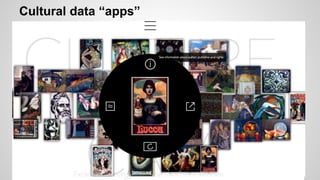
Cultural data “apps”
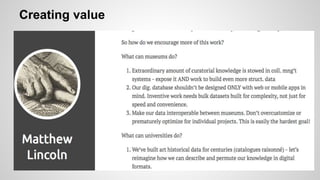
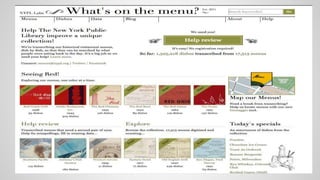
Creating value
How does open relate to cultural heritage
collections? Or…
Why does it matter to us?
We manage (create/collect) our collections in a
networked environment – it is shared and
distributed (“web-scaled”)
“Our role is to be cultural stewards (not cultural
hoarders).” [Tweet]
Repurpose, re-use of data
Create once, use many times in different spaces
requires:
Smart data (structured, linked)
and
Data portability (export, crosswalks,
permissions)
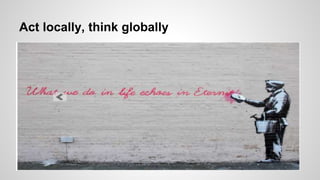
Act locally, think globally
Q: How many of you re-use the data from your
content management systems in other
places/spaces?
Q: Can you easily export data from the
systems/spaces yourselves?
“Metadata is a love note to the future”
Christine Orr
Metadata Requirements
• Data you create/capture (descriptive,
administrative, structural, technical) needs to be
“smart”:
– Standard (community, content, etc…)
– Shared (exportable)
– Extensible (in various data formats)
Locally: Metadata Application Profile
• Data elements to be included
• Status of each element:
- Mandatory
- Recommended
- Optional
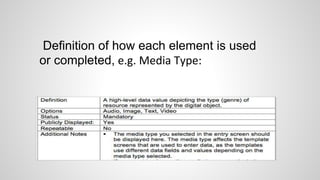
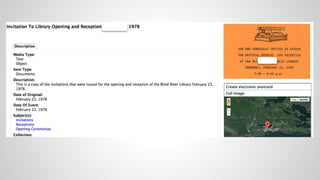
Definition of how each element is used
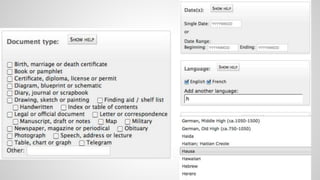
or completed, e.g. Media Type:
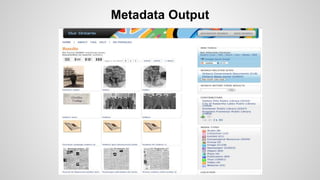
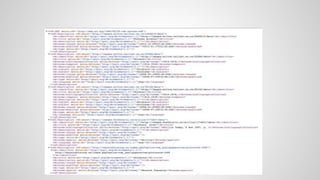
Metadata Output
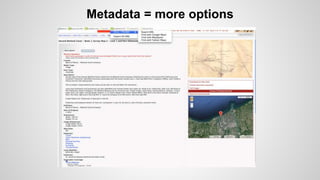
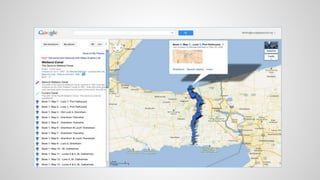
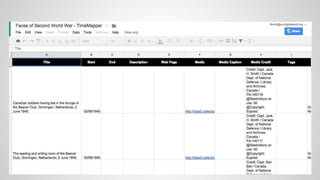
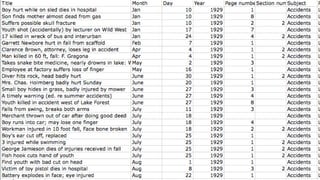
Metadata = more options
Source data
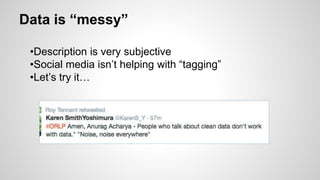
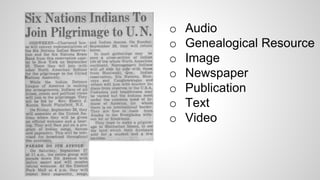
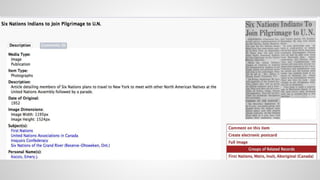
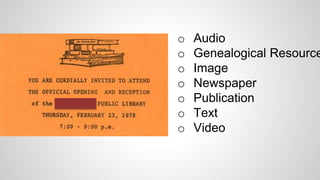
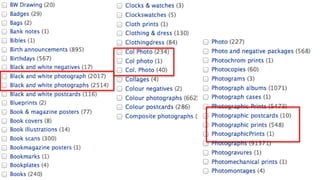
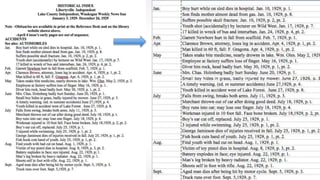
Data is “messy”
•Description is very subjective
•Social media isn’t helping with “tagging”
•Let’s try it…
o Audio
o Genealogical Resource
o Image
o Newspaper
o Publication
o Text
o Video
o Audio
o Genealogical Resource
o Image
o Newspaper
o Publication
o Text
o Video
Other Standards & Best Practices
Extensibility goes beyond metadata
•Open formats
•Linked data
•Platform choices
Data quality & transformation
•Exportable data
•Manipulate data
•Systemic vs human
•What does it take…?
Consider migration
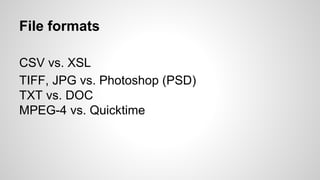
File formats
CSV vs. XSL
TIFF, JPG vs. Photoshop (PSD)
TXT vs. DOC
MPEG-4 vs. Quicktime
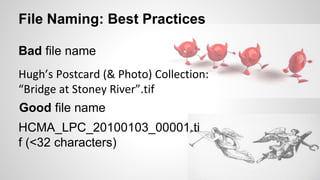
Hugh’s Postcard (& Photo) Collection:
“Bridge at Stoney River”.tif
HCMA_LPC_20100103_00001.ti
f (<32 characters)
File Naming: Best Practices
Bad file name
Good file name
Unique (Resource Identifier) (URI)
•As part of metadata, need a way to uniquely
identify the resource
•Needs to be identifiable outside of the context in
which the record was created, as part of the web
ecosystem
•Essential component for linked open data
URLs (Semantic aka “Clean”)
“We strongly believe in the URL as interface. It’s
nice to be able to read a URL and guess what it
might bring back.”
http://collections.vam.ac.uk/information/information_apigettingstarted
Platform (Tools)
• Cloud based or hosted?
• Open source or proprietary?
• Interactive options for community engagement?
• Optimized for web discovery
and devices (semantic web)?
• Exportable options?
Good data management
If the data you need still exists,
If you found the data you need,
If you understand the data you found,
If you trust the data you understand,
If you can use the data you trust;
Someone did a good job of data management.
Rex Sanders – USGS – Santa Cruz
Public expectations and re-use
“People assume the right to co-opt and redistribute
institutional content, not just to look at it. They seek
opportunities for creative expression, both self-directed
and in response to the media they consume. They want to
be respected and responded to because of their unique
interests. They crave the chance to be recognized by and
connected to sympathetic communities around the
world. These shifts will change the way that cultural
institutions of all types, from museums to libraries to for-
profit ‘experience vendors,’ do business.”
http://www.participatorymuseum.org/imagining/
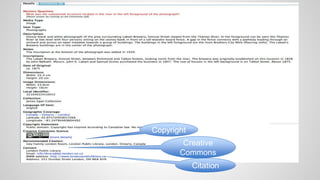
Copyright
• Determine copyright status of EVERY object
– Ownership vs. copyright
• Internal tracking
– Track copyright status, copyright owner,
donor, etc. (include as part of the metadata
record)
• Copyright statement displayed as part of the
record
Copyright
Creative
Commons
Citation
Creative Commons
• Creative Commons develops, supports, and stewards
legal and technical infrastructure that maximizes digital
creativity, sharing, and innovation.
http://creativecommons.org/about
• Assign Creative Commons licenses to indicate to users
how they can share, remix, or use objects from the collection
in ways that are consistent with the copyright status
http://wiki.creativecommons.org/FAQ
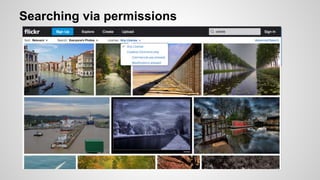
Searching via permissions
Evolving rights framework
Flickr offering Creative Commons licensing
since 2004
1) option of being able to tag an item as being
in the Public Domain
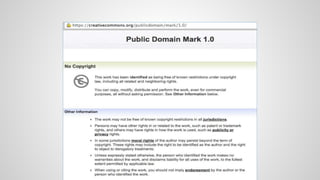
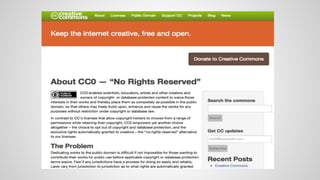
2) CC0 – waive copyright and place in the
public domain
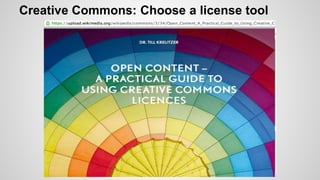
Creative Commons: Choose a license tool
Community collections in practice…
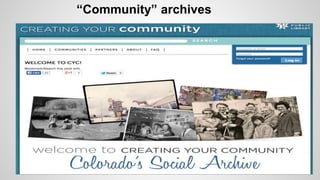
Cultural heritage collections contribute to public
memory by building the “community” archive.
Crowdsourcing around those collections invites
meaningful community and civic engagement.
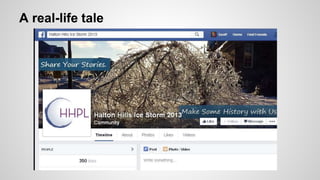
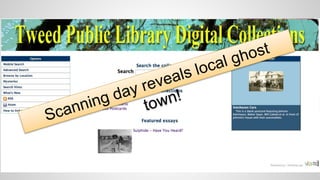
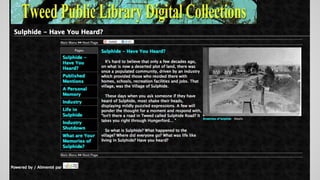
A real-life tale
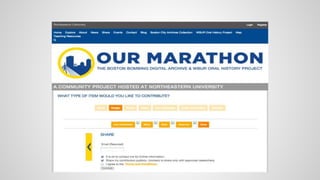
Capturing community collections
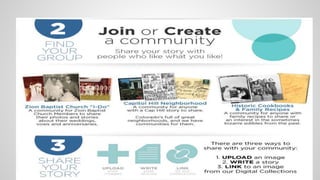
•Analog scanning via digitization days
•Web uploads of individual items
•Curating community contributions
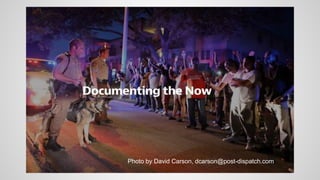
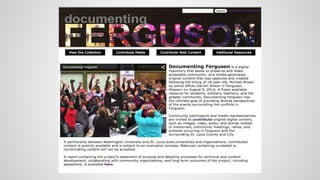
“Community” archives
Photo by David Carson, dcarson@post-dispatch.com
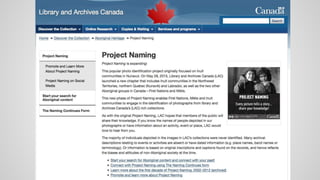
Capturing community knowledge
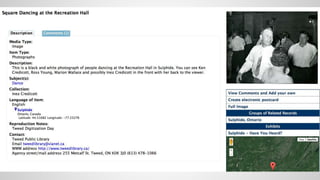
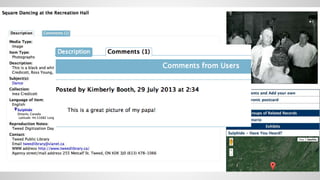
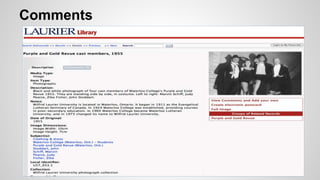
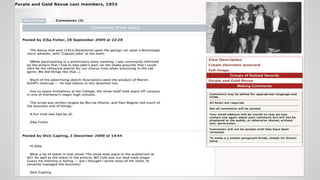
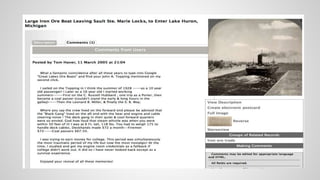
•Comments
•Questions
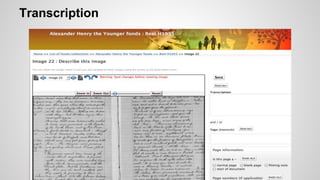
•Crowdsourcing metadata via tools and
transcriptions
Comments
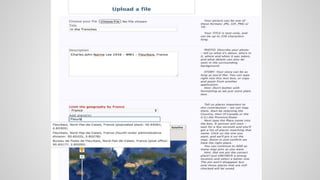
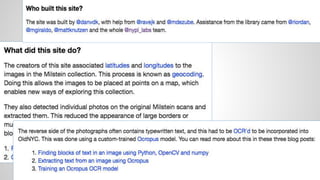
Metadata capture from the crowd: form
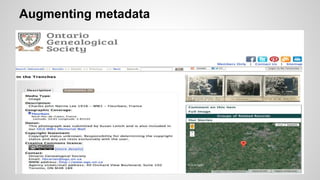
Augmenting metadata
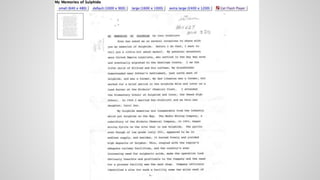
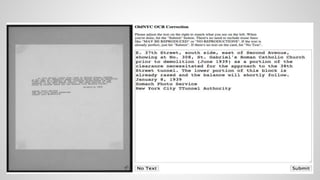
Transcription
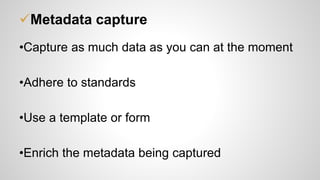
Metadata capture
•Capture as much data as you can at the moment
•Adhere to standards
•Use a template or form
•Enrich the metadata being captured
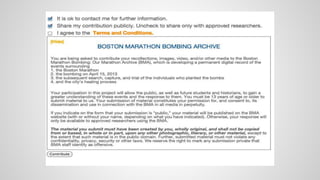
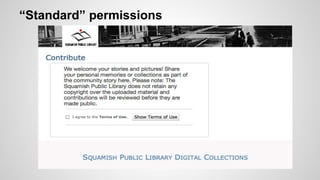
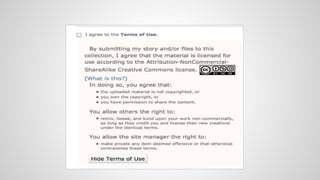
Terms and permissions
“Standard” permissions
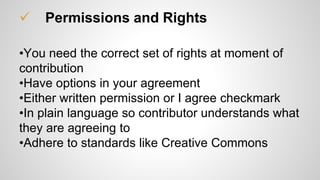
 Permissions and Rights
•You need the correct set of rights at moment of
contribution
•Have options in your agreement
•Either written permission or I agree checkmark
•In plain language so contributor understands what
they are agreeing to
•Adhere to standards like Creative Commons
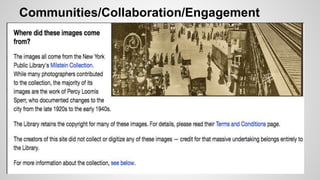
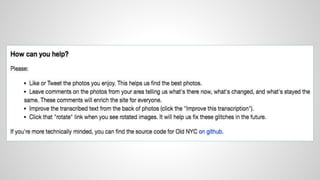
Communities/Collaboration/Engagement
Collaboration and Engagement Benefits
• Achieve goals your organization couldn’t
achieve on its own
• Engage with the community in new ways
• Use the expertise and knowledge of the “crowd”
• Improve data – improve the quality, add
additional information, make it searchable
• Allow community to engage with the collections
and each other in new ways
Open heritage is…
• Trusting
• Participatory
• Connections
between collections (data)
between collections and people
between people around our collections
• Sustainable
Resources
A Framework of Guidance for Building Good Digital
Collections:
http://www.niso.org/apps/group_public/download.php/2/fra
mework3.pdf
Normalizing data: OpenRefine.org
File naming: https://dmptool.org/dm_guidance#types
CDL Digital File Format Recommendations:
http://www.cdlib.org/gateways/docs/cdl_dffr.pdf
Resources continued
Data Management:
http://guides.library.ualberta.ca/content.php?pid=524929&s
id=4389852
Linked Open Data – What is it? (Video):
https://vimeo.com/36752317
Canadian Copyright FAQ:
http://ourdigitalworld.org/services/resources/general-rules-
for-canadian-copyright/
Loren Fantin: lfantin@ourdigitalworld.org
Jess Posgate: jposgate@ourdigitalworld.org
Thank you!

Digital Odyssey 2015 - Open Collections

  • 1.
    Creating and Collecting “Open”Cultural Heritage Collections Loren Fantin and Jess Posgate Digital Odyssey 2015
  • 2.
    Agenda Introduction Best practices forcultural heritage collections Community collections in action ** Ask questions anytime ** Break at some point
  • 3.
    What is OpenData? An idea. A principle. “Open means anyone can freely access, use, modify and share for any purpose (subject, at most, to requirements that preserve provenance and openness).” opendefinition.org
  • 4.
  • 5.
  • 6.
  • 7.
  • 8.
    How does openrelate to cultural heritage collections? Or… Why does it matter to us? We manage (create/collect) our collections in a networked environment – it is shared and distributed (“web-scaled”) “Our role is to be cultural stewards (not cultural hoarders).” [Tweet]
  • 9.
    Repurpose, re-use ofdata Create once, use many times in different spaces requires: Smart data (structured, linked) and Data portability (export, crosswalks, permissions)
  • 10.
  • 11.
    Q: How manyof you re-use the data from your content management systems in other places/spaces? Q: Can you easily export data from the systems/spaces yourselves?
  • 12.
    “Metadata is alove note to the future” Christine Orr
  • 13.
    Metadata Requirements • Datayou create/capture (descriptive, administrative, structural, technical) needs to be “smart”: – Standard (community, content, etc…) – Shared (exportable) – Extensible (in various data formats)
  • 14.
    Locally: Metadata ApplicationProfile • Data elements to be included • Status of each element: - Mandatory - Recommended - Optional
  • 15.
    Definition of howeach element is used or completed, e.g. Media Type:
  • 16.
  • 18.
  • 20.
  • 23.
    Data is “messy” •Descriptionis very subjective •Social media isn’t helping with “tagging” •Let’s try it…
  • 24.
    o Audio o GenealogicalResource o Image o Newspaper o Publication o Text o Video
  • 26.
    o Audio o GenealogicalResource o Image o Newspaper o Publication o Text o Video
  • 29.
    Other Standards &Best Practices Extensibility goes beyond metadata •Open formats •Linked data •Platform choices
  • 30.
    Data quality &transformation •Exportable data •Manipulate data •Systemic vs human •What does it take…? Consider migration
  • 34.
    File formats CSV vs.XSL TIFF, JPG vs. Photoshop (PSD) TXT vs. DOC MPEG-4 vs. Quicktime
  • 35.
    Hugh’s Postcard (&Photo) Collection: “Bridge at Stoney River”.tif HCMA_LPC_20100103_00001.ti f (<32 characters) File Naming: Best Practices Bad file name Good file name
  • 36.
    Unique (Resource Identifier)(URI) •As part of metadata, need a way to uniquely identify the resource •Needs to be identifiable outside of the context in which the record was created, as part of the web ecosystem •Essential component for linked open data
  • 37.
    URLs (Semantic aka“Clean”) “We strongly believe in the URL as interface. It’s nice to be able to read a URL and guess what it might bring back.” http://collections.vam.ac.uk/information/information_apigettingstarted
  • 38.
    Platform (Tools) • Cloudbased or hosted? • Open source or proprietary? • Interactive options for community engagement? • Optimized for web discovery and devices (semantic web)? • Exportable options?
  • 39.
    Good data management Ifthe data you need still exists, If you found the data you need, If you understand the data you found, If you trust the data you understand, If you can use the data you trust; Someone did a good job of data management. Rex Sanders – USGS – Santa Cruz
  • 40.
    Public expectations andre-use “People assume the right to co-opt and redistribute institutional content, not just to look at it. They seek opportunities for creative expression, both self-directed and in response to the media they consume. They want to be respected and responded to because of their unique interests. They crave the chance to be recognized by and connected to sympathetic communities around the world. These shifts will change the way that cultural institutions of all types, from museums to libraries to for- profit ‘experience vendors,’ do business.” http://www.participatorymuseum.org/imagining/
  • 41.
    Copyright • Determine copyrightstatus of EVERY object – Ownership vs. copyright • Internal tracking – Track copyright status, copyright owner, donor, etc. (include as part of the metadata record) • Copyright statement displayed as part of the record
  • 42.
  • 43.
    Creative Commons • CreativeCommons develops, supports, and stewards legal and technical infrastructure that maximizes digital creativity, sharing, and innovation. http://creativecommons.org/about • Assign Creative Commons licenses to indicate to users how they can share, remix, or use objects from the collection in ways that are consistent with the copyright status http://wiki.creativecommons.org/FAQ
  • 44.
  • 47.
    Evolving rights framework Flickroffering Creative Commons licensing since 2004 1) option of being able to tag an item as being in the Public Domain 2) CC0 – waive copyright and place in the public domain
  • 50.
  • 51.
    Community collections inpractice… Cultural heritage collections contribute to public memory by building the “community” archive. Crowdsourcing around those collections invites meaningful community and civic engagement.
  • 52.
  • 53.
    Capturing community collections •Analogscanning via digitization days •Web uploads of individual items •Curating community contributions
  • 60.
  • 62.
    Photo by DavidCarson, dcarson@post-dispatch.com
  • 64.
  • 65.
  • 72.
    Metadata capture fromthe crowd: form
  • 74.
  • 76.
  • 78.
    Metadata capture •Capture asmuch data as you can at the moment •Adhere to standards •Use a template or form •Enrich the metadata being captured
  • 79.
  • 82.
  • 84.
     Permissions andRights •You need the correct set of rights at moment of contribution •Have options in your agreement •Either written permission or I agree checkmark •In plain language so contributor understands what they are agreeing to •Adhere to standards like Creative Commons
  • 85.
  • 89.
    Collaboration and EngagementBenefits • Achieve goals your organization couldn’t achieve on its own • Engage with the community in new ways • Use the expertise and knowledge of the “crowd” • Improve data – improve the quality, add additional information, make it searchable • Allow community to engage with the collections and each other in new ways
  • 90.
    Open heritage is… •Trusting • Participatory • Connections between collections (data) between collections and people between people around our collections • Sustainable
  • 91.
    Resources A Framework ofGuidance for Building Good Digital Collections: http://www.niso.org/apps/group_public/download.php/2/fra mework3.pdf Normalizing data: OpenRefine.org File naming: https://dmptool.org/dm_guidance#types CDL Digital File Format Recommendations: http://www.cdlib.org/gateways/docs/cdl_dffr.pdf
  • 92.
    Resources continued Data Management: http://guides.library.ualberta.ca/content.php?pid=524929&s id=4389852 LinkedOpen Data – What is it? (Video): https://vimeo.com/36752317 Canadian Copyright FAQ: http://ourdigitalworld.org/services/resources/general-rules- for-canadian-copyright/
  • 93.
    Loren Fantin: lfantin@ourdigitalworld.org JessPosgate: jposgate@ourdigitalworld.org Thank you!