OO: LLAMA: Leveraging Object-Oriented
Programming for Designing a Logging Framework
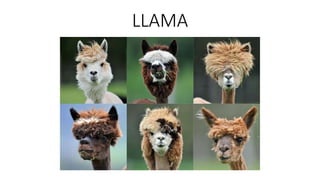
LLAMA
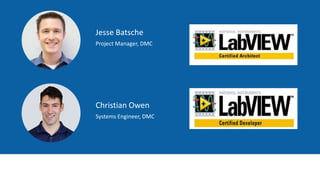
Jesse Batsche
Project Manager, DMC
Christian Owen
Systems Engineer, DMC
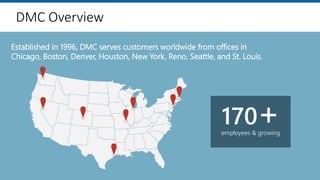
Established in 1996, DMC serves customers worldwide from offices in
Chicago, Boston, Denver, Houston, New York, Reno, Seattle, and St. Louis.
employees & growing
170+
DMC Overview
Industries Served
Energy & Utilities
Printing
Automotive
Food & Beverage
Semiconductor
Chemical
Oil & Gas Engineering
Specialty Machinery
Consumer Goods
Packaging Machinery
Programming
Telecommunications
Defense Contracting
Pharmaceutical
Test & Measurement
Our NI Certifications
12 Certifications 4 Certifications 4 Certifications
DMC has partnered with National Instruments since 1997
DMC’s team of certified LabVIEW engineers
is one of the largest in the country
1 Certification
Areas of Expertise
Manufacturing Automation
& Intelligence
Test & Measurement
Automation
Microsoft Consulting
Services
Custom Software &
Hardware Development
Today we are NOT talking about…
Logging?
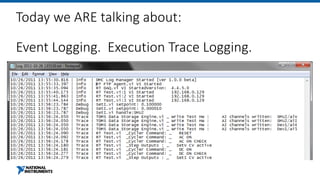
Today we ARE talking about:
Event Logging. Execution Trace Logging.
Session Outline
• Why do we need a logging tool?
• What makes a good logging tool?
• Review community and industry options
• How could such a tool be programmed?
• Where do we go next?
Why Do We Need A Logging Tool?
• Essential to debugging and monitoring deployed applications (no
development environment)
• Case study : Remote debug of Transmission EOL Tester in factory
• Bridging the gap : User stories <-> Log files <-> Code execution
Why Do We Need A Logging Tool?
• Supplements and fills gaps in built in LabVIEW debug tools
• Debugging parallel operations
• Highlight execution and breakpoints will
change execution speed
• Probes aren’t convenient for iterative calls
• Event logging is always watching
What Makes A Good Logging Tool?
• Easy to use
• Simple API
• Low barrier to entry, easy to integrate into applications,
small footprint
• Lightweight
• Minimal impact on application performance
• Configurable
• Configurable at run time and after building
• Easy to Extend
• Easy to “plug in” new features
What Makes A Good Logging Tool?
• Organized Output
• Categorization or grouping of Entries
• Timestamped
• Significance or Subsystem
• Easy to read, parse, search
• Widely Accessible
• PC or RT
• Development or Runtime
• Cross target
• Provides LIVE and HISTORICAL feedback
What Makes A Good Logging Tool?
Your Thoughts?
• What are other characteristics that a good logging tool should have?
What’s Available?
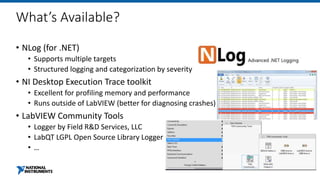
• NLog (for .NET)
• Supports multiple targets
• Structured logging and categorization by severity
• NI Desktop Execution Trace toolkit
• Excellent for profiling memory and performance
• Runs outside of LabVIEW (better for diagnosing crashes)
• LabVIEW Community Tools
• Logger by Field R&D Services, LLC
• LabQT LGPL Open Source Library Logger
• …
How could such a tool be programmed?
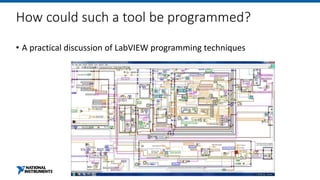
• A practical discussion of LabVIEW programming techniques
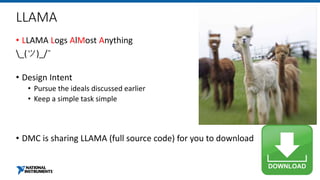
LLAMA
• LLAMA Logs AlMost Anything
_(ツ)_/¯
• Design Intent
• Pursue the ideals discussed earlier
• Keep a simple task simple
• DMC is sharing LLAMA (full source code) for you to download
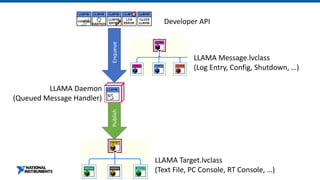
Developer API
Enqueue
LLAMA Message.lvclass
(Log Entry, Config, Shutdown, …)
LLAMA Daemon
(Queued Message Handler)
Publish
LLAMA Target.lvclass
(Text File, PC Console, RT Console, …)
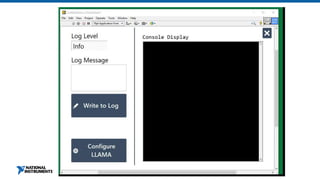
Live / Historical Feedback
• Console Log target provides live feedback
• File targets can be used to capture historical information
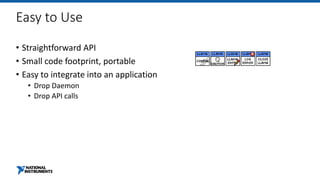
Easy to Use
• Straightforward API
• Small code footprint, portable
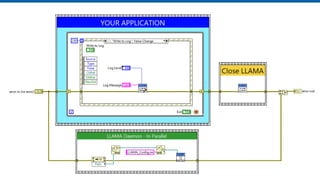
• Easy to integrate into an application
• Drop Daemon
• Drop API calls
LLAMA: Overview
• The LLAMA daemon
• Launched at startup, runs in background
• Consumes API messages
• Hangs on to an array of Target objects and a queue reference
• The LLAMA Messaging VIs
• Enqueues Message objects, which are consumed by the daemon
• Configure, Log Entry, Shutdown
• Low overhead
Lightweight
• Heavy lifting occurs in daemon
• API calls are merely enqueueing a message object
• Daemon handles messages as time allows
• A quick benchmark : Log string to Text File
• 2 steps
• Generate string to log : enqueue
• <2% of time (3.3 us)
• Compose full log string, write to text file
• 98% of time (185 us)
Organized Output
• Categorization in terms of Severities
• Trace Debug Info Warn Error Fatal
• Categorization by functional area
• Headers allow for simple sorting of entries
• Timestamp and Log Level included here
• Simplest Case : Text File
• Flexible, easily searched/parsed
• Extension Case : Structured (e.g. cluster)
• Avoid string parsing, more compact representation
Configurable at Runtime/Post-Build
• LLAMA can be configured to write to a number of log targets
• Log targets can be added or removed without restarting application
• Configuration can be updated after building
Categorized Output, Configurable Tool
Widely Accessible
• Compatible with RT targets and PC targets
• Can run in development environment and executables
• Limitations
• No native support for log consolidation between targets
Extensible
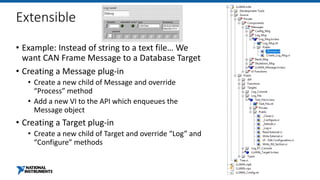
• Example: Instead of string to a text file… We
want CAN Frame Message to a Database Target
• Creating a Message plug-in
• Create a new child of Message and override
“Process” method
• Add a new VI to the API which enqueues the
Message object
• Creating a Target plug-in
• Create a new child of Target and override “Log” and
“Configure” methods
Where Do We Go Next?
• More destinations via new Target child classes
• Database
• Structured TDMS execution trace
• Cross-target consolidation
• Syslog
• Expanded API via new Message child classes
Audience Input
• What would you find useful?
• What have you done in your own logging toolchains?

LLAMA
http://bit.ly/dmcllama
Download and Login to the NIWeek Mobile App
VIEW
WEEKLY SCHEDULE
FIND
YOUR SESSION
BUILD
YOUR SCHEDULE
More Information at ni.com/niweek
www.dmcinfo.com
sales@dmcinfo.com
312.255.8757
Questions? Contact Us…
Ni week 2018 LLAMA presentation