Data Networking Year 2 Network Administration Planning a Disaster Recovery Plan Colm Bennett
What is a Disaster Recovery Plan? a set of policies and procedures for reacting to and recovering from an IT-disabling disaster Usually part of a Business Continuity Plan  A BCP will cover more than just the IT side Usually a script detailing how to get from certain disaster scenarios back to functioning IT system
Steps in creating a DRP Risk Analysis Budget Develop the Plan Test
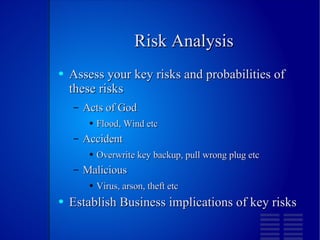
Risk Analysis Assess your key risks and probabilities of these risks Acts of God Flood, Wind etc Accident Overwrite key backup, pull wrong plug etc Malicious Virus, arson, theft etc Establish Business implications of key risks
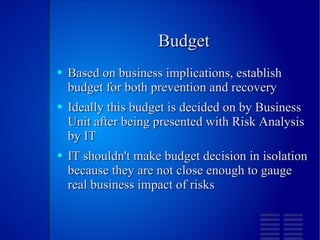
Budget Based on business implications, establish budget for both prevention and recovery Ideally this budget is decided on by Business Unit after being presented with Risk Analysis by IT IT shouldn't make budget decision in isolation because they are not close enough to gauge real business impact of risks
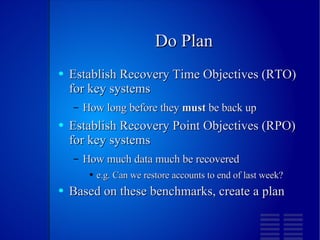
Do Plan Establish Recovery Time Objectives (RTO) for key systems How long before they  must  be back up Establish Recovery Point Objectives (RPO) for key systems How much data much be recovered e.g. Can we restore accounts to end of last week? Based on these benchmarks, create a plan
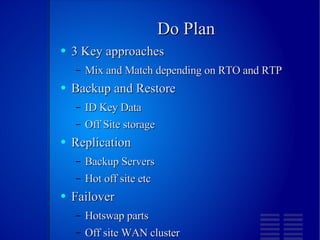
Do Plan 3 Key approaches Mix and Match depending on RTO and RTP Backup and Restore ID Key Data Off Site storage Replication Backup Servers Hot off site etc Failover Hotswap parts Off site WAN cluster
Test It! Absolutely Key Backups should be restored periodically Replication sites should be used for real business Failover should switch from one to another regularly Should be updated with feedback from testing

Network Admin D R P

  • 1.
    Data Networking Year2 Network Administration Planning a Disaster Recovery Plan Colm Bennett
  • 2.
    What is aDisaster Recovery Plan? a set of policies and procedures for reacting to and recovering from an IT-disabling disaster Usually part of a Business Continuity Plan A BCP will cover more than just the IT side Usually a script detailing how to get from certain disaster scenarios back to functioning IT system
  • 3.
    Steps in creatinga DRP Risk Analysis Budget Develop the Plan Test
  • 4.
    Risk Analysis Assessyour key risks and probabilities of these risks Acts of God Flood, Wind etc Accident Overwrite key backup, pull wrong plug etc Malicious Virus, arson, theft etc Establish Business implications of key risks
  • 5.
    Budget Based onbusiness implications, establish budget for both prevention and recovery Ideally this budget is decided on by Business Unit after being presented with Risk Analysis by IT IT shouldn't make budget decision in isolation because they are not close enough to gauge real business impact of risks
  • 6.
    Do Plan EstablishRecovery Time Objectives (RTO) for key systems How long before they must be back up Establish Recovery Point Objectives (RPO) for key systems How much data much be recovered e.g. Can we restore accounts to end of last week? Based on these benchmarks, create a plan
  • 7.
    Do Plan 3Key approaches Mix and Match depending on RTO and RTP Backup and Restore ID Key Data Off Site storage Replication Backup Servers Hot off site etc Failover Hotswap parts Off site WAN cluster
  • 8.
    Test It! AbsolutelyKey Backups should be restored periodically Replication sites should be used for real business Failover should switch from one to another regularly Should be updated with feedback from testing