
Infinity   1
• Released internally in May 1995
• First released to the general public at the end of 1996
• MySQL founded in 2001 focus on performance and scalability
• By 2006, there are more than five million active MySQL
  installations worldwide, with more than 35,000 copies of the
  software downloaded daily
• MySQL was acquired by Sun Microsystem in February 2008

• Flexibility: available for 12 platforms, including DEC OSF,
  FreeBSD, IBM AIX, HP-UX, Linux, Mac OS X, Novell NetWare,
  OpenBSD, QNX, SGI IRIX, Solaris, and Microsoft Windows.
• Power: performance and scalability are focus. New features
  were added with new releases. Capability now closer to
  commercial RDBMS.
• Full-Text Indexing and Searching
• Query Caching
• Replication
• Security up to the columns
                              Infinity                           2
•   Complete foreign key support
•   Stored procedures
•   Views
•   Triggers
•   INFORMATION_SCHEMA


                      Infinity     3
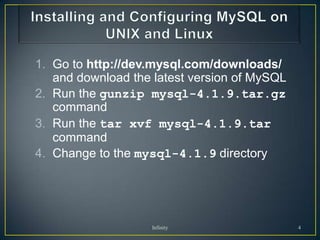
1. Go to http://dev.mysql.com/downloads/
   and download the latest version of MySQL
2. Run the gunzip mysql-4.1.9.tar.gz
   command
3. Run the tar xvf mysql-4.1.9.tar
   command
4. Change to the mysql-4.1.9 directory


                    Infinity                  4
6. Run the ./configure command
7. Compile the MySQL code with the make
   command
8. Run the make install command
9. Change to the scripts directory
10.Run the mysql_install_db --user=mysql script
11.Run the ownership commands:
   chown -R root /usr/local/mysql
   chown -R mysql /usr/local/mysql/var
   chgrp -R mysql /usr/local/mysql

                     Infinity                     5
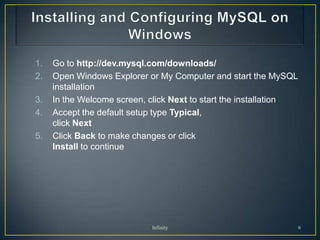
1.   Go to http://dev.mysql.com/downloads/
2.   Open Windows Explorer or My Computer and start the MySQL
     installation
3.   In the Welcome screen, click Next to start the installation
4.   Accept the default setup type Typical,
     click Next
5.   Click Back to make changes or click
     Install to continue


                            Infinity                               6
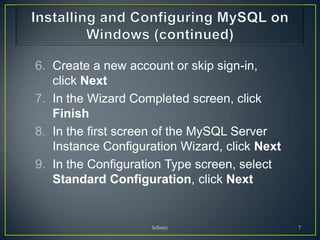
6. Create a new account or skip sign-in,
   click Next
7. In the Wizard Completed screen, click
   Finish
8. In the first screen of the MySQL Server
   Instance Configuration Wizard, click Next
9. In the Configuration Type screen, select
   Standard Configuration, click Next


                    Infinity                   7
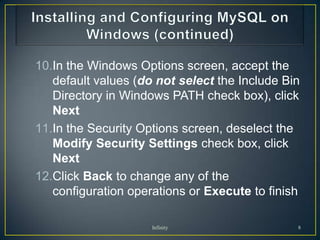
10.In the Windows Options screen, accept the
   default values (do not select the Include Bin
   Directory in Windows PATH check box), click
   Next
11.In the Security Options screen, deselect the
   Modify Security Settings check box, click
   Next
12.Click Back to change any of the
   configuration operations or Execute to finish

                     Infinity                  8
1.   Check to see if MySQL is running
     • For UNIX/Linux systems:
         /usr/local/mysql/bin/mysqld_safe --user=mysql &
   • For Windows, use the Services window
2. Run the mysqladmin version command
     •   For UNIX/Linux systems:
         /usr/local/mysql/bin/mysqladmin version
     •   For Windows, change to the C:Program
         FilesMySQLMySQL Server 4.1bin directory and run:
         mysqladmin version


                             Infinity                           9
• SHOW databases;
  • Will show the list of databases in the mysql server
• USE mysql;
  • Use database named mysql
• SHOW TABLES;
  • Will show the list of tables present in the database mysql
• DESCRIBE host;
  • Will show schema details for table host
• SELECT Host, User, password FROM user ORDER BY Host;
  • A query to select host, username and password from user table.

  • For more queries and syntax related information visit
    http://www.mysql.com/
                                  Infinity                           10
∞

Infinity   11

My sql

  • 1.
  • 2.
    • Released internallyin May 1995 • First released to the general public at the end of 1996 • MySQL founded in 2001 focus on performance and scalability • By 2006, there are more than five million active MySQL installations worldwide, with more than 35,000 copies of the software downloaded daily • MySQL was acquired by Sun Microsystem in February 2008 • Flexibility: available for 12 platforms, including DEC OSF, FreeBSD, IBM AIX, HP-UX, Linux, Mac OS X, Novell NetWare, OpenBSD, QNX, SGI IRIX, Solaris, and Microsoft Windows. • Power: performance and scalability are focus. New features were added with new releases. Capability now closer to commercial RDBMS. • Full-Text Indexing and Searching • Query Caching • Replication • Security up to the columns Infinity 2
  • 3.
    Complete foreign key support • Stored procedures • Views • Triggers • INFORMATION_SCHEMA Infinity 3
  • 4.
    1. Go tohttp://dev.mysql.com/downloads/ and download the latest version of MySQL 2. Run the gunzip mysql-4.1.9.tar.gz command 3. Run the tar xvf mysql-4.1.9.tar command 4. Change to the mysql-4.1.9 directory Infinity 4
  • 5.
    6. Run the./configure command 7. Compile the MySQL code with the make command 8. Run the make install command 9. Change to the scripts directory 10.Run the mysql_install_db --user=mysql script 11.Run the ownership commands: chown -R root /usr/local/mysql chown -R mysql /usr/local/mysql/var chgrp -R mysql /usr/local/mysql Infinity 5
  • 6.
    1. Go to http://dev.mysql.com/downloads/ 2. Open Windows Explorer or My Computer and start the MySQL installation 3. In the Welcome screen, click Next to start the installation 4. Accept the default setup type Typical, click Next 5. Click Back to make changes or click Install to continue Infinity 6
  • 7.
    6. Create anew account or skip sign-in, click Next 7. In the Wizard Completed screen, click Finish 8. In the first screen of the MySQL Server Instance Configuration Wizard, click Next 9. In the Configuration Type screen, select Standard Configuration, click Next Infinity 7
  • 8.
    10.In the WindowsOptions screen, accept the default values (do not select the Include Bin Directory in Windows PATH check box), click Next 11.In the Security Options screen, deselect the Modify Security Settings check box, click Next 12.Click Back to change any of the configuration operations or Execute to finish Infinity 8
  • 9.
    1. Check to see if MySQL is running • For UNIX/Linux systems: /usr/local/mysql/bin/mysqld_safe --user=mysql & • For Windows, use the Services window 2. Run the mysqladmin version command • For UNIX/Linux systems: /usr/local/mysql/bin/mysqladmin version • For Windows, change to the C:Program FilesMySQLMySQL Server 4.1bin directory and run: mysqladmin version Infinity 9
  • 10.
    • SHOW databases; • Will show the list of databases in the mysql server • USE mysql; • Use database named mysql • SHOW TABLES; • Will show the list of tables present in the database mysql • DESCRIBE host; • Will show schema details for table host • SELECT Host, User, password FROM user ORDER BY Host; • A query to select host, username and password from user table. • For more queries and syntax related information visit http://www.mysql.com/ Infinity 10
  • 11.