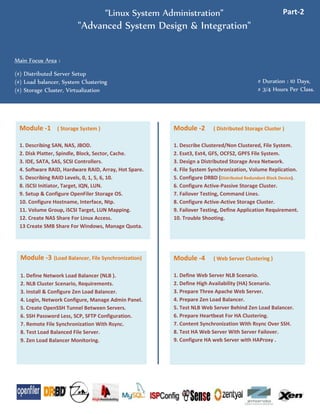
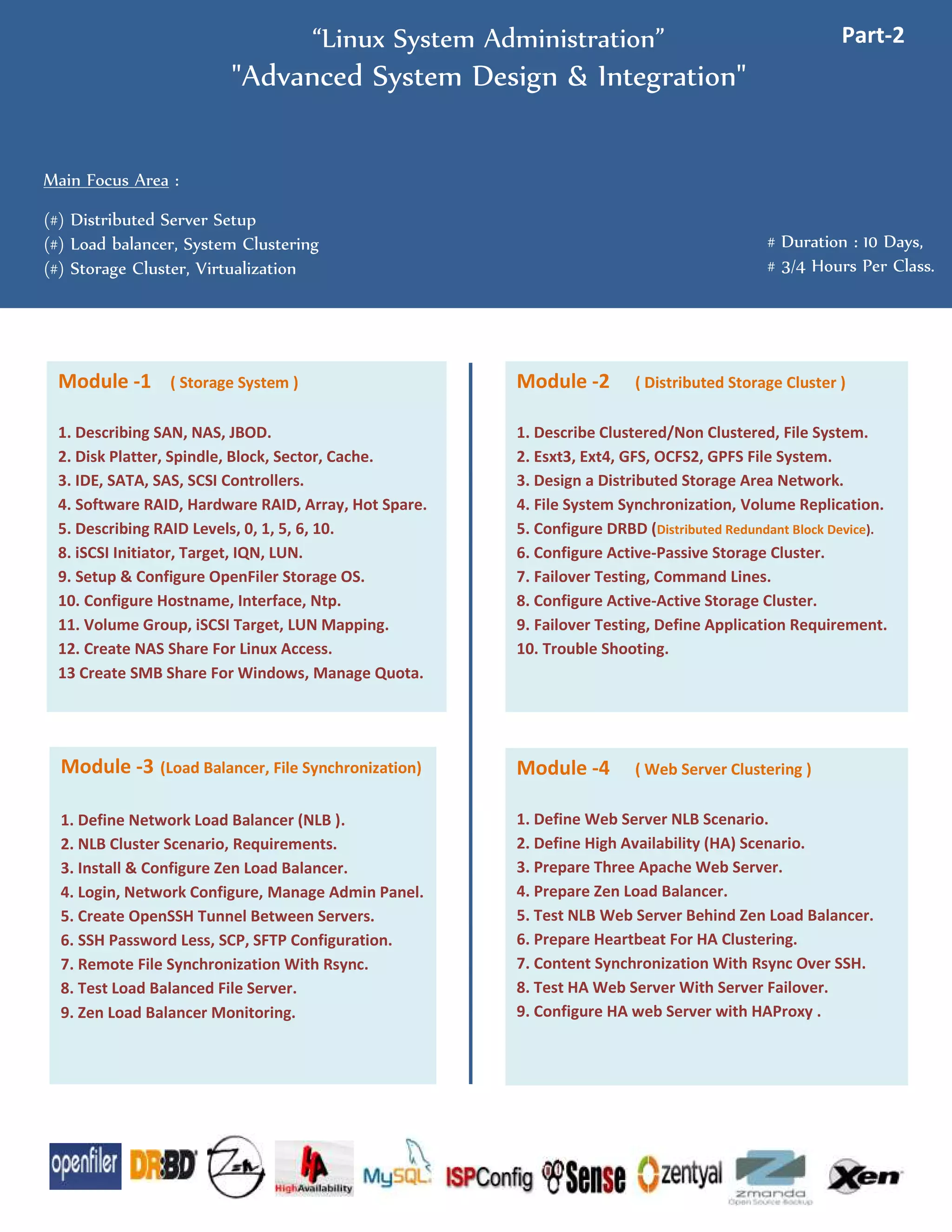
“Linux System Administration” Part-2
"From Basic To Advance, Linux System Administration Training"
Course Overview : This Course is a Higher Level System Administration Course with advanced System Deployment & Integration Methods. This Course is for Junior to Senior Sys Admins, who are working in an
Enterprise Environment, Requires Enterprise Backup, Application Firewall & Virtual Environments. And Also Facing Challenge To Setup & Maintain Distributed Servers. HA & NLB Servers are Commonly Seen on
Every Organization. Completing the Course will give you a Detail Picture of Enterprise System Administration, And Ability to Deploy Complex, Redundant, Cluster Solutions For Any Organization.
1. Describing SAN, NAS, JBOD.
2. Disk Platter, Spindle, Block, Sector, Cache.
3. IDE, SATA, SAS, SCSI Controllers.
4. Software RAID, Hardware RAID, Array, Hot Spare.
5. Describing RAID Levels, 0, 1, 5, 6, 10.
8. iSCSI Initiator, Target, IQN, LUN.
9. Setup & Configure OpenFiler Storage OS.
10. Configure Hostname, Interface, Ntp.
11. Volume Group, iSCSI Target, LUN Mapping.
12. Create NAS Share For Linux Access.
13 Create SMB Share For Windows, Manage Quota.
Module -1 ( SAN Storage System )
1. Describe Clustered/Non Clustered, File System.
2. Esxt3, Ext4, GFS, OCFS2, GPFS File System.
3. Design a Distributed Storage Area Network.
4. File System Synchronization, Volume Replication.
5.Setup DRBD (Distributed Replicated Block Device)
6. Configure Active-Passive Storage Cluster.
7. Failover Testing, Command Lines.
8. Configure Active-Active Storage Cluster.
9. Failover Testing, Define Application Requirement.
10. Trouble Shooting.
Module -2 ( Distributed Storage Cluster )
1. Define Network Load Balancer (NLB ).
2. NLB Cluster Scenario, Requirements.
3. Install & Configure Zen Load Balancer.
4. Login, Network Configure, Manage Admin Panel.
5. Create OpenSSH Tunnel Between Servers.
6. SSH Password Less, SCP, SFTP Configuration.
7. Remote File Synchronization With Rsync.
8. Test Load Balanced File Server.
9. Zen Load Balancer Monitoring.
Module -3 (Load Balancer, File Synchronization)
1. Define Web Server NLB Scenario.
2. Define High Availability (HA) Scenario.
3. Prepare Three Apache Web Server.
4. Prepare Zen Load Balancer.
5. Test NLB Web Server Behind Zen Load Balancer.
6. Prepare Heartbeat For HA Clustering.
7. Content Synchronization With Rsync Over SSH.
8. Test HA Web Server With Server Failover.
9. Configure HA web Server with HAProxy .
Module -4 ( Web Server Clustering )
This Course is Not a Certificate Course. This Course Provides
Hand-To-Hand Training, Who Needs Practical Knowledge of
Linux System Administration.
1. Linux System Administration Part-1
2. Linux System Administration Part-3 (Mail Server)
3. VMware Datacenter Design-Part1
Other Trainings :
Contact
M.M.Rahman Munna
VCP5, RHCE, MCITP, CCNA, MCSE
Email : munnavai@gmail.com
Mobile : +8801912064483
1. Install & Configure MySQL Server.
2. Login, Create Database, Table, Permissions.
3. Insert Data, Query, Update, Delete Data.
4. Setup PhpMyAdmin Web Admin Panel.
5. Setup Mysql Windows Tools.
6. Configure MySQL Master/ Slave Replication.
7. Configure MySQL Database Cluster.
8. Database Trouble Shooting, Backup & Restore.
Module -5 (MySQL Clustering & Replication )
1. Install & Configure ISPConfig Web Control Panel.
2. Setup IP, Hostname, DNS Settings.
3. Create Client, Reseller Package.
4. Create DNS Zone For Clients. ( Domain Parking ).
5. Create Web Hosting, Database, Redirection, Log.
6. FTP Server Configuration.
7. Create Email Hosting, User Quota, Spam Settings.
8. Webmail, Fetchmail, Server Monitoring.
9. Describe File Structure, Backup.
Module -6 ( Web, Mail, Hosting Panel )
1. Explain The Firewall Scenario.
2. PfSense Installation, Basic Configuration.
3. Configure NAT, DHCP Server.
4. Configure OpenVPN (IPSec Tunnel)
5. Apply Network Firewall Rule Set.
6. Squid Proxy Server ACL, Site Restriction.
7. Content Blocker, IMBlocker, Captive Portal.
8. Upload/Download Bandwidth Control.
Module -7 (Linux/Unix Gateway Firewall )
1. Install & Configure Zentyal Small Business Server.
2. Basic Configuration, Login, Admin Panel.
3. Deploy Multiple Server System Like...
4. Setup DNS Server, FTP Server, Http Server,
5. NFS Server, Samba Server, Mail Server.
6. Configure Intrusion Detection System (IDS)
7. Create & Configure Virtual Machines.
8. Server Monitoring, Manage Logs, System Backup.
Module -8 ( Linux Small Business Server )
1. Define Distributed Network Backup Scenario.
2. Install & Configure Amanda Server & Clients.
3. Perform Network (Linux/Windows) Data Backup.
4. Schedule Backup, Backup From NFS/SMB Share.
5. vTape & Disk Management.
6. Amanda Security, Backup verification.
7. Recover Data From Amanda vTape & Disk Store.
8. Command line Tools & Utilities.
Module -9 ( Network Backup System )
1.Install Xen On CentOS
2.Using virt-manager To Create & Manage VM's.
3.Creating An Image-Based Virtual Machine
4.Create a Fully Virtualized Guest VM.
5.Managing A Xen Guest From The Command Line.
6. Install & Configure KVM (Kernel Virtual Machine).
7. Create Linux Virtual Machines inside KVM.
8. Create Server 2008 Virtual Machines inside KVM.
Module -10 ( Virtualization With Xen, KVM )
Class-1 → Module-1
Total Classes And Modules.
Class-2 → Module-2
Class-3 → Module-2
Class-4 → Module-3
Class-5 → Module-4
Class-6 → Module-5
Class-7 → Module-6
Class-8 → Module-7
Class-9 → Module-8
Class-10 → Module-9
Class-11 → Module-10
Class-12 → Module-10

Linux system administration - part-2

  • 1.
    “Linux System Administration”Part-2 "From Basic To Advance, Linux System Administration Training" Course Overview : This Course is a Higher Level System Administration Course with advanced System Deployment & Integration Methods. This Course is for Junior to Senior Sys Admins, who are working in an Enterprise Environment, Requires Enterprise Backup, Application Firewall & Virtual Environments. And Also Facing Challenge To Setup & Maintain Distributed Servers. HA & NLB Servers are Commonly Seen on Every Organization. Completing the Course will give you a Detail Picture of Enterprise System Administration, And Ability to Deploy Complex, Redundant, Cluster Solutions For Any Organization. 1. Describing SAN, NAS, JBOD. 2. Disk Platter, Spindle, Block, Sector, Cache. 3. IDE, SATA, SAS, SCSI Controllers. 4. Software RAID, Hardware RAID, Array, Hot Spare. 5. Describing RAID Levels, 0, 1, 5, 6, 10. 8. iSCSI Initiator, Target, IQN, LUN. 9. Setup & Configure OpenFiler Storage OS. 10. Configure Hostname, Interface, Ntp. 11. Volume Group, iSCSI Target, LUN Mapping. 12. Create NAS Share For Linux Access. 13 Create SMB Share For Windows, Manage Quota. Module -1 ( SAN Storage System ) 1. Describe Clustered/Non Clustered, File System. 2. Esxt3, Ext4, GFS, OCFS2, GPFS File System. 3. Design a Distributed Storage Area Network. 4. File System Synchronization, Volume Replication. 5.Setup DRBD (Distributed Replicated Block Device) 6. Configure Active-Passive Storage Cluster. 7. Failover Testing, Command Lines. 8. Configure Active-Active Storage Cluster. 9. Failover Testing, Define Application Requirement. 10. Trouble Shooting. Module -2 ( Distributed Storage Cluster ) 1. Define Network Load Balancer (NLB ). 2. NLB Cluster Scenario, Requirements. 3. Install & Configure Zen Load Balancer. 4. Login, Network Configure, Manage Admin Panel. 5. Create OpenSSH Tunnel Between Servers. 6. SSH Password Less, SCP, SFTP Configuration. 7. Remote File Synchronization With Rsync. 8. Test Load Balanced File Server. 9. Zen Load Balancer Monitoring. Module -3 (Load Balancer, File Synchronization) 1. Define Web Server NLB Scenario. 2. Define High Availability (HA) Scenario. 3. Prepare Three Apache Web Server. 4. Prepare Zen Load Balancer. 5. Test NLB Web Server Behind Zen Load Balancer. 6. Prepare Heartbeat For HA Clustering. 7. Content Synchronization With Rsync Over SSH. 8. Test HA Web Server With Server Failover. 9. Configure HA web Server with HAProxy . Module -4 ( Web Server Clustering ) This Course is Not a Certificate Course. This Course Provides Hand-To-Hand Training, Who Needs Practical Knowledge of Linux System Administration. 1. Linux System Administration Part-1 2. Linux System Administration Part-3 (Mail Server) 3. VMware Datacenter Design-Part1 Other Trainings : Contact M.M.Rahman Munna VCP5, RHCE, MCITP, CCNA, MCSE Email : munnavai@gmail.com Mobile : +8801912064483 1. Install & Configure MySQL Server. 2. Login, Create Database, Table, Permissions. 3. Insert Data, Query, Update, Delete Data. 4. Setup PhpMyAdmin Web Admin Panel. 5. Setup Mysql Windows Tools. 6. Configure MySQL Master/ Slave Replication. 7. Configure MySQL Database Cluster. 8. Database Trouble Shooting, Backup & Restore. Module -5 (MySQL Clustering & Replication ) 1. Install & Configure ISPConfig Web Control Panel. 2. Setup IP, Hostname, DNS Settings. 3. Create Client, Reseller Package. 4. Create DNS Zone For Clients. ( Domain Parking ). 5. Create Web Hosting, Database, Redirection, Log. 6. FTP Server Configuration. 7. Create Email Hosting, User Quota, Spam Settings. 8. Webmail, Fetchmail, Server Monitoring. 9. Describe File Structure, Backup. Module -6 ( Web, Mail, Hosting Panel ) 1. Explain The Firewall Scenario. 2. PfSense Installation, Basic Configuration. 3. Configure NAT, DHCP Server. 4. Configure OpenVPN (IPSec Tunnel) 5. Apply Network Firewall Rule Set. 6. Squid Proxy Server ACL, Site Restriction. 7. Content Blocker, IMBlocker, Captive Portal. 8. Upload/Download Bandwidth Control. Module -7 (Linux/Unix Gateway Firewall ) 1. Install & Configure Zentyal Small Business Server. 2. Basic Configuration, Login, Admin Panel. 3. Deploy Multiple Server System Like... 4. Setup DNS Server, FTP Server, Http Server, 5. NFS Server, Samba Server, Mail Server. 6. Configure Intrusion Detection System (IDS) 7. Create & Configure Virtual Machines. 8. Server Monitoring, Manage Logs, System Backup. Module -8 ( Linux Small Business Server ) 1. Define Distributed Network Backup Scenario. 2. Install & Configure Amanda Server & Clients. 3. Perform Network (Linux/Windows) Data Backup. 4. Schedule Backup, Backup From NFS/SMB Share. 5. vTape & Disk Management. 6. Amanda Security, Backup verification. 7. Recover Data From Amanda vTape & Disk Store. 8. Command line Tools & Utilities. Module -9 ( Network Backup System ) 1.Install Xen On CentOS 2.Using virt-manager To Create & Manage VM's. 3.Creating An Image-Based Virtual Machine 4.Create a Fully Virtualized Guest VM. 5.Managing A Xen Guest From The Command Line. 6. Install & Configure KVM (Kernel Virtual Machine). 7. Create Linux Virtual Machines inside KVM. 8. Create Server 2008 Virtual Machines inside KVM. Module -10 ( Virtualization With Xen, KVM ) Class-1 → Module-1 Total Classes And Modules. Class-2 → Module-2 Class-3 → Module-2 Class-4 → Module-3 Class-5 → Module-4 Class-6 → Module-5 Class-7 → Module-6 Class-8 → Module-7 Class-9 → Module-8 Class-10 → Module-9 Class-11 → Module-10 Class-12 → Module-10