Multimodal Feedback via
    Screencasting
      Hanaa Khamis
Why Screencasts?
Queries

• What is screencasting?

• Where did I first hear about it as a feedback tool?

• How can I use it for my purposes?

• When did it first really work?

• Is it effective? Why?
Queries
• What is screencasting?
“A digital recording of computer screen output, also known as a video screen
   capture, often containing audio narration.” – Wikipedia
• Where did I first hear about it as a feedback tool?
From Russell Stannard in IATEFL Harrogate 2010.
• How can I use it for my purposes?
Tutorials, feedback, etc.
• When did it first really work?
For peer feedback & a group project.
• Is it effective? Why?
Certainly. Spells out what I really think while I’m at it.
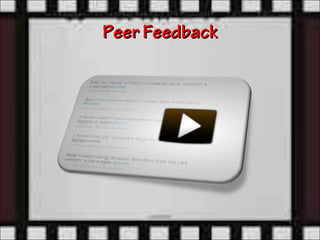
Peer Feedback
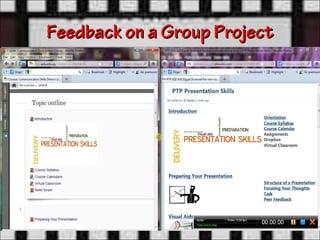
Feedback on a Group Project
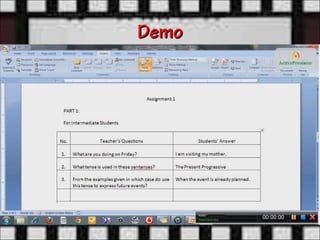
Demo
Your Turn
Ideas for Effective Screencasts
• Use of a tablet PC or an IWB
• Track changes & comments (Review menu)
• Inking in Word (Review menu)
• Scanning papers into pdf, adding
  comments & highlights in Acrobat Reader X (10.1.5)
• Flipped classroom
• General class feedback
• Individualized feedback
Strengths
Minimize wasted time in face-to-face
meetings where group members try hard to
make explicit what they think
Strengths
Merge audiovisual tracks into one video
package produced in various video formats
in no time
Challenges

File size & video sharing

•(Dropbox .com & MailbigFile.com)

•(Jing screencast.com)
Reflections
How far has this technique revolutionized
your thinking about providing feedback in
various contexts?
Conclusions
• Capturing audio, video and screens is as
  easy as a keystroke.
• For a teacher to self-record multimodal
  feedback could be a transformational
  experience.
Questions or Comments


    hanaakhs@aucegypt.edu
References
• Talking with Students through Screencasting:
  Experimentations with Video Feedback to Improve
  Student Learning: http://tinyurl.com/b4jkd9v
• The spelling Mistake: Scene One, Take One:
  http://tinyurl.com/yda4dy2
• "Grading," TechSmith's e-Learning Trainers Series:
  http://bitly.com/bundles/tsc/e

Multimodal Fedback via Screencasting

  • 1.
    Multimodal Feedback via Screencasting Hanaa Khamis
  • 2.
  • 3.
    Queries • What isscreencasting? • Where did I first hear about it as a feedback tool? • How can I use it for my purposes? • When did it first really work? • Is it effective? Why?
  • 4.
    Queries • What isscreencasting? “A digital recording of computer screen output, also known as a video screen capture, often containing audio narration.” – Wikipedia • Where did I first hear about it as a feedback tool? From Russell Stannard in IATEFL Harrogate 2010. • How can I use it for my purposes? Tutorials, feedback, etc. • When did it first really work? For peer feedback & a group project. • Is it effective? Why? Certainly. Spells out what I really think while I’m at it.
  • 5.
  • 6.
    Feedback on aGroup Project
  • 7.
  • 8.
  • 9.
    Ideas for EffectiveScreencasts • Use of a tablet PC or an IWB • Track changes & comments (Review menu) • Inking in Word (Review menu) • Scanning papers into pdf, adding comments & highlights in Acrobat Reader X (10.1.5) • Flipped classroom • General class feedback • Individualized feedback
  • 10.
    Strengths Minimize wasted timein face-to-face meetings where group members try hard to make explicit what they think
  • 11.
    Strengths Merge audiovisual tracksinto one video package produced in various video formats in no time
  • 12.
    Challenges File size &video sharing •(Dropbox .com & MailbigFile.com) •(Jing screencast.com)
  • 13.
    Reflections How far hasthis technique revolutionized your thinking about providing feedback in various contexts?
  • 14.
    Conclusions • Capturing audio,video and screens is as easy as a keystroke. • For a teacher to self-record multimodal feedback could be a transformational experience.
  • 15.
    Questions or Comments hanaakhs@aucegypt.edu
  • 16.
    References • Talking withStudents through Screencasting: Experimentations with Video Feedback to Improve Student Learning: http://tinyurl.com/b4jkd9v • The spelling Mistake: Scene One, Take One: http://tinyurl.com/yda4dy2 • "Grading," TechSmith's e-Learning Trainers Series: http://bitly.com/bundles/tsc/e