FreeBSD in theFreeBSD in the
EnterpriseEnterprise
An Introduction for Linux UsersAn Introduction for Linux Users
Murray StokelyMurray Stokely
murray@FreeBSD.orgmurray@FreeBSD.org
FreeBSD in a nutshellFreeBSD in a nutshell
• Freely available Unix-like operating system
• Runs on x86, Alpha, Sparc64, IA-64, AMD64
architectures
• Over 11,000 software packages available
• Many commercial users
• Thousands of developers around the world
contributing to it
• Used as an operating systems research platform
• So far, so Linux...
FreeBSD HistoryFreeBSD History
• BSD developed at University of California,
Berkeley, as alterations to AT&T Unix
• Initial implementation of key Unix concepts,
such as sockets, virtual memory, and TCP/IP
• 386BSD developed to implement BSD Unix on
x86 architecture in early 1990s
• FreeBSD developed from 386BSD project (as did
NetBSD)
• Now has 350+ active developers, and 1,000's of
contributors
Places you’ll find FreeBSDPlaces you’ll find FreeBSD
• Powering websites
– Yahoo!
– Sony Japan
– Netcraft
– NTT/Verio
• “Grunt work”
– Disney
– Manex VFX
– NASA
• ISPs
– UUNet, Pair, Demon,
EasyNet, …
• Embedded Systems
– IBM
– Intel
– Nokia
– Checkpoint
– Juniper Networks
– Coyote
• Other operating systems
– Mac OS X
– Embedded
Enterprise UseEnterprise Use
• FreeBSD is used by some of the largest banks in
the world to process over 1.5 trillion US Dollars
(43,500,000,000,000 Rubles) of business to
business transactions per year.
• Perl, Apache, X11, and other Open Source
software also used in this application.
• FreeBSD Jails used for system security.
Factors that HelpFactors that Help
• Stability
• Source availability for helping understand and fix
problems that occur (having the source to the system
helps you understand why your application does not do
what you expect)
• Excellent performance
• Easy hardware upgrade paths
• The application is spread over many servers. Need more
power in one part? Add more FreeBSD boxes.
• PC hardware sometimes is less than perfect, but at PC
hardware prices, hot spares are practical.
Internet InfrastructureInternet Infrastructure
• BSD has existed since the last 1970's and was the
testbed and reference implementation for TCP/IP.
• The Internet Software Consortium (ISC) uses FreeBSD
exclusively for f-root domain servers (in 21 cities now,
usually with 3 servers per city).
• Modern FreeBSD is extremely refined and mature.
• FreeBSD consistently placed at the top of the "uptime"
lists produced by Netcraft to measure the stability of
the world's busiest websites.
Differences fromDifferences from
LinuxLinux
FreeBSD Licensing ModelFreeBSD Licensing Model
• FreeBSD distributed under "2 clause" BSD
license
• Copyright ©[year] [name]
All rights reserved
Redistribution in source and binary forms, with or without modification, are
permitted, provided that the following conditions are met:
1. Redistribution of source code must retain the above copyright notice, this
list of conditions, and the disclaimer.
2. Redistributions in binary form must reproduce the above copyright
notice, this list of conditions, and the following disclaimer in the
documentation and/or other materials provided with the distribution.
THIS SOFTWARE IS PROVIDED BY THE AUTHOR AND CONTRIBUTORS "AS
IS", AND ANY EXPRESS OR IMPLIED LIMITED WARANTIES...
FreeBSD Licensing ModelFreeBSD Licensing Model
• Don't claim that you wrote the code
• Don't blame us if the code doesn't work
• Apart from that, do anything you want with the
code
The GPL and BSD LicensesThe GPL and BSD Licenses
• The GPL mandates that source code be disclosed
• The BSD License allows source code changes to be kept
secret
• GPL is often categorised as "Copyleft", as distinct from
"Copyright"
• BSD License is "Copycentre". We actively encourage
third parties to use the source code.
• Donating changes back is purely at the discretion of the
party making the changes
Source Code ControlSource Code Control
• The entire source code for FreeBSD is stored in
a CVS repository
• The logs, and individual changes for each file
can be traced back to 1994.
• The source tree can be checked out at any state,
or corresponding to any release
• CDs are available taking the history back a
further 20 years
Source Code ControlSource Code Control
• Changes to the FreeBSD tree are available in a
number of ways (CVS, CVSup, CTM (e-mail),
Web)
• It is possible to maintain a local mirror of the
complete CVS tree
• You can 'tag' a local copy of the tree as
buildable, and then selectively include changes
from FreeBSD
Source Code DistributionSource Code Distribution
• FreeBSD Source Code
– Available on CD (freebsdmall.com, others)
– Can be downloaded from ftp.freebsd.org
• Changes to the source code
– Can be updated using CVS
– Can be updated using CVSup (faster CVS)
– Changes can be automatically e-mailed in, and
integrated with your local source tree
• Can be browsed, with history, on the web, at
http://www.freebsd.org/cgi/cvsweb.cgi
Development OrganizationDevelopment Organization
• Two layers of FreeBSD organization
• The committers, and everyone else
• Committers have write access to the source tree
• Everyone else submits patches or bug reports using
FreeBSD's problem reporting system, and waits for a
committer to commit the change
• Individuals who submit many patches (that work) are
invited to become committers
• 9 committers form the elected "core team", for dispute
resolution
Development OrganizationDevelopment Organization
Source
code
9 core team
Thousands of contributors
300+ committers
FreeBSD is a complete OSFreeBSD is a complete OS
• FreeBSD consists of all the components needed
for a complete operating system
– kernel
– compiler
– include files
– libraries
– user-land utilities
• Kernel and userland are kept synchronized, and
can be built, from source, as a unit
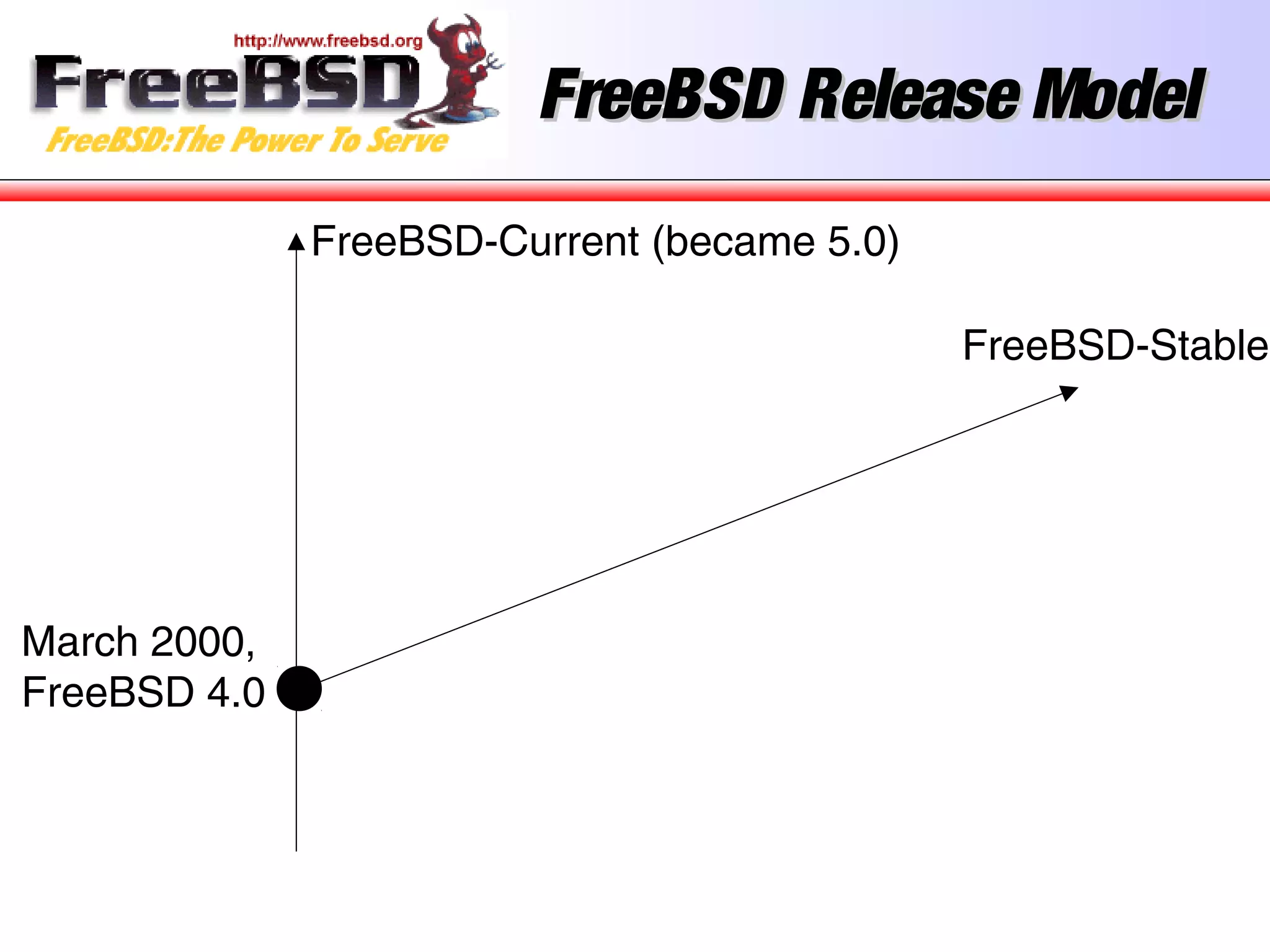
FreeBSD Release ModelFreeBSD Release Model
• FreeBSD releases maintained using CVS branches
• Head of the tree (-current) is now FreeBSD 6.0
• When 4.0 came out, a branch was created for “4-
STABLE” and minor releases up to 4.11 happened every
4 months.
• These minor releases (4.1, 4.2, etc) consist of bug fixes
backported from -CURRENT, and new features in
-CURRENT that have been extensively tested
• 5.0 process was a little different, and was not declared
5-STABLE until 5.3, due to the number of advanced new
features and reimplementation of SMP introduced in
FreeBSD 5.
FreeBSD Release ModelFreeBSD Release Model
March 2000,
FreeBSD 4.0
FreeBSD Release ModelFreeBSD Release Model
FreeBSD-Current (became 5.0)
March 2000,
FreeBSD 4.0
FreeBSD-Stable
FreeBSD Release ModelFreeBSD Release Model
FreeBSD-Current (became 5.0)
March 2000,
FreeBSD 4.0
FreeBSD-Stable
4.2, November 2000
4.1.1, September 2000 (crypto)
4.1, July 2000
4.3, April 2001
Third Party PackagesThird Party Packages
• FreeBSD has over 11,000 applications available
as binary packages
• Linux has similar number of applications
available in a number of different binary
formats (RPM, Deb, and others, depending on
the distribution).
• Packages are built from the “ports tree” of
which more later
• FreeBSD and Linux roughly equal in this
respect...
Ports Tree GrowthPorts Tree Growth
0
2000
4000
6000
8000
10000
12000
1996 1998 2000 2002 Today
Linux CompatabilityLinux Compatability
• FreeBSD runs 95%+ of Linux binary applications
unchanged
– Oracle
– VMWare
– Netscape
– RealPlayer
– Flash
– NetBackup
– Quake III
– …
FreeBSD for DevelopmentFreeBSD for Development
• The source code is a great reference
• Run standard development tools
– gcc
– gdb
– ddd
– (x)emacs
– make
FreeBSD on the DesktopFreeBSD on the Desktop
• GNOME
• KDE
• StarOffice / OpenOffice
• Mozilla / Firefox
• WordPerfect
• VMWare
• GIMP
• XMMS
• CD recording
• MP3 ripping
• Gnutella
• Afterstep / Enlightenment
/ Sawfish / BlackBox /
IceWM …
• A great server OS is a great desktop OS
• FreeBSD runs all the desktop apps you’re familiar with
FreeBSDFreeBSD
TechnologiesTechnologies
FreeBSD TechnologiesFreeBSD Technologies
• The Build System / Release System
• The Ports System
• NDISulator (Windows Driver Compatability)
• Linux Compatability
• Netgraph
• … and more
The Build SystemThe Build System
Building WorldBuilding World
• The entire operating system, including all
libraries and utilities can be built with a single
command : “make world”
• The source code for the system is placed in
/usr/src during installation.
• Much easier to secure a system if a bug is found
in a key library like OpenSSL.
• More information in build(7) and Handbook.
Building ReleasesBuilding Releases
• You can even build a complete release of
FreeBSD, including FTP install directories, floppy
images, and ISO images for CDROMs with one
command.
• “make release” is used by many large
companies to produce special versions of
FreeBSD with special patches or additional
software installed by default.
• It is also the well documented way in which the
release engineering team makes all official
releases of FreeBSD.
Release EngineeringRelease Engineering
• “make release” makes it much easier to deploy
thousands of systems pre-configured for a
specific environment.
• The release engineering team for FreeBSD
publishes schedules, identifies QA issues that
must be resolved before release, and publishes
documents to help other people build FreeBSD
based products.
• See release(7) and www.freebsd.org/releng
Linux CompatabilityLinux Compatability
Running a FreeBSD binaryRunning a FreeBSD binary
• Code like
fd = open(“/etc/passwd”, O_RDONLY);
• Becomes
syscall(5, ...)
• Kernel knows it’s a FreeBSD binary, uses
freebsd_syscalls[] array
freebsd_syscalls[5] = freebsd_open(…);
• File is opened
Running a Linux binaryRunning a Linux binary
• Code like
fd = open(“/etc/passwd”, O_RDONLY);
• Becomes
syscall(5, ...)
• Kernel knows it’s a Linux binary, uses
linux_syscalls[] array
linux_syscalls[5] = linux_open(…);
• File is opened
• All Linux file operations redirected to
/compat/linux first
Running Linux binariesRunning Linux binaries
• No slowdown; this is not emulation
• Efficiency of TCP/IP and VM system means some
Linux apps run faster
• SCO (ibcs2) compatibility handled in the same
way
NDISulatorNDISulator
Windows Network Device Driver
Compatability
NDISulatorNDISulator
• Compatability layer for NDIS Windows Driver Kernel
API.
• Allows driver .inf and .sys files to be turned into
FreeBSD loadable kernel modules.
• Can load and unload windows network device drivers in
FreeBSD!
• Some wireless hardware vendors refuse to release
specifications, so this is the only method to use such
cards with an open source operating system.
• More information in ndis(9).
More InformationMore Information
• http://www.freebsd.org
• http://www.freebsd.org/docs.html
• FreeBSD Handbook (Russian translation
available)
• Local User Groups, Mailing lists
Questions?Questions?

Msu free bsd

  • 1.
    FreeBSD in theFreeBSDin the EnterpriseEnterprise An Introduction for Linux UsersAn Introduction for Linux Users Murray StokelyMurray Stokely murray@FreeBSD.orgmurray@FreeBSD.org
  • 2.
    FreeBSD in anutshellFreeBSD in a nutshell • Freely available Unix-like operating system • Runs on x86, Alpha, Sparc64, IA-64, AMD64 architectures • Over 11,000 software packages available • Many commercial users • Thousands of developers around the world contributing to it • Used as an operating systems research platform • So far, so Linux...
  • 3.
    FreeBSD HistoryFreeBSD History •BSD developed at University of California, Berkeley, as alterations to AT&T Unix • Initial implementation of key Unix concepts, such as sockets, virtual memory, and TCP/IP • 386BSD developed to implement BSD Unix on x86 architecture in early 1990s • FreeBSD developed from 386BSD project (as did NetBSD) • Now has 350+ active developers, and 1,000's of contributors
  • 4.
    Places you’ll findFreeBSDPlaces you’ll find FreeBSD • Powering websites – Yahoo! – Sony Japan – Netcraft – NTT/Verio • “Grunt work” – Disney – Manex VFX – NASA • ISPs – UUNet, Pair, Demon, EasyNet, … • Embedded Systems – IBM – Intel – Nokia – Checkpoint – Juniper Networks – Coyote • Other operating systems – Mac OS X – Embedded
  • 5.
    Enterprise UseEnterprise Use •FreeBSD is used by some of the largest banks in the world to process over 1.5 trillion US Dollars (43,500,000,000,000 Rubles) of business to business transactions per year. • Perl, Apache, X11, and other Open Source software also used in this application. • FreeBSD Jails used for system security.
  • 6.
    Factors that HelpFactorsthat Help • Stability • Source availability for helping understand and fix problems that occur (having the source to the system helps you understand why your application does not do what you expect) • Excellent performance • Easy hardware upgrade paths • The application is spread over many servers. Need more power in one part? Add more FreeBSD boxes. • PC hardware sometimes is less than perfect, but at PC hardware prices, hot spares are practical.
  • 7.
    Internet InfrastructureInternet Infrastructure •BSD has existed since the last 1970's and was the testbed and reference implementation for TCP/IP. • The Internet Software Consortium (ISC) uses FreeBSD exclusively for f-root domain servers (in 21 cities now, usually with 3 servers per city). • Modern FreeBSD is extremely refined and mature. • FreeBSD consistently placed at the top of the "uptime" lists produced by Netcraft to measure the stability of the world's busiest websites.
  • 8.
  • 9.
    FreeBSD Licensing ModelFreeBSDLicensing Model • FreeBSD distributed under "2 clause" BSD license • Copyright ©[year] [name] All rights reserved Redistribution in source and binary forms, with or without modification, are permitted, provided that the following conditions are met: 1. Redistribution of source code must retain the above copyright notice, this list of conditions, and the disclaimer. 2. Redistributions in binary form must reproduce the above copyright notice, this list of conditions, and the following disclaimer in the documentation and/or other materials provided with the distribution. THIS SOFTWARE IS PROVIDED BY THE AUTHOR AND CONTRIBUTORS "AS IS", AND ANY EXPRESS OR IMPLIED LIMITED WARANTIES...
  • 10.
    FreeBSD Licensing ModelFreeBSDLicensing Model • Don't claim that you wrote the code • Don't blame us if the code doesn't work • Apart from that, do anything you want with the code
  • 11.
    The GPL andBSD LicensesThe GPL and BSD Licenses • The GPL mandates that source code be disclosed • The BSD License allows source code changes to be kept secret • GPL is often categorised as "Copyleft", as distinct from "Copyright" • BSD License is "Copycentre". We actively encourage third parties to use the source code. • Donating changes back is purely at the discretion of the party making the changes
  • 12.
    Source Code ControlSourceCode Control • The entire source code for FreeBSD is stored in a CVS repository • The logs, and individual changes for each file can be traced back to 1994. • The source tree can be checked out at any state, or corresponding to any release • CDs are available taking the history back a further 20 years
  • 13.
    Source Code ControlSourceCode Control • Changes to the FreeBSD tree are available in a number of ways (CVS, CVSup, CTM (e-mail), Web) • It is possible to maintain a local mirror of the complete CVS tree • You can 'tag' a local copy of the tree as buildable, and then selectively include changes from FreeBSD
  • 14.
    Source Code DistributionSourceCode Distribution • FreeBSD Source Code – Available on CD (freebsdmall.com, others) – Can be downloaded from ftp.freebsd.org • Changes to the source code – Can be updated using CVS – Can be updated using CVSup (faster CVS) – Changes can be automatically e-mailed in, and integrated with your local source tree • Can be browsed, with history, on the web, at http://www.freebsd.org/cgi/cvsweb.cgi
  • 15.
    Development OrganizationDevelopment Organization •Two layers of FreeBSD organization • The committers, and everyone else • Committers have write access to the source tree • Everyone else submits patches or bug reports using FreeBSD's problem reporting system, and waits for a committer to commit the change • Individuals who submit many patches (that work) are invited to become committers • 9 committers form the elected "core team", for dispute resolution
  • 16.
    Development OrganizationDevelopment Organization Source code 9core team Thousands of contributors 300+ committers
  • 17.
    FreeBSD is acomplete OSFreeBSD is a complete OS • FreeBSD consists of all the components needed for a complete operating system – kernel – compiler – include files – libraries – user-land utilities • Kernel and userland are kept synchronized, and can be built, from source, as a unit
  • 18.
    FreeBSD Release ModelFreeBSDRelease Model • FreeBSD releases maintained using CVS branches • Head of the tree (-current) is now FreeBSD 6.0 • When 4.0 came out, a branch was created for “4- STABLE” and minor releases up to 4.11 happened every 4 months. • These minor releases (4.1, 4.2, etc) consist of bug fixes backported from -CURRENT, and new features in -CURRENT that have been extensively tested • 5.0 process was a little different, and was not declared 5-STABLE until 5.3, due to the number of advanced new features and reimplementation of SMP introduced in FreeBSD 5.
  • 19.
    FreeBSD Release ModelFreeBSDRelease Model March 2000, FreeBSD 4.0
  • 20.
    FreeBSD Release ModelFreeBSDRelease Model FreeBSD-Current (became 5.0) March 2000, FreeBSD 4.0 FreeBSD-Stable
  • 21.
    FreeBSD Release ModelFreeBSDRelease Model FreeBSD-Current (became 5.0) March 2000, FreeBSD 4.0 FreeBSD-Stable 4.2, November 2000 4.1.1, September 2000 (crypto) 4.1, July 2000 4.3, April 2001
  • 22.
    Third Party PackagesThirdParty Packages • FreeBSD has over 11,000 applications available as binary packages • Linux has similar number of applications available in a number of different binary formats (RPM, Deb, and others, depending on the distribution). • Packages are built from the “ports tree” of which more later • FreeBSD and Linux roughly equal in this respect...
  • 23.
    Ports Tree GrowthPortsTree Growth 0 2000 4000 6000 8000 10000 12000 1996 1998 2000 2002 Today
  • 24.
    Linux CompatabilityLinux Compatability •FreeBSD runs 95%+ of Linux binary applications unchanged – Oracle – VMWare – Netscape – RealPlayer – Flash – NetBackup – Quake III – …
  • 25.
    FreeBSD for DevelopmentFreeBSDfor Development • The source code is a great reference • Run standard development tools – gcc – gdb – ddd – (x)emacs – make
  • 26.
    FreeBSD on theDesktopFreeBSD on the Desktop • GNOME • KDE • StarOffice / OpenOffice • Mozilla / Firefox • WordPerfect • VMWare • GIMP • XMMS • CD recording • MP3 ripping • Gnutella • Afterstep / Enlightenment / Sawfish / BlackBox / IceWM … • A great server OS is a great desktop OS • FreeBSD runs all the desktop apps you’re familiar with
  • 27.
  • 28.
    FreeBSD TechnologiesFreeBSD Technologies •The Build System / Release System • The Ports System • NDISulator (Windows Driver Compatability) • Linux Compatability • Netgraph • … and more
  • 29.
    The Build SystemTheBuild System
  • 30.
    Building WorldBuilding World •The entire operating system, including all libraries and utilities can be built with a single command : “make world” • The source code for the system is placed in /usr/src during installation. • Much easier to secure a system if a bug is found in a key library like OpenSSL. • More information in build(7) and Handbook.
  • 31.
    Building ReleasesBuilding Releases •You can even build a complete release of FreeBSD, including FTP install directories, floppy images, and ISO images for CDROMs with one command. • “make release” is used by many large companies to produce special versions of FreeBSD with special patches or additional software installed by default. • It is also the well documented way in which the release engineering team makes all official releases of FreeBSD.
  • 32.
    Release EngineeringRelease Engineering •“make release” makes it much easier to deploy thousands of systems pre-configured for a specific environment. • The release engineering team for FreeBSD publishes schedules, identifies QA issues that must be resolved before release, and publishes documents to help other people build FreeBSD based products. • See release(7) and www.freebsd.org/releng
  • 33.
  • 34.
    Running a FreeBSDbinaryRunning a FreeBSD binary • Code like fd = open(“/etc/passwd”, O_RDONLY); • Becomes syscall(5, ...) • Kernel knows it’s a FreeBSD binary, uses freebsd_syscalls[] array freebsd_syscalls[5] = freebsd_open(…); • File is opened
  • 35.
    Running a LinuxbinaryRunning a Linux binary • Code like fd = open(“/etc/passwd”, O_RDONLY); • Becomes syscall(5, ...) • Kernel knows it’s a Linux binary, uses linux_syscalls[] array linux_syscalls[5] = linux_open(…); • File is opened • All Linux file operations redirected to /compat/linux first
  • 36.
    Running Linux binariesRunningLinux binaries • No slowdown; this is not emulation • Efficiency of TCP/IP and VM system means some Linux apps run faster • SCO (ibcs2) compatibility handled in the same way
  • 37.
  • 38.
    NDISulatorNDISulator • Compatability layerfor NDIS Windows Driver Kernel API. • Allows driver .inf and .sys files to be turned into FreeBSD loadable kernel modules. • Can load and unload windows network device drivers in FreeBSD! • Some wireless hardware vendors refuse to release specifications, so this is the only method to use such cards with an open source operating system. • More information in ndis(9).
  • 39.
    More InformationMore Information •http://www.freebsd.org • http://www.freebsd.org/docs.html • FreeBSD Handbook (Russian translation available) • Local User Groups, Mailing lists
  • 40.